Blog

  • Steam App for Android: The Gateway to Gaming on the Go

    Steam App for Android: The Gateway to Gaming on the Go

    With the release of the Steam app for Android smartphones, the well-known digital distribution platform for video games, Steam, has expanded beyond desktop and laptop PCs. With the help of this mobile software, gamers can explore the enormous Steam community, access their game collection, and interact with friends from the comfort of their Android smartphones and tablets. We will examine the capabilities and advantages of the Steam app for Android in this post, emphasizing how it transforms mobile gaming.

    Seamless Game Library Access
    steam app

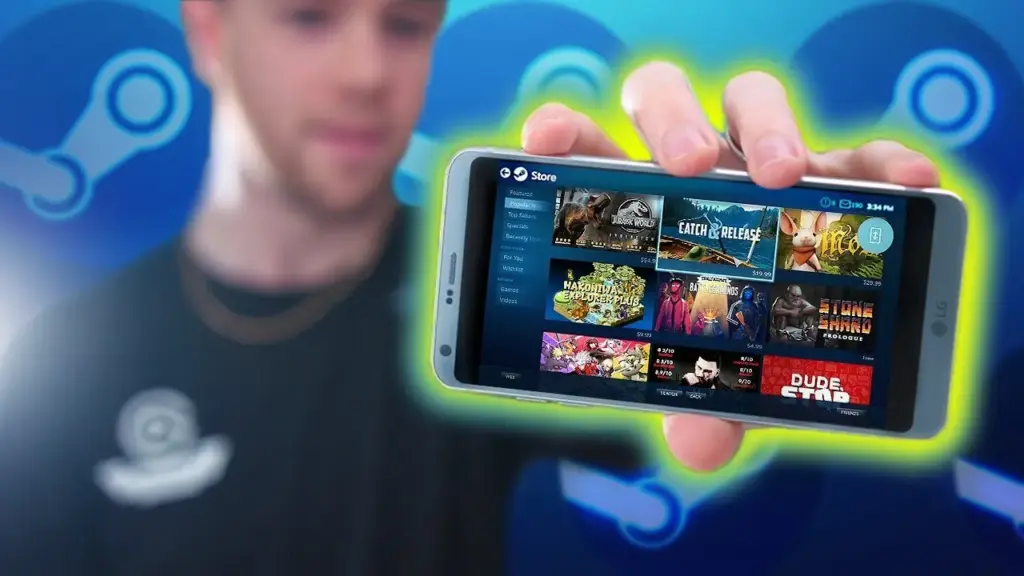
    The Steam app for Android provides users with instant access to their game library, allowing them to browse through their extensive collection of titles. Gamers can view information about each game, including descriptions, screenshots, and user reviews, helping them make informed decisions about which games to play. Moreover, users can initiate game downloads and installations remotely, ensuring that their favorite titles are ready to play when they are.

    Social Features and Community Integration
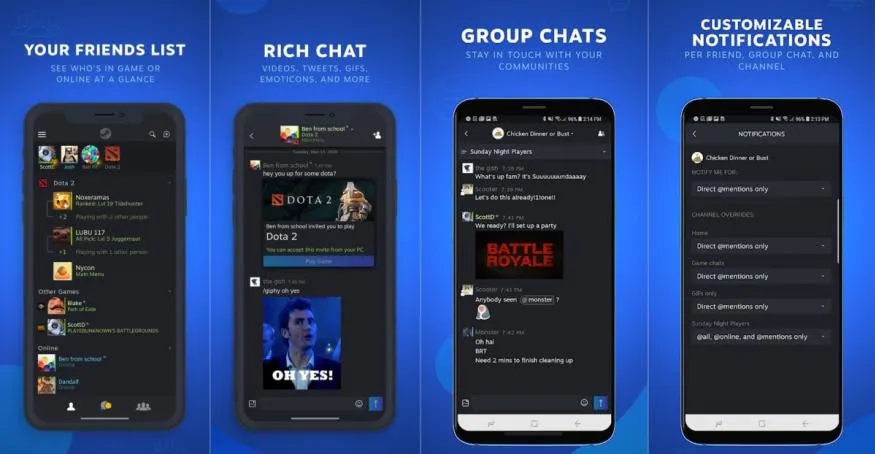
    dims

    The social capabilities and seamless community integration of the Steam app for Android are among its best features. From the comfort of their Android devices, gamers may talk with friends, join or create groups, and take part in online forums. This encourages teamwork and makes it possible for participants to communicate with one another while they are away from their computers. Also, the app offers push notifications so users never miss a critical message or game invitation.

    Steam wallet

    Steam Wallet is a digital payment system provided by the Steam platform, which is a popular digital distribution platform for video games, software, and community features. The Steam Wallet acts as a digital “wallet” or account balance associated with a user’s Steam account.

    Users can add funds to their Steam Wallet using various payment methods, such as credit cards, PayPal, or prepaid cards specifically designed for Steam. These funds can then be used to purchase games, downloadable content (DLC), in-game items, and other digital products available on the Steam platform.
    The primary purpose of the Steam Wallet is to provide a convenient and secure way for users to make purchases within the Steam ecosystem without the need to repeatedly enter payment information for each transaction. It simplifies the purchasing process, allowing users to add funds to their wallet and use those funds for multiple transactions.

    Two-factor authentication and mobile authentication
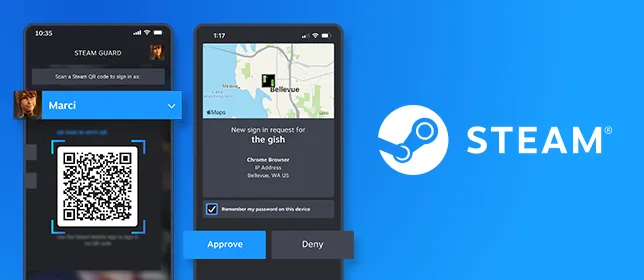
    f003809313f459e15688224942da8a10

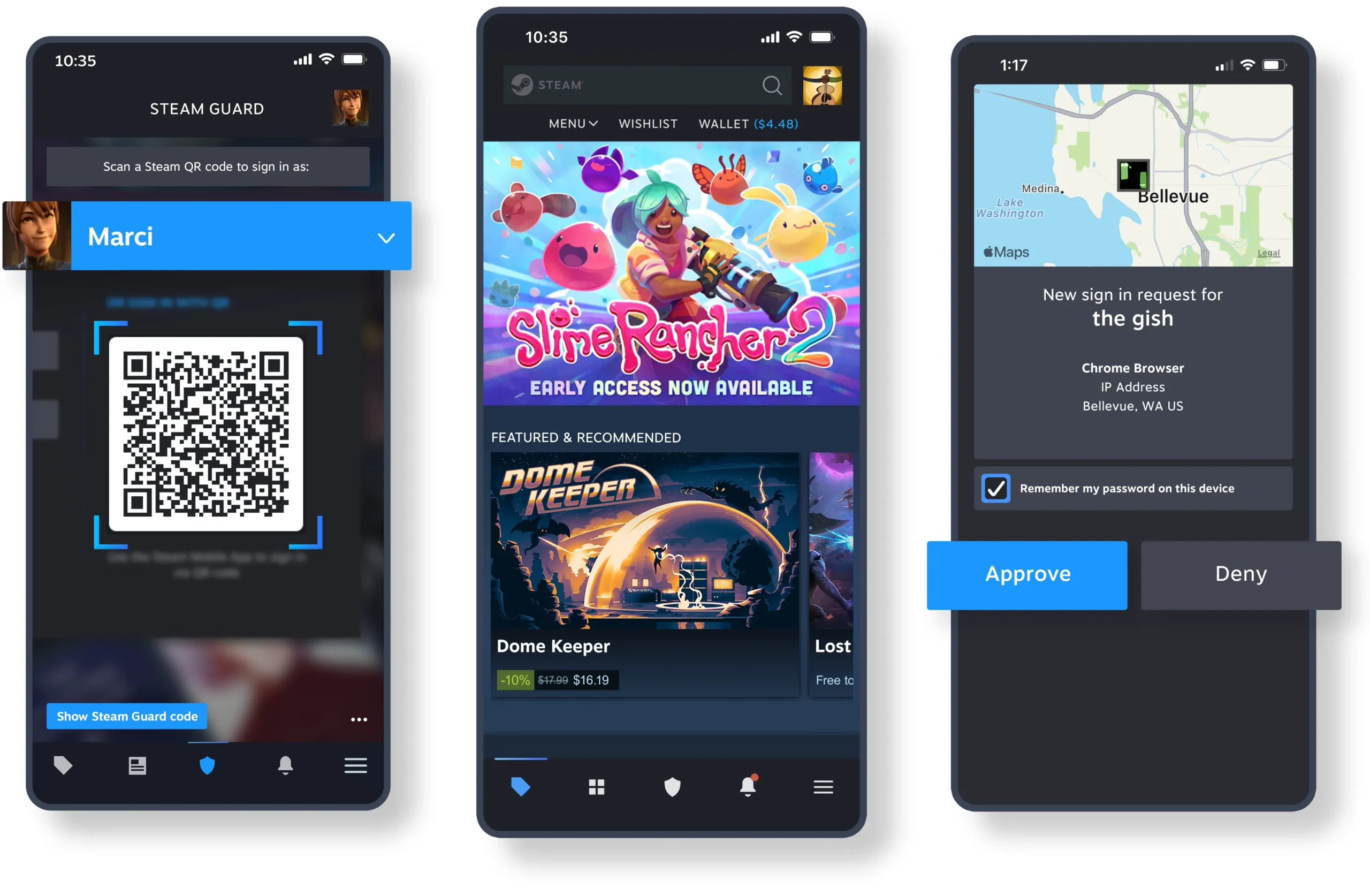
    Steam places a high premium on security, and the Android app helps to achieve this goal by providing the Mobile Authenticator feature. Users can add an additional degree of security to their Steam accounts by turning on the Mobile Authenticator on their devices. To ensure that only authorized users may access their accounts, this function produces special codes that are necessary to log in. Gamers can rest easy knowing that their Steam accounts are safe with the Mobile Authenticator.

    Wishlist Management and Store Access

    The Steam app for Android enables users to manage their wishlist, keeping track of upcoming games and promotions. Gamers can explore the extensive Steam store, browse new releases, search for specific titles, and take advantage of discounts and deals, all within the app. This convenient access to the store ensures that users can stay up to date with the latest game releases and purchase their favorite titles, even when they are away from their desktop computers.

    Remote Game Streaming and In-Home Streaming
    news

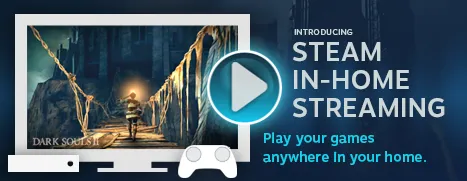
    The Steam app for Android allows gamers with strong gaming PCs to wirelessly stream games from their laptops to their mobile devices. As long as they have a reliable internet connection, customers may now play their favorite PC games while on the go. Also, the software supports In-Home Streaming, which enables users to stream games to their Android devices while connected to the same local network from their PCs or laptops. Users are able to play their PC games from any area in the house thanks to this function, which increases flexibility and convenience.

    Steam on the Broader Gaming Landscape

    Steam remains one of the most dominant platforms in PC gaming, and its mobile app is just one piece of a much larger ecosystem. If you’re looking to explore everything Steam has to offer — from its game catalog and community features to sales and platform updates – resources like Gamers Now’s Steam hub are a great place to stay informed. Whether you’re a casual player or a hardcore enthusiast, keeping up with Steam’s evolving features helps you get the most out of your gaming experience.


    For gamers who want to play their favorite games on the go, the Steam app for Android devices has completely changed the game. The app improves the gaming experience on Android smartphones and tablets by enabling convenient remote game streaming, social features, community integration, and seamless game library access. The Steam app gives players the freedom to completely immerse themselves in the world of gaming, whenever and wherever they want, whether it’s keeping in touch with friends, managing the wishlist, or buying new titles. Hence, if you enjoy playing video games, don’t pass up the fascinating prospects that the Steam app for Android offers.
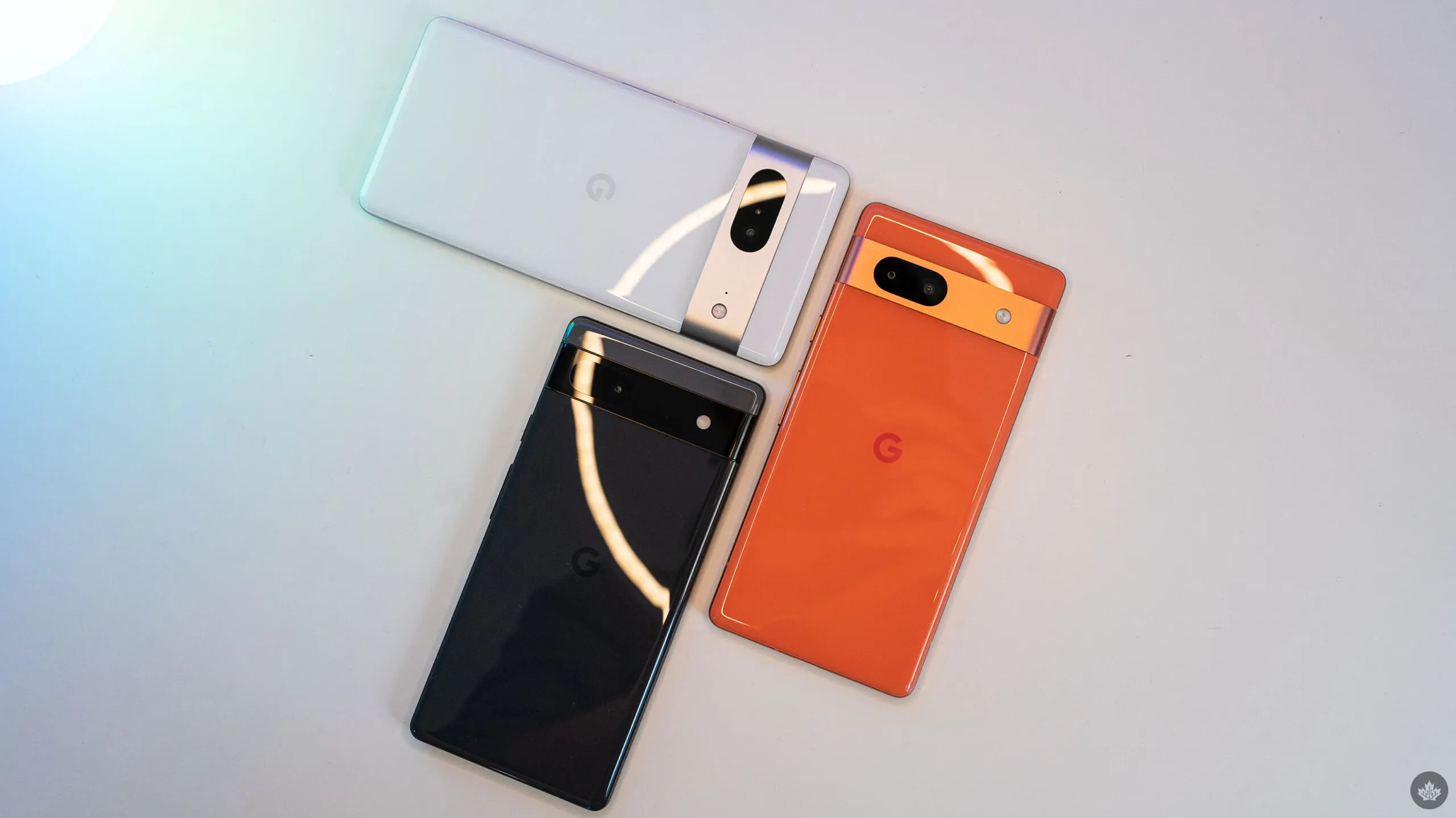
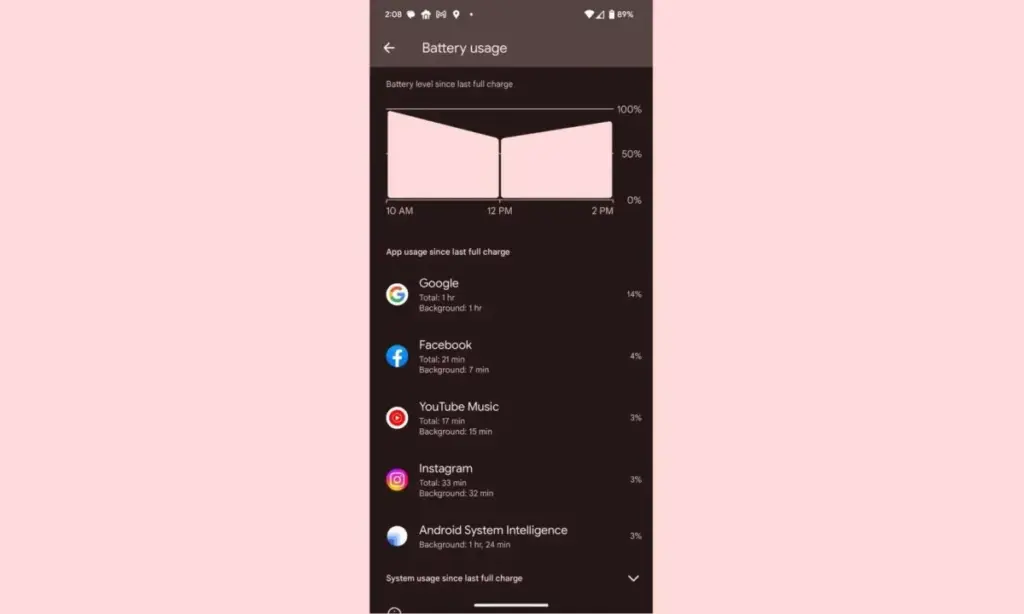
  • Since the June update, some Pixel owners are reporting faster battery loss.

    Since the June update, some Pixel owners are reporting faster battery loss.

    Despite not being the best Android smartphones available, Pixel devices are nonetheless good. Most of the time, hardware limitations of Pixels are overcome by their superior software, which Google delivers together with cutting-edge features that are exclusive to its products. While feature drops and upgrades are regular and often bring exciting improvements, they can occasionally also lead to unanticipated issues. This appears to be the case with the June update, as several customers report that their Pixel devices are depleting their batteries faster than usual.

    pixel

    Many users have commented on Reddit about the June update’s poor battery life, which was picked up by the staff at 9to5Google. Some users report noticing only a slight change, while others report that they now need to charge their cellphones at least twice daily. Others have reported connectivity problems, including short-lived batteries and erratic mobile data signals.

    It appears that a variety of Pixel devices are included in the list of affected ones, however upon fast reading through the thread, it is clear that many Pixel 7 and Pixel 6 series smartphones are affected. Even while there are reports of the phones heating up much more than before, which is rather frightening, increasing battery consumption is still a major problem.

    While those who are impacted by this are in a lot of suffering, there are some remedies. Some people claim that the issue is resolved by deleting the most recent update for Android System Intelligence in the Reddit thread. Some assert that restarting the device also resolves the problem. Even if some of these fixes might be effective, Google will probably need to release an update. We’ve been in touch with Google in an effort to clarify these matters. We anticipate that the business is aware of the issue and will include a fix in the upcoming version.
  • Best cases for the Google Pixel Fold

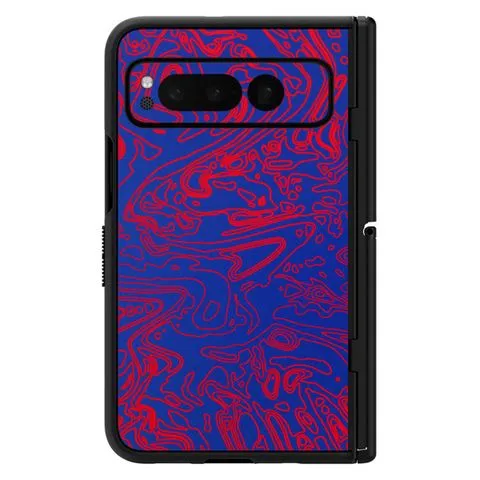
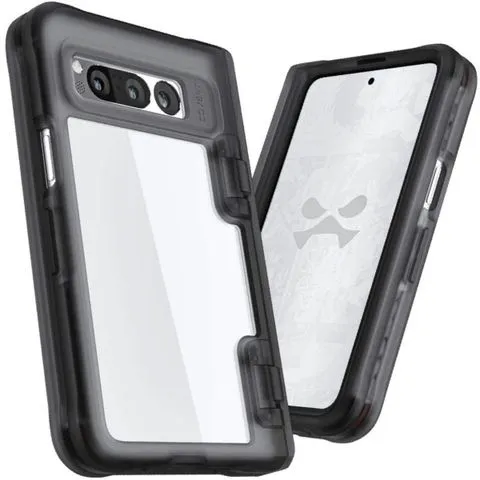
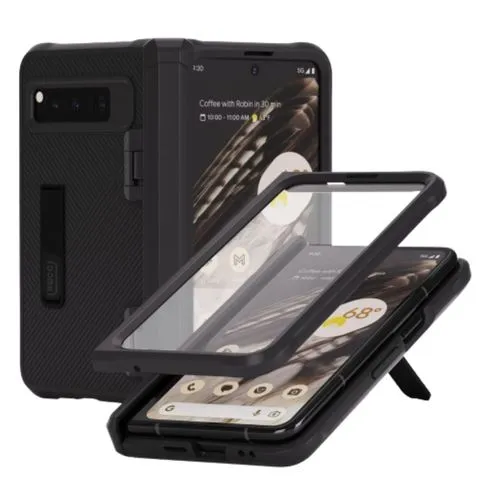
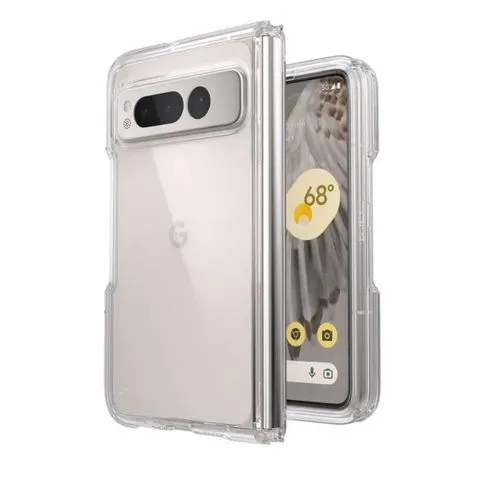
    Best cases for the Google Pixel Fold

    It has always been difficult to find cases for folding phones, but with the Google Pixel Fold, we can skip the hassles of older cases and get right to reliable, secure protection. Manufacturers have jumped right into production of their Pixel Fold cases after years of continuously improving Samsung Z Fold series cases.

    For Google’s most avant-garde phone yet, we’ve got the finest of the best—from clear to crushproof, from heavy-duty to hotly designed.

    poetic spartan pixel fold case

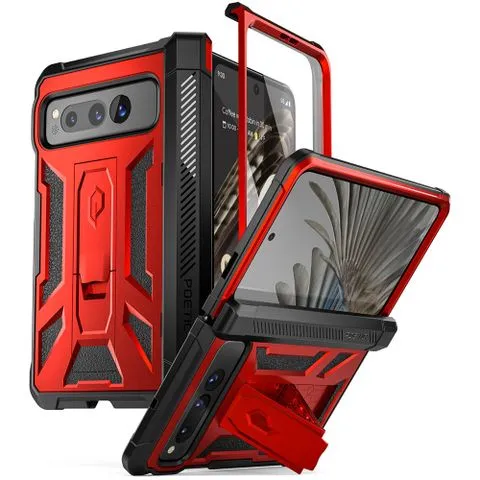
    Poetic Spartan for Pixel FoldBest overallI’m not gonna mince words: this is a chunky case. This absolute unit features a heavy-duty hinge protector, a kickstand built into the back (rather than the hinge), and a claim of 20-foot impact resistance. This kickstand should work whether your Fold is closed or open. Though when it’s open, you’ll want to rotate the Fold from landscape to vertical.$60 at Amazon

    casetify impact series pixel fol

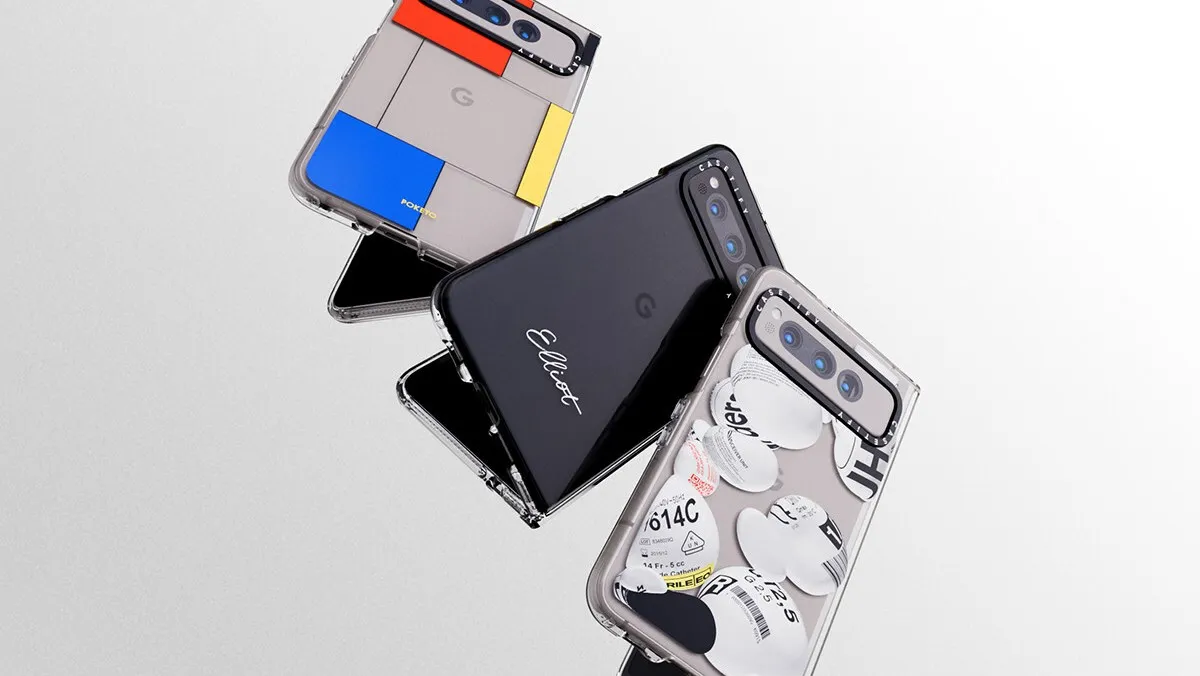
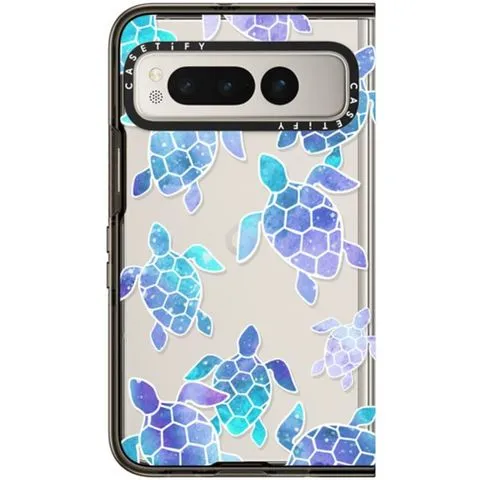
    Casetify Impact Case for Pixel FoldPremium pickIs this Pixel Fold Case expensive for only having four-foot drop protection and no hinge cover? Yeah. Is it the most stylish Pixel Fold case you can buy right now? Yup. From hundreds of designs to upcoming Co-Lab collections, from custom cases to iconic artwork, Casetify’s gallery ensures everyone can find something they like. If you don’t like the black bumper, Casetify also has a Clear option.$72 at Casetify

    caseology parallax pixel fold ca

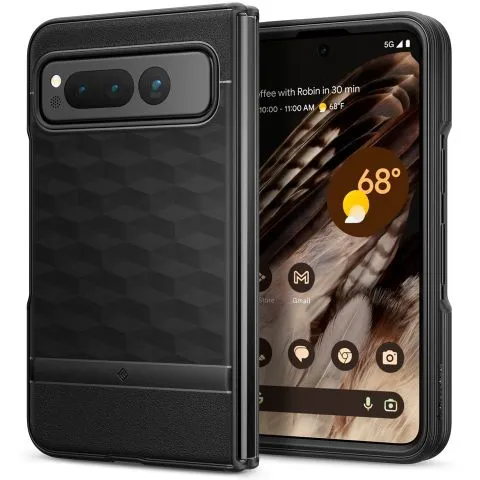
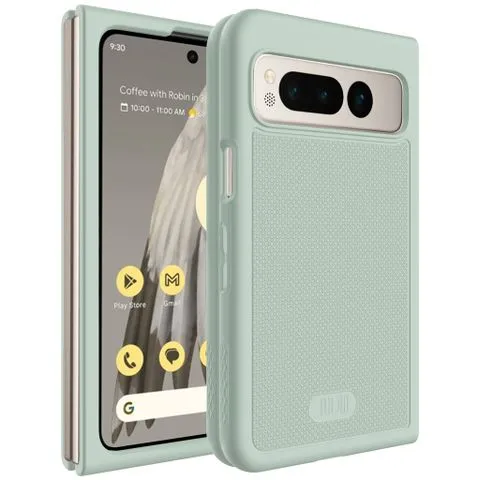
    Caseology Parallax for Pixel FoldBest valueMost manufacturers charge 30-100% more for a foldable phone’s case — they’re harder to design and use more materials — but Caseology keeps it classy and affordable with the Parallax. It might not have a kickstand or color choices, but it gives this Pixel Fold case exactly what it needs: grip and some basic impact resistance. The sculpting around the buttons also makes it easier to open the Pixel Fold.$25 at Amazon

    case mate tough plus pixel fold

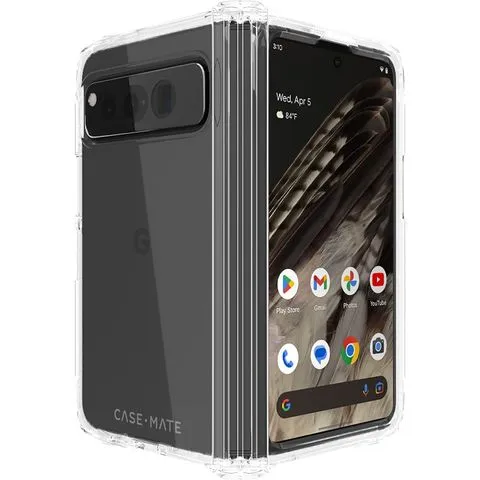
    Case-Mate Tough Plus for Pixel FoldFeels like one solid caseMost folding cases are two completely separate pieces that you have to hope and pray line up perfectly on your Pixel Fold. Case-Mate’s Tough Plus is one of the few Pixel Fold cases that feels like one modulated case rather than two distinctly separate halves. Case-Mate also claims it can withstand up to 16-foot drops, but the polish of this case alone is worth the price of admission.$50 at Amazon

    vrs design terra guard pixel fol

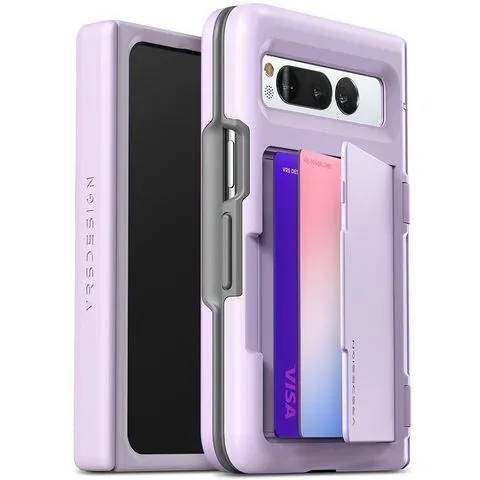
    VRS Design Terra Guard Modern Go for Pixel FoldThere’s no sugarcoating the thickness of this cover, being a card slot case on top of a heavy-duty Pixel Fold case. If you’re looking to ditch the billfold and just carry everything all in one, the Terra Guard is one of the few wallet options for this phone. We wish there were a teeny bit more space inside the slot for cash on top of cards, but it’s workable.$50 at Amazon

    spigen ultra hybrid pixel fold c

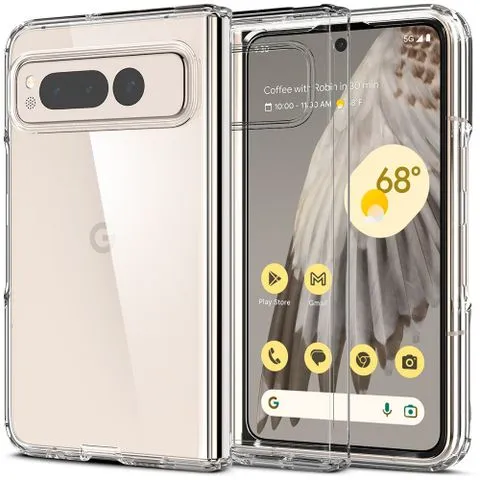
    Spigen Ultra Hybrid for Pixel FoldAs far as clear Pixel Fold cases go, it’s hard to beat the Spigen Ultra Hybrid. Though it lacks a hinged cover, this slim case will put that wonderful, creamy Porcelain on full display while staying slim and manageable while holding. Because there are no moving parts to this case, you can actually lay the Fold flat on a tablet without it turning into a seesaw for fairies.$45 at Amazon

    google pixel fold official case

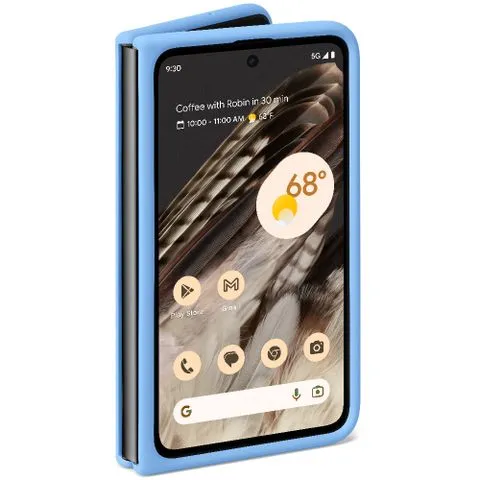
    Google Official Case for Pixel FoldThe track record of Google’s first-party cases has been a bit circumspect over the last couple of years, but its official Pixel Fold case breaks from the flimsy translucent cases with simple silicone slipperiness. Although we’ll have to test this one thoroughly, Google touts its stain resistance and texture — two areas previously struggled with. One thing’s for sure: Google nailed the colors.$60 at Google Store

    tudia dualshield pixel fold case

    Tudia DualShield for Pixel FoldTudia’s initial images for the DualShield had it completely covering the power button — and thus the fingerprint sensor — but it seems Tudia has remedied this mistake. The cutout for the power button is slim but should be enough to get a decent read while pulling the phone out of your pocket. It also comes in four striking colorways.$43 at Amazon

    otterbox thin flex pixel fold ca

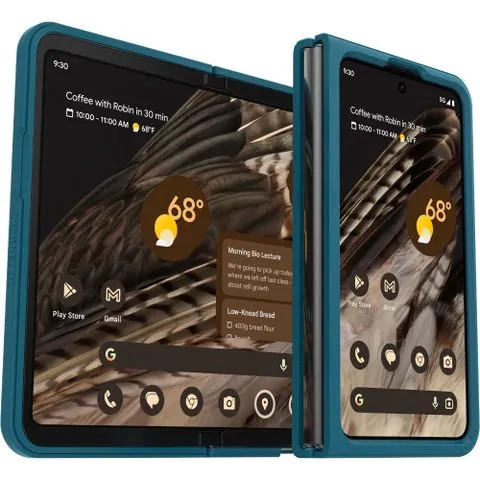
    Otterbox Thin Flex for Pixel Fold$48$60Save $12At this time, OtterBox only offers the Thin Flex series for the Pixel Fold, a welcome compromise between a bold bumper case and a classic clear case. The edges on a clear case often end up looking ugly, especially if adhesives are involved, so covering these harsh realities is a good call. I do wish there were more color options, though.See at Amazon$48 at Otterbox

    vrs design simpli fit pixel fold

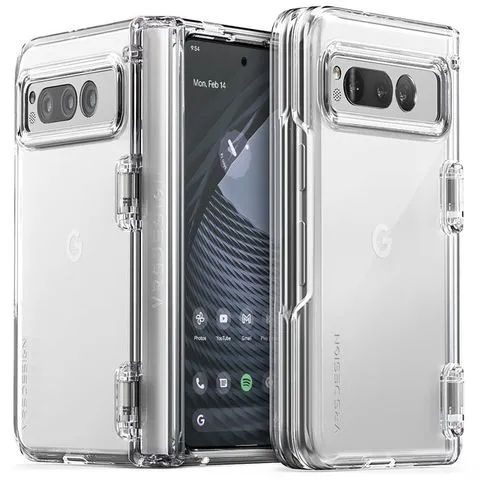
    VRS Design Simpli Fit for Pixel FoldWhile available in solid green and black, the clear VRS Simpli Fit shows the Pixel Fold’s matte glass exterior and thus is vastly superior. Clear cases with hinge covers are usually a bit messy, but VRS Design keeps things sturdy and clean. The cutout around the power button could use a little extra room for scanning fingerprints, but it should be fine most of the time.$40 at Amazon

    spigen tough armor pixel fold ca

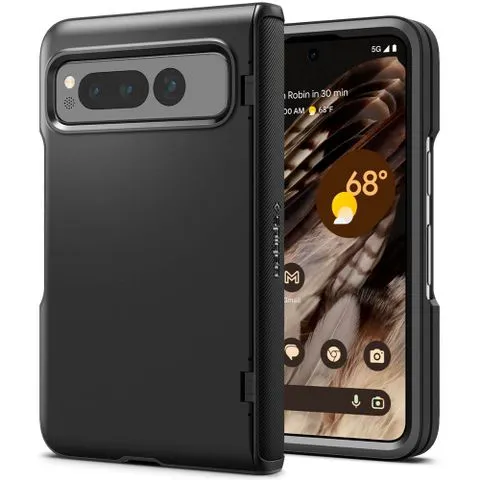
    Spigen Slim Armor Pro for Pixel FoldThe Slim Armor Pro’s normal construction makes it almost feels stale on normal slab phones, but its folding hinge cover adds just enough flair to keep it interesting. The hinge cover here is a bit slimmer than those found on VRS Design and Poetic’s cases, making it a less awkward handhold while using the Fold’s inner screen. For this price, the lack of kickstand stings.$85 at Amazon

    dbrand grip for pixel fold

    dbrand Grip for Pixel Fold$60$80Save $20Dbrand offers some of the best cases on the market, and they are bringing that expertise to the Galaxy Fold. At just 2mm thick and with military-grade drop protection, the case makes you feel confident that your phone will be well protected without any extra bulk. To prevent you from dropping it, this case consists of thousands of tiny ridges for maximum grip. It also comes with a built-in kickstand for enhanced viewing pleasure.$60 at dbrand

    ghostek covert for pixel fold 1

    Ghostek Covert for Pixel FoldThe Ghostek Covert case for the Pixel Fold offers a lot of protection in some fantastic colorways. While there are nine colors to choose from, six of those colors are available in limited quantities. So if you want to be unique, make sure you don’t hesitate. This case offers eight feet of drop protection, is scratch resistant, and has raised edges to keep the display and camera lenses free of scratches. $40 at Ghostek

    whitestone dome escudo for

    Whitestone Dome Escudo for Pixel FoldThe Whitestone Dome Escudo case offers complete device protection for the Pixel Fold. In addition to protecting the Fold’s body, the Escudo case protects the hinge and comes with a built-in screen protector. It is wireless charging compatible, allowing you to use your favorite charging mat or the power share feature. With precise port cutouts and an integrated kickstand, the Escudo case is a fantastic investment for the Pixel Fold.$26 at Amazon

    pixel fold cases

    Speck Presidio Perfect-Clear for Pixel FoldThe Presidio Perfect-Clear case from Speck has its surface covered in Microban, keeping odor and stain-causing bacteria at bay. This layer maintains top-notch clarity and won’t yellow over time. In addition to showing off the Pixel Fold, it offers 13 feet of drop protection in a thin package. And with raised bezels, the screen and camera are protected from being dragged across a flat space.$60 at Speck


    The current selection is strong, despite the fact that we’re still missing a sizable portion of the anticipated Pixel Fold cases—we’re hoping they’re just fashionably late and not just absent. Newer companies like Ghostek and Casetify bring forth more flair and refinement, while more traditional names like OtterBox, Dbrand, and Spigen serve up the familiar and expected series. The Caseology Parallax combines all the best elements. We are familiar with and have confidence in this series since it provides a protective case that is neither too thick nor too thin, with equal parts grip and style.

    It’s good that there aren’t many colorful Pixel Fold options you’d want to show off with a clear case. Slim scratch protection is provided by clear cases like the Ultra Hybrid and the Presidio Perfect-Clear. Additionally, more colorful cases, such as the graphic Casetify Impact Series, continue to create distinctive and captivating combinations for your Pixel Fold.

    You will have to cope with actual cuts surrounding the button because the Pixel Fold’s fingerprint sensor is positioned on the power button. Hence, cases that eliminate the volume and power buttons, like the Spigen Ultra Hybrid, tend to yield better reads. Although cases like the Ultra Hybrid expose more of the frame and the buttons, they also provide a better grip place for opening the Fold with one hand. Some covers, like Tudia’s DualShield, simply expose the power button, making it simpler to feel where your finger has to go. But, some people may find it more difficult to acquire accurate fingerprint reads due to the smaller cutout.

    If all else fails, use Smart Lock, also known as Extend Unlock, to keep your digital lifeline unlocked when you’re out and about or sporting your lovely Android smartwatch, as I do. Then purchase a screen protector for your Pixel Fold to shield that dazzling exterior screen from nicks and breaks.

  • How to fix “OK Google” not working

    How to fix “OK Google” not working

    With our very own, always-on virtual assistants in our pockets, a futuristic utopia where Google Assistant was created was meant to be a reality for everyone. But even the best technology occasionally fails to function in the real world. In this post, we’ve outlined a number of actions you can do if your phone’s “OK Google” or “Hey Google” voice command isn’t functioning. To learn more, scroll down!

    Identify the problem

    Sometimes a bothersome problem can be resolved without the need for extensive, laborious, complicated debugging efforts. Something extremely simple might be the answer. And that’s precisely what we’re aiming for here. Let’s start with a few simple ways to fix your “OK Google not working” problem before moving on to some of the more challenging ones.

    Is Google Assistant is turned on?

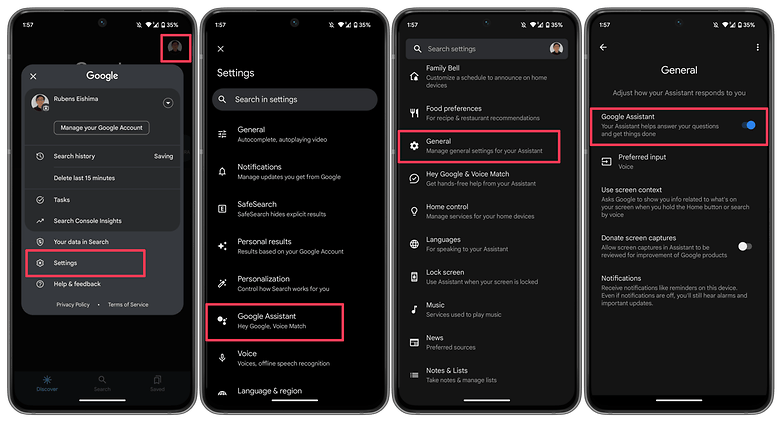
    You might be astonished to learn just how many individuals may have just disabled the Google Assistant feature and then wondered why it wasn’t working, despite how simple it may seem. If you frequently give your phone to your children, they may occasionally tinker with the settings and mistakenly disable Google Assistant (including the “OK Google” command). Make sure Google Assistant is turned on before even reading about basic troubleshooting procedures.

    activate ok google

    How to:

    1. Launch the Google app on your phone.
    2. Tap on your profile picture.
    3. Select Settings.
    4. Choose Google Assistant.
    5. Tap on the General option.
    6. Make sure that Google Assistant is enabled.

    As an additional step, you may also want to check the following:

    1. Follow steps 1 to 4 as mentioned above.
    2. Select Hey Google & Voice Match.
    3. Make sure the Hey Google option is enabled.

    Make sure you’re connected to the Internet

    Even though it may seem obvious, Google Assistant often requires a Wi-Fi or mobile data connection to work, so be sure your phone is connected before starting a search. Additionally, and this is arguably the oldest piece of wisdom in the book, it never hurts to run a quick reboot because magic can happen there from time to time!

    Check if you’re not alone

    It’s always good to know if the problem you’re facing is affecting just you and nobody else. There have been occasions when people noticed that the problem is on Google’s side rather than theirs. Check Twitter, Reddit, and Google’s support forums to see if other users are complaining about ‘OK Google’ not working or that ‘Google Voice’ is not working as it should. You can also try searching for a solution using the term ‘Google assistant not working.’
    Check your language settings

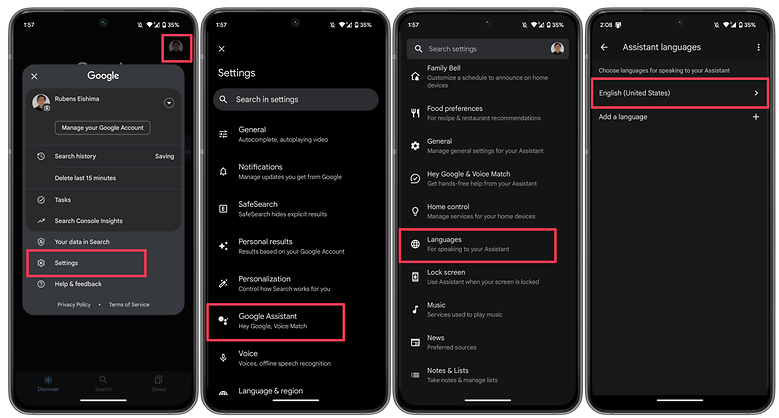
    Checking your phone’s language settings has proven to be a reliable solution for many people who experience the dreaded “Ok Google not working” problem. What if it transpires that the only reason Google Assistant isn’t responding to you is that you’re using the incorrect language when you speak to it?

    Note that US English will be the default language for many users, but it’s still worth checking in the Settings menu and making the necessary changes as required. To do this, perform the following steps:

    1. Launch the Google app on your phone.
    2. Tap on your profile picture.
    3. Select Settings.
    4. Choose Google Assistant.
    5. Tap on Languages.
    6. Select the first option to change the main language, or add a new language. 

    This same menu can show you dozens of language options, each one with a checkbox, allowing you to set primary and secondary languages if desired. Google will automatically detect which language you’re speaking and automatically switch between them. If you’re multilingual, be warned that voice recognition for languages other than English can sometimes be subpar.

    google asisant set language

    Check microphone

    Google Assistant depends on constant access to your smartphone’s microphone because it is a voice-based technology. The microphone symbol on the right side of the search bar should be bold and have well-defined lines when you first open the Google app. If there is a dotted line, your microphone might be malfunctioning.

    If you carefully dig about with a safety pin or something similar to clear the debris in the tiny microphone hole, which is frequently located near to the charging port, you should be able to resolve the issue. Check the Google app’s microphone settings if that doesn’t work.

    Occasionally, apps running in the background generate audio that may interfere with the microphone’s ability to pick up your voice, so check these too, and kill any apps that you think can be generating audio.

    Turn off battery saver mode 

    To ensure you get the most life out of the battery, Android smartphones have a specific power-saving mode that shuts off background processes. Your Google Assistant (and the OK Google command) ceasing to function as a result is an unforeseen effect of this. Before you point the finger at anything else for OK Google not working, it is a good idea to make sure that the battery-saving mode on your phone is turned on.

    On stock Android, you can check if the Battery saver option is enabled by taking these steps.

    1. Launch the Settings app.
    2. Scroll down and select Battery.
    3. Choose the Battery Saver option.
    4. Disable the Use Battery Saver option.

    On other Android skins, the same option may appear under a different name, i.e. Adaptive Battery.

    Update the Google app to the latest version

    One possible fix to your OK Google problem is to ensure that your smartphone is running the latest version of the Google App. Here’s how you can make sure you’re on the newest version of the app.

    1. On your smartphone, launch the Google Play Store.
    2. Search for the Google app.
    3. On the Google app page, check whether there is an option to Update instead of Uninstall.
    4. Update the app by selecting Update to see whether the issue is resolved.

    6. Retrain the “Ok Google” voice model

    Sometimes, for reasons unknown, Google Assistant doesn’t retain the commands you have given it. If all else fails, it might be time to retrain your digital companion. Here’s how you can do so.

    1. Launch the Google app.
    2. Tap on your profile picture.
    3. Select Settings.
    4. Choose Hey Google & Voice Match.
    5. Select Voice Model.
    6. Tap on Retrain voice model and follow the on-screen instructions.

    Now that you have reached the end of this article, do let us know if these steps helped you resolve the issue. Additionally, do let us know if we have missed any useful fixes.

  • Free apps this week! – Android and iOS

    Free apps this week! – Android and iOS

    Now that another busy week in both work and general life has come to a conclusion, it’s time to move on. In fact, it is difficult to comprehend how quickly a half year will fly by. Why not unwind while playing some of the free games and applications available on the Google Play and Apple App Stores?

    Normally, these applications would cost money, but for a brief period of time, you can get them for free on iPhone and Android. Please be aware that this list is released twice a week on Tuesdays and Fridays.

    Let’s be honest, these are not entirely free apps. On Google Play and the Apple App Store, these are often paid applications that you must purchase if you wish to use them. However, occasionally, developers show their generosity by giving away their apps to the general public. We go through the Apple App Store and Google Play Store twice a week to find the greatest deals for you.

    Although the programs on this list are currently free, these offers occasionally stop without prior notice according to the whims and fancy of the creator. On these platforms, the advertising time for apps might be erratic and abruptly cease.

    free apps

    Android apps available for free for a limited time

    Android apps for productivity and lifestyle

    • Test Bluetooth Headset [4.5-stars / $2.99]: Find out just how much juice your Bluetooth headset has, complete with a discharge graph!
    • Camera 4K Pro [3.9-stars / $0.99]: Sick and tired of your stock camera app? Perhaps this one might provide more manual controls to capture better photos.
    • All TV Screen Mirroring Pro [4.1-stars / $4.99]: Want to display content on your smartphone but on a big screen TV? This app gets the job done with aplomb.

    Android games

    • Rusty: Island Survival Games [4.0-stars / $0.99]: Remember Tom Hanks in Cast Away? How well would you fare as a sole survivor on an island?
    • Rogue Hearts [4.3-stars / $0.99]: A turn-based tactical RPG with amazing graphics where you lead your party through different quests.
    • Dungeon Shooter: Dark Temple [4.2-stars / $1.99]: A FPS where you explore a temple and look for riches, but wait, there are monsters to get rid of!
    • SPHAZE: Sci-fi puzzle [4.5-stars / $0.99]: A puzzle game that is set in a sci-fi environment complete with amazing graphics to kill time intelligently.
    • Demon Warrior Premium [4.4-stars / $0.99]: You are an all-powerful warrior who dishes out plenty of damage while taking them like a champ. Will you be able to eradicate all the evil that you come across?

    iOS apps available for free for a limited time

    iOS apps for productivity and lifestyle

    • Unit Converter: Converter4U [4.7-stars / $0.99]: Remove all guesswork and get the exact information when switching between different measurement units.
    • Positive Thinking Meditation [4.5-stars / $3.99]: You know you’re already off to a good start when you get free positive thinking pointers for free in this app.
    • World Clock Time Travel Pro [4.7-stars / $0.99]: Do you do a lot of traveling? Adjusting to the new time zone is always a challenge, but at least get the local time right with this app.
    • Safety Note+ Pro [4.8-stars / $3.99]: Write your thoughts down digitally with this app, and secure it so that the contents remain safe from prying eyes. 
    • DailyBill—Expense Tracker [4.9-stars / $0.39]: How has your resolution of keeping track of your expenses been in 2023? If you have fallen off the wagon numerous times and need an app to keep you accountable, how about trying this out?

    iOS games

    • DobbyxEscape: Adventure Story [4.4-stars / $1.99]: A pirate adventure that is full of thrills and spills as you square up against the legendary Blackbeard himself!
    • Rogue Hearts [4.3-stars / $0.99]: A rogue-like dungeon crawler with a modern twist, featuring fantastic graphics and a story that will get you hooked from the very beginning!
    • Drop Flop! [4.7-stars / $2.99]: The mechanics of this game are elementary—tap the screen to drop a ball, and you need to time yourself well to catch it as well.
    • Airplane Flight Simulator Game [4.0-stars / $9.99]: You do not need a powerful rig to take to the skies as this flight simulator also offers you the chance to do so with breathtaking views and close-to-life controls.
    • Age of Zombies [4.3-stars / $0.99]: A top-down isometric third-person shooter that sees you run from two dangers—zombies and dinosaurs! Both of them are trying to get a piece of you, what will you do to survive?

    That’s it for now with today’s version of our free apps! We certainly hope you will be able to find something worth picking up whether it can be used right away or installed at a later date. What do you think of the apps which we have listed this week? For those who are looking for some online games to keep your adrenaline pumping without having to have an Internet connection, check out our linked story below.

  • #leak camera specs for the Google Pixel 8 series

    #leak camera specs for the Google Pixel 8 series

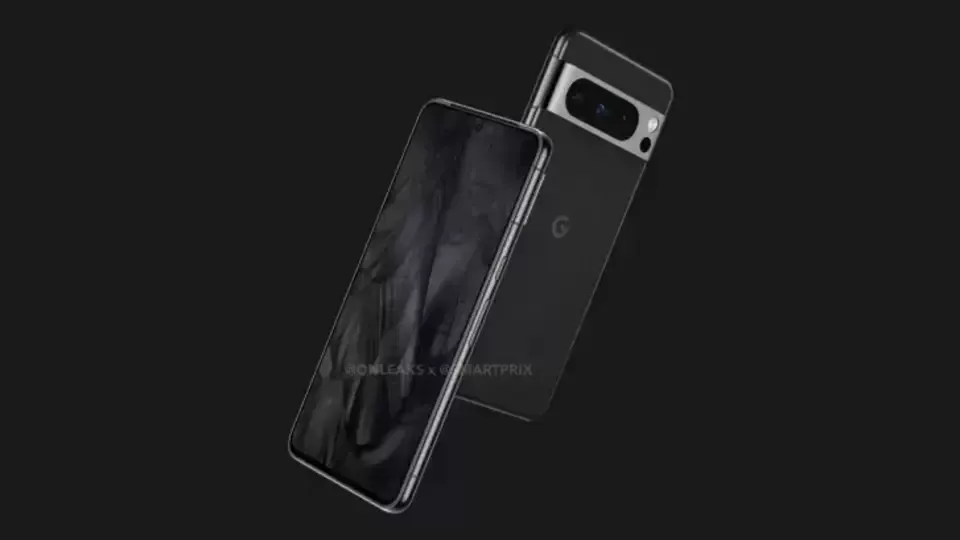
    Because to early investments in computational photography, Google Pixels have earned a reputation for being top-notch camera phones. The hardware of subsequent Pixel generations plateaued after Google continued to use the same primary camera sensor for four years in a row, but this was a great decision that kept them competitive. Even the Pixel 6a from a year ago, which used the same Sony IMX363 image sensor, was praised by us and other experts in the field of cameras.

    After the Pixel 3, Google’s first significant camera hardware advancements debuted in the Pixel 6 series. The entire camera system was improved, but most notably the old primary sensor was changed for a Samsung ISOCELL GN1. The Google Pixel 7 series added a few more small upgrades to this setup, such as a new selfie camera, an improved telephoto lens, and macro capability on the Pro model. We have a lot of information on the camera specifications and features of the upcoming Google Pixel 8 series thanks to a source inside Google. So let’s get into the specifics.

    pixel 8 and pixel 8 pro camera l 1

    Pixel 8 and Pixel 8 Pro camera specs – a big upgrade

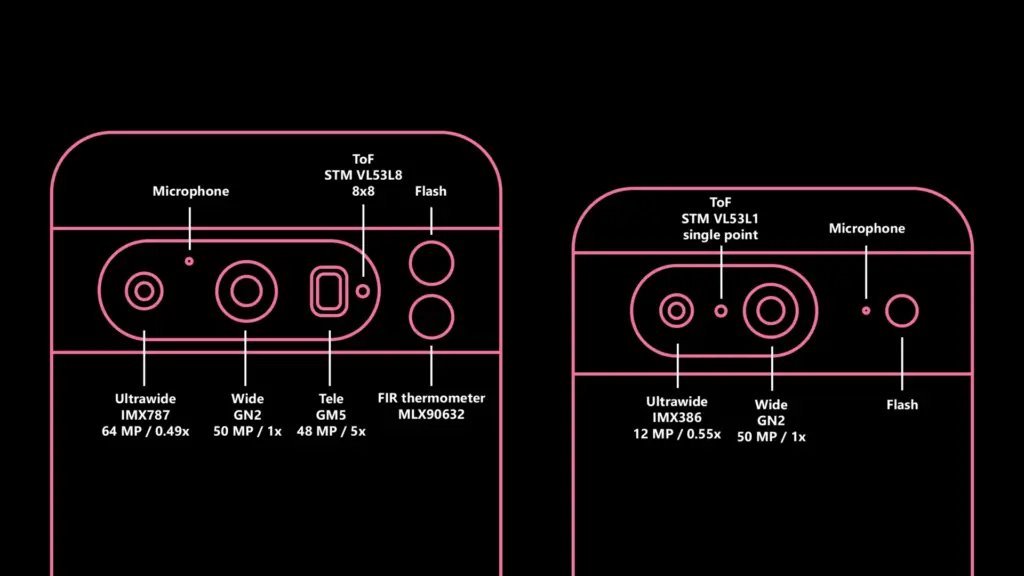
    Both Pixel 8 versions will receive the ISOCELL GN2 sensor as the primary update to the camera hardware this year, replacing the Samsung ISOCELL GN1 sensor. The sensor is bigger and should capture roughly 35% more light than its predecessor for brighter low-light shots and faster shutter speeds to lessen blur. These are the first enhancements.

    The Tensor G3 CPU and the sensor both support the capture of 8K/30fps video. This might not reach users, though, as the Pixel 8’s GCam does not presently enable it, and older Pixel models already run quite warm at 4K/60 frames per second. The final improvement is the previously revealed Staggered HDR support. This shortens the time between HDR capture frames, which lessens ghosting and expedites the capture process. The innovation might enable quicker, more dependable photos by enhancing Google’s HDR+ capabilities.

    The ultrawide camera on the Google Pixel 8 Pro is also getting a much-needed boost. The 64MP Sony IMX787, which is the same sensor as the main camera featured on the Pixel 7a, has replaced the outdated 12MP Sony IMX386. The sensor is almost two times larger, which is a significant improvement for the ultrawide camera. The lens has also been slightly widened by Google. The field of vision (FoV) has been increased from a 0.56x zoom ratio to 0.49x, but I am unsure of the precise value. Unexpectedly, there’s a possibility that the macro mode introduced with the Pixel 7 series won’t be present this year. At now, the Pixel 8 Pro doesn’t have the capability enabled. Afterwards, the feature might be activated again.

    The vanilla Google Pixel 8’s ultrawide camera is also upgraded, although more modestly. While the camera sensor is the same Sony IMX386 found in the Pixel 6 series, Google has made it slightly wider this year. Pixel 7 had a 0.67x zoom ratio, which is now 0.55x in the Pixel 8.

    The telephoto camera on Pixel 8 Pro appears to remain the same 5x module as the Pixel 7 Pro. The same goes for the 11MP selfie camera from the Pixel 7 series. Here’s the full rundown:

    Pixel 7Pixel 8Pixel 7 ProPixel 8 Pro
    WideSamsung GN1 (50 MP)Samsung GN2 (50 MP)Samsung GN2 (50 MP)Samsung GN1 (50 MP)
    UltrawideSony IMX386 (12MP) – 0.67x zoom ratioSony IMX386 (12MP) – 0.55x zoom ratioSony IMX787 (64 MP) – 0.49x zoom ratioSony IMX386 (12MP) – 0.56x zoom ratio
    TelephotoSamsung GM5 (48 MP) – 5x zoom ratioSamsung GM5 (48 MP) – 5x zoom ratio
    SelfieSamsung 3J1 (11 MP)Samsung 3J1 (11 MP)Samsung 3J1 (11 MP)Samsung 3J1 (11 MP)

    It’s intriguing to see Google further distinguish between the normal Pixels and their Pro counterparts. Although each generation’s previous Pixels had distinct distinctions (such as the addition of telephoto cameras on the Pro versions), it never felt as though the standard devices were a significant downgrade; rather, they just featured less features. This is altering with this generation. Now, purchasing the normal Pixel 8 over the Pixel 8 Pro will result in a lower-quality ultrawide experience and a lesser zoom.

    Improved time-of-flight is coming to the Pixel 8

    The STMicroelectronics VL53L1 single-point time-of-flight (ToF) sensor has been used in all Pixel phones since the Pixel 6 (apart from the Pixel A series), which is a little-known fact. This sensor helps the autofocus. It is depicted in the picture up top.

    Finally, the Pixel 8 Pro get something more practical. It has a brand-new 88 ToF VL53L8 sensor. The new sensor in the Pixel 8 Pro is still a huge improvement, and it should, at the very least, make the autofocus much more dependable. Having a true LiDAR camera sensor, like the 0.3MP IMX590 in the iPhone 14 Pro, is obviously far more adaptable.

    The ToF sensor upgrade isn’t coming to the regular Pixel 8; it retains the old VL53L1.

    The Pixel 8 thermometer is just a thermometer

    An FIR temperature sensor is yet another Pixel 8 Pro feature that has already surfaced online. Let me set the record straight: it is not a full thermal camera that can also be used for photography as some have suggested.

    It is a Melexis MLX90632 sensor, which is primarily suggested for highly accurate non-contact temperature measurements, such as measuring body temperature. It is just capable of sensing temperature; it is neither a camera nor anything else. Simply said, and not for the first time, Google decided to incorporate a very pricey gimmick in its product (hello, Motion Sense).

    google pixel camera

    Software updates for the Pixel 8 camera are coming

    While the camera software on Pixel 8 is obviously in fairly early stages of development and mainly focuses on making the new hardware work, we have spotted some new low-level feature enhancements.

    “Adaptive torch” is a new feature that dynamically adjusts the flash intensity based on the scene and other inputs (e.g. which capture mode is used). This should prevent overexposed shots and make low-light photography even better if you use the flash.

    “Segmentation AWB” is another new feature. As the name implies, the scene will be divided into many segments using AI, and then certain portions of the image will be processed differently. This idea is not new; Qualcomm previously unveiled a feature of a similar nature for the Snapdragon 8 Gen 2. How Google integrates this into its current processing processes will be interesting to observe.

    Google might also add a video bokeh blur level selection for the phone’s cinematic mode, which was first introduced on the Google Pixel 7 series.

  • Nothing Phone 2 launch confirmed

    Nothing Phone 2 launch confirmed

    We’ve learned a lot about the incoming successor to the Nothing Phone 1, which is likely to be the most unusual phone of 2022, over the previous few months. We still didn’t know when we would actually see the phone land, though. Happily, we now are aware.

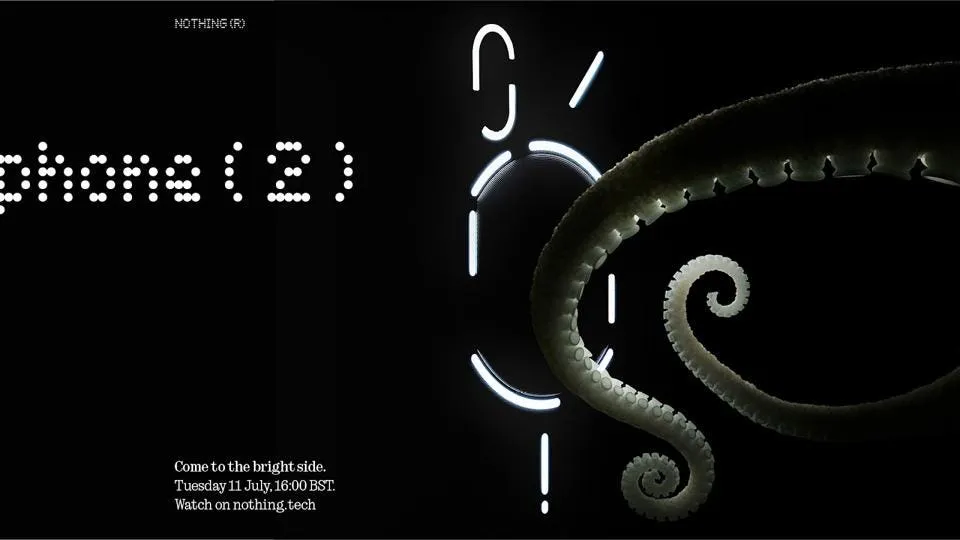
    The official launch date for the appropriately called Nothing Phone 2 is July 11, 2023. On that day, at 11:00 ET, Nothing will broadcast the announcement live on YouTube through its website. See the authorized teaser image down below.

    Nothing Phone 2

    The Nothing Phone 2 launch date is now set in stone.

    As with all of its other goods, Nothing uses an animal in its advertising for the Nothing Phone 2. You may recall that the Nothing Phone 1 featured a parrot, the Nothing Ear 2 a rhinoceros beetle, and the Nothing Ear 1 a ladybug. The octopus appears to be the symbol for the Nothing Phone 2 launch date and related marketing materials.

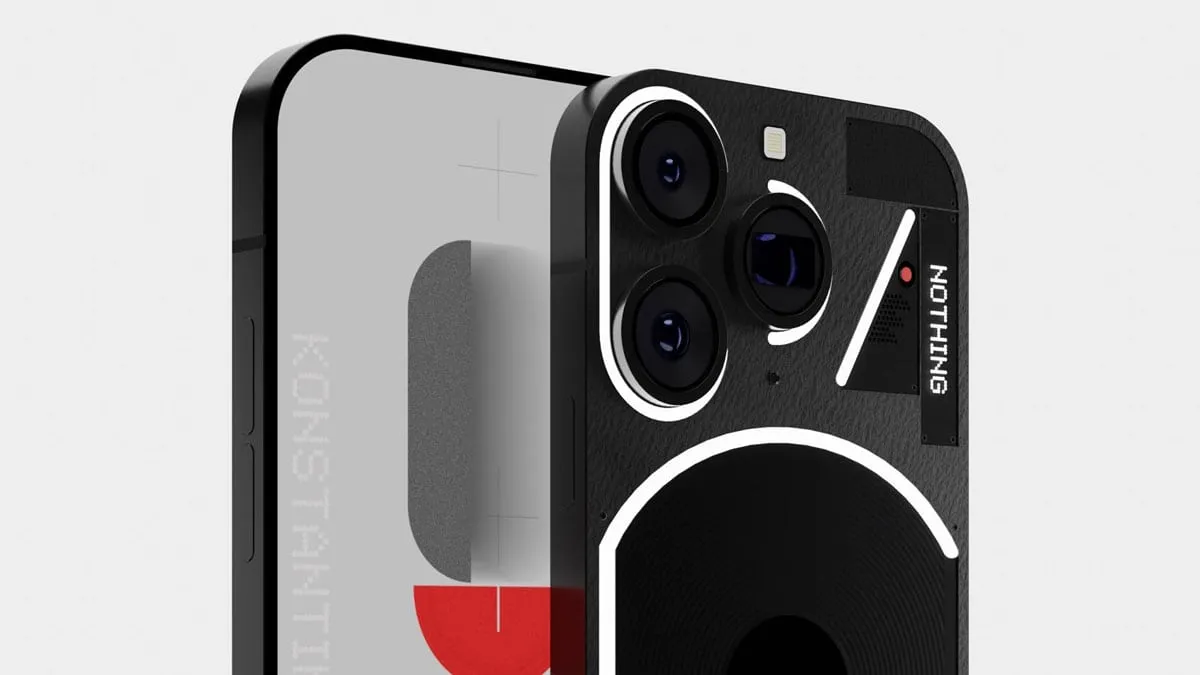
    It’s interesting to note that this advertisement features The Glyph, the phone’s backlight, in its revised form. These exactly match the rumored Phone 2 renders that we saw a few weeks back and that Carl Pei dubbed “f a k e.” That render appears to be more accurate than Pei would have us believe.

    In either case, on the day of debut, we should learn everything there is to know about the Nothing Phone 2. We already know that it will have a 4,700mAh battery and a Snapdragon 8 Plus Gen 1 CPU. Also, we already know that it will undoubtedly visit the United States. When the Nothing advertising machine ramps up, keep checking back for more verified information that will likely be released daily.

  • For the first time, Asus’ Zenfone series will support wireless charging with Zenfone 10.

    For the first time, Asus’ Zenfone series will support wireless charging with Zenfone 10.

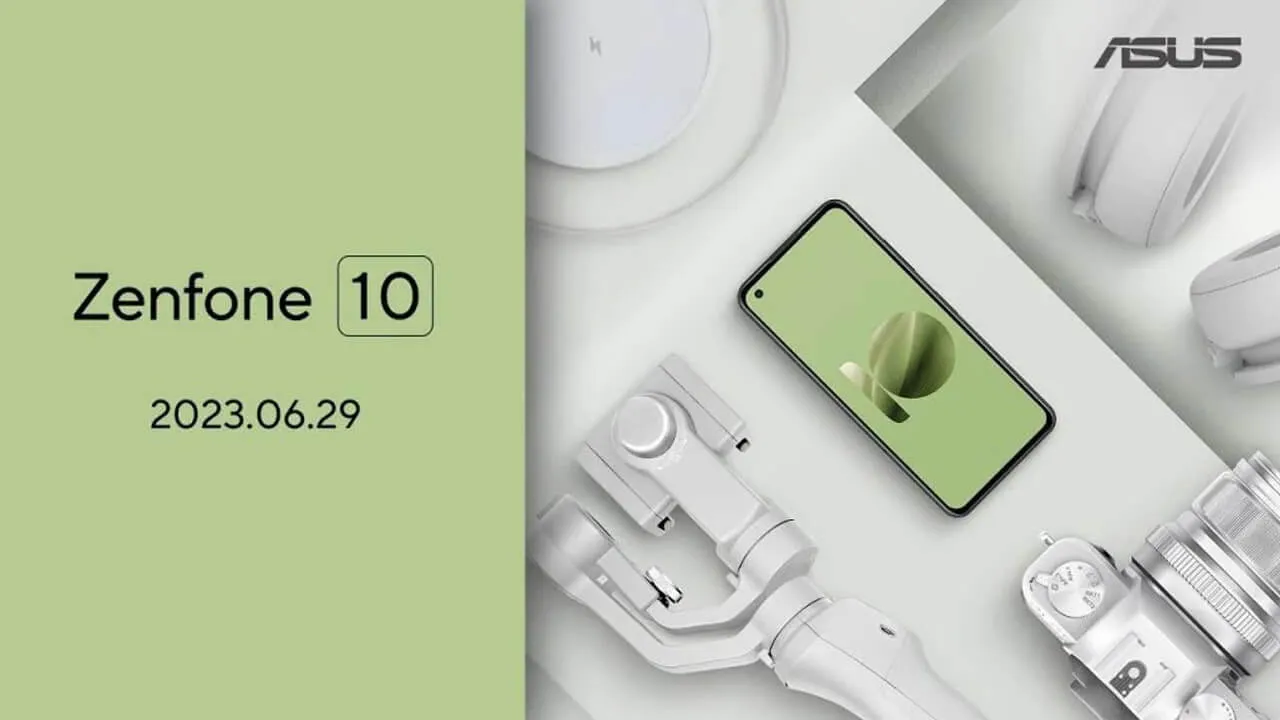
    The Zenfone 10’s official launch date was recently disclosed by Asus. Together with the release date, the Taiwanese company also confirmed a few important details about the little device, including as a 5.9-inch display, a new generation of hybrid stabilization for its camera, and the introduction of wireless charging.

    After the Zenfone 9 broke cover at the end of July in 2022, this year’s flagship Android phone from Asus will be unveiled sooner than anticipated. On the current event page, Asus announced that the Zenfone 10 would launch on June 29 at precisely 10:00 PM in Taiwan (3:00 PM in Berlin) and 9:00 AM in New York. Users can sign up to receive updates and watch the event live online.

    zenfone 98393

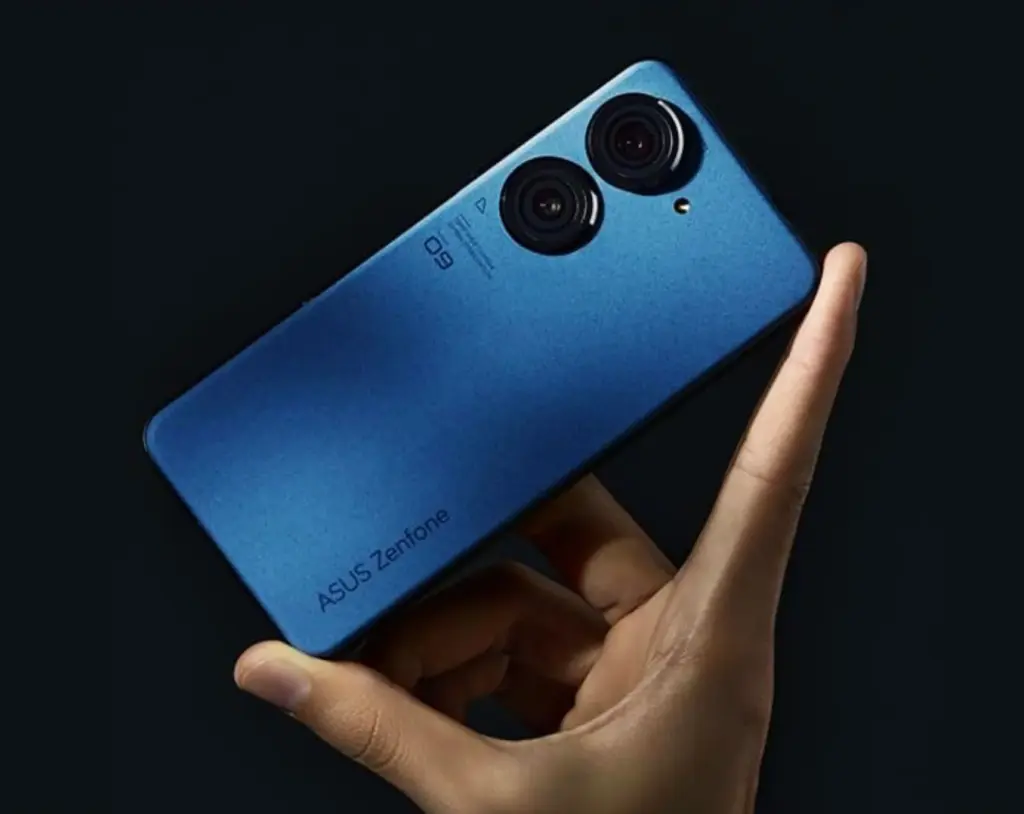
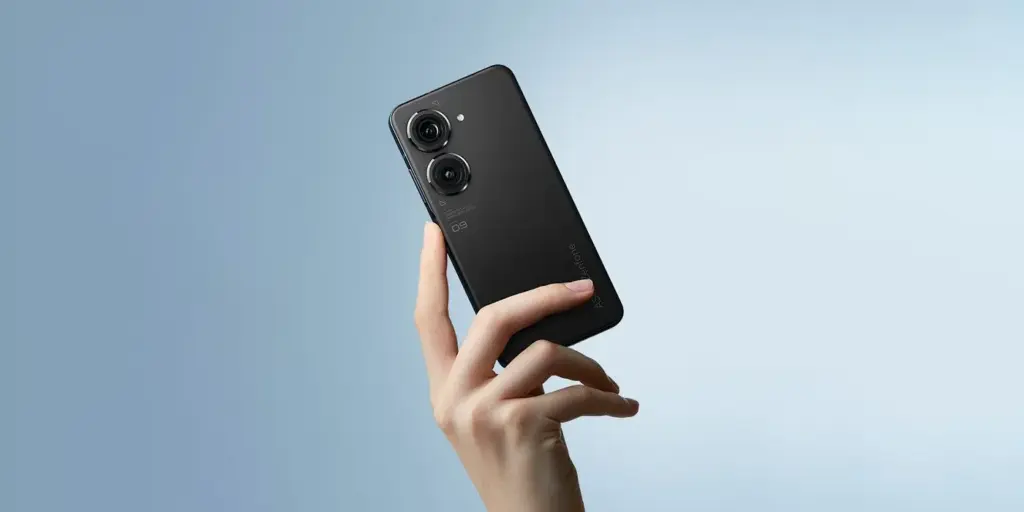
    The business has begun to advertise a few of the Zenfone 10’s features as well. According to reports, the little phone would have a 5.9-inch screen with a punch hole in the upper left corner for the selfie camera, similar to the Zenfone 9 that we’ve reviewed. A second-generation 6-axis hybrid stabilization is also connected to the purportedly updated 200 MP primary camera.

    In addition, Asus will debut new hues with the product, such as the pale olive green shown in the illustration below. Shots of the red moon and the night sky were used to obliquely show the other colors, so possibly we are viewing a space-related subject or something similar.

    asus zenfone 10

    Wireless charging with Zenfone 10

    The way the Zenfone 10 will accept wireless charging is intriguing. In contrast, its predecessor glaringly lacked this functionality. What the speed rating is and whether reverse wireless charging will be available are still unknown.

    The Snapdragon 8 Gen 2 SoC, which is a noticeable improvement over the Snapdragon 8 Gen 1 in terms of efficiency and performance, will be in charge of the device’s chipset selection. With this, it is expected that the Zenfone 10 will experience an increase in battery life.

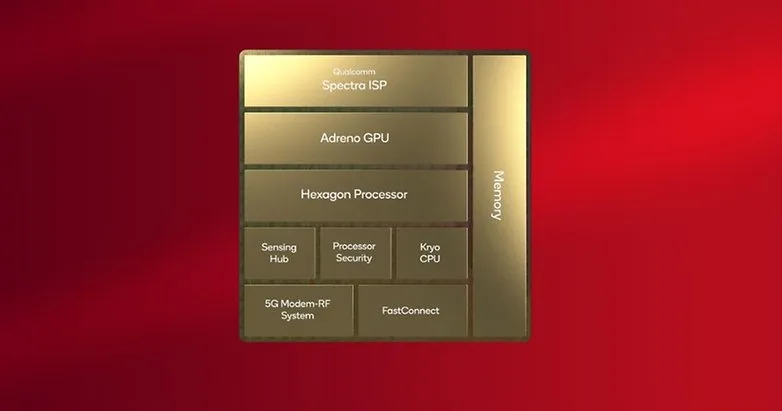
  • Snapdragon 8 Gen 3 may be the SoC to beat for benchmark records.

    Snapdragon 8 Gen 3 may be the SoC to beat for benchmark records.

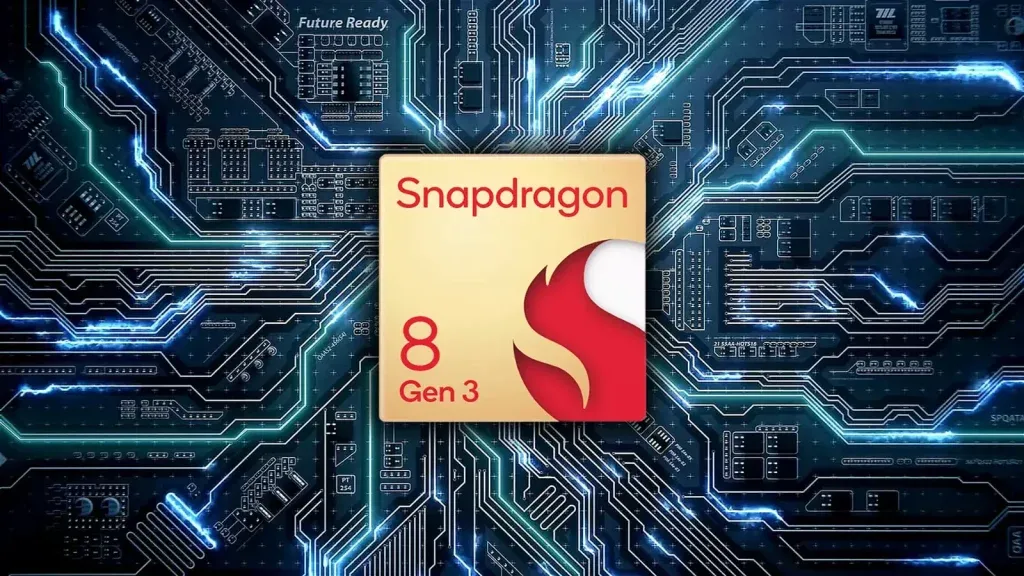
    As the October launch date draws nearer, more information about Qualcomm’s next-generation system-on-chip for smartphones and tablets is starting to emerge. A purported benchmark for the Snapdragon 8 Gen 3 has just surfaced, suggesting significant upgrades over the previous flagship chipset.

    The alleged GeekBench 5 scores of the forthcoming Snapdragon 8 Gen 3 have reportedly been uploaded by a Chinese leaker and trustworthy source, Digital Talk Station. The silicon reached 1700 in the single-core category, and roughly 6600 in the multicore category, according the listing. With an average of 1500 and 5000, respectively, the new chip outperforms the Snapdragon 8 Gen 2 by 12 and 20%.

    Qualcomm Snapdragon 8 Gen 3 vs. Apple A16 Bionic

    If these results are replicated in the chipset’s production unit, the Snapdragon 8 Gen 3 will perform worse on single-core tests than Apple’s A16 Bionic (1800/5300), but far better on multi-core tests. The iPhone 14 Pro (review) and iPhone 14 Pro Max are now powered by the Apple A16 Bionic, whereas the iPhone 15 will be the first device to use the more effective A17 Bionic.

    These scores are based on the upgraded configuration of the chipset, which has a 1+5+2 core cluster, according to another leak that Twitter user @tech reve reported. Although the five performance cores are now operating at two distinct frequencies, the main Cortex-X4 appears to have been turned down from 3.4 GHz to 3.2 GHz, increasing the multicore value.

     Snapdragon 8 Gen 3

    It was previously believed that the Snapdragon 8 Gen 3 had a top clock speed of 3.7 GHz and a 50% boost in GPU performance. But, there hasn’t been any further information regarding this since. Perhaps Samsung will reserve and only use this version of the proprietary Processor, just like they did with the Snapdragon 8 Gen 2 for Galaxy.

    The Snapdragon 8 Gen 3 may be unveiled during the upcoming Snapdragon Summit, which Qualcomm said will take place in October. In November, the first smartphones that utilize the platform are anticipated. At the aforementioned later date, Xiaomi is supposedly unveiling the Xiaomi 14 series.

    Tip was sent by Managed Marketing AI

  • Google introduces a new set of features for Android devices.

    Google introduces a new set of features for Android devices.

    Google is preparing a spate of improvements for Android, the web, and WearOS in anticipation of the next summer. The company is already adding new features to its apps and services across all kinds of devices, even if we still need to wait for the June Feature Drop to arrive on Pixel devices as a system upgrade.

    Widgets

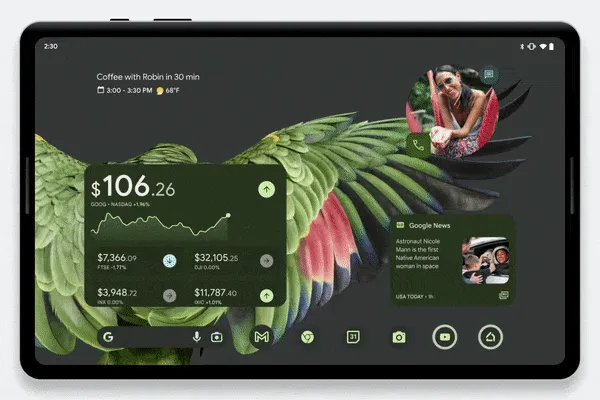
    Google is continuously working on new widgets, and this feature removal makes that very obvious. New Google Finance, Google TV, and Google News widgets are now available for smartphones and tablets.

    The former gadget, which is a component of the Google app, is reportedly already going out broadly. If you want to feel more anxious every time your phone’s screen comes on, you can track your most significant investments straight from your home screen.

    The Google News home screen feature will put the most recent and significant headlines at your fingertips, while the Google TV widget aims to make it simpler to locate personalized watch suggestions quickly.

    android devices new features

    While none of these widgets are wholly original ideas, they all adhere to the same Material You design aesthetic, which makes them compatible with Pixel phones. The widgets are accessible worldwide on Android 6 and newer-powered handsets.

    Emoji updates

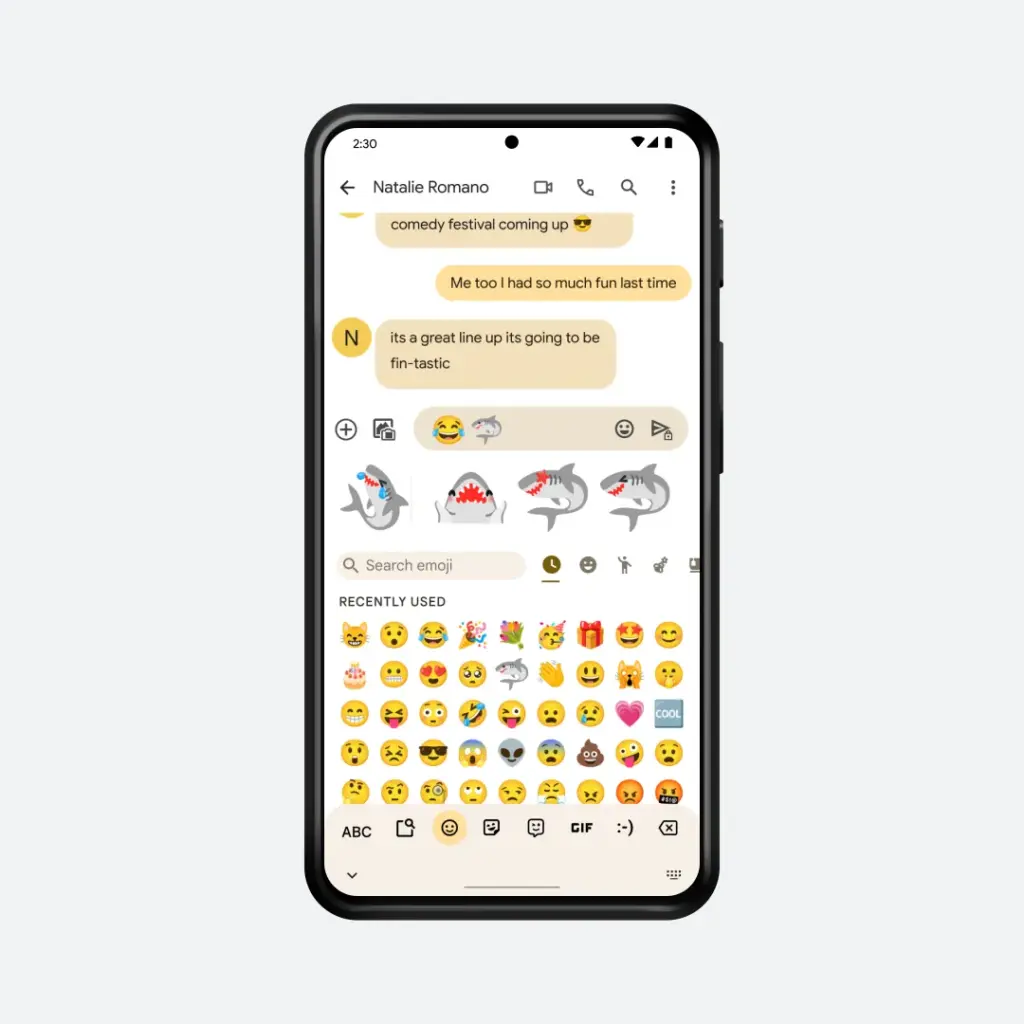
    new emoji on android

    Emoji Kitchen, Google’s emoji-merging function for Gboard, was a huge success when it was initially introduced, and it continues to get better every month. Google is introducing new summer-themed emoji combinations as part of the June Feature Drop, though the firm is remaining mum on the specifics. But, the image below from the business indicates that some of the new combinations will contain sharks.

    Spotify, Wallet, and Keep on WearOS

    Although Google is introducing a few new capabilities to its wristwatch operating system in the interim, there are still many aspects we’d like to see rectified in the upcoming release of WearOS.

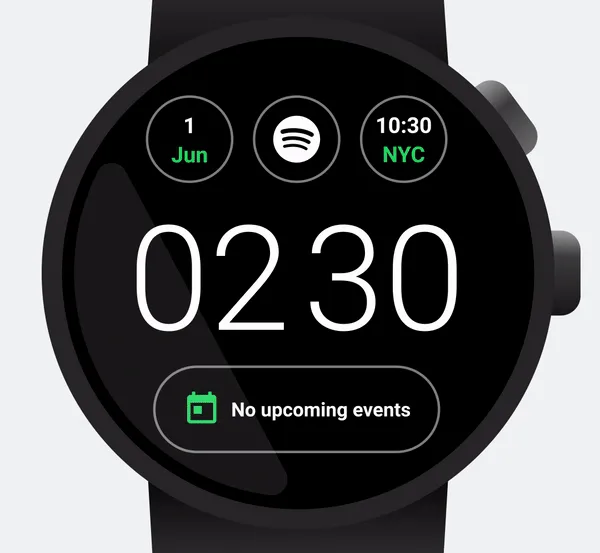
    wear os

    One example is the announcement made by Google and Spotify that the AI DJ from the music streaming service is now accessible on the watch platform. This enables you to listen to the unique radio host right from your wrist.

    The business claims that in addition to the DJ, Spotify has included several additional tiles and watch display features. Nevertheless, only Premium subscribers in the US, UK, Canada, and Ireland get access to The DJ.

    You can now import your SmarTrip and Clipper cards to Google Wallet and use them right on your wrist if you take public transportation and live in the San Francisco Bay Area or Washington, DC.

    Google also reaffirmed that it recently added new complexities to the Keep watch app so you could access personal to-do lists or notes right from the watch face.

    Dark web reports for Gmail

    Google last year disclosed dark web monitoring for Gmail users at Google I/O. The function is now accessible to anyone with a Google account, as opposed to only Google One subscribers in the past. To utilize this, you must still go to the Google One website or app, but there is no fee.

    You may use the function to perform a one-time scan to see if your Gmail ID has been exposed on the dark web. It also includes instructions on how to stay safe online. The opportunity to look for further stolen data, such as the social security number, and recurrent automatic scanning are still available to Google One subscribers.

    As of June 1, the rollout for these dark web reports should now be complete in the US. In the coming months, the company will roll the option out to 20 more countries.

    Reading practice

    google june feature drop 2023 re

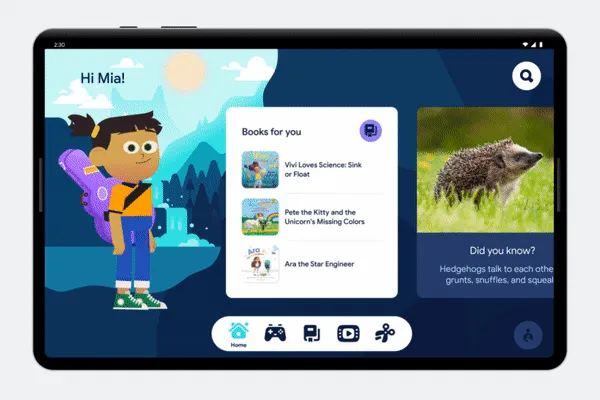
    Google is back with a new Reading Practice service as part of Google Play Books after shuttering its Rivet reading practice apps in 2020. You may access a unique portion of the program where you and your child can practice reading together. Google claims that thousands of children’s books, including those that are free, have the option. With reading practice, your child reads underlined words aloud while getting any necessary pronunciation help.

    Rolling out over the coming weeks

    The most recent updates, which are a part of Android 13’s third and final Quarterly Platform Update, will be accessible to everyone, regardless of whether they own a Pixel phone or not, even though we’re still eagerly for the Pixel Feature Drop to happen. The new features and releases are currently being implemented, and everyone should have access to them over the next few weeks.