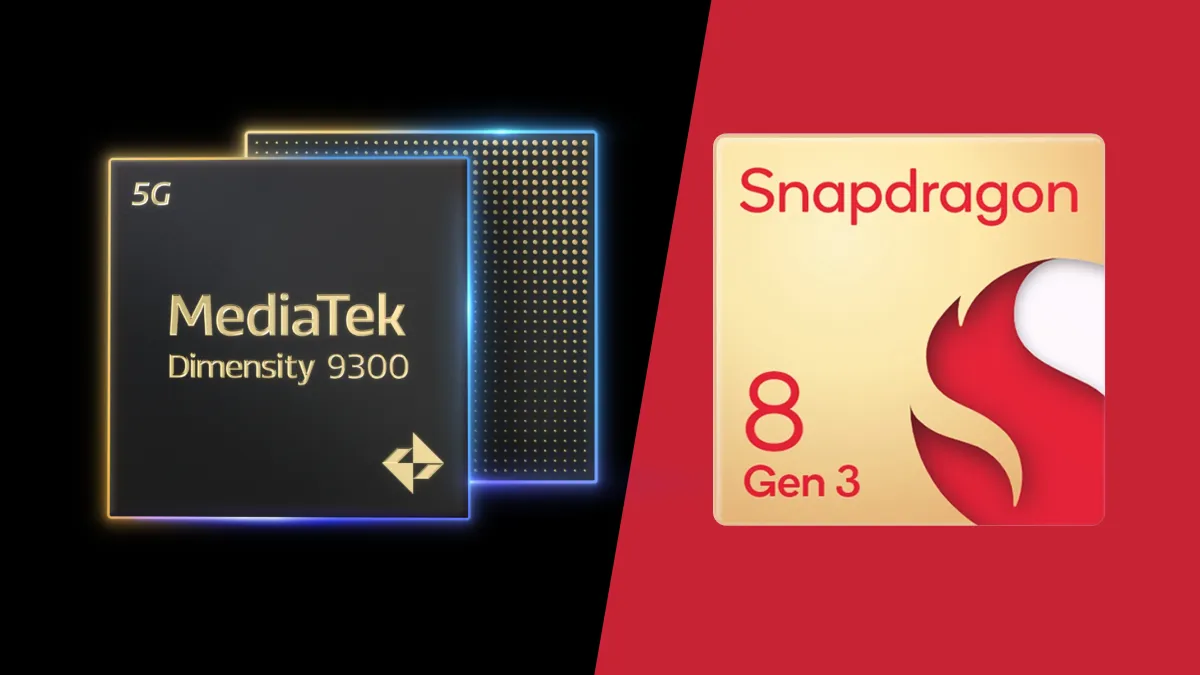
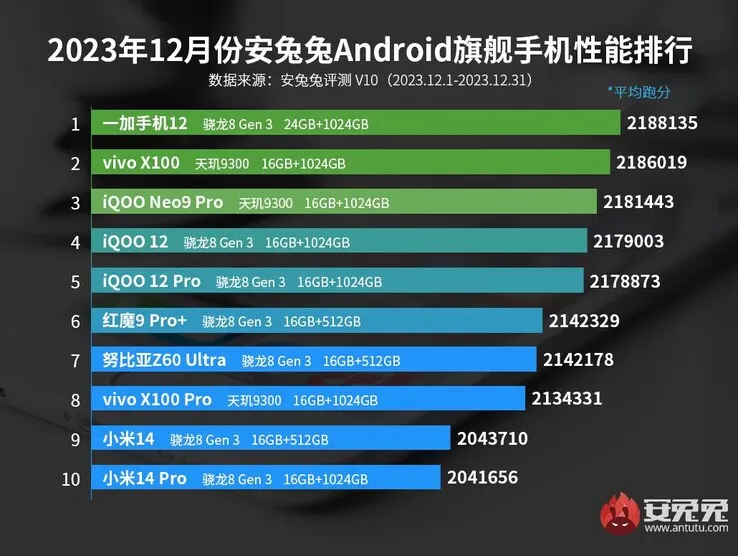
The two main flagship chipsets for Android this year are expected to be MediaTek’s Dimensity 9300 and Qualcomm’s Snapdragon 8 Gen 3. Both chipsets seem to deliver comparable performance, but AnTuTu’s most recent results suggest that the Dimensity 9300 in the new Vivo X100 has a slight advantage over the OnePlus 12 and its Snapdragon 8 Gen 3.
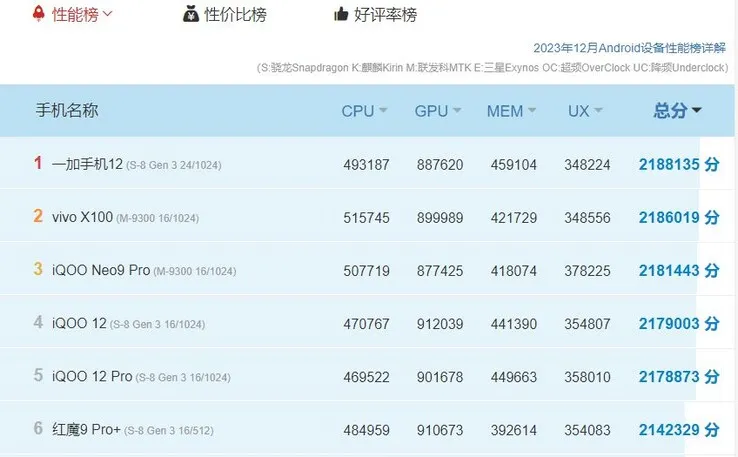
A closer look at the numbers reveals that the Dimensity 9300 outperforms the Snapdragon 8 Gen 3, with the MediaTek chipset scoring higher in the CPU and GPU tests. At first glance, the reverse seems to be true, with the OnePlus 12 ranking first with a total score of 2,188,135. The Vivo X100 comes in second with a score of 2,186,019.
The OnePlus 12 scores 493,187, whereas the Vivo X100 and its Dimensity 9300 register 515,745, indicating a roughly 5% CPU advantage for the MediaTek chipset. The difference is less pronounced in the GPU category, where the Vivo X100 scores 899,989, while the OnePlus 12 scores 887,620. Nevertheless, other Snapdragon 8 Gen 3-powered devices, such as the iQOO 12 duo, marginally outperform the Vivo X100 in this regard.
Evidently, the Dimensity 9300 edges over the Snapdragon 8 Gen 3 in both the CPU and GPU tests. The OnePlus 12 having the higher AnTuTu total score is completely down to it having superior memory, with the reported 24 GB of RAM earning it a higher score in the memory test than the Vivo X100’s 16 GB of RAM.
In contrast to other smartphone brands, Xiaomi is also well-known for its selection of power banks. The company offers a large number of models, particularly in China, where it is the home market.
The company recently unveiled a new power bank that has a slim form factor, prioritizes design over functionality, and is reasonably priced, just like any other Xiaomi product.
The new power bank from Xiaomi is so light and thin that it can not fully charge most phones.
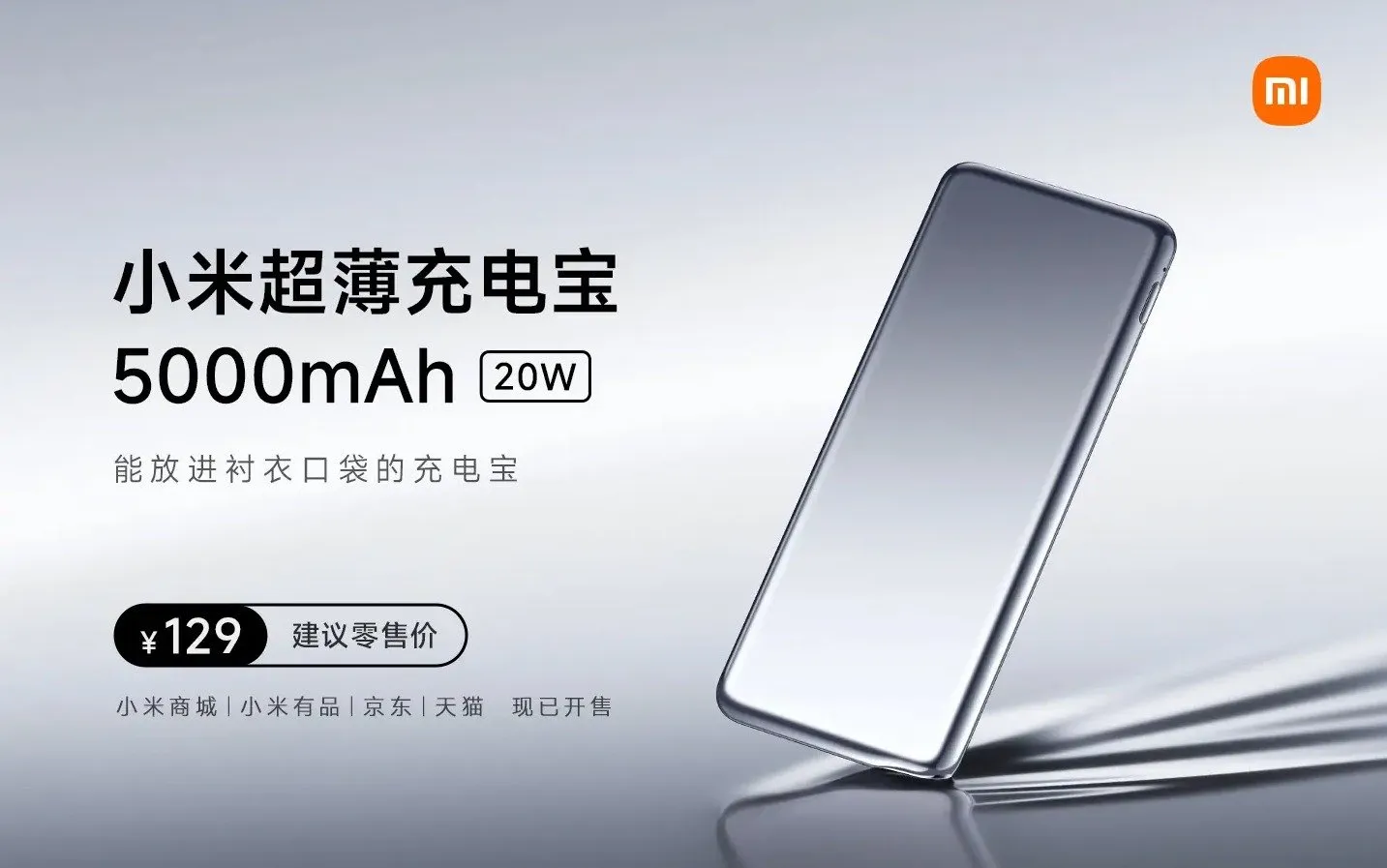
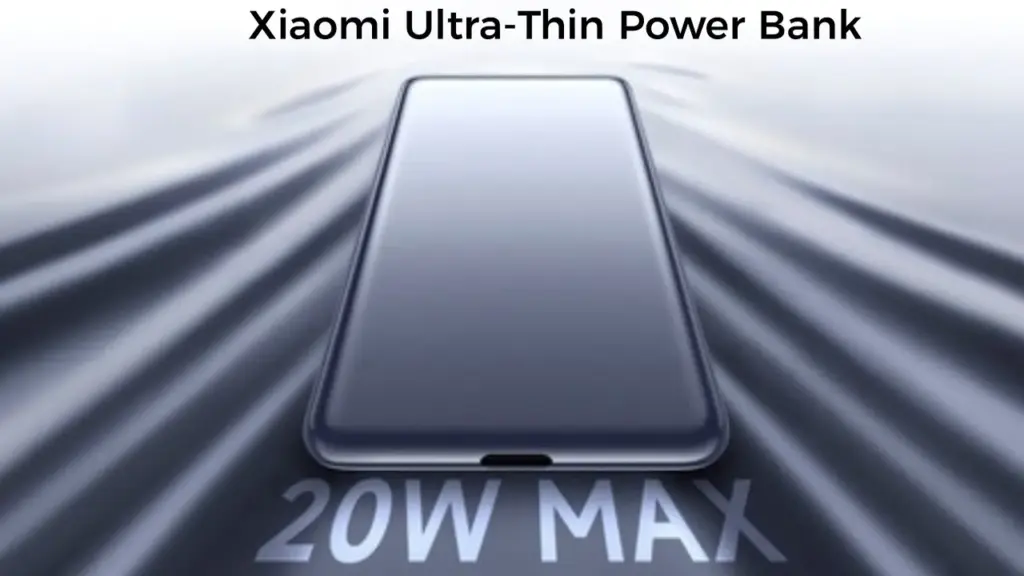
The latest battery pack from the company is called the Xiaomi Ultra-Thin Power Bank 5,000mAh. It costs ¥129 (~$20) and is available for purchase.
Measuring just 10mm and weighing only 93g, it is thin enough to fit in shirt pockets like a credit card. Its body is coated with a material called NCVM (Non-Conductive Vacuum Metallization), which makes it appear and even shine like metal. As the name implies, the accessory has a battery capacity of 5,000mAh, meaning it cannot fully charge most modern smartphones.
A USB Type-C to Type-C cable is included with the power bank, which has a single USB Type-C port and can support up to 20W of output and 18W of input.
In addition, the accessory comes with nine layers of protection: temperature, reset, input overvoltage, input overcurrent, output overcurrent, output overvoltage, battery overcharge and overdischarge, and overcurrent short circuit.
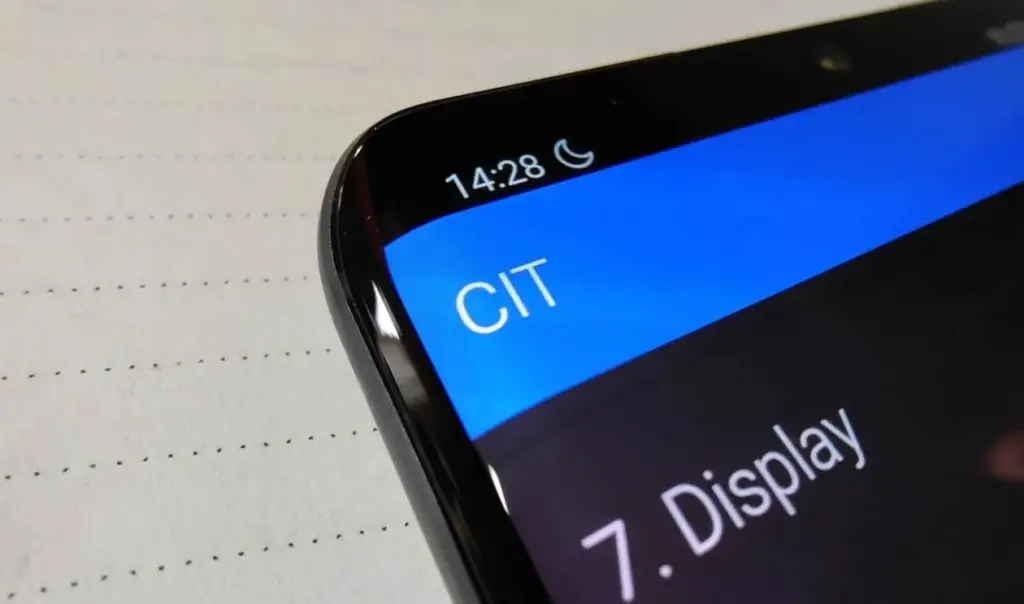
For users of Xiaomi smartphones running the Xiaomi HyperOS operating system, there are hidden codes that can unlock additional features and settings, providing a deeper level of customization and control. In this article, we’ll explore some of these secret codes and the functionalities they offer to enhance your Xiaomi HyperOS experience.
*#06# – IMEI
Need to check your device’s International Mobile Equipment Identity (IMEI) number? Dial *#06# to quickly access this information.
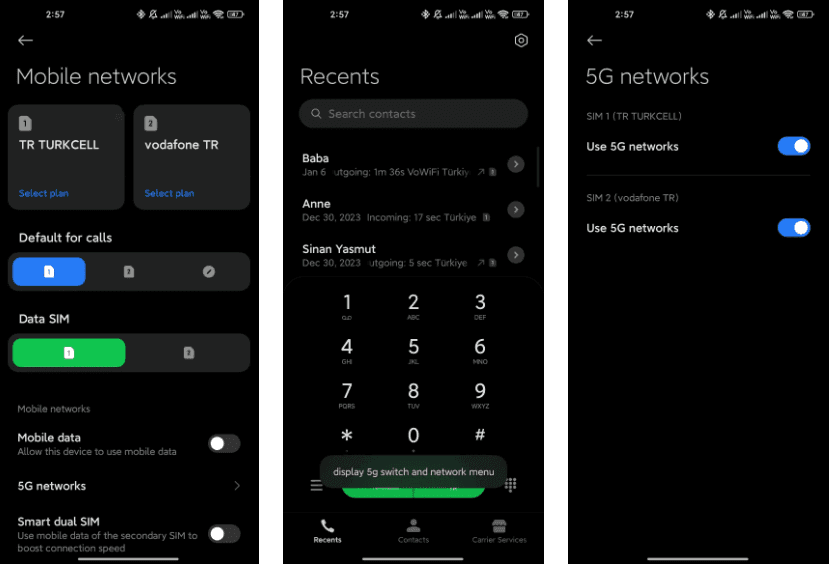
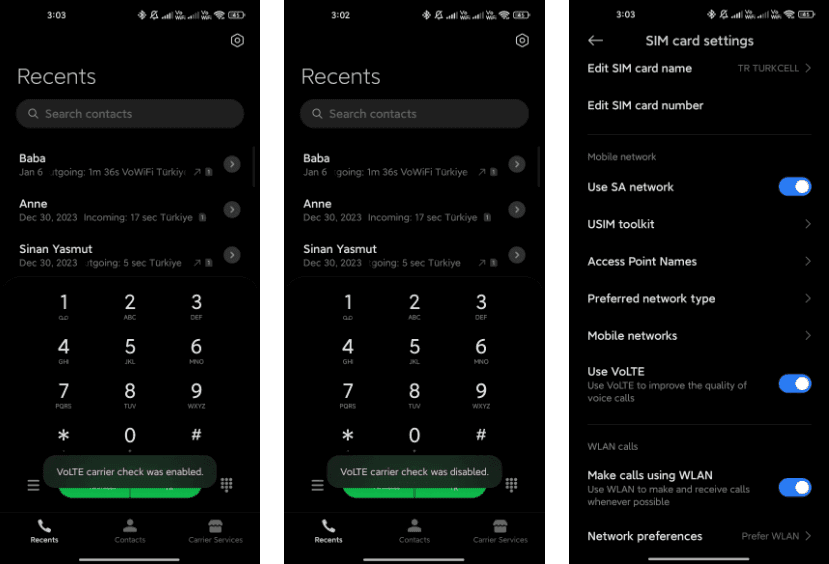
*#*#*54638#*#* – Enable/Disable 5G Carrier Check
Toggle the 5G carrier check with this code, giving you control over your network settings and the ability to enable or disable 5G functionality.
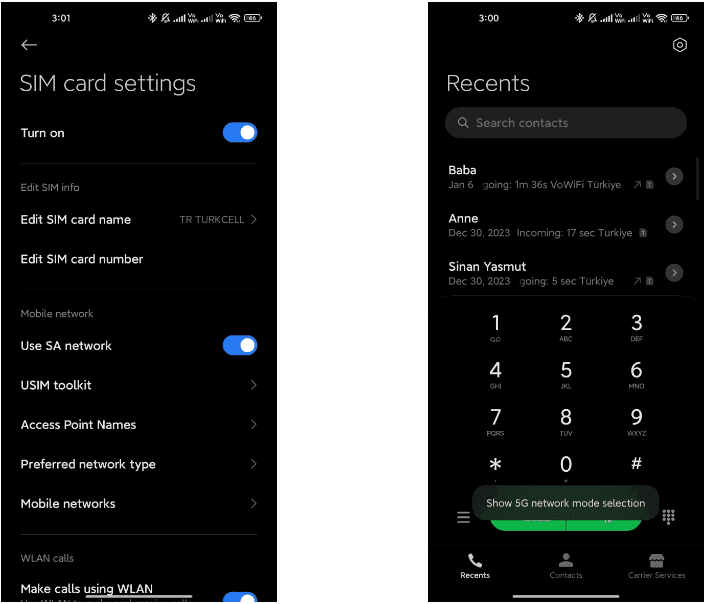
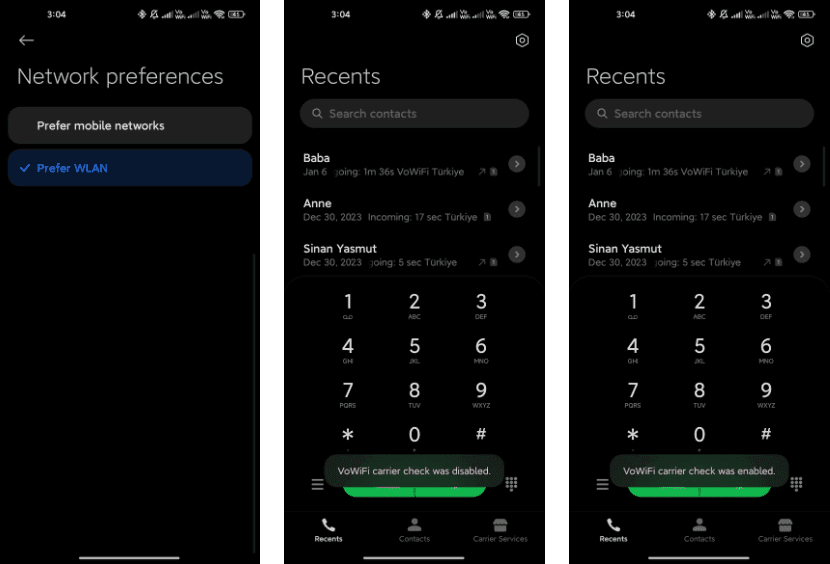
*#*#726633#*#* – Enable/Disable 5G SA Option on HyperOS
Take control of your Voice over Wi-Fi (VoWi-Fi) settings by using this code to enable or disable the carrier check.
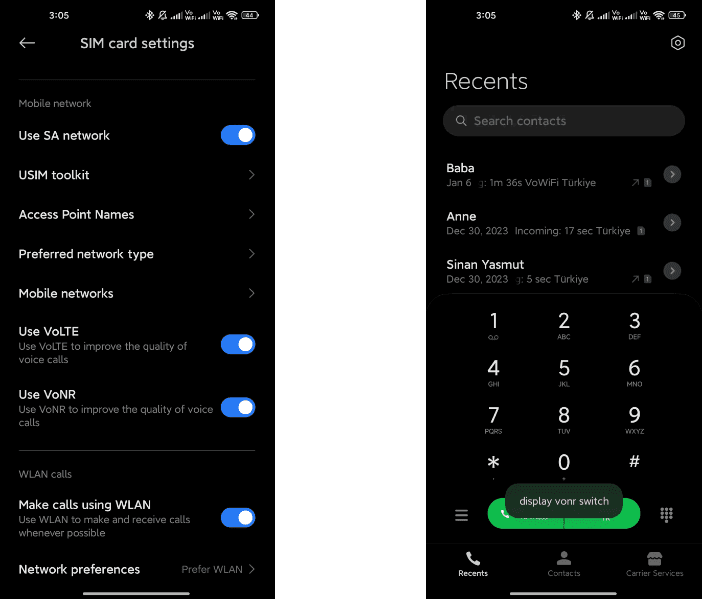
*#*#8667#*#* – Enable/Disable VoNR
Manage Voice over New Radio (VoNR) settings with this code, providing more options for your device’s voice capabilities.
*#*#4636#*#* – Network Information
Access detailed network information to check your device’s status and connection details.
*#*#6485#*#* – Battery Information
Get insights into your device’s battery, including cycle information, actual and original capacity, charging status, temperature, health status, and charging protocol type.
*#*#284#*#* – Capture System Log
Generate a BUG report to capture system logs, providing valuable information for debugging purposes. The report is saved in the MIUI\debug-log\ folder.
*#*#76937#*#* – Disable Thermal Check
Turn off thermal checking with this code, potentially preventing your device from throttling performance due to high temperatures.
*#*#3223#*#* – Turn on DC DIMMING Option
Activate the DC DIMMING option using this code, allowing you to adjust the display settings for a more comfortable viewing experience.
Unlock the full potential of your Xiaomi device with these secret codes, and improve your Xiaomi HyperOS experience. These hidden codes offer Xiaomi HyperOS users a range of functionalities, from network customization to battery insights and advanced testing options. Users should exercise caution and be mindful of potential impacts on device settings while exploring these codes.
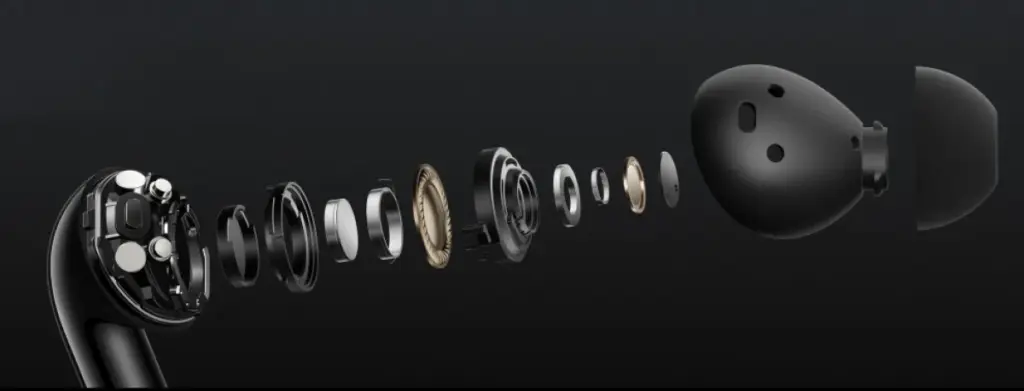
Together with the release of the Ace 3, OnePlus also unveiled the Buds 3, a new TWS wearable that boasts an ultra-light body, two drivers, and active noise suppression that can reach up to 49 dB.
The Buds 3 bear a striking resemblance to the Buds 2 Pro, without the shiny exterior. OnePlus employed the same dual-driver setup found in its Pro earphones, which should result in a richer audio output.
Rubber tips on the earbuds aid in noise isolation. There are multiple modes for noise cancellation, with 10 dB and 20 dB serving as the intermediate settings before the dramatic rise to 49 dB. An intelligent mode is also available, which automatically detects the surroundings and adjusts the ANC levels.
The OnePlus Buds 3 boast an IP55 certified design, three microphones, a touch-sensitive area on the outside of the stem, and OnePlus claims AI is assisting in reducing noise during calls. The buds themselves weigh just 4.8 grams each, and their combined batteries are 520 mAh and 58 mAh.
The Oppo store in China is currently accepting pre-orders for the OnePlus Buds 3, which will go on sale on January 8 and come in black or blue. The price is CNY 500, or $63/€57.
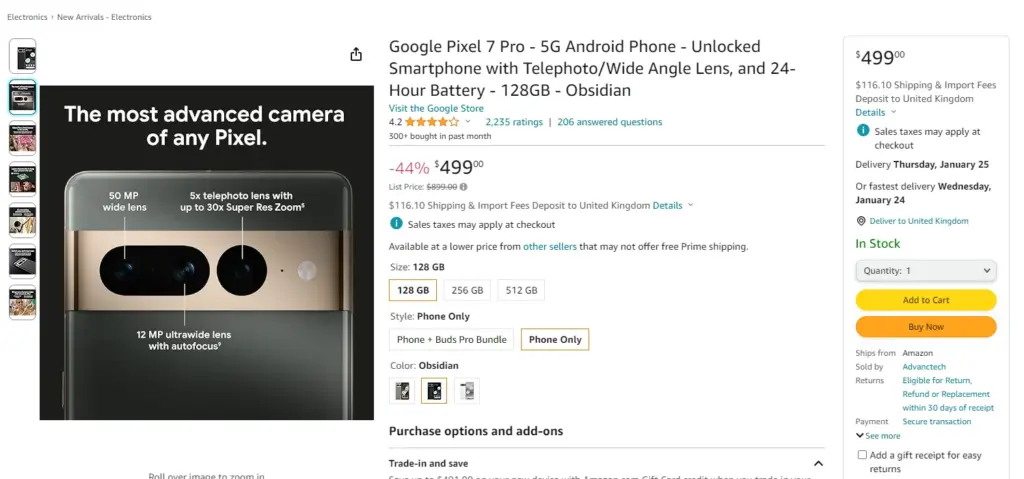
Splurging on expensive gadgets does not seem like a very smart idea, especially considering the beating most of us have taken from the rising cost of living. If you have resolved to be more frugal with your money, the year-over-year differences are not great enough to justify spending on newer releases, so if you are looking for a capable phone, Google’s Pixel 7 Pro is available for a great price.
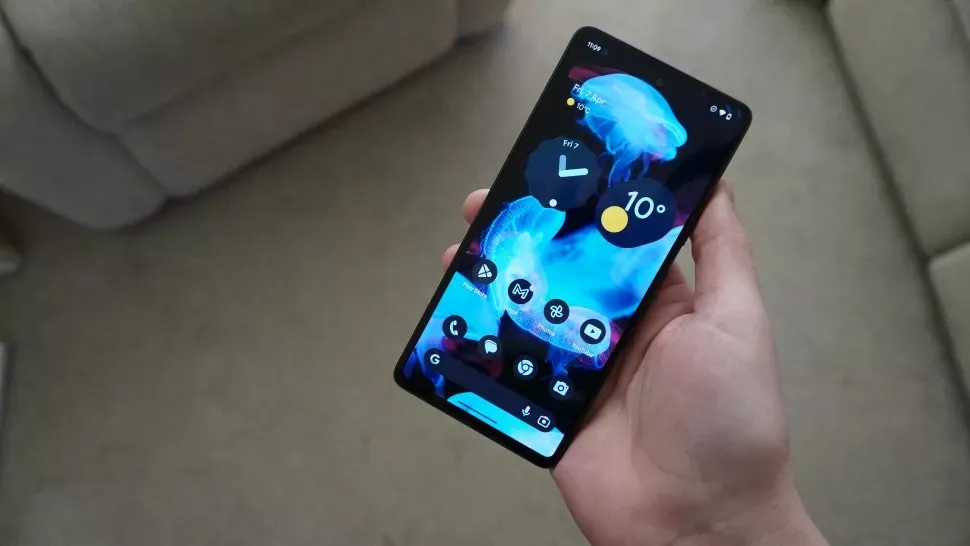
One of the best phones available right now is the Pixel 7 Pro, which is highly regarded in the tech community for good reason. It boasts a stunning 6.7-inch screen with a refresh rate of 120Hz and is slightly curved, making it more comfortable to hold than most other high-end smartphones.
The device is underpinned by the homemade Google Tensor G2 chip and while it’s not at the top of the performance charts, it’s plenty fast for everyday use.
With its triple camera array—a 50MP primary shooter, a 12MP ultrawide snapper, and a 48MP telephoto module with 5x optical zoom—it produces aesthetically more pleasing, stunning, and color-accurate photos than most other phones.
The 128GB Pixel 7 Pro is currently $380 cheaper than the iPhone 14 Pro and Galaxy S23 Plus, both of which have starting prices of $999.
Go for the phone if you need a high-end smartphone with stellar cameras, smooth performance, and a clutter-free interface but do not want to spend a fortune.
Google’s phones are also at the front of the queue when it comes to operating system updates and they get better with age thanks to quarterly Feature Drops which bring features introduced with newer phones to older phones.
Now that the price has dropped, the Pixel 7 Pro has an advantage over the Pixel 8 Pro, which starts at $999.
Many of us have experienced the frustration of forgetting to charge our phone overnight or discovering that our headphones are dead when we need them. As you can see, the number of devices we need to charge daily is increasing. It is an extra worry with our busy lives filled with work, school, and hanging out with friends. Smartphone, laptop, headphone, smartwatch, tablet, and much more.
The issue still exists despite developments like fast charging technologies and the European Union’s unified charging port. Fortunately, the answer originates in China, the center of technology, where a new battery startup claims to be able to produce electricity for 50 years without the need for maintenance or charging.
The battery from Betavolt changes charging forever
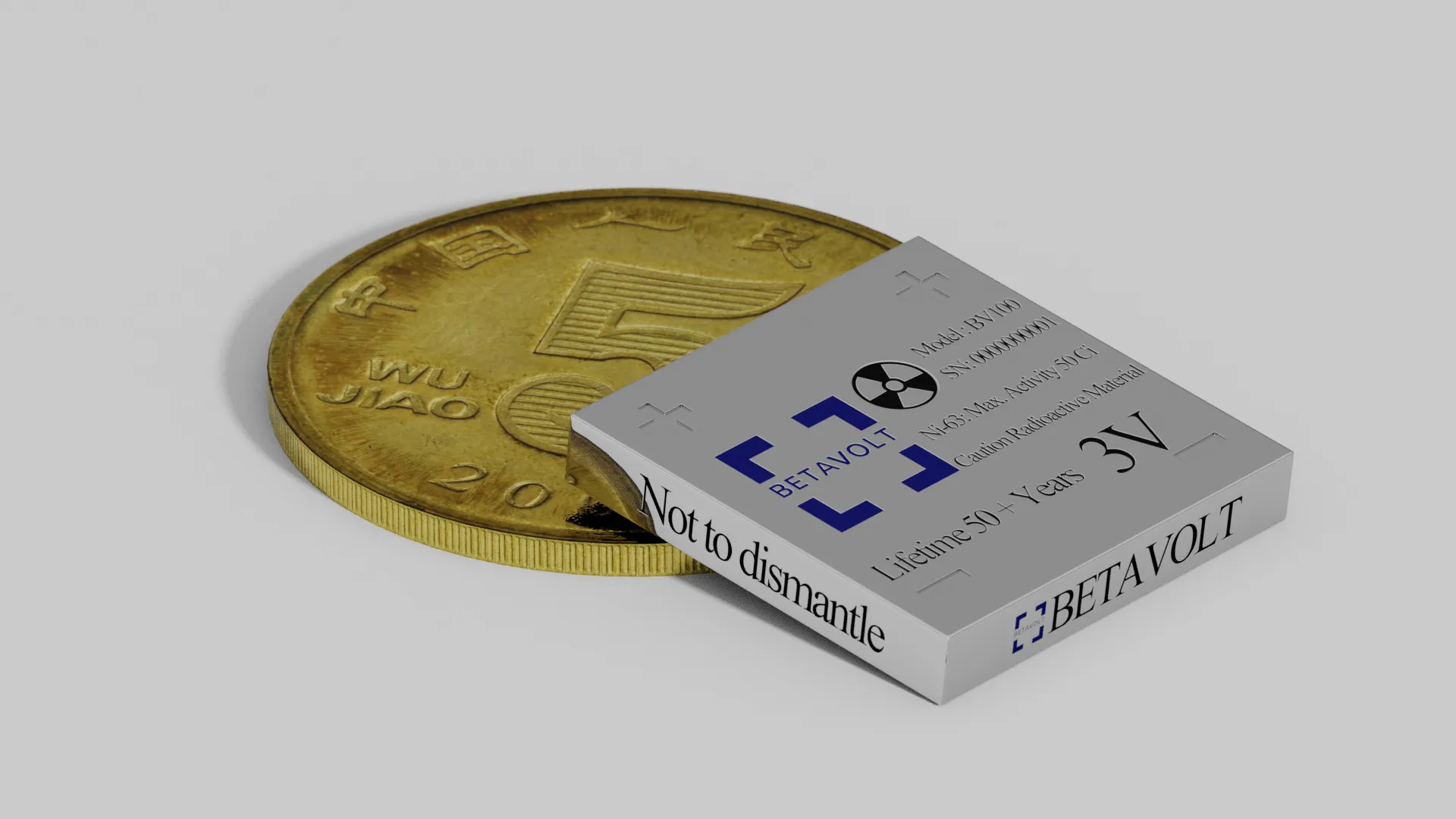
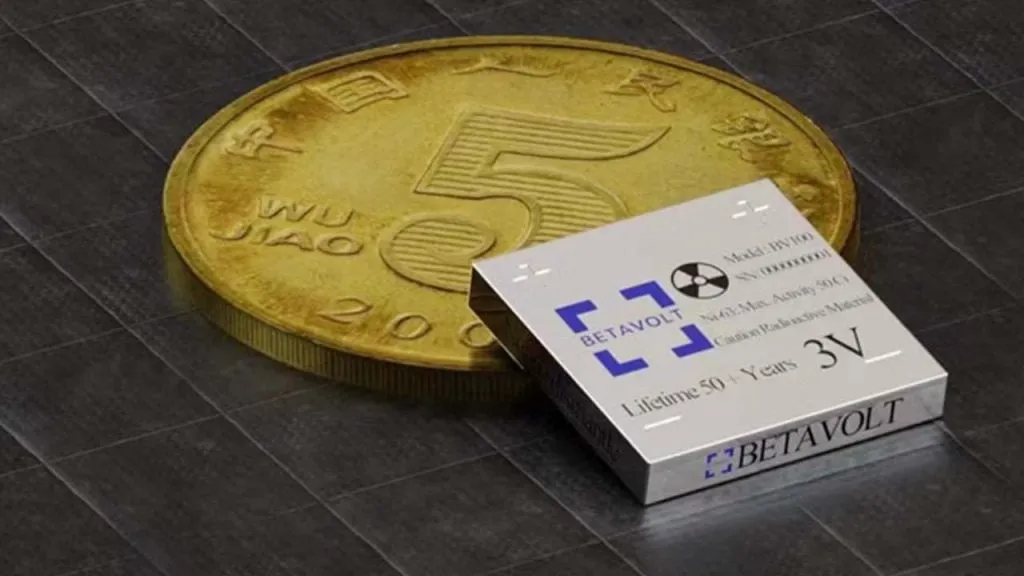
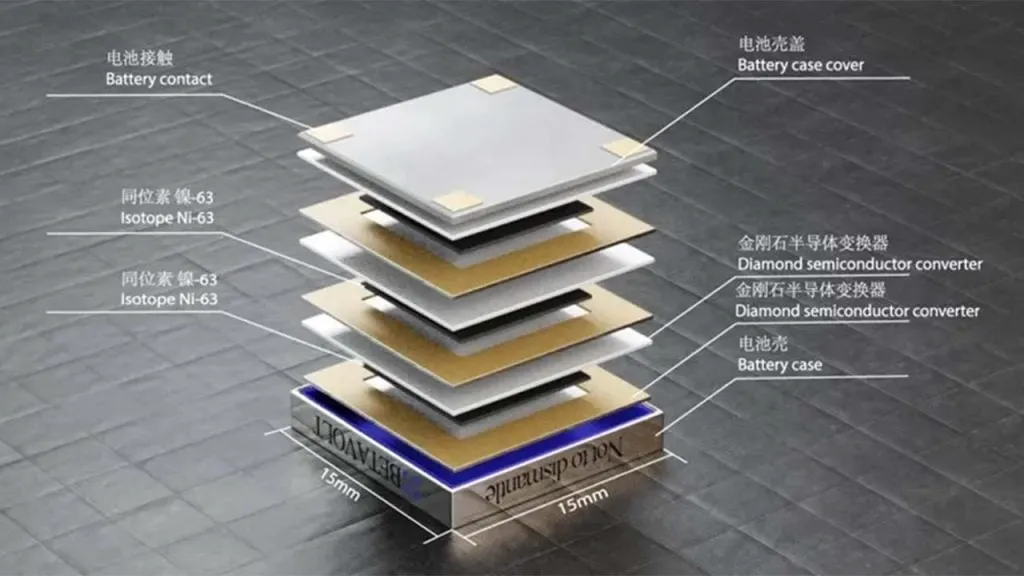
With everything from cars to airplanes starting to rely on electricity in today’s tech-driven world, research on battery technologies has surged. But aside from the speed at which they can be charged, there has not been a consumer-facing result—at least not yet. Beijing-based startup Betavolt has introduced a new battery that promises to produce electricity for 50 years without requiring maintenance or charging—and do not think of nuclear energy as a massive battery—Batalvolt manages to pack 63 nuclear isotopes into a battery the size of a coin.
Utilizing the energy from decaying isotopes, a concept developed in the 20th century, Betavolt’s nuclear battery currently produces 100 microwatts at 3 volts, all packed into a small 15x15x5 cubic millimeters. However, the goal is to reach a 1-watt power output by 2025. Earlier thermonuclear batteries faced challenges related to cost and size.
Although it sounds amazing to have an iPhone that never runs out of charge, it is wise to approach this ground-breaking invention cautiously for now, considering the potential risks of carrying a nuclear battery in your pocket. As a result, mass production might still be a distant dream for the time being. The company states that the nuclear battery is currently in the testing phase, with Betavolt planning to initiate mass production soon.
Over the last fifteen years, smartphones display have grown in size exponentially. It is funny how, while six inches was once considered the definition of a phablet, these days we can call a six-inch device compact. Along with larger screens come improvements in color fidelity, resolution, refresh rate, and other technical marvels that enhance the smartphone experience.
Over the last fifteen years, smartphones have grown in size exponentially. It is funny how, while six inches was once considered the definition of a phablet, these days we can call a six-inch device compact. Along with larger screens come improvements in color fidelity, resolution, refresh rate, and other technical marvels that enhance the smartphone experience.
When buying a new smartphone, it is important to consider the display specifications because people are consuming more and more content on their phones, whether it is through watching HDR movies and shows or binge-watching your favorite TikToks. Innovations have made it possible for displays to take on new forms, such as edge-to-edge, curved, and OLED, and competition has made these phones more affordable than ever.
Here are five Android phones with some of the best screens in the market, ranging from incredibly clear 4K panels to the really fluid displays found in foldable smartphones. However, there are always a select handful at the top with the most advanced display technologies.
Samsung Galaxy S23 Ultra
With its Ultra-series of phones, Samsung has polished the recipe with its many design advancements, such as folding panels or the overflowing edge displays in its previous flagships. Samsung has been the undisputed ruler in display technologies, and not just in its smartphones.
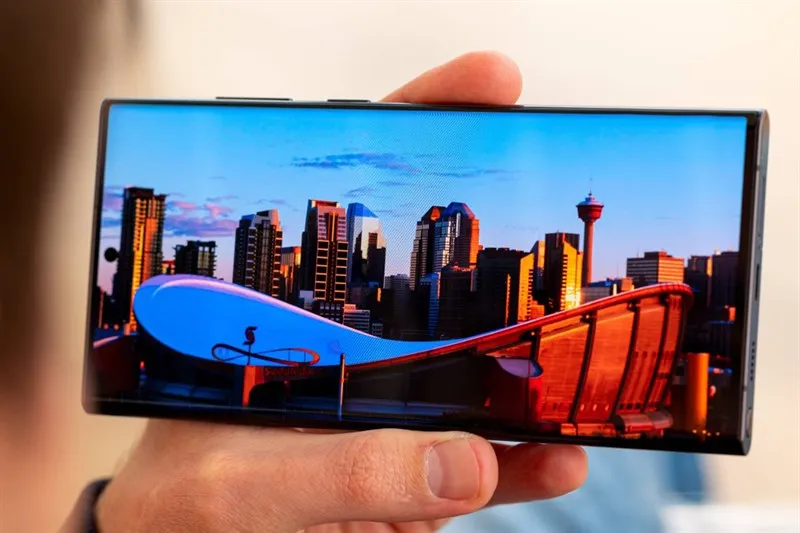
With its tried-and-true build and design, the Galaxy S23 Ultra certainly plays it safe, but that does not mean it shys away from what may be the best all-around smartphone display: a massive 6.8-inch 2K AMOLED display that refreshes at 120 Hz and boasts great outdoor visibility thanks to its 1,750 nits of peak brightness. The nearly bezel-less, edge-to-edge panel with a centrally aligned hole-punch camera is just one of the many features that combine to create an immersive experience.
With its robust specifications and S Pen, the S23 Ultra is an incredible phone—especially considering how well users have rated its battery life. It also boasts one of the best camera setups, with a 200-megapixel camera that can record 8K video and a dedicated periscope lens that can zoom up to 100 times.
Samsung’s good track record with quick software updates and long-term support further make this phone a solid recommendation. As expected, all of this comes at a hefty price of $1,200, but there really isn’t anything like the Galaxy S23 Ultra in the market.
Sony Xperia 1 V
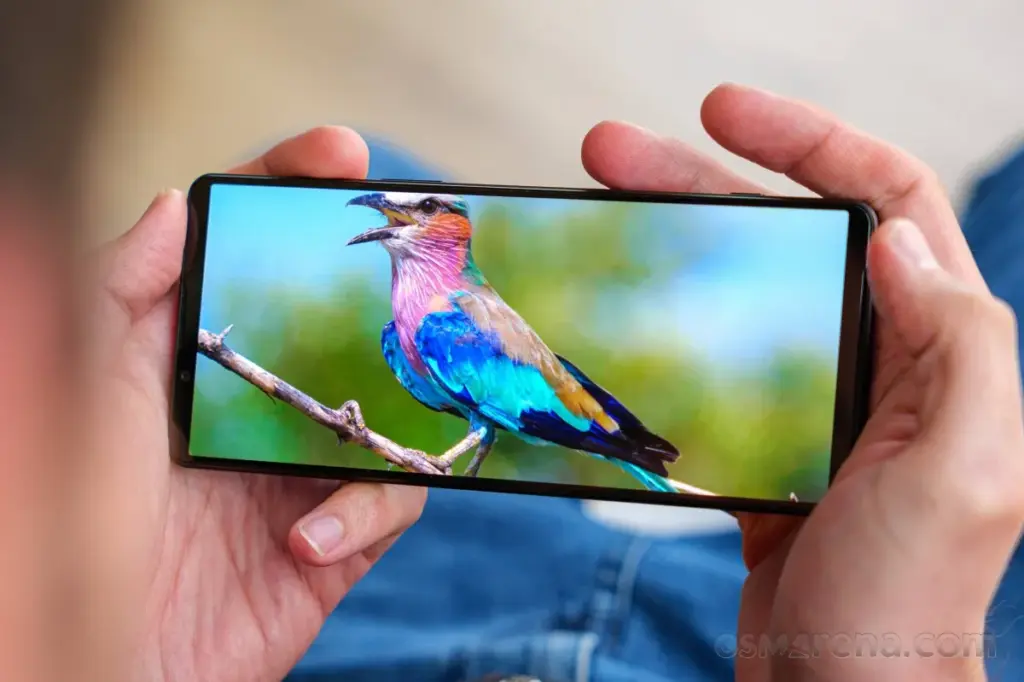
The Sony Xperia 1 V boasts a 6.5-inch 4K OLED display with a 120 Hz refresh rate and a 21:9 refresh rate, making it one of the only smartphones available with such an absurdly crisp resolution of 643 ppi. The display is typically slimmer and taller than most phones, making it perfect for scrolling through vertical videos or watching widescreen HDR content. Yes, Sony is still making smartphones in 2024, even though it is marketed towards a niche audience of display and camera enthusiasts.
With a triple camera setup that uses Zeiss optics and Sony’s proprietary S-Cinetone video look, the Xperia 1 V runs on the Snapdragon 8 Gen 2 chipset and has 12GB of RAM and 256GB of storage that can be expanded further using the microSD card slot. All three cameras can record in 4K HDR at 120 frames per second and have the same autofocus technology as Sony’s professional cameras.
The Xperia 1 V, touted as the ideal media powerhouse, boasts front-facing stereo speakers, a 3.5mm headphone jack that supports Dolby Atmos and LDAC for wireless earphones, and a sleek yet robust in-hand feel thanks to Corning’s Gorilla Glass Victus protection up front. However, the phone’s steep $1,200 price tag must be justified by its impressive display and camera features.
Google Pixel 8 Pro
The improved display is one of the Google Pixel 8 Pro’s main selling points this time around, as the device still manages to be a great value for $1,000 even after a price increase from last year’s model. The Pixel 8 Pro boasts one of the brightest smartphone displays ever, peaking at 2,400 nits at maximum output thanks to the adoption of an OLED panel. When you combine that with its flat 6.7-inch 120 Hz display, you have yourself a winner.
The Pixel 8 Pro offers a respectable movie-watching experience even without Dolby Vision thanks to its LTPO technology, which enables the phone to lower its refresh rate to as low as 1 Hz. This helps greatly preserve battery life, especially when using the always-on display. Android 14’s Material You design loves splashing colors throughout the user interface, and they do reflect really well on the HDR10+ certified panel.
Though not the most powerful, the Tensor G3 chipset powering the phone is efficient and offers a seamless user experience because it has been designed specifically for Pixel devices. Pixels have always been known for their cameras and software, and the 8 Pro takes both of these aspects to new heights. Google’s computational photography has seen even more improvements thanks to the addition of software features. Exclusive Pixel-only goodies include AI-generated wallpapers, background noise remover, and a one-tap magic editor.
OnePlus Open
Although OnePlus is primarily recognized for its flagship smartphones that offer a good balance between price and performance, its debut in the foldable smartphone market shows just how high-end the brand can go. The $1,500 OnePlus Open, the company’s most expensive phone to date, is still fairly competitive when measured against other phones in the same market.
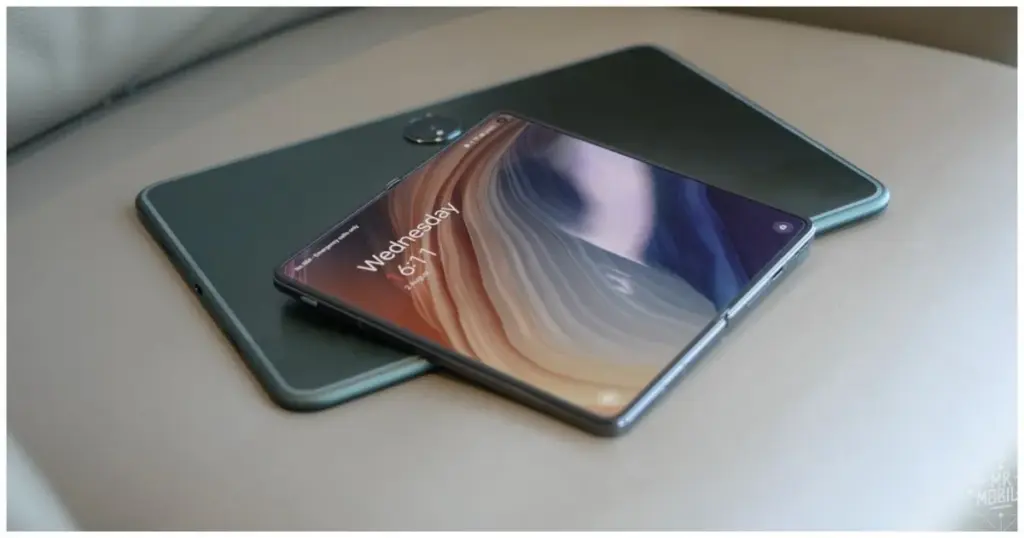
Both the 2K displays refresh at 120 Hz and have a ridiculously bright peak brightness of 2,800 nits. The cover display is a 6.31-inch 20:9 panel that can go as low as 10 Hz to save battery. When unfolded, the massive 7.82-inch nearly square display is immersive and surprisingly has the least visible crease in any foldable smartphone. Both panels are Dolby Vision compatible and provide a fantastic HDR viewing experience.
The OnePlus Open’s fluid display, combined with OxygenOS’s smooth and fluid experience, makes for an unparalleled experience. The phone, in typical OnePlus fashion, is powered by flagship-grade internals, including the Snapdragon 8 Gen 2, 16GB of RAM, and 512GB of UFS 4.0 storage.
The triple camera setup, optimized in collaboration with Hasselblad, makes the Open an excellent shooter as well. Being foldable unlocks unconventional use cases, such as multitasking with split-screen apps and floating windows.
Asus ROG Phone 7
With its ROG series of phones pushing the limits in terms of raw performance, Asus has been at the forefront of the smartphone gaming space. The ROG Phone 7 is no different, sporting one of the fastest displays on any smartphone along with a powerful Snapdragon 8 Gen 2 chip and up to 16GB of RAM. The phone’s robust internals are expected considering its gaming-focused design.
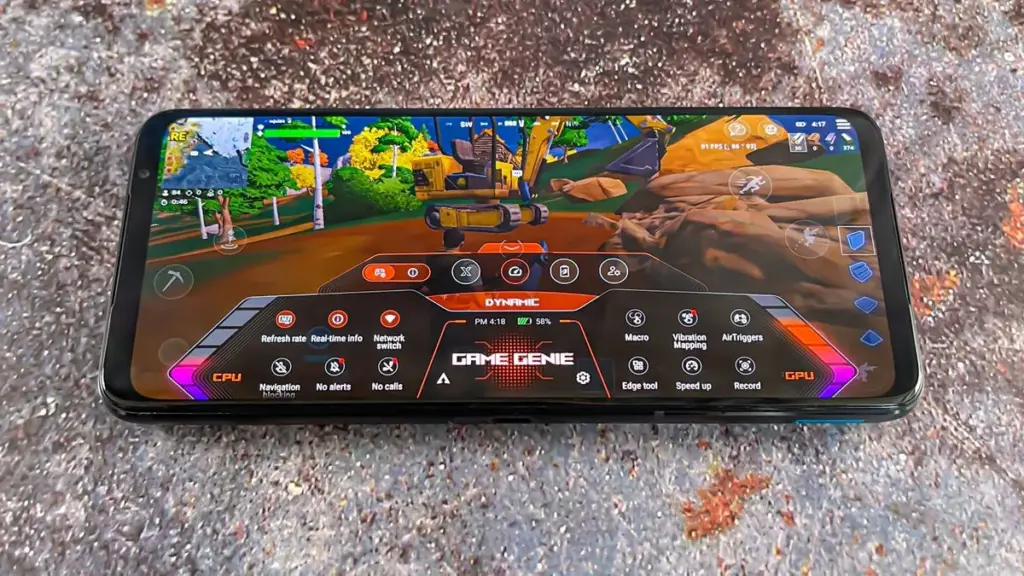
You can set specific refresh rates for individual games, bypassing any default capped limits. The 6.78-inch 165 Hz AMOLED panel with support for HDR10+ and an impressive peak brightness of up to 1,500 nits provides an experience like no other handset when gaming. Pairing a touch sampling rate of 720 Hz with Asus’ rather bloat-free and stock Android user interface, this phone has perhaps the most fluid experience.
Unlike most modern slabs of glass and metal, the ROG Phone 7 has a noticeable forehead and chin, preventing mistouches while gaming. This also leaves space for a dual front-facing stereo speaker configuration, allowing for an immersive multimedia experience. The ROG Phone 7’s cooler accessory not only promises better thermal performance but also has a subwoofer, a 3.5mm audio jack, another type-C port, and four tactile remappable buttons.
Asus has always placed a high priority on long battery life, and the ROG Phone 7’s 6,000 mAh battery offers remarkable endurance. Passthrough charging is supported, which allows the battery to power the phone without the need for additional charge.
Huawei is scheduled to release HarmonyOS NEXT on January 18, which represents a significant advancement in the company’s software goals. Unlike HarmonyOS 4, which was built on the Android Open Source Project (AOSP) as its foundation, HarmonyOS NEXT is entirely based on Huawei‘s proprietary Harmony kernel, which means that it does not support Android compatibility or the direct execution of existing Android apps (APKs).
HarmonyOS Next breaks free from Android
This bold move presents a unique opportunity for Chinese developers: since native apps are now the only language supported by HarmonyOS NEXT, there will be a huge demand for programmers who understand its architecture. As a result, more than 400 software companies from a variety of industries, including games, finance, travel, and navigation, have already jumped on board and developed applications specifically for HarmonyOS NEXT.
Furthermore, research firm TechInsights projects that by 2024, HarmonyOS will have overtaken iOS as the second most popular mobile operating system in China as a result of this calculated move, which could pose a serious threat to Android’s hegemony in the nation.
Though the potential is evident, there are still obstacles to overcome. Establishing an app ecosystem from the ground up is no easy task, and gaining widespread app adoption—especially from international players—will be essential to long-term success. That being said, NEXT marks a significant turning point in the company’s journey towards software independence and opens the door for a potentially competitive alternative in the mobile market.
HarmonyOS NEXT: future
Independence achieved: Huawei’s latest OS, HarmonyOS NEXT, ditches its Android roots and relies entirely on its own Harmony kernel.
No legacy baggage: Existing Android apps (APKs) won’t run on NEXT, demanding native app development.
Developer boom: 400+ Chinese companies are already building apps for this new platform, creating job opportunities.
If you paid a lot of money for your Android phone, it can be really annoying when it lags or performs poorly.
There are three secret options on your device that you may adjust to improve performance if you are experiencing slow app loading times or a slow device overall.
Limit background processes
Numerous background-running apps are one of the main causes of slow phone performance. Even when you are not using them, these apps are continuously using resources, which can cause your phone to slow down. Fortunately, Android comes with a built-in feature to limit background activity.
You can experiment with different values to find the one that works best for your device.
By reducing background activity for apps that are not used frequently, you can free up resources for the apps that you do use, which will make your experience faster and smoother.
To test this feature, go to Settings and then select Developer Options. From there, tap on Background Process Limit and set a process limit between 0 and 4.
Remove old files
One of the best ways to make your device feel brand new is to remove all of your old apps and files.
These take up valuable space and no longer serve any purpose for you.
The easiest way to manage the storage on your phone is to use the Files app, which you can access by swiping up from the bottom of the screen to open the Android app drawer, then tap My Files (also known as File Manager).
From there, you can access your downloads, documents, images, audio, and other files.
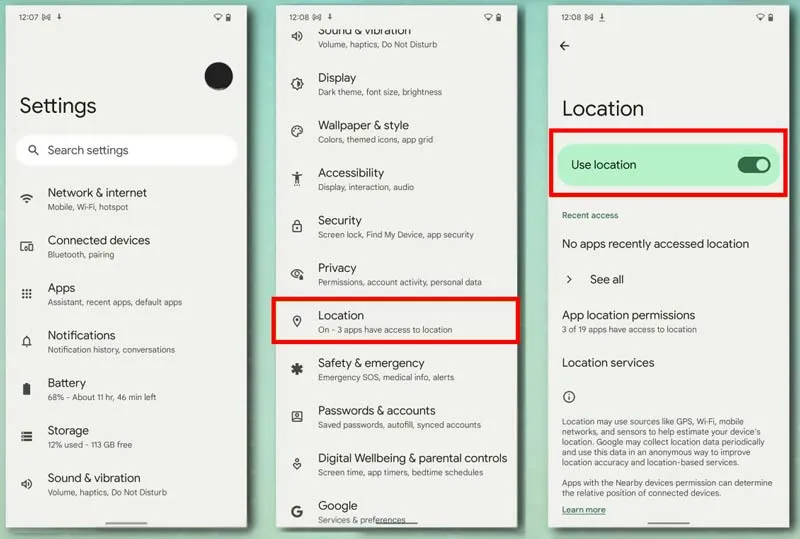
Disable location services for better performance.
You can see which apps are using location on your iPhone by going to Settings > Privacy > Location Services.
Many smartphone apps use your location to improve your experience while using them.
You are not alone if you have ever found yourself tethered to a charger, watching the battery bar slowly but surely creep towards a usable level. But fear not, fellow Android users – this guide is your road map to victory, filled with useful tips and tricks to turn your phone into a charging champion!
Gone are the days of excruciatingly slow refills and battery anxiety—we are about to unlock the secrets to lightning-fast boosts that get you back online, streaming, and snapping in no time at all! Say hello to a world of stress-free power-ups!
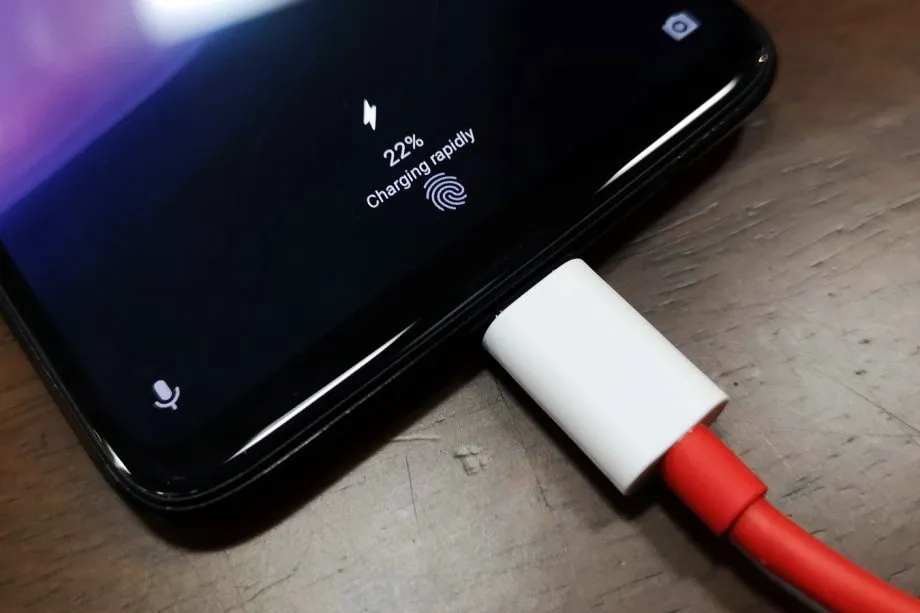
Wire will charge you faster.
The Realme GT 3 boosts an impressive 240W charging speed, theoretically allowing a 0 to 100% charge in less than 10 minutes. Some Samsung phones can reach 45W with USB charging. Wired charging is normally faster than wireless charging. Android phones typically reach their highest charging speeds through USB-C, often reaching speeds of over 20W. In contrast, wireless charging is usually limited to 10 to 15W.
Additionally, USB-C is generally regarded as more dependable than wireless charging. While technologies like Qi2 with magnetic locking aim to address these issues, USB-C remains the more robust and dependable option. Wireless chargers rely on precise coil alignment for efficiency, and there is always a chance that a slight bump will displace your phone or knock it off the charger completely.
If at all possible, turn off your smartphone to expedite the charging process.
The best way to reduce battery life is to completely shut down your phone. Even in this case, it should continue to charge as fast as possible, so when it is connected to a compatible charger (which we cover in the next section), this provides the fastest possible charging scenario. The disadvantage is that you can not keep track of how fast your phone is charging, and you can not use apps or check notifications, so some people may decide not to use this option. If you are worried about receiving important messages from family or work, we strongly advise against using this method.
Use a direct power brick instead of a power bank or computer.
1. Only dedicated chargers guarantee fast wired charging:
While newer USB 3.x and 4.x ports can support super-fast charging (up to 240W) using a technology called USB-PD, they rarely reach that speed.
Most computer USB ports and portable power banks, even fancy ones, usually offer much slower charging than your phone’s dedicated charger. This is because they often lack the necessary power output capabilities.
2. Dedicated chargers are the safest and most reliable option:
While exceptions like the Anker Prime exist, relying on non-dedicated chargers for fast charging introduces risk and uncertainty.
Your phone’s original charger or a high-quality replacement designed for your specific model are the safest and most reliable way to ensure optimal charging speed without damaging your phone’s battery.
So, for the best, fastest, and most reliable wired charging experience, stick with your phone’s dedicated charger whenever possible.
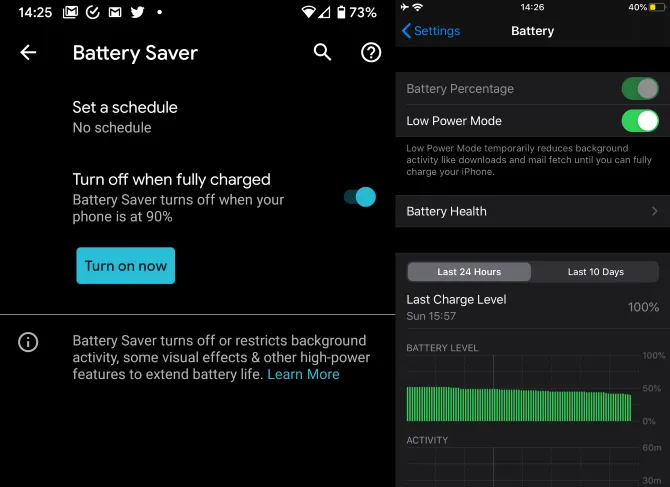
Low power mode (also known as Battery Saver on most Android devices, though the name may differ on your phone) is the best option if you do not want to or are unable to turn off your phone. It helps save battery life by turning off certain functions and background activities, extending the time between charges.
The low power mode on your phone can do a number of things, like accelerating the screen’s shut-off time, decreasing background sync activity, downgrading from 5G to 4G, and restricting the use of power-hungry apps. Pixel phones also have an Extreme Battery Saver mode that goes one step further, decreasing CPU speed and disabling notifications for apps that are paused. You may not use it constantly, but it is a way to concentrate on charging while maintaining access to critical features.
Disable unused features
While a phone’s screen and processor use up a lot of energy, wireless technology can also consume a significant amount, especially if your phone is frequently downloading files or searching for available networks.
Using Airplane Mode is the easiest way to turn off wireless radios, but it is not always the best option because it usually disables Bluetooth and Wi-Fi in addition to cellular data, which can be problematic if you need to use wireless earbuds or have an internet connection. You may need to adjust the Airplane Mode settings or use Quick Settings to turn off individual radios that are not in use. For example, if you are going to be away from home, you can probably disable Wi-Fi unless you need it for hotspots or Android Auto.
To increase the charging speed, do not use your smartphone while it is charging.
Playing 3D games like Fortnite or PUBG Mobile can severely deplete your phone’s battery. It is important to emphasize that the more tasks your phone completes, the more power it will use. If at all possible, find something else to do with your time until you need to respond to important calls and messages.
Keep your phone cool while charging
The ideal temperature range for charging a phone is between 50 and 86°F (10 and 30°C). To make sure your phone stays in this range, try moving it out of direct sunlight, putting it near a fan, or taking it out of its case—especially if the case is insulating, like a leather wallet case. Keep in mind that your phone naturally warms up during charging, so if it is already close to the upper limit, charging could push it out of the ideal zone.
In other cases, you might need to warm up your phone; for instance, a case that might be problematic in a Texas summer could be ideal for a cold winter in Ontario.