Author: Robert Haba

  • Free apps this week! – Android and iOS

    Free apps this week! – Android and iOS

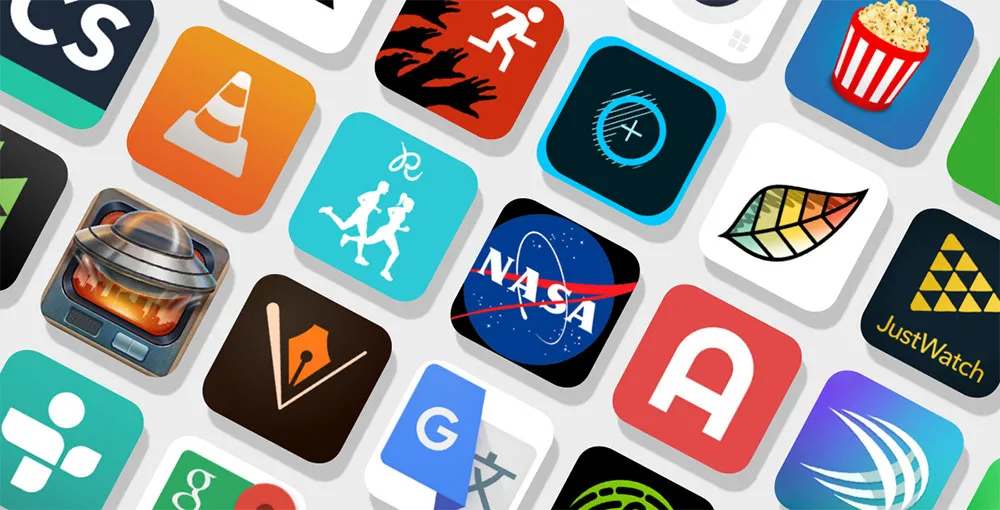
    Now that another busy week in both work and general life has come to a conclusion, it’s time to move on. In fact, it is difficult to comprehend how quickly a half year will fly by. Why not unwind while playing some of the free games and applications available on the Google Play and Apple App Stores?

    Normally, these applications would cost money, but for a brief period of time, you can get them for free on iPhone and Android. Please be aware that this list is released twice a week on Tuesdays and Fridays.

    Let’s be honest, these are not entirely free apps. On Google Play and the Apple App Store, these are often paid applications that you must purchase if you wish to use them. However, occasionally, developers show their generosity by giving away their apps to the general public. We go through the Apple App Store and Google Play Store twice a week to find the greatest deals for you.

    Although the programs on this list are currently free, these offers occasionally stop without prior notice according to the whims and fancy of the creator. On these platforms, the advertising time for apps might be erratic and abruptly cease.

    free apps

    Android apps available for free for a limited time

    Android apps for productivity and lifestyle

    • Test Bluetooth Headset [4.5-stars / $2.99]: Find out just how much juice your Bluetooth headset has, complete with a discharge graph!
    • Camera 4K Pro [3.9-stars / $0.99]: Sick and tired of your stock camera app? Perhaps this one might provide more manual controls to capture better photos.
    • All TV Screen Mirroring Pro [4.1-stars / $4.99]: Want to display content on your smartphone but on a big screen TV? This app gets the job done with aplomb.

    Android games

    • Rusty: Island Survival Games [4.0-stars / $0.99]: Remember Tom Hanks in Cast Away? How well would you fare as a sole survivor on an island?
    • Rogue Hearts [4.3-stars / $0.99]: A turn-based tactical RPG with amazing graphics where you lead your party through different quests.
    • Dungeon Shooter: Dark Temple [4.2-stars / $1.99]: A FPS where you explore a temple and look for riches, but wait, there are monsters to get rid of!
    • SPHAZE: Sci-fi puzzle [4.5-stars / $0.99]: A puzzle game that is set in a sci-fi environment complete with amazing graphics to kill time intelligently.
    • Demon Warrior Premium [4.4-stars / $0.99]: You are an all-powerful warrior who dishes out plenty of damage while taking them like a champ. Will you be able to eradicate all the evil that you come across?

    iOS apps available for free for a limited time

    iOS apps for productivity and lifestyle

    • Unit Converter: Converter4U [4.7-stars / $0.99]: Remove all guesswork and get the exact information when switching between different measurement units.
    • Positive Thinking Meditation [4.5-stars / $3.99]: You know you’re already off to a good start when you get free positive thinking pointers for free in this app.
    • World Clock Time Travel Pro [4.7-stars / $0.99]: Do you do a lot of traveling? Adjusting to the new time zone is always a challenge, but at least get the local time right with this app.
    • Safety Note+ Pro [4.8-stars / $3.99]: Write your thoughts down digitally with this app, and secure it so that the contents remain safe from prying eyes. 
    • DailyBill—Expense Tracker [4.9-stars / $0.39]: How has your resolution of keeping track of your expenses been in 2023? If you have fallen off the wagon numerous times and need an app to keep you accountable, how about trying this out?

    iOS games

    • DobbyxEscape: Adventure Story [4.4-stars / $1.99]: A pirate adventure that is full of thrills and spills as you square up against the legendary Blackbeard himself!
    • Rogue Hearts [4.3-stars / $0.99]: A rogue-like dungeon crawler with a modern twist, featuring fantastic graphics and a story that will get you hooked from the very beginning!
    • Drop Flop! [4.7-stars / $2.99]: The mechanics of this game are elementary—tap the screen to drop a ball, and you need to time yourself well to catch it as well.
    • Airplane Flight Simulator Game [4.0-stars / $9.99]: You do not need a powerful rig to take to the skies as this flight simulator also offers you the chance to do so with breathtaking views and close-to-life controls.
    • Age of Zombies [4.3-stars / $0.99]: A top-down isometric third-person shooter that sees you run from two dangers—zombies and dinosaurs! Both of them are trying to get a piece of you, what will you do to survive?

    That’s it for now with today’s version of our free apps! We certainly hope you will be able to find something worth picking up whether it can be used right away or installed at a later date. What do you think of the apps which we have listed this week? For those who are looking for some online games to keep your adrenaline pumping without having to have an Internet connection, check out our linked story below.
  • #leak camera specs for the Google Pixel 8 series

    #leak camera specs for the Google Pixel 8 series

    Because to early investments in computational photography, Google Pixels have earned a reputation for being top-notch camera phones. The hardware of subsequent Pixel generations plateaued after Google continued to use the same primary camera sensor for four years in a row, but this was a great decision that kept them competitive. Even the Pixel 6a from a year ago, which used the same Sony IMX363 image sensor, was praised by us and other experts in the field of cameras.

    After the Pixel 3, Google’s first significant camera hardware advancements debuted in the Pixel 6 series. The entire camera system was improved, but most notably the old primary sensor was changed for a Samsung ISOCELL GN1. The Google Pixel 7 series added a few more small upgrades to this setup, such as a new selfie camera, an improved telephoto lens, and macro capability on the Pro model. We have a lot of information on the camera specifications and features of the upcoming Google Pixel 8 series thanks to a source inside Google. So let’s get into the specifics.

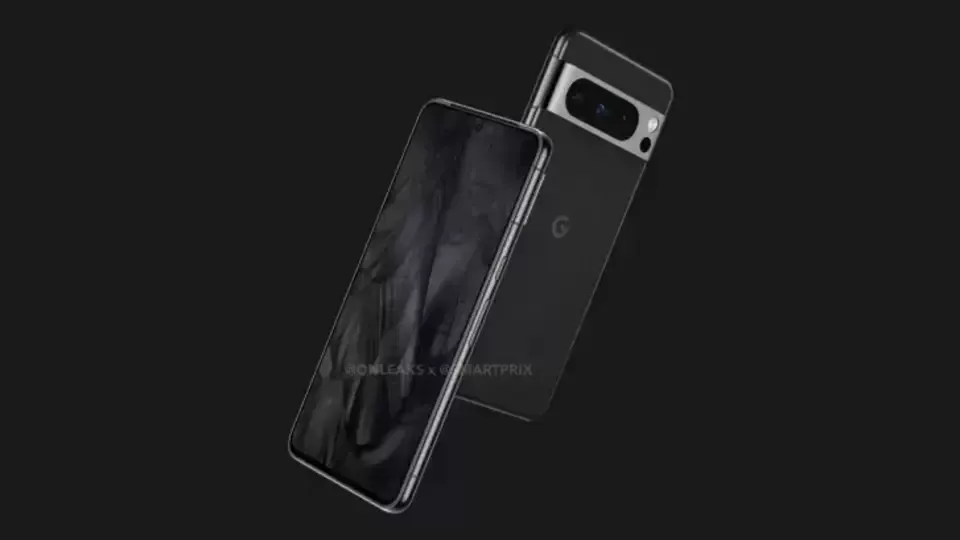
    pixel 8 and pixel 8 pro camera l 1

    Pixel 8 and Pixel 8 Pro camera specs – a big upgrade

    Both Pixel 8 versions will receive the ISOCELL GN2 sensor as the primary update to the camera hardware this year, replacing the Samsung ISOCELL GN1 sensor. The sensor is bigger and should capture roughly 35% more light than its predecessor for brighter low-light shots and faster shutter speeds to lessen blur. These are the first enhancements.

    The Tensor G3 CPU and the sensor both support the capture of 8K/30fps video. This might not reach users, though, as the Pixel 8’s GCam does not presently enable it, and older Pixel models already run quite warm at 4K/60 frames per second. The final improvement is the previously revealed Staggered HDR support. This shortens the time between HDR capture frames, which lessens ghosting and expedites the capture process. The innovation might enable quicker, more dependable photos by enhancing Google’s HDR+ capabilities.

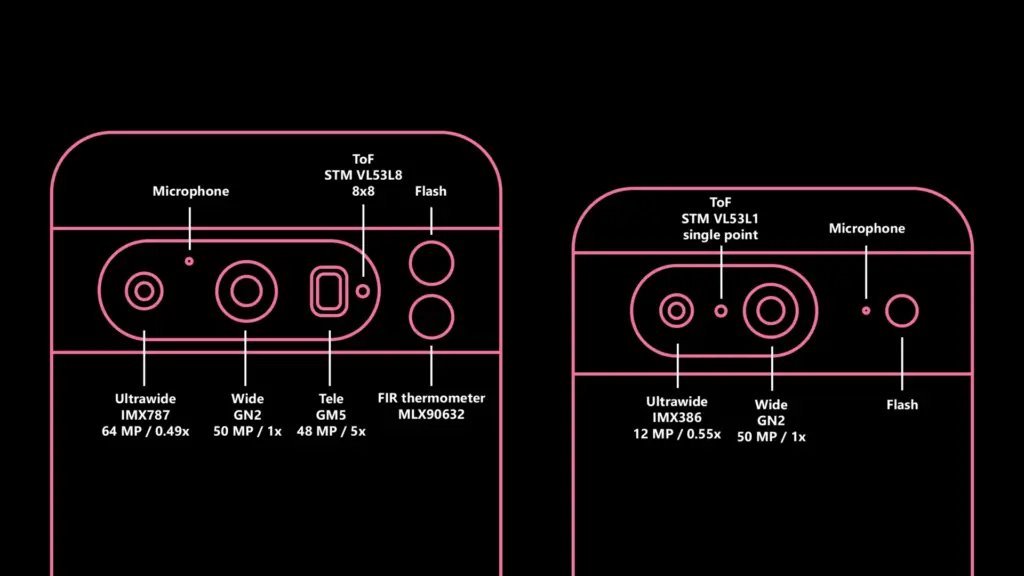
    The ultrawide camera on the Google Pixel 8 Pro is also getting a much-needed boost. The 64MP Sony IMX787, which is the same sensor as the main camera featured on the Pixel 7a, has replaced the outdated 12MP Sony IMX386. The sensor is almost two times larger, which is a significant improvement for the ultrawide camera. The lens has also been slightly widened by Google. The field of vision (FoV) has been increased from a 0.56x zoom ratio to 0.49x, but I am unsure of the precise value. Unexpectedly, there’s a possibility that the macro mode introduced with the Pixel 7 series won’t be present this year. At now, the Pixel 8 Pro doesn’t have the capability enabled. Afterwards, the feature might be activated again.

    The vanilla Google Pixel 8’s ultrawide camera is also upgraded, although more modestly. While the camera sensor is the same Sony IMX386 found in the Pixel 6 series, Google has made it slightly wider this year. Pixel 7 had a 0.67x zoom ratio, which is now 0.55x in the Pixel 8.

    The telephoto camera on Pixel 8 Pro appears to remain the same 5x module as the Pixel 7 Pro. The same goes for the 11MP selfie camera from the Pixel 7 series. Here’s the full rundown:

    Pixel 7Pixel 8Pixel 7 ProPixel 8 Pro
    WideSamsung GN1 (50 MP)Samsung GN2 (50 MP)Samsung GN2 (50 MP)Samsung GN1 (50 MP)
    UltrawideSony IMX386 (12MP) – 0.67x zoom ratioSony IMX386 (12MP) – 0.55x zoom ratioSony IMX787 (64 MP) – 0.49x zoom ratioSony IMX386 (12MP) – 0.56x zoom ratio
    TelephotoSamsung GM5 (48 MP) – 5x zoom ratioSamsung GM5 (48 MP) – 5x zoom ratio
    SelfieSamsung 3J1 (11 MP)Samsung 3J1 (11 MP)Samsung 3J1 (11 MP)Samsung 3J1 (11 MP)

    It’s intriguing to see Google further distinguish between the normal Pixels and their Pro counterparts. Although each generation’s previous Pixels had distinct distinctions (such as the addition of telephoto cameras on the Pro versions), it never felt as though the standard devices were a significant downgrade; rather, they just featured less features. This is altering with this generation. Now, purchasing the normal Pixel 8 over the Pixel 8 Pro will result in a lower-quality ultrawide experience and a lesser zoom.

    Improved time-of-flight is coming to the Pixel 8

    The STMicroelectronics VL53L1 single-point time-of-flight (ToF) sensor has been used in all Pixel phones since the Pixel 6 (apart from the Pixel A series), which is a little-known fact. This sensor helps the autofocus. It is depicted in the picture up top.

    Finally, the Pixel 8 Pro get something more practical. It has a brand-new 88 ToF VL53L8 sensor. The new sensor in the Pixel 8 Pro is still a huge improvement, and it should, at the very least, make the autofocus much more dependable. Having a true LiDAR camera sensor, like the 0.3MP IMX590 in the iPhone 14 Pro, is obviously far more adaptable.

    The ToF sensor upgrade isn’t coming to the regular Pixel 8; it retains the old VL53L1.

    The Pixel 8 thermometer is just a thermometer

    An FIR temperature sensor is yet another Pixel 8 Pro feature that has already surfaced online. Let me set the record straight: it is not a full thermal camera that can also be used for photography as some have suggested.

    It is a Melexis MLX90632 sensor, which is primarily suggested for highly accurate non-contact temperature measurements, such as measuring body temperature. It is just capable of sensing temperature; it is neither a camera nor anything else. Simply said, and not for the first time, Google decided to incorporate a very pricey gimmick in its product (hello, Motion Sense).

    google pixel camera

    Software updates for the Pixel 8 camera are coming

    While the camera software on Pixel 8 is obviously in fairly early stages of development and mainly focuses on making the new hardware work, we have spotted some new low-level feature enhancements.

    “Adaptive torch” is a new feature that dynamically adjusts the flash intensity based on the scene and other inputs (e.g. which capture mode is used). This should prevent overexposed shots and make low-light photography even better if you use the flash.

    “Segmentation AWB” is another new feature. As the name implies, the scene will be divided into many segments using AI, and then certain portions of the image will be processed differently. This idea is not new; Qualcomm previously unveiled a feature of a similar nature for the Snapdragon 8 Gen 2. How Google integrates this into its current processing processes will be interesting to observe.

    Google might also add a video bokeh blur level selection for the phone’s cinematic mode, which was first introduced on the Google Pixel 7 series.

  • Nothing Phone 2 launch confirmed

    Nothing Phone 2 launch confirmed

    We’ve learned a lot about the incoming successor to the Nothing Phone 1, which is likely to be the most unusual phone of 2022, over the previous few months. We still didn’t know when we would actually see the phone land, though. Happily, we now are aware.

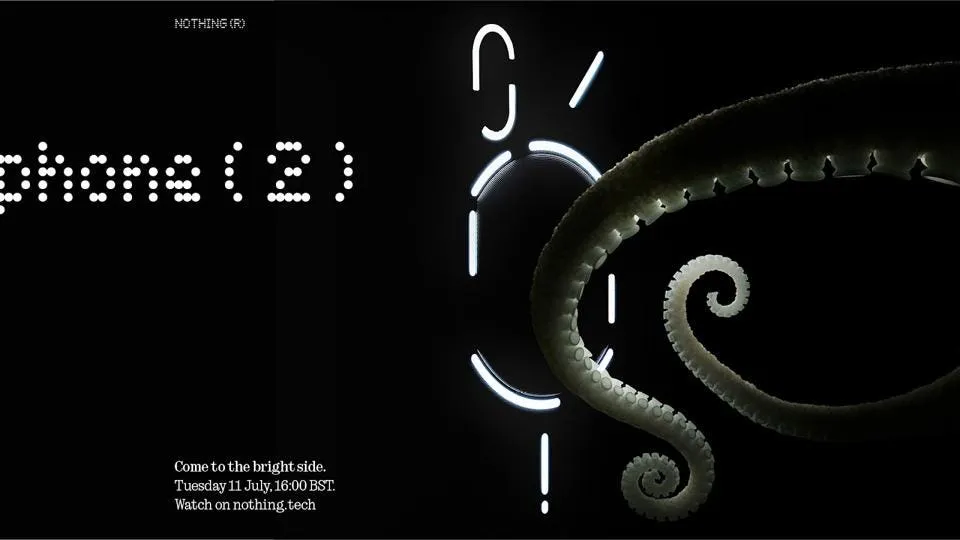
    The official launch date for the appropriately called Nothing Phone 2 is July 11, 2023. On that day, at 11:00 ET, Nothing will broadcast the announcement live on YouTube through its website. See the authorized teaser image down below.

    Nothing Phone 2

    The Nothing Phone 2 launch date is now set in stone.

    As with all of its other goods, Nothing uses an animal in its advertising for the Nothing Phone 2. You may recall that the Nothing Phone 1 featured a parrot, the Nothing Ear 2 a rhinoceros beetle, and the Nothing Ear 1 a ladybug. The octopus appears to be the symbol for the Nothing Phone 2 launch date and related marketing materials.

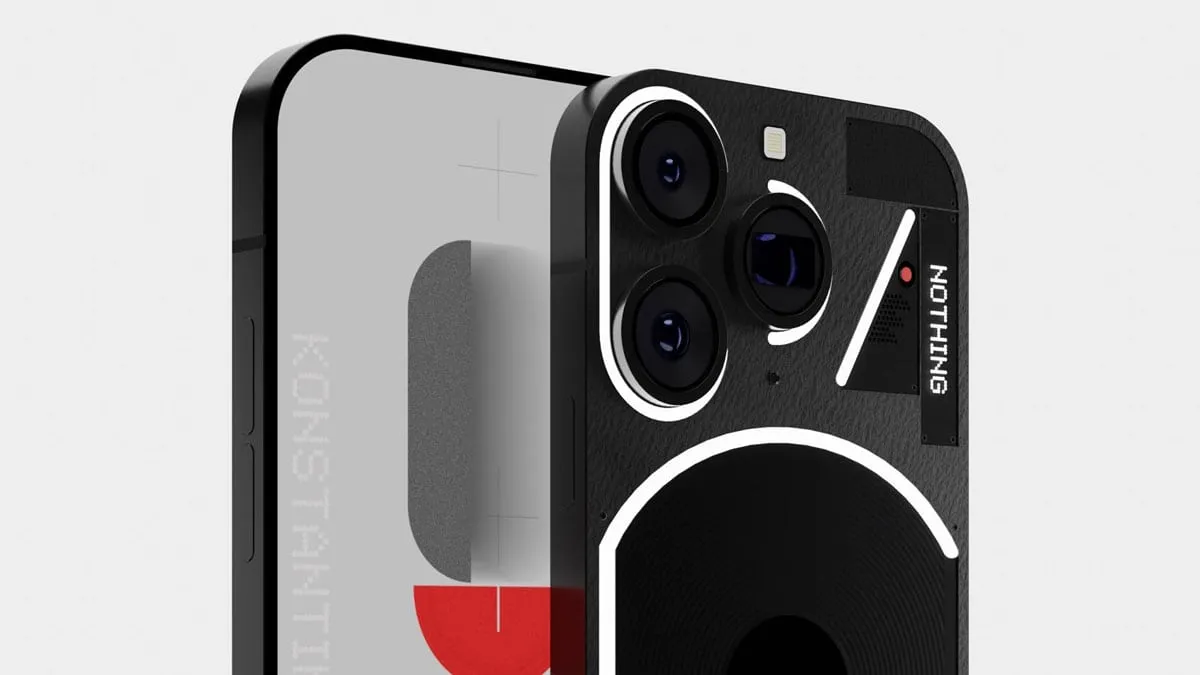
    It’s interesting to note that this advertisement features The Glyph, the phone’s backlight, in its revised form. These exactly match the rumored Phone 2 renders that we saw a few weeks back and that Carl Pei dubbed “f a k e.” That render appears to be more accurate than Pei would have us believe.

    In either case, on the day of debut, we should learn everything there is to know about the Nothing Phone 2. We already know that it will have a 4,700mAh battery and a Snapdragon 8 Plus Gen 1 CPU. Also, we already know that it will undoubtedly visit the United States. When the Nothing advertising machine ramps up, keep checking back for more verified information that will likely be released daily.

  • For the first time, Asus’ Zenfone series will support wireless charging with Zenfone 10.

    For the first time, Asus’ Zenfone series will support wireless charging with Zenfone 10.

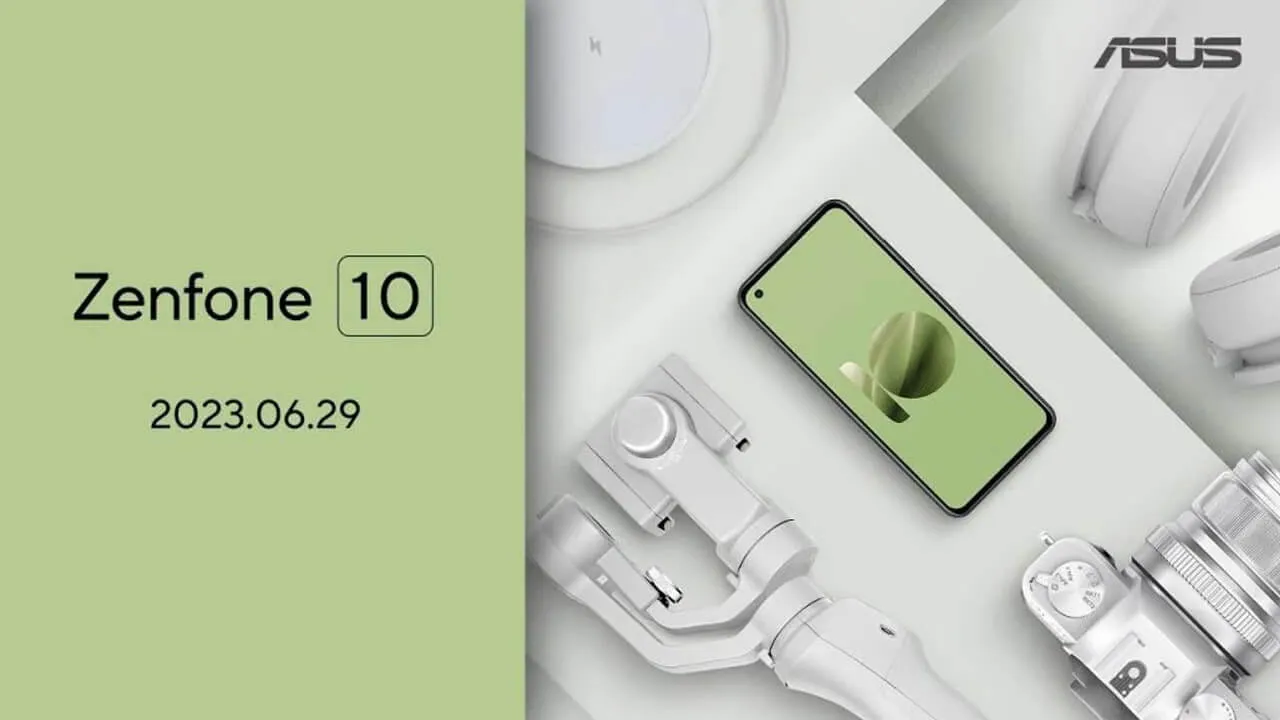
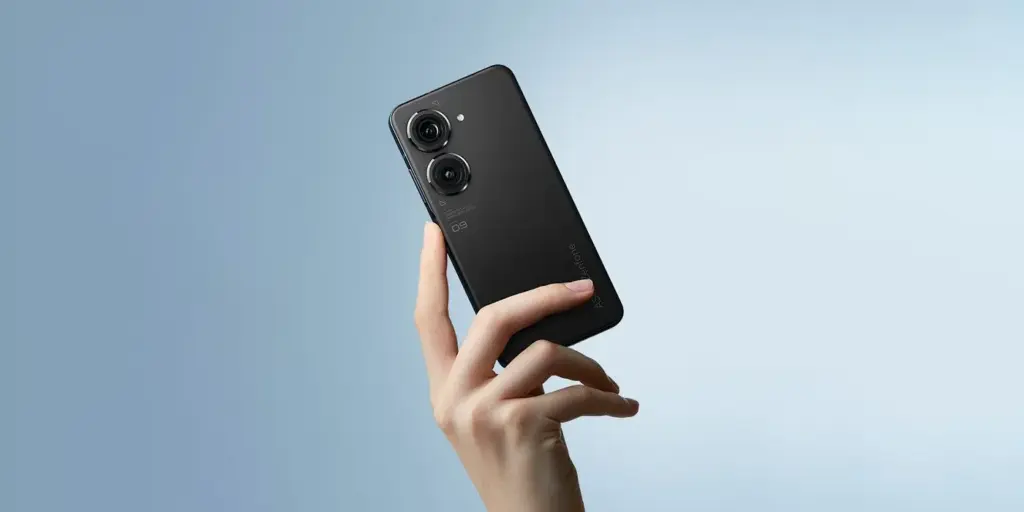
    The Zenfone 10’s official launch date was recently disclosed by Asus. Together with the release date, the Taiwanese company also confirmed a few important details about the little device, including as a 5.9-inch display, a new generation of hybrid stabilization for its camera, and the introduction of wireless charging.

    After the Zenfone 9 broke cover at the end of July in 2022, this year’s flagship Android phone from Asus will be unveiled sooner than anticipated. On the current event page, Asus announced that the Zenfone 10 would launch on June 29 at precisely 10:00 PM in Taiwan (3:00 PM in Berlin) and 9:00 AM in New York. Users can sign up to receive updates and watch the event live online.

    zenfone 98393

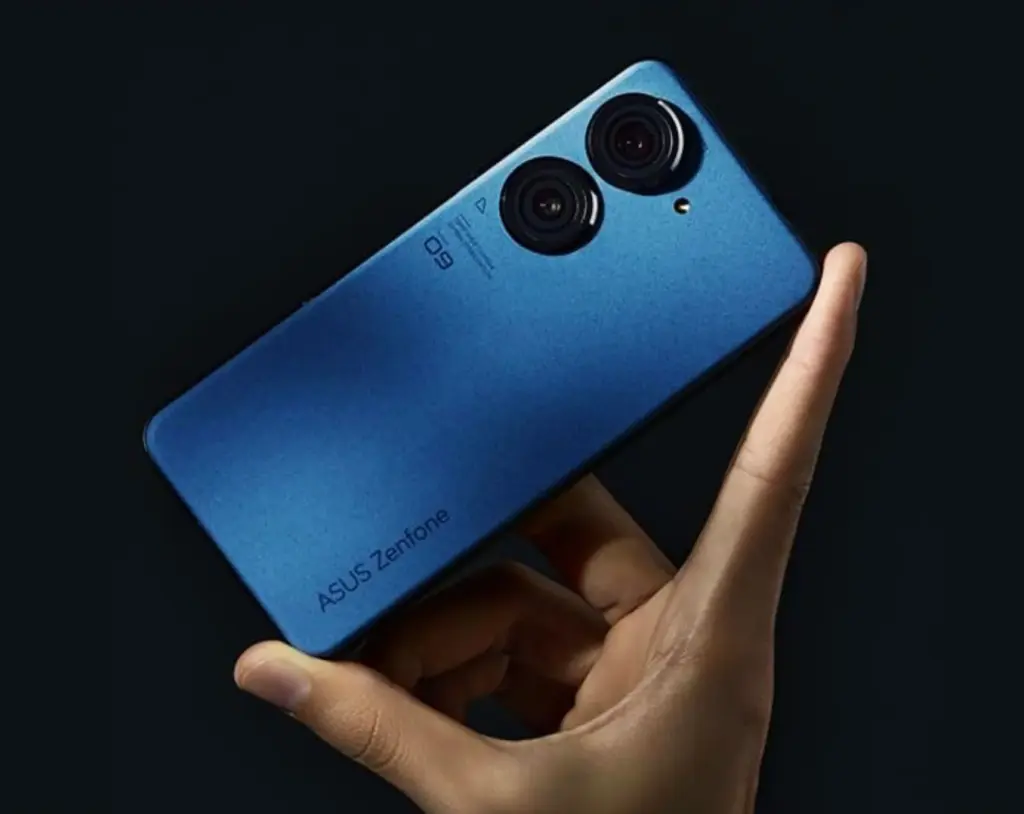
    The business has begun to advertise a few of the Zenfone 10’s features as well. According to reports, the little phone would have a 5.9-inch screen with a punch hole in the upper left corner for the selfie camera, similar to the Zenfone 9 that we’ve reviewed. A second-generation 6-axis hybrid stabilization is also connected to the purportedly updated 200 MP primary camera.

    In addition, Asus will debut new hues with the product, such as the pale olive green shown in the illustration below. Shots of the red moon and the night sky were used to obliquely show the other colors, so possibly we are viewing a space-related subject or something similar.

    asus zenfone 10

    Wireless charging with Zenfone 10

    The way the Zenfone 10 will accept wireless charging is intriguing. In contrast, its predecessor glaringly lacked this functionality. What the speed rating is and whether reverse wireless charging will be available are still unknown.

    The Snapdragon 8 Gen 2 SoC, which is a noticeable improvement over the Snapdragon 8 Gen 1 in terms of efficiency and performance, will be in charge of the device’s chipset selection. With this, it is expected that the Zenfone 10 will experience an increase in battery life.

  • Snapdragon 8 Gen 3 may be the SoC to beat for benchmark records.

    Snapdragon 8 Gen 3 may be the SoC to beat for benchmark records.

    As the October launch date draws nearer, more information about Qualcomm’s next-generation system-on-chip for smartphones and tablets is starting to emerge. A purported benchmark for the Snapdragon 8 Gen 3 has just surfaced, suggesting significant upgrades over the previous flagship chipset.

    The alleged GeekBench 5 scores of the forthcoming Snapdragon 8 Gen 3 have reportedly been uploaded by a Chinese leaker and trustworthy source, Digital Talk Station. The silicon reached 1700 in the single-core category, and roughly 6600 in the multicore category, according the listing. With an average of 1500 and 5000, respectively, the new chip outperforms the Snapdragon 8 Gen 2 by 12 and 20%.

    Qualcomm Snapdragon 8 Gen 3 vs. Apple A16 Bionic

    If these results are replicated in the chipset’s production unit, the Snapdragon 8 Gen 3 will perform worse on single-core tests than Apple’s A16 Bionic (1800/5300), but far better on multi-core tests. The iPhone 14 Pro (review) and iPhone 14 Pro Max are now powered by the Apple A16 Bionic, whereas the iPhone 15 will be the first device to use the more effective A17 Bionic.

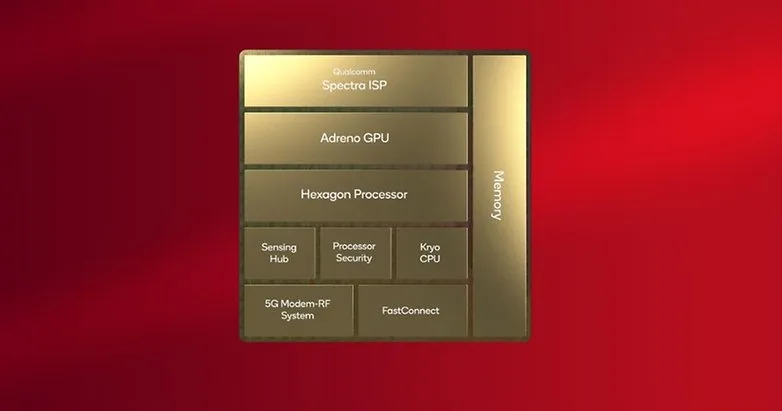
    These scores are based on the upgraded configuration of the chipset, which has a 1+5+2 core cluster, according to another leak that Twitter user @tech reve reported. Although the five performance cores are now operating at two distinct frequencies, the main Cortex-X4 appears to have been turned down from 3.4 GHz to 3.2 GHz, increasing the multicore value.

     Snapdragon 8 Gen 3

    It was previously believed that the Snapdragon 8 Gen 3 had a top clock speed of 3.7 GHz and a 50% boost in GPU performance. But, there hasn’t been any further information regarding this since. Perhaps Samsung will reserve and only use this version of the proprietary Processor, just like they did with the Snapdragon 8 Gen 2 for Galaxy.

    The Snapdragon 8 Gen 3 may be unveiled during the upcoming Snapdragon Summit, which Qualcomm said will take place in October. In November, the first smartphones that utilize the platform are anticipated. At the aforementioned later date, Xiaomi is supposedly unveiling the Xiaomi 14 series.

    Tip was sent by Managed Marketing AI

  • Google introduces a new set of features for Android devices.

    Google introduces a new set of features for Android devices.

    Google is preparing a spate of improvements for Android, the web, and WearOS in anticipation of the next summer. The company is already adding new features to its apps and services across all kinds of devices, even if we still need to wait for the June Feature Drop to arrive on Pixel devices as a system upgrade.

    Widgets

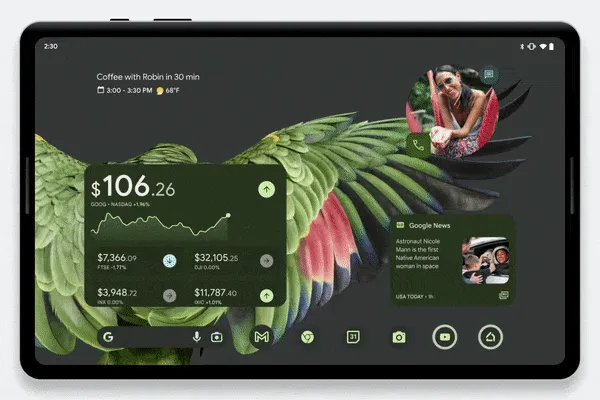
    Google is continuously working on new widgets, and this feature removal makes that very obvious. New Google Finance, Google TV, and Google News widgets are now available for smartphones and tablets.

    The former gadget, which is a component of the Google app, is reportedly already going out broadly. If you want to feel more anxious every time your phone’s screen comes on, you can track your most significant investments straight from your home screen.

    The Google News home screen feature will put the most recent and significant headlines at your fingertips, while the Google TV widget aims to make it simpler to locate personalized watch suggestions quickly.

    android devices new features

    While none of these widgets are wholly original ideas, they all adhere to the same Material You design aesthetic, which makes them compatible with Pixel phones. The widgets are accessible worldwide on Android 6 and newer-powered handsets.

    Emoji updates

    new emoji on android

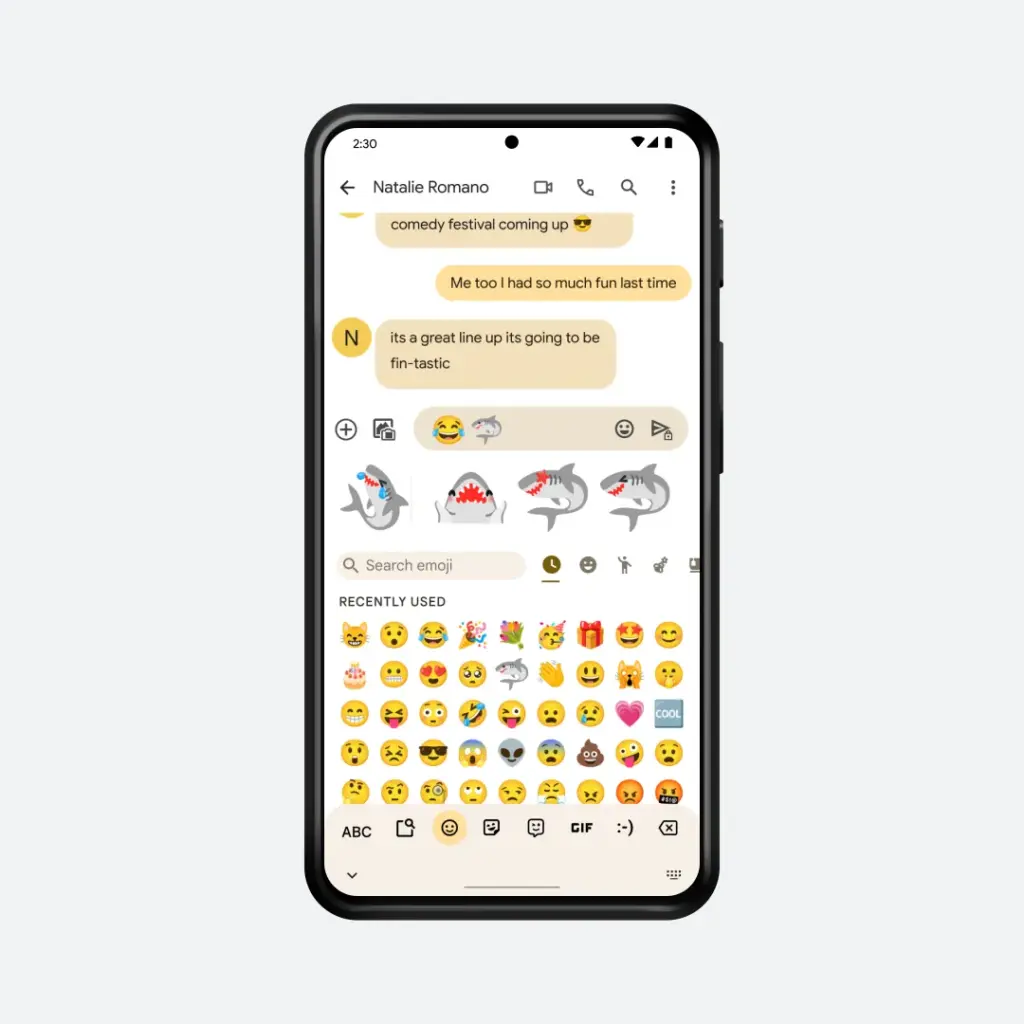
    Emoji Kitchen, Google’s emoji-merging function for Gboard, was a huge success when it was initially introduced, and it continues to get better every month. Google is introducing new summer-themed emoji combinations as part of the June Feature Drop, though the firm is remaining mum on the specifics. But, the image below from the business indicates that some of the new combinations will contain sharks.

    Spotify, Wallet, and Keep on WearOS

    Although Google is introducing a few new capabilities to its wristwatch operating system in the interim, there are still many aspects we’d like to see rectified in the upcoming release of WearOS.

    wear os

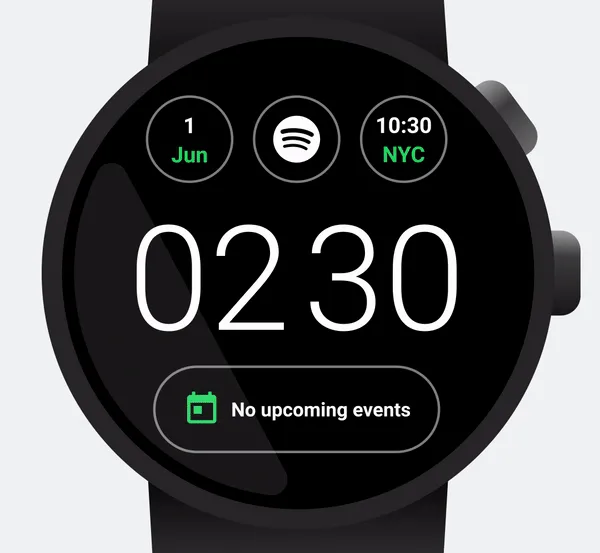
    One example is the announcement made by Google and Spotify that the AI DJ from the music streaming service is now accessible on the watch platform. This enables you to listen to the unique radio host right from your wrist.

    The business claims that in addition to the DJ, Spotify has included several additional tiles and watch display features. Nevertheless, only Premium subscribers in the US, UK, Canada, and Ireland get access to The DJ.

    You can now import your SmarTrip and Clipper cards to Google Wallet and use them right on your wrist if you take public transportation and live in the San Francisco Bay Area or Washington, DC.

    Google also reaffirmed that it recently added new complexities to the Keep watch app so you could access personal to-do lists or notes right from the watch face.

    Dark web reports for Gmail

    Google last year disclosed dark web monitoring for Gmail users at Google I/O. The function is now accessible to anyone with a Google account, as opposed to only Google One subscribers in the past. To utilize this, you must still go to the Google One website or app, but there is no fee.

    You may use the function to perform a one-time scan to see if your Gmail ID has been exposed on the dark web. It also includes instructions on how to stay safe online. The opportunity to look for further stolen data, such as the social security number, and recurrent automatic scanning are still available to Google One subscribers.

    As of June 1, the rollout for these dark web reports should now be complete in the US. In the coming months, the company will roll the option out to 20 more countries.

    Reading practice

    google june feature drop 2023 re

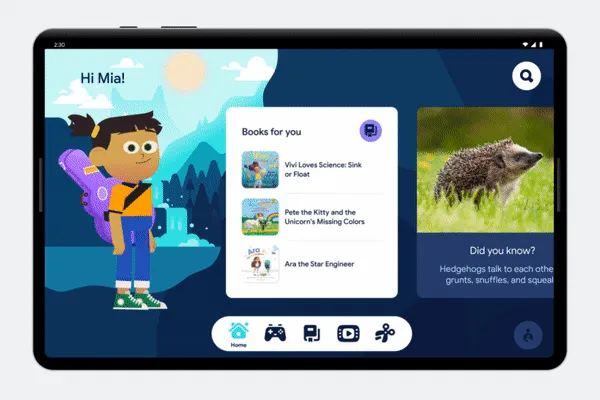
    Google is back with a new Reading Practice service as part of Google Play Books after shuttering its Rivet reading practice apps in 2020. You may access a unique portion of the program where you and your child can practice reading together. Google claims that thousands of children’s books, including those that are free, have the option. With reading practice, your child reads underlined words aloud while getting any necessary pronunciation help.

    Rolling out over the coming weeks

    The most recent updates, which are a part of Android 13’s third and final Quarterly Platform Update, will be accessible to everyone, regardless of whether they own a Pixel phone or not, even though we’re still eagerly for the Pixel Feature Drop to happen. The new features and releases are currently being implemented, and everyone should have access to them over the next few weeks.

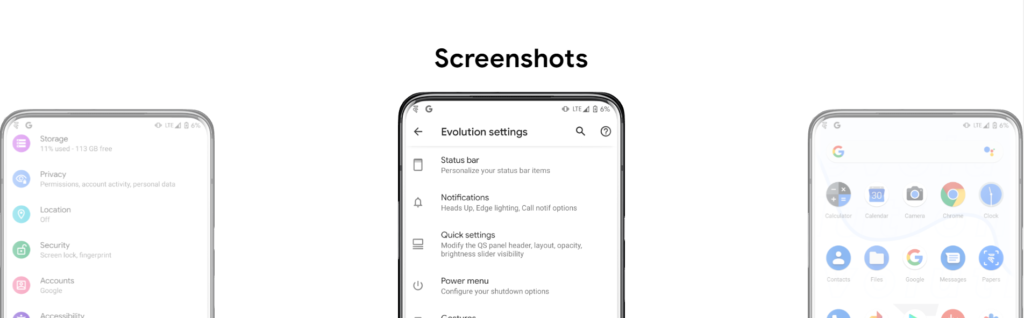
  • Evolution X 7.9 for the Google Pixel 6, 6 Pro & 6a – oriole – raven – bluejay

    Evolution X 7.9 for the Google Pixel 6, 6 Pro & 6a – oriole – raven – bluejay

    Modified versions of the Android operating system known as “custom ROMs” are produced by independent developers or communities. Beyond what is offered by the software from the original manufacturer, these ROMs provide a distinctive and personalized user experience.

    What is a custom ROM

    Custom ROMs are frequently used by users to enhance performance, unlock new features, or prolong the life of their devices.

    The ability to alter a device’s design and functionality is one of the main reasons people prefer custom ROMs. Themes, user interfaces, and the installation of custom kernels and changes to improve performance and battery life are all examples of customization possibilities. These ROMs frequently provide more device control, enabling users to customize their experiences to suit their preferences.

    The flexibility custom ROMs offer in terms of software upgrades is another important benefit. Official updates for older or less well-liked devices are occasionally delayed or completely abandoned by manufacturers and carriers.

    On the other side, custom ROM developers keep supporting these devices, giving customers the most recent versions of Android long after the official support stops. Users can now take advantage of new features and security updates that they wouldn’t otherwise have access to.

    evolution x

    Evolution X

    Popular custom ROM Evolution X, which is based on the Android operating system, strives to offer a distinctive and feature-rich user experience. Evolution X, created by a passionate community of enthusiasts, offers a wide range of customization options, performance upgrades, and an easy-to-use interface, all while adhering to the fundamental values of stability and dependability.

    Evolution X is fundamentally based on the most recent Android releases, featuring Google’s most recent features and security updates. By doing this, customers are guaranteed access to the most recent features and security measures provided by the Android ecosystem. Even if official manufacturer updates are no longer available, customers can still benefit from a new operating system on their compatible devices with Evolution X.

    Another trait of Evolution X is performance optimizations. The ROM includes a number of adjustments and improvements meant to increase the device’s responsiveness, speed, and battery life. Users can fine-tune the performance of their device to suit their preferences by using sophisticated performance settings like undervolting or overclocking. Additionally, Evolution X makes the most of system resources to guarantee fluid animations and seamless multitasking.

    Evolution X also places a strong emphasis on privacy and security. The ROM includes built-in privacy features, such as advanced permission controls and privacy settings, to give users more control over their data and app permissions. Furthermore, Evolution X incorporates the latest security patches and updates to protect users from potential vulnerabilities and ensure a secure browsing and app experience.

    Features lists

    Themes
    
    - Theming Settings (Style, Color Source, Accent Color, Accent Background, Background Color, Luminance, Chroma, Tint Background)
    - Custom Themes (Black, Clear, Vivid, Paint In The Snow, Espresso)
    - Dark Theme Schedules
    - Lock screen Clock Fonts (16 Fonts)
    - Headline/Body Fonts (53 Fonts)
    - SB Icon Packs (10 Styles)
    - SB Signal Icon Packs (14 Styles)
    - SB WiFi Icon Packs (10 Styles)
    - System Icon Shape Packs (16 Styles)
    - 3 Button Navbar Styles (10 Styles)
    
    Status bar
    
    - Status Bar Lyrics
    - Clock Styles (Right, Center, Left)
    - Clock & Date Configs (Auto Hide, Hide Duration, Show Duration, Seconds, AM/PM, Font Size, Date Position/Case/Format)
    - SB Logo Pack (20 Styles, Right/Left)
    - Network Traffic Indicators
    - Battery Icon Styles (19 Styles)
    - Battery Percent (Hidden, Inside Icon, Next To Icon)
    - Battery Bar (Thickness, Alignment, Blend Colors, Reverse Direction, Colors, Animation)
    - System SB UI Tuner
    - Data Disabled Icon (On/Off)
    - Old Style Mobile Data
    - 4G Instead Of LTE
    - Roaming Indicator
    - WiFi Type Icon
    - Colored Icons
    - Notification Count
    - Bluetooth Battery Status
    - Mic/Camera Privacy Indicator
    - Location Privacy Indicator
    - Media Projection Privacy Indicator
    
    Notifications
    
    - ReTicker
    - App Colored Background For Reticker
    - Heads Up (Time Out, Importance Threshold, Less Boring, Stoplist/BlockList)
    - Force Expand Notifications
    - Notification Sound If Active
    - Kill App Button
    - Blink Flashlight For Incoming Call (When Ringing, When Silent, When Entierly Silent, Always)
    - Blink Flashlight For Notifications
    - In-Call-Vibrations (Connect, Waiting, Disconnect)
    
    Quick Settings
    
    - Clock
    - Clock Font Size
    - Date
    - Battery Style (15 Styles)
    - Battery Percent Location (Hidden, Inside Icon, Next To Icon)
    - Battery Estimates
    - Secure QS Tiles Requires Unlocking
    - Quick QS Pulldown (Disabled, Right, Left, Always)
    - Brightness Slider (Never, Expanded, Always)
    - Brightness Slider Position (Top, Bottom)
    - Auto Brightness Icon
    - Hide Labels
    - Label Text Size
    - Smart Pulldown
    - Vertical Layout
    - Columns In Portrait (2-5)
    - Columns In Landscape (2-6)
    - QS Tile Animation Style (3 Styles)
    - QS Tile Animation Druations (3 Speeds)
    - QS Tile Animation Interpolator (8 Styles)
    - Vibration On Touch
    - Vibration On Touch Duration
    - QS Footer Warnings
    - Show Data Usage
    - User Account Icon
    - Edit Icon
    - Power Menu Shortcut
    - Running Services Shortcut
    - Settings Shortcut
    - Clear All Button (10 Styles, 5 Backgrounds)
    
    Power Menu
    
    - System Settings (Hold PWR Assistant + Hold Duration)
    - Disable Power Menu On LS
    - Power
    - Restart
    - Advanced Reboot Options
    - Screenshot
    - On-The-Go Mode
    - Settings
    - Lock Down
    - Emergency
    - Device Controls
    - Users
    - Logout
    - Bug Report
    
    Gestures
    
    - System Settings
    - Quick Tap
    - Volume Button Playback Control
    - Swipe To Screenshot
    - Brightness Control
    - PWR Button Torch
    - Double Tap To Sleep Status Bar
    - Double Tap To Sleep Lock screen
    - AOSP Gestures
    - Pill Length
    - Pill Radius
    - Hide IME Button Space
    - Back Gesture Animation
    
    Lock screen
    
    - Edge Light
    - Always On Fingerprint
    - UDFPS Icon Picker (55 Styles)
    - UDFPS Animation Picker (38 Styles)
    - Lock screen Charging Info
    - Hide Status Bar
    - Hide QS During Secure Lock screen
    - Media Cover Art (5 Filters)
    - Ripple Effect
    - Fingerprint Authentication Vibration
    - Fingerprint Error Vibration
    
    Buttons
    
    - Navigation Bar
    - Compact Layout
    - Invert Layout
    - Show Vol Panel On Left
    - Per App Vol Control
    - On-Screen NavBar
    - Reorient Volume
    - Volume Rocker Wake
    - Keyboard Cursor Control
    - Alert Slider Notifications
    - Alert Slider Pulse
    - Block Alert Slider In Pocket Mode
    - Click To Partial Screenshot
    
    Animations
    
    - Screen Off Animation (3 Styles)
    - Power Menu Animations (11 Styles)
    - Android P Animation Style
    
    Miscellaneous
    
    - AOD Display Schedule
    - Google Services
    - Game Space
    - Smart Pixels
    - App Lock
    - Launch Music App On Headset Connection
    - Unlimited Photos Storage
    - Unlock Higher FPS In Games
    - Netflix Spoof
    - Pulse Music Visualizer (Navbar, LS, Ambient)
    - Volume Panel Timeout
    - Jitter Test
    - Ignore Secure Window Flags
    - Show CPU Info
    - Toast App Icon
    - Sensor Block Per Package
    - Wakelock Blocker
    - Alarm Blocker
    - Default USB Configuration
    - Radio Info

    First Time Install

    • 1. Download vendor_boot & rom for your device from here
    • 2. Reboot to bootloader
    • 3. fastboot flash vendor_boot vendor_boot.img fastboot reboot recovery
    • 4. While in recovery navigate to Factory reset -> Format data/factory reset and confim to format the device.
    • 5. When done formatting, go back to the main menu and then navigate to Apply update -> Apply from ADB
    • 6. adb sideload rom.zip (replace “rom” with actual filename)
    • 7 (optional). Reboot to recovery to sideload any add-ons (e.g magisk)
    • 8. Reboot to system & #KeepEvolving

    Update

    • 1. Reboot to recovery
    • 2. While in recovery, navigate to Apply update -> Apply from ADB
    • 3. adb sideload rom.zip (replace “rom” with actual filename)
    • 4 (optional). Reboot to recovery to sideload any add-ons (e.g magisk)
    • 5. Reboot to system & #KeepEvolving

    OTA

    • 1. Check for update. If available, select “Download and install” (approx 10-15 min)
    • 2. Reboot & #KeepEvolving
  • Mobile app for ChatGPT is now available for free.

    Mobile app for ChatGPT is now available for free.

    The first mobile application, called “OpenAI ChatGPT” on the Apple App Store, has now been released, as the US company OpenAI stated over the weekend on its own portal. The AI bot is currently free and only has a few features.

    ChatGPT for the Apple devices only for now

    Real enthusiasm has grown around the subject of AI bots during the last several days and weeks. The development of artificial intelligence (AI) is sparked by projects like “TruthGPT,” “Google Bard,” and OpenAI with “ChatGPT.” Others struggle to move growth forward quickly enough, while some are already fueling the flames of the end of the world.

    Sam Altman, the creator of ChatGPT, issues a risk alert and requests government regulation. On the other hand, the American business itself released the initial mobile application with “OpenAI ChatGPT” for free download in the Apple App Store over the weekend.

    chatGPT openai

    While the AI-supported chatbot is already available in the US as a desktop application in version 4.0, the mobile version, which for the time being is only available in the US and only for iOS from version 16.1, represents a premiere in the steady race. However, as the company announced, an implementation for Android is already in the works and a “soon” release is planned. Other countries are also expected to follow shortly.

    A chat can be begun on an Apple iPhone and continued later on a desktop browser thanks to the cross-platform functionality of the iOS mobile application. The inclusion of “Whisper,” an open-source neural speech recognition program based on 680,000 hours of multilingual and multitasking observed data, inside the ChatGPT mobile app provides another benefit.

    Although ChatGPT for iOS is in theory free, the “ChatGPT Plus” version requires a US$19.99 monthly membership. Initial information indicates that the Plus version includes features from ChatGPT 4.0. Those who want to utilize communications more extensively most likely will also need to pay. The “early access to features and faster response times” for Plus subscribers is another benefit.

  • #sale Free Android and iOS apps this week

    #sale Free Android and iOS apps this week

    Ordinarily, purchased apps on Google Play and the Apple App Store will cost you money, but occasionally, some creators may opt to spread the love by making their apps freely available to everyone. We do this twice a week by searching the Apple App Store and Google Play Store for the greatest deals. Download them now on your iPhone or Android before they become paid content.

    Do take note that while they’re free as of publishing, these deals tend to expire without any due warning based on the developer’s whims and fancy. The promotional period for apps on these platforms can be both unpredictable and can end suddenly.

    Therefore, we recommend that you exercise caution and conduct your own research before downloading any of these apps, as some may contain in-app purchases or hidden costs.

    Android apps available for free for a limited time

    Android apps for productivity and lifestyle

    • Save PDF Viewer Pro [4.4-stars / $1.49]: Are you ready to try an alternative app to read PDF files? This gets the job done with minimal fuss.
    • Simple Text Widget [4.9-stars / $1.49]: Keep yourself motivated every single day with this widget that adds text to the home screen.
    • 80s Music Radio Pro [3.9-stars / $0.99]: An ad-free app that lets you enjoy all the top hits from the 1980s right on your smartphone.
    • Electron Config Pro [4.8-stars / $2.49]: Do you have a hard time with chemistry, trying to figure out which element is compatible with another? This app removes all guesswork with its precise answers.

    Android games

    • Demon Warrior Premium [4.4-stars / $0.99]: Take a walk on the wild side and be the strongest demon there is out there.
    • Kaori After Story [4.9-stars / $4.99]: Immerse yourself in the life of a boyfriend who has been invited to spend Christmas with your girlfriend’s family! Just how will you act? This is a visual adventure novel.
    • Crazy Owls Puzzle [4.3-stars / $0.99]: Another variant of the “3-of-a-kind” puzzle game, except that owls are in the thick of the action this time around.
    • Stickman Warriors Super Hero [4.0-stars / $0.49]: Go one-on-one against different opponents as you work to be the ultimate warrior.
    • WindWings [4.9-stars / $1.99]: A shoot ’em up that requires you to be on your toes all the time to shoot down wave after wave of enemies and remain alive.

    iOS apps available for free for a limited time

    iOS apps for productivity and lifestyle

    • PDFGenius [4.4-stars / $9.99]: An intuitive tool that lets you manipulate PDF files on your iOS device.
    • Bear Walking Pal [4.7-stars / $0.99]: They say that the key to staying healthy is to walk 10,000 steps a day. Do so with this cute app! 
    • PiP: Picture in Picture [4.7-stars / $0.99]: Just because Apple says you cannot multitask in iOS, doesn’t mean all apps agree with that. Enjoy Picture-in-Picture capability with this app!
    • Resize Image [4.9-stars / $0.99]: Is there a photo that you want to resize on your phone? Get it done with this app!
    • Lock Notes Pro [4.5-stars / $4.99]: Protect your precious notes and keep them private with a password.

    iOS games

    • Astral Shapes [5.0-stars / $0.99]: A matching game that is out of this world, where you look for matching shapes and colors.
    • Ethereal Enigma [4.9-stars / $9.99]: A pictorial adventure story that can take up to 10 hours for a single playthrough. Just how well is your decision-making process? 
    • Pocket GM 2: Football Sim [4.9-stars / $0.99]: Manage your own American Football franchise and see whether you have the chops to take your team to the very top!
    • Adventurer Legends [4.3-stars / $0.99]: A Diablo-like game that sees your party grow even more powerful as you progress.
    • Red Rocket [5.0-stars / $0.69]: Go against the traffic in your car, avoiding obstacles to remain on the road. 
  • Samsung realized switching Google for Bing was bad

    Samsung realized switching Google for Bing was bad

    Google has long been the default search engine on Galaxy handsets thanks to payments from Samsung. But with a revelation that Samsung was considering switching to Bing as the default search engine last month, that agreement appeared to be in jeopardy.

    Now, according to sources familiar with the situation, Samsung has postponed an internal review of switching from Google to Bing, according to the Wall Street Journal (h/t: Reuters).

    The outlet claims that Samsung initially thought about changing the default search engine in the Samsung Internet browser to Bing. According to reports, the business reasoned that since the majority of Samsung users already choose alternative browsers like Chrome, switching wouldn’t “significantly disrupt the status quo.

    Samsung

    Why did Samsung changed its mind?

    According to WSJ’s sources, the business chose to put a review on hold for the time being due to worries about how the switch would be seen by the market and how it would affect its relationship with Google.

    According to the sources, Samsung isn’t totally ruling out switching to Bing. So it’s feasible that the business will examine the issue and change search providers in the future.

    In any case, we can’t say that we’re shocked that Samsung has chosen to continue with Google. After all, Google has long been the Galaxy phones’ default search engine. Who knows, maybe Samsung got a better bargain as a result of this controversy.