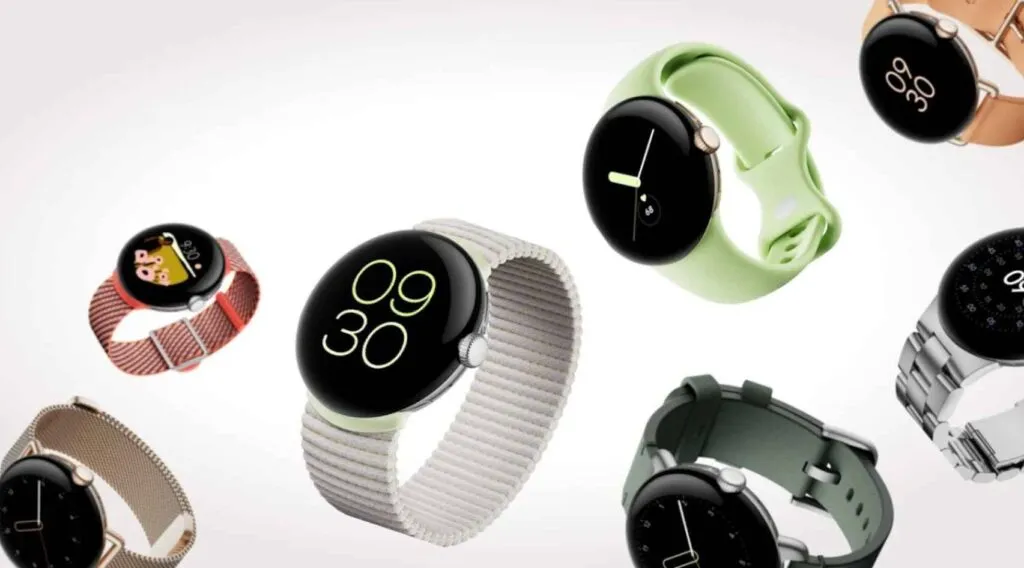
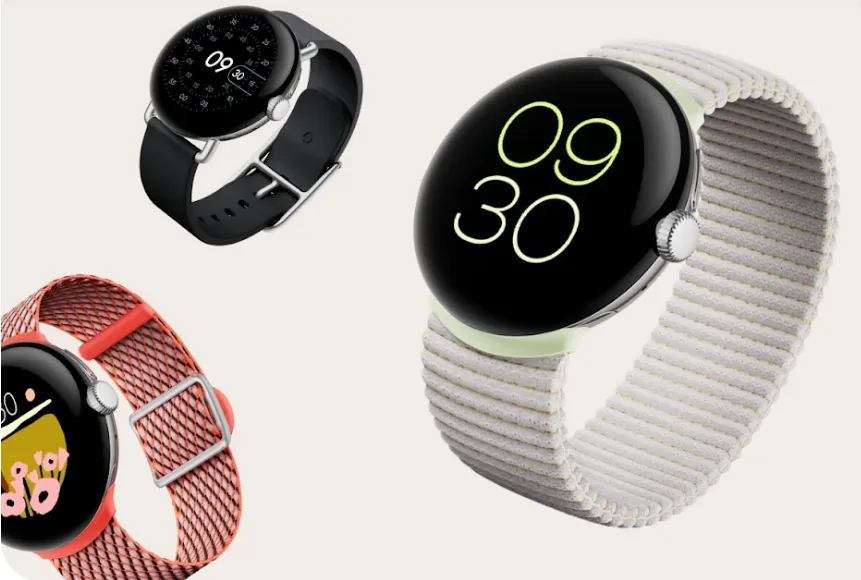
The Google Pixel Watch from a year ago was a favorite of ours despite its mediocre battery life, large bezels, and outdated internals. Additionally, Google has significantly enhanced the wearable since its debut with frequent upgrades. As the wristwatch approaches its first anniversary of release, more and more information regarding its successor, the Pixel Watch 2, is appearing online. The internals, display, and battery of the watch, as well as other important details, have just leaked.
The Snapdragon W5 Gen 1 processor is said to be used in the Pixel Watch 2, according to an Android Authority article. This is Qualcomm’s most advanced wearable SoC, built on Samsung’s 4nm node, and it has four Cortex-A53 cores with a 1.7GHz clock speed. Compared to the 10nm Exynos 9110 chip in the Pixel Watch, which has twin Cortex-A53 cores operating at 1.15GHz, it should result in a significant improvement in speed and economy.
Moreover, Qualcomm provides a W5+ Gen 1 SoC with a specialized QCC5100 coprocessor. However, it appears like Google chose the non-Plus model because it intends to use the same bespoke NXP coprocessor that was used in the first generation Pixel Watch.
The Pixel Watch 2 might have a bigger 306mAh battery in addition to a faster and more effective processor. That represents a modest 4% increase over the 294mAh cell in the first watch. Despite being small, the Snapdragon processor and 306mAh battery together might provide the Pixel Watch 2 a battery life of more than 24 hours.
Another significant improvement that Google promises to make to the Pixel Watch 2 is an ultra-wideband processor. It appears that the wearable will have an NXP SR100T module, but it’s not obvious how the business plans to use the technology. With the addition of UWB, the Pixel Watch 2 might be able to function as a digital car key, allow for seamless media playback between your devices, and more. The Apple Watch already comes with Apple’s U1 ultra-wideband processor, which is utilized for precision locating and other functionality.
However, it doesn’t appear that the Pixel Watch 2 will come with a larger display or more minimal bezels. According to rumors, Google will move to a Samsung Display panel, which might have increased brightness and battery efficiency. Nonetheless, it will still be 1.2 inches and 384 by 384 pixels in size. Moreover, there is no anticipated size reduction for the bezels that encircle the screen.
The Pixel Watch 2 should ship with Wear OS 4, which is based on Android 13, as its operating system. One of the earliest Android smartwatches that offer seamless updates is this one. This will enable the watch to update the system files silently and reboot to access them.
Last but not least, the Pixel Watch 2 may debut in India because BIS certification has been seen on the watch’s regulatory e-labels. There are no specifics yet, but the watch may be introduced to many more markets.
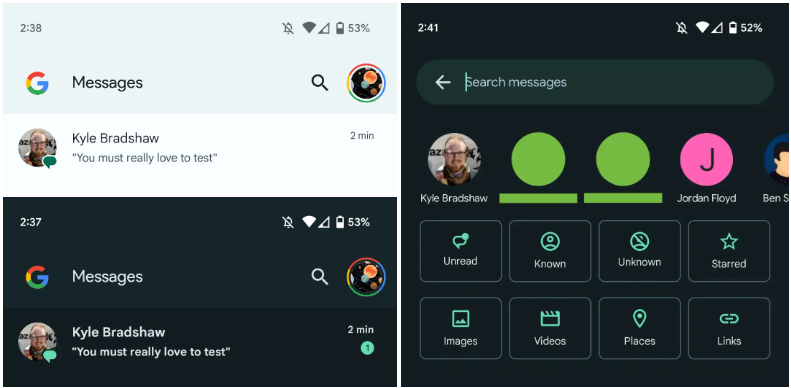
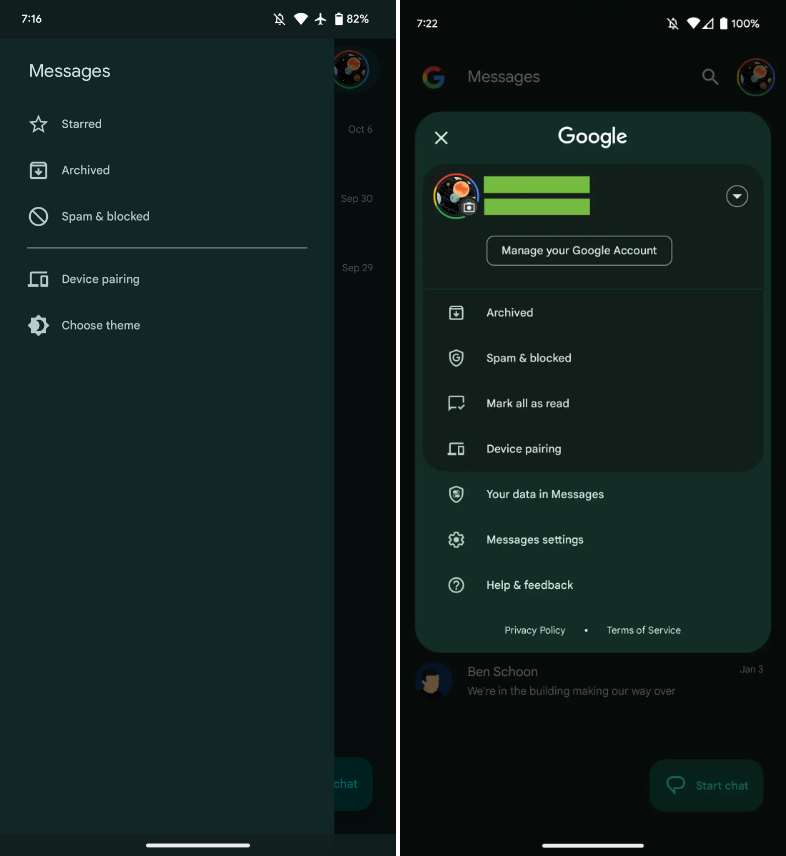
Interesting changes are being made by Google to the Messages homescreen, including the removal of the navigation drawer and the addition of prominent branding to the Android app.
The Google Messages homescreen has undergone another update with beta version 20230717 01 RC00.
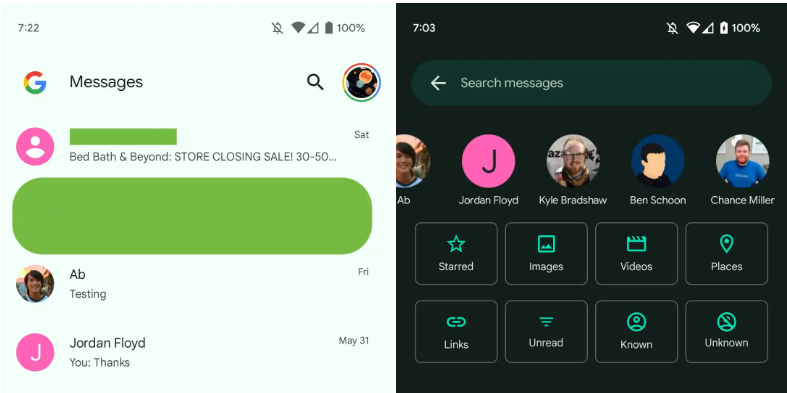
With this redesign, the message organization feature that had recently been enabled for beta users is not present. In the meantime, Google has slightly modified the search filters. This new appearance has not yet been implemented broadly.
You only get a magnifying glass icon in place of a full-width search bar. Google’s four-color “G” logo is in the top-left corner, followed by the word “Messages.
With those settings now under the account menu, the navigation drawer and its hamburger icon have been deleted. Your data in Messages, Messages settings, Help & feedback, Spam & blocked, Mark all as read, and Device pairing are displayed in that order. Google has shifted “Select theme” inside the settings menu in the interim.
Early in 2022, after previously solely using an overflow menu, Messages added a navigation drawer. This was considered to be defying current Google app design trends at the time.
A small change in search sees Google drop the “Categories” carousel for a standard grid that requires less scrolling: Starred, Images, Videos, Places, Links, Unread, Known, and Unknown.
In comparison to programs like Gmail, which has a huge list of categories and labels, and Calendar, Messages’ navigation menu was ineffective, included just a few items, and was unnecessary. This account menu strategy is more effective and is used by other first-party apps like the Google Play Store. The complete search box was likewise superfluous, despite being a Google app hallmark.
More interesting to me is the “G” logo in the top-left corner that serves as very explicit Google branding that denotes how this is how the company wants you to message. It can be seen as part of Google’s ongoing RCS campaign.
We’re seeing this homescreen redesign rolled out with version 20230608_01_RC00 of Google Messages that was released yesterday to the beta channel. This redesign is not yet widely available, but feels like a definite modernization.
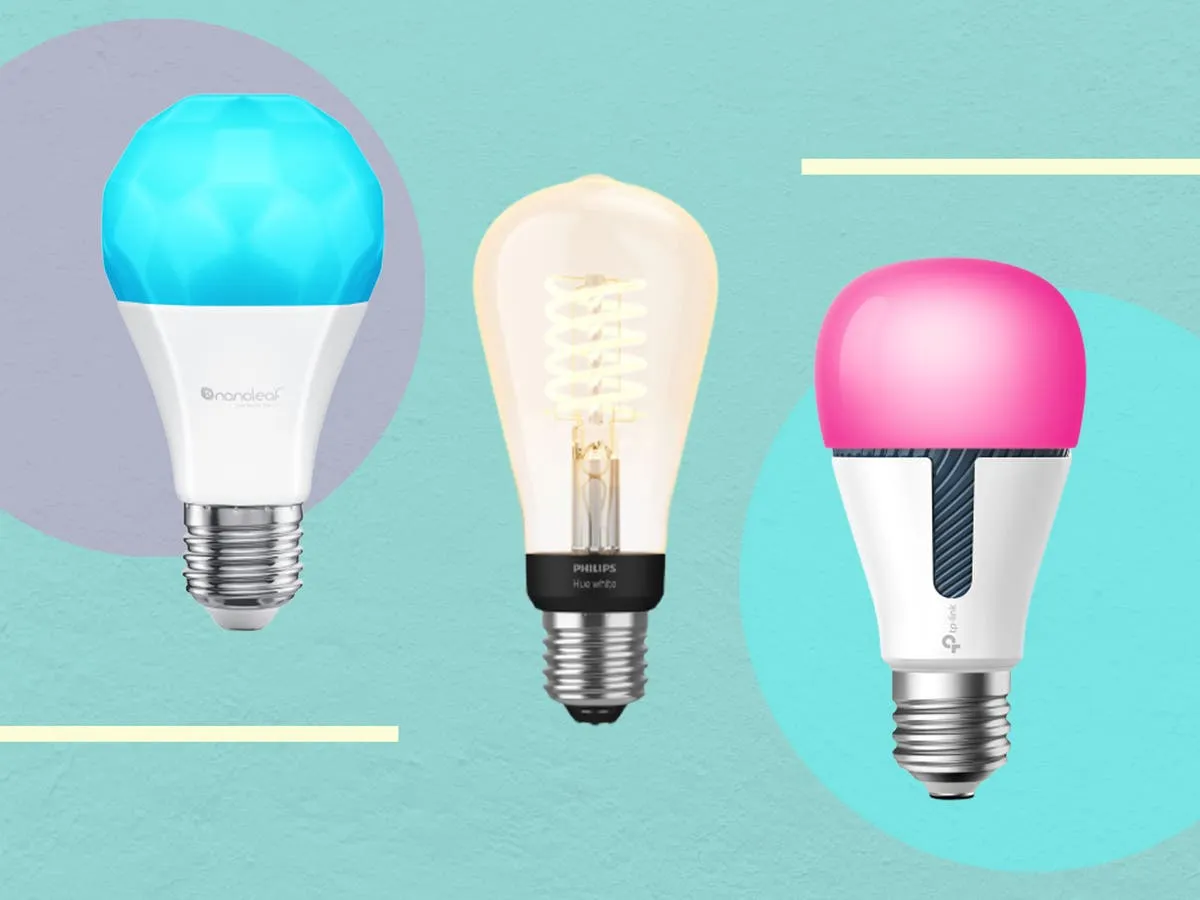
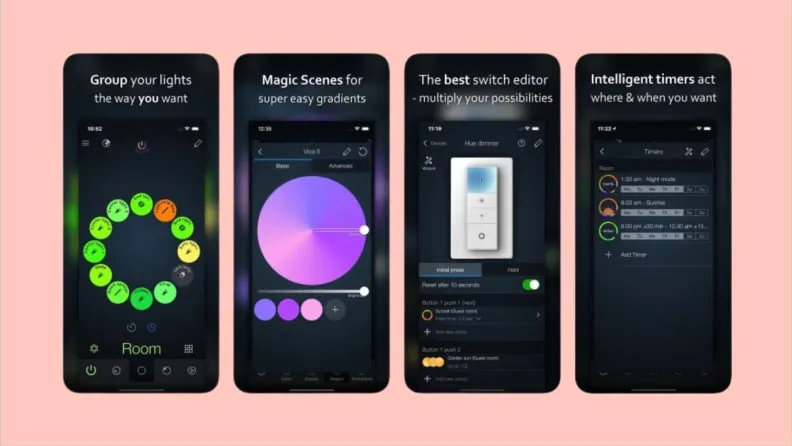
Because they are capable of far more than just turning on and off, smart bulbs are intelligent. You can create schedules to deter would-be burglars while you’re on vacation, dim them with the press of a button on an app, or change their colors with a simple voice command (or just reduce your carbon footprint). Many third-party apps can allow you execute some cool tricks that you wouldn’t otherwise be able to do with the official mobile app. Certain smart bulbs can even be designed to function with third-party apps.
The greatest smart lighting solution we’ve ever evaluated is the Philips Hue lighting system, which is a very adaptable smart lighting platform.
There are many apps available in both the Apple App Store and the Google Play Store that can let you quickly access some of these “unlockable” tactics. Some of these apps even integrate with other smart bulb systems, making it possible to manage many smart bulb brands from a single platform.
To set these things up yourself, you also don’t need to be a top-notch programmer. With just one of the mobile apps from our list and a little perseverance, you can combine a few instructions to control your smart lights even more.
HueDisco (Android and iOS)
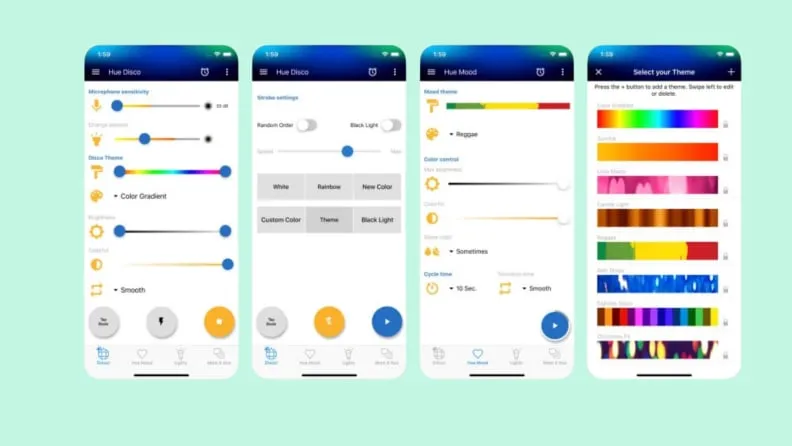
HueDisco is a lot of fun. Anytime they want, everyone can turn their home into a dance party because it is accessible to both Android and iOS users. The app connects your lights and music, causing the lights to change color in time with the music.
The microphone sensitivity and color range control settings allow you to fine-tune how accurately the bulbs pick up the sound recorded by your phone’s microphone and prevent your lights from bouncing from one end of the spectrum to the other. Even without playing loud music, you can establish the mood for the Hue lamps with a range of strobe patterns and arrays.
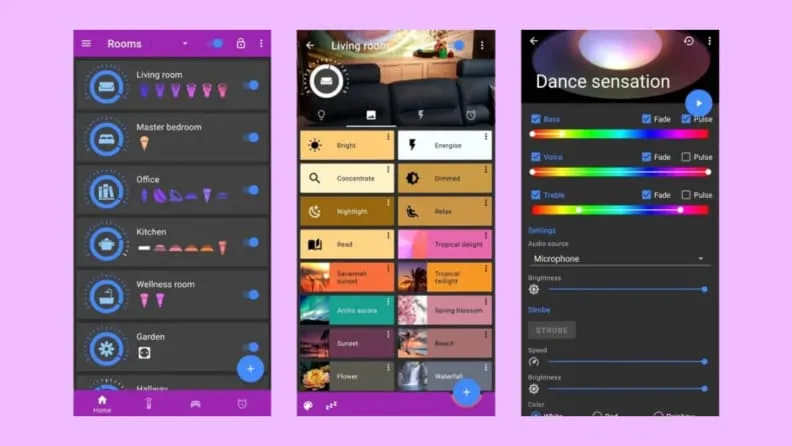
The Hue Basics app is a respectable substitute for the Hue app by default for Android users. It has a beautiful layout with an easy slider control for each bulb and a shelf that contains quick links to other connected lights and their respective groups. Moreover, Hue Essentials provides rapid settings tiles, which are useful if you like to set the mood for group activities. Additionally, you can activate the Quick Settings toggle to enable push-button access from within the Android notification shade.
This software also includes a useful feature that synchronizes your Hue lights with the music, similar to Hue Disco. The Hue Essentials app also provides control for many bridges at once for individuals who enjoy fiddling with settings.
The iConnectHue for Philips Hue app is a comparable substitute for iPhone customers looking for Hue Essentials. The Philips Hue light system now has automation, customization of individual and group lights, support for multiple bridges, and even Apple Watch capabilities thanks to this app. Even if you’ve connected your Hue lights to other smart bulbs or bec led, such as Cree, Osram, or GE Link, this app may be the best way to control them all from one location since it supports several lesser-known lighting manufacturers as well.
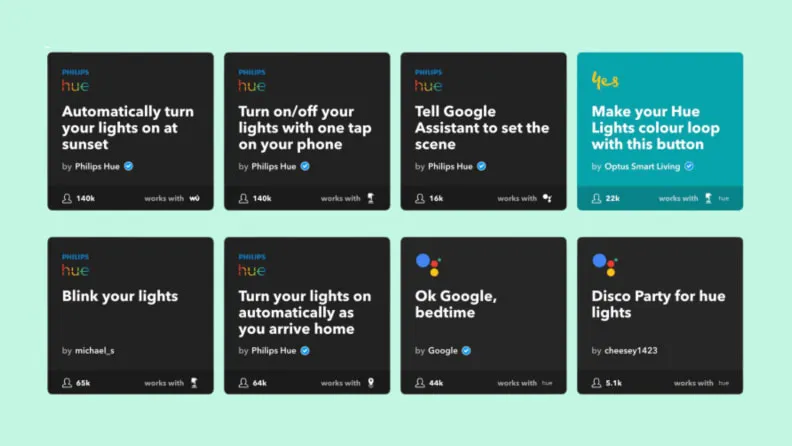
IFTTT, which stands for “If This Then That,” is a perfectly good substitute for the complexity of Stringify and Yonomi if you don’t want to spend the time learning about home automation in-depth. It works with most of the well-liked smart lighting platforms now available, including Philips Hue, LIFX, TP-Link, Sengled, and others. Additionally, it integrates with a wide range of other services, including social networking accounts like Twitter and Facebook as well as cloud accounts like Dropbox. If you haven’t got the chance to plunge into automation yet, IFTTT is the ideal approach to whet your taste for it.
Think again if you believed that your data on Threads is private.
All of the methods that Threads is following you and using your data are listed in the App Privacy section of the Threads App Store website. The list is very, very long, reader.
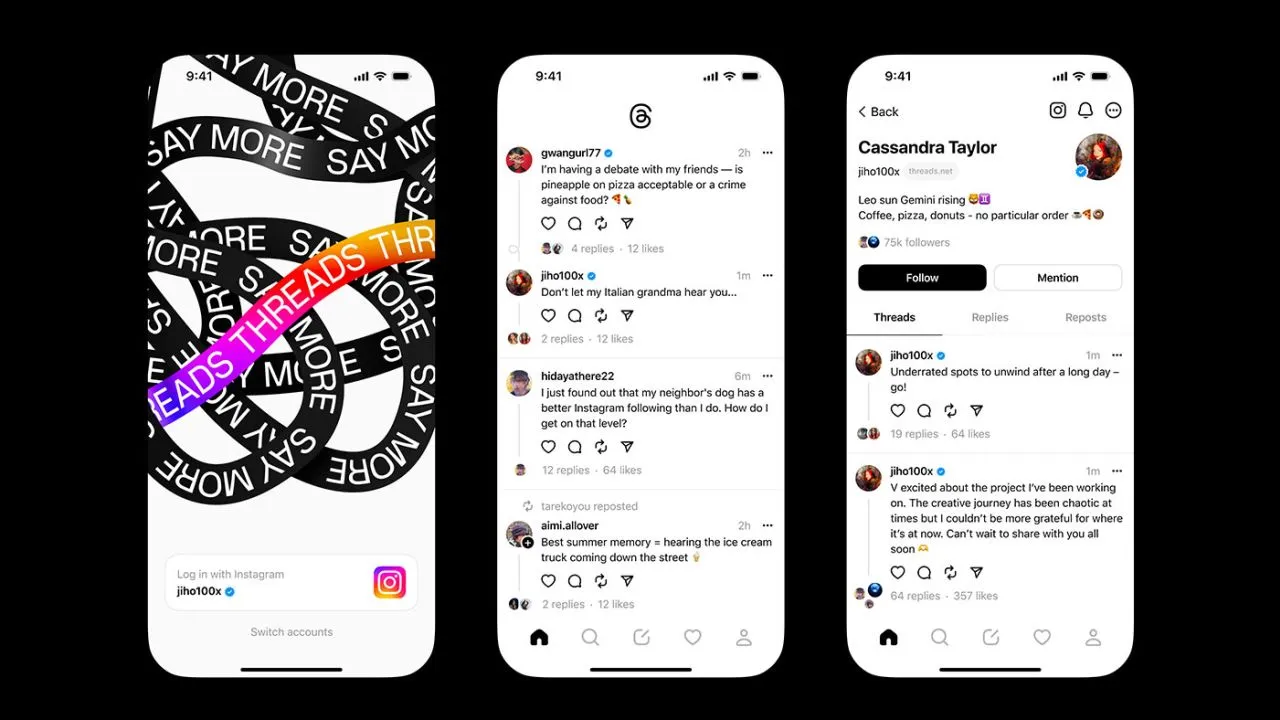
Thursday saw the launch of Threads, Meta’s answer to Twitter, and it appears that in its first seven hours of operation, it attracted more than 10 million users.
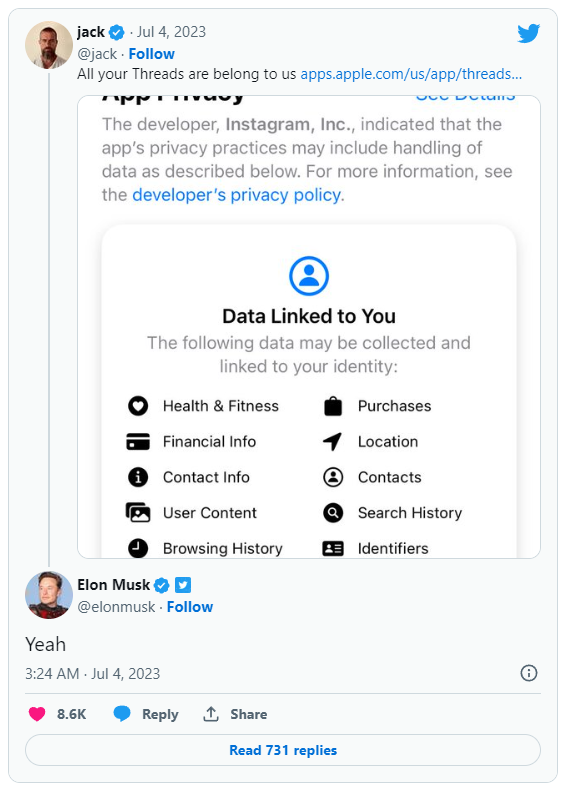
Click the “See Details” link in the App Privacy section of the App Store page for a comprehensive overview of the possible data collection and usage practices for Threads (opens in a new tab). But, the gist is this: Nearly all of your personal information is being gathered by Threads, including information about your transactions, finances, location, contact details, search history, and browsing habits.
Jack Dorsey, a co-founder of Twitter, became aware of this and tweeted about the Threads App Privacy section. Elon Musk, the company’s current owner, simply said, “Yeah.”
It doesn’t come as big surprise. The amount and breadth of data that Threads collects is similar to its sister app, Instagram(opens in a new tab) (both Threads and Instagram are owned by Meta, which also owns Facebook).
Twitter and other significant social media platforms gather user data as well in order to provide advertisements from outside businesses more effectively. A comparable, albeit slightly condensed, overview of all the ways in which Twitter uses the data of its users can be found on its App Privacy(opens in a new tab) page.
Even still, it’s upsetting to have to give a Twitter clone access to vast amounts of your personal information. Another Twitter competitor, Jack Dorsey’s BlueSky, which is now invite-only, claims to be looking into ways to make money without being as dependent on third parties as its rivals.
The July Pixel update is now available as one of the final Android 13 updates, following the June release of a big quarterly platform update and Pixel Feature Drop that included new functionality and numerous bug fixes. It is anticipated to be somewhat less significant than last month’s and ought to prepare us well for the next Android 14 release.
Prepare your Pixel 4a, Pixel 7 Pro, and Pixel 7a for an update right away. The initial updates for your Pixel Fold or Pixel Tablet should also be available. The fact that new Pixel smartphones are receiving upgrades is huge news, even if it’s just a tiny update. As I type this, a 23.27MB update is downloading to my Pixel Tablet. It is also visible to others who have Pixel phones.
For those in the Android Beta Program, you are not likely to receive an update. When you are in that program, you are on a different software track.
July Google Pixel update builds
Global
Pixel 4a: TQ3A.230705.001
Pixel 4a (5G): TQ3A.230705.001
Pixel 5: TQ3A.230705.001
Pixel 5a (5G): TQ3A.230705.001
Pixel 6: TQ3A.230705.001
Pixel 6 Pro: TQ3A.230705.001
Pixel 6a: TQ3A.230705.001
Pixel 7: TQ3A.230705.001
Pixel 7 Pro: TQ3A.230705.001
Pixel 7a: TQ3A.230705.001
Pixel Fold: TQ3C.230705.001.C1
Pixel Tablet: TQ3A.230705.001.B4
Pixel Watch: RWDC.230705.001
Verizon
Pixel 7: TQ3A.230705.001.A1
Pixel 7 Pro: TQ3A.230705.001.A1
Pixel 7a: TQ3A.230705.001.A1
Pixel Fold: TQ3C.230705.001.B1
T-Mobile
Pixel 6: TQ3A.230705.001.A1
Pixel 6 Pro: TQ3A.230705.001.A1
Pixel 6a: TQ3A.230705.001.A1
Japan
Pixel Fold: TQ3C.230705.001.C2
July Google Pixel update bug fixes
No major bug fixes to report on any device outside of the Pixel Tablet. For Google’s biggest screen, they list the following:
Battery & Charging: General improvements for charging, battery usage or thermal performance in certain conditions
User Interface: Fix for issue occasionally causing lock screen notification text to display behind unlock UI elements
Again, Google should begin pushing these updates shortly over-the-air (Settings>System>System update), but if you don’t want to wait for Google and prefer to update manually, you will find each factory image or OTA file at the links below. For instructions on how to flash a factory image, here you go. For instructions on how to flash an OTA .zip file, here you go.
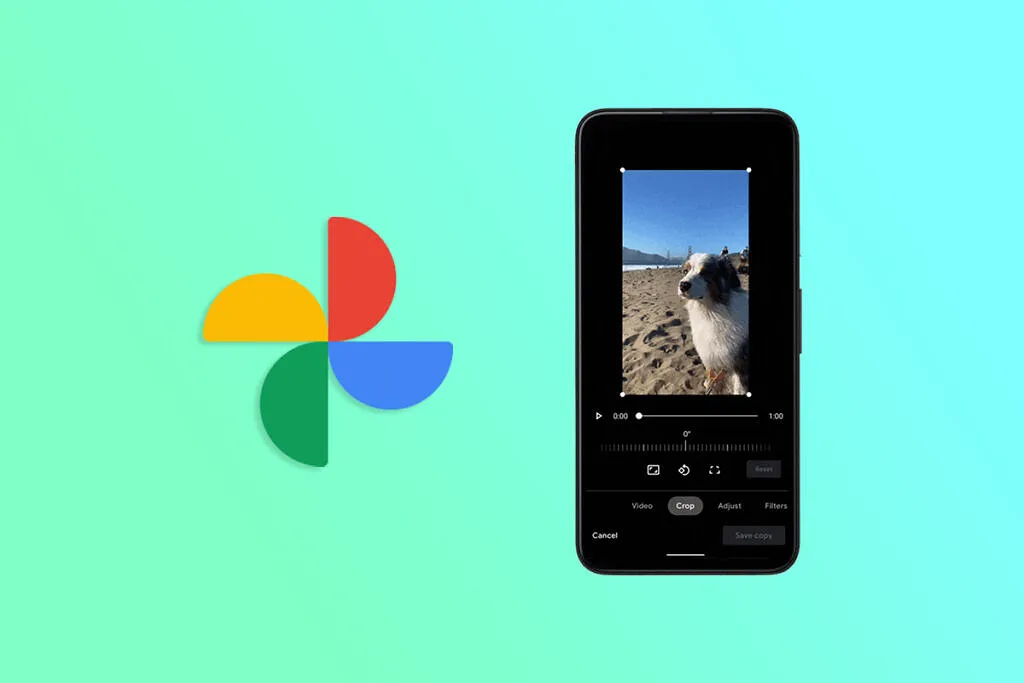
With every update, Google Photos, which might be compared to the Swiss Army knife of gallery apps, gets better. For instance, Pictures recently added a useful import feature. The software has now been enhanced by the developers with the addition of video effects and improved media controls, making it an even more useful tool for Android users. Google Photos expands its library of stunning video effects.
According to a video by In Deep Tech Reviews, Google Photos is adding a new feature to its video editing toolkit that enables users to add a variety of special effects to their videos (via Google News on Telegram). The edit interface’s new effects tab contains all the options. The program downloads the effects once you select the effects tab, and you may start using the app.
Google has added 12 new effects, including Dust Max, Black and White Film, Light Leak, and others, that serve a variety of various use cases. Your videos become more unique thanks to these effects. For instance, the Poster effect makes your video resemble folded paper, while the Layouts effect offers your selfie movies a tidy block-by-block appearance.
This was tried by In Deep Tech Reviews on a Google Pixel 7 Pro running Android 14 Beta 3, and it seems to function flawlessly. That is not restricted to the Android preview version because it also functions on my Pixel 6 running Android 13.
Separately, Google has simplified the use of the video playback controls. There are now buttons to skip ahead and backward in addition to merely play and pause. It’s a useful upgrade from the previous version, like the one displayed in the video on the Pixel 7a.
Ther is also a profile menu update. Google has removed the old floating box style and brought in a full-screen view that shows up when you activate the profile menu. And it’s not just in Google Photos — the YouTuber says the makeover is also available in other Google apps for him.
Are you looking for a music-making app for your Android device? Then you have landed in the right place. Because in this blog, we will be covering the best ones of 2023. So, continue reading to learn about them.
The concept of making music on smartphones might have felt surreal two or three decades ago, but now that we are living in the 21st century, you can easily create any kind of music on your Android device anywhere, anytime.
While it is true that producing music on a laptop or desktop system lets you create better quality and more powerful music within a much shorter time with their robust processors and external USB device facilities, there are some excellent music-making apps for Android devices that seamlessly let you create music on the go.
So, what are you waiting for?
Let’s dive into the world of the best music apps and take advantage of advanced technology.
Best music-making apps for Android 2023
There are countless types of music apps available on the market. For instance, there are the best soundboard apps that let you play audio clips, and then there are music-creating apps that we will be discussing in the coming part to make the everyday lives of artists easier and more interesting. The purpose of these apps is to create music you like and share it with your loved ones.
So, let’s get to know them.
KORG Kaossilator for Android
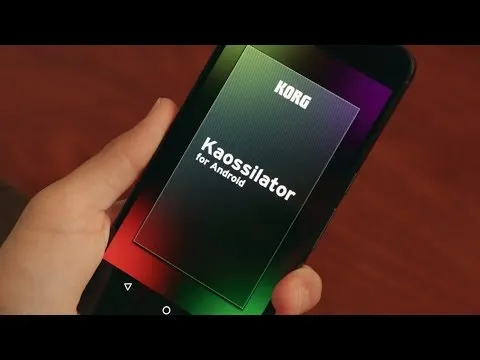
KORG Kaossilator for Android is another excellent music-synthesizing app that gives you a full-fledged experience by simply moving your fingers on a touchpad. You can seamlessly add layers to your performance and record them. With a wide range of options, from electronic to instrumental to acoustic, you can engage yourself in the world of music creation if you want to.
Moreover, the app offers 150 diverse in-built music sounds through which you can create versatile dance music styles, be they techno, house, EDM, electro, or a lot more. Also, you can erase all your wrong notes using its scale/key feature so that your music stays in the right place.
And if you want to level up your music performance with additional layering, you can also do that with the help of its in-built loop sequencer, which includes five different types of layering, including synth, bass, chords, drums, and sound effects.
However, the only downside of this app is that it is a bit pricey and includes in-app purchase.
FL Studio Mobile
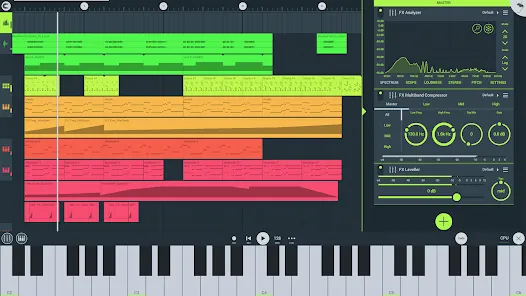
Powered by Image-Line, FL Studio Mobile is an excellent music-making app for Android users that lets you produce ultra-high-quality music on the go. The interesting thing about this app is that you can plug it into your desktop when you reach home and continue working from the system, which is a great advantage for professional music composers.
Furthermore, if you want to add step-by-step sequences, you can use this app and then further refine your music with reverbs, filters, and effect modules. Moreover, the app lets you save the files in multiple formats, including WAV, MP3, FLAC, and MIDI, and share them with your loved ones via WiFi or any cloud.
However, the only downside of this app is that it is not free and includes an in-app purchase for the DirectWave Sample Player.
Groovepad
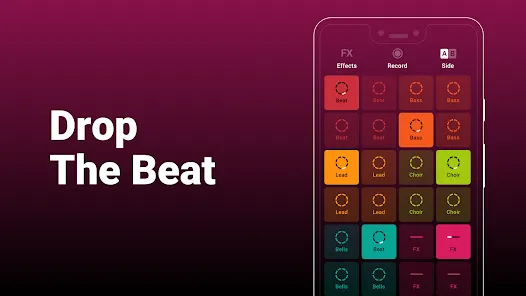
As its name says, the Groovepad music-making app lets you create your own smooth-sounding music at ease with all its keyboards and extensive library of one-of-a-kind and unconventional soundtracks. It has an engaging interface and very color-coordinated buttons that make the whole spotting and navigation process easier.
Just pick any song from its array of genres, including Hip-hop, EDM, House, Trap, electronic, and more, and create your own incredible melody. Talking about its other eccentric features, it includes mind-boggling FX effects like reverb, flanger, delay, or filter that bring back the party feels into your life.
An ideal choice for both beginners and professionals, the app lets you share your self-created music with your loved ones using your inner DJing talents.
SunVox
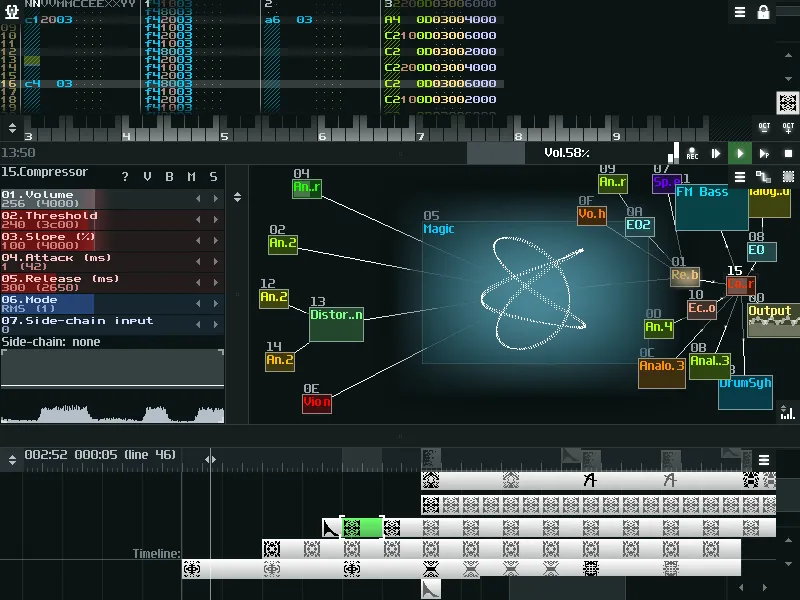
SunVox is a distinctive music sequencer app for small and fast cross-platform devices with an in-built pattern-based sequencer (also called the tracker). It is a tool that most professional music composers would like, as it comes with extremely optimized synth algorithms, a malleable architecture, and multi-platform support systems.
Furthermore, the app has a well-defined modular interface that makes it easy to understand and use. And if you’re ready to import music that consists of multiple tracks, you can even export it into WAV format.
Its other potential features include USB musical instrument digital interface IN/OUT for 6+ Android users, mic recording using a sampler, the ability for developers to deploy the SunVox engine into their own apps via its free library, and support for 16/24/32 bit WAV, AIFF, and XI music samples.
BandLab – Music Making Studio
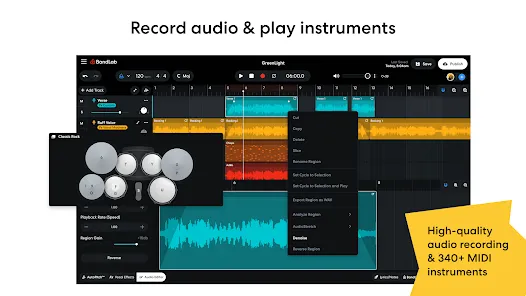
BandLab: Music Making Studio is another potential music-making app for Android devices with a global user base of 60 million. It is the best free multi-track music maker app available on the market. Its digital audio workstation (DAW) lets you seamlessly record, edit, and add multiple layers of music to create your own grooving remix.
The app gives you limitless music storage and accessibility from any device, so now you can create and access it from anywhere and at any time. Furthermore, there are over 15,000 royalty-free sounds and beats that you can use in your music. This app is more than just any music app; you can use it as a beat-maker or an audio recording app.
With 180+ distinct vocal, guitar, and bass effect presets, 330+ virtual MIDI instruments, and tools like AutoPitch, Looper, Metronome, or Tuner, you can create your own world of music and live in it for a lifetime.
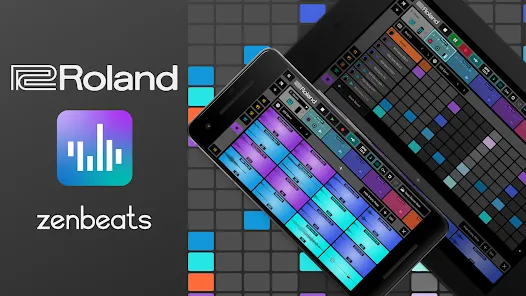
Roland Zenbeats Music Creation
With its classic collection of traditional and modern sounds, Roland Zenbeats Music Creation brings out the history of Roland into a very unique melody style. The app works well for the halfway-to-advanced level of music creators. So, in whichever part of the world you are living in, unleash your inner creative spirit with the app and create your own sense of beats, a multitrack song, or a melody.
Talking about the features that the app offers, it comes with 14,000 plus presets that let you create something super exciting and fresh; you can tweak your music with its advanced edit functionality; sample your music with a touch of your finger on Zen’s drums; it offers you a set of drum tones from TR-808 to TR-909; and a lot more.
The number of presets or any kind of advanced functionality is fairly distributed between the free and pro versions.
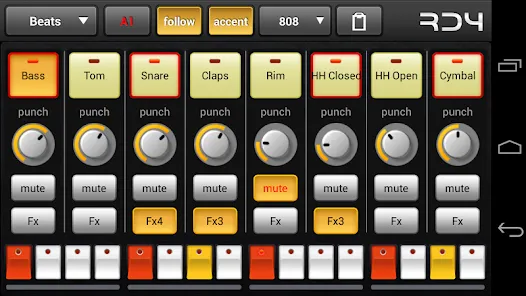
RD4 Groovebox
RD4 Groovebox is another premium music-making app that lets composers and artists create their styles of music in real-time with the in-built virtual analogue synthesisers, marvellous drum effects, and grooving tunes. One can simultaneously select instruments for the four channels and record and set the notes for each of these instruments.
Also, the interface has been mindfully designed to match the shape of the fingertips and the frequency. The multi-touch sensor-enabled app makes it simple for the creators to invent multiple musical phrases. Furthermore, one can tweak the sound of music by modifying the oscillators, adding filters, or even adding audio envelopes.
To even refine the music, you can add reverb, phaser, distortion, delay, and even control the tempo. Overall, it is another great paid music-making app for Android devices.
Add Music to Voice
The app does exactly what its name says. Add Music to Voice is a great choice for those vocalists who don’t have a playback band or an instrument and have just started out in their career and are looking for that perfect track for their voice.
So, the app simply lets you record a new voice or add an existing one from your device and add background music from its amazing music library. To refine the final output, you can take advantage of smart filters so that your voice and music blend smoothly. Consider it a useful app for all your Karaoke parties.
Hip-Hop Producer Pads
It is a fun music-making app for Android devices. As the name says, the app lets you create super-fresh, unique Hip-Hop music using the in-built virtual Sampler and drum equipment.
Considering its key features, it lets you create melodies with an array of options like Loops, One-Shots, or samples; to keep the rhythm, there is a metronome, and create outstanding music and be the real hero of the party.
Wrapping-Up
That’s all for the best music-making apps for Android devices. Now that you know about these amazing apps, it’s time to take advantage of their power-packed functionalities.
Use their incredible soundtracks, beats, voiceovers, and sound effects, seamlessly cut and merge them, and create the music your heart agrees upon. And feel immense joy by sharing it with your family, friends, and that special someone.
We hope you find these music apps worthy. If so, don’t forget to share your favorite among them.
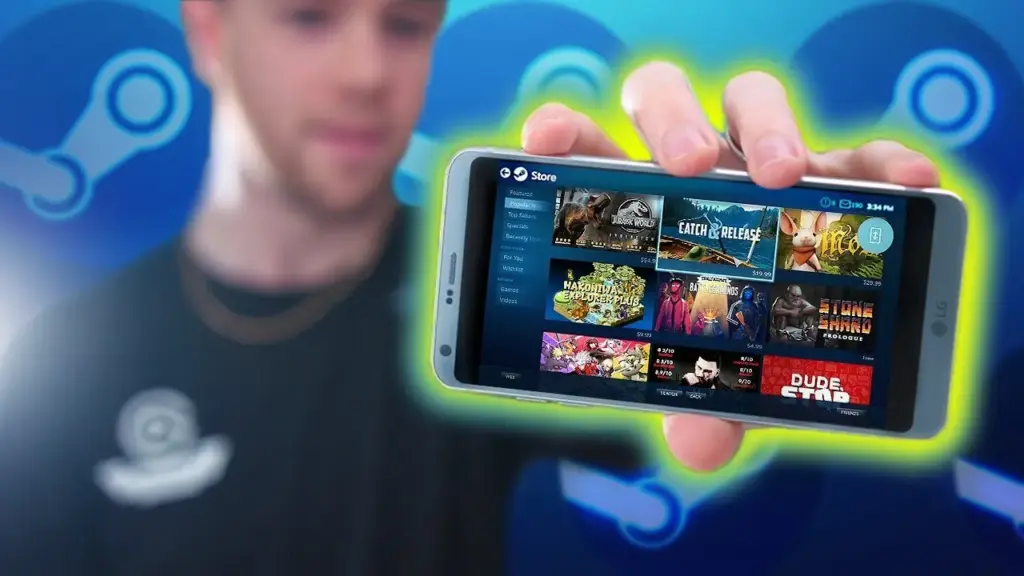
With the release of the Steam app for Android smartphones, the well-known digital distribution platform for video games, Steam, has expanded beyond desktop and laptop PCs. With the help of this mobile software, gamers can explore the enormous Steam community, access their game collection, and interact with friends from the comfort of their Android smartphones and tablets. We will examine the capabilities and advantages of the Steam app for Android in this post, emphasizing how it transforms mobile gaming.
Seamless Game Library Access
The Steam app for Android provides users with instant access to their game library, allowing them to browse through their extensive collection of titles. Gamers can view information about each game, including descriptions, screenshots, and user reviews, helping them make informed decisions about which games to play. Moreover, users can initiate game downloads and installations remotely, ensuring that their favorite titles are ready to play when they are.
Social Features and Community Integration
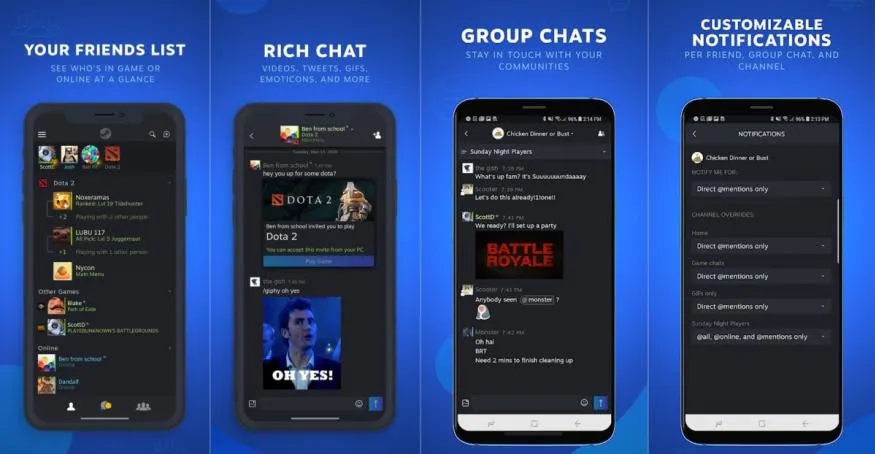
The social capabilities and seamless community integration of the Steam app for Android are among its best features. From the comfort of their Android devices, gamers may talk with friends, join or create groups, and take part in online forums. This encourages teamwork and makes it possible for participants to communicate with one another while they are away from their computers. Also, the app offers push notifications so users never miss a critical message or game invitation.
Steam wallet
Steam Wallet is a digital payment system provided by the Steam platform, which is a popular digital distribution platform for video games, software, and community features. The Steam Wallet acts as a digital “wallet” or account balance associated with a user’s Steam account.
Users can add funds to their Steam Wallet using various payment methods, such as credit cards, PayPal, or prepaid cards specifically designed for Steam. These funds can then be used to purchase games, downloadable content (DLC), in-game items, and other digital products available on the Steam platform.
The primary purpose of the Steam Wallet is to provide a convenient and secure way for users to make purchases within the Steam ecosystem without the need to repeatedly enter payment information for each transaction. It simplifies the purchasing process, allowing users to add funds to their wallet and use those funds for multiple transactions.
Two-factor authentication and mobile authentication
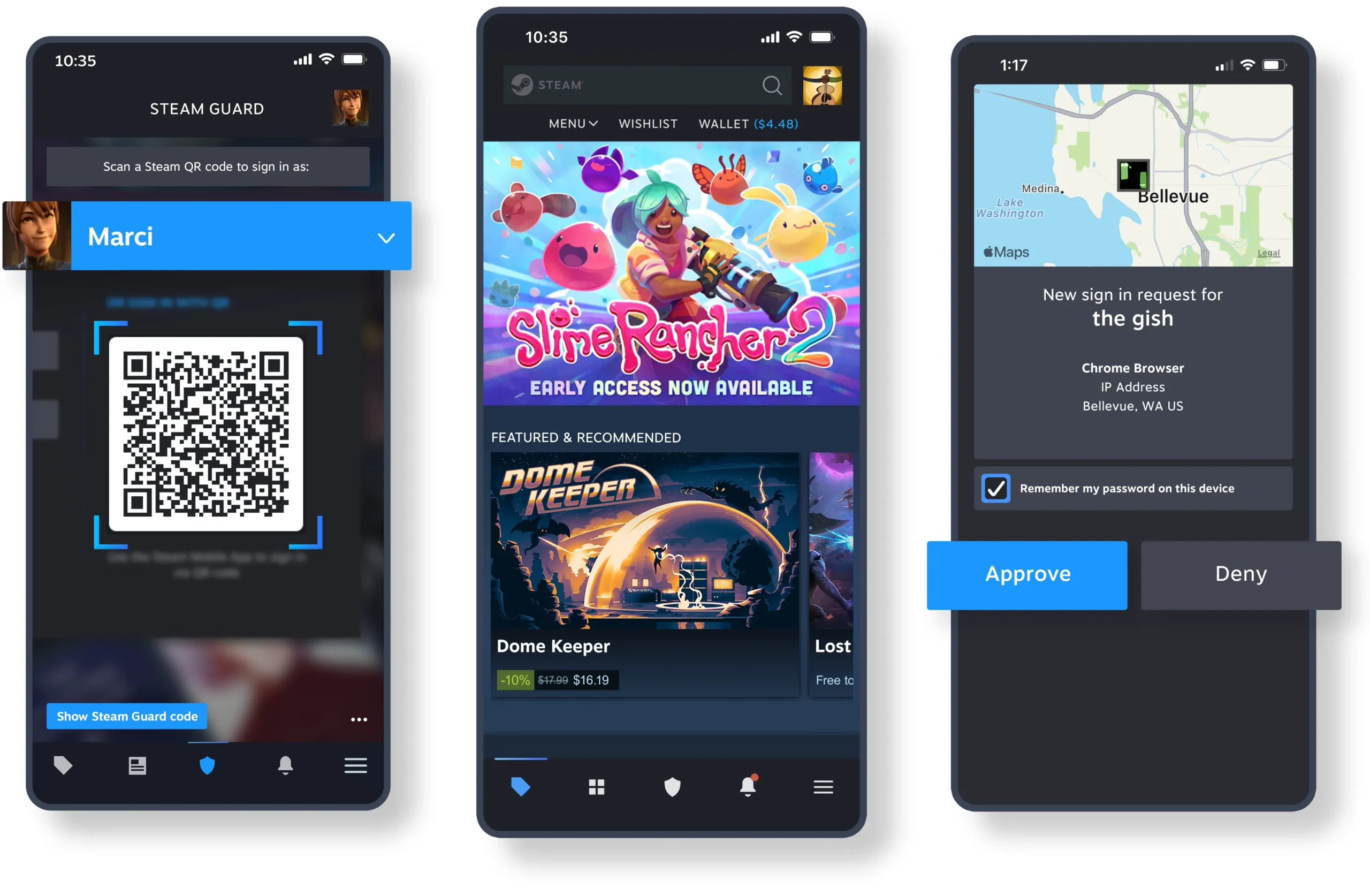
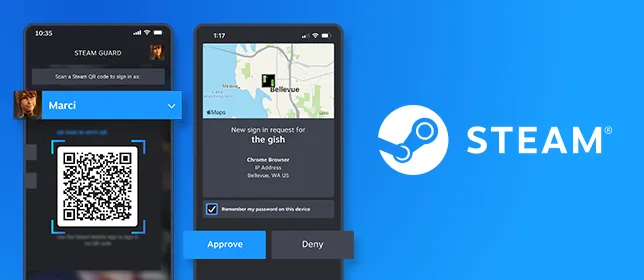
Steam places a high premium on security, and the Android app helps to achieve this goal by providing the Mobile Authenticator feature. Users can add an additional degree of security to their Steam accounts by turning on the Mobile Authenticator on their devices. To ensure that only authorized users may access their accounts, this function produces special codes that are necessary to log in. Gamers can rest easy knowing that their Steam accounts are safe with the Mobile Authenticator.
Wishlist Management and Store Access
The Steam app for Android enables users to manage their wishlist, keeping track of upcoming games and promotions. Gamers can explore the extensive Steam store, browse new releases, search for specific titles, and take advantage of discounts and deals, all within the app. This convenient access to the store ensures that users can stay up to date with the latest game releases and purchase their favorite titles, even when they are away from their desktop computers.
Remote Game Streaming and In-Home Streaming
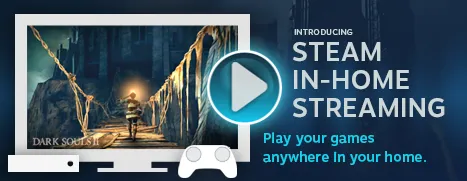
The Steam app for Android allows gamers with strong gaming PCs to wirelessly stream games from their laptops to their mobile devices. As long as they have a reliable internet connection, customers may now play their favorite PC games while on the go. Also, the software supports In-Home Streaming, which enables users to stream games to their Android devices while connected to the same local network from their PCs or laptops. Users are able to play their PC games from any area in the house thanks to this function, which increases flexibility and convenience.
Steam on the Broader Gaming Landscape
Steam remains one of the most dominant platforms in PC gaming, and its mobile app is just one piece of a much larger ecosystem. If you’re looking to explore everything Steam has to offer — from its game catalog and community features to sales and platform updates – resources like Gamers Now’s Steam hub are a great place to stay informed. Whether you’re a casual player or a hardcore enthusiast, keeping up with Steam’s evolving features helps you get the most out of your gaming experience.
For gamers who want to play their favorite games on the go, the Steam app for Android devices has completely changed the game. The app improves the gaming experience on Android smartphones and tablets by enabling convenient remote game streaming, social features, community integration, and seamless game library access. The Steam app gives players the freedom to completely immerse themselves in the world of gaming, whenever and wherever they want, whether it’s keeping in touch with friends, managing the wishlist, or buying new titles. Hence, if you enjoy playing video games, don’t pass up the fascinating prospects that the Steam app for Android offers.
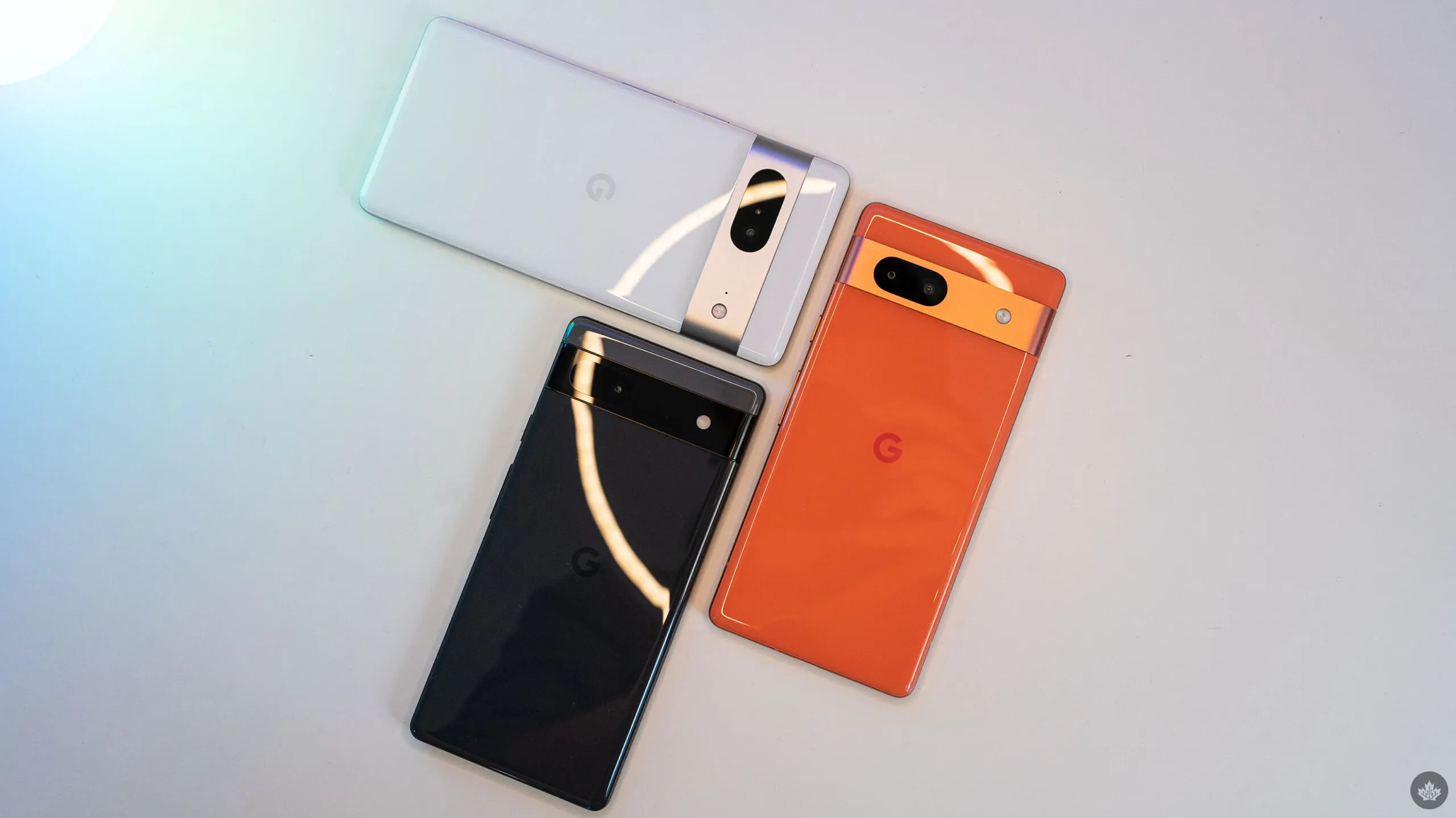
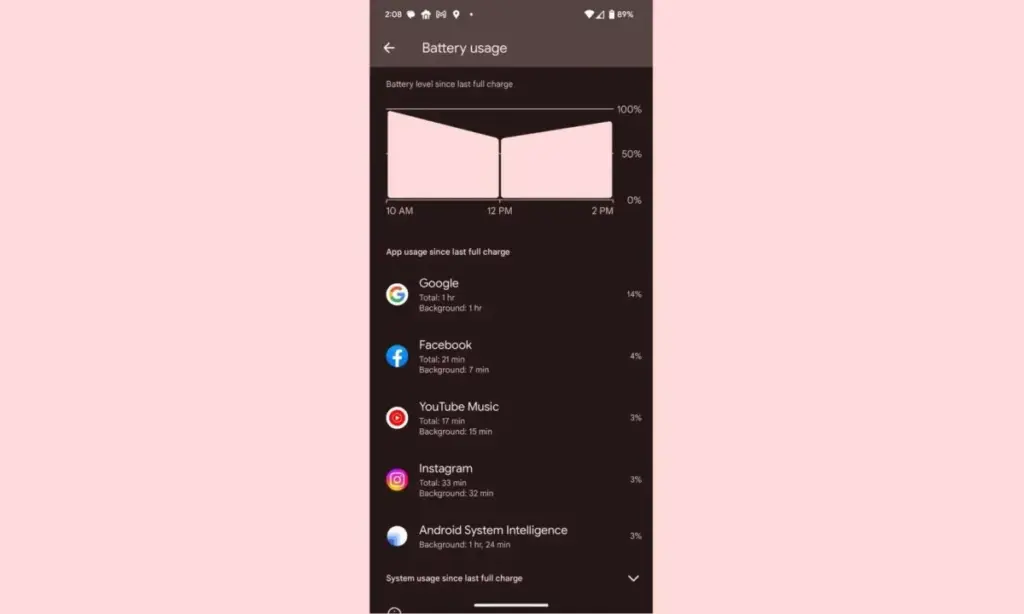
Despite not being the best Android smartphones available, Pixel devices are nonetheless good. Most of the time, hardware limitations of Pixels are overcome by their superior software, which Google delivers together with cutting-edge features that are exclusive to its products. While feature drops and upgrades are regular and often bring exciting improvements, they can occasionally also lead to unanticipated issues. This appears to be the case with the June update, as several customers report that their Pixel devices are depleting their batteries faster than usual.
Many users have commented on Reddit about the June update’s poor battery life, which was picked up by the staff at 9to5Google. Some users report noticing only a slight change, while others report that they now need to charge their cellphones at least twice daily. Others have reported connectivity problems, including short-lived batteries and erratic mobile data signals.
It appears that a variety of Pixel devices are included in the list of affected ones, however upon fast reading through the thread, it is clear that many Pixel 7 and Pixel 6 series smartphones are affected. Even while there are reports of the phones heating up much more than before, which is rather frightening, increasing battery consumption is still a major problem.
While those who are impacted by this are in a lot of suffering, there are some remedies. Some people claim that the issue is resolved by deleting the most recent update for Android System Intelligence in the Reddit thread. Some assert that restarting the device also resolves the problem. Even if some of these fixes might be effective, Google will probably need to release an update. We’ve been in touch with Google in an effort to clarify these matters. We anticipate that the business is aware of the issue and will include a fix in the upcoming version.
It has always been difficult to find cases for folding phones, but with the Google Pixel Fold, we can skip the hassles of older cases and get right to reliable, secure protection. Manufacturers have jumped right into production of their Pixel Fold cases after years of continuously improving Samsung Z Fold series cases.
For Google’s most avant-garde phone yet, we’ve got the finest of the best—from clear to crushproof, from heavy-duty to hotly designed.
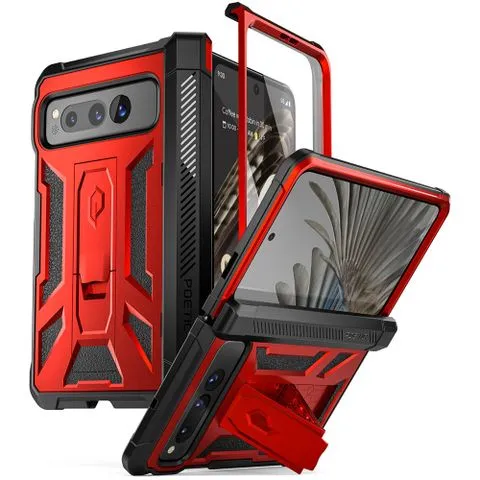
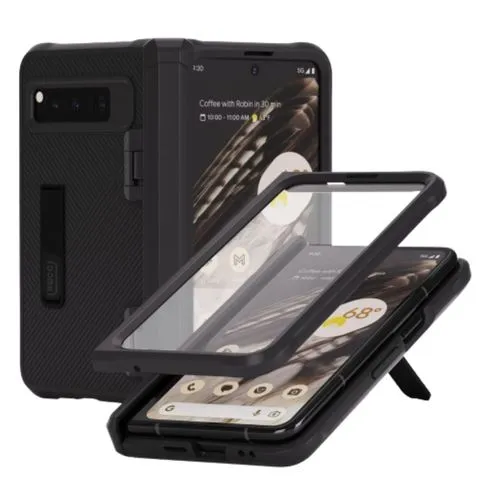
Poetic Spartan for Pixel FoldBest overallI’m not gonna mince words: this is a chunky case. This absolute unit features a heavy-duty hinge protector, a kickstand built into the back (rather than the hinge), and a claim of 20-foot impact resistance. This kickstand should work whether your Fold is closed or open. Though when it’s open, you’ll want to rotate the Fold from landscape to vertical.$60 at Amazon
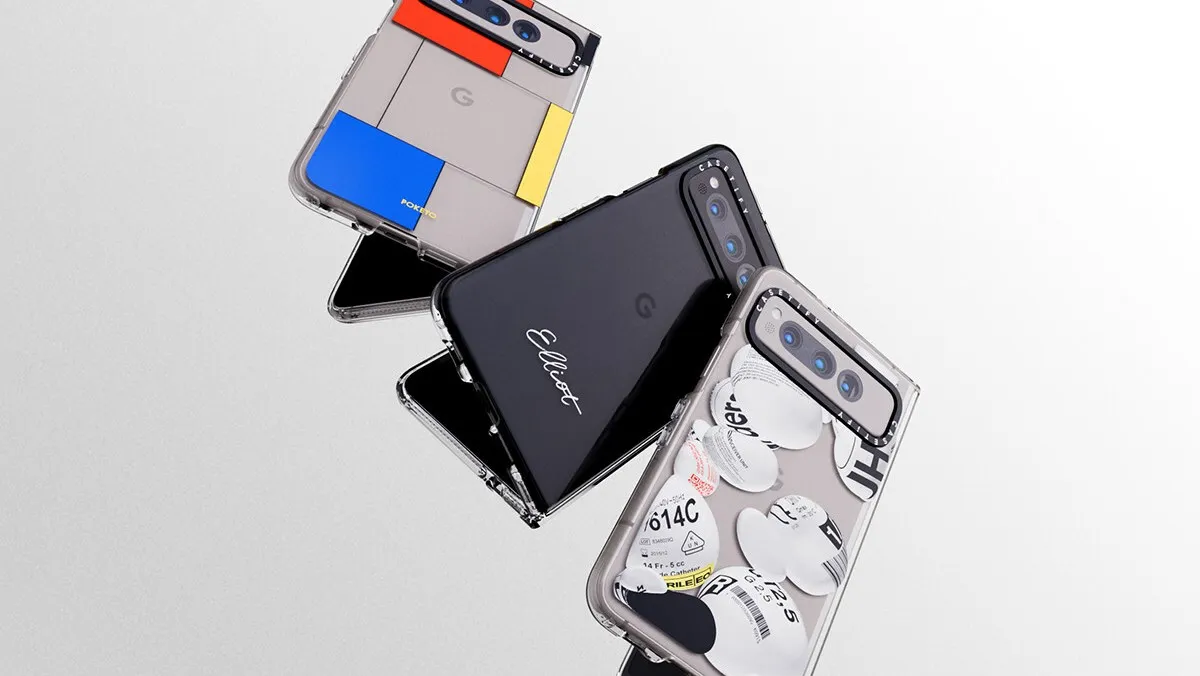
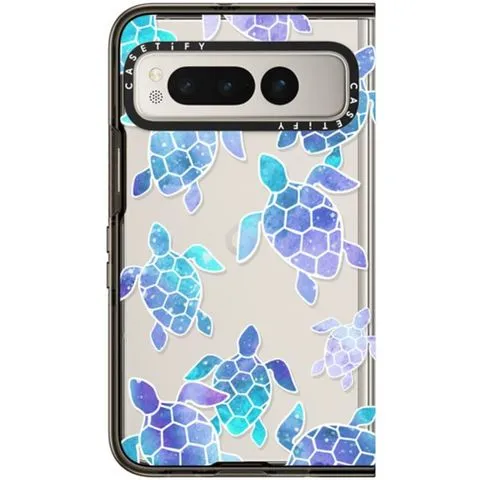
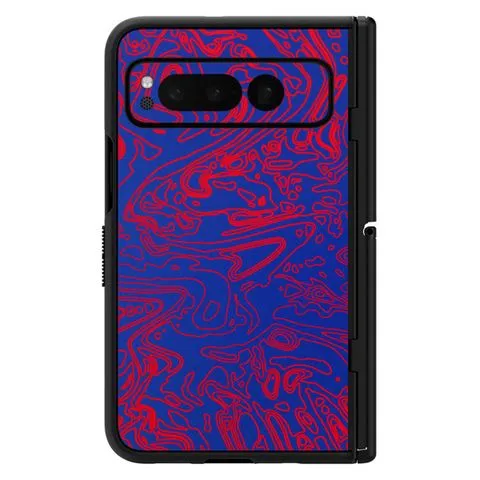
Casetify Impact Case for Pixel FoldPremium pickIs this Pixel Fold Case expensive for only having four-foot drop protection and no hinge cover? Yeah. Is it the most stylish Pixel Fold case you can buy right now? Yup. From hundreds of designs to upcoming Co-Lab collections, from custom cases to iconic artwork, Casetify’s gallery ensures everyone can find something they like. If you don’t like the black bumper, Casetify also has a Clear option.$72 at Casetify
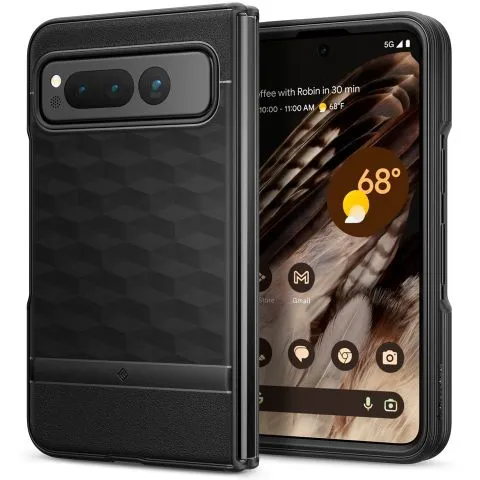
Caseology Parallax for Pixel FoldBest valueMost manufacturers charge 30-100% more for a foldable phone’s case — they’re harder to design and use more materials — but Caseology keeps it classy and affordable with the Parallax. It might not have a kickstand or color choices, but it gives this Pixel Fold case exactly what it needs: grip and some basic impact resistance. The sculpting around the buttons also makes it easier to open the Pixel Fold.$25 at Amazon
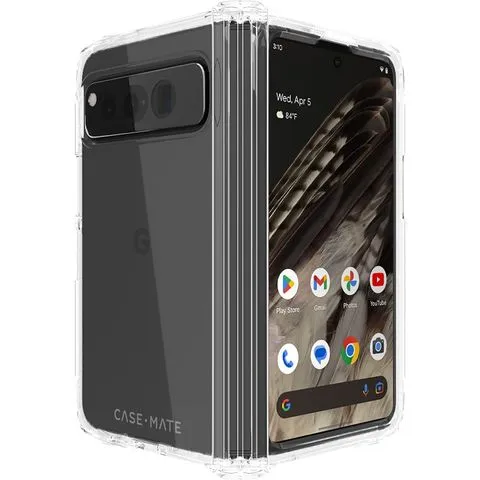
Case-Mate Tough Plus for Pixel FoldFeels like one solid caseMost folding cases are two completely separate pieces that you have to hope and pray line up perfectly on your Pixel Fold. Case-Mate’s Tough Plus is one of the few Pixel Fold cases that feels like one modulated case rather than two distinctly separate halves. Case-Mate also claims it can withstand up to 16-foot drops, but the polish of this case alone is worth the price of admission.$50 at Amazon
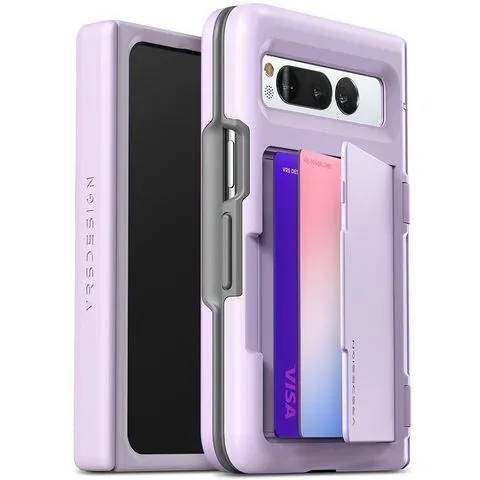
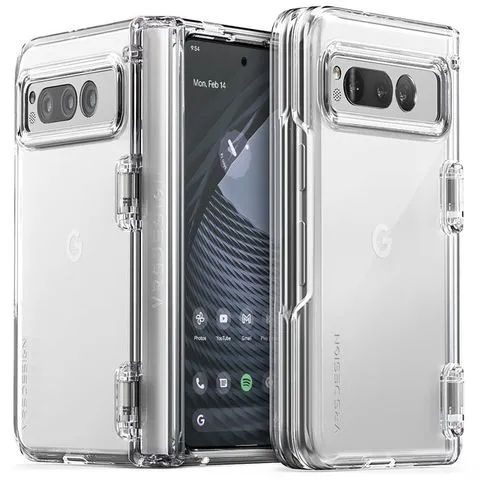
VRS Design Terra Guard Modern Go for Pixel FoldThere’s no sugarcoating the thickness of this cover, being a card slot case on top of a heavy-duty Pixel Fold case. If you’re looking to ditch the billfold and just carry everything all in one, the Terra Guard is one of the few wallet options for this phone. We wish there were a teeny bit more space inside the slot for cash on top of cards, but it’s workable.$50 at Amazon
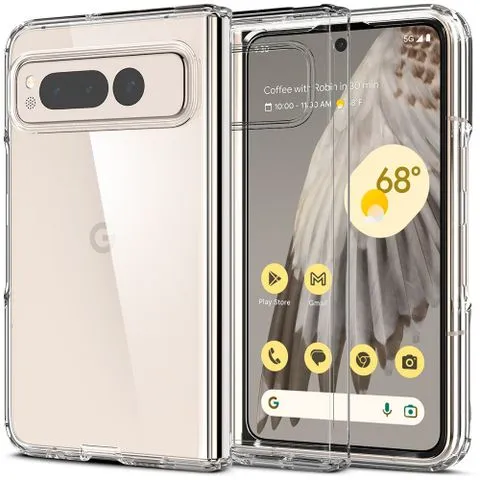
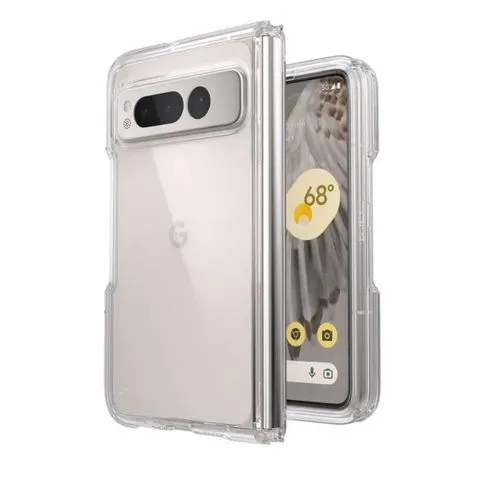
Spigen Ultra Hybrid for Pixel FoldAs far as clear Pixel Fold cases go, it’s hard to beat the Spigen Ultra Hybrid. Though it lacks a hinged cover, this slim case will put that wonderful, creamy Porcelain on full display while staying slim and manageable while holding. Because there are no moving parts to this case, you can actually lay the Fold flat on a tablet without it turning into a seesaw for fairies.$45 at Amazon
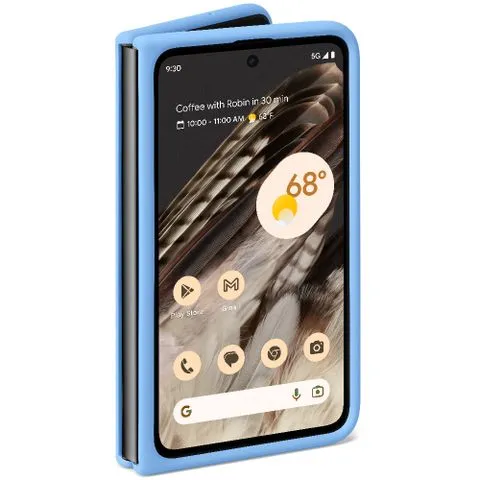
Google Official Case for Pixel FoldThe track record of Google’s first-party cases has been a bit circumspect over the last couple of years, but its official Pixel Fold case breaks from the flimsy translucent cases with simple silicone slipperiness. Although we’ll have to test this one thoroughly, Google touts its stain resistance and texture — two areas previously struggled with. One thing’s for sure: Google nailed the colors.$60 at Google Store
Tudia DualShield for Pixel FoldTudia’s initial images for the DualShield had it completely covering the power button — and thus the fingerprint sensor — but it seems Tudia has remedied this mistake. The cutout for the power button is slim but should be enough to get a decent read while pulling the phone out of your pocket. It also comes in four striking colorways.$43 at Amazon
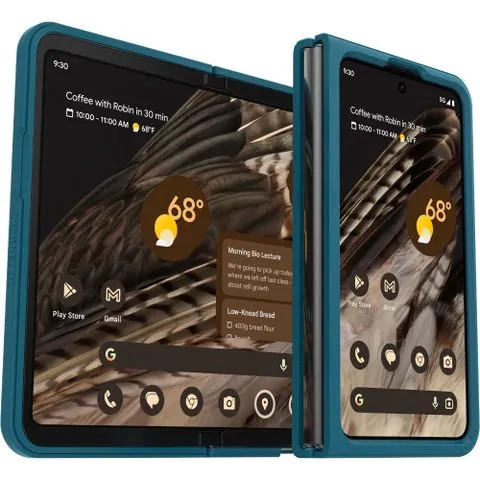
Otterbox Thin Flex for Pixel Fold$48$60Save $12At this time, OtterBox only offers the Thin Flex series for the Pixel Fold, a welcome compromise between a bold bumper case and a classic clear case. The edges on a clear case often end up looking ugly, especially if adhesives are involved, so covering these harsh realities is a good call. I do wish there were more color options, though.See at Amazon$48 at Otterbox
VRS Design Simpli Fit for Pixel FoldWhile available in solid green and black, the clear VRS Simpli Fit shows the Pixel Fold’s matte glass exterior and thus is vastly superior. Clear cases with hinge covers are usually a bit messy, but VRS Design keeps things sturdy and clean. The cutout around the power button could use a little extra room for scanning fingerprints, but it should be fine most of the time.$40 at Amazon
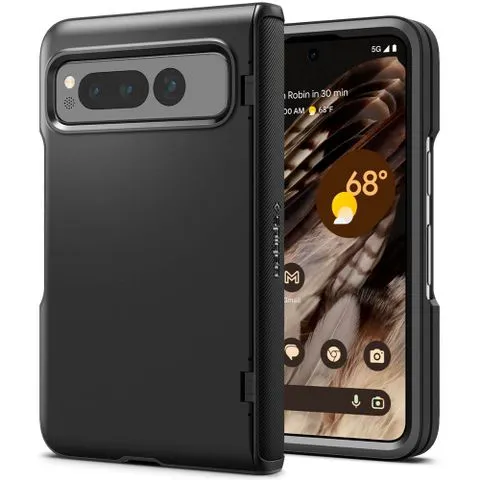
Spigen Slim Armor Pro for Pixel FoldThe Slim Armor Pro’s normal construction makes it almost feels stale on normal slab phones, but its folding hinge cover adds just enough flair to keep it interesting. The hinge cover here is a bit slimmer than those found on VRS Design and Poetic’s cases, making it a less awkward handhold while using the Fold’s inner screen. For this price, the lack of kickstand stings.$85 at Amazon
dbrand Grip for Pixel Fold$60$80Save $20Dbrand offers some of the best cases on the market, and they are bringing that expertise to the Galaxy Fold. At just 2mm thick and with military-grade drop protection, the case makes you feel confident that your phone will be well protected without any extra bulk. To prevent you from dropping it, this case consists of thousands of tiny ridges for maximum grip. It also comes with a built-in kickstand for enhanced viewing pleasure.$60 at dbrand
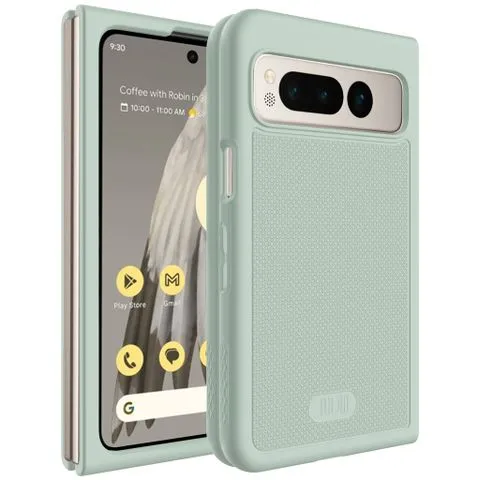
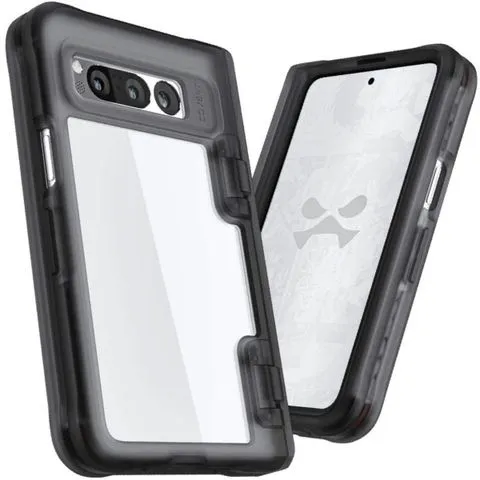
Ghostek Covert for Pixel FoldThe Ghostek Covert case for the Pixel Fold offers a lot of protection in some fantastic colorways. While there are nine colors to choose from, six of those colors are available in limited quantities. So if you want to be unique, make sure you don’t hesitate. This case offers eight feet of drop protection, is scratch resistant, and has raised edges to keep the display and camera lenses free of scratches. $40 at Ghostek
Whitestone Dome Escudo for Pixel FoldThe Whitestone Dome Escudo case offers complete device protection for the Pixel Fold. In addition to protecting the Fold’s body, the Escudo case protects the hinge and comes with a built-in screen protector. It is wireless charging compatible, allowing you to use your favorite charging mat or the power share feature. With precise port cutouts and an integrated kickstand, the Escudo case is a fantastic investment for the Pixel Fold.$26 at Amazon
Speck Presidio Perfect-Clear for Pixel FoldThe Presidio Perfect-Clear case from Speck has its surface covered in Microban, keeping odor and stain-causing bacteria at bay. This layer maintains top-notch clarity and won’t yellow over time. In addition to showing off the Pixel Fold, it offers 13 feet of drop protection in a thin package. And with raised bezels, the screen and camera are protected from being dragged across a flat space.$60 at Speck
The current selection is strong, despite the fact that we’re still missing a sizable portion of the anticipated Pixel Fold cases—we’re hoping they’re just fashionably late and not just absent. Newer companies like Ghostek and Casetify bring forth more flair and refinement, while more traditional names like OtterBox, Dbrand, and Spigen serve up the familiar and expected series. The Caseology Parallax combines all the best elements. We are familiar with and have confidence in this series since it provides a protective case that is neither too thick nor too thin, with equal parts grip and style.
It’s good that there aren’t many colorful Pixel Fold options you’d want to show off with a clear case. Slim scratch protection is provided by clear cases like the Ultra Hybrid and the Presidio Perfect-Clear. Additionally, more colorful cases, such as the graphic Casetify Impact Series, continue to create distinctive and captivating combinations for your Pixel Fold.
You will have to cope with actual cuts surrounding the button because the Pixel Fold’s fingerprint sensor is positioned on the power button. Hence, cases that eliminate the volume and power buttons, like the Spigen Ultra Hybrid, tend to yield better reads. Although cases like the Ultra Hybrid expose more of the frame and the buttons, they also provide a better grip place for opening the Fold with one hand. Some covers, like Tudia’s DualShield, simply expose the power button, making it simpler to feel where your finger has to go. But, some people may find it more difficult to acquire accurate fingerprint reads due to the smaller cutout.
If all else fails, use Smart Lock, also known as Extend Unlock, to keep your digital lifeline unlocked when you’re out and about or sporting your lovely Android smartwatch, as I do. Then purchase a screen protector for your Pixel Fold to shield that dazzling exterior screen from nicks and breaks.