Author: Robert Haba

  • 5 best Android file explorers to manage your phone like a pro

    5 best Android file explorers to manage your phone like a pro

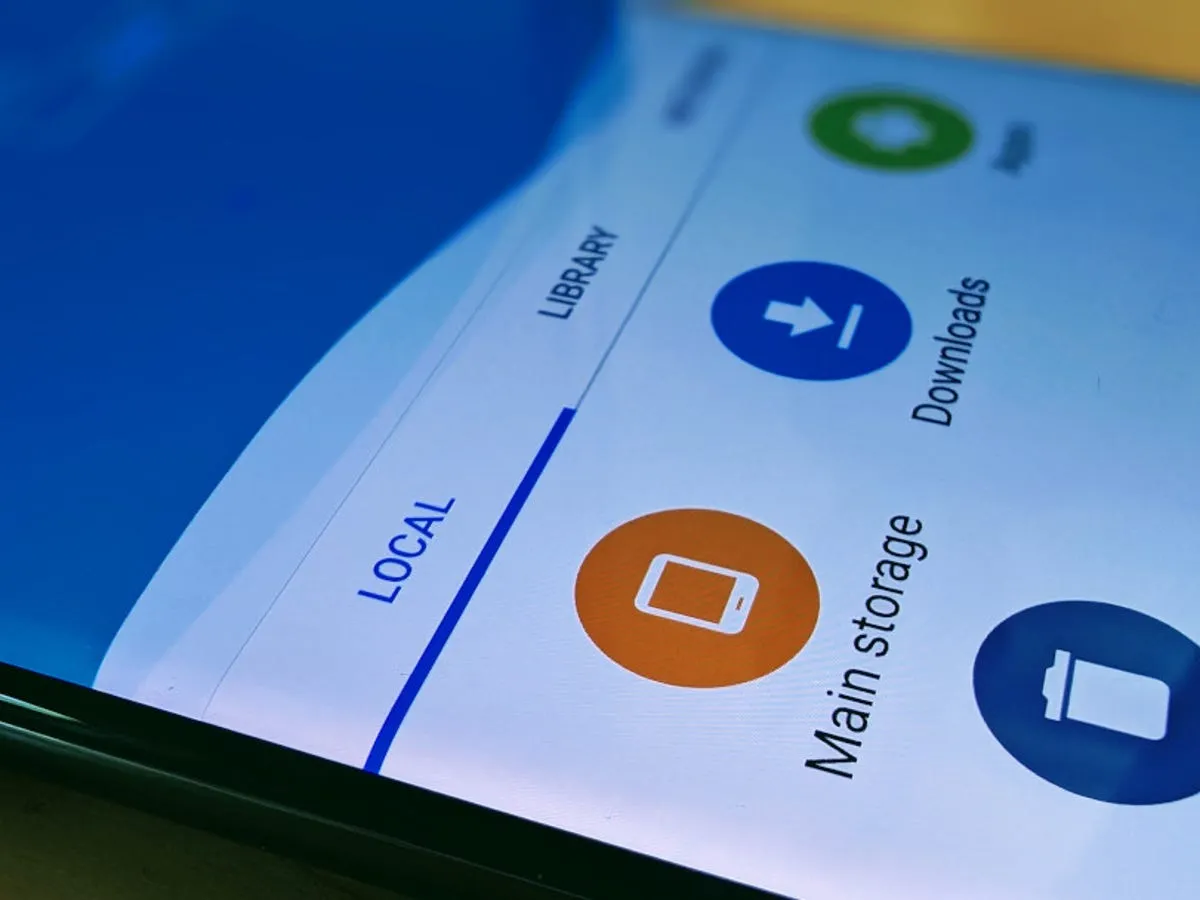
    Every Android smartphone requires a file explorer, and Google Files is the default choice for Pixel smartphones and many others. This lightweight, free tool has all the necessary file management features, and its simple layout makes it simple to examine information in folders or categories. It’s not the greatest file management tool for Android, but it’s an excellent method to get rid of duplicate files and keep your smartphone free of clutter.

    I’ve used a lot of Android file explorers over the years, and these are the greatest substitutes for Google Files since they have more sophisticated capabilities, a more appealing appearance, and more customization choices.

    Cx File Explorer

    With a variety of options to assist users in managing their decreasing storage space, Cx File Explorer focuses primarily on managing the storage on Android devices. Its analysis features, which show the location of storage hogs, the amount of storage used by each file type, and the largest files on the device, are its strongest feature. This feature is very useful to me because it makes it easier to organize the videos I have on my device for offline entertainment and flights.

    In addition to these features, Cx File Explorer has a simple layout with integrated image, video, and audio players, a handy info box showing available storage, and a small icon-based breadcrumbs menu.

    cx file explorer

    Cx File Explorer

    Cx File Explorer is a powerful file manager & storage cleaner app with a clean and intuitive interface. With this file manager app, you can quickly browse and manage the files on your mobile device,

    Mixplorer

    Mixplorer is more extensible and versatile than most file explorers. Having been in development for more than ten years, this is my favorite Android file management software.

    As implied by its name, Mixplorer may easily connect a wide range of storage options, including LAN, Google Drive, OneDrive, external media, internal storage, and other cloud services. You can view all of this info without launching specific apps once it’s set up. Additionally, Mixplorer is compatible with symlinks, which offer even more versatile file access options throughout Android.

    The customizable design of Mixplorer is another well-liked feature. Although the basic layout is easy to use, power users may install skins to customize the software, integrate add-ons for more functionality, and effortlessly navigate between services and folders using the tabbed interface. I adore Mixplorer’s dropdown breadcrumbs menu because it’s a clever design decision that allows you to quickly navigate back to a root folder without taking up much screen real estate.
    mixplorer Android file explorer

    Mixplorer

    MiX Silver is a bundle of MiXplorer file manager and Archiver, Image, Tagger and PDF add-ons as a paid app to support development of MiXplorer.

    Solid Explorer

    In the Android app market, Solid Explorer is likewise quite well-regarded. Solid, a high-end file management program, has many of the same functions as Mixplorer, plus a few extras. Its real-time folder size indicator, which refreshes each directory’s byte count as files are added or removed, is possibly my favorite feature.
    solid explorer

    Solid Explorer File Manager

    Solid Explorer is a file management app inspired by the old school file commander applications.

    Material Files

    Material Files appeals to both Files by Google consumers and power users by striking a mix between an intuitive user interface and a robust feature set. The app feels as though Google themselves could create it because of its heavy reliance on Material You. Its components permit automated Night mode activation based on system settings and take on the color scheme of your device.

    Even though it doesn’t offer the same expandability as Mixplorer, I would contend that its user interface is simpler to use. Nevertheless, the left-hand sidebar has all the information I require. Its dedicated Screenshots shortcut, which takes me straight to screenshots of the programs I frequently use for my articles, is something I really like.

    The program does not let you connect to and access files on Google Drive, for example, but it does enable external storage on physical media or local networks.
    material files file explorer

    Material Files

    An open source Material Design file manager. Lightweight, clean and secure. Follows Material Design guidelines, with attention into details.

    Fossify File Manager

    Finally, Fossify File Manager prioritizes simplicity and privacy and is open-source and free. With more security features, it most likely offers the experience that is closest to Files by Google in that regard. For example, it enables users to secure certain files and folders using a password or fingerprint.

    With multiple color choices for the overall theme, a tab that shows you which file kinds are using up space on your disk, and basic search and organizing tools, the user interface is very user-friendly.

    fosify file manager

    Fossify File Manager

    Tired of file managers that slow you down and invade your privacy? Unlock a lightning-fast, secure, and completely customizable experience with Fossify File Manager.

    Google Files is by no means an inferior app. In fact, Google has created a straightforward and dependable file management solution that ensures constant performance for all Android applications. Consider one of the five programs listed above, though, if you require a few extra capabilities, wish to access local network stores and cloud storage, or want to add protection to your crucial files.
  • Xiaomi 15T and 15T Pro leak ahead of launch

    Xiaomi 15T and 15T Pro leak ahead of launch

    The Xiaomi 15T and 15T Pro, the company’s upcoming T-series phones, are about to go on sale. The standard 15T model is expected to start at €649, while the Pro model would cost €799, according to rumors circulating about both devices.

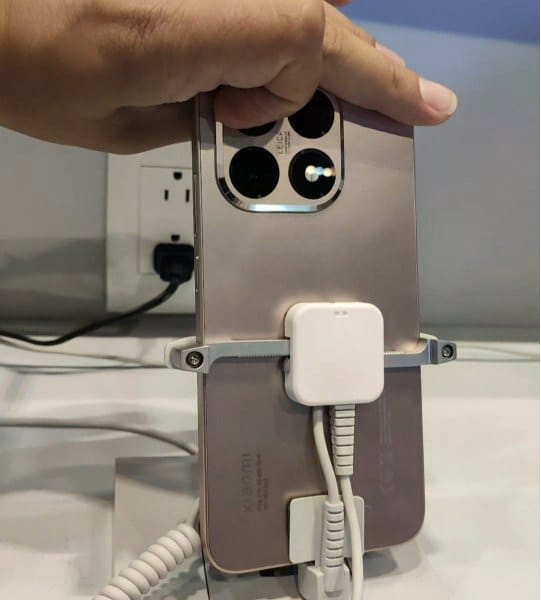
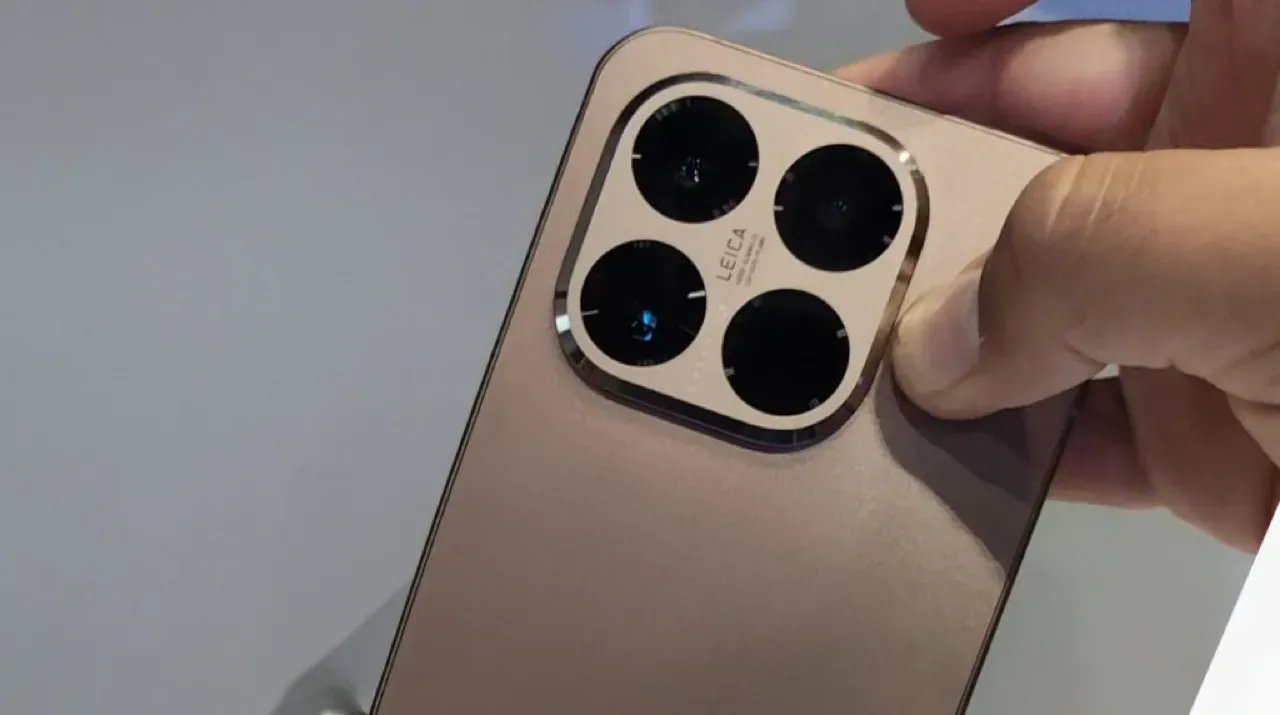
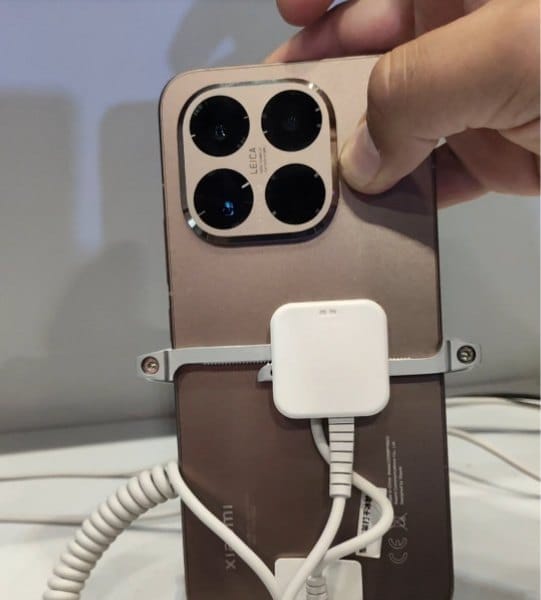
    We are now seeing the hardware for the first time. Recently, a TikTok user shared a video showcasing the 15T Pro’s front and back, showcasing the rear panel’s copper-like appearance.

    It should come as no surprise that the camera island, which is situated in the upper left corner, is formed like a rounded square with beveled edges and has Leica branding in the center.

    Xiaomi 15T Pro Design 2

    What to expect?

    According to rumors, the phone will have a 50-megapixel Samsung JN5 telephoto camera, a 13-megapixel ultra-wide lens, and a 50-megapixel OmniVision OVX9100 primary camera. It might have a Samsung S5KKDS selfie sensor on the front.

    Xiaomi 15T Pro design

    The tablet may have a MediaTek Dimensity 9400+ chipset on the inside, along with 12GB of RAM and 128GB or 256GB of storage. According to reports, the 128GB variant costs €799, and the 256GB model would cost €899. The Pro model’s storage specifications are consistent with our earlier findings, and a 1TB version may even be available in some markets.

    Multiple certification databases have already included both phones, indicating that an official launch is imminent. Hopefully, Xiaomi won’t hold off on revealing all the information for very long.

  • HyperOS 3 launching tomorrow

    HyperOS 3 launching tomorrow

    On August 28, 2025, Xiaomi formally announced the release of its eagerly awaited HyperOS 3 update. The global Xiaomi community is very interested in the countdown that the business has started on its social media platforms. An August reveal was originally predicted by industry insiders, and Xiaomi’s most recent Weibo posts have confirmed those predictions.

    Xiaomi is aggressively interacting with its user base and building anticipation for this significant software milestone as the countdown to the event begins on Weibo and other sites. The formal launch date dispels earlier rumors and gives partners and users who are getting ready for the update unambiguous guidance.

    hyperos 3 launch

    HyperOS 3 visual and UX improvements

    HyperOS 3 is positioned as a substantial visual and functional upgrade. Key improvements include:

    • Enhanced system animations for a smoother user experience
    • Updated iconography reflecting current design standards
    • Consistent visual language across the entire interface
    • Refined feedback and interaction systems to improve usability

    These changes are designed to ensure a more cohesive and modern user experience across Xiaomi’s device portfolio.

    A thorough rundown of HyperOS 3‘s feature set, compatibility roadmap, and rollout schedule will be given during the next session. Users should anticipate notable improvements in system performance, interface design, and overall device operation because of Xiaomi’s well-established reputation for providing strong software support.

    In conclusion, the release of HyperOS 3 represents a turning point in Xiaomi’s software development. Users and stakeholders alike should get ready for what seems to be a historic update to the company’s product plan for 2025.

  • OxygenOS 16 expected soon with many new changes

    OxygenOS 16 expected soon with many new changes

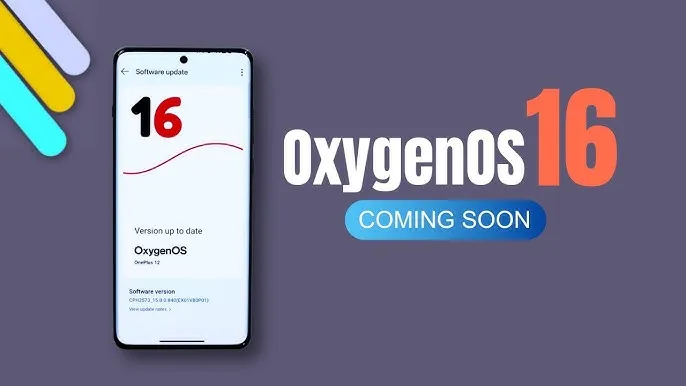
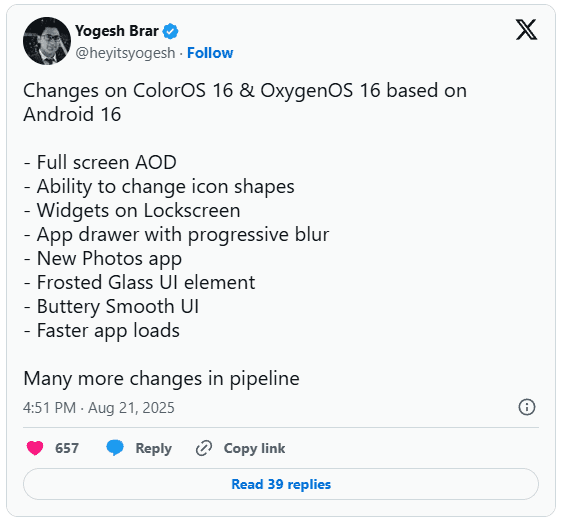
    You may soon notice some significant changes if you’re using an Oppo or OnePlus phone. In the upcoming Android 16-based updates from OnePlus and Oppo, OxygenOS 16 and ColorOS 16, tipster Yogesh Brar has leaked to some of the most significant changes.

    android 16 oxygenOS 16 changes

    New AOD (always on display)

    A full-screen always-on display is one of the notable features predicted for OxygenOS 16 and ColorOS 16. This version might display the complete screen instead of the condensed AOD we’re accustomed to, providing you with more quick access to information without waking the phone.

    There is more to the outward makeover. A new “Liquid Glass” type UI has been noticed, and yes, it looks a little like Apple’s design language. Anticipate a more fluid interface, gentler transitions, and features that resemble frosted glass. Brar also pointed out a revamped Photos app, new customization choices including changing the shape of the icons, and a more seamless user interface overall.

    oxygenos16 panel 1

    Lockscreen widgets are back

    Lockscreen widgets are an additional useful element. We’ve seen variants of this on Android before, which explains why it sounds familiar. Both Oppo and OnePlus are reintroducing it this time in a more streamlined manner. You could use lockscreen widgets to read reminders, manage music, and check the weather without unlocking your phone.

    Huge performance improvements

    Only when a new user interface functions properly does it matter, and OnePlus and Oppo appear to be working on that. The anticipated speedier app launches and smoother animations in OxygenOS 16 and ColorOS 16 should improve responsiveness for everyday use. Until you go back to an older build and see how clumsy it feels, small improvements like this are sometimes overlooked.

    Still in beta testing

    oxygenos 16 new look 1

    For the OnePlus 13 and 13s, OxygenOS 16 is presently undergoing closed beta testing. After the opportunity to apply for the beta emerged in its update area with the August 2025 patch, another tipster, Abhishek Yadav, recently noticed that the Nord 4 would shortly join the program. These closed betas are, as usual, restricted to a select few users and typically contain flaws.

    The Find X8 series marks the beginning of ColorOS 16 testing for Oppo users. Oppo released Android 16 betas for a few models earlier this year, and this latest listing indicates a wider release is imminent.

    When can we expect the OxygenOS release?

    Although neither business has formally disclosed a release date, past performance provides us with a ballpark estimate. OnePlus typically releases a stable version in November after launching an open beta in October. Oppo typically takes a similar approach, launching premium devices first and then moving on to mid-range versions.

  • Android 16 will be the final major upgrade for these Realme devices

    Android 16 will be the final major upgrade for these Realme devices

    Google launched Android 16 more than two months ago, yet no Realme phone has received the upgrade as of yet. However, the company claims to be one of the first to roll out Android 16 on premium phones. The deployment of mid-range and low-cost phones should also happen sooner than normal as a result.

    Realme plans to update a number of phones in various pricing ranges to Android 16. However, it will mark the end of significant upgrades for several of them. In other words, no significant updates beyond Android 16 will be available for those devices, which will continue to run the same OS for the remainder of their lifetimes. We’ve put together a list of these gadgets. Check it out below to see if you’ll soon need to upgrade your smartphone.

    Android 16 – the final major upgrade

    • Realme GT 5
    • Realme GT 5 240W
    • Realme GT 3
    • Realme 14x
    • Realme 14 Pro Lite
    • Realme 13 (LTE/5G)
    • Realme 13+
    • Realme 13 Pro
    • Realme 13 Pro+
    • Realme 12 (LTE/5G)
    • Realme 12+
    • Realme 12 Pro
    • Realme 12 Pro+
    • Realme 12x
    • Realme 12 Lite
    • Realme Narzo 70
    • Realme Narzo 70 Pro
    • Realme Narzo 70x
    • Realme Narzo 70 Turbo
    • Realme Narzo N65
    • Realme C75 4G
    • Realme C67 4G
    • Realme C65
    • Realme C65 4G
    • Realme C63 5G
    • Realme C63
    • Realme C61
    • Realme P2 Pro
    • Realme P1
    • Realme P1 Pro
    • Realme P1 Speed
    • Realme Note 60
    • Realme Note 60x

    The list was created using the update policy and previous rollouts as a guide. Even while it ought to be largely correct, I still advise verifying with the official announcement for the last word.

    realme devices

    When will the Android 16 update be released by Realme?

    A release date for Android 16 has not yet been disclosed by Realme. But the company has previously stated that the Realme GT 7 Pro will be the phone running Android 16’s Realme UI 7.0 update. Soon after, the GT 7 and GT 7T will join the celebration.

    Starting with the GT 6 and GT 6T, the company will introduce the stable Realme UI 7.0 to the GT 6 series after the Realme GT 7 series. Other Realme devices that qualify will thereafter progressively receive the update.

    The company has not commented on the Android 16 release, but given that competitors like Oppo, OnePlus, and Samsung are also doing so for their own Android skins, it must be getting ready for a Realme UI 7.0 beta release shortly. Realme is anticipated to begin hiring beta testers for Realme UI 7.0 in a few days, with the stable rollout probably starting in September.

  • Motorola starts Android 16 beta testing for two more devices

    Motorola starts Android 16 beta testing for two more devices

    Motorola is adding more and more phones to the Android 16 beta testing program over time. The Moto G Stylus 5G (2025) and the Moto Edge 50 Ultra are the latest additions to the company’s beta program, after the addition of five additional phones to its MFN program.

    To test out the new software update before anybody else does, you may sign up for the Motorola Feedback Network if you possess one of these two phones. In case you are not aware, Motorola Feedback Network, or MFN, is the name of the beta program for Motorola handsets. Speaking of availability, the Moto G Stylus 2025 beta is currently available in the USA, while the Edge 50 Ultra beta program is presently active in Brazil and India.

    Speaking of the features that the Android 16 update will include, these include: HDR screenshots, Advanced Protection Mode, APV codec support, Material 3 Expressive redesign, New Emojis, Embedded Photo Picker, Live updates, Desktop Window, Group notifications, and more.

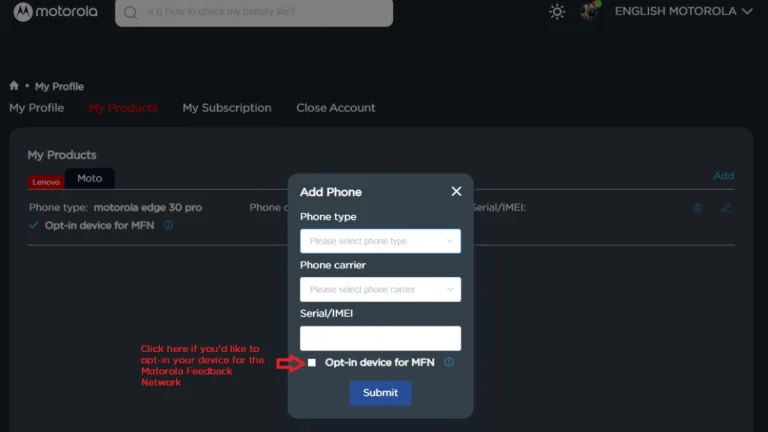
    Join Motorola MFN beta testing

    1. At first, you need to register on the Motorola community website.
    2. Make sure your profile page is updated with your current IMEI or SN of your device.
    3. Opt-in your device for the MFN on your Motorola community profile.
    4. Keep your phone updated to the latest version.
    5. Now, visit the registration link that you will find on the current testing opportunity page. Make sure to visit the page for your device and region.
    6. Fill required details and submit the form.
    motorola join mfn beta testing android 16

    Participants will receive additional information from Motorola via email, so be sure to check your inbox, including the spam folder. You can also frequently check settings for new software upgrades.

  • 4 new features Pixel 10 series brings

    4 new features Pixel 10 series brings

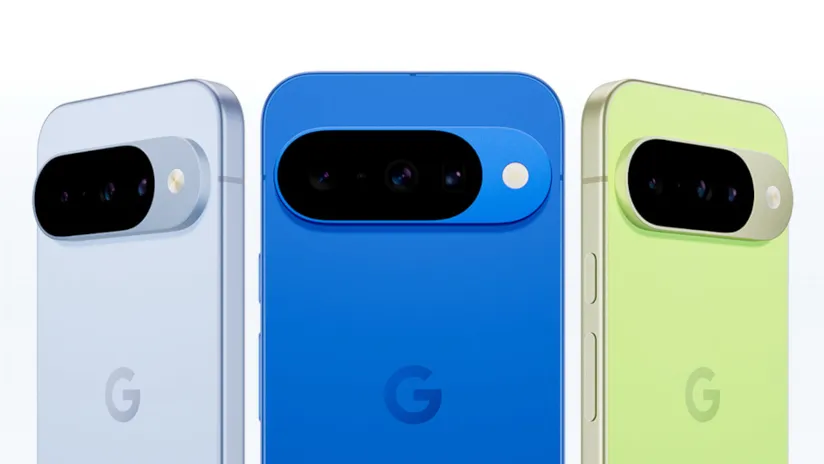
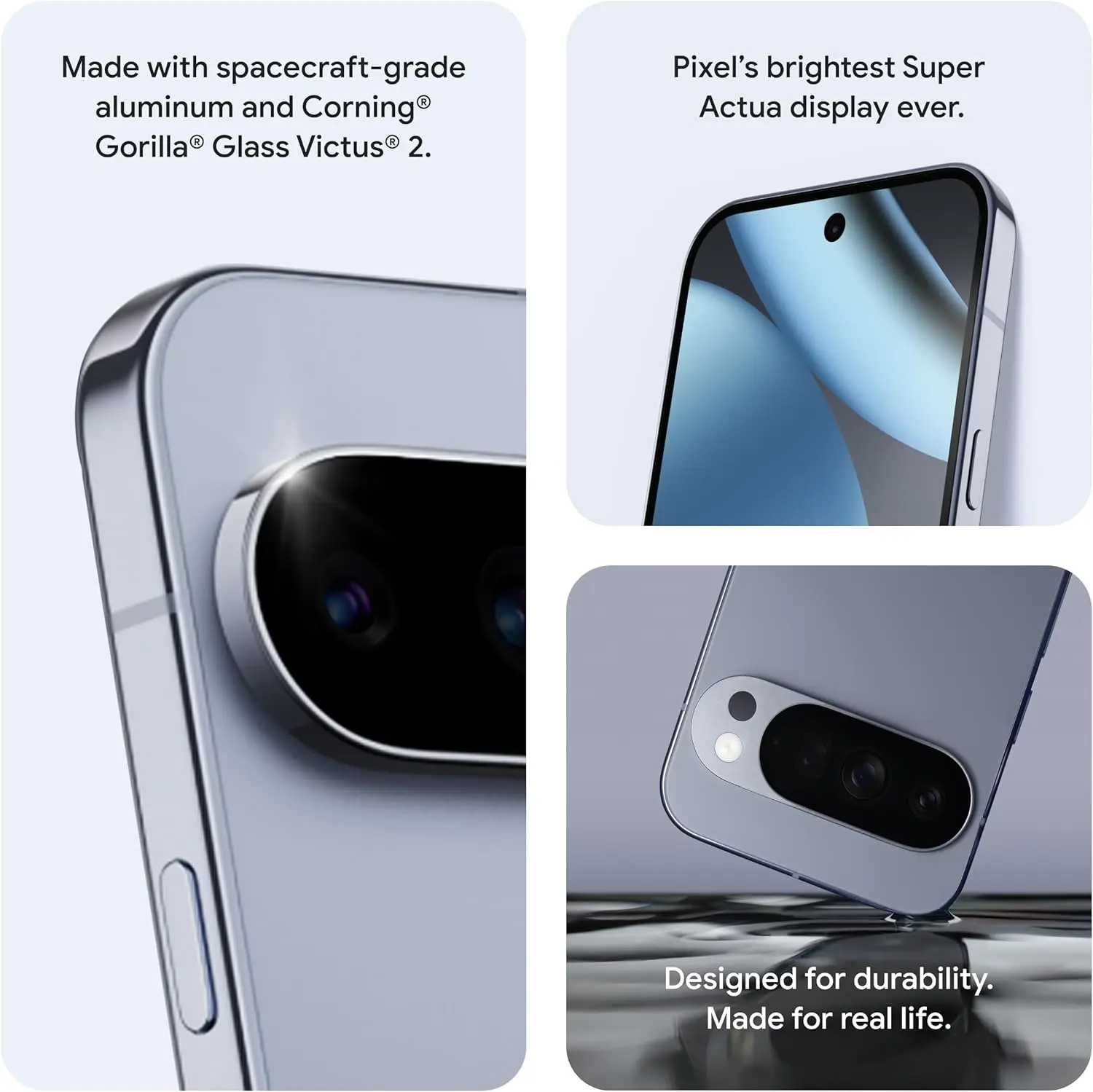
    The Google Pixel 10 Pro XL is a major advancement in smartphone design, emphasizing improved utility and more intelligent software integration over drastic hardware changes. This device is designed to improve your everyday interactions with features including wireless charging, camera technology, widgets, software automation, and performance improvements. We examine its top features below, highlighting the reasons the Pixel 10 series is unique in the crowded smartphone market.

    google pixel 10 pro

    Google Pixel 10 Pro with $200 Amazon Gift Card

    Order the new Google Pixel 10 Pro and get an Amazon Gift Card. Valid 8/20/2025 until 9/4/2025 at 11:59pm PT, while supplies last and subject to availability

    $1,199.00$999.00Amazon

    Qi2 Wireless Charging

    google pixel 10 qi2 wireless charging

    As the first significant Android smartphone to use the Qi2 wireless charging standard, the Pixel 10 series raises the bar for compatibility and ease of use. This method greatly increases charging efficiency by using magnets for exact alignment. It also makes it possible for MagSafe accessories to work seamlessly, so you can connect magnetic wallets, power banks, or stands without the need for additional cases or adapters.

    This integration increases the phone’s functionality while also making charging easier. The Qi2 standard makes sure your gadget is always charged and prepared to fit your needs, whether you’re at home, at work, or on the go. This feature is a unique addition to the Pixel 10 series since it combines efficiency and ease.

    Innovative Camera System in Pixel 10 series

    Screenshot 2025 08 21 at 11.59.2

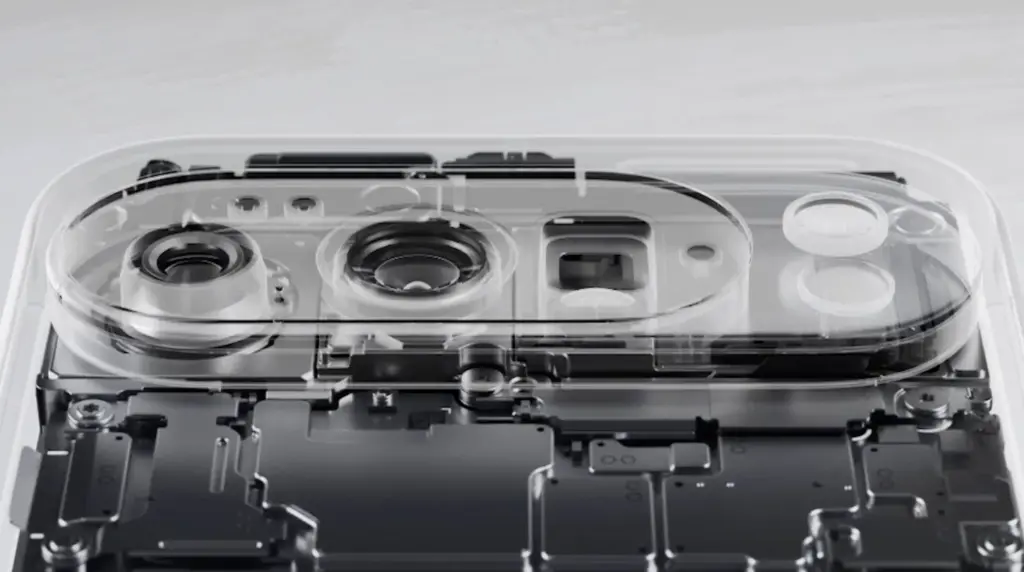
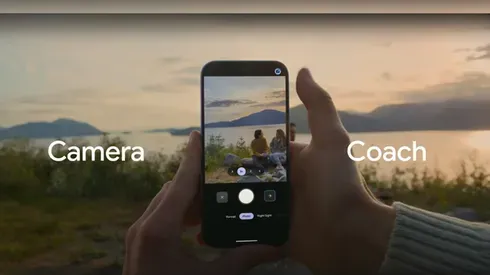
    With its Gemini Eye technology, the Pixel 10 Pro XL elevates smartphone photography to a new level. A “Camera Coach,” which offers real-time advice on lighting, framing, and other settings to help you effortlessly take professional-quality photos, is a feature of this cutting-edge device. Even when photographing distant scenes, the 11-megapixel telephoto lens and up to 20x super-res zoom guarantee that your images stay crisp and clear.

    The Gemini Eye technology makes it simpler to get amazing results, whether you’re a casual user taking short pictures or a photography fanatic striving for perfection. The Pixel 10 Pro XL is now a top option for those who are camera-focused thanks to these improvements, which demonstrate Google’s dedication to providing an excellent shooting experience.

    pixel 10 camera jpg

    Intelligent Automation with Magic Cue Assistant

    Intelligent Automation with Magic Cue Assistant

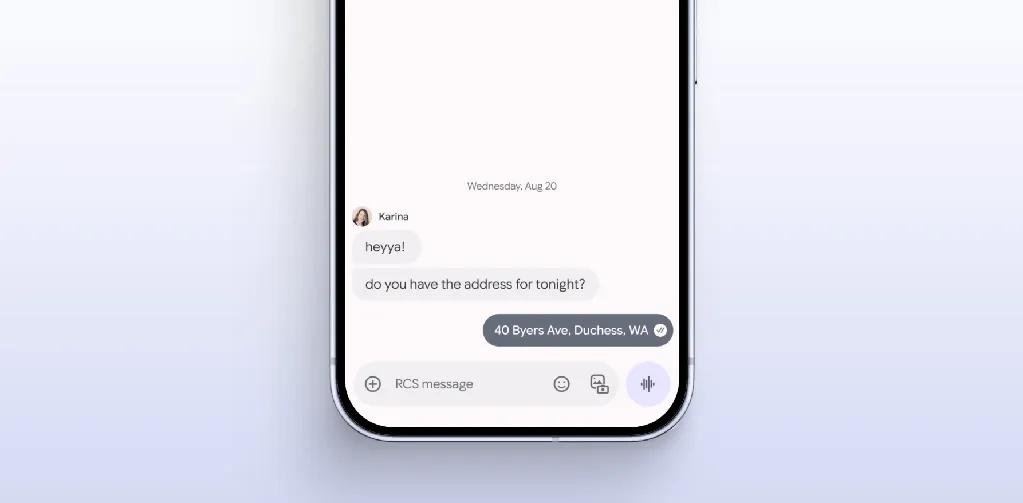
    The Magic Coup Assistant is another example of how Google is pushing the limits of software innovation. This tool automates repetitive chores and provides contextual recommendations by using machine learning to understand your preferences and behaviors. Magic Coup Assistant is made to make your life easier, from scheduling to changing settings according to your activity or location.

    For instance, it can remind you of crucial deadlines, recommend routes depending on traffic, or automatically turn off messages during meetings. The Pixel 10 Pro XL is a sensible option for people who value efficiency and convenience because of this degree of personalization, which shows Google’s commitment to making the experience more intuitive and user-friendly.

    Smarter Widgets with Gemini Space

    Gemini Space, a development of Google’s “At a Glance” function, offers a major improvement to the Pixel 10 Pro XL’s widgets. This utility adds real-time updates from programs like Docs, Maps, and Gmail straight to your home and lock displays. Gemini Space keeps you focused and organized without requiring you to launch numerous apps by giving you access to real-time information at a glance.

    Keeping track of appointments, managing hectic calendars, and remaining informed about critical activities are all made easier with this tool. It is a minor but significant innovation that improves the user experience overall because it might simplify your everyday routine. The Pixel 10 Pro XL provides a more user-friendly method of interacting with your smartphone with Gemini Space.

    google pixel 10 pro

    Google Pixel 10 Pro with $200 Amazon Gift Card

    Order the new Google Pixel 10 Pro and get an Amazon Gift Card. Valid 8/20/2025 until 9/4/2025 at 11:59pm PT, while supplies last and subject to availability

    $1,199.00$999.00Amazon

    The Google Pixel 10 Pro XL places a high priority on significant upgrades that boost speed and usability. This smartphone is made to satisfy the demands of the customers, from a more potent Tensor G5 chip to the cutting-edge Gemini Eye camera system and the creative Qi2 wireless charging. The experience is further enhanced by features like the Magic Cue Assistant and Gemini Space widgets, which provide a smooth fusion of convenience and functionality.

    These well-considered improvements show Google’s dedication to providing a feature-rich gadget that fits your needs. Whether you’re a photography enthusiast, tech enthusiast, or someone looking for a dependable and effective smartphone, the Pixel 10 Pro XL provides an alluring blend of innovation and usefulness.

  • Xiaomi Band 10 – probably the best fitness tracker

    Xiaomi Band 10 – probably the best fitness tracker

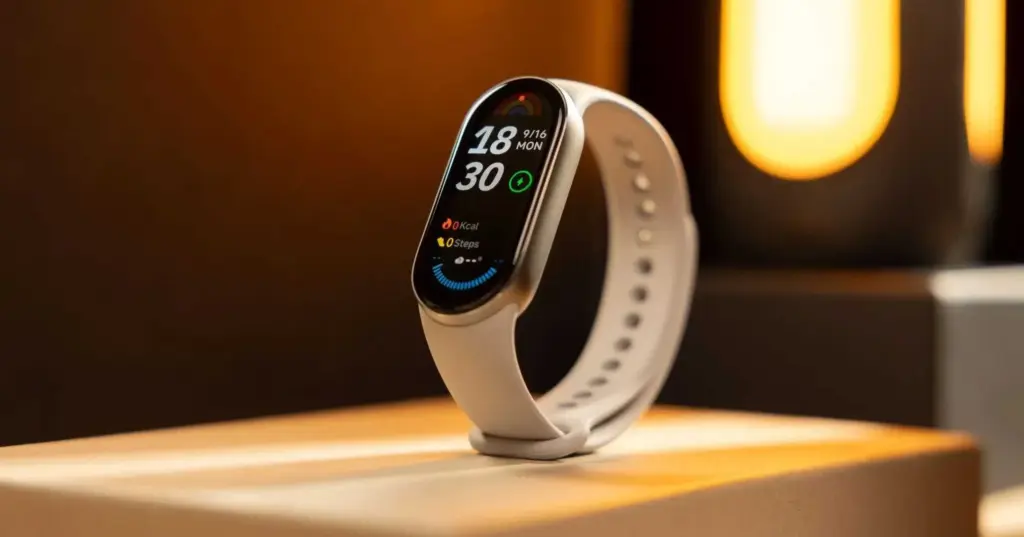
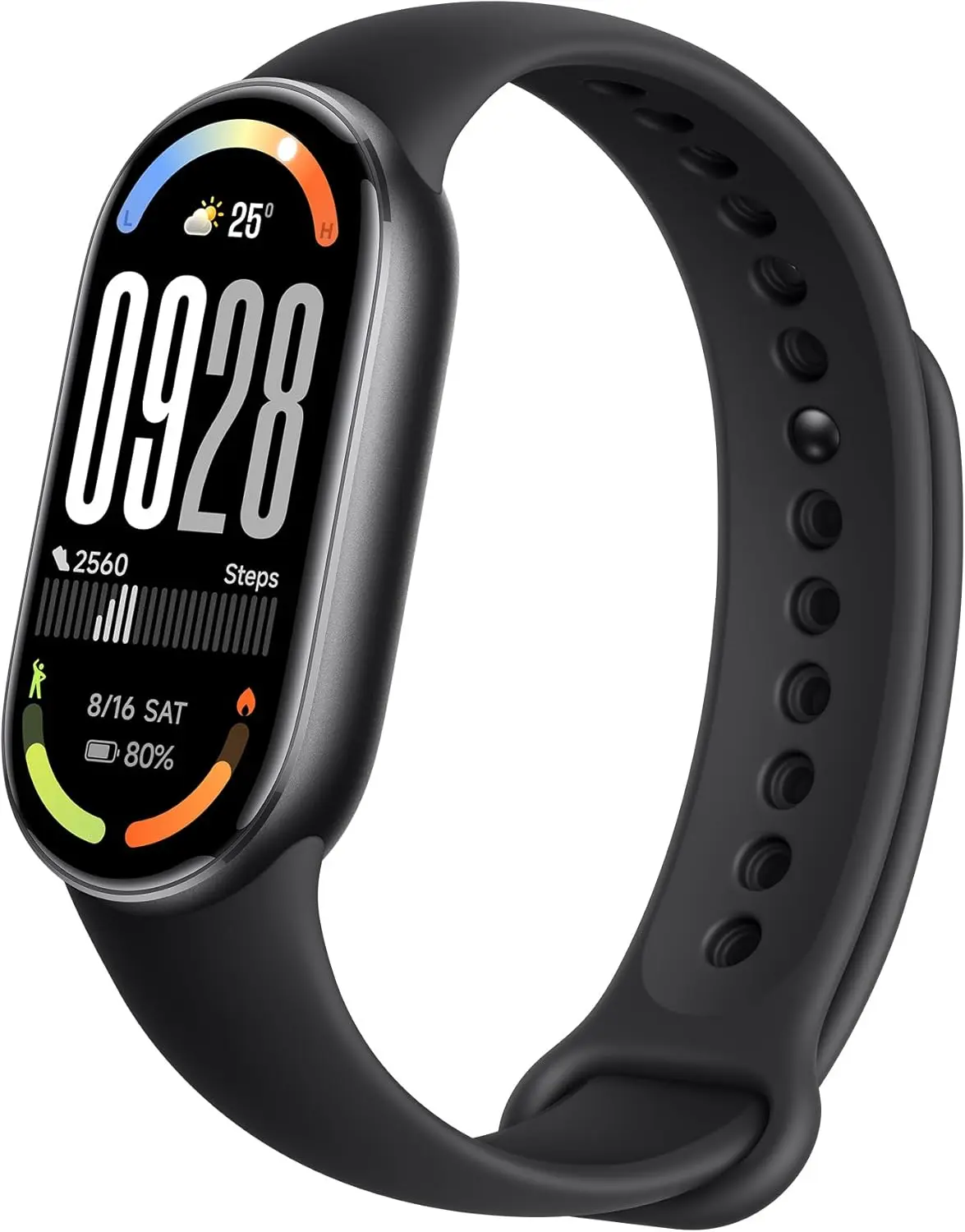
    After a few weeks of using the Xiaomi Band 10, I’m starting to see why the company is attempting to market this wearable as more than simply a fitness tracker. By combining convenience, adjustable design, and health tracking into a single small device, the Band 10 lives up to its marketing slogan, “Fit in Style.”

    The Xiaomi Band 10 is intended for consumers seeking a harmonious blend of fashion and functionality. It’s helpful for someone who values a wearable that looks well in both casual and business contexts, is health-conscious, and wants to track their progress.

    Design and display

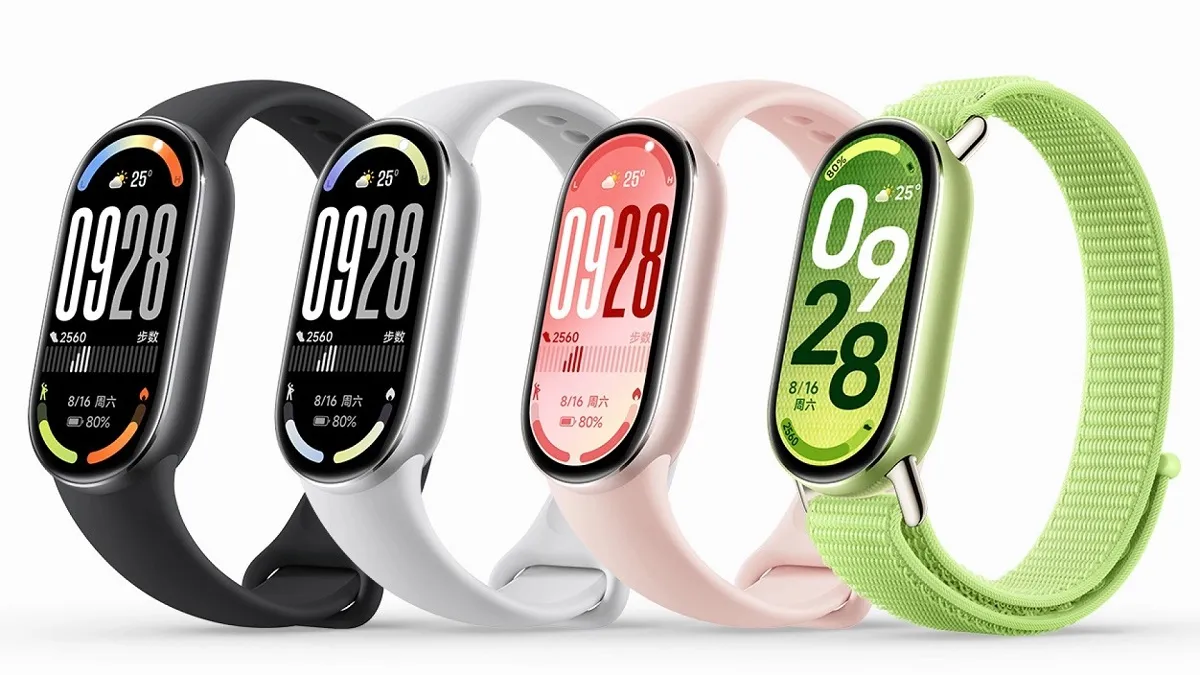
    The 1.72-inch AMOLED display was among the first features I liked. With a resolution of 212 x 520 pixels at 326 PPI, it is crisp, and at 1500 nits, it becomes bright enough to be seen outside. Additionally, compared to previous versions I’ve tried, the 60Hz display rate makes navigating menus feel more fluid.

    xiaomi smart band 10 design and display

    I appreciate that Xiaomi allowed for some design freedom with the Band 10. It feels high-end thanks to the ceramic frames and aluminum alloy, and I can quickly switch up the style with the many strap alternatives (TPU and fluororruber in various colors). I wasn’t limited to a few static designs because there is even more personalization space because to the 200+ watch faces. However, I don’t update it very often. I’ll be stuck with a design for months after I feel familiar with it. Additionally, I didn’t have to worry about splashes if I perspired while working out because of its 5ATM water resistance.

    Fitness and health tracking features

    xiaomi band 10 Fitness Tracker

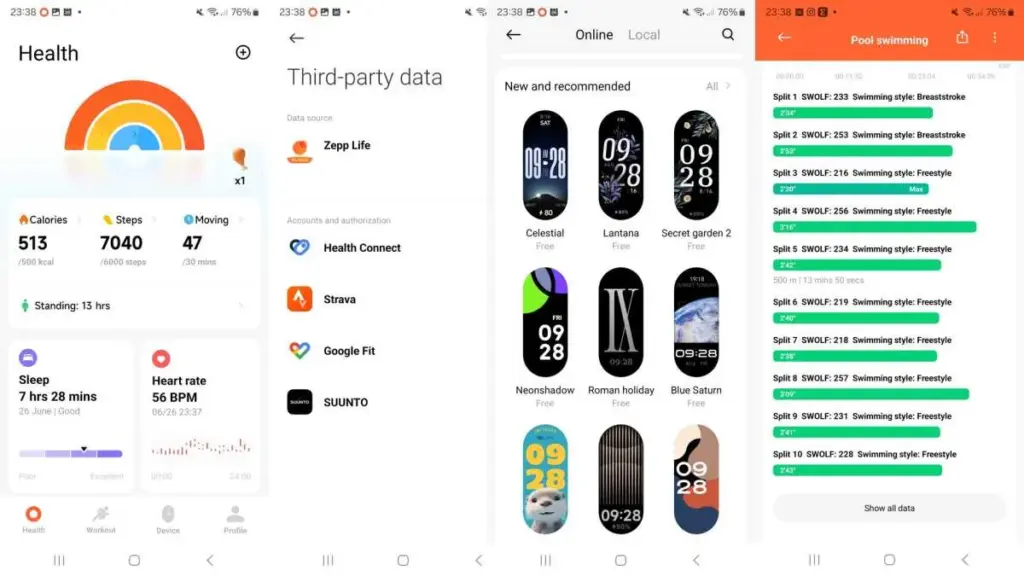
    The Band 10 has more than 150 workout options for fitness. I primarily used it for strength training, indoor cycling, and jogging, and the monitoring was reliable. I also utilized it for hula hoops and jump rope.

    One of the advantages is health monitoring. When combined with other devices, I found the heart rate broadcast capability to be helpful, and the heart rate sensor performed well for both daily monitoring and exercise. In addition to recording my number of hours slept, sleep monitoring provided me with tailored advice on how to enhance the quality of my sleep. The Band 10 does a good job of keeping me informed about my health when combined with all-day SpO2, stress, and activity tracking.

    All of this is synchronized with the Mi Fitness app, which displays the data in an uncluttered, readable format. I like that the app allowed me to establish precise targets and monitor long-term changes.

    Battery

    xiaomi band 10

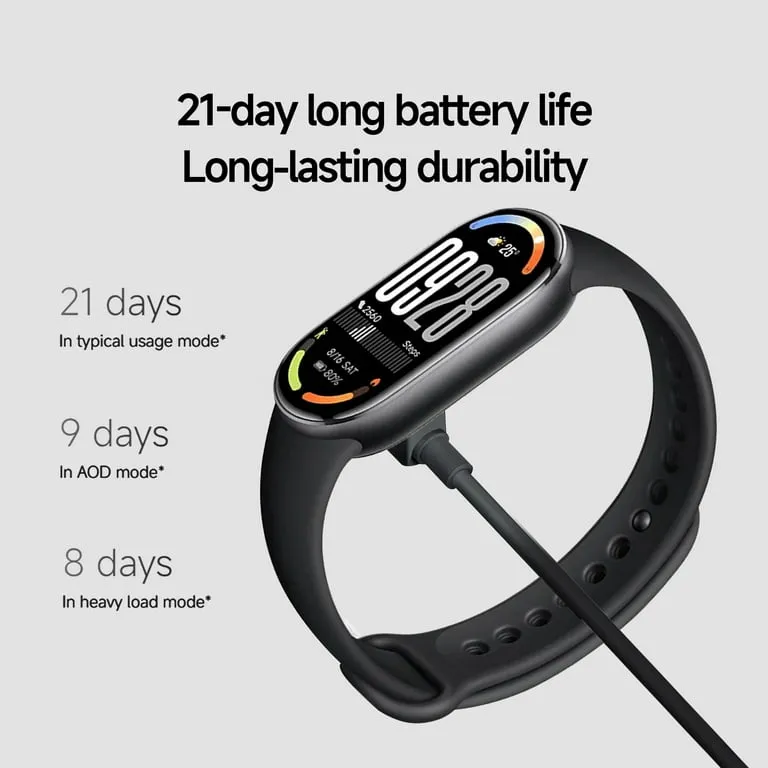
    Another advantage is battery life. Xiaomi says that the 233mAh battery may last up to 21 days of normal use. In my tests, I was able to use it for around two weeks with the brightness, workouts, and alerts set fairly high. Considering that many smartwatches only survive three days, it’s still excellent.

    It’s also convenient to charge. It is simple to top up even between hectic schedules because the magnetic charger clips on simply and I was able to get a full charge in approximately an hour.

    The Xiaomi Band 10 is compatible with iOS (12.0 and above) and Android (8.0 and above), and it supports Bluetooth 5.4. It was easy to pair, and the connection held.

    I was able to view call alerts and read messages on my wrist without continually checking my phone thanks to the effective notification system. Convenience was increased by the seamless operation of basic controls including music playback, weather, and reminders.

    What struck me after wearing the Xiaomi Band 10 every day was how effectively it struck a balance between being a fashion piece and a health tool. The lightweight design makes it simple to wear all day and even at night for tracking sleep, yet the screen is bright enough to make it feel like a tiny smartwatch.

    That’s precisely what I want in a fitness band—I didn’t feel the need to take it off frequently. I seldom ever had any latency, the user interface is straightforward, and the touch reaction is fast. It concentrates on elements that make sense for its intended audience rather than being overburdened with extraneous features.

    xiaomi mi band 10

    Xiaomi Mi Band 10

    Enjoy stunning visuals and a seamless touch thanks to the huge 1.72-inch AMOLED display.The screen-to-body ratio can be increased from 66% to 73% thanks to symmetrical 2.0mm ultra-thin bezels made possible by vacuum filling sealing technology.

    Best choice
    $67.70Amazon

    For those who wish to move up from a simple fitness tracker without going all smartwatch territory, the Xiaomi Band 10 seems like a logical upgrade. It is practical due to its extended battery life and fast charging, dependable in terms of tracking health, and fashionable enough to wear in a variety of contexts.

    In summary, this fitness band has more than 150 sports modes, precise health tracking, and a long battery life that eliminates the need for continuous charging. Its design can be altered to fit individual tastes in watch faces, bands, and frames.

    The Xiaomi Band 10 fulfills company’s promises regarding pricing and features, allowing you to stay active and healthy while still looking stylish.

  • Xiaomi releases HyperOS 3 in September 2025 – first devices to receive it

    Xiaomi releases HyperOS 3 in September 2025 – first devices to receive it

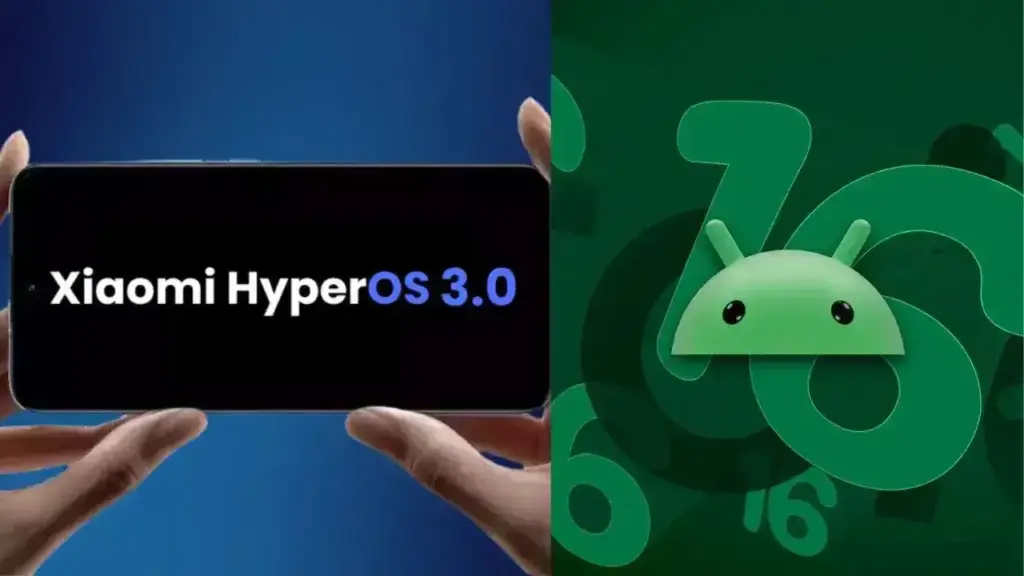
    Based on Android 16, Xiaomi is getting ready to release HyperOS 3, a new firmware update that promises enhanced performance and a revamped look for the company’s whole ecosystem. Although the release date is set for September 2025, the smartphone models that will get this upgrade first are already known.

    • Xiaomi 15;
    • Xiaomi 15 Pro;
    • Xiaomi 15 Ultra;
    • Xiaomi 15T Pro;
    • Xiaomi 14T Pro;
    • Redmi K70 Ultra;
    • Redmi K80 Ultra;
    • Xiaomi 16;
    • Xiaomi 16 Pro.
    hyperos 3.0 update from Xiaomi with Android 16

    HyperOS 3 brings Android 16

    To guarantee quick and easy device use, the update will integrate Xiaomi’s exclusive innovations with the new capabilities of Android 16. In the fall of 2025, HyperOS 3.0 is anticipated to be released, first for flagship models and then for other devices. Compatibility checks will be possible via the MemeOS Enhancer app in the Play Store or the website HyperOSUpdates.com.

    It’s also important to remember that Android 16 has already been formally unveiled, and updates for compatible models will be released shortly. Convenience, security, and user privacy are the areas where the new version is improved. In September, Samsung also intends to release a stable version of One UI 8, which is based on Android 16 and will include significant updates for Galaxy customers.

  • 7 reasons why Google Messages offers the best texting experience on Android devices

    7 reasons why Google Messages offers the best texting experience on Android devices

    Like nearly every other technological advancement, texting has improved over time. Although there are many tools that provide you more control over your messaging, the basic premise remains the same.

    The most important thing is to identify the features that can have the biggest impact, even though the amount of functions can vary depending on the text messaging app you use.

    Although Android offers many excellent texting apps, the Google Messages app stands out above the others, mostly because of its many robust features that make texting on Google’s operating system a breeze.

    9AZOTXU CpreTFAXUPAmJNkm8VGCb1C9

    Google Messages

    Safety starts with understanding how developers collect and share your data. Data privacy and security practices may vary based on your use, region, and age. The developer provided this information and may update it over time.

    OTP auto delete

    otp auto delete

    Because everyone has various objectives, different people have varied ideas on the traits they believe to be the best. But generally speaking, features that execute tasks rapidly and with little user effort are the best.

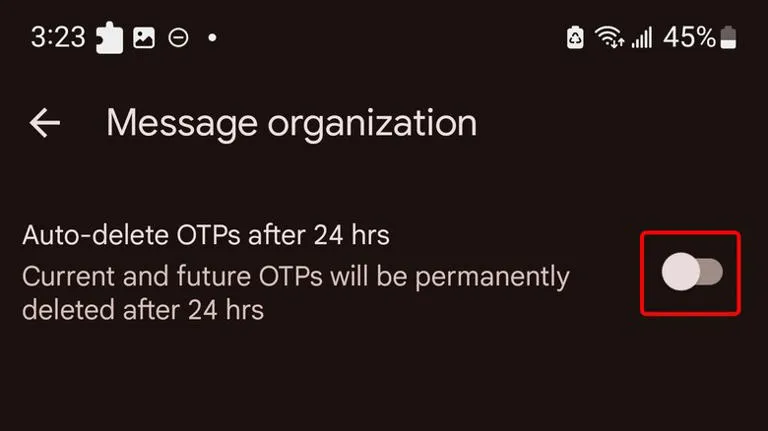
    An excellent illustration of this is the “Auto-delete messages” option. Once you give permission, it will automatically remove all of your one-time passwords and security codes from businesses after a 24-hour period. You may enable this from the Settings.

    Toggle the Auto-delete messages after 24 hours option under Settings > Message organization to activate this feature. You won’t need to manually clean up those OTPs once this is enabled.

    Personalized alert sounds for various contacts

    Businesses, friends and family, and organizations are some of the sources of text texts. As a result, not all of them are equally significant and do not merit your precious time.

    However, the ones that come from those closest to you are the ones you wouldn’t want to miss.

    Setting up a personalized notification sound for your most critical contacts is one of the simplest methods to accomplish this. In this manner, the notification’s sound will instantly identify the sender of the message.

    You can customize a notification sound for persons whose messages you need to respond to promptly, in addition to your loved ones. They could be your coworkers or even your employer. The answer is Google Messages.

    RCS

    messages

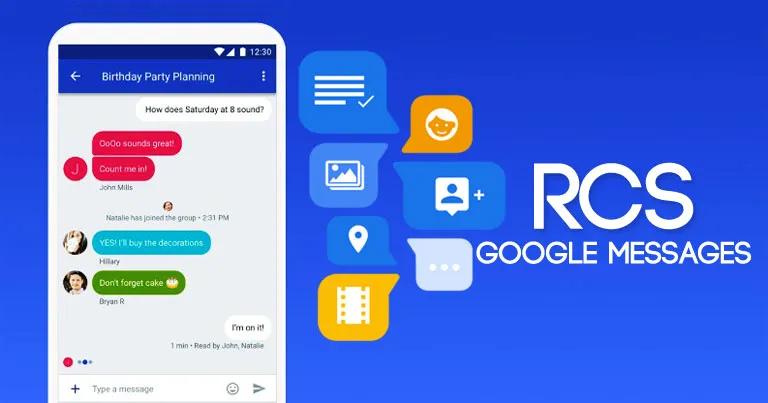
    Perhaps the most significant aspect of the Messages app is its support for RCS (Rich Communication Services), which is the sole reason why many people utilize it.

    With capabilities like the ability to send high-quality photos and videos, type indicators, read receipts, end-to-end encryption, reply to a specific message, and many more, RCS transforms the outdated SMS messaging system into a more contemporary one.

    RCS isn’t accessible by default, though. To begin using these features, you need to activate it from the Chat features setting. Additionally, the other person’s phone number must have RCS enabled.

    Because cross-platform RCS communication still lacks several crucial capabilities, such as end-to-end encryption, you receive the best RCS experience on Google Messages when both senders and recipients are using Android phones.

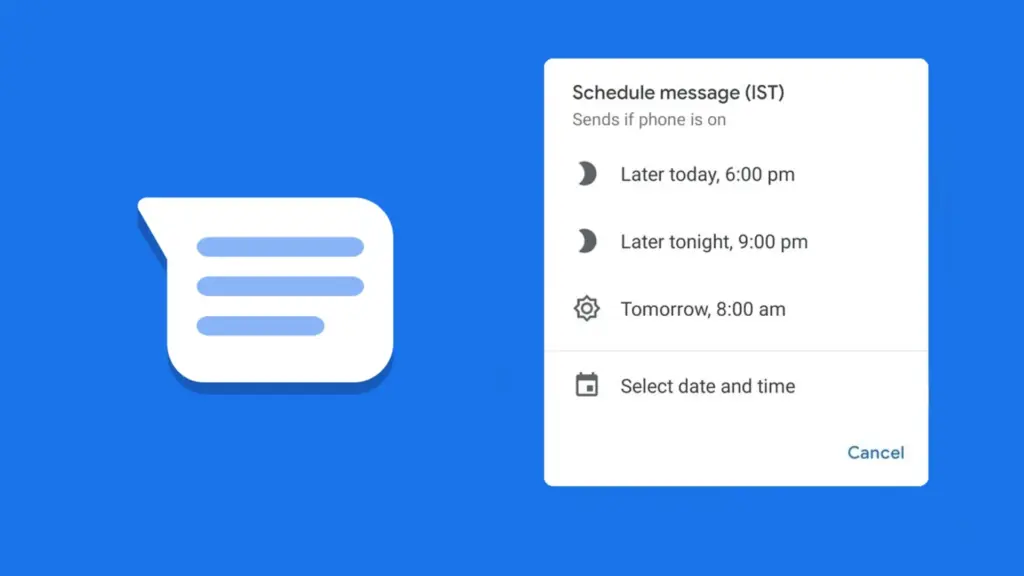
    Scheduled send

    Google Messages Scheduling Featu

    Google Messages lets users create a message and select a time and date, after which the app will automatically deliver it to the recipient.

    Despite how easy it seems, some of the most frequently used messaging programs, such as WhatsApp, still do not support this. Although scheduling a message in Google Messages is simple, the choice isn’t immediately apparent when you begin typing.

    After entering the message, you must long-press the send symbol to bring up Google Messages’ “Schedule send” feature. After that, you may select the day and time you would like that precise message to be delivered to that individual.

    You can alter the date and time or cancel the planned send if you decide to change your mind later.

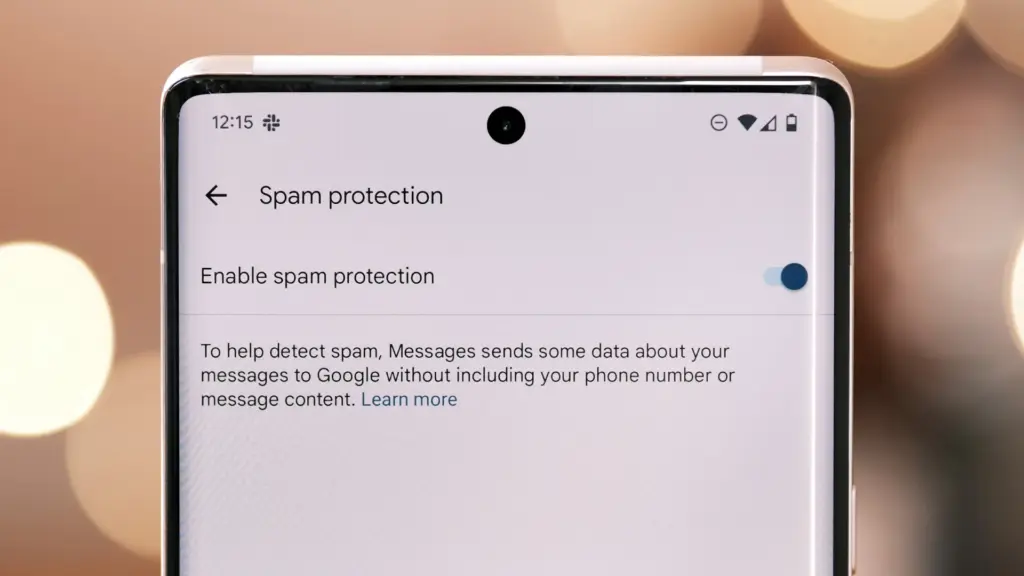
    Spam protection

    Google Messages Spam Protection

    Text messaging is one of the many ways that spam can happen. Depending on the platform, there are a number of strategies to prevent becoming a victim of spam.

    With its spam prevention function, Google Messages provides one of the simplest means of safeguarding oneself against such malicious individuals. From the Messages Settings, you may activate this option.

    When enabled, Google Messages will screen messages that contain such harmful links to phony websites and place them in the Spam and Blocked folders on your phone.

    The program removes the possibility that you would unintentionally click on one of those links and provide your personal information to bad actors because those dangerous text messages aren’t accessible within the app.

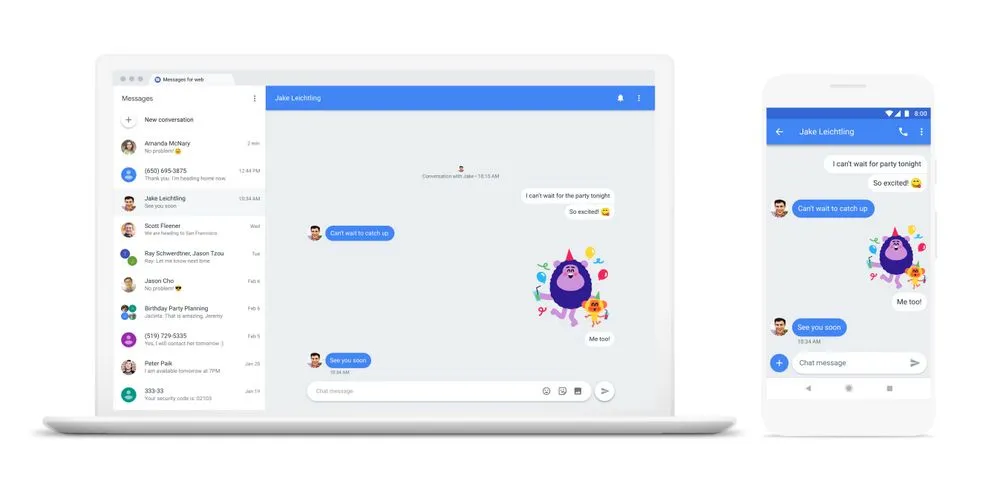
    Pair with the web app

    web messages

    When an app is available on several platforms, it becomes more helpful. Google Messages features a clever approach dubbed “Device pairing” to compensate for its inaccessibility outside of its ecosystem.

    It enables Google Messages to be paired with any computer that has a screen and an internet connection.

    You are using the same Google Messages app on your phone, but it is now operating on a different device via mirroring. You must connect your phone to the internet because your second device isn’t operating this natively.

    This can be paired with your Mac or PC, or even with another phone. Tap the profile symbol in the top-right corner, select Device pairing, and then adhere to the on-screen directions to pair.

    You can unpair Google Messages from each device if you are no longer using it on those devices. Additionally, it offers the ability to unlink a certain device.

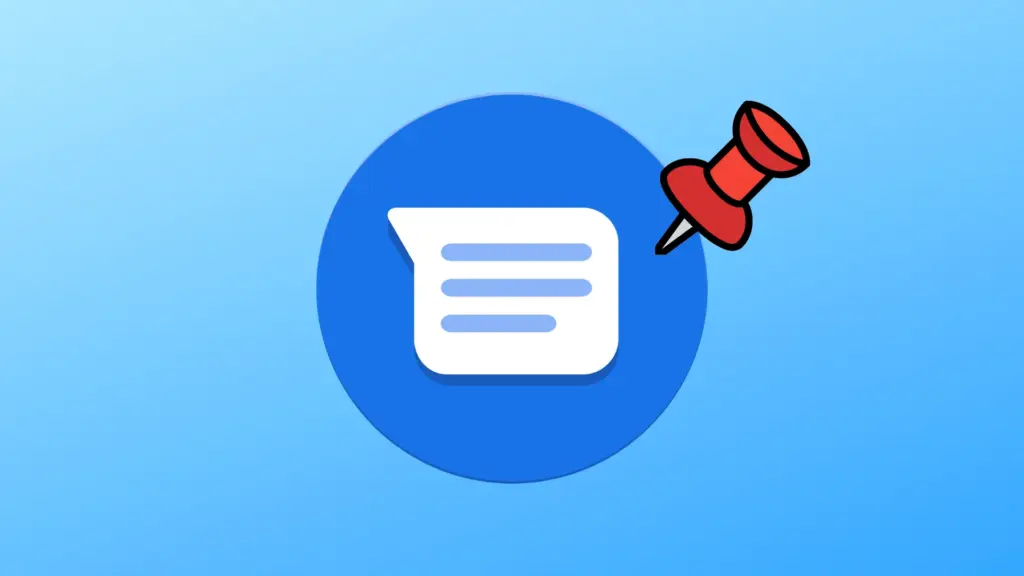
    Pinned conversation

    Google Messaged Pinned Conversat

    You must locate the contact you wish to send a message to before scheduling it. Although you can type the contact’s name into the search bar, this isn’t the most effective method, particularly if they are significant individuals.

    You can pin or unpin messages using the pinning feature in the Google Messages app. In this manner, communications from certain people show up first when you launch the app. Therefore, you may locate those messages without using the search function or scrolling to the bottom.

    One of Google Messages’ user-friendly features is message pinning. You simply hit the pin symbol at the top after choosing the message from the list. The Messages app allows you to pin more than one message.

    Until you unpin them, those pinned messages always stay at the top. You must pick the pinned message and then tap the unpin symbol that shows at the top in order to unpin it.

    Google Messages offers the best texting experience for Android devices

    Like anything else, the Google Messages app has flaws. Its peculiarities might not be to everyone’s taste, and some people might find its UI a little cluttered.

    But Google Messages’ robust features function so effectively that you won’t even notice how quickly the program becomes essential.

    On the majority of recent Android phones, Google Messages is the default texting app. Therefore, it eliminates the need to search for a better texting app after the initial boot. It’s ready for you to start messaging your loved ones right now.

    There are a lot of useful features in Google Messages, and when the app is updated, more are added. Additionally, it is among the Google apps that receive the most updates.