Tag: coloros

  • ColorOS 16.1 Rolls Out with Live Space, Redesigned Camera, MindPilot AI, and AirDrop Support

    ColorOS 16.1 Rolls Out with Live Space, Redesigned Camera, MindPilot AI, and AirDrop Support

    OPPO has released ColorOS 16.1, its mid-cycle upgrade that remains based on Android 16 and arrives ahead of the Android 17 update expected for eligible devices later this year. The release is a substantial one, covering everything from a new live activity system and a redesigned camera interface to AI assistant improvements and cross-platform file sharing with Apple devices.

    ColorOS 16.1 is rolling out to the Find X9 series first

    The update is currently making its way to OPPO’s Find X9 lineup, with the Reno 15 series and Find X8 series set to follow. Other flagship and mid-range models are expected to receive it in the near future as well. The Find X9 Ultra and Find X9s will ship with ColorOS 16.1 pre-installed in select regions.

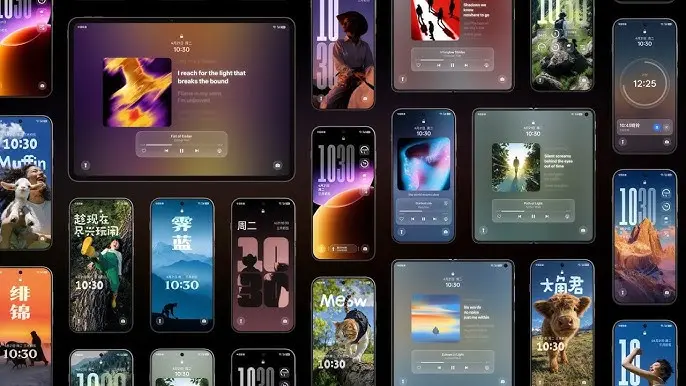
    The most prominent addition in this release is Live Space — a new live activity system displayed as an expandable capsule-style card at the bottom of the lock screen. It surfaces real-time updates for things like timers, music playback, food delivery tracking, and notifications, and users can swipe between active sessions directly from the lock screen without opening any apps. Live Space also integrates with Google Maps, extending its usefulness beyond basic notifications.

    System animations have also been overhauled across the board. App launches, closures, in-app scrolling, and general system interactions all feel smoother and more fluid. The Control Center and notification shade now feature stronger blur effects and cleaner transitions when pulled down, and touch recognition improvements help reduce the scrolling jitter that can creep into app interactions.
    ColorOS 16.1 update

    Live Space, redesigned camera app, and smoother system animations

    ColorOS 16.1 introduces a Contour Glow effect throughout Settings, adding a subtle shimmer animation around UI elements including Control Center toggles, the lock screen, widgets, and the search bar. A new Audio Sharing feature allows two audio devices — such as earbuds and other supported Bluetooth accessories — to connect simultaneously to the same phone and play audio through both at once.

    The Camera app has been redesigned with a noticeably different visual language, featuring translucent layers, glossy blur effects, floating cards, and bouncy animations throughout the interface. Settings no longer take over the full screen; they open inside pop-up cards instead, keeping the experience less disruptive. Devices like the Find X9 and Find X9 Pro also gain new Lumo-style watermarks within the camera app.

    On the home screen side, ColorOS 16.1 adds AI-assisted organization that automatically arranges apps by category — games, music, social media, and so on — or by icon color. The same color-based sorting is available inside the app drawer as well.
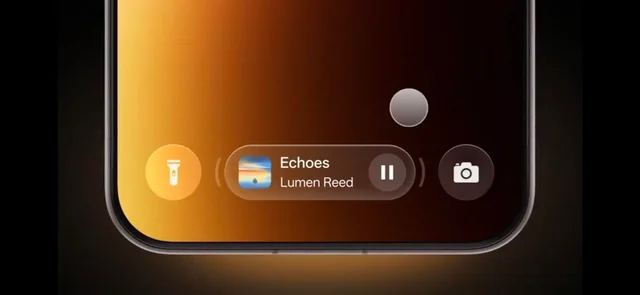
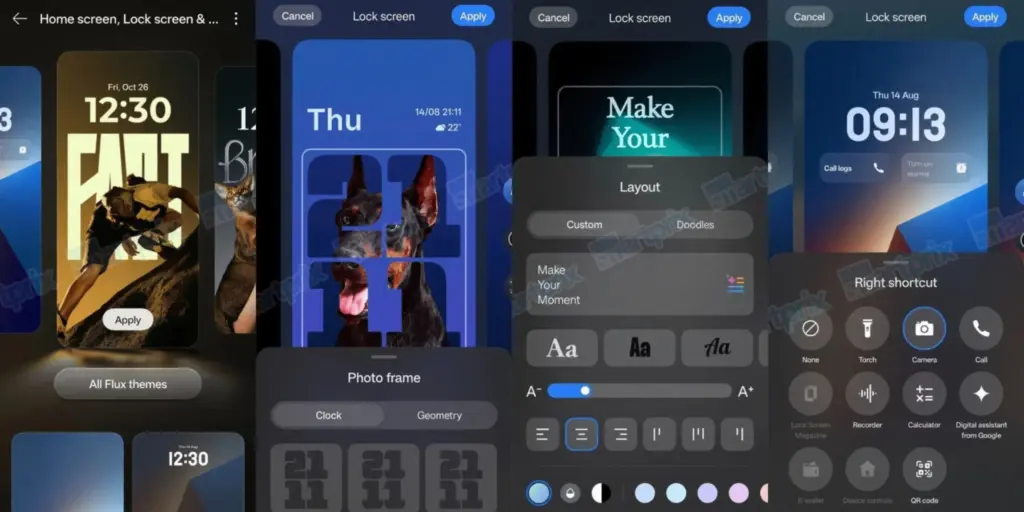
    ColorOS 16.1 lockscreen features

    AI improvements and AirDrop support

    Several AI features have been upgraded or introduced. Mindspace gains a new assistant called MindPilot, which supports ChatGPT, Perplexity, and Gemini directly within the app and responds to natural language queries. A new AI Menu Translation feature uses the camera to scan menus and foreign-language text and translate it on the spot, with the added ability to identify and convert different currencies — a useful tool for travel.

    The AI Bill Manager is a new addition that tracks expenses, income, daily averages, and monthly spending patterns. Users can set spending limits and query their financial data through the AI directly. Document Scanning has also been meaningfully improved — the system now automatically corrects wrinkles, shadows, glare, and blur in scanned images, handles handwriting, long paragraphs, and tables with greater accuracy, and saves documents directly to the Documents app. Multi-page scanning is faster as well.

    ColorOS 16.1 also adds AirDrop compatibility to Quick Share, enabling file transfers to Apple devices without requiring any third-party apps. This feature is currently limited to the Find X9 and Find X9 Pro. Additional changes include Caller ID and spam protection, a speaker equalizer, and OPPO Share.
  • Oppo Prepares Major ColorOS 16.1 Release – Surprising Features Leaked

    Oppo Prepares Major ColorOS 16.1 Release – Surprising Features Leaked

    Oppo is getting set to release a little update based on Android 16 that offers intriguing visual enhancements and quality-of-life changes, even though it has already started its Android 17 beta program. It is officially announced that ColorOS 16.1 will be released this month.

    You might be wondering if the ColorOS 16.1 update is compatible with your Oppo device and what new features or improvements to anticipate. Here is what we currently know.

    ColorOS 16.1 release date

    ColorOS 16.1 will be available on April 16, 2026, according to Oppo. For the Chinese market, this is the release date. For international markets, the corporation has not made the same announcement.

    The first phones to come pre-installed with the new ColorOS 16.1 software will be the Oppo Find X9s Pro and Find X9 Ultra, which will debut in China on April 21.

    The company may start releasing the ColorOS 16.1 update to older handsets in late April if previous rollouts are any guide, and the global rollout may start in May 2026.

    Oppo ColorOS 16.1 Release

    Which devices will get the update?

    The Find X9s Pro and Find X9 Ultra will launch with ColorOS, according to Oppo. It hasn’t said which older devices will get the upgrade, though.

    It’s safe to assume that the most recent Find X-series phones will be the first to receive the update. When the software is published next week, we’ll have more information about the devic

    What’s new?

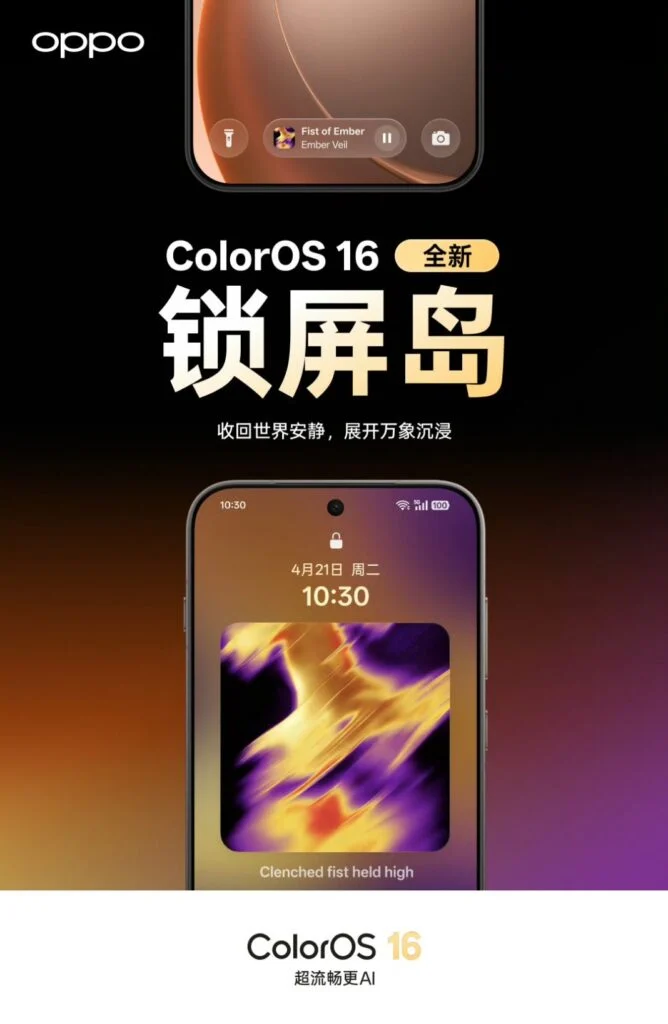
    Oppo has released a video ahead of the release date that highlights ColorOS 16.1’s exciting enhancements and new features. It displays a redesigned stacked notification center and updated Live Activities.

    Additionally, the video verifies that the recorder, timer, flashlight, maps, and ongoing calls will all be supported by the new Live Activities. Additionally, the new software adds a media player for the lock screen that is similar to iOS.

    Additionally, ColorOS 16.1 has a pill-shaped user interface piece at the bottom of the lock screen that resembles Samsung’s Now Bar in both appearance and functionality. The software will also have a redesigned camera user interface and new AI functions.

  • Oppo confirms launch date for ColorOS 16 based on Android 16

    Oppo confirms launch date for ColorOS 16 based on Android 16

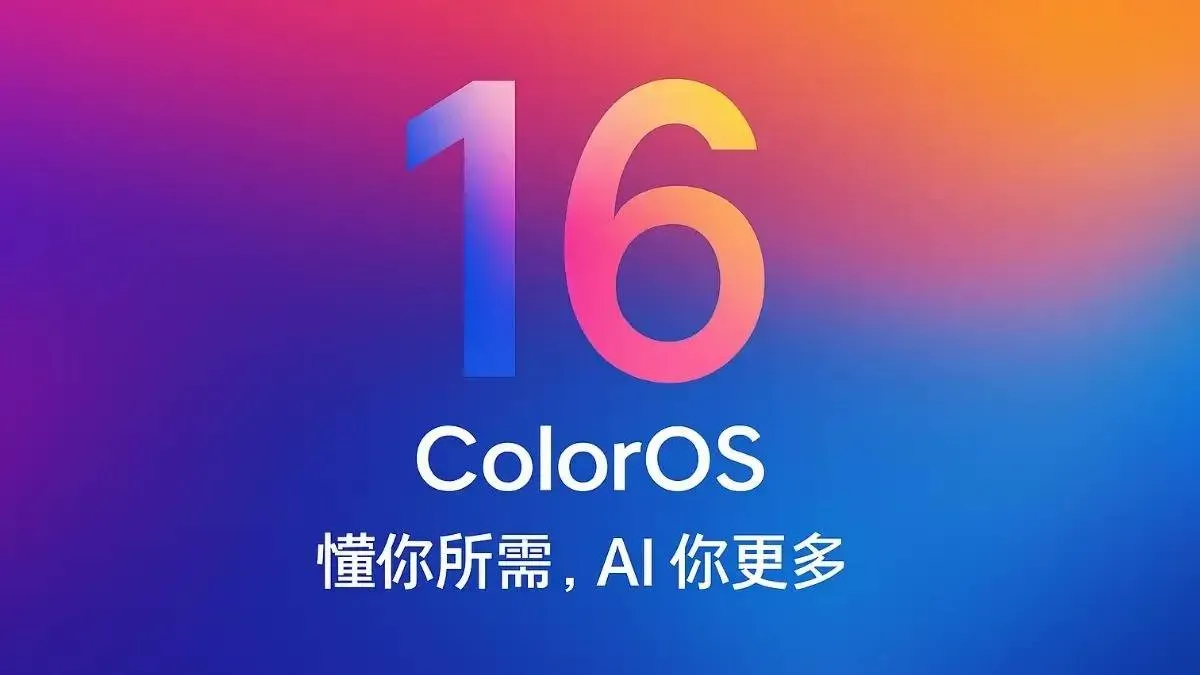
    Samsung began updating its handsets to Android 16 earlier this week, and Oppo will do the same, albeit it doesn’t appear to be happening anytime soon. A recent rumor claims that the Chinese smartphone manufacturer would formally launch ColorOS 16, which is based on Android 16, on October 15 (it would have been great if it had been October 16, but we’re getting ahead of ourselves).

    Although it’s unknown which handsets will receive an upgrade on that day, it’s hoped that the distribution will begin right away. After all, Android 16 has been available since June, so Oppo’s updating rate is appalling.

    Whats is new in ColorOS 16

    The primary update in ColorOS 16 will be a new Liquid Glass user interface (hello, Apple). This will have dynamic animations, layered glass-like elements, and a transparent appearance, similar to iOS 26. This will provide a “futuristic and colorful feel” to the user interface, according to the leak’s source.

    ColorOS 16 mega leak

    Performance enhancements, a full-screen Always-On Display (hey Apple!), and updated lock screen widgets are reportedly on the horizon. Along with a redesigned Photos app and other personalization choices, system responsiveness should be increased for a more seamless overall experience.

    The Find X9 and Find X9 Pro, which may actually be unveiled on October 15 at the same time, will, as you might imagine, be the first devices to run ColorOS 16 straight out of the box.

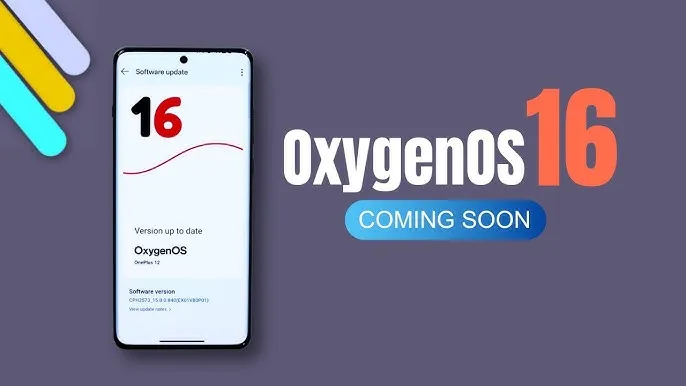
  • OxygenOS 16 expected soon with many new changes

    OxygenOS 16 expected soon with many new changes

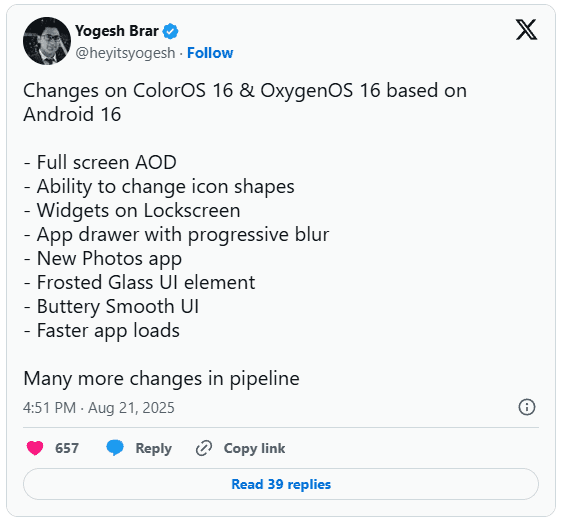
    You may soon notice some significant changes if you’re using an Oppo or OnePlus phone. In the upcoming Android 16-based updates from OnePlus and Oppo, OxygenOS 16 and ColorOS 16, tipster Yogesh Brar has leaked to some of the most significant changes.

    android 16 oxygenOS 16 changes

    New AOD (always on display)

    A full-screen always-on display is one of the notable features predicted for OxygenOS 16 and ColorOS 16. This version might display the complete screen instead of the condensed AOD we’re accustomed to, providing you with more quick access to information without waking the phone.

    There is more to the outward makeover. A new “Liquid Glass” type UI has been noticed, and yes, it looks a little like Apple’s design language. Anticipate a more fluid interface, gentler transitions, and features that resemble frosted glass. Brar also pointed out a revamped Photos app, new customization choices including changing the shape of the icons, and a more seamless user interface overall.

    oxygenos16 panel 1

    Lockscreen widgets are back

    Lockscreen widgets are an additional useful element. We’ve seen variants of this on Android before, which explains why it sounds familiar. Both Oppo and OnePlus are reintroducing it this time in a more streamlined manner. You could use lockscreen widgets to read reminders, manage music, and check the weather without unlocking your phone.

    Huge performance improvements

    Only when a new user interface functions properly does it matter, and OnePlus and Oppo appear to be working on that. The anticipated speedier app launches and smoother animations in OxygenOS 16 and ColorOS 16 should improve responsiveness for everyday use. Until you go back to an older build and see how clumsy it feels, small improvements like this are sometimes overlooked.

    Still in beta testing

    oxygenos 16 new look 1

    For the OnePlus 13 and 13s, OxygenOS 16 is presently undergoing closed beta testing. After the opportunity to apply for the beta emerged in its update area with the August 2025 patch, another tipster, Abhishek Yadav, recently noticed that the Nord 4 would shortly join the program. These closed betas are, as usual, restricted to a select few users and typically contain flaws.

    The Find X8 series marks the beginning of ColorOS 16 testing for Oppo users. Oppo released Android 16 betas for a few models earlier this year, and this latest listing indicates a wider release is imminent.

    When can we expect the OxygenOS release?

    Although neither business has formally disclosed a release date, past performance provides us with a ballpark estimate. OnePlus typically releases a stable version in November after launching an open beta in October. Oppo typically takes a similar approach, launching premium devices first and then moving on to mid-range versions.

  • On October 17, ColorOS 15 will be released, with an emphasis on AI.

    On October 17, ColorOS 15 will be released, with an emphasis on AI.

    The date of Oppo’s annual Oppo Developer Conference (ODC) has been announced as October 17, which is around one month away. The unveiling of ColorOS 15 will be the event’s high point.

    You can also infer what the new features will be about from the subject, “AI, One Step Closer.” Oppo will be exhibiting cutting-edge AI applications, technological innovation, novel approaches to enhancing user gaming experiences, insights into the future of transportation, and more during the ODC.

    ColorOS 15 will include a new feature called AI note assistant, which can arrange your notes intelligently and make any necessary edits with only one click.

    coloros 15 release date ai

    The OS and AI will be deeply integrated, and it appears that the main goals will be to enhance usability and performance. Based on Android 15, ColorOS 15 will include new features like enhanced multitasking on wide screens, private spaces, and device syncing of alerts.

    Mid-October is when Android 15 (AOSP) is anticipated to be ready; ColorOS 15’s release schedule will be revealed during ODC.

    While older models will be updated, the Oppo Find X8 series will be the perfect vehicle for ColorOS 15. It will have Oppo’s take on a Camera Control button, a Dynamic Island-type UI and a magnetic charging system, to complete the Apple-inspired trifecta.

  • ColorOS 13 will change how you use your smartphone

    ColorOS 13 will change how you use your smartphone

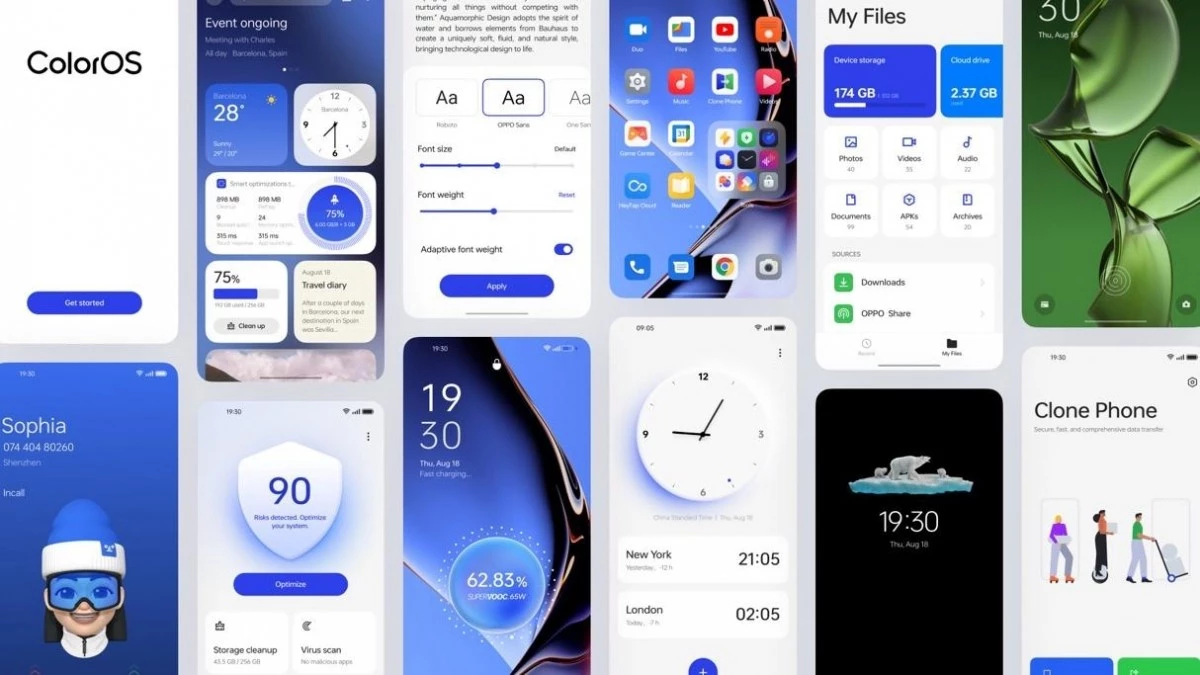
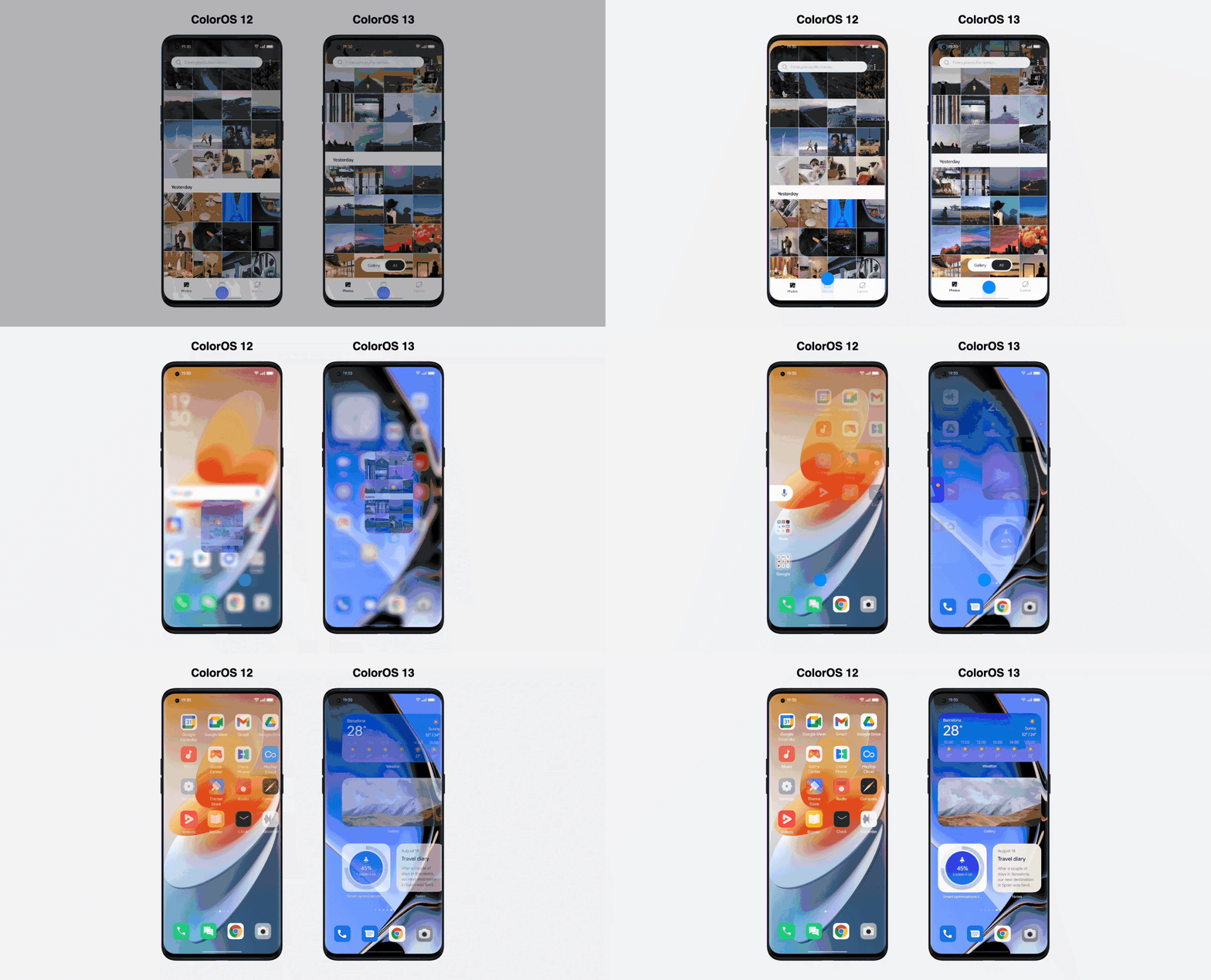
    Android 13 is here, and with it, OPPO has revamped ColorOS not only with Google’s latest update but a selection of new and better in-house features. ColorOS 13 has been updated for maximum efficiency and introduces cutting-edge smart capabilities to make the most of your apps and the technology in your phone, in addition to improved graphics and sophisticated customization tools.

    Here’s what you need to know about how OPPO’s latest technologies empower system performance and useful features in ColorOS 13.

    Dynamic Computing Engine

    High performance is now frequently taken for granted thanks to powerful processors and quick displays, but if recent chips are any indication, getting silky smooth performance still frequently comes at a cost to power consumption. The introduction of the Dynamic Computing Engine, an internal initiative to increase task scheduling effectiveness to boost performance and lower battery consumption, is one of OPPO’s key enhancements with ColorOS 13.

    More power

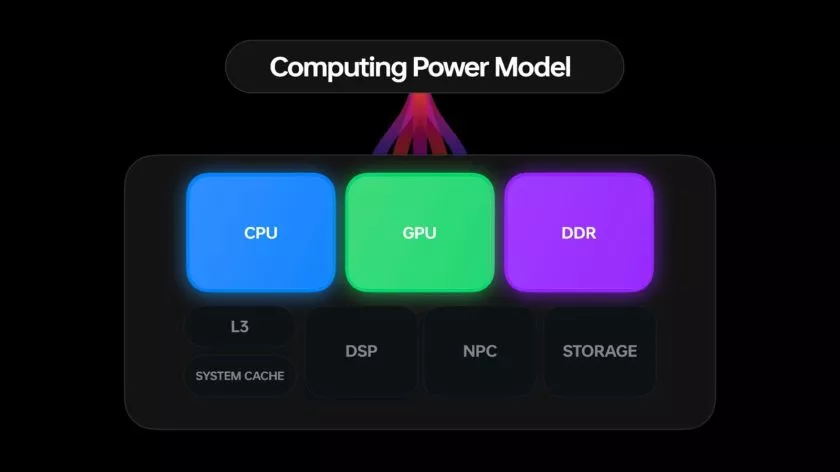
    Through what is referred to as OPPO’s computing power paradigm, the first half of the Dynamic Computing Engine strives to enhance common task scheduling. Three tiers of CPU cores seek peak performance, sustained performance, and low power consumption in today’s multi-core smartphone chipsets. Performance and power consumption of a phone are influenced by how apps and tasks are distributed around CPU cores.

    For example, running a background task on a large, powerful CPU would make it run more rapidly, but since it is a background process, you would only notice the increased power usage. So these kinds of operations should ideally be done on the lower power cores. To ensure responsiveness, it is best to use a strong CPU while starting a new app. The situation becomes trickier when balancing loads from multiple apps, all demanding CPU, GPU, and other resources at once.

    The developers at OPPO spent three years simulating millions of similar situations in an effort to remedy the situation. OPPO is able to precisely plan computational resources from hardware, such as CPU, GPU, and DDR, using a computing power model. To ensure snappy apps and all-day battery life, the resulting scheduling processing power model achieves the perfect combination of high performance and low power consumption.

    The proof is in the pudding: OPPO reports that its Find X5 Pro, equipped with this feature through ColorOS 13, can top an impressive 34 hours of battery life for doing everyday things. Their lab tests also showcase scenarios during which the Find X5 Pro can support up to 22 hours of video playback, 9 hours of continual gaming, and 8 hours of video calling.

    ColorOS 13 computing engine

    More speed

    The second aspect of the issue is performance limitations caused by running many apps simultaneously. The parallel processing engine developed by OPPO attempts to eliminate lag and interruptions brought on by memory use disputes. Processes must wait until the memory is free to access because “memory contention,” also known as locks, happens when many CPU threads attempt to access the same block of memory at the same time. This is a particularly troublesome bottleneck in multithreaded workloads and when releasing and swapping huge blocks of data into and out of RAM, like when relocating an outdated app to a swap partition to free up memory.

    The Dynamic Computing Engine has two approaches to this. First, OPPO parallelizes operations, such memory allocation and reclaim, breaking huge locks into smaller locks and helping apps to recover from a stall more rapidly. Second, the engine delays shifting programs to swap storage for a longer period of time, which reduces the possibility of massive locks in the first place. Therefore, the smartphone can now maintain multiple programs in the background, and users can switch between apps without experiencing slowness or losing the status of an app.

    Oppo ColorOs 13 Dynamic Computing Engine

    Additional computing technologies, such as Parallel Computing, High-Performance Computing, Intelligent Computing, and Device-Could Collaborative Computing, will be added to the Dynamic Computing Engine in upcoming versions. The Dynamic Computing Engine will continue to provide comprehensive enhancement to the fundamental experience in the upcoming years as a system-level technical solution.

    More Features

    It’s not just about making daily activities more fluid, effective, and battery-friendly with Color OS 13. It also makes use of these technological advancements to introduce some brand-new, sparkling features!

    Privacy is a priority

    Performance is excellent, of course, but a premium modern smartphone experience consists of much more than performance. Today, privacy is equally crucial, and ColorOS 13 offers some interesting new capabilities in this area as well.

    With ColorOS 13’s new Auto Pixelate feature, OPPO protects privacy with a self-created on-device AI system. Without access to the contents of your communications, Auto Pixelate can detect and automatically blur profile images and names in screenshots taken from Messenger and WhatsApp. Excellent if you want to share screenshots with contacts while maintaining user anonymity.

    ColorOS13 private files

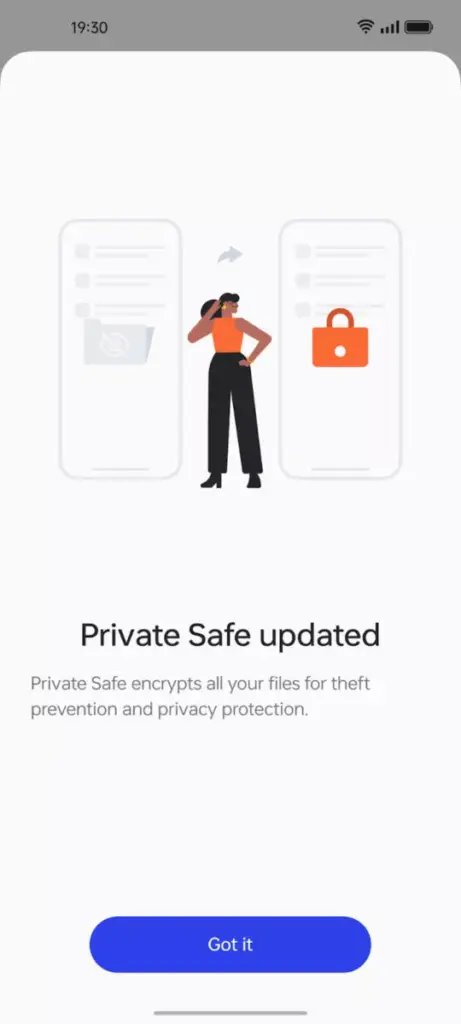
    Likewise, OPPO’s Private Safe for keeping critical documents, images, and videos is more secure than ever. The industry-standard AES algorithm now protects Private Safe directories. ColorOS 13 is OPPO’s most secure operating system to date when combined with Android 13’s built-in auto-clearing clipboard, Wi-Fi location concealing, and other privacy features.

    Improved always-on display

    oppo coloros 13 always on display

    If you think all of that is fairly clever, ColorOS 13 has a few other clever features in store that are intended to utilize the hardware and software of OPPO’s smartphone.

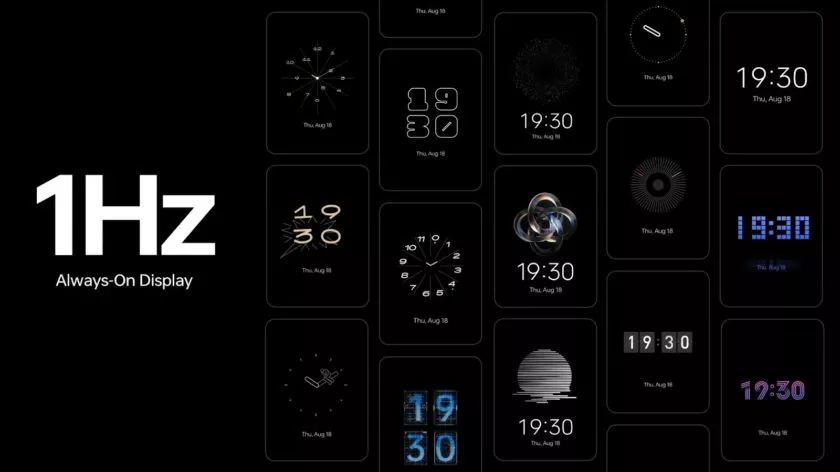
    The advantages of LTPO display technology have previously been demonstrated by OPPO’s premium smartphones, which can dynamically drop refresh rates to conserve performance while still offering silky smooth high refresh rates upon request. OPPO is utilizing LTPO2.0 with Always-On Display in ColorOS 13 to lower refresh rates to just 1Hz. Through Smart Always-On Display, you can still quickly check your notifications and use apps like Spotify without turning on your display. But in comparison to non-dynamic refresh rates, power consumption is further decreased by up to 30%.

    New UI

    Quantum Animation Engine

    ColorOS 13 also boasts improvements to OPPO’s Quantum Animation Engine. The introduction of behavioral gesture prediction allows ColorOS to anticipate multi-gesture operations, improving responsiveness for more complex interactions and ensuring a fluid and intuitive UI experience.

    New file transfer

    oppo coloros 13 tablet

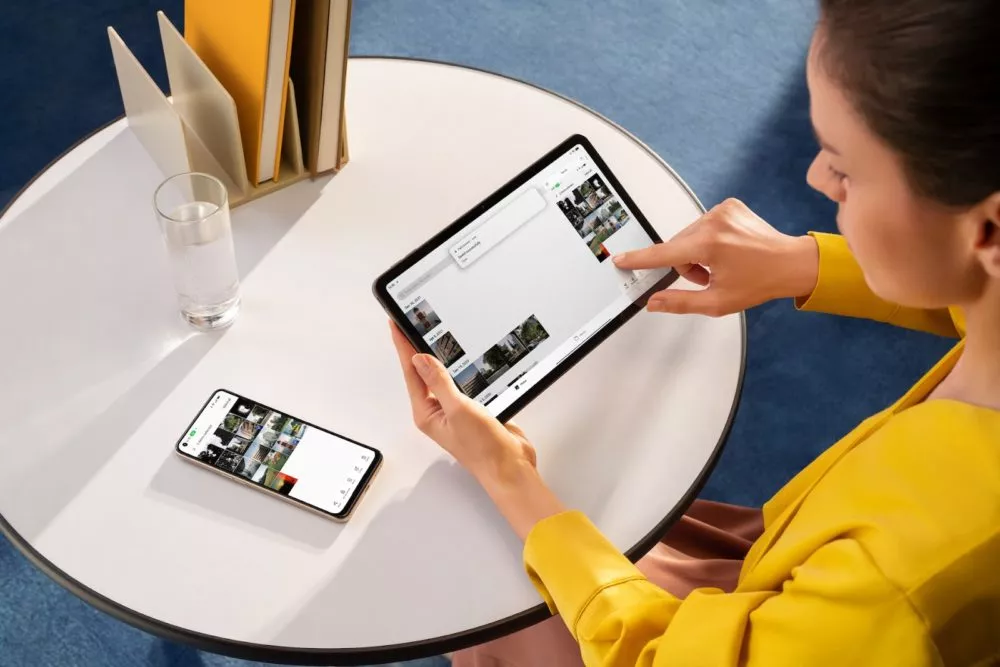
    Additionally, OPPO Share has been improved to support a large number of additional file kinds without using up your data plan. Files can now be transferred between devices using OPPO Share as part of Multi-Screen Connect, regardless of their format or the hardware of smartphones. Users who use numerous devices might increase productivity by sharing their clipboards. Aside from supporting smooth communication between your smartphone and PC, Multi-Screen Connect also offers connectivity between your smartphone and the OPPO Pad Air.

    Overall, OPPO’s Dynamic Computing Engine promises to enhance not just the performance of individual apps but also crucial multitasking and power consumption characteristics.

    OPPO is rapidly establishing a distinctive personality for its Android handsets, as evidenced by ColorOS 13, which is much more than just an Android 13 upgrade. There is enough of innovation for consumers to get their teeth into with under-the-hood technological advancements and optimizations for peak performance and battery life, combined with user-facing improvements to multitasking, privacy, and the UI.