Author: Robert Haba

  • Xiaomi HyperOS 3.0 new features and improvements

    Xiaomi HyperOS 3.0 new features and improvements

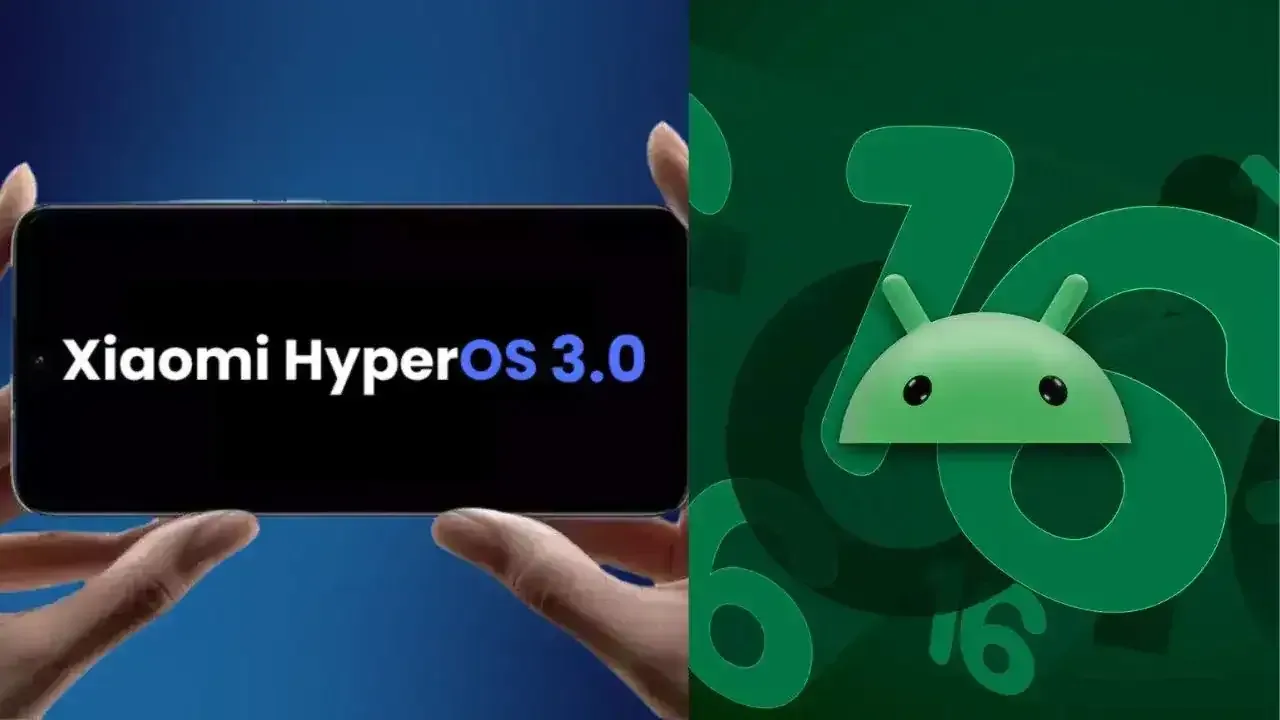
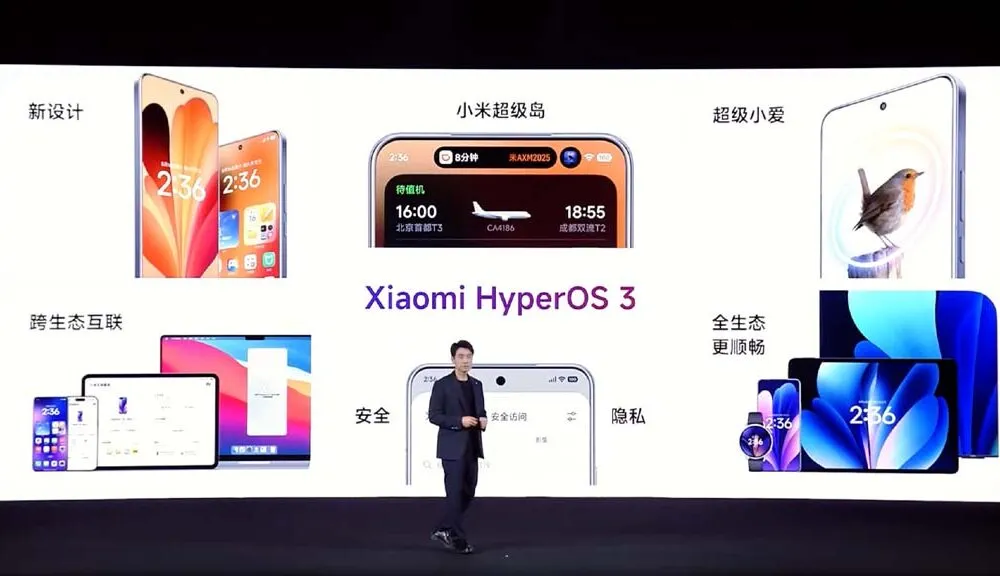
    Based on Android 16, Xiaomi has shown HyperOS 3, its upcoming significant software update. Along with a list of compatible devices, the brand has revealed new features and enhancements, and the rollout is soon to start. All of the HyperOS 3 features that will be available for Xiaomi, Redmi, and Poco devices are listed here.

    Design update
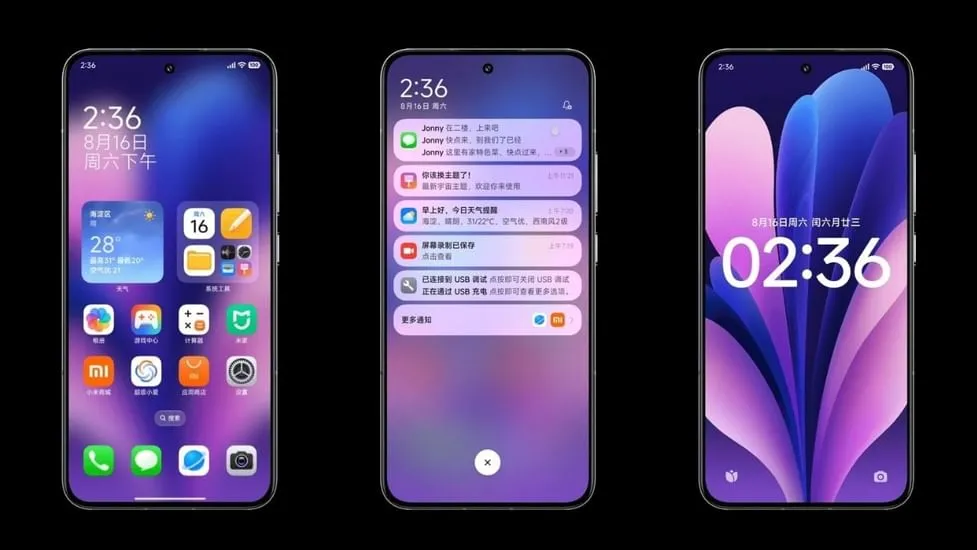
    hyperos 3.0 desgin update

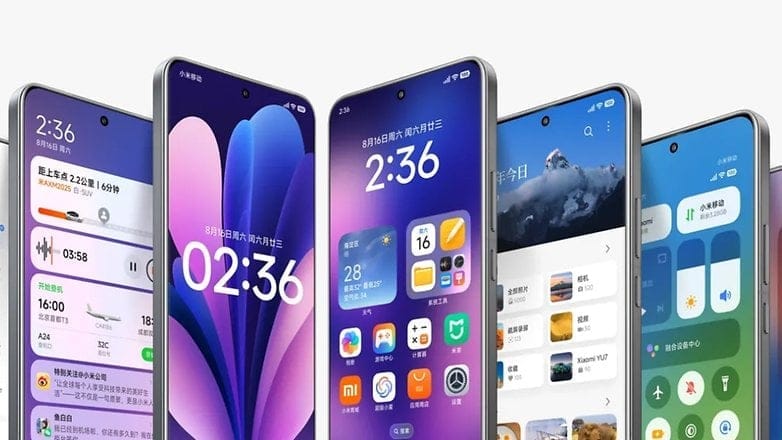
    Starting with the home screen, HyperOS 3 icons have a slightly increased contrast and a more 3D appearance. Clearer and more readable icons have also been added to the bottom bar. The improvement won’t be that noticeable to regular users.

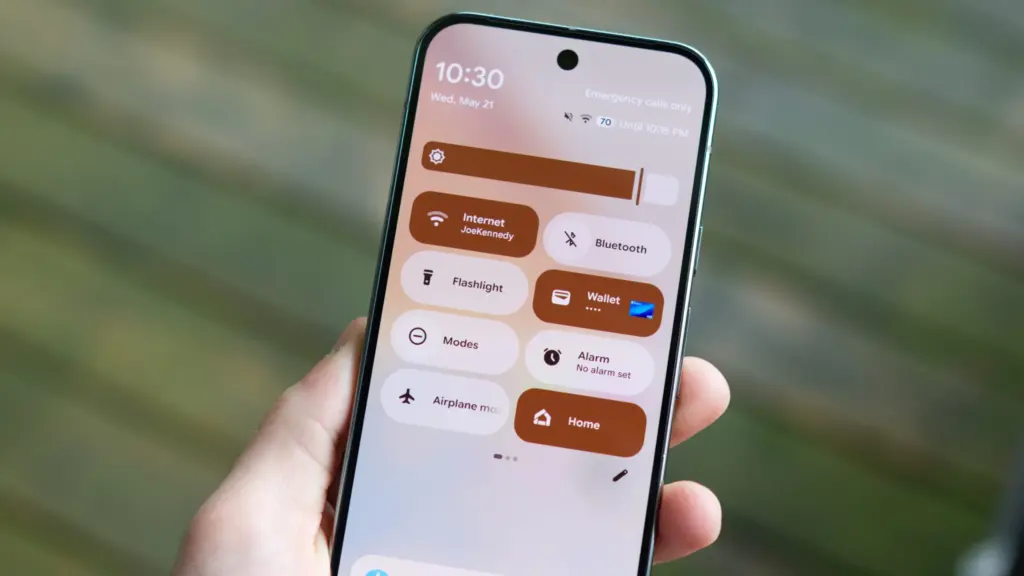
    Additionally, Xiaomi finally changed the HyperOS 3 status bar icons. With slightly more dispersed pieces and the battery % inside the battery indicator, the company’s strategy is comparable to Material 3 Expressive in stock Android.

    In order to provide HyperOS 3 a more unified and professional appearance, the home screen layout has been somewhat altered to be more uniform with tighter gaps between the widgets.

    Lockscreen customisations
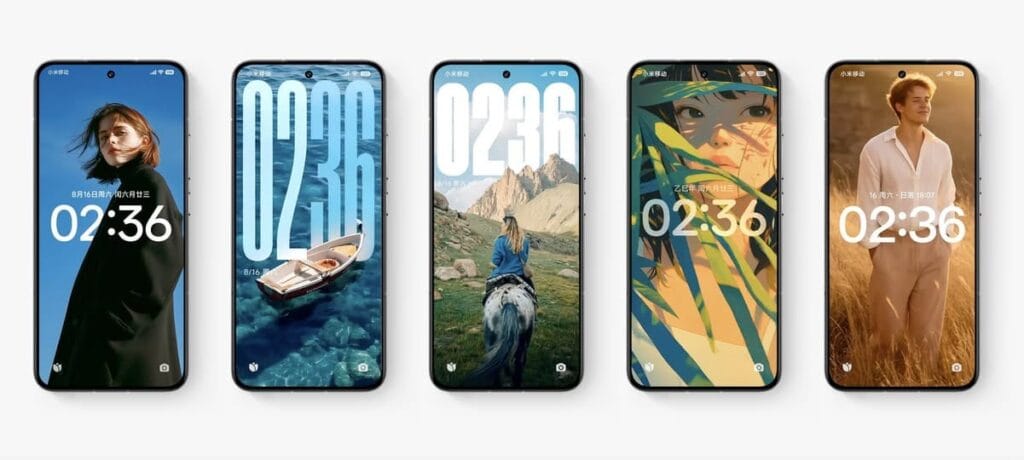
    hyperos 3.0 lockscreen customization

    HyperOS 3 introduces new lockscreen customizations and effects, as well as smoother unlock animations, in keeping with the immersive lockscreen user interface trend. Motion can be added to still images, and then the lock screen clock can be given Cinematic Depth. This is comparable to iOS 26’s new Spatial Scene feature, which gives lock screen backgrounds a 3D appearance.

    This feature is known by Xiaomi as “Movie lock screen,” according to our translation from Chinese to English. This function will assist in applying AI styles to images, enabling you to Ghibli-fy, dreamscape-fy, or Disney-fy your photos. Additionally, there is a library of community-made and shared custom lock screens available if you don’t want to invest the time in such artistic endeavors.

    Finally, users can now relocate the lock screen to the center in HyperOS 3. This is on top of the plethora of clock typefaces that can all be customized to fit the themes of your wallpapers. Users will find these settings in a single menu under the Wallpaper customization section, similar to OxygenOS or iOS.

    Super Island
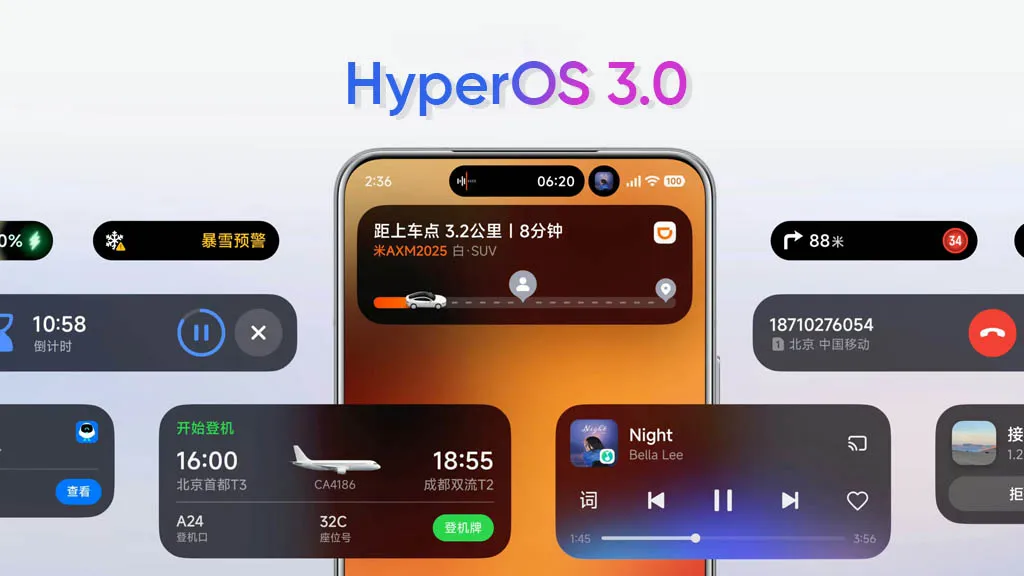
    super island

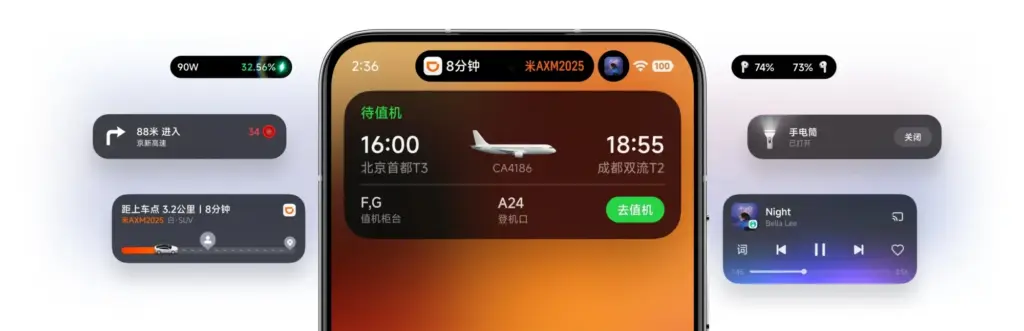
    Xiaomi is utilizing Xiaomi Super Island in HyperOS 3 to leverage live upgrades, one of the greatest aspects of Android 16. The functionality can display up to three live events simultaneously, and its implementation is eerily similar to Dynamic Island on iPhones.

    Around the selfie camera, you’ll notice a Super Island. After that, you can open a floating window for the current activity by swiping down on the pill to activate the feature. Two additional activities are displayed beside the floating window, one as a pill and the other as a circular icon. You can easily switch between these, and you may open the app by dragging them to the center of the screen.

    By dragging and dropping material straight from the Super Island to an app, HyperOS 3 will also make sharing simple. More than 70 apps are presently supported, according to Xiaomi, and support for more well-known apps will be added soon.
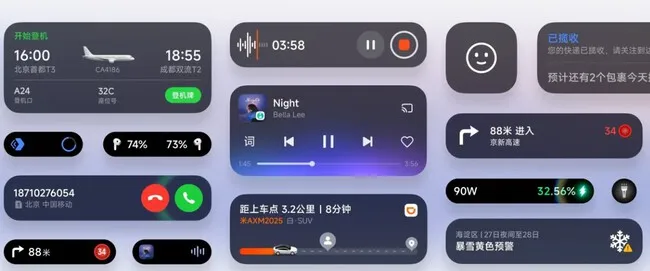
    hyperos 3 superisland

    NameDrop

    Similar to NameDrop, HyperOS 3 allows for the easy exchange of Wi-Fi passwords as well as images and videos. According to the firm, media may be moved quickly and without loss. It bridges the ecosystem divide by supporting both iPhones and Xiaomi devices.

    It’s important to note that the feature was briefly shown on stage and using HyperOS 3’s default Gallery app, which receives a number of enhancements of its own (more on that later). Even though Xiaomi didn’t go into detail, we can guess that it connects using NFC.

    Updated system apps and features
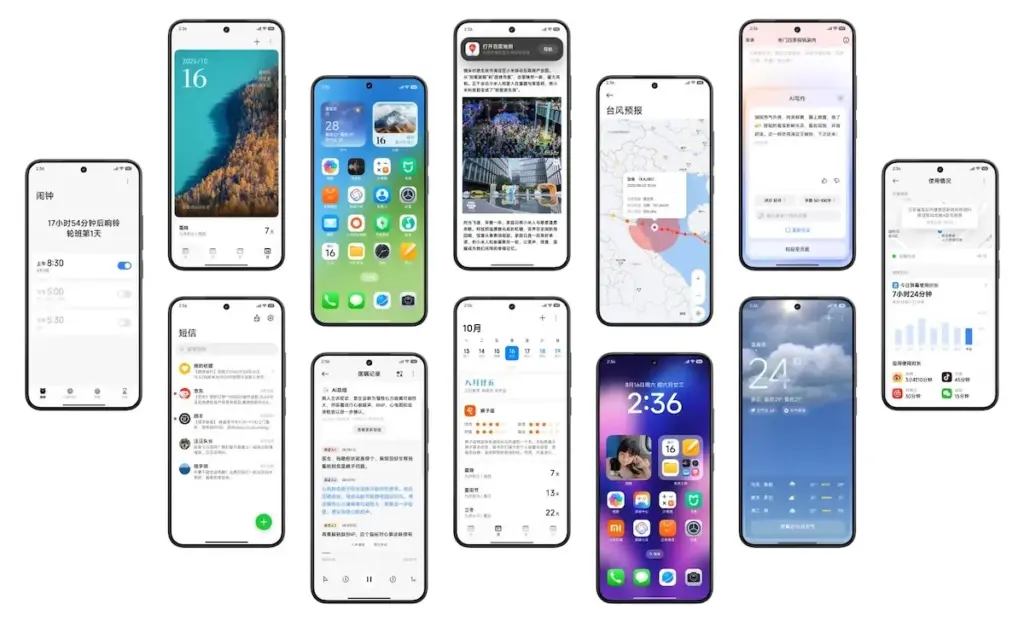
    hyperos 3.0 system apps update and design

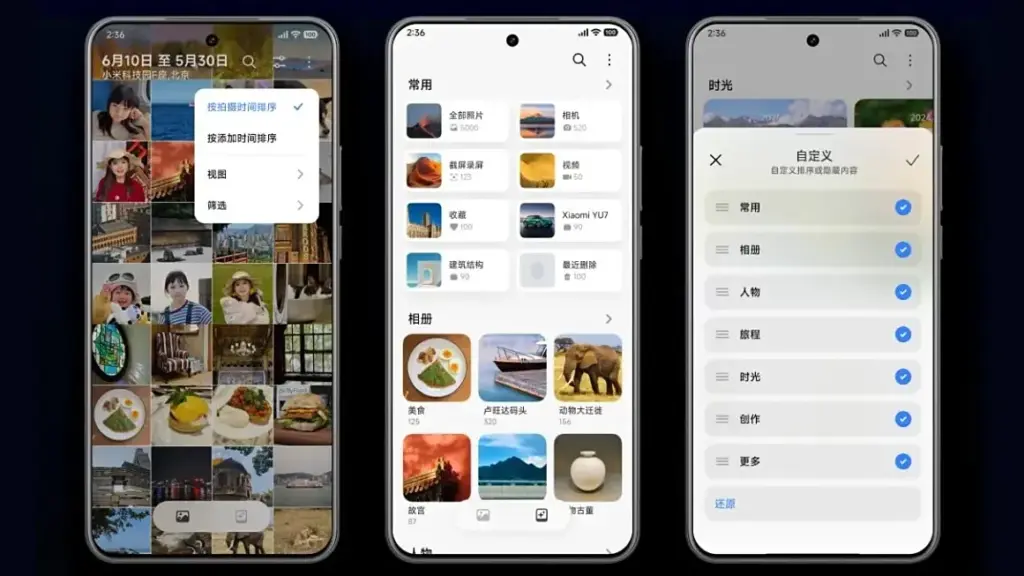
    Xiaomi is enhancing the HyperOS 3 app experience for a number of system programs, but its Gallery app is getting the most love. To begin with, users will now be able to quickly locate photographs according to their search preferences. In order to transition between layouts organized by date and continuous tiling, it offers photo view and photo sorting.

    AI advancements are enhancing the image search capabilities. For faster search results, the app’s image search has been optimized for over 30,000 keywords and 10 categories.

    Additionally, Xiaomi has included an algorithm that facilitates pet photo searches. The brand aggregates its photographs using pet body traits, just like it does with facial recognition.

    In addition, HyperOS 3 offers design enhancements for a number of its China-only apps, including the calendar, Xiaomi Shelf, voice recorder, weather, clock, and others.

    More AI features
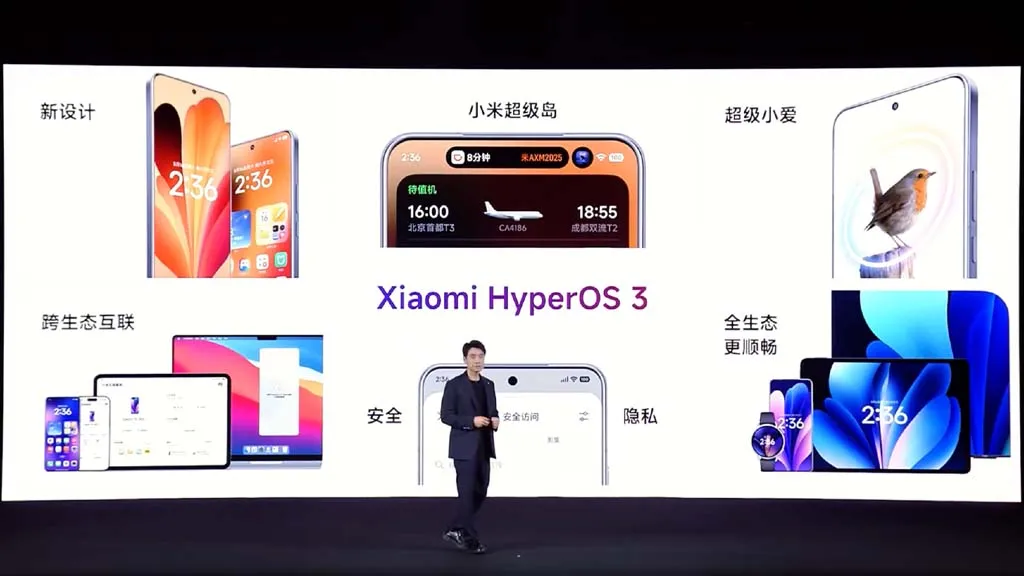
    hyperos 3.0 ai improvements

    Xiaomi is also improving its in-house Xiaoai with HyperOS 3 to provide suggestions more quickly and effectively. Google’s Circle to Search is comparable to the new Circle Screen functionality, which is driven by Xiao AI. This function allows you to circle a portion of the screen to obtain information about it.

    The agentic AI integration in HyperOS 3, which employs LLMs to carry out a number of activities for users, is by far the most fascinating innovation. For instance, it can initiate navigation to a location you wish to visit or place food orders from restaurants. By the end of September 2025, Xiaomi says its new AI agent-like capability will work with more than 80 apps.

    Xiaomi Watches will also get a number of new features with HyperOS 3. Similar to the Smart Boost option that shows your heart rate on a HyperOS-powered automobile, supported watches will allow you to transmit real-time workout data to your phone. Along with syncing music to smart speakers while working out, the watch and automobile will also sync navigation instructions.

    HyperOS 3 enhances split-screen multitasking, latency, and other aspects of tablets. Additionally, it has an enhanced PC-like browser and better app layouts for wide screens.

    HyperOS 3 supported devices and rollout calendar
    hyperos 3 relase calendar

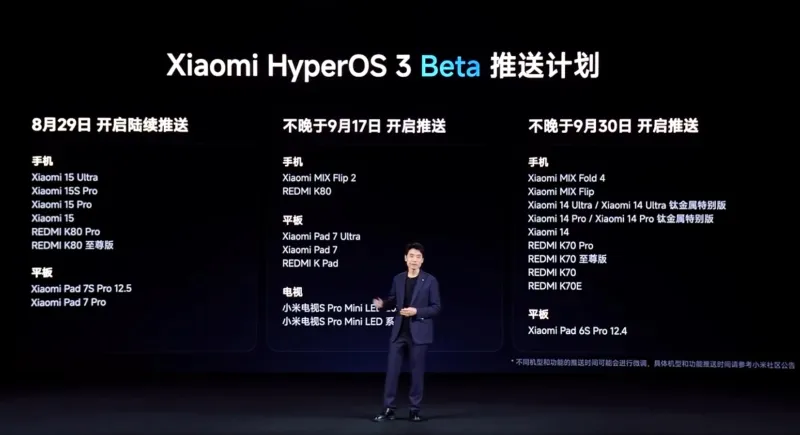
    Xiaomi has confirmed that a limited number of devices in China will begin receiving the HyperOS 3 Beta on August 29, 2025. Although the distribution is now limited to China, we have compiled a lengthy list of HyperOS 3 devices that are eligible for the upgrade in India and around the world.

    When Xiaomi releases a comprehensive list of devices that will receive the HyperOS 3 stable update, we will update the list and timeline of rollouts. By the end of 2025, we anticipate the stable update.

    The Xiaomi 15 and Redmi K80 series will be the first to receive the HyperOS 3 Beta. On September 17, 2025, the Mi Mix Flip 2 will take its place. On September 30, 2025, the Redmi K70 series, Xiaomi 14 series, and Mi Mix Fold 4 will be available for beta testing.

    All of those are the new HyperOS 3 features that Xiaomi has disclosed. The layout of the home screen and lock screen in particular has been optimized in this release. Xiaomi adds that games should benefit from 1% lower frame rates and lower battery usage, and that latency has been lowered by 21%.

    For Indian lovers of Xiaomi, Redmi, and Poco, this is an all-around great update. To find out more about the HyperOS 3 upgrade rollout in India and around the world, keep checking back and bookmarking this site.
  • How to install Android 16 QPR1 on the Pixel devices

    How to install Android 16 QPR1 on the Pixel devices

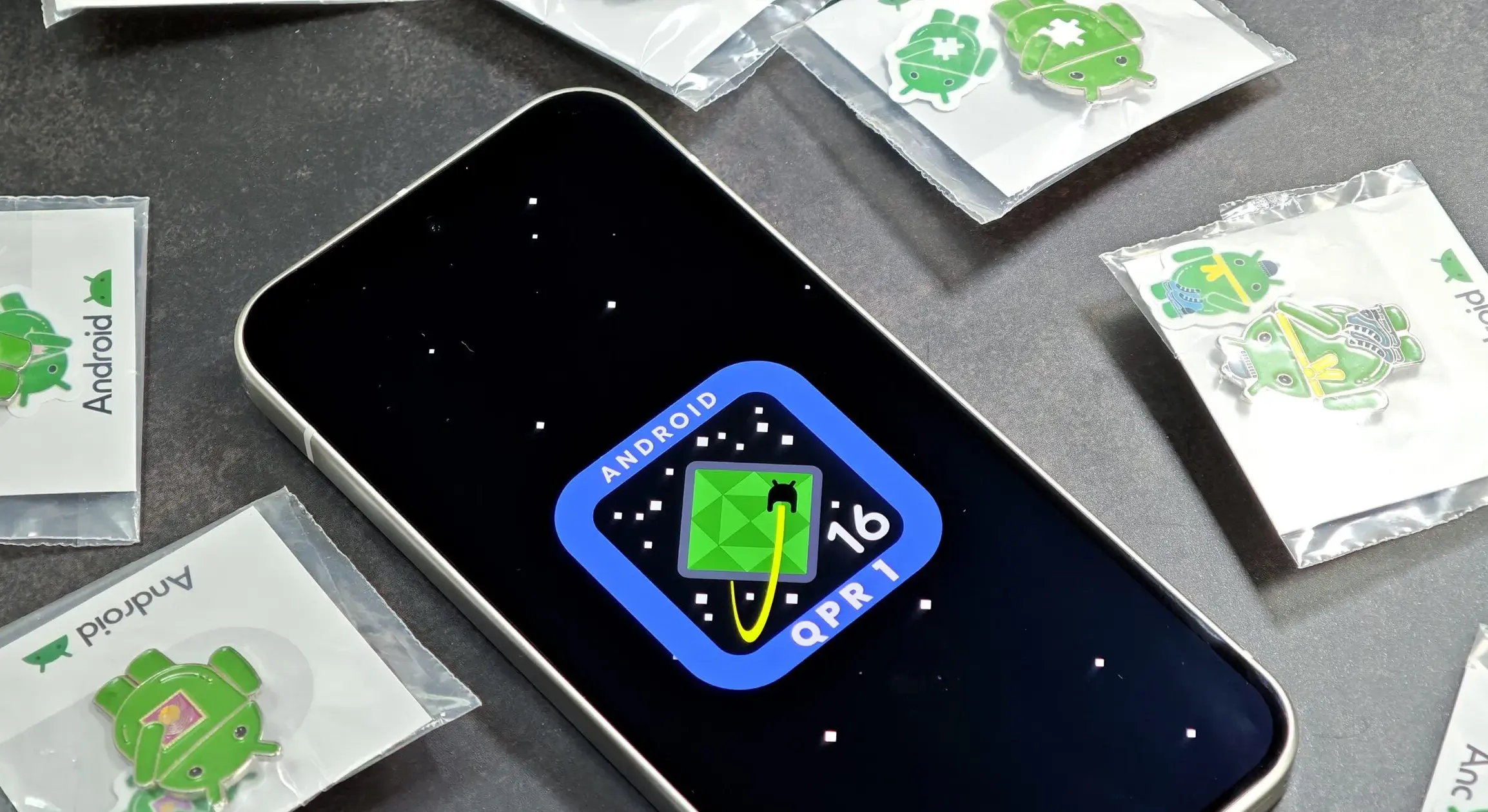
    The major update of Android 16 has finally arrived, and Google Pixel owners can now get the QPR1 update. This is how to set it up.

    The long-awaited Android 16 has finally come after a well-known initial release earlier this year. With the first stable release of Android 16 QPR1 currently accessible on Google Pixel devices, the massive Material 3 Expressive redesign is officially live.

    android 16 qpr1 on pixel devices

    Which Pixel models are capable to running Android 16 QPR1?

    Android 16 QPR1 is now available on more devices than ever before, thanks to Google’s extended software support schedule. Every Pixel published since 2021 is on the list:

    • Pixel 6
    • Pixel 6 Pro
    • Pixel 6a
    • Pixel 7
    • Pixel 7 Pro
    • Pixel 7a
    • Pixel Tablet
    • Pixel Fold
    • Pixel 8
    • Pixel 8 Pro
    • Pixel 8a
    • Pixel 9
    • Pixel 9 Pro
    • Pixel 9 Pro XL
    • Pixel 9 Pro Fold
    • Pixel 9a

    In the meanwhile, this update is pre-installed on the Pixel 10, Pixel 10 Pro, and Pixel 10 Pro XL.

    How to get Android 16 QPR1 on your Pixel device

    Downloading an OTA update is the primary method for installing Android 16 QPR1 on a Pixel phone. To accomplish this, select “Check for update” under Settings > System > Software updates. It could be able to pull the update a bit quicker than you’d receive a notification, but it might not function right away.

    As an alternative, you can manually sideload the update.

    Alternatively, you can sideload the update manually.

    To do this, follow the steps below:

    1. Download the needed files.
    2. Boot into Recovery mode.
    3. Navigate to ADB sideload.
    4. Connect the handset to a computer with ADB tools installed.
    5. Enter the sideload command.
    6. Reboot your phone.

    Before installing an OTA file, you need unlock your bootloader or, at the absolute least, enable OEM Unlock in developer options, even though this procedure is usually safe.

    Download Android 16 QPR1 files

    You must first download the necessary files in order to install Android 16 QPR1 on your Pixel.

    The OTA file is available for download on Google’s OTA Image hosting website. You must scroll down to make sure you are getting the file that is linked to your device because that website has OTA files for sideloading several updates, including Android 16 QPR1, on all Pixel and Nexus devices. OTA downloads are available HERE for Android 16 QPR1. Examine each device’s most recent build.

    Boot into Recovery mode

    Your Pixel will then need to boot into recovery mode. Turn off your phone completely to accomplish this. Next, press and hold the Power and Volume down buttons simultaneously until you reach the Bootloader screen. If you see an Android figure lying down on the screen, you know you’re in the proper area.

    To access Recovery mode, use your volume buttons to scroll down. Click the power button to select this. As an alternative, you can use the reboot recovery command if you’re already connected to a computer via ADB.

    A tiny Android with an exclamation point over it should now be visible to you. To fully enter Recovery mode, press the Power and Volume up buttons for approximately one second. You will enter Recovery after you release the Volume Up button.

    Go to ADB sideload

    Scroll down to Apply update via ADB using the volume buttons, then press the power button to choose it. This will start a largely blank screen with instructions on how to sideload an OTA toward the bottom.

    Connect your device to a computer with ADB tools installed

    Since there is no other means to move the downloaded OTA file to your phone, this step is crucial. ADB and Fastboot utilities must be kept close at hand. You can install Android Studio in its entirety or use the Command Line tools to obtain ADB tools from the Android Developers website. Additionally, you can utilize ClockWorkMod’s Universal ADB Drivers, which may facilitate the process for Windows devices.

    For a quick and simple installation process, I personally unload the tools from the Android Developers website and add a shortcut to “cmd.exe.” The downloaded software build must be placed in the same folder as the “cmd.exe” file in order to accomplish this.

    Sideload command

    Now that you have everything set up, you may sideload the OTA file. Make sure the ADB tools folder is in the Command Prompt on Windows, then enter adb sideload. If you’re using Linux or macOS, follow the identical steps in Terminal (make sure your Terminal is pointing to the correct folder by using the “cd” and “ls” commands; if you need assistance, Google it) but enter “./adb sideload.” Then, to begin the procedure, enter the file name of the.zip folder you obtained from Google and press Enter.

    Your computer and phone should display a dialog box that explains the sideload and installation procedure if everything is operating as it should.

    Reboot device

  • This week’s Android and iOS temporarily free apps

    This week’s Android and iOS temporarily free apps

    Searching for the most amazing offers without breaking the bank? Each week, premium apps and games are available for free download for a brief period of time on both the Apple App Store and the Google Play Store. Whether you enjoy immersive games, lifestyle apps, or productivity tools, these short-lived sales are the ideal way to add to your collection without breaking the bank.

    The most recent free applications and games for iOS and Android are highlighted in this roundup. It’s a good idea to take advantage of these time-sensitive bargains before they revert back to their normal pricing. We’ll update the list frequently, so you won’t ever miss out on special offers for your preferred mobile devices.

    google play store apps

    Android apps and games

    Apps

    • English Verbs Pro ($3.99): If you want to up your verb game in English, this app will help nudge you forward.
    • Sharks 3D ($0.99): Want a live wallpaper without having to go to the aquarium? See sharks swimming around.
    • Color Wheel ($1.99): Any graphic designer or artist would definitely want to have this app at their disposal in selecting the most accurate color possible.
    • Rotation Control ($0.99): I guess this is useful for older devices that do not have built-in rotation controls.
    • 3D Anatomy ($2.99): This looks like a rather nifty app to help people get familiar with the human anatomy.

    Games

    • SPHAZE ($0.99): A sci-fi puzzle game that tickles your imagination while featuring great-looking graphics.
    • Empire Warriors: Tower Defense ($0.99): A tower defense game with cartoonish graphics that will surely keep you peeled.
    • Survival Island: Evolve Pro ($0.49): You’re marooned on an island and need to make sure you can do the necessary to remain alive.
    • Word Connect Crossword ($2.99): If you love words, then this crossword variant will keep you entertained. 

    iOS apps and games

    Apps

    • Haplo AI ($4.99): An offline chat AI that keeps your conversations private.
    • 3D Anatomy ($2.99): If you’re curious to get up close and personal with the human anatomy, then this app can help.
    • Sprite Pencil ($1.99): Come up with amazing pixel art using this app, although some patience is required. 
    • Magic Emoji ($1.99): You can call this an emoji kitchen, where various emojis can be merged to create a new one.

    Games

    • Peg Pals Pro ($1.99): A fast yet relaxing puzzle game that will keep your brain occupied during pockets of idle time.
    • Animal Math Games School Ed ($12.99): A game for the little ones who want to pick up math.
    • Cypher Vocab ($0.99): A GRE vocabulary game to help build up your word power. 
    • Fiete Choice ($2.99): Want to keep your little ones occupied? This game will garner their attention.

    The deals were active on the day of publication. Please leave a comment below if you come across an expired deal.

    Before downloading any of the aforementioned apps, we advise you to review the app’s details in the App Store or Play Store. Because some of these free programs might offer unique features or drawbacks of their own, this is crucial.

    Both free and paid apps should be avoided since they could have unnoticed in-app purchases and adverts. This is especially important while downloading kid-friendly games. In the rapidly evolving world of mobile apps, numerous companies use cunning tactics to obtain your personal information. But tech buffs, don’t worry! We’ve compiled some crucial advice to help you safeguard your important data. Being selective about the permissions you grant the apps you decide to install is an essential first step.

    Discover the wide range of free apps that are accessible on the iOS and Android operating systems, all while protecting your data.

  • Update Now! the fix for critical WhatsApp bug that allows hackers to spy on iPhones is live

    Update Now! the fix for critical WhatsApp bug that allows hackers to spy on iPhones is live

    You should be aware that not everyone using WhatsApp is safe. Meta has alerted users to a significant security vulnerability that hackers used to launch a sophisticated, focused malware campaign that compromised dozens of WhatsApp accounts. This is why it’s important and why you should upgrade the app right now.

    In order to fix a vulnerability that was exploited in conjunction with another weakness in Apple devices, WhatsApp declared on Friday that it has released an emergency patch for its messaging program on iOS and Mac. According to reports, a week before WhatsApp’s upgrade, Apple resolved the security flaw in its devices.

    whatsapp bug fix

    Why is this so dangerous?

    Hackers reportedly used a well-known zero-click attack—a technique that compromises a device without requiring user interaction—to successfully exploit both vulnerabilities. In certain situations, a victim might get a link or image from an attacker, who might then take control of the device and run malicious code to spy on or steal private data without the victim having to click.

    Meta acknowledged notifying dozens of people it thought were the campaign’s target. A copy of the alert message, which detailed the reason for the warning and the next steps, was posted on X by the head of the security company Amnesty Tech. The notification suggested that victims reset their device to factory defaults.

    We’ve made changes to prevent this specific attack from occurring through WhatsApp. However, your device’s operating system could remain compromised by the malware or targeted in other ways.
    To best protect yourself, we recommend a full device factory reset. We also strongly urge you to keep your devices updated to the latest version of the operating system, and ensure that your WhatsApp app is up to date.

    Meta

    These kinds of advertisements have already targeted WhatsApp users. Similar zero-day exploits have been connected in the past to monitoring operations targeting prominent people, such as journalists and politicians.

    What should you do to be safe?

    Even though only a small percentage of WhatsApp users were impacted, others should still be concerned about this attack. Installing the most recent security update for your Apple device and updating WhatsApp on your Mac and iPhone are highly advised.

    Even while Android users aren’t being targeted by this operation, they could still be at risk due to the same WhatsApp flaws. They should also install the most recent Android security patch and update to the most recent version of WhatsApp. Users who believe they may be in danger can manually activate new features like Advanced Device Protection, which provide an additional layer of security.

  • OnePlus 15 specs leaked on Geekbench: 16GB of RAM, Snapdragon Elite 2 and Android 16

    OnePlus 15 specs leaked on Geekbench: 16GB of RAM, Snapdragon Elite 2 and Android 16

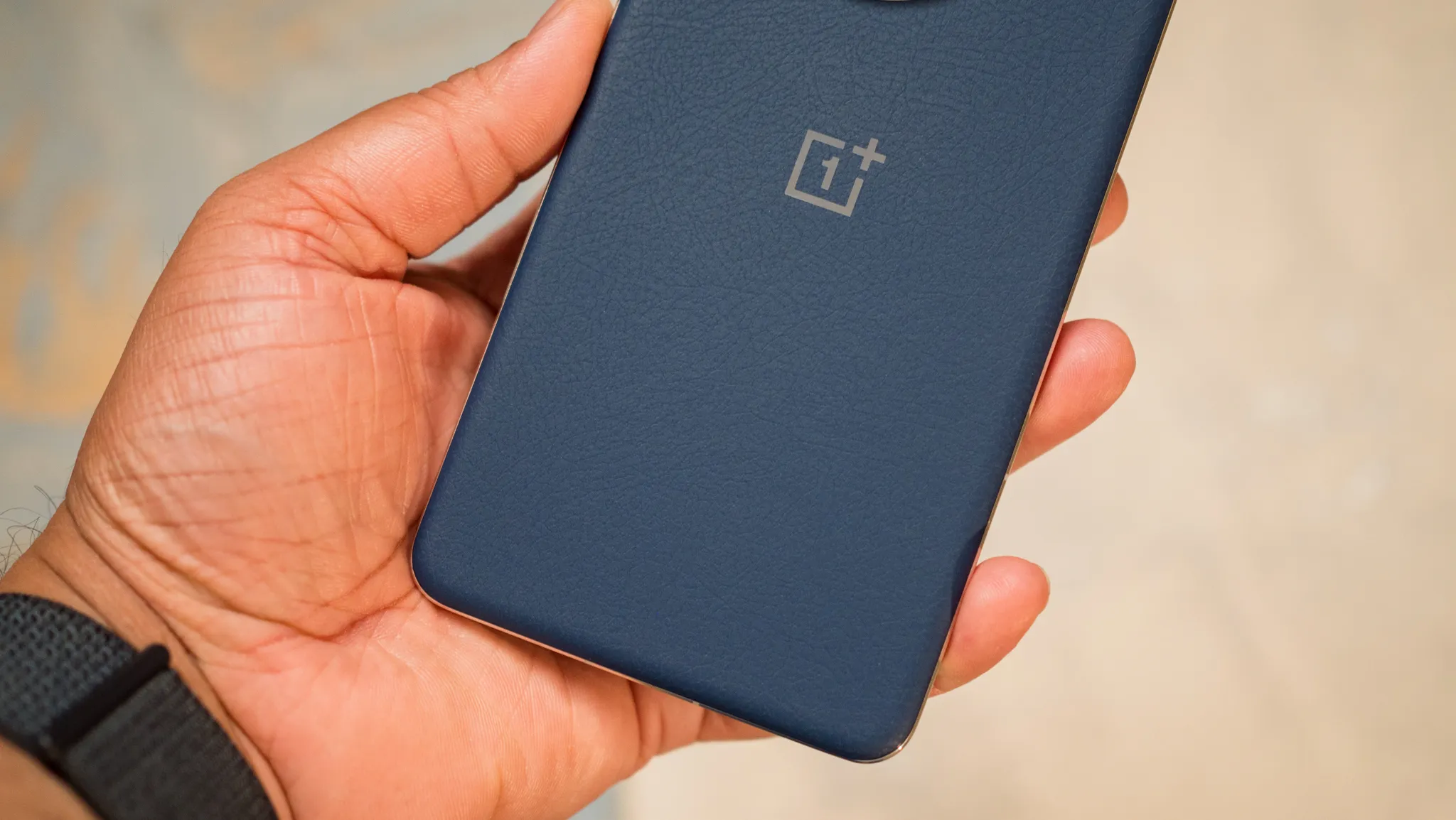
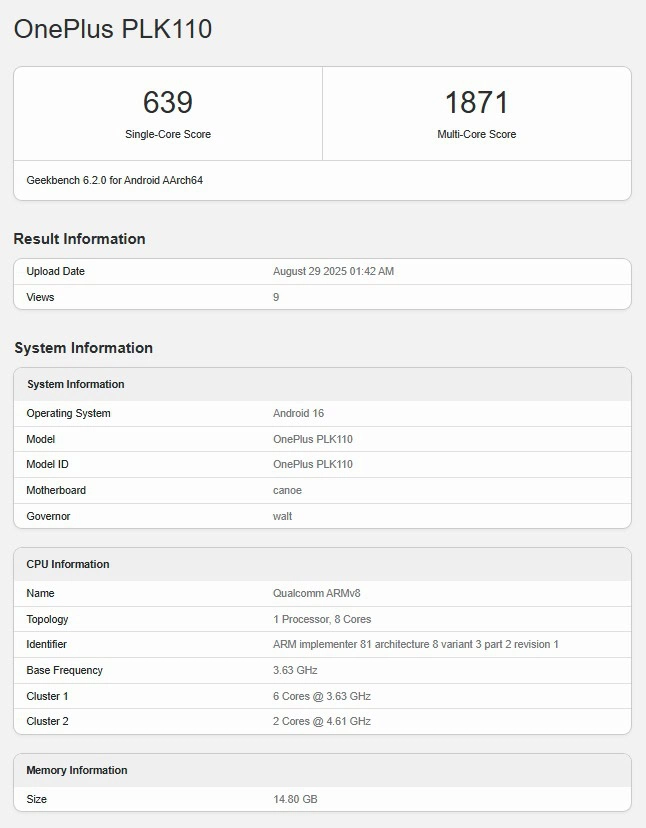
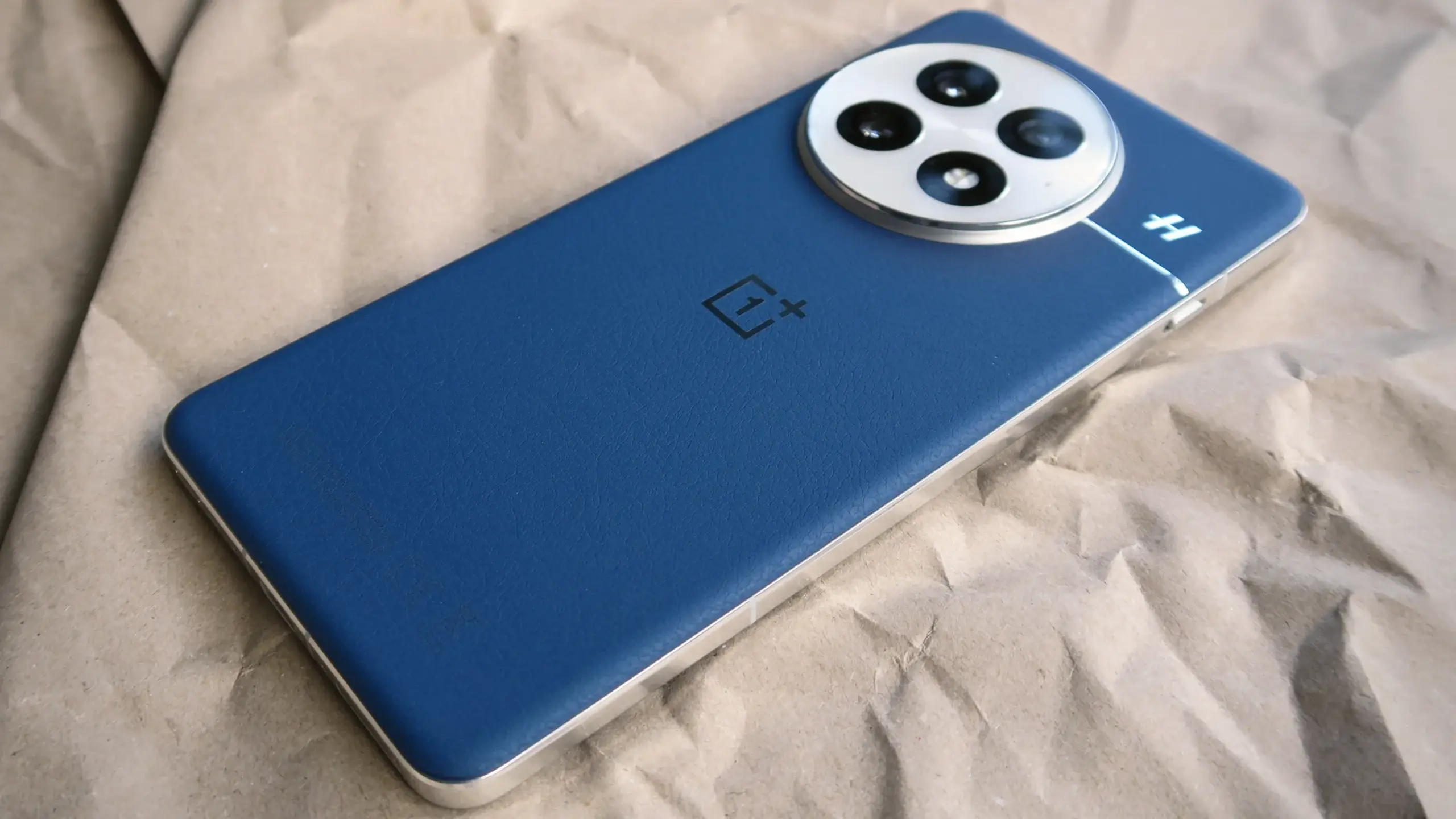
    The benchmarking website Geekbench recently featured the OnePlus 15. In addition to providing testing results and other information you might find useful, this listing verifies the phone’s processor.

    It is clear which phone this is, even if it was listed with the OnePlus PLK110 model number. The results of its benchmarking are one thing you should absolutely ignore. Naturally, this is a test unit, and it isn’t even operating at full capacity. The results displayed are unrelated to the real power of the next phone or processor.

    In relation to that, the Snapdragon 8 Elite 2 processor will power the OnePlus 15. October is when that chip is anticipated to arrive. One of the first devices to use it will be the OnePlus 15.

    The smartphone will come with 16GB of RAM, according to this listing. Well, 16GB of RAM will be present in at least one of its models. LPDDR5X RAM is what we anticipate OnePlus to use, but we’ll have to wait and see.

    Oneplus 15 benchmark before release

    OnePlus 15 will come with OxygenOS16 on top of Android 16

    This listing also disclosed that, as anticipated, Android 16 will be pre-installed. Naturally, Google’s OS will have OxygenOS 16 pre-installed on top of it.

    This listing indicates that the Snapdragon 8 Elite 2 will have six secondary cores operating at 3.63GHz and two prime cores operating at 4.61GHz. That portion is very likely accurate, but the outcomes aren’t worth mentioning, as was already said.

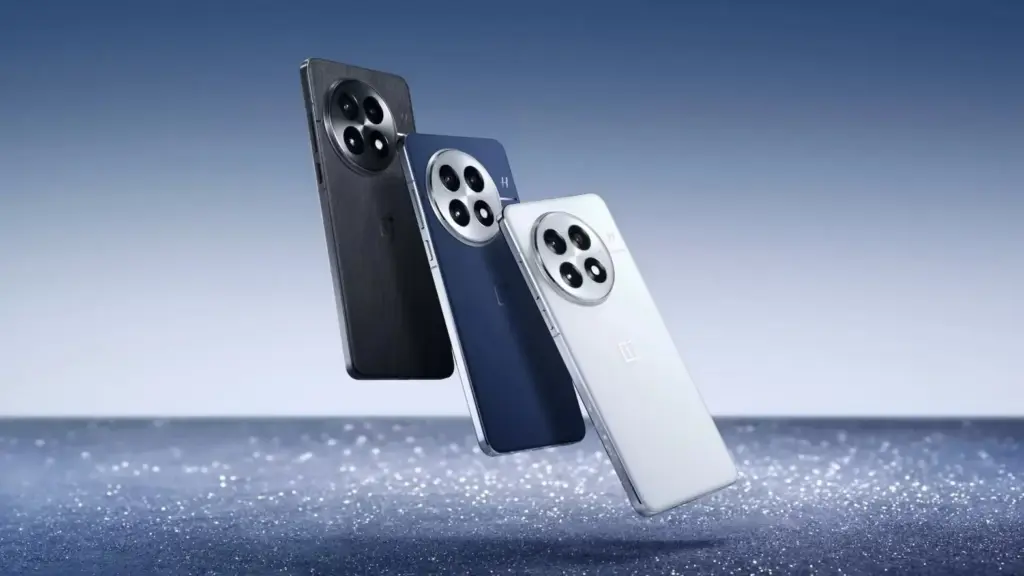
    Although the global version will be delayed, the OnePlus 15 will ship before the year ends, most likely in October. It’s probably going to arrive in Q1 of next year. Additionally, OnePlus is eschewing the OnePlus 14 moniker. The OnePlus 4 moniker was omitted by the corporation since the number four is unlucky in China.

  • Grab the OnePlus 13 for up to $250 off – flash #deal

    Grab the OnePlus 13 for up to $250 off – flash #deal

    The OnePlus Store has a fantastic deal for students this back-to-school season. We are discussing a significant $150 reduction on the top-tier OnePlus 13. Additionally, a chic wood grain magnetic half-pack cover (worth $39.99) is included with the phone for free.

    That’s not all, though. You will receive an additional 10% off the flagship OnePlus if you create an account (or login in) and validate your student credentials. As a result, students can now get the flagship for just $674.99 instead of $899.99. Not a pupil? No issue—get an additional $100 discount when you trade in any device, regardless of condition.

    OnePlus 13R 1

    OnePlus 13

    OnePlus 13 delivers a faster and more intelligent experience thanks to a better chip and new AI features, buy the OnePlus 13 online and get the best price.

    oneplus 13 back to school deal colors

    Regardless of your perspective, that is a very attractive asking price for a beast with a Snapdragon 8 Elite processor. However, its performance isn’t the only thing that makes it an excellent option for Android enthusiasts. The phone has a remarkable 6.8-inch OLED screen with outstanding color temperature and brightness.

    With three rear cameras, the Android phone boasts an outstanding camera as well. It captures excellent images with precise sharpness thanks to its 50MP main, 50MP ultra-wide, and 50MP 3x telephoto lenses.

    How about software? The OnePlus device comes with years of OS updates and is pre-installed on Android 15. For a more pleasurable experience, it includes a highly customisable UI along with some AI features like Circle to Search. It’s also a strong candidate for the top Android phone of 2025 because to its large 6,000mAh battery and fast 80W charging.

    What do you think, then? This might be the phone you’ve been looking for to get you through the next school year. Long battery life, gorgeous design, and outstanding performance are all features of the OnePlus 13. It’s even more alluring now that it’s on sale for $250 off with any trade-in (or $225 with student discounts). Before it’s too late, get yours and start saving.

  • Get the Samsung Galxy S25 Edge with a great discount now!

    Get the Samsung Galxy S25 Edge with a great discount now!

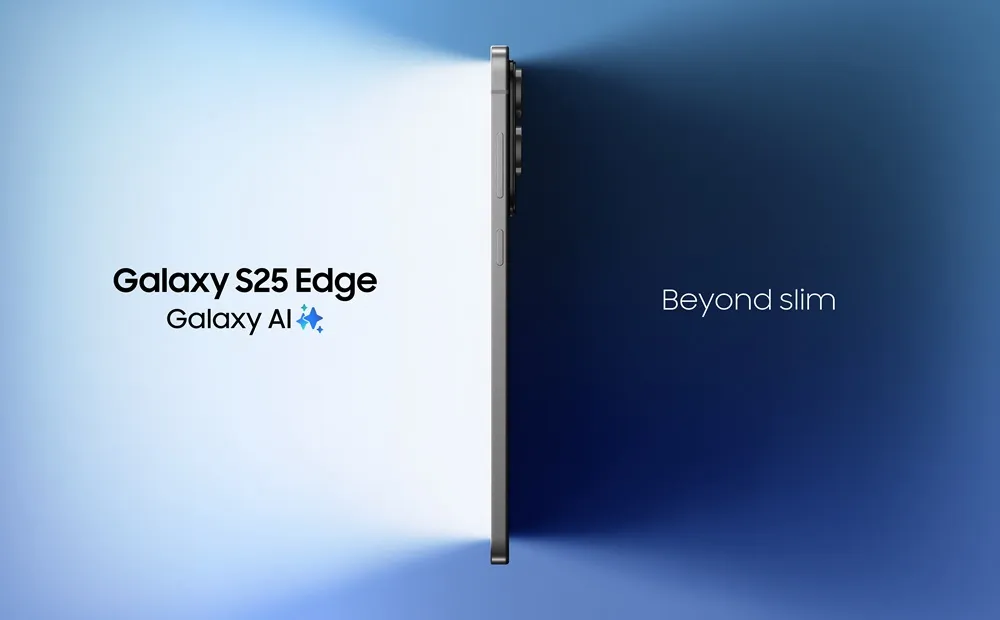
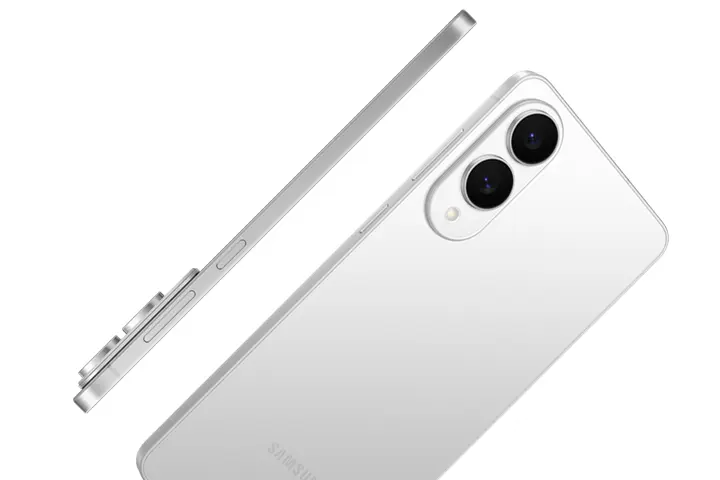
    Although the Galaxy S25 Edge is extremely thin, it costs a lot of money. Thankfully, Amazon recently introduced a fantastic promotion that significantly reduced the price of the 256GB model in Titanium Silver. It is currently on sale for $271 off, saving you 25% off its MSRP of approximately $1,100.

    s25 edge slim light mo

    Samsung Galaxy S25 Edge

    6.7″ LTPO AMOLED 2X, 120Hz, 480Hz PWM, HDR10+, 3120x1440px Quad HD+, Android 15, up to 7 major Android upgrades, One UI 8

    $839.95$687.92Amazon

    Even though Prime Day reduced the price even further, neither Best Buy nor the Samsung Store now have a better offer. In other words, this is your opportunity to receive a significant discount on this potent Samsung phone if you were unable to take advantage of last month’s sale.

    Samsung Galxy S25 Edge

    And it’s powerful – with a Snapdragon 8 Elite for chip, it offers lightning-fast performance. Although it doesn’t outperform the Galaxy S25+ in benchmark tests, it is incredibly responsive and fast. Additionally, your daily interactions become much more pleasurable with the abundance of Galaxy AI capabilities available.

    This Android phone boasts a stunning 6.7-inch Dynamic AMOLED 2X display in addition to outstanding performance. Its adaptive 120Hz refresh rate ensures buttery smooth scrolling, vibrant colors, and extreme brightness. However, the Ultra is still the only vehicle with Corning Gorilla Armor, a unique anti-reflective coating.

    In addition, the S25 Edge‘s 200MP primary and 12MP ultra-wide cameras on the back produce stunning images. Images with outstanding dynamic range, superb resolution, and very accurate colors are to be expected.

    When you combine it with the seven-year software support guarantee, you’re looking at one of the top Samsung phones for 2025. Even with 25% down, the S25 Edge is still quite expensive, but it offers a lot for the money. Therefore, now is a wonderful time to act if you’re prepared to make the investment.

    s25 edge slim light mo

    Samsung Galaxy S25 Edge

    6.7″ LTPO AMOLED 2X, 120Hz, 480Hz PWM, HDR10+, 3120x1440px Quad HD+, Android 15, up to 7 major Android upgrades, One UI 8

    $839.95$687.92Amazon
  • HyperOS 3.0 brings new performance improvements and new visual styles

    HyperOS 3.0 brings new performance improvements and new visual styles

    Xiaomi disproved our assumption that the Android announcements for the month were over. With the release of HyperOS 3.0, the company’s most recent version based on Android 16, its mobile devices now include notable functional and visual improvements. The selected models will soon start beta testing, and in Q4, a broader public rollout is anticipated.

    What’s New in HyperOS 3.0

    hyperos 3.0 new icons and gallery

    HyperOS 3.0 is based on Android 16 and incorporates key enhancements from Google’s most recent Android release. Xiaomi, however, is doing more than just skinning Android; it is also incorporating its own significant features and design modifications into smartphones and tablets.

    New icons, super island, and a cleaner layout

    Simplified app icons that mirror iOS and have square shapes with rounded sides give the UI a new look. A flatter, simpler look is also used for the quick settings and status bar. The dialer app is completely redesigned in China. Whether this will eventually be shipped to the global ROM is unknown.

    hyperos 3.0 super island

    Super Island, Xiaomi’s version of Google’s Live Updates and Apple’s Dynamic Island, is one notable feature. It displays dynamic overlays for media, notifications, and app activity on the front-facing punch-hole region. For more interaction, Super Island allows dragging and expanding, unlike its competitors.

    New lockscreen designs, like as animated effects that give still images movement, are powered by AI advancements. Additionally, there are more customizable choices for the home screen.

    New Gallery app and upgrades for tables

    hyperos 3.0 gallery app

    All content, including albums and folders, now have a cleaner look and better search capabilities in the gallery app. Your furry pals’ pictures and videos are automatically arranged with a new pet album feature.

    Xiaomi adds adaptive window scaling and improved split-screen management to tablets. Enhancements in ultra-low latency and pressure sensitivity will be advantageous to stylus users.

    Significant performance and battery improvements

    HyperOS 3.0 offers significant performance improvements in addition to aesthetics. With over 100 new and improved animation effects, Xiaomi promises up to 21% less app latency and smoother system animations.

    According to reports, in-game frame rendering uses 9% less energy, video playback requires 10% less power, and gaming performance is 15% faster.

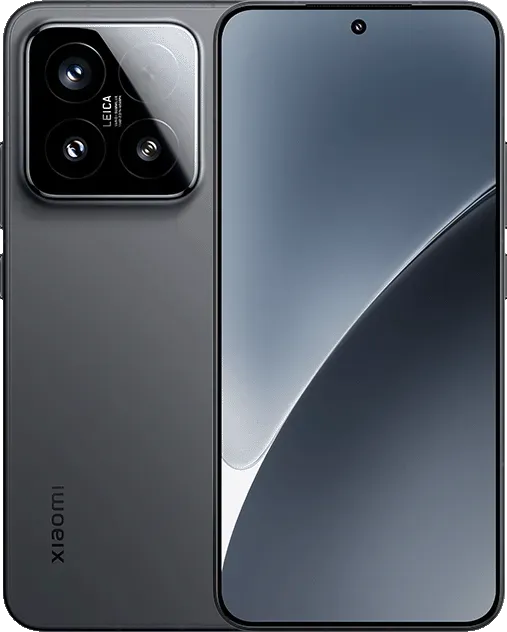
    xiaomi 15 with hyperos 3.0

    Xiaomi 15 5G

    The Xiaomi 15 features a 6.36-inch OLED display with a 1.5K resolution, a 120 Hz refresh rate, and a peak brightness of 3200 nits. The phone is built with an aviation-grade aluminum frame and has a compact design measuring 152.3 × 71.2 × 8.08 mm, weighing 181 g.

    Which Devices Get HyperOS 3.0 Beta?

    Xiaomi has stated that a few smartphones, tablets, and TVs will be available for the public beta, though it hasn’t yet disclosed the complete list of compatible devices. Please be aware that the gadgets on the list are Chinese versions; a different rollout timetable for models that are available worldwide will be revealed later.

    From August 29From September 17From September 30
    Xiaomi 15Xiaomi Mix Flip 2Xiaomi 14
    Xiaomi 15 ProRedmi K80Xiaomi 14 Pro
    Xiaomi 15 UltraRedmi K PadXiaomi 14 Ultra
    Xiaomi 15S ProXiaomi Pad 7Xiaomi Mix Flip
    Redmi K80 ExtremeXiaomi Pad 7 UltraXiaomi Mix Fold 4
    Redmi K80 ProXiaomi TV S Pro Mini-LEDRedmi K70
    Xiaomi Pad 7 ProXiaomi TV S Pro Mini-LED 2025Redmi K70 Pro
    Xiaomi Pad 7S Pro 12.5 Redmi K70E
      Xiaomi Pad 6S Pro 12.4
  • Temporarly free apps for Android and iOS – get them while they are free

    Temporarly free apps for Android and iOS – get them while they are free

    We offer you a variety of iPhone and Android apps that are typically paid for but are temporarily free. Take advantage of these savings on games and apps to add some diversity to your phone’s app store, but don’t wait!

    We only chose these applications since they are free right now! We are unable to guarantee that these limited-time offers will remain available on the Google Play Store or Apple App Store for very long, though. As a result, downloading them as soon as possible is advised. Just watch out for any possible subscription traps, in-app purchases, and advertisements.

    Even if you don’t require an app right away, install it if it piques your curiosity. It will be added to your app library and marked as “bought” as a result. After that, you may uninstall the app straight from your phone and get it back for free anytime you need it.

    Android

    Free apps

    • Sound Meter & Noise Detector ($3.29): The name says it all. Register sound levels wherever you are, with recordings, graphs, and statistics.
    • Bubble Level Pro ($2.79): Planning on hanging a new frame on the wall? Check if it is properly leveled.
    • Passport Photo: ID Photo Print ($5.99): Make photos appropriate for documents, remove backgrounds, choose the right dimensions, and more!
    • Fake Call Screen ($0.69): Create realistic call screens on your phone to get out of awkward situations.

    Free games

    • Grow Heroes VIP ($1.79): Evolve your fighters in this Idle RPG with charming retro graphics.
    • Epic Heroes War ($0.19): Hack and slash your way through the enemy hordes in this strategy-action-RPG.
    • Sudoku Master 2023 ($2.29): Challenge your brain in more than 5000 levels of puzzles.
    • ExtremeJobsKnight’sManager VIP ($0.79): Another Idle RPG. This time, collect and craft equipment in over-the-top battles.

    iOS

    Free apps

    • Videdit ($0.99): Edit your videos, apply effects, mix and match recordings for your next social media post.
    • Fotospot Road Trip ($3.99): Planning a road trip in the USA? Check this curated list of over 11,000 places across the country.
    • Magic Emoji: Merge two emojis ($1.99): Mix emojis like the Google keyboard to create funny stickers.
    • Medieval Madness Stickers ($0.99): Wanna try a different set of stickers? How about this collection of zany illustrations inspired by the Middle Ages.

    Free games

    • Pro Wrestling Manager ($3.99): Create and manage your professional wrestling association, with storylines, rivalries, and everything that made the “sport” popular in the past.
    • Kid Tarzan Bubble POP Shooter ($0.99): Save the baby animals in the jungle by popping balloons in this classic puzzle game.
    • ABC Star ($4.99): Instead of feeding your kid endless videos on YouTube, teach them the alphabet!

    As of the date of publication, the deals were active. Please share any expired deals you come across in the comments section below.

    We advise you to review the app’s details in the Play Store or App Store before downloading any of the aforementioned apps. This is crucial as some of these free apps can offer unique features or drawbacks of their own.

    Both free and paid apps should be avoided since they could have unnoticed in-app purchases and adverts. This is especially important while downloading kid-friendly games.

    In the rapidly evolving world of mobile apps, numerous companies use cunning tactics to obtain your personal information. But tech buffs, don’t worry! We’ve compiled some crucial advice to help you safeguard your important data. Being selective about the permissions you grant the apps you decide to install is an essential first step.

    Discover the wide range of free apps that are accessible on the iOS and Android operating systems, all while protecting your data.

  • Amazfit Balance 2 XT launching in Europe

    Amazfit Balance 2 XT launching in Europe

    Europe will soon be able to purchase the Amazfit Balance 2 XT smartwatch. However, the business has stated that it will only be accessible in a few countries through its online storefronts. With a few modifications, this device is less expensive than the conventional Balance 2 and is already offered by a US shop.

    The arrival of the Balance 2 XT smartwatch in Europe has been announced by Amazfit. This wearable, which was the subject of rumors earlier this year, is now sold at Best Buy in the United States.

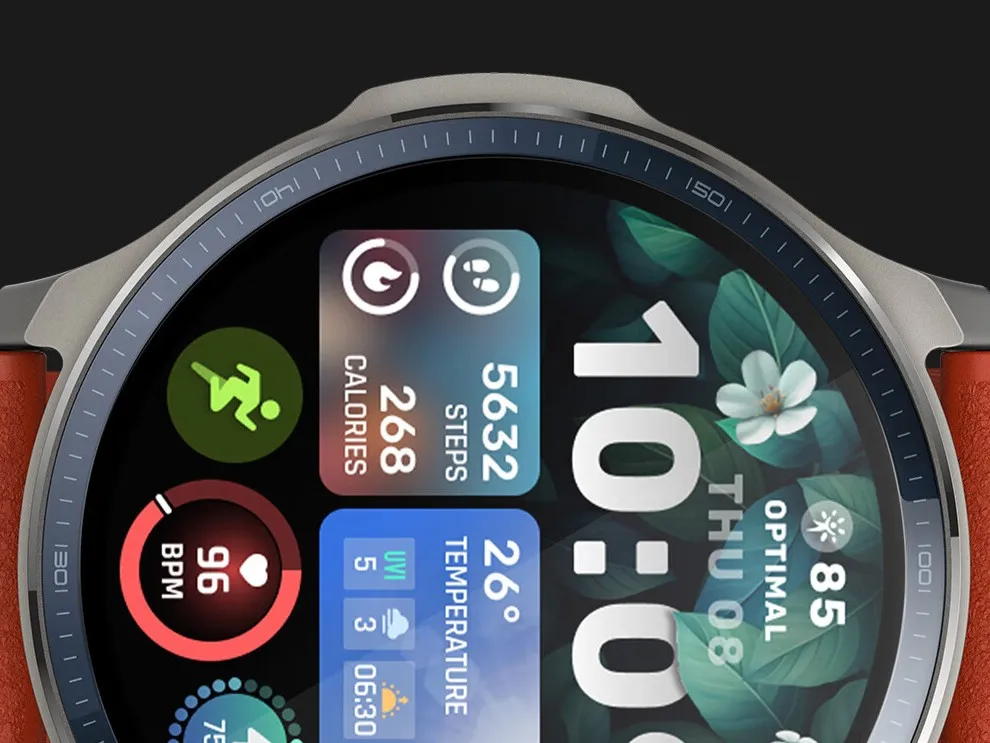
    amazfit balance 2 xt 1

    Amazfit Balance 2 XT

    Built for Performance and Style: The sleek aluminum body and 1.5″ durable sapphire crystal glass screen of the Balance 2 smart watch offer a premium, resilient design, while dual speakers provide clear audio cues during training.

    $299.99Get It Now
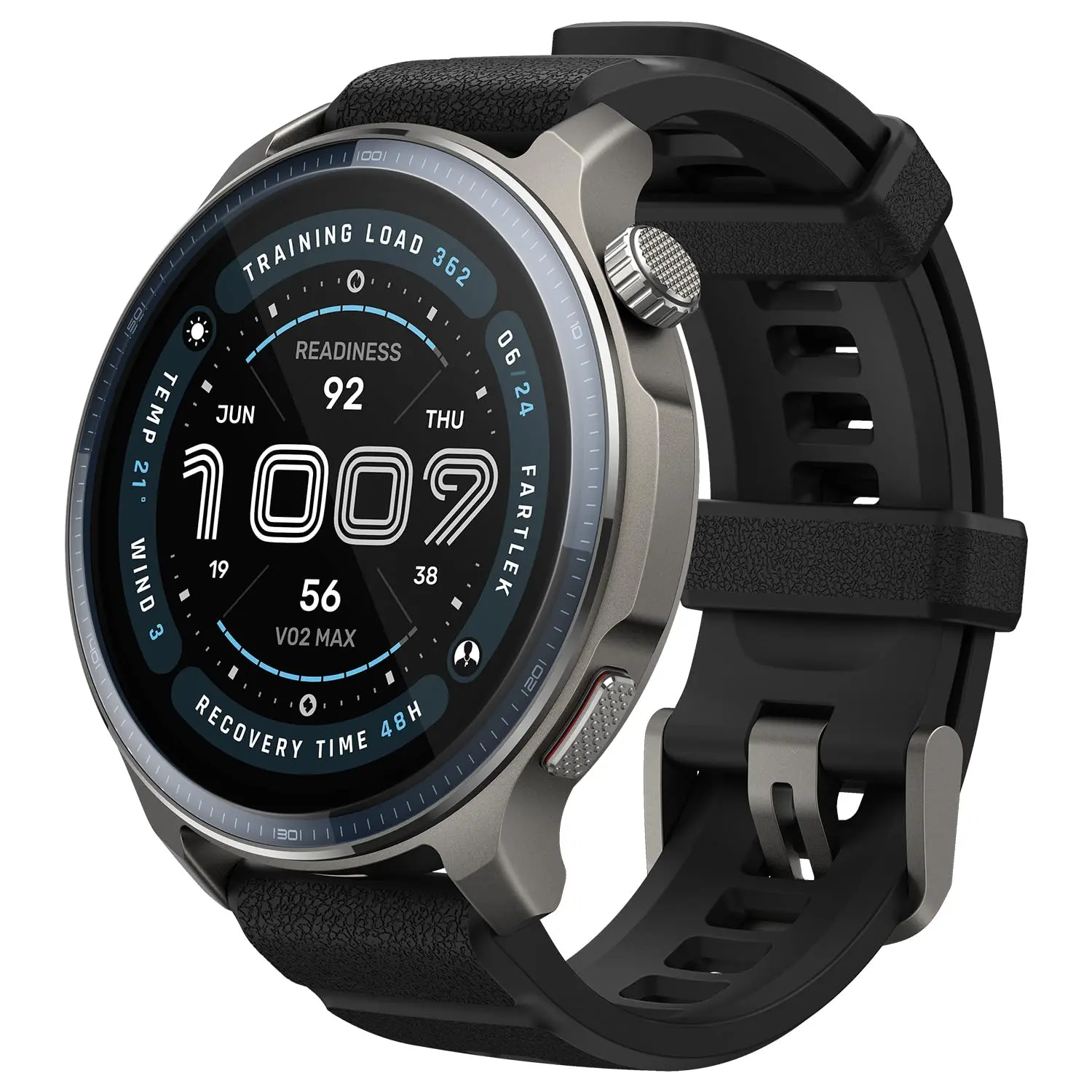
    amazfit balance 2 xt

    Amazfit has now notified Notebookcheck that the Balance 2 XT smartwatch will be available for purchase at its online stores in Italy and Spain. Although the delivery cost in this instance is unknown, the company claims that clients in other European nations will be able to have the merchandise transported to their location. Pricing and the European release date are still pending. It retails for $199.99 in the US, although one merchant advertises it for €189.91.

    The original Balance 2 smartwatch, which came out earlier this year, is more expensive than the Balance 2 XT. It features a 1.5-inch mineral glass-protected AMOLED display. With more than 170 sports modes, users may record their workouts and monitor health indicators including stress, blood oxygen levels, heart rates, and sleep quality. In addition, it should have a run time of about 21 days, GPS navigation, and downloaded maps.

    amazfit balance 2 xt 1

    Amazfit Balance 2 XT

    Built for Performance and Style: The sleek aluminum body and 1.5″ durable sapphire crystal glass screen of the Balance 2 smart watch offer a premium, resilient design, while dual speakers provide clear audio cues during training.

    $299.99Get It Now

    The basic and XT models of the Balance 2 smartwatch (now available on Amazon for $299.99) differ in a number of ways. Among these is the substitution of mineral glass for sapphire glass. Due to its reduced water resistance rating of 5 ATM, the XT will not support diving and does not feature the Golf app. The Amazfit Balance 2 XT smartwatch’s official US debut date is still unknown.