Lineage OS is the premier custom Android ROM, and one of its best features is that it is constantly evolving. The distributed team has added sixteen new phones and tablets from a few vendors in the last few weeks.
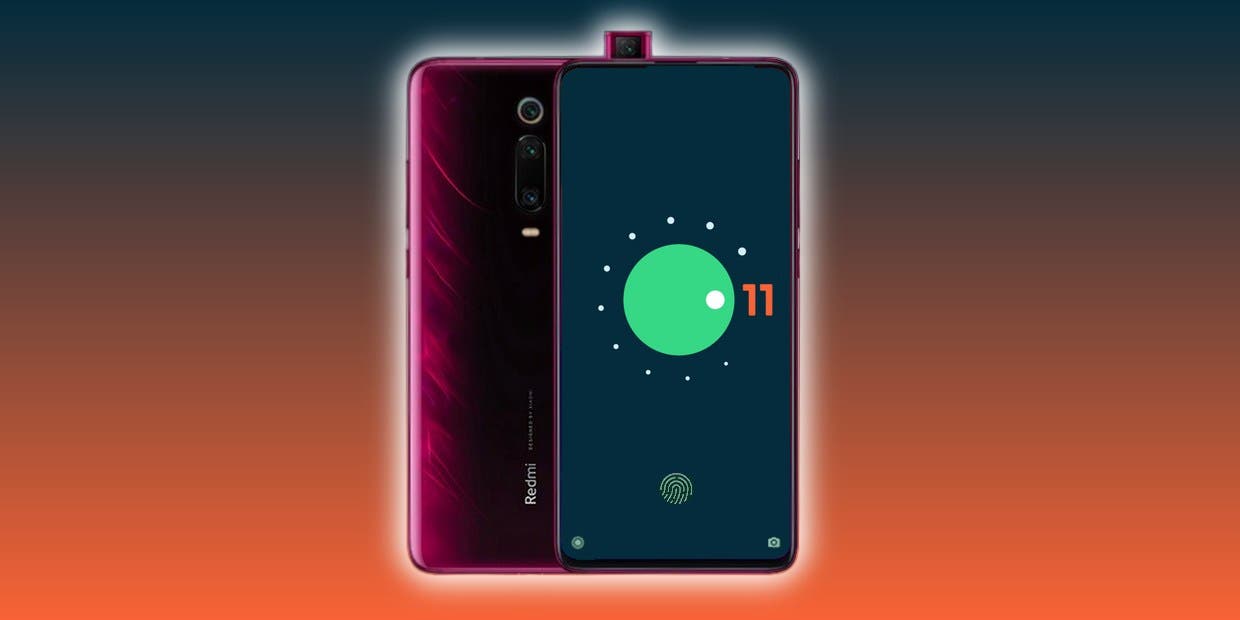
Here are the phones that have been added to the list, or jumped from Lineage 17.1 to 18.1, based on Android 11. Some :
To install Lineage, you’ll need to unlock the bootloader on your phone, install a custom recovery like TWRP, then load up the custom ROM file. Most users will also want to flash Gapps at the same time to get access to the Play Store and other Google services. Take note, while Lineage is great and its interface is fast and smooth, almost all builds are classified as “nightlies,” so a few bugs are to be expected.
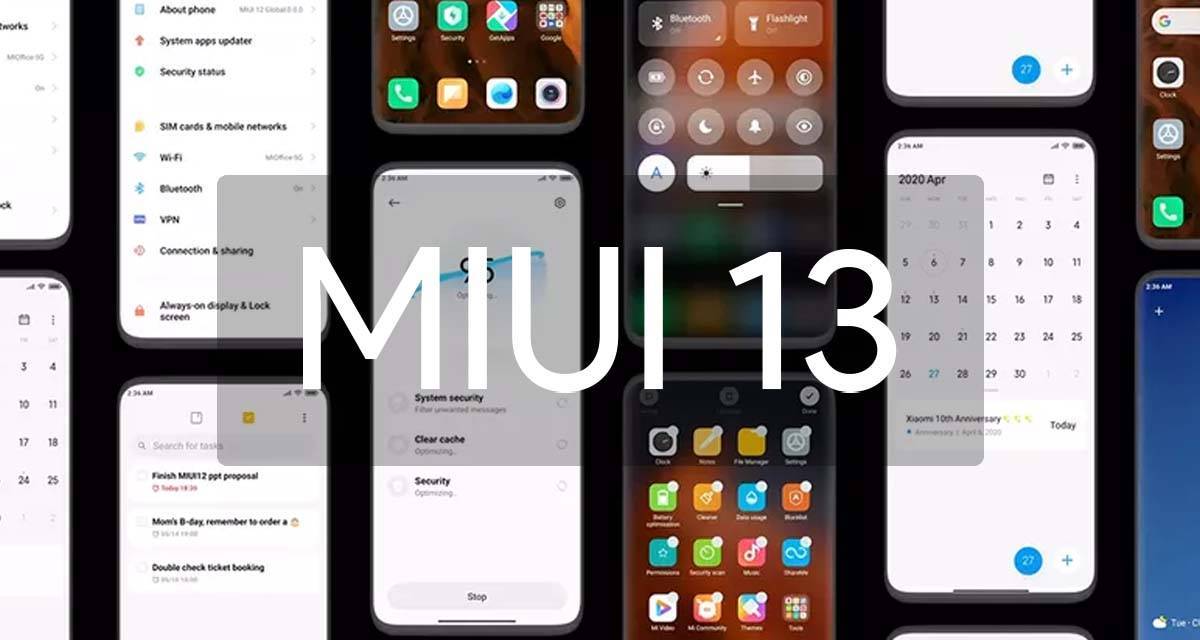
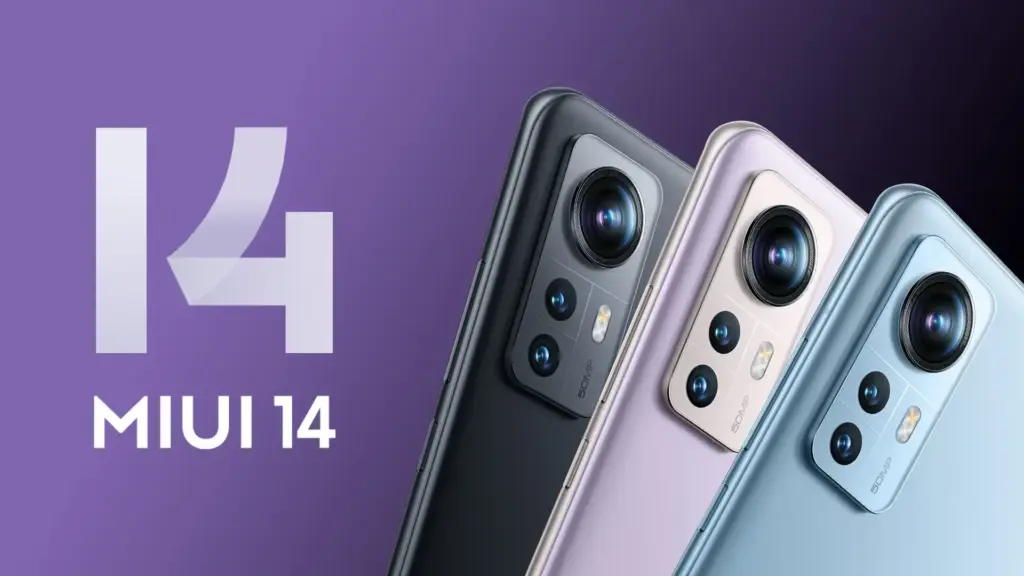
If you own a Xiaomi phone, you likely use MIUI – it’s the company’s Android overlay that changes the software’s appearance and adds a few new features. MIUI 13 is the next version, and rumors abound that it’s coming pretty soon.
Currently, the company’s newest phones like the Xiaomi Mi 11 and Mi 11 Ultra use MIUI 12; launched in May 2020, its new features included an app drawer, improved dark mode and an Ultra Battery Saver Mode, amongst other things, so it was a fairly big improvement.
Even though MIUI 12.5 is still being pushed to Xiaomi smartphones, the MIUI 13 features, release date, download, and qualifying devices list have begun to circulate the internet. The upcoming custom Android skin, which will replace last year’s MIUI 12.5, is currently in the works. The Xiaomi MIUI 13 update is scheduled to be released in the second quarter, as have previous versions, and will be compatible with phones manufactured in 2019 or later. In terms of MIUI 13 functionality, it is expected to include optimized animations, new themes, wallpapers, and a slew of security enhancements, among other items.
HIGHLIGHTS
Release date is tipped to be June 25th
The new custom skin is expected to come with a handful of improvements over last year’s MIUI 12.5
Features may include optimised animations, new themes, wallpapers, and plenty of security improvements
MIUI 13 release date
The MIUI 13 release date is apparently set for June 25th, according to reports. The update is likely to be announced in China first, followed by other regions including India. There is no word on MIUI 13 release date in India yet, obviously. However, looking at Xiaomi’s past track record, the update could take around 2-3 months to reach India. MIUI 12, to recall, was originally announced in May but was only made available in the country in August.
MIUI 13 update and download
The MIUI 13 update will be released in stages, as is customary. The brand will initially distribute the beta version of the update to a small number of consumers, followed by the stable version for all compatible devices. The timetable for the MIUI 13 update release is currently unknown.
Features
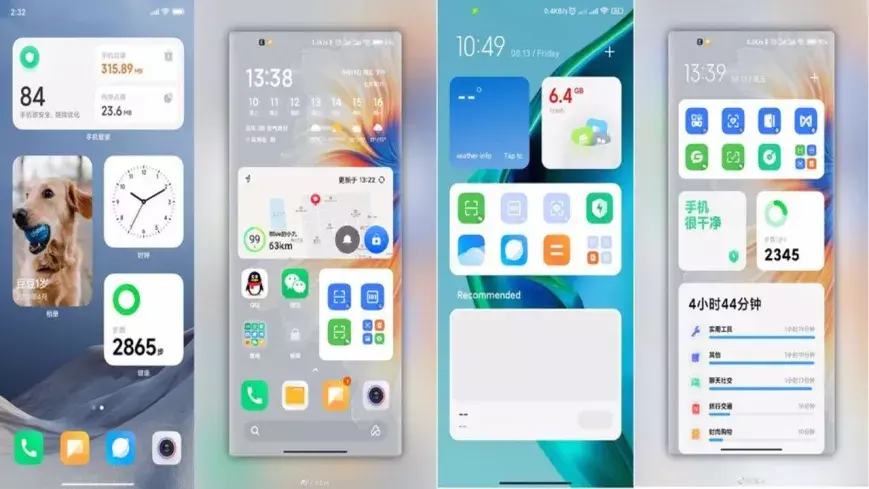
Features list is too short at the moment to tell whether the update be a major upgrade or just an iterative of last year’s custom skin. Among the few that are rumoured so far include optimised animations to improve the overall experience of the new custom Android skin from Xiaomi. The update is also expected to come with design changes, enhanced touch sensitivity, advanced privacy options, native screen recording support, improved battery performance, new gestures, and enhanced notifications panel, among other things.
MIUI 13 features (rumoured)
Improved in User Interface
Optimised Animations
Enhanced Touch sensitivity
Improved Scrolling screenshot
Native screen recording support
New Theme designs and improved gestures
Enhanced Always on Display
Scheduling option for Airplane mode
Improved Notification panel for Social media apps for faster Reply and enhanced experience
More flexible storage experience
Fast charging improvements
New power saving mode to improve battery performance
Enhanced Notification system for managing older and newer notifications
MIUI 13 could also bring Android 12 features such as Media Transcoding, new unified API, and wallpaper-based theming, to compatible Xiaomi mobile phones. Click here to know about the upcoming Android 12 features.
MIUI 13: eligible devices
The rumoured MIUI 13 eligible device list so far includes:
Mi 11 series
Mi 10 series
Mi Fold
Redmi Note 10 series
Redmi Note 9 series
Mi MIX Alpha
Redmi K40 series
Redmi K30 series
Redmi K20 series
Redmi 9 series
Redmi 10X series
POCO X3 series
POCO X2
POCO M2 series
POCO X2 Pro/ POCO X2 Pro
Black Shark 3 series
Black Shark 2 series
While Xiaomi is known to roll out a new software update to devices as old as four years, rumours are rife that it has decided to skip MIUI 13 for its 2019’s flagships Mi 9 and Mi MIX 3, as well as last year’s mid-rangers like the Redmi Note 8 series and the Redmi 8 lineup.
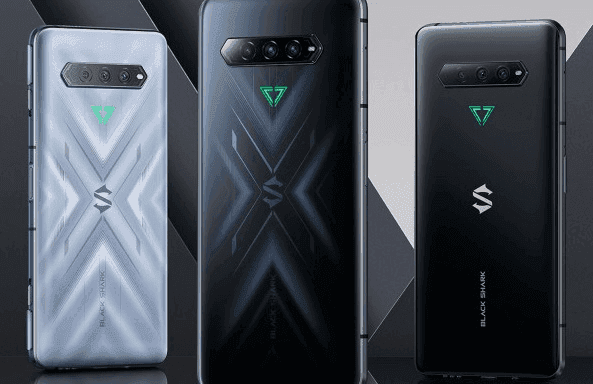
Gaming phones are becoming increasingly common, and Xiaomi is keeping up with its Black Shark series. The Black Shark 4 and 4 Pro, the most recent version, have appeared on the Chinese market. You can pre-order one today, and the phones will be available in China on Thursday, November 25th. An international release date has yet to be determined.
Black Shark 4 Pro
The no-holds-barred Black Shark 4 Pro is operated by Qualcomm’s largest and baddest processor, the Snapdragon 888. It’s paired with either 8GB or 12GB of ultra-fast LPDDR5 RAM, and both versions have 256GB of storage. But those aren’t exactly difficult to come by these days. The dedicated mechanical shoulder buttons on the side are the more obvious giveaway that this is a gaming phone: slide the locks away to allow them to pop-up. They, like the Black Shark 3’s shoulder buttons, can be bound to touch areas on the screen for incorporation with virtually any game.
The 4 Pro has a 6.67-inch AMOLED 1080p screen with a maximum refresh rate of 144Hz, which outperforms most gaming phones. It also has two pressure response zones (as in the amount of pressure applied, not just touch sensitivity), allowing for more integration into games that can accommodate it. Its battery capacity is 4500mAh, which is fairly standard for a phone of this size, but it supports quick charging at a totally insane 120 watts (with the charger included in the box). Xiaomi claims that it can charge the battery to 90% in just over 30 minutes.
Cameras on the Pro are respectable: 64MP main shooter, 8MP ultrawide, and 5MP macro, with a 20MP centered front camera. In terms of style, the flat black version actually looks fairly button-down—if you don’t notice the side buttons (and the LED triangle logo on the back stays unlit), you’d have a hard time telling it’s a gaming phone. Of course that goes out the window if you get the “So Empty Black” version (that’s auto-translated, so we’re unsure if that’s the official name). Its layered, semi-transparent glass shifts around as you look at it, in a much more flashy but not unappealing way.
The phone is 9.9mm thick, which is enough to accommodate a headphone jack and a side-mounted fingerprint reader. The dual-SIM radio supports 5G, and for the most intense sessions, you can attach the sold-separately cooling module. The Black Shark 4 Pro starts at $4000 for the base edition, which is only available in black, and goes up to $4500 for the 12GB RAM version. That works out to $615 and $690, respectively.
Black Shark 4
What about the non-Pro? The standard Black Shark 4 ditches the pricey Snapdragon 888 for an 870, basically a refreshed version of last year’s go-to flagship chip. It has an identical body, screen, and battery with 120 watt fast charging, but the base model goes down to just 6GB/128GB. Upgrades all the way to 12GB/256GB are available.
You lose that dual-zone pressure sensitive screen and drop the main camera down to “just” 48 megapixels, but the Black Shark 4 keeps those signature shoulder buttons and most of the rest of the hardware. It costs between ¥2500 and ¥3000, depending on your RAM and storage choices.
Both phones are running JoyUI, based on Xiaomi’s MIUI, which has been generally well-received. The phones are launching in China only for the moment, but previous models were made available globally as unlocked devices. With a current boom in gaming phones, it seems likely that the 4 will follow.
MIUI, one of the world’s most common mobile operating systems, is Xiaomi’s favorite. Although the news about MIUI 13 has recently been published, MIUI 12 has not been forgotten. Xiaomi is creating MIUI 12.5 pursuant to the announcement made today. This update contains big developments and optimizations and prepares MIUI 13 for Xiaomi users.
Tests for MIUI 12.5 commenced today, according to the announcement made by Xiaomi. The closed Beta version will be suspended for a time starting from 12.14 in order for engineers to better concentrate on this update.
New features in MIUI 12.5
Approximate location
MIUI 12.5 will protect your location privacy better. With the new feature added, you can notify the application of your approximate location, not your exact location. In this way, the application cannot follow you.
MIUI 12.5 would give the volume controller, which has not changed for a long time, a much more elegant look. It hasn’t introduced a new feature, but it has new animations and a new look.
At power menu there are no new functions or features, the design has been improved.
New animations
The animation when folder and extracting the app has been improved.
You can quickly convert any photo to PDF in your gallery.
New recents
The latest app style that changed with MIUI 10 is now customizable with MIUI 12.5! With the new update, you can revert to MIUI 9 style. With this feature, the foundation of a structure that allows you to fully interfere with MIUI was laid. With MIUI 12.5, you can use recent apps horizontally.
Is the camera application with new features added every day getting complicated? With MIUI 12.5, this complexity has been replaced by a plain interface.
Cleaner interface
The cleaner app’s interface got a little more serious.
The MIUI 12.5 update will likely be released in February. After the MIUI 12.5 update, MIUI 13 and MI 11 will be introduced. One of the first devices to use MIUI 12.5 might be the MI 11.
Earlier this year, MIUI 12 made its debut, and Xiaomi has completed rolling out the stable update to most devices in its portfolio. The new skin of Xiaomi offers a variety of new features, including an enhanced dark device-wide mode, AI-assisted calling features, Interactive Always-on Display, new visual interface, system animation tweaks, and much-needed privacy updates.
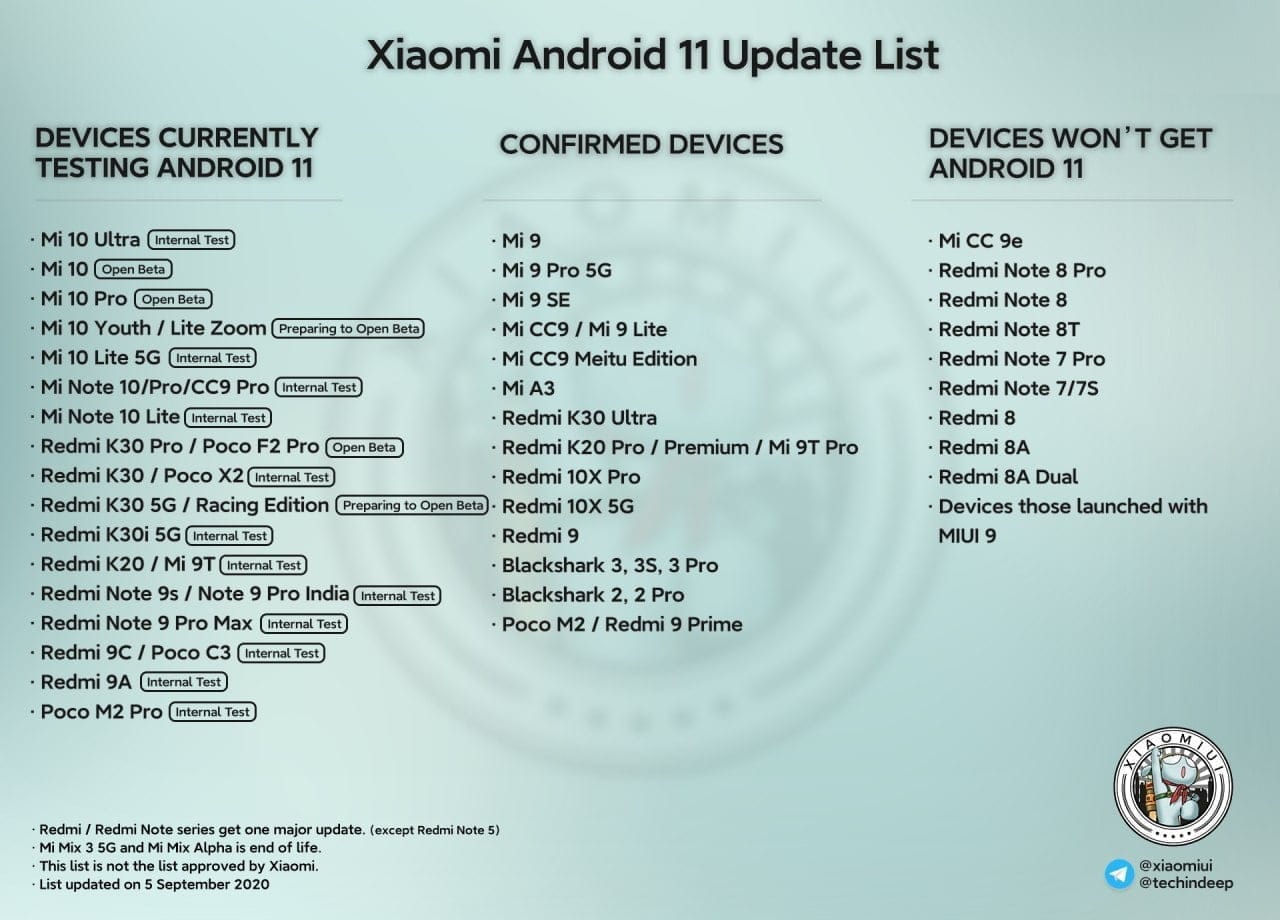
Xiaomi is shifting its focus to the update to Android 11 now. MIUI 12 based on Android 11 is beginning to roll out, with the stable upgrade now rolling out to the Redmi Note 9 Pro and Mi 10. Some of the best cheap Android phones are produced by Xiaomi, and it is good to see the manufacturer carrying out the update to Android 11 earlier than normal.
Android 11 on MIUI 12 update: rolling out to Redmi Note 9 and Mi 10
The stable MIUI 12-based Android 11 update is now rolling out in India for the Mi 10 and Redmi Note 9. Once we have more info on an update timeline, we’ll update the story, but now with the stable build for the Redmi Note 9 series, it shouldn’t be too long before Xiaomi starts delivering Android 11 to its older smartphones.
Xiaomi has finished rolling out the MIUI 12 update to most of the phones in the list below. So if you are using any of the devices in the list, head to your phone’s settings to manually download MIUI 12:
Xiaomi Mi 10 Pro
Xiaomi Mi 10
Xiaomi Mi Note 10 Lite
Xiaomi Mi 9
Xiaomi Mi 9 Pro 5G
Xiaomi Mi 9T
Xiaomi Mi 9T Pro
Redmi K30
Redmi K30 5G
Redmi K30 Pro
Redmi K20
Redmi K20 Pro
Redmi Note 9
Redmi Note 8 Pro
POCO F2 Pro
POCO X2
Xiaomi Mi Mix 3
Xiaomi Mi Mix 2S
Xiaomi Mi 9 SE
Xiaomi Mi 8 Explorer Edition
Xiaomi Mi 8
Xiaomi Mi 8 UD
Xiaomi Mi CC9
Xiaomi Mi CC9 Pro
Xiaomi Mi CC9 Meitu Edition
Redmi Note 8 Pro
Redmi Note 7 Pro
Redmi Note 7
Redmi 10X Pro 5G
Redmi 10X 5G
Redmi 10X 4G
MIUI 12 global update: Full list of eligible phones
For devices sold outside of China or India, Xiaomi has a standalone ROM, and these global units have their own release timetable. As of now there is no indication of when these phones will begin receiving the Android 11 update, but Xiaomi has finished rolling out the Android 10-based MIUI 12 release to all of these devices:
Xiaomi Mi 9
Xiaomi Mi 9T
Xiaomi Mi 9T Pro
Redmi K20
Redmi K20 Pro
Xiaomi Mi 10 Pro
Xiaomi Mi 10
Xiaomi Mi 10 Lite
Xiaomi Mi Note 10
Xiaomi Mi Note 10 Lite
Xiaomi Mi Note 3
Xiaomi Mi 8
Xiaomi Mi 8 Pro
Xiaomi Mi 9 SE
Xiaomi Mi 9 Lite
Xiaomi Mi 8 Lite
Xiaomi Mi Mix 3
Xiaomi Mi Mix 2S
Xiaomi Mi Mix 2
Xiaomi Mi Max 3
POCO F1
POCO X2
POCO F2 Pro
Redmi Note 9 Pro
Redmi Note 9 Pro Max
Redmi Note 9
Redmi Note 9s
Redmi Note 8 Pro
Redmi Note 8
Redmi Note 8T
Redmi Note 7
Redmi Note 7 Pro
Redmi Note 7S
Redmi Note 6 Pro
Redmi Note 5
Redmi Note 5 Pro
Redmi 8
Redmi 8A
Redmi 8A Dual
Redmi 7
Redmi 7A
Redmi 6 Pro
Redmi 6A
Redmi 6
Redmi Y3
Redmi Y2
Redmi S2
MIUI 12 comes with a lot of interesting features, so while you’re waiting for the OTA to download on your phone, be sure to take a look at all the new additions in our feature breakdown.
Xiaomi, one of the smartphone market’s most significant manufacturers, regularly upgrades its MIUI firmware and introduces new features. It introduced many technologies and significant characteristics to Xiaomi and Redmi phones with MIUI 12 and continues to add new ones. New features are not open to everyone. These features, provided to some users on the Chinese forum of MIUI, will be open to all in the future.
With the new update coming to MIUI 12, it is now easier to change themes. 2 large boxes were placed at the top, light and dark. There are many options such as timing just below.
Although some sites also write this as the MIUI 13 feature, this will be an MIUI 12 update. It is too early to leak about MIUI 13. A style that makes it easy to use with one hand is preferred. You can use the options by swiping up or down.
MIUI 12 offers you an option to return to the old style if you like the notification style of MIUI 11 more. This choice can, however, be hard to find. Finding this setting is a lot simpler with the latest update. Renewed the interface for modifying the notification window.
We can say that the Notes application has revolutionary features. With the new update, objects such as brushes and pens have been added. You can now draw a picture.
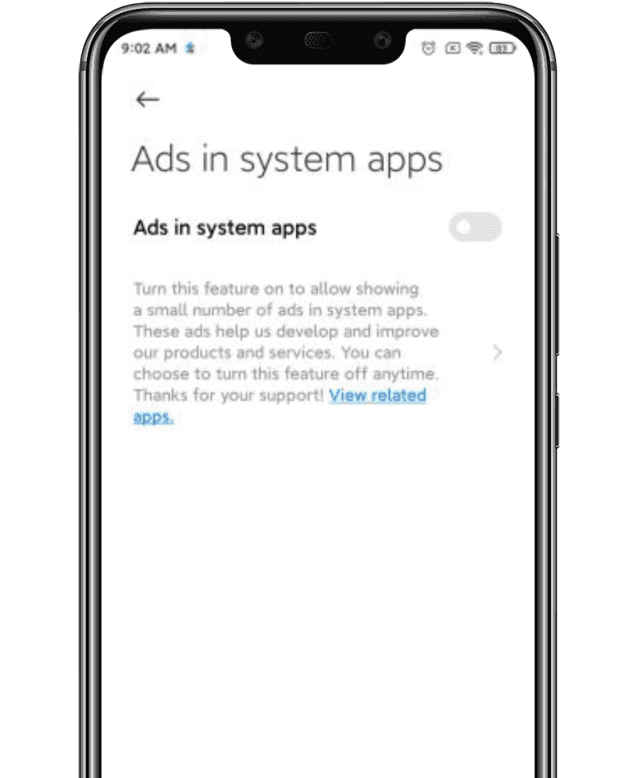
MIUI advertisements are commonplace. They are pervasive, invasive, and the user experience is labelled. For this exact cause, some folks walk away from Xiaomi phones. Still, since it is the key source of Xiaomi ‘s income, MIUI is married to advertising.
Lei Jun, the company’s CEO, announced last year that MIUI would clamp down on advertising , especially lewd ones. Well, we finally have a function for getting rid of the ads in the new MIUI 12. Today , the new version is being released internationally. In a swarm of functionality, the one that many of us are excited about is the latest ad treatment.
Now, you just have to follow these three simple steps to get the same thing done:
Open the Settings page and click on the account option, followed by Privacy Policy.
2. Within Privacy Policy, you’ll see an option called “System Ads”.
3. Toggle off that option to disable the ads.
Disable Ads
You had to opt-out of the User Interface Program in earlier MIUI models, reject automated diagnostic data transfer, and turn off recommended / personalized content settings on all Mi apps. The measures are now truncated to just three.
As you might well be aware by now, Android 11 ‘s stable version has now been released to the public. Google’s Pixel phone series and a handful of Xiaomi devices have entered the upgrade train so far, while official beta builds are available for the OnePlus 8 lineup, the Samsung Galaxy S20 series, and many other smartphones from various OEM’s.
The source code for the newest Android version is also available on AOSP, which is undeniably a critical ingredient for compiling custom ROMs based on Android 11. In reality, the Redmi K20 Pro / Xiaomi Mi 9 T Pro has already been given a fairly functional AOSP 11 ROM for vanilla.
Now, more Android 10 custom ROMs have begun popping up in our forums for devices like the Xiaomi POCO F1, OnePlus 5/5T, Essential Phone, and the ASUS ZenFone Max Pro M1; and we expect even more to come along the way in the coming weeks. We’ll add and update this list with some of the first set of Android 11 builds and custom ROMs for a wide range of devices!
Apart from the above mentioned ROMs, we will see a lot of custom Android 11 builds released in the weeks to come. Not all custom ROMs ship with Google apps pre-installed though. If you’re looking for an acceptable delivery of GApps, then you’ll be pleased to know that Nikhil, XDA Senior Member, has stepped up and launched an updated version of the NikGapps kit.
The SetupWizard module within this Gapps distribution is known to be problematic, but you can remedy this by skipping the module using nikgapps.config or flashing the variant without SetupWizard.
Xiaomi and Redmi phones have a secret GPU Overclock mode using MIUI software to boost gaming performance. You can get more FPS in games, better score for Antutu, if you allow this mode. Allowing this mode however will cause the system to overheat. Long-term usage it can turn into a dangerous situation.
Native screen recording: Google has been toying around with adding a built-in screen recorder to Android, and Android 11 pretty much confirms the feature will launch this year. You could use the screen recorder in the first Android 11 preview but it is much more refined in DP2. In the second beta, capturing device audio is now supported, all but assuring us that the stable release will include this long-awaited feature.
Increase touch sensitivity: Those who use screen protectors will love this feature. Google added an “increase touch sensitivity” option to the settings menu that lets you, well, increase the sensitivity of your touchscreen. If you use a screen protector, this should result in fewer missed taps and scrolls.
Notification History: Android doesn’t make it easy for you to see previously dismissed notifications, with Android 10’s Notification Log basically hidden for users. Android 11 DP1 hinted at a Notification History option and DP2 basically confirmed it. The new feature looks like it will be pretty useful.
Auto revoke app permissions: Android 11 DP3 has introduced a new option to automatically revoke permissions such as camera, location, and more, from apps that haven’t been used for a while. This new setting can be turned on if you think you’re not going to be actively using an app after a few months. You can read more about it here.
Easter egg: What would a new version of Android be without the traditional Easter egg? The third beta finally brought us the latest secret addition to the operating system. You can see it in full action here.
Exposure Notification API: Google and Apple worked together in a rare form of solidarity to create the Exposure Notification API. This system allows official health organizations to make contact tracing applications to help stem the spread of COVID-19. In Android 11, the Exposure Notification API is incorporated and turned on automatically.
Updated or revamped features
Revamped power menu: Android 11 will have a wildly revamped power menu that gives you quick access to smart home controls, your Google Wallet cards, and (obviously) power options.
Update: This new feature was slightly refined in the latest Android 11 beta 2. Check out the subtle differences here.
Screenshot markup interface tweaks: If you take a screenshot on your Android phone, there’s a native way for you to mark it up with notes or scribbles. However, there’s no way to delete the screenshot from that interface. That will change in Android 11.
Revamped overview menu, screenshot shortcuts: In Android 11 Developer Preview 3, Google revamped the overview menu (recent apps screen) to show larger cards as well as two new screenshot shortcuts. However, it also removed the ability to access the app drawer from the overview menu.
New text selection mode in overview menu: In the fourth Android 11 Developer Preview, Google added a “Select” button to the overview menu. Tapping it allows you to quickly select text inside an app and paste it into another app.
Undoing recently cleared apps: Speaking of the revamped overview menu, you can now also undo an accidentally cleared app by quickly swiping down on the screen.
Update: With the fourth Android 11 Developer Preview, Google removed the ability to undo recently cleared apps in the multitasking menu.
Media players now head to quick settings: If you’re listening to music on your phone, you’re used to finding a media player in your notification shade. In Android 11, the player will move to the quick settings area and get a few more tools, including the ability to easily pick an output device. If you are playing two forms of media at once (music and a podcast, for example), you’ll be able to swipe the notification to swap between the different players.
Ability to dismiss persistent app notifications: If you’ve ever used Android, you’ve probably run into a persistent notification (one that you can’t easily swipe away). In Android 11 Developer Preview 3, Google lets you clear all notifications. Don’t worry — you can quickly bring persistent notifications back if you swiped them away by accident.
Update: This feature was removed in Android 11 Developer Preview 4.
More granular back gesture tweaking: The back gesture can be a little frustrating at times, as you perform a similar gesture to activate hamburger menus. Fortunately, Android 11 has two sliders to let you control the sensitivity of the back gesture — one for the left side of the screen and one for the right. This is a welcome change from the single sensitivity slider in Android 10.
Airplane mode doesn’t kill Bluetooth: Previously, turning on airplane mode would also kill Bluetooth on your phone, which doesn’t make much sense. People who use airplane mode might have Bluetooth headphones connected, resulting in having to turn on Bluetooth again. In Android 11, Bluetooth stays on when airplane mode is activated.
Pixel Themes gets clock tweaks: In the Pixel theming section of Settings, you will likely be able to customize how your clock looks on the AOD and lock screen. However, in the first beta, there is only one clock option available.
Update: This feature was removed in the second beta release.
New Motion Sense option for Pixel 4: We’ve been complaining for a few months that Google seems to be neglecting Motion Sense on the Pixel 4. In Android 11, the company is adding a new way to control your phone without touching it. In Android 11, you can tap the air above the phone to pause your music.
Pixel 4 Face Unlock will require you to open your eyes: Speaking of the Pixel 4, it looks like Android 11 will offer users the ability to require their eyes be open for Face Unlock to work. This might make unlocks less efficient, but it will certainly make your phone more secure.
App pinning in the share menu: Android used to let you pin your most frequently used apps to the share sheet, but that option was removed in Android 10. Now it’s back and there will even be a little pin icon next to the apps you’ve pinned so you know what’s up.
Enhanced notification shade conversations: When you get a text, you can see the most recent message in your notification shade under a new Conversations tab. Not only will you be able to see more of the thread but you’ll also have richer ways to compose messages, including a way to send picture messages right from the notification. Notifications will also look a lot more organized thanks to a revamp of how they look.
Upgraded Voice Access capabilities: Previously, Android’s Voice Access labeled all the actions on the screen with a number, allowing you to call out the number to perform said action. Now, Android 11 can read what’s on your screen and let you say the action instead, being a rather cool accessibility upgrade. An example shown by The Verge‘s Dieter Bohn includes saying “Instagram” to launch the app rather than saying the corresponding number.