LineageOS is a free, community built, aftermarket firmware distribution of Android 11, which is designed to increase performance and reliability over stock Android for your device.
LineageOS is based on the Android Open Source Project with extra contributions from many people within the Android community. It can be used without any need to have any Google application installed. LineageOS does still include various proprietary hardware-specific code.
All the source code for LineageOS is available in the LineageOS Github repo. And if you would like to contribute to LineageOS, please visit out Gerrit Code Review. You can also view the Changelog for a full list of changes & features.
Informations :
This ROM uses source built kernel, kernel modules, boot kernel modules (vendor_boot) and vendor image.
This ROM bundles the latest firmware so you don’t have to worry about updating firmware beforehand.
Lineage OS is the premier custom Android ROM, and one of its best features is that it is constantly evolving. The distributed team has added sixteen new phones and tablets from a few vendors in the last few weeks.
Here are the phones that have been added to the list, or jumped from Lineage 17.1 to 18.1, based on Android 11. Some :
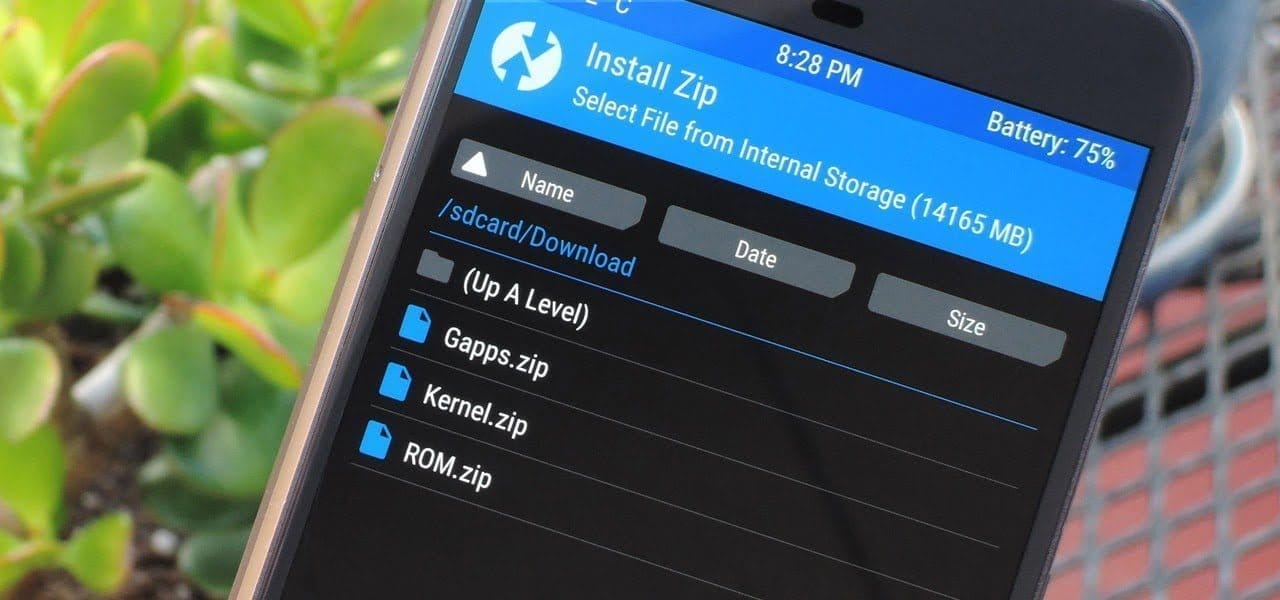
To install Lineage, you’ll need to unlock the bootloader on your phone, install a custom recovery like TWRP, then load up the custom ROM file. Most users will also want to flash Gapps at the same time to get access to the Play Store and other Google services. Take note, while Lineage is great and its interface is fast and smooth, almost all builds are classified as “nightlies,” so a few bugs are to be expected.
Samsung offers 2 years of software support for their smartphones, which includes two big Android OS updates. The Samsung Galaxy S8, S8 Plus, and Note 8 have been on the market for well over two years and will never see Android 10. The same is true for the Galaxy S9 and Note 9 series, which have received the latest Android 10 update. Although the devices will continue to receive security patch updates for another year, this is unjust to the most successful Samsung flagship to date. So, here are some of the best custom ROMs based on Android 10 for the Samsung Galaxy S8, S8+, and Note 8.
We’ve compiled a list of the most recent and reliable custom ROMs for the Galaxy S8 and Note 8 series right now. Lineage OS 17.1 and other common ROMs such as Havoc OS, Pixel Experience, and Corvus OS 10 have just been made official with Android 10. However, because of the design of Samsung Galaxy phones, official support for custom ROMs is difficult to come by. As a result, some custom ROMs based on Android 10 for the Samsung Galaxy S8, S8+, and Note 8 are still unofficial beta ports.
Furthermore, the majority of custom ROMs are only for Exynos models. This is due to the fact that the Snapdragon Galaxy S8, S8+, and Note 8 variants’ bootloaders cannot be unlocked. So you cant install TWRP recovery, and hence, can’t flash a custom ROM.
1. Havoc OS
Havoc OS is currently one of the most stable Android 10 custom ROMs for Samsung Galaxy smartphones. In comparison to the other choices, users of the Galaxy S8 and Note 8 series strongly suggest the Havoc OS custom ROM. Most notably, it has recently been updated to Havoc OS 3.7, which means that it is based on Android 10 and incorporates some Android 11 features such as Material design 2.0, Dark Theme Support for AOSP apps, Android R Style screen record dialog, Rounded UI, Face Unlock support, built-in Gapps, Font Customisation, Pixel Lockscreen weather, and many more.
Moreover, it also supports Face Unlock, HD/VoLTE toggle, 4G/LTE Icon toggle, 90 Hz refresh rate toggle, Themes styles and wallpapers support from the Pixel 4, and much more. Checkout the images from below and also see the complete screenshot repository from below.
When it comes to having stock Google experience on your Android phone, Pixel Experience is everyone’s choice. It includes all of the Pixel 4’s functionality, the most recent Google UI, the most recent Google Assistant app, Digital Wellbeing, and support for the most recent Google products and services. As a result, you can receive the most recent Pixel Launcher, themes and style apps, wallpapers app, ringtones, icons, and everything else that is currently available on the Google Pixel 4 (XL) with Android 10.
Wifi, RIL, Mobile data, GPS, Camera, Flashlight, Camcorder, Bluetooth, Fingerprint reader, NFC, Lights, Sound / vibration all work with Pixel Experience. However, some features, such as Volte, cast, and, according to some sources, even the face unlock feature, may not work.
Pixel Experience Plus is an AOSP based ROM, included with Google apps and all the Google Pixel goodies like launcher, wallpapers, icons, fonts, bootanimation.
Download Pixel Experience for Galaxy S8, S8+, and Note 8
Corvus OS is getting very popular lately among custom ROM flashers. The developers have also been very active in the development and supporting a large number of Android devices. Many have recommended Corvus OS over the past months as it is quite stable for its initial release. Covrus OS also brings Android 10 to the plate for Galaxy S8 series and Note 8.
Corvus OS is inspired by Dirty Unicorn ROM and has many of its features. The ROM is full of customization options and has a dedicated section for each section including Themes, Notifications, Display, Lock Screen, and more. Stability is great with this one. It also gives stock AOSP experience making it light weight and fast. The ROM also includes some Google features like latest Pixel Launcher, Accent picker, Theme backup, Theme styles, wallpapers app, ringtones, icons, and more.
Lineage OS is one of the most popular custom ROMS out there. It supports a wide range of Android devices. Right from the obsolete phones from years ago to the most recent flagships. Lineage OS 17.1 is based on Android 10 and now supports Samsung Galaxy S8, S8+, and Note 8 unofficially.
Download Lineage OS 17.1 for Galaxy S8, S8+, and Note 8
Lineage OS 17.1 for Galaxy S8 dreamlte (s8) (mega link)
So, you have an Android smartphone, and the same old UI has begun to bore you. So, it’s time to dive into the world of custom ROMs. Installing Custom ROMs is one of the easiest ways to deal with overdue OEM updates and introduce a plethora of new features to your Android smartphone. Let’s take a look at the best Android Custom ROMs for 2021 that you can try.
Since Android OS is open-source, the overly enthusiastic community-at-large is constantly working on their own versions of the OS, which is why Android is so popular. However, flashing a custom ROM necessitates unlocking the bootloader and installing a custom recovery, so be sure to read our article on the topic.
Custom ROMs:
1. LineageOS 18.1 (LOS ROM)
You’ll not find a custom ROM list on the internet that doesn’t include LineagOS. LineageOS is the new age successor of the CyanogenMod ROM. Following CyanogenMod discontinuation in 2016, LineageOS took center stage and has not looked back since. This most popular custom ROM for Android cements its reputation purely on the sheer number of users and downloads that it has gotten over the years.
Above all, LineageOS is the base of most of the other custom ROMs in the community (Example: Resurrection Remix). Stability is a stronghold, with the UI presenting itself as akin to Google’s very own Stock Android.
It doesn’t provide a lot of customization options but, in the Android community, personalization isn’t everything. Nevertheless, it does play a huge role when it comes to the Android Custom ROM world and still remains one of the best Android custom ROMs for 2021.Download LineageOS Custom ROM
2. Paranoid Android (PA ROM)
Paranoid Android ROM is one of everyone’s personal favorites when it comes to Custom Firmware. Being one of the oldest ROMs available, AOSPA has come a long way. While being one of the few ROMs based on CAF, PA packs a punch in terms of stability, security, and performance.
Additionally, Ambient Display first made an appearance as part of PA Custom ROM with a feature name called Peek and was later ported into an APK. Certainly, the fact that even tech giants have looked up to this project to inspire innovation speaks for itself. Download Paranoid Android Custom ROM
3. crDroid
Based on LineageOs, crDroid is one of the very few feature-rich yet stable custom ROMs that you’ll find today. The ROM gains new features with every update and the security patches and main updates are also rolled out pretty quick
The latest crDroid release (7) is supported on more than 63 devices from 12 manufacturers. Out of all the OEMs, Xiaomi/Redmi and OnePlus devices are the most loved devices in the crDroid community. The last time I installed crDroid was on my OG OnePlus 3T and I quite liked the stability and customizations that it bought to the table. Download crDroid Custom ROM
4. Havoc OS
Havoc OS has been pretty popular since the release of Android Oreo. This custom ROM is known for its all-around performance but, one area where it stands out is in the battery performance. Havoc OS is no slouch when it comes to customization options. Unlike other OSes that compromise one thing for the other, Havoc OS is a no-compromise ROM best suited for everyday usage.
Initially, the Havoc team concentrated on providing the best of all worlds, tailoring a pleasant experience for the user. Now, things are very much different as the Havoc OS project is bringing new features that are attracting other developers in the Custom ROM realm.Download Havoc OS Custom ROM
5. Pixel Extended
As the name suggests, Pixel Extended ROM is a derivative of Pixel Experience ROM which you’ll read about later in the article. It aims at solving the lack of customizations in the Pixel Experience ROM and, it does that very well with fewer caveats/compromises in areas like stability.
While it doesn’t offer a lot of customizations compared to other contenders on this list like MSM-Xtended, it does strike a great balance of providing Pixel-exclusive features and significant customizations than the stock Pixel Experience ROM.Download Pixel Extended Custom ROM
6. Corvus OS
Corvus is yet another AOSP-based custom ROM that takes heavy inspiration from the OG Dirty Unicorns ROM. It comes with a lot of customization options and is best suited for people who value customizations more than anything else. As of writing this article, more than 42 devices are officially supported. The ROM has been downloaded over 300000 times.
It is also one of the best ROMs when it comes to performance. Hence, if you’re looking for a Custom ROM for gaming, flash CorvusOS without any second thoughts.
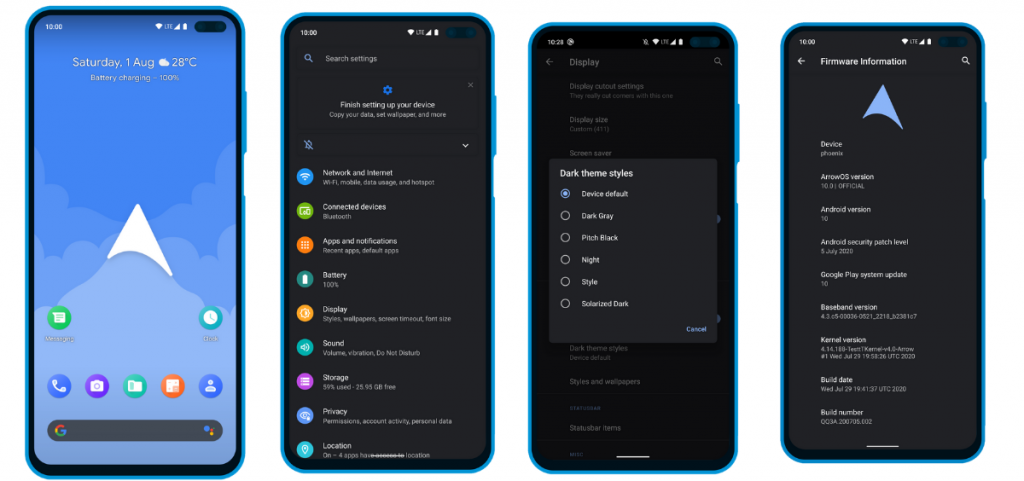
7. ArrowOS
In contrast to all the Custom ROMs mentioned in the list, Arrow OS provides less customization. As a result, this AOSP-based ROM is heavily oriented towards stability and battery life while offering a buttery smooth experience as a whole. Still, less doesn’t necessarily mean it’s bad. This ROM targets users that prefer better battery life and stability than overwhelming customization options.
Apart from that, this ROM also gets timely security updates and OS updates. The device support is also pretty broad.Download ArrowOS Custom ROM
8. Pixel Experience
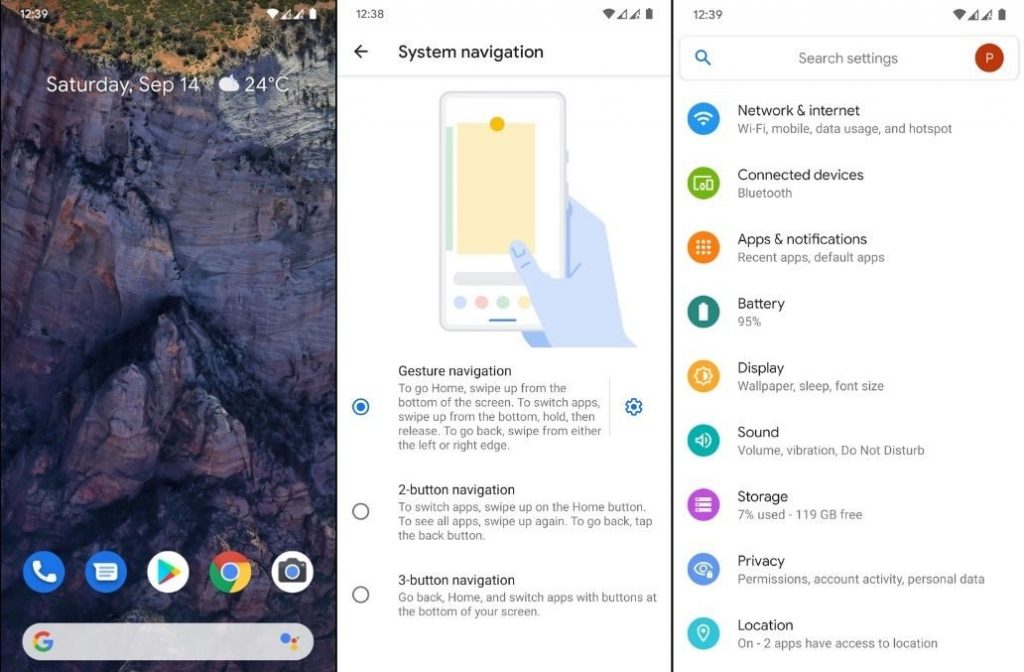
Say hello to one of the most simple and cleanest ROMs in the community, the Pixel Experience ROM. Derived from Google’s stock ROM on its Pixel devices, it delivers Pixel features right out of the box. Unlike the other ROMs in the list and precisely as the name suggests, the main purpose of the inception of this fantastic ROM is to provide a stable and secure Pixel-like experience rather than focusing on the area of customizability.
Although the Pixel Experience ROM holds some of the basic tweaks you would expect, tailoring every aspect of your device is not its goal. Another unique feature of the ROM is that it is CAF-based. For starters, a CAF-based ROM is an AOSP-based ROM that the chipset manufacturer Qualcomm uses to test their particular chipsets. CAF ROMs are tailored to offer incredible stability.Download POSP Custom ROM
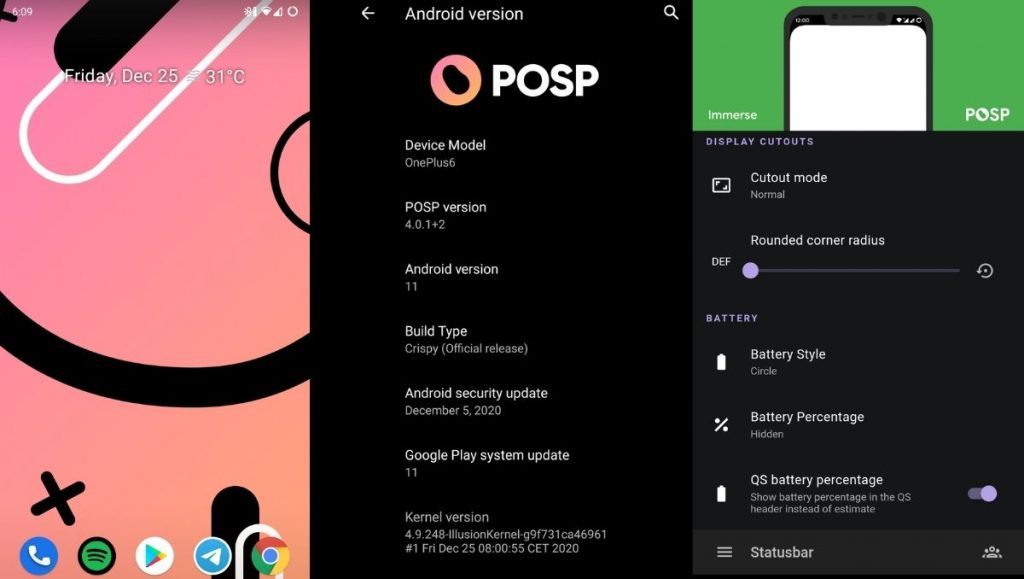
9. POSP (Potato Open Sauce Project)
Yup. You read that right. Certainly, Custom ROM developers can’t go wrong with crunchy names, right? Well, that holds true, at least in the case of POSP as many of the users might agree. Serving up a delicious-looking website with a cheerful undertone, this brilliant Custom Rom serves its purpose quite well.
This Popular Custom ROM provides ample choices for tweaking your device in the manner of your choice. Furthermore, the POSP Custom ROM now supports a wide variety of devices. Recently, the developers launched v4 adding several new features to the custom ROM. Finally, like it or hate it, these potatoes rock!Download POSP Custom ROM
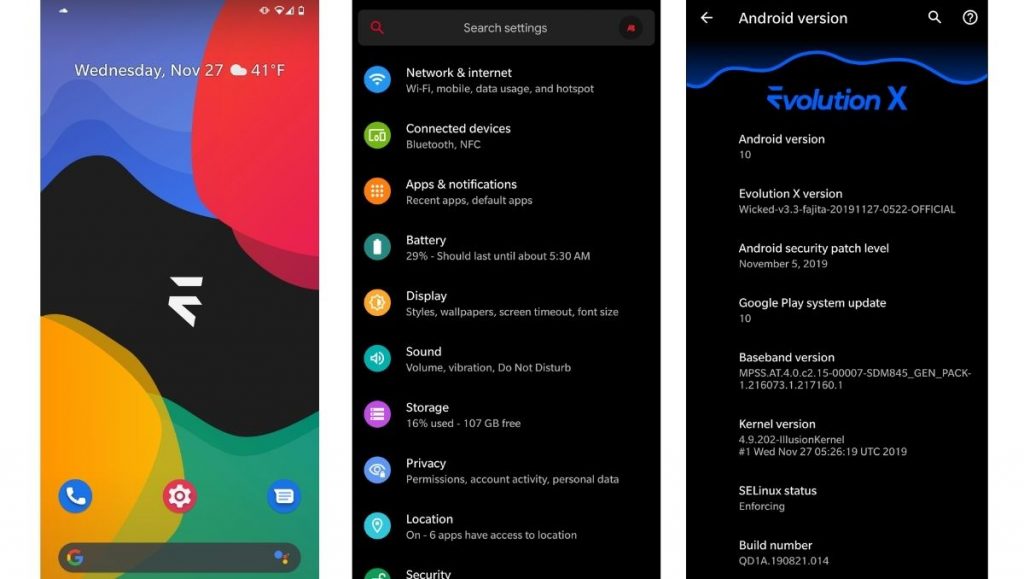
10. EvolutionX
EvolutionX is yet another custom ROM based on vanilla AOSP, similar to Pixel Experience. It is one of the most customizable custom ROMs in the Android community.
Developers rolled out EvolutionX ROM based on Android 11 as soon as the official Android 11 came out. The custom ROM is especially popular due to its performance and stability and is preferred by users who don’t often hop custom ROMs. Be it CPU-intensive tasks or GPU-intensive, EvolutionX nails it in every aspect.
Sure the customizations are less than other custom ROMs like HavocOS but, it strikes a perfect balance between performance and simplicity via stock Android experience.
AOSIP (Android Open-Source Illusion Project) is hands down one of my favorite custom ROMs when it comes to delivering a Pixel-like experience and a lot of miscellaneous features. Based on AOSP with Pixel Experience as a base, it delivers a lot of features and, at the same time, keeps the experience simple.
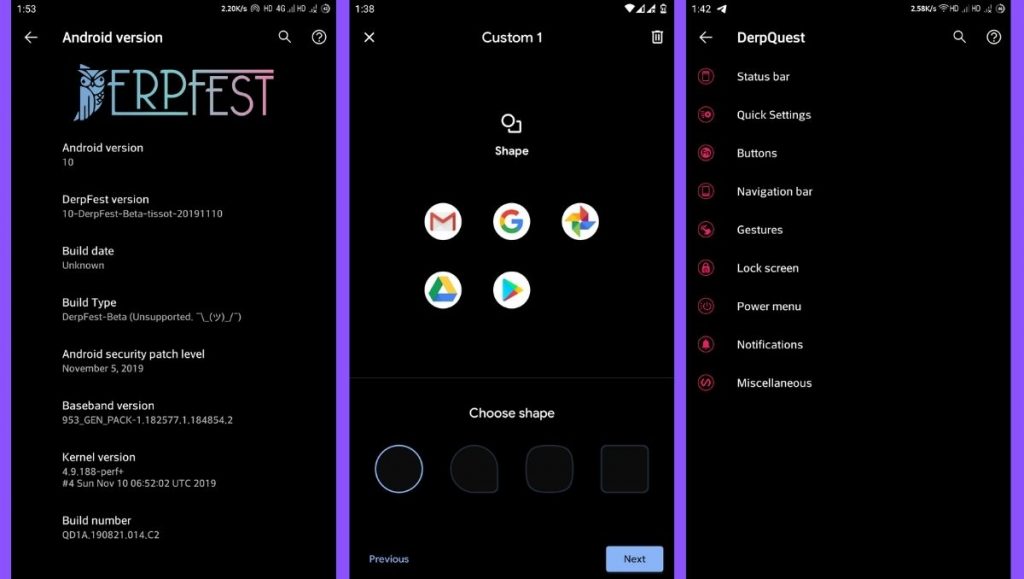
Derpfest is an unofficial, community ROM based on AOSIP. Apart from a few added features here and there, there’s not much of a difference between the two. Everything from the monthly security patches to receiving new version updates is also quick on AOSIP.Download AOSIPDownload Derpfest Custom ROMs
12. Syberia Project
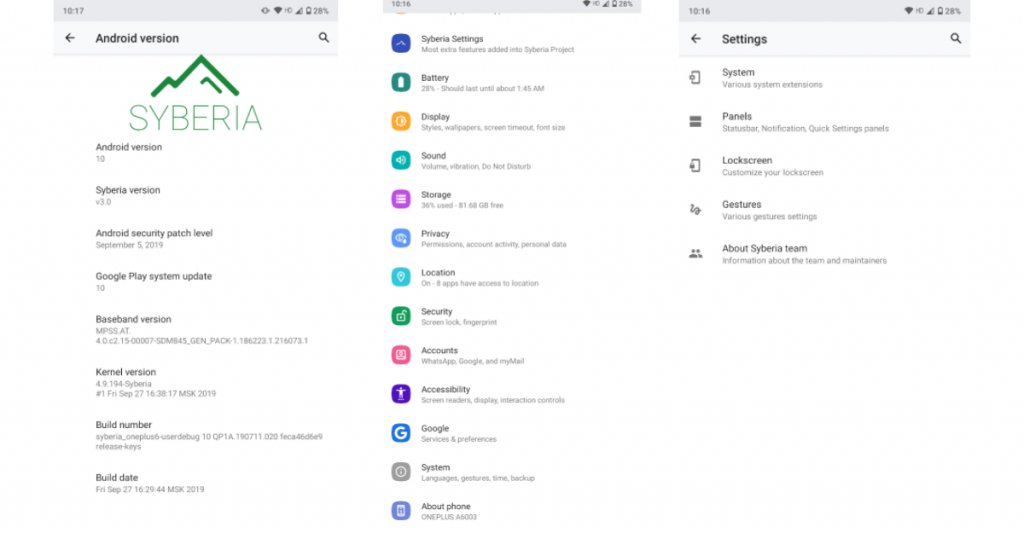
Syberia ROM is yet another AOSP and CAF-based custom ROM known for its stability, customization features, and timely updates. A week that I spent with this ROM (Android 10.0) on my OnePlus 6, felt pretty great for daily usage.
Apart from the Pixel experience and customization, what blew me away was how stable the ROM was. The Syberia OS community loves Xiaomi devices so, there’s a high chance that your Xiaomi device is/will be supported.Download Syberia Custom ROM
13. MSM-Xtended
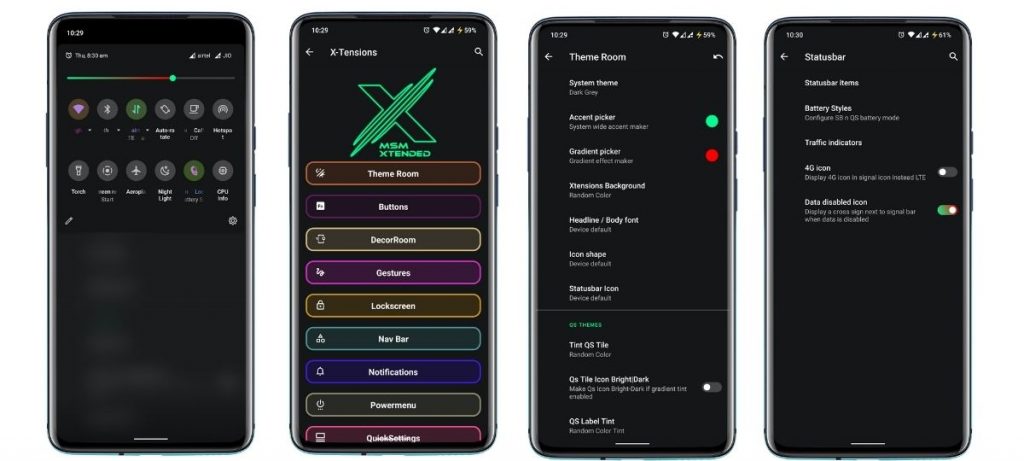
Are you searching for a custom ROM that helps tweak every last bit of your Android experience? Meet MSM-Xtended – A highly customizable, yet another AOSP-based custom ROM whose tweaking abilities are off the charts.
I tried it on my older Xiaomi Mi A1 and honestly, I think the customizations are a serious overkill here. Nonetheless, I know there are a lot of people who want just that. Apart from that, it was pretty stable and always stayed up-to-date. Hence, it is one of the best android custom ROMs for 2021 for customizations.Download MSM-Xtended Custom ROM
Wich one is the best?
Before you start yelling at me for not having your favorite custom ROM on this list, please understand that this is a very subjective list. These custom ROMs are just the tip of the proverbial proverbial iceberg.
Finally, it is strongly advised to peruse the XDA Forums to keep track of what works and user input. Certainly, the developers and maintainers of ROMs for your particular devices play a significant role. Get some fun blinking.
Realme1 is a legendary device which disrupted the market with its performance to price ratio back in 2018. Today also this old gun can compete any budget device in terms of performance. Since the official support has ended months ago I wanted you guys to be aware of the Custom ROM developments going on. So below is a list some the custom ROMs designed for Realme 1. A huge thanks to all hardworking developers behind these ROMs .
Installation process
Please familiarize yourself with flashing and custom rom use before attempting to flash the rom. Please make sure you download the correct version of ROMs for your specific device. Make sure you have TWRP installed.
➼Download the latest Rom & the latest GApps package
➼Boot into recovery
➼Backup your current ROM (optional)
➼Perform a FULL factory wipe and wipe /system and dalvik cache as a precaution
➼First boot may take up to 10 minutes. This is due to Gapps and root optimization.
BlissRoms based on Android 10
Bliss ROMs comes with a wide selection of customization options from around the Android community as well as unique options developed by our team. With so many options available, you’ll find it hard not to enjoy the Blissful experience.
????BUGS????
➼SELinux is permissive
➼VoLTE
➼Video codec issues in all Chromium-based browsers.
Project Sakura is a custom ROM built around Lineage OS 17.1, It tries to remain true to it while also providing some more functionality and UI changes.
????BUGS????
➼SELinux is permissive
➼VoLTE
➼Video codec issues in all Chromium-based browsers.
LineageOS is a free and open-source operating system for set-top boxes, smartphones and tablet computers, based on the Android mobile platform. It is the successor to the custom ROM CyanogenMod.
????BUGS????
➼ Selinux is permissive.
➼ Video codec issues in all Chromium based browser.
AOSP Extended is an AOSP based ROM which provides stock UI/UX experience with useful customizations. Being based on AOSP it provides a smooth experience. We have added useful customizations from various other open-source projects and have tried to keep our things simple. A ROM by a user, for a user. #BeExtended
????BUGS????
➼ Selinux is permissive.
➼ VoLTE.
➼ Video codec issues in all Chromium based browser.