When something can be obtained for free, why spend money on it? Both iOS and Android have a wide selection of apps. Better apps typically cost money, but occasionally creators could be so generous as to give away their pricey programs for free.
It is difficult to predict when these freebies may start to cost money again, though. Therefore, we highly advise downloading any app you believe you would like before it reverts to a paid download.
You can download and install an app before removing it if you think you might need it in the future but do not need it right now. That app will be permanently added to your app collection and regarded as “bought.”
Android apps that are free for a short time
Android apps for productivity and lifestyle
150X Duplicate Remover Pro($0.49):I know you have tons of storage on your phone, but don’t you wish you can remove duplicates of files to maximize space?
Dark Screen Filter($0.99):Is your phone by your bedside all the time when you sleep? Perhaps this app can help reduce the amount of light from incoming notifications so you can sleep better.
Resume Builder($4.99): Do you need help building your resume to secure the next dream job? Let this app help!
Unit Converter Pro($0.99): Do you deal with a lot of unit conversions in your line of work or studies? Why not let an app do the job for you?
Free Android games
Dungeon Corp S Idle($1.49):A fun game with cute graphics in an office setting where you farm for ever more powerful items to defeat crazy monsters!
Bulbs($0.99):Test your memory in this classic Simon game and boost your brain power.
Word Search Game Offline($1.99): Do you want to keep your brain active with this word search game? Play it offline wherever you are.
Infinity Highway($0.99):Fast cars and exotic tracks, what is there not to like about this game!
Live or Die: Survival Pro($0.49):It boils down to you and your wits to survive in this post-apocalyptic landscape that is full of zombies.
iOS apps that are free for a short time
iOS apps for productivity and lifestyle
1 Minute Fitness($0.99):Get fit no matter where you are with this app!
Driving Theory by James May($5.99):Prepare yourself well with this app before you get behind the wheel for real.
Ad Block Multi($0.99):Block irritating ads for a better iPhone experience. There are 21 filter lists and counting!
BeeScan – PDF Scanner App($9.99):Transform your iPhone into a portable scanner, scanning documents into PDF on the fly.
Free games for the iPhone and iPad
Wild Wolf Simulator Games 3D($9.99):Live the life of a wild wolf in a pack and experience things from a whole new perspective.
Pop Math Cards($1.99):Think you’re a math whiz? Why not give this game a go and see how fast you can think on your feet!
Orbital Invaders: Space Shooter($0.99):Clearly inspired by the classic Asteroids game, this version boasts amazing graphics with fast-paced gameplay.
Eastern Market Murder($2.99):An augmented reality game that requires plenty of brain power and curiosity to fully enjoy the game.
SpellbookMaster($3.99):Locate Dungeons & Dragons and Pathfinder spells easily while reading up on their details. Guess this is more game-related than a game per se.
We advise you to check the app’s details on the Play Store or App Store before downloading any of the aforementioned apps. This is significant because a few of these free apps can offer special features or disadvantages of their own.
This column is published twice a week to help you save time on research, but if you are taking a break this weekend, you might want to check if there is anything new on the Google Play Store and Apple App Store. More importantly, is it free? Well, sometimes apps are made available for free for a limited time.
All of the apps that we have included below are generally paid for, but their makers have temporarily made them available for free. We have gone through each app and made sure that it has at least 3.5 stars and has little to no microtransactions.
Note that these are time-limited promotions as per the terms and conditions of the individual app creators. If you come across an app that is on the list but has since gone back to being a paid download, please let us know so we can adjust the story appropriately.
Useful tip: When you find an app that you want to have but do not need right now, download and install it first. It will be regarded as “purchased” and will stay in your app library indefinitely—even if you immediately remove it from your smartphone.
Android apps that are free for a short time
Android apps for productivity and lifestyle
Simple Quote Widget($0.99):Want an inspirational quote to perk up your day? Get boosted with this app.
One Swipe Notes($0.99):While there are many note apps out there, this is one of the more interesting ones, allowing you to take down notes just a swipe away even if you are playing games or doing something else.
Alfacast x screen mirror($9.99):Older TVs might not have that kind of interconnectivity with your phone, which is why this screen mirroring app breathes new life into old TVs.
Bass Booster & Equalizer Pro($2.99):Give your bass a boost on your phone’s speakers. Works better if you have stereo speakers!
Android games
Surface Trimino($0.99):Do you have what it takes to increase the surface area of the same color to hit the target? A puzzler to while your weekend away.
Infinity Highway($0.99):Pick a car, race against other cars, win, and earn money for upgrades… if only life were that simple.
Train Simulator($0.49): Sheldon from Big Bang Theory would not want to miss this. Be a train driver and ferry your passengers to safety, work across the globe, and build subway stations!
Word Connect Pro 2023($2.99):How many words can you form from a few given letters? Time to get that brain working!
AceSpeeder3($0.49):A futuristic racing game that is sure to set your pulse racing!
iOS apps that are free for a short time
iOS apps for productivity and lifestyle
Ring Sizer Converter($1.99):Are you all primed up to pop the question to your beloved? Make sure you get the ring size right first!
Video Compressor($1.99):Living up to its name, this app helps you save space by compressing video without losing too much quality in the process.
HibiDo Pro($2.99):A task, reminder, and planner app all rolled into one. How much more convenient can it get?
Unlimited Math Problems($2.99):Love math? Try this app out, it is sure to keep you occupied for hours on end.
Free games for iPhone and iPad
Jumpy Horse($0.99):Breed horses, participate in competitions such as racing and jumping, and have fun while you’re at it! At least there is no need to scoop up poop.
Dirt Trackin’ 2($3.99):A rally racer that features pretty realistic mechanics as you tear up the track to achieve the fastest times possible.
Street Kart #1($1.99):Touted as the “best kart racing mobile sim ever made”, the graphics are amazing and it requires both strategy and skill to emerge the winner.
Shiny Ski Resort($4.99):Ever wanted to live the dream of owning a ski resort? Live out that dream by building your own ski resort and keeping guests happy.
Portal Dogs($2.99):A platformer where you need to locate all your loyal subjects throughout the numerous levels.
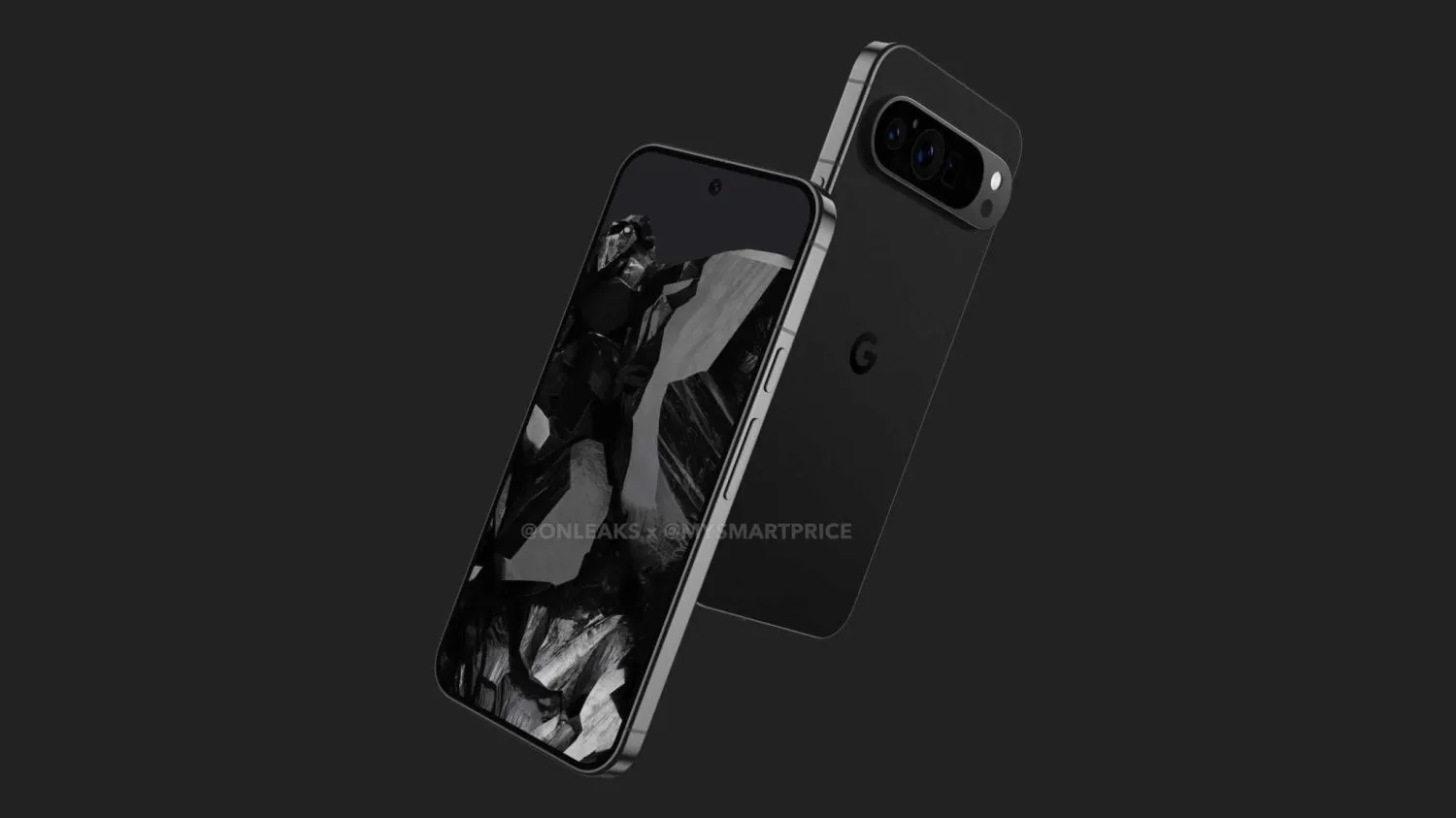
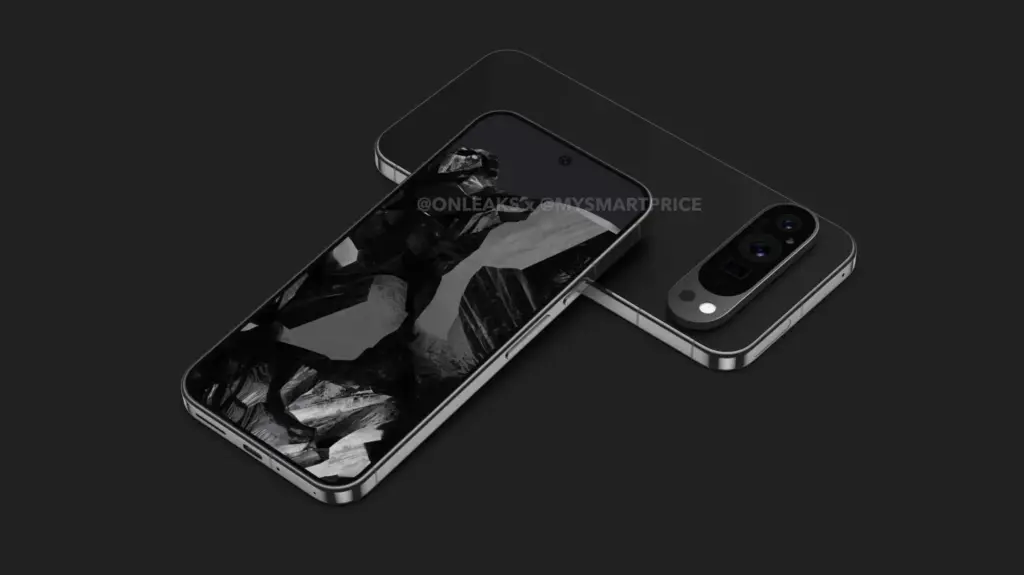
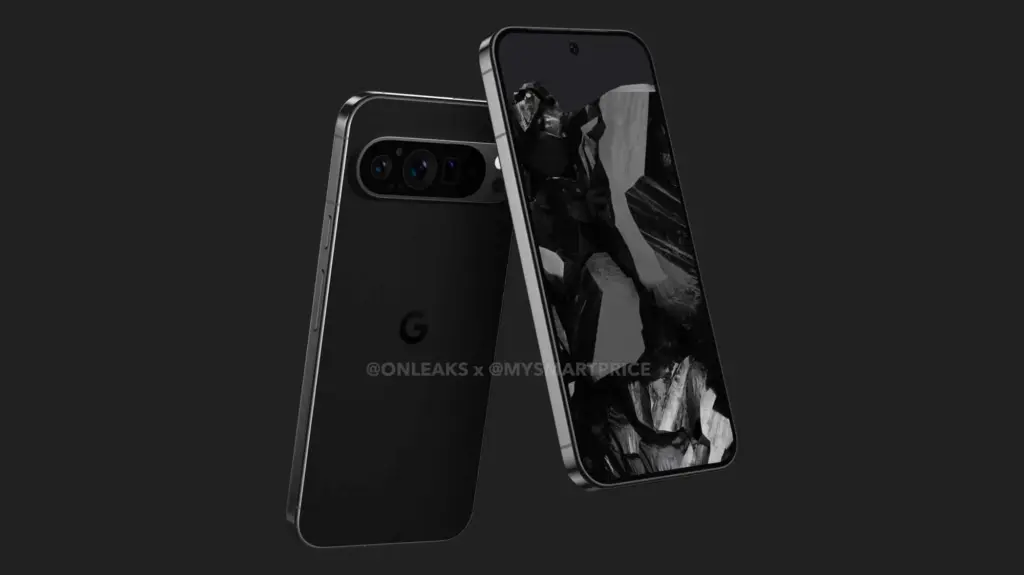
The first Pixel 9 Pro leak has surfaced, and the renders reveal a pretty drastic design change from the current Google phone.
@OnLeaks and MySmartPrice claim that the Pixel 9 Pro has flat edges that very slightly curve into the display and rear panel, in sharp contrast to the Pixel 6-8 Pro’s curved rail.
There is a cutout to the left of the connector, nothing on the left side, and the mmWave antenna cutout is located on top. The power button and volume rocker are still located on the right edge, and Google appears to have moved the SIM card tray to the bottom edge to the right of the USB-C port.
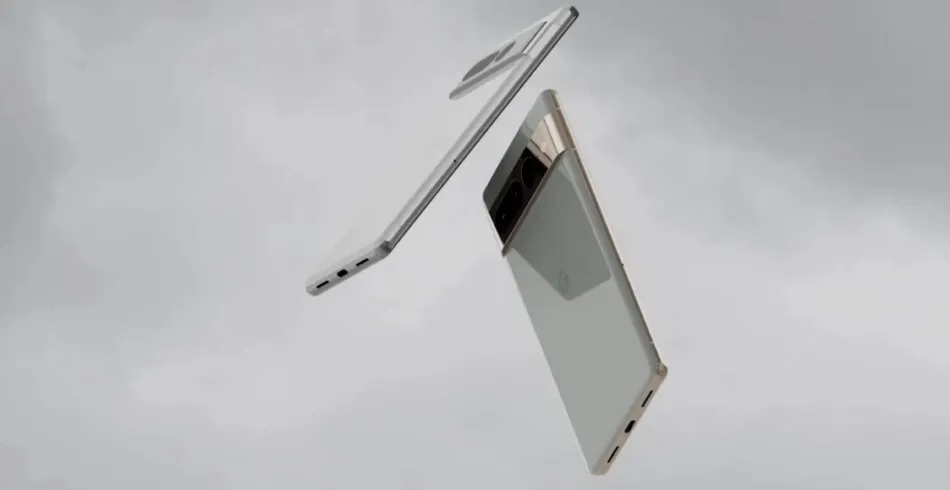
The three cameras are once again positioned side by side and covered by an oblong piece of glass, while the camera bar—which is obviously modeled after the Pixel Fold—is a floating pill that is not attached to the left or right edge like on previous phones. The overall effect is a pill-on-pill design with extremely little bezels on the left side.
The camera system, which features a large circle between the wide and ultrawide lenses, has two circular perforations next to it; one is for flash, and the other appears to be a temperature sensor that Google is keeping from the Pro model from last year.
The Pixel 9 Pro, according to the OnLeaks x MySmartPrice article, would have a 6.5-inch display, which would be significantly smaller than the 6.7-inch panel on the 8 Pro. This is true even if the proportions are about the same as they were last year, which may indicate a screen size error.
Pixel 9 Pro: 162.7 x 76.6 x 8.5 mm (12.0 mm camera bump)
The phone’s body is.3 mm thinner. Based on the renders, the display appears to be as flat as the 8 Pro’s, if not flatter.
This Pixel 9 Pro leak is happening two months earlier than the 8 Pro render. The design will definitely be compared to the iPhone, but it also has some Essential Phone-like qualities.
The majority of serious photographers use DSLR cameras, which are currently the industry standard. You can purchase a variety of cameras and lenses, which can be costly but worthwhile. However, you can enhance your experience even more by using apps. Generally speaking, your camera comes equipped with all the controls you need, but some apps can add features like remote control support or quicker, easier update processes. There are not many excellent options, but the ones that are available are good enough. Here are the top DSLR apps for Android!
Adobe Lightroom
Price: Free / Up to $52.99 per month
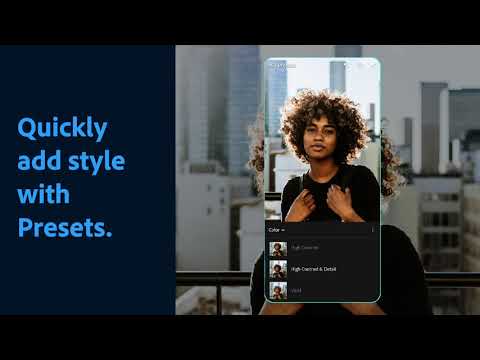
A good photo editor app is one of a photographer’s most valuable tools, and Adobe Lightroom is one of the best; the mobile version offers many of the same features as the desktop version, such as support for RAW photos, easy reverting back to the original, and the ability to send the files to your desktop version if necessary.
The majority of the features in the app are free, but if you already have an Adobe Creative Cloud subscription, you can access additional features. Overall, it is a good app for serious photographers.
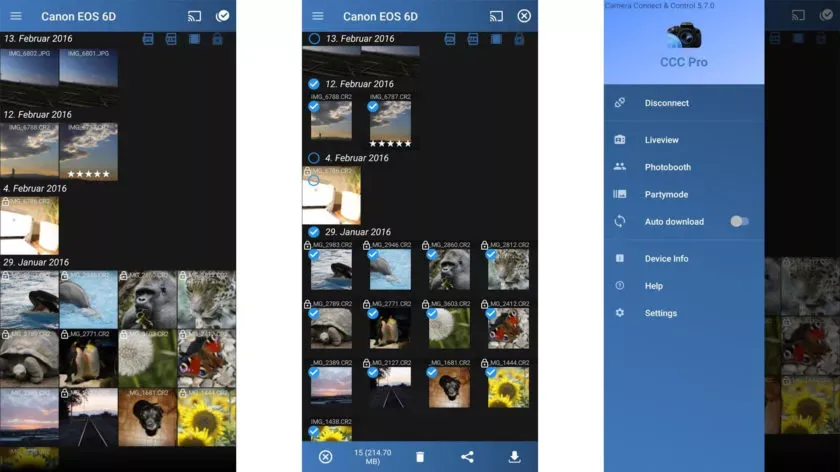
One DSLR app that lets you control your camera is called Camera Connect and Control. It works with a number of cameras, including Nikon, Canon, Sony, and GoPro. Depending on your camera, you can connect via WiFi or USB.
The app allows you to load your images to your phone and supports tethered shooting. Pro versions come with extra features like ad removal and access to EXIF data. The full pro version has even more features, but it has some bugs.
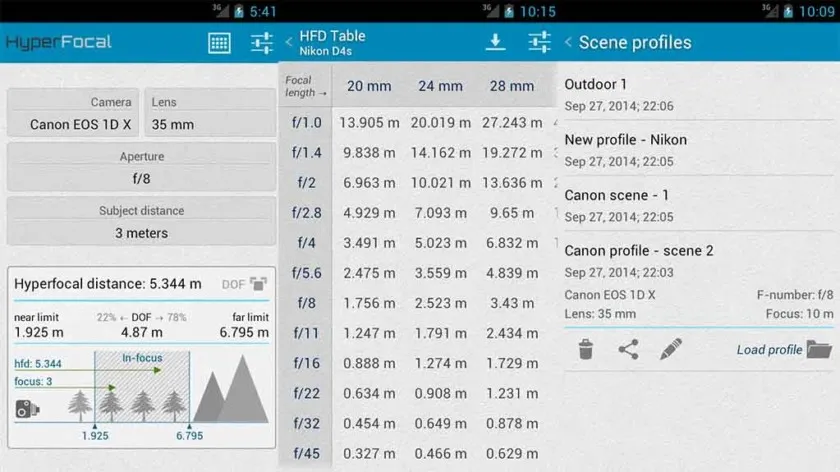
A reference guide for photographers, HyperFocal Pro displays calculations to get the best focus, ideal focus ranges based on subject, distance, camera, and glass; it works with most cameras; it displays statistics for depth of field, angle of view, and field of view; it is easy to read; it is free of cost, has no in-app purchases, and has no advertising.
For most beginning and intermediate photographers, it is a useful little tool.
The Magic Viewfinder app family is a collection of DSLR apps that do not control or connect to cameras; instead, they help you plan shots and see how your camera would perform by simulating your camera and lens setup. This allows you to accomplish tasks like framing without carrying your actual gear.
The apps are available for free download, with cheap in-app purchases to unlock all of the features. While they are not always the most useful, they can be useful in certain situations.
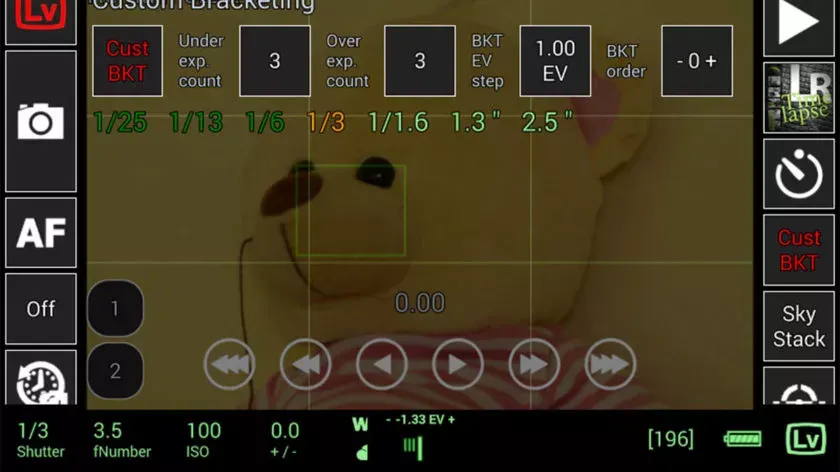
This DSLR app, called qDslrDashboard, works with mirrorless cameras from Canon, Nikon, and Sony. It has a long list of features, such as support for multiple cameras, the ability to view and pull photos from a camera, time-lapse controls, wireless controls, and more. If you prefer to work wired, it can also be used over USB-OTG. However, not all cameras are compatible with this app, and many users have reported connection problems and other various bugs.
Given its price tag, we imagine that’s why the rating is a bit lower than we’d normally see. In any case, if you try this, make sure to give it as thorough a testing as you can inside of the refund period, just in case.
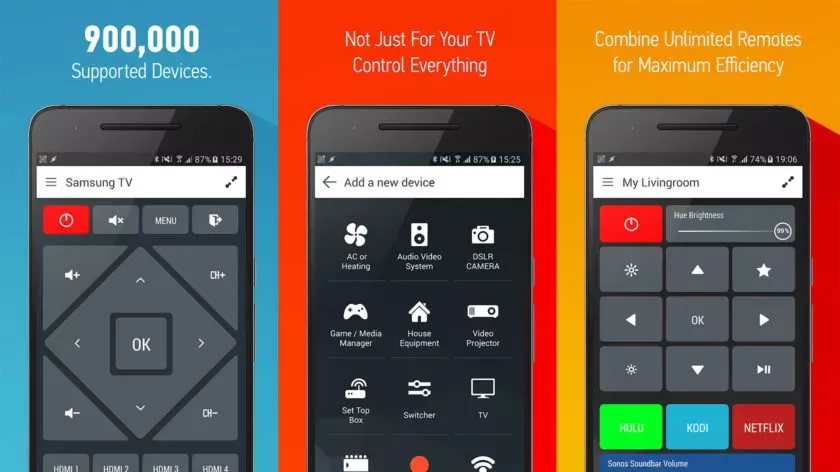
With that said, there is an immediate caveat with this one: your device needs an IR blaster on the phone in order for this remote app to function at all. Other than that, it should work with almost anything that has an IR receiver, which does include some DSLR cameras and camera remotes. However, there is not an easy list to refer to as to what cameras work with this one. Smart IR Remote is primarily for TVs and other home electronics.
The pro edition of the app is a bit pricey, but you definitely get what you pay for—it is arguably the greatest infrared remote software available on Google Play. Our recommendation is to download the free version and see if it functions with your camera.
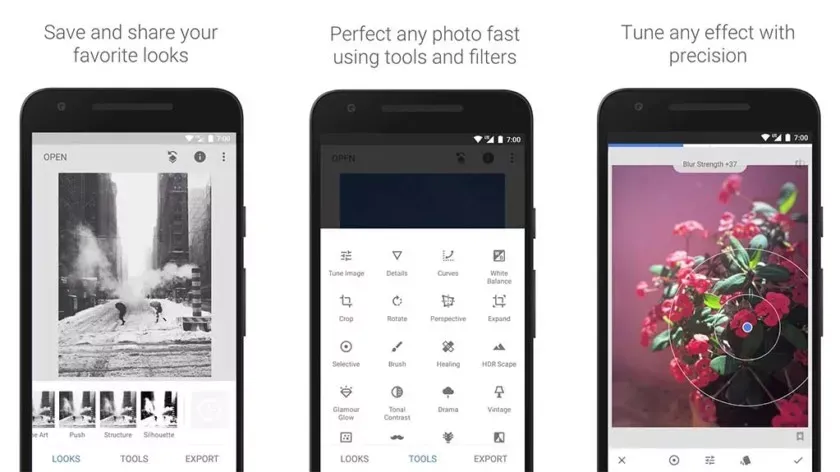
Google’s Snapseed is an extremely feature-rich free photo editor app that supports RAW files in addition to offering 29 additional editing tools with intensity sliders for finer control; it can also perform standard photo editing functions like cropping and white balance.
While it is not quite as powerful as desktop photo editors like Lightroom or Photoshop, Snapseed is probably the best option available for mobile devices.
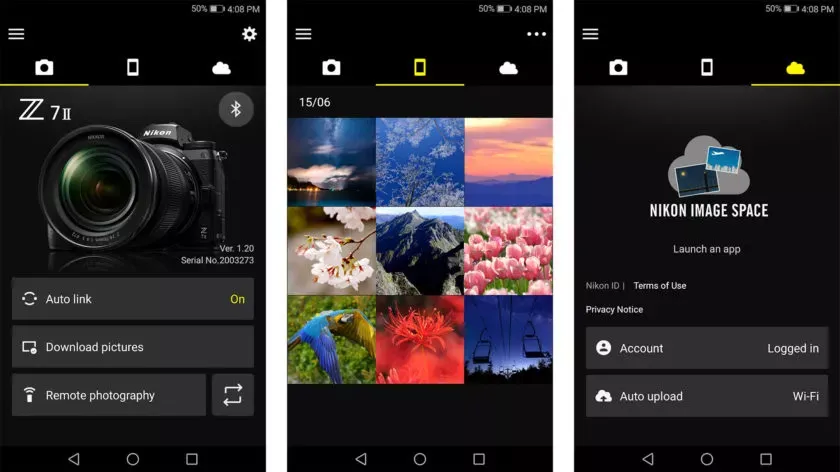
DSLR apps are available from most camera manufacturers. Canon, Sony, Nikon, Lumix, and other manufacturers have official apps designed to be used with their cameras. These apps are typically not the best—if they were, you would not be here and this list would not be necessary—but they can do basic functions like taking photos and transferring them to your phone.
While most of the apps are free, there are some that are more functional and allow you to do things like download via Bluetooth, take pictures remotely, and perform other advanced tasks. It is advisable to try the official app for your camera first (assuming it has one and is compatible) before downloading any other apps.
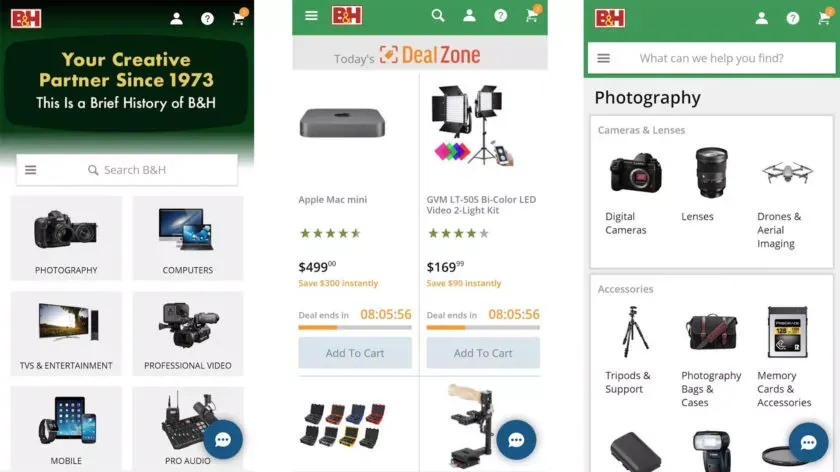
There are a lot of apps that sell various DSLR cameras and accessories. Some examples include B&H Photo Video (linked at the button), Amazon Shopping (Google Play link), and Newegg (Google Play link). However, you can also find some neat stuff on sites like eBay if you want a new piece of glass or some lightly used accessories.
Plus, those are excellent places to find lighting, filters, camera bags, cleaning supplies, and other things to make your photography life better. Hit all the links to check out the various apps.
As noted by Mishaal Rahman on Twitter/X, Google appears to be working on updating the Linux kernel on all Tensor-powered Pixels. Specifically, the evidence presented suggests an update to version 6.1, which was released in December 2022 and is the second-to-newest version of the kernel, with 6.6 having been released in October 2023.
Release of new software updates on a regular basis is one of the biggest selling points of a Pixel device, and it appears that Tensor-powered Pixels are about to receive a rare software update that updates the kernel used in the background.
While there’s no word on what a kernel upgrade might change, this is notable for a couple of reasons.
One of the comments mentions that “some Pixel devices” will be released with version 5.15 on “Android V,” which is Android 15. That also suggests that the timeline at play here is not in the immediate future but rather sometime after Android 15’s release. The 5.10 kernel version will see its end-of-life date in December 2026, so it most likely will not be too long after. For starters, this update would put all Tensor-powered Pixels on the same kernel. Pixel 6 and forward all ran on version 5.10 until the launch of Pixel 8, with 8 and 8 Pro running version 5.15.
Updates to the kernel typically do not affect the user experience much, but they can have a significant impact on how your device functions. This includes performance and battery life. Custom kernels were a fairly common feature back when Android modding was more common.
Splurging on expensive gadgets does not seem like a very smart idea, especially considering the beating most of us have taken from the rising cost of living. If you have resolved to be more frugal with your money, the year-over-year differences are not great enough to justify spending on newer releases, so if you are looking for a capable phone, Google’s Pixel 7 Pro is available for a great price.
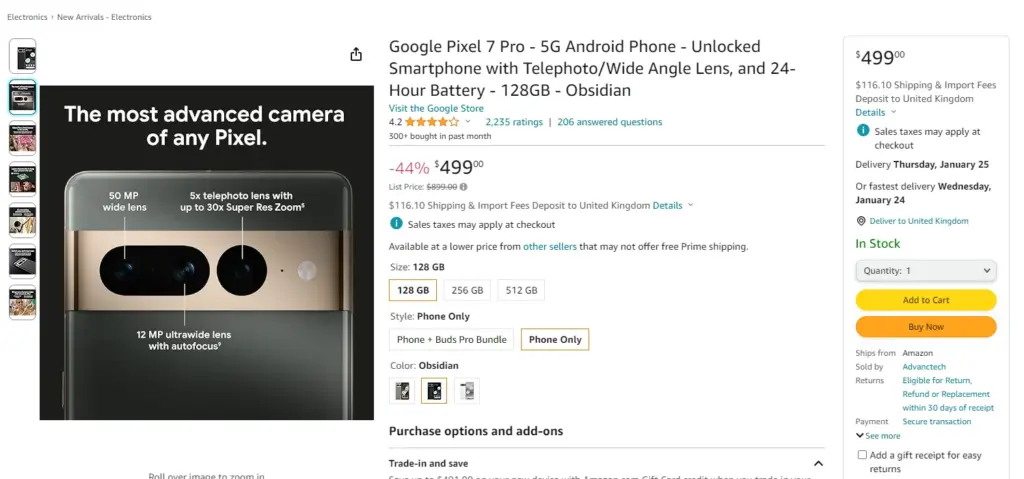
One of the best phones available right now is the Pixel 7 Pro, which is highly regarded in the tech community for good reason. It boasts a stunning 6.7-inch screen with a refresh rate of 120Hz and is slightly curved, making it more comfortable to hold than most other high-end smartphones.
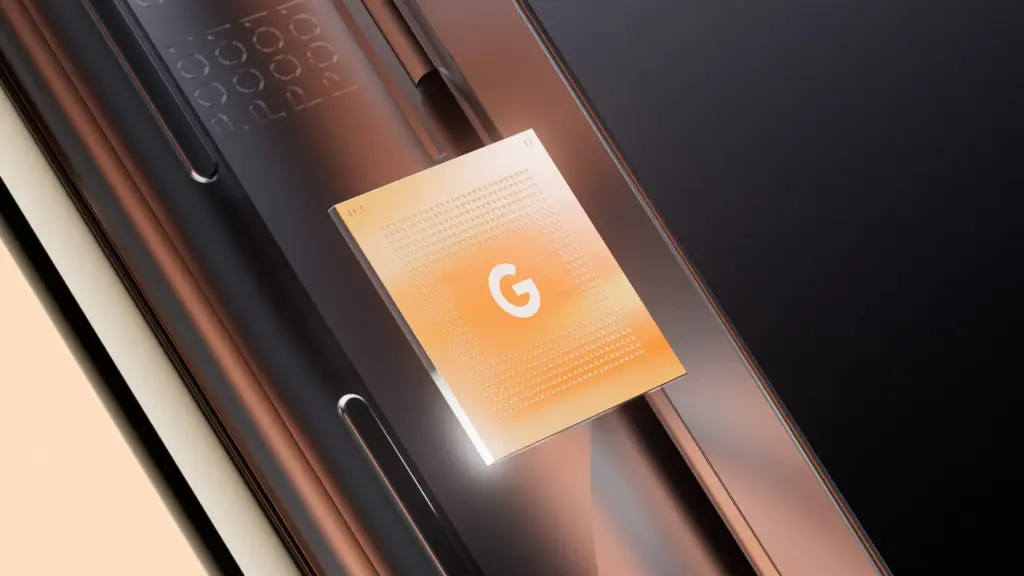
The device is underpinned by the homemade Google Tensor G2 chip and while it’s not at the top of the performance charts, it’s plenty fast for everyday use.
With its triple camera array—a 50MP primary shooter, a 12MP ultrawide snapper, and a 48MP telephoto module with 5x optical zoom—it produces aesthetically more pleasing, stunning, and color-accurate photos than most other phones.
The 128GB Pixel 7 Pro is currently $380 cheaper than the iPhone 14 Pro and Galaxy S23 Plus, both of which have starting prices of $999.
Go for the phone if you need a high-end smartphone with stellar cameras, smooth performance, and a clutter-free interface but do not want to spend a fortune.
Google’s phones are also at the front of the queue when it comes to operating system updates and they get better with age thanks to quarterly Feature Drops which bring features introduced with newer phones to older phones.
Now that the price has dropped, the Pixel 7 Pro has an advantage over the Pixel 8 Pro, which starts at $999.
This year, how has your smartphone experience been? Is it time to audit the apps you currently have on your phone? Maybe it is time to try something new, and we may have a free app (or two) that will catch your attention at the beginning of this week. The apps that are listed here are free for a limited period of time, but we have no idea when they will become paid again.
Check out our weekly selection of games and apps below. We make every effort to ensure that these are free of scams and privacy issues, but please note that this list differs from our Apps category in that we do not review each app separately. As a result, some of the apps on this list may contain in-app purchases and advertisements.
Tip: If you come across an interesting app on our list but don’t need it now, install it first and delete it afterward. This will cause the app to be saved to your library, allowing you to install it later for free, even after the promotion ends.
Android apps available for free for a limited time
Android apps for productivity and lifestyle
Memorize: Learn Spanish Words($6.99): It is never too late to start learning a new language. Use this app to pick up the pace of learning Spanish.
Mandala Maker($0.49): You do not have to be an insanely creative artist to draw intricate mandalas with this app.
Android Games
The Rich King($0.99): Ever wondered how life would be if you were stinking rich? Find out virtually in this game!
Merge City Premium($4.99): Spruce up your virtual city in this game from the ground up. It will carry your characteristics and thoughts.
Ruby Square($0.99): A puzzle game where you rotate a square of colors to help them match with the surrounding squares.
Live or Die: Survival Pro($0.49): Do you love survival games? If so, then this is the perfect game for you as you craft your way through a bleak future.
Shadow Survival($0.99): It is you against the world. Do you have what it takes to take down never-ending hordes of enemies?
iOS apps available for free for a limited time
iOS apps for productivity and lifestyle
Panographic Photo($1.99): Stitch different photos together using this app for a brand new look.
TILA: Sleep, Meditation & Calm($2.99): Want to sleep better? This app claims to be able to help you enter dreamland faster than usual.
Videdit($0.99): This is a useful video editing tool to use on your iPhone.
Face Story Pro($2.99): Be like T-1000 by changing your face to another through the morphing process.
ColorCamera – Color Picker($0.99): This app is basically a teardrop tool, letting you select the perfect color from your photo collection.
iOS games
Shock Clock Arcade($0.99): It is only a matter of time before you lose, but just how fast and far can you progress with your reflexes?
Pepi Bath 2($3.99): Not all kids love their bath times, perhaps this app might make it look fun enough for them to dip their toes in the bath next time without being dragged there screaming and kicking?
Neo Monsters($0.99): Catch monsters. Train them. Let them fight with other monsters. Win and upgrade the monsters. Rinse and repeat.
2 Players 1 Device($0.99): If you are short on devices but have 2 squabbling kids to keep them occupied, this single device game is ideal.
Rain Drop Catcher($1.99): Catch falling rain drops in this reflex-oriented game.
That is all for now, and let us get started with this week’s free app and game selection.
Black Friday is getting closer every day, but before you go crazy with your shopping, take a look at this week’s second round of free games and apps for your iPhone or Android smartphone from the Google Play Store and Apple App Store. These are normally available for a price, but you can get them for free for a short while.
Tip: If you come across an interesting app on our list but don’t need it now, install it first and delete it afterward. This will cause the app to be saved to your library, allowing you to install it later for free, even after the promotion ends.
Android apps available for free for a limited time
Android apps for productivity and lifestyle
Date Calculator Pro($0.99): Want to perform date and time operations on your Android device? Make life easier with this app.
Age Calculator Pro($0.99): Forget about making mental calculations, as this app provides you with an accurate answer to a person’s age based on their date of birth alone.
ColorMeter camera color picker($1.99): Want to identify the exact color that you see? This app will go a long way in helping you do so accurately.
Android Games
Defense of Egypt TD Premium($1.99): If you have not gotten sick of the tower defense genre yet, here is one title that is set in Ancient Egypt.
Traffic Jam Cars Puzzle Legend($4.99): Everybody hates traffic jams. It is up to you to solve this puzzle game in a match 3 format.
EHW Premium & 101 Classic Games($0.99): This is a real-time strategy game that merges the online side-scroller defense genre alongside RPG elements for a truly revolutionary gaming experience.
Mental Hospital IV($1.99): A first-person survival horror game where you need to escape from all the madness around you. It’s really creepy!
Summoners Era($0.99): An idle RPG game that sees you pick a party of summoned monsters to defeat all who stand in your way.
iOS apps available for free for a limited time
iOS apps for productivity and lifestyle
Lottery Box – Lotto Manager($5.99): Place the lottery numbers you play in a pool, where you can then tweak the combinations for one or multiple draws. Would it increase your chances of winning? Who knows, really?
AirDisk Pro($2.99): Store, manage, and access files on your iPhone with this app in a new way.
Unit Converter Pro HD($0.99): If your line of work happens to deal with many unit conversions, having this app comes in handy.
Safety Note+ Pro($3.99): Are you one who takes down notes every single day, jotting your thoughts so that you can refer to them later? This app keeps your notes secure with its own security mechanism.
iOS games
Taijitu($1.99): This is a game about balance, where you do your level best to avoid having two of the same colors on the same side of the screen.
cat&line($1.99): Draw a line and make sure that the cat will continue to have space to move forward. This is a fun mission-based runner.
Bug Bomber($1.99): A classic action puzzle game that reminds you of Dr. Mario, except you will need four or more of the same color to clear a line.
Crystal Cove($2.99): A totally new spin on the match 3 genres as you move your triangle around the board to clear it.
Wind Wings($1.99): A 3D puzzle game that is certainly enthralling to keep you riveted.
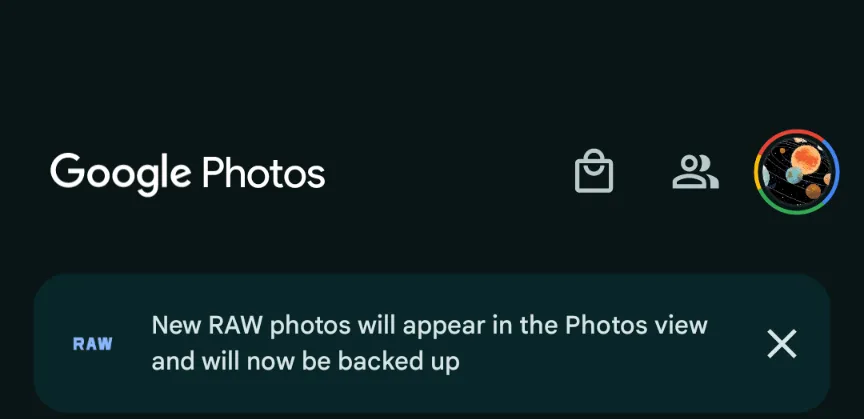
Google Photos is making a significant change to how it manages RAW photos and backup on Android, as we noticed at the beginning of this year. The format has been substantially improved as of late, although there may be some drawbacks.
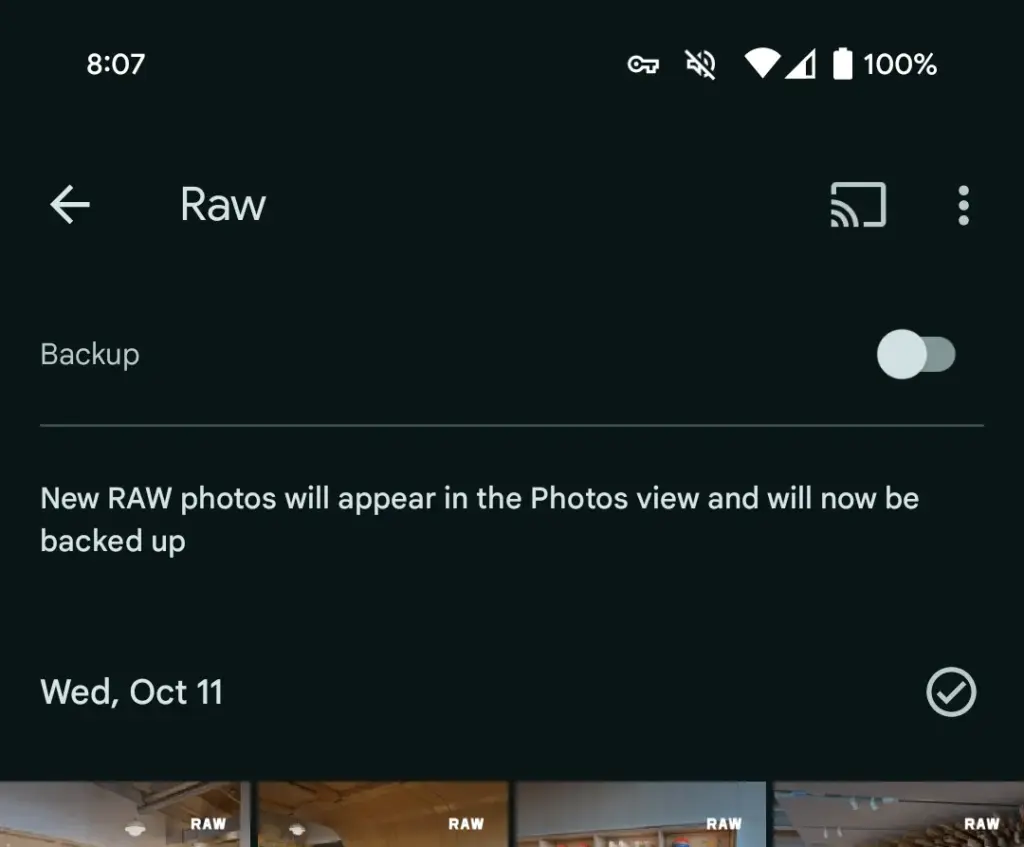
This morning, Google Photos presented the following banner on a Pixel 8 that had previously taken RAW photos in the Camera app: “New RAW shots will appear in the Photos view and will now be backed up.”
Taking a RAW photograph now automatically uploads it to Google Photos backup and displays it in the main “Photos” tab/grid. It’s labeled “RAW” in the top-right corner, and opening it shows a switcher at the bottom that allows you to view the JPEG as well. When viewed as a “Burst,” JPEG allows you to “Export this photo” or “Keep this photo only,” whereas RAW allows you to “Set as main photo” and “Keep this photo only.”
RAW files are quite huge, and Google automatically uploading to the cloud might rapidly exceed mobile data restrictions. (However, Google is no longer uploading earlier on-device RAWs.) There is no obvious way to prevent RAW uploads using existing backup settings.
It may potentially have an influence on Google One storage restrictions. Personally, I’ve always transferred RAW photographs I’ve taken via USB because I don’t have a backup for that folder.
Meanwhile, that “Raw” folder (on Pixel) found in the Library tab > Photos on device carousel is no longer in use. New RAW images are not shown there. At a glance, there’s no obvious way to view just RAW captures in Google Photos.
Meanwhile, this comes as Google Photos recently added the ability to set a default RAW editor. Photos settings > Apps & devices > Raw editor shows apps like Photos (which will convert to JPEG before editing), (Pixel) Markup, Gallery (Go), and Snapseed.
We’ve reached out to Google to explain this RAW backup change in Photos on Android on behalf of wedding photographers.
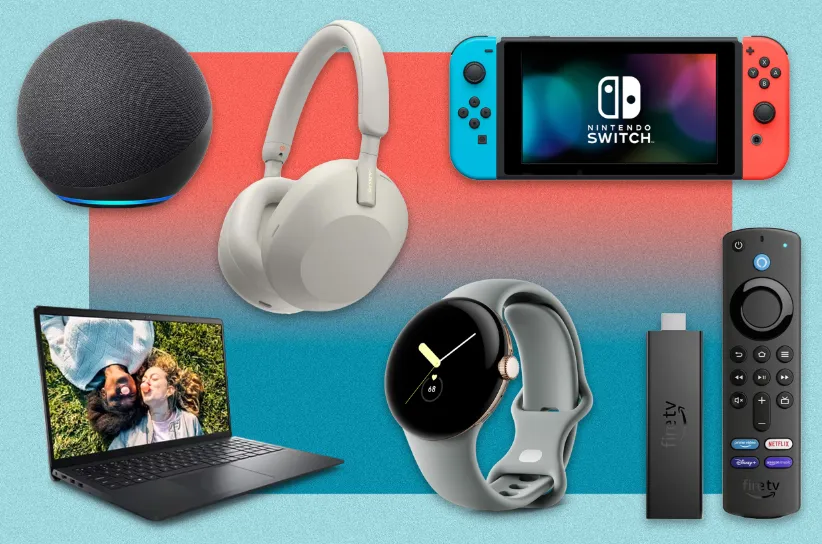
Black Friday and Cyber Monday are still a few weeks away, but if you want to finish your holiday shopping early, there are a ton of great tech discounts readily accessible right now.
In this single guide, we’ve compiled all of the finest early Black Friday discounts on everything from tablets and TVs to smartphones and watches.
The Samsung Galaxy S23 Ultra is currently $200 off, and several of our favorite smart home devices are currently up to 50% off. Naturally, we anticipate seeing additional deals in the upcoming weeks.
If you didn’t find anything today, stay reading to see what else is currently available, and bookmark this page since we’ll keep adding fresh offers to it up to the start of Black Friday.
PHONES
The following is only a small sample of the many Android phones that retailers are discounting ahead of Black Friday. For a larger list of offers, take a look at our guide to thebest early Black Friday/Cyber Monday phone deals.
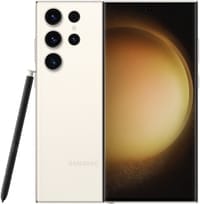
Kicking things off is this deal that slashes a whopping $200 off the unlocked Samsung Galaxy S23 Ultra. This phone is peak Android technology, with a built-in stylus, some outstanding camera tech, and the customized Snapdragon 8 Gen 2 chip.
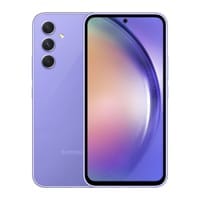
Similar to the Pixel 7a deal we just mentioned, Amazon will hook you up with a FREE pair of Galaxy Buds Live earbuds when you purchase an unlocked Galaxy A54 5G. That’s a value of $120, but if you don’t need earbuds, you can still save $40 when you buy the phone alone.
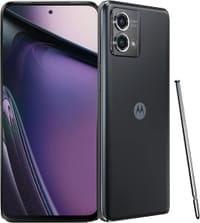
Looking for a phone with a built-in stylus? The Moto G Stylus 5G is one of the better options if you don’t want to break the bank, featuring a 5,000mAh battery, great camera, and a vibrant 120Hz display. Right now, Amazon is slashing $100 off the price of the phone, bringing it down to just $299.99.
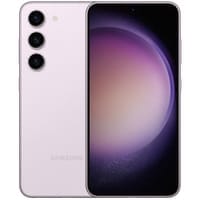
Buy the 256GB version of the super-balanced Galaxy S23 Plus and you’ll get a straight $200 dropped off your purchase at Best Buy. The retailer will also throw in a free month of Xbox Game Pass Ultimate.
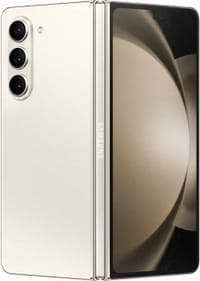
Buy the innovative Galaxy Z Fold 5 directly from Samsung and you’ll be eligible to receive up to $1,000 off with trade-in, plus a free S Pen slim case (a $99.99 value). They’ll also give you $180 off the Galaxy Buds 2 Pro if you want to bundle the phone with a sweet pair of earbuds.
The fitness trackers and smartwatches that are now on sale at retailers in advance of Black Friday are just a few examples. Check out our guide to the greatest Black Friday smartwatch deals for a longer range of offerings (so far).
The Galaxy Watch 4 Classic might be a few years old, but with a 30% discount, who’s complaining? More powerful and slightly more traditional-looking than the standard Watch 4, the Classic boasts some stainless steel heft and a real rotating bezel that we absolutely love.
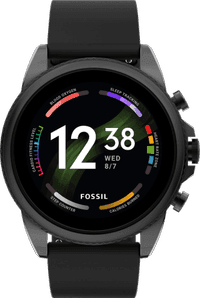
Right now you can snag a Fossil Gen 6 smartwatch for $179, which is an epic price reduction of 40%. This hybrid timepiece boasts an efficient Qualcomm chip, loads of activity-tracking features, and great battery life with super-fast charging.
It’s far from cheap, but the Garmin epix (Gen 2) is a great choice if you can afford it, with a rugged stainless steel construction, unique map features, and outstanding battery life. Right now you can soften the blow of the big purchase with a sweet $250 discount at Amazon.
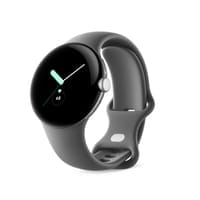
Although the price might drop lower when Black Friday hits next month, you can buy a Pixel Watch through Amazon today and save an epic 30% on the LTE version of the watch in Silver.
Stylish, versatile, and feature-packed, the Vivoactive 4 reigns as one of the best intro smartwatches for most people, and now you can get your very own at the discounted price of $279.95.
The tablets below are just a few of the many that are now on sale from shops in advance of Black Friday. See our guide to the top early Black Friday tablet bargains for a longer list of offerings.
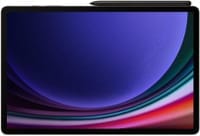
The top pick in our list of best Android tablets, the Galaxy Tab S8 Plus comes complete with a large 12.4-inch AMOLED display, an ultra-efficient Snapdragon processor, and software support through 2027. Right now, you can snag one of these tablets and save 145 bucks!
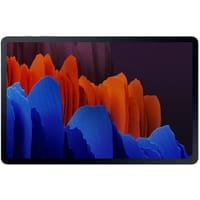
Despite being a few years old, the Galaxy Tab S7 Plus still performs with the best of them, thanks to a Snapdragon 865+ processor, vibrant 12.4-inch AMOLED display, and an included S Pen stylus. Now pair those specs with a 41% discount and you’re looking at a truly fantastic deal.
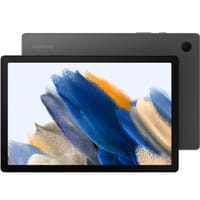
The Galaxy Tab A8 is a mid-range tablet with a few surprising specs, such as a Snapdragon processor and massive 7,040mAh battery. Amazon is currently dropping a nice 24% off the price of the tablet, making now a great time to buy.
The following is only a small sample of the many smart TVs that retailers are discounting ahead of Black Friday. For a larger list of offers, take a look at our guide to the best Black Friday Android TV deals.
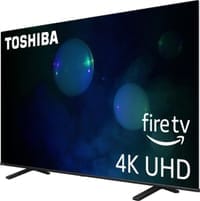
Nowadays, you’ll be hard-pressed to find a 65-inch smart TV for any less than $500, and yet that’s exactly what’s happening with this awesome pre-Black Friday deal. Head to Best Buy now and you’ll save $160 on the Class C350 Series TV from Toshiba, a versatile entertainment machine with 4K upscaling and immersive DTS Virtual: X audio.
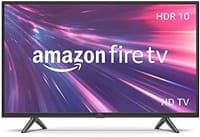
If you’re a Prime member, head to Amazon now and you can save a whopping 45% on this 32-inch 2-Series Fire TV. Sure, it’s not the most feature-packed smart TV in the world, but it gives you access to all of your favorite streaming services in 720p HD with Dolby Digital Plus audio, and most importantly, it only costs $110.
For a limited time, Best Buy is dropping a full $1,000 off the price of the Class S90C Tizen TV from Samsung. This entertainment powerhouse boasts AI-powered 4K upscaling, immersive Object Tracking Sound, and more.
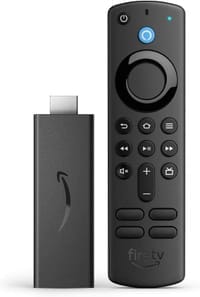
Okay, yes, this isn’t a smart TV, but a 50% discount on a Fire TV streaming stick is no joke. For just $20, this device gives you instant access to all of your favorite streaming services in Full HD, plus you’ll get an Alexa Voice Remote and six months of MGM Plus for 100% free.
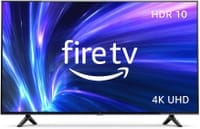
Head to Amazon now and you can get a whopping 48% off this 55-inch 4-Series Fire TV. That’s a bigger discount than the TV received during Prime Day! This model delivers vibrant picture in 4K UHD resolution with HDR10 and HLG, plus you get four HDMI and six months of MGM Plus for free.
The day after Thanksgiving, or Black Friday, is November 24, however many businesses start advertising their sales as early as late October or the first week of November. So that you don’t have to wait to uncover the finest tech discounts, we’re keeping track of all the best deals as soon as they become available.
Should purchase now or to hold out until Black Friday?
If you find something now for a record low price, you might want to take advantage of the offer since it’s unlikely that the price will fall further lower once Black Friday arrives. Of course, we’ll inform you in our bargain guides if we believe you should purchase or not.