Tag: galaxy

  • Drastically improve the user experience on any Samsung with OneUI

    Drastically improve the user experience on any Samsung with OneUI

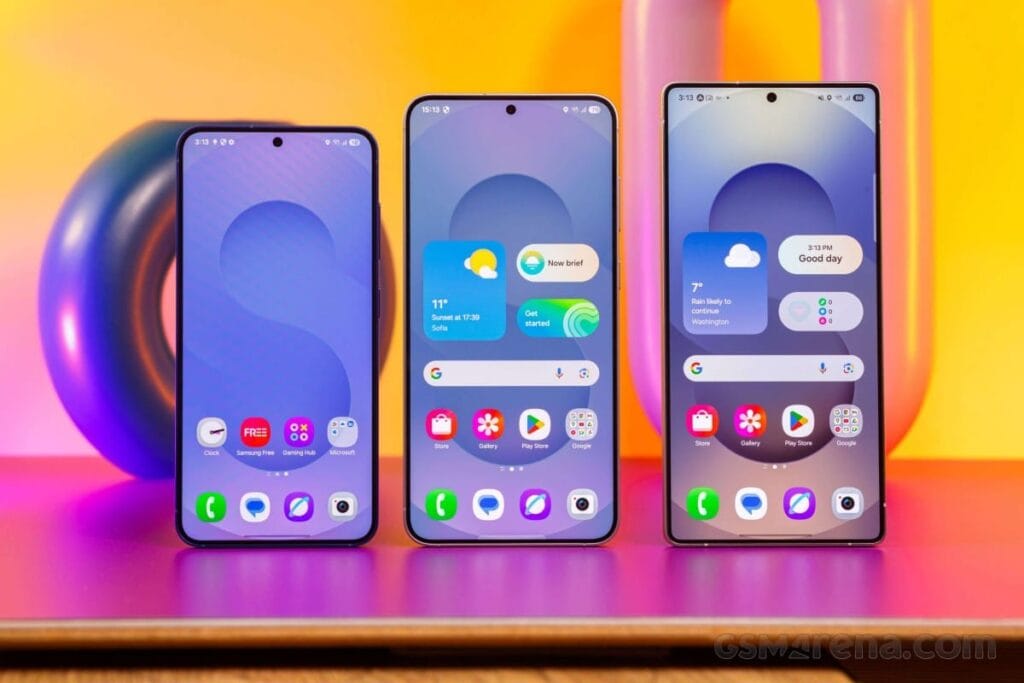
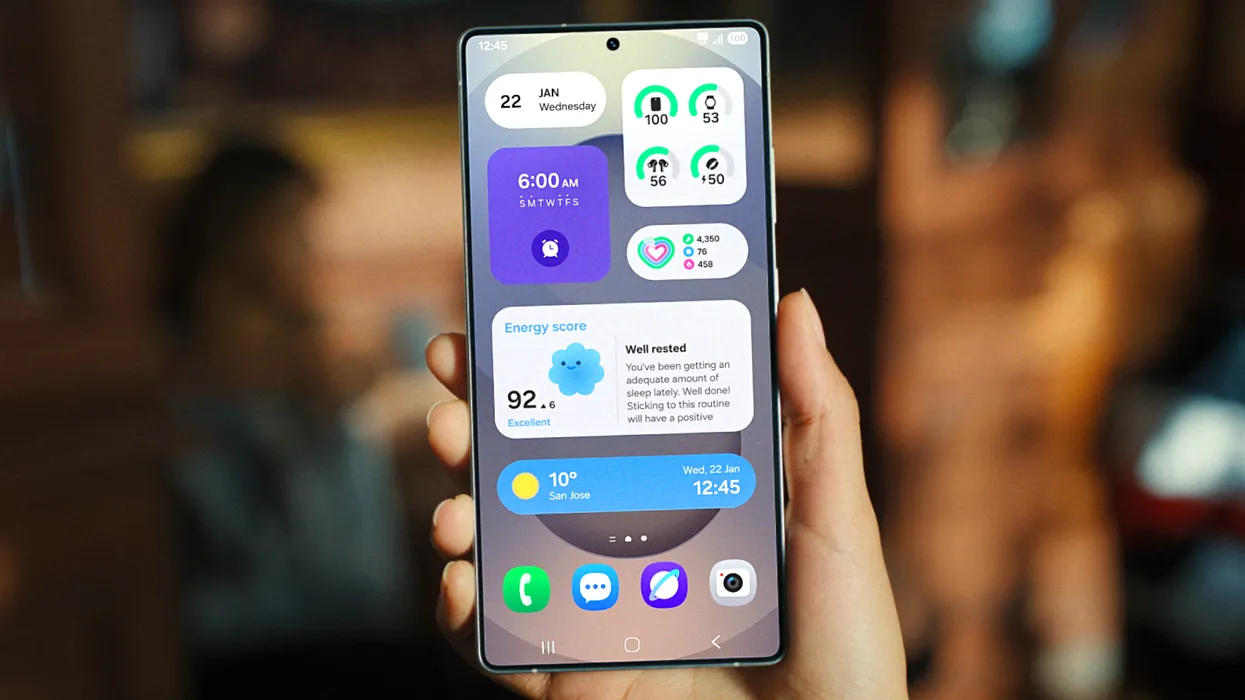
    Samsung’s One UI 7 is now my favorite Android skin. It is quick, responsive, and simple. However, nothing is pre-programmed for your specific experience. You should personalize your smartphone to make it more appealing. I modify about a dozen settings on each Samsung Galaxy phone to better fit my needs, and I believe these will improve your user experience as well.

    Here are some OneUI settings that I recommend adjusting to improve your Galaxy phone experience, ranging from selecting the highest attainable screen resolution to adding extra privacy-focused features. Please be aware that some settings may be phone-specific.

    Switch to gesture navigation

    Unless you are setting up your new Samsung Galaxy phone from an older model, it will use the outdated three-button navigation mechanism. If you enjoy it, that is OK. However, I find Android’s gesture navigation more intuitive—everything is a swipe away rather than an on-screen button.

    If you want that, you can change the system navigation to gestures by going to Settings > Display > Navigation bar > Swipe gestures.
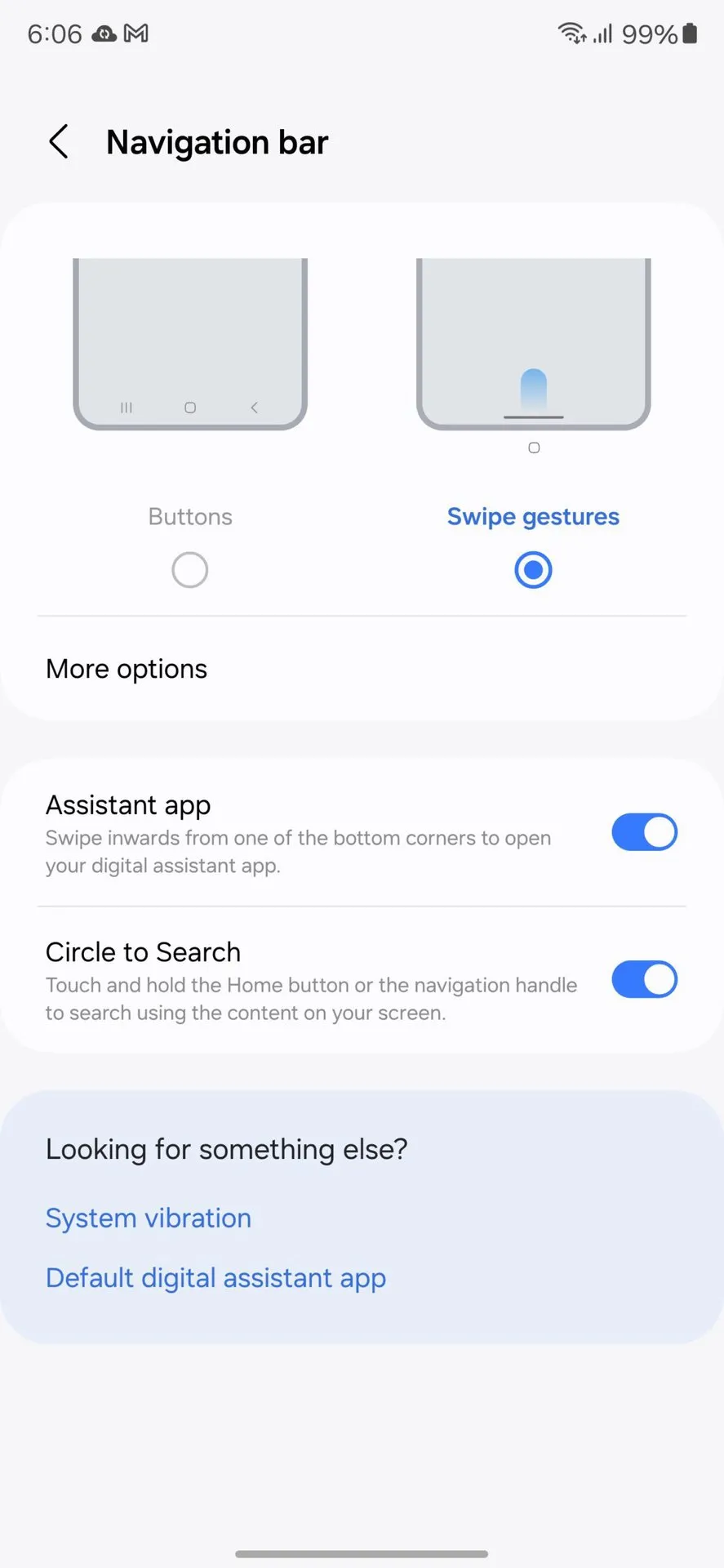
    OneUI Navigation gestures

    Set screen resolution to high – QHD+

    The Samsung Galaxy S25 Ultra boasts the finest smartphone display available right now. It is less reflective and has better color display than its predecessor, thanks to second-generation Gorilla Armour. You have a great QHD+ screen, but it is not set to that resolution by default.

    To have the best possible viewing experience, navigate to Settings > viewing > Screen resolution. The Ultra will consume more battery, but it is an efficient smartphone. Even after maxing out the screen resolution, I still have an all-day battery life.
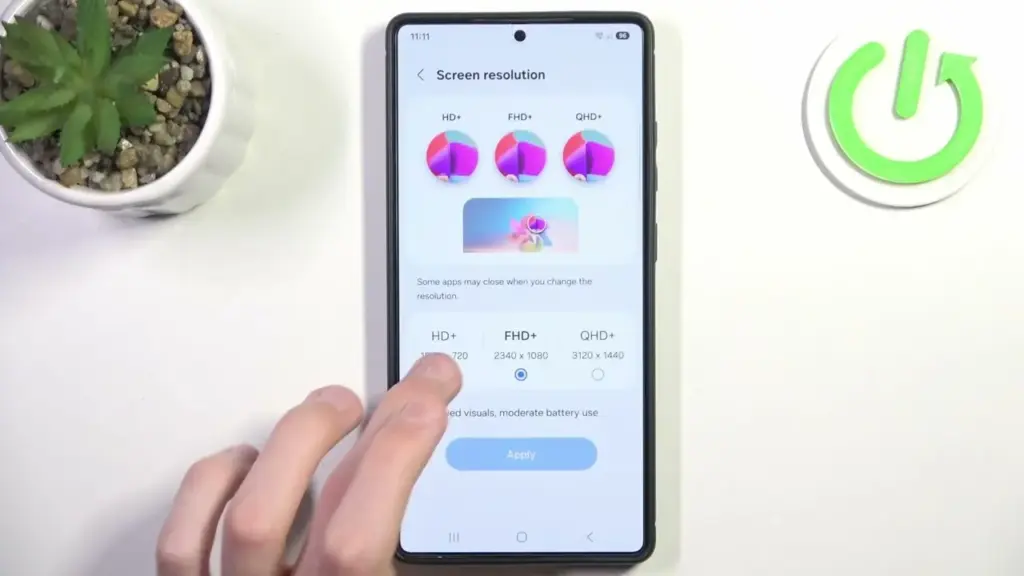
    samsung oneui change screen resoltuion to QHD+

    Adjust the lock screen notifications.

    One UI 7 has modified the way notifications appear on your lock screen. It is set to display icons in the top left corner by default, which is a significant departure from the prior card view. I prefer that apps display notifications in the latter way. To modify this, navigate to Settings > Notifications > Lock screen notifications > Cards.

    I also hide important notification content on the lock screen since I do not want anyone walking up to my phone and reading my personal communications. To modify this setting, select Hide content from the same Lock screen notifications menu.
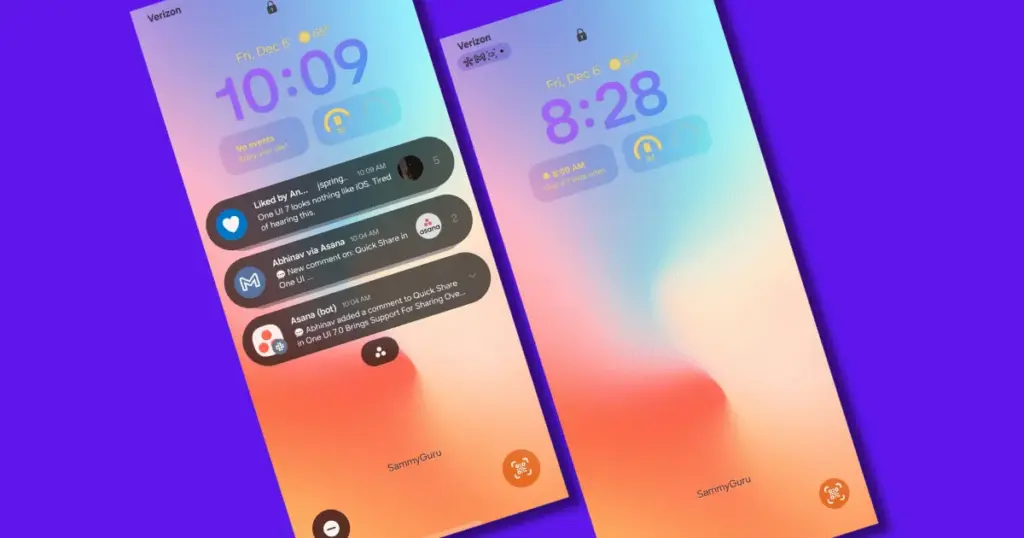
    Adjust the lock screen notifications. oneui Samsung galaxy

    Uninstall the bloatware

    Samsung Galaxy phones provide numerous apps that you may not utilize. Unlike prior years, you may now remove or disable them to conserve memory. For example, I do not own a Samsung TV and do not want the Microsoft CoPilot app on my phone, so I uninstall both TV and CoPilot. Other programs that I disable or uninstall include Facebook, Samsung Tutor, and OneDrive.

    Always-on display

    Samsung phones have efficient screens; make the most of them by enabling everything, including the Always On display. I enjoy having the time, day, and date information there on the screen, accessible at a look. Samsung defaults to the Tap to see setting, which requires you to tap on the screen to access information.

    I recommend altering that to Always to make it more useful. Navigate to Settings > Lock Screen and AOD > Always-On Display > Always. You may select whether or not to display the wallpaper; I have set it to only display a black screen to save battery life.
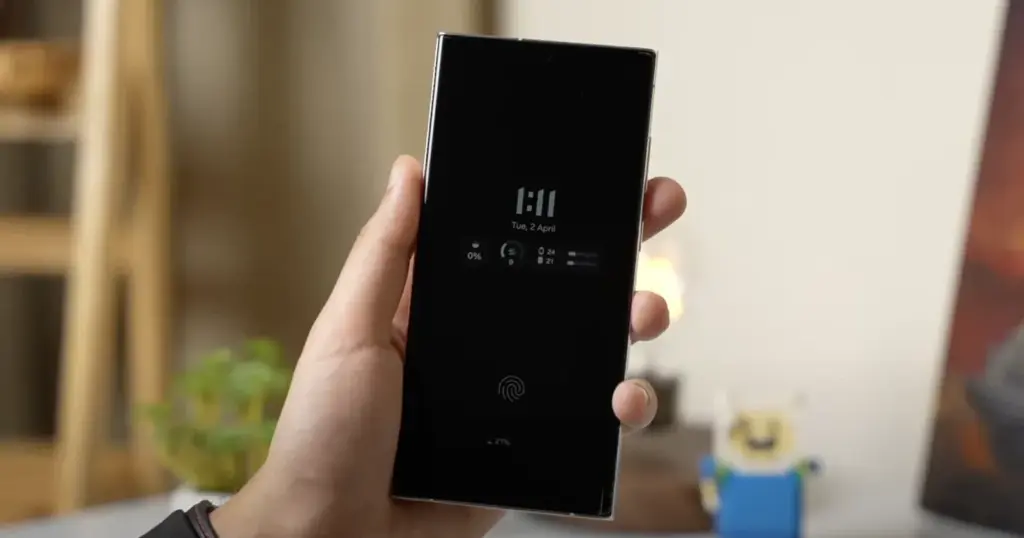
    Always-on display on Samsung and oneui7

    Homescreen customization

    Samsung’s phone widgets are among the best available. I enjoy the Calendar widget since I can change the transparency. As a consequence, it looks nicer and retains functionality while preserving the structure of my home screen. I set it at the top so that everything is just a glance away, but it never asks for attention, unlike other opaque Calendar widgets.

    Also, change the icon grid to a 5×5 layout to permit more icons in the bottom row. They are only a thumb tap away. In addition, I apply my wallpaper color tones to the program icons for a more appealing appearance. To apply wallpaper colors to the entire system, navigate to Wallpaper and Style > Color Palette and turn it on. It is not flawless, and some icons may still be unsupported. However, it appears better than the standard colors.
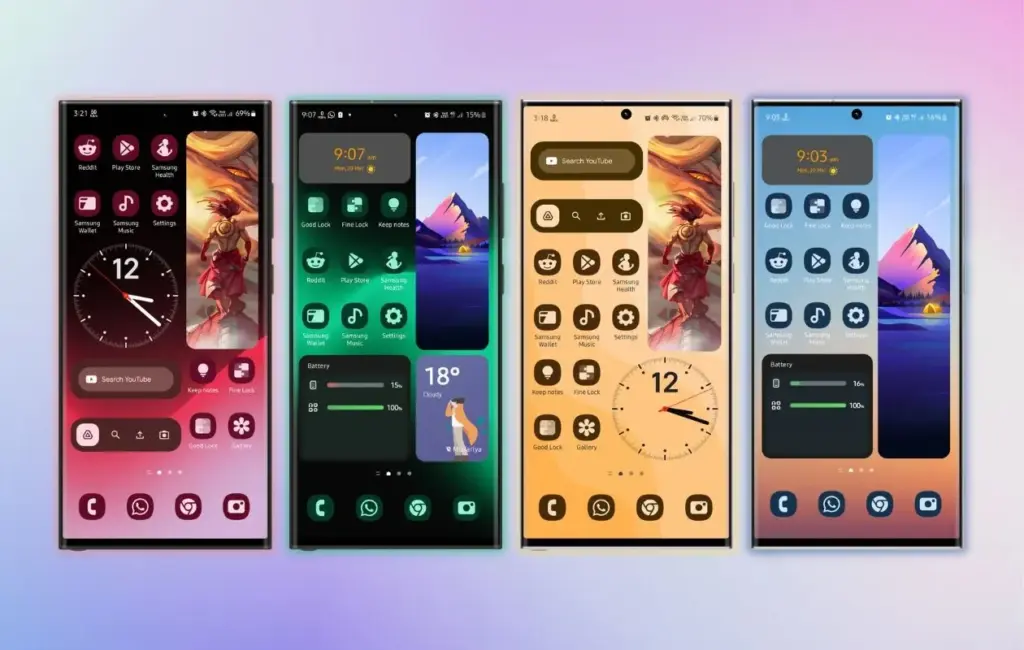
    Homescreen customization on Samsung galaxy phone with OneUI
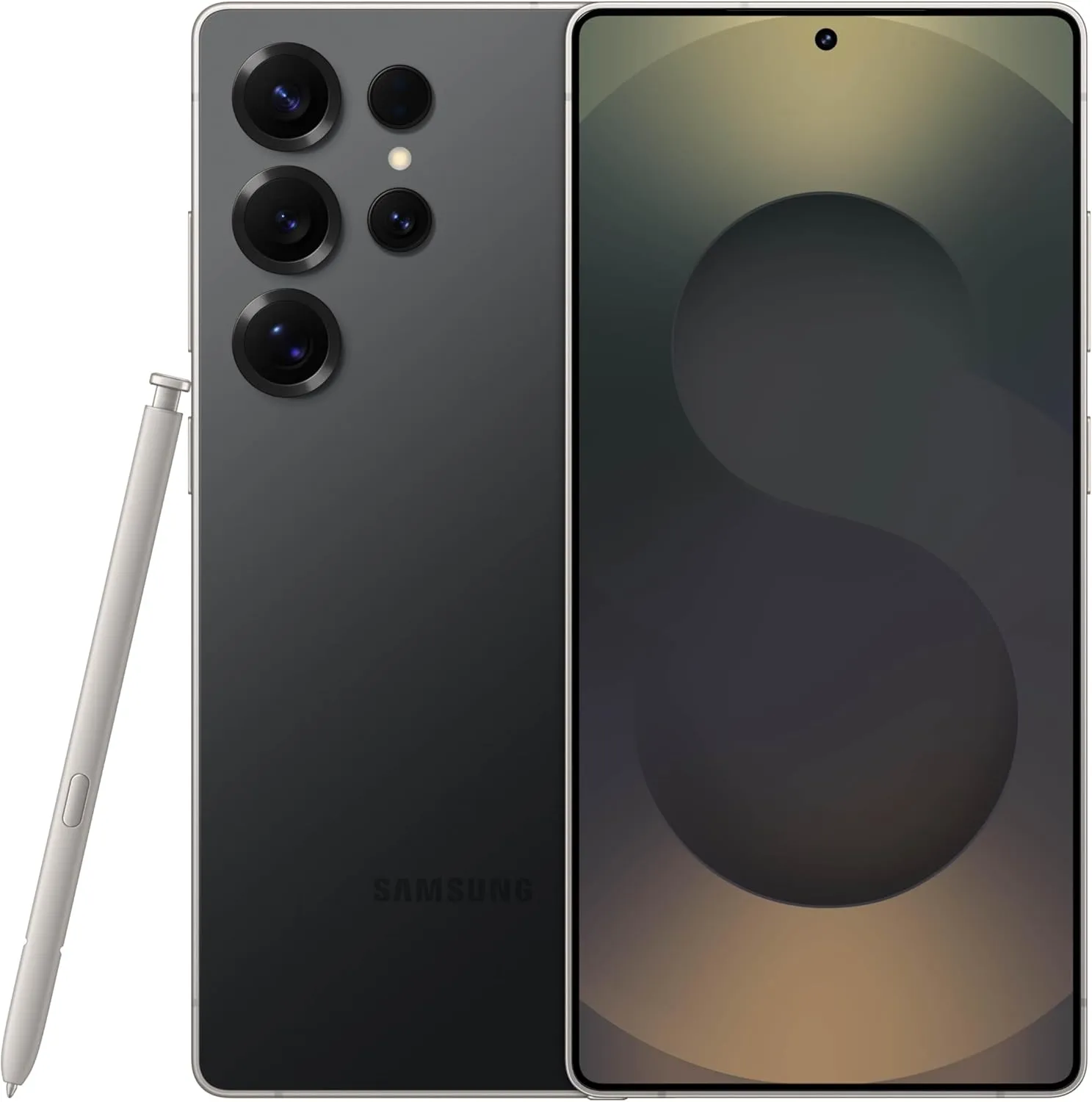
    samsung galaxy s25 ultra

    SAMSUNG Galaxy S25 Ultra

     Streamline your day with an assistant that gets you. Ask it to Google search for a pet-friendly vegan restaurant nearby and text it to your friend— your Galaxy S25 Ultra handles multiple tasks with a single ask.

    Best choice
    $1,299.99$1,141.75See It

    Other things I do on my Galaxy phones include switching to Google Keyboard and organizing the home drawer icons alphabetically for easier navigation. Samsung phones are among the best on the market. While they do not promise groundbreaking features, they are dependable and provide the most refined user interface with One UI. Simply modify these few options, and you will be all set.

  • One UI 7 adopts Vulkan support boosting performance like never before

    One UI 7 adopts Vulkan support boosting performance like never before

    The largest update in years is One UI 7, which is based on Android 15. Samsung has made numerous optimizations, performance enhancements, and UI changes. Vulkan system-wide integration is another feature of One UI 7 that offers numerous advantages.

    The API is now supported across the board in Samsung’s One UI 7 update for Android 15. This important connection allows more programs to default to Vulkan rendering, including UI components. Users of the Galaxy with One UI 7 can anticipate:

    • Smoother animations and transitions
    • Better gaming performance
    • More efficient battery usage
    • Potentially better visual effects with lower power consumption

    Compared to more antiquated APIs like OpenGL and DirectX, Vulkan is intended to offer more efficiency and control over GPU resources. Lower CPU overhead, improved multi-core CPU usage, more direct GPU control, and cross-platform compatibility are some of its salient characteristics.

    vulkan on mobile games

    How was the One UI 7 x Vulkan update made public?

    A perceptive A UI 7 Beta tester observed that the Galaxy S24’s graphics API varies. The system was using the new API in the initial beta version, but in the subsequent beta releases, it reverted to OpenGL.

    One of Samsung’s Beta employees arrived to verify the update after the disclosure generated discussion in the community. Vulkan is now more widely supported as a system-level graphics API for applications and user interface components with the new One UI 7.

    Yes, Android 15 (and by extension, One UI 7) has broader support for Vulkan as a system-level graphics API, and in some cases, apps and UI elements may default to Vulkan where supported.

    Samsung (US Community Moderator)

    The moderator also disclosed that during continuous testing, the graphics API fluctuates based on compatibility or stability issues. Additionally, the rendering behavior may change based on performance optimization, app compatibility, or device.

  • How to fix Galaxy Watches that aren’t tracking sleep properly

    How to fix Galaxy Watches that aren’t tracking sleep properly

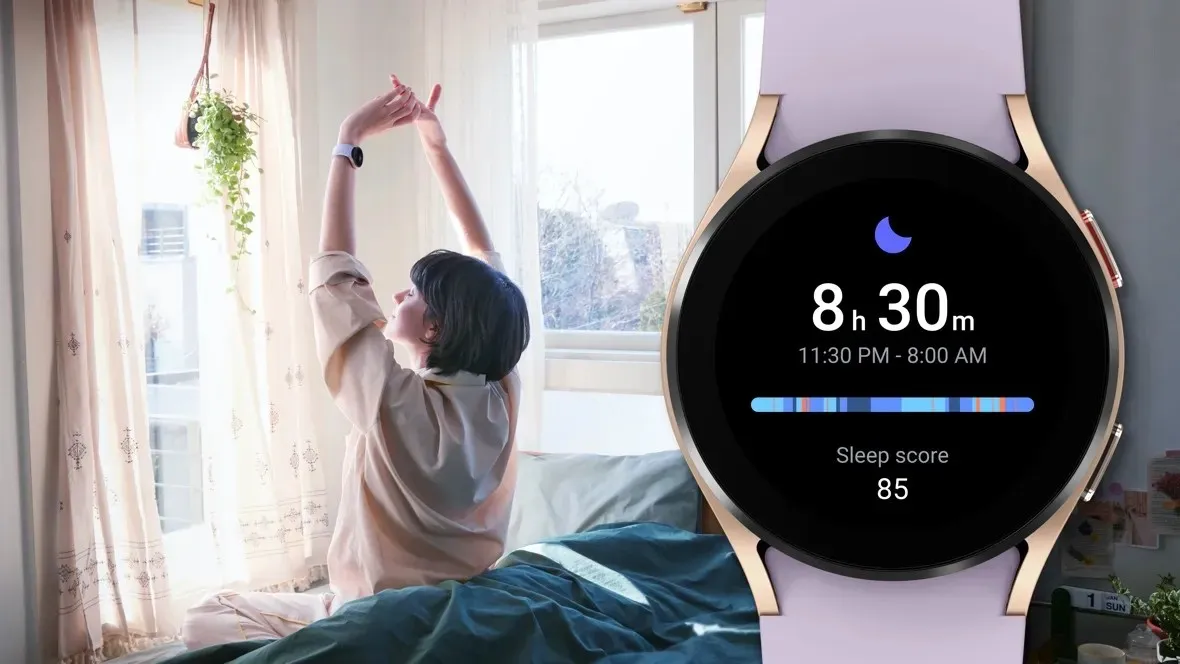
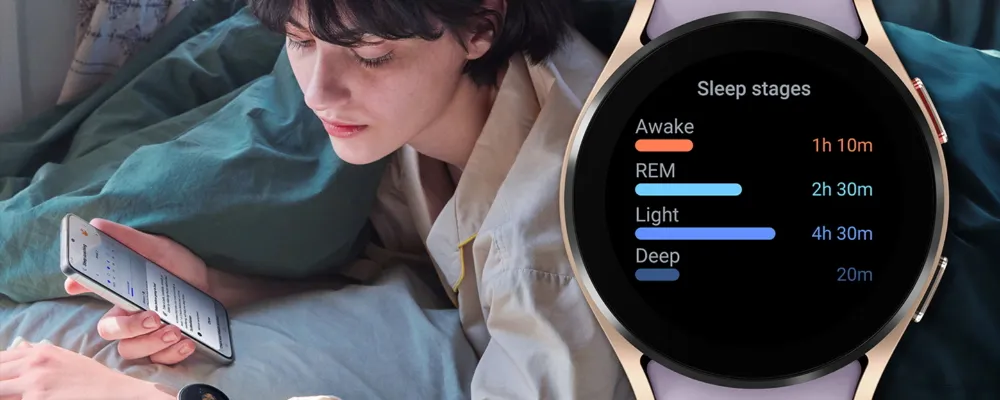
    Samsung has acknowledged that a sleep-tracking problem affects a number of its most recent Galaxy Watch models, but thankfully, it has also suggested a few solutions.

    SamMobile discovered a Samsung Community forum in Korea where the firm disclosed that the Galaxy Watch 7 and Galaxy Watch Ultra, two of its top smartwatches, might not be accurately detecting sleep.

    SamMobile discovered a Samsung Community forum in Korea where the firm disclosed that the Galaxy Watch 7 and Galaxy Watch Ultra, two of its top smartwatches, might not be accurately detecting sleep.

    The issue, which also affects the Galaxy Watch 4, 5, and 6, means that “sleep-related measurement values are not reflected properly in the Samsung Health app on the Galaxy Watch.”

    For consumers who might be having problems, Samsung has provided a few patches. We have contacted Samsung for further information, but as mentioned, this message was only made on a Korean forum, so it is unclear at this time whether the problem is regional.

    In any case, here are some fixes for your Galaxy Watch if you are experiencing problems with sleep monitoring.

    Galaxy Watch4 Sleep Week NSF mai

    How to correct the Galaxy Watch’s sleep tracking

    Samsung advises users to turn the device off and on again as the initial step in tech troubleshooting. It claims to be working on a new version of the Samsung Health app to address the problem in the meanwhile.

    In particular, Samsung advises users to activate and then deactivate the Galaxy Watch’s power-saving mode under the Watch’s Settings app.

    Lastly, users should get the most recent version of the Samsung Health software from the Galaxy Store. It is unclear whether this is the promised upgrade to the app or a temporary solution. However, all of these adjustments are fantastic starting points if your Galaxy Watch is having trouble tracking your sleep.

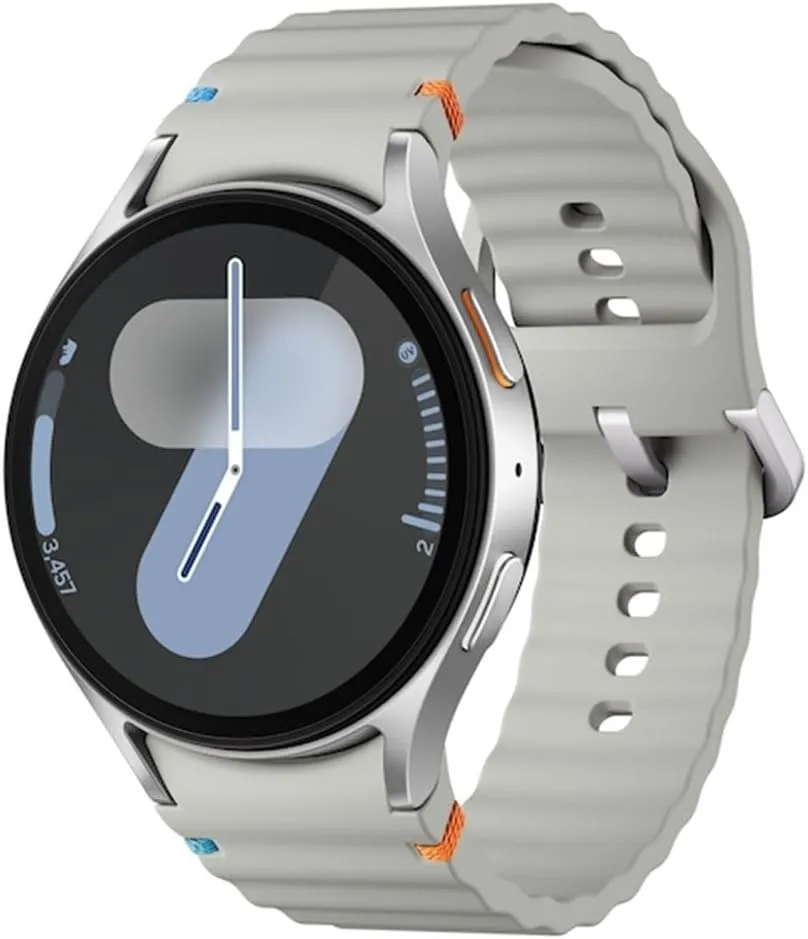
    galaxy watch 7

    Samsung Galaxy Watch 7

    1.5″ Super AMOLED, 480x480px ~327ppi, 425mAh Battery, Bluetooth 5.3, Wi-Fi, MIL-STD-810H compliant, 50m/5ATM water resistant (IP68), ECG certified, Sleep Coach, Heart Monitor

    very good

  • Samsung One UI 7 sneak peek – a beautiful new look

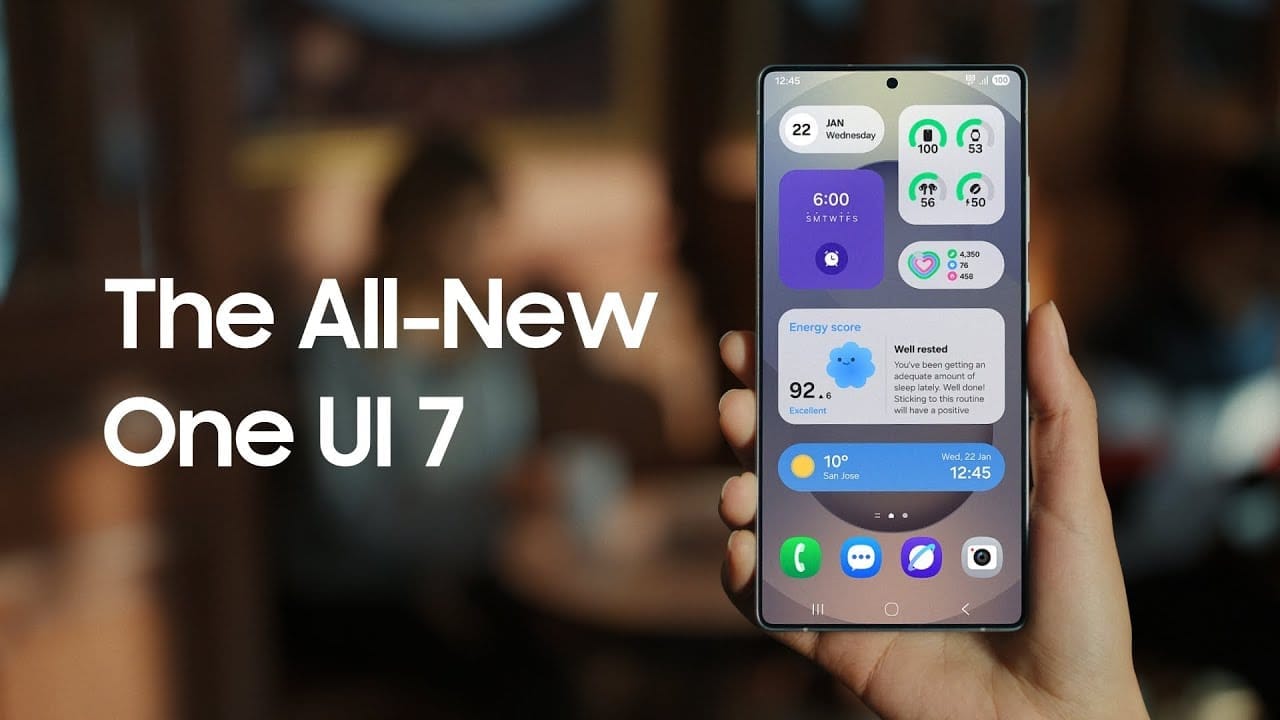
    Samsung One UI 7 sneak peek – a beautiful new look

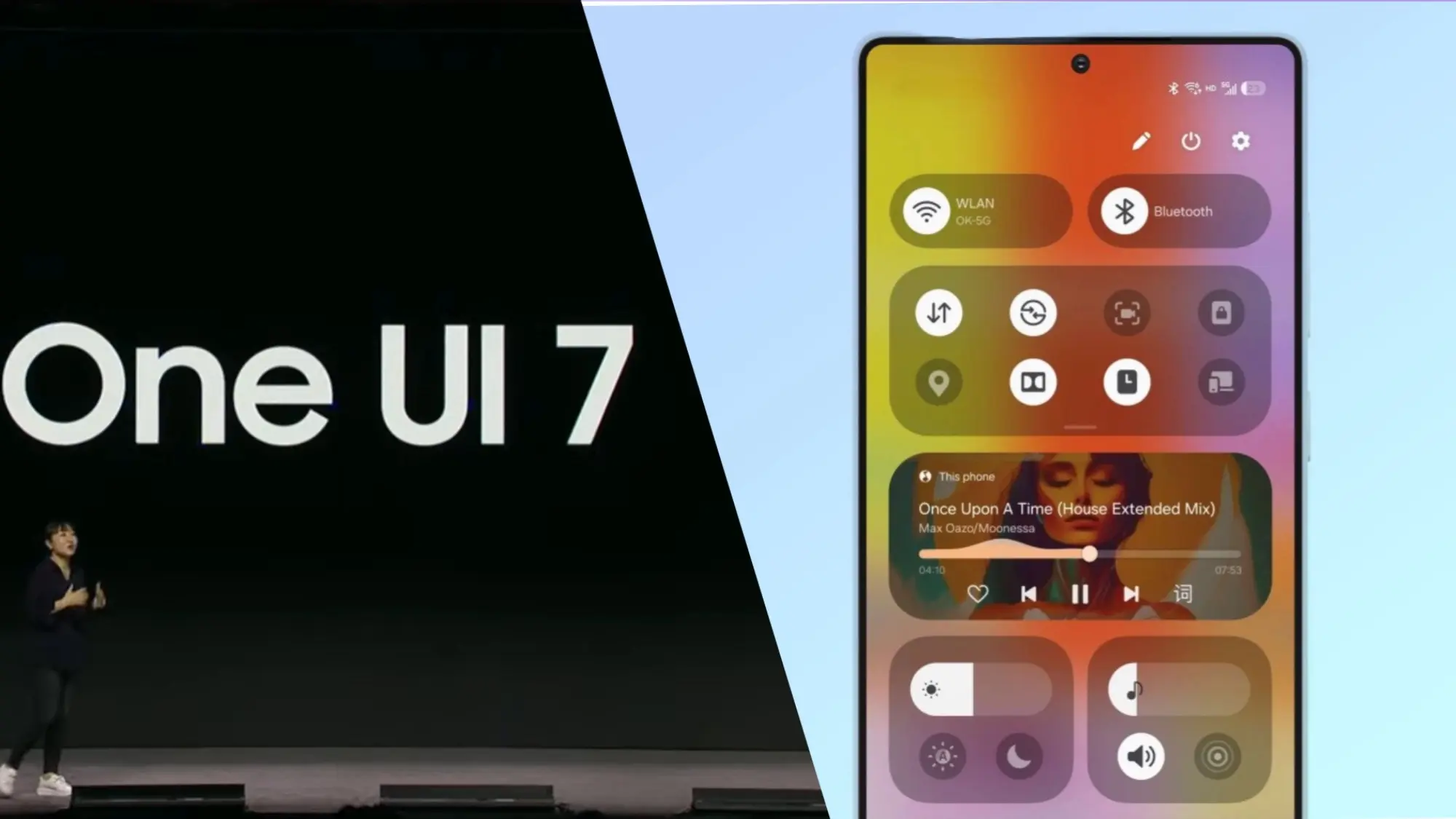
    Samsung basically teased their major One UI 7 update with a two-minute video that was just released. They are all getting ready and showcasing some of the exciting things that are on the horizon. In addition to letting us know that One UI 7 will soon be available for the Galaxy S24 and older phones, they are also using it to sort of encourage people to buy the new Galaxy S25. At last! Up until now, we had only seen it in beta.

    According to Samsung, One UI 7 will be far more “you” than it has ever been. Like, more natural, more user-friendly, and more intimate. They are showcasing Google’s Gemini, “Now Brief,” “Now Bar,” “Sketch to Image,” and various AI-powered search tools.

    Samsung One UI 7 sneak peek -

    The teaser video from Samsung hints at a few UI 7 features.

    This video now? It is only a preview. We are not seeing everything. However, the timing is intriguing. It is obvious that they are preparing for a big release.The strange aspect is that last week, they announced that the S24, Z Flip 6, and Z Fold 6 updates would be available in certain locations beginning on April 7, 10, and 14. However, they later retracted the April 10th date for the US, which gave them a somewhat uncertain appearance.

    https://www.youtube.com/watch?v=P4AEIu3V6F4

    In essence, Samsung is building anticipation for One UI 7, but they are being a little reticent about when it will be released. The only thing we can do is wait and see when it lands. However, before that, you may see if your Samsung Galaxy phone is compatible with the company’s recently announced seamless updates function, which installs updates while you are still using your phone, saving you time waiting for it to restart.

    The business claims that if your Galaxy phone was released prior than 2025, it probably does not enable seamless updates. The Galaxy A55 is an odd outlier. But anything starting in 2025? It ought to have it.

  • Samsung One UI 7 officially rolling up in April

    Samsung One UI 7 officially rolling up in April

    The release date of Samsung’s upcoming major software upgrade, One UI 7.0, for Galaxy customers has finally been revealed. Early April 2025 is when the Android 15-based update is expected to launch, most likely with the Galaxy S24 series before moving on to previous flagships and a few mid-range devices.

    You are not the only one who has been anticipating this update; Samsung has been testing One UI 7.0 through its beta program for months in order to improve the user experience prior to its official release. What specifically does this upgrade offer, though? Let us dissect it.

    Rollout Plan for One UI 7.0

    Multiple beta updates have been released since Samsung launched its One UI 7.0 beta program with the Galaxy S24 series in December 2024. Samsung is now anticipated to deliver a few more beta upgrades prior to the final deployment, with the stable version approaching.

    The Galaxy S24 series should be the first to get the update, followed by: Galaxy S23 series Galaxy Z Flip 6 Galaxy Z Fold 6 Galaxy A55

    Galaxy S23 series

    Galaxy Z Flip 6

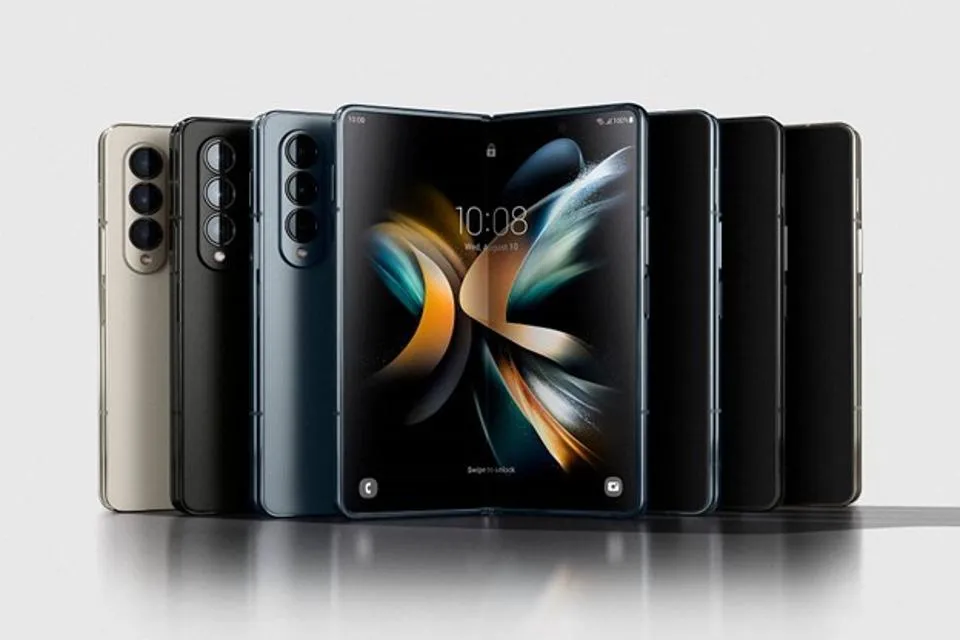
    Galaxy Z Fold 6

    Galaxy A55

    In order to provide tablets a preview of the new software prior to its official release, Samsung is also extending the One UI 7.0 Beta Program to additional devices, such as the Galaxy Tab S10 series.

    What’s New in One UI 7.0?

    New in One UI 7.0

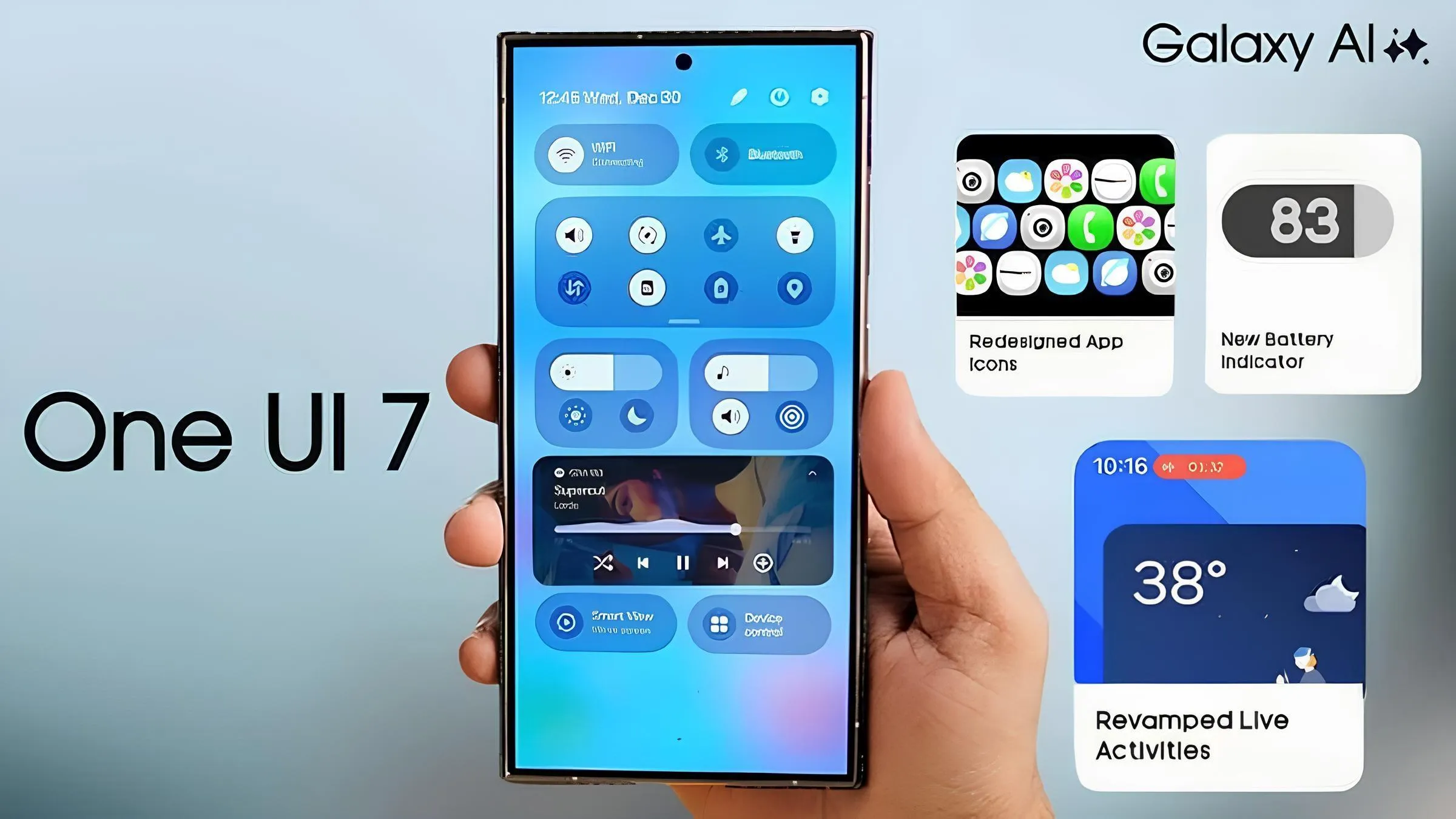
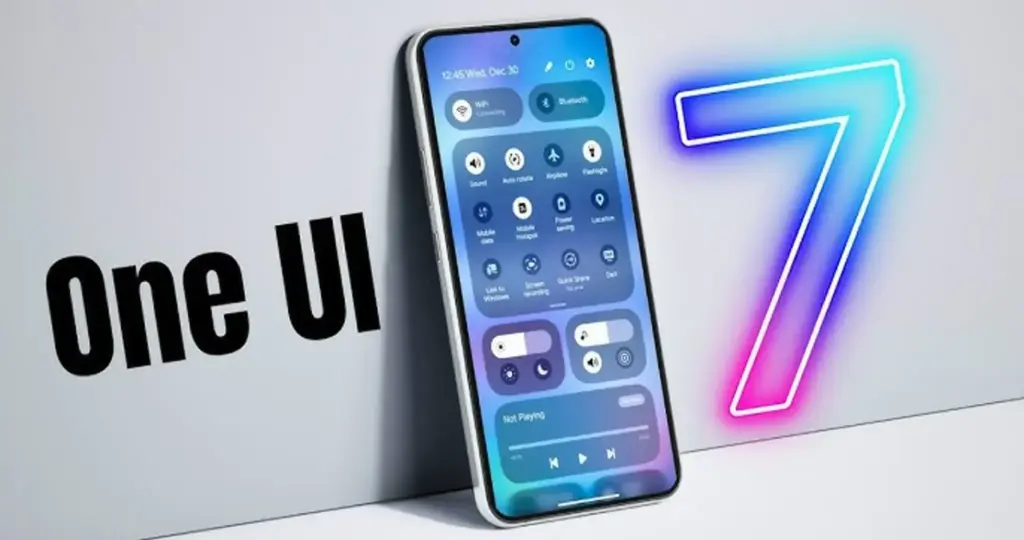
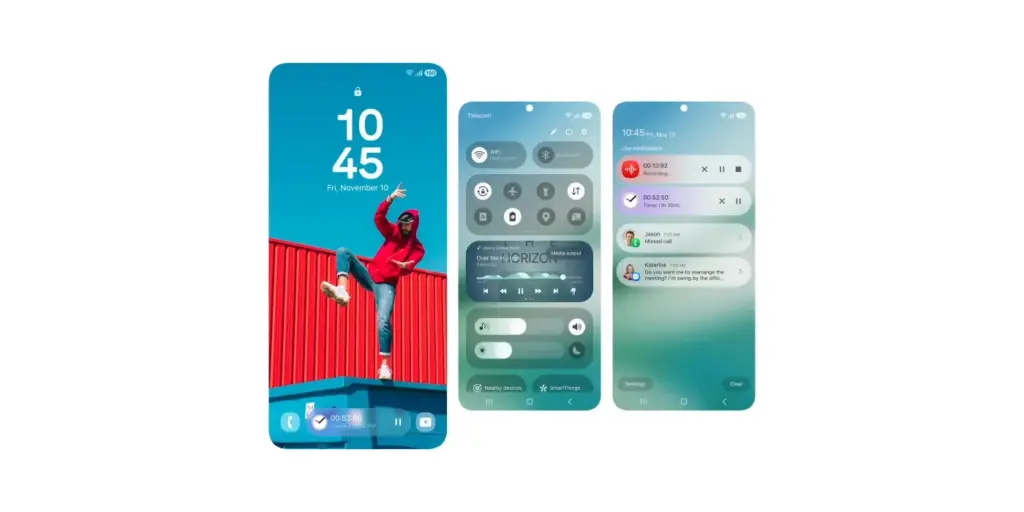
    One UI 7.0 is not just another small update; it also brings a new look and a number of usability and performance enhancements. What is noteworthy is this:

    Redesigned Quick Panel – A cleaner, more intuitive way to access essential settings.

    Smoother Animations & Transitions – Lighter, faster, and designed to improve the overall experience.

    Updated Iconography – A new look for system icons to match the refreshed design language.

    Now Bar – A persistent status bar that shows ongoing activities at a glance.

    Revamped Camera App – Controls are now easier to reach for one-handed use.

    New Battery Icon & Charging Animations – A subtle but noticeable visual upgrade.

    AI Features & Performance Optimizations

    The software’s AI-powered capabilities may be one of the reasons Samsung has taken its time with One UI 7.0. Samsung is probably striving to make sure its infrastructure can support these AI features across its wide range of devices, as some of them may need cloud processing.

    You will not have to wait long for One UI 7.0 if you are using a high-end mid-range mobile or a recent Samsung flagship. This version aims to provide a more sophisticated user experience than a mere refresh thanks to a revamped UI, smoother animations, and AI-driven optimizations.

    Samsung still has a few beta updates to go, but by April, Galaxy users should finally get the stable version.

  • One UI 7 Beta 4 could be the final beta release

    One UI 7 Beta 4 could be the final beta release

    Samsung has not yet finished the Galaxy S24 beta phase, but it promised a stable One UI 7 update, based on Android 15, for qualified Galaxy S models by Q1. One UI 7 Beta 4 has now been made available; it is a more compact upgrade than earlier iterations, but it includes a crucial camera function from the Galaxy S25.

    Beta testers started posting on Reddit and other social media platforms that One UI 7 Beta 4 had begun to arrive on their devices a little more than a day ago. The United States, India, South Korea, and a few European nations are now implementing the update. The firmware is marginally smaller than earlier betas, with an average size of 1.4 GB, depending on the carrier and area.

    Log Video is available on Galaxy S24 on One UI 7 Beta 4

    Although the main focus of Beta 4 is bug repairs and speed enhancements, the Galaxy S24 trio now supports log (logarithmic) video recording, a capability that was formerly available with the Galaxy S25 and Galaxy S25 Ultra.

    Photographers and videographers can benefit from log video recording in a number of ways. It has a flat color profile, which gives post-production color grading and editing more freedom, and a higher dynamic range, which preserves more details in highlights and shadows.

    However, when compared to regular video recording, this format uses more storage space. Users must activate log video from the advanced video options in order to use it. Both pro mode and regular video mode are available for activation.

    getting one ui 7 beta 4 on my unlocked s24 ultra in us sc v0 12r9h8h0abke1

    One UI 7 Beta 4 Changes

    AI-powered camera filters are yet another noteworthy inclusion in Beta 4. These comprise pre-built filters like Shiver, Crystal, Breeze, Pulse, and Chill, to name a few. Additionally, users can use pre-existing photos to create custom filters.

    In addition to these enhancements, the firmware fixes a number of problems and improves performance. Notably, it improves performance in other areas while resolving some difficulties with the quick panel and home screen.

    Will this be final beta release?

    Whether One UI 7 Beta 4 is the last beta release or how many more Samsung intends to issue before the Galaxy S24 series’ stable release is still unknown. Samsung has reaffirmed its goal to provide the stable One UI 7 version by the first quarter of 2025. The distribution schedule is yet unknown for other devices, including as the Galaxy S23 series, Galaxy Z Fold 6, and Galaxy Z Flip 6. Whether these devices would go straight to the stable release or undergo a beta period has not been verified by the South Koreans.

    Some speculation suggests that One UI 7 could be skipped entirely, with Samsung instead opting to launch One UI 7.1 or even One UI 8.0 based on Android 16.

  • Big discounts on trade in for Galaxy Watch Ultra from Samsung

    Big discounts on trade in for Galaxy Watch Ultra from Samsung

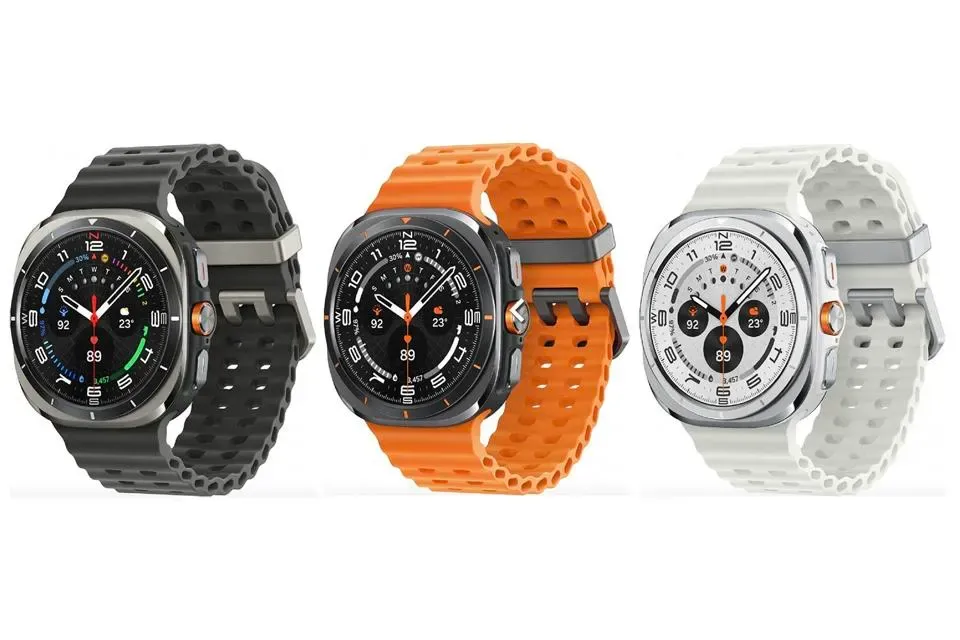
    Samsung’s massive wave of new offers has not peaked yet, and they are not just for their recently released S25 devices. With up to $350 in instant trade-in credit available to lower the price to $300, less than half the price of the Apple Watch Ultra 2, or $100 off without trade for a very good $550, the Galaxy Watch Ultra, Samsung’s flagship wristwatch, is the newest addition to the great-deals trend.

    The Galaxy Watch Ultra is one of the best fitness-first smartwatches available anywhere, so this fantastic deal on Samsung’s tough and dependable smartwatch is timed to go along with all of the amazing deals coming out of last week’s Samsung Galaxy Unpacked event. It is also ideal if you are still sticking to your 2025 fitness resolution four weeks into the new year.

    galaxy watch ultra lineup

    Best for an active life

    The Galaxy Watch Ultra is the greatest fitness wearable for exploring and working out outdoors, but it also performs admirably at home or in the gym. The durable titanium body that encircles the crystal-clear 47mm Super AMOLED face is capable of withstanding the most intense exercises you are prepared to put it (and yourself) through. The Galaxy Watch Ultra is waterproof down to 10 atmospheres, making it ideal for swimmers and divers.

    With the Galaxy Watch Ultra’s longest-lasting watch battery and turn-by-turn navigation and enhanced GPS, you can confidently set out on your far-flung trail excursions and find your way back to the beaten route. To assist you stay on your fitness path, Galaxy AI will compare your workout to your previous one and evaluate heart-rate tracking and other parameters, making the results conveniently available on your Samsung Galaxy phone.

    Benefits for day and might

    With dedicated settings for dozens of sports, including badminton, hockey, and everything in between, the Galaxy Watch Ultra can be used for any kind of exercise or sport you can imagine. Personalized heart-rate zone, VO2Max, and even projected sweat loss are among the running data that are measured. You will not be able to outrun this fantastic smartwatch no matter how fast you are thanks to the Galaxy Watch Ultra’s 1.6GHz processor.

    Additionally, the Galaxy Watch Ultra’s AI-enhanced sleep tracker may identify moderate to severe sleep apnea and potentially prevent catastrophic side effects from that deadly condition. If you do stop and rest at some time, the tracker will also tell you how restful your sleep was.

    Go to Samsung right now to discover how close your previous smartwatch will get to earning you the $350 maximum trade-in credit if you are wishing it were a Galaxy Watch Ultra. You can either take advantage of the $100 no-trade offer and be content with a fantastic $550 price on an elite fitness wristwatch, or you can max it out and get the Galaxy Watch Ultra for just $300.

  • One UI 7 rollout – will your Galaxy device get Android 15?

    One UI 7 rollout – will your Galaxy device get Android 15?

    Based on Android 15, Samsung’s One UI 7 represents a significant shift from their usual release timetable. The beta program ended after just one month, having been launched in December of last year. Samsung has now released further details about the One UI 7 rollout for Galaxy smartphones and tablets ahead of the release of the Galaxy S25. Find out which models will receive the update initially.

    One UI 7 will come to S series

    One Ui 7 1

    Samsung is trailing behind in the implementation of Android 15, which is bad for a company that generally sets the pace. Xiaomi and OnePlus have already released their updates, while Samsung appears to be taking its time. After launching last month, the One UI 7 beta ended last week, but what about the stable version?

    According to Samsung’s most recent press release, on January 22, 2025, the new Galaxy S models will receive the stable One UI 7 update. Translated, earlier flagships, such as the Galaxy S24, S23, S22, and S21, will have to wait their time, while the Galaxy S25 series is expected to come pre-installed with One UI 7. And those who own Galaxy S20s? I apologize, but Android 14 was the end of your life.

    Devices like as the Galaxy Z Fold 6, Galaxy Z Flip 6, and Galaxy Tab S10 Ultra are noticeably absent from the roadmap. With Samsung’s history, we will likely learn more after the Galaxy S25’s release, which is expected to come pre-installed with One UI 7. However, for the time being, there is a significant silence, which disappoints those who anticipate more frequent updates from Samsung.

    Other samsung Galaxy series?

    Although Samsung has not yet released an official list of Galaxy devices that will receive Android 15, we can speculate. Although the deployment for these smartphones is probably going to lag behind the flagship updates, One UI 7 should ultimately make its way to mid-range and budget models based on their software strategy.

    For now, we have put together a list of Galaxy tablets and smartphones that should get the upgrade, with an emphasis on models whose software support lasts until 2025 and beyond. Naturally, this list is merely conjectural and will be revised as soon as Samsung officially announces the lineup.

    Galaxy A series

    A Series 2024 Hero Image V02 e17

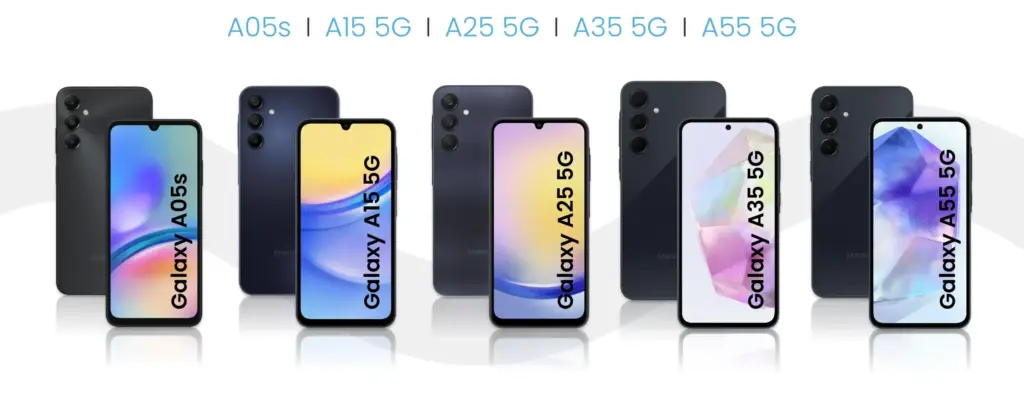
    With Android 15, Samsung’s versatile Galaxy A series is about to receive a major update that will bring the newest features to these well-liked mid-range phones. This significant update is anticipated for many recent A series models as Samsung continues to fortify its software support policy. From better photography capabilities to more effective battery management, the new Android version promises to improve the well-balanced blend of features that fans of the A series adore. Android 15 will deliver a new wave of enhancements to keep your Galaxy A handset feeling powerful and up to date when combined with Samsung’s One UI 7 interface.

    • Galaxy A05s
    • Galaxy A06
    • Galaxy A14 4G
    • Galaxy A14 5G
    • Galaxy A15 4G
    • Galaxy A15 5G
    • Galaxy A16
    • Galaxy A24
    • Galaxy A25
    • Galaxy A33
    • Galaxy A34
    • Galaxy A35
    • Galaxy A53
    • Galaxy A54
    • Galaxy A55
    • Galaxy A73

    Galaxy S series

    Samsung’s flagship Galaxy S series is set to take the lead in getting the much awaited Android 15 and One UI 7 upgrade, carrying on the company’s custom of giving priority to its high-end smartphone portfolio. Owners of newer Galaxy S models can anticipate using Samsung’s improved One UI interface in conjunction with the newest Android improvements. It is anticipated that this update would further enhance the premium experience of the Galaxy S series by introducing cutting-edge security measures, improved performance optimizations, and enhanced AI capabilities.

    • Galaxy S21
    • Galaxy S21+
    • Galaxy S21 FE
    • Galaxy S21 Ultra
    • Galaxy S22
    • Galaxy S22+
    • Galaxy S22 Ultra
    • Galaxy S23
    • Galaxy S23+
    • Galaxy S23 FE
    • Galaxy S23 Ultra
    • Galaxy S24 FE
    • Galaxy S24
    • Galaxy S24+
    • Galaxy S24 Ultra

    Galaxy Z series

    • Galaxy Z Flip 3
    • Galaxy Z Flip 4
    • Galaxy Z Flip 5
    • Galaxy Z Flip 6
    • Galaxy Z Fold 3
    • Galaxy Z Fold 4
    • Galaxy Z Fold 5
    • Galaxy Z Fold 6

    Galaxy M series

    With Android 15, Samsung’s well-liked mid-range Galaxy M series is expected to get a significant update that will provide new features and enhancements to these reasonably priced gadgets. Samsung has remained committed to offering prolonged software support for the M series family, even though the precise rollout schedule may differ depending on the model. With improved energy management, enhanced speed, and new customization choices, this update promises to improve the user experience and revitalize your Galaxy M device.

    • Galaxy M14 / F14
    • Galaxy M15 / F15
    • Galaxy M34 5G
    • Galaxy M35
    • Galaxy M54 / F54
    • Galaxy M55 / F55 / C55

    Galaxy XCover series

    • Galaxy XCover 6 Pro
    • Galaxy XCover 7

    Galaxy Tab series

    With the next Android 15 upgrade, Samsung’s Galaxy Tab portfolio is poised to embrace the next evolution of Android and promises to revolutionize the tablet experience for users across all Tab models. It is anticipated that this upgrade will include tablet-optimized features that will improve productivity tools and multitasking abilities as tablets continue to gain significance for both work and play. Many current Galaxy Tab models, ranging from the high-end S series tablets to the more reasonably priced A series tablets, will get this important update as part of Samsung’s dedication to expanding software support for its tablet lineup. The goal is to provide an even more sophisticated and powerful tablet experience by combining the improvements of Android 15 with Samsung’s tablet-focused One UI 7 enhancements.

    • Galaxy Tab A9 / A9+
    • Galaxy Tab Active 4 Pro
    • Galaxy Tab Active 5
    • Galaxy Tab S6 Lite 2024
    • Galaxy Tab S8
    • Galaxy Tab S8+
    • Galaxy Tab S8 Ultra
    • Galaxy Tab S9
    • Galaxy Tab S9+
    • Galaxy Tab S9 Ultra
    • Galaxy Tab S9 FE / S9 FE+
    • Galaxy Tab S10+
    • Galaxy Tab S10 Ultra
    samsung one ui7 feature leak 6

    Besides the models listed above, all models released throughout 2024 should also be eligible for the Android 15 upgrade. This includes the entry-level models announced in the first week of the year, such as the Galaxy A05s, A15, and A25, and the recently unveiled Galaxy A06 and Galaxy A16.

    As in the past few years, we expect to see Samsung confirm its list of Galaxy phones and tablets eligible for the Android 15 update as soon as it starts updating the first model. The list is traditionally shared on the Samsung Members app with the expected timeframe for the update on the phone’s market. When that happens, we will update this list to follow the rollout, so be sure to bookmark this page and follow us on social media.

    As in previous years, as soon as Samsung begins upgrading the first model, we anticipate seeing the confirmation of its list of Galaxy phones and tablets that are eligible for the Android 15 upgrade. Traditionally, the list is made available on the Samsung Members app along with the anticipated release date for the phone. Make sure you bookmark this page and follow us on social media as we will update this list to reflect the launch.

  • Samsung Galaxy S25 Ultra: phone specs and cost

    Samsung Galaxy S25 Ultra: phone specs and cost

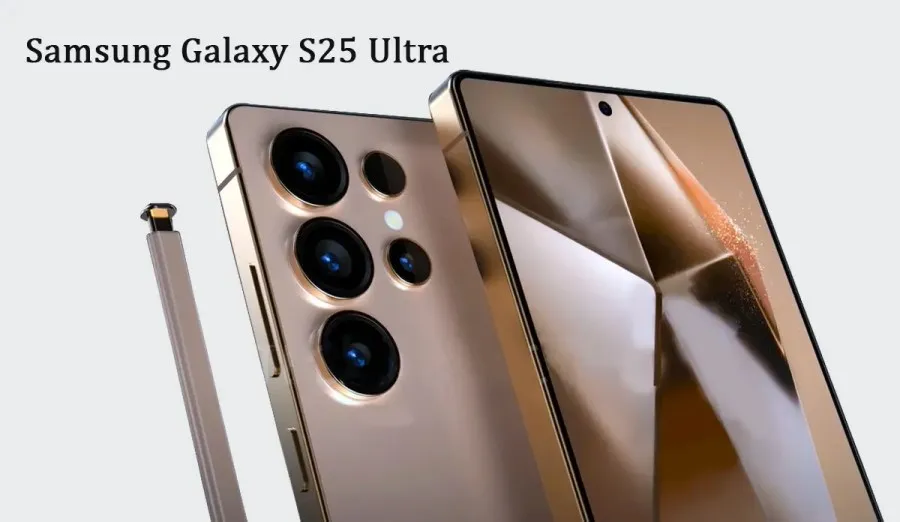
    The Samsung Galaxy S25 Ultra will raise the bar for performance and mobile cameras. While the boxy Note design is being phased out, the business has made significant design revisions. According to recent reports, the next Ultra flagship would feature remarkable camera capabilities and performance enhancements.

    Based on the leaks and rumors that have surfaced over the past few months, you can investigate the Samsung Galaxy S25 Ultra characteristics.

    Samsung Galaxy S25 Ultra: phone specs and cost

    Samsung Galaxy S25 Ultra specs

    DesignFrame – Titanium

    Front and Rear – Corning Gorilla Armor (2nd-gen)

    IP Rating – IP68
    DimensionsHeight – 162.82mm

    Width – 77.65mm

    Depth – 8.3mm

    Weight – 219g
    SoftwareAndroid – 15

    One UI – One UI 7.0

    Future upgrades – 7 generations of OS upgrades and security updates
    DisplaySize – 6.9-inch (6.86-inch)

    PPI – 505 PPI

    Resolution – 3120 x 1440 (WQHD+)

    Panel – Dynamic LTPO AMOLED 2X

    Refresh rate – 1-120 Hz

    Brightness – 2600 nits
    ChipsetQualcomm Snapdragon 8 Elite for Galaxy (3nm)

    Qualcomm Oryon CPU

    Qualcomm Hexagon NPU

    Snapdragon X80 Modem-RF System

    Adreno GPU
    Memory12GB RAM, 256GB Storage

    12GB RAM, 512GB Storage

    12GB RAM, 1TB Storage

    16GB in Select Markets

    UFS 4.0
    Rear CameraWide – Main: 200MP, f/1.7, OIS (1/1.3″, 0.6um)

    Ultra Wide – Ultra Wide: 50MP, f/1.9, 120-degree FoV

    Telephoto – 10MP OIS with 3x optical zoom

    Periscope – 50MP OIS with 5x optical and 10x optical quality zoom, Digital Zoom up to 100x)

    Flash – Yes

    Video – 8K at 30fps, 4k at 120fps

    Auto Focus, Optical Image Stabilization (OIS),
    Front Camera12MP Front Camera (F2.2, FOV 80-degree)
    Network2G GSM – GSM850,GSM900,DCS1800,PCS1900

    3G – B1(2100),B2(1900),B4(AWS),B5(850),B8(900)

    4G FDD LTE – B1(2100),B2(1900),B3(1800),B4(AWS),B5(850),B7(2600),B8(900),B12(700),B13(700),B14(700),B18(800),B19(800),B20(800),B25(1900),B26(850),B28(700),B29(700),B30(2300),B66(AWS-3),B71(600)

    4G TDD LTE – B38(2600),B39(1900),B40(2300),B41(2500),B48(3600)

    SIM Slot Type – SIM 1 + eSIM / Dual eSIM

    5G FDD Sub6 – N1(2100),N7(2600),N25(1900),N28(700),N66(AWS-3),N71(600)

    5G TDD Sub6 – N257(28GHz),N258(26GHz),N260(39GHz),N261(28GHz)

    5G TDD mmWave – N41(2500),N78(3500)
    ConnectivityWi-Fi – Wi-Fi 7

    USB – 3.2

    Bluetooth – 5.3

    Location Technology – GPS,Glonass,Beidou,Galileo

    Wi-Fi Direct – Yes

    NFC – Yes

    PC Sync – Smart Switch

    USB Interface – Type-C
    Battery5000mAh (supports 45W wired charging)
    AudioSupported Formats – MP3,M4A,3GA,AAC,OGG,OGA,WAV,AMR,AWB,FLAC,MID,MIDI,XMF,MXMF,IMY,RTTTL,RTX,OTA,DFF,DSF,APE
    VideoSupported Formats – MP4,M4V,3GP,3G2,AVI,FLV,MKV,WEBM

    Video Playback Resolution – up to UHD 8K at 60fps
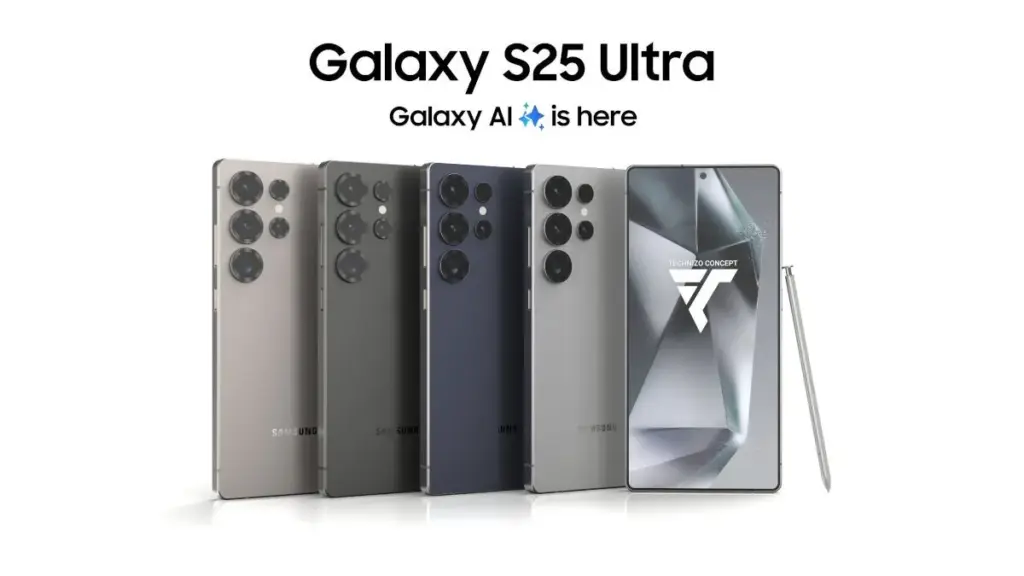
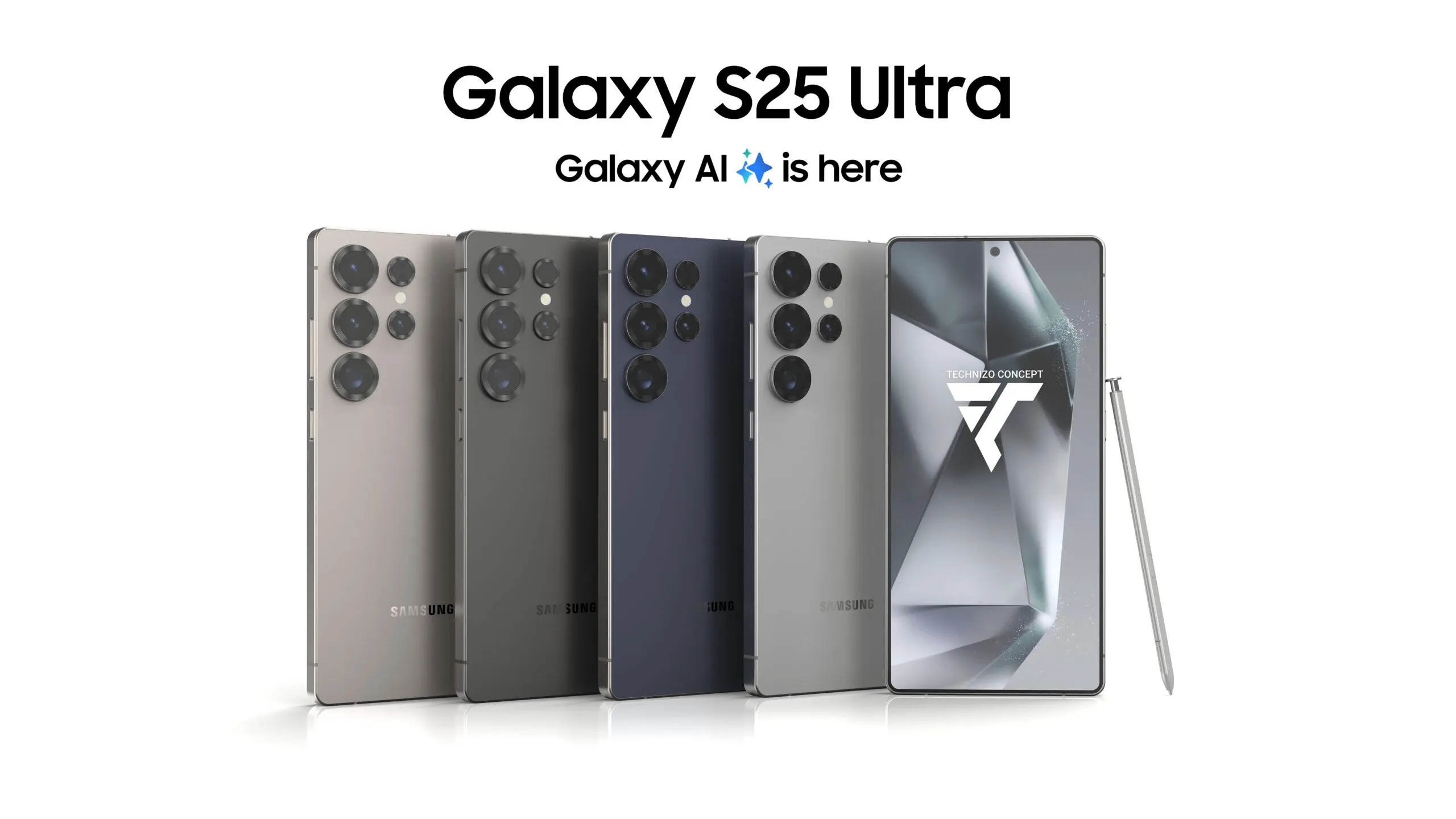
    ColorsTitanium Black, Titanium Blue, Titanium Gray, and Titanium Silver

    Price and release date

    According to Samsung’s official Unpacked teaser, the Galaxy S25 series will go on sale on January 22, 2025. The next Galaxy S25 Ultra will come with three memory configurations with UFS 4.0 technology and 12GB or 16GB of RAM (depending on the market).

    In the US, a smartphone with 12GB RAM and 256GB of storage might cost $1299, while a 1TB model could cost an incredible $1659. According to a reliable source, some European countries will not raise prices.

  • Pre-order and store availability of the Samsung Galaxy S25 Ultra

    Pre-order and store availability of the Samsung Galaxy S25 Ultra

    The next Galaxy Unpacked event is scheduled for later this month, according to Samsung. The second generation of Galaxy AI and a variety of linked peripherals will undoubtedly be the subject of significant attention. However, the new Galaxy S25, Galaxy S25+, and Galaxy S25 Ultra will be the focus of the community’s attention.

    There are a few dates to be mindful of if you want to buy any of the new phones, including the flagship Galaxy S25 Ultra, in order to receive the device as soon as possible and at a reasonable price.

    Galaxy S25 Ultra preorder

    Registering for Galaxy Unpacked

    For those who are interested, Samsung has already begun the procedure. Customers can now express their interest in the Galaxy S25 Ultra and Galaxy AI through a new program that offers a $50 gift card for “additional qualified products.” Additionally, a questionnaire including a $50 offer was sent to Samsung registered users via email.

    However, those who express interest must do so before January 21st, the day before Galaxy Unpacked.

    When will Galaxy S25 Ultra pre-orders open?

    In the past, Samsung opened pre-orders at the conclusion of Galaxy Unpacked events that included phone debuts. Pre-orders are anticipated to open an hour or two after the Galaxy Unpacked event begins on January 22 at 1300 Eastern/1000 Pacific.

    In contrast to other years, there has been talk of Samsung moving the pre-order system’s opening from the Wednesday event to the morning of Friday, January 24. Regardless of the start date, pre-orders are probably going to end on Tuesday, February 4.

    There is another reason why the pre-order period will be significant. Samsung usually gives customers who buy a new Galaxy during the pre-order phase some of its finest discounts. A free upgrade to the next storage tier (so those purchasing the Galaxy S25 Ultra priced for the 512 GB model would receive the 1 TB storage model), a number of exclusive colors that were only available on Samsung.com, and generous trade-ins on a variety of smartphones from Samsung and other manufacturers, such as Google and Apple, were all features of last year.

    Retail availability

    Delivery of the Galaxy S25 Ultra will coincide with its retail availability after you have registered your interest, seen the Galaxy Unpacked premiere, and placed your pre-order. Deliveries to customers who placed preorders are anticipated to begin on Friday, February 7.