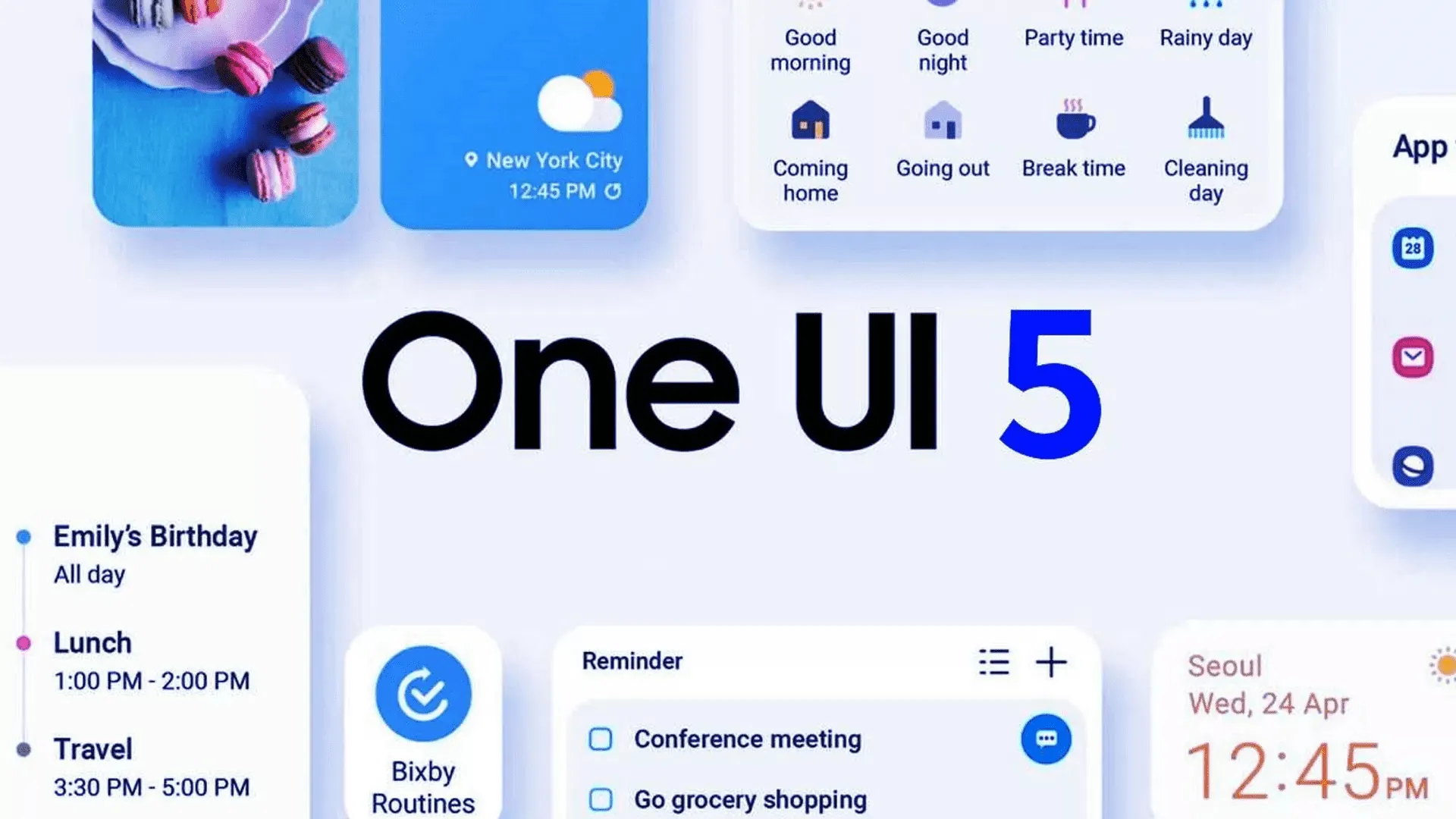
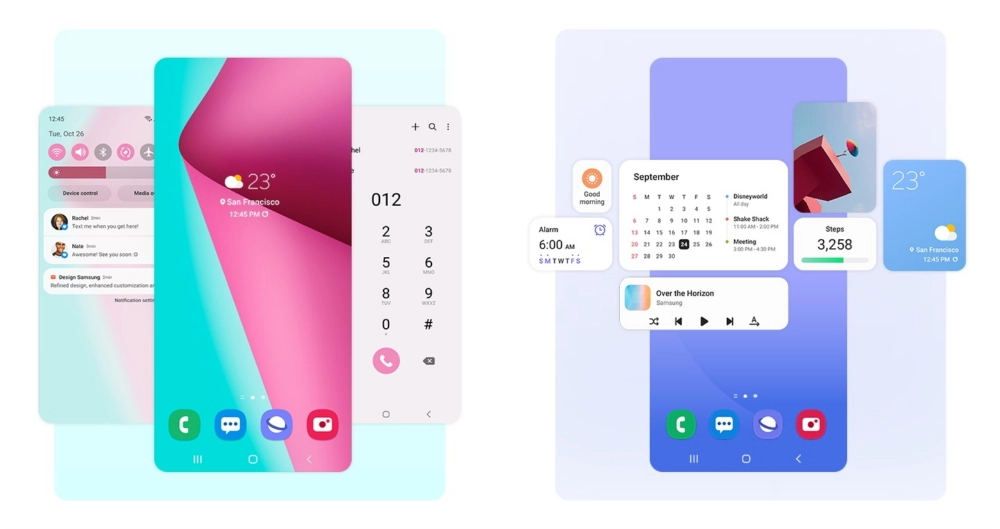
Yesterday, Samsung updated the Galaxy Z Fold 4 and Galaxy Z Flip 4 with its One UI 5 beta upgrade, which is based on Android 13. Owners of the Galaxy Z Fold 2 can now enroll in the beta program.
The Samsung Galaxy Z Fold 2 was promised three significant OS updates and shipped with Android 10 out of the box. Owners of the Fold 2 can anticipate receiving Android 13 as the last significant OS upgrade. Even for Galaxy S22 devices, the stable version of One UI 5 is still not ready for release, but the beta version is currently accessible for download in South Korea. Other locations should soon receive the update.
All you have to do to try out the beta is go to the Samsung Members app. You’ll have the option to sign up for Samsung’s beta program there. Simply launch the app and select the banner for the beta announcement. You can register by entering your information on the registration page that is linked by the banner. After that is finished, you ought to see an update notification.
If you choose to install it, as with any beta, you can encounter issues. Always make a backup of your data before updating to the One UI 5 beta.
The Galaxy Z Fold 2 will receive Android 13 as its final major operating system, but it won’t be the last upgrade. the object
Although Android 13 will be the Galaxy Z Fold 2’s last major operating system, it won’t be the last upgrade. More security updates for the gadget are still planned, although they should stop in late 2024.
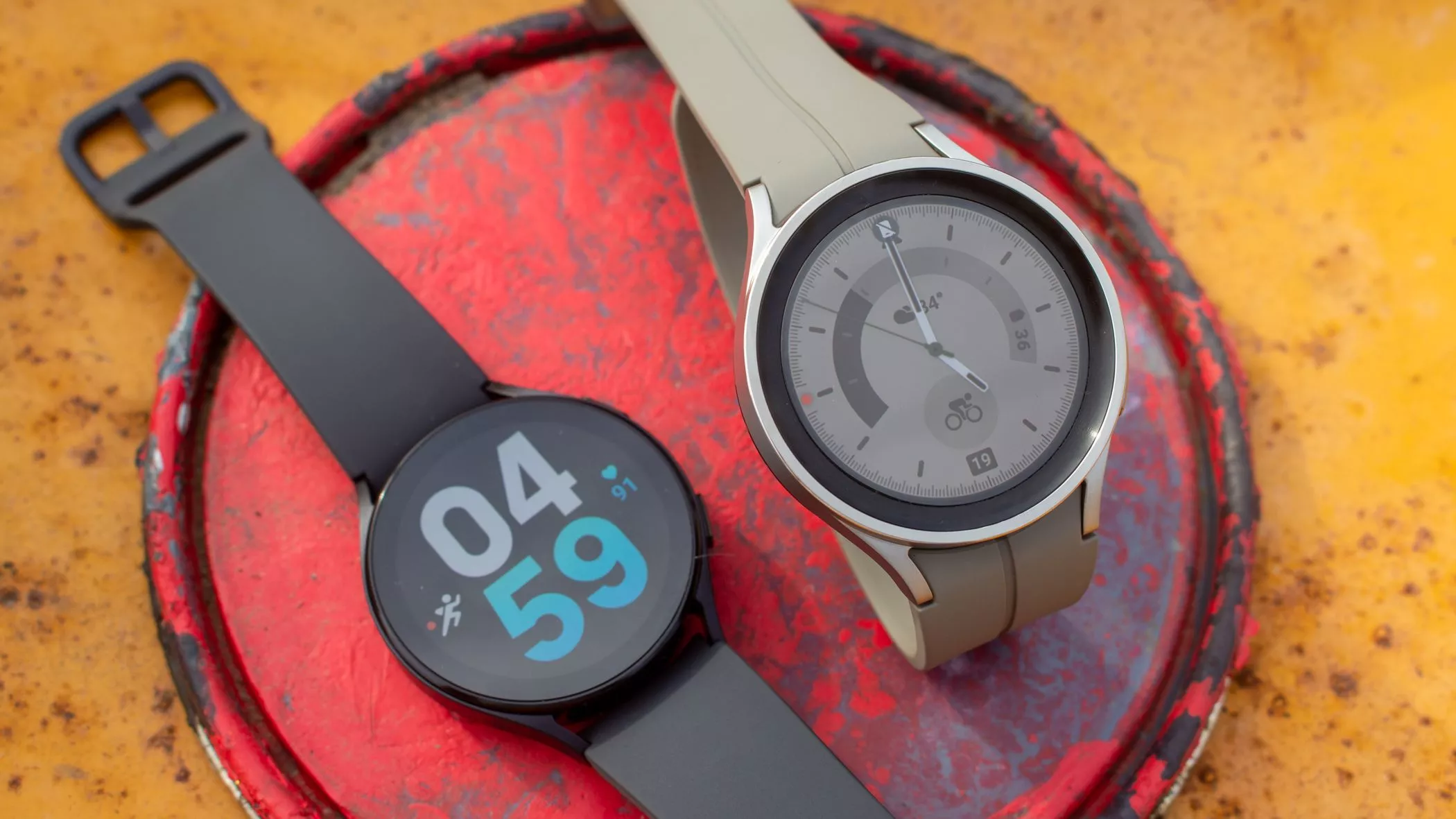
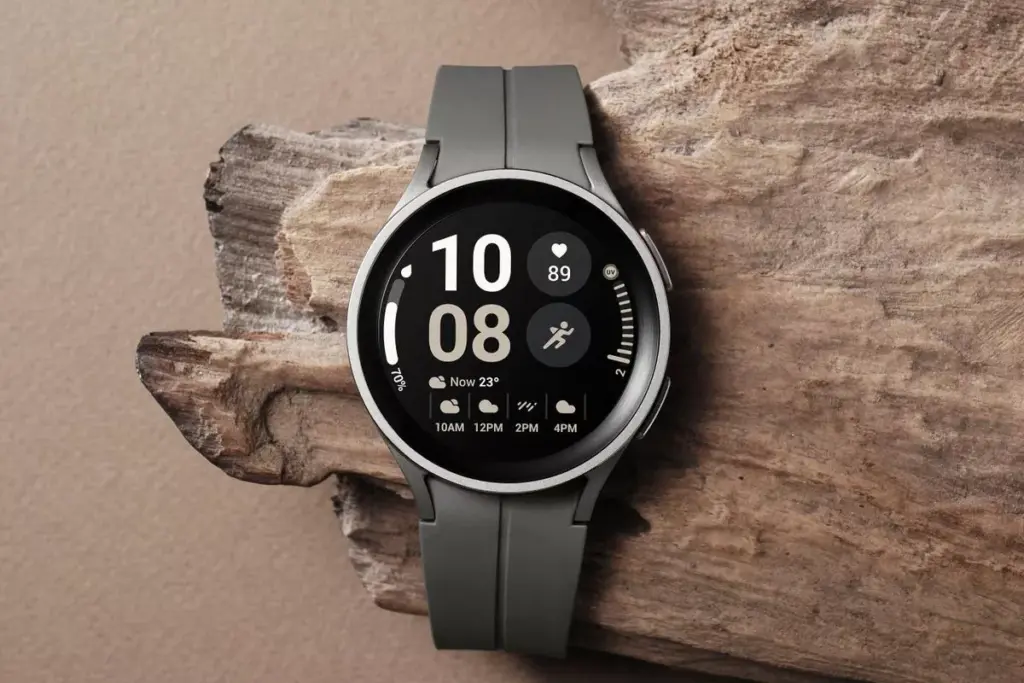
In response to the popularity of the previous Samsung Galaxy Watch, Samsung recently introduced the Galaxy Watch5 and Watch5 Pro. The most recent Samsung Galaxy Watch uses the same cutting-edge technologies but drastically alters the Battery Life rather than reinventing the wheel. The Samsung Galaxy Watch5 series offers a surplus of health and wellness features, in contrast to its older predecessor. Additionally, the most recent Samsung Galaxy Watch now has a fall detection feature and emergency help.
You might be wondering what is fall detection feature. It’s a completely life-saving feature that monitors the random or hard falls. It’s equipped with an accelerometer that helps to detect all your body movements. During a hard fall, it will feature emergency assistance. And in case, if you didn’t reply in a design within 60 seconds of time-frame, it will instantly and automatically deliver the SOS alert to the emergency contacts and services.
Can The Samsung Galaxy Watch5 Series Detect A Fall?
As of now, the Galaxy Watch5 series is craved with a feature known as the Fall detection feature. Here in this guide, we have mentioned step-by-step to set up the fall detection feature on Galaxy Watch5 Pro and Galaxy Watch5
Steps To Set up Fall Detection On Galaxy Watch5 Series
First of all, to use the SOS feature, your watch must be connected to a phone. At the same point, you should keep the Emergency Contact on the list through an application.
Step 1 → Navigate to the Galaxy Wearable App on your device.
I’m damn sure you are now updated with what is fall detection and how to setup it up on the Galaxy Watch5 series. In case, if your loved one, parent, toddler, or grandmother has Samsung Watch, prompt them to enable the feature as it’s completely life-saving.
How Do You Use Fall Detection On Galaxy Watch?
If you have fall detection compatible Galaxy Watch, you can easily activate “Hard Fall Detection” from the phone settings: Navigate to the Galaxy Wearable App > Watch Settings > SOS > tap on the toggle next Detects Falls.
Does Samsung Have Hard Fall Detection?
Thanks to it’s advanced Accelerometer will help alert you when your device attempts random falls.
Samsung’s deployment of One UI 4, which is based on Android 12, has been lightning fast. This year, the firm made a first by launching beta programs for all of its major flagship smartphone lines, including the Galaxy S, Galaxy Note, Galaxy Z Flip, and Galaxy Z Fold. It then went on to release the stable update for devices like the Galaxy S21, Galaxy Z Flip3, and Galaxy Z Fold3 (although with some issues), and now the S20 and Note20 series are following suit.
In less than 48 hours, Samsung overcame a snag that stalled the One UI 4 deployment for its 2021 flagships, released a stable upgrade for the Galaxy Z Fold2, and began rolling out Android 12 to the S20 and Note20 (per SamMobile). In comparison, OnePlus has only recently stabilized Android 12 on its 9 series flagships, while Motorola and Sony have yet to release even a single upgrade – Samsung is clearly gaining ground. However, we hope that the firm conducts its due research to ensure that these updates work as planned and are not hampered by compatibility concerns, as we witnessed with the launching of the S21.
As we speak, Samsung’s stable One UI 4 software is coming out to the Galaxy S20, S20 Plus, S20 Ultra, Note20, Note20 Ultra, and even the S20 FE, so there’s a good possibility you’ll be ditching Android 11 by 2022. Users in Switzerland have already reported receiving Android 12 over the air, but owners of the S20 and Note20 in other regions of the world could anticipate the software to arrive in the next few days (unless Samsung has reason to halt the release). To see if the update is available for your phone, go to Settings > Software update > Download and install.
Last year, Samsung’s Galaxy S20 FE struck the sweet spot for a low price and great features, and it appears that a speculated Samsung Galaxy S21 FE will try to replicate that success. The smartphone could make its debut at Samsung’s forthcoming Unpacked presentation on August 11. More costly foldable phones, such as sequels to the Galaxy Z Fold 2 and the Galaxy Z Flip 5G, are anticipated to be the main attractions, but a more inexpensive phone could also steal the show.
Ever since the indications that the Samsung Galaxy S21 FE might make a comeback, numerous rumors and speculations circulating the digital world have circulated. This article will shed some light on some of the credible rumors.
Further Details
The specifications for the Galaxy S21 FE have been published on China’s TENAA certification website. According to the listing, the phone will have a 6.4-inch screen with a resolution of 2,340×1,080p, a 4,370mAh battery, three cameras with a 32-megapixel main lens, 12-megapixel and 8-megapixel secondary lenses, a 12-megapixel front-facing camera, an in-display fingerprint sensor, and 45W fast charging support. The device will be available in two storage options. Overall, the device is perfect for carrying out tasks such asfile switch.
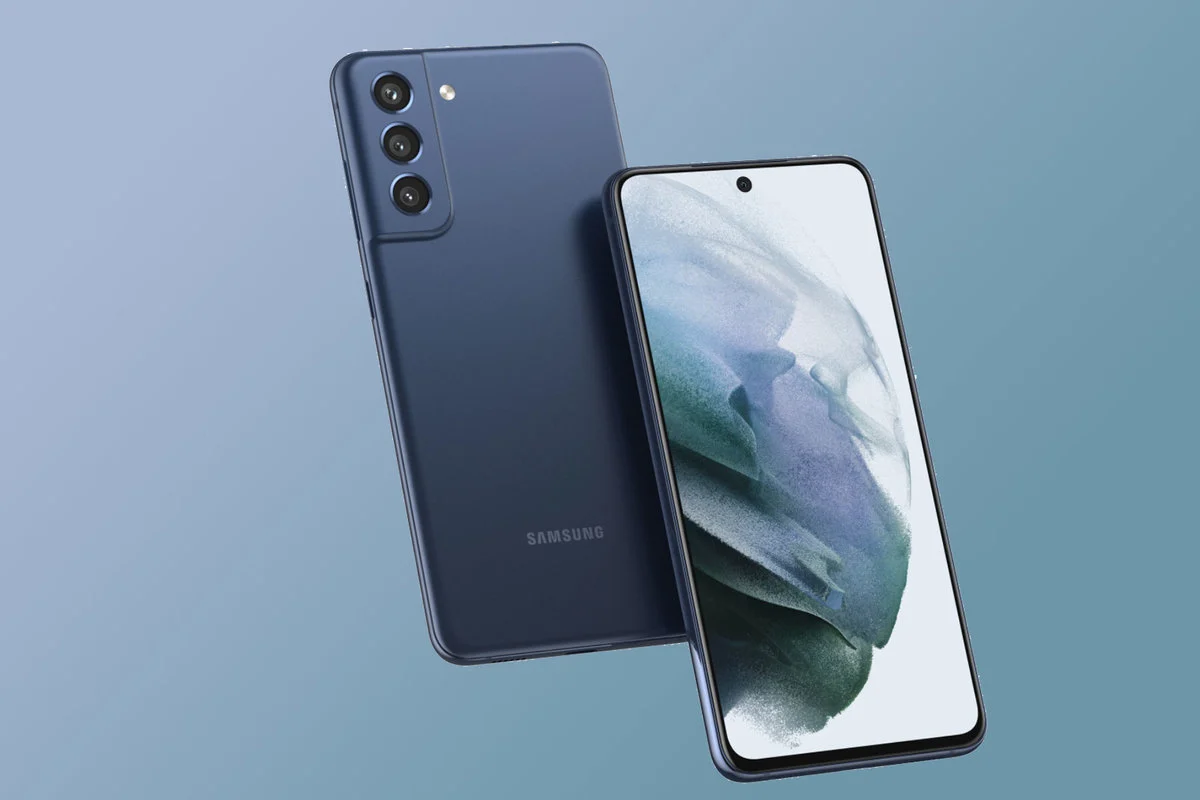
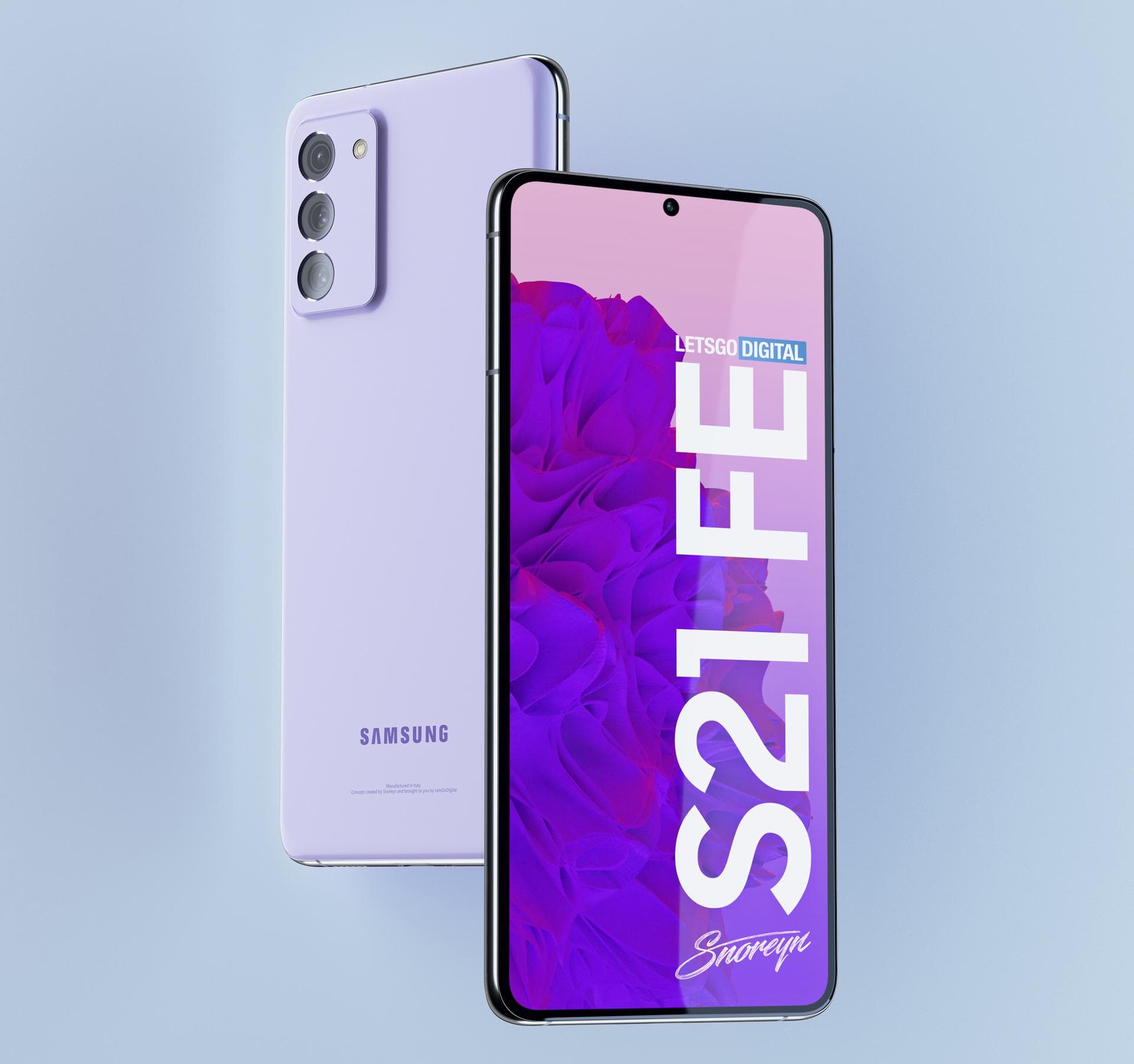
According to renders from a credible source, the phone could look similar to the Galaxy S21, with a punchout for the front-facing camera and three cameras on the back. The resemblance to the S21 is understandable: the Galaxy S20 FE preserved much of the S20’s design language while lowering the price by reducing the screen resolution and cameras. The S21 FE will be available in at least five colors, according to a leak posted by SamMobile.
Expected Price
In the United States, the Samsung Galaxy S20 FE started at $699, a significant decrease from the Galaxy S20’s $999 beginning price. While we don’t have any firm pricing information, sources suggest that the S21 FE line will begin at $699, which is the same starting price as the Galaxy S20 FE. It would be roughly $100 cheaper than the Galaxy S21, making it a higher-end value alternative even at that price.
Release Date
It’s possible that the Galaxy S21 FE could be unveiled at the August foldable event, it’s also feasible that it may be announced separately like it was last year. In September 2020, the Galaxy S20 FE had its Unpacked event, which was billed as a “tribute to its Galaxy devotees.”
However, the announcement and release of that phone coincided with the release of the Z Fold 2, which also occurred in September. Maybe they’ll be blended or given the same amount of space.
Summing Up The Samsung Galaxy S21 FE is sure to be a big hit among, “Galaxy Devotees”. It provides consumers with a much cheaper and affordable model hence budget buyers will surely be pleased. It seems we will have to wait a bit longer for concrete details to be released. However, according to multiple reliable sources, we won’t have to wait that long and may catch the first official glimpse in August.
Samsung is one of the biggest smartphone manufacturers worldwide. The South Korean tech giant is known for its mid-range and premium products with innovative features. The Samsung Galaxy S21 was released last year and has gotten rave reviews. The next device, Samsung Galaxy S22, is scheduled to be released sometime in 2022.
If reports about the phones’ screen sizes are to be believed, the Galaxy S22 series will be a three-phone lineup featuring a regular, Plus, and Ultra variant.
Expected Price
No reliable reports about the pricing of the Galaxy S22 range have been reported, but we expect Samsung to maintain prices comparable with last year’s flagship. Samsung cut the price of its Galaxy S21 device by $200 compared to the previous year’s flagship, the Galaxy S20, and we’d be shocked if the company raised the price significantly this year. Depending on the model, the Galaxy S21 costs anywhere from $799 to $1379 dollars.
Design
The Galaxy S22 range could be a tad smaller and lighter than the S21. The Samsung Galaxy S22 is expected to be available in three different sizes: 6.06, 6.55, and 6.81 inches. The regular Galaxy S21 is 6.2 inches, the S21 Plus measures 6.7 inches, and the S21 Ultra measures 6.8 inches.
The Galaxy S22’s battery may be smaller because to the slimmer design, according to rumors. A 4,000 to 4,500 mAh battery powers the Galaxy S21. When compared to Samsung’s prior phone models, the Galaxy S22’s expected shrinking is unusual.
Camera
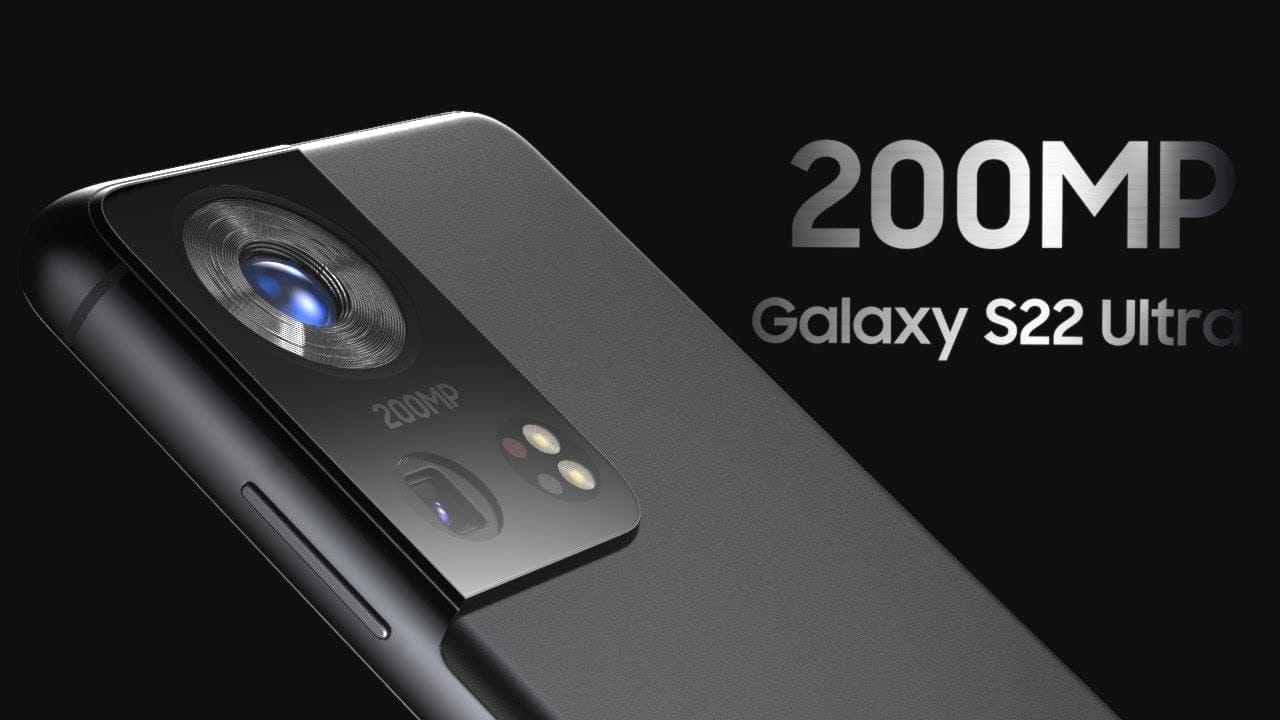
Samsung may improve the Galaxy S22’s camera options. The primary camera of the Galaxy S22 Ultra is expected to be 200MP. This would be the greatest pixel count possible for a Samsung phone if the rumors are accurate. In comparison, the Galaxy S21 Ultra features a 108MP wide-angle camera.
The news about the camera comes after a teaser tweet from Samsung Exynos, the company’s chipmaking subsidiary, in March that showed a 200MP phone camera. The update might be the outcome of a possible collaboration with Olympus.
Samsung’s reported 200MP primary camera would surpass Apple’s iPhone 12, which has a 12MP wide-angle and ultrawide camera. With a 12.2MP standard and 16MP ultrawide camera, Google’s Pixel 5 outperforms Apple slightly, but it still falls short of Samsung’s rumored 200MPs.
The Galaxy S22 Ultra might possibly include an under-display selfie camera, however, speculations about this feature are presently contradictory. Some think that Samsung has submitted a patent for a punch-hole camera with a sub-display, while others suggest that the Galaxy S22 won’t have a concealed front camera since the camera quality isn’t good enough.
Specifications
It’s possible that the Galaxy S22 may get a speed increase. According to CNET, the new flagship phone could be powered by Qualcomm’s Snapdragon 895 processor. The Galaxy S21, on the other hand, has a Snapdragon 888 processor. The increase in processing power is expected to be accompanied by an improvement in graphics. As a consequence of cooperation between Samsung and AMD, the Galaxy S22 might include an AMD GPU.
According to Dutch site LetsGoDigital, the Galaxy S22 may also include an active fan mode to keep the phone cool while gaming or during other periods of high usage.
The Charger Controversy
Although the battery life of the forthcoming Galaxy S22 line is unknown, Samsung announced earlier this year that future smartphones will not include chargers or headphones in the package, beginning with the Galaxy S21 line.
Verdict Samsung smartphones rarely disappoint and carry out tasks such asphone share with ease. The Samsung Galaxy S22 seems quite promising, we’ll have to wait for a bit longer to see if this device surpasses its predecessor in design and overall performance or if it is just another monotonous hyped-up smartphone.
Although the Galaxy S22 may not be released for another eight months, various features and rumors about the forthcoming flagship devices have already begun to circulate online. The Galaxy S22 Ultra has now been rendered by fans, revealing a gorgeous design and a large camera sensor on the back.
Leaks & Rumors
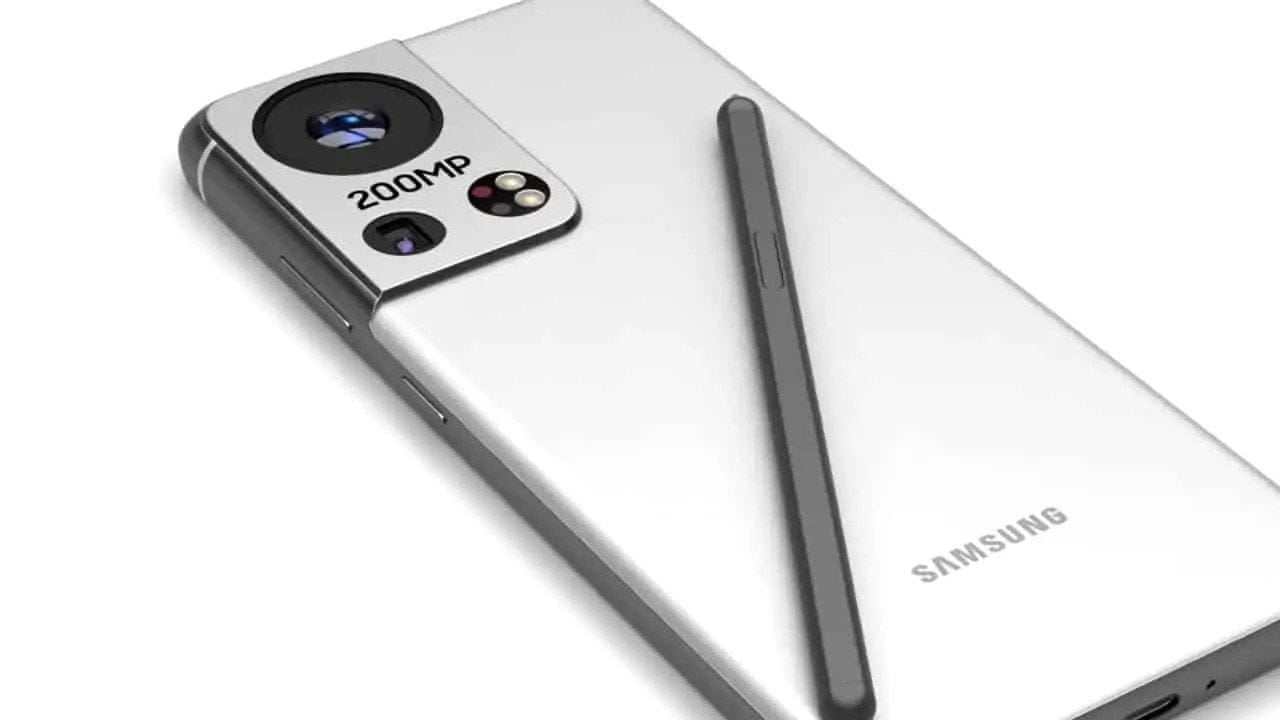
LetsGoDigital’s renders of the Galaxy S22 Ultra demonstrate how Samsung could use a larger quad-camera array on the back and slim down the bezels surrounding the screen even more. Since speculations of an under-display selfie camera for the Galaxy S22 Ultra have been debunked, these renders depict a Super AMOLED Infinity-O display with ultra-thin bezels and rounded edges. There’s also support for the S Pen, but no special silo for it.
Another noteworthy feature visible in these Galaxy S22 Ultra mockups is an active cooling fan to keep the Exynos 2200’s temperature under control even during intensive workloads like gaming. Having said that, I believe Samsung’s flagship phones will use more passive cooling solutions. After all, when things get hot and heavy, no one wants to hear that internal fan whirling away. However, we do not believe that feature will be included in the Galaxy S22 Ultra. On the bottom, there is a USB Type-C port but no 3.5mm headphone jack. The overall design appears to be based on the Galaxy S21 Ultra, but with a larger camera and thinner bezels. The phone’s renders reveal five different colors: black, blue, green, red, and white.
Potential Camera
There have been reports that Samsung may collaborate with Olympus on the camera for its upcoming Galaxy flagships, and this render reflects that. A large 200MP Olympus camera sensor, an ultrawide camera, a telephoto camera, a continuous zoom periscope camera, and laser autofocus appear to be on the back.
Unlike the Galaxy S21 Ultra, which has three identical-looking camera lenses and two smaller sensors, this prototype goes all-in with a single large camera lens in the center. This lens is 200MP and contains Olympus branding, which has been speculated for the S22 Ultra.
This concept, like the Galaxy S21 Ultra, has four additional sensors. Our best guess is that they’re the dual telephoto lenses, as well as an ultrawide camera lens and a laser autofocus sensor, that we’re hoping to see return. It’s unclear why these four sensors are all the same size, especially since this wasn’t the case on the S21 Ultra.
The continuous use of the big camera bump is obvious here. While having extra space for camera components is understandable, the fact that these bumps appear to be getting larger and larger is not a trend we’d like to see continue.
Hit or Miss? While these renders claim to be based on leaks and rumors, they aren’t official photos, so they don’t reveal anything about the Galaxy S22 Ultra or how it will seem when it releases next year. However, we can be sure of one thing that this premium device will be able to carry out complex tasks such as SMS transfer with ease. We still have a long way to go until we see some official-looking photos of the phone, so we’ll have to wait and see what Samsung has planned for early next year.
Last year, Samsung reintroduced the FE emblem to the market with the Galaxy S20 FE. The Galaxy S20 FE was praised for its excellent value, and Samsung will expand on that success this year with the Galaxy S21 FE, which will be released in a few months. Over the last two weeks, details about the S21 FE have progressively surfaced, along with renders.
Specifications and Details
According to the mockups, the Galaxy S21 FE will resemble the Galaxy S21 and S21+. It was a pleasant surprise. The S20 FE from last year was also pretty comparable to the S20 and S20+. This entails a triple camera configuration placed within a module identical to the S21’s, as well as a front-centered hole punch. The phone’s body will almost certainly be made of plastic, since Samsung looks to be saving glass for its most expensive smartphones.
Depending on the model, a Snapdragon 888 or an Exynos 2100 will be installed. The S21 FE’s RAM capacity is yet to be determined. There have been leaked benchmark listings with 6 GB and 8 GB versions, indicating that there may be an 8 GB model.
A 4500 mAh battery, 25 W charging, and a 1080p 120 Hz AMOLED display should all return. There have been rumors that the S21 FE will employ a 64 MP sensor as its main camera, rather than the 12 MP device seen on the S20 FE. The most likely sensor is the GW2, which is worse than the IMX555 on last year’s phone, so we predict a downgrade. Although, we can safely assume that the device will be able to carry out everyday tasks such as data transfer with ease.
Release Date
The Galaxy S21 FE was expected to be released in August, but recent speculations suggested that the launch could be postponed owing to a global chip shortage. However, those rumors do not appear to be true, so an August release could still be in the works. The S20 FE was released in October, thus that should be the S21 FE’s worst-case debut date. The S20 FE had an MSRP of US$699, and the S21 FE will either have the same or a little lower pricing.
Samsung offers 2 years of software support for their smartphones, which includes two big Android OS updates. The Samsung Galaxy S8, S8 Plus, and Note 8 have been on the market for well over two years and will never see Android 10. The same is true for the Galaxy S9 and Note 9 series, which have received the latest Android 10 update. Although the devices will continue to receive security patch updates for another year, this is unjust to the most successful Samsung flagship to date. So, here are some of the best custom ROMs based on Android 10 for the Samsung Galaxy S8, S8+, and Note 8.
We’ve compiled a list of the most recent and reliable custom ROMs for the Galaxy S8 and Note 8 series right now. Lineage OS 17.1 and other common ROMs such as Havoc OS, Pixel Experience, and Corvus OS 10 have just been made official with Android 10. However, because of the design of Samsung Galaxy phones, official support for custom ROMs is difficult to come by. As a result, some custom ROMs based on Android 10 for the Samsung Galaxy S8, S8+, and Note 8 are still unofficial beta ports.
Furthermore, the majority of custom ROMs are only for Exynos models. This is due to the fact that the Snapdragon Galaxy S8, S8+, and Note 8 variants’ bootloaders cannot be unlocked. So you cant install TWRP recovery, and hence, can’t flash a custom ROM.
1. Havoc OS
Havoc OS is currently one of the most stable Android 10 custom ROMs for Samsung Galaxy smartphones. In comparison to the other choices, users of the Galaxy S8 and Note 8 series strongly suggest the Havoc OS custom ROM. Most notably, it has recently been updated to Havoc OS 3.7, which means that it is based on Android 10 and incorporates some Android 11 features such as Material design 2.0, Dark Theme Support for AOSP apps, Android R Style screen record dialog, Rounded UI, Face Unlock support, built-in Gapps, Font Customisation, Pixel Lockscreen weather, and many more.
Moreover, it also supports Face Unlock, HD/VoLTE toggle, 4G/LTE Icon toggle, 90 Hz refresh rate toggle, Themes styles and wallpapers support from the Pixel 4, and much more. Checkout the images from below and also see the complete screenshot repository from below.
When it comes to having stock Google experience on your Android phone, Pixel Experience is everyone’s choice. It includes all of the Pixel 4’s functionality, the most recent Google UI, the most recent Google Assistant app, Digital Wellbeing, and support for the most recent Google products and services. As a result, you can receive the most recent Pixel Launcher, themes and style apps, wallpapers app, ringtones, icons, and everything else that is currently available on the Google Pixel 4 (XL) with Android 10.
Wifi, RIL, Mobile data, GPS, Camera, Flashlight, Camcorder, Bluetooth, Fingerprint reader, NFC, Lights, Sound / vibration all work with Pixel Experience. However, some features, such as Volte, cast, and, according to some sources, even the face unlock feature, may not work.
Pixel Experience Plus is an AOSP based ROM, included with Google apps and all the Google Pixel goodies like launcher, wallpapers, icons, fonts, bootanimation.
Download Pixel Experience for Galaxy S8, S8+, and Note 8
Corvus OS is getting very popular lately among custom ROM flashers. The developers have also been very active in the development and supporting a large number of Android devices. Many have recommended Corvus OS over the past months as it is quite stable for its initial release. Covrus OS also brings Android 10 to the plate for Galaxy S8 series and Note 8.
Corvus OS is inspired by Dirty Unicorn ROM and has many of its features. The ROM is full of customization options and has a dedicated section for each section including Themes, Notifications, Display, Lock Screen, and more. Stability is great with this one. It also gives stock AOSP experience making it light weight and fast. The ROM also includes some Google features like latest Pixel Launcher, Accent picker, Theme backup, Theme styles, wallpapers app, ringtones, icons, and more.
Lineage OS is one of the most popular custom ROMS out there. It supports a wide range of Android devices. Right from the obsolete phones from years ago to the most recent flagships. Lineage OS 17.1 is based on Android 10 and now supports Samsung Galaxy S8, S8+, and Note 8 unofficially.
Download Lineage OS 17.1 for Galaxy S8, S8+, and Note 8
Lineage OS 17.1 for Galaxy S8 dreamlte (s8) (mega link)
The era of folding devices has begun and who better to execute this latest trend than Samsung. Just last year Samsung impressed consumers worldwide with the release of the Samsung Galaxy Z Fold and announced an impressive follow-up device, Samsung Galaxy Z Fold 2 in August of 2020.
The Galaxy Z Fold devices are ideal for those people who are looking for something innovative and have money to spare. The Samsung Galaxy Z Fold 2 is a step up from its predecessors and has all the positives of the original device but with certain tweaks to fix the bug issues. As of now, this is the finest foldable device in the market.
A Brief Description
Samsung Galaxy Z Fold 2 is the next-generation foldable phone from the South Korean tech giant. Since then multiple foldable devices have been released by companies such as Microsoft, Motorola, Huawei, Royale, Xiaomi, and TCL. While all of them are commendable competition, they do not come close to the Samsung Galaxy Z Fold 2. It is by far the best foldable phone in the market.
When the device is closed it has a 6.2-inch screen on one side and a robust camera bump on the other. However, when you unfold the device it opens up to reveal a 7.6-inch AMOLED display with an aspect ratio that’s similar to a square. A major upgrade that can be observed is that Samsung did not keep the slightly awkward notch found on the first Galaxy Fold for a smaller hole punch. The device’s refresh rate is up to 120Hz, it varies to give an optimized performance while conserving battery.
Additionally, Samsung is still aggressively marketing the multi-tasking feature. This particular feature allows users to use an app on the outside display and then continue that app experience on the interior display immediately. Users can even run multiple apps side by side. The phone itself is powered by Snapdragon 865 Plus processor. While the five camera lenses produce amazing photos.
The major downside is the price tag. It is quite a costly phone that it even surpasses some of the laptops available. A $2,000 device is not something everyone can afford but it is worth noting that you are getting a phone and a tablet rolled into one. The insurgence of foldable devices may make tablets obsolete.
How is it different from Samsung Galaxy Z Fold?
The original foldable phone was received quite well hence what does this new variant offer? One of the obvious upgrades is that the size of the outside display is much bigger; it takes over almost the entire closed front of the device. Another pleasant change is that there is a new rear camera module that looks similar to the module on the back of the Samsung Galaxy Note 20.
The cameras get revamped as well; consequently, the quality of images is improved. There are multiple finer tweaks made to the inner mechanisms. Furthermore, this variant is more durable as well thanks to its ultra-thin glass covers the interior, and Samsung’s “sweeper” technology prevents dust particles from settling in the hinge or making their way under the display. The Samsung Galaxy Z Fold 2 is a more polished version of the original fold.
Aforementioned, the cameras have been revamped to improve the quality of images. There are five total cameras on the Galaxy Z Fold 2: three on the back, one on the front, and one on the inside. The one on the inside is a hole-punch camera, so it doesn’t take up as much of the screen as it did on the previous model. The overall experience has improved mainly due to the larger front screen.
Users get the same control settings on both the external and internal cameras. While the pictures are quite remarkable. Although colors can be a bit over-saturated it is still a major step up. The photos are detailed and sharp. The only puzzling factor is that in this device Samsung opted for three 12MP shooters instead of its latest 108MP sensor, considering the price the tech mogul could have sprung for the latest sensors.
Battery
The Samsung Galaxy Z Fold 2 packs a 4,500mAh battery, which may seem inadequate considering the size of the device but it is sufficient for full-day use even for heavy users. According to testing reports users got six to seven hours of battery life on a single charge. Regardless, it has fast charging so you won’t have to wait long for the phone to be fully charged. A major positive is that the charger comes with the phone and you won’t have to buy it separately.
An additional power share feature is available with this device. If you own a pair of Galaxy Buds Live, you can share a bit of your battery with the Buds.
Durability and Everyday Usage
It has been reported in, “The Guardian”, that the screen has survived four months of use without a scratch, despite being made of softer, potentially scratch-prone material. The overall performance is remarkable but there are issues with the fingerprint sensor. It often has to be cleaned to unlock. Moreover, Apart from Samsung’s and a few third-party apps, not many have a full tablet-sized interface on the internal screen when held in portrait. However, many more websites and apps do resize properly to the big screen when the device is held in landscape.
Users can efficiently carry out everyday tasks such as texting and checking emails ordata sharing on the device plus the multi-tasking features works flawlessly. Although, users may have to get a stronger car mount since the phone weighs a lot due to which it will take some time to adjust to carrying the device.
Updates
It is a norm for security updates to arrive on Samsung phones before Google’s own devices. Samsung assures users that its devices will keep receiving updates for three years including the Galaxy Z Fold 2. This means the phone will get upgraded to Android 11, 12, and 13. As of now, the phone has gotten the Android 11 update.
Is the Samsung Galaxy Z Fold 2 worth it?
If you can manage the price tag and are looking for something innovative then this device is the one for you. It is a mind-blowing phone with amazing features, making it the best foldable phone on the market right now. The most appealing feature about this device is its interior screen which Samsung has executed with perfection. The 120Hz display is vibrant and flawless plus it switched to a lower refresh rate to extend battery life.
The device’s cost is a major issue since most consumers are reluctant to spend this much for a phone despite its premium features and elegant design. There is also no headphone jack and it’s not water-resistant.
After the Magisk method is published, the root process is simple to compare with conventional methods. Yet it’s got its limits. We can’t use custom ROMs unless we have some custom recovery enabled. So, even after users have access to root, they prefer the TWRP method when it is released. Samsung Galaxy M31 comes with upper mid-range specs and can handle all of the apps. But if you need root access, you can use the following method to root your Samsung Galaxy M31 Android 10. Since we use custom recovery in this phase, you can install any necessary custom ROMs on your mobile device.
Compare with standard other root methods, this method has additional steps. So, You should care a little bit when you do the process. Since it doesn’t use a custom recovery, You can’t install custom ROMs. But, It is enough to run most of the root apps.
After root, you lose the official alerts. You need to update your smartphone manually. So, you should know why you need to do this before continuing with the process. If you are a frequent user, you can try some alternatives that do not require root for your function. If you are a frequent user and developer of root apps, you can follow the guide below to get root on your smartphone.
Root and Install TWRP on Samsung Galaxy M31 Android 10 One UI 2.0, 2.5 (SM-M315F)
Thanks to the developer- afaneh92 for the Root method and topjohnwu – this genius is the one who discovered and maintained Magisk. Samsung Galaxy M31 variants come with a flexible bootloader in some regions. It means that the smartphone can be easily rooted. The device can also accept installing TWRP recovery or any other custom recovery file/app. Don’t try with Snapdragon US Variants like Verizon devices. They come with a locked Bootloader.
But In the below method, we are going to Root this device by using Magisk. You can install Official TWRP using the official app when it is released. TWRP recovery is a custom recovery file that must be installed on your devices because you can root them successfully. This article explained the easiest method to follow and install Magisk on Samsung Galaxy M31. However, the tool required for rooting this device is the Magisk App.
Once available, you can flash TWRP. With the support of TWRP Recovery, you can easily flash Custom ROMs to your Samsung Galaxy M31. Before sharing a tutorial, you may want to know that you can easily install any root apps with Magisk on your computer. Does that sound complicated? Relax; everything will be briefly explained in the bullets.
Things to check out for;
Check your device model number.
You should Backup your current files and data- Full Data Loss Process (save them on external storage).
Install Latest Magisk Manager.
Make sure your device battery is above 50%
You cannot use Samsung Pay, Secured folder, and some official apps from Samsung.
You can’t update your firmware; to get new firmware, you must follow the below steps with the latest firmware.
Read the full tutorial before the process.
Unlock Bootloader
Enable USB Debugging Mode and OEM Unlock on your mobile. To do this, go to settings >>> about >>> Tap on the “Build Number” 7-10 times consistently to enable “Developer Options,” then go to the “Developer Options” and enable USB Debugging Mode and OEM Unlock. There is no complicated process in the Samsung Galaxy M31.
Switch off your device. Enter into Download Mode-> Volume Down+ Volume Up and Connect your mobile with PC using USB Cable. When the Download mode warning screen Appears, Press the Volume Up button to unlock Bootloader.
The above process will wipe your user data. After Setup your device, Please recheck the OEM Unlock in the settings. Sometimes It Will Lock Again.
Download Multi disabler.zip and Magisk.zip files (Don’t download .apk file) copy them on your Pendrive With OTG Cable. You can refer to the uses of OTG. (Or, you can prefer an external SD Card).
You can use Phone Info to know your firmware version.
Prepare patched boot image file
Download 7Zip-ZS, LZ4, and Install both on your PC. Extract the files in downloaded firmware using 7Zip-ZS. You will get four files. Click on the AP File and Extract again. You will get some data along with the boot.img.lz4.
Copy the boot.img.lz4 and Vbmeta.img.lz4 to LZ4 Installed folder. Convert the lz4 file to a .img file by dragging the .img file to the lz4 application file. You have to drag the file to that application. The script will automatically convert the file to .img format. After the conversion, Copy the boot — img file to your mobile. Leave Vbmeta in the PC folder.
Download Magisk Manager (Download Latest version) or Magisk canary and Install it on your mobile. Open Installed Magisk and Select Install in Magisk; it will ask For a zip file and Patch Boot Image File. Select the Boot Image file.
Navigate to your copied boot image file and patch the file.
Wait for the process to complete, in the end, you will get a magisk patched .img file. Rename this file into the boot.img.
Now copy boot. img and Vbmeta. img files to your PC. We already leave the Vbmeta. img file on PC. Drag those files into the downloaded TWRP.tar file. Now you can see there are three files within the TWRP.tar file. Don’t extract the data. The three files contain a single .tar file that should be flashed using ODIN.
Flash TWRP.tar with ODIN
Connect your USB cable with your PC. Switch off your device. Then, enter into Download mode. To do this, press and hold Volume Down+ Volume Up Buttons and Connect Your Mobile To PC via USB Cable; after Samsung Logo Appear, Release all keys.
Press the Volume Up button to continue when you see the warning message.
Now, connect the Samsung Galaxy M31 mobile to the computer via USB cable.
Launch the Odin app on your computer. If the device is detected by this app (Odin), it will show you a message that reads – added!!!
However, if the device is not correctly connected to the PC, you won’t see this message. So, you have to check the USB cable if it is reasonable and reconnect the device.
After connecting the Samsung device, click on the PDA/PA/AP button to browse/search and get the TWRP from where you saved it on your PC. Also, navigate to “options” and Un-tick the Auto-Reboot.
Click on “Start”
Once the file is loaded into the device, reboot your device.
Now you have just Installed the TWRP on your Samsung Galaxy M31. We installed TWRP. Don’t turn on your mobile.
Immediately, move to Magisk Installation steps.
Press the Volume Down+Power button to exit Download mode and quickly press Volume Up+ Volume Down+ Power Button to boot into Recovery mode.
Install Magisk on your Samsung Galaxy M31 with TWRP
Now you are in TWRP Recovery Mode.
Select Wipe->Advance Wipe->Select Cache Data. You can also take complete backup using TWRP. It will help you when something goes wrong.
Return to Home of TWRP select Install.
Select Multi disabler.zip.
Return to Home of TWRP select Install.
Select Magisk.zip.
You should Install them One by One. Don’t add more zips feature in TWRP. After the Installation, Reboot Your Mobile.
You can also install Magisk.apk in your Mobile Applications. Multi disabler avoids the Encryption issue after rooting. You can check your root status using Root Checker.
If you didn’t find Magisk in App Drawer, you should Install the Magisk app again.