Tag: apps

  • Temporarily Free Premium iPhone & Android Apps

    Temporarily Free Premium iPhone & Android Apps

    Let us start this new week off on Droid Tools with yet another round of free iOS and Android apps. See our selection of offers for paid applications and games that are currently available for free download. This is only possible if you move quickly because they are limited-time offers.

    Tip: If you come across an app that you’d like to have but don’t need right now, download and install it first. It would be considered as “bought” and it will be available in your app library forever—even if you uninstall it from your smartphone right after.

    Android apps and games that are free for a limited time

    Android apps for productivity and lifestyle

    • AppLock Pro ($2.49): Secure your handset with another layer of security which prevents prying eyes from your phone’s apps and content!
    • Bubble Level Pro ($2.99): This is the ideal app if you do a lot of woodworking or other kinds of home improvement projects, where you need to make sure a surface is particularly level.
    • Sound Meter & Voice Detector ($2.99): Ever wondered how much sound is in your car or room? Measure it with this app!

    Free Android games

    • Cooking Quest VIP ($0.99): A food truck simulation game that will see you balance your penchant for great food with business decisions! 
    • Everybody’s RPG ($0.49): An idle RPG that is engrossing to play without requiring too much commitment.
    • ExtremeJobsKnight’sManager ($0.99): A tried-and-true formula that lets you train and manage a warrior to be the best in the business.
    • EHW Premium Stick & Fight ($0.49): A real-time strategy game that brings together elements of RPGs and side-scrollers.
    • On Tour Board Game ($3.99): You head a band who is on tour and want to make the most of your road trip adventures! 

    iOS apps that are free for a short time

    iOS apps for productivity and lifestyle

    • Calcvier – Keyboard Calculator ($2.99): This interesting app transforms your keyboard into a calculator, letting you reply to messages while you’re doing calculations!
    • ToPack: Trip Packing Checklist ($2.99): Ever gone on a holiday only to realize you forgot to pack something important? This app helps prevent such tragedies from happening.
    • Safety Note+ Pro ($3.99): Want to keep your private thoughts protected away from the prying eyes of the world? This app gets the job done.
    • PDFs Split & Merge ($8.99): Do you have two different segments in various PDFs that you want to merge into a single document? This app lets you do so.
    • Daygram ($0.99): A penny for your thoughts? This app lets you jot down your private musings and keeps it safe and secure through various protective elements.

    Free games for the iPhone and iPad

    • Neo Monsters ($0.99): Collect monsters, train them to be the very best version of themselves, and pit them against other trainers!
    • Dark Tower ($1.99): With so many floors to explore, you will have a fun time getting rid of different monsters in this classic-style logic RPG.
    • Wind Wings ($1.99): Take to the skies and shoot down as many enemy aircraft as possible, gaining experience along the way to upgrade your ship.
    • Fit Beats ($1.99): Match the different shapes while listening to electronic dance music in a strangely addictive game.
    • Cyber Protocol ($1.99): Do you have what it takes to solve all 100 puzzles of this hardcore arcade puzzle game?

    We advise you to review the app’s details in the Play Store or App Store before downloading any of the listed apps. This is significant as a few of these free apps can offer unique features or drawbacks of their own.

    Some apps gather and share your personal data in an ingenious way to make money. It is best to only allow permissions that are necessary for the app to operate in order to safeguard your personal information. An alarm clock app, for instance, does not require access to your contacts or camera. In a similar vein, a flashlight app does not require location awareness.

    We hope these recommendations will help you to safely enjoy free app downloads on Android and iOS devices.

    These apps were tipped by building inspection.
  • Streamline Your Faxing Needs with Free Faxing Apps

    Streamline Your Faxing Needs with Free Faxing Apps

    You no longer need a bulky fax machine or a dedicated phone line to send and receive faxes. Free faxing apps have emerged as convenient solutions, allowing you to handle your faxing needs right from your smartphone or computer. In this article, we’ll explore some of the best free faxing apps available, their features, and how they can benefit you.

    The Rise of Free Faxing Apps

    Gone are the days when faxing required cumbersome machines and dedicated phone lines. Today, free faxing apps have revolutionized the way we handle fax communications. These apps leverage the power of the internet to transmit documents securely and efficiently, eliminating the need for traditional fax machines.

    Key Features to Look For

    When choosing a free faxing app, it’s essential to consider its features to ensure it meets your specific needs. Here are some key features to look for:

    1. Ease of Use: The app should have an intuitive interface that makes sending and receiving faxes a breeze.
    2. Document Compatibility: Ensure the app supports a wide range of document formats, including PDF, Word, and image files.
    3. Security: Look for features like encryption and password protection to keep your faxed documents secure.
    4. Reliability: Opt for apps with a reputation for reliability and minimal downtime.
    5. Integration: If you need to integrate faxing with other tools or services, choose an app that offers seamless integration options.

    Best Free Faxing Apps

    Now let’s dive into some of the best free faxing apps available:

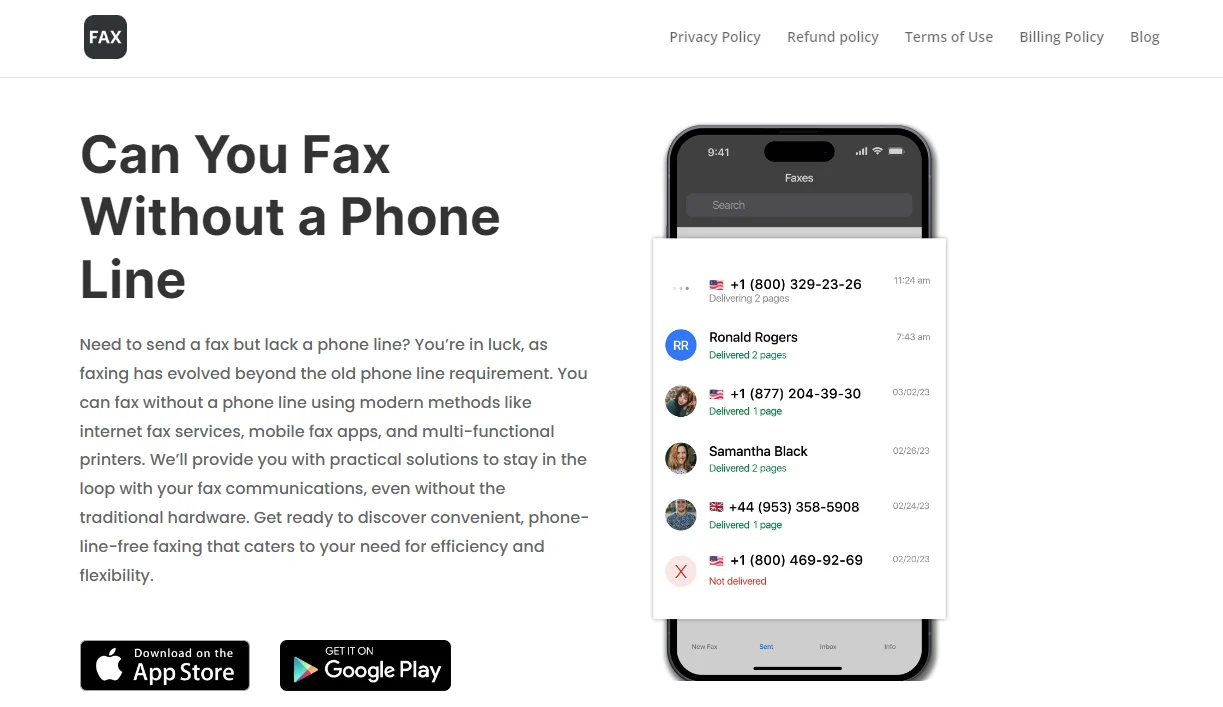
    1. Fax App: offers a user-friendly interface and allows you to send faxes to more than 180 countries. It supports various document formats and provides advanced features like electronic signatures and cloud storage integration.
    2. eFax: eFax is another popular choice, offering free faxing with limited features. It supports both mobile and desktop platforms and allows you to send faxes via email or the eFax app.
    3. MyFax: MyFax offers a free plan with limited features, including the ability to send up to 10 pages per month. It supports multiple file formats and provides email-to-fax and fax-to-email capabilities.
    4. FaxZero: FaxZero allows you to send faxes for free with some limitations, such as a maximum of three pages per fax and a cover page with advertisements. It’s a simple and straightforward option for occasional faxing needs.
    5. GotFreeFax: GotFreeFax offers free faxing with no ads on the cover page, making it a suitable choice for those who prefer a cleaner faxing experience. It supports various file formats and allows you to send faxes to multiple recipients simultaneously.

    Benefits of Using Free Faxing Apps

    Using free faxing apps offers several benefits:

    1. Cost Savings: By eliminating the need for a traditional fax machine and phone line, free faxing apps can save you money on equipment and maintenance costs.
    2. Convenience: With free faxing apps, you can send and receive faxes anytime, anywhere, as long as you have an internet connection.
    3. Environmental Friendliness: Going digital with faxing reduces paper waste, contributing to a more sustainable environment.
    4. Improved Efficiency: Free faxing apps streamline the faxing process, allowing you to send and receive documents more quickly and efficiently.
    5. Enhanced Security: Many free faxing apps offer encryption and other security features to protect your sensitive documents from unauthorized access.

    Conclusion

    Free faxing apps have made fax communications more accessible and convenient than ever before. Whether you’re a business professional or an individual user, these apps offer a cost-effective and efficient way to handle your faxing needs. By choosing the right app with the features that matter most to you, you can streamline your faxing processes and focus on what matters most – getting work done.

    So why wait? Explore the options mentioned above and start faxing for free today!

  • Discover this week temporarily free Android and iOS apps

    Discover this week temporarily free Android and iOS apps

    When something can be obtained for free, why spend money on it? Both iOS and Android have a wide selection of apps. Better apps typically cost money, but occasionally creators could be so generous as to give away their pricey programs for free.

    It is difficult to predict when these freebies may start to cost money again, though. Therefore, we highly advise downloading any app you believe you would like before it reverts to a paid download.

    You can download and install an app before removing it if you think you might need it in the future but do not need it right now. That app will be permanently added to your app collection and regarded as “bought.”

    Android apps that are free for a short time

    Android apps for productivity and lifestyle

    • 150X Duplicate Remover Pro ($0.49): I know you have tons of storage on your phone, but don’t you wish you can remove duplicates of files to maximize space?
    • Dark Screen Filter ($0.99): Is your phone by your bedside all the time when you sleep? Perhaps this app can help reduce the amount of light from incoming notifications so you can sleep better.
    • Resume Builder ($4.99): Do you need help building your resume to secure the next dream job? Let this app help!
    • Unit Converter Pro ($0.99): Do you deal with a lot of unit conversions in your line of work or studies? Why not let an app do the job for you?

    Free Android games

    • Dungeon Corp S Idle ($1.49): A fun game with cute graphics in an office setting where you farm for ever more powerful items to defeat crazy monsters!
    • Bulbs ($0.99): Test your memory in this classic Simon game and boost your brain power.
    • Word Search Game Offline ($1.99): Do you want to keep your brain active with this word search game? Play it offline wherever you are.
    • Infinity Highway ($0.99): Fast cars and exotic tracks, what is there not to like about this game!
    • Live or Die: Survival Pro ($0.49): It boils down to you and your wits to survive in this post-apocalyptic landscape that is full of zombies.

    iOS apps that are free for a short time

    iOS apps for productivity and lifestyle

    • 1 Minute Fitness ($0.99): Get fit no matter where you are with this app!
    • Driving Theory by James May ($5.99): Prepare yourself well with this app before you get behind the wheel for real.
    • Ad Block Multi ($0.99): Block irritating ads for a better iPhone experience. There are 21 filter lists and counting!
    • BeeScan – PDF Scanner App ($9.99): Transform your iPhone into a portable scanner, scanning documents into PDF on the fly.

    Free games for the iPhone and iPad

    • Wild Wolf Simulator Games 3D ($9.99): Live the life of a wild wolf in a pack and experience things from a whole new perspective.
    • Pop Math Cards ($1.99): Think you’re a math whiz? Why not give this game a go and see how fast you can think on your feet!
    • Orbital Invaders: Space Shooter ($0.99): Clearly inspired by the classic Asteroids game, this version boasts amazing graphics with fast-paced gameplay.
    • Eastern Market Murder ($2.99): An augmented reality game that requires plenty of brain power and curiosity to fully enjoy the game.
    • SpellbookMaster ($3.99): Locate Dungeons & Dragons and Pathfinder spells easily while reading up on their details. Guess this is more game-related than a game per se.

    We advise you to check the app’s details on the Play Store or App Store before downloading any of the aforementioned apps. This is significant because a few of these free apps can offer special features or disadvantages of their own.

  • This Week’s Free iOS and Android Apps to Download

    This Week’s Free iOS and Android Apps to Download

    We have made sure none of the apps on this list are scams or privacy traps, therefore you will not find any random apps here. This implies that some of them may have more in-app purchases and advertisements than usual.

    You can download and install an app in advance if you decide it is something you would like to use later on but not now. It will be permanently added to your app collection and regarded as “bought.” After that, you can uninstall it immediately.

    Android apps that are free for a short time

    Android apps for productivity and lifestyle

    • Reminder Pro ($3.49): Need a reminder app? This one gets the job done perfectly well.
    • Daily Calorie Balance Pro ($0.99): Keep track of your calorie intake with this app by keying in every single thing that you eat.
    • RunGPS Trainer Pro Full ($4.49): Do you like running? This app helps keep track of all your running efforts with metrics that can help you improve.

    Android games

    • Jewels Premium Match 3 Puzzles ($2.99): I guess you can call this a clone of Bejeweled, with some interesting game mechanics to switch things up.
    • Zombie Age 2 Premium Shooter ($0.99): A side-scrolling shooter where you mow down zombie after zombie with an arsenal of weapons.
    • Grow Dungeon Hero VIP ($1.99): Explore dungeons and get rid of all enemies you come across as you grow more powerful with gear upgrades and new abilities.
    • Tech Quiz Master ($2.49): Do you think you are the ultimate tech geek? Let’s see how well you do in this game. 
    • Secret Tower VIP ($0.99): Go all out as your characters continue to grow from strength to strength as you defeat huge bosses and obtain powerful gear.

    iOS apps that are free for a short time

    iOS apps for productivity and lifestyle

    • VidEdit ($0.99): No computer to edit your videos while you are on the move? Fret not, you can use this app to get the job done.
    • Metadata ($0.79): Make image management easier on your phone where you can view image metadata for each photo at a glance.
    • BeeScan ($9.99): Want to scan documents into the PDF format with your iPhone? This app does it pretty well.
    • Kintsugi ($24.99): A mindful and journaling self-care app that helps you remain focused on what’s important in your life.
    • FILCA – SLR Film Camera ($4.99): Get analog vibes for your photos and videos with this app where you can control your iPhone’s camera manually.

    Free games for iPhone and iPad

    • My City: Jail House ($3.99): A prison escape jail home game, where you are the prison warden and do your best to keep the law and order there.
    • Real Cricket ’24 ($8.99): Do you love the game of cricket? Find out just how good you are at managing your team with this game!
    • FurryFury: Smash & Roll ($3.99): A unique brawler game that requires skills and tactics, and not just button mashing. 
    • Dirt Trackin’ 2 ($3.99): Race online with numerous players in your rally car. Do you have what it takes?
    • Legacy 3 – The Hidden Relic ($1.99): A puzzle adventure game where you need to solve different puzzles in order to advance from one room to another.

    Were the free apps this week appealing to you? Have you noticed anything that catches your eye in the Apple App Store or Google Play Store? Please let us know if you have any recommendations for apps in the comments section.

  • 6 Smart Lighting Apps you should have on you smartphone

    6 Smart Lighting Apps you should have on you smartphone

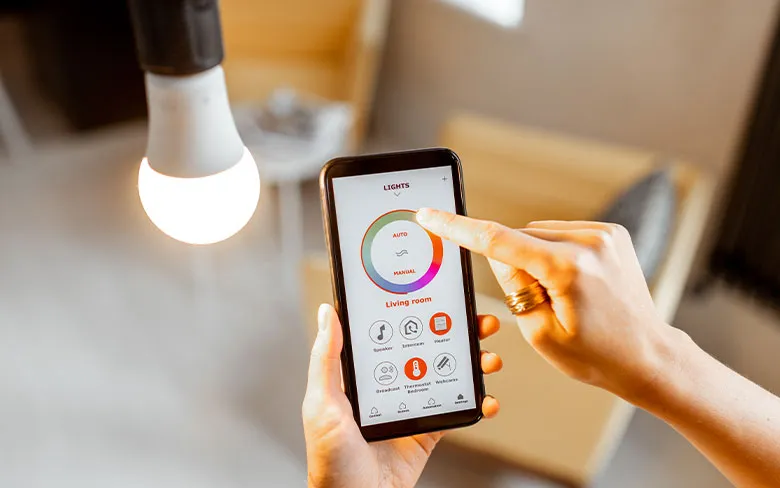
    The way we control and manage lighting in our homes and offices is being completely transformed by smart lighting apps. With the increasing popularity of smart bulbs and lighting systems, these apps are also becoming more sophisticated, offering a wide range of practical features that make them a vital component of any connected lighting setup.

    The ability to remotely control your lighting is one of the main advantages of smart lighting apps. This feature makes controlling your lighting infinitely more convenient than using outdated wall switches, and it also improves home security because it lets you make it appear as though someone is home even when you are not. You can use your smartphone to turn lights on or off, dim them, change their color, schedule them to come on at certain times, and more, no matter where you are.

    I was reading an article iluminat interior inteligent and i wanted to share with you some useful smart lighting apps.

    openHAB

    openHAB Lighting App

    openHAB – “empowering the smart home” – vendor and technology agnostic open source home automation

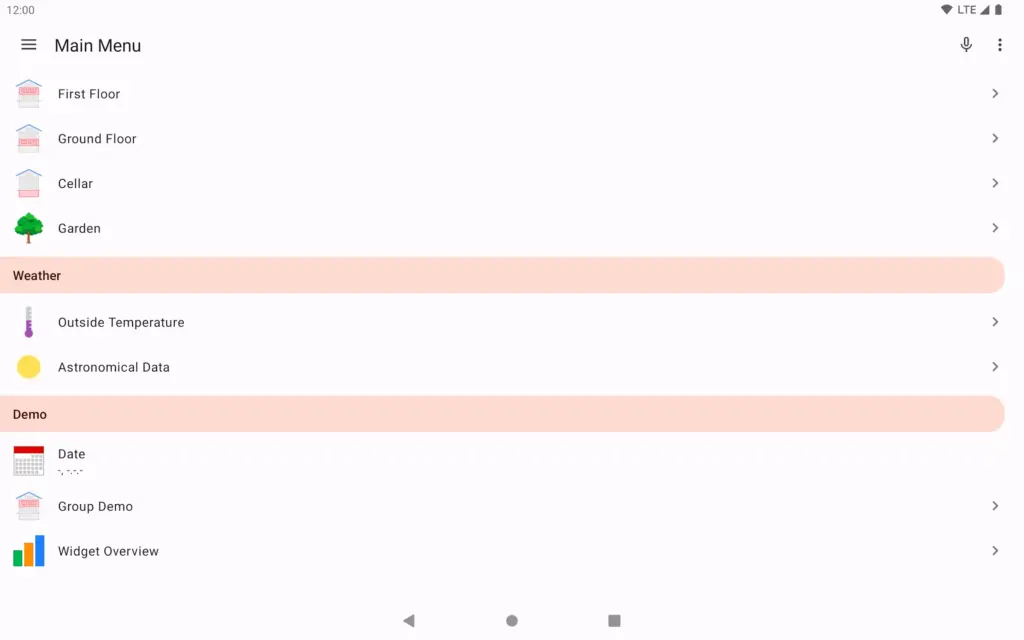
    Numerous apps are available for managing the entire home system. For example, openHAB is a comprehensive home automation platform that enables users to manage all of their appliances. All connected devices may be configured and operated within the application, and they are all available for further automation.

    Notably, you may connect all the devices by yourself. openHAB works with over 200 brands, ranging from Chromecast to Philips and Amazon. Because it is a open source project, you can download it for free.

    Geeni

    geeni smart light app

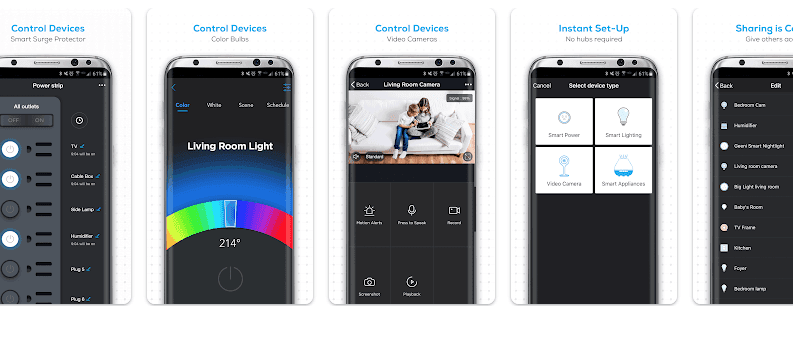
    Geeni is a user-friendly smart home solution that combines PREMIUM functionality with the SIMPLICITY of an on/off switch. Users can control all Geeni devices with just one simple app or by voice using Amazon Echo, from anywhere in the globe.

    Your colored lamps will be controlled from your smartphone all over the house. Whether you choose a color or set a smart color switch, Geeni has special modes.

    You can also control which devices will be shared with your family, and which you will control alone – for example, the scales or the lighting in your private room.

    Go Smart by Cuco Smart

    Go Smart by cuco

    A lot of people have dreams of putting their entire life on the cloud. While this may be simple in the case of images and movies, real-world device management is still required for home electronics.

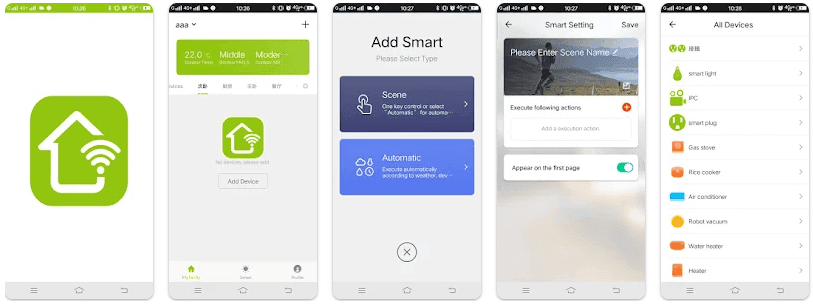
    You can now remotely and cloud-manage every smart item in your home with the Go Smart app. If you are worried that you left your appliances on or forgot to switch off your lights before you left, the app can assist you in doing so.

    Features:

    • Remote control of household appliances, worry, save power, open whenever you want

    • Can add multiple appliances at the same time, one APP controls all smart devices

    • Support for voice control smart devices such as Amazon Echo and Google Home

    • Intelligent linkage to automatically run smart devices based on your location’s temperature, location, and time

    • One-click sharing device for family and friends.

    AwoX Smart CONTROL

    AwoX Smart CONTROL

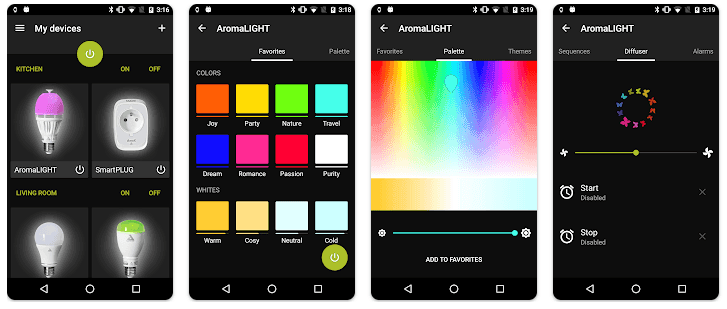
    AwoX Smart is a brand of lighting-related devices that you install in your home and control with your smartphone. The application has settings for individual lights as well as control over groups of lamps. The most recent versions of the application, which was released not too long ago, allow users to control the light even when they are outside by connecting via the cloud.

    If multiple types of AwoX Smart lamps are installed in a room, you can manage them separately. 

    With AwoX Smart CONTROL, you can set a certain common theme for the entire house, such as a color scheme or one of the templates in the application directory. Each lamp looks different in the application.

    Philips Hue

    Philips Hue

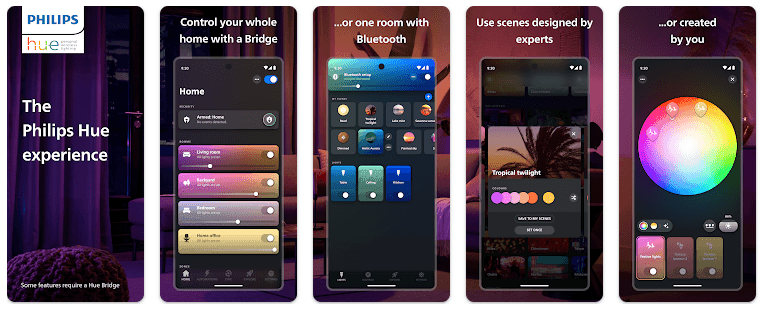
    With Philips Hue, you can entirely alter your perception of light. The app is meant for people who wish to maximize the usage of the technology in their environment.

    The Hue lights and accessories that light up countless homes every day all over the world are compatible with Philips Hue.

    Installing Philips Hue and adjusting the lighting on your smartphone will allow you to create a rainbow in your room by matching different colors to different lamps. With the Philips Hue app, you can choose from 16 million colors and shades for your lighting, so it will be difficult to narrow it down.

    V-TAC Smart Light

    V TAC Smart Light

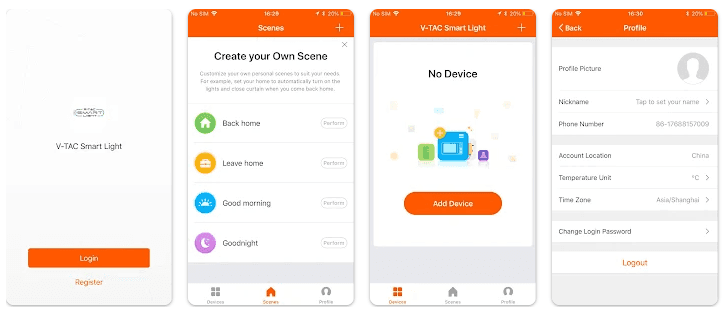
    Those who dislike excess are typically drawn to the minimalistic interface. If you are simply concerned with functionality and controllability, the V-TAC Smart Light is the right choice for you.

    It is important to note right away that you will need to register in the system. V-TAC Smart Light is designed to control LED lighting, which is quite common these days. Usually, such lamps can change the temperature of lighting and even the color itself. There is no overburdened design or complicated controls – all changes can be made with a few clicks on your smartphone screen.

    In the application, you can change all this, as well as set certain colors and even form lighting groups. Your life will be more smart and home control will be much easier. With the app, you can create groups of lamps per room in your home in just a few minutes, so you can control the light in each room individually.

    Bottom line on Smart Lighting Apps

    With versatile utility, remote access, automation, and central smart home management capabilities, smart lighting apps are invaluable additions to any connected lighting system or smart home in general. As the IoT space continues evolving, these apps will only get smarter and more useful over time. Whether enhancing convenience, saving energy, improving security, or enabling awe-inspiring lighting scenes, smart lighting apps deliver functionality that simply can’t be matched by standard wall switches alone. They truly unlock the full potential of advanced lighting control in both residential and commercial settings.

  • Temporarily free premium Android and IOS apps

    Temporarily free premium Android and IOS apps

    This column is published twice a week to help you save time on research, but if you are taking a break this weekend, you might want to check if there is anything new on the Google Play Store and Apple App Store. More importantly, is it free? Well, sometimes apps are made available for free for a limited time.

    All of the apps that we have included below are generally paid for, but their makers have temporarily made them available for free. We have gone through each app and made sure that it has at least 3.5 stars and has little to no microtransactions.

    Note that these are time-limited promotions as per the terms and conditions of the individual app creators. If you come across an app that is on the list but has since gone back to being a paid download, please let us know so we can adjust the story appropriately.

    Useful tip: When you find an app that you want to have but do not need right now, download and install it first. It will be regarded as “purchased” and will stay in your app library indefinitely—even if you immediately remove it from your smartphone.

    Android apps that are free for a short time

    Android apps for productivity and lifestyle

    • Simple Quote Widget ($0.99): Want an inspirational quote to perk up your day? Get boosted with this app.
    • One Swipe Notes ($0.99): While there are many note apps out there, this is one of the more interesting ones, allowing you to take down notes just a swipe away even if you are playing games or doing something else.
    • Alfacast x screen mirror ($9.99): Older TVs might not have that kind of interconnectivity with your phone, which is why this screen mirroring app breathes new life into old TVs.
    • Bass Booster & Equalizer Pro ($2.99): Give your bass a boost on your phone’s speakers. Works better if you have stereo speakers!

    Android games

    • Surface Trimino ($0.99): Do you have what it takes to increase the surface area of the same color to hit the target? A puzzler to while your weekend away.
    • Infinity Highway ($0.99): Pick a car, race against other cars, win, and earn money for upgrades… if only life were that simple.
    • Train Simulator ($0.49): Sheldon from Big Bang Theory would not want to miss this. Be a train driver and ferry your passengers to safety, work across the globe, and build subway stations!
    • Word Connect Pro 2023 ($2.99): How many words can you form from a few given letters? Time to get that brain working!
    • AceSpeeder3 ($0.49): A futuristic racing game that is sure to set your pulse racing!

    iOS apps that are free for a short time

    iOS apps for productivity and lifestyle

    • Ring Sizer Converter ($1.99): Are you all primed up to pop the question to your beloved? Make sure you get the ring size right first!
    • Video Compressor ($1.99): Living up to its name, this app helps you save space by compressing video without losing too much quality in the process.
    • HibiDo Pro ($2.99): A task, reminder, and planner app all rolled into one. How much more convenient can it get?
    • Unlimited Math Problems ($2.99): Love math? Try this app out, it is sure to keep you occupied for hours on end.

    Free games for iPhone and iPad

    • Jumpy Horse ($0.99): Breed horses, participate in competitions such as racing and jumping, and have fun while you’re at it! At least there is no need to scoop up poop.
    • Dirt Trackin’ 2 ($3.99): A rally racer that features pretty realistic mechanics as you tear up the track to achieve the fastest times possible.
    • Street Kart #1 ($1.99): Touted as the “best kart racing mobile sim ever made”, the graphics are amazing and it requires both strategy and skill to emerge the winner.
    • Shiny Ski Resort ($4.99): Ever wanted to live the dream of owning a ski resort? Live out that dream by building your own ski resort and keeping guests happy.
    • Portal Dogs ($2.99): A platformer where you need to locate all your loyal subjects throughout the numerous levels.

  • Temporary free Android And iOS apps this week

    Temporary free Android And iOS apps this week

    Without apps, a phone is useless. If you are not sure what to put on your phone, do not worry—we have a free iOS and Android Apps of the Week column that updates you on a variety of productivity and gaming apps that might be of interest to you every two weeks!

    android and ios apps

    When the developers decide to revert back to their paid status, we have no idea when these games and applications will be made accessible for free. If you find a listed program that is no longer free, please let us know so we can update the appropriate information.

    Tip: If you find an app that you want to have but do not need right now, download and install it first. It will stay in your app library forever, even if you remove it from your smartphone right away. This way, the program will be regarded as “purchased.”

    Android apps that are free for a short time

    Android apps for productivity and lifestyle

    • English for All Pro ($0.99): Want to master the English language? This app might help you out.
    • Reminder Pro ($3.49): Ever felt as though you keep on forgetting stuff? Here’s an app that will help you remember things…

    Android games

    • Legend of the Moon ($0.99):  A 2D side-scroller where you explore dungeon after dungeon, leveling up to be more powerful.
    • Defense Zone 3 Ultra HD ($2.99): Tower defense with extremely realistic graphics to keep you occupied.
    • SPHAZE ($0.99): A sci-fi puzzle game that looks great while tickling your grey matter.
    • Ruby Square: Puzzle Game ($0.99): With over 700 brain-teasers to choose from, you will definitely find this game worth your while if you love puzzlers.
    • Minesweeper Pro ($1.49): This is a classic game that everyone should experience at least once in their lives.

    iOS apps that are free for a short time

    iOS apps for productivity and lifestyle

    • FABULUS ($3.99): If you have trouble figuring out the chord to a particular song, this app might just be of help.
    • Dollar Bill Origami ($1.99): Your humble dollar bill is way more useful than just for monetary transactions… 
    • Streakly ($4.99): It is not too late to get started on your New Year resolutions yet. Why not get this app’s help to form new and positive habits?
    • ChatGo AI bot ($0.99): AI is taking over the world, so why not let it take over your phone?

    iOS games

    • Demetrios ($2.99): A visual novel that comes with plenty of silly jokes. This is the perfect pick-me-up if you’re ever feeling down.
    • Legacy 3: The Hidden Relic ($1.99): A 3D point-and-click adventure game that will certainly require you to think more than usual.
    • Agile 3 ($1.99): Test your reflexes and dexterity in this uniquely designed game. 
    • 2 Players 1 Device ($0.99): This is how you remedy a situation when you have two kids fighting over a single device… 

    What drew your attention this week? Which apps on the list—games or productivity—is your favorite? Share your opinions in the comments below.

  • Free premium apps for iOS and Android

    Free premium apps for iOS and Android

    Have you just pre-ordered a Galaxy S24 Ultra (hands-on)? If so, you might be able to find out which free apps are available for you to download and install in time for the delivery of your much-desired new phone! Take a look at our bi-weekly free iOS and Android Apps of the Week column to see if there is anything you could be interested in!

    All of these free apps have a time restriction before they become paid apps. If you find an app that is on this list that is no longer free, please let us know so we can update the post.

    TIP! When you see an app that you think you might like but do not need right now, download and install it first. That way, you will have “purchased” it for nothing once, and it will always be in your app library, even if you later remove it from your smartphone.

    Android apps that are free for a short time

    Android apps for productivity and lifestyle

    Android games

    • Rogue Hearts ($0.99):  Want some good old dungeon hack-and-slash adventure game? This is where you get your fix.
    • Zombie Age 2 Premium Shooter ($0.99): Time to shoot zombies to preserve your life. Can you survive the non-stop onslaught? 
    • Cooking Kawaii ($0.99): Can you build an empire of restaurants throughout the city? Give it a shot with this game!
    • Cytus II ($1.99): A very well-crafted music rhythm game to challenge your reflexes. 
    • RUSTY: Island Survival Pro ($0.99): You are stuck on an island and need all your wits to survive. Do you have what it takes? 

    iOS apps that are free for a short time

    iOS apps for productivity and lifestyle

    • Magnifying Glass & Flashlight ($0.99): Have trouble reading the fine print in books and documents? This app might be able to help.
    • Easy Spending Budget ($0.99): Want to keep track of your budget? Why not get an app to help you?
    • Pixel Art Pro ($2.99): If you love drawing pixel art, this app might help you get off on the right footing.
    • Vinyls ($4.99): A music player app that not only plays back your favorite tunes, it does so while looking aesthetically pleasing.
    • Search Ace – Adblock Browser ($2.99): Everyone’s surfing experience becomes better without ads, and this browser does the job.

    iOS games

    • Cytus II ($1.99): How is your hand-eye coordination? Give it a go with this music rhythm game.
    • My City: Newborn Baby ($3.99): Find out what life is like with a newborn baby. Bring the baby to the doctor’s, to the supermarket, the choice is yours! 
    • Demetrios ($2.99): A crazy adventure visual novel that is wacky and zany enough to tickle your imagination. 
    • Paintiles ($2.99): Paint the different tiles to match their colors in order to clear each level.
    • Mage Mania ($1.99): There is always a trade-off, isn’t there? Many treasures await you in the dungeon, but you might have to fend off dragons with your magic.

    Which of the apps on the list piques your interest? Please share your app choices in the comments section. We hope you have a wonderful weekend.

  • 9 best DSLR apps

    9 best DSLR apps

    The majority of serious photographers use DSLR cameras, which are currently the industry standard. You can purchase a variety of cameras and lenses, which can be costly but worthwhile. However, you can enhance your experience even more by using apps. Generally speaking, your camera comes equipped with all the controls you need, but some apps can add features like remote control support or quicker, easier update processes. There are not many excellent options, but the ones that are available are good enough. Here are the top DSLR apps for Android!

    Adobe Lightroom

    Price: Free / Up to $52.99 per month

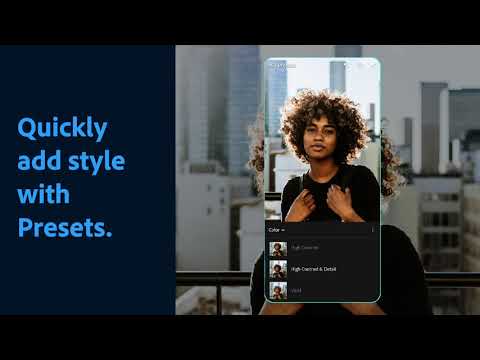
    A good photo editor app is one of a photographer’s most valuable tools, and Adobe Lightroom is one of the best; the mobile version offers many of the same features as the desktop version, such as support for RAW photos, easy reverting back to the original, and the ability to send the files to your desktop version if necessary.

    The majority of the features in the app are free, but if you already have an Adobe Creative Cloud subscription, you can access additional features. Overall, it is a good app for serious photographers.


    Youtube video

    Camera Connect

    Price: Free / Up to $5.99

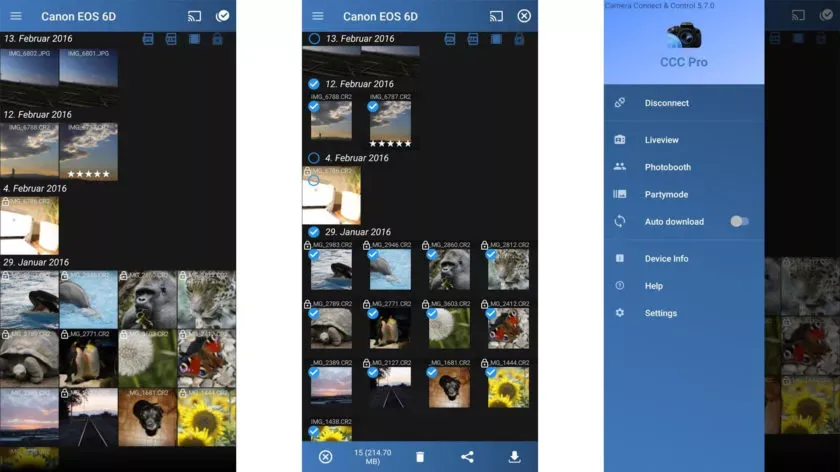
    One DSLR app that lets you control your camera is called Camera Connect and Control. It works with a number of cameras, including Nikon, Canon, Sony, and GoPro. Depending on your camera, you can connect via WiFi or USB.

    The app allows you to load your images to your phone and supports tethered shooting. Pro versions come with extra features like ad removal and access to EXIF data. The full pro version has even more features, but it has some bugs.


    Camera Connect and Control scree

    HyperFocal Pro

    Price: Free

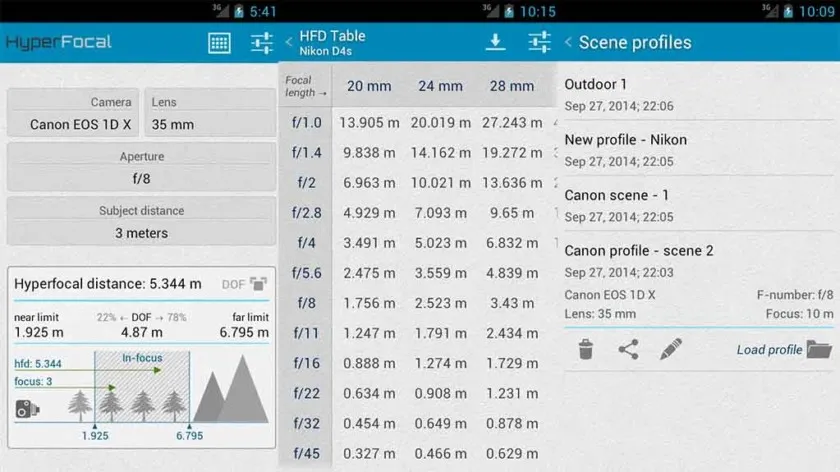
    A reference guide for photographers, HyperFocal Pro displays calculations to get the best focus, ideal focus ranges based on subject, distance, camera, and glass; it works with most cameras; it displays statistics for depth of field, angle of view, and field of view; it is easy to read; it is free of cost, has no in-app purchases, and has no advertising.

    For most beginning and intermediate photographers, it is a useful little tool.


    HyperFocal Pro

    Magic Viewfinder apps

    Price: Free / Varies

    The Magic Viewfinder app family is a collection of DSLR apps that do not control or connect to cameras; instead, they help you plan shots and see how your camera would perform by simulating your camera and lens setup. This allows you to accomplish tasks like framing without carrying your actual gear.

    The apps are available for free download, with cheap in-app purchases to unlock all of the features. While they are not always the most useful, they can be useful in certain situations.


    Youtube video

    qDslrDashboard

    Price: $8.66

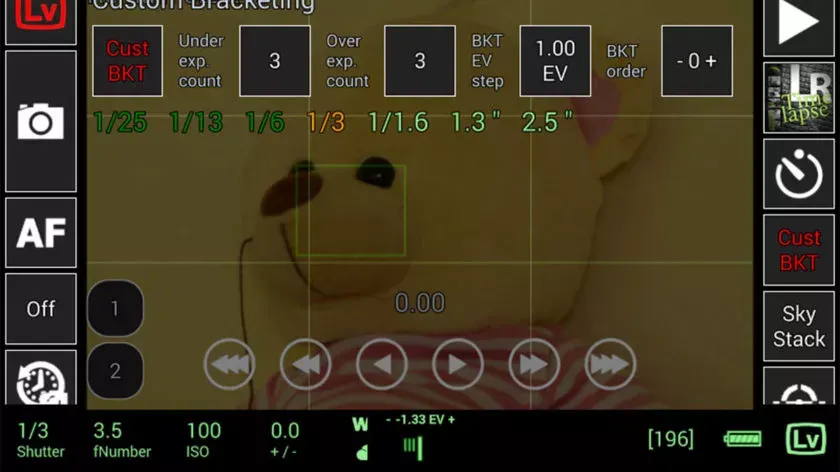
    This DSLR app, called qDslrDashboard, works with mirrorless cameras from Canon, Nikon, and Sony. It has a long list of features, such as support for multiple cameras, the ability to view and pull photos from a camera, time-lapse controls, wireless controls, and more. If you prefer to work wired, it can also be used over USB-OTG. However, not all cameras are compatible with this app, and many users have reported connection problems and other various bugs.

    Given its price tag, we imagine that’s why the rating is a bit lower than we’d normally see. In any case, if you try this, make sure to give it as thorough a testing as you can inside of the refund period, just in case.


    qDslrDashboard screenshot 840x47 1

    Smart IR Remote

    Price: Free / $6.99

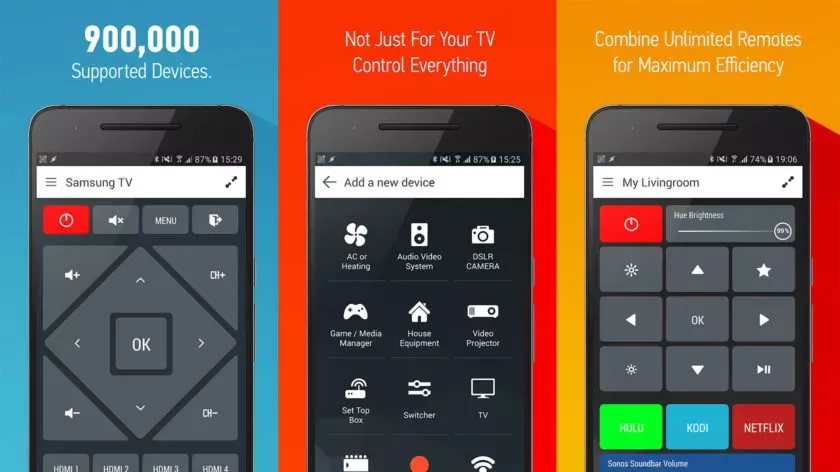
    With that said, there is an immediate caveat with this one: your device needs an IR blaster on the phone in order for this remote app to function at all. Other than that, it should work with almost anything that has an IR receiver, which does include some DSLR cameras and camera remotes. However, there is not an easy list to refer to as to what cameras work with this one. Smart IR Remote is primarily for TVs and other home electronics.

    The pro edition of the app is a bit pricey, but you definitely get what you pay for—it is arguably the greatest infrared remote software available on Google Play. Our recommendation is to download the free version and see if it functions with your camera.


    Smart IR Remote

    Snapseed

    Price: Free

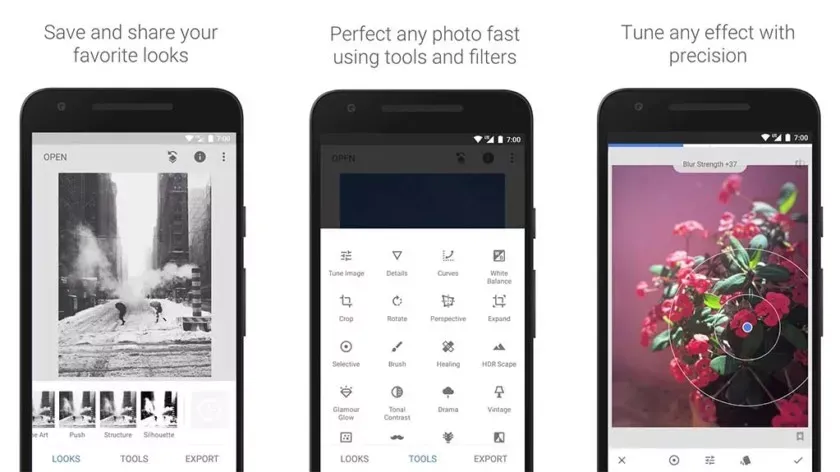
    Google’s Snapseed is an extremely feature-rich free photo editor app that supports RAW files in addition to offering 29 additional editing tools with intensity sliders for finer control; it can also perform standard photo editing functions like cropping and white balance.

    While it is not quite as powerful as desktop photo editors like Lightroom or Photoshop, Snapseed is probably the best option available for mobile devices.


    Snapseed

    Manufacturer DSLR apps

    Price: Free (usually)

    DSLR apps are available from most camera manufacturers. Canon, Sony, Nikon, Lumix, and other manufacturers have official apps designed to be used with their cameras. These apps are typically not the best—if they were, you would not be here and this list would not be necessary—but they can do basic functions like taking photos and transferring them to your phone.

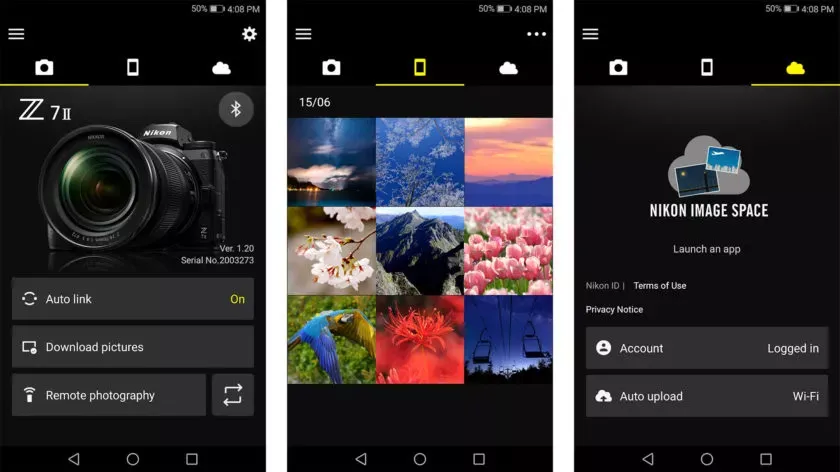
    While most of the apps are free, there are some that are more functional and allow you to do things like download via Bluetooth, take pictures remotely, and perform other advanced tasks. It is advisable to try the official app for your camera first (assuming it has one and is compatible) before downloading any other apps.


    SnapBridge

    DSLR shopping apps

    Price: Free

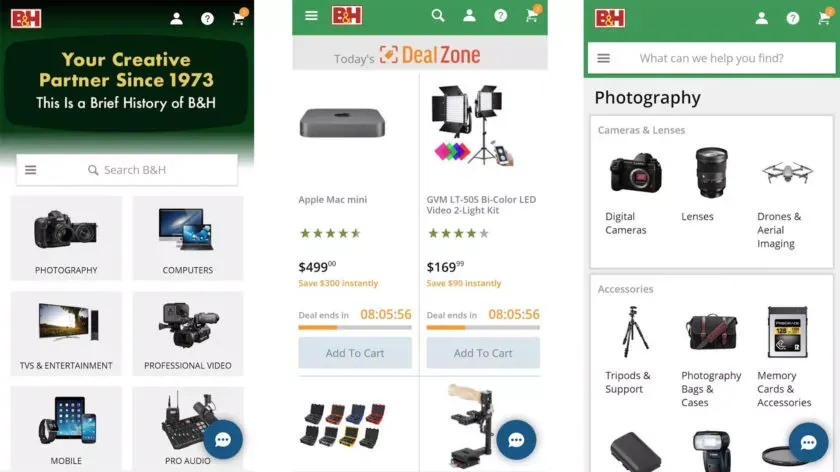
    There are a lot of apps that sell various DSLR cameras and accessories. Some examples include B&H Photo Video (linked at the button), Amazon Shopping (Google Play link), and Newegg (Google Play link). However, you can also find some neat stuff on sites like eBay if you want a new piece of glass or some lightly used accessories.

    Plus, those are excellent places to find lighting, filters, camera bags, cleaning supplies, and other things to make your photography life better. Hit all the links to check out the various apps.


    BH
  • HarmonyOS NEXT is growing to be a totally independent O.S.

    HarmonyOS NEXT is growing to be a totally independent O.S.

    Huawei is scheduled to release HarmonyOS NEXT on January 18, which represents a significant advancement in the company’s software goals. Unlike HarmonyOS 4, which was built on the Android Open Source Project (AOSP) as its foundation, HarmonyOS NEXT is entirely based on Huawei‘s proprietary Harmony kernel, which means that it does not support Android compatibility or the direct execution of existing Android apps (APKs).

    HarmonyOS Next breaks free from Android

    This bold move presents a unique opportunity for Chinese developers: since native apps are now the only language supported by HarmonyOS NEXT, there will be a huge demand for programmers who understand its architecture. As a result, more than 400 software companies from a variety of industries, including games, finance, travel, and navigation, have already jumped on board and developed applications specifically for HarmonyOS NEXT.

    HarmonyOS Next breaks free from Android

    Furthermore, research firm TechInsights projects that by 2024, HarmonyOS will have overtaken iOS as the second most popular mobile operating system in China as a result of this calculated move, which could pose a serious threat to Android’s hegemony in the nation.

    Though the potential is evident, there are still obstacles to overcome. Establishing an app ecosystem from the ground up is no easy task, and gaining widespread app adoption—especially from international players—will be essential to long-term success. That being said, NEXT marks a significant turning point in the company’s journey towards software independence and opens the door for a potentially competitive alternative in the mobile market.

    HarmonyOS NEXT: future

    • Independence achieved: Huawei’s latest OS, HarmonyOS NEXT, ditches its Android roots and relies entirely on its own Harmony kernel.
    • No legacy baggage: Existing Android apps (APKs) won’t run on NEXT, demanding native app development.
    • Developer boom: 400+ Chinese companies are already building apps for this new platform, creating job opportunities.
    • Market ambitions: Predictions suggest HarmonyOS NEXT could become China’s #2 mobile OS by 2024, potentially surpassing iOS.
    • Challenges ahead: Attracting global app developers and building a robust app ecosystem remain crucial hurdles.
    • A turning point. This marks a significant step towards Huawei’s software independence and opens doors for a new competitor in the mobile landscape.