This year, how has your smartphone experience been? Is it time to audit the apps you currently have on your phone? Maybe it is time to try something new, and we may have a free app (or two) that will catch your attention at the beginning of this week. The apps that are listed here are free for a limited period of time, but we have no idea when they will become paid again.
Check out our weekly selection of games and apps below. We make every effort to ensure that these are free of scams and privacy issues, but please note that this list differs from our Apps category in that we do not review each app separately. As a result, some of the apps on this list may contain in-app purchases and advertisements.
Tip: If you come across an interesting app on our list but don’t need it now, install it first and delete it afterward. This will cause the app to be saved to your library, allowing you to install it later for free, even after the promotion ends.
Android apps available for free for a limited time
Android apps for productivity and lifestyle
Memorize: Learn Spanish Words($6.99): It is never too late to start learning a new language. Use this app to pick up the pace of learning Spanish.
Mandala Maker($0.49): You do not have to be an insanely creative artist to draw intricate mandalas with this app.
Android Games
The Rich King($0.99): Ever wondered how life would be if you were stinking rich? Find out virtually in this game!
Merge City Premium($4.99): Spruce up your virtual city in this game from the ground up. It will carry your characteristics and thoughts.
Ruby Square($0.99): A puzzle game where you rotate a square of colors to help them match with the surrounding squares.
Live or Die: Survival Pro($0.49): Do you love survival games? If so, then this is the perfect game for you as you craft your way through a bleak future.
Shadow Survival($0.99): It is you against the world. Do you have what it takes to take down never-ending hordes of enemies?
iOS apps available for free for a limited time
iOS apps for productivity and lifestyle
Panographic Photo($1.99): Stitch different photos together using this app for a brand new look.
TILA: Sleep, Meditation & Calm($2.99): Want to sleep better? This app claims to be able to help you enter dreamland faster than usual.
Videdit($0.99): This is a useful video editing tool to use on your iPhone.
Face Story Pro($2.99): Be like T-1000 by changing your face to another through the morphing process.
ColorCamera – Color Picker($0.99): This app is basically a teardrop tool, letting you select the perfect color from your photo collection.
iOS games
Shock Clock Arcade($0.99): It is only a matter of time before you lose, but just how fast and far can you progress with your reflexes?
Pepi Bath 2($3.99): Not all kids love their bath times, perhaps this app might make it look fun enough for them to dip their toes in the bath next time without being dragged there screaming and kicking?
Neo Monsters($0.99): Catch monsters. Train them. Let them fight with other monsters. Win and upgrade the monsters. Rinse and repeat.
2 Players 1 Device($0.99): If you are short on devices but have 2 squabbling kids to keep them occupied, this single device game is ideal.
Rain Drop Catcher($1.99): Catch falling rain drops in this reflex-oriented game.
That is all for now, and let us get started with this week’s free app and game selection.
Black Friday is getting closer every day, but before you go crazy with your shopping, take a look at this week’s second round of free games and apps for your iPhone or Android smartphone from the Google Play Store and Apple App Store. These are normally available for a price, but you can get them for free for a short while.
Tip: If you come across an interesting app on our list but don’t need it now, install it first and delete it afterward. This will cause the app to be saved to your library, allowing you to install it later for free, even after the promotion ends.
Android apps available for free for a limited time
Android apps for productivity and lifestyle
Date Calculator Pro($0.99): Want to perform date and time operations on your Android device? Make life easier with this app.
Age Calculator Pro($0.99): Forget about making mental calculations, as this app provides you with an accurate answer to a person’s age based on their date of birth alone.
ColorMeter camera color picker($1.99): Want to identify the exact color that you see? This app will go a long way in helping you do so accurately.
Android Games
Defense of Egypt TD Premium($1.99): If you have not gotten sick of the tower defense genre yet, here is one title that is set in Ancient Egypt.
Traffic Jam Cars Puzzle Legend($4.99): Everybody hates traffic jams. It is up to you to solve this puzzle game in a match 3 format.
EHW Premium & 101 Classic Games($0.99): This is a real-time strategy game that merges the online side-scroller defense genre alongside RPG elements for a truly revolutionary gaming experience.
Mental Hospital IV($1.99): A first-person survival horror game where you need to escape from all the madness around you. It’s really creepy!
Summoners Era($0.99): An idle RPG game that sees you pick a party of summoned monsters to defeat all who stand in your way.
iOS apps available for free for a limited time
iOS apps for productivity and lifestyle
Lottery Box – Lotto Manager($5.99): Place the lottery numbers you play in a pool, where you can then tweak the combinations for one or multiple draws. Would it increase your chances of winning? Who knows, really?
AirDisk Pro($2.99): Store, manage, and access files on your iPhone with this app in a new way.
Unit Converter Pro HD($0.99): If your line of work happens to deal with many unit conversions, having this app comes in handy.
Safety Note+ Pro($3.99): Are you one who takes down notes every single day, jotting your thoughts so that you can refer to them later? This app keeps your notes secure with its own security mechanism.
iOS games
Taijitu($1.99): This is a game about balance, where you do your level best to avoid having two of the same colors on the same side of the screen.
cat&line($1.99): Draw a line and make sure that the cat will continue to have space to move forward. This is a fun mission-based runner.
Bug Bomber($1.99): A classic action puzzle game that reminds you of Dr. Mario, except you will need four or more of the same color to clear a line.
Crystal Cove($2.99): A totally new spin on the match 3 genres as you move your triangle around the board to clear it.
Wind Wings($1.99): A 3D puzzle game that is certainly enthralling to keep you riveted.
With the start of a new week, it’s time to update Droid Tools’ collection of free apps and games for your iPhone or Android phone from the Apple App Store and Google Play Store. Join us as we highlight applications that are normally paid but are available for free for a limited time.
We always try to seek games that do not have scams or privacy traps in them but bear in mind that we have not individually reviewed these apps. This means some of them might feature ads and in-app purchases.
If you find an interesting app on our list but don’t need it right now, install it first and then uninstall it. This saves the software to your library, allowing you to install it later for free, even after the promotion has ended.
Android apps available for free for a limited time
Android apps for productivity and lifestyle
ProCam X($4.99): Popular with nextpit readers, this camera app gives extra manual controls over the default app, unlocking creative possibilities.
Blur Photo($2.49): Blur details to hide confidential information on your pictures or simply give photos that nice background blur (bokeh) effect.
Mandala Maker 360($0.49): Create trippy patterns with various colors, brushes, backgrounds, and more.
Android Games
Shadow Slayer($4.99): Another side-scroller beat them up where you fight the creatures of the dark with the power of your light sword.
Fastar($0.99): Tap your way through sparkling stages in this rhythm game with cute graphics.
Add and subtract within 20($2.99): Even Math can be gamified and help teach small kids how to do the basic operations.
iOS apps available for free for a limited time
iOS apps for productivity and lifestyle
Sticker Drop Maker Studio($0.99): Just as the title says, create stickers to use on iMessage, WhatsApp, Facebook, Instagram and other messaging apps.
Thunderspace Rain Sleep Sounds($2.99): Another app with a pretty descriptive name, relax and concentrate better with nature or white noise sounds.
MovieSpirit($9.99): Despite the rather crude interface, this video editor has hundreds of reviews on the App Store with an average score of over 4.5 stars.
Videdit($0.99): Another well-reviewed video editor for iPadOS and iOS, edit your clips, make collages, and apply effects to your next best memories.
iOS games
Sphaze($0.99): Solve increasingly complex puzzles with pretty, minimalistic graphics in the style of titles such as Monument Valley.
Universe Pandemic 2($1.99): Instead of surviving the pandemic (not again, please?), defeat the aliens by creating a devastating pathogen to take over the galaxy.
Hydropuzzle($0.99): Conquer this text adventure by solving its puzzles using only your brain.
Hopefully, you found our picks to kick off this week enjoyable. Did you notice anything noteworthy, or do you have a favorite program or game from the Google Play Store or Apple program Store? Please leave your suggestions in the comments!
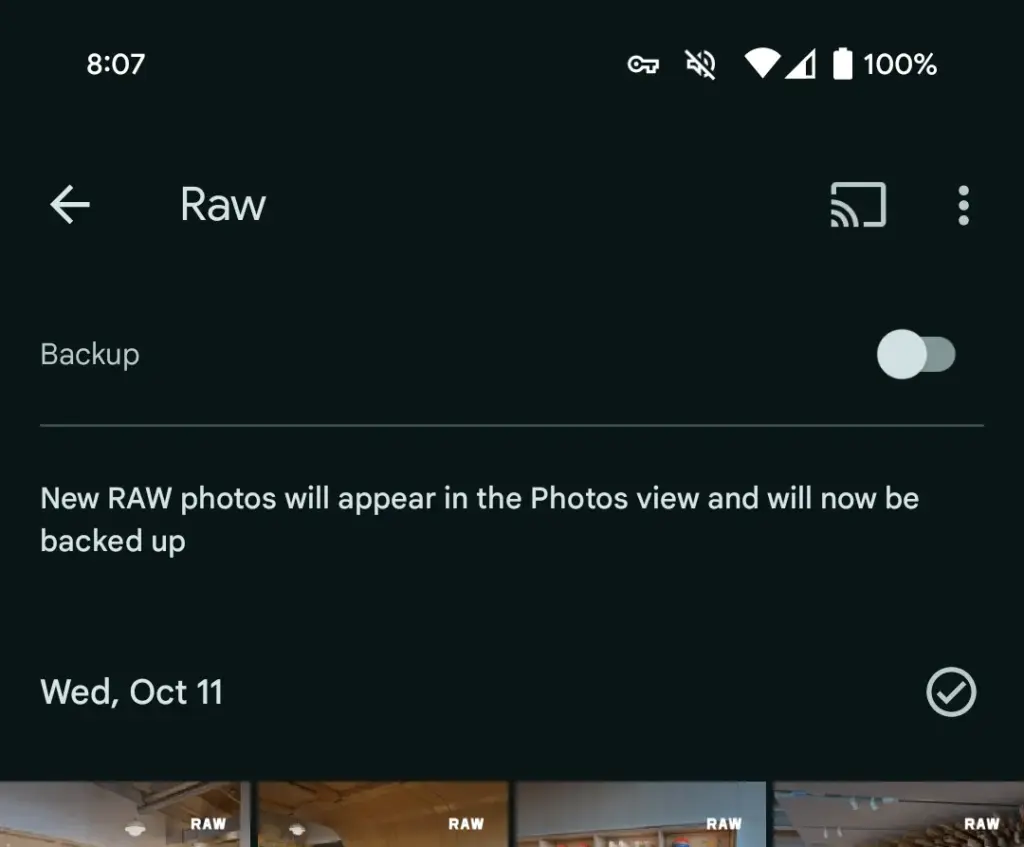
Google Photos is making a significant change to how it manages RAW photos and backup on Android, as we noticed at the beginning of this year. The format has been substantially improved as of late, although there may be some drawbacks.
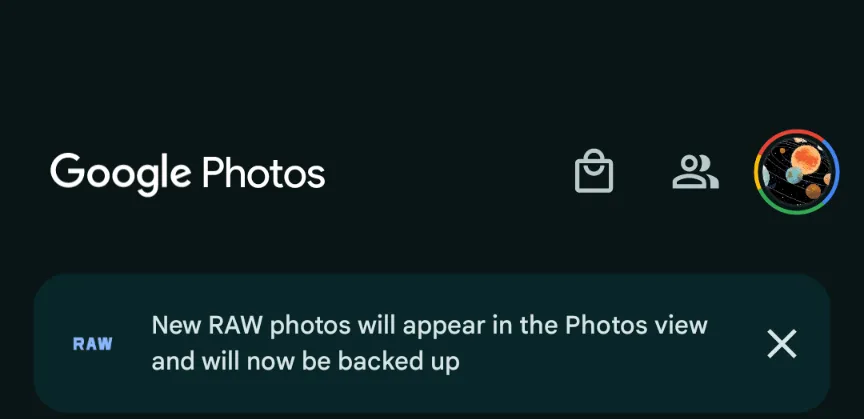
This morning, Google Photos presented the following banner on a Pixel 8 that had previously taken RAW photos in the Camera app: “New RAW shots will appear in the Photos view and will now be backed up.”
Taking a RAW photograph now automatically uploads it to Google Photos backup and displays it in the main “Photos” tab/grid. It’s labeled “RAW” in the top-right corner, and opening it shows a switcher at the bottom that allows you to view the JPEG as well. When viewed as a “Burst,” JPEG allows you to “Export this photo” or “Keep this photo only,” whereas RAW allows you to “Set as main photo” and “Keep this photo only.”
RAW files are quite huge, and Google automatically uploading to the cloud might rapidly exceed mobile data restrictions. (However, Google is no longer uploading earlier on-device RAWs.) There is no obvious way to prevent RAW uploads using existing backup settings.
It may potentially have an influence on Google One storage restrictions. Personally, I’ve always transferred RAW photographs I’ve taken via USB because I don’t have a backup for that folder.
Meanwhile, that “Raw” folder (on Pixel) found in the Library tab > Photos on device carousel is no longer in use. New RAW images are not shown there. At a glance, there’s no obvious way to view just RAW captures in Google Photos.
Meanwhile, this comes as Google Photos recently added the ability to set a default RAW editor. Photos settings > Apps & devices > Raw editor shows apps like Photos (which will convert to JPEG before editing), (Pixel) Markup, Gallery (Go), and Snapseed.
We’ve reached out to Google to explain this RAW backup change in Photos on Android on behalf of wedding photographers.
This news item isn’t exactly one of the more dramatic ones. It’s only the most recent upgrade to Google Wallet, though. A recent report claims that the Google Wallet app is now receiving independent notifications.
Although it has a separate app, Google Wallet is not totally independent. Wallet has its own app, however it lacks its own notifications. Indeed, they originate from Google Play Services. When you use Wallet to make a purchase, you’ll receive a notification with a brief description of the transaction. Google believes that it is now appropriate for Google Wallet to go independent.
Google Wallet is getting notifications
We don’t entirely understand the company’s motivations for separating Wallet from Play Services. We do know that Google is developing a new version of the Wallet app. For all we know, Google might be developing a more significant overall overhaul for Wallet. To be sure, we’ll need to wait for additional details on this.
In any event, the Wallet icon will be there next to your notice when it comes from Google Wallet. So, you must use the app’s notifications and not Google Play Services if you wish to turn off the notifications.
Google Wallet is receiving additional updates.
You need to be aware of how Google Wallet uses space before you open it. The app has a great deal of unneeded empty space. The cards are shown in a huge horizontally scrolling carousel that is topped with a sizable NFC icon. You may access the settings by clicking on your profile image in the top right corner of the page. You can see more cards at the bottom of the screen.
Google, however, intends to promote a redesign that will improve the UI’s use of the available space. To begin with, the NFC logo will vanish, and your cards will take its place. You may see your other passes, such as gift cards and reward cards, immediately beneath your cards.
All in all, the cards and passes will better fill out the interface. We’re not sure when Google is going to push this update to more devices, but it shouldn’t take too much time.
Every morning when you wake up, you drink your freshly brewed espresso while using the newest mobile applications. Every day that goes by, the market for Android and iOS applications expands. It’s growing quite quickly.
It’s not surprising that the market for smartphone apps is booming. On the Google Play Store, 2.87 million apps are available for download. 50 or more times per day are used by 21% of Millennials. 49% of consumers use an app 11 or more times per day. Mobile apps account for 70% of all digital media consumption in the US.
These days, public awareness of AI is widespread. Well, we are quite happy to provide you with all the best examples of Android AI apps. So let’s get started:
The List of Top AI Apps for Android
Buildfire’s analysis indicates that there are 6.3 billion smartphone users worldwide. But do you know why we’re here to talk about it? It’s the AI magic in Android applications. These days, public awareness of AI is widespread. Isn’t it intriguing to learn how AI functions in Android apps?
To see their astonishing features, let’s learn more about these AI Apps for Android in depth.
Paraphrasing.io
Artificial intelligence has significantly changed the digital market. We no longer need to spend more time and money creating excellent communication material.
The main goal of this paraphrasing tool was to facilitate writing. It is possible to rephrase the content at the level of words, phrases, and sentences. The rewriter in this paraphrasing tool is one of the greatest AI tools for paraphrasing any type of text.
In order to create entirely original, error-free work, it modifies the language and grammatical constructs changing the text while maintaining its readability and aesthetic appeal.
It enables quick phrase changes for both short-form and long-form content. Create a statement to learn how to change the diction and tone.
Google Assistant
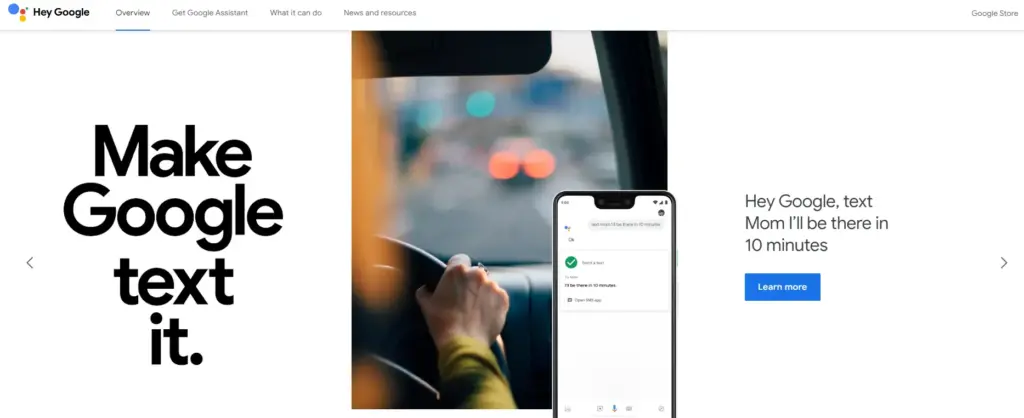
It is a Google-created virtual assistant software program. It is mostly accessible through mobile and home automation technology. Android apps can be voice-activatedly controlled using Google Assistant.
Users are able to open apps and do tasks with the aid of Google Assistant. They use search engines to acquire information and can accomplish a lot more things just by speaking commands like, “Hey Google, start a run on Example App.”
Continued discussion is supported by Google Assistant. It enables users to express numerous requests or ask follow-up inquiries without having to repeat themselves.
Numerous Google services, like Gmail, Google Calendar, Google Maps, and others, are smoothly integrated with it. Users can utilize this to navigate, view, and share images, as well as access their emails and make appointments.
Netflix
This Android AI app does not require an introduction. Nearly everyone in your immediate vicinity is engrossed in using this app.
Netflix is one of the most well-known streaming services in the world, and artificial intelligence has significantly contributed to this success. Using Netflix’s sophisticated recommendation technology, users can find content they might have missed.
Within a single Netflix account, customers have the option to establish multiple profiles. With the help of this feature, each household member can enjoy individualized interactions with their own viewing preferences, watchlist, and suggestions.
Depending on the subscription level, consumers can stream material to many devices at once. Family members or friends can watch various episodes or movies on their individual devices thanks to this capability.
Amazon Alexa
Amazon.com has created a different virtual assistant app. This app is used to establish a connection with Echo, Echo Dot, Echo Studio, and Tap speakers from Amazon.
It is a straightforward program to use; all the user needs to do is issue voice instructions, and it will search and react correctly. It carries out numerous activities, such as playing music and giving the most recent news, weather updates, and alarms. With the aid of IoT, it is also beneficial for home automation.
With over 100 million downloads, it has a 4.3 Google Play rating.
It supports multiple languages, including Hindi, Arabic, English, and more.
ChatGPT
ChatGPT was created by the OpenAI team. It is a free AI chatbot that can be downloaded right now from the Google Play Store. This service can fulfill your demands, make ideas that are tailored to you, spark your creativity, and offer a variety of other conveniences.
If you purchased ChatGPT’s Plus version, you can log in with the same account to this app and access GPT-4’s mobile power. This ChatGPT mobile app from OpenAI is an official one; thus, it syncs your history across devices and offers the most recent model upgrades.
Replika
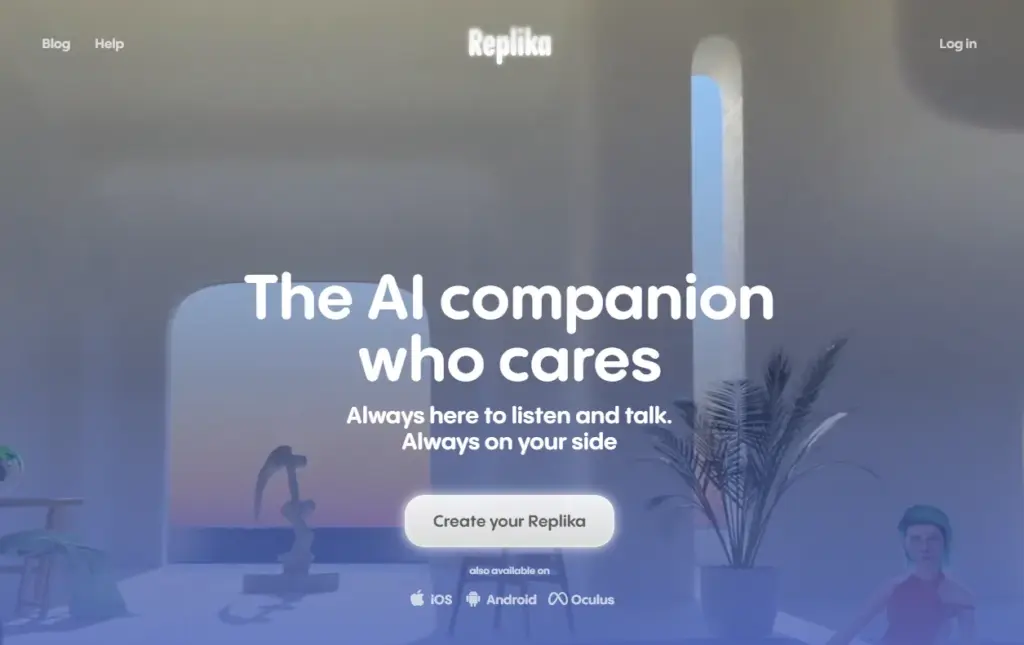
Replika is a chatbot companion powered by AI that enables you to construct a 3D avatar that it refers to as Replika. Your Replika can be interacted with in the same way as a friend. As you converse more, it grows in personality and memory alongside you.
On this app, you may build your own Replika (AI companion) and educate it about the outside world and about you. The AI companion’s personality will develop with time, and its communication skills will improve.
It’s a great app for talking about your thoughts or how you’re feeling.
Socratic
Since it is a learning application, students can benefit from using it. It was created by Google and is suitable for college and high school students. Socratic is a well-known educational program that supports students in various topics, including literature, chemistry, and biology.
Text and speech recognition power the program. Users can quickly access materials or lessons to learn from thanks to it. Simply take a picture of the question and post it, says the pupil. The program will locate all classes and tutorials pertinent to the query.
Bottom Line
You may expand your company by using AI business tools to their full potential. The state of artificial intelligence today is too advanced for what is available in the Google Play Store. Other Android AI applications are proliferating and making slow progress. The AI apps for Android are about to undergo a revolution thanks to advancements in the field of AI. If you run an inventive business, your next objective should be developing AI-based apps.
Blue light is a type of high-energy visible (HEV) light with a short wavelength in the visible light spectrum. It is part of the light emitted by the sun and various artificial light sources. Blue light is known for its stimulating and alertness-inducing properties, which can be both beneficial and potentially harmful.
The primary source of blue light on Android devices is the screen display. Android smartphones and tablets emit this light from their screens to produce vibrant and colorful visuals.
Most Android devices use LED (Light Emitting Diode) backlights for their screens. These backlights emit the light to create the white light that illuminates the screen. The intensity of blue light emitted by LEDs can vary depending on the device’s settings and brightness.
The content displayed on Android devices, such as apps, websites, and videos, can contain varying degrees of blue light. For example, websites with bright backgrounds and certain apps may have a higher concentration of this light.
Android operating systems often include features like adaptive brightness and night mode settings. These features can adjust the amount of blue light emitted by the screen based on the time of day and user preferences.
The importance of addressing blue light exposure for eye health
In our increasingly digital and screen-centric world, the exposure to blue light, especially from smartphones, tablets, and computers, has become a major concern for eye health. Here’s why it’s crucial to address this light exposure:
Digital Eye Strain: Prolonged exposure to digital screens, which emit blue light, can lead to digital eye strain or computer vision syndrome. This condition includes symptoms like eye fatigue, dryness, redness, and blurry vision. It can cause discomfort and reduce productivity.
Sleep Disruption: Blue light, particularly in the evening, can interfere with our natural sleep-wake cycle. It suppresses the production of melatonin, a hormone that regulates sleep. Exposure to blue light before bedtime can make it harder to fall asleep and negatively impact the quality of sleep.
Potential for Long-Term Damage: Some studies suggest that prolonged exposure to blue light, especially from screens held close to the eyes, might contribute to long-term eye health issues. This includes concerns about the development of age-related macular degeneration (AMD), a leading cause of vision loss.
Children and adolescents are increasingly using digital devices, and their eyes are more susceptible to damage from the light due to their clearer lenses. Addressing blue light exposure is particularly important for this age group to protect their developing eyes.
Reducing the light exposure can enhance overall eye comfort, especially for individuals who spend extended periods in front of screens. This is crucial for professionals, students, and anyone who relies on digital devices for work or entertainment.
To safeguard eye health, it’s essential to take measures to reduce the light exposure, especially during the evening and night time hours. This can be achieved through software settings, apps, screen protectors, and adopting healthy screen usage habits. Prioritizing eye health in the digital age is a proactive step toward maintaining comfortable vision and preventing potential long-term eye problems.
With an Android device, there are essentially two ways to turn on Night mode or the blue light filter. You can either utilize some third-party apps or the OEM’s standard built-in blue light filter. If there isn’t a built-in filter, the latter is your only practical choice. Let’s examine both of these choices closely and discover how to use them.
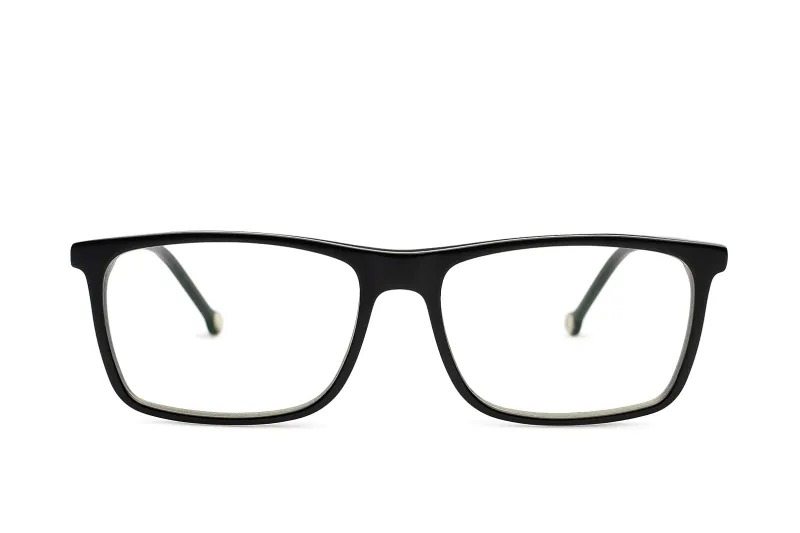
If your device doesn`t support any of the option above there is another way to block the blue light with blue light glasses.
Let’s dive into our options:
Enable native blue light filter in Android Devices
The majority of Android smartphone manufacturers have developed unique user interfaces. The user interface has been altered and customized even though they are based on stock Android. The filter may therefore be available in Night mode, Read mode, etc.
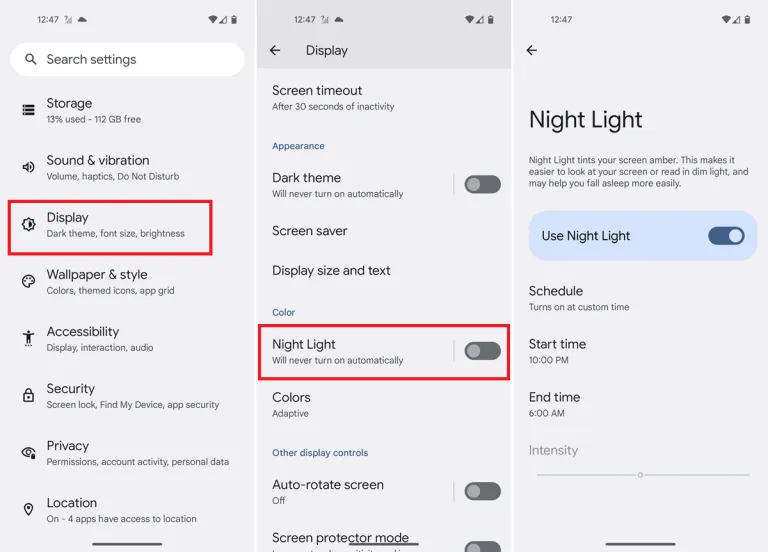
A step-by-step tutorial for turning on the blue light filter on your device is provided below.
You should typically be able to schedule the feature and change the color temperature to your preference. You can modify the color temperature with the Intensity or Opacity options, while the Schedule option lets you schedule when it turns on and off.
Go into your phone settings and open your Display settings.
From here, you should be able to see a section labeled Blue light filter, Night shift, or Eye comfort shield, among others. The name changes depending on what phone you’ve got.
Here, you can adjust the color temperature of your screen, turn the blue light filter permanently on, or set a schedule.
When setting a blue light schedule, you can choose between an automatic sunset-to-sunrise schedule or a custom schedule.
If using the sunset-to-sunrise schedule, then your location service will need to be on for your phone to know at which time the sun rises and sets in your local area.
If setting a custom schedule, then you will be able to manually select at what time you would like the blue light filter to turn on and turn off each day.
Use third-party apps
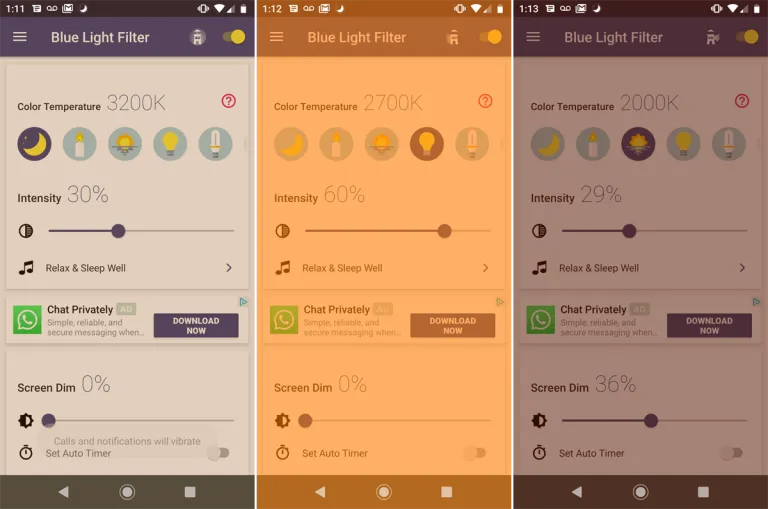
If a built-in blue light filter is not available, you can easily get an app for it from the Play Store. There are thousands of free third-party apps available that will turn on your phone’s blue light filter. A shortcut can be added to the home screen or quick access settings, the filter’s color can be selected, the strength can be changed, and other functions are available in some of these programs. We will go over some of the top third-party apps in this section that are offered on the Google Play Store.
An outstanding program that provides far more than your default blue light filter is called Bluelight Filter. To use as a filter, you can pick from a variety of hues and hue combinations. Many people find the default green filter to be more calming than the normal yellow filter. The filter’s strength is another option. Also, it enables you to add a one-tap button to the Quick access settings and a toggle switch widget to the home screen. We advise everyone to check out this simple and lightweight program once.
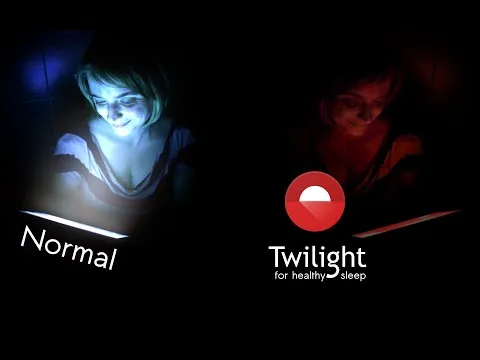
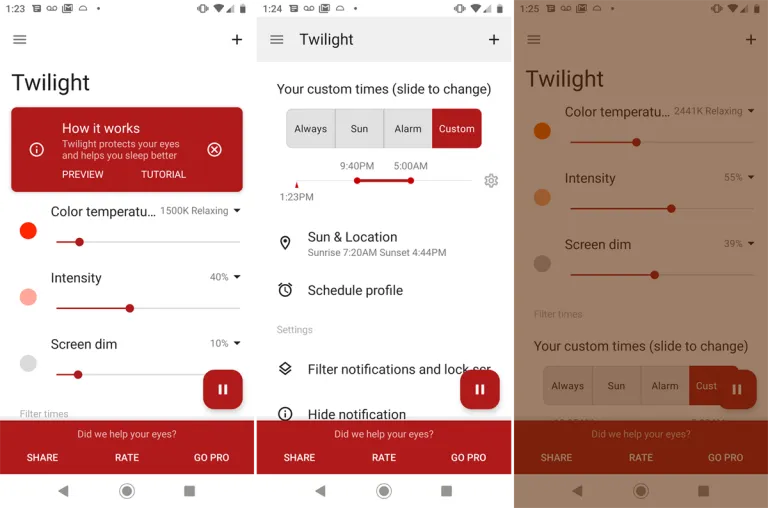
Another widely regarded free blue light filter software is Twilight. Both PCs and smartphones can use it. Instead of the conventional yellow light filter, it has a red one. Sliders can be used to change the screen dim, color temperature, and intensity. The app makes the claim that it would enhance melatonin secretion and the sleep cycle.
Using this app, you may manually activate a blue light filter or schedule it to activate and deactivate at predetermined periods during the day or night. The filter’s hue, opacity, and brightness are all adjustable. To enable the filter without opening the program, you may even build a shortcut icon or widget.
Blue light glasses
Using blue light glasses on all devices offers a multitude of benefits for both short-term comfort and long-term eye health. These specialized glasses effectively reduce eye strain caused by prolonged screen exposure, making it more comfortable to work, study, or enjoy entertainment on digital devices.
By filtering out a portion of the potentially harmful light emitted by screens, they contribute to improved visual comfort, reducing symptoms like eye fatigue and headaches. Additionally, wearing blue light glasses in the evening can promote better sleep quality by minimizing disruptions to the body’s natural sleep-wake cycle.
These glasses are particularly advantageous for children and adolescents, whose developing eyes are more susceptible to the effects of this light. Overall, blue light glasses are a practical and proactive solution to address the challenges posed by our modern screen-centric lifestyles, enhancing both immediate well-being and the long-term health of our eyes.
Conclusion
The advantages of preventing blue light from electronics are apparent, and they include both short-term comfort and long-term wellbeing. Digital eye strain can be considerably reduced by taking proactive steps to decrease its exposure, such as utilizing filters, blue light-blocking eyewear, or changing device settings. In turn, this improves our comfort and productivity while using screens for extended periods of time.
Also, limiting exposure to nighttime helps to maintain a balanced sleep cycle, encouraging improved slumber and general wellness. Safeguarding our eyes against the potential long-term consequences of blue light is a critical investment in our future vision and eye health, especially for children and teenagers. In a time when digital gadgets play a significant role in our lives, reducing the negative effects is a sensible and proactive move that will make using digital devices more comfortable and healthy.
Have you ever realized that you were aimlessly browsing through your phone without taking any action? It’s simple to get lost and unsure of which apps to really install when perusing the large selection of apps available on the Google Play Store or the Apple App Store, whether you’re looking through news, social media, or the apps themselves.
We are aware of the negative effects of this behavior, but we also value the thrill of finding a free program that is genuinely helpful. Because of this, we at Droid Tools have taken the time to search the Google Play Store and the Apple App Store for free apps that are usually not made available for free.
It’s crucial to remember that the free versions of the iOS and Android apps we describe below are only accessible right now. The expiration date of this deal is beyond our control. Because of this, it’s essential to take advantage of the chance and download/install any program that grabs your attention as quickly as you can, before it turns back into a paid app.
Android apps available for free for a limited time
Android apps for productivity and lifestyle
Reminder Pro($2.99): Our smartphones are supposed to help us be more efficient, so why not take advantage of this app so that you can remember stuff?
Home Workouts No Equipment Pro($1.49): You might have a thousand and one excuses not to work out at home, but this app ensures you can get a well-balanced workout even without any expensive gym equipment!
Android Games
Evertale($0.99): A fantasy game with monsters to kill and places to explore. A Pokemon clone of sorts, with extremely lovely graphics!
The Hearts PRO($1.99): A puzzle game that will certainly stretch your brain power. There are 6 different game modes to choose from to keep you occupied for hours on end.
Stickman Warriors Super Heroes($0.49): A beat’em up that will test your skill to the maximum. Do you have the type of reflexes required to win?
Space Shooter Galaxy Attack($0.99): It is up to you again to save the galaxy from an alien invasion force. Do you have what it takes?
Timing Hero PV($2.99): An interesting RPG that pays homage to the pixelated graphics from the 8-bit era, where you explore the world and start growing in power as you level up.
iOS apps available for free for a limited time
iOS apps for productivity and lifestyle
Memorize IELTS Vocabulary($4.99): If you are running out of time and need an app to help push you over the line in memorizing IELTS vocabulary, this might just be it!
Casual Dieting($0.99): Want to start keeping track of all that you eat? This log book makes everything look so cute, and it should spur you on!
Household Account Book($0.99): Balancing your monthly expenditure can be quite a chore, but what happens when you have an app that encourages you to do so with lovely graphics? It would be an encouragement for sure!
Pocket Chops($1.99): Practice makes perfect, and with 2,300 practice rudiments for the aspiring drummer, you’re spoilt for choice!
Locker Pro($15.99): Here’s where you can store all your passwords with peace of mind, at least it is an alternative if you are feeling paranoid.
iOS games
Geography Duel($2.99): Hello, nerd! Want to show the world just how good your geographical knowledge is? This game will find you out!
Drop Flop!($0.99): Just how fast do you think your reflexes are? Find out in this screen-tapping game!
Hexio($1.99): A mind-numbing minimalist puzzle game with 96 levels to help keep your brain on its toes.
Doge Flyer($0.99): Now here’s a game that pays homage to the endless runner genre, where you are a Shiba Inu flying around in a rocket, avoiding obstacles to stay alive. Unlike a cat, you do not have nine lives…
Cartoon Craft($1.99): It is a fierce battle between orcs and humans, which faction will you take in this RTS to emerge victorious?
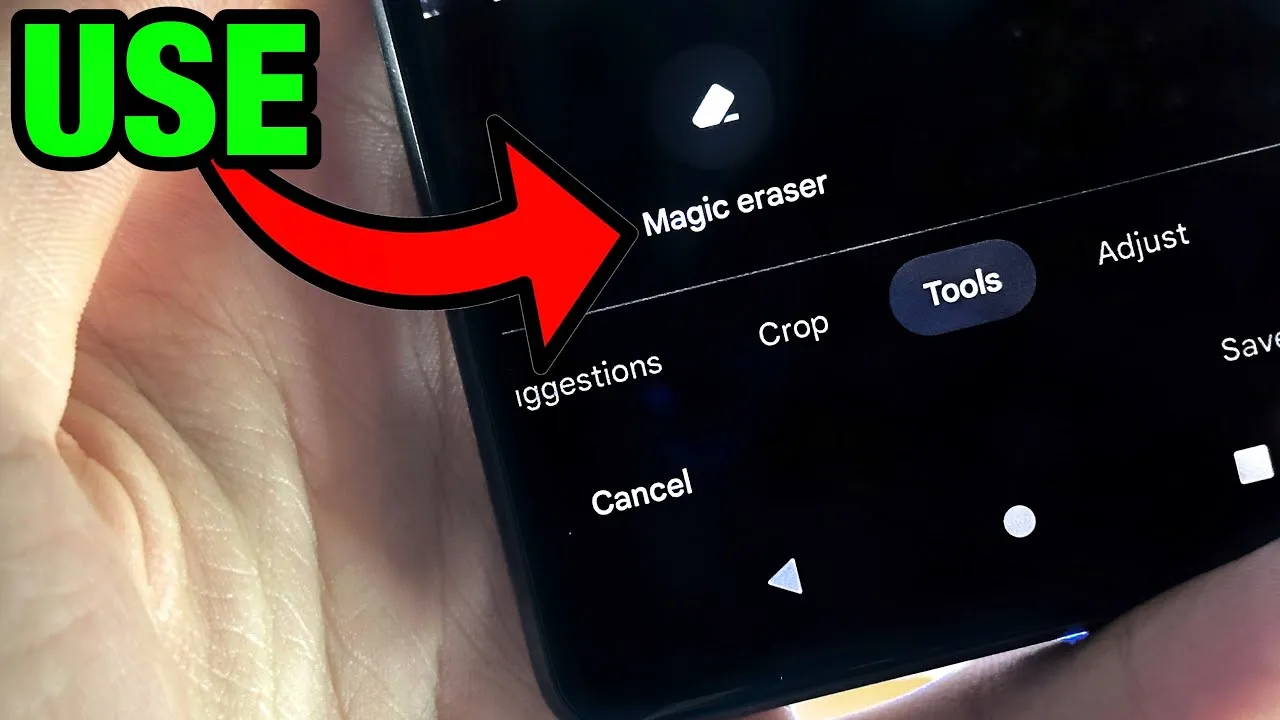
Google’s artificial intelligence (AI)-powered Magic Eraser tool debuted on the Pixel 6 smartphone. Later, it was expanded to accommodate additional iPhones and Android phones. A new version that removes various forms of audio from video recordings looks to be in development by Google; it will probably launch on the Google Pixel 8 and Pixel 8 Pro.
Google hasn’t yet acknowledged anything regarding the Pixel 8 smartphones, however over the weekend, an unidentified person purportedly uploaded some promotional content on X (formerly known as Twitter).
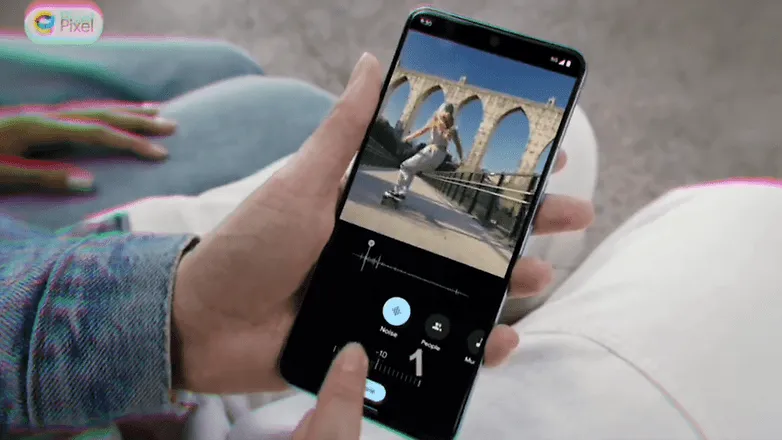
The unreleased Pixel 8 Pro was seen in the video clip sporting a brand-new feature called Audio Magic Eraser. The editing tool was identified as a video-specific version of Magic Eraser. It appears that the tool is able to recognize the important noises in videos and then gives the user the choice to decrease or delete the audio signature.
As for the many kinds of noises in videos, it can distinguish between background noise, people, and music. We would not, however, rule out the potential of the presence of more categories in addition to the aforementioned three.
The Pixel 8 Pro has a similar appearance to the early renders that were published, but it has a new temperature sensor under the camera bump. It would seem appropriate for the low-cost Google flagship Android device to be unveiled in a fresh shade of blue, as is most likely the case with the smaller Pixel 8.
The Pixel 8 line will be powered by Android 14 and may ship in October, based on Google’s prior Pixel launches. At the same time, it’s anticipated that the speculated Pixel Watch 2 with its metal body and ultra-wideband connection would be unveiled.
Have you ever let your phone idle while you scroll through it idly without doing anything? This involves looking via social media and the Google Play Store, as well as the Apple App Store. With so many apps available, it’s simple to become confused and unsure about which ones to install. Although there are disadvantages, there is also joy in discovering something free that is genuinely helpful. To identify free programs that are typically not free, we at nextpit have combed through the Google Play Store and the Apple App Store.
First and foremost, it’s crucial to remember that the free, temporary availability of the iOS and Android apps described below. The expiration date of this deal is beyond our control. Hence, take advantage of the situation! Each program that captures your eye should be downloaded and installed right away before it starts to cost money.
If you come across an interesting app that is listed here but don’t need it just yet, we would recommend you install it before deleting it. By doing so, you will save the app in your library and install it later without having to pay for it, even after the promotion has ended.
Android apps available for free for a limited time
Android apps for productivity and lifestyle
Reminder Pro($2.99): Are you a very forgetful person and need an app that becomes your second brain? Reminder Pro fits the bill perfectly.
Home Workouts No Equipment Pro($1.49): How is your New Year’s Resolution to keep fit and trim coming along? It is not too late to start yet, with this app to help you regain your strength and health without the need for expensive gym memberships or equipment.
ColorMeter Color Camera Picker($1.99): This tool is a pretty cool one for content creators, as it helps you capture and identify colors in your surroundings easily. If you are a stickler for accurate stuff, then this is right up your alley!
Android Games
Burning Fortress 2($0.99): Forget about defending your castle or fortress, this time around, it is your turn to be on the offensive! Just how well can you do?
Block Blast($1.49): A retro puzzle game that is almost like Tetris, except that it is not. You need to match the colors of the blocks instead of clearing lines.
Kingdom Rush Vengeance TD Game($4.99): A tower defense game that offers unique challenges that will keep you coming back for more!
Crazy Calculator($1.49): Do you think you are a math whiz? If so, you might want to check out this game which looks like a calculator app but teases your brain in ways you never knew a calculator could.
Zombie Age 2 Premium Shooter($0.99): A cartoonish side-scroller that sees you mow down wave after wave of zombies in a desperate bid for survival.
iOS apps available for free for a limited time
iOS apps for productivity and lifestyle
Farm Touch Sounds($0.99): Listen to the different types of sounds that farm animals make by touching their respective photos.
HibiDo Pro($2.99): We know that everyone is extremely busy just trying to survive. This means tons of tasks to do each day, so why not enlist the help of an app to simplify your life?
Sifter($0.99): An app that filters incoming SMSes, making sure that no spam gets past it.
iOS games
SARKWO($0.99): A puzzle game that requires you to slide marbles in the right order so that you can advance to the next level.
Spell the Beans($1.29): Absolutely cute title, where a bunch of spilled coffee beans will then require you to make words out of them.
Halloween II($3.99): Find out everything that you need to know about Halloween right here in this cute little app.
Duplicado($2.99): It is an avalance of avocados! You will need to slide all the avocados on the ground so that every single seed is planted to maximize the harvest.
Shock Clock Arcade($0.99): Jump from clock to clock before time runs out. Just how fast are you?
That’s it for now! To get you through the weekend, we hope you’ve enjoyed our selection of free iOS and Android apps. Were there any intriguing apps or games that you liked that you did not find here in the Apple App Store or Google Play Store? Please feel free to leave your suggestions in the comments section.