Google Messages’ RCS texting feature isn’t as efficient as it could be. You can’t tell whether someone has RCS messaging enabled unless you start a chat with them. With a new RCS indication in Google Messages, Google is permanently resolving this issue.
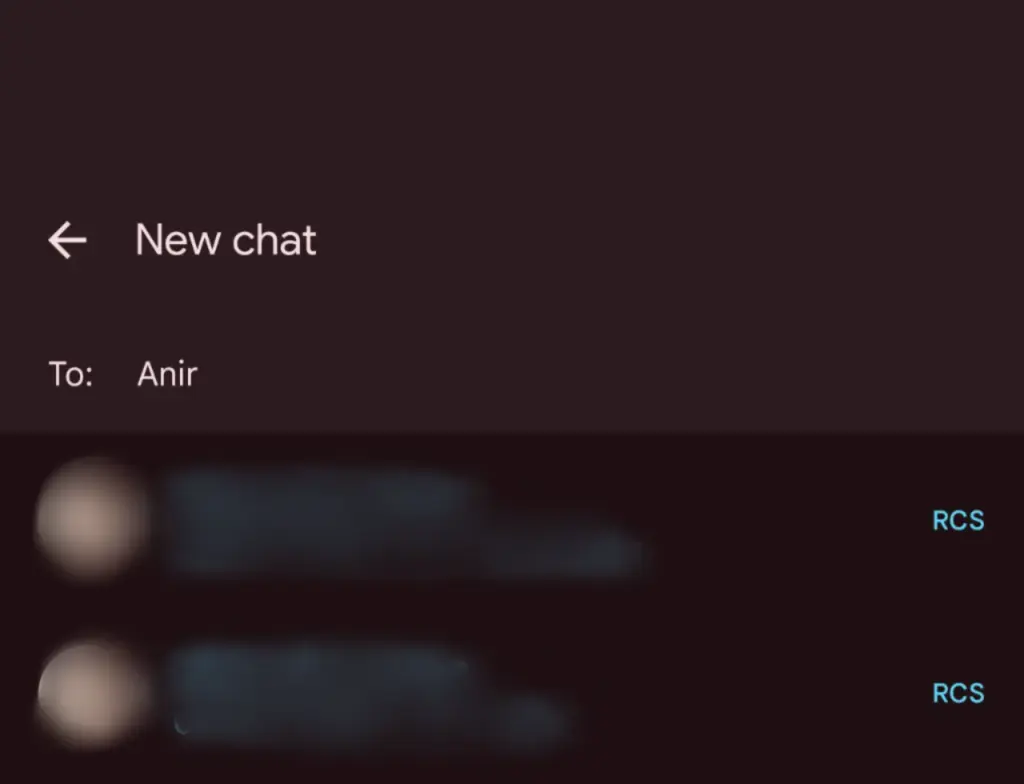
The “RCS” badge will appear on the right of numbers that support the upgraded texting experience (via Reddit) when you compose a new message and navigate through your contact list in Google Messages. The label won’t show up next to a saved contact if they are not able to send RCS texts.
In addition to the label, dynamic color theming is used to further draw attention to RCS-enabled contacts. Regular numbers are shown in either white or black. Google Messages will show RCS availability for each number if a contact has more than one.
Even though this might not seem like much, it will contribute to a more reliable RCS experience. Now, you can easily check if a contact has RCS enabled. This modification should only serve to increase the uptake of RCS.
Before, you had to begin writing a message with them in order to find out. In April of this year, Google was initially observed working on this Google Messages update.
According to 9to5Google, there are further minor modifications. The “New conversation” title that was previously displayed on the screen that comes after tapping the “Start chat” button has been replaced with the “New chat” heading.
Some users of the most recent Google Messages for Android beta (20250527_01_RC00) are seeing the RCS label. Since none of my phones have the label yet, it looks like this is a restricted server-side rollout.
Google brings many features to Messages
To its credit, Google has been working diligently on Google Messages, addressing numerous issues and incorporating new features to level it up with its rivals. The business merits recognition, even though there is still much to be done.
Testing has revealed several planned Google Messages enhancements, such as threaded answers, a huge compose box for seeing your lengthy texts, and a new landscape style.
If you want the latest Droid Tools news, follow us on X @droid_tools and like our page on Facebook to stay updated.
Android 16 offers a lot of innovations that I’m eager to test out on my Android phone, including Material 3 Expressive, a redesigned Quick Settings menu, and Live Updates. It seems like one of the biggest Android updates in a long time.
There weren’t many obvious adjustments that would have excited me. Prior to Google revealing new features at The Android Show: I/O Edition on May 13, Android 16 was looking like a really dull update.
New Quick Settings panel
With each significant Android update, Google alters the Quick Settings panel almost like a ritual. That tendency will continue with Android 16, and I’m looking forward to the modifications Google has planned. Resizable toggles are being added. Additionally, one-click Bluetooth and Wi-Fi toggles are returning.
The tiles have a new appearance and take considerably less room than they did previously, which is another obvious alteration. Extending the Quick Settings panel will provide a depth effect by blurring the background, similar to what is seen on some Chinese Android skins.
Google appears to have drawn inspiration from the updated Control Center for Android 16 Quick Settings panel in iOS 18. It seems to be a significant improvement in usability.
The June release of Android 16 will not have the updated Quick Settings panel. It will come later in the year instead.
Material 3 Expressive
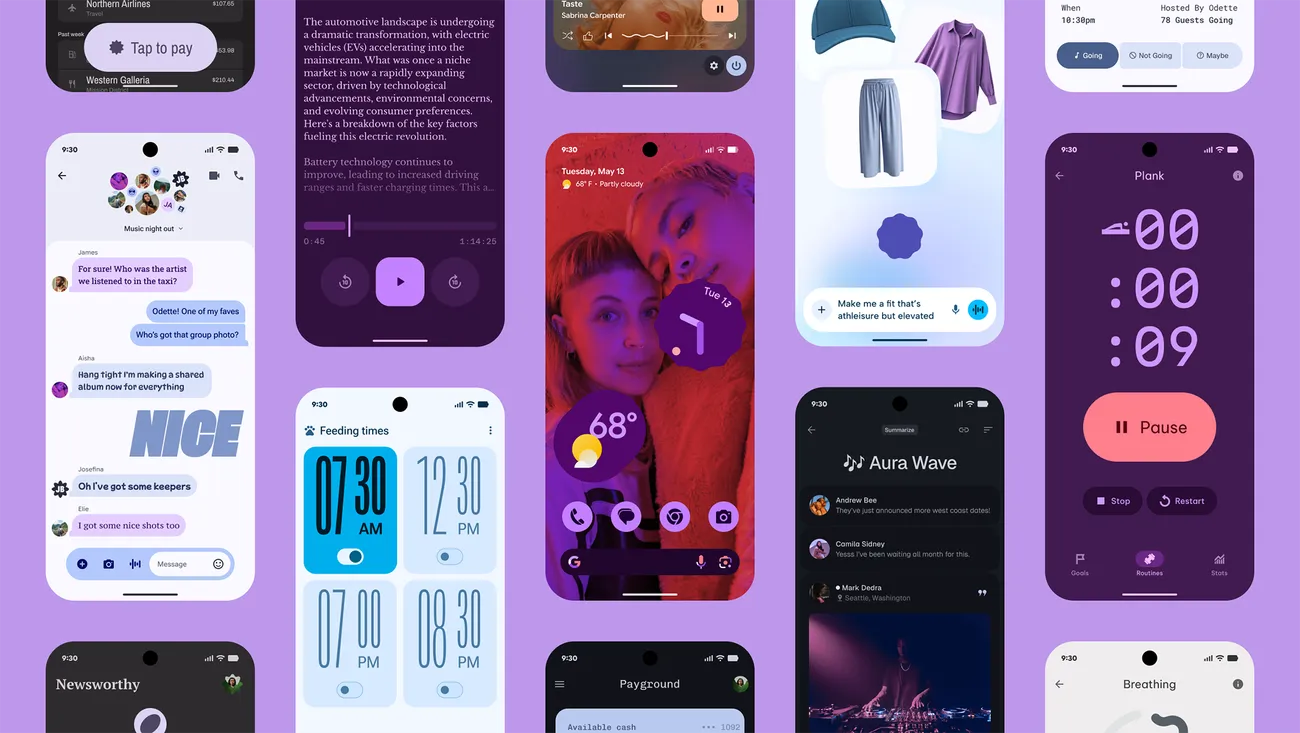
Google’s latest phone and tablet design language, Material 3 Expressive, makes its debut with Android 16. It is also among the OS’s most significant user-facing modifications. It doesn’t significantly alter the appearance. Rather, it expands upon Material Design 3 by including bolder fonts, larger buttons, slick and lively animations, and more.
The timing of Material 3 Expressive is perfect. The current look felt outdated because Google introduced Material look 3 with Android 13 four years ago. Additionally, it maintains familiarity while bringing about the appropriate enhancements. Rather than droning on about Material 3 Expressive, I’ll let this Google GIF speak by itself:
This polish is present throughout Android 16, particularly when switching the system volume or closing apps from the recent apps menu. It also features smooth animations and haptic feedback. Android 16 will upgrade the dynamic color themes in addition to Material 3 Expressive, allowing apps to use additional colors from your wallpaper.
One of the main Android 16 improvements that I am most looking forward to is Material 3 Expressive, which looks good based on what Google has demonstrated. The one sour note? When Android 16 is first made available to the public in June, Material 3 Expressive will not be included. It will come later in the year instead.
Live Updates
Apps for food delivery have permeated our daily lives. Uber, Grubhub, and other food delivery apps provide real-time, urgent notifications, unlike other apps. The same is true of sports apps. Instead of launching the app, you would prefer to get real-time information in the notification shade on your phone.
Even while Android’s notification panel is more capable than iOS’s, it has trouble efficiently delivering real-time updates. With Live Activities, Apple nailed this, making it simple to monitor real-time food delivery status and sports scores.
Google’s Android 16 will have a feature called Live Updates, which is modeled after iOS. It will show the status of your meal delivery in real time on the notification shade or the lock screen of your phone. When you use Always-On Display, the status is displayed. Additionally, Google’s approach enhances the Live Update notification with helpful Call, Message, and Tip buttons.
It’s time-consuming and annoying because I have to open the meal delivery app all the time to see how it’s doing. A feature akin to the iPhone’s Live Activities was added to the skins of Android manufacturers such as OnePlus and Oppo, although the execution is unreliable and glitchy. Google should address these problems with an official solution.
Ultra HDR support for HEIC images
I use my phone to shoot a lot of photos. I have my phone’s camera app set to save JPEGs in the space-efficient HEIC format because they take up a lot of storage. The catch is that images saved in the HEIC format are not compatible with Ultra HDR on Android. I therefore use JPEG for my photos, which uses up all of my 2TB of Google One storage.
This will be altered with Android 16’s addition of Ultra HDR capability for HEIC photos. Additionally, Google is developing UltraHDR support for AVIF files, which should be available soon.
With Android 14, Google debuted Ultra HDR. It enables images to have improved color and a wider dynamic range. These enhancements are provided without any compatibility problems. On devices with SDR screens, Ultra HDR JPEG images immediately revert to the SDR gain map. Google mandated Ultra HDR support for phones with performance class 15 starting with Android 15.
Let’s hope Google upgrades the Pixel Camera app to enable saving shots in HEIC by default rather than JPEG, because Android 16 now supports Ultra HDR for HEIC files.
Advanced Protection mode
Google has strengthened Android’s security over the past few years by adding a number of features. However, there is still opportunity for improvement. In addition, I believe that Android’s security features fall short of those of the iPhone.
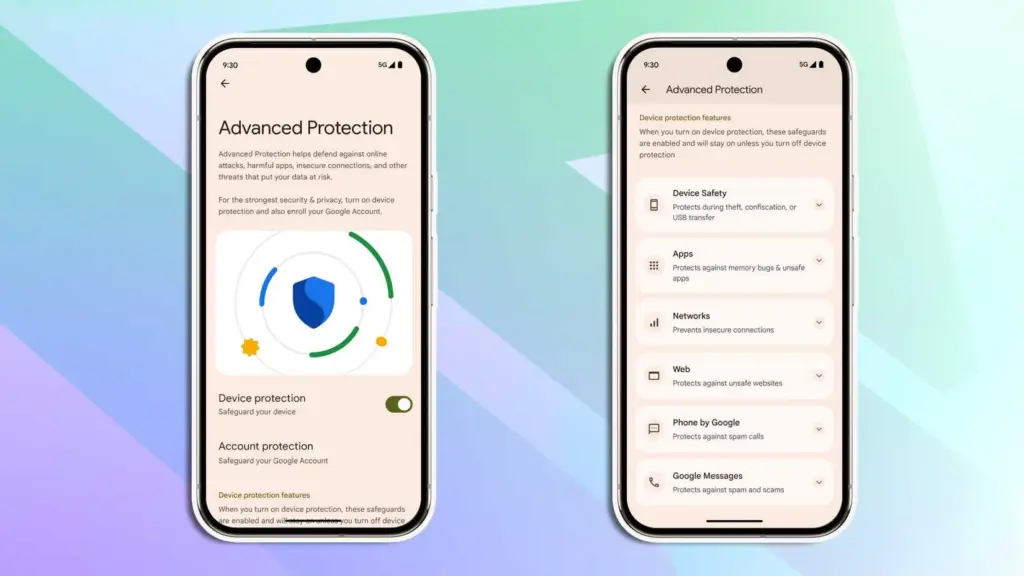
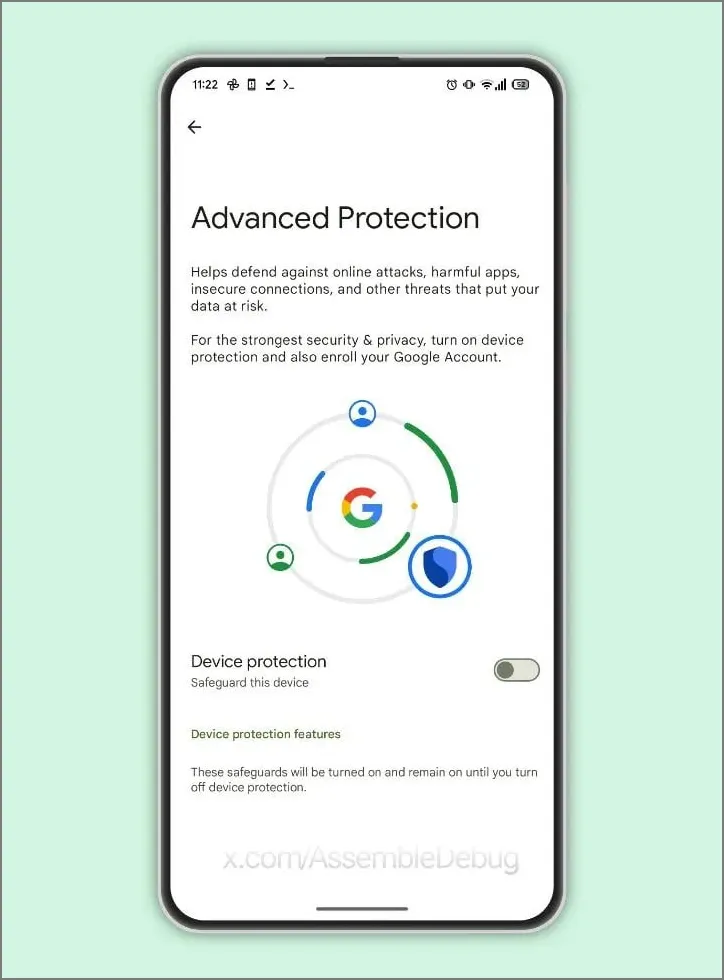
Google is making a significant effort to address issue with Android 16. Major security-related settings will be consolidated under a new Advanced Protection mode. To activate offline device locating or Theft Detection, you won’t need to go far into your phone’s settings menu.
With a single Advanced Protection toggle, you can enable all available security measures in Android across several categories. The list is as follows:
Intrusion Logging
Theft Detection Lock
Offline Device Lock
Inactivity Reboot
USB Protection
Google Play Protect
Unknown App Protection
Memory Tagging Extension
Android Safe Browsing
Chrome Safe Browsing
Javascript Protection
Unsafe Link Protection
Spam and Scam Protection (Google Messages)
Spam and Scam Protection (Phone by Google)
Called ID & Spam
Automatic Call Screening
2G Network Protection
Disable Auto-Reconnect to Insecure Networks
Numerous security mechanisms are dispersed across the operating system. For instance, the Google Play Protection option is located under Security & Privacy, whereas the Caller ID & Spam protection settings are located in the Phone app settings.
With Android 16, a new security feature called Intrusion Logging generates and preserves a device activity record for study after a compromise. It is safe but easily accessible because it is kept in the cloud and is end-to-end encrypted.
Another new security feature in Android 16 is Inactivity Reboot, which will restart your phone automatically after 72 hours of inactivity and lock-up. This will guarantee that no user data may be viewed until the device is opened by entering the password or PIN.
I won’t gain much from Android 16’s Advanced Protection Mode. I only activate these functions when I’m on the road. Nevertheless, it’s a useful innovation that will make Android more secure.
Despite being a feature-rich version, Android 16 will not ship with all the new goodies in June and still lacks several long-awaited additions. Rather, Google will make more significant improvements later in the year, most likely in conjunction with a quarterly platform release and the Pixel 10 family. Additionally, some improvements may not be available for non-Pixel phones because the manufacturer may choose not to incorporate them into their skin.If you want the latest Droid Tools news, follow us on X @droid_tools and like our page on Facebook to stay updated.
It’s not usually a high-level leak or a retailer’s mistake of publishing information too soon that causes the world’s largest firms to struggle to keep their new devices under wraps. Occasionally, this occurs because the corporation producing the product begins filming advertisements months before the product is scheduled to be released, and a passerby witnesses the commercial shoot in progress and, fortunately, has a decent enough camera with them to record the entire event.
It is typically not a high-level leak or a retailer’s error of releasing information too soon that makes it difficult for the biggest companies in the world to conceal their new technologies. Sometimes this happens when the company that makes the goods starts making commercials months before the product is supposed to be introduced, and a bystander happens to be watching the commercial shoot and, thankfully, has a good enough camera with them to capture the entire thing.
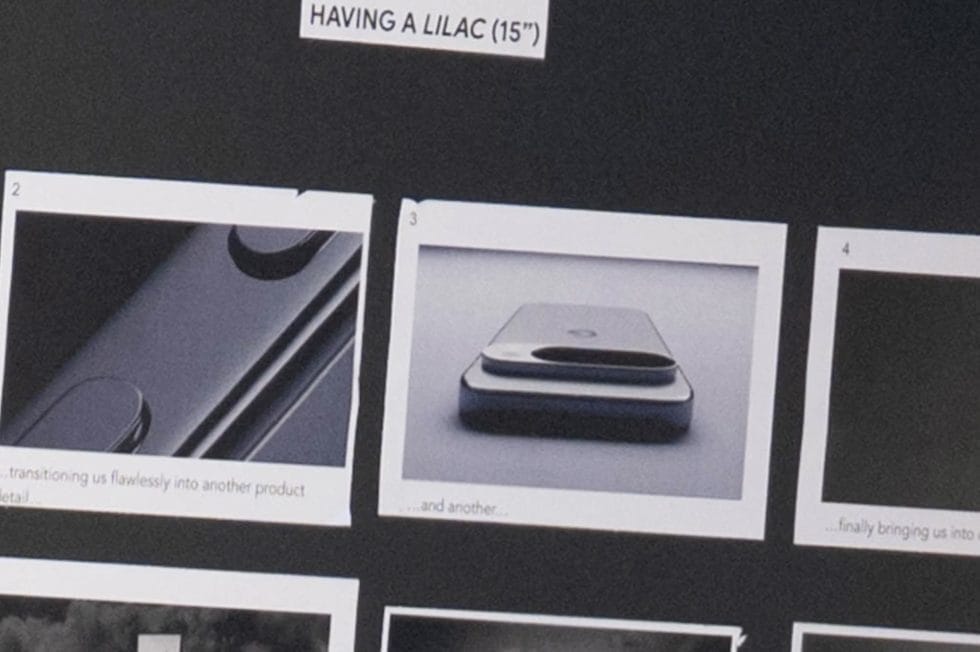
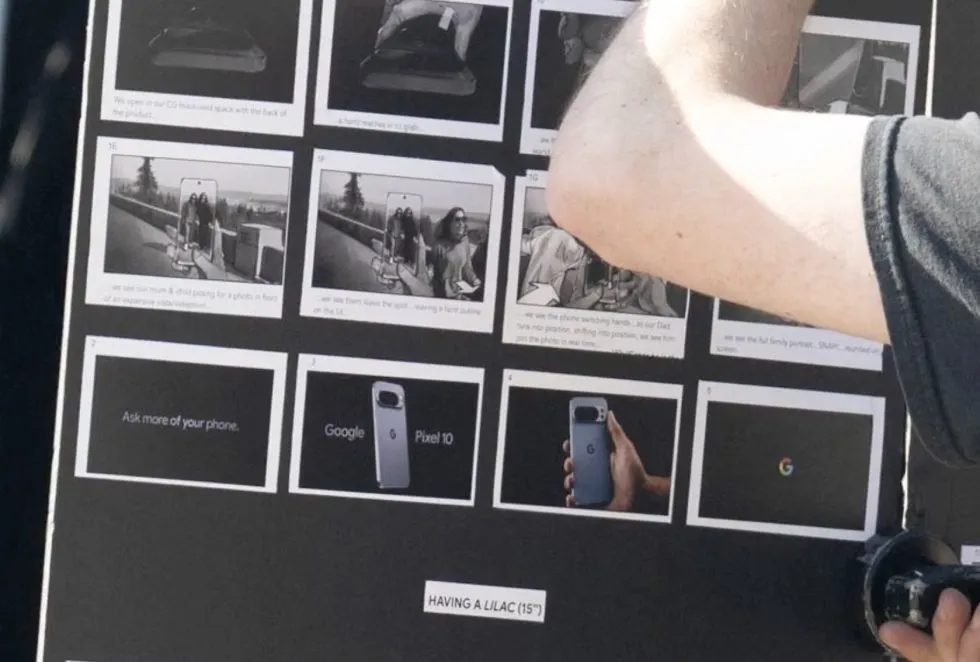
A humorous little video slideshow featuring narration of the user’s experience filming Google’s Pixel 10 Pro was posted on Twitter by @MarksGonePublic. According to their photos, Google was filming an ad featuring the Pixel 10 titled “Ask more of your phone.” Indeed, the phone is referred to as the “Pixel 10” in the storyboard, but it is actually a Pixel 10 Pro with an additional camera and temperature sensor.
I’m not sure what else can be learned from this video because the Pixel 10 series is anticipated to resemble the Pixel 9 series in every way except for the inclusion of Google’s Tensor G5, which should be their best chip ever as it replaces Samsung Exynos as the base. This ad only indicates that a Pixel 10 is on the horizon and will appear remarkably similar; it doesn’t necessarily disclose any new specifications, features, or costs.
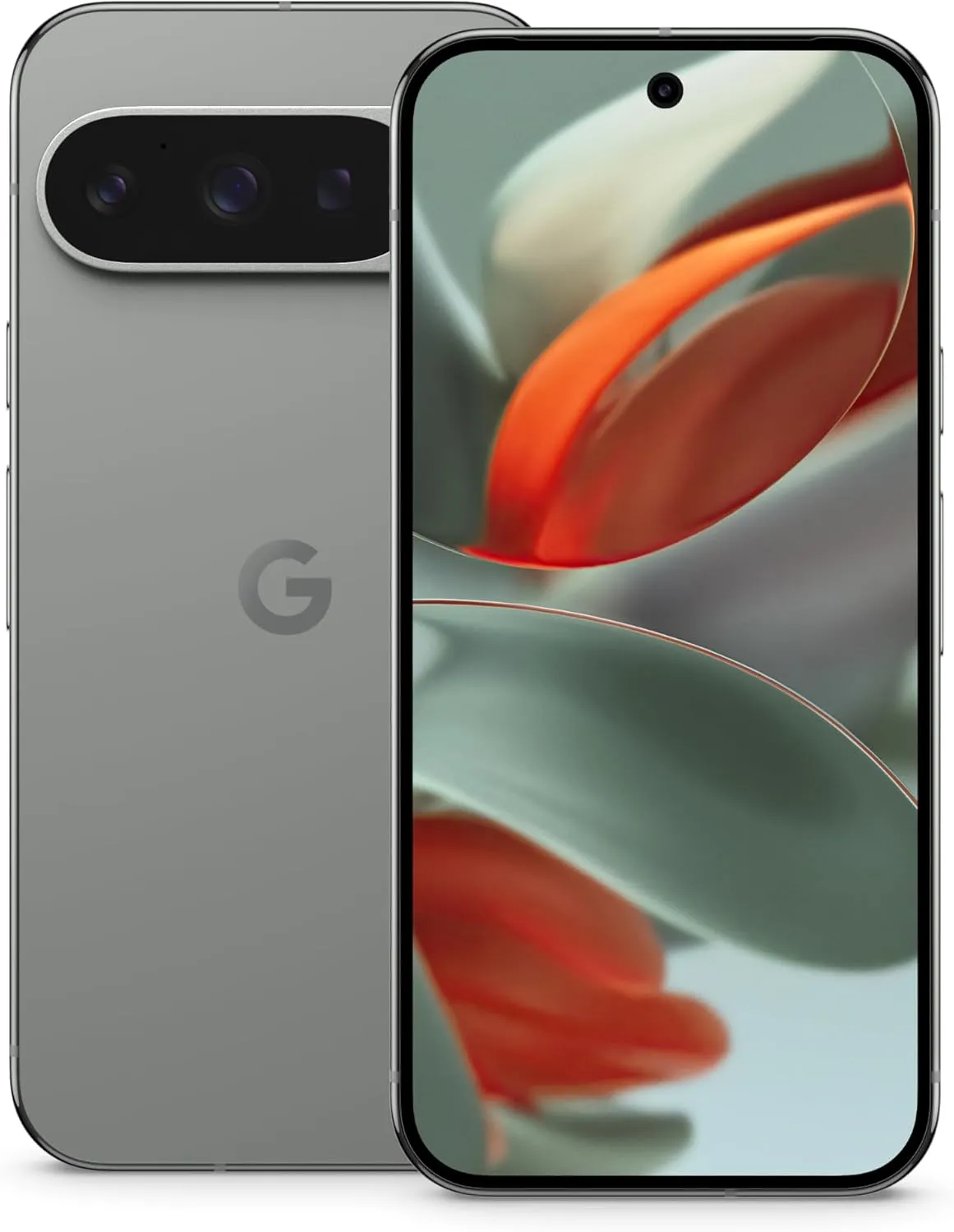
And here’s the real smartphone in a person’s hand during the photo session, which once more displays a Pixel 10 Pro that appears to be a Pixel 9 Pro. And it’s okay! We adore the Pixel 9 series’ look.
Google Pixel 9 Pro
Pixel 9 Pro with Gemini is the most powerful Pixel yet, and now comes in two sizes; it has a pro-level camera and it’s engineered by Google, so it gets the best of Google AI first
With Gemini mostly overshadowing the two-day developer conference, Google I/O 2025 is now gone. On the other hand, the release of Android 16 QPR1 Beta, which incorporates the previously introduced Material 3 Expressive design language, is a more noteworthy advancement for certain aficionados. What’s new in this version and how to access the beta are explained here.
After the stable Android 16 Beta program, the first Quarterly Platform Release is the Android 16 QPR1. Despite being more stable than previous betas, it is still intended for developers and testers because of flaws and other problems. Similarly, this release represents a sneak peek at the upcoming Pixel Feature Drop, which is anticipated to happen next month.
Google’s new design language, Material 3 Expressive design, or M3E, which incorporates bolder and more playful elements, is now available in the Android 16 QPR1 Beta. Wear OS 6 for wearables will also use the M3 Expressive design.
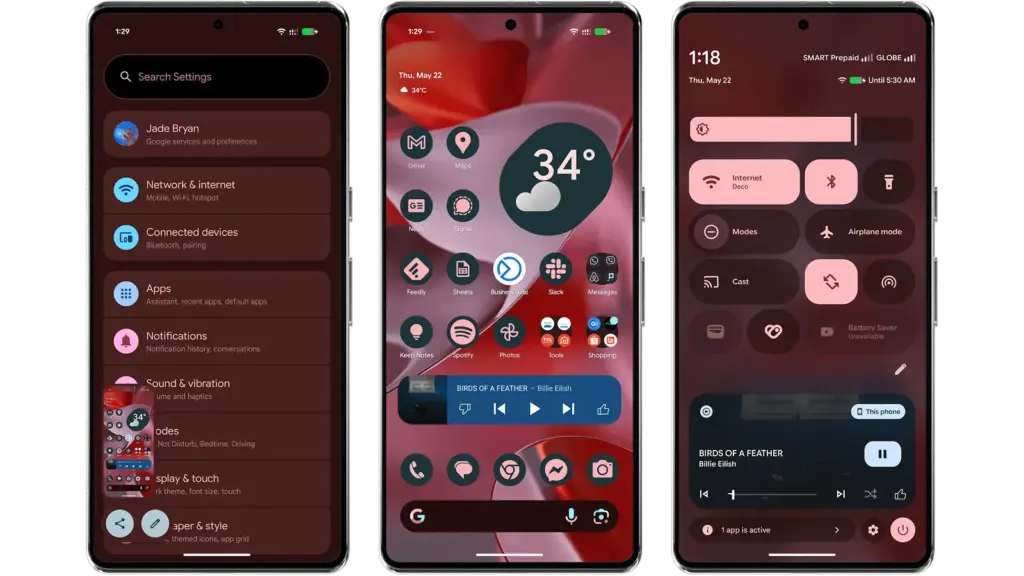
To experience M3 Expressive, I set up the Android 16 QPR1 Beta on my Pixel 9 Pro XL (review). The wallpaper and quick settings are two examples of UI elements and sections where the modifications are instantly apparent. Additionally, some features, including personalized icons on the Pixel Launcher, are not yet enabled.
Material 3 Expressive design landed in Android 16 QPR
A notable modification to the home screen is the addition of a complete row of additional space for widgets and apps. This is because the “At a Glance” widget, which was formerly located at the top of the home screen, has decreased.
The battery, cellular, and Wi-Fi system icons have also been added to the status bar. In the meantime, each component of the system settings has more themed glyph icons.
The most significant changes are in the fast settings panel, which now uses shortcuts and widgets in a more vibrant and effervescent manner, along with new animations that Google calls “springy.” Additionally, there are additional customization options for scaling and positioning toggles and icons, which enables users to employ 1×1 icons to fit more elements.
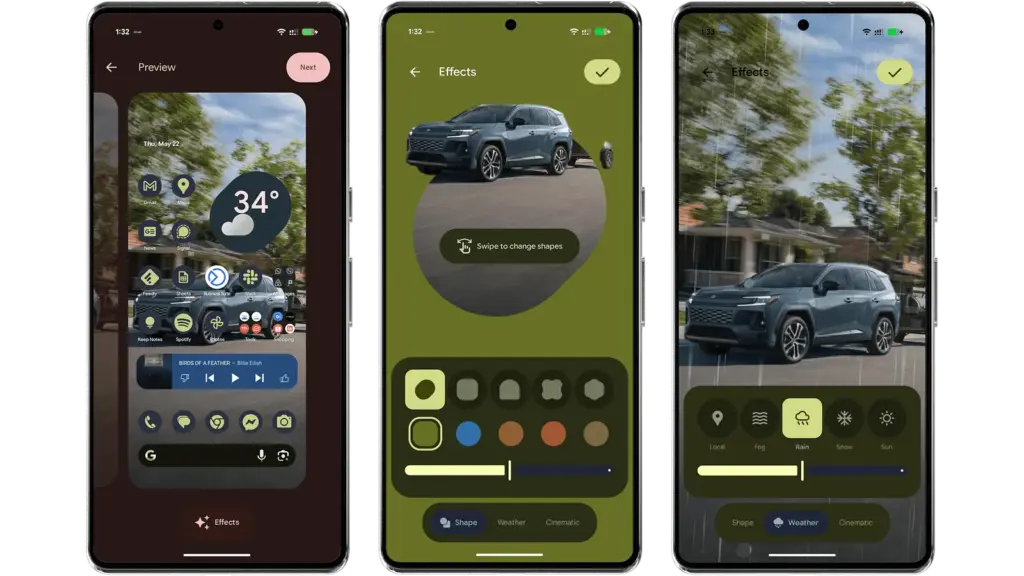
Android 16 provides additional settings and effects for custom images, which will appeal to those who like personalizing their home screen and lock screen. AI-powered weather effects and the ability to overlay colors with shapes are now available. A cinematic effect is an additional choice, but my device was still unable to use it after trying.
More apps will come with Material 3 Expressive
It is anticipated that Google would add more M3 Expressive elements to its services and applications, such as Google Photos and Keep.
Manufacturers of skinned Android versions, like Samsung’s One UI, are now primarily responsible for implementing the Material 3 Expressive design. Many of these changes and new features should be maintained for those that provide stock and near-stock Android experiences.
All of these updates, along with perhaps other improvements and optimizations not included in the first Android 16 QPR version, will be included in the June Pixel Feature Drop if you’re patient enough.
The Android 16 QPR1 Beta update is available via the beta program for Pixel 6 all the way to Pixel 9 series.
Pixel 6, Pixel 6 Pro, and Pixel 6a
Pixel 7, Pixel 7 Pro, and Pixel 7a
Pixel 8, Pixel 8 Pro, and Pixel 8a
Pixel 9, Pixel 9 Pro, Pixel 9 Pro XL, Pixel 9 Pro Fold, and Pixel 9a
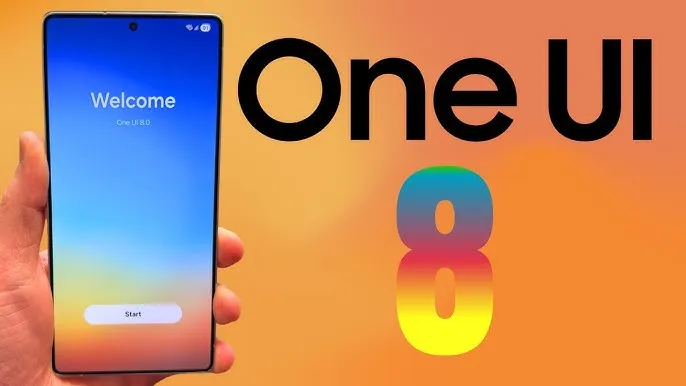
Under Google’s Advanced Protection Program, Samsung’s One UI 8, which is based on Android 16, will offer strong privacy and security protections to protect users of Galaxy phones and tablets from theft, fraud, and scams.
The security improvements of Android 16 will be sent out to Samsung Galaxy devices via One UI 8.0, anticipated in the summer of 2025, as announced on May 14 at Google’s The Android Show. Strong protection against unwanted access is ensured by the Advanced Protection Program (APP), which combines features like Remote Lock and Theft Detection Lock and requires user credentials to disable. These were first created for Google apps, but they will eventually be extended to third-party apps.
Uneditable secure device records that allow users to verify for tampering are among the key characteristics. One UI 8 thwarts fraudster tactics by blocking dangerous actions during talks, such as installing untrusted apps or changing important settings. With UK banks like Monzo and NatWest on board, banking apps are also made more secure by requiring screen-sharing talks to terminate before access.
AI is a major factor in this, in case you haven’t guessed it already. It detects apps that conceal icons, filters fraudulent messages, and does virus checks.
Remote Lock adds a security question and conceals one-time passwords from alerts, while enhanced factory reset safeguards make stolen phones inoperable without the owner’s consent. These are compatible with One UI 6.1.1’s Samsung Auto Blocker.
With a beta in June and a July release alongside the Galaxy Z Fold 7 and Flip 7, One UI 8 may make Galaxy smartphones safer than before. Are flaws like delayed third-party app support a concern, or will these features outsmart scammers? More will be revealed during the summer launch.
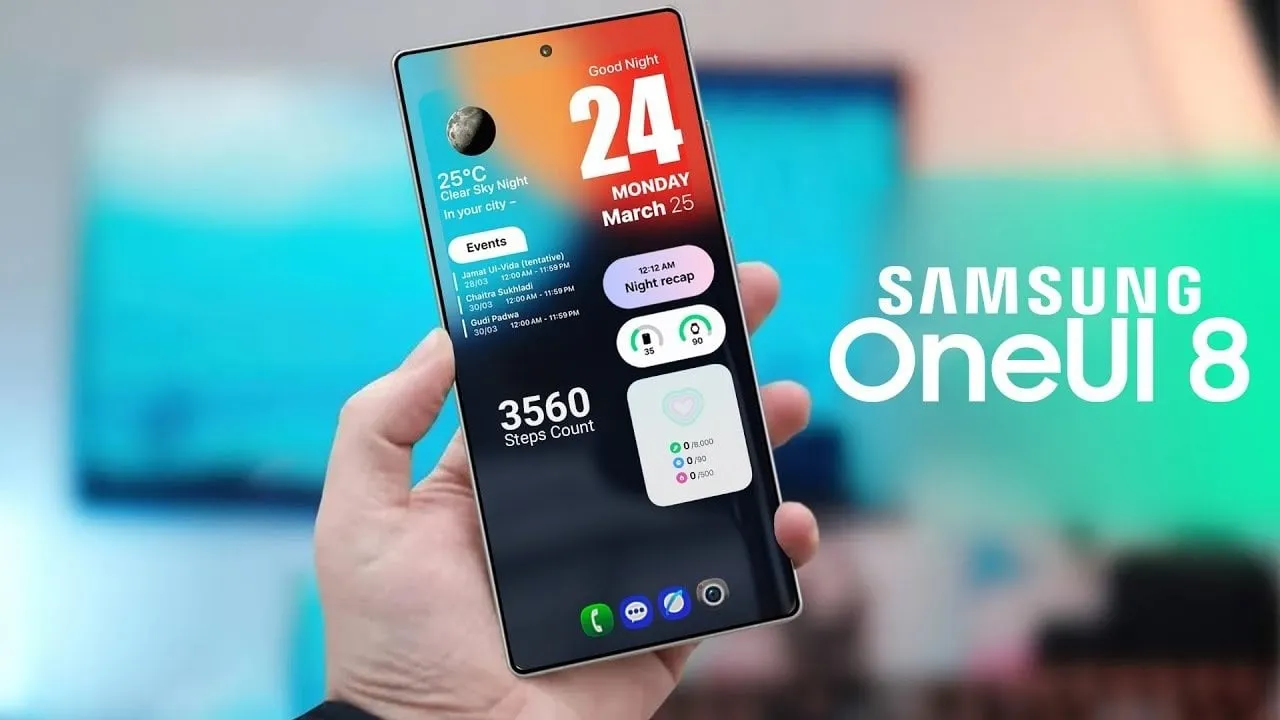
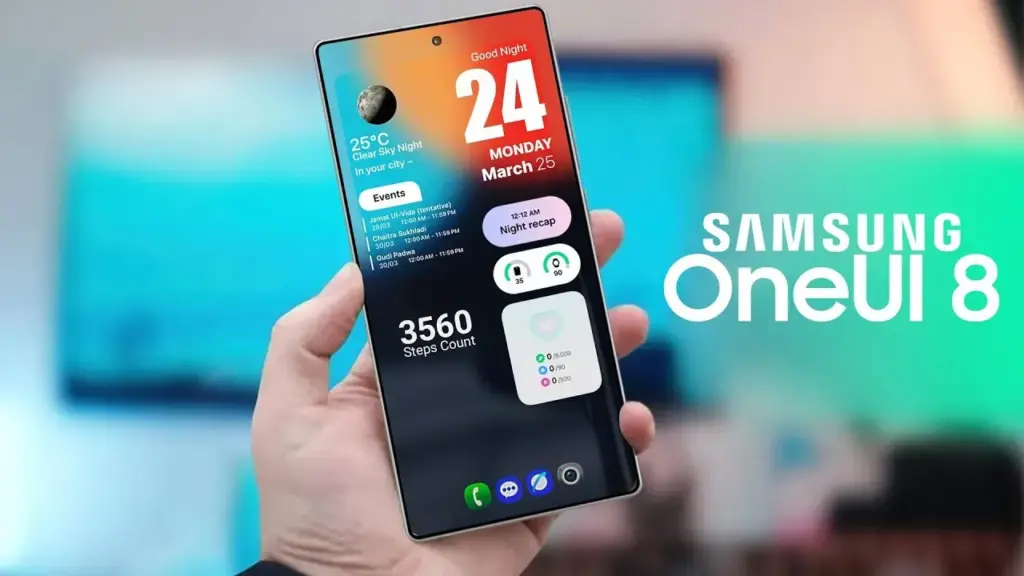
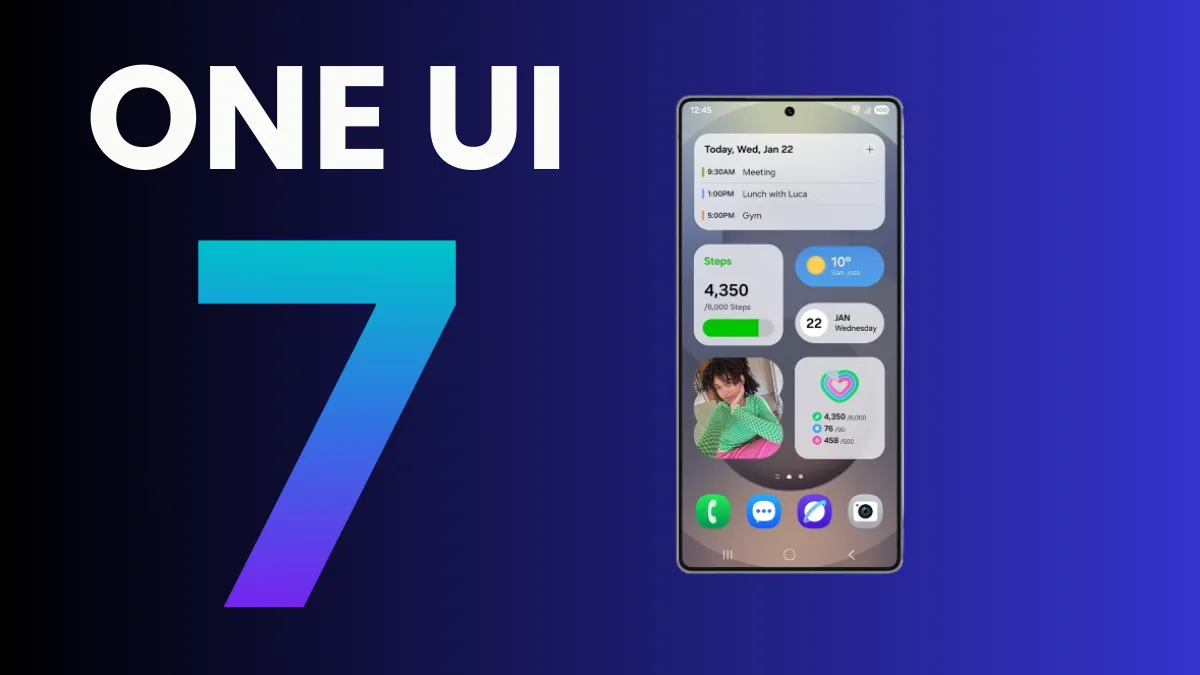
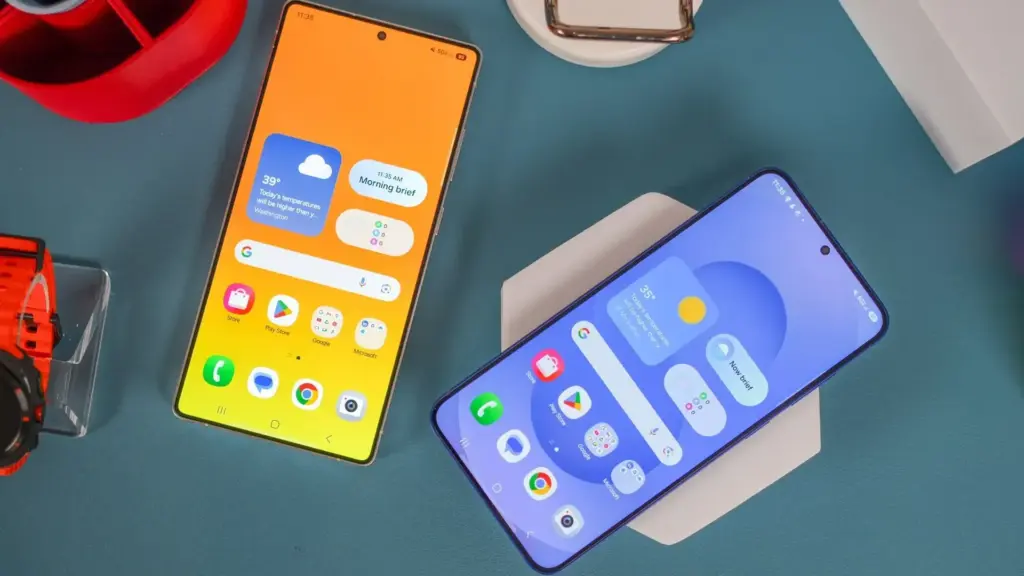
Samsung’s One UI is a significant element of what distinguishes Galaxy phones and tablets. With One UI 7 finally available to consumers on April 7, 2025, attention has shifted to the next chapter: One UI 8. This future software upgrade, which is likely to be based on Android 16, should add some intriguing new features to Samsung devices.
There is speculation that it will be released sooner than usual, altering Samsung’s standard software update release schedule. In this post, we’ll go over the release date, the beta testing program, which devices will receive One UI 8 based on Samsung’s update policy, and what this may mean for Galaxy customers.
One UI 8 release
Historically, Samsung’s big One UI releases have coincided with the annual Android upgrade cycle, arriving in the fourth quarter, around October or November, following Google’s stable Android release. For example, One UI 6 debuted on October 30, 2023, whereas One UI 7, which was severely delayed, launched on April 7, 2025. However, reports in the IT world claim that One UI 8 may break this pattern.
One UI 8, which is based on Android 16, will be released in the summer of 2025. This update, confirmed by Google, represents a considerable increase in Samsung’s update cycle, with the goal of closely aligning with Google’s roadmap.
One UI 8 beta program
Samsung’s One UI beta programs allowed fans to try out new features early on, and One UI 8 should continue to do so. Considering how things generally proceed and the predicted July 2025 release, the One UI 8 beta should begin in late May or early June 2025.
The beta normally begins with Samsung’s top phones, such as the Galaxy S series, and then progresses to foldables and lower-cost devices. One UI 7 testing began on December 5, 2024, with the Galaxy S24, and was expanded to include the S23, Z Fold 6, Z Flip 6, and others by March 2025.
If Samsung follows this step-by-step plan, the One UI 8 beta would most likely debut with the Galaxy S25, followed by foldables such as the Z Fold6 and Z Flip6. You’ll most likely join up through the Samsung Members app in countries such as the United States, United Kingdom, India, Germany, and South Korea, allowing users to test out new features before they become official.
One UI 8 eligible devices
While Samsung has not officially confirmed the One UI 8 device list, we can use its official software update policy to determine which devices are assured to receive the upgrade. Samsung now provides up to seven years of OS upgrades for select flagship handsets (beginning with the Galaxy S24 series), four years for others, and five years of security updates for numerous models. According to this policy and the confirmed One UI 7 rollout, the following devices are sure to be qualified for One UI 8:
Mid-range devices, such as the Galaxy A55 and A35, may also qualify for the four-year program. Older smartphones, like as the Galaxy S21 series, may miss out since their four-year support period may expire before One UI 8 is released.
The Summer 2025 debut of One UI 8 suggests a significant change for Samsung, potentially providing a substantial update much sooner than fans think. If this happens on time, Galaxy owners may receive Android 16 features with the next round of foldable phones, demonstrating how Samsung can change things up and keep improving.
While we wait for Samsung to make an official announcement, the prospect of a quicker One UI 8 release thrills Galaxy fans—could this be Samsung’s biggest software step yet?
The president is back in the White House after limiting Huawei’s access to American-made technology. This is most likely the reason why other top Chinese businesses have chosen to work together on a new operating system. I believe this is a positive step, even though it might only be a preventative measure and it might be some time before the efforts pay off.
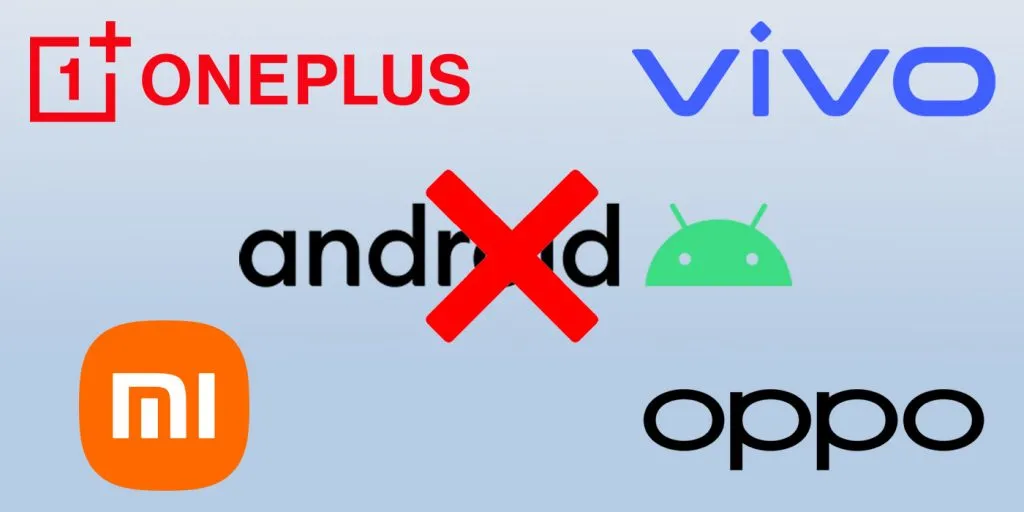
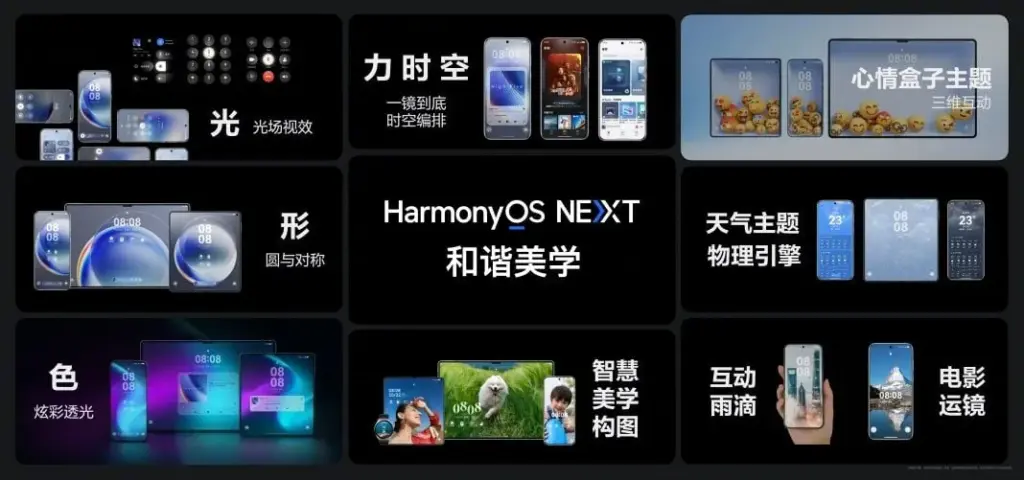
Huawei is prepared to abandon Android entirely, six years after the US government first imposed limitations on the Chinese corporation. Huawei will now help OnePlus, Vivo, OPPO, and Xiaomi develop an Android substitute that doesn’t use Google. The market for smartphones needs this shock.
Smartphones aren’t as thrilling anymore. Each firm used to have a distinct advantage, but these days they all make phones with essentially the same design.
Operating systems for smartphones have been copying one another for so long that they hardly distinguish one another. Apple’s iOS imitated Android features last year, and Samsung debuted a new One UI 7 version this year that draws inspiration from iOS.
That isn’t always a terrible thing. For example, I’m happy to see Android get its own version of Dynamic Island as I use both iOS and Android phones.
Additionally, I miss the days when smartphone makers were free to try new things and different devices didn’t all have the same user experience.
Microsoft makes sporadic attempts to add some spice, but it never succeeds. Although Google’s Fuchsia OS offered some promise, it appears that smart gadgets would never be able to use this operating system.
Xiaomi and OnePlus’s rumored operating system may make smartphones exciting again.
Being self-sufficient is always beneficial.
Every business is on its own as nationalism grows. Chinese businesses must become more independent than ever before because of the ongoing hostility between the US and China. Chinese businesses need to prepare their operating system in case they run afoul of the US government as a precaution.
This has nothing to do with supporting a certain nation or business. Every business, including Samsung, should create its own operating system, in my opinion.
As of right now, though, Android is the only option available to businesses looking to sell phones.
When it comes to purchasing a smartphone, the options are already limited. The majority of consumers will no longer want to purchase phones from Xiaomi and BBK-owned OnePlus, Vivo, and OPPO if they are unable to access Android.
This has already happened with Huawei. However, Huawei has made a resurgence in China as its HarmonyOS matures. The wise course of action is to begin developing a new operating system if Chinese Android manufacturers don’t want to be taken by surprise.
No more Samsung and Apple monopoly
Apple and Samsung stand to gain the most from any possible rift between the US government and Chinese smartphone manufacturers. Google stands to benefit greatly as well because, although producing some of the greatest phones available today, its market share is quite small.
Xiaomi reportedly began developing an in-house microprocessor after learning about potential sanctions. Therefore, even if there hasn’t been any sign that the US wishes to restrict its access to Android, it is still possible.
In the worst case scenario, Apple and Samsung will see exponential growth, potentially leading to a duopolistic market. For this reason, we are in greater need than ever of a third mobile ecosystem.
This will not be a simple undertaking. For example, even after years of development and investment, Huawei’s operating system is still not a full substitute for iOS and Android. There are still not many well-known apps in the company’s app store.
Xiaomi and BBK-owned companies risk alienating customers in international markets if they cease selling Android-powered phones. A redesigned Android skin with cutting-edge functionality and distinctive aesthetic improvements would be a smart place to start.
Samsung is internally getting ready for the One UI 8 Beta for Galaxy devices in addition to the stable One UI 7 release. The beta program may begin in the third week of May 2025, according to rumors. The One UI 8 Public Beta Program for the Galaxy S25 series may begin earlier than anticipated, according to new information.
A fresh One UI 8 Beta build for the Galaxy S25 series was recently found by a trustworthy source, suggesting that Samsung is actively developing the upcoming version. Internal testing for the global version of the Galaxy S25 Ultra is currently in progress, according to the latest build, S938BXXU3ZYEF.
One UI 8 beta testing appeared online
The first One UI 8 beta testing build for the Galaxy S25 series, with a version ending in ZYEA, appeared online last week. Samsung appears to be moving swiftly forward with internal beta testing for the Galaxy S25 series based on the change from that build to the latest one.
Samsung is anticipated to launch the One UI 8 Public Beta Program for the Galaxy S25 series and other qualified smartphones after internal testing is finished. Users of the Galaxy can test out new features through this program prior to their official release.
Additionally, according to some rumors, Samsung may launch the One UI 8 Beta Program during the third week of May 2025. According to reports, it will first be accessible to a certain group of Galaxy customers in particular nations.
We should be cautious about this report, though, as Samsung has not yet confirmed it. In contrast to One UI 7, we may anticipate no delays this time around because Samsung seems to be proceeding swiftly with internal testing.
A number of Samsung handsets are getting UI 7, and as the final significant update, certain Galaxy A phones will get it as well. Along with many new features and design modifications, software updates also reach a support milestone.
Samsung is progressively rolling out the One UI 7 upgrade for Galaxy smartphones. With the most recent OS update, flagship smartphone users have joined the party. Nonetheless, the expansion will last until this year’s July.
One UI 7 was the most recent OS update for the Galaxy S21 series, Z Flip3, and Z Fold3. It’s a significant firmware that adds new features and design modifications. It’s worth the remaining time to use One UI 7.
This also applies to other lineups, such as the Galaxy A series. The availability will vary depending on hardware capabilities and optimization stage, but the majority of the design improvements and essential OS features will be offered.
One UI 7 is the last major upgrade for these Galaxy A phones
Galaxy A14
Galaxy A14 5G
Rollout is expected in June 2025.
Released in 2023 with Android 13, the Galaxy A14 and A14 5G are expected to receive two significant updates (Android 14 and 15), making One UI 7 their last version. For security enhancements, these devices might get additional quarterly or biannual patches.
Therefore, One UI 7 is not a concern if you own a Galaxy A14 or its 5G version. Samsung is dedicated to offering the Android 15 update with as many features and modifications as feasible while still satisfying hardware requirements.
The in-house Exynos 2600 chipset is expected to be manufactured by Samsung, which is apparently nearing mass production readiness, according to a recent Korean article.
In terms of competition, Samsung Foundry has not yet reached the desired milestone, whereas TSMC has already exceeded 60% yield on their 2nm class N2 node. However, a recent report indicates that the nascent chip manufacturer is rather close, with yields currently falling between 4 and 50 percent. It is far higher than the predicted 30% figure that was released in February.
Samsung may be forced to forgo the Snapdragon 8 Elite 2 chip for the upcoming Galaxy S26 series in some areas next year due to the Exynos 2600 chipset’s promising results from the efficient 2nm technology.
The Snapdragon 8 Elite 2 for Galaxy will be developed using the same 2nm technology, the report also reveals. It is expected to appear in the second half of 2026, maybe alongside the Galaxy Z Fold 8 and Galaxy Z Flip 8.
According to a post published by a tipster on X, the Korean tech giant apparently had to sacrifice performance in order to obtain functional chips, meaning that SF2 will once again lag behind TSMC’s N2 node in terms of raw performance. There might be a significant performance difference between the standard Snapdragon 8 Elite 2 and the tipster’s claim if it turns out to be accurate.