Blog

  • ColorOS 13 will change how you use your smartphone

    ColorOS 13 will change how you use your smartphone

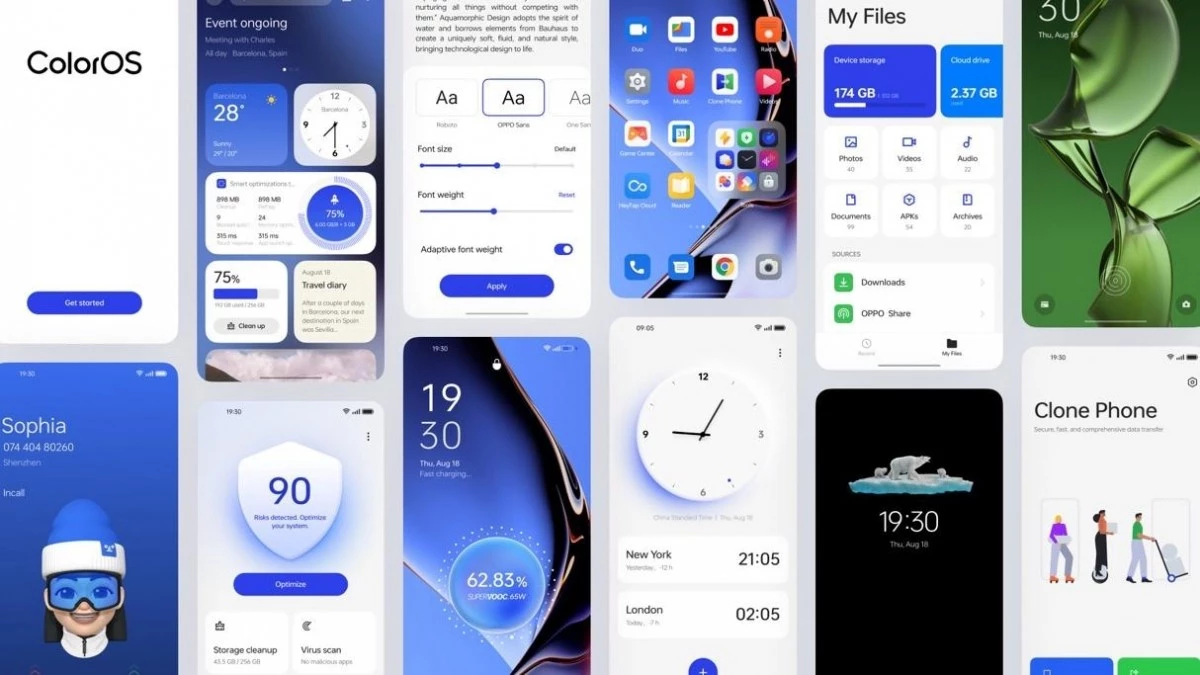
    Android 13 is here, and with it, OPPO has revamped ColorOS not only with Google’s latest update but a selection of new and better in-house features. ColorOS 13 has been updated for maximum efficiency and introduces cutting-edge smart capabilities to make the most of your apps and the technology in your phone, in addition to improved graphics and sophisticated customization tools.

    Here’s what you need to know about how OPPO’s latest technologies empower system performance and useful features in ColorOS 13.

    Dynamic Computing Engine

    High performance is now frequently taken for granted thanks to powerful processors and quick displays, but if recent chips are any indication, getting silky smooth performance still frequently comes at a cost to power consumption. The introduction of the Dynamic Computing Engine, an internal initiative to increase task scheduling effectiveness to boost performance and lower battery consumption, is one of OPPO’s key enhancements with ColorOS 13.

    More power

    Through what is referred to as OPPO’s computing power paradigm, the first half of the Dynamic Computing Engine strives to enhance common task scheduling. Three tiers of CPU cores seek peak performance, sustained performance, and low power consumption in today’s multi-core smartphone chipsets. Performance and power consumption of a phone are influenced by how apps and tasks are distributed around CPU cores.

    For example, running a background task on a large, powerful CPU would make it run more rapidly, but since it is a background process, you would only notice the increased power usage. So these kinds of operations should ideally be done on the lower power cores. To ensure responsiveness, it is best to use a strong CPU while starting a new app. The situation becomes trickier when balancing loads from multiple apps, all demanding CPU, GPU, and other resources at once.

    The developers at OPPO spent three years simulating millions of similar situations in an effort to remedy the situation. OPPO is able to precisely plan computational resources from hardware, such as CPU, GPU, and DDR, using a computing power model. To ensure snappy apps and all-day battery life, the resulting scheduling processing power model achieves the perfect combination of high performance and low power consumption.

    The proof is in the pudding: OPPO reports that its Find X5 Pro, equipped with this feature through ColorOS 13, can top an impressive 34 hours of battery life for doing everyday things. Their lab tests also showcase scenarios during which the Find X5 Pro can support up to 22 hours of video playback, 9 hours of continual gaming, and 8 hours of video calling.
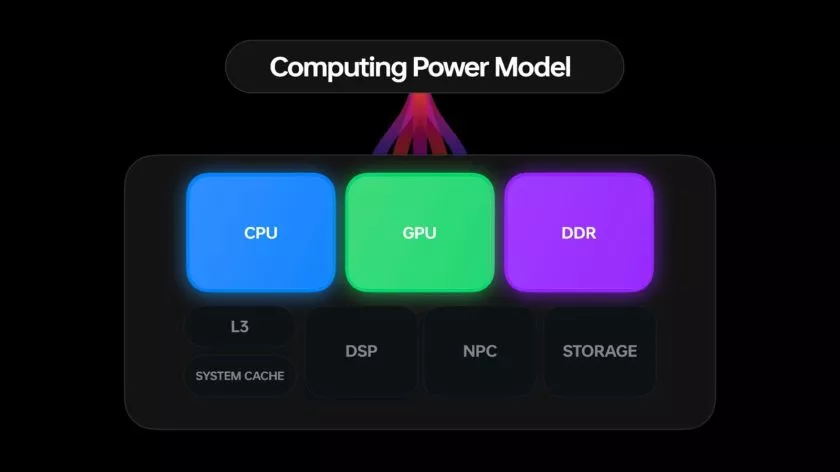
    ColorOS 13 computing engine

    More speed

    The second aspect of the issue is performance limitations caused by running many apps simultaneously. The parallel processing engine developed by OPPO attempts to eliminate lag and interruptions brought on by memory use disputes. Processes must wait until the memory is free to access because “memory contention,” also known as locks, happens when many CPU threads attempt to access the same block of memory at the same time. This is a particularly troublesome bottleneck in multithreaded workloads and when releasing and swapping huge blocks of data into and out of RAM, like when relocating an outdated app to a swap partition to free up memory.

    The Dynamic Computing Engine has two approaches to this. First, OPPO parallelizes operations, such memory allocation and reclaim, breaking huge locks into smaller locks and helping apps to recover from a stall more rapidly. Second, the engine delays shifting programs to swap storage for a longer period of time, which reduces the possibility of massive locks in the first place. Therefore, the smartphone can now maintain multiple programs in the background, and users can switch between apps without experiencing slowness or losing the status of an app.

    Oppo ColorOs 13 Dynamic Computing Engine

    Additional computing technologies, such as Parallel Computing, High-Performance Computing, Intelligent Computing, and Device-Could Collaborative Computing, will be added to the Dynamic Computing Engine in upcoming versions. The Dynamic Computing Engine will continue to provide comprehensive enhancement to the fundamental experience in the upcoming years as a system-level technical solution.

    More Features

    It’s not just about making daily activities more fluid, effective, and battery-friendly with Color OS 13. It also makes use of these technological advancements to introduce some brand-new, sparkling features!

    Privacy is a priority

    Performance is excellent, of course, but a premium modern smartphone experience consists of much more than performance. Today, privacy is equally crucial, and ColorOS 13 offers some interesting new capabilities in this area as well.

    With ColorOS 13’s new Auto Pixelate feature, OPPO protects privacy with a self-created on-device AI system. Without access to the contents of your communications, Auto Pixelate can detect and automatically blur profile images and names in screenshots taken from Messenger and WhatsApp. Excellent if you want to share screenshots with contacts while maintaining user anonymity.
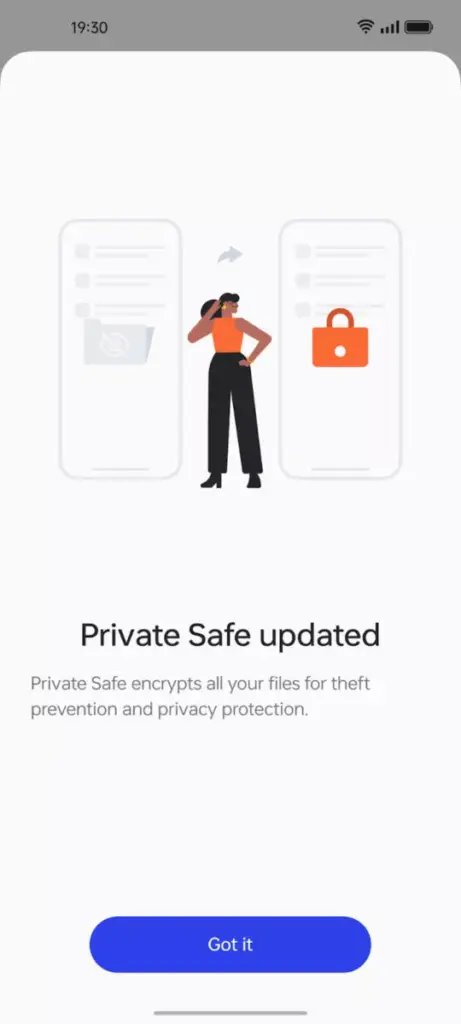
    ColorOS13 private files

    Likewise, OPPO’s Private Safe for keeping critical documents, images, and videos is more secure than ever. The industry-standard AES algorithm now protects Private Safe directories. ColorOS 13 is OPPO’s most secure operating system to date when combined with Android 13’s built-in auto-clearing clipboard, Wi-Fi location concealing, and other privacy features.

    Improved always-on display
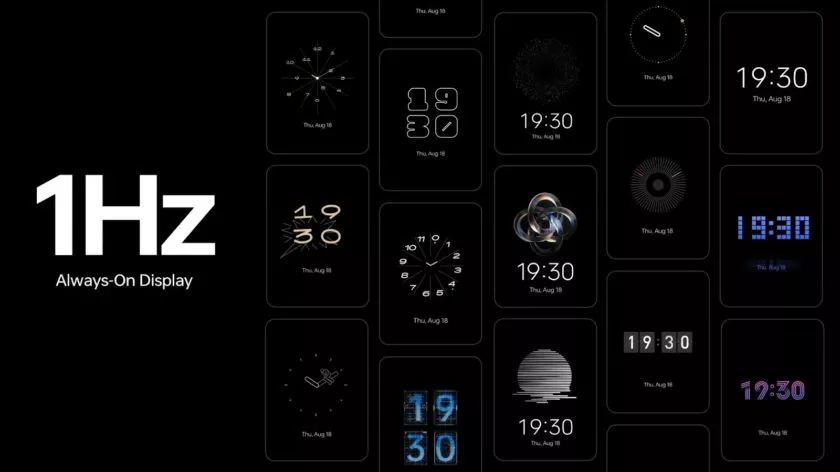
    oppo coloros 13 always on display

    If you think all of that is fairly clever, ColorOS 13 has a few other clever features in store that are intended to utilize the hardware and software of OPPO’s smartphone.

    The advantages of LTPO display technology have previously been demonstrated by OPPO’s premium smartphones, which can dynamically drop refresh rates to conserve performance while still offering silky smooth high refresh rates upon request. OPPO is utilizing LTPO2.0 with Always-On Display in ColorOS 13 to lower refresh rates to just 1Hz. Through Smart Always-On Display, you can still quickly check your notifications and use apps like Spotify without turning on your display. But in comparison to non-dynamic refresh rates, power consumption is further decreased by up to 30%.

    New UI
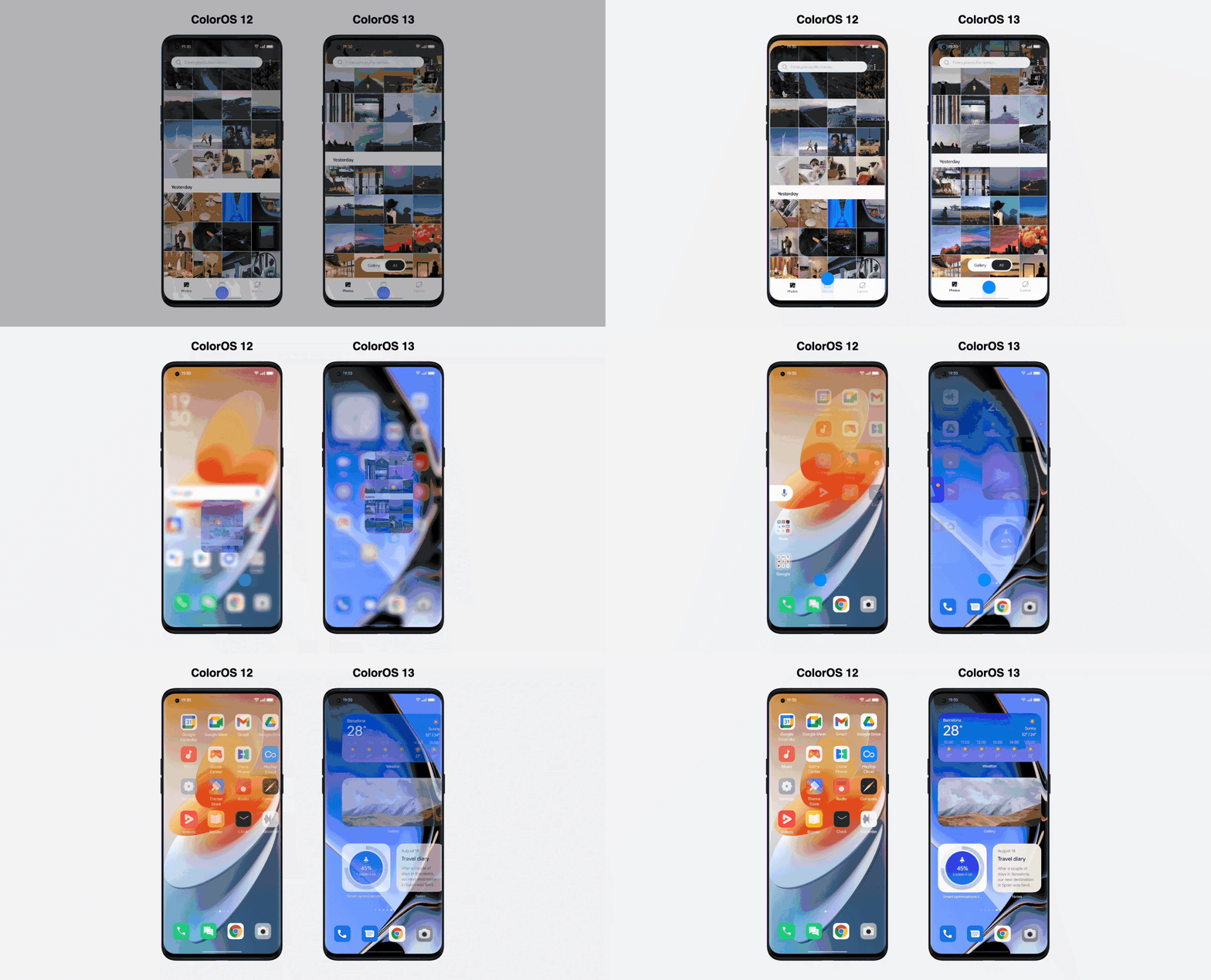
    Quantum Animation Engine

    ColorOS 13 also boasts improvements to OPPO’s Quantum Animation Engine. The introduction of behavioral gesture prediction allows ColorOS to anticipate multi-gesture operations, improving responsiveness for more complex interactions and ensuring a fluid and intuitive UI experience.

    New file transfer

    oppo coloros 13 tablet

    Additionally, OPPO Share has been improved to support a large number of additional file kinds without using up your data plan. Files can now be transferred between devices using OPPO Share as part of Multi-Screen Connect, regardless of their format or the hardware of smartphones. Users who use numerous devices might increase productivity by sharing their clipboards. Aside from supporting smooth communication between your smartphone and PC, Multi-Screen Connect also offers connectivity between your smartphone and the OPPO Pad Air.

    Overall, OPPO’s Dynamic Computing Engine promises to enhance not just the performance of individual apps but also crucial multitasking and power consumption characteristics.

    OPPO is rapidly establishing a distinctive personality for its Android handsets, as evidenced by ColorOS 13, which is much more than just an Android 13 upgrade. There is enough of innovation for consumers to get their teeth into with under-the-hood technological advancements and optimizations for peak performance and battery life, combined with user-facing improvements to multitasking, privacy, and the UI.
  • Snapdragon 4 Gen 1, 6 Gen 1 – premium features

    Snapdragon 4 Gen 1, 6 Gen 1 – premium features

    Late last year, Qualcomm launched a new naming scheme for its chipsets, which it continued with the upper mid-range Snapdragon 7 Gen 1 earlier this year. The SD 4 Gen 1 and SD 6 Gen 1 are now being revealed by the US chip creator, who is going downstream.

    The new chipsets, which take the place of the SD 400 and SD 600 naming conventions, also add a few useful features to their respective price ranges. What you need know about them is as follows:

    Snapdragon 6 4 gen 1

    Snapdragon 6 Gen 1

    The 4nm Snapdragon 6 Gen 1 is undoubtedly the best chipset out of the bunch, with an octa-core CPU (4x Cortex-A78 and 4x Cortex-A55) with a claimed 40% performance improvement over the Snapdragon 695, which is, admittedly, a weaker chip. A 35%-better performing Adreno GPU is also included with the SoC, along with gaming-specific features like variable rate shading and jank minimization.

    Qualcomm’s new SoC also brings an improved AI engine with a Hexagon Tensor Accelerator and a claimed 3x increase to AI performance, as well as a Snapdragon X62 5G modem.

    Snapdragon 4 Gen 1Snapdragon 6 Gen 1
    CPU2x Cortex-A78
    6x Cortex-A55
    4x Cortex-A78
    4x Cortex-A55
    GPUAdrenoAdreno
    ModemSnapdragon X51 5G
    2.9Gbps down
    Snapdragon X62 5G
    2.5Gbps down
    Camera108MP snapshot
    32MP single
    25MP+13MP dual
    13MP triple
    48MP single
    25MP+16MP dual
    13MP triple
    108MP snapshot
    4K HDR
    ConnectivityBluetooth 5.2
    Wi-Fi 5
    Bluetooth 5.2
    Wi-Fi 6E
    Manufacturing process6nm4nm

    The Snapdragon 6 Gen 1 also offers a respectable selection of photographic features, including up to 200 MP for a single camera (likely for a snapshot), 25 MP and 16 MP for a dual camera, and 13 MP for a triple camera. Additionally, 4K HDR video recording is something you can anticipate, which is an upgrade over the Snapdragon 695’s complete lack of 4K video recording.

    Other noteworthy features include 120Hz at FHD+ display resolutions, Bluetooth 5.2, Wi-Fi 6E, and support for Quick Charge 4+.

    You’re in for a bit of a wait if you want a phone with this chipset, as Qualcomm says devices with the SD 6 Gen 1 are set to launch in Q1 2023. Motorola has also confirmed that it will offer a phone with the new SoC.

    Snapdragon 4 Gen 1

    Additionally, Qualcomm unveiled the 6nm SD 4 Gen 1, which replaces the SD 6 Gen 1. With a claimed 15% boost over the SD 480, the new lower mid-range SoC offers an octa-core CPU (2x Cortex-A78 and 6x Cortex-A55). The GPU reportedly experiences a 10% performance increase.

    Otherwise, it appears that the SD 4 Gen 1 and the SD 695 have a lot in common. Similar camera features (including support for 108MP snapshots but no 4K video recording), 120Hz support at FHD+ resolutions, Quick Charge 4+ support, Bluetooth 5.2, and Wi-Fi 5 are all present. Additionally, the Snapdragon X51 5G modem can reach downlink rates of 2.5Gbps.

    You won’t have to wait long to see the first phones with the SD 4 Gen 1, as Qualcomm confirmed that the first devices will land this quarter (Q3 2022). Vivo’s Iqoo brand has revealed that the Iqoo Z6 Lite will be one of the first globally available phones with the new chipset.

  • New ways to flag content that you don’t like on Instagram

    New ways to flag content that you don’t like on Instagram

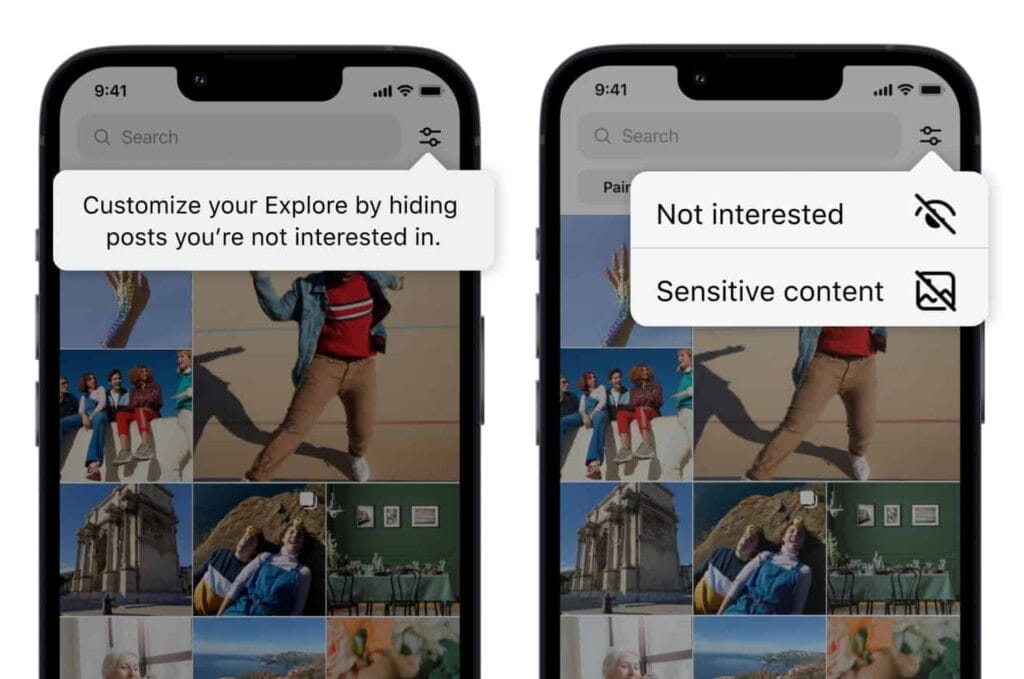
    Users now have more options for managing what they view on Instagram. You can now personalize your Instagram feed with a few of the new features the business has introduced. First off, it is a test of the feature that lets you designate several postings as “uninterested.” In the Explore page, you can choose whatever posts you want to flag for the app at once. The chosen posts are instantly removed from your feed. Additionally, you won’t see any more such content in the future. You may presently only do that for individual postings on the Meta-owned platform. Multiple posts cannot be flagged at once.

    You must tap the new Filter option in the Explore tab, which is located next to the search box, in order to flag multiple posts on Instagram. There are two choices there: Sensitive Content and Not Interested. Decide between the two options, then indicate on the posts. Tap Done to finish the activity at this point. Compared to the present implementation, which calls for you to first open a post, tap on the three-dot menu, and then choose Not Interested, this is far more convenient. For each piece of content you want to filter out, you must repeat these steps.

    instagram not interested content

    Instagram adds new ways to filter content as it becomes more like TikTok

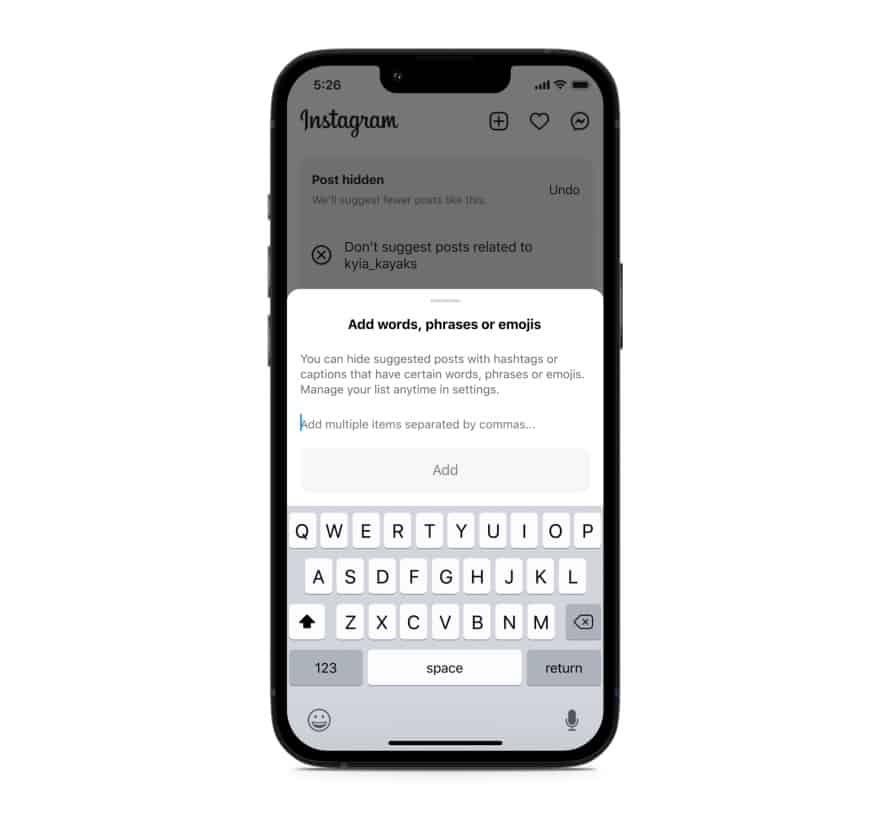
    Instagram will also soon start testing the ability to filter out content based on keywords. You can create a list of words, phrases, and emojis that will trigger this filter. The app will look for those keywords in a post’s caption or hashtags and remove all related posts from your feed. “Whether you’re seeing something that’s not relevant, or have moved on from something you used to like, you can use this feature to stop seeing content that’s not interesting to you,” Meta said in a blog post. TikTok already offers similar keyword-based filtering of posts.

    Instagram started out as a photo-sharing app before later adding video functionality. However, it currently favors short videos akin to TikTok over everything else. Reels is the name of the TikTok-inspired feature that is quickly dominating the site. Users now frequently hide material from their friends and relatives by seeing more Reels from accounts they don’t follow. The CEO of Meta, Mark Zuckerberg, has asserted that interest-based recommended content will dominate Instagram, despite widespread opposition to this notion.

    Instagram is expanding its selection of filters to make sure users don’t see things they don’t want to. In addition to the current options for switching between your Favorites and Following feeds, these two new capabilities will be available soon. You can already designate specific topics as Not Interested, and you can choose to snooze suggested content for 30 days. Additionally, Instagram has modified its filters for delicate content.

    Instagram keyword filter content feed
  • Android 14 will support satellite connectivity  T-Mobile/Starlink partnership

    Android 14 will support satellite connectivity T-Mobile/Starlink partnership

    Evidently, satellite communication is all the rage. While Android 13 is still gradually rolling out to devices other than those in the Pixel line, it appears that Google is already teasing features for Android 14.

    Google’s senior vice president of platforms and ecosystems, Hiroshi Lockheimer, stated in a tweet on Thursday that the company aims to offer satellite connectivity “in the next version of Android” and that he is enthusiastic about the possibilities this opens up.

    android satellite connectivity

    What you need to know – Android 14

    • A Google executive has confirmed that the next version of Android will support direct satellite connectivity.
    • T-Mobile and SpaceX recently announced a new partnership that aims to bring satellite connectivity to smartphones.
    • Apple has been rumored to have this in the works for its upcoming iPhone 14 and Apple Watch 8.

    It isn’t much of a stretch to figure out what “the next version of Android” might mean, but Google confirmed to 9to5Google that this is, in fact, Android 14.

    The cooperation between T-Mobile and SpaceX, which will use the latter’s Starlink satellites to provide basic connectivity to smartphones, was just revealed. Lockheimer’s tweet is probably in response to that announcement. The goal is to eradicate so-called dead zones, where even the top U.S. carriers struggle to deliver the most basic services. This would at first encompass messaging services like SMS and MMS as well as specific chat apps and possibly even video.

    After SpaceX launches its next-generation satellites, the beta testing for this is not anticipated to begin until late in 2023. The service is anticipated to be free for members of T-“most Mobile’s popular plans,” but the businesses intend to expand it to support calls and data as well.

    Along with this collaboration, it has been long-rumored that Apple’s forthcoming iPhone 14 and Apple Watch 8 products will feature satellite connectivity. We’ll have to wait and watch what Apple says on September 7 since the company is anticipated to reveal its new smartphones.

  • Galaxy S21 family gets One UI 5.0 beta based on Android 13

    Galaxy S21 family gets One UI 5.0 beta based on Android 13

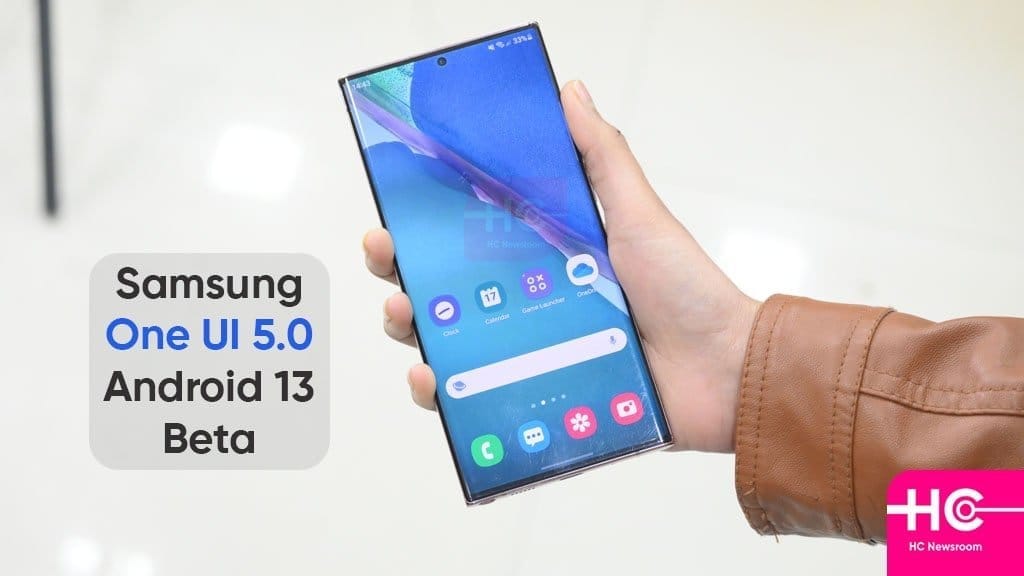
    Samsung launched the One UI 5 public beta earlier this month for the Galaxy S22 series, and as of right now, it is also available for the Galaxy S21 models. One UI 5 is based on Android 13. For these, it appears that the beta testing has already begun in Korea and the UK.

    One UI 5.0

    You must use the Samsung Members app to find the conspicuous One UI 5.0 beta program banner, tap it, and register your information and device to participate. Normally, you won’t have to wait more than a few minutes after that to receive an update message.

    The build number for the beta in question is G99xBXXU5ZVHE, where “x” varies depending on which member of the S21 trio you have. Please take note that the beta is only only accessible for SIM-free, unlocked devices if you’re in the UK and want to give it a shot. When it will appear in operator models is unknown.

    One UI 5.0 will undoubtedly see a ton more beta builds, and if you’re signed up for the testing program, you’ll get each one as soon as it’s available via an OTA update. One UI 5.0’s “stable” final release for the S22 family is anticipated for mid-October. The S21 models presumably won’t receive it at the same time, but it shouldn’t be delayed.

  • Kids Space improved with latest Google System Updates

    Kids Space improved with latest Google System Updates

    The September 2022 Google System updates have started to reach Android devices. These updates differ from OTA (over the air) updates that you get for your phone. Instead, these are updates to various underpinning technologies, such as Google Play Services and the Play Store, which serve as the foundation for the Android OS. For a more dependable and secure user experience, the organization releases updates and adjustments to these systems on a regular basis. Each month, it describes their developments. A few major modifications, including some for Kids Space, are brought about by the most recent round of Google System updates.

    This month’s Google System updates bring notable changes to Kids Space

    kids space

    First off, you can now set up Android tablets to install Google Kids Space on a different account. You can now use your tablet to share with your little siblings or children. To prevent your children from downloading or using undesirable apps, you can also hide suggested apps while configuring Kids Space. On Android smartphones, TVs, tablets, Android Auto, and Wear OS devices, the most recent updates significantly improve Google account syncing and recovery.

    Additionally, the Google Play Store is improving. Play-as-you-download, Google Play billing, Play Protect, Play Pass, and Play Points programs are just a few of the features that are getting some optimization. However, if you looked at the organization’s official update tracker for these monthly releases, you would see the identical entries in the changelog for almost every release.

    Improvements are also being made in the Google Play Store. Some enhancements are being made to features including Play-as-you-download, Google Play billing, Play Protect, Play Pass, and Play Points programs. However, if you looked at the changelog for these monthly releases on the company’s official update tracker, you would see the identical entries almost every month. That’s because Google makes these ongoing adjustments for better user experience in the background.

    As part of these monthly Google System updates, Google frequently pushes new updates to Android OS systems throughout the month. So, in the upcoming weeks, it’s possible that the corporation will add new items to the changelog for the most recent edition. We will undoubtedly let you know about anything significant or significant if it happens.

    The aforementioned improvements are now being released alongside Google Play Store version 31.1 and Google Play services version 35.22. It may take a few days for everyone to notice the improvements brought about by this month’s Google System upgrades because the company just issued the most recent version. Although the updates ought to be installed without your intervention, you can always look for them yourself. To check if you have a Google Play services update available, click this page. The About section of Settings, accessed from your avatar in the top right corner of the Play Store home page, allows you to check for updates for the Play Store.

  • Google Duo transforms in Google Meet

    Google Duo transforms in Google Meet

    Google Duo transforms in Google Meet

    Only a few days have passed since we gave you an update on the conversion of Google Duo into Google Meet, and we already have another. Google informs us today that the Google Duo symbol and name change, which transforms it into Google Meet, is beginning today.

    We recently informed you that Google would rename Duo to Meet by the end of the year after integrating all of Google Meet’s capabilities into Google Duo. Google claims that the change will begin to take effect immediately and that it may take several weeks to fully implement. The full deployment should take place by September, at which point all users should notice a change in icon and name.

    If it hasn’t already, the old Google Meet app you presently have on your phone will also be renamed to “Meet (original)” in addition to the move from Duo to Meet. I’ve already changed, as you can see in the example above.

    Google is also replacing the branding on duo.google.com with Google Meet as of today. That will redirect to meet.google.com/calling in the “coming few months.”

    Get Google Meet

  • Vivo V25 series announcement live

    Vivo V25 series announcement live

    Today is the scheduled release date for the vivo V25 series. The company will broadcast the ceremony live on YouTube at 12 PM Indian time (6:30 UTC) on the scheduled launch day. The live stream footage is embedded below.

    https://www.youtube.com/embed/d-yltRt4TkU

    The color-changing function that the vivo V23’s predecessor established will be maintained in the new series, but we do anticipate seeing some new colorways. Teasers also allude to a triple-cam configuration with a 64 MP primary camera.

    A large battery with 66W rapid charging, a Dimensity 1300 chip in at least one of the vivo V25 phones, and 8 GB Extended RAM, most likely for the most powerful memory option, are among the other specifications that are known.

    Stay tuned because as soon as all the information is revealed, we’ll have the announcement news ready.

  • Nothing OS 1.1.3 update brings camera improvements

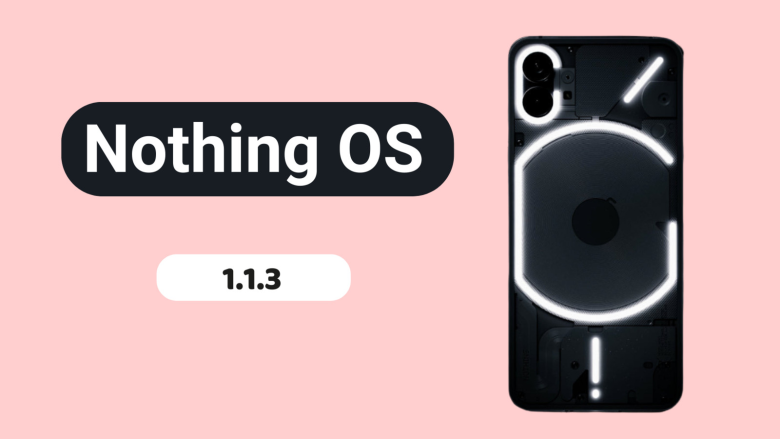
    Nothing OS 1.1.3 update brings camera improvements

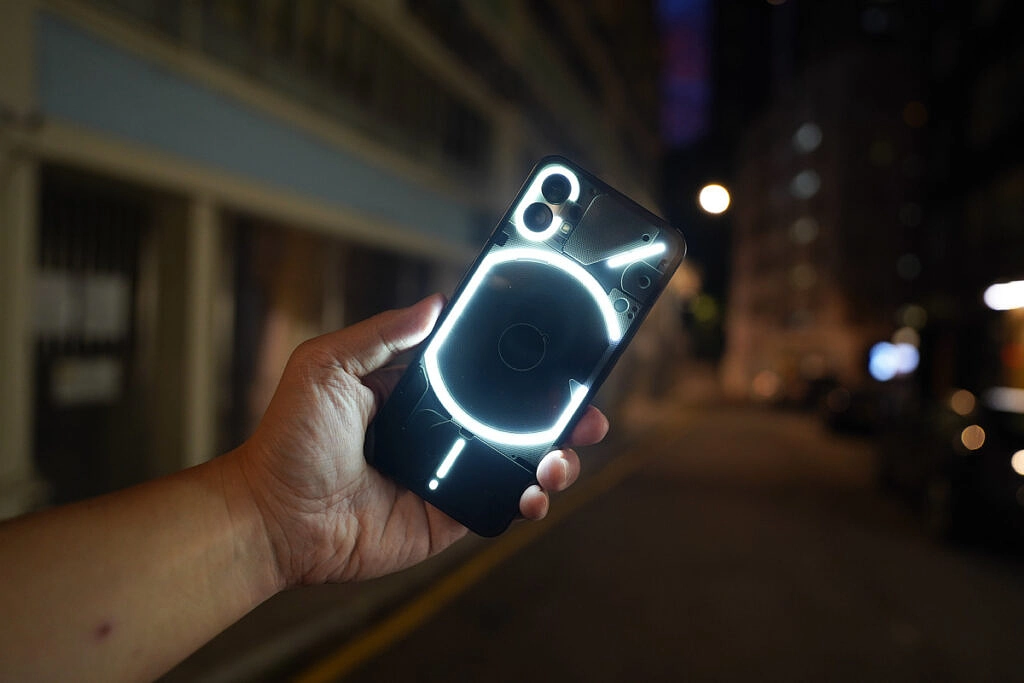
    Nothing released Nothing OS 1.1.2 for the Nothing Phone (1) at the beginning of this month, and today, roughly two weeks later, we receive yet another upgrade.

    Nothing OS 1.1.3 is already being sent to Nothing Phone (1) devices all around the world, and it includes numerous bug fixes and camera enhancements.

    nothing os update

    When using the front camera, you can anticipate improved photo clarity, quicker Night Mode and HDR photo processing times, richer color saturation when using the ultrawide, less noise and more sharpness when zooming, and images will automatically be adjusted to “optimal color and brightness” when using Glyph lighting. A further reminder to clean the camera lenses is included.

    The Google Adaptive Battery may now be enabled to “intelligently optimize battery life,” and the fingerprint verification UI for third-party apps has been updated.

    Finally, a number of problems were resolved, including those that resulted in stuttering in apps like Twitter, Play Store, and others, ineffective mobile hotspot functionality, and lock screen crashes after pressing on a notification and attempting to unlock with a fingerprint. Minor UI aspects have also been improved.

    The rollout might be staged, as it usually is with such things, and it might take a few days to reach every Nothing Phone (1) out there. There will be a 64MB download when it does come. Our thorough, in-depth review of the Nothing Phone (1) is available for reading if you’re curious to learn more.

  • How to level up fast in Diablo Immortal – August, 2022

    How to level up fast in Diablo Immortal – August, 2022

    Despite its incredibly aggressive microtransaction strategies, Diablo Immortal is a pleasant free-to-play game that allows for speedy leveling without spending any money. This tutorial seeks to put out in front of you how you can level up quickly if you’re considering about playing the game or have already begun playing.

    After playing Diablo Immortal for a long time, we have discovered several incredibly simple methods for fast leveling up your character. However, keep in mind that in order to see benefits, you will probably need to play consistently. If you don’t want to spend any money, that is. Alternatively, you don’t want to spend anything more than the battle pass (which we do recommend you pick up).

    In Diablo Immortal, you have plenty of content in the campaign to get you through those early levels. But there are lots of other ways to earn xp. And we’re going to break it all down for you.

    Battle pass

    We’re going to start out by advising grinding the fight pass. You can acquire the xp without purchasing the $5 pass. Nevertheless, it will bring about additional benefits.

    You must carry out specific duties in order to grind the battle pass, whether it is the enhanced version or the free version. Additionally, you must first proceed through the game to acquire the battle pass.

    You should reach level 15-20 after completing the game’s campaign, at which point you’ll need to complete the Ashwold Cemetery and Ashwold Manor questlines. After that, you ought to receive a notification stating that the battle pass is now available.

    Tap on the codex to find the combat pass and the associated tasks or activities. Additionally, we advise you to save your battle pass achievements after battle pass rank 10 for use in later levels. These can yield a significant amount of experience points, and between 35 and 45, you’ll experience some slowdowns. For the campaign to continue, having battle pass tasks to do can close the level disparity.

    Naturally, leveling up by merely completing the campaign is fantastic and will initially be the simplest method. at least throughout the game’s earliest stages. Leveling through the campaign will slow significantly as you reach levels 30-35. At this moment, we advise you to

    Join a faction

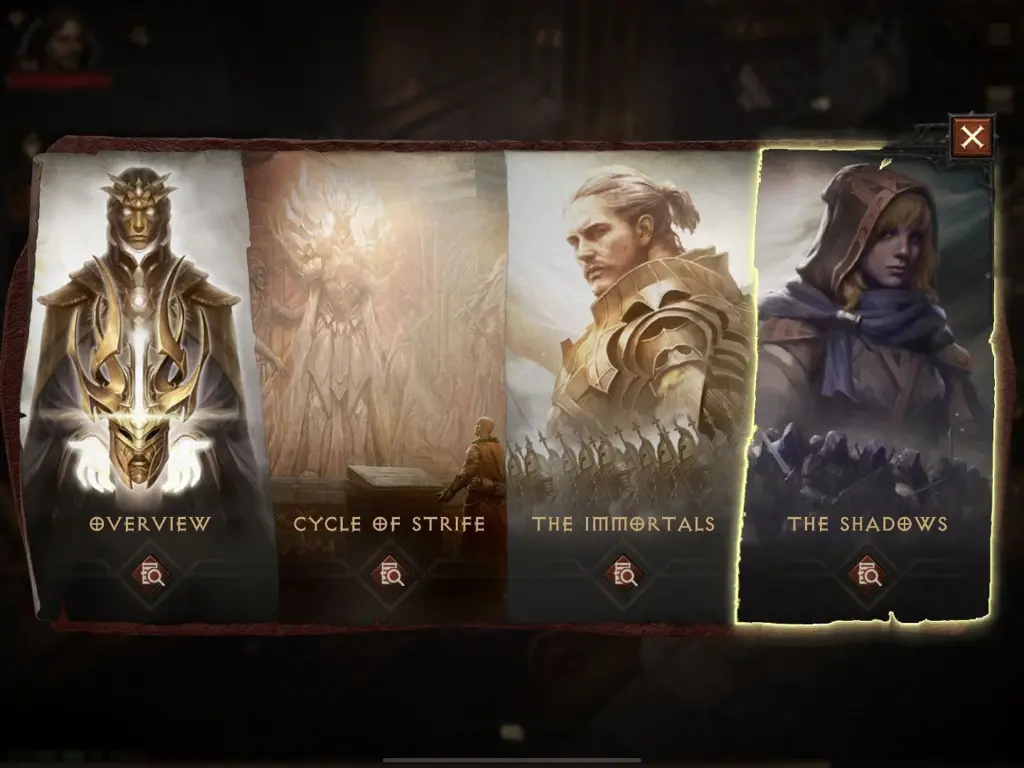
    diablo join faction

    There are two primary factions in Diablo Immortal. The Immortals and the Shadows. After reaching level 30, you should be able to access the introduction to these factions, at which point you can follow a questline to join one of them. We’re going to utilize Shadows as the example in this case since we chose them.

    You can engage in Shadow Contracts and a variety of other activities for the Shadow faction once you join. Initially, you have access to three Shadow Contracts, but you will soon only be allowed to use one per day. Make sure you perform these as frequently as you can because they provide a lot of experience points.

    Daily bounties

    diablo dayli bounties

    The daily bounties in Diablo Immortal are another option to level up quickly. These unlock shortly after landing in Westmarch and are accessible before the faction opportunities. In reality, exploring Westmarch and being familiar with the various items you can interact with there will be a component of the primary questline.

    The bounty board will be one of these. Once you locate it, return there each time you log in to complete the rewards that are at your disposal. If a day is missed, there will be four more bounties for you to complete the next time. These may stack in an aggregate of 24. Therefore, even if you miss a whole work week of gaming, you may easily complete all 24 in a single day the following time you log on.

    Bounties not only award you with experience points but also frequently contain legendary items that you can disassemble for raw materials. You can get gold as a reward through bounties. There are several reasons to carry out these activities beyond xp for leveling.

    Dungeons and raids

    diablo immortal update adds new raid boss fixes a ton of bugs main

    Some of the tasks in the battle pass section of the codex require you to finish dungeons or raids. Additionally, a brand-new activity that offers double experience points will be added each day. These might occasionally be dungeons, but they won’t always be. You can run dungeons endlessly on those days to earn double experience points.

    Additionally, you have a chance to receive some quality item drops. However, we do advise going in in a group because the opponents will be tougher and you’ll get more experience points from killing them and finishing the dungeons. Fortunately, Diablo Immortal’s dungeons contain a party finder mechanic that makes it simple to locate other players that share your goals.

    Beastiary pages

    diablo immortal bestiary 1024x712 1

    The Beastiary pages are our final suggestion for fantastic xp rewards. You need to gather monster essence to finish a Beastiary page. which you will at random acquire as you eliminate adversaries throughout the world, including demons.

    Since you’ll be killing adversaries while performing bounties and contracts, this is a wonderful way to gain experience points. In addition, you are slaying opponents in rifts, dungeons, and pretty much all other stuff. Consequently, be sure to seize the monster essence as soon as you see it. Once you have collected ten of them, you can exchange them at the Beastiary, which is located in each zone’s central hub.

    The Beastiary is also one of the best chances to earn legendary gear drops. So there’s another bonus on top of earning xp. And the better your gear, the faster you can complete the game’s various activities. If you haven’t checked out Diablo Immortal yet, you can grab it on Google Play, iOS, or on PC through the Battle.net launcher.

    Run Elder Rifts

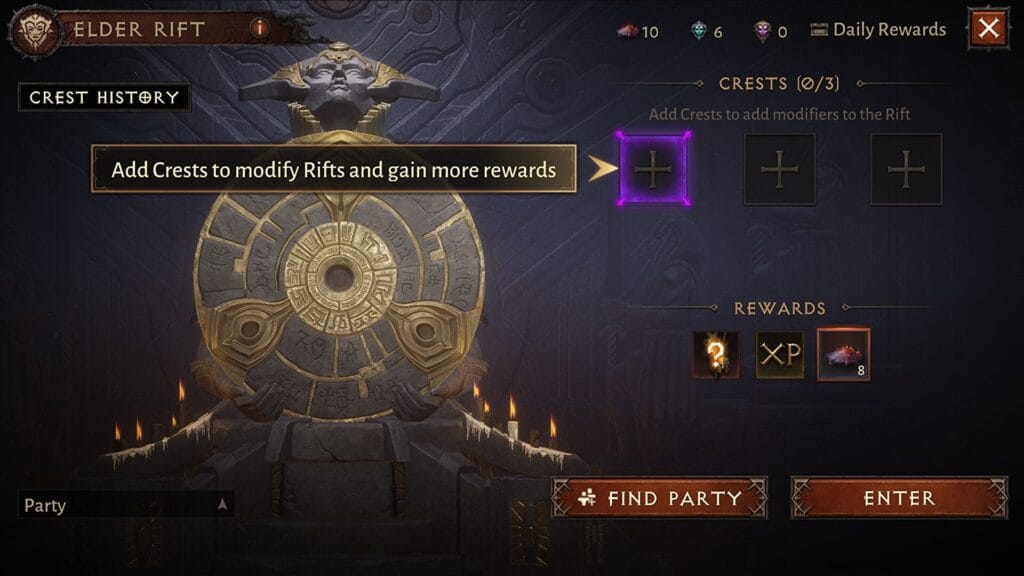
    elder rift UI

    Elder Rifts are yet another fantastic opportunity to level up and acquire some experience points. You won’t have to spend a lot of time on each one because they are all quite short and easy to finish. Additionally, as you acquire uncommon crests and the admittedly meager number of legendary crests that don’t cost any money, you can use these to upgrade your rewards in addition to the experience you receive from eliminating all those monsters.