Blog

  • The Razr Fold Is Almost Here — Here’s Everything You Need to Know

    The Razr Fold Is Almost Here — Here’s Everything You Need to Know

    Motorola didn’t exactly shout it from the rooftops, but buried in the fine print of its UK pre-order page is a shipping date: May 6.

    That makes the Razr Fold — Motorola’s first book-style foldable, departing from its signature flip-phone Razr lineup — one of the most imminent big foldable launches of the year.

    Pre-orders are live in the UK and Europe

    Motorola is already taking pre-orders across the UK and Europe, and the early incentives are hard to ignore. Every pre-order comes with a free Moto Watch and Moto Buds Loop. UK buyers also get a £220 discount, dropping the price to £1,579.99. European customers save €250, bringing it down to €1,749.99.

    No official US release date has been announced yet, though Motorola is collecting registrations on its US site.
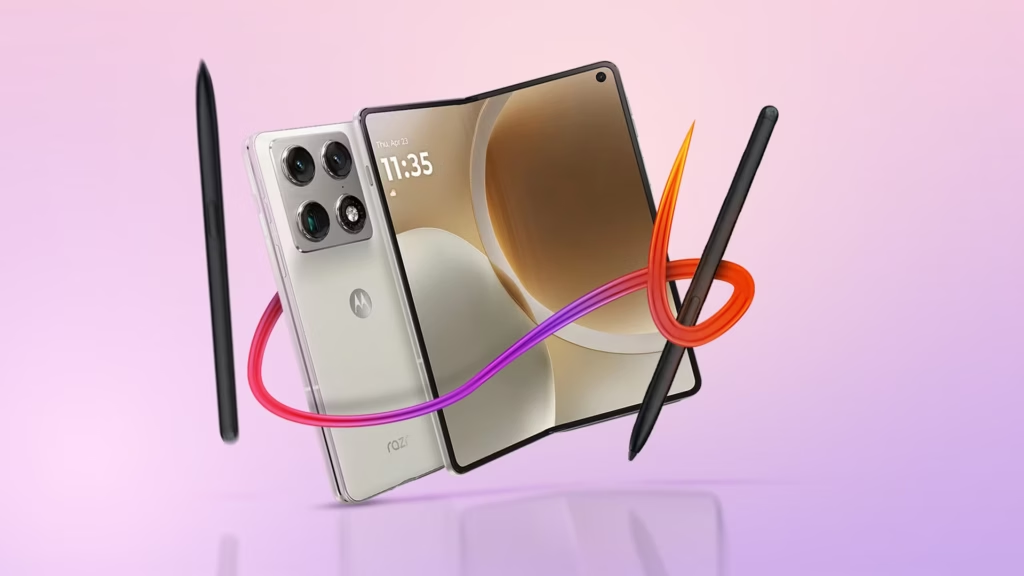
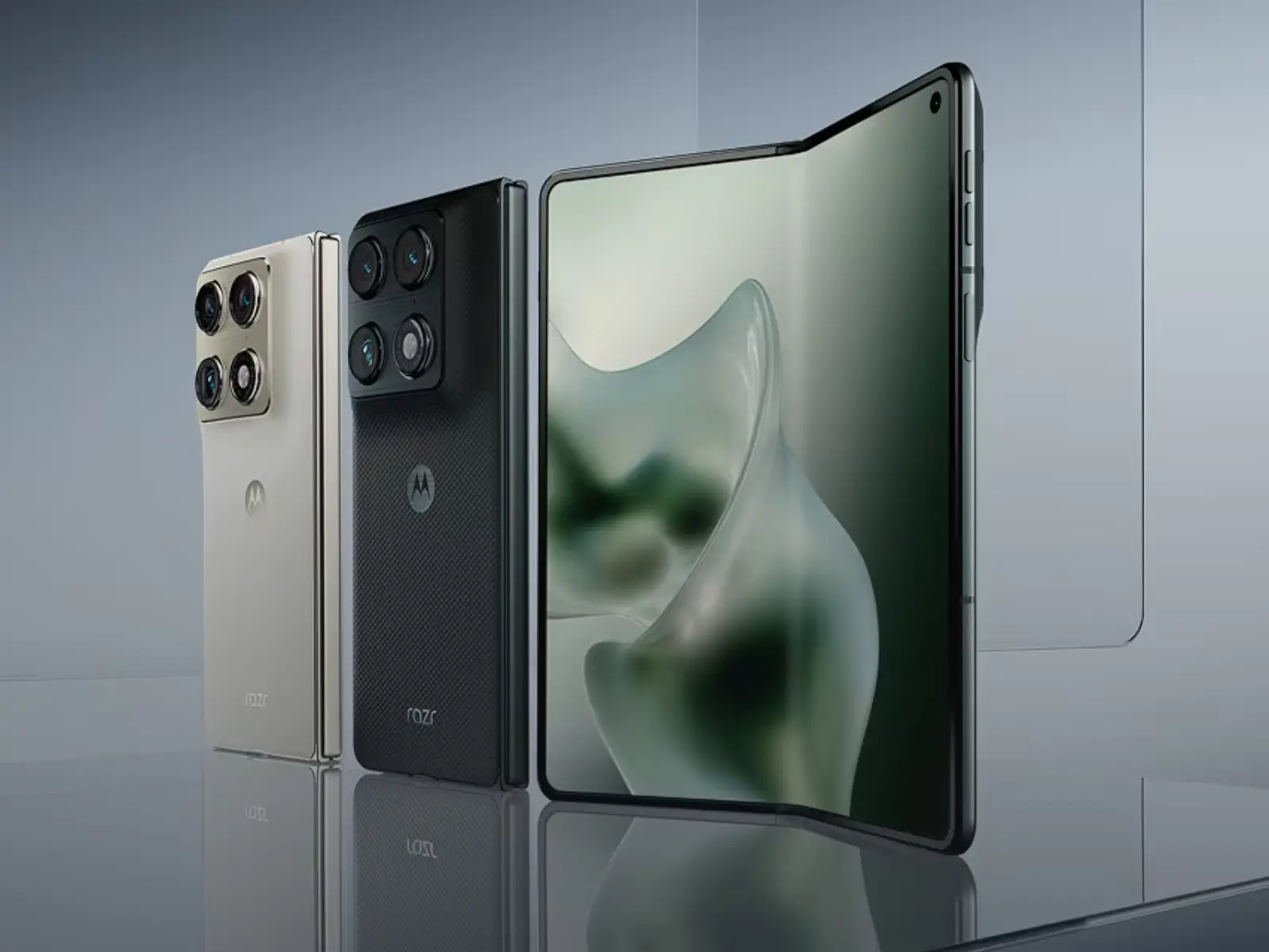
    Motorola Razr Fold

    What will it cost in the US?

    Direct currency conversion puts the UK price around $2,443 and the European price around $2,362 — but those figures won’t translate to US shelf prices. Based on Motorola’s typical pricing patterns, expect a $1,999 starting price stateside, which would put it squarely in line with Samsung’s Galaxy Z Fold 7.

    One edge the Razr Fold has at that price: 512GB of storage comes standard on the entry model.
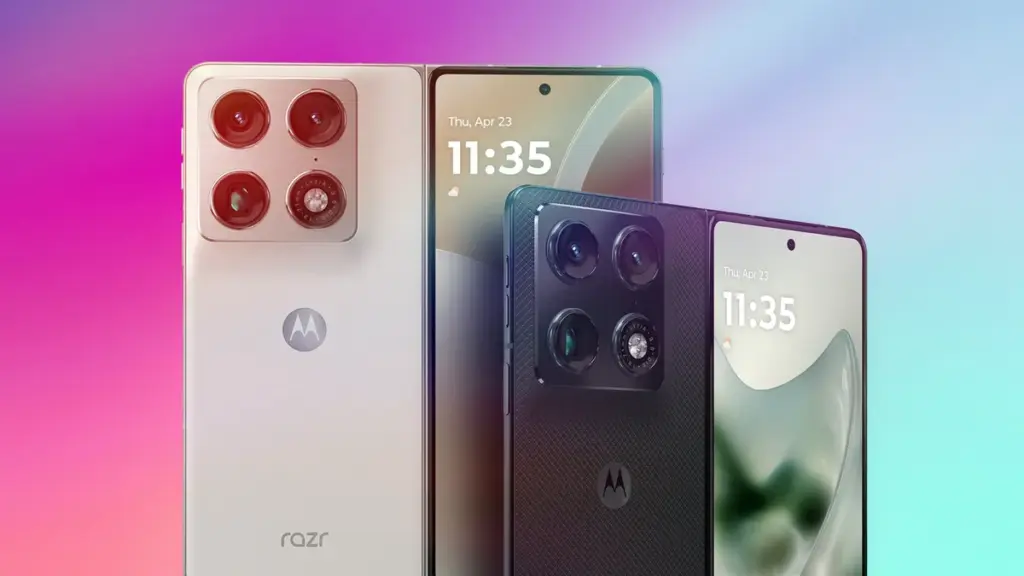
    Motorola Razr Fold colors

    What you’re actually getting

    In hands-on time with the device, the Razr Fold feels slightly thicker and heavier than its competition — a fair trade-off for what’s packed inside. The spec sheet is legitimate flagship territory: triple 50MP cameras, a 6,000 mAh battery, Snapdragon 8 Elite Gen 5, 16GB RAM, and support for the Moto Pen Ultra stylus.

    No obvious compromises. Just a different form factor than Razr fans are used to.

    The bigger picture

    Motorola is entering the book-style foldable market at a smart moment — ahead of Apple’s widely anticipated iPhone Fold, expected this fall. Whether “Razr” is the right name for a phone that doesn’t flip is a fair question, but the hardware makes a strong case for itself.

    The foldable wars are heating up. Motorola just picked a side.
  • Nothing Just Fixed Android-to-Mac File Sharing – Warp Makes It Effortless

    Nothing Just Fixed Android-to-Mac File Sharing – Warp Makes It Effortless

    Moving data between an Android phone and a Mac has not been easy for users. Users are frequently forced to rely on third-party products or cloud services due to the absence of a native, dependable bridge. With the goal of making this process much more convenient, Nothing is now stepping in with a new solution called Warp.

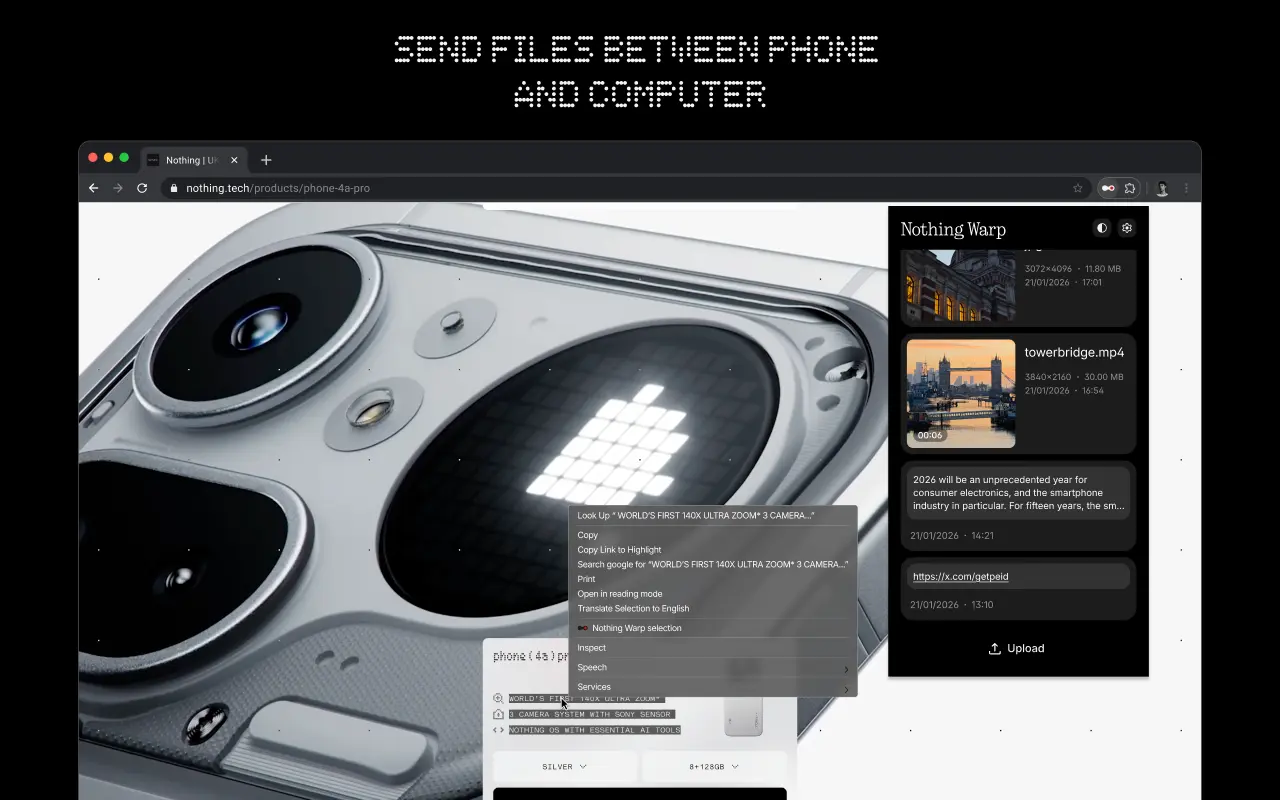
    Warp is designed as a two-part solution, consisting of a browser extension and an Android app. Because it operates via a browser, it may be used on Windows and Linux computers as well as macOS, so long as users are using a browser that is based on Chromium. It has an advantage over ecosystem-specific tools due to its broader interoperability.

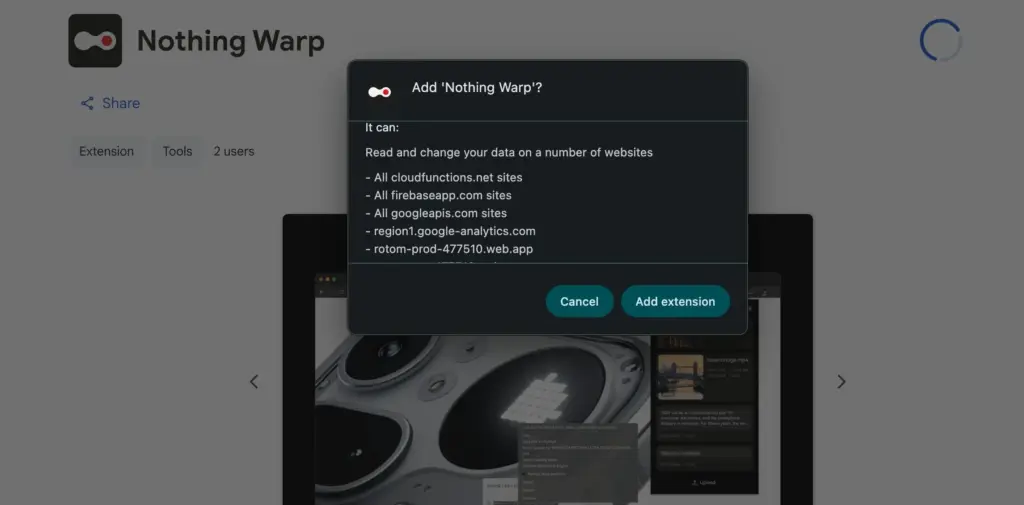
    Nothing Warp Chrome Browser Extension Permissions

    After installation, Warp appears in Android devices’ default sharing menu. Photos, movies, documents, links, and even plain text can be sent with ease. Similar versatility is available on the computer side thanks to the extension; you can push images from a webpage, email files, and copy text straight to your phone. Nevertheless, it isn’t always effective. Warp could not show up as an option if certain online apps override the browser’s built-in right-click feature.

    The ability to handle many devices is a noteworthy feature. It is not necessary for the recipient device to be active at that precise moment in order to deliver material across several devices. Because Warp does not require a direct connection between devices, this is feasible. Rather, it sends files via a download prompt on the other device after briefly uploading them online.

    For daily use, this approach is effective, particularly for smaller files. Images and text excerpts move smoothly and swiftly. For larger files, however, this is not the case. For instance, it can take a considerable length of time to upload large videos before they are ready to be seen elsewhere.

    Nothing claims that it does not directly handle user files in terms of privacy. Because Google Drive is used to route transfers, customers must link their Google account in order to utilize the service. Although specifics regarding storage consumption and file management are still unclear, the business also asserts that these files do not clog the user’s Drive storage.

    Warp is presently free to use and in beta. It provides a useful and more universal approach to exchange content across Android smartphones and Macs without depending on brand-specific capabilities, even though it might not be able to substitute quicker, direct transfer methods for large files.

  • Google’s Pixel Watch 3 LTE Is Now 60% Off — A Rare Deal You Shouldn’t Miss

    Google’s Pixel Watch 3 LTE Is Now 60% Off — A Rare Deal You Shouldn’t Miss

    Google already cut the Pixel Watch 3 LTE starting price from $350 to $250 to keep it competitive alongside the newer Pixel Watch 4. That was a solid deal. This is not that.

    Right now on Amazon, the 45mm Pixel Watch 3 with LTE — originally $399.99 — is available for $159.99 in Matte Black with an Obsidian band. That’s $240 off, no coupon required. It’s the deepest discount any major US retailer has ever offered on this watch, and stock won’t last.

    Google’s Pixel Watch 3 LTE Is Now 60% Off
    google pixel watch 3

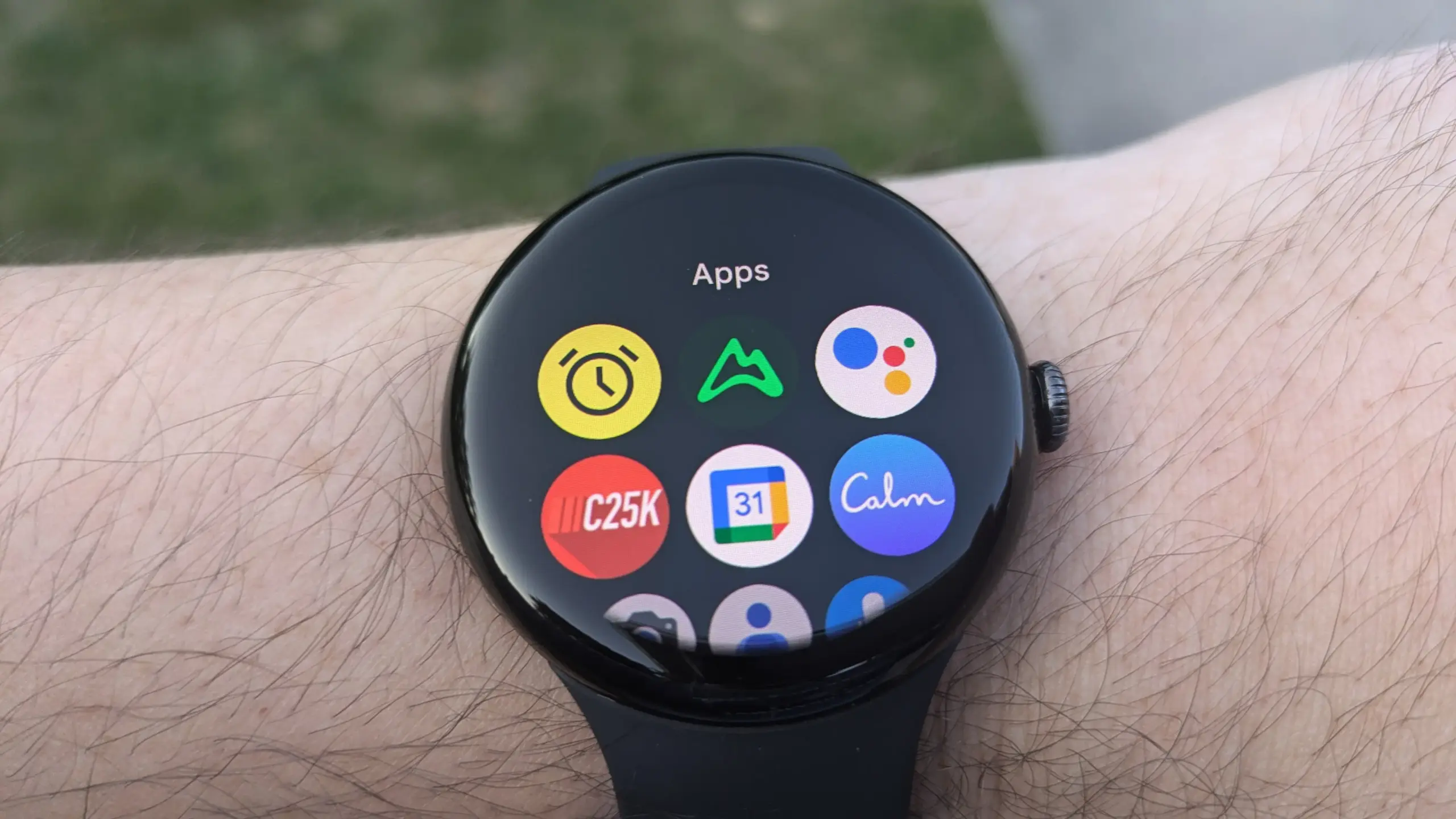
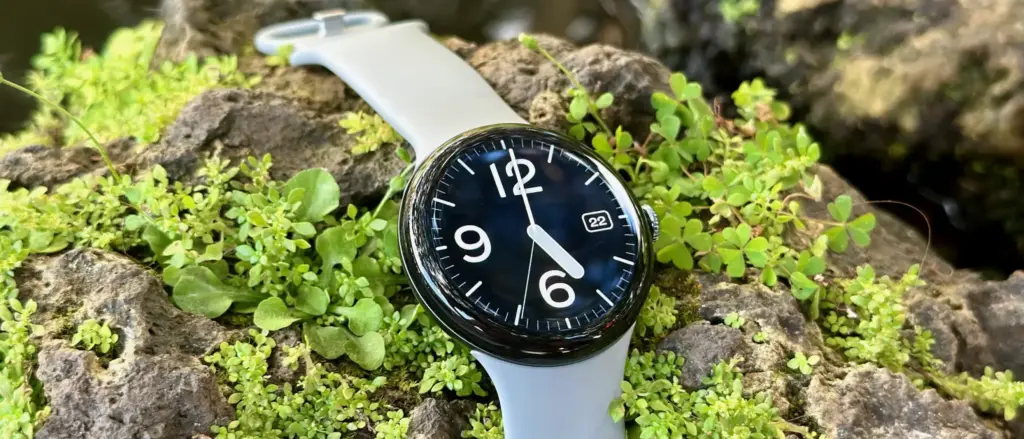
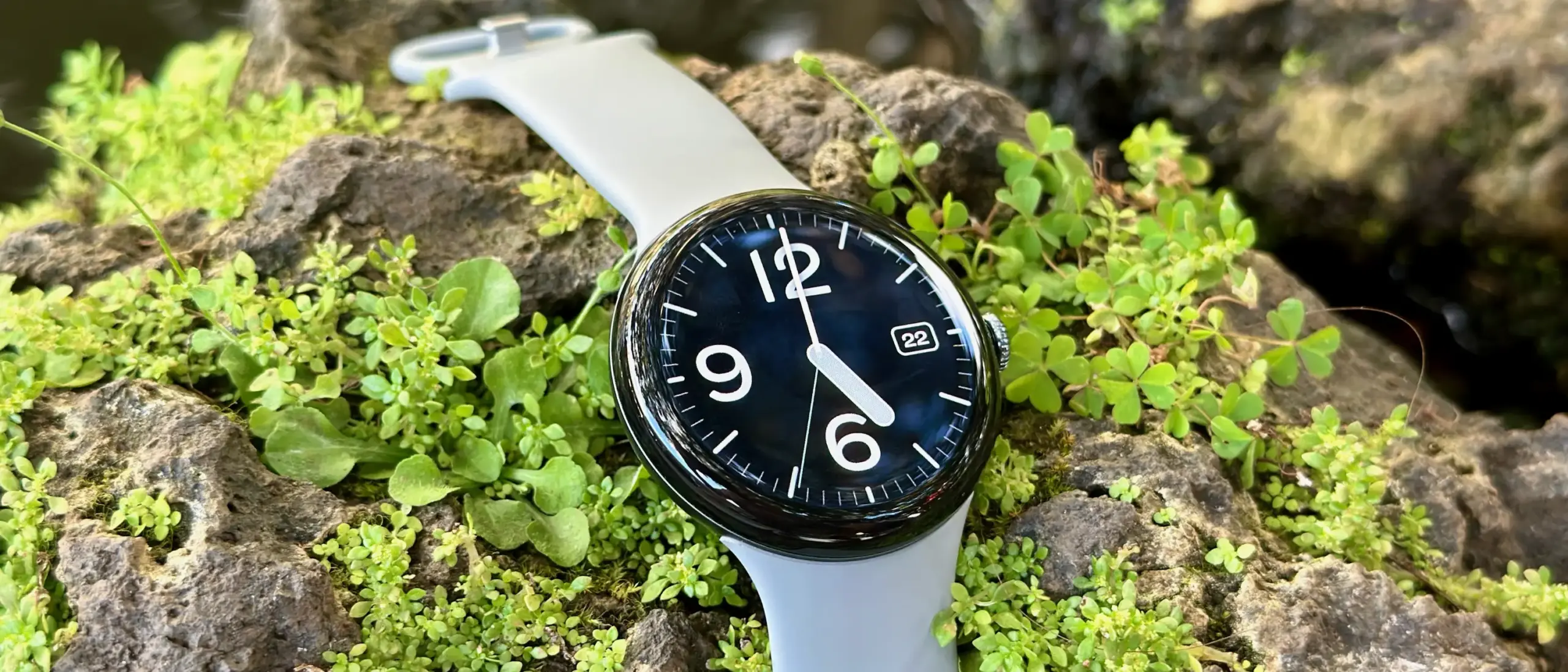
    Google Pixel Watch 3 LTE

    The Google Pixel Watch 3 is designed for performance, with advanced fitness from Fitbit; the 45mm screen is twice as bright and 40% larger than before, making it easier to see your stats and info

    Best choice
    $299.99$159.99Buy on Amazon

    Why it’s still worth buying in 2025

    The Pixel Watch 3 isn’t new. It launched 18 months ago and was superseded by a faster, brighter Pixel Watch 4 last fall. But at this price, the age gap stops mattering.

    You still get a capable Wear OS smartwatch with standalone cellular connectivity, solid fitness tracking, and Google’s long-term software support — which, for what it’s worth, is among the best in the Android wearables space. Google tends to fix the things that break, and it keeps supporting its devices well after competitors would have moved on.

    One honest caveat

    Our full Pixel Watch 3 review flagged occasional software bugs as a genuine frustration at launch. If stability is non-negotiable for you, the Samsung Galaxy Watch 8 is worth a look instead.

    But if you can live with the odd hiccup — or trust that Google patches them — this is hard to beat for the price.

    The bottom line

    The Pixel Watch 4 has better battery life. It’s also significantly more expensive. At $160 for an LTE smartwatch from Google, the Pixel Watch 3 becomes a straightforward decision for anyone who’s been sitting on the fence.

    Place the Amazon order now. This kind of discount doesn’t stick around.

    google pixel watch 3

    Google Pixel Watch 3 LTE

    The Google Pixel Watch 3 is designed for performance, with advanced fitness from Fitbit; the 45mm screen is twice as bright and 40% larger than before, making it easier to see your stats and info

    Best choice
    $299.99$159.99Buy on Amazon

  • Honor Sees Huge 25% Growth in Q1 2026 — What’s Driving the Surge?

    Honor Sees Huge 25% Growth in Q1 2026 — What’s Driving the Surge?

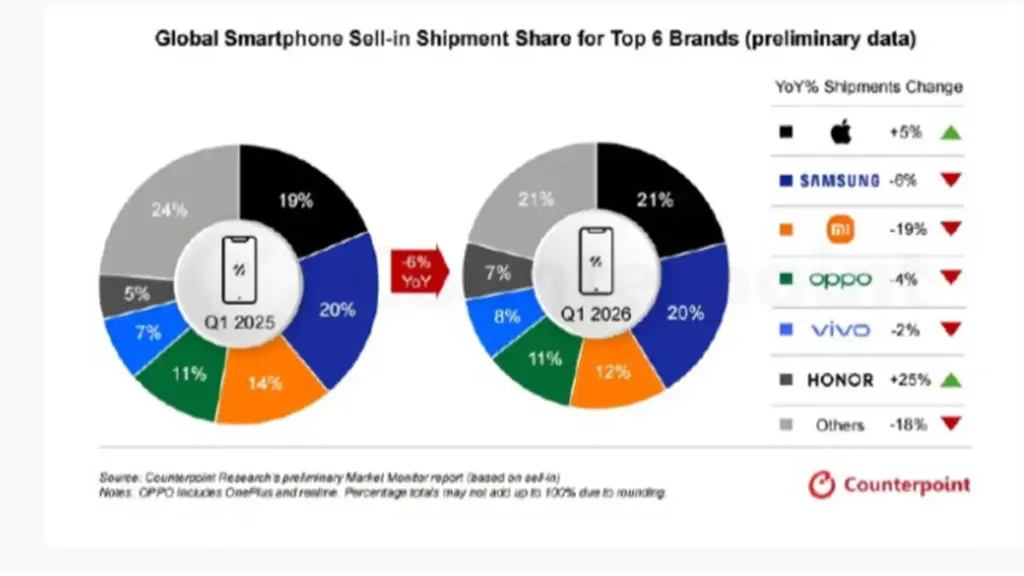
    The global smartphone market had a rough start to 2026 – but Honor didn’t get the memo. New data from Counterpoint Research shows Honor shipments grew 25% year-over-year in Q1 2026, making it the only smartphone brand besides Apple to post positive growth in a quarter where the overall market contracted 6%.

    Apple led all brands with a 5% YoY increase, buoyed by strong iPhone 17 series demand and the budget-friendly iPhone 17e. Honor followed close behind — a remarkable result for a brand still expanding its global footprint.

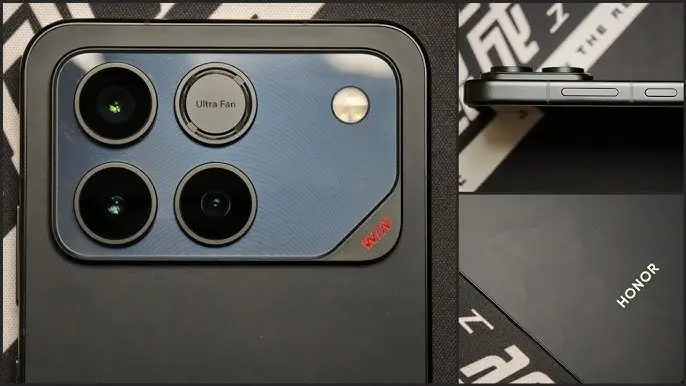
    honor growth

    What’s driving Honor’s momentum?

    The Magic 8 series has been a key growth engine, but Honor’s boldest move came at MWC 2026: the debut of its ROBOT PHONE, which generated significant buzz and positioned the brand at the cutting edge of smartphone innovation.

    “Q1 2026 was a big win for Honor,” said Guan Haitao Thomas, Global CMO at Honor. The numbers back him up.

    The rest of the field

    Samsung holds 20% market share but saw shipments fall 6%. Xiaomi dropped from 14% to 12% market share — a 19% year-over-year decline. OPPO and Vivo round out the top five.
    Counterpoint flagged ongoing pressure from DRAM and NAND memory chip shortages, combined with weak consumer demand, as headwinds the entire industry must navigate in the months ahead.

    What’s next for Honor?

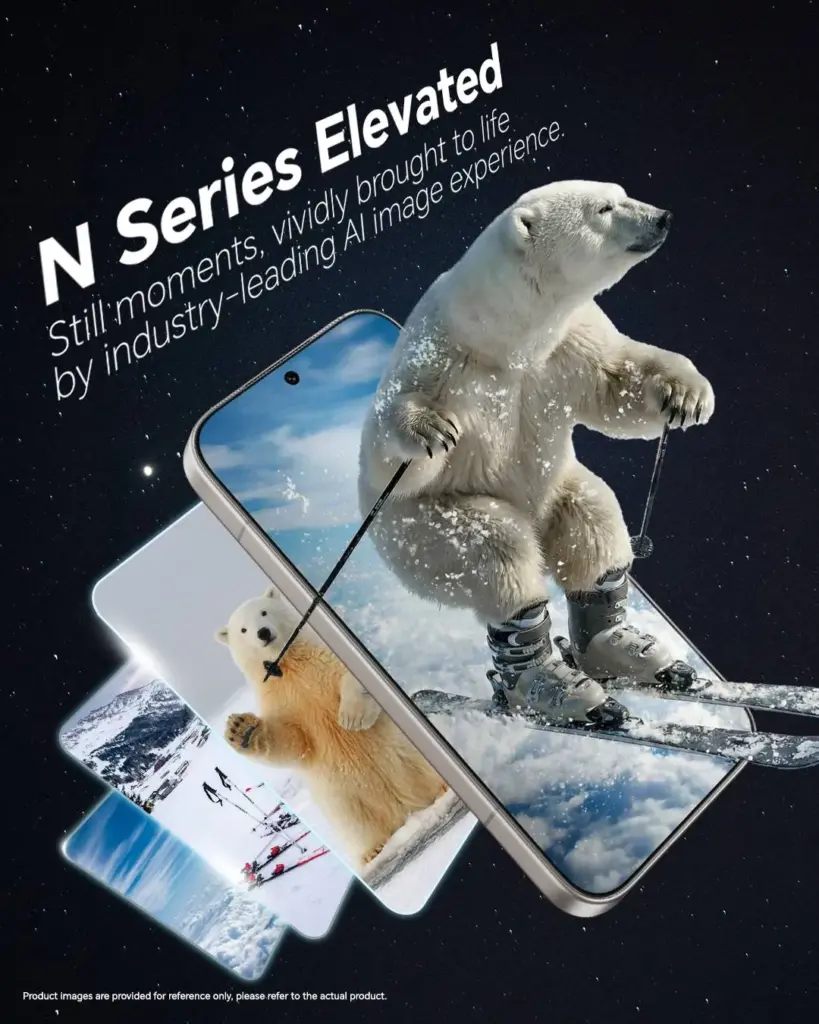
    The company isn’t slowing down. Honor is preparing to launch its 600 series and will unveil its “N Series Elevated” lineup next week, promising several flagship-tier upgrades.
    In a market defined by consolidation and decline, Honor is moving in the opposite direction.

  • Google Messages Prepares a Feature Samsung Users Have Been Waiting For

    Google Messages Prepares a Feature Samsung Users Have Been Waiting For

    Samsung recently established a clear schedule for discontinuing Samsung Messages, establishing Google Messages as the default messaging software on Galaxy phones.

    While this is ultimately a welcome shift, the fact that Samsung Messages no longer supports RCS has left some longstanding users wanting the customisation tools they were accustomed to.

    It appears that Google has taken note and is working on adding some fun features that Samsung Messages users will recognize.

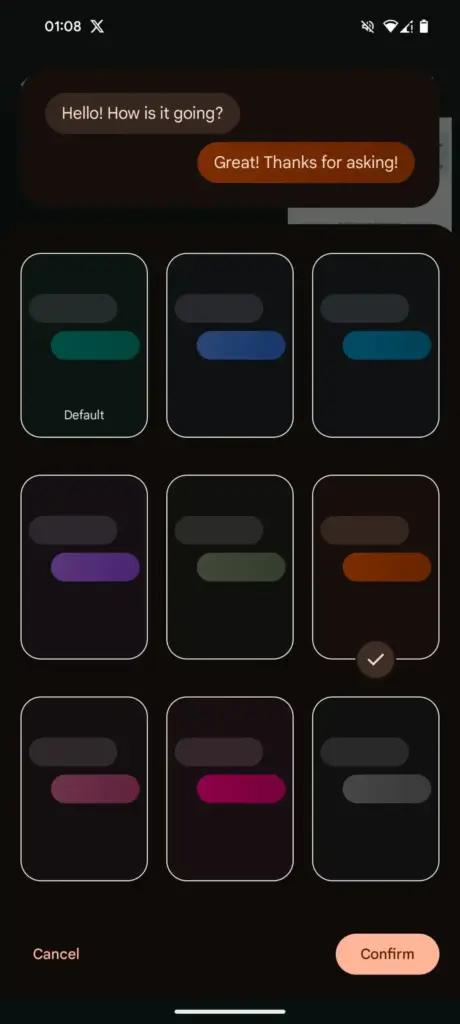
    Currently, the only way to modify RCS chats in Google Messages is to use the “Change colors” option from the three-dot menu. This option allows you to alter the backdrop and chat bubble colors simultaneously, but that’s all the personalization you can do in individual or group chats.

    In comparison, Samsung Messages supports more advanced customization, such as the option to color and decorate chat rooms using photographs from your phone’s gallery. Using Theme Park (via Samsung’s Good Lock module) provides even more customization options, such as altering bubble colors, modifying contrast, applying wallpaper-based themes, and more.

    Google Messages Prepares a Feature Samsung Users Have Been Waiting For

    As Samsung app is being phased out, customers who rely on custom theme packs have begun to express dissatisfaction with Google Messages‘ lack of customisation choices. Google appears to have been paying heed, since a new customisation option for its messaging app is now under development.

    More customization coming for Google Messages

    In the most recent beta release of Google (messages.android_20260410_02_RC00.phone.openbeta_dynamic), we discovered many additional lines pointing to extended theme controls within the app.

    <string name="custom_theme_add_photos">Upload photo</string>
    <string name="custom_theme_your_photos">Your photos</string>
    <string name="custom_theme_preview">Theme Preview</string>
    <string name="custom_theme_title">Theme UI</string>
    <string name="custom_theme_custom">Custom</string>
    <string name="custom_theme_backgrounds">Backgrounds</string>
    <string name="custom_theme_bubble_color">Bubble Color</string>
    <string name="custom_theme_apply">Apply</string>

    The new strings indicate that Google is planning a full “Custom” theme section, where users may be able to change backdrop patterns, bubble colors, and, most importantly, upload their own photographs to use as chat wallpapers. References to “Upload photo” and “Your photographs” definitely suggest a Google photographs integration, although options such as “Theme Preview” and “Apply” indicate a more involved customization experience.

    There are also talks of separate areas for backgrounds and bubble colors, implying that users could mix and match aspects rather than relying on pre-set themes.

    If this option becomes available, it would be a significant step toward allowing users greater choice over how their chats appear, which has been glaringly absent from the app thus far.

  • Oppo Prepares Major ColorOS 16.1 Release – Surprising Features Leaked

    Oppo Prepares Major ColorOS 16.1 Release – Surprising Features Leaked

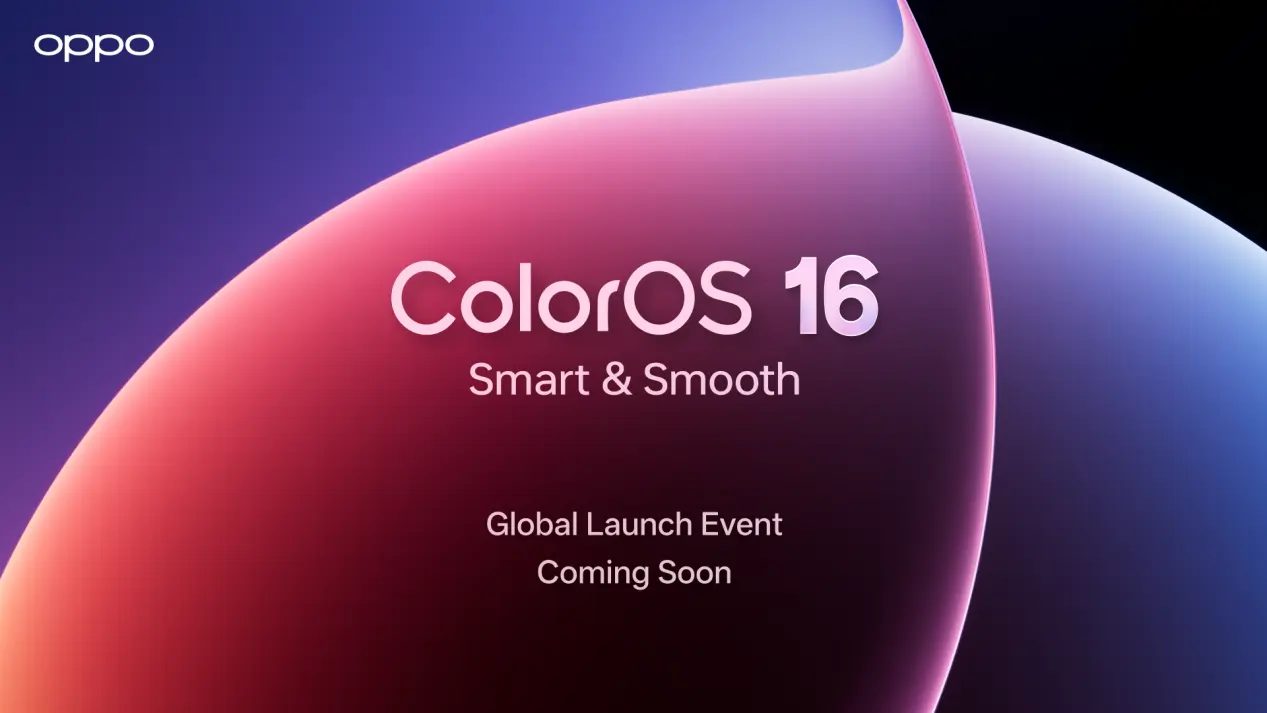
    Oppo is getting set to release a little update based on Android 16 that offers intriguing visual enhancements and quality-of-life changes, even though it has already started its Android 17 beta program. It is officially announced that ColorOS 16.1 will be released this month.

    You might be wondering if the ColorOS 16.1 update is compatible with your Oppo device and what new features or improvements to anticipate. Here is what we currently know.

    ColorOS 16.1 release date

    ColorOS 16.1 will be available on April 16, 2026, according to Oppo. For the Chinese market, this is the release date. For international markets, the corporation has not made the same announcement.

    The first phones to come pre-installed with the new ColorOS 16.1 software will be the Oppo Find X9s Pro and Find X9 Ultra, which will debut in China on April 21.

    The company may start releasing the ColorOS 16.1 update to older handsets in late April if previous rollouts are any guide, and the global rollout may start in May 2026.

    Oppo ColorOS 16.1 Release

    Which devices will get the update?

    The Find X9s Pro and Find X9 Ultra will launch with ColorOS, according to Oppo. It hasn’t said which older devices will get the upgrade, though.

    It’s safe to assume that the most recent Find X-series phones will be the first to receive the update. When the software is published next week, we’ll have more information about the devic

    What’s new?

    Oppo has released a video ahead of the release date that highlights ColorOS 16.1’s exciting enhancements and new features. It displays a redesigned stacked notification center and updated Live Activities.

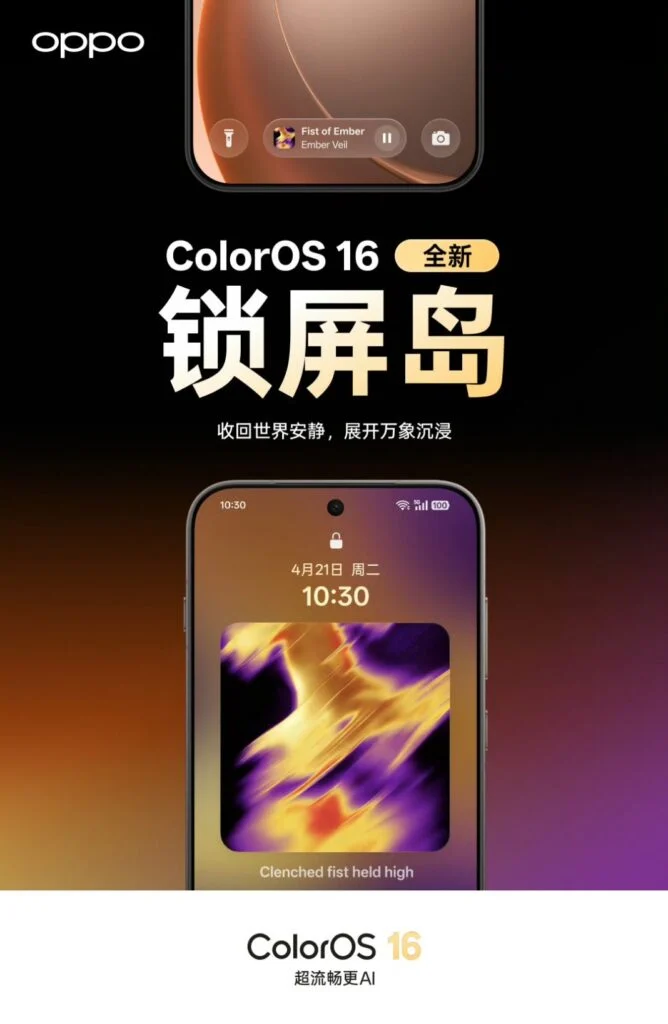
    Additionally, the video verifies that the recorder, timer, flashlight, maps, and ongoing calls will all be supported by the new Live Activities. Additionally, the new software adds a media player for the lock screen that is similar to iOS.

    Additionally, ColorOS 16.1 has a pill-shaped user interface piece at the bottom of the lock screen that resembles Samsung’s Now Bar in both appearance and functionality. The software will also have a redesigned camera user interface and new AI functions.

  • Samsung Unlocks Long-Awaited Blood Pressure Feature for Galaxy Watch in the US

    Samsung Unlocks Long-Awaited Blood Pressure Feature for Galaxy Watch in the US

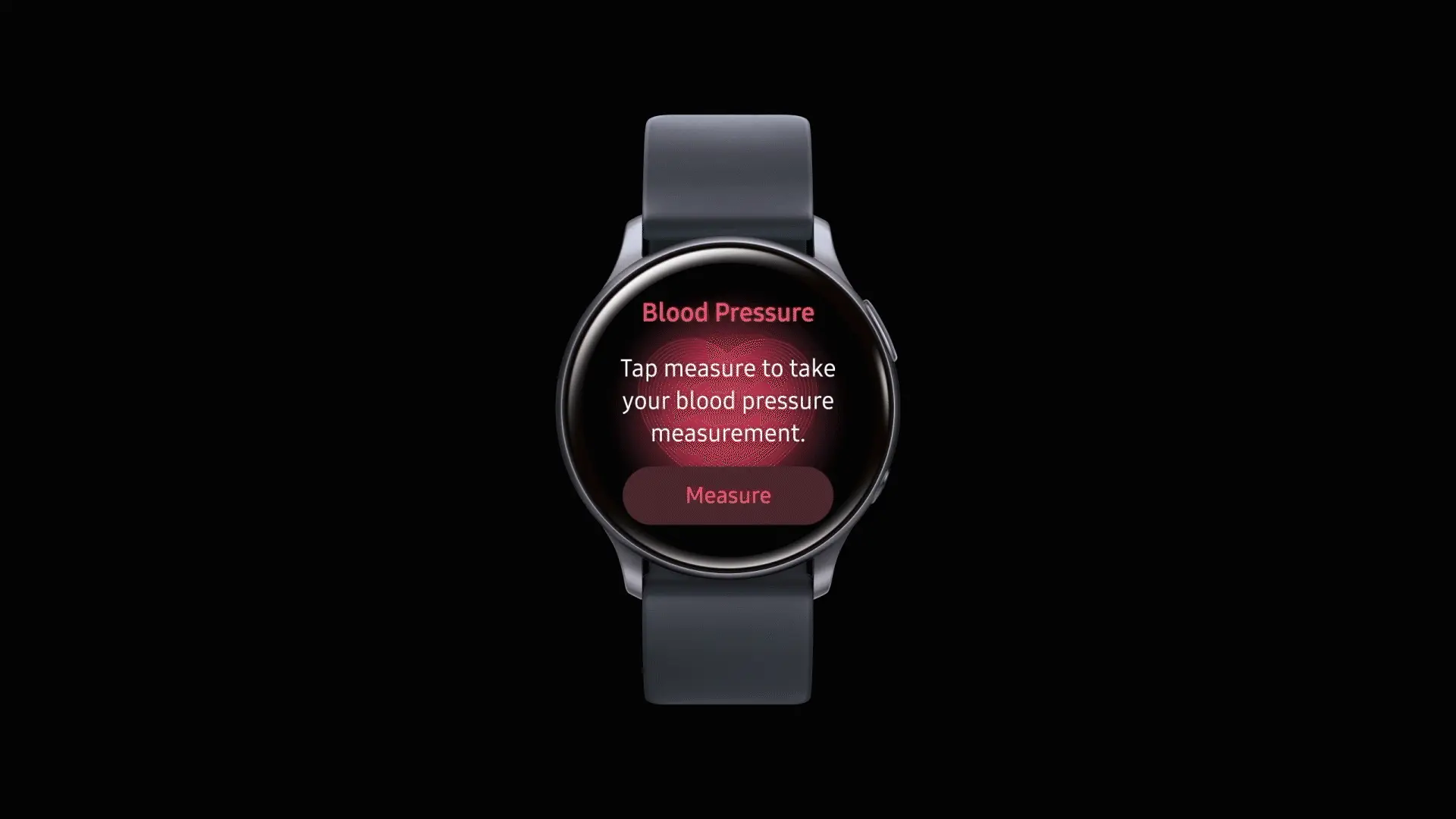
    After being regionally limited for years, blood pressure tracking will now be available to Galaxy Watch users in the United States. Users in the US will be able to get blood pressure monitoring, but it requires a Galaxy phone to function.

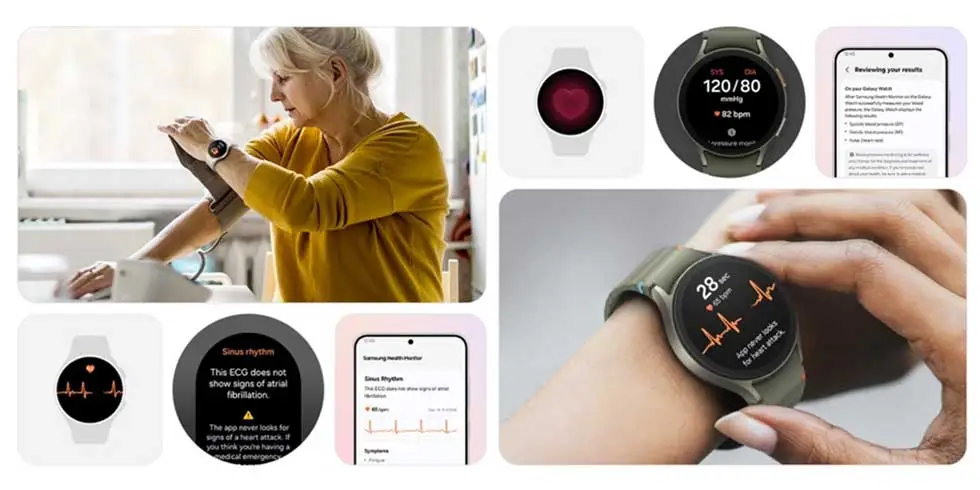
    As with ECG readings, customers in the US will have access to blood pressure monitoring via the Samsung Health Monitor app. This is a gain for the Galaxy Watch 4 and later, all the way up to the Galaxy Watch 8, as the rollout won’t be restricted to any particular Galaxy Watch model.

    According to Samsung, blood pressure data should be used to supplement general health metrics rather than to prevent or diagnose excessive blood pressure. Similar to an ECG exam, wearers of Galaxy Watches must start a reading. Once finished, the watch will display blood pressure and heart rate readings, which will be saved in the companion app.

    samsung galaxy watch Blood Pressure Feature in US

    Official use will be restricted to watches coupled with Galaxy phones due to the tool’s reliance on the Samsung Health Monitor app. Additionally, it appears that the feature requires calibration with a conventional upper arm cuff. Calibration will be required every 28 days, according to the press release.

    To ensure accuracy, users are required to calibrate their Galaxy watch using an upper arm cuff (sold separately) every 28 days. Compatible Galaxy Watches measure systolic and diastolic blood pressure along with your heart rate using the internal heart rate monitoring sensors.

    Since its debut on the Galaxy Watch Active 2 in 2020, blood pressure monitoring has notably been excluded from the Galaxy Watch’s feature set in the United States, whereas other regions have benefited from both the feature and a more comprehensive set of health monitoring capabilities. With this information, it appears that US restrictions have changed, allowing Samsung to start releasing previously restricted tools.

    Galaxy Watch users should start seeing availability with the linked Samsung Health Monitor app as an update starts to roll out today.

  • Huawei Unlocks More Flexible NFC Payments on Newer Watch Models

    Huawei Unlocks More Flexible NFC Payments on Newer Watch Models

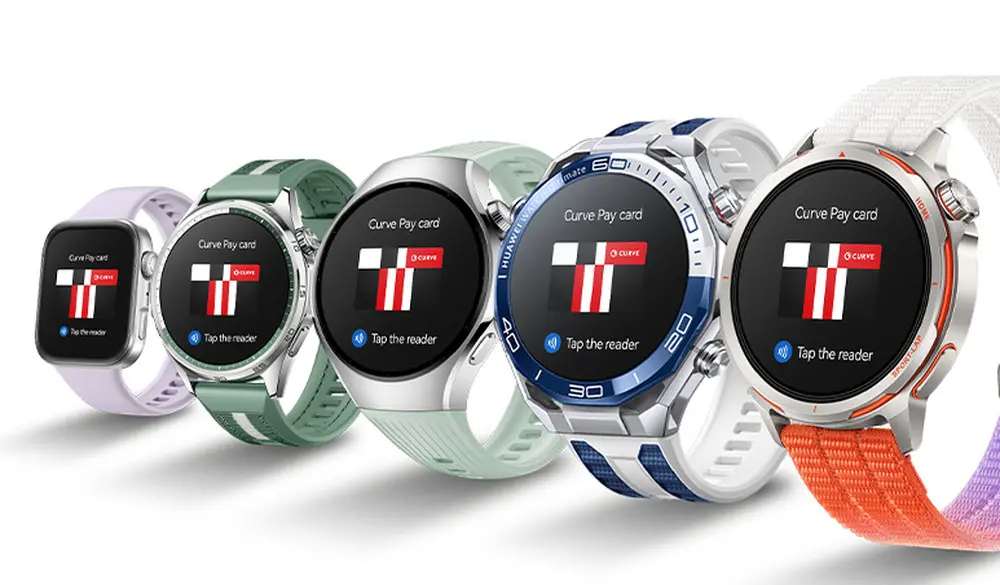
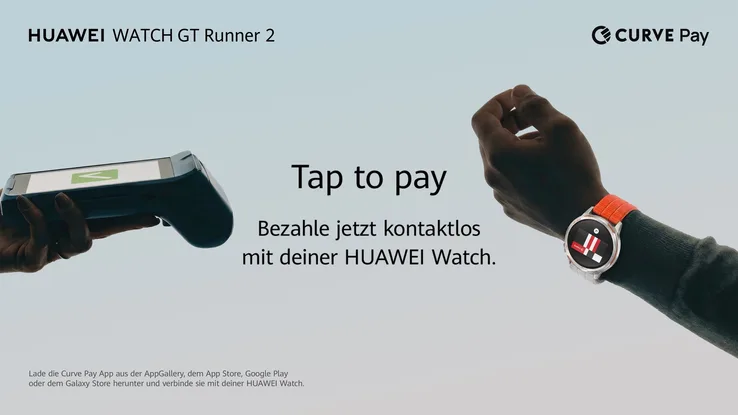
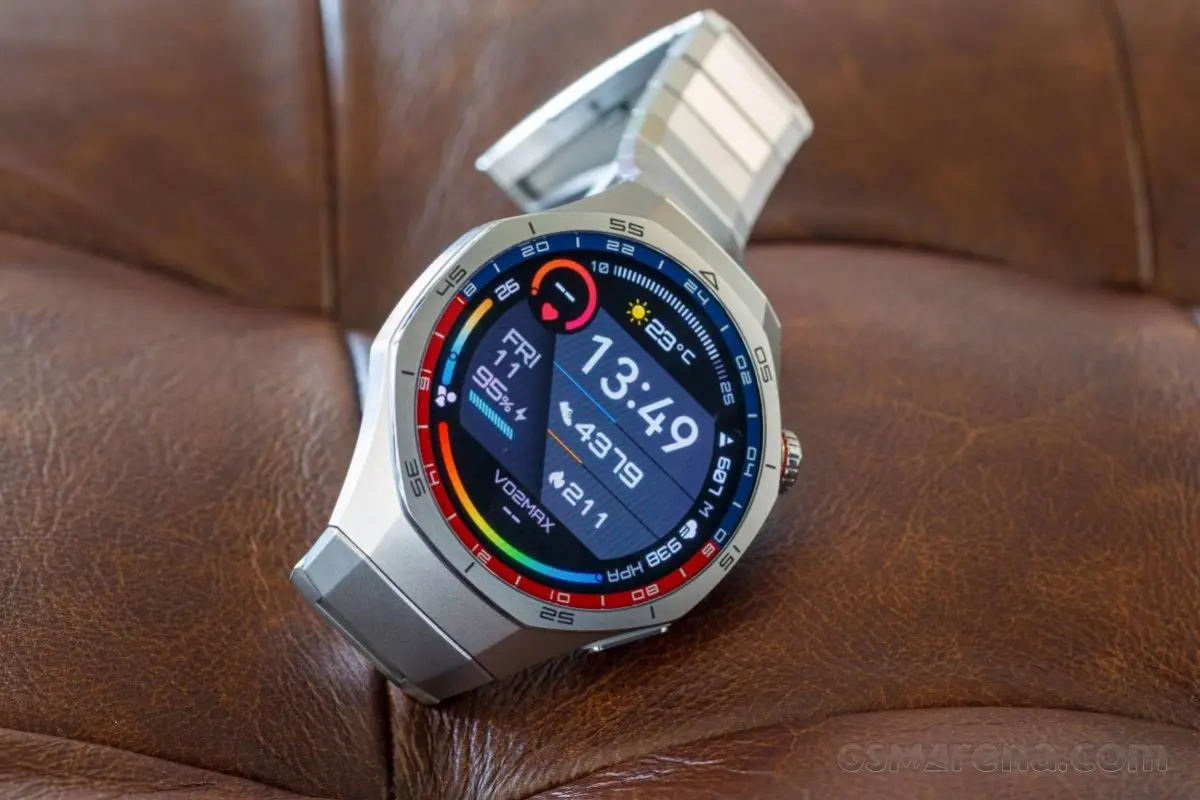
    Curve Pay is available in Europe for the Huawei Watch Ultimate 2, the Huawei Watch GT 6, and a number of other Huawei smartwatches, significantly enhancing the contactless payment experience.

    In the past, Quicko was the only contactless payment method available in Europe for smartwatches like the Huawei Watch GT 6. But as compared to Google Pay and Apple Pay, this approach has a lot of drawbacks. On the one hand, Quicko is not accepted in many retail chains, and credit needs to be topped up beforehand rather than just using a debit or credit card.

    huawei smartwatch with nfc payment

    With the introduction of Curve Pay to Huawei smartwatches, Huawei is finally making amends. Like Apple Pay, Curve Pay lets you store numerous cards and use the NFC chip in your timepiece to make contactless purchases with them. Curve Pay is compatible with any bank account and permits cash withdrawals at an ATM, according to the vendor. The following Huawei smartwatches are compatible with Curve Pay:

    • Huawei Watch GT Runner 2
    • Huawei Watch Ultimate 2
    • Huawei Watch GT 6
    • Huawei Watch GT 5
    • Huawei Watch 5
    • Huawei Watch Fit 4

    The Curve Pay app must be downloaded from Google Play, the Apple App Store, or the Huawei AppGallery in order to utilize the service. Instead of constantly switching to the smartphone app, stored payment methods can be chosen directly on the smartwatch via an integrated smart wallet once the app has been loaded, configured, and connected to the smartwatch. Curve Pay is free to use, but you may purchase different subscriptions if you want features like more cashback or bigger limits for free payments overseas.

  • HONOR 600 Series Teased — A Powerful AI Camera Phone at a Surprising Price

    HONOR 600 Series Teased — A Powerful AI Camera Phone at a Surprising Price

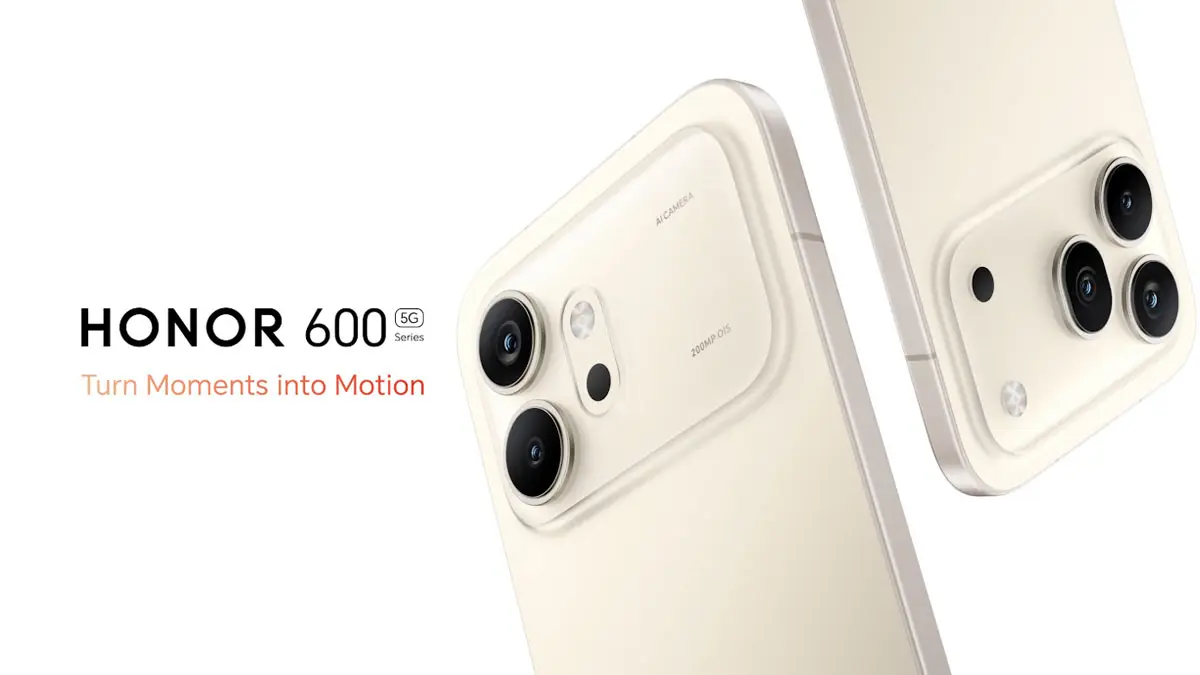
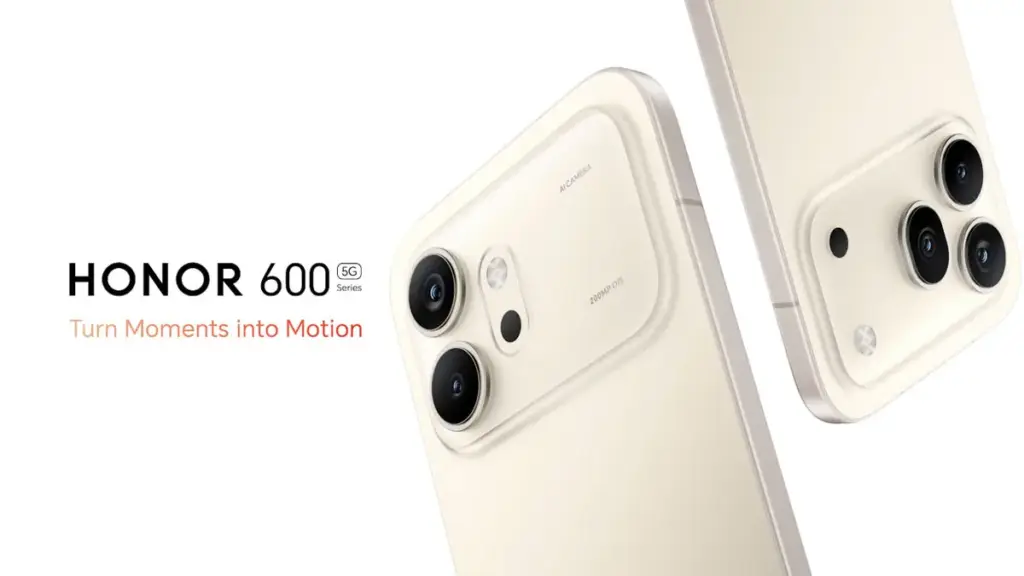
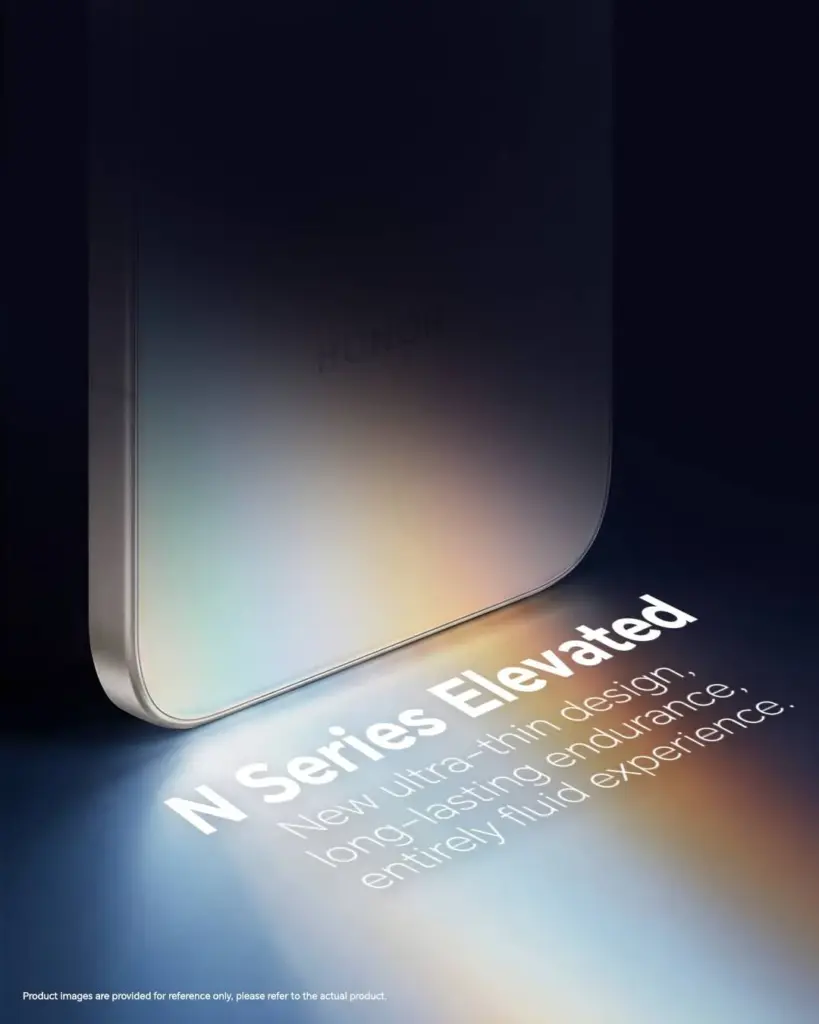
    The first batch of teasers for the Honor 600 Series was just released by HONOR, and the message is immediately apparent. The four pillars being emphasized ahead of the worldwide debut are ultra-thin design, long battery life, flagship processor, and AI-enhanced night photography.

    It’s difficult to overlook the timing of this next generation of the HONOR N Series, which coincides with a larger movement in the industry.

    honor 600 series

    Key Points

    • HONOR 600 Series teasers confirm four key features: ultra-thin build, endurance, night photography, and flagship-grade AI imaging
    • The series represents the next chapter of the HONOR N Series lineup, targeting the accessible flagship segment
    • Counterpoint Research highlights a growing industry shift toward AI-integrated accessible flagships following MWC Barcelona 2026
    • Rising smartphone prices are pushing consumers to demand clearer upgrade value — HONOR is positioning the 600 Series as that answer
    • Full specs, pricing, and global launch date have not been revealed alongside the teaser campaign

    One clear direction for the series

    The combination of ultra-thin and long battery life may seem straightforward, but it is actually very challenging to engineer. The cell will have less physical space if the chassis is thinner. Although the exact dimensions and capacity statistics will demonstrate that when the entire announcement happens, HONOR leading with both shows they’ve addressed that trade-off rather than merely claiming it.

    honor 600 series teaser

    A significant investment in camera gear is indicated by the main feature of night photography. Furthermore, AI imaging skills suggest that computational photography will be able to do more than just apply a beauty filter. The flagship processor that powers everything ensures that there is no performance impact associated with AI processing.

    What consumers wants

    The phrasing of Counterpoint’s MWC 2026 study is worth considering. All smartphone manufacturers are raising their prices; in recent weeks, we have covered several of them. The “accessible flagship” market becomes more competitive and valuable at the same time when component costs drive up the mid-range and budget tiers.

    It’s no coincidence that HONOR placed the 600 Series at that precise spot. There are fewer reliable solutions available to consumers who desire next-generation chipsets and appropriate AI features but cannot afford ultra-premium flagship price. It’s obvious that the 600 Series is being developed to close that gap.

    honor 600 series launch design

    What’s missing

    Teasers provide information. Price, chipset name, display specifications, camera sensor specifics, and battery capacity are not disclosed. That’s all still to come. Additionally, the timing of the global rollout has not been guaranteed.

    HONOR is treating the 600 Series as a market statement rather than a subtle mid-range update, as the first round of posters confirms. That intention is reflected in the campaign’s enthusiasm.

  • Huawei Rolls Out New Optimization Update for Watch GT 5 Pro Global Units

    Huawei Rolls Out New Optimization Update for Watch GT 5 Pro Global Units

    Huawei is pushing out a fresh firmware update for global variants of the Watch GT 5 Pro, bringing a wave of under-the-hood improvements to one of the brand’s most premium wearables. This latest release builds on the momentum of the major HarmonyOS 6.0 upgrade the device received earlier this year, signaling that Huawei continues to invest in refining the smartwatch experience long after the headline update has landed.

    A strong foundation gets even better

    Roughly two months ago, the Huawei Watch GT 5 Pro global lineup made a significant leap forward with the arrival of HarmonyOS 6.0. That update was packed with exciting additions — stunning new watch faces, a revamped quick settings panel, and a host of other enhancements that brought the wearable’s software experience to a whole new level. Now, Huawei is doubling down on that foundation with targeted refinements aimed at making day-to-day usage even more seamless.

    Huawei Rolls Out New Optimization Update for Watch GT 5 Pro Global Units

    What’s in the new update for Huawei GT 5 Pro?

    The latest firmware for the Watch GT 5 Pro arrives under version HarmonyOS 6.0.0.23, weighing in at a modest 87.04 MB — small enough for a quick download, but packed with meaningful improvements. While Huawei hasn’t spotlighted any headline-grabbing new features in this release, the update focuses on what truly matters for a reliable daily driver:

    • Smoother overall performance — operations across the watch’s interface feel more fluid and responsive
    • Enhanced Bluetooth stability — the connection between your smartwatch and paired device is more consistent and less prone to interruptions
    • Bug fixes — various internal issues identified in the previous firmware version have been addressed and resolved
    • System stability improvements — the watch handles certain situational loads better, reducing the chances of unexpected behavior during app use

    If you’ve noticed any minor hiccups, freezes, or inconsistencies while navigating apps or using features on your Watch GT 5 Pro, this update is well worth installing.

    Staged rollout — patience required

    As is standard practice for Huawei, this firmware is being distributed in batches across global markets. This means not all eligible devices will receive the notification at the same time. If you haven’t seen the update prompt yet, there’s no cause for concern — it will make its way to your unit in due course. You can also manually check for updates through the Huawei Health app or directly in the watch’s settings menu.

    Before you update — a few important tips

    To ensure the installation goes smoothly and without any complications, keep the following in mind before initiating the upgrade:

    • Battery level: Make sure your Watch GT 5 Pro has at least 20% battery remaining before starting the update process. A low battery mid-installation could interrupt the process and potentially cause software issues.
    • Storage space: Confirm that the device has enough free storage to accommodate the new firmware package.
    • Stable connection: Ensure that the Bluetooth connection between your smartwatch and the paired smartphone is stable and uninterrupted throughout the update. A dropped connection during installation may result in an incomplete or failed upgrade, which could require additional troubleshooting steps to resolve.

    Once all conditions are met, the update should install quickly and smoothly, leaving you with a Watch GT 5 Pro that runs better than ever.