Blog

  • REDMI K80 Ultra brings a huge battery with new tech

    REDMI K80 Ultra brings a huge battery with new tech

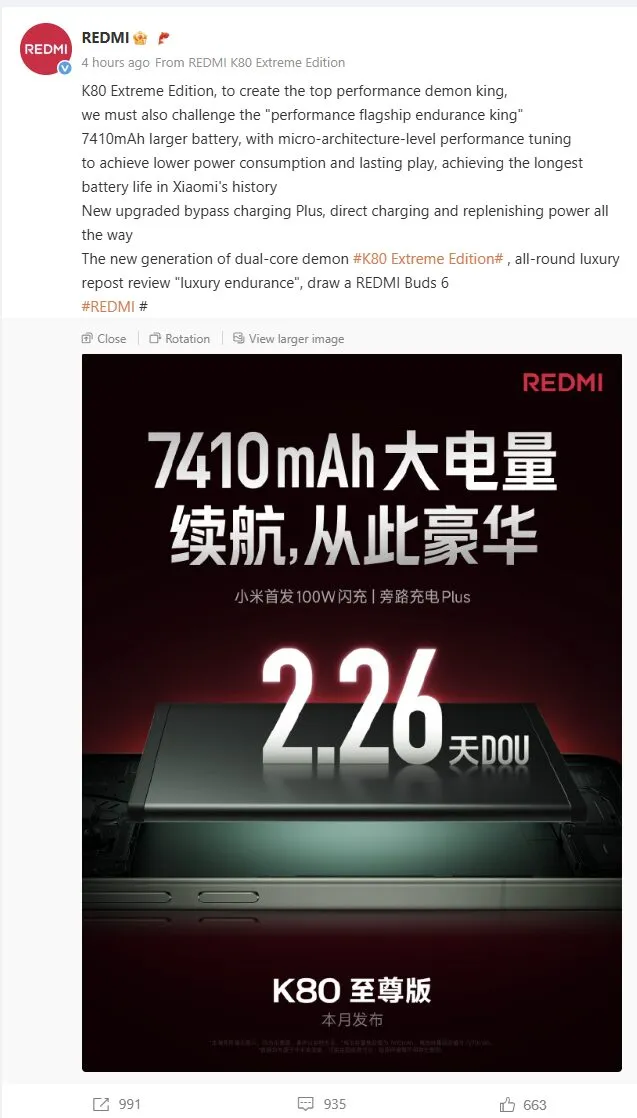
    The REDMI K80 Ultra has been formally revealed by Xiaomi, and its record-breaking 7410mAh battery—currently the largest in a Xiaomi flagship—is generating headlines. According to the business, this new capacity allows for up to 2.26 days of normal use, which is a major improvement in the battery life of high-end smartphones. In addition to the raw size, the most recent Dimensity 9400+ processor and sophisticated system-level power optimization enable this longer battery life, guaranteeing excellent performance without sacrificing endurance.

    New breakthrough tech for the battery

    The Redmi K80 Ultra raises the bar for flagship smartphones with its 7410mAh battery. Users may anticipate reduced energy usage across all components thanks to Xiaomi’s integration of sophisticated micro-architecture tuning and power management. Direct charging and continued operation during battery replenishment are made possible by the new Bypass Charging Plus technology, which reduces device downtime and supports a wider range of usage scenarios for mobile business professionals.

    redmi k80 ultra battery tech

    With Xiaomi’s first 100W flash charging mechanism, the Redmi K80 Ultra offers quick charging in a flagship device. This potent combination of ultra-fast charging and a large capacity battery balances productivity and ease of use.

    Key charging features include:

    • 100W flash charging for rapid power top-ups
    • Bypass Charging Plus for uninterrupted productivity
    • Direct charging support for extended work or gaming sessions
    • Optimized power management for all-day performance
    • Industry-leading 2.26 days of typical usage
    redmi k80 ultra announcement

    Redmi K80 Ultra – performance, design and advanced features

    The K80 Ultra offers a high-end multimedia experience in addition to battery performance. It has aviation-grade lightweight domes, two symmetrical speakers with cutting-edge coaxial high and low frequency units, and freshly created diaphragm materials. With almost 100 programmable effects, an enhanced ultra-wideband cyber motor on the haptic side offers quicker and more reliable vibration feedback, making it perfect for immersive applications and warnings.

    The Dimensity 9400+ flagship chipset, which is backed by the first independent D2 display chip in a Redmi device, offers performance at the forefront. Redmi’s largest 3D ice-sealed cooling system is incorporated into the K80 Ultra to ensure consistent high performance.

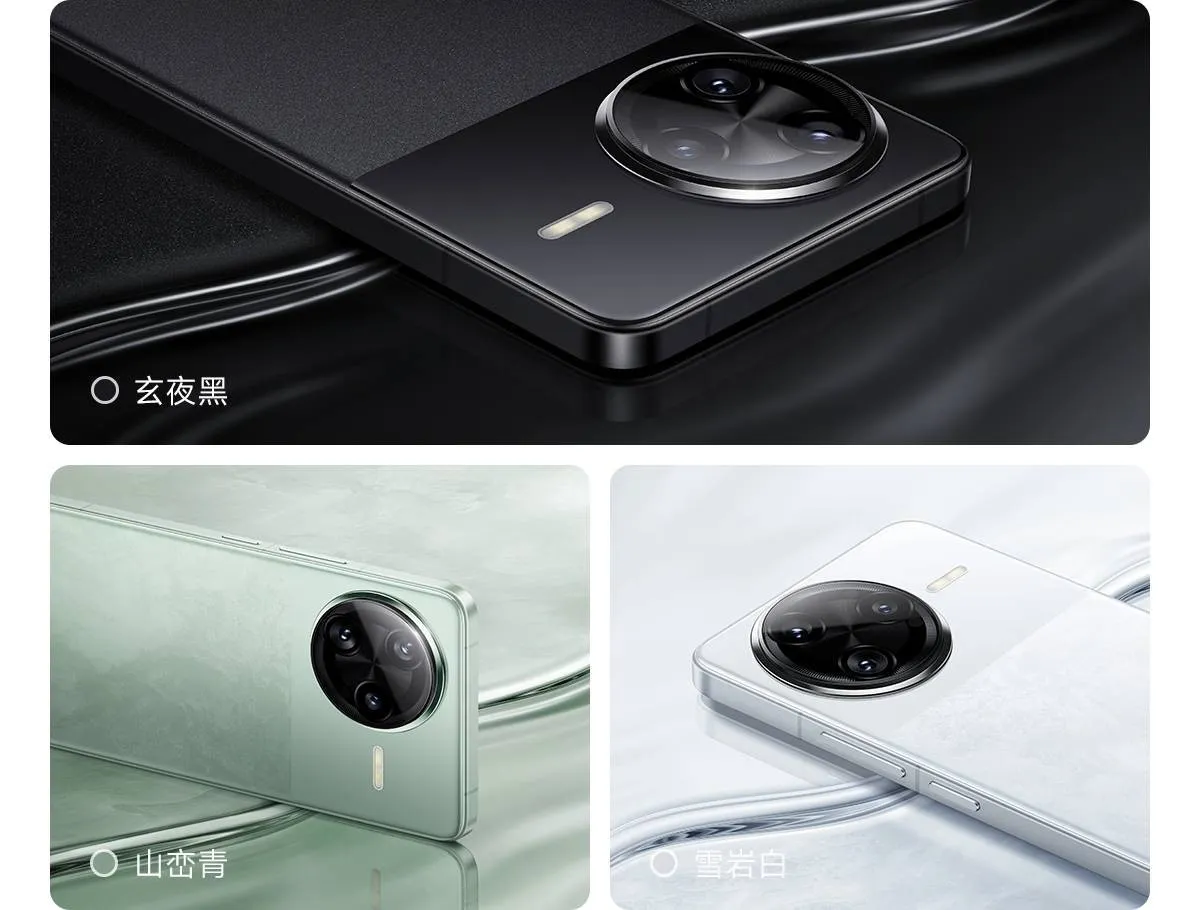
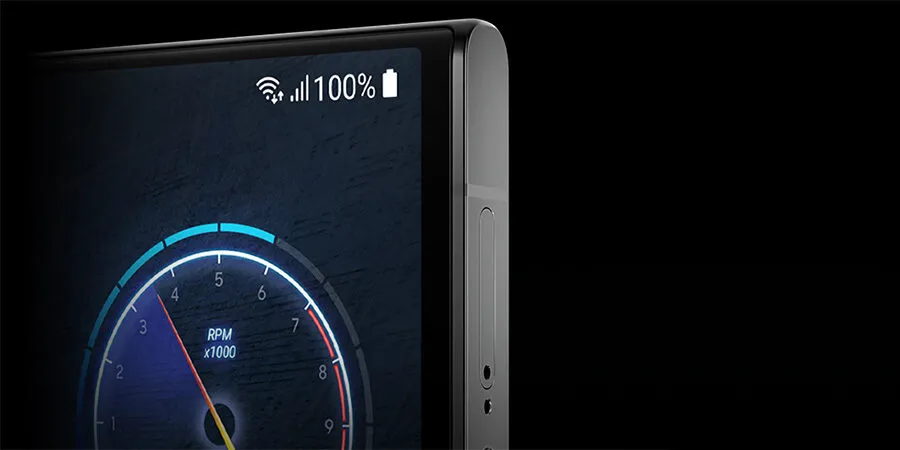
    The device’s premium positioning is highlighted by design features such a metallic camera module, flagship-grade fiberglass back, a 6.83-inch flat display, and a four-curved metal middle frame. The end product is a premium smartphone that leads the way in battery innovation while also providing business users looking for sophistication and dependability with performance and design.

    Stay connected with the latest from Droid Tools—follow us on X @droid_tools, like our page on Facebook, check out our updates on Instagram, and follow us on Google News for real-time news, device tips, and mobile tech insights.
  • Despite having a sub-flagship chip, the Nothing Phone 3 leak reveals significant improvements.

    Despite having a sub-flagship chip, the Nothing Phone 3 leak reveals significant improvements.

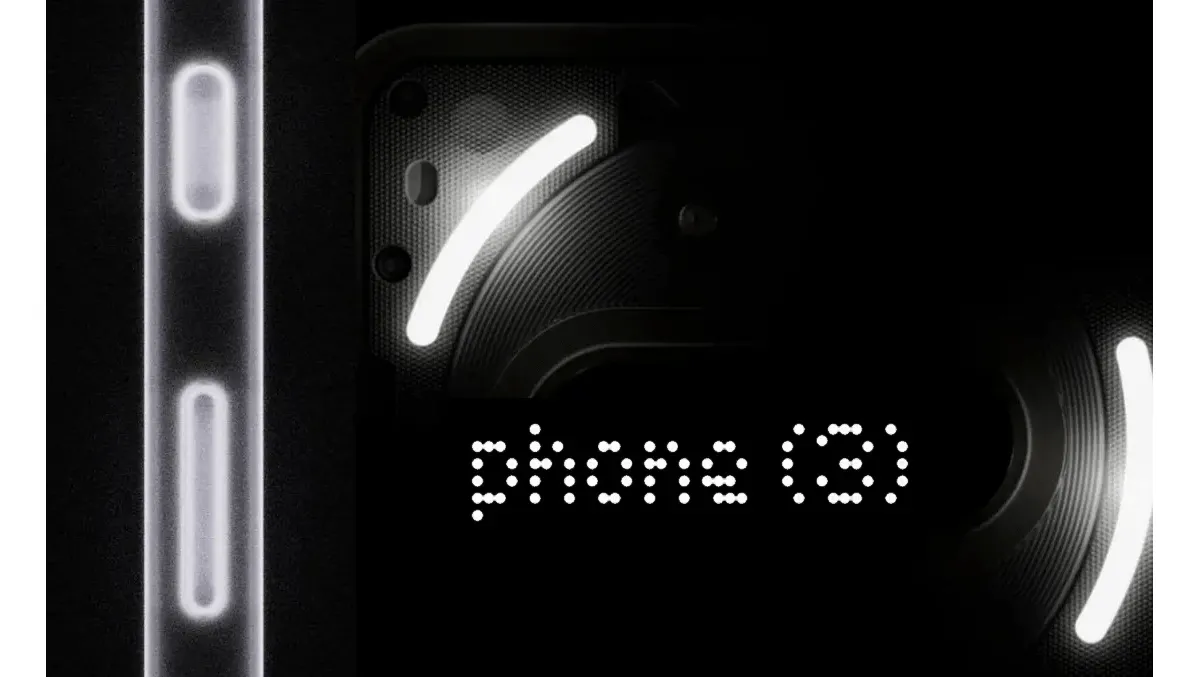
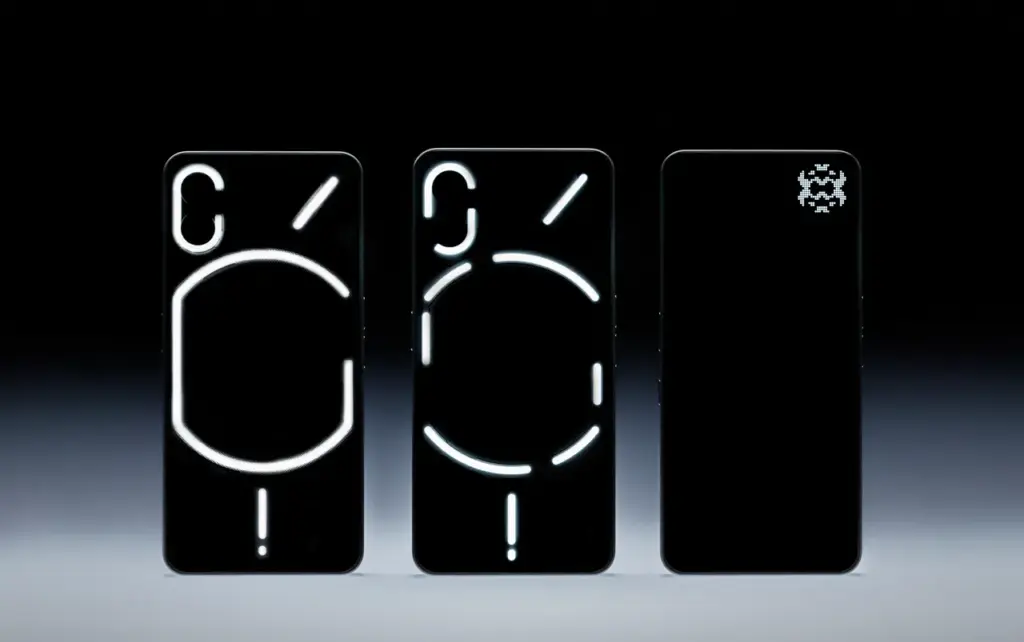
    Nothing has formally announced that their next phone, the Phone 3, will be available on July 1st, 2025. Numerous details about the Nothing Phone 3 have already surfaced online, including its features and characteristics. According to an official teaser released by Nothing, the device would use an LED effect in place of Glyph. The Snapdragon8S Generation 4 is the only one of several upcoming improvements on the Nothing Phone 3, according to Gadget Bits’ X handle.

    Nothing Phone 3 launch

    On July 1st, 2025, Nothing Phone 3 will launch, following the success of Nothing Phone 2. The sale will begin on July 1st, however no official teasers have been released. The offer will be available on the official Nothing website, as well as on Amazon, Flipkart, and other online retailers.

    Nothing Phone 3

    Features and Specs

    The Nothing Phone 3’s display features a 6.7″ screen and a 1.5K LTPO OLED panel. Nothing’s Phone 3 will have a display that supports 10802392 pixels. The display has a refresh rate of up to 120 Hz and a brightness of up to 3000 nits. The phone is 163.577.5*8.4 mm in size. Given that the present phone weighs 201g, consumers should have no trouble carrying it. Glass has been included onto the front and rear of the gadget to provide protection. Nothing Phone 3’s IP64 certification offers dust and water resistance.

    The Phone 3’s triple-lens back camera has 50MP primary, 50MP telephoto, and 50MP ultra-wide lenses. A 3x optical zoom is included into the telephoto lens. One of its unique features is the Glyph matrix, which will be positioned in the top right corner of the device to provide a clear view. Users may shoot selfies and make high-quality video calls thanks to the 50MP front camera. The front camera can capture 1080p video at 30 frames per second. We may anticipate that focusing may be an option on the front camera.

    The current phone is equipped with a Qualcomm Snapdragon8S Generation 4 chipset. Nothing OS 3.5 and Android-15 support the base.

    The largest improvement is the larger battery capacity of the Phone3, which is approximately 5150mAh. There is a significant charge rate associated with this upgrade. Additionally, it enables cable charging with fast charging up to 100W. This phone also has the option of wireless charging. Additionally, it will offer wireless charging in reverse, which is ideal for gamers.

    For some potential users, it offers a significant improvement in eSIM capability, something that the previous Nothing phones did not offer. Additionally, it is said that Nothing’s Phone 3 will feature NFC.

    Although the camera design is not shown, the blurry image of the Phone 3 that was released in the X grip gives a glimpse of the back-camera look. Continue to visit our websites for additional updates on Nothing Phone 3 modifications and enhancements.

    Stay connected with the latest from Droid Tools—follow us on X @droid_tools, like our page on Facebook, check out our updates on Instagram, and follow us on Google News for real-time news, device tips, and mobile tech insights.
  • Devices in the third batch of HyperOS 2.2 will shortly receive the update.

    Devices in the third batch of HyperOS 2.2 will shortly receive the update.

    With the HyperOS 2.2 update, Xiaomi is advancing rapidly and aims to reach a sizable portion of its user base in this third deployment wave. This is a noteworthy release for enterprises and power users who depend on Xiaomi hardware, especially since it includes important models from the Xiaomi 12 series, the Redmi Note 13 lineup, and a wide range of flagship and mid-tier models. The update is a significant system upgrade that should lead to increased operating stability and productivity.

    xiaomi hyperos update

    A select group of devices will be prioritized for the initial rollout. These include:

    • Xiaomi 12 Pro: OS2.0.202.0.VLBCNXM
    • Xiaomi 12: OS2.0.201.0.VLCCNXM
    • Redmi Note 13 5G: OS2.0.202.0.VNQCNXM
    • Redmi Note 13 Pro 5G: OS2.0.202.0.VNRCNXM
    • Redmi Note 12T Pro: OS2.0.203.0.VLHCNXM
    • Redmi Note 12 Turbo: OS2.0.201.0.VMRCNXM
    • Xiaomi CIVI 3: OS2.0.202.0.VMICNXM

    Xiaomi is working on upgrades for HyperOS 2.2 for a wider range of devices, such as:

    Flagship Segment

    • Xiaomi 12S Ultra
    • Xiaomi 12S Pro
    • Xiaomi 12S
    • Xiaomi MIX FOLD 2

    Mid-Range & Entry Models

    • Xiaomi CIVI 2
    • Redmi K50 Ultra
    • Redmi Note 13R
    • Redmi Note 12R
    • Redmi 12, 13, and 14 series

    Tablet Portfolio

    • Redmi Pad Pro
    • Redmi Pad Pro 5G
    • Redmi Pad SE

    According to Xiaomi, the Redmi Note 13 5G series would be prioritized when the third batch deployments start in late June. The firm places a strong emphasis on providing reliable, well-tested upgrades that promote end-user satisfaction and business continuity.

  • 8 tips to increase your Samsung device battery life

    8 tips to increase your Samsung device battery life

    Because of their feature-rich and responsive software, Samsung’s Galaxy smartphones are among the best Android phones on the market right now. However, the majority of Samsung phones, particularly premium models like the Galaxy S25 Ultra, Galaxy Z Fold 6, and Z Flip 6, include extravagant features that you might not utilize on a regular basis.

    There are ways to maximize what you have without degrading the user experience if your new Galaxy phone isn’t able to survive a full day between charges.

    Here are seven strategies to extend your Galaxy phone’s battery life. Don’t worry, I won’t be Captain Obvious and suggest that you use your phone at a lower refresh rate or lower the screen resolution. The suggestions on this list ought to enhance your quality of life while optimizing the functionality of your phone.

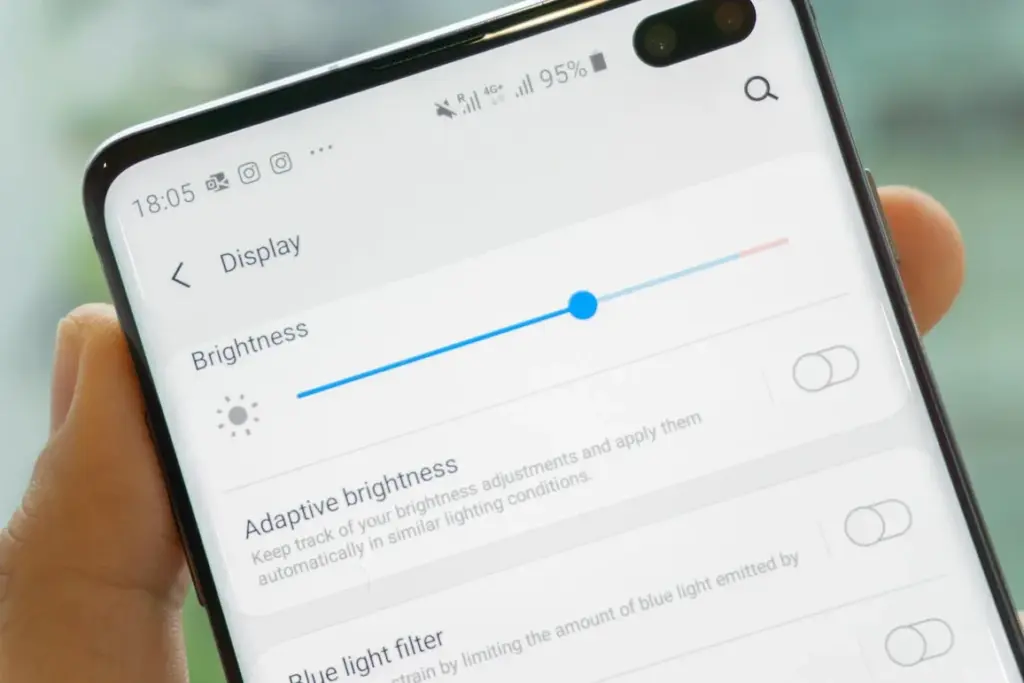
    Adaptive Brightness

    samsung adaptive brightness

    Although this setting should ideally be turned on by default, some individuals disable it because it’s not always reliable. Nonetheless, the quality of Samsung’s ambient light sensor has increased over time. Your Galaxy phone is capable of accurately detecting ambient illumination and adjusting the screen brightness on its own. By doing this, you can make sure your display is more effective and not overly bright.

    Toggle Adaptive Brightness on by going to Settings > Display. Although it should function in most settings, you can use the Quick Settings panel to slide down to change the brightness if necessary.

    Scheduel Always-On Display

    samsung galaxy s22 ultra aod lan 1

    I adore my Galaxy S25 Ultra’s Always-On Display (AOD). For efficiency, its LTPO display lowers to 1Hz, which is useful for functions like AOD. Using AOD may not be as effective if your Galaxy phone is midrange and has a minimum refresh rate of 60 Hz. You can use it wisely, though, by planning AOD for when it’s required.

    For example, I’ve set it for 10 a.m. to 6 p.m. so I don’t miss any crucial messages and can quickly get the information I need.

    How to: Select Settings > AOD and Lock Screen > Select Always On Display > As scheduled under When to show. Additionally, disable the Show lock screen wallpaper in the AOD options while you’re at it.

    Enable Performance profile

    Light Performance Mode Profile S

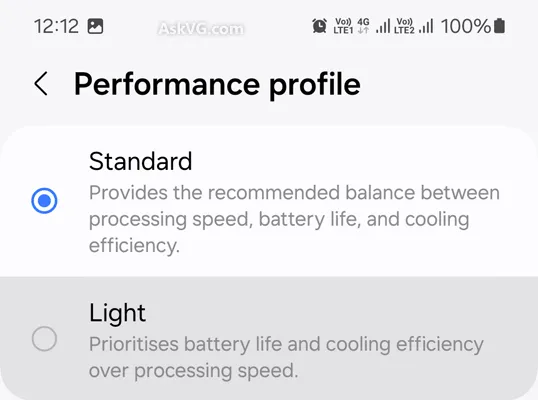
    Samsung lets you select a performance profile according on how you use it. The Light Performance profile is a better option than the Standard if you don’t play games and use your phone mostly for everyday activities like surfing and making calls. It will put cooling and battery life ahead of processing performance.

    Open the Settings app and go to Device care > Performance profile and select Light. This is ideal for average phone users.

    Use Dark Mode

    Dark mode feature

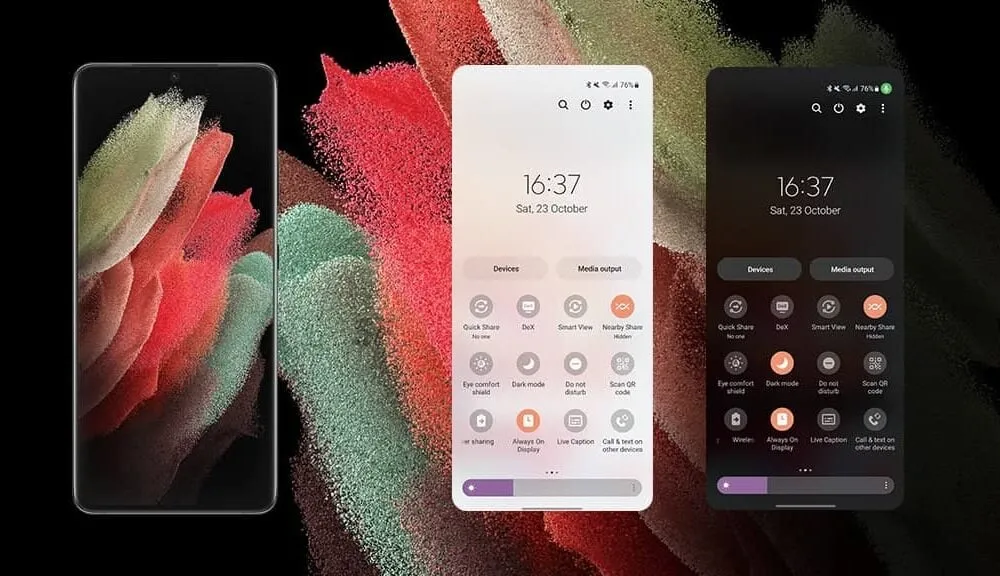
    AMOLED screens, which can control individual pixels, are seen on the majority of Samsung phones. Therefore, the area of the screen that must remain black won’t activate those pixels when you choose a dark theme or dark wallpaper. As a result, your screen uses less power and your battery lasts a little longer.

    How to do it: Go to Settings > Display. Two cards for Light and Dark will be dealt to you. Press the Dark option. Changing the system wallpaper and sticking with the light theme is an alternative, but it won’t have the same impact on energy life as switching to dark mode.

    Use offline content when you can

    It’s a good idea to download such stuff offline if you listen to the same podcasts and playlists or travel the same path every day. Google Maps and the majority of streaming apps use a lot of battery power over 5G and LTE. It may also cause your phone to feel warm to the touch when you’re outside. With a little advance forethought, you can handle this: Before you leave the house, use Wi-Fi to download your favorite music or maps.

    How to: Go to the streaming apps you want to download content from and follow the in-app steps. For instance, YouTube has a download button on videos, and Spotify lets you download complete playlists.

    Force stop or uninstall power-draining apps

    Numerous programs, including Facebook, Microsoft 365, OneDrive, and numerous Samsung and Google apps, are pre-installed on Samsung phones. To stop them from running in the background, find the ones you don’t need and either remove them or force-disable them.

    For instance, not everyone requires OneDrive or the Samsung Smart TV app. I remove those two apps along with others like Facebook, Outlook, Microsoft 365, Tutor, and more when I set up a new Galaxy phone.

    To unistall an app tap and hold the app you want to uninstall. A pop-up menu will appear. Tap Uninstall. As a result, none of these non-required apps will use your battery.

    Check what apps are power-draining

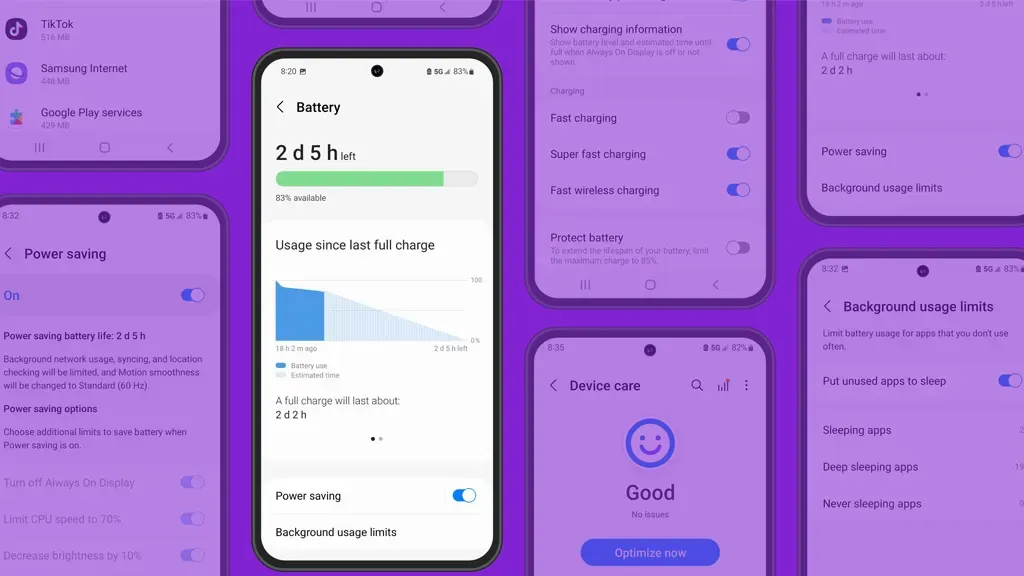
    Depending on your location, 5G connectivity, and background usage, some apps need more power. To assist you reduce unnecessary battery usage, Samsung allows you to recognize certain power-hungry programs.

    How to: Go to Settings > Battery and device care > Battery > Background usage limitations on your Galaxy smartphone to find apps that use a lot of power. Then, choose the apps you wish to disable.

    What to do when you are low on battery?

    The top functions of your Galaxy phone will not be compromised by the seven settings mentioned above. But if your phone’s battery is low while you’re out, you should:

    • Turn on Power Saving
    • Toggle off data roaming
    • Turn off location services
    • Switch off AOD altogether

    When your phone’s battery is less than 20% and you’re still a few hours away from a charger, I advise activating these options. The Samsung settings listed above will also help you get the most out of your Galaxy phone’s battery.

    Stay connected with the latest from Droid Tools—follow us on X @droid_tools, like our page on Facebook, check out our updates on Instagram, and follow us on Google News for real-time news, device tips, and mobile tech insights.
  • HyperOS 3 will come with a new design according to the new leaked screenshots

    HyperOS 3 will come with a new design according to the new leaked screenshots

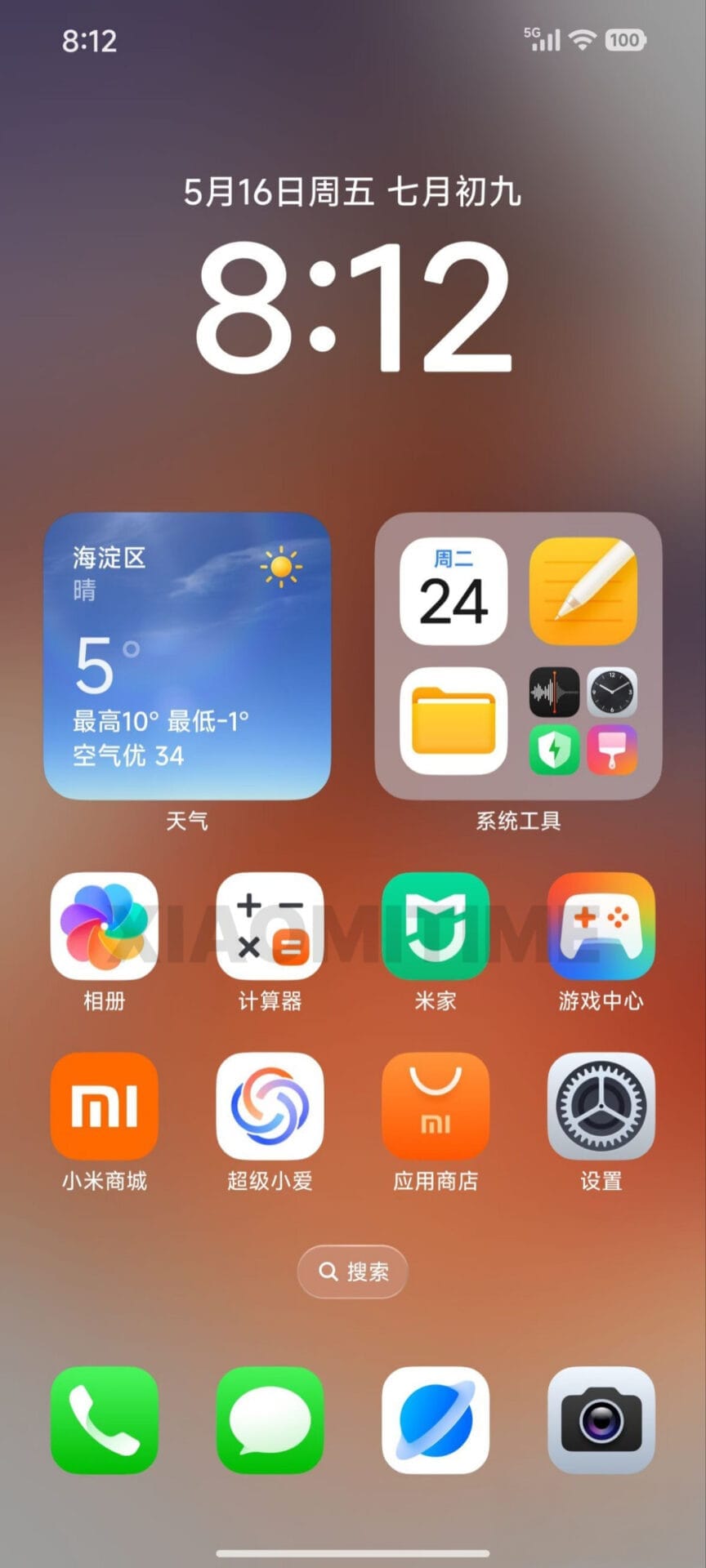
    Through a newly published user survey, Xiaomi has given users an early glimpse at HyperOS 3, and the changes are remarkable. Xiaomi intends to establish HyperOS as a high-end, competitive platform, as evidenced by the recent screenshot’s significant UI redesign. With significant updates to key system components, especially icons and layouts, the design language is obviously influenced by iOS. This version demonstrates Xiaomi’s continued commitment to improving its unique Android skin in order to better cater to a worldwide users.

    The updated icon set is the most noticeable change. The unified, elegant look of these new icons, which closely resemble those in iOS 18, improves the user experience as a whole. This change reflects Xiaomi’s emphasis on improving brand perception among high-end users and conforming to industry-leading design standards.

    The removal of the search bar on the home screen is another significant change. Xiaomi achieves a more simplified and clean home screen by removing this component, giving app icons and widgets more attention. This minimalist style should appeal to people who value clarity and simplicity and is consistent with larger trends in mobile user interface design.

    hyperos 3 leak design

    New battery indicator and glass user interface

    Additionally, a revised battery indication that now closely resembles the iPhone’s approach is included in HyperOS 3. In addition to updating the battery status visual representation, this update advances Xiaomi’s overarching objective of providing a recognizable, intuitive user experience that appeals to iOS customers thinking about switching.

    Furthermore, Glass UI-inspired effects are incorporated into the redesigned interface, giving the system more visual refinement and depth. Together, these improvements give all supported devices a more upscale and sophisticated appearance.

    Wide device compatibility

    Xiaomi is extending HyperOS 3 to an extensive range of devices, reinforcing its commitment to software support:

    • 33 Xiaomi models
    • 44 Redmi devices
    • 19 POCO devices

    This broad compatibility—spanning 96 devices in total—demonstrates Xiaomi’s dedication to serving a diverse customer base, from flagship owners to budget users.

    Analysts predict that Xiaomi will formally unveil HyperOS 3 in October 2025. Depending on rollout timelines and device capabilities, the update will be developed for both Android 15 and Android 16.

    Stay connected with the latest from Droid Tools—follow us on X @droid_tools, like our page on Facebook, check out our updates on Instagram, and follow us on Google News for real-time news, device tips, and mobile tech insights.
  • Samsung’s Galaxy Watch 7 vs Watch 8 – any significant differences?

    Samsung’s Galaxy Watch 7 vs Watch 8 – any significant differences?

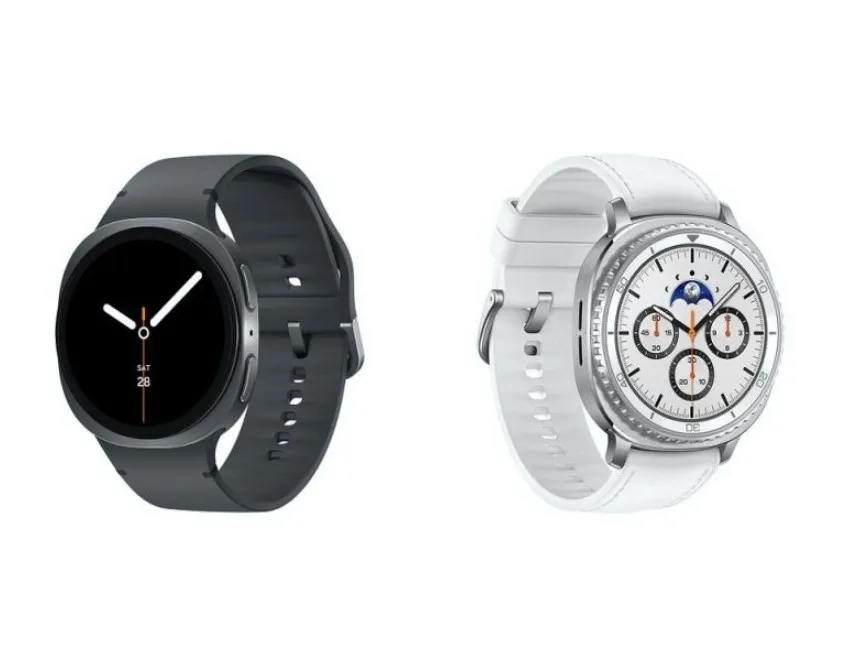
    It should come as no surprise that Samsung releases a new generation of smartwatches every summer, generally in tandem with its most recent foldable phones. This year is no exception. Three smartwatches—the Galaxy Watch 8, the Galaxy Watch 8 Classic, and the Galaxy Watch Ultra 2—will be available to go along with the Galaxy Z Fold 7 and Galaxy Z Flip 7.

    All of them appear to be slightly different from their predecessors, but as is customary, we anticipate that the Galaxy Watch 8 will be the most affordable new Samsung wearable, and it may even become a bestseller.

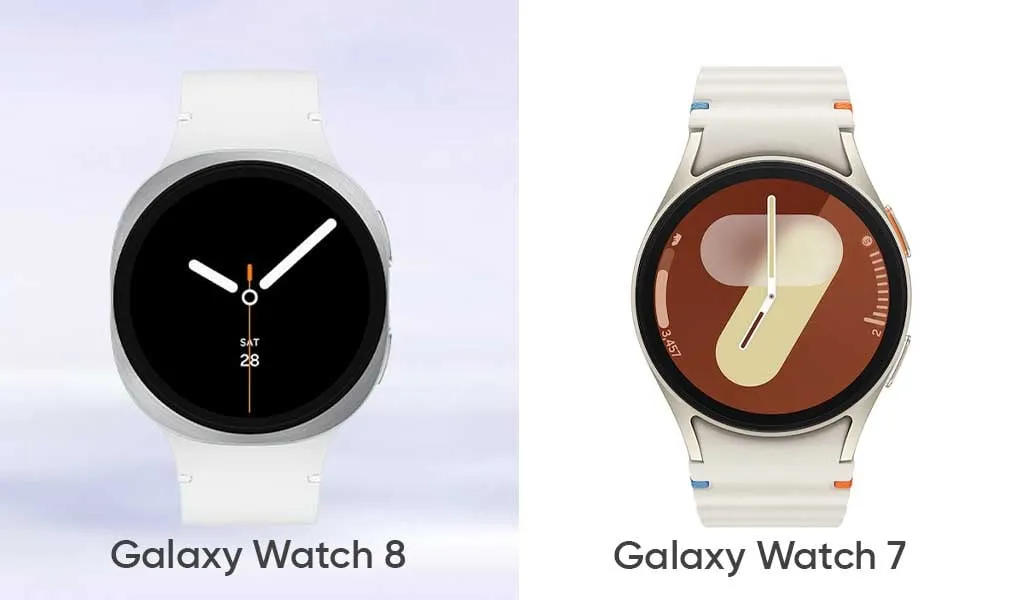
    The Galaxy Watch 8 doesn’t appear to be anything that different from the Galaxy Watch 7 from the previous year, except from the somewhat updated design language. But is it just a new look, or is Samsung working on another exciting new feature?

    Design

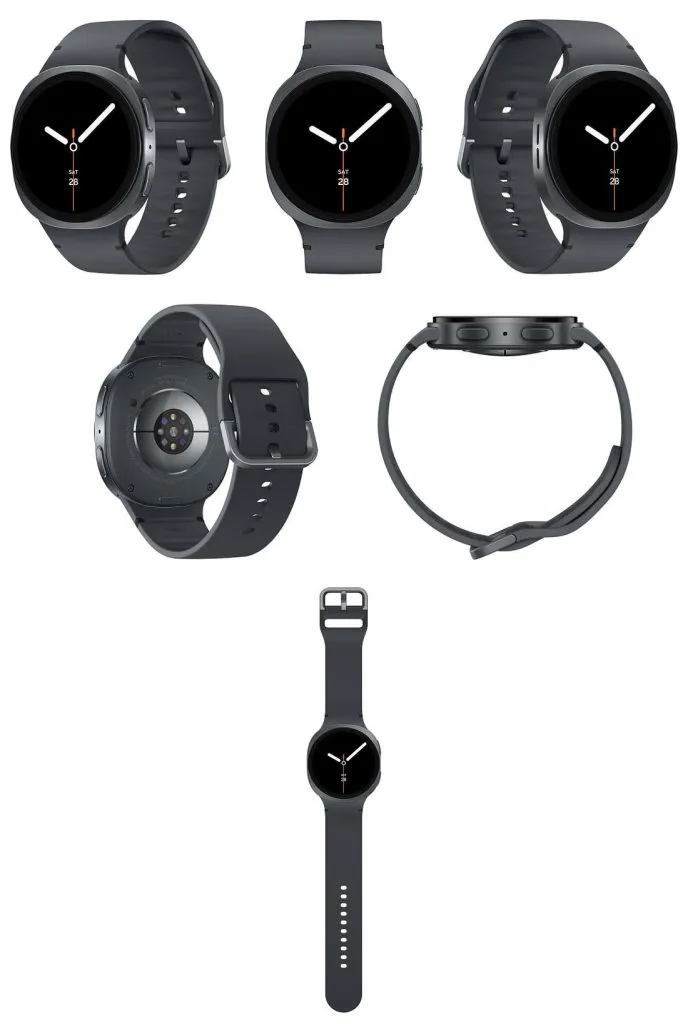
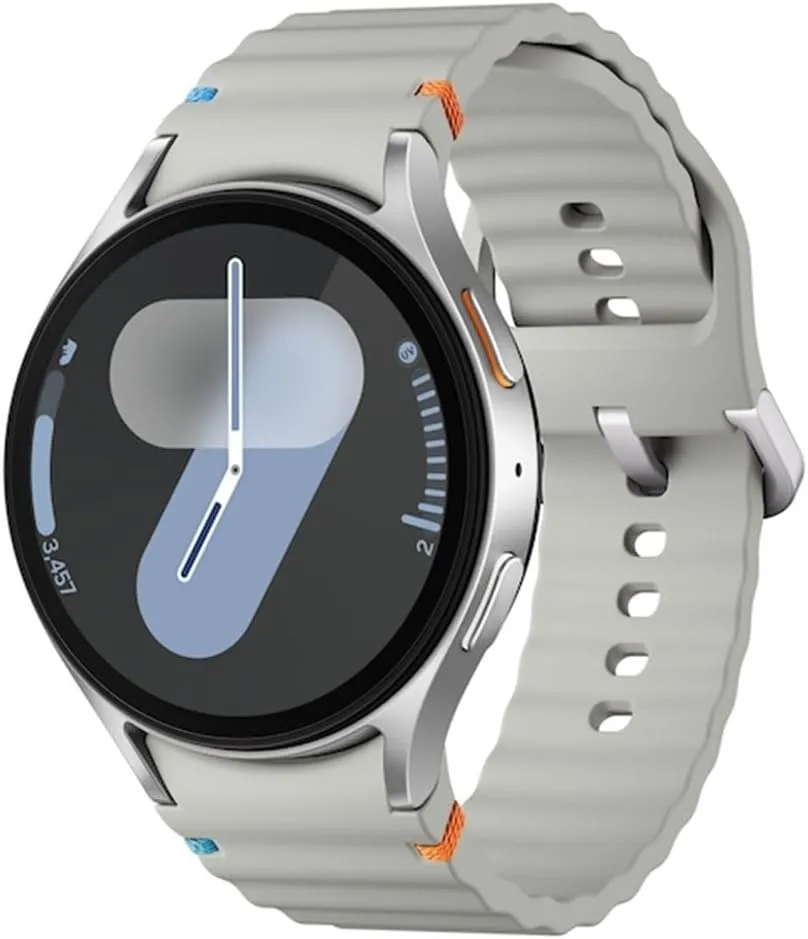
    Similar to the Galaxy Watch Ultra from the last year, Samsung appears to be using a new squircle-like design language to all of its wearables this year. This entails a typical circular screen and an aluminum shell that is primarily squircle. This device only has the typical two buttons on the right side, not a rotating bezel.

    Samsung Galaxy Watch 8 all sides

    Unrestricted by the round shape of the prior watch covers, this modification would allow Samsung to fit a slightly larger battery inside. This is exactly what appears to be happening here, as a slightly larger battery is reportedly making the rounds. There doesn’t appear to be any other specific justification for the redesign itself aside from that, since none was required in the first place.

    The Galaxy Watch 7, which is a typical circular smartwatch like the majority of Samsung’s devices from previous years, stands in quite sharp contrast to that. The South Korean corporation was well aware that it was the most identifiable watch shape, which also worked well for the smartwatch spinoff.

    Like its predecessors, the Galaxy Watch 8 will undoubtedly be available in two sizes: 40 and 44 mm.

    We don’t anticipate any changes to the formula in terms of size, which could indicate that the Galaxy Watch 8 will be as thin and small as the Galaxy Watch 7. To refresh your memory, the latter was 9.7 mm thin and, depending on the model, either 40.4 or 44.4 mm in diameter. We don’t think the Galaxy Watch 8 will weigh significantly more than the Galaxy Watch 7, which weighed between 29 and 34 grams.

    Galaxy Watch 8 and Galaxy Watch

    Like the Watch 7, the Galaxy Watch 8 will undoubtedly include MIL-STD-810H shock resistance and IP68 water and dust protection.

    Samsung debuted a new quick-release band connection system for its smartwatches with the Galaxy Watch 6. It rapidly separates the strap mechanism from the watch casing by pressing a button. Since the band attachment technique isn’t expected to change, the system is expected to function flawlessly on the Galaxy Watch 8 as it did on the Galaxy Watch 6 and 7 generations.

    galaxy watch 7

    Samsung Galaxy Watch 7

    Looking for a great way to bring out your personal best every day?

    $299.99$184.25Get It Now

    Having said that, Samsung submitted a patent application in December 2024 for a novel attachment system that combines multiple technologies to provide even quicker band interchangeability at a glance. But since it’s a patent, it’s impossible to predict whether or not it will come to pass.

    However, we anticipate that the Galaxy Watch 8 series will be accompanied by the announcement of a few new watch band styles.

    Software & Features

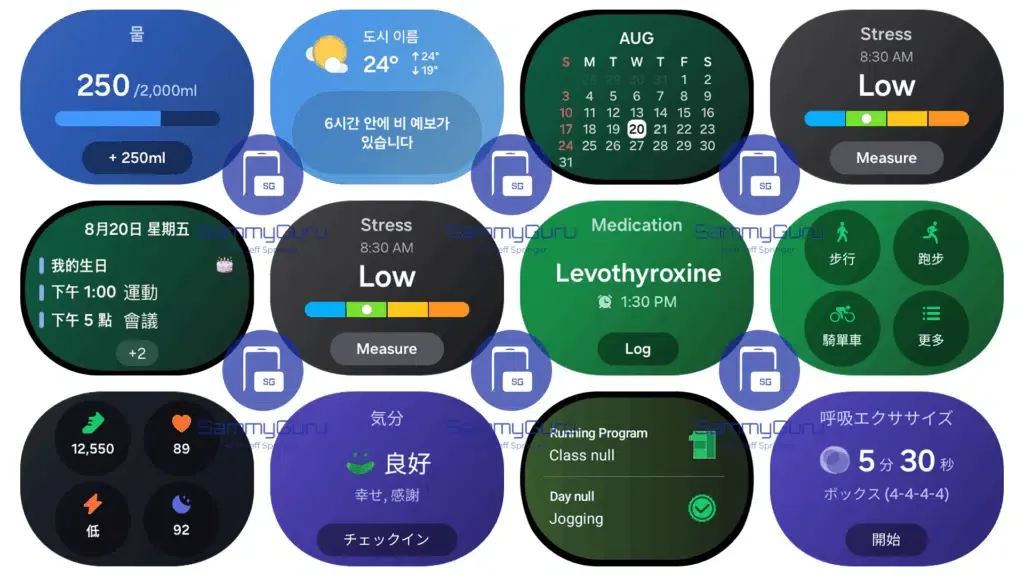
    Samsung’s One UI Watch 8 will run on top of Wear OS, which will serve as the foundation for the Galaxy Watch 8. From a usability and functionality standpoint, the combination of Google and Samsung’s software has historically produced a surprisingly good smartwatch experience, and there’s no reason to think the Galaxy Watch 8 UX would be any different.

    One UI Watch 8 full widgets 1024

    However, Google’s Wear OS is set to undergo a significant revamp with the next Material 3 Expressive design language, which will also undoubtedly alter the look of Android 16.

    Additionally, it is rumored that Samsung is expanding the capabilities of its Galaxy AI to include personalized recommendations driven by AI and other features on the company’s smartwatches.

    One potential new function is non-invasive blood glucose monitoring, which measures the minute variations in blood glucose using the BioActive sensor built into the device. Although we have some doubts that this feature will be included in the Galaxy Watch 8 series this year, there is always a chance.

    Battery

    The 40 mm model of last year’s Galaxy Watch 7 had a 300 mAh battery, but the larger 44 mm model has a 425 mAh battery.

    According to rumors, the Galaxy Watch 8 will likely have a somewhat bigger battery. What we’re getting here is a slight bump to 435 mAh on the 44 mm size and perhaps 310 mAh on the smaller choice.

    The Galaxy Watch 8 is anticipated to use the same 3nm Exynos W1000 chip, therefore a significant improvement in battery life seems unlikely. Therefore, the maximum battery life we are receiving may be around a day or a day and a half.

    It’s possible that the Galaxy Watch 8 will support the same 10W wireless charging.

    Specs

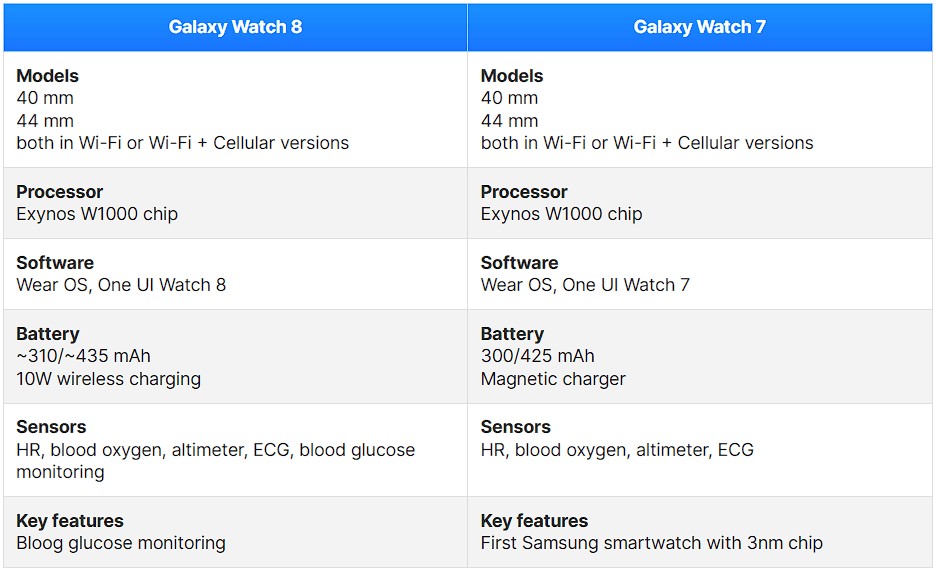
    The specs for the Galaxy Watch 8 vs. Galaxy Watch 7 are anticipated to be as follows:

    image 14
    galaxy watch 7

    Samsung Galaxy Watch 7

    Looking for a great way to bring out your personal best every day?

    $299.99$184.25Get It Now

    Final thought

    Compared to the Galaxy Watch 7, the Galaxy Watch 8 appears to be just a design update, a slow and sensible development.

    The glucose monitoring feature, which may prove to be extremely helpful for many diabetics, is perhaps the most exciting new feature. The icing on the cake is that it will be non-invasive.

    Is it time to replace your Galaxy Watch 7? Considering that the two smartwatches’ basic specifications and functionalities are essentially the identical, users of the Galaxy Watch 7 shouldn’t feel pressured to upgrade, despite the rumors that are currently circulating.

  • Performance trick on Xiaomi devices – RAM expansion

    Performance trick on Xiaomi devices – RAM expansion

    One of the most frequent complaints from smartphone users is slowdowns brought on by insufficient RAM, which Xiaomi has subtly added. By designating a piece of internal storage as virtual RAM, the Dynamic RAM Expansion function allows Xiaomi, Redmi, and POCO handsets running MIUI or HyperOS to augment their physical RAM. This method is especially cost-effective for both premium and budget-conscious customers since it enables users to improve device performance without spending money on expert services or hardware changes.

    About RAM expansion

    RAM serves as every smartphone’s working memory, facilitating seamless multitasking and quick access to open apps. The increasing sophistication of mobile operating systems and applications puts even more strain on limited memory. Users encounter slowness, slower app transitions, and occasionally even unplanned system restarts when a device’s RAM is low—all of which are unacceptable in a fast-paced work setting.

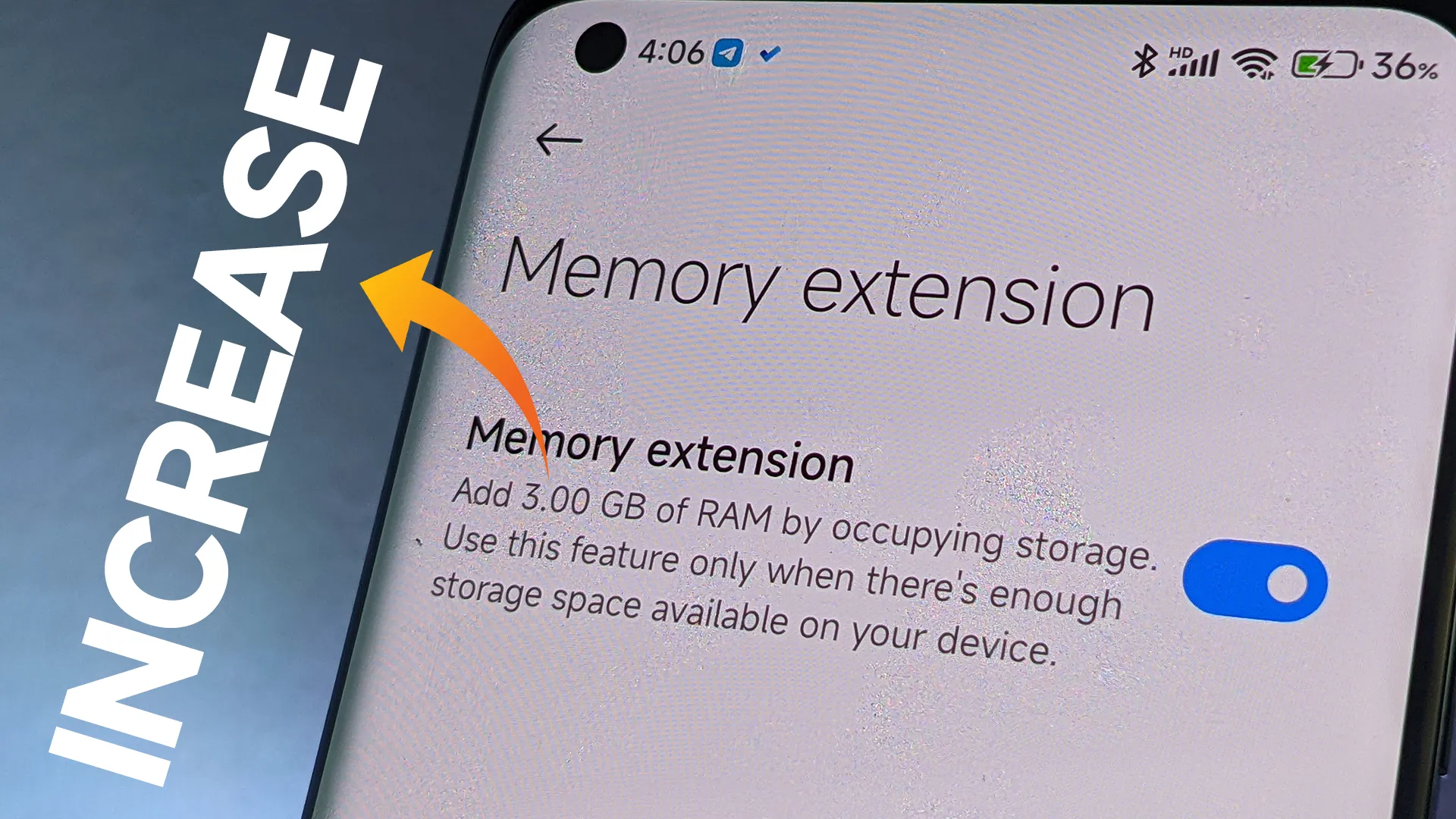
    By setting aside a piece of internal storage and using it as virtual RAM, dynamic RAM expansion helps to overcome these limitations. For instance, a device having 8GB of physical RAM can be set up to add an additional 4GB from storage, giving users “8+4GB” as shown by system settings. This approach is especially beneficial for companies wishing to prolong the lives of their hardware assets because it doesn’t need any physical intervention or additional costs.

    Throughout the Xiaomi ecosystem, this capability is generally accessible. Dynamic RAM Expansion is available to a wide spectrum of customers, from the top POCO models to affordable Redmi handsets, including mid-tier choices like the Redmi Note 13 Pro 5G. The individual device and available storage determine how much expandable RAM (4GB, 6GB, or 8GB) is needed, providing flexibility for a range of business requirements.

    How to enable Ram expansion

    Enabling the feature is designed to be user-friendly:

    • Open the Settings application
    • Navigate to “Additional Settings”
    • Locate and select “Memory Extension” (or “Memory Expansion”)
    • Choose the desired amount of expansion (4GB, 6GB, or 8GB)
    • Confirm and restart the device to activate
    xiaomi RAM expansion

    Users can experience quantifiable increases in device responsiveness in a matter of steps, which is advantageous in settings where productivity is a top priority.

    Even though dynamic RAM expansion has several advantages, it needs enough free storage to work properly. To activate the feature, users might need to make room. It’s also crucial to remember that virtual RAM functions more slowly than real RAM, but for everyday business applications like email, productivity suites, and communication, the difference is usually noticeable.

    Stay connected with the latest from Droid Tools—follow us on X @droid_tools, like our page on Facebook, check out our updates on Instagram, and follow us on Google News for real-time news, device tips, and mobile tech insights.
  • Android 16: complete list of Samsung, Xiaomi, and other eligible devices

    Android 16: complete list of Samsung, Xiaomi, and other eligible devices

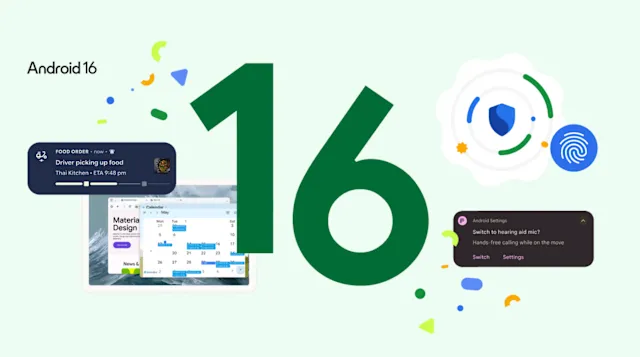
    The formal rollout of Android 16’s stable version has started, with Google’s Pixel smartphones leading the way. Other significant Android manufacturers are getting ready to release their own unique skins and upgrade schedules in tandem with the latest OS version. The most important question for users anxiously anticipating the update is: will my device get the update? This is the list of devices that are compatible with Android 16.

    We have put up a thorough list of smartphones and tablets from well-known manufacturers, like Samsung, Xiaomi, Motorola, and Oppo, that should be compatible with the Android 16 update in order to assist in answering this question.

    Google Pixel Android 16 Eligible devices

    As always, Pixel devices are first in line and the rollout is already underway for these models.

    Device SeriesEligible Models
    Pixel 9 Series9, 9 Pro, 9 Pro XL, 9 Pro Fold, 9a
    Pixel 8 Series8, 8 Pro, 8a
    Pixel 7 Series7, 7 Pro, 7a
    Pixel 6 Series6, 6 Pro, 6a
    Pixel FoldablesPixel Fold
    Pixel TabletPixel Tablet

    Samsung Galaxy Android 16 Eligible devices

    Samsung offers one of the most extensive portfolios, and a large number of its devices are expected to receive the update.

    SeriesEligible Devices
    Galaxy SS25, S24, S23, S22 series & S21 FE
    Galaxy ZZ Fold/Flip 6, Z Fold/Flip 5, Z Fold/Flip 4, Z Fold SE
    Galaxy TabTab S10, S9, S8 series, Tab S6 Lite (2024)
    Galaxy AA73, A5x, A3x, A2x, A1x, A0x series (from A_3 to A_6 generations)
    Galaxy MM5x, M3x, M1x, M0x series (from M_3 to M_6 generations)
    Galaxy FF5x, F34, F1x, F0x series (from F_4 to F_6 generations)
    OtherGalaxy C55, XCover 7, Tab Active 5

    Xiaomi, Redmi, and Poco Android 16 Eligible devices

    Xiaomi’s multi-brand strategy means a wide array of devices are in line for the HyperOS skin based on Android 16.

    Brand / SeriesEligible Devices
    Xiaomi15, 14, 13 series (including T, Pro, Ultra models)
    Xiaomi CiviCivi 5 Pro, Civi 4 Pro, Civi 3
    Xiaomi PadPad 7 series, Pad 6 series (Pro, Max, S Pro)
    Redmi NoteNote 14 series, Note 13 series
    Redmi KK80 series, K70 series, K60 series
    Redmi14 series, 13 series, A4 series
    Redmi PadPad 2, Pad Pro, Pad SE
    PocoF7, F6, X7, X6, M7, M6, C7x series

    Motorola

    Motorola is expected to update its recent flagship and mid-range devices.

    SeriesEligible Devices
    RazrRazr 2025 series, Razr+ 2024, Razr 60/50 series
    EdgeEdge 2025, Edge 60/50 series, Edge 40 Pro
    Moto GG Power/Stylus 2025, G86/85, G75, G56/55
    ThinkPhoneThinkPhone 25

    Oppo

    Oppo will likely bring Android 16 to its premium Find series and popular Reno line.

    SeriesEligible Devices
    Find NFind N5, N3, N2 series
    Find XFind X8, X7, X6 series
    RenoReno 14, 13, 12, 11 series
    F SeriesF29, F27, F25 Pro
    K SeriesK13, K12 series
    Pad SeriesPad 4 Pro, Pad 3 series, Pad SE

    Other Major Brands (Expected)

    BrandEligible Devices (Summary)
    OnePlus13, 12, 11 series, Nord 4/3, Nord CE 4, Open, Pad series
    VivoX200, X100, X90 series, V50/40/30 series, T4/3 series, recent Y series, Pad 5/3
    iQOO13, 12, 11 series, Z10/9 series, Neo 10/9 series, Pad series
    NothingPhone (2), (2a), (2a)+, Phone (3a) series, CMF Phone 1/2 Pro

    Other manufacturers may need a few weeks to incorporate Android 16 with their own user interfaces, such as One UI, HyperOS, and ColorOS, while Google Pixel phones are currently getting the upgrade. The majority of brands are anticipated to start releasing stable versions in July 2025, with widespread beta testing set to commence shortly.

    Stay connected with the latest from Droid Tools—follow us on X @droid_tools, like our page on Facebook, check out our updates on Instagram, and follow us on Google News for real-time news, device tips, and mobile tech insights.
  • Imminent update to HyperOS 2.2 for these devices

    Imminent update to HyperOS 2.2 for these devices

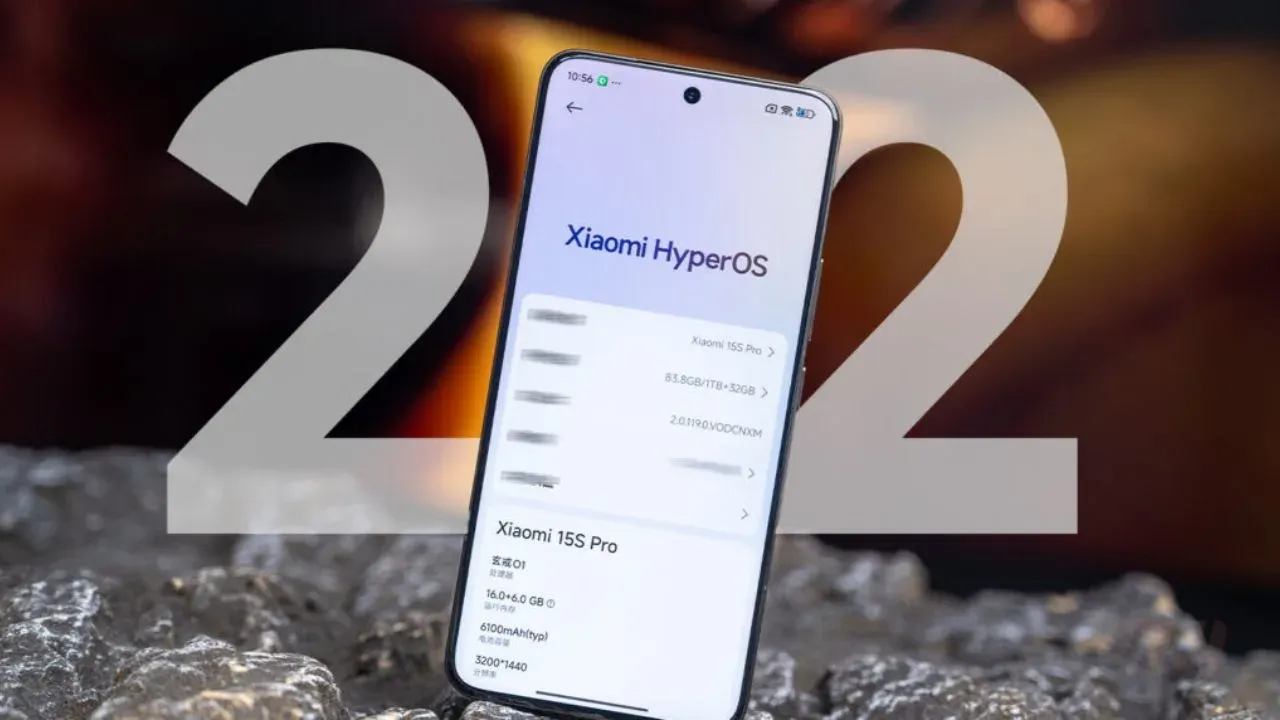
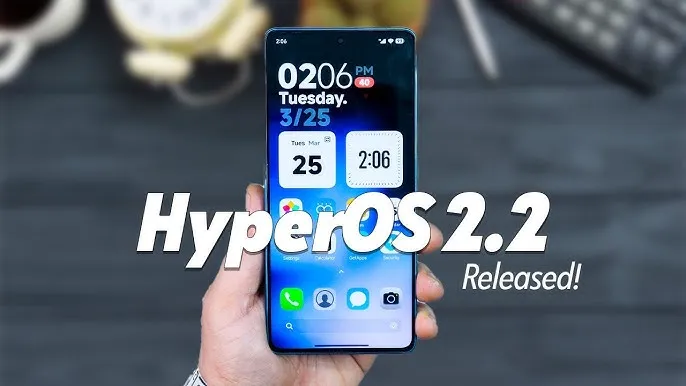
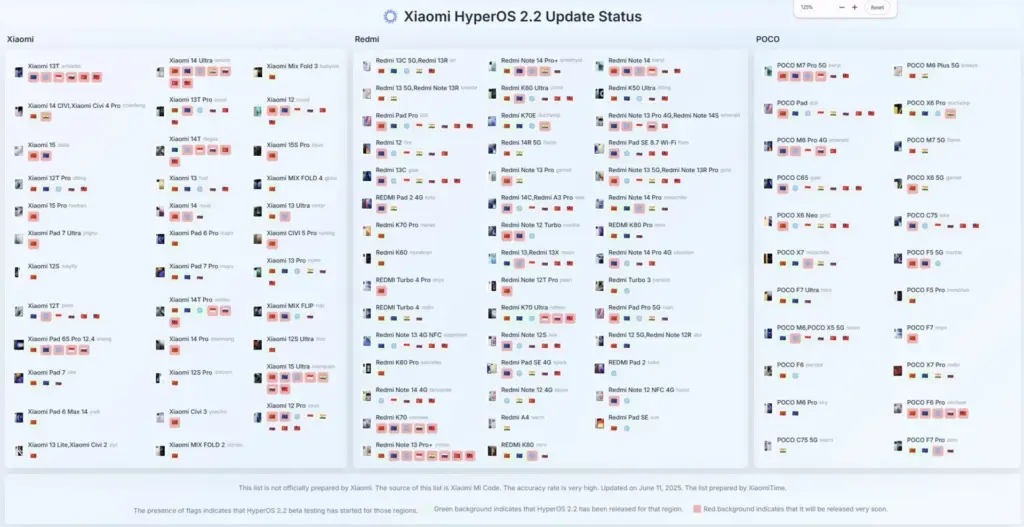
    Xiaomi is getting ready for a significant HyperOS 2.2 release that will affect over 40 devices worldwide. With regional coverage including Europe, India, Indonesia, Russia, Taiwan, and other markets, this update will feature Xiaomi Pad tablets, POCO smartphones, and Redmi series phones. The completion of stable beta testing indicates an impending general release.

    With the most devices slated for the update, the European Economic Area (EEA) is in first place. In order to provide thorough worldwide coverage, global versions as well as specially designed releases for Taiwan, Indonesia, Russia, and India will come soon after.

    hyperos 2.2 release

    The new software will be released initially for key POCO products including the X7 Pro (Redmi Turbo 4) and F7 Pro (Redmi K80). Updates for the POCO M6 series, including Pro 4G models, are also planned for the EEA and Russia regions. There will be broad support for Redmi’s wide range of products, from flagship models like the K70 Ultra to more affordable variants like the Redmi 13C. Taiwan, Russia, and other markets will witness the release of the Redmi Note 14 and K70 series. To ensure a consistent experience across smartphones and tablets, tablet users should anticipate updates for the Xiaomi Pad 6S Pro 12.4, Redmi Pad Pro 5G, and Redmi Pad SE series.

    • POCO F7 Pro OS2.0.202.0.VOKEUXM EEA
    • POCO M6 Pro 4G/Redmi Note 13 Pro 4G OS2.0.203.0.VNFRUXM Russia
    • POCO M6/Redmi 13/Redmi 13X OS2.0.201.0.VNTEUXM EEA
    • POCO X6 Pro OS2.0.201.0.VNLEUXM EEA
    • POCO X6 Pro OS2.0.201.0.VNLINXM India
    • Redmi 12 OS2.0.201.0.VMXEUXM EEA
    • Redmi 13C/POCO C65 OS2.0.201.0.VGPEUXM EEA
    • Redmi 13R/Redmi 13C 5G OS2.0.201.0.VGQEUXM EEA
    • Redmi 14C/POCO C75/Redmi A3 Pro OS2.0.202.0.VGTEUXM EEA
    • Xiaomi 13T Pro OS2.0.202.0.VMLEUXM EEA
    • Xiaomi 14T Pro OS2.0.202.0.VNNMIXM Global
    • Xiaomi 14T Pro OS2.0.202.0.VNNRUXM Russia
    • POCO F6 Pro OS2.0.201.0.VNKEUXM EEA
    • POCO F6 Pro OS2.0.201.0.VNKMIXM Global
    • POCO F6 Pro OS2.0.202.0.VNKRUXM Russia
    • POCO F6 Pro OS2.0.202.0.VNKTWXM Taiwan
    • POCO F7 Ultra OS2.0.202.0.VOMEUXM EEA
    • Redmi Note 12 NFC 4G OS2.0.202.0.VMGEUXM EEA
    • Redmi Note 12S OS2.0.201.0.VHZEUXM EEA
    • Redmi Note 13 4G NFC OS2.0.201.0.VNHEUXM EEA
    • Redmi Note 13 Pro 4G/POCO M6 Pro 4G OS2.0.202.0.VNFEUXM EEA
    • Redmi Note 13 Pro 4G/POCO M6 Pro 4G OS2.0.202.0.VNFMIXM Global
    • Redmi Note 13 Pro+ OS2.0.201.0.VNOEUXM EEA
    • Redmi Note 13 Pro+ OS2.0.201.0.VNOINXM India
    • Redmi Note 14 Pro 4G OS2.0.202.0.VOFEUXM EEA
    • Redmi Note 14 Pro+ OS2.0.201.0.VOPINXM India
    • Redmi Note 14 Pro+ OS2.0.201.0.VOPMIXM Global
    • Redmi Note 14 Pro+ OS2.0.202.0.VOPEUXM EEA
    • Redmi Note 14 Pro/POCO X7 OS2.0.202.0.VOOEUXM EEA
    • Redmi Note 14/POCO M7 Pro 5G OS2.0.202.0.VOQEUXM EEA
    • REDMI Pad 2 4G OS2.0.201.0.VOWEUXM EEA
    • Redmi Pad Pro 5G OS2.0.201.0.VFSEUXM EEA
    • Redmi Pad Pro/POCO Pad OS2.0.202.0.VNSEUXM EEA
    • Redmi Pad SE 4G OS2.0.201.0.VHYEUXM EEA
    • Redmi Pad SE 8.7 Wi-Fi OS2.0.201.0.VHXEUXM EEA
    • REDMI Turbo 4/POCO X7 Pro OS2.0.201.0.VOJEUXM EEA
    • Xiaomi 15 Ultra OS2.0.202.0.VOARUXM Russia
    • Xiaomi MIX FLIP OS2.0.201.0.VNIEUXM EEA
    • Xiaomi Pad 6S Pro 12.4 OS2.0.201.0.VNXIDXM Indonesia
    • Xiaomi Pad 6S Pro 12.4 OS2.0.201.0.VNXMIXM Global
    • Xiaomi Pad 6S Pro 12.4 OS2.0.201.0.VNXRUXM Russia
    • Xiaomi Pad 6S Pro 12.4 OS2.0.202.0.VNXEUXM EEA

    New features and enhancements

    System Animations

    Significant enhancements to system animations are included in the update, providing more stable and seamless transitions, particularly while multitasking and shutting down apps.

    Desktop Experience

    Improved visual effects like font shadowing for easier reading and desktop background blur are new in HyperOS 2.2. The new HyperConnect feature increases the number of communication possibilities by enabling voice chat without an internet connection.

    Camera Application

    A simpler interface and more professional appearance are provided with a revamped camera app. Merged presets, more customizable watermarks, and improved pro mode capability are among the upgrades.

    Lock Screen and Accessibility

    Custom shortcuts and lens effects are now supported by lock screen features. Included are major accessibility improvements like enhanced TalkBack support and better volume controls, as well as new fingerprint animations.

    HyperOS 2.2 is currently available to Mi Pilot testers, and a wider public release is anticipated shortly. Xiaomi is working on updates for about 100 devices, demonstrating a comprehensive approach centered on compatibility with HyperOS 2 and Android 15.

    Stay connected with the latest from Droid Tools—follow us on X @droid_tools, like our page on Facebook, check out our updates on Instagram, and follow us on Google News for real-time news, device tips, and mobile tech insights.

  • You can move the address bar to the bottom in Chrome on Android.

    You can move the address bar to the bottom in Chrome on Android.

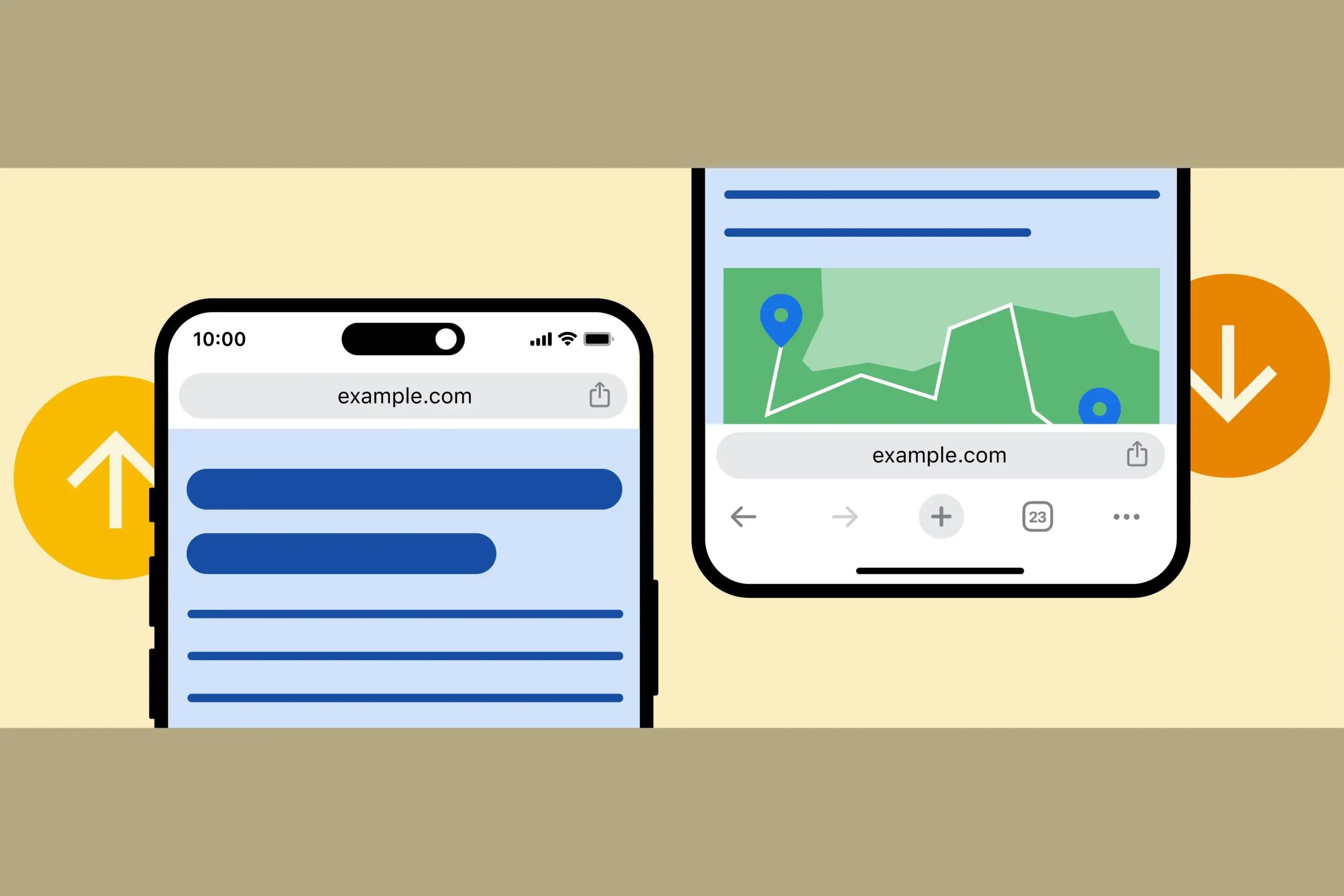
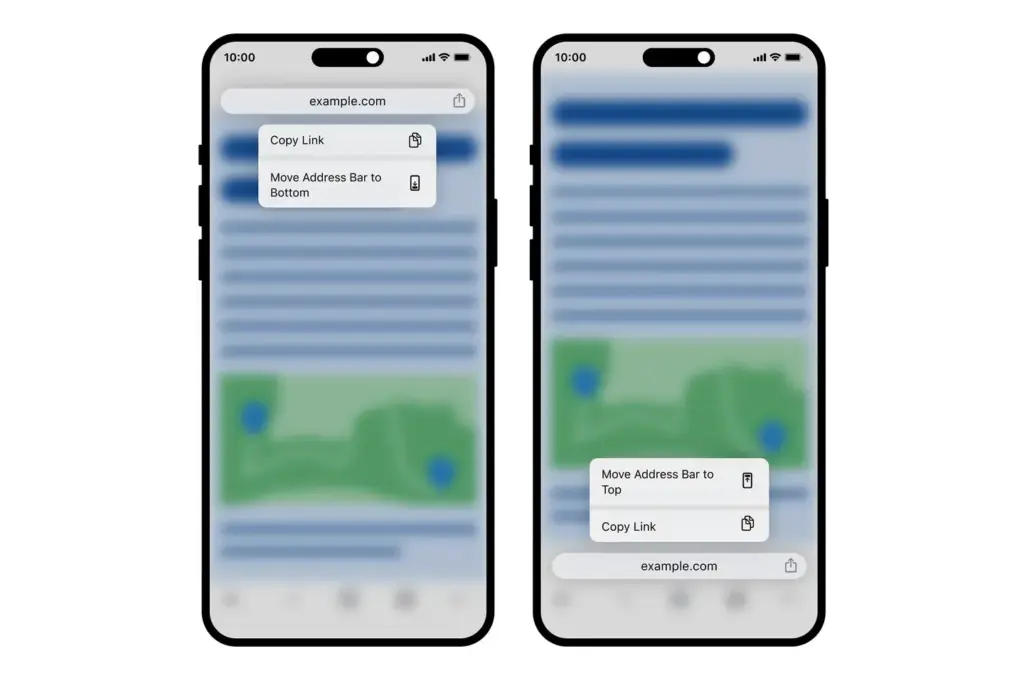
    One feature that users of iOS have enjoyed for a while—a moveable address bar—has been absent from an Android user’s customized Chrome experience. With Google’s statement that you would be able to move the Chrome address bar from top to bottom and back up again, that will alter as of right now.

    Android’s Chrome address bar can be moved to the bottom. This may seem like a dumb little feature, but I can’t wait for it to arrive on my device. It can be challenging to reach the top of our phones without a second hand or having to do a risky shimmy because they are huge. An address bar at the bottom is always accessible.

    Move Chrome address bar to botto

    Google is allowing you to manually relocate the Chrome address bar by long-pressing on it (such as the actual URL space) and then selecting “relocate address bar to bottom” for those who enjoy the concept (which you can see above). You can see how it appears on iOS below.

    According to Google, the update may take “weeks” to reach everyone, but it will “begin to emerge” on devices as early as today.

    Stay connected with the latest from Droid Tools—follow us on X @droid_tools, like our page on Facebook, check out our updates on Instagram, and follow us on Google News for real-time news, device tips, and mobile tech insights.