Blog

  • One UI 8 internal beta started for Galaxy S24 FE and Galaxy S22 series

    One UI 8 internal beta started for Galaxy S24 FE and Galaxy S22 series

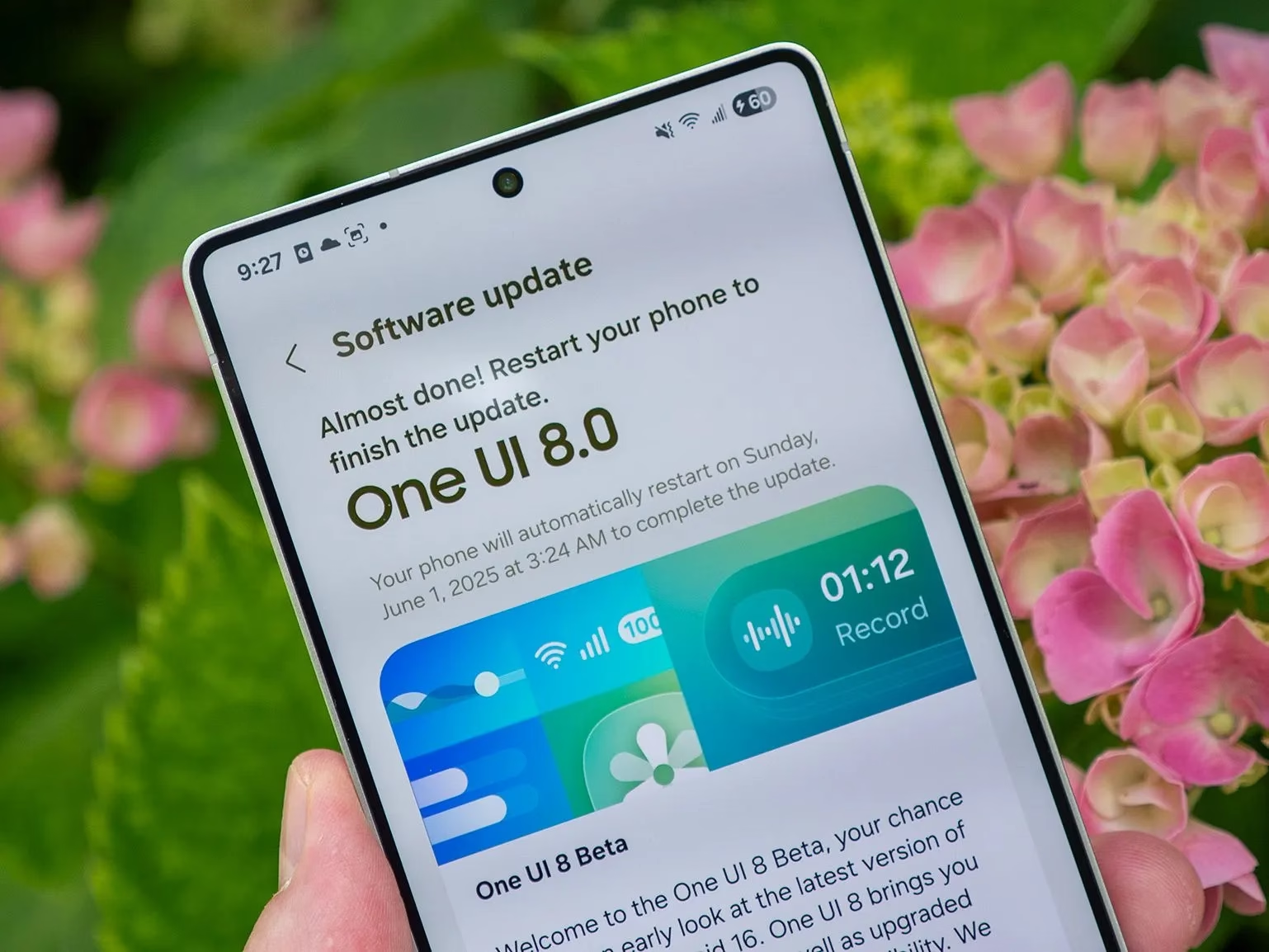
    The next significant One UI release will be the One UI 8 update, which Samsung is developing for Android 16. Only the Galaxy S25 series is currently able to access the One UI 8 in public beta. It is being tested internally for a number of devices, though.

    On Samsung’s server, the One UI 8 internal beta for the Galaxy S22 and S24 FE was recently discovered. Internal beta testing has already started for these two phones, even if they might not get the public beta. Accordingly, users of the Galaxy S24 FE and S22 can anticipate the stable One UI 8 update shortly following the release of the Galaxy S23 series.

    One UI 8 internal build

    Build number CYG1 was the One UI 8 internal build for the Galaxy S24 FE, and build GYG1 was the build for the Galaxy S22 series.
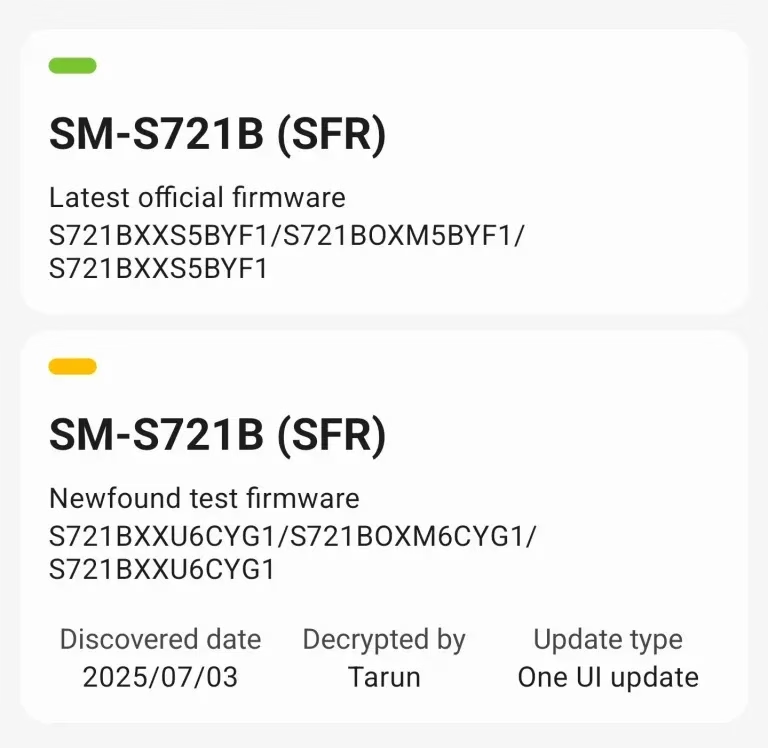
    One UI 8 internal beta Galaxy S2

    This result confirms that the upgrade is currently being developed, even though it might not be a significant accomplishment. Additionally, there’s a potential that the build will leak to the public because internal testing has started, providing unauthorized access to this update on these devices.
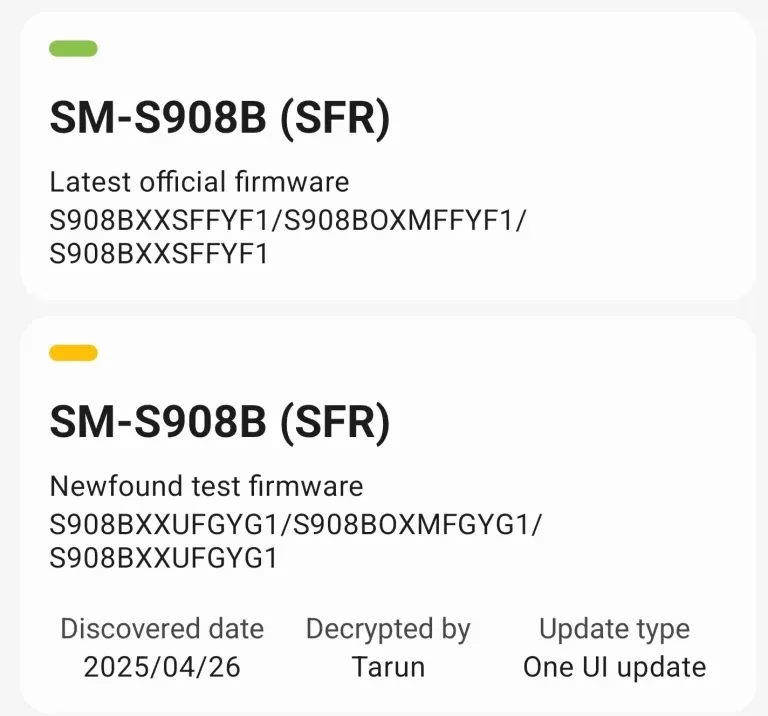
    One UI 8 internal beta Galaxy S2 1

    We appreciate Tarun Vats’s discovery. In contrast to the One UI 7 build, you may anticipate that the stable One UI 8 upgrade will arrive on schedule if you own a Galaxy S24 FE or Galaxy S22. Additionally, don’t wait for the public beta because Samsung often only publishes it for a select few devices, primarily the most recent flagship and mid-range models.

    It is anticipated that One UI 8 will introduce some new features and significantly increase One UI performance. There will be some additions even if there might not be as many significant improvements as One UI 7. For instance, the Adaptive Lock Screen clock, which looks fantastic, will also be included. Expect some UI improvements for stock apps as well.

    Stay connected with the latest from Droid Tools—follow us on X @droid_tools, like our page on Facebook, check out our updates on Instagram, and follow us on Google News for real-time news, device tips, and mobile tech insights.
  • Realme devices expected to receive Android 16 update

    Realme devices expected to receive Android 16 update

    Although Android 16 has been formally released, only Pixel devices can currently run it. Other companies, including One UI 8, are also developing their own unique iterations of Android 16. Specifically, Realme has not disclosed anything about its Realme UI 7, which is based on Android 16. You can, however, review our anticipated list of Realme phones that support Android 16.

    The Realme UI 7, which will introduce Android 16 to its devices, has not yet been announced by Realme. The Android 16 developer preview for Realme’s most recent flagship, which isn’t based on Realme UI 7, is the only advancement we’ve seen from the company thus far.

    Expected Realme devices to get Android 16 update

    Expected Realme devices to get Android 16 update

    Realme customers will have to wait a bit longer for the Android 16 upgrade because it was only launched a few weeks ago. Waiting for Android 16 would be pointless, though, if your device isn’t compatible with it. You can use the list we’ve produced to determine whether or not your Realme phone is compatible with Android 16.

    • Realme GT 7
    • Realme GT 7 Pro
    • Realme GT7 Pro Racing
    • Realme GT 7T
    • Realme GT 6
    • Realme GT 6T
    • Realme GT Neo6
    • Realme GT Neo6 SE
    • Realme GT5
    • Realme GT5 240W
    • Realme GT5 Pro
    • Realme 14
    • Realme 14 Pro
    • Realme 14 Pro+
    • Realme 14T
    • Realme 14x
    • Realme 13
    • Realme 13+
    • Realme 13 Pro
    • Realme 13 Pro+
    • Realme 12 4G
    • Realme 12
    • Realme 12+
    • Realme 12 Lite
    • Realme 12+
    • Realme 12 Pro
    • Realme 12 Pro+
    • Realme Narzo 80 Pro
    • Realme Narzo 80x
    • Realme Narzo 70
    • Realme Narzo 70 Turbo
    • Realme Narzo 70 Pro
    • Realme Narzo 70x
    • Realme Neo7
    • Realme Neo7 SE
    • Realme Neo7 Turbo
    • Realme Neo7x
    • Realme P3
    • Realme P3 Pro
    • Realme P3 Ultra
    • Realme P3x
    • Realme P2 Pro
    • Realme P1
    • Realme P1 Pro
    • Realme P1 Speed
    • Realme C75 4G
    • Realme C75
    • Realme C73
    • Realme C71

    Your device is either not eligible for the Android 16 upgrade or hasn’t been verified by our team yet if it isn’t listed.

    The updating policy serves as the basis for this list, which should be largely accurate. This is not an official list, though, and the official list might change.

    It’s challenging to correctly anticipate all eligible models because Realme hasn’t formally revealed an update policy for every phone or series, particularly for less well-known handsets. We will, however, keep updating this list after confirming the facts from many sources.

    The Realme GT 7 series may receive the Android 16 upgrade before any other Realme series. It’s possible that beta testing will start in July.

    Stay connected with the latest from Droid Tools—follow us on X @droid_tools, like our page on Facebook, check out our updates on Instagram, and follow us on Google News for real-time news, device tips, and mobile tech insights.
  • Editing RCS Messages sent to iPhones is now possible for some Android users

    Editing RCS Messages sent to iPhones is now possible for some Android users

    Text communications between iOS and Android users has historically proven more often than not problematic. However, new modifications are facilitating communication between the two platforms. After years of Google trying to convince Apple to adopt the new communications standard, RCS, the company is finally doing so.

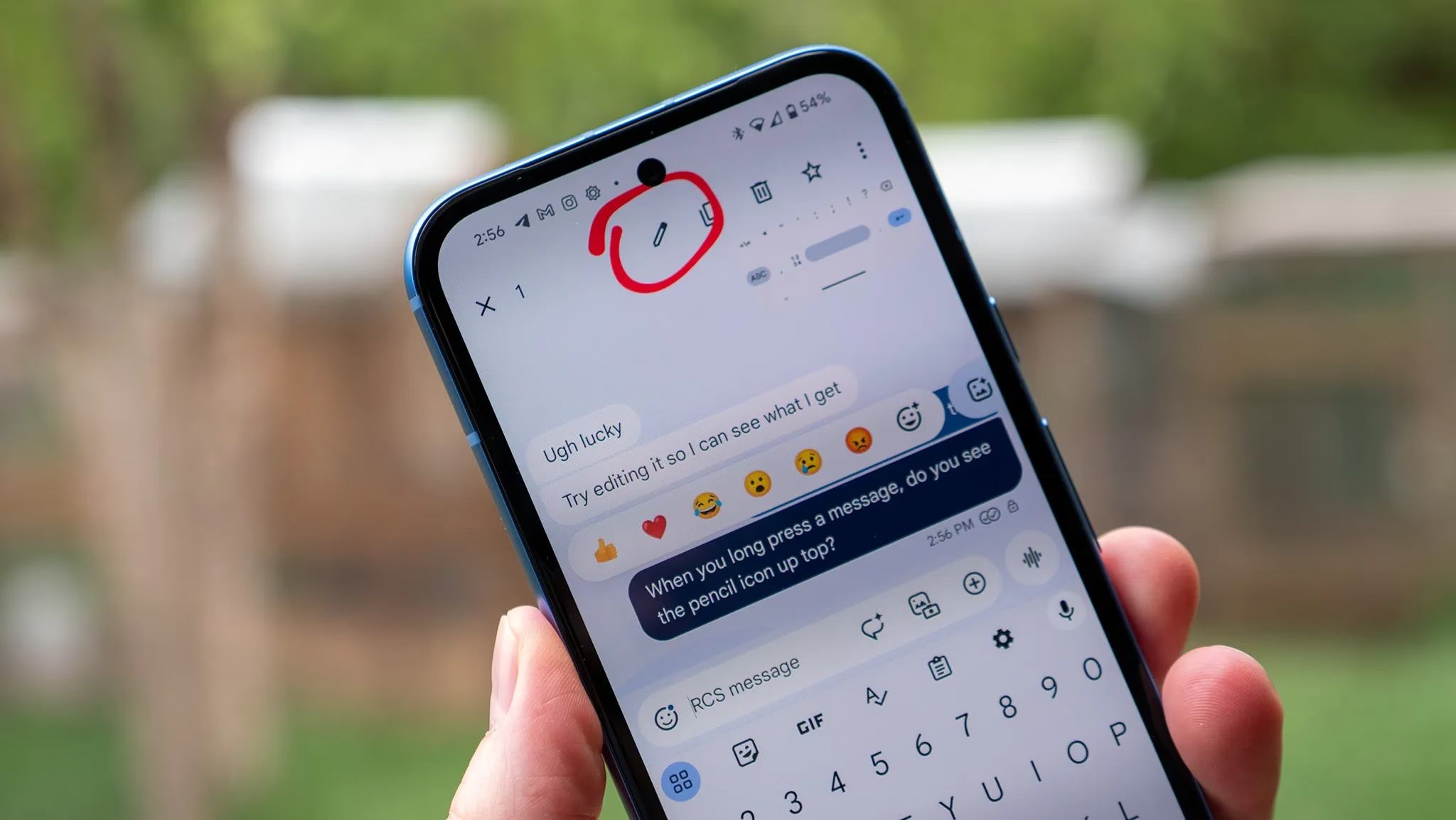
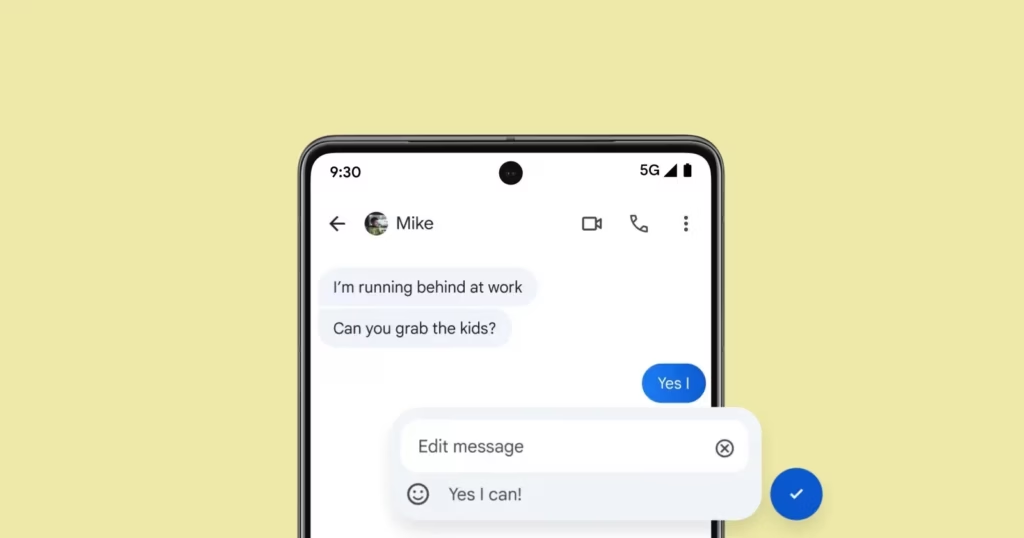
    Users on both systems can share high-quality media, be “seen” when messages are read, and detect typing activity thanks to RCS. However, up until now, there hasn’t been a way to alter messages sent from an Android device to an iPhone. According to Android Authority, some Android users are now starting to notice it.

    edit rcs message

    Apple recently added RCS support

    For over a year, editing messages has been possible for Android-to-Android chats using RCS and iPhone-to-iPhone chats using iMessage. Because message editing was not included in the official RCS standard, Universal Profile 2.4, this feature was not available between iOS and Android. The standard was embraced by Apple, but this resulted in cross-platform conversations lacking the edit option.

    The GSM Association published Universal Profile 3.0 earlier this year, which includes end-to-end encryption and message editing. As a result, if the iPhones are running iOS 18.5 or later, including the iOS 26 beta, some Android users can now edit messages sent to iPhone users.

    It operates by requiring modifications to be performed within a 15-minute interval. Since Apple’s Messages app does not yet fully support this feature, the updated message appears on iPhones as a new message with an asterisk.

    Stay connected with the latest from Droid Tools—follow us on X @droid_tools, like our page on Facebook, check out our updates on Instagram, and follow us on Google News for real-time news, device tips, and mobile tech insights.
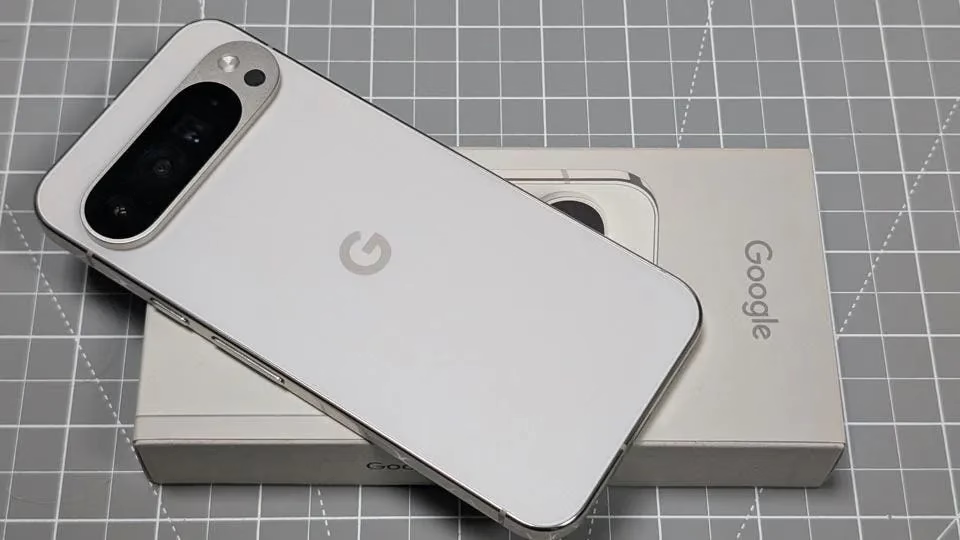
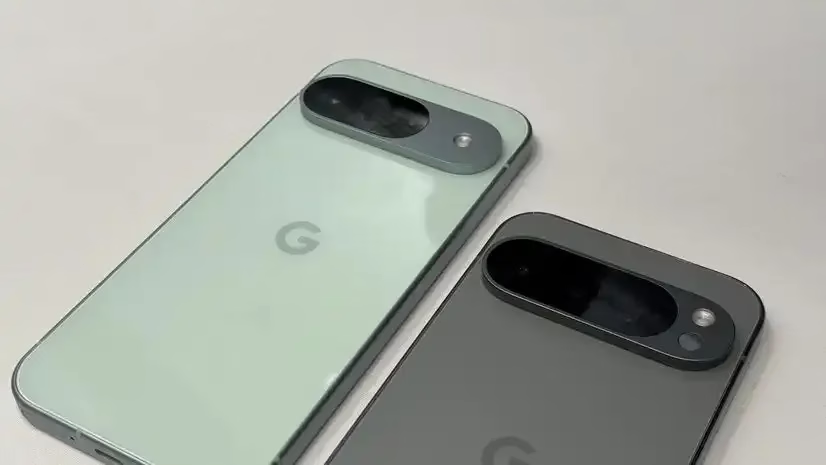
  • The largest battery in a Pixel device will be found in the Google Pixel 10 Pro XL

    The largest battery in a Pixel device will be found in the Google Pixel 10 Pro XL

    The design of Google’s next Pro series phones, the Pixel 10 Pro and Pixel 10 Pro XL, will remain similar to that of the Pixel 9 Pro from the previous year—almost identical, in my opinion. According to Android Headlines, the Pixel 10 Pro XL will have a 6.8-inch screen with a higher PMW, while the Pixel 10 Pro will have a 6.3-inch screen.

    Both have a maximum brightness of 3,000 nits and employ LTPO technology with refresh rates ranging from 1 to 120 Hz. Each device’s front and rear are covered by Corning’s Gorilla Glass Victus 2.

    The latest Tensor G5 processor and 16GB of RAM are used inside both Pro variants. The primary distinction is in storage: the Pixel 10 Pro will come with 128GB, 256GB, 512GB, and 1TB variants, albeit not all colors will support 1TB. The Pixel 10 Pro XL will only come with 256GB, 512GB, and 1TB of storage instead of the 128GB option.

    google pixel 10 pro xl battery vs pixel 10

    With a 50-megapixel primary camera, a 48-megapixel ultrawide, and a 48-megapixel 5x telephoto lens, the camera configuration is essentially the same as it was the previous year. There will be macro capabilities for both telephoto and ultrawide cameras.

    Surprisingly, the Pixel 10 Pro’s 4,870mAh battery is marginally smaller than the Pixel 10’s, most likely due to the larger cooling vapor chamber. According to the source, the Pixel 10 Pro XL would have the biggest Pixel battery ever—5,200mAh. Given that the Pro XL is supposedly just a larger version of the Pro, I think the 29W and 39W charging speeds for the Pro and Pro XL are a significant difference.

    Stay connected with the latest from Droid Tools—follow us on X @droid_tools, like our page on Facebook, check out our updates on Instagram, and follow us on Google News for real-time news, device tips, and mobile tech insights.
  • Advanced Protection mode will come in Samsung’s One UI 8

    Advanced Protection mode will come in Samsung’s One UI 8

    From strong, integrated security features like Samsung Knox to optional anti-theft settings that you must manually activate, Samsung phones come with an extensive array of security safeguards. It can be difficult to find and activate all of these security toggles, but the upcoming major One UI update offers a simpler method to increase the security of your device.

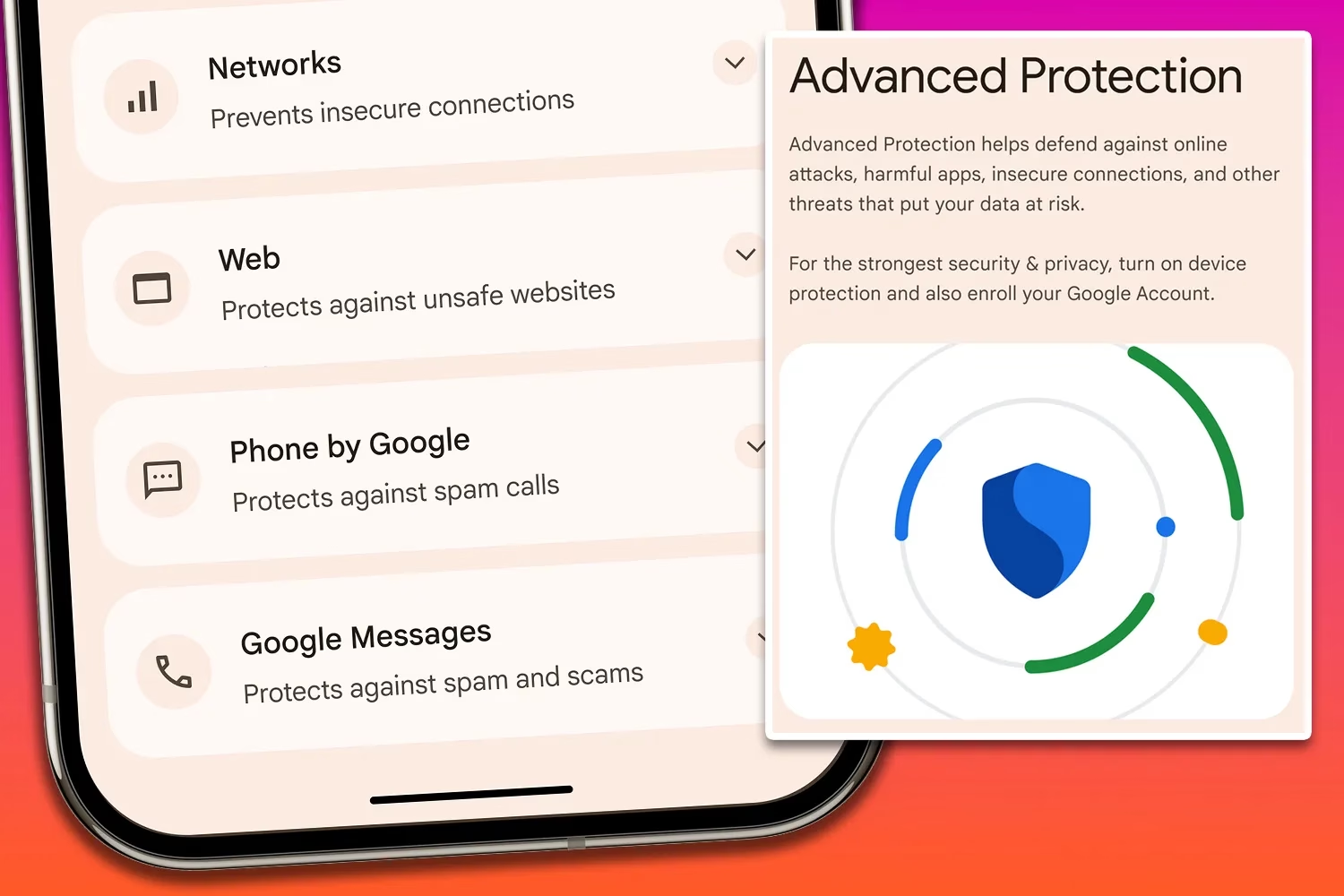
    Advanced Protection mode

    An optional Advanced Protection security mode, a one-click toggle that turns on a number of system and app-level security protections, will be included in the One UI 8 update. It permits, for instance, USB data protection, 2G network protection, and sideloading protection. Advanced Protection is available to anyone who want to better protect their data, even though it is intended for high-risk customers who might be the target of skilled attackers.

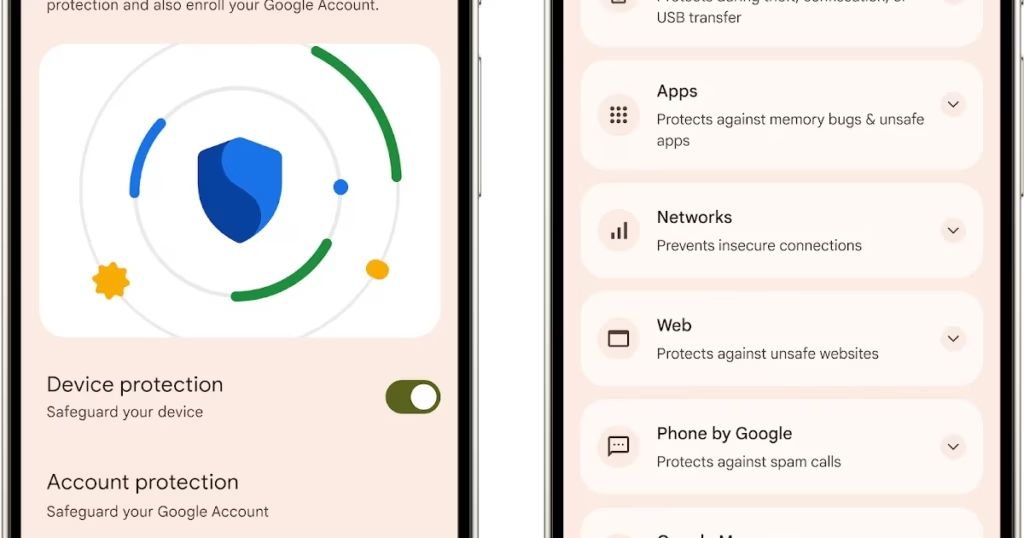
    Advanced Protection feature comes in Android16

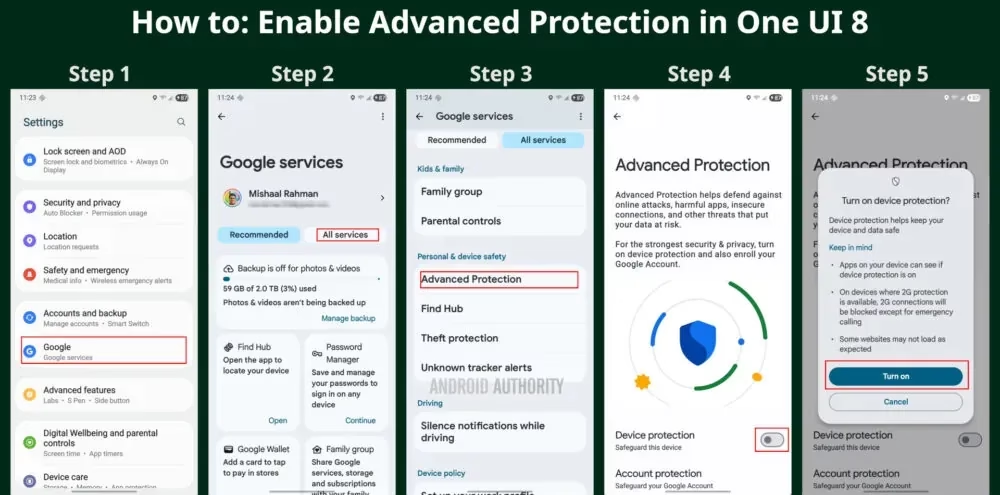
    To turn on Advanced Protection, follow these steps on your Samsung phone running One UI 8:

    1. Open Settings and select Google
    2. Tap the All services tab
    3. Scroll down to the Personal & device safety category and open Advanced Protection
    4. Toggle “Device protection
    5. Tap Turn on
    How to enable Advanced Protectio mode
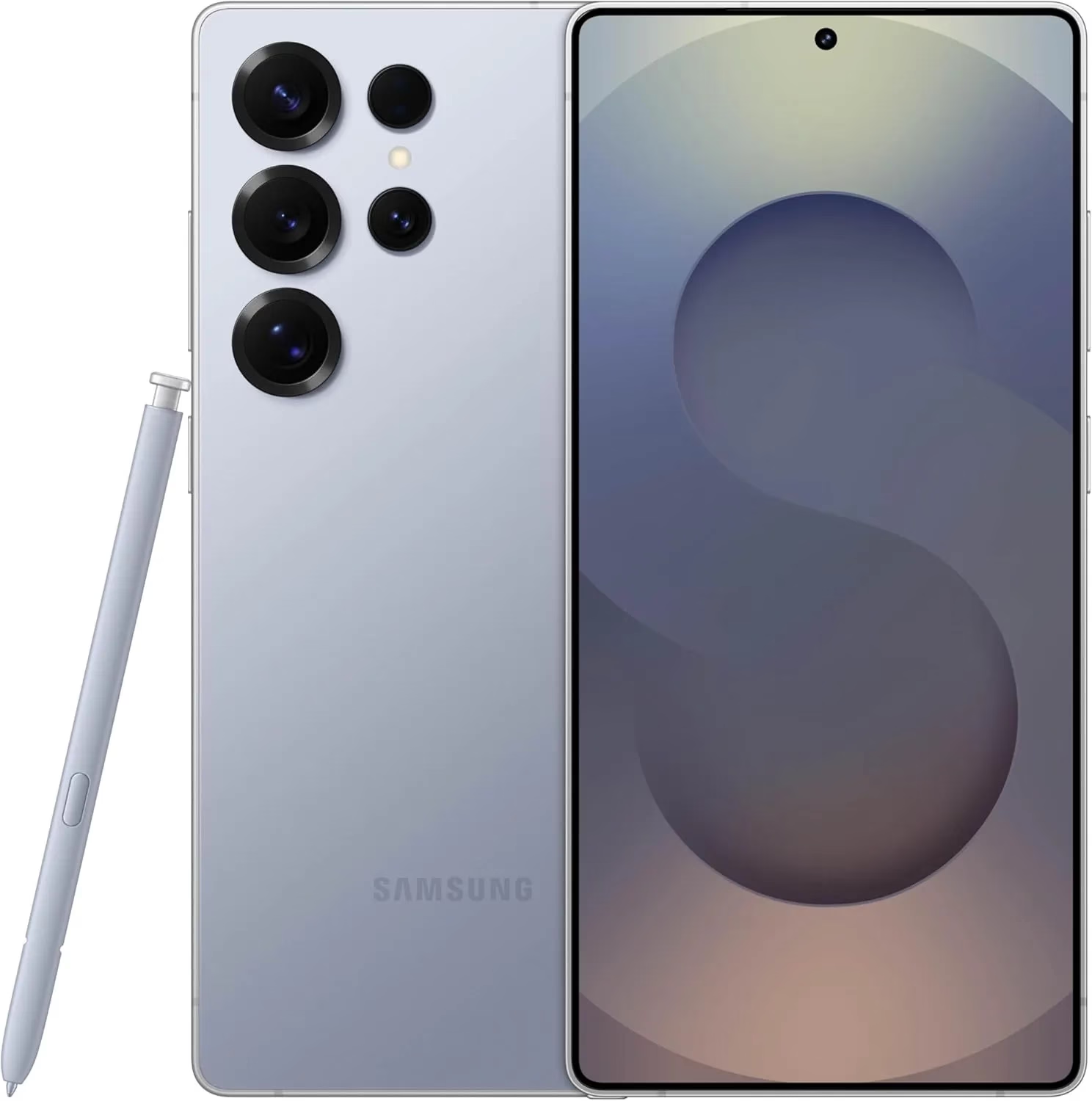
    galaxy s25 ultra

    Samsung Galaxy S25 Ultra, 512GB

    Streamline your day with an assistant that gets you. Ask it to Google search for a pet-friendly vegan restaurant nearby and text it to your friend— your Galaxy S25 Ultra handles multiple tasks with a single ask.

    Best Android choice
    $1,419.99$1,208.38Get It Now

    Building on Google’s Advanced Protection Program, which offers further protections against unwanted account access for high-risk users, this new mode is a feature of Android 16. While Advanced Protection does not yet handle any of Samsung’s unique security settings, it does activate the functions stated on its page. That might alter, though, if Samsung incorporates the Advanced Protection API, which enables third-party services and apps to verify whether the mode is enabled and activate their own security features.

    Stay connected with the latest from Droid Tools—follow us on X @droid_tools, like our page on Facebook, check out our updates on Instagram, and follow us on Google News for real-time news, device tips, and mobile tech insights.
  • If apps are secretly reading your messages or using your camera, One UI 8 will alert you.

    If apps are secretly reading your messages or using your camera, One UI 8 will alert you.

    According to a tip from Android Authority and an APK breakdown, Samsung is included a new security tool in the next One UI 8 update. The “Alert Center,” a new feature, is supposed to provide customers with a more comprehensive alerting system for security and privacy issues.

    When an app uses the camera or microphone on an Android device, users typically notice a green dot on the status bar’s edge. However, Alert Center will go one step farther and alert consumers to possible privacy and security threats.

    It is said to provide notifications for a variety of problems, such as when applications read messages or get unauthorized access to the user’s camera or microphone. Gemini, turn away. Additionally, it will alert users to malware, insecure accounts, out-of-date software, and biometric security setup reminders. These alerts, which are directly related to the fix, assist users in acting promptly.

    Additionally, Google revealed Android 16’s enhanced security features, which include a new protection mode to thwart attackers and keep gadgets safe.

    No specific date has been set for the Alert Center’s launch.

    Stay connected with the latest from Droid Tools—follow us on X @droid_tools, like our page on Facebook, check out our updates on Instagram, and follow us on Google News for real-time news, device tips, and mobile tech insights.
  • Has the Snapdragon 8 Elite 2 chip been discontinued? Qualcomm is rumored to be developing a new chipset.

    Has the Snapdragon 8 Elite 2 chip been discontinued? Qualcomm is rumored to be developing a new chipset.

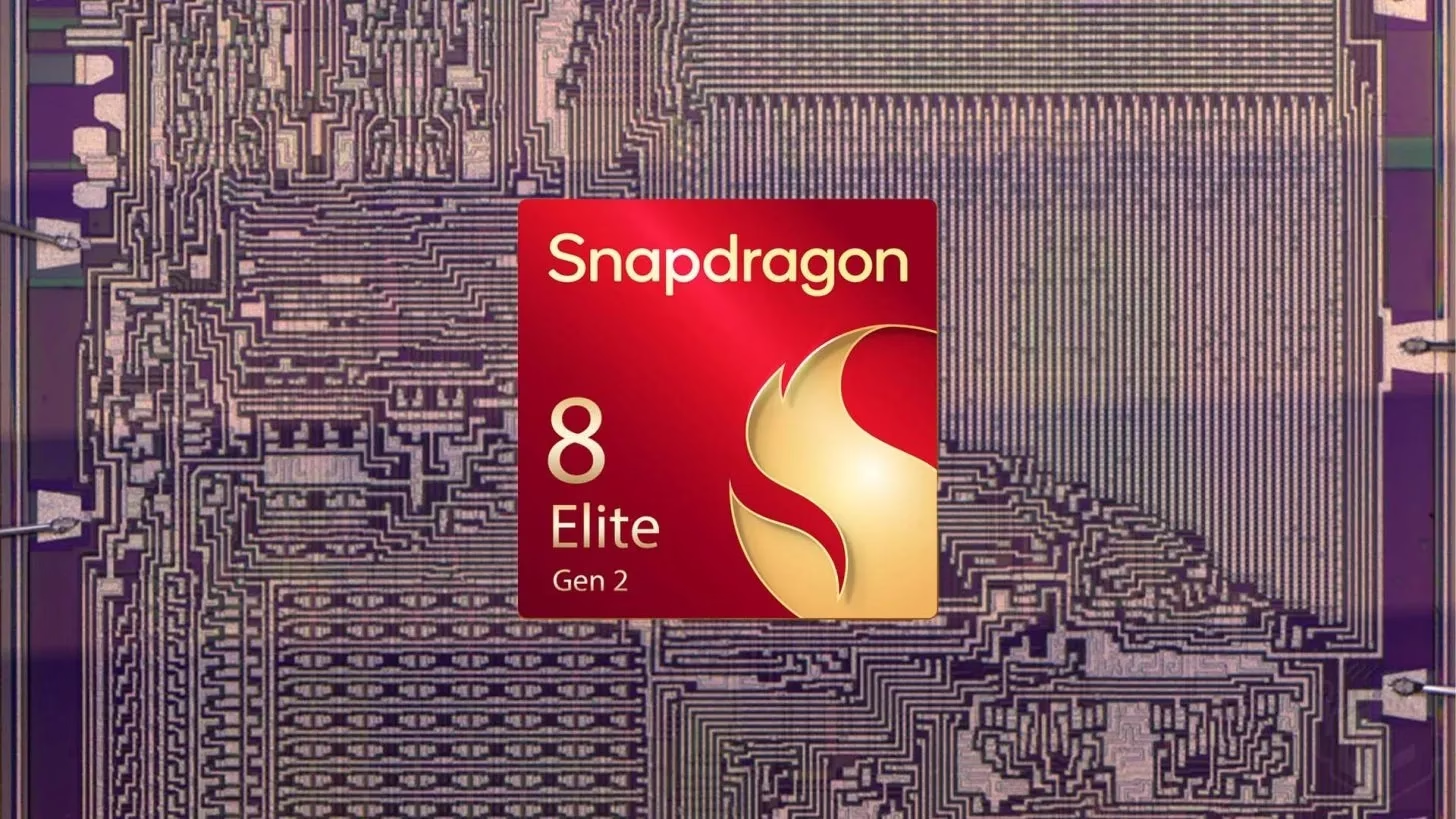
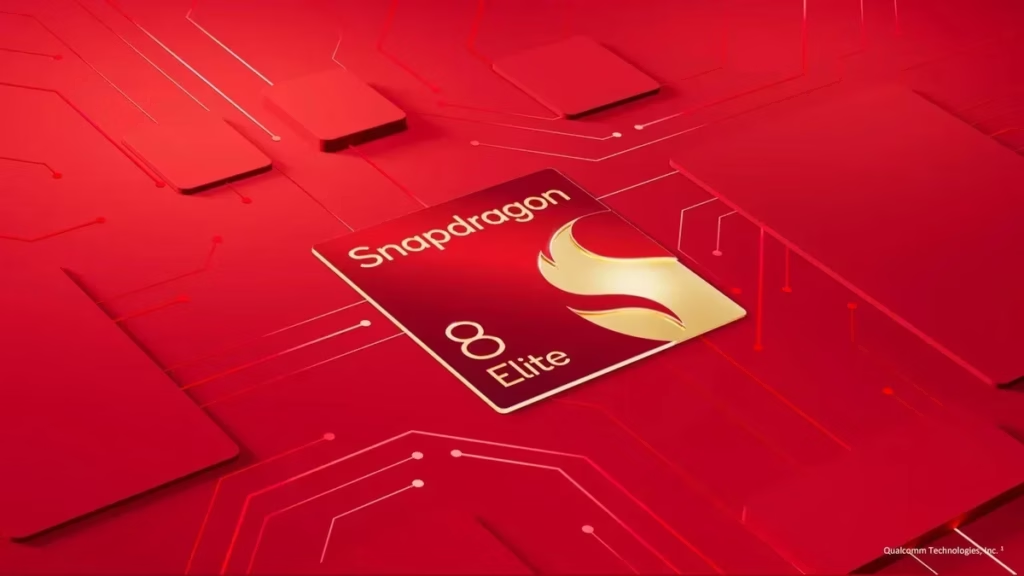
    Previous rumors claimed that Qualcomm and Samsung were working together to produce a 2nm Snapdragon 8 Elite 2 chip that would power next-generation flagships. But it looks like the project has been canceled. Rather, a new chip is being developed.

    The competition for the fastest and most efficient processor is constantly getting more intense in the very competitive smartphone market. And for a split second, it appeared as though Samsung might be ready to take the lead. According to rumors, Qualcomm and Samsung were making headway in producing a 2nm version of the Snapdragon 8 Elite 2, the company’s next-generation powerhouse. It was anticipated that this generation will be even more sophisticated than the 3nm CPUs seen in the majority of Android flagships. certain even thought it will power certain of the Galaxy S26 lineup’s models. However, those preparations seem to have ended abruptly.

    Snapdragon 8 Elite 2 could be so

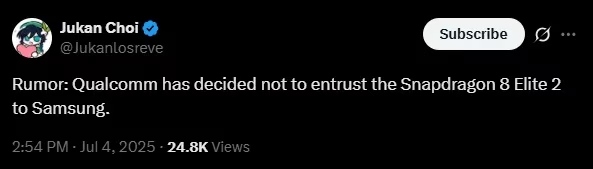
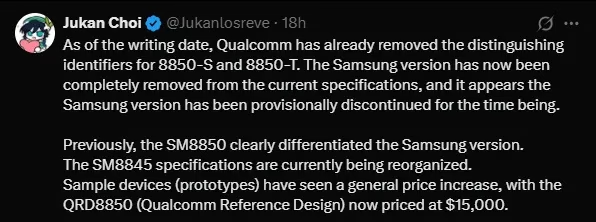
    Qualcomm has now canceled the 2nm version of the Snapdragon 8 Elite 2 chip that was made by Samsung, according to a leaker on X, now known as Twitter (@Jukanlosreve). The chip, known internally as SM8850-S, is no longer listed on Qualcomm’s website. Two distinct versions were previously included in Qualcomm’s documentation: the now-missing 2nm Samsung version and the SM8850-T, a 3nm chip manufactured by TSMC.

    new snapdragon chip

    The fact that just the base model SM8850 is left suggests that the 3nm chip manufactured by TSMC is the only one that has survived. The leak makes it abundantly evident that Qualcomm has quietly removed Samsung from the manufacturing equation, at least for this flagship chip, even if the firm has not provided an explanation for the move.

    According to the move, the TSMC version of the Snapdragon 8 Elite 2 will be included in all major Android phones that arrive in late 2025 and after. It’s a setback for Samsung, which was hoping to show off its 2nm prowess and catch up in the semiconductor industry. For now, we can only surmise as to whether the decision was made due to basic strategy realignment, performance issues, or production constraints.

    The Snapdragon 8 Elite 2 prototype, which developers and OEMs utilize for early testing, has witnessed a significant price increase, according to related news from the same source. Its current price of $15,000 indicates both great demand and limited supply. That’s a big jump, and it might be Qualcomm’s strategy to limit the chip to exclusive partners in the early stages.

    Untitled

    It’s also important to note that Qualcomm is currently changing the specifications for its SM8845 chip, which is probably going to be marketed as the Snapdragon 8s Gen 5. Although specifics are still unknown, this chip is anticipated to function as a more affordable flagship choice, potentially aiming for upper-mid-range phones with performance that falls just short of the Elite series.

    A 2nm Snapdragon manufactured by Samsung would have made headlines, but it appears that the story has changed. For Qualcomm’s flagship goals, TSMC’s 3nm technology is currently the preferred platform. Although this leak implies it won’t be with the Snapdragon 8 Elite 2, Samsung may still have a 2nm moment in the future.

    Stay connected with the latest from Droid Tools—follow us on X @droid_tools, like our page on Facebook, check out our updates on Instagram, and follow us on Google News for real-time news, device tips, and mobile tech insights.
  • Get up to $524 for your Google Pixel 6a

    Get up to $524 for your Google Pixel 6a

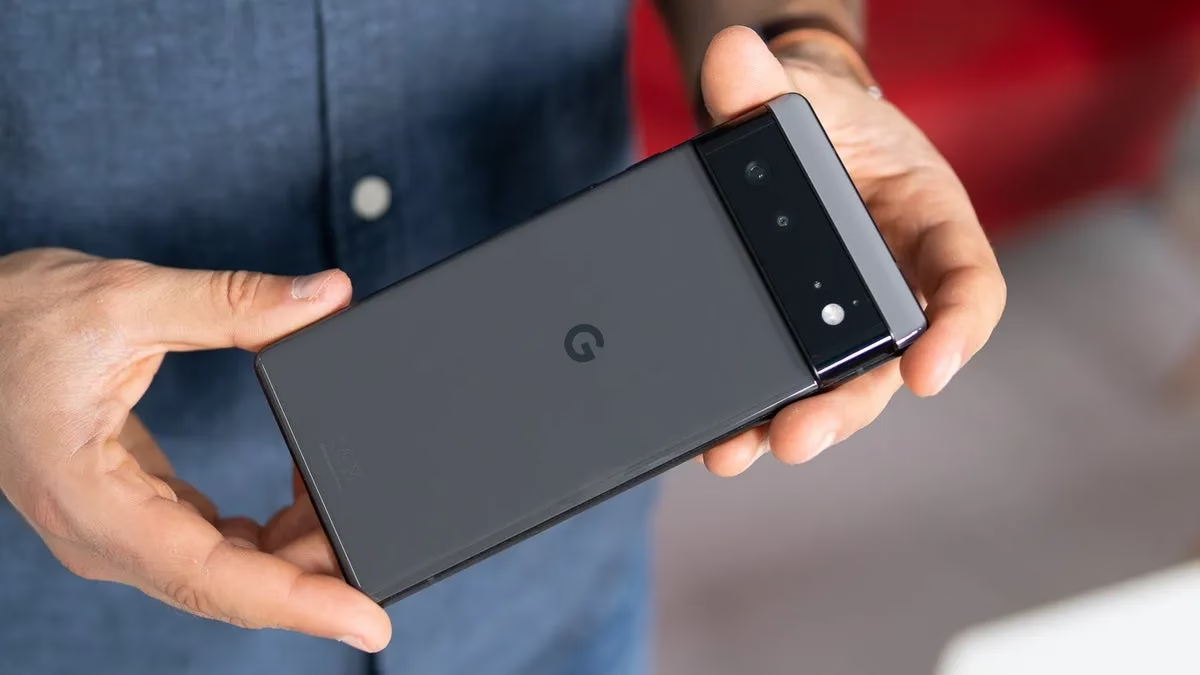
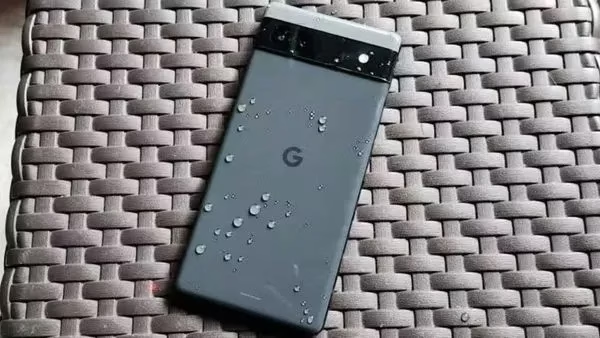
    With Google’s surprise and abrupt hike in trade-in prices, now is an excellent time to exchange your damaged Pixel 6a for $524. You won’t find a better deal elsewhere.

    The Pixel 6a’s battery will be throttled by a necessary update that Google is releasing on July 8th, for those who are unaware. This is a reaction to earlier this year’s allegations of phones overheating. The Pixel 4a experienced a similar issue, and the upgrade eventually reduced the phone’s battery life to a few hours.

    According to Google, the Pixel 6a’s battery capacity will be lowered after 400 charge cycles or if the device is found to be impacted by the issue. Depending on where you live, the search company will replace your battery for free. But, utilizing the greatest trade-in offer I’ve seen this year is a better choice.

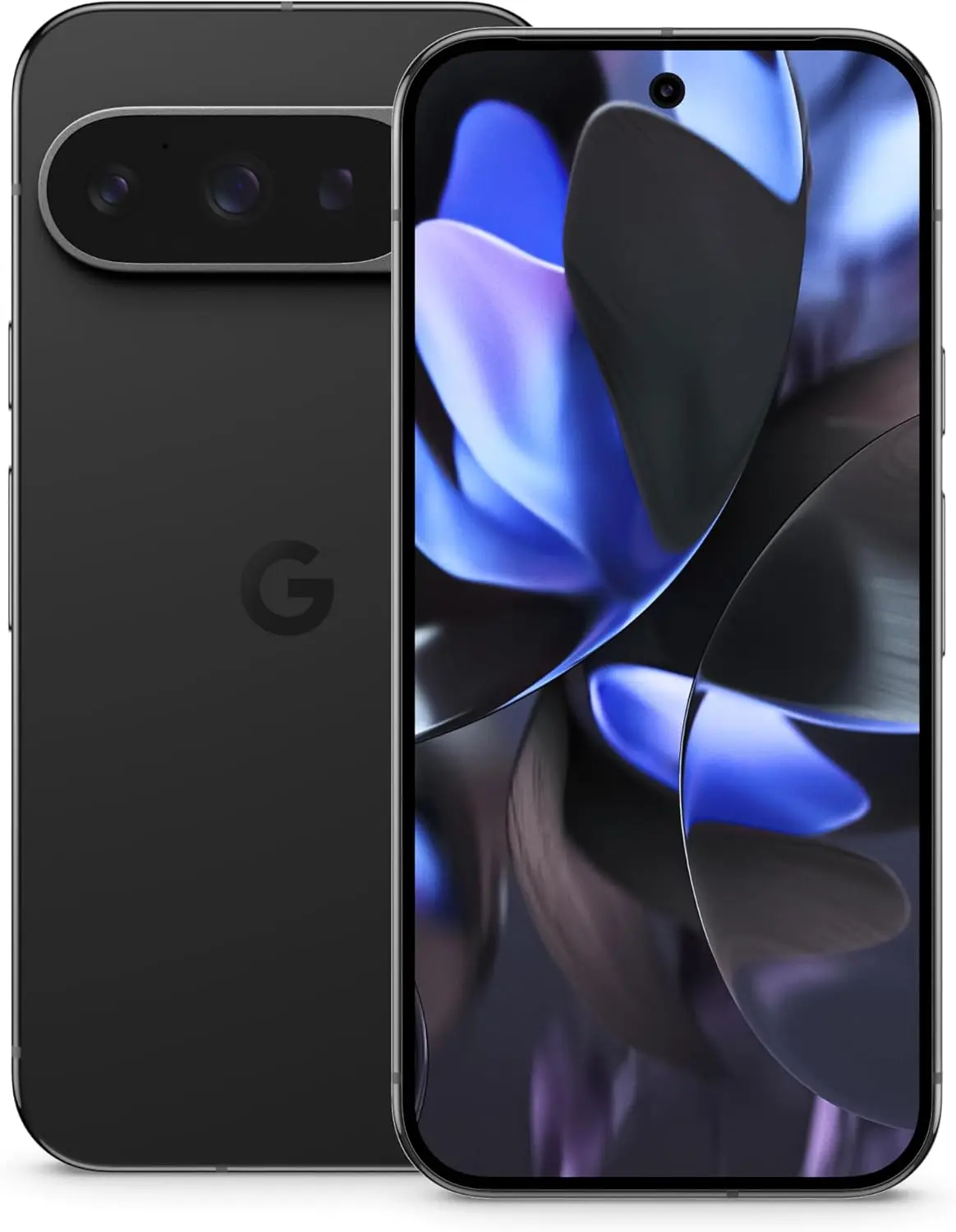
    Google U.K. introduced a new campaign last week that increases trade-in pricing, meaning that phones that are effectively dead will get a sizable payoff. The regular Pixel 9 costs up to £675 ($920.50), the Pixel 9 Pro and XL versions cost £820 ($1118.24), and the Pixel 9 Pro Fold costs £1,045 ($1425.07). In addition to its standard trade-in assessments, Google claims that this adds a bonus of between £200 ($272.58) and £400 ($545.16).

    google pixel 6a battery flaw jpg

    Google will give you more money for your old phone

    google pixel 9 pro amazon deal

    Google Pixel 9 Pro

    Pixel 9 Pro with Gemini is the most powerful Pixel yet, and now comes in two sizes; it has a pro-level camera and it’s engineered by Google, so it gets the best of Google AI first

    $999.00$749.00Amazon

    The company will pay £384 ($523.78) for your Pixel 6a. You won’t get anything like that for a Pixel 6a unless you con someone on eBay by sending them a broken Pixel 6a instead of an iPhone 14 (don’t do that). This is a good offer that I haven’t seen from Google or any other manufacturer before, if you’re not put off by their battery-related antics.

    • Google Pixel 7 Pro – £454 ($618.75)
    • Google Pixel 6 Pro – £415 ($565.60)
    • Google Pixel 5 – £377 ($513.81)
    • Apple iPhone 14 Pro Max – £657 ($895.42)
    • Apple iPhone 11 Pro Max – £447 ($609.21)
    • Samsung Galaxy S23 Ultra – £517 ($704.62)
    • Samsung Galaxy S10 Plus – £373 ($508.36)

    Google releases the battery restricting update on July 8th, which also happens to be the day the offer finishes. But don’t worry, there will be more in the future given the scope and regularity of Google, Samsung, and Amazon’s promotional offers.

  • Get a Samsung smartwatch at a great price on Prime Day

    Get a Samsung smartwatch at a great price on Prime Day

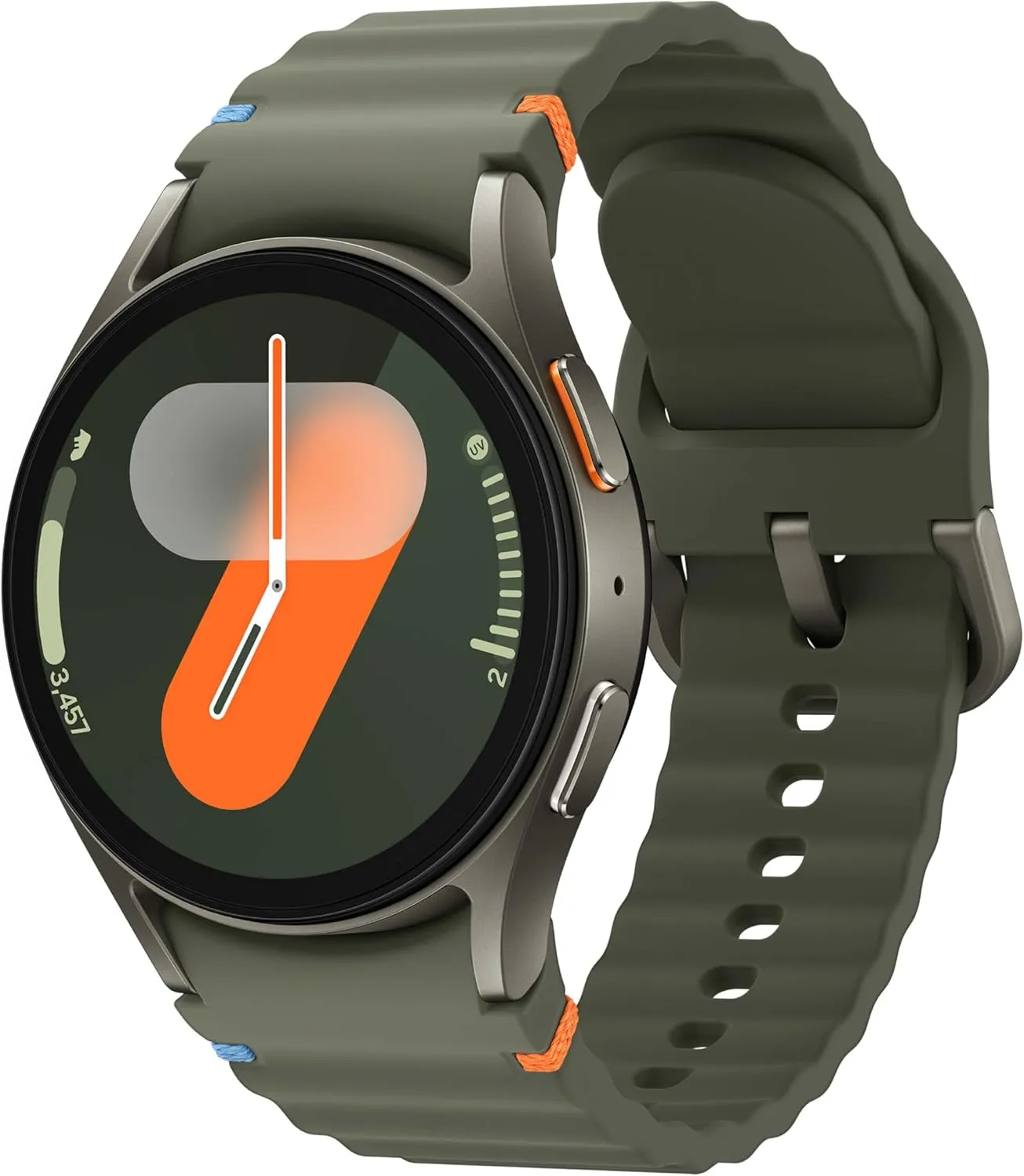
    As part of early Prime Day savings, two of Samsung’s top smartwatch models are currently on sale for incredibly low rates, so forget about the rumored Samsung Galaxy Watch 8. I’m referring to the Samsung Galaxy Watch 7 and Galaxy Watch Ultra, of course.

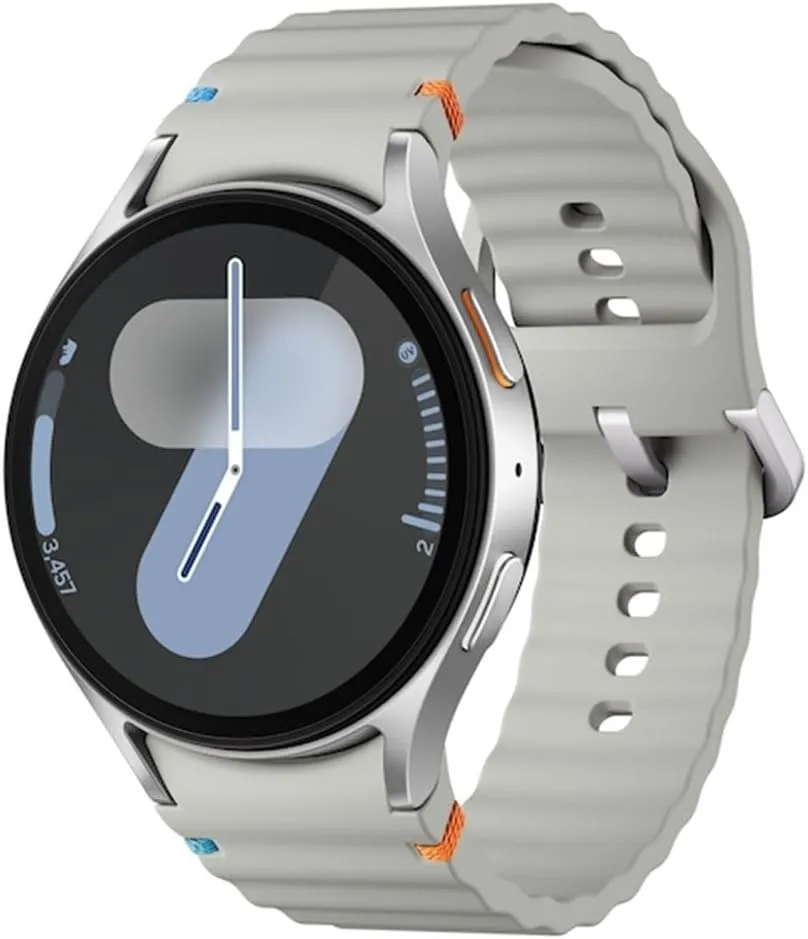
    Amazon is selling the 40mm Galaxy Watch 7 for just $209, down from $299, and the 44mm variant for just $199.99, down from $269. But that’s not all. Amazon now sells the durable and long-lasting Samsung Galaxy Watch Ultra for $399, down from $649. Visit our early Prime Day bargains live blog for further discounts.

    samsung galaxy watch 7 1
    galaxy watch 7

    Samsung Galaxy Watch 7 (44mm)

    1.5″ Super AMOLED, 480x480px ~327ppi, 425mAh Battery, Bluetooth 5.3, Wi-Fi, MIL-STD-810H compliant, 50m/5ATM water resistant (IP68), ECG certified, Sleep Coach, Heart Monitor

    $269.99$199.99Amazon

    With the Samsung Galaxy Unpacked event less than a week away, where we’ll likely get our first look at the upcoming Samsung Galaxy Watch 8, now is a wonderful time to get a Galaxy Watch 7 or Ultra for less money!

    The Galaxy Watch 7 is still a really powerful and impressive smartwatch, and even after the release of the Galaxy Watch 8, I’ll probably still suggest it if it stays affordable, even though the next generation smartwatches will undoubtedly have some awesome new capabilities.

    The Galaxy Watch 7 is the greatest wristwatch for tracking sleep in 2025, in addition to being one of my favorite Android-compatible models. Available in 40mm or 45mm (both sizes are on sale), it provides a plethora of helpful native and third-party apps, dependable workout tracking and safety features, outstanding AI-backed holistic insights, and an incredibly comfortable design.

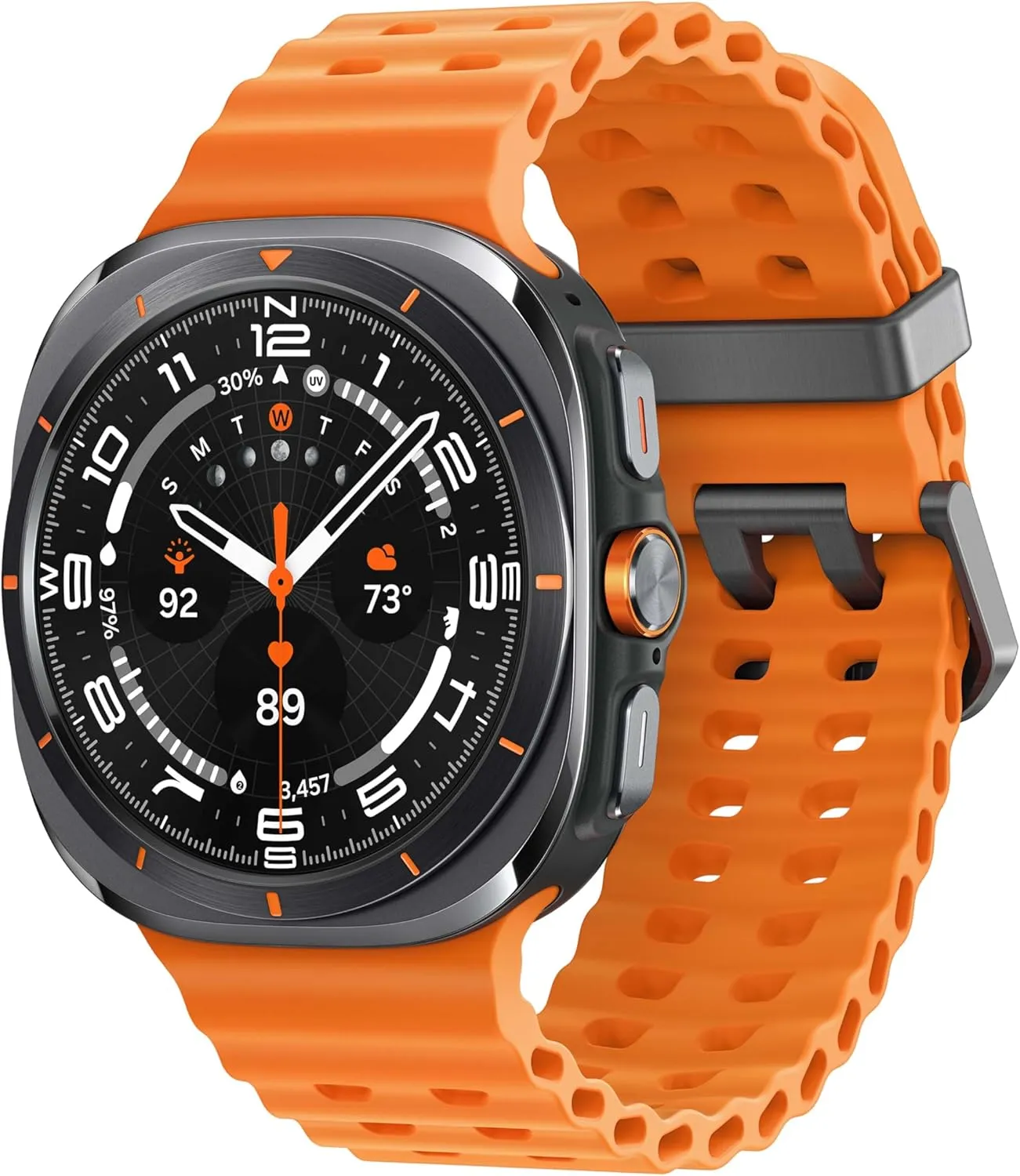
    Samsung Galaxy Watch Ultra deal

    Galaxy Watch Ultra orange strap

    Samsung Galaxy Watch Ultra 47mm LTE

    RUGGED. RELIABLE. READY FOR ANYTHING: Climb the highest peak; Bike the long way home; The durable titanium design is our toughest yet, able to stand up to the rigors of your workout, including rainy or dusty conditions — even ocean swimming

    $649.99$399.24Amazon
    galaxy watch ultra

    In contrast, the Samsung Galaxy Watch Ultra has twice the battery life (up to three days in low power mode) and a much larger, all-titanium case with 100 meters of water resistance (compared to the Watch 7’s 50mm) and all the same features and comprehensive tools as the Galaxy Watch 7.

    With the same tough-as-nails, anything-goes attitude as the Apple Watch Ultra series, consider it the Android counterpart.

    Stay connected with the latest from Droid Tools—follow us on X @droid_tools, like our page on Facebook, check out our updates on Instagram, and follow us on Google News for real-time news, device tips, and mobile tech insights.
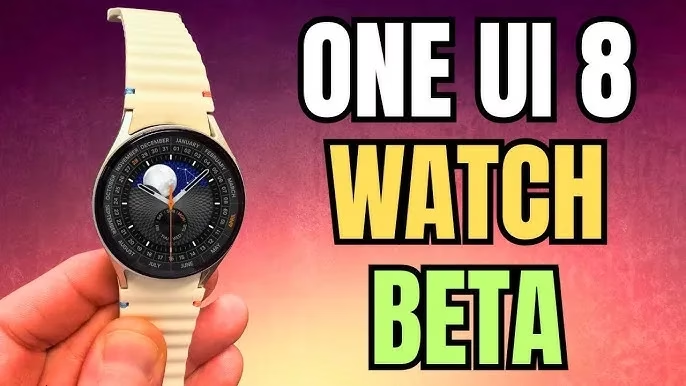
  • One UI 8 Watch Beta brings more design changes

    One UI 8 Watch Beta brings more design changes

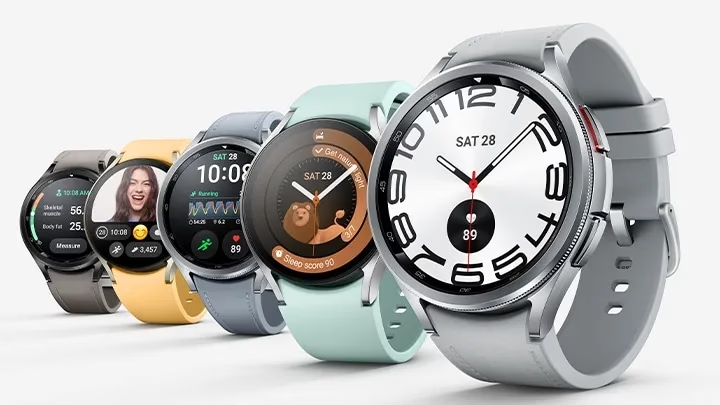
    The One UI 8 Watch Beta update for the Galaxy Watch 7 and Watch Ultra, which is based on Wear OS 6, was released by Samsung a few hours ago. According to the changelog, the firm wants to improve the Galaxy Watch experience by adding smarter controls, new health features, simpler notification management, and other significant updates. Early previews of the major new upgrade, featuring the revised user interface, are now available.

    A first look at key changes in One UI 8 Watch

    People will notice a cleaner, more polished interface as soon as they install One UI 8 Watch. The system’s user interface has been completely revamped by Samsung. The screen seems smoother and more layered thanks to a blurred backdrop effect, and the battery icon now resembles the one seen on Galaxy phones running One UI 7. Additionally, a stylish new charging animation has been included, which gives even the act of plugging in your watch a more contemporary vibe.

    One UI 8 Watch beta program

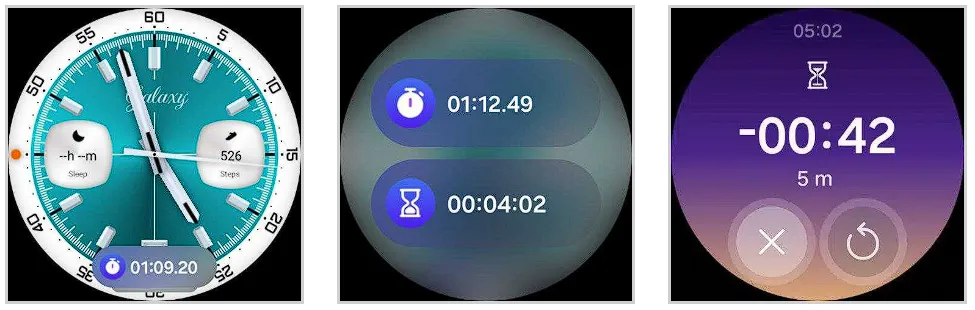
    Now Bar is also included to Samsung’s watch platform with this upgrade. The Now Bar, which provides instant access to ongoing tasks and important information, is located at the bottom of the watch face, just like on Galaxy phones (thanks, @DalgleishGX!). Its style can be altered to better fit your requirements.

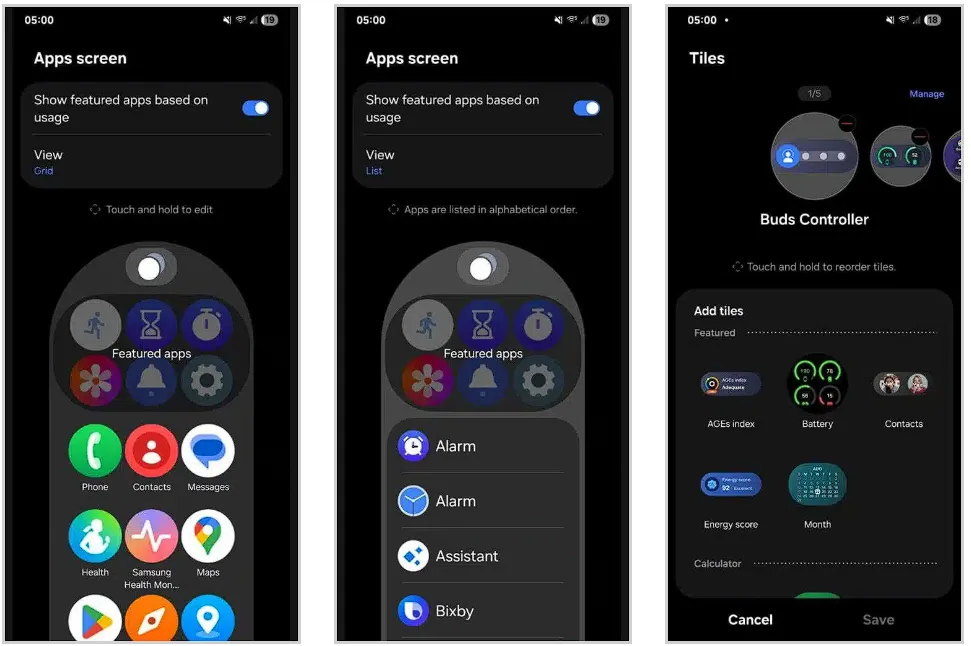
    One UI 8 Watch significantly improves tile usability. To cut down on screen clutter, you can now group related tiles into one. You can also make custom tiles that show the information you care about most, like the weather, upcoming events, or reminders, all in one location. Although it’s a little adjustment, it greatly streamlines daily use.

    Additionally, Samsung updated the Apps screen, enabling users to alternate between list view and grid view. You may now choose whether you want a traditional scrolling list or a condensed overview of your apps on the screen. Notifications have also been changed; they are now simpler to view and use, with clearer formatting that highlights alerts without being obtrusive.

    One UI 8 Watch changes

    A more organized Settings menu

    Finding what you need is now faster thanks to a redesigned and more structured Settings menu. Additionally, Samsung is adding Routines to its portfolio of Galaxy Watches. For users who prefer their devices to anticipate their requirements, this automation function allows you to set rules such as turning off notifications when you go to bed or changing modes based on time or activity.

    One UI 8 Watch settings menu

    Last but not least, the Double Pinch gesture is new to the One UI 8 Watch. You can start apps, control music, activate the Now Bar, and scroll through notifications by just pinching your thumb and index finger together twice. Particularly for accessibility and fast interactions without touching the screen, it’s a potent addition. As we discover more intriguing improvements in the initial One UI 8 Watch beta, we’ll keep you informed.

    SAMSUNG Galaxy Watch 7

    Samsung Galaxy Watch 7

    1.5″ Super AMOLED, 480x480px ~327ppi, 425mAh Battery, Bluetooth 5.3, Wi-Fi, MIL-STD-810H compliant, 50m/5ATM water resistant (IP68), ECG certified, Sleep Coach, Heart Monitor

    $269.99 $199.99Get It Now

    Stay connected with the latest from Droid Tools—follow us on X @droid_tools, like our page on Facebook, check out our updates on Instagram, and follow us on Google News for real-time news, device tips, and mobile tech insights.