Blog

  • Get the Samsung Galxy S25 Edge with a great discount now!

    Get the Samsung Galxy S25 Edge with a great discount now!

    Although the Galaxy S25 Edge is extremely thin, it costs a lot of money. Thankfully, Amazon recently introduced a fantastic promotion that significantly reduced the price of the 256GB model in Titanium Silver. It is currently on sale for $271 off, saving you 25% off its MSRP of approximately $1,100.

    s25 edge slim light mo

    Samsung Galaxy S25 Edge

    6.7″ LTPO AMOLED 2X, 120Hz, 480Hz PWM, HDR10+, 3120x1440px Quad HD+, Android 15, up to 7 major Android upgrades, One UI 8

    $839.95$687.92Amazon

    Even though Prime Day reduced the price even further, neither Best Buy nor the Samsung Store now have a better offer. In other words, this is your opportunity to receive a significant discount on this potent Samsung phone if you were unable to take advantage of last month’s sale.

    Samsung Galxy S25 Edge

    And it’s powerful – with a Snapdragon 8 Elite for chip, it offers lightning-fast performance. Although it doesn’t outperform the Galaxy S25+ in benchmark tests, it is incredibly responsive and fast. Additionally, your daily interactions become much more pleasurable with the abundance of Galaxy AI capabilities available.

    This Android phone boasts a stunning 6.7-inch Dynamic AMOLED 2X display in addition to outstanding performance. Its adaptive 120Hz refresh rate ensures buttery smooth scrolling, vibrant colors, and extreme brightness. However, the Ultra is still the only vehicle with Corning Gorilla Armor, a unique anti-reflective coating.

    In addition, the S25 Edge‘s 200MP primary and 12MP ultra-wide cameras on the back produce stunning images. Images with outstanding dynamic range, superb resolution, and very accurate colors are to be expected.

    When you combine it with the seven-year software support guarantee, you’re looking at one of the top Samsung phones for 2025. Even with 25% down, the S25 Edge is still quite expensive, but it offers a lot for the money. Therefore, now is a wonderful time to act if you’re prepared to make the investment.

    s25 edge slim light mo

    Samsung Galaxy S25 Edge

    6.7″ LTPO AMOLED 2X, 120Hz, 480Hz PWM, HDR10+, 3120x1440px Quad HD+, Android 15, up to 7 major Android upgrades, One UI 8

    $839.95$687.92Amazon
  • HyperOS 3.0 brings new performance improvements and new visual styles

    HyperOS 3.0 brings new performance improvements and new visual styles

    Xiaomi disproved our assumption that the Android announcements for the month were over. With the release of HyperOS 3.0, the company’s most recent version based on Android 16, its mobile devices now include notable functional and visual improvements. The selected models will soon start beta testing, and in Q4, a broader public rollout is anticipated.

    What’s New in HyperOS 3.0

    hyperos 3.0 new icons and gallery

    HyperOS 3.0 is based on Android 16 and incorporates key enhancements from Google’s most recent Android release. Xiaomi, however, is doing more than just skinning Android; it is also incorporating its own significant features and design modifications into smartphones and tablets.

    New icons, super island, and a cleaner layout

    Simplified app icons that mirror iOS and have square shapes with rounded sides give the UI a new look. A flatter, simpler look is also used for the quick settings and status bar. The dialer app is completely redesigned in China. Whether this will eventually be shipped to the global ROM is unknown.

    hyperos 3.0 super island

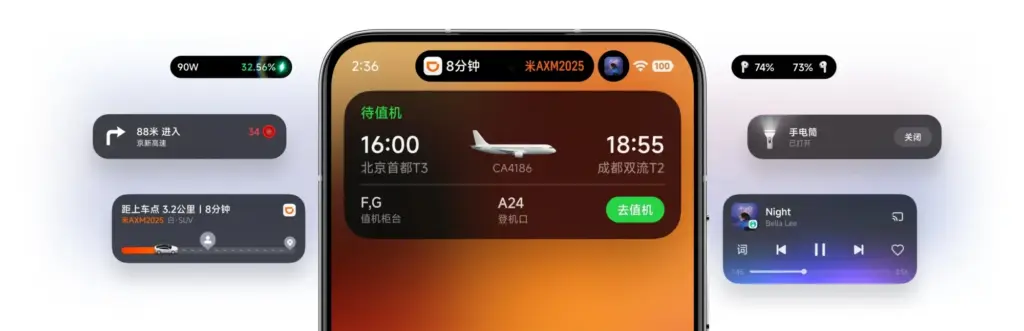
    Super Island, Xiaomi’s version of Google’s Live Updates and Apple’s Dynamic Island, is one notable feature. It displays dynamic overlays for media, notifications, and app activity on the front-facing punch-hole region. For more interaction, Super Island allows dragging and expanding, unlike its competitors.

    New lockscreen designs, like as animated effects that give still images movement, are powered by AI advancements. Additionally, there are more customizable choices for the home screen.

    New Gallery app and upgrades for tables

    hyperos 3.0 gallery app

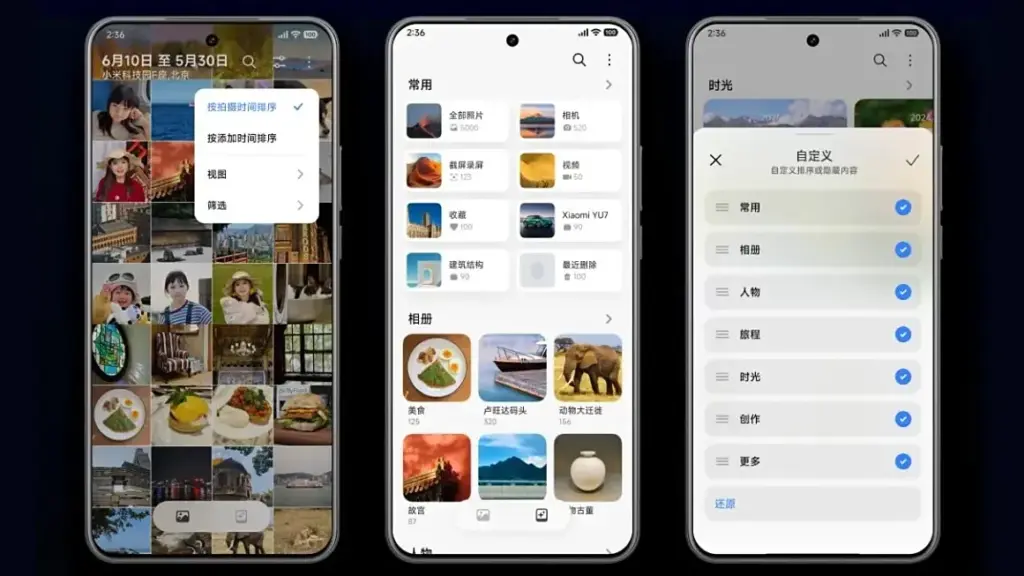
    All content, including albums and folders, now have a cleaner look and better search capabilities in the gallery app. Your furry pals’ pictures and videos are automatically arranged with a new pet album feature.

    Xiaomi adds adaptive window scaling and improved split-screen management to tablets. Enhancements in ultra-low latency and pressure sensitivity will be advantageous to stylus users.

    Significant performance and battery improvements

    HyperOS 3.0 offers significant performance improvements in addition to aesthetics. With over 100 new and improved animation effects, Xiaomi promises up to 21% less app latency and smoother system animations.

    According to reports, in-game frame rendering uses 9% less energy, video playback requires 10% less power, and gaming performance is 15% faster.

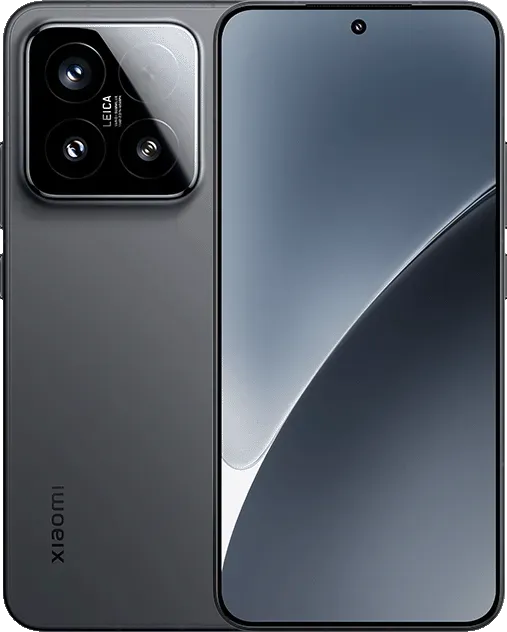
    xiaomi 15 with hyperos 3.0

    Xiaomi 15 5G

    The Xiaomi 15 features a 6.36-inch OLED display with a 1.5K resolution, a 120 Hz refresh rate, and a peak brightness of 3200 nits. The phone is built with an aviation-grade aluminum frame and has a compact design measuring 152.3 × 71.2 × 8.08 mm, weighing 181 g.

    Which Devices Get HyperOS 3.0 Beta?

    Xiaomi has stated that a few smartphones, tablets, and TVs will be available for the public beta, though it hasn’t yet disclosed the complete list of compatible devices. Please be aware that the gadgets on the list are Chinese versions; a different rollout timetable for models that are available worldwide will be revealed later.

    From August 29From September 17From September 30
    Xiaomi 15Xiaomi Mix Flip 2Xiaomi 14
    Xiaomi 15 ProRedmi K80Xiaomi 14 Pro
    Xiaomi 15 UltraRedmi K PadXiaomi 14 Ultra
    Xiaomi 15S ProXiaomi Pad 7Xiaomi Mix Flip
    Redmi K80 ExtremeXiaomi Pad 7 UltraXiaomi Mix Fold 4
    Redmi K80 ProXiaomi TV S Pro Mini-LEDRedmi K70
    Xiaomi Pad 7 ProXiaomi TV S Pro Mini-LED 2025Redmi K70 Pro
    Xiaomi Pad 7S Pro 12.5 Redmi K70E
      Xiaomi Pad 6S Pro 12.4
  • Temporarly free apps for Android and iOS – get them while they are free

    Temporarly free apps for Android and iOS – get them while they are free

    We offer you a variety of iPhone and Android apps that are typically paid for but are temporarily free. Take advantage of these savings on games and apps to add some diversity to your phone’s app store, but don’t wait!

    We only chose these applications since they are free right now! We are unable to guarantee that these limited-time offers will remain available on the Google Play Store or Apple App Store for very long, though. As a result, downloading them as soon as possible is advised. Just watch out for any possible subscription traps, in-app purchases, and advertisements.

    Even if you don’t require an app right away, install it if it piques your curiosity. It will be added to your app library and marked as “bought” as a result. After that, you may uninstall the app straight from your phone and get it back for free anytime you need it.

    Android

    Free apps

    • Sound Meter & Noise Detector ($3.29): The name says it all. Register sound levels wherever you are, with recordings, graphs, and statistics.
    • Bubble Level Pro ($2.79): Planning on hanging a new frame on the wall? Check if it is properly leveled.
    • Passport Photo: ID Photo Print ($5.99): Make photos appropriate for documents, remove backgrounds, choose the right dimensions, and more!
    • Fake Call Screen ($0.69): Create realistic call screens on your phone to get out of awkward situations.

    Free games

    • Grow Heroes VIP ($1.79): Evolve your fighters in this Idle RPG with charming retro graphics.
    • Epic Heroes War ($0.19): Hack and slash your way through the enemy hordes in this strategy-action-RPG.
    • Sudoku Master 2023 ($2.29): Challenge your brain in more than 5000 levels of puzzles.
    • ExtremeJobsKnight’sManager VIP ($0.79): Another Idle RPG. This time, collect and craft equipment in over-the-top battles.

    iOS

    Free apps

    • Videdit ($0.99): Edit your videos, apply effects, mix and match recordings for your next social media post.
    • Fotospot Road Trip ($3.99): Planning a road trip in the USA? Check this curated list of over 11,000 places across the country.
    • Magic Emoji: Merge two emojis ($1.99): Mix emojis like the Google keyboard to create funny stickers.
    • Medieval Madness Stickers ($0.99): Wanna try a different set of stickers? How about this collection of zany illustrations inspired by the Middle Ages.

    Free games

    • Pro Wrestling Manager ($3.99): Create and manage your professional wrestling association, with storylines, rivalries, and everything that made the “sport” popular in the past.
    • Kid Tarzan Bubble POP Shooter ($0.99): Save the baby animals in the jungle by popping balloons in this classic puzzle game.
    • ABC Star ($4.99): Instead of feeding your kid endless videos on YouTube, teach them the alphabet!

    As of the date of publication, the deals were active. Please share any expired deals you come across in the comments section below.

    We advise you to review the app’s details in the Play Store or App Store before downloading any of the aforementioned apps. This is crucial as some of these free apps can offer unique features or drawbacks of their own.

    Both free and paid apps should be avoided since they could have unnoticed in-app purchases and adverts. This is especially important while downloading kid-friendly games.

    In the rapidly evolving world of mobile apps, numerous companies use cunning tactics to obtain your personal information. But tech buffs, don’t worry! We’ve compiled some crucial advice to help you safeguard your important data. Being selective about the permissions you grant the apps you decide to install is an essential first step.

    Discover the wide range of free apps that are accessible on the iOS and Android operating systems, all while protecting your data.

  • Amazfit Balance 2 XT launching in Europe

    Amazfit Balance 2 XT launching in Europe

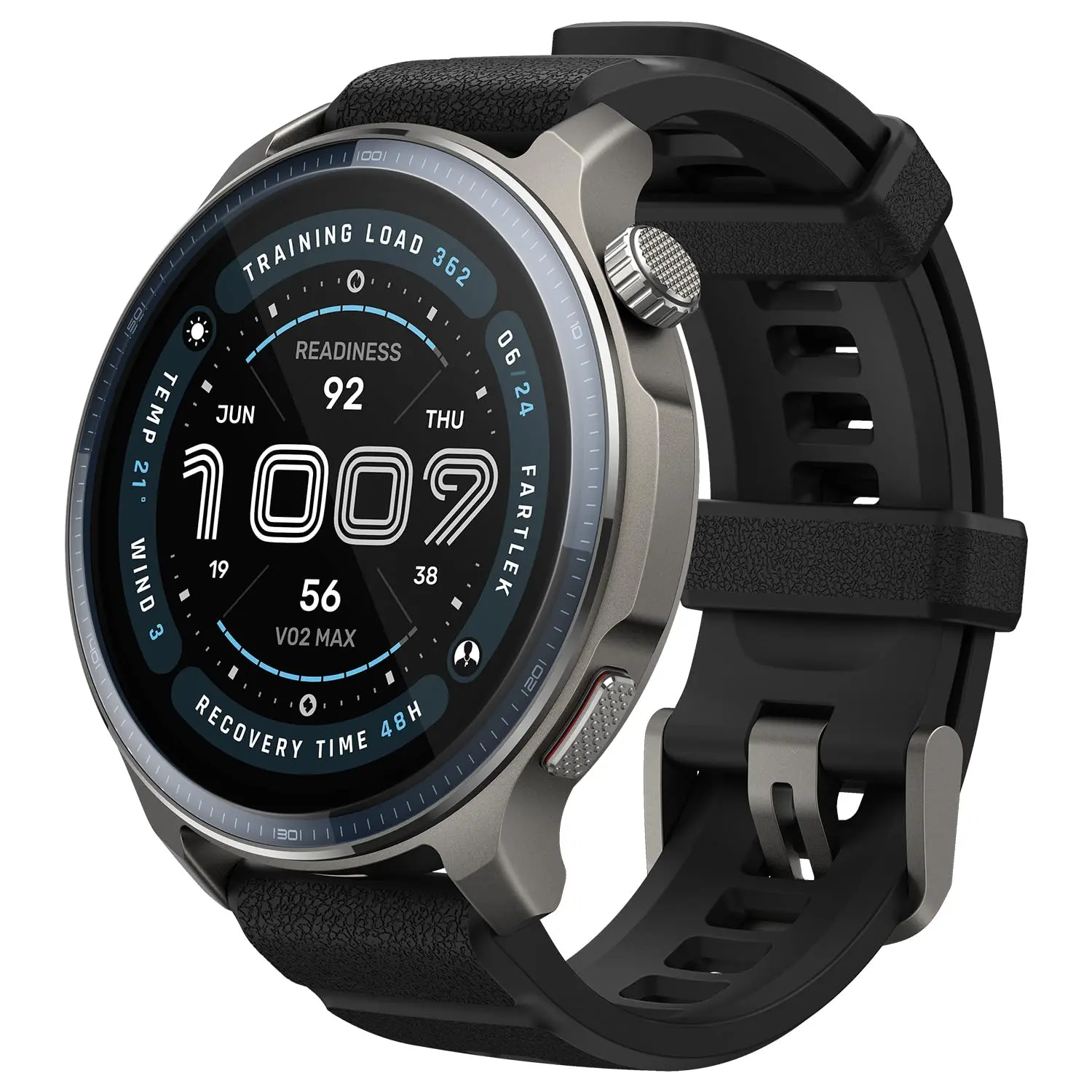
    Europe will soon be able to purchase the Amazfit Balance 2 XT smartwatch. However, the business has stated that it will only be accessible in a few countries through its online storefronts. With a few modifications, this device is less expensive than the conventional Balance 2 and is already offered by a US shop.

    The arrival of the Balance 2 XT smartwatch in Europe has been announced by Amazfit. This wearable, which was the subject of rumors earlier this year, is now sold at Best Buy in the United States.

    amazfit balance 2 xt 1

    Amazfit Balance 2 XT

    Built for Performance and Style: The sleek aluminum body and 1.5″ durable sapphire crystal glass screen of the Balance 2 smart watch offer a premium, resilient design, while dual speakers provide clear audio cues during training.

    $299.99Get It Now
    amazfit balance 2 xt

    Amazfit has now notified Notebookcheck that the Balance 2 XT smartwatch will be available for purchase at its online stores in Italy and Spain. Although the delivery cost in this instance is unknown, the company claims that clients in other European nations will be able to have the merchandise transported to their location. Pricing and the European release date are still pending. It retails for $199.99 in the US, although one merchant advertises it for €189.91.

    The original Balance 2 smartwatch, which came out earlier this year, is more expensive than the Balance 2 XT. It features a 1.5-inch mineral glass-protected AMOLED display. With more than 170 sports modes, users may record their workouts and monitor health indicators including stress, blood oxygen levels, heart rates, and sleep quality. In addition, it should have a run time of about 21 days, GPS navigation, and downloaded maps.

    amazfit balance 2 xt 1

    Amazfit Balance 2 XT

    Built for Performance and Style: The sleek aluminum body and 1.5″ durable sapphire crystal glass screen of the Balance 2 smart watch offer a premium, resilient design, while dual speakers provide clear audio cues during training.

    $299.99Get It Now

    The basic and XT models of the Balance 2 smartwatch (now available on Amazon for $299.99) differ in a number of ways. Among these is the substitution of mineral glass for sapphire glass. Due to its reduced water resistance rating of 5 ATM, the XT will not support diving and does not feature the Golf app. The Amazfit Balance 2 XT smartwatch’s official US debut date is still unknown.

  • 5 best Android file explorers to manage your phone like a pro

    5 best Android file explorers to manage your phone like a pro

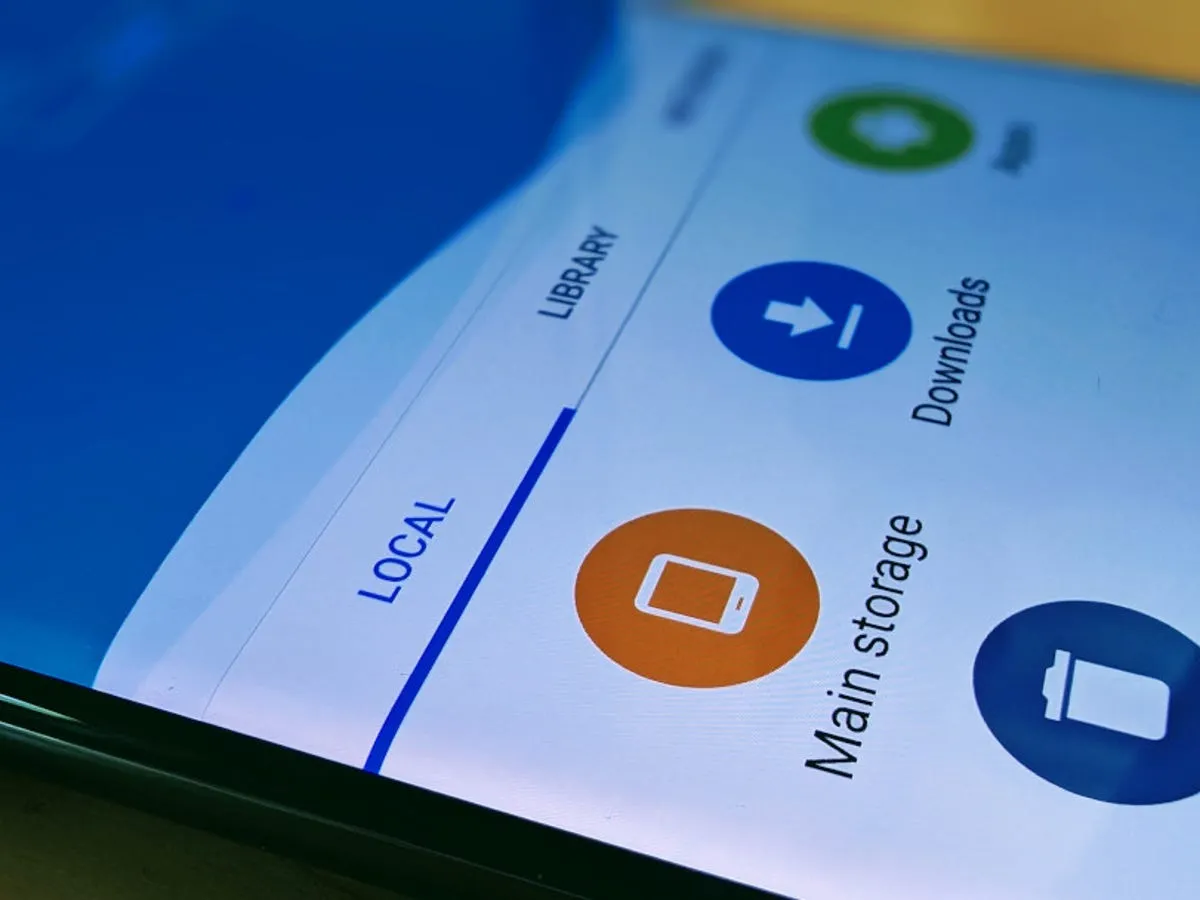
    Every Android smartphone requires a file explorer, and Google Files is the default choice for Pixel smartphones and many others. This lightweight, free tool has all the necessary file management features, and its simple layout makes it simple to examine information in folders or categories. It’s not the greatest file management tool for Android, but it’s an excellent method to get rid of duplicate files and keep your smartphone free of clutter.

    I’ve used a lot of Android file explorers over the years, and these are the greatest substitutes for Google Files since they have more sophisticated capabilities, a more appealing appearance, and more customization choices.

    Cx File Explorer

    With a variety of options to assist users in managing their decreasing storage space, Cx File Explorer focuses primarily on managing the storage on Android devices. Its analysis features, which show the location of storage hogs, the amount of storage used by each file type, and the largest files on the device, are its strongest feature. This feature is very useful to me because it makes it easier to organize the videos I have on my device for offline entertainment and flights.

    In addition to these features, Cx File Explorer has a simple layout with integrated image, video, and audio players, a handy info box showing available storage, and a small icon-based breadcrumbs menu.

    cx file explorer

    Cx File Explorer

    Cx File Explorer is a powerful file manager & storage cleaner app with a clean and intuitive interface. With this file manager app, you can quickly browse and manage the files on your mobile device,

    Mixplorer

    Mixplorer is more extensible and versatile than most file explorers. Having been in development for more than ten years, this is my favorite Android file management software.

    As implied by its name, Mixplorer may easily connect a wide range of storage options, including LAN, Google Drive, OneDrive, external media, internal storage, and other cloud services. You can view all of this info without launching specific apps once it’s set up. Additionally, Mixplorer is compatible with symlinks, which offer even more versatile file access options throughout Android.

    The customizable design of Mixplorer is another well-liked feature. Although the basic layout is easy to use, power users may install skins to customize the software, integrate add-ons for more functionality, and effortlessly navigate between services and folders using the tabbed interface. I adore Mixplorer’s dropdown breadcrumbs menu because it’s a clever design decision that allows you to quickly navigate back to a root folder without taking up much screen real estate.

    mixplorer Android file explorer

    Mixplorer

    MiX Silver is a bundle of MiXplorer file manager and Archiver, Image, Tagger and PDF add-ons as a paid app to support development of MiXplorer.

    Solid Explorer

    In the Android app market, Solid Explorer is likewise quite well-regarded. Solid, a high-end file management program, has many of the same functions as Mixplorer, plus a few extras. Its real-time folder size indicator, which refreshes each directory’s byte count as files are added or removed, is possibly my favorite feature.

    solid explorer

    Solid Explorer File Manager

    Solid Explorer is a file management app inspired by the old school file commander applications.

    Material Files

    Material Files appeals to both Files by Google consumers and power users by striking a mix between an intuitive user interface and a robust feature set. The app feels as though Google themselves could create it because of its heavy reliance on Material You. Its components permit automated Night mode activation based on system settings and take on the color scheme of your device.

    Even though it doesn’t offer the same expandability as Mixplorer, I would contend that its user interface is simpler to use. Nevertheless, the left-hand sidebar has all the information I require. Its dedicated Screenshots shortcut, which takes me straight to screenshots of the programs I frequently use for my articles, is something I really like.

    The program does not let you connect to and access files on Google Drive, for example, but it does enable external storage on physical media or local networks.

    material files file explorer

    Material Files

    An open source Material Design file manager. Lightweight, clean and secure. Follows Material Design guidelines, with attention into details.

    Fossify File Manager

    Finally, Fossify File Manager prioritizes simplicity and privacy and is open-source and free. With more security features, it most likely offers the experience that is closest to Files by Google in that regard. For example, it enables users to secure certain files and folders using a password or fingerprint.

    With multiple color choices for the overall theme, a tab that shows you which file kinds are using up space on your disk, and basic search and organizing tools, the user interface is very user-friendly.

    fosify file manager

    Fossify File Manager

    Tired of file managers that slow you down and invade your privacy? Unlock a lightning-fast, secure, and completely customizable experience with Fossify File Manager.

    Google Files is by no means an inferior app. In fact, Google has created a straightforward and dependable file management solution that ensures constant performance for all Android applications. Consider one of the five programs listed above, though, if you require a few extra capabilities, wish to access local network stores and cloud storage, or want to add protection to your crucial files.
  • Xiaomi 15T and 15T Pro leak ahead of launch

    Xiaomi 15T and 15T Pro leak ahead of launch

    The Xiaomi 15T and 15T Pro, the company’s upcoming T-series phones, are about to go on sale. The standard 15T model is expected to start at €649, while the Pro model would cost €799, according to rumors circulating about both devices.

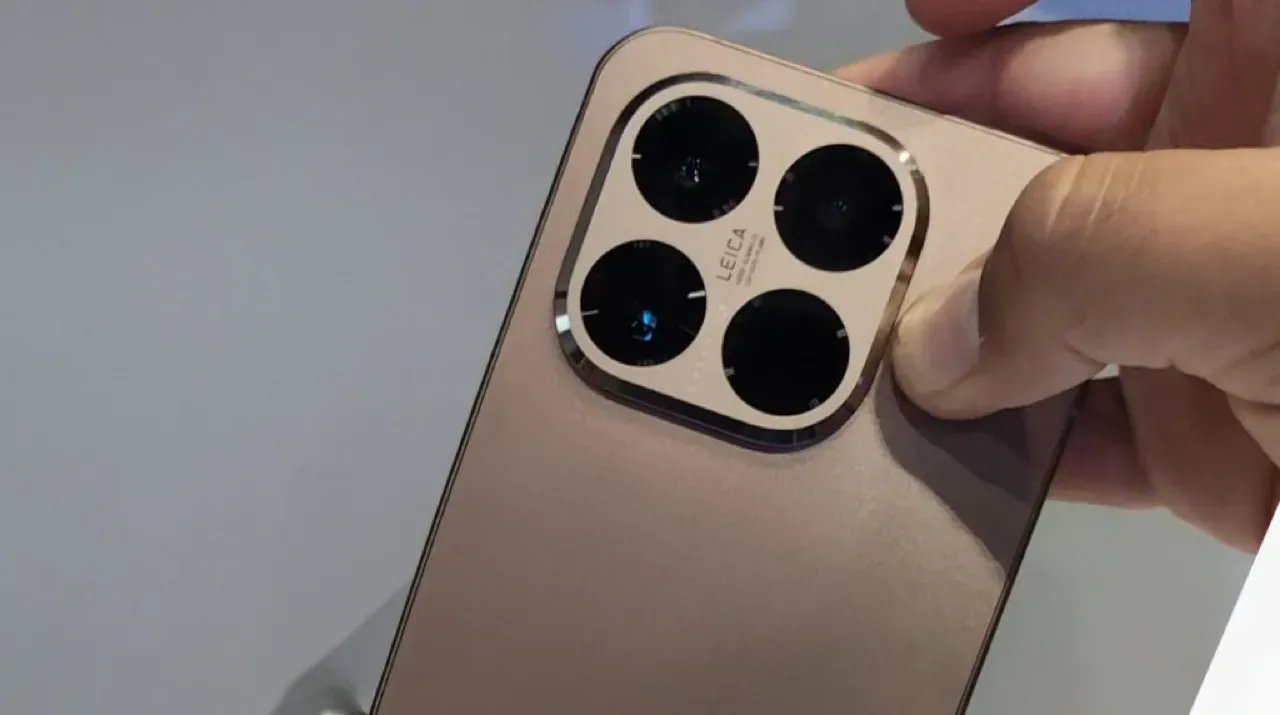
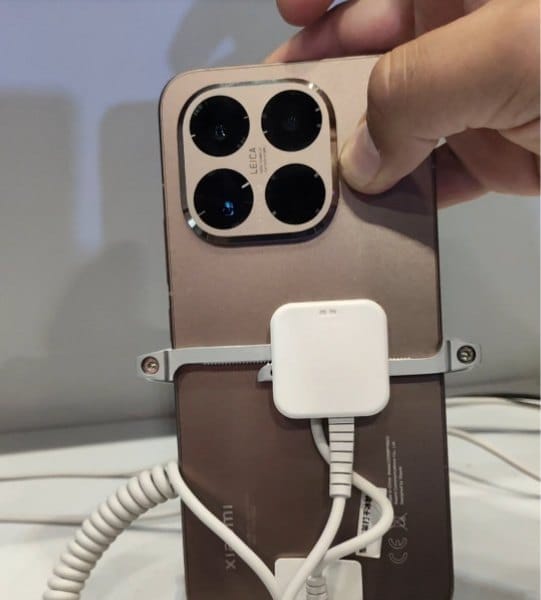
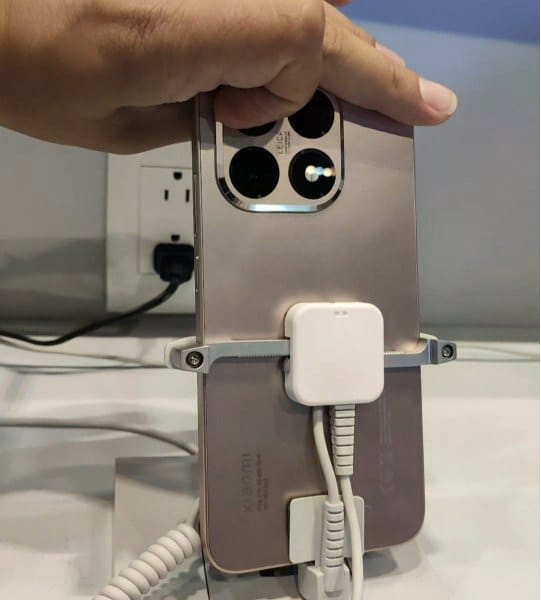
    We are now seeing the hardware for the first time. Recently, a TikTok user shared a video showcasing the 15T Pro’s front and back, showcasing the rear panel’s copper-like appearance.

    It should come as no surprise that the camera island, which is situated in the upper left corner, is formed like a rounded square with beveled edges and has Leica branding in the center.

    Xiaomi 15T Pro Design 2

    What to expect?

    According to rumors, the phone will have a 50-megapixel Samsung JN5 telephoto camera, a 13-megapixel ultra-wide lens, and a 50-megapixel OmniVision OVX9100 primary camera. It might have a Samsung S5KKDS selfie sensor on the front.

    Xiaomi 15T Pro design

    The tablet may have a MediaTek Dimensity 9400+ chipset on the inside, along with 12GB of RAM and 128GB or 256GB of storage. According to reports, the 128GB variant costs €799, and the 256GB model would cost €899. The Pro model’s storage specifications are consistent with our earlier findings, and a 1TB version may even be available in some markets.

    Multiple certification databases have already included both phones, indicating that an official launch is imminent. Hopefully, Xiaomi won’t hold off on revealing all the information for very long.

  • HyperOS 3 launching tomorrow

    HyperOS 3 launching tomorrow

    On August 28, 2025, Xiaomi formally announced the release of its eagerly awaited HyperOS 3 update. The global Xiaomi community is very interested in the countdown that the business has started on its social media platforms. An August reveal was originally predicted by industry insiders, and Xiaomi’s most recent Weibo posts have confirmed those predictions.

    Xiaomi is aggressively interacting with its user base and building anticipation for this significant software milestone as the countdown to the event begins on Weibo and other sites. The formal launch date dispels earlier rumors and gives partners and users who are getting ready for the update unambiguous guidance.

    hyperos 3 launch

    HyperOS 3 visual and UX improvements

    HyperOS 3 is positioned as a substantial visual and functional upgrade. Key improvements include:

    • Enhanced system animations for a smoother user experience
    • Updated iconography reflecting current design standards
    • Consistent visual language across the entire interface
    • Refined feedback and interaction systems to improve usability

    These changes are designed to ensure a more cohesive and modern user experience across Xiaomi’s device portfolio.

    A thorough rundown of HyperOS 3‘s feature set, compatibility roadmap, and rollout schedule will be given during the next session. Users should anticipate notable improvements in system performance, interface design, and overall device operation because of Xiaomi’s well-established reputation for providing strong software support.

    In conclusion, the release of HyperOS 3 represents a turning point in Xiaomi’s software development. Users and stakeholders alike should get ready for what seems to be a historic update to the company’s product plan for 2025.

  • OxygenOS 16 expected soon with many new changes

    OxygenOS 16 expected soon with many new changes

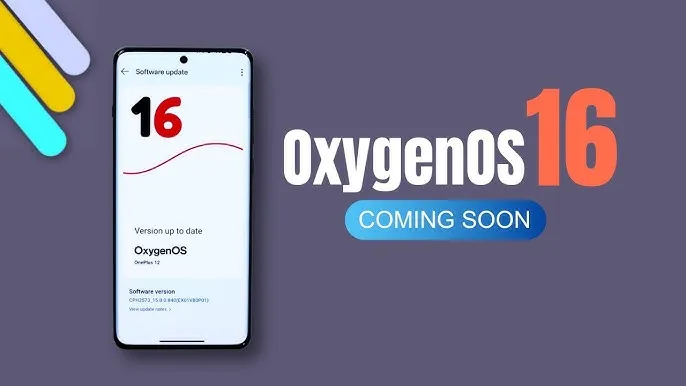
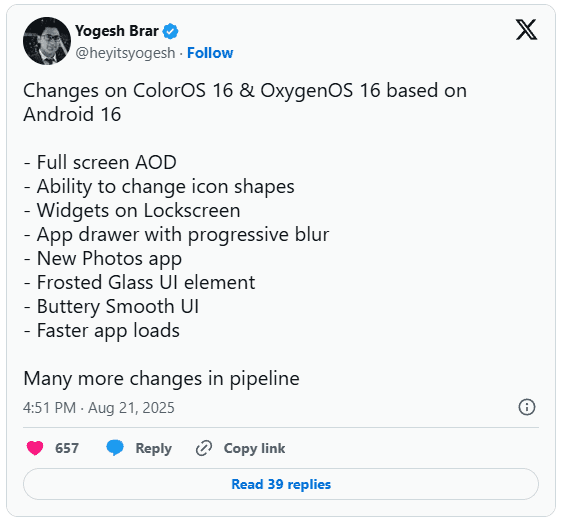
    You may soon notice some significant changes if you’re using an Oppo or OnePlus phone. In the upcoming Android 16-based updates from OnePlus and Oppo, OxygenOS 16 and ColorOS 16, tipster Yogesh Brar has leaked to some of the most significant changes.

    android 16 oxygenOS 16 changes

    New AOD (always on display)

    A full-screen always-on display is one of the notable features predicted for OxygenOS 16 and ColorOS 16. This version might display the complete screen instead of the condensed AOD we’re accustomed to, providing you with more quick access to information without waking the phone.

    There is more to the outward makeover. A new “Liquid Glass” type UI has been noticed, and yes, it looks a little like Apple’s design language. Anticipate a more fluid interface, gentler transitions, and features that resemble frosted glass. Brar also pointed out a revamped Photos app, new customization choices including changing the shape of the icons, and a more seamless user interface overall.

    oxygenos16 panel 1

    Lockscreen widgets are back

    Lockscreen widgets are an additional useful element. We’ve seen variants of this on Android before, which explains why it sounds familiar. Both Oppo and OnePlus are reintroducing it this time in a more streamlined manner. You could use lockscreen widgets to read reminders, manage music, and check the weather without unlocking your phone.

    Huge performance improvements

    Only when a new user interface functions properly does it matter, and OnePlus and Oppo appear to be working on that. The anticipated speedier app launches and smoother animations in OxygenOS 16 and ColorOS 16 should improve responsiveness for everyday use. Until you go back to an older build and see how clumsy it feels, small improvements like this are sometimes overlooked.

    Still in beta testing

    oxygenos 16 new look 1

    For the OnePlus 13 and 13s, OxygenOS 16 is presently undergoing closed beta testing. After the opportunity to apply for the beta emerged in its update area with the August 2025 patch, another tipster, Abhishek Yadav, recently noticed that the Nord 4 would shortly join the program. These closed betas are, as usual, restricted to a select few users and typically contain flaws.

    The Find X8 series marks the beginning of ColorOS 16 testing for Oppo users. Oppo released Android 16 betas for a few models earlier this year, and this latest listing indicates a wider release is imminent.

    When can we expect the OxygenOS release?

    Although neither business has formally disclosed a release date, past performance provides us with a ballpark estimate. OnePlus typically releases a stable version in November after launching an open beta in October. Oppo typically takes a similar approach, launching premium devices first and then moving on to mid-range versions.

  • Android 16 will be the final major upgrade for these Realme devices

    Android 16 will be the final major upgrade for these Realme devices

    Google launched Android 16 more than two months ago, yet no Realme phone has received the upgrade as of yet. However, the company claims to be one of the first to roll out Android 16 on premium phones. The deployment of mid-range and low-cost phones should also happen sooner than normal as a result.

    Realme plans to update a number of phones in various pricing ranges to Android 16. However, it will mark the end of significant upgrades for several of them. In other words, no significant updates beyond Android 16 will be available for those devices, which will continue to run the same OS for the remainder of their lifetimes. We’ve put together a list of these gadgets. Check it out below to see if you’ll soon need to upgrade your smartphone.

    Android 16 – the final major upgrade

    • Realme GT 5
    • Realme GT 5 240W
    • Realme GT 3
    • Realme 14x
    • Realme 14 Pro Lite
    • Realme 13 (LTE/5G)
    • Realme 13+
    • Realme 13 Pro
    • Realme 13 Pro+
    • Realme 12 (LTE/5G)
    • Realme 12+
    • Realme 12 Pro
    • Realme 12 Pro+
    • Realme 12x
    • Realme 12 Lite
    • Realme Narzo 70
    • Realme Narzo 70 Pro
    • Realme Narzo 70x
    • Realme Narzo 70 Turbo
    • Realme Narzo N65
    • Realme C75 4G
    • Realme C67 4G
    • Realme C65
    • Realme C65 4G
    • Realme C63 5G
    • Realme C63
    • Realme C61
    • Realme P2 Pro
    • Realme P1
    • Realme P1 Pro
    • Realme P1 Speed
    • Realme Note 60
    • Realme Note 60x

    The list was created using the update policy and previous rollouts as a guide. Even while it ought to be largely correct, I still advise verifying with the official announcement for the last word.

    realme devices

    When will the Android 16 update be released by Realme?

    A release date for Android 16 has not yet been disclosed by Realme. But the company has previously stated that the Realme GT 7 Pro will be the phone running Android 16’s Realme UI 7.0 update. Soon after, the GT 7 and GT 7T will join the celebration.

    Starting with the GT 6 and GT 6T, the company will introduce the stable Realme UI 7.0 to the GT 6 series after the Realme GT 7 series. Other Realme devices that qualify will thereafter progressively receive the update.

    The company has not commented on the Android 16 release, but given that competitors like Oppo, OnePlus, and Samsung are also doing so for their own Android skins, it must be getting ready for a Realme UI 7.0 beta release shortly. Realme is anticipated to begin hiring beta testers for Realme UI 7.0 in a few days, with the stable rollout probably starting in September.

  • Motorola starts Android 16 beta testing for two more devices

    Motorola starts Android 16 beta testing for two more devices

    Motorola is adding more and more phones to the Android 16 beta testing program over time. The Moto G Stylus 5G (2025) and the Moto Edge 50 Ultra are the latest additions to the company’s beta program, after the addition of five additional phones to its MFN program.

    To test out the new software update before anybody else does, you may sign up for the Motorola Feedback Network if you possess one of these two phones. In case you are not aware, Motorola Feedback Network, or MFN, is the name of the beta program for Motorola handsets. Speaking of availability, the Moto G Stylus 2025 beta is currently available in the USA, while the Edge 50 Ultra beta program is presently active in Brazil and India.

    Speaking of the features that the Android 16 update will include, these include: HDR screenshots, Advanced Protection Mode, APV codec support, Material 3 Expressive redesign, New Emojis, Embedded Photo Picker, Live updates, Desktop Window, Group notifications, and more.

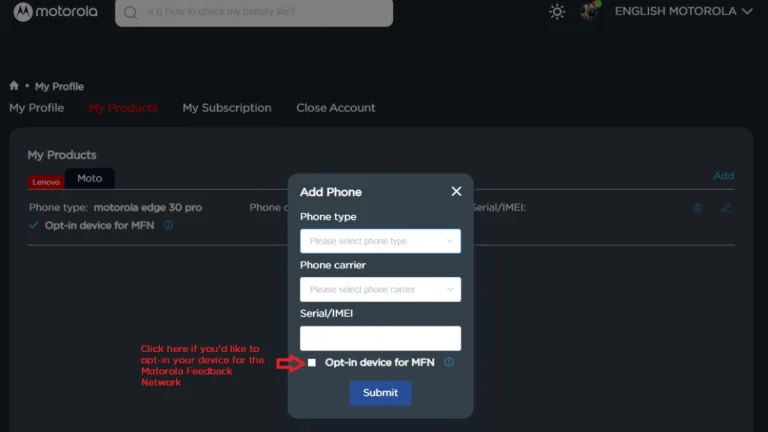
    Join Motorola MFN beta testing

    1. At first, you need to register on the Motorola community website.
    2. Make sure your profile page is updated with your current IMEI or SN of your device.
    3. Opt-in your device for the MFN on your Motorola community profile.
    4. Keep your phone updated to the latest version.
    5. Now, visit the registration link that you will find on the current testing opportunity page. Make sure to visit the page for your device and region.
    6. Fill required details and submit the form.
    motorola join mfn beta testing android 16

    Participants will receive additional information from Motorola via email, so be sure to check your inbox, including the spam folder. You can also frequently check settings for new software upgrades.