Blog

  • 4 new features Pixel 10 series brings

    4 new features Pixel 10 series brings

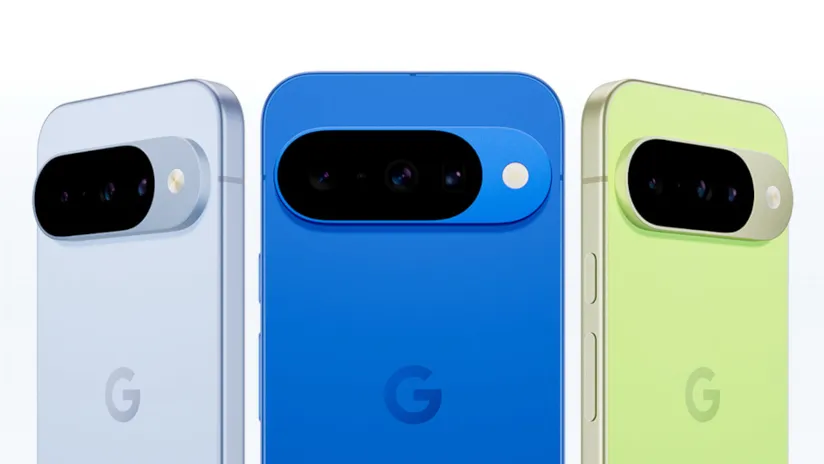
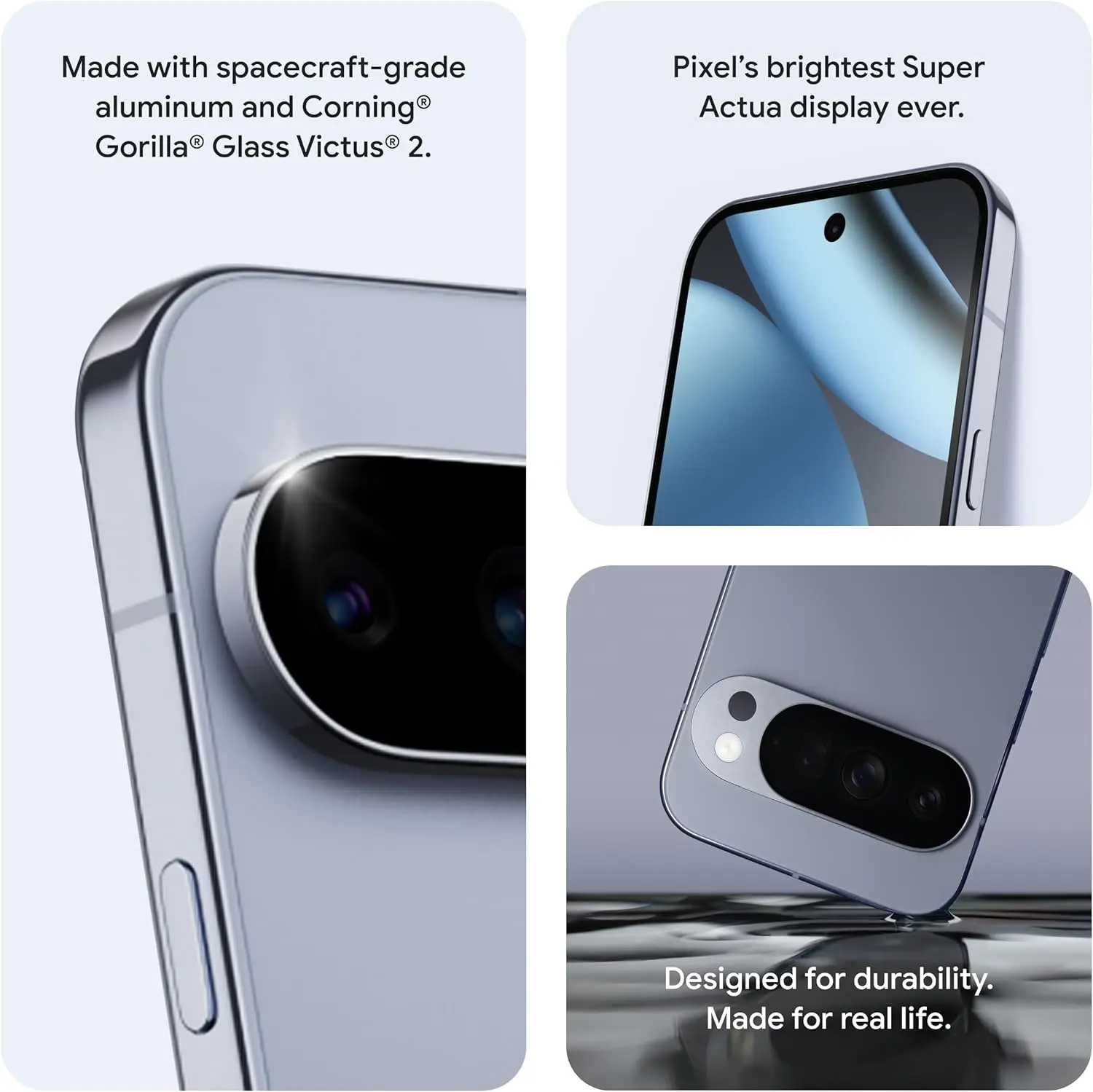
    The Google Pixel 10 Pro XL is a major advancement in smartphone design, emphasizing improved utility and more intelligent software integration over drastic hardware changes. This device is designed to improve your everyday interactions with features including wireless charging, camera technology, widgets, software automation, and performance improvements. We examine its top features below, highlighting the reasons the Pixel 10 series is unique in the crowded smartphone market.
    google pixel 10 pro

    Google Pixel 10 Pro with $200 Amazon Gift Card

    Order the new Google Pixel 10 Pro and get an Amazon Gift Card. Valid 8/20/2025 until 9/4/2025 at 11:59pm PT, while supplies last and subject to availability

    $1,199.00$999.00Amazon

    Qi2 Wireless Charging

    google pixel 10 qi2 wireless charging

    As the first significant Android smartphone to use the Qi2 wireless charging standard, the Pixel 10 series raises the bar for compatibility and ease of use. This method greatly increases charging efficiency by using magnets for exact alignment. It also makes it possible for MagSafe accessories to work seamlessly, so you can connect magnetic wallets, power banks, or stands without the need for additional cases or adapters.

    This integration increases the phone’s functionality while also making charging easier. The Qi2 standard makes sure your gadget is always charged and prepared to fit your needs, whether you’re at home, at work, or on the go. This feature is a unique addition to the Pixel 10 series since it combines efficiency and ease.

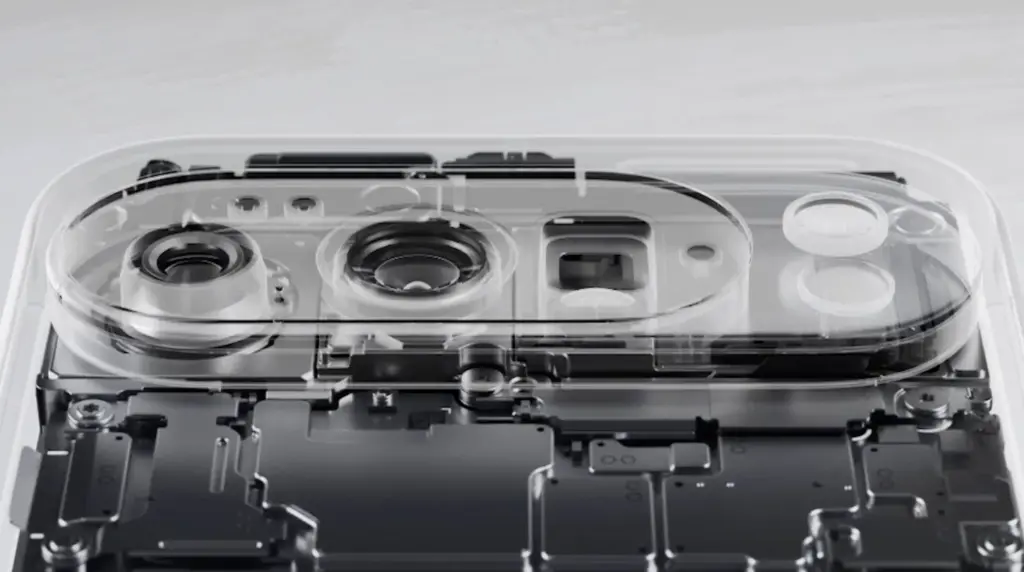
    Innovative Camera System in Pixel 10 series
    Screenshot 2025 08 21 at 11.59.2

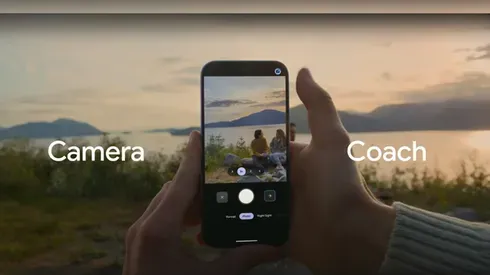
    With its Gemini Eye technology, the Pixel 10 Pro XL elevates smartphone photography to a new level. A “Camera Coach,” which offers real-time advice on lighting, framing, and other settings to help you effortlessly take professional-quality photos, is a feature of this cutting-edge device. Even when photographing distant scenes, the 11-megapixel telephoto lens and up to 20x super-res zoom guarantee that your images stay crisp and clear.

    The Gemini Eye technology makes it simpler to get amazing results, whether you’re a casual user taking short pictures or a photography fanatic striving for perfection. The Pixel 10 Pro XL is now a top option for those who are camera-focused thanks to these improvements, which demonstrate Google’s dedication to providing an excellent shooting experience.
    pixel 10 camera jpg

    Intelligent Automation with Magic Cue Assistant
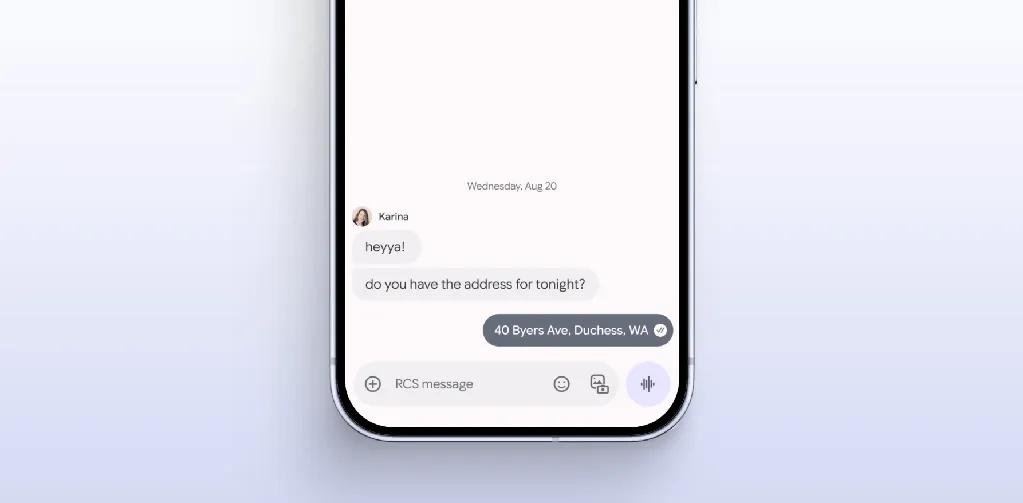
    Intelligent Automation with Magic Cue Assistant

    The Magic Coup Assistant is another example of how Google is pushing the limits of software innovation. This tool automates repetitive chores and provides contextual recommendations by using machine learning to understand your preferences and behaviors. Magic Coup Assistant is made to make your life easier, from scheduling to changing settings according to your activity or location.

    For instance, it can remind you of crucial deadlines, recommend routes depending on traffic, or automatically turn off messages during meetings. The Pixel 10 Pro XL is a sensible option for people who value efficiency and convenience because of this degree of personalization, which shows Google’s commitment to making the experience more intuitive and user-friendly.

    Smarter Widgets with Gemini Space

    Gemini Space, a development of Google’s “At a Glance” function, offers a major improvement to the Pixel 10 Pro XL’s widgets. This utility adds real-time updates from programs like Docs, Maps, and Gmail straight to your home and lock displays. Gemini Space keeps you focused and organized without requiring you to launch numerous apps by giving you access to real-time information at a glance.

    Keeping track of appointments, managing hectic calendars, and remaining informed about critical activities are all made easier with this tool. It is a minor but significant innovation that improves the user experience overall because it might simplify your everyday routine. The Pixel 10 Pro XL provides a more user-friendly method of interacting with your smartphone with Gemini Space.

    google pixel 10 pro

    Google Pixel 10 Pro with $200 Amazon Gift Card

    Order the new Google Pixel 10 Pro and get an Amazon Gift Card. Valid 8/20/2025 until 9/4/2025 at 11:59pm PT, while supplies last and subject to availability

    $1,199.00$999.00Amazon

    The Google Pixel 10 Pro XL places a high priority on significant upgrades that boost speed and usability. This smartphone is made to satisfy the demands of the customers, from a more potent Tensor G5 chip to the cutting-edge Gemini Eye camera system and the creative Qi2 wireless charging. The experience is further enhanced by features like the Magic Cue Assistant and Gemini Space widgets, which provide a smooth fusion of convenience and functionality.

    These well-considered improvements show Google’s dedication to providing a feature-rich gadget that fits your needs. Whether you’re a photography enthusiast, tech enthusiast, or someone looking for a dependable and effective smartphone, the Pixel 10 Pro XL provides an alluring blend of innovation and usefulness.
  • Xiaomi Band 10 – probably the best fitness tracker

    Xiaomi Band 10 – probably the best fitness tracker

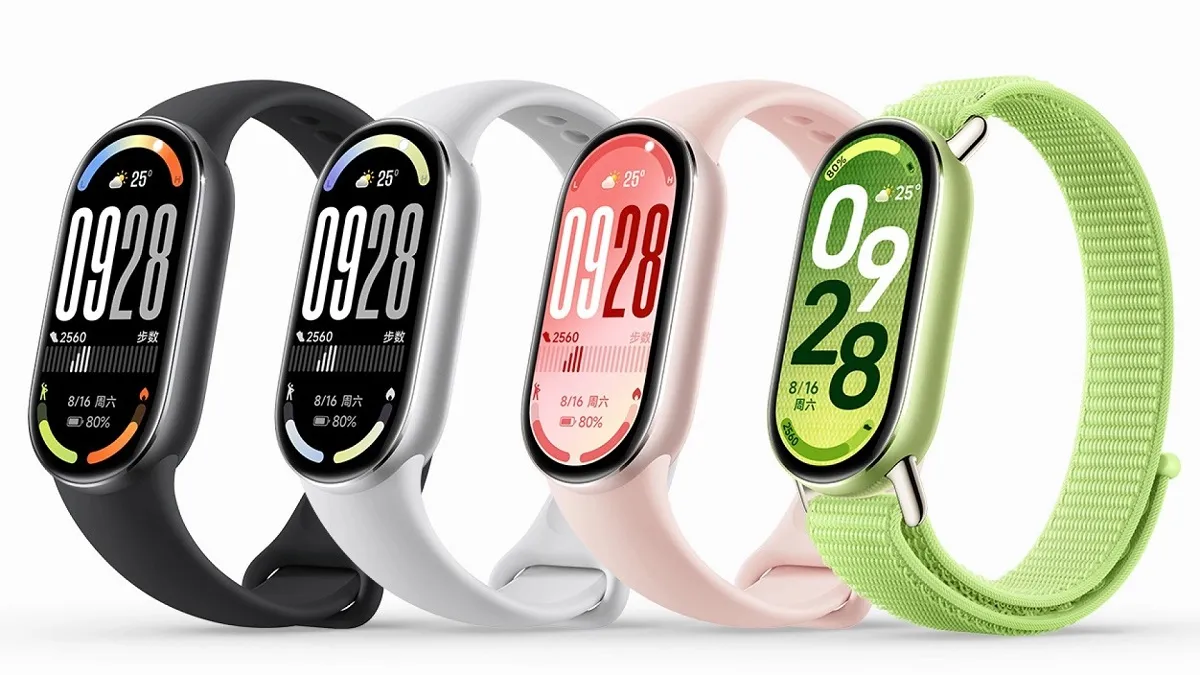
    After a few weeks of using the Xiaomi Band 10, I’m starting to see why the company is attempting to market this wearable as more than simply a fitness tracker. By combining convenience, adjustable design, and health tracking into a single small device, the Band 10 lives up to its marketing slogan, “Fit in Style.”

    The Xiaomi Band 10 is intended for consumers seeking a harmonious blend of fashion and functionality. It’s helpful for someone who values a wearable that looks well in both casual and business contexts, is health-conscious, and wants to track their progress.

    Design and display

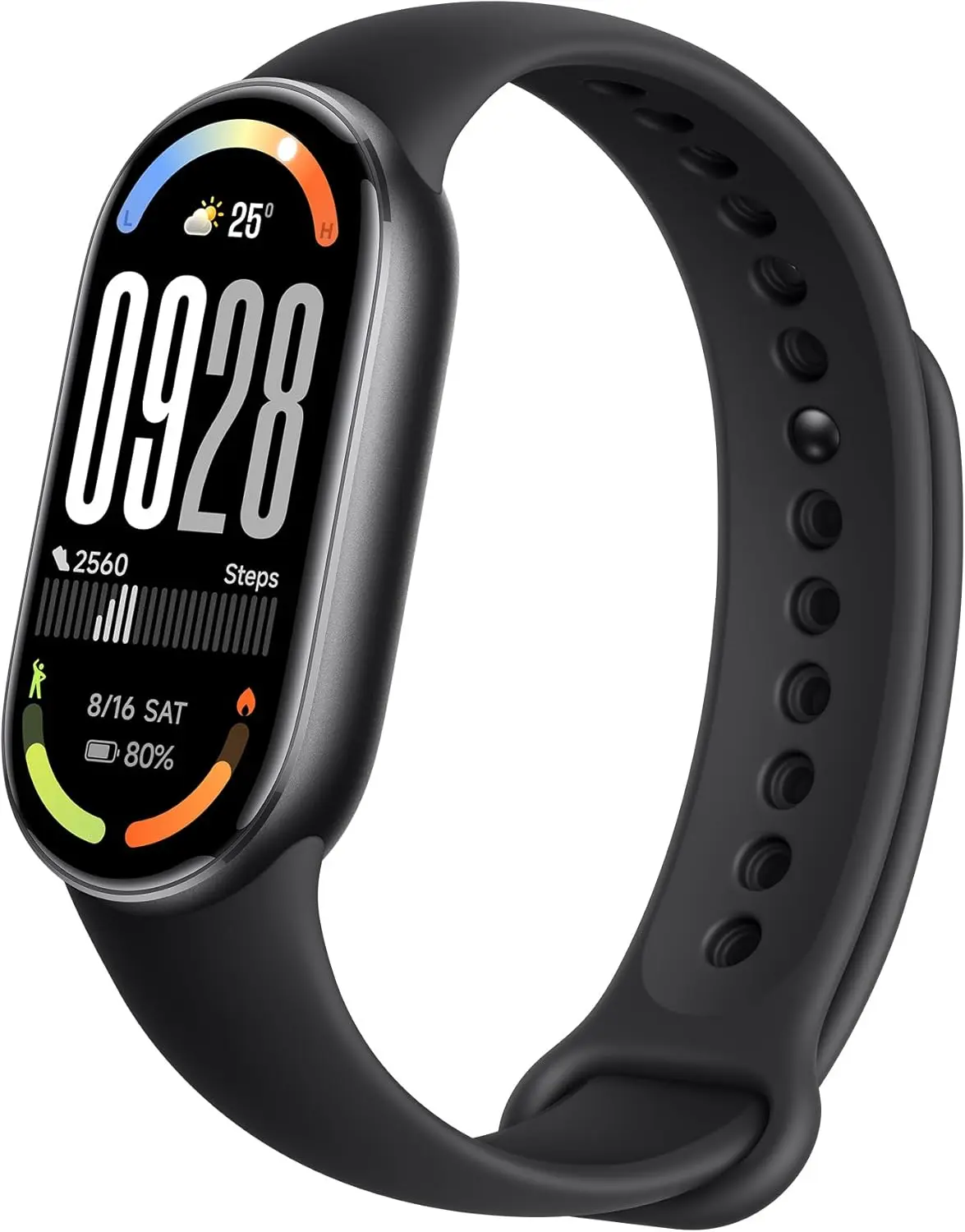
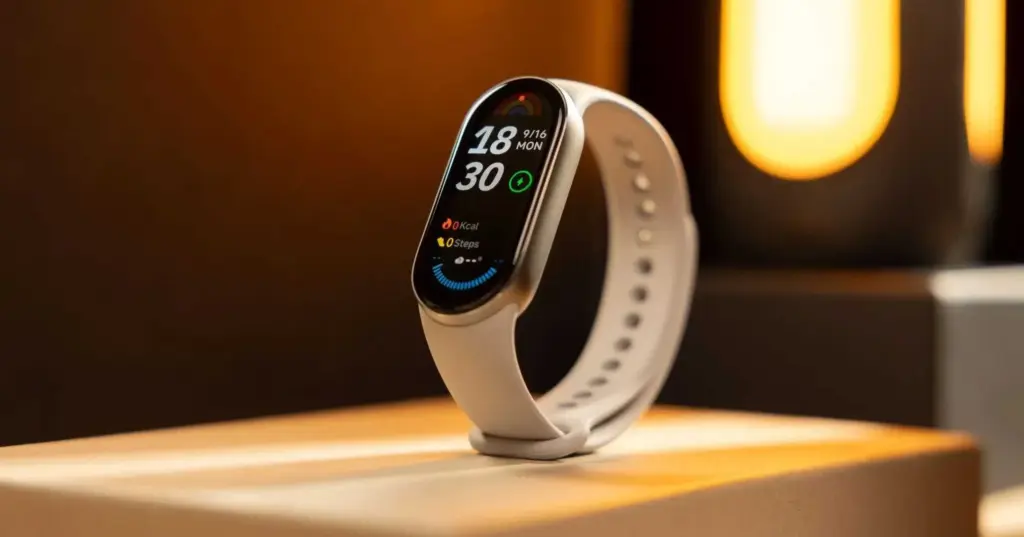
    The 1.72-inch AMOLED display was among the first features I liked. With a resolution of 212 x 520 pixels at 326 PPI, it is crisp, and at 1500 nits, it becomes bright enough to be seen outside. Additionally, compared to previous versions I’ve tried, the 60Hz display rate makes navigating menus feel more fluid.

    xiaomi smart band 10 design and display

    I appreciate that Xiaomi allowed for some design freedom with the Band 10. It feels high-end thanks to the ceramic frames and aluminum alloy, and I can quickly switch up the style with the many strap alternatives (TPU and fluororruber in various colors). I wasn’t limited to a few static designs because there is even more personalization space because to the 200+ watch faces. However, I don’t update it very often. I’ll be stuck with a design for months after I feel familiar with it. Additionally, I didn’t have to worry about splashes if I perspired while working out because of its 5ATM water resistance.

    Fitness and health tracking features

    xiaomi band 10 Fitness Tracker

    The Band 10 has more than 150 workout options for fitness. I primarily used it for strength training, indoor cycling, and jogging, and the monitoring was reliable. I also utilized it for hula hoops and jump rope.

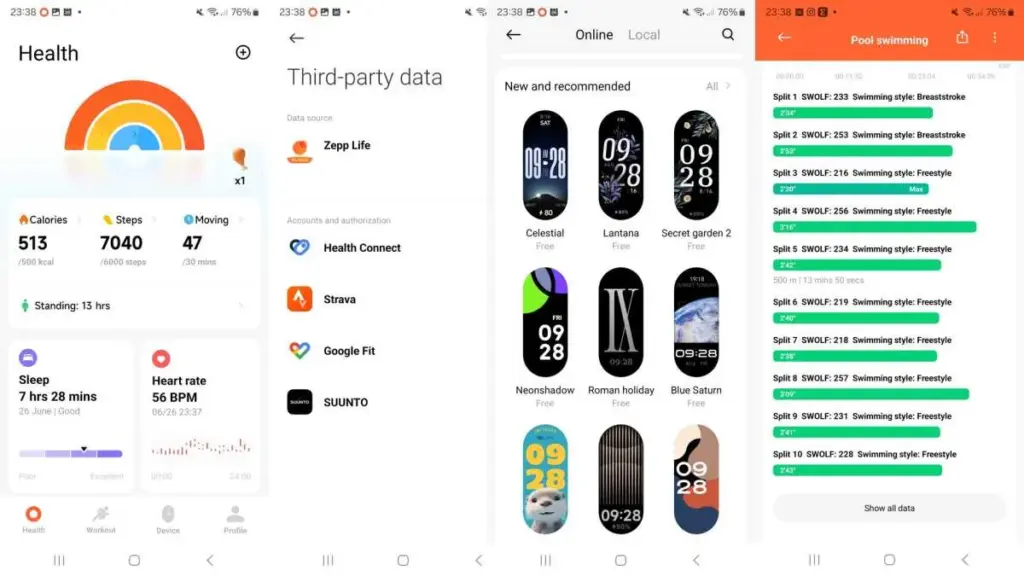
    One of the advantages is health monitoring. When combined with other devices, I found the heart rate broadcast capability to be helpful, and the heart rate sensor performed well for both daily monitoring and exercise. In addition to recording my number of hours slept, sleep monitoring provided me with tailored advice on how to enhance the quality of my sleep. The Band 10 does a good job of keeping me informed about my health when combined with all-day SpO2, stress, and activity tracking.

    All of this is synchronized with the Mi Fitness app, which displays the data in an uncluttered, readable format. I like that the app allowed me to establish precise targets and monitor long-term changes.

    Battery

    xiaomi band 10

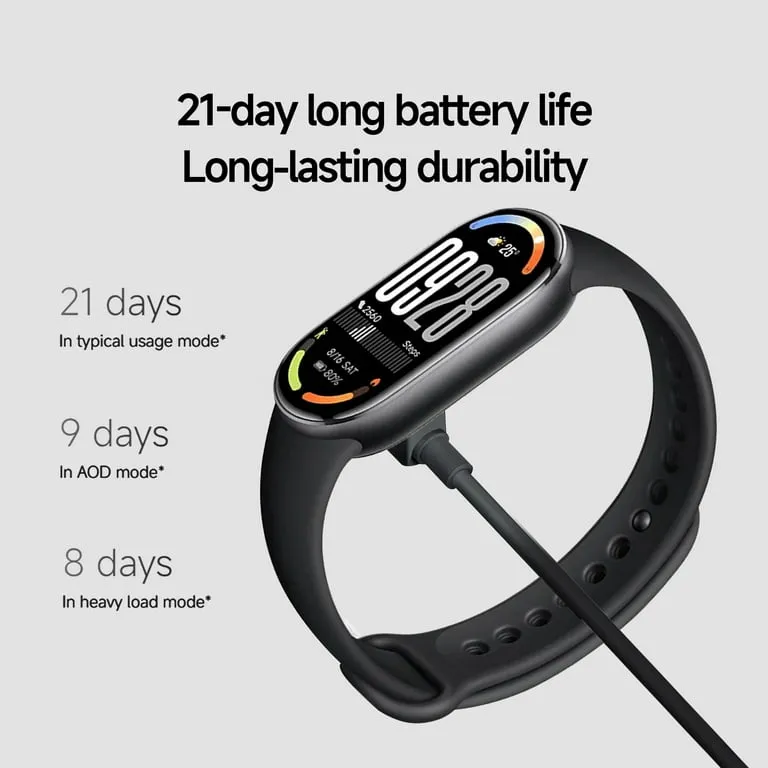
    Another advantage is battery life. Xiaomi says that the 233mAh battery may last up to 21 days of normal use. In my tests, I was able to use it for around two weeks with the brightness, workouts, and alerts set fairly high. Considering that many smartwatches only survive three days, it’s still excellent.

    It’s also convenient to charge. It is simple to top up even between hectic schedules because the magnetic charger clips on simply and I was able to get a full charge in approximately an hour.

    The Xiaomi Band 10 is compatible with iOS (12.0 and above) and Android (8.0 and above), and it supports Bluetooth 5.4. It was easy to pair, and the connection held.

    I was able to view call alerts and read messages on my wrist without continually checking my phone thanks to the effective notification system. Convenience was increased by the seamless operation of basic controls including music playback, weather, and reminders.

    What struck me after wearing the Xiaomi Band 10 every day was how effectively it struck a balance between being a fashion piece and a health tool. The lightweight design makes it simple to wear all day and even at night for tracking sleep, yet the screen is bright enough to make it feel like a tiny smartwatch.

    That’s precisely what I want in a fitness band—I didn’t feel the need to take it off frequently. I seldom ever had any latency, the user interface is straightforward, and the touch reaction is fast. It concentrates on elements that make sense for its intended audience rather than being overburdened with extraneous features.

    xiaomi mi band 10

    Xiaomi Mi Band 10

    Enjoy stunning visuals and a seamless touch thanks to the huge 1.72-inch AMOLED display.The screen-to-body ratio can be increased from 66% to 73% thanks to symmetrical 2.0mm ultra-thin bezels made possible by vacuum filling sealing technology.

    Best choice
    $67.70Amazon

    For those who wish to move up from a simple fitness tracker without going all smartwatch territory, the Xiaomi Band 10 seems like a logical upgrade. It is practical due to its extended battery life and fast charging, dependable in terms of tracking health, and fashionable enough to wear in a variety of contexts.

    In summary, this fitness band has more than 150 sports modes, precise health tracking, and a long battery life that eliminates the need for continuous charging. Its design can be altered to fit individual tastes in watch faces, bands, and frames.

    The Xiaomi Band 10 fulfills company’s promises regarding pricing and features, allowing you to stay active and healthy while still looking stylish.

  • Xiaomi releases HyperOS 3 in September 2025 – first devices to receive it

    Xiaomi releases HyperOS 3 in September 2025 – first devices to receive it

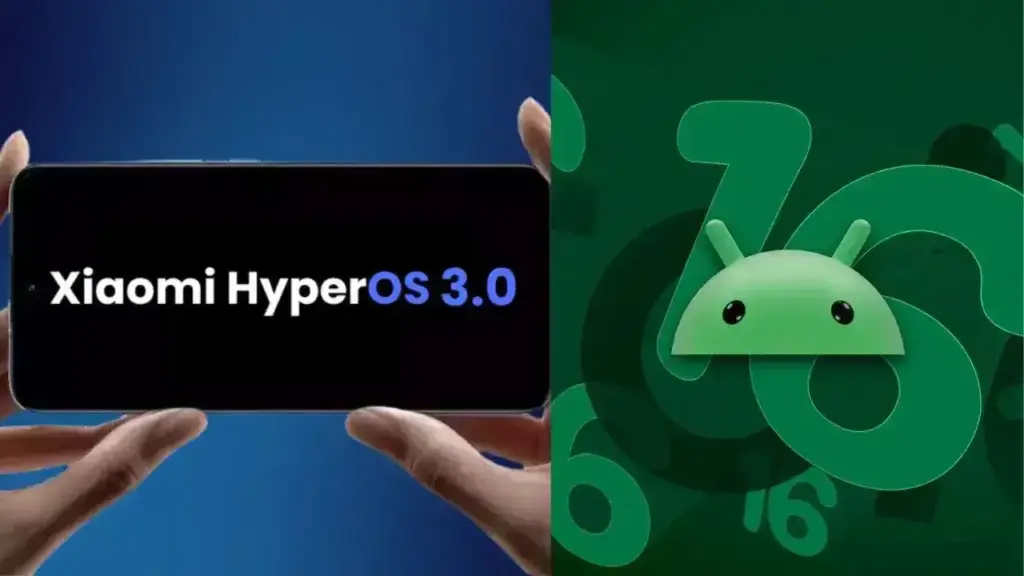
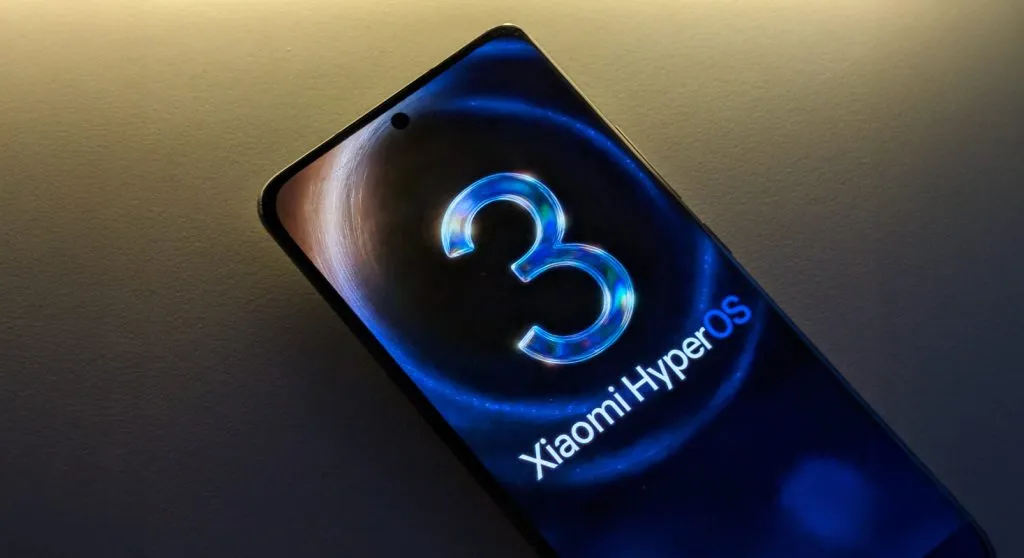
    Based on Android 16, Xiaomi is getting ready to release HyperOS 3, a new firmware update that promises enhanced performance and a revamped look for the company’s whole ecosystem. Although the release date is set for September 2025, the smartphone models that will get this upgrade first are already known.

    • Xiaomi 15;
    • Xiaomi 15 Pro;
    • Xiaomi 15 Ultra;
    • Xiaomi 15T Pro;
    • Xiaomi 14T Pro;
    • Redmi K70 Ultra;
    • Redmi K80 Ultra;
    • Xiaomi 16;
    • Xiaomi 16 Pro.
    hyperos 3.0 update from Xiaomi with Android 16

    HyperOS 3 brings Android 16

    To guarantee quick and easy device use, the update will integrate Xiaomi’s exclusive innovations with the new capabilities of Android 16. In the fall of 2025, HyperOS 3.0 is anticipated to be released, first for flagship models and then for other devices. Compatibility checks will be possible via the MemeOS Enhancer app in the Play Store or the website HyperOSUpdates.com.

    It’s also important to remember that Android 16 has already been formally unveiled, and updates for compatible models will be released shortly. Convenience, security, and user privacy are the areas where the new version is improved. In September, Samsung also intends to release a stable version of One UI 8, which is based on Android 16 and will include significant updates for Galaxy customers.

  • 7 reasons why Google Messages offers the best texting experience on Android devices

    7 reasons why Google Messages offers the best texting experience on Android devices

    Like nearly every other technological advancement, texting has improved over time. Although there are many tools that provide you more control over your messaging, the basic premise remains the same.

    The most important thing is to identify the features that can have the biggest impact, even though the amount of functions can vary depending on the text messaging app you use.

    Although Android offers many excellent texting apps, the Google Messages app stands out above the others, mostly because of its many robust features that make texting on Google’s operating system a breeze.

    9AZOTXU CpreTFAXUPAmJNkm8VGCb1C9

    Google Messages

    Safety starts with understanding how developers collect and share your data. Data privacy and security practices may vary based on your use, region, and age. The developer provided this information and may update it over time.

    OTP auto delete

    otp auto delete

    Because everyone has various objectives, different people have varied ideas on the traits they believe to be the best. But generally speaking, features that execute tasks rapidly and with little user effort are the best.

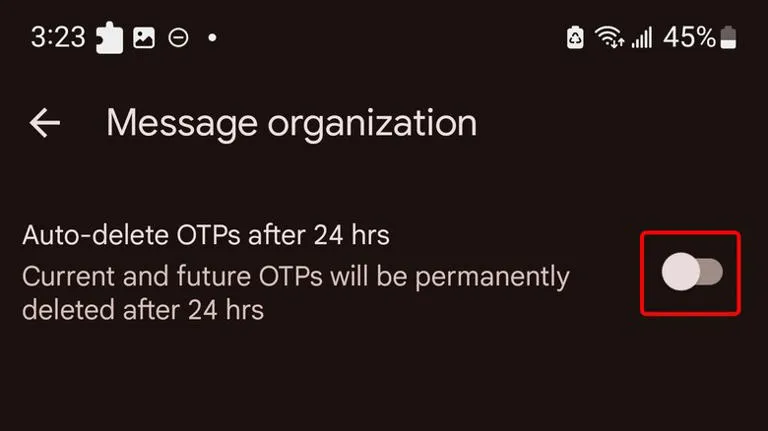
    An excellent illustration of this is the “Auto-delete messages” option. Once you give permission, it will automatically remove all of your one-time passwords and security codes from businesses after a 24-hour period. You may enable this from the Settings.

    Toggle the Auto-delete messages after 24 hours option under Settings > Message organization to activate this feature. You won’t need to manually clean up those OTPs once this is enabled.

    Personalized alert sounds for various contacts

    Businesses, friends and family, and organizations are some of the sources of text texts. As a result, not all of them are equally significant and do not merit your precious time.

    However, the ones that come from those closest to you are the ones you wouldn’t want to miss.

    Setting up a personalized notification sound for your most critical contacts is one of the simplest methods to accomplish this. In this manner, the notification’s sound will instantly identify the sender of the message.

    You can customize a notification sound for persons whose messages you need to respond to promptly, in addition to your loved ones. They could be your coworkers or even your employer. The answer is Google Messages.

    RCS

    messages

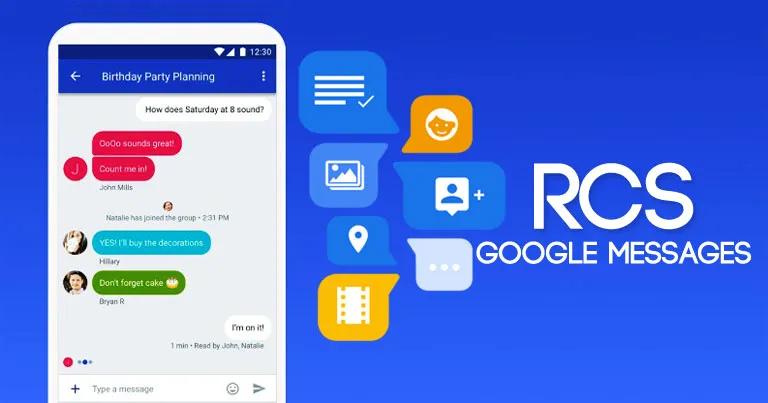
    Perhaps the most significant aspect of the Messages app is its support for RCS (Rich Communication Services), which is the sole reason why many people utilize it.

    With capabilities like the ability to send high-quality photos and videos, type indicators, read receipts, end-to-end encryption, reply to a specific message, and many more, RCS transforms the outdated SMS messaging system into a more contemporary one.

    RCS isn’t accessible by default, though. To begin using these features, you need to activate it from the Chat features setting. Additionally, the other person’s phone number must have RCS enabled.

    Because cross-platform RCS communication still lacks several crucial capabilities, such as end-to-end encryption, you receive the best RCS experience on Google Messages when both senders and recipients are using Android phones.

    Scheduled send

    Google Messages Scheduling Featu

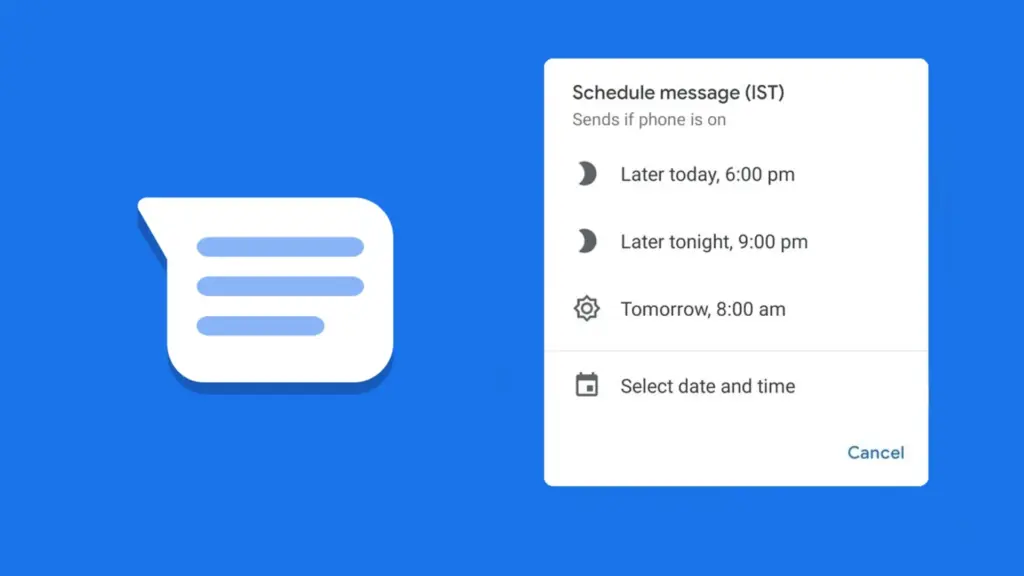
    Google Messages lets users create a message and select a time and date, after which the app will automatically deliver it to the recipient.

    Despite how easy it seems, some of the most frequently used messaging programs, such as WhatsApp, still do not support this. Although scheduling a message in Google Messages is simple, the choice isn’t immediately apparent when you begin typing.

    After entering the message, you must long-press the send symbol to bring up Google Messages’ “Schedule send” feature. After that, you may select the day and time you would like that precise message to be delivered to that individual.

    You can alter the date and time or cancel the planned send if you decide to change your mind later.

    Spam protection

    Google Messages Spam Protection

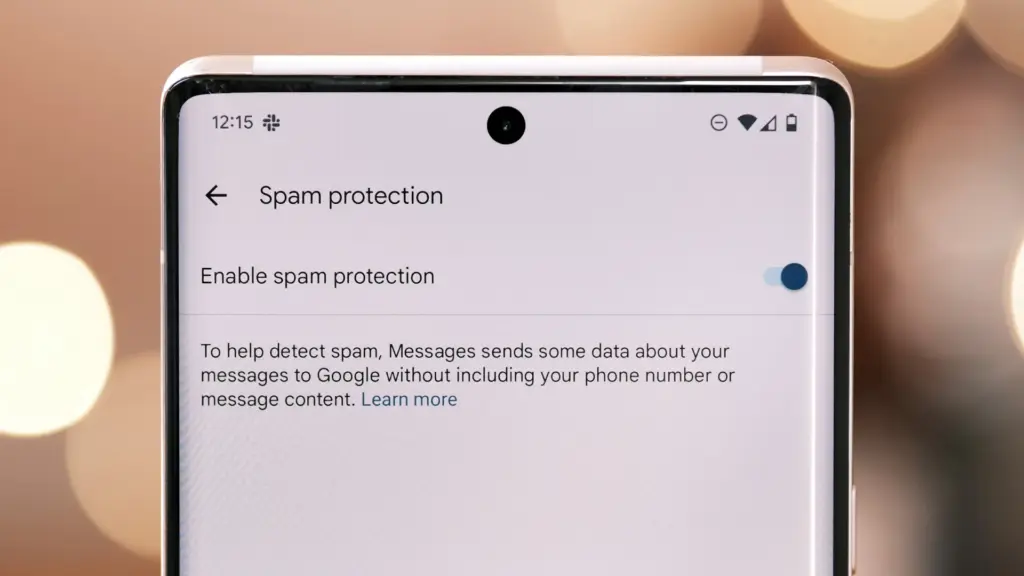
    Text messaging is one of the many ways that spam can happen. Depending on the platform, there are a number of strategies to prevent becoming a victim of spam.

    With its spam prevention function, Google Messages provides one of the simplest means of safeguarding oneself against such malicious individuals. From the Messages Settings, you may activate this option.

    When enabled, Google Messages will screen messages that contain such harmful links to phony websites and place them in the Spam and Blocked folders on your phone.

    The program removes the possibility that you would unintentionally click on one of those links and provide your personal information to bad actors because those dangerous text messages aren’t accessible within the app.

    Pair with the web app

    web messages

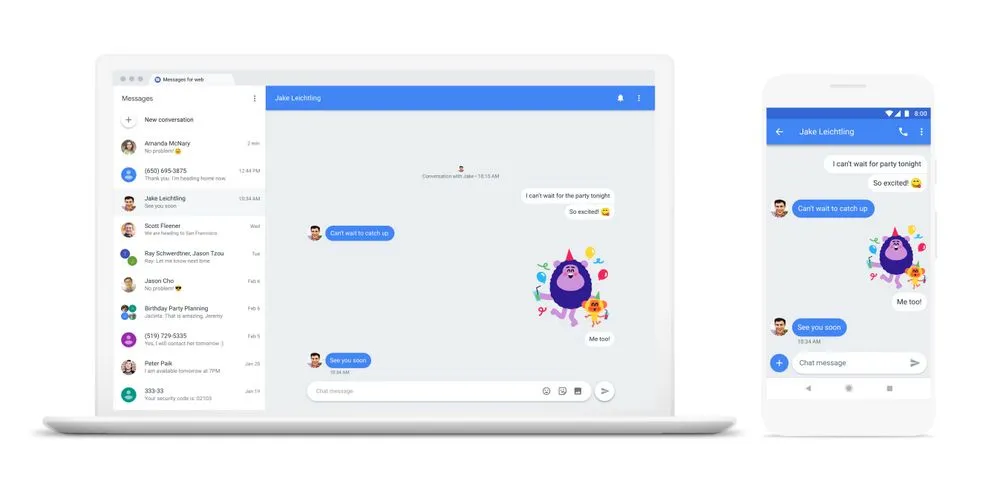
    When an app is available on several platforms, it becomes more helpful. Google Messages features a clever approach dubbed “Device pairing” to compensate for its inaccessibility outside of its ecosystem.

    It enables Google Messages to be paired with any computer that has a screen and an internet connection.

    You are using the same Google Messages app on your phone, but it is now operating on a different device via mirroring. You must connect your phone to the internet because your second device isn’t operating this natively.

    This can be paired with your Mac or PC, or even with another phone. Tap the profile symbol in the top-right corner, select Device pairing, and then adhere to the on-screen directions to pair.

    You can unpair Google Messages from each device if you are no longer using it on those devices. Additionally, it offers the ability to unlink a certain device.

    Pinned conversation

    Google Messaged Pinned Conversat

    You must locate the contact you wish to send a message to before scheduling it. Although you can type the contact’s name into the search bar, this isn’t the most effective method, particularly if they are significant individuals.

    You can pin or unpin messages using the pinning feature in the Google Messages app. In this manner, communications from certain people show up first when you launch the app. Therefore, you may locate those messages without using the search function or scrolling to the bottom.

    One of Google Messages’ user-friendly features is message pinning. You simply hit the pin symbol at the top after choosing the message from the list. The Messages app allows you to pin more than one message.

    Until you unpin them, those pinned messages always stay at the top. You must pick the pinned message and then tap the unpin symbol that shows at the top in order to unpin it.

    Google Messages offers the best texting experience for Android devices

    Like anything else, the Google Messages app has flaws. Its peculiarities might not be to everyone’s taste, and some people might find its UI a little cluttered.

    But Google Messages’ robust features function so effectively that you won’t even notice how quickly the program becomes essential.

    On the majority of recent Android phones, Google Messages is the default texting app. Therefore, it eliminates the need to search for a better texting app after the initial boot. It’s ready for you to start messaging your loved ones right now.

    There are a lot of useful features in Google Messages, and when the app is updated, more are added. Additionally, it is among the Google apps that receive the most updates.

  • Honor MagicOS 10 eligible devices

    Honor MagicOS 10 eligible devices

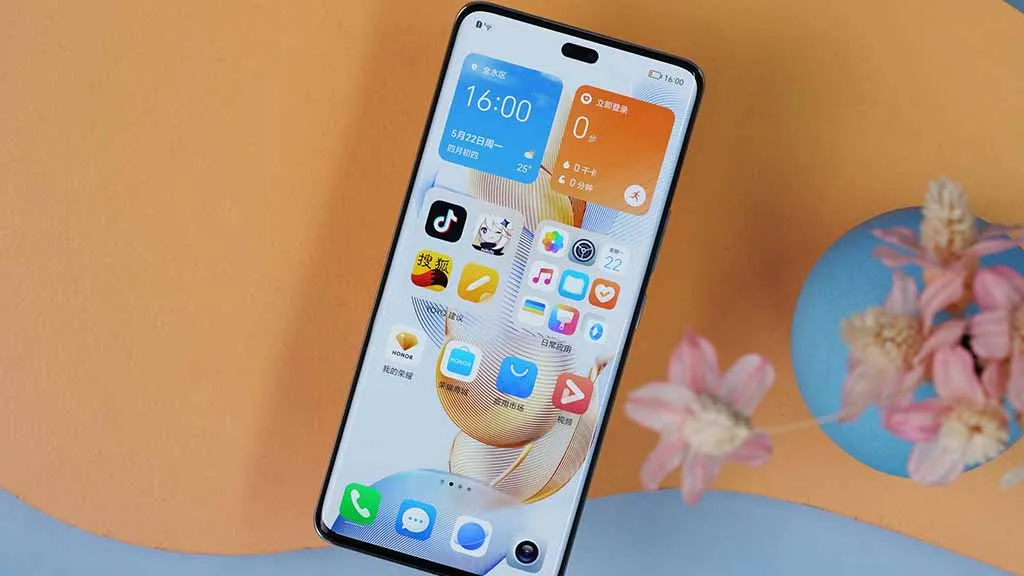
    It appears like Honor has begun working on the MagicOS 10 software update for its compatible devices. In order to determine what features and technological capabilities customers actually desire in their Honor phone, it has also started to gather input from its consumers.

    Like the previous iteration, MagicOS 10 is probably going to launch alongside the Honor Magic 8 series. Rumors and leaks suggest that the flagship lineup may be officially unveiled in October. At such moment, the corporation might introduce the updated version.

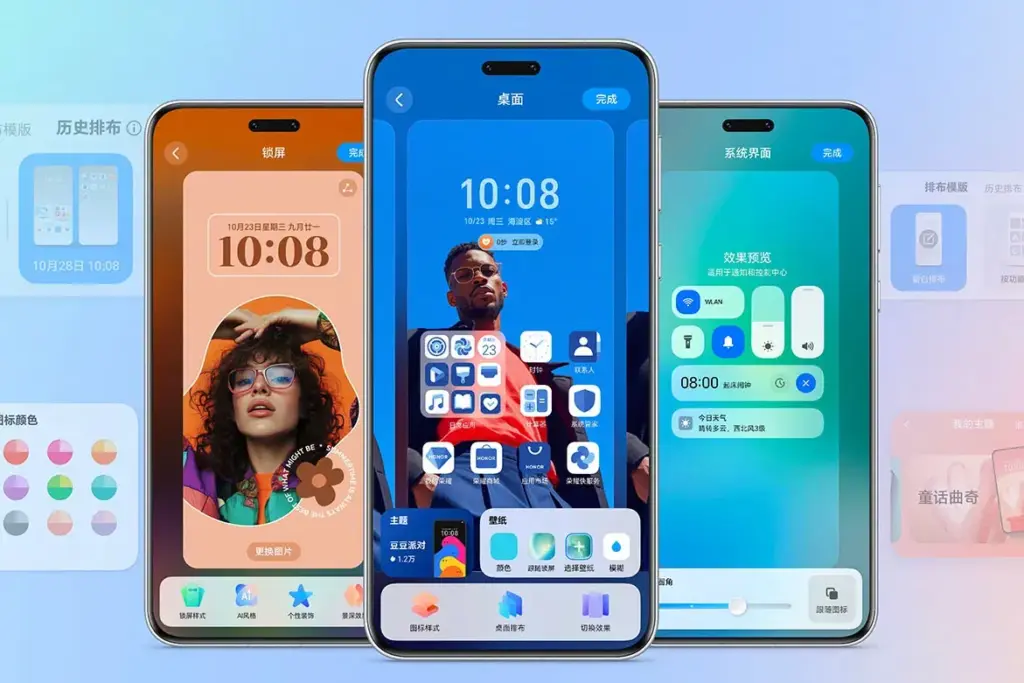
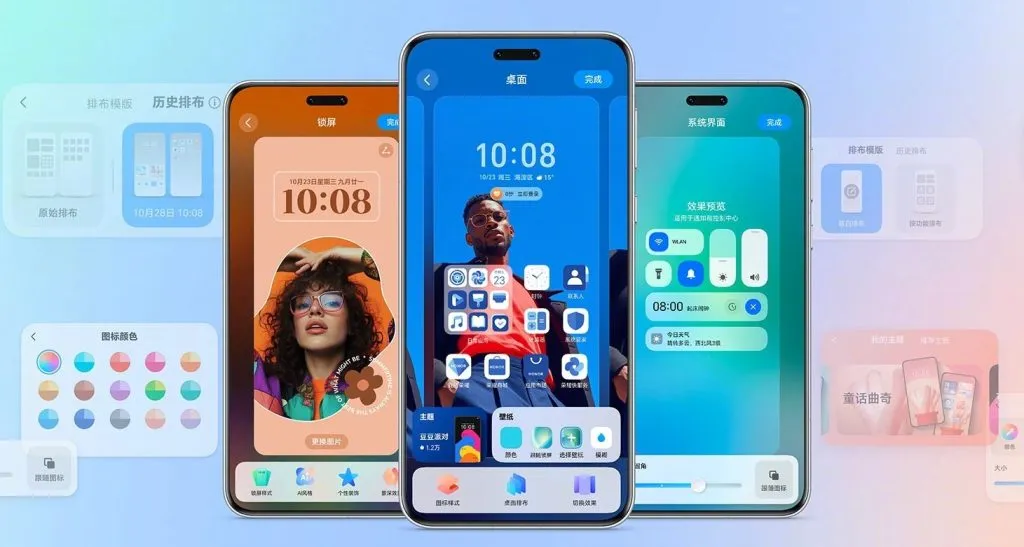
    The business plans to make some intriguing adjustments to the user experience. In order to make the device’s user interface (UI) more realistic while maintaining its minimalism and dynamic nature, it might also introduce more AI functions and customization tools.

    honor magicos 10 preview

    According to an early leak, Honor is looking into adding new capabilities to the Smart Capsule. The Magic Capsule will get additional services, increasing its usefulness in all areas.

    Here is a list of anticipated Honor devices that may receive the upcoming MagicOS 10 update, which is based on Android 16. These compatible models are listed below.

    Flagship Magic Series

    • Honor Magic 7
    • Honor Magic 7 Pro
    • Honor Magic 7 Lite
    • Honor Magic 7 RSR Porsche Edition
    • Honor Magic 6
    • Honor Magic 6 Pro
    • Honor Magic 6 Lite
    • Honor Magic 6 Ultimate
    • Honor Magic 6 RSR Porsche Edition
    • Honor Magic 5 Pro
    • Honor Magic 5
    • Honor Magic V5
    • Honor Magic V3
    • Honor Magic Vs3
    • Honor Magic V2 RSR Porsche Edition
    • Honor Magic V2
    • Honor Magic Vs2
    • Honor Magic V Flip

    Digital Series

    • Honor 400
    • Honor 400 Pro
    • Honor 400 Lite
    • Honor 300
    • Honor 300 Pro
    • Honor 300 Ultra
    • Honor 200
    • Honor 200 Pro
    • Honor 200 Smart
    • Honor 200 Lite
    • Honor 100
    • Honor 100 Pro

    X and GT Series

    • Honor GT
    • Honor GT Pro
    • Honor X70
    • Honor X70i
    • Honor X60GT
    • Honor X60 Pro
    • Honor X60
    • Honor X50 Pro
    • Honor Power
    • Honor X8c
    • Honor X9c Smart
    • Honor X9c

    Tablets

    • Honor Pad GT 2 Pro
    • Honor Pad GT
    • Honor MagicPad 3
    • Honor Pad 10
    • Honor Pad V9
  • Moto G Stylus 5G: the best budget smartphone under $300

    Moto G Stylus 5G: the best budget smartphone under $300

    In 2025, a genuinely decent smartphone will no longer cost $1,000. Sure, spending a lot of money doesn’t hurt if you want to get the best, but there is also a lot out there that checks all of the necessary boxes while remaining reasonably priced.

    The Moto G Stylus 5G is one such option, with a huge and gorgeous pOLED display, excellent performance and battery life, and an included stylus, which is uncommon on smartphones nowadays. The greatest thing is that this phone is reasonably priced, owing to a generous $150 discount from Amazon, which puts it down to just $250 for a short time.

    Why Moto G Stylus 5G should be considered?

    Moto G Stylus 5G

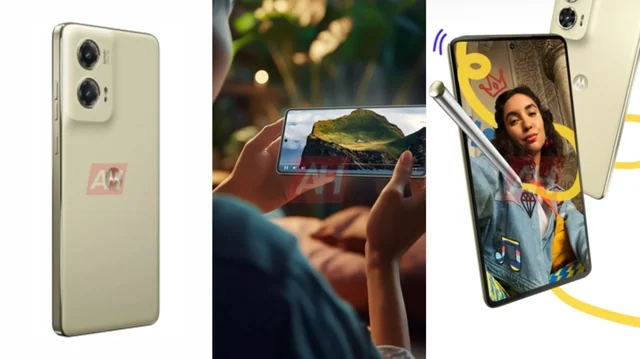
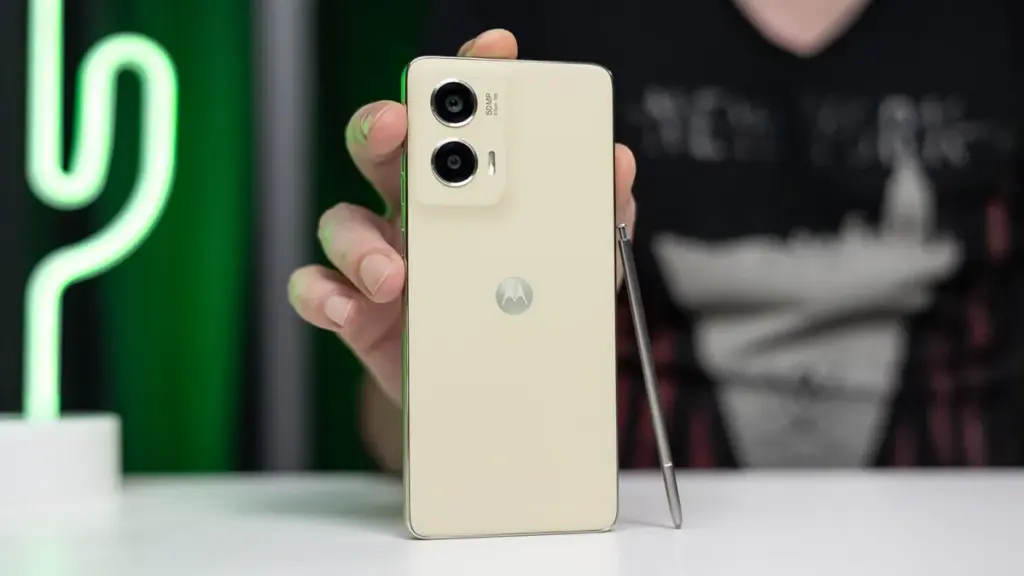
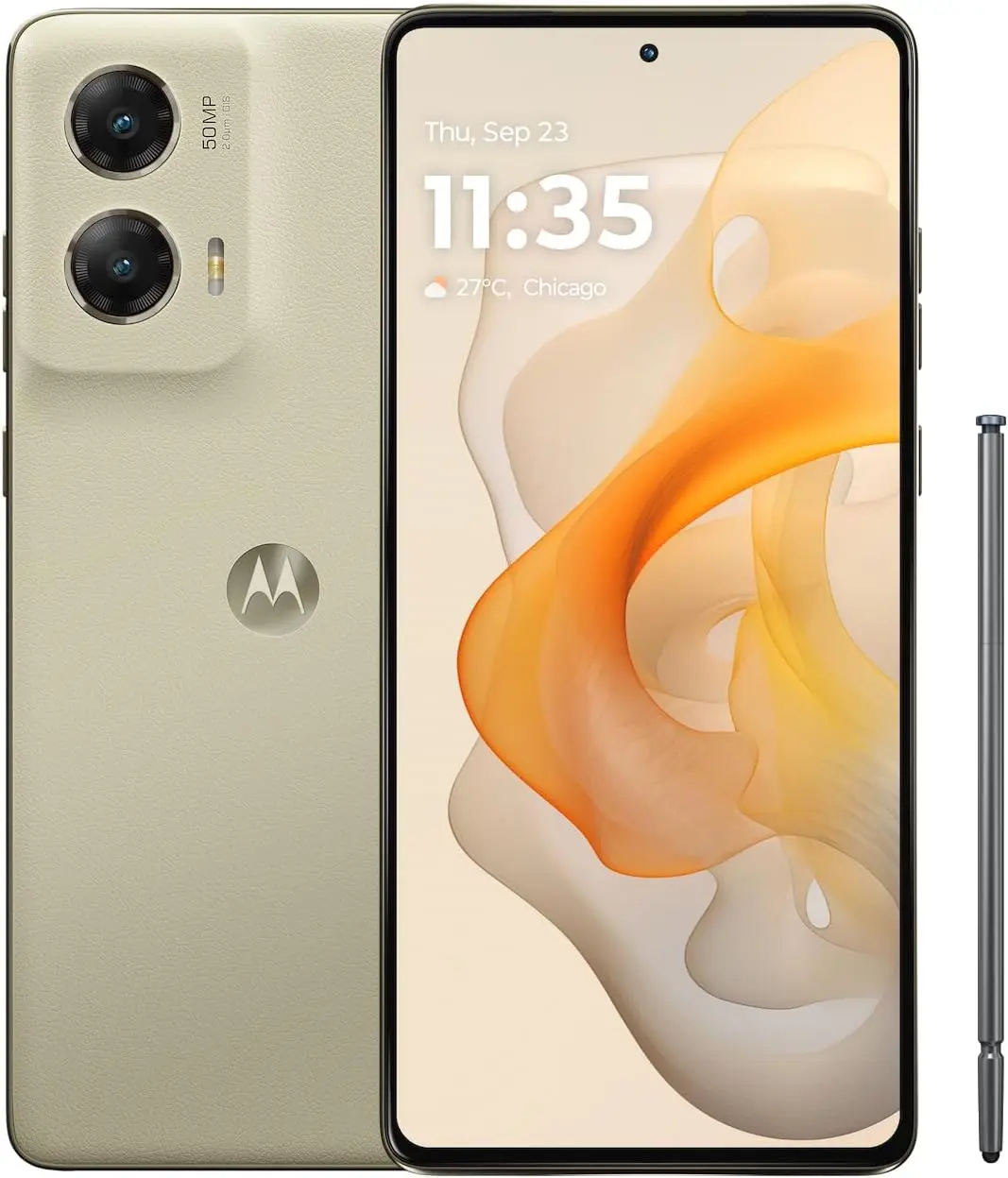
    Motorola is known for producing some of the best inexpensive phones on the market, and the Moto G Stylus 5G is one of its most appealing options. It has a sleek and attractive design, as well as an amazing 6.7-inch pOLED display with a max refresh rate of 120Hz.

    You also receive a built-in stylus, allowing you to effortlessly jot down notes or sketch out ideas as needed. The Qualcomm Snapdragon 6 Gen 1 CPU, combined with 8GB of RAM, provides a speedy overall experience. You also get 256GB of internal storage and a microSD card slot that can be expanded up to 2TB.

    This phone has incredible battery life, allowing you to go more than a day without charging. And when you do, you may choose between 30W wired fast charging and 15W wireless charging. There is a 50MP main camera and a 13MP ultrawide camera on the back, as well as a 32MP front-facing camera.

    Perhaps most surprising, you receive a 3.5mm audio port, allowing you to listen to music with your favorite wired headphones or earbuds. The phone runs Android 14, and Google provides an amazing workspace. There is also access to some of the top apps available from the Google Play Store.

    You get a lot of bang for your buck here, and at its recently reduced $250 pricing, the phone is even better. So, if you’ve been considering purchasing a new phone and want something that can do it all at a reasonable price, the Moto G Stylus 5G will be an excellent choice.

    Motorola Moto G Stylus 5G

    Motorola Moto G Stylus 5G

    NEW built-in stylus. Jot notes, edit photos, sketch artwork, and navigate effortlessly with an improved stylus and updated software.

    $399.99$249.99Amazon
  • Guide on how to clear cache of any Android device

    Guide on how to clear cache of any Android device

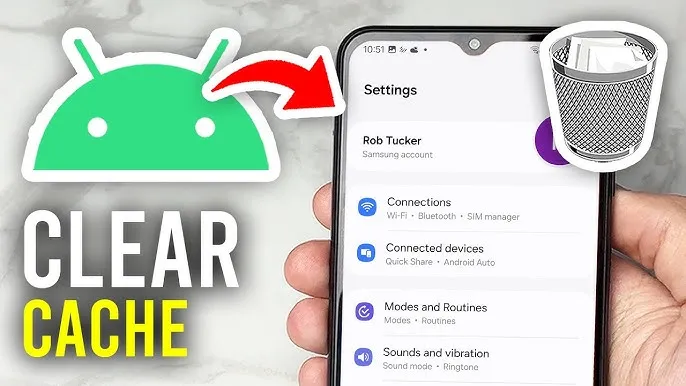
    Your device may slow down as a result of cached data that builds up, corrupts, or just becomes out of date over time. Although a targeted cache clear is a quick fix that doesn’t require updating hardware, restarting your phone frequently helps.

    In June, Google introduced Android 16 to Pixel devices and a few OEMs, bringing with it new Material You updates, performance enhancements, and other improvements. Clearing the cache on your Android phone or tablet can give it a new boost and free up some storage space if you want to attempt this update but are concerned since you’ve observed it already feels too sluggish.

    Although each manufacturer may have somewhat different processes, the overall procedure is the same.

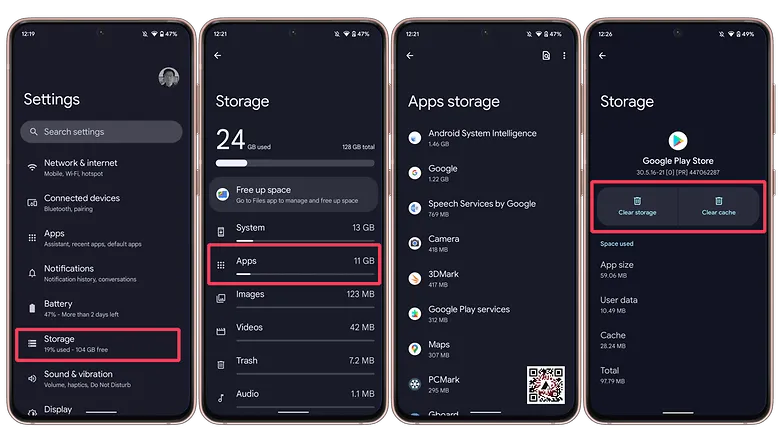
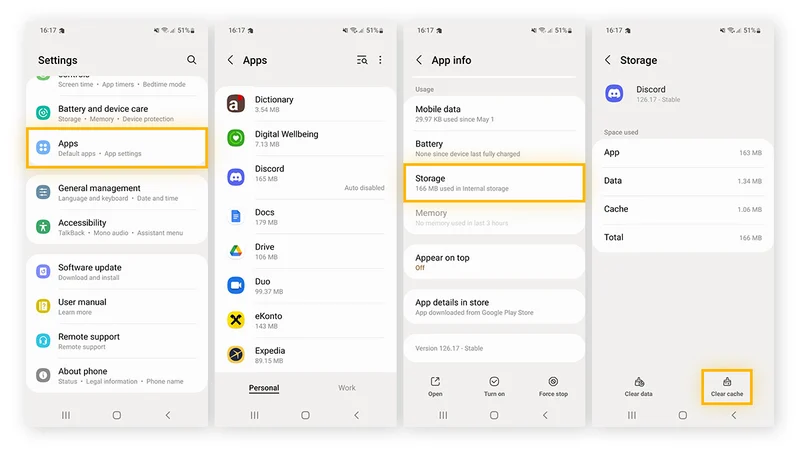
    Navigate to Storage in Settings, then select Apps. If there isn’t a specific Apps entry, you may easily locate it in Settings by using the search bar.

    Some Android devices now offer a “Free up space” option through the Google Files app in the Storage menu as well. This can be used by opening Files, selecting Clean from the three-line menu in the top-left. Examine each recommendation (such as duplicates, huge files, and useless apps), then follow the instructions to remove any files you no longer require.

    clear cache android

    (Avoid system services) press an installed app, choose “Storage and cache,” and then press “Clear cache.” Tap “Clear storage” only if you wish to fully reset the application.

    Clear cache for individual apps

    Do the same with any programs that consume a lot of storage. Data-hungry hogs like social apps and streaming services are a good place to start.

    Additionally, some Android versions make it simple to view which apps are using the most space when you’re in the Apps menu. Just choose Sort by Size from the three-dot menu that appears in the upper-right corner.

    Note: There may be an integrated clear-all-cache feature on some Android phones. There should be a ‘Select All’ button at the top under Settings > Storage > and App Cache.

    How to clear cache from Chrome

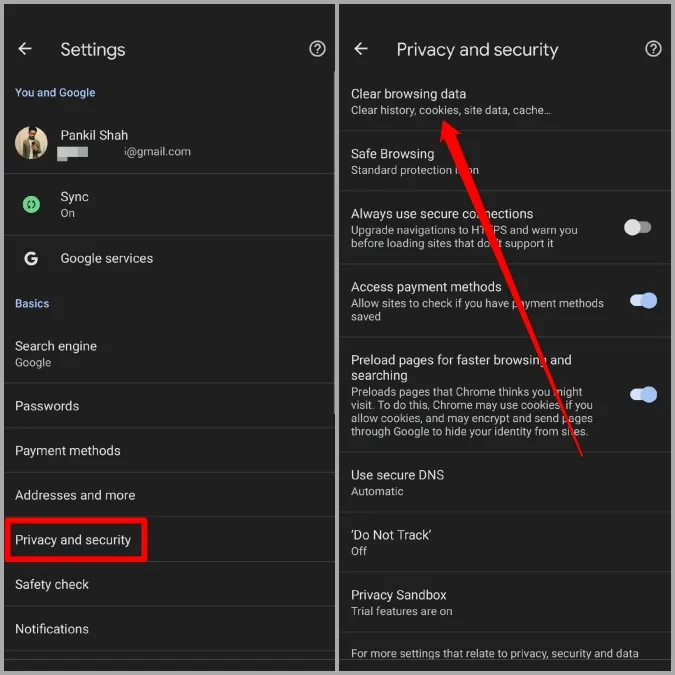
    Open Chrome, tap the three-dot menu Settings > History > Clear browsing data.

    Check “Cached pictures and files” (as well as anything else you want to delete) after choosing the time frame. Next, select “Clear data.”

    Every choice describes its function and how it impacts your experience. removing cached files and pictures may result in Chrome loading images more slowly the next time you visit a website, while removing cookies and site data will log you out of many or all websites.

    In recent versions of Chrome for Android, hitting the menu button brings up the Clear Browsing Data option. When you choose this, a pop-up window requesting that you delete your browsing history from a certain time frame will show up. Selecting More Options will bring up the Browsing Data screen, where you can pick which data to remove and what time period to use.

  • Honor rumored to start MagicOS 10 beta testing with Android 16

    Honor rumored to start MagicOS 10 beta testing with Android 16

    Honor gives major software updates for its handsets first priority, and with MagicOS 10 beta testing, it appears the company may soon advance this strategy. According to a leak, the Chinese OEM may take this action in the days ahead.

    According to DigitalChatStation, two well-known companies, Honor MagicOS 10 and OPPO ColorOS 16, will begin beta testing their Android 16 skins this month. The precise timeframe for this operation was not disclosed by the tipster, but it might start before the end of August.

    In addition to OPPO/Honor, Xiaomi and Vivo can begin testing their Android 16 software version for qualified devices and search for new features.

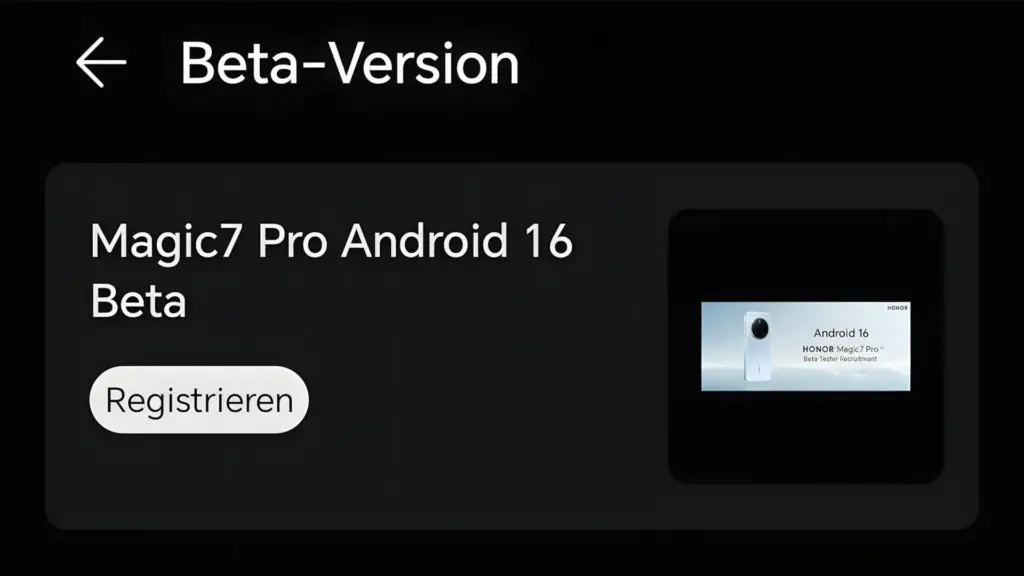
    honor magic 7 pro magic os 10

    Honor MagicOS 10 already seen

    In April, Honor revealed the Magic 7 Pro’s initial Android 16 developer preview. Only developers with certain features and enhancements have access to it.

    The MagicOS version test for the Magic 7 Pro phone, which is based on the Android 16 Beta, was introduced by the firm in May. Again, this beta activity was limited to developers.

    However, Honor may expand this software exploration pool with additional devices through the MagicOS 10 beta testing. Users may be able to preview the new features and improvements of the next MagicOS version thanks to this procedure.

    Additionally, users of Honor smartphones will have the opportunity to comment on the software experience, report bugs and problems, and recommend any additional features or adjustments for the MagicOS 10 operating system, which is based on Android 16.

    It’s unknown what gadgets will be included in this process and how the company will begin. However, as the month draws to a close, we might learn more information on this topic. Keep an eye out.

  • Xiaomi halts HyperOS 2 updates to speed up next-gen development

    Xiaomi halts HyperOS 2 updates to speed up next-gen development

    Are users of Xiaomi smartphones getting the August 2025 update? If not, it might be because Xiaomi is still getting ready for HyperOS 3.0. According to a new input, the corporation has purposefully stopped the latest security patch release.

    Following the HyperOS 3 preparations, the Chinese phone manufacturer has ceased releasing the August 2025 update to Xiaomi, Redmi, and POCO handsets, as first reported by XiaomiTime.

    The company has suspended the distribution of HyperOS 2, 2.1, and 2.2 software versions in addition to the security fixes. However, the explanation is sound.

    This halt may have gone unnoticed by you thus far. However, this hint indicates that the business is attempting to concentrate on the significant improvements. Xiaomi released 250 upgrades in the first 10 days last month; this month, that number is 40.

    This decrease implies that the OEM is focusing entirely on creating HyperOS 3. It appears to be getting ready to provide updated animations that will make each segment’s transitions more seamless and engaging.

    Xiaomi is giving the user interface a dynamic facelift by improving visual feedback and implementing AI-driven adjustments. The company has halted security rollouts because it is focused on developing a more sophisticated and engaging software platform.

    However, Xiaomi will soon resume its normal security patch deployment schedule, so don’t panic. You can attempt to manually check your device’s update section to see if there is a new version available for download in the interim.

    We advise keeping your device updated and making sure you have enough capacity on your phone so you can install the next big software updates without any problems.

  • With this significant camera improvement, the Xiaomi 16 might surpass the Pixel 10.

    With this significant camera improvement, the Xiaomi 16 might surpass the Pixel 10.

    It has been predicted that the Xiaomi 16 and Xiaomi’s flagship 16 Pro smartphones will include a significant camera update, however it might not be the one you were hoping for.

    Digital Chat Station, a prolific tipster, posted an intriguing allegation on Weibo regarding one of the first large flagship phones of the upcoming generation.

    The post claims that a far better selfie camera with a crisper 50Mp resolution—up from 32Mp in the Xiaomi 15—will be included in the Xiaomi 16 and the Xiaomi 16 Pro.

    Both focusing and better low-light performance should be features of this selfie camera. In phones that support it, the latter feature always results in better selfies. In this sense, it will be nice to see Xiaomi‘s entry-level flagship catch up to the Pixel 9, iPhone 16, and Galaxy S25.

    The tipster goes on to say that, like the Xiaomi 15, this selfie camera will record 4K/60FPS videos and enable a wide viewing angle.

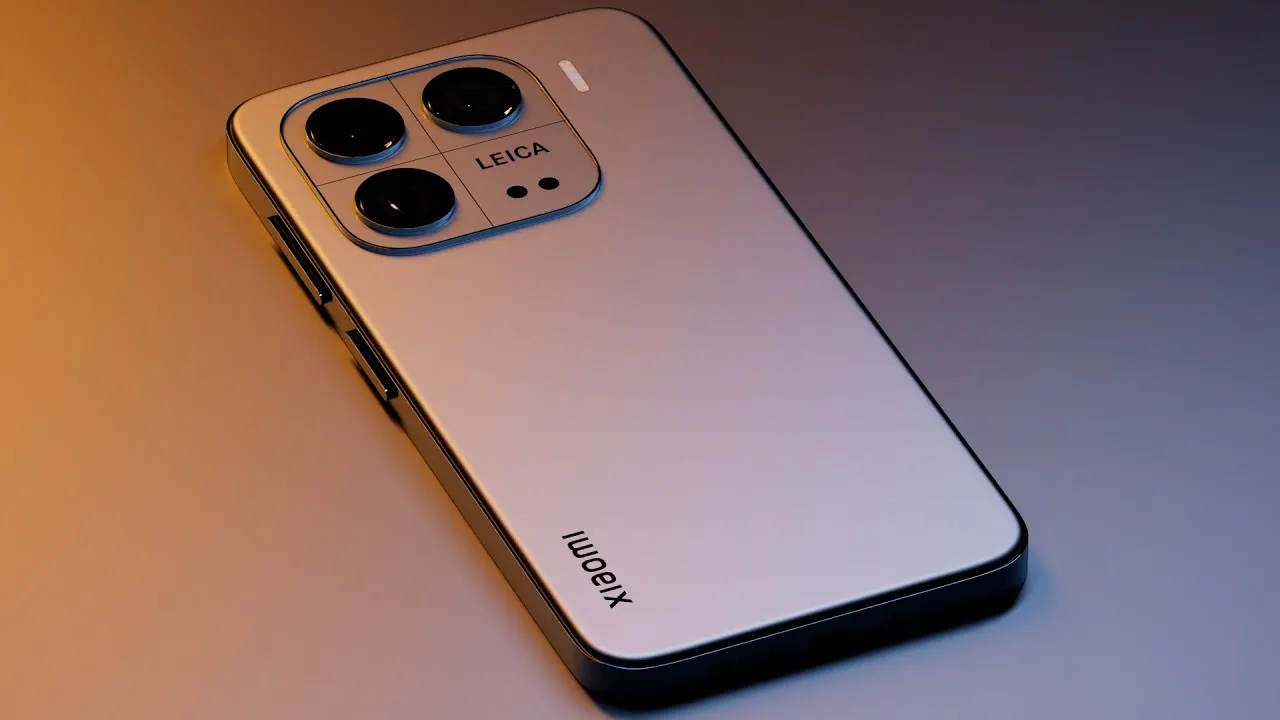
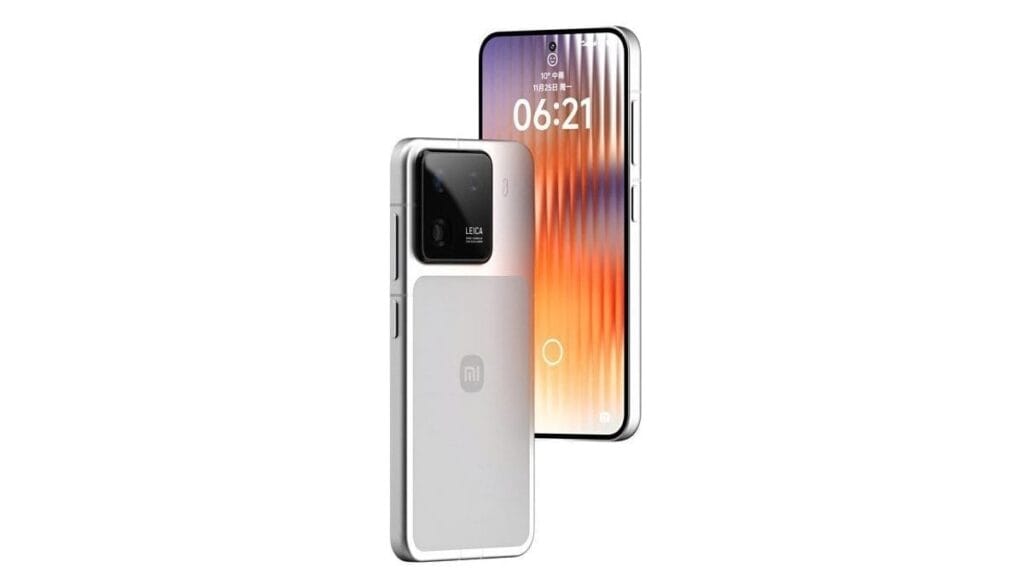
    xiaomi 16 leak render

    Xiaomi 16 known specs

    The Xiaomi 16’s back cameras also need an upgrade, however the selfie camera appears to be the most notable addition.

    It is said to include a new 50Mp 1/1.3 primary sensor, whereas the Pro model will also have a ToF (Time of Flight) sensor, which should enhance bokeh and focusing, among other things, and an extremely high dynamic range function.

    According to earlier rumors, the Xiaomi 16 will contain a massive 7000mAh silicon-carbon battery, which is 75% larger than the Galaxy S25’s.