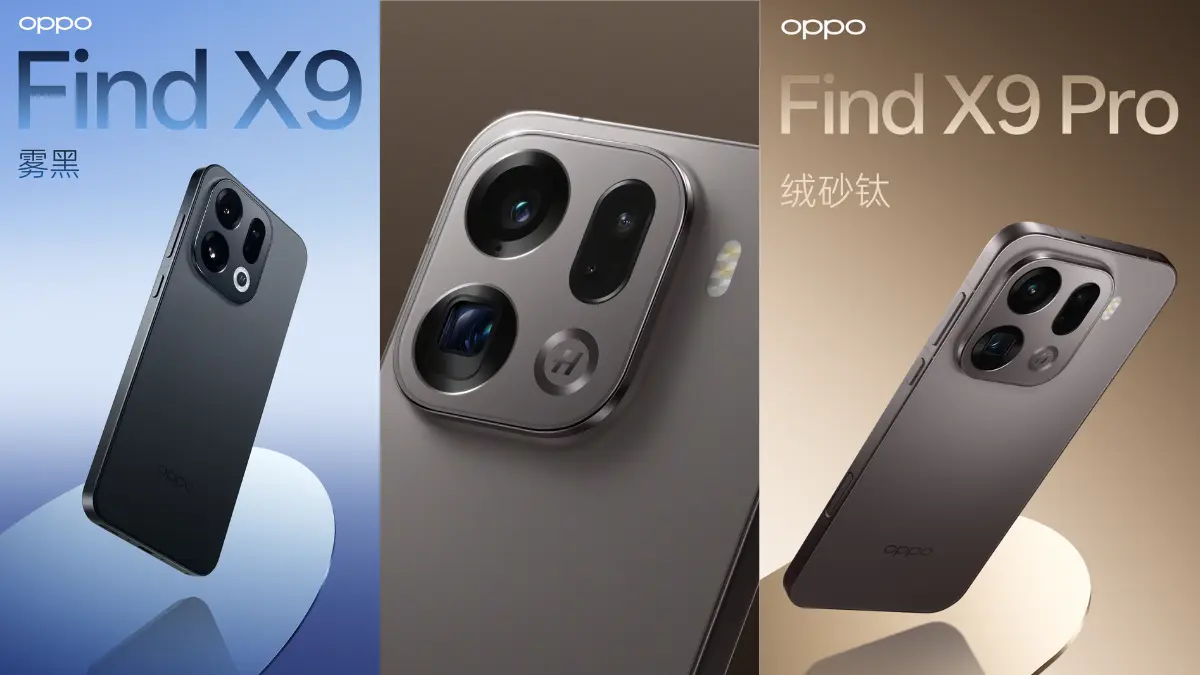
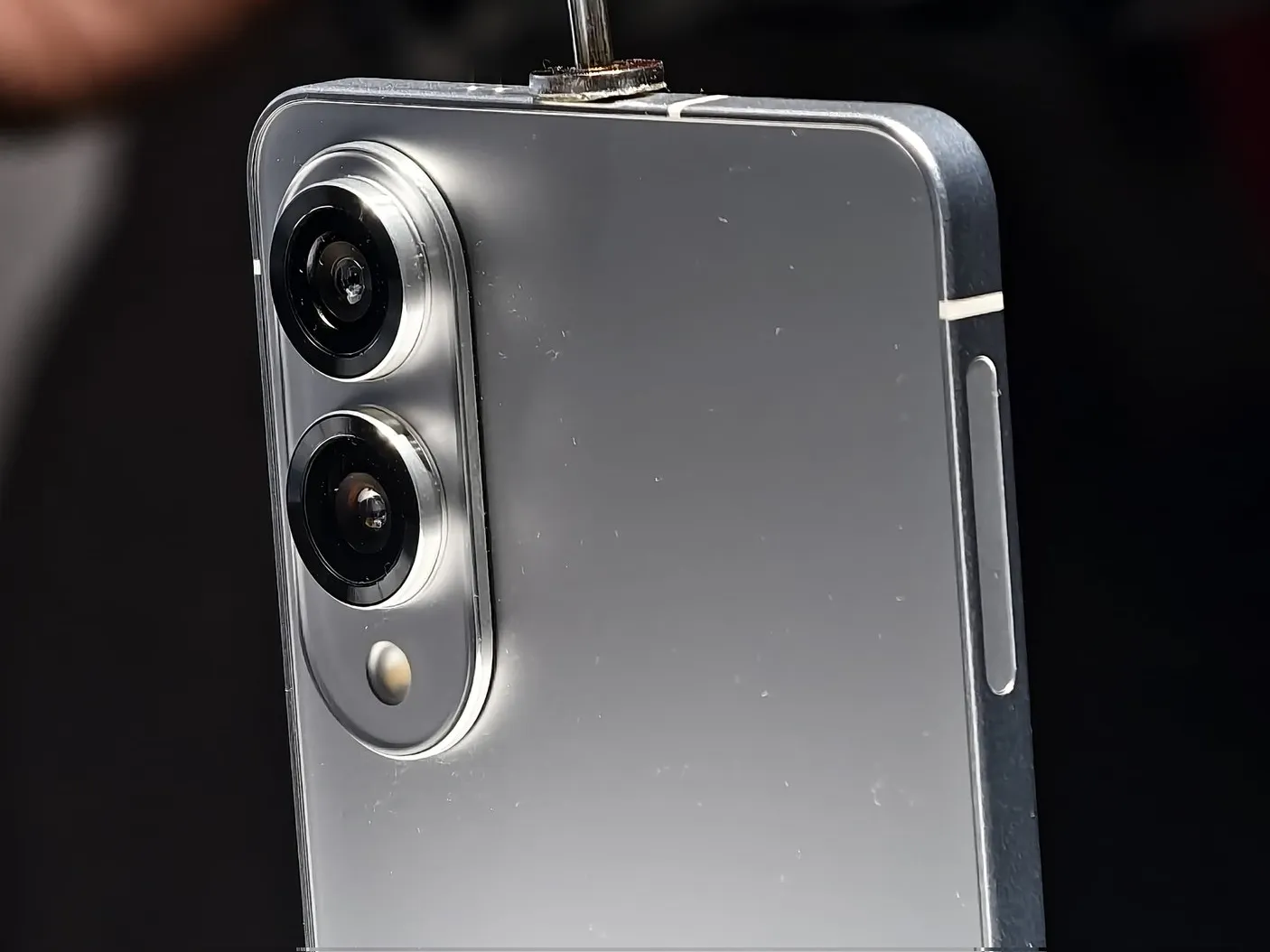
Oppo officially announced that its Find X9 series will ship on October 16. Redesigned design elements, improved imaging, and notable battery improvements are all part of the new flagship lineup, which comprises the Find X9 and X9 Pro, according to information released on the company’s official channels.
Find X9 series key details revealed by Oppo ahead of launch
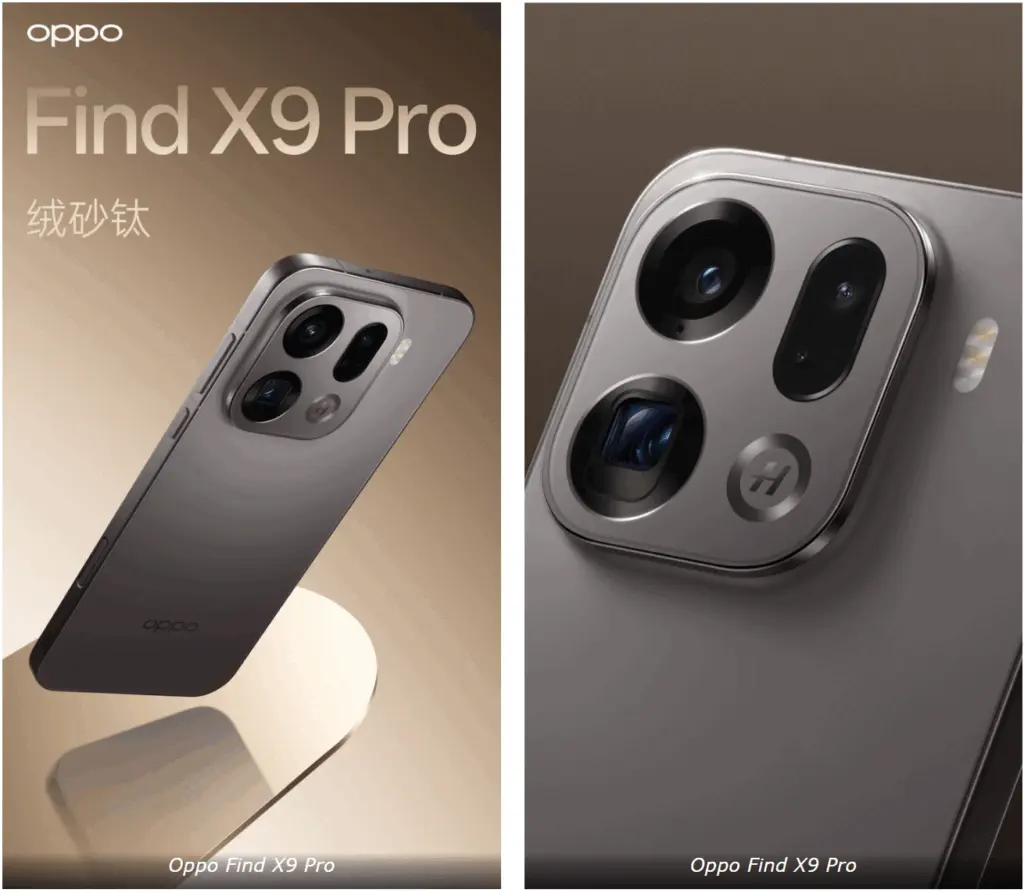
For comfortable handling, the Find X9 and Find X9 Pro come in 6.59-inch and 6.78-inch sizes with flat screens and symmetrical bezels that are incredibly thin. The rear panel of both smartphones has a sophisticated feel and a smooth grip thanks to its velvet sand finish.
The lens module and the back have been completely merged using cold carving technique, which minimizes any obvious connection lines. The display itself offers 3840Hz high-frequency PWM dimming for improved visual comfort in addition to a full-scene 1nit eye-care mode that is compatible with all apps.
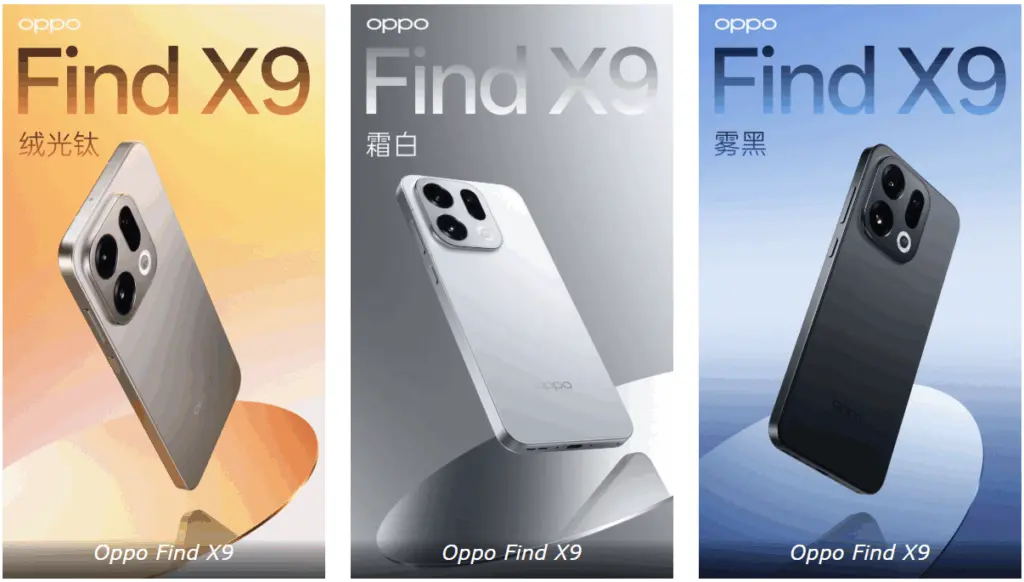
The rear design of the Find X9 series has been made public for the first time in the brand’s latest pictures. The following shades will be offered for the series: Frost White, Mist Black, Velvet Sand Titanium, and Velvet Light Titanium, the manufacturer stated.
Regarding imaging, the series incorporates a Hasselblad quad camera system, which is housed in a small, square housing that lets in more light without adding bulk. The series is powered by MediaTek‘s Dimensity 9500 platform, which is based on a 3nm technology and has an Imagiq 1190 image processor, G1-Ultra GPU, and a revamped CPU.
In order to maximize performance and efficiency across all usage circumstances, Oppo has also unveiled a new Tidal Engine software layer. It has been verified that the Find X9 and X9 Pro have 7,025mAh and 7,500mAh batteries, respectively. Both phones will enable 50W wireless and 80W wired charging.
Additionally, Oppo has stated that the Find X9 and the Pro will shortly make their global debut. According to a recent source, the global launch ceremony is scheduled for October 28.
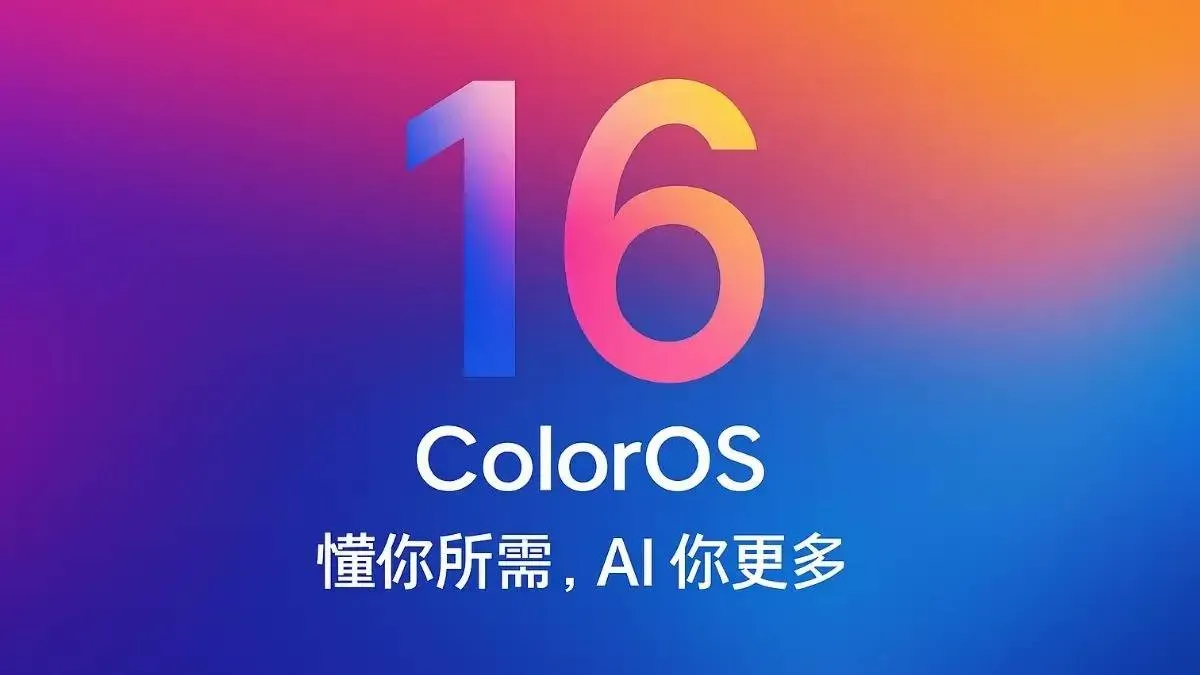
Samsung began updating its handsets to Android 16 earlier this week, and Oppo will do the same, albeit it doesn’t appear to be happening anytime soon. A recent rumor claims that the Chinese smartphone manufacturer would formally launch ColorOS 16, which is based on Android 16, on October 15 (it would have been great if it had been October 16, but we’re getting ahead of ourselves).
Although it’s unknown which handsets will receive an upgrade on that day, it’s hoped that the distribution will begin right away. After all, Android 16 has been available since June, so Oppo’s updating rate is appalling.
Whats is new in ColorOS 16
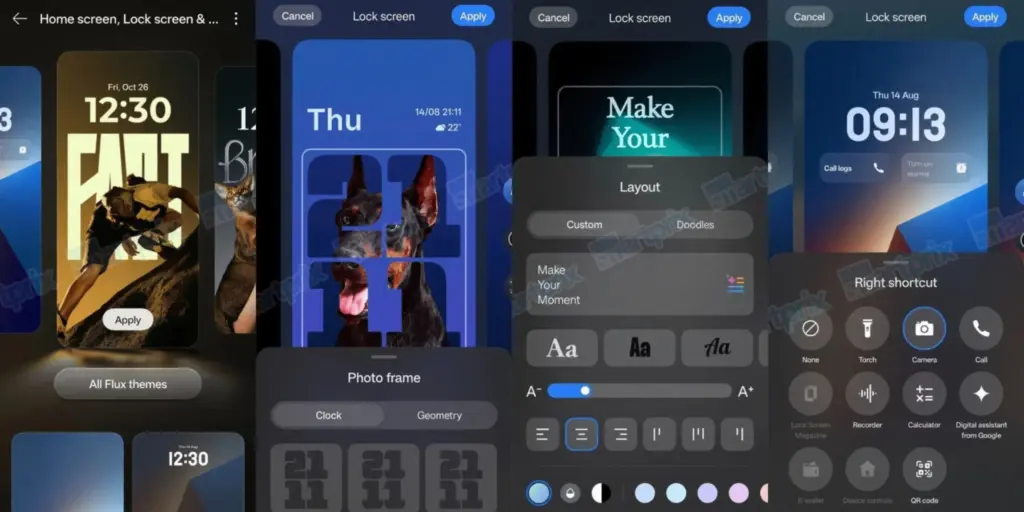
The primary update in ColorOS 16 will be a new Liquid Glass user interface (hello, Apple). This will have dynamic animations, layered glass-like elements, and a transparent appearance, similar to iOS 26. This will provide a “futuristic and colorful feel” to the user interface, according to the leak’s source.
Performance enhancements, a full-screen Always-On Display (hey Apple!), and updated lock screen widgets are reportedly on the horizon. Along with a redesigned Photos app and other personalization choices, system responsiveness should be increased for a more seamless overall experience.
The Find X9 and Find X9 Pro, which may actually be unveiled on October 15 at the same time, will, as you might imagine, be the first devices to run ColorOS 16 straight out of the box.
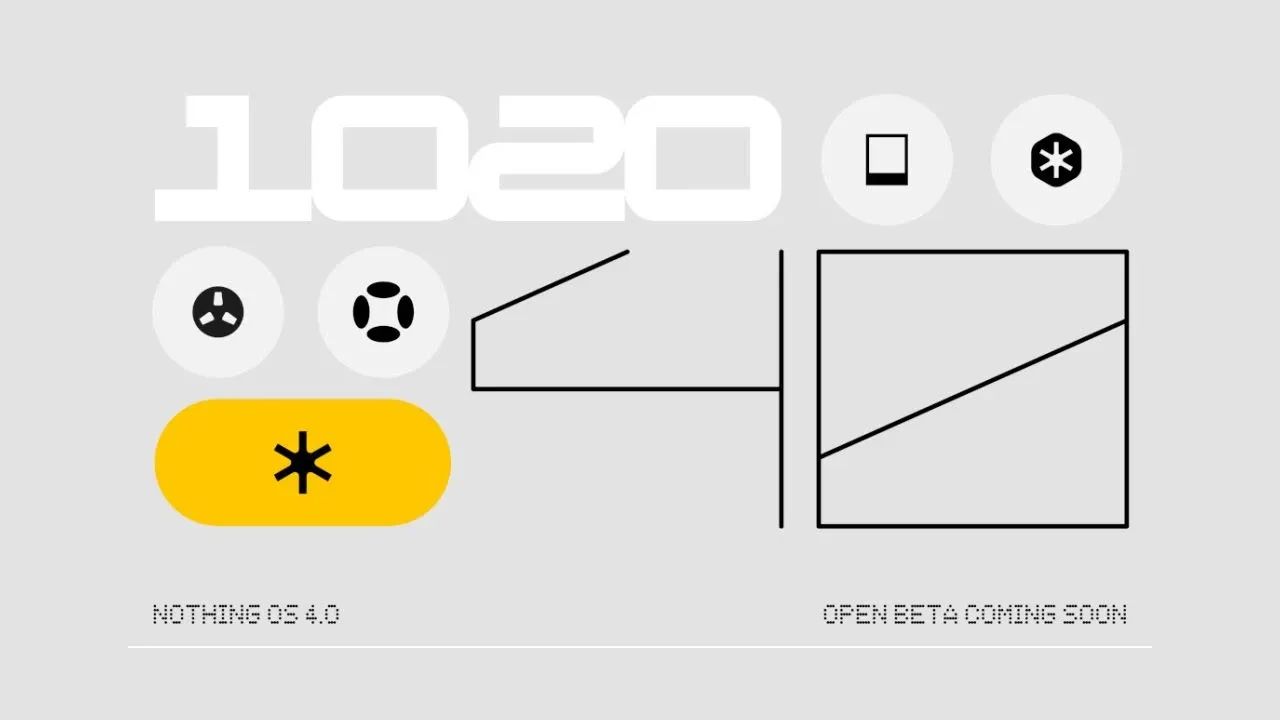
Nothing is showcasing its Android 16 update, Nothing OS 4.0, as well as its new features and designs, ahead of its open beta launch that is “coming soon.”
Earlier this year, the Phone (3) and Nothing OS 4.0 were announced, although the design hasn’t been revealed yet. However, nothing explains the new features of its Android 16 version in a recent post and video.
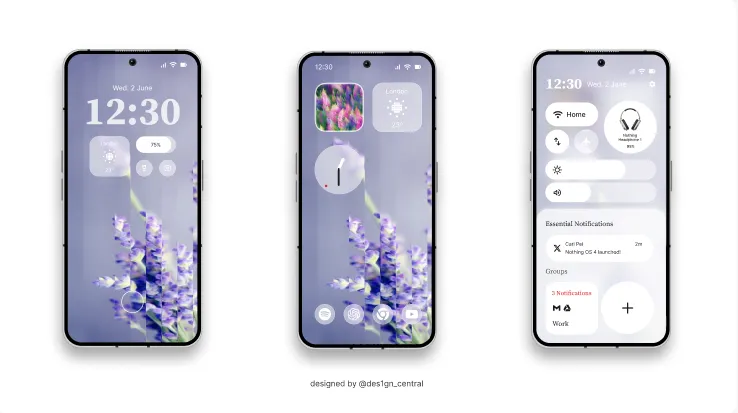
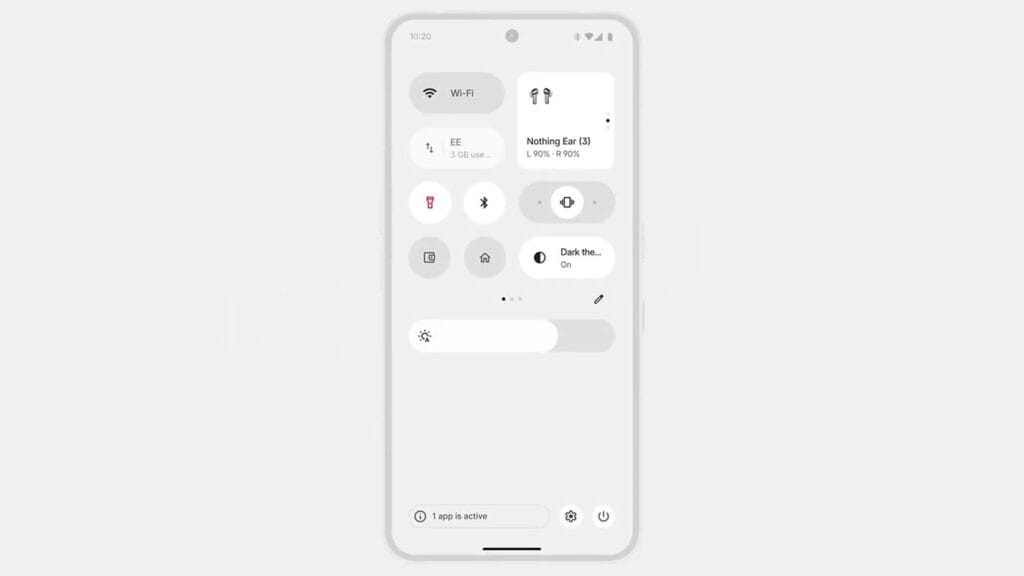
The primary visual upgrade of Nothing OS 4.0 is a “sharper, more deliberate design across every layer.” Specifically mentions an improved Quick Settings panel, new lock screen clocks, and other changes across Nothing’s apps.
In contrast to Android’s usual dark grey theme, there is a new “Extra Dark” theme that is completely black.
The floating app icons improve multitasking, yet nothing indicates that the camera or overall performance would be improved—the latter due to the “TrueLens Engine.
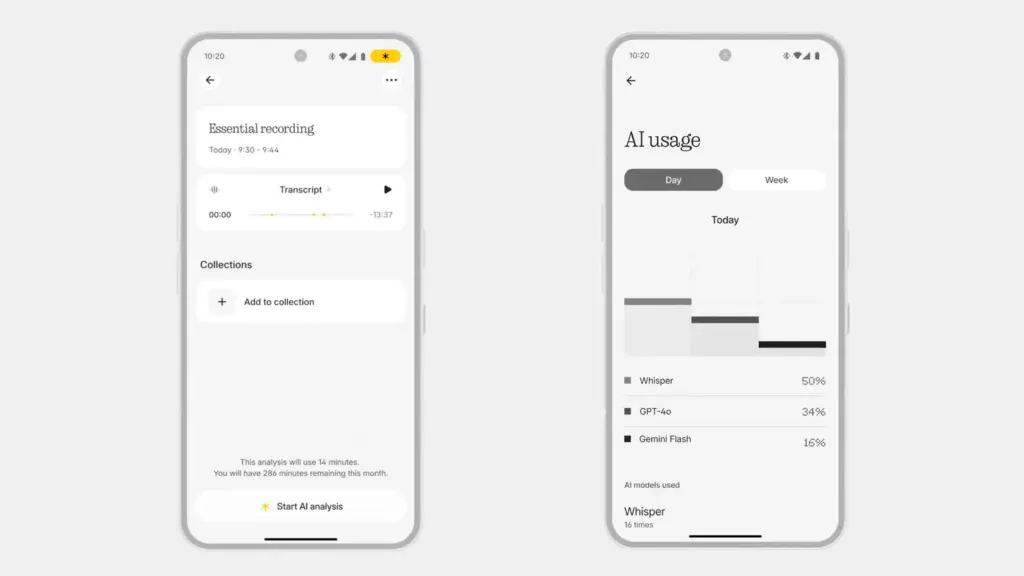
Lastly, a brand-new AI dashboard that analyzes your usage of Nothing’s AI capabilities has been introduced. In particular, it deconstructs the AI models that Nothing’s AI features—such as Whisper, GPT-4o, and Gemini Flash—use.
The release date for OS 4.0 is not specified, but it is stated that it will happen “soon.” According to Nothing’s existing support promises, the update will eventually reach Phone (2), Phone (2a), Phone (3a), and CMF phones, though it is likely to begin on Phone (3).
Many people commend Google’s Pixel phones for their dependable cameras and extensive software support. To suggest that they don’t have any concessions, particularly with regard to battery quality, would be inaccurate. Battery problems, especially with older Pixel models, have been the subject of numerous stories recently; in rare cases, the problems have resulted in overheating and even fire. The Pixel 7 series is currently the subject of a fresh wave of worry.
Pixel 7 battery swelling reported by more users
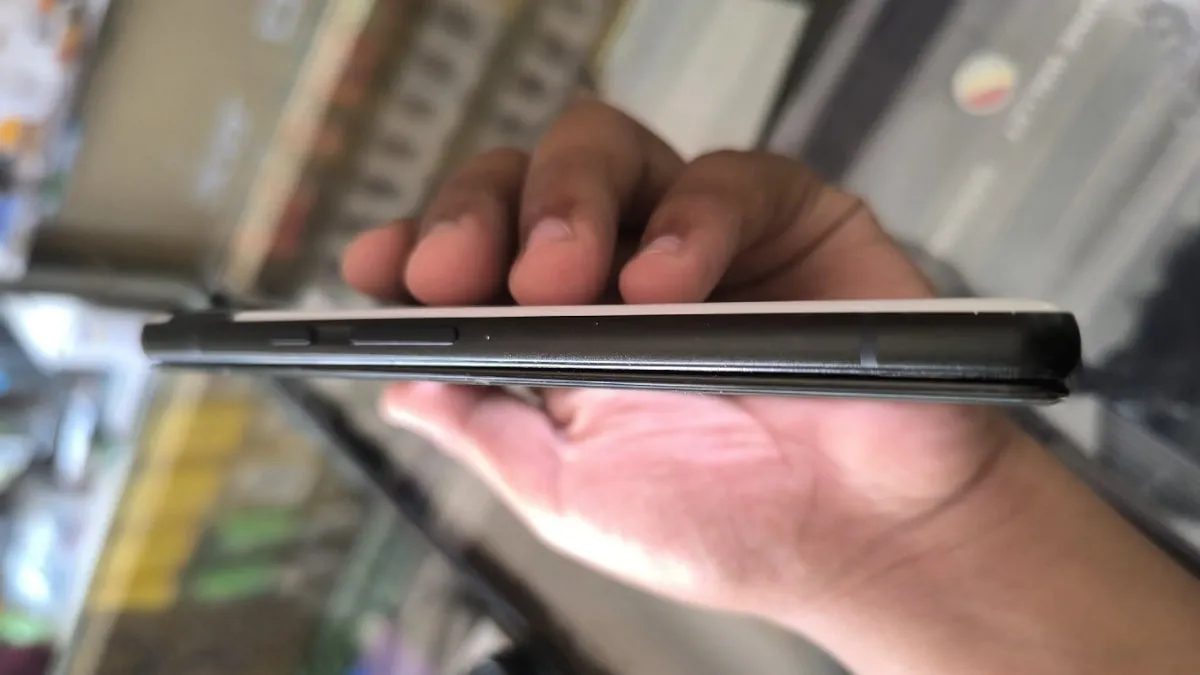
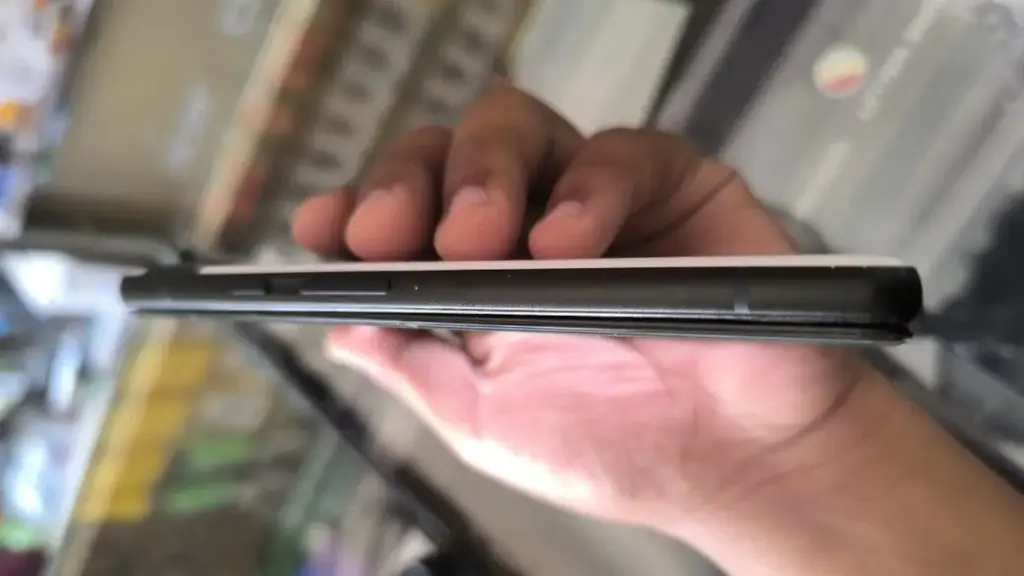
More Pixel 7 and Pixel 7 Pro owners are posting concerning experiences with their devices on Reddit and Google’s help sites. The majority of problems are related to battery swelling, which results in the back panel bulging and the display panel separating. Reports of these occurrences seem to be growing, with more coming to light in recent weeks, though some go back to July and August.
One user demonstrated that the front panel of his Pixel 7 Pro had already begun to detach from the frame. Another said that pressure from the protruding battery was causing a crack to form around the larger camera lens.
Another user reported that the lower edge of the AMOLED panel started to separate. The owner claims that the display finally popped out after a progressive separation over time.
Additional concerns regarding abnormalities in battery life are found when browsing these platforms. According to some consumers, the batteries in their Pixel 7 and Pixel 7 Pro have severely deteriorated and now overheat when used frequently.
Battery packs that have been used a lot or are worn out are probably the cause. Since the Pixel 7 series was introduced over three years ago, a large number of devices have had high charge cycles and significantly worsened battery health.
Is There a Fix for Pixel 7 Owners?
The Pixel 7 and Pixel 7 Pro have so far had patching that is case-specific and unreliable. Many people complain that the warranty has already expired on their gadgets. Some people have chosen to cover the cost of battery replacements on their own.
Given the mounting worry, it might not be long before Google offers more extensive assistance, like a special repair program. How Google will respond to devices with further damage, such as warped back covers or cracked screens, is still unknown.
In addition to the Pixel 7, the Pixel 6a has issues with battery-related concerns, including as the potential for fire and explosion. In response, Google launched a repair program that provided qualified consumers with free battery replacements.
It’s still unclear if Google has actually fixed these battery problems in more recent versions, such as the Pixel 8, Pixel 9, and Pixel 10. Many people are hopeful that the company’s latest releases use better battery components.
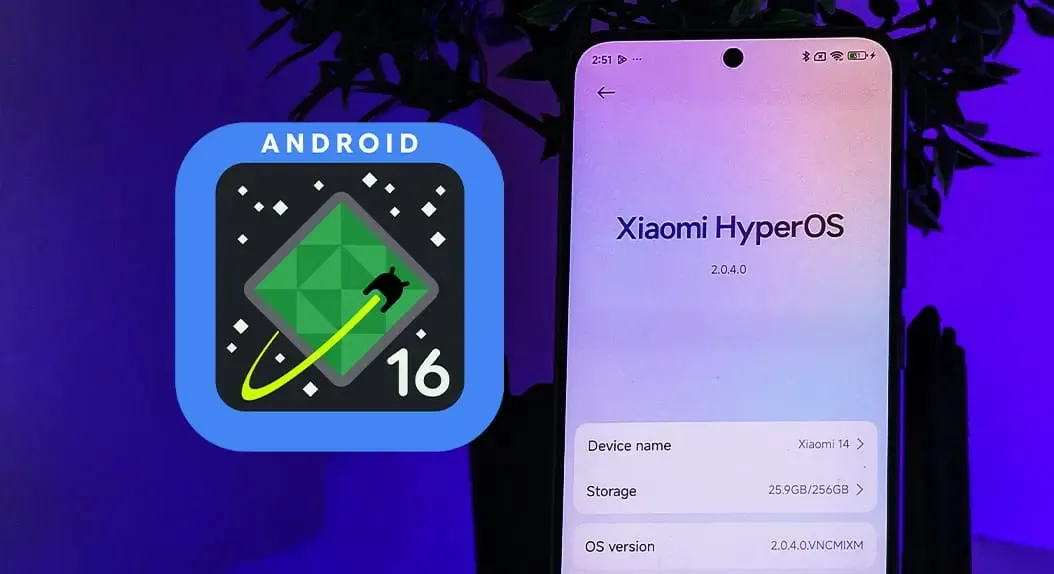
For owners of some well-known models, Xiaomi’s upgrade timeline is not good news. Android 16 will not be available for thirty-one Xiaomi, Redmi, and POCO phones. Rather, the last significant update for these smartphones will be HyperOS 3, which is based on Android 15. Support will then be restricted to minor fixes and security patches.
In the universe of Android, this is not uncommon. Major updates are typically offered by brands for two to three years, with newer flagships receiving longer support. The similar pattern applies to Xiaomi’s choice, which focuses on enhancing HyperOS for the devices that are still eligible.
For these phones, HyperOS 3 will be the last major software release.
Redmi phones stopping at HyperOS 3
Numerous models in the Redmi series also stop supporting Android 15. The Redmi K lineup, low-cost gadgets, and even several Note series favorites are included in the list:
This marks the end of updates for several phones that were popular in markets like India and Southeast Asia.
Xiaomi flagships are nearing the limit of updates.
Not even expensive gadgets are exempt. Android 16 will not be available for a number of Xiaomi 12 series phones, such as the 12 Pro, 12S Ultra, and 12T Pro. This is also where the Civi 3 and MIX Fold 2 complete their lifetime.
Full flagship list:
Xiaomi 12, 12 Pro, 12S, 12S Pro, 12S Ultra
Xiaomi 12T, 12T Pro
Xiaomi Civi 3
Xiaomi MIX Fold 2
Android 15 is not the end of the story for these devices. It is anticipated that HyperOS 3 would come with a new interface that is modeled after Apple’s renowned “liquid glass” design. Users should anticipate improved system speed, additional customization choices, and a redesigned control center editor.
Although it’s the final significant update for these phones, the distribution is scheduled to start in September 2025 and provides them a more upscale appearance before updates formally cease.
Now might be the ideal moment to get your first ultra-thin phone, especially a Samsung Galaxy model, if you’ve been on the fence about it. Samsung’s incredibly thin and light Galaxy S25 Edge looks to be on sale right now. Amazon is selling the unlocked smartphone for $699, which is its lowest price to date.
With this significant $400 discount, the base model with 256 GB of storage is now more than a third less expensive than it would normally be. Titanium Jetblack, Titanium Icyblue, and Titanium Silver are available hues from the vendor.
Samsung Galaxy S25 Edge
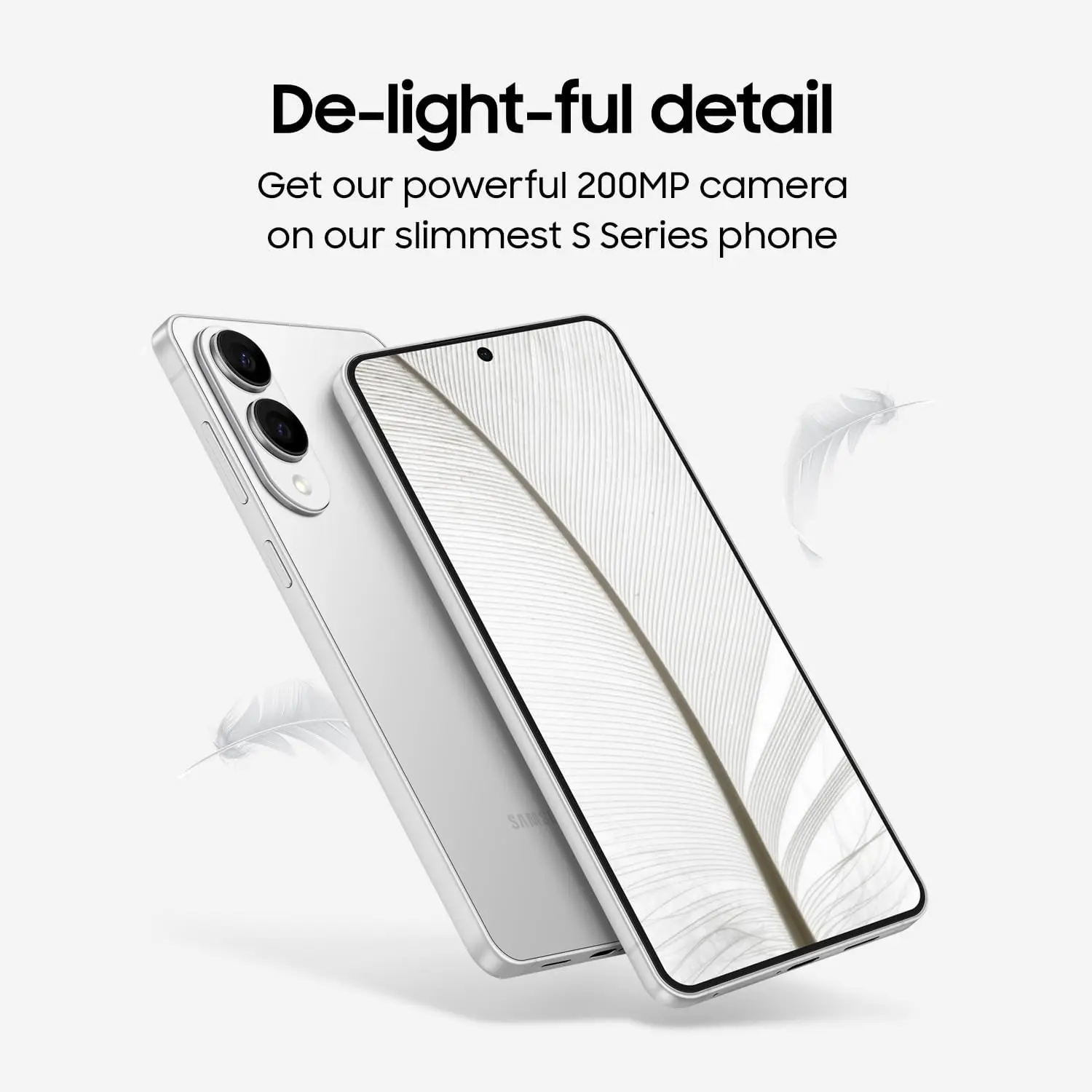
SUPER SLIM. SUPER LIGHT: Galaxy S25 Edge is surprisingly light and our slimmest S Series phone yet. You’ll want to show off this sleek, super-slim design that slips easily into your pocket or bag without bulking things up.
What sets the Samsung Galaxy S25 Edge apart from the rest?
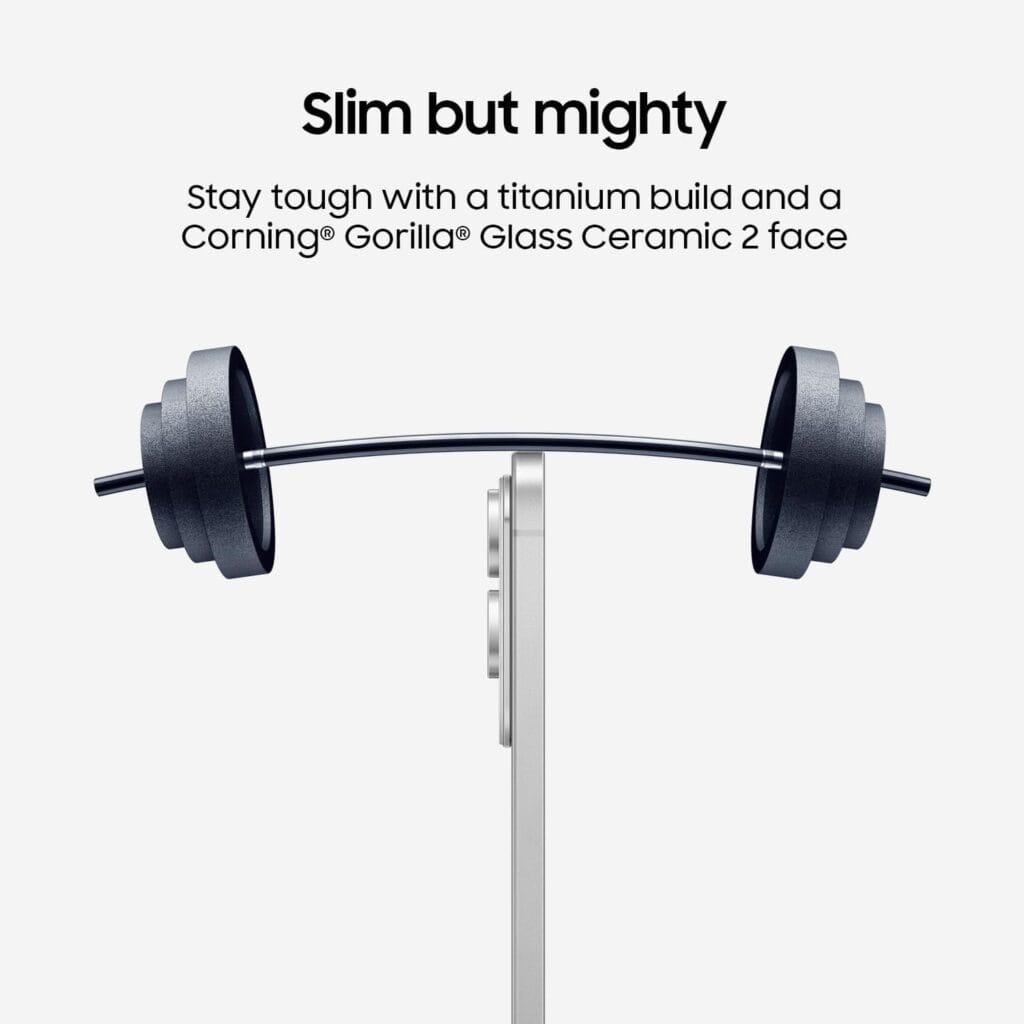
We were astounded by how incredibly slim Samsung’s sleek Galaxy S25 Edge was. With the camera bump removed, the titanium chassis on which the device is constructed is 5.8 mm (0.23 inches) thick. Even with a case on, it is manageable to hold in one hand because to its exceptional light weight of 163 grams (5.75 oz). Like the normal Galaxy S25, it features an IP68 dust and water resistance rating despite its sleek design.
The Galaxy S25 Edge still has high-end core components, even though it appears that some features were trimmed to create the incredibly tiny appearance. Among these is an amazing 6.7-inch AMOLED screen with a refresh rate of 120 Hz and 2,600 nits of brightness. Additionally, it makes use of a customized Gorilla Glass Ceramic 2, which is more resilient and scratch-resistant than the Victus 2 glass.
Samsung Galaxy S25 Edge
SUPER SLIM. SUPER LIGHT: Galaxy S25 Edge is surprisingly light and our slimmest S Series phone yet. You’ll want to show off this sleek, super-slim design that slips easily into your pocket or bag without bulking things up.
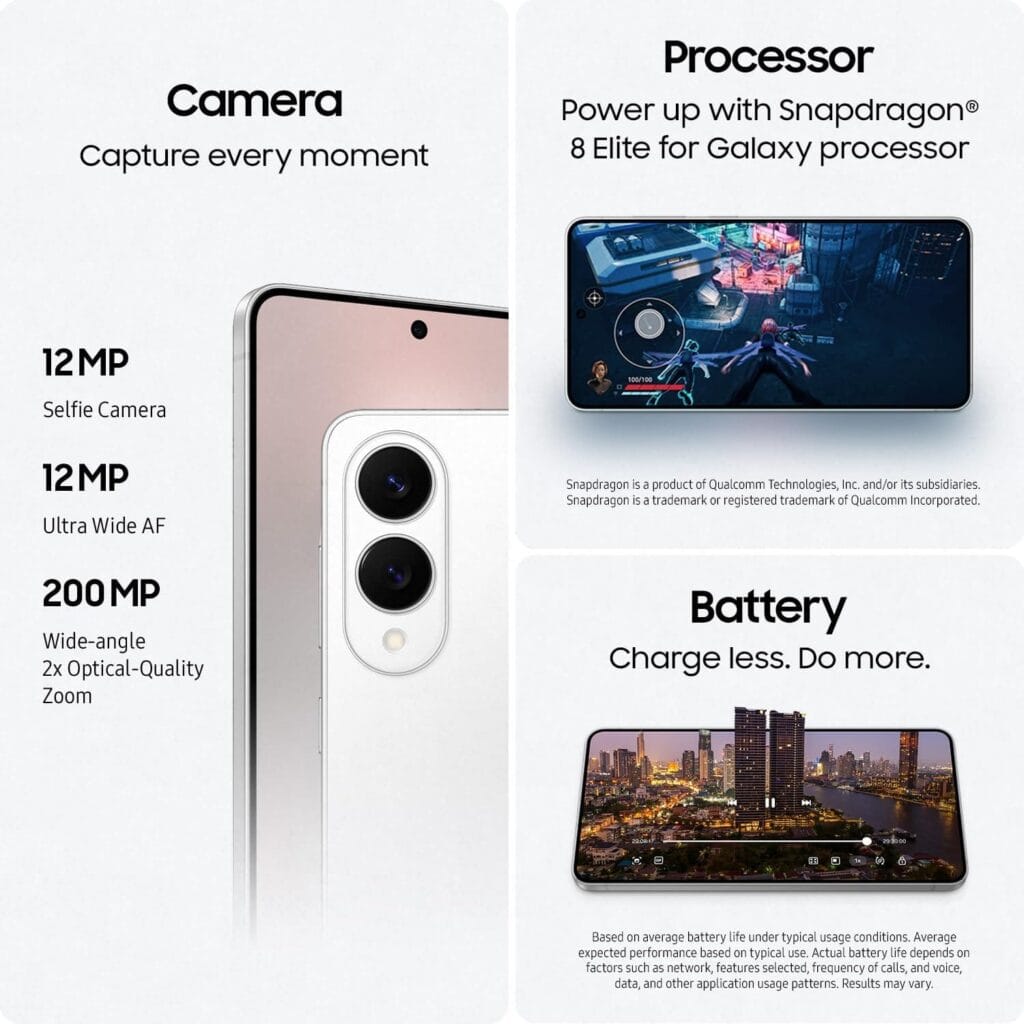
Internally, the Galaxy S25 Edge is equipped with the most advanced Snapdragon 8 Elite CPU available for Galaxy devices. Even when doing graphics-intensive operations and demanding tasks, you can count on incredibly fluid performance.
The telephoto lens, a reluctant casualty of the slim design, is one prominent omission. Nevertheless, the 200 MP primary camera is adaptable and competitive when combined with a 12 MP ultrawide sensor. For content creators, the phone’s ability to record up to 8K video is a plus.
Ultra-thin phones frequently struggle with battery life, but Samsung’s software optimization and effective chipset enable the S25 Edge to last a whole day – thankfully comparable to larger flagships. It charges quickly; a 25-watt charger will fill half the battery in 30 minutes.
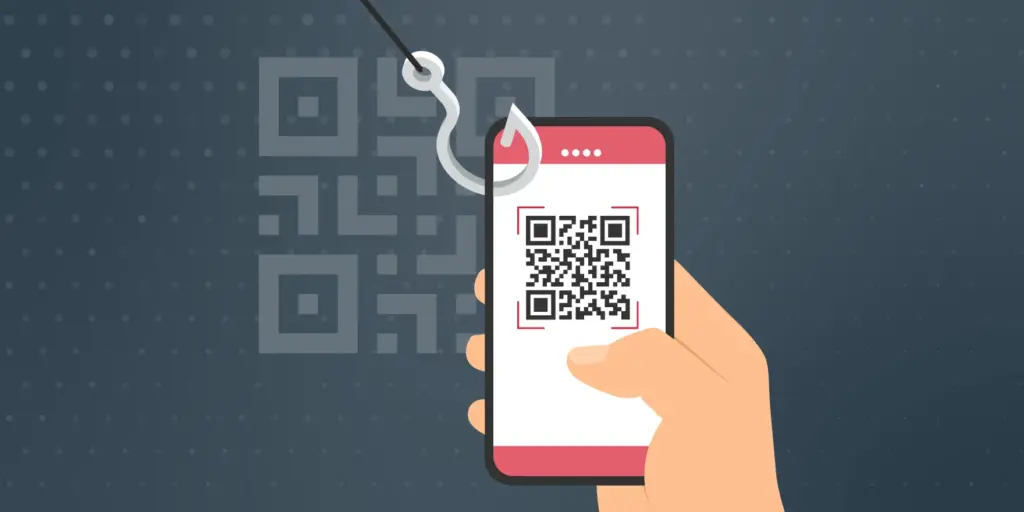
Smartphone users are now being alerted by the FBI and cybersecurity organizations to a new fraud called “Quishing,” which includes malicious or phony QR codes. Particularly vulnerable are those who often utilize QR codes for logins or payments; some victims have lost thousands of dollars. Here’s what you should know and how to protect yourself.
The FBI and other federal authorities have recently expressed concern over the increase in QR scam attacks, sometimes known as quishing, in which unwanted parcels show up at people’s doorsteps. These packages frequently contain QR codes that, when read by the camera on mobile phones, cause victims to install malware or be redirected to phony websites. Your device may be compromised as a result, and your personal information may be taken.
Online retailers are targeted by Quishing
The most recent worry centers on these frauds that prey on people who frequently transact online. In order to steal your data, attackers are creating QR codes that point to dubious websites. These scams can also compromise your bank accounts and phone, enabling scammers to steal your money, according to the Brandenburg Consumer Advice Centre (VZB).
In one scenario, scammers pose as legitimate customers interested in buying a product. They ask the seller to scan a QR code to start the transaction rather than giving money straight to the seller. By directing the victim to a phony PayPal login screen, this code may fool them into inputting their account information. This strategy is a type of phishing on websites.
With zero-click tactics that don’t involve any user engagement, some attacks are become even more hazardous. Usually, high-profile people like politicians, journalists, attorneys, and activists are the target of these.
Cyber Security Coach Online security specialist Alex East cautions that hackers might post phony QR codes in both public and private areas, such convenience store payment terminals or gas pumps. During normal transactions, these codes have the ability to reroute customers to malicious websites.
Ways to stay safe
VZB recommends users to exercise caution when making digital transactions to prevent becoming victims of QR code frauds. It’s crucial to confirm that the vendor is the one displaying the QR code before paying, as opposed to scanning one that has been supplied by another party. Always look for indications of questionable activity on the website you are sent to, such as misspelled domain names or odd layouts.
Scanning QR codes from unwanted parcels, email attachments, or public places should generally be done with caution as they may direct users to fraudulent websites. It’s even better to stay away from scanning QR codes completely unless you know exactly where they came from.
It’s also strongly advised to strengthen account security using two-factor authentication (2FA), particularly when money is involved. Consider using passkeys, a more secure login option that is already supported by many websites and apps, for even more security.
Security features on both iPhones and Android smartphones, such as warnings for phony websites and fraud detection in calls and messages, can aid in spotting scammers. To get the most protection, make sure these features are turned on.
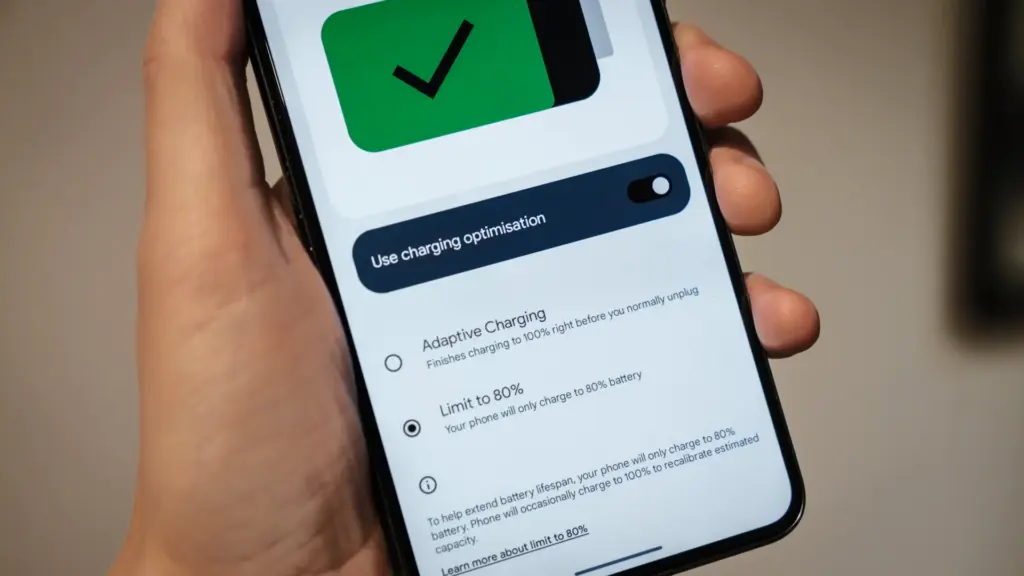
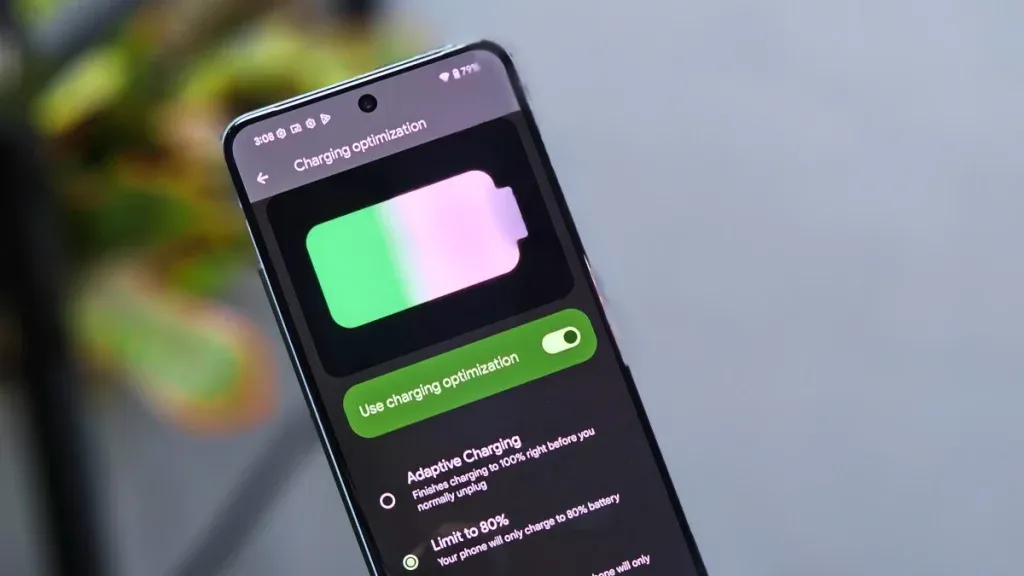
Manufacturers are beginning to realize that battery health is a major concern for contemporary smartphones due to longer update commitments. In an effort to extend battery life, Android 15 added an optional 80% charging limit in addition to long-standing features like adaptive charging. Similar features were first introduced by Apple with the iPhone 15, and many Android phones now have them as well.
However, doesn’t 80% seem like a pretty arbitrary number? Why would you want to cap yourself below your maximum capacity? It’s time to go through more fiction and truths about batteries. Here are some things to be aware of.
Keeping batteries healthy for longer
Heat and voltage are the two main enemies of battery health. Keeping your phone off of a hot dashboard, avoiding charging it beneath your pillow, and using slower charging when you don’t need a quick top-up are the main ways to manage the former. However, the user cannot effectively regulate voltage wear; voltage stress is merely a consequence of battery charging.
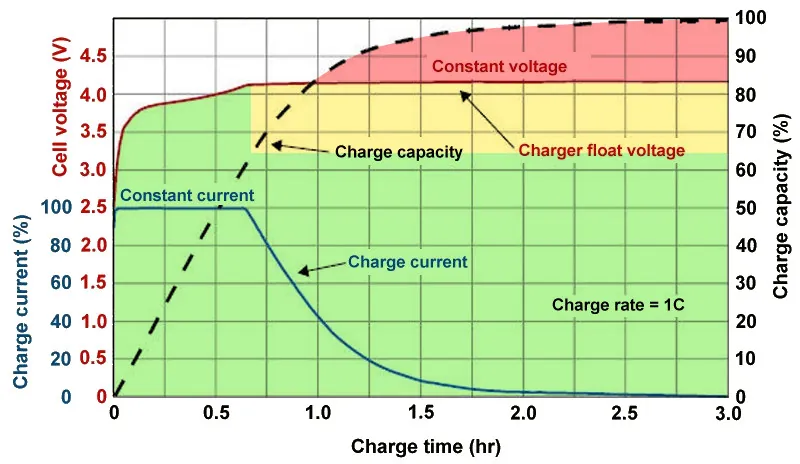
As you can see, the voltage of a nearly depleted battery is lower than that of a full one. Because there is some wiggle area below the peak voltage, which increases tolerance for voltage peaks brought on by large currents, this voltage gap can actually be exploited to accelerate charging. Many lightning-fast charging solutions operate in this way without damaging your battery. There is less tolerance between the immediate and maximum voltages, though, because a battery’s voltage rises as it fills up. Li-ion batteries will explode if their rated voltage is ever exceeded! To fully charge a battery, you must go slowly and carefully.
Although charging engineers take precautions to prevent battery explosions, wear can still happen simply by raising the battery’s voltage. The battery’s available lithium capacity eventually decreases due to anode saturation. When electrolytes are highly charged, they can also slowly break down into gases, and the cathode of the battery can also dissolve into the electrolyte. In a single case, none of this is concerning and is partly inevitable nevertheless, but over time, the additional wear accumulates and causes the battery’s capacity to gradually decrease more quickly than is ideal.
The first 60% of a battery’s voltage usually increases the fastest, after which it gradually increases until it reaches full. Stopping at around 80% is a nice halfway house because the battery is sufficiently charged to last for hours even if it isn’t quite at its peak voltage, which is where the most harm happens. The seemingly arbitrary 80% measure has a lot of sound research behind it, but is it truly helpful in real-world situations?
Should I only charge my phone to 80%?
The truth is that no matter what you do, your phone’s battery will ultimately deteriorate; the best way to handle this gradual decline will depend on your demands. The most careful chargers who maintain their phone’s temperature and adhere to the 80% rule may be able to increase the battery’s life by a year or more, which is unquestionably valuable. Whether artificially restricting oneself to 80% now is worth the long-term benefits is a personal decision.
Let’s examine the worst scenario. While many of today’s higher-end smartphones have ratings of 1,000 or even 2,000 cycles, modern smartphone batteries are typically rated for at least 500 charge cycles before depleting to 80% of their initial capacity. In the worst scenario, that amounts to about a year and a half of charging your phone every day from empty to full—a modest routine—and for longer-lasting phones, it may continue for several years. The majority of customers will most likely wait two to three years before detecting a decline in battery life, and much longer before it becomes a serious issue. And that’s assuming no additional safety measures are taken.
A year or more could pass before you need to replace your battery if you limit yourself to 80% charge.
Fortunately, most modern phones come with some built-in assistance. Taking your phone from the plug as soon as possible helps prevent stress from idle charging because phones tend to trickle charge for a time after displaying the completely charged notification, so the 100% charged notification is rarely actually quite full. By maintaining the battery at a reduced capacity and voltage until just before you normally unplug your phone in the morning, using Adaptive Charging or Optimized Charging—depending on the manufacturer of your phone—will help even more. Maintaining healthy habits like this could help your battery reach the three-year mark with ease.
Google’s latest Pixels go one step further, using Battery Health Assistance to gradually limit charging pace and battery capacity in software to keep a lid on long-term health and safety.
However, many people without extremely demanding workloads could still benefit from just charging their laptops, phones, and other devices to 80% charge (where possible) if they truly want to extend the life of their batteries. This can help you get through a normal day while also enhancing battery health. However, if you want to use your phone for the entire day, I wouldn’t advise unplugging it from the charger before 70%.
Worrying about an 80% restriction isn’t worth the battery concern if you frequently run out of juice by the end of the day, play a lot of games, or (like me) have strange charging patterns where your phone is rarely full anyway. In order to further customize the maximum restriction to your requirements, certain phones additionally provide 85%, 90%, and 95% settings. In any event, use your phone whatever you like, but be mindful that the battery will need to be changed after a few years. Don’t worry, you will need a new battery for your phone whether you intend to keep it for five, six, or seven years.
Fortunately, even for older phones, Apple, Google, and Samsung all have competitive battery replacement programs. It’s not awful to spend about $80 to keep a phone functional for many more years. However, in some areas, you may have to pay more than you should, and other brands’ availability and costs differ significantly.
With long-term ownership, these expenses are unavoidable; the only question is how many months you can try to avoid them. Adhering to the 80% rule will undoubtedly be beneficial.
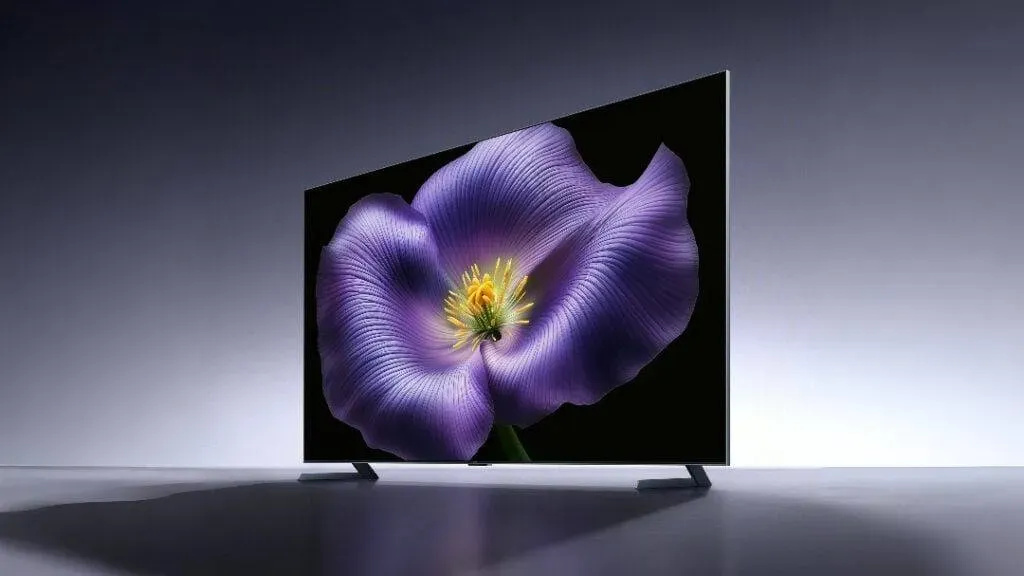
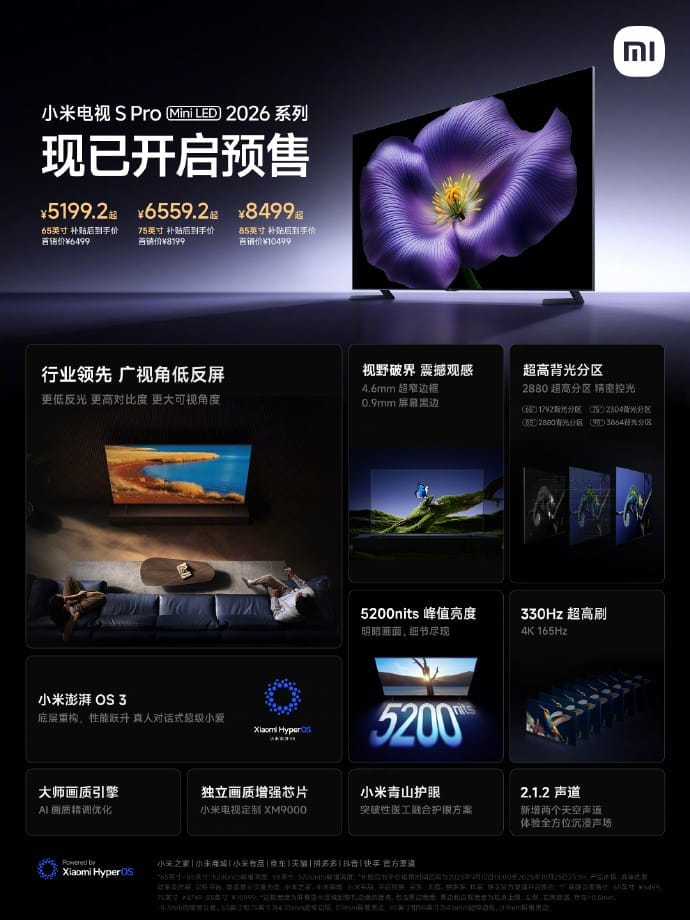
Pre-sales for Xiaomi’s next TV S Pro Mini LED 2026 series have formally begun in China. The versions in the lineup are 65, 75, and 85 inches in size, and their respective launch costs are 6,499 yuan ($909), 8,199 yuan ($1,147), and 10,499 yuan ($1,469). A 98-inch model is also listed on Xiaomi’s official website for 19,999 yuan ($2,799), though it’s unclear if that price is set in stone.
Xiaomi TV S Pro Mini LED 2026 specs
Building on the Mini LED base from the previous year, the 2026 series offers significant improvements in brightness, display performance, and intelligent capabilities. Xiaomi stated that all models have a 330Hz refresh rate mode for gaming and support 4K resolution at 165Hz.
The panels’ maximum brightness is 5,200 nits, while the 98-inch model’s local dimming zones vary from 3,864 to 1,792. Each display boasts a professional-grade ΔE≈1 color accuracy rating, 10.7 billion colors, and a 95% DCI-P3 color gamut.
With a WHVA base and a unique anti-glare coating, the TVs’ low-reflection wide-angle display lowers surface reflectance to just 0.5%. Xiaomi claims that this provides better off-angle contrast than traditional displays and enhances visibility in bright areas. Aiming for an immersive viewing experience, the chassis incorporates a 0.9mm black border and an ultra-slim 4.35mm bezel.
A MediaTek 9655 chipset with a quad-core Cortex-A73 CPU, 4GB RAM, and 64GB storage powers Xiaomi‘s most recent HyperOS 3 operating system, which is compatible with all models. Xiaomi’s Super XiaoAi voice assistant, a 4K user interface, and dynamic scene modifications utilizing ambient light sensors are all supported by the operating system.
Motion compensation, AI-based upscaling, and real-time color tweaking are all handled by Xiaomi’s proprietary XM9000 image processor and Master Image Engine. Dolby Vision, HDR10+, Filmmaker Mode, VRR, MEMC, and FreeSync Premium Pro are also supported by the TVs.
Two upward-firing units for Dolby Atmos surround effects and a 2.1.2-channel speaker system with 61W output, adjusted by Harman, power the audio. Xiaomi has not verified whether the new, incredibly thin silver remote control is made of metal, but it does come with a dual-height metal stand with the TVs.
The TVs have three HDMI 2.1 connections (one with eARC), USB 2.0 and 3.0, optical out, AV in, LAN, and antenna input for connectivity. Bluetooth 5.2 and Wi-Fi 6 are supported by the TVs.
Additionally, Xiaomi included a millimeter-wave radar device that uses proximity to trigger eye-care alerts in Kids Mode. The TVs allow multi-screen sports streaming and are integrated into Xiaomi’s Mi Home platform.
In related news, AKAI has released its PowerView Series TVs in India with prices starting at ₹13,990, while TCL has unveiled the QM9K QD-Mini LED TV with Google Gemini and 6,500 nits of brightness.
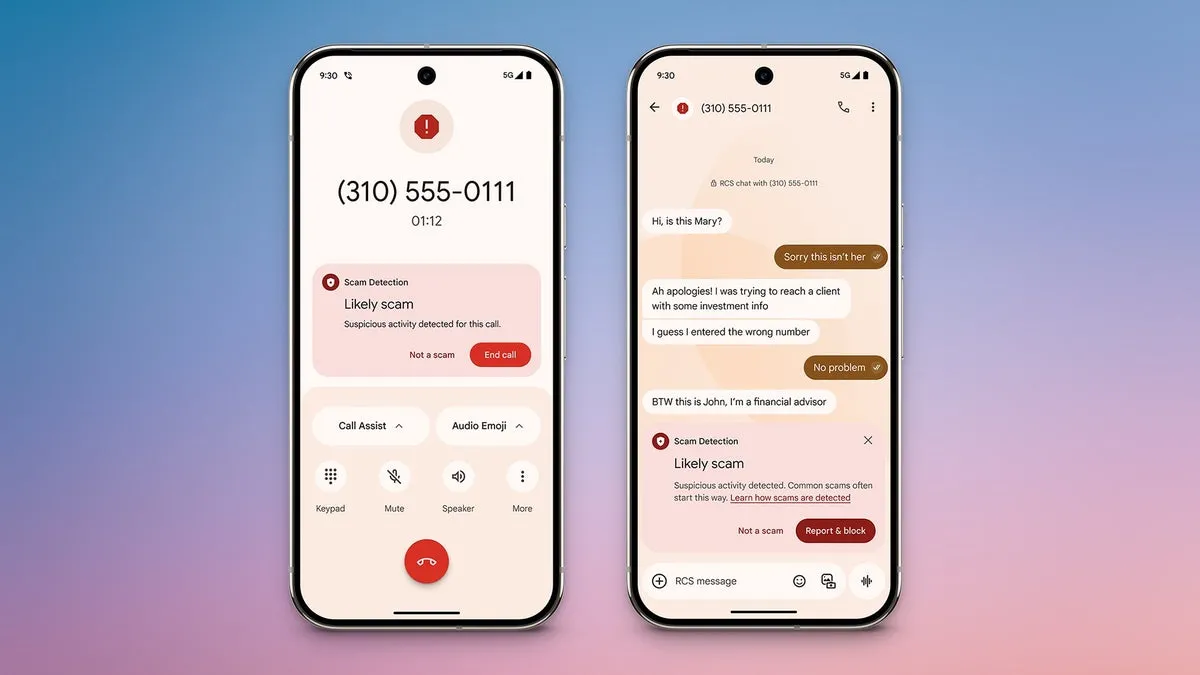
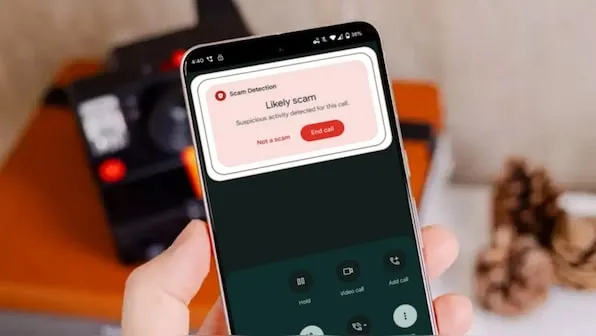
Hardware and software are not the only things that are changing. The sophistication of cyberthreats such as phishing and frauds is also increasing. Google just unveiled a potent AI-powered scam detection tool for Android that provides real-time notifications while making calls and sending messages. It looks like the business is now extending this tool to third-party messaging applications.
Gemini powers Android scam detection, which starts as soon as a danger is detected. Before answering a call or even in the middle of a conversation, it notifies users. Despite its great effectiveness, the tool’s present functionality is restricted to native Android Phone and Messages apps.
This exposes consumers to attacks on WhatsApp, Facebook Messenger, and Telegram, among other channels where scams are equally prevalent. Thankfully, it appears like Google foresaw this gap early on.
Meta Apps will soon get Google’s Scam Detection
The most recent Android System Intelligence update for the Pixel 10 indicates that Google is attempting to expand scam detection beyond Messages to other messaging apps, according to Android Authority.
Evidence of this enlargement can be discovered in code strings included in the update and in the Security and Privacy section of the tool’s settings.
It is anticipated that the feature’s settings would include a new toggle called “Message frauds.” “Get alerts about possible frauds in notifications of chat messages from supported apps,” the description says, implying third-party platform support. Millions of users might be able to avoid scammers before they even open a questionable mail thanks to this.
<string name="notification_adjustment_justification">May contain harmful contents</string>
<string name="notification_scam_likely_text">Likely scam</string>
<string name="scam_warning_description">Scam Detection found suspicious activity in this message</string>
<string name="scam_warning_guidelines_header">Protect yourself against scams:</string>
<string name="scam_warning_header">Likely scam</string>
<string name="not_a_scam_button_text">Not a scam</string>
<string name="snackbar_text">Scam Detection paused for this chat</string>
Subsequent research reveals that the program may indicate questionable information or behavior by scanning messages within apps. In addition to having the option to completely or per-app disable the feature, users will be able to verify whether a message is a hoax. Users now have more control, particularly if they use a certain chat service a lot.
Which Apps Are Going to include Google Scam Detection?
According to reports, this feature will work with a number of apps, including Verizon Messages, Instagram, Facebook Messenger, Signal, WhatsApp, KakaoTalk, Line, and Twitter (X). After the feature is formally launched, more apps will probably be included.
Although the release date for this feature is yet unknown, it is something to keep a close eye on. Tools like these are becoming indispensable as AI-powered scams and more sophisticated attack techniques proliferate.
Starting with the Pixel 10 and later variants, we anticipate the feature to make its debut on Pixel devices. It should ideally spread to Android smartphones other than Google’s own.