At Qualcomm’s Snapdragon Summit, the company teased the OnePlus 15, and now it has announced that its next flagship phone will debut globally.
OnePlus usually releases its phones in the US shortly after introducing them in China, even though the company did not state that the phone would launch in the US.
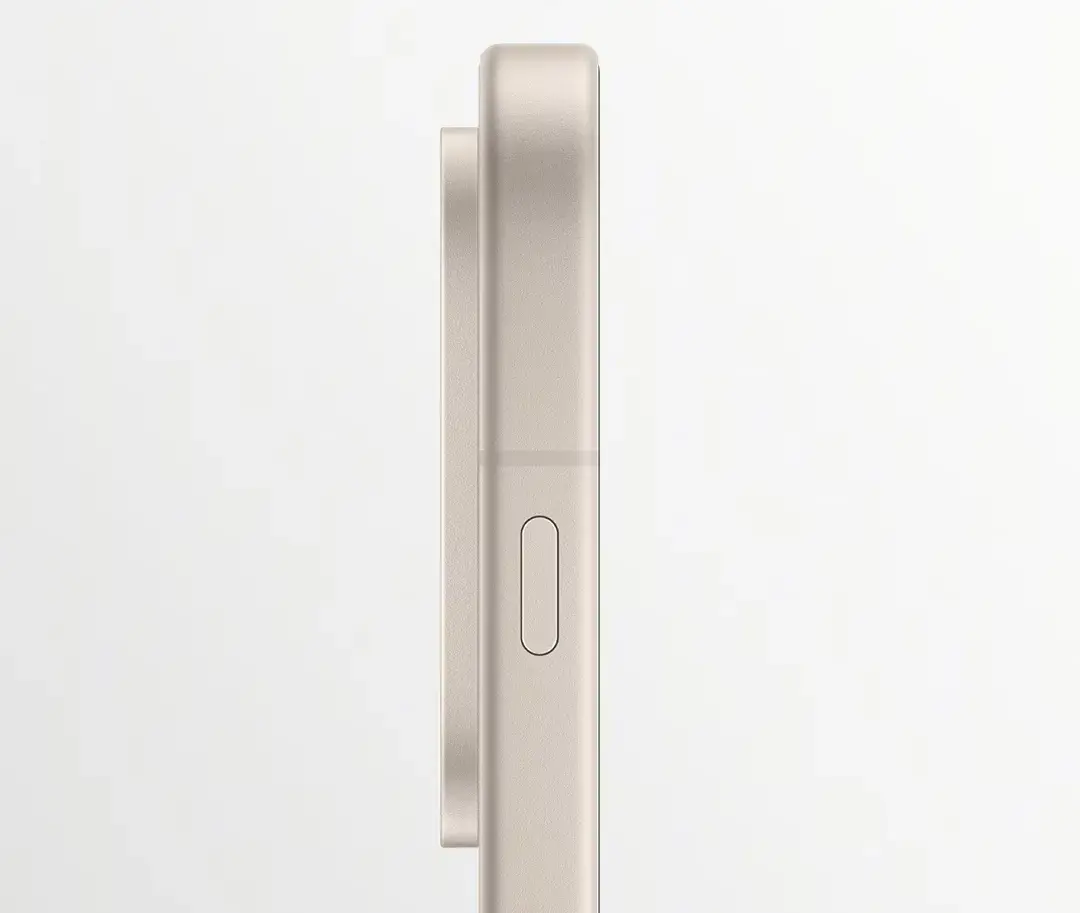
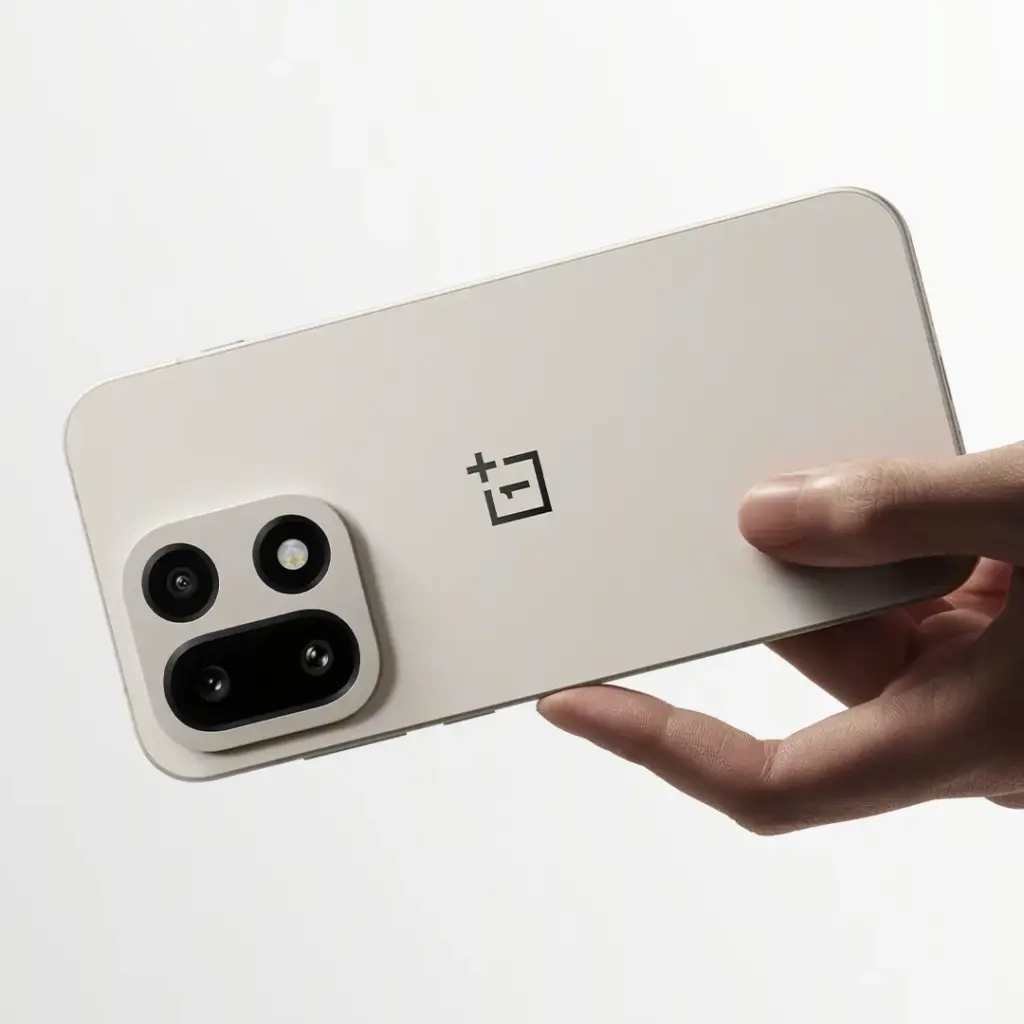
It will be the first phone to use aerospace-grade Micro-Arc Oxidation on the center frame and the back camera housing, and it will come in a new Sand Storm color in addition to the previously announced black and white versions.
According to OnePlus, “a high-voltage plasma technique that forms a ceramic layer directly on the metal frame” provides aerospace-grade resilience. The durability of the frame should be enhanced because it is reportedly more than three times harder than an aluminum frame.
The Verge noticed that OnePlus also posted pictures of the phone in three separate Weibo posts. The new Sand Storm version allows you to view the device from various perspectives. The camera cutout in the upper left corner of the rear has been visible in previous OnePlus teases, but these images give us a closer look.
The images also verify that a customisable “Plus Key” shortcut button has taken the place of the OnePlus Alert Slider.
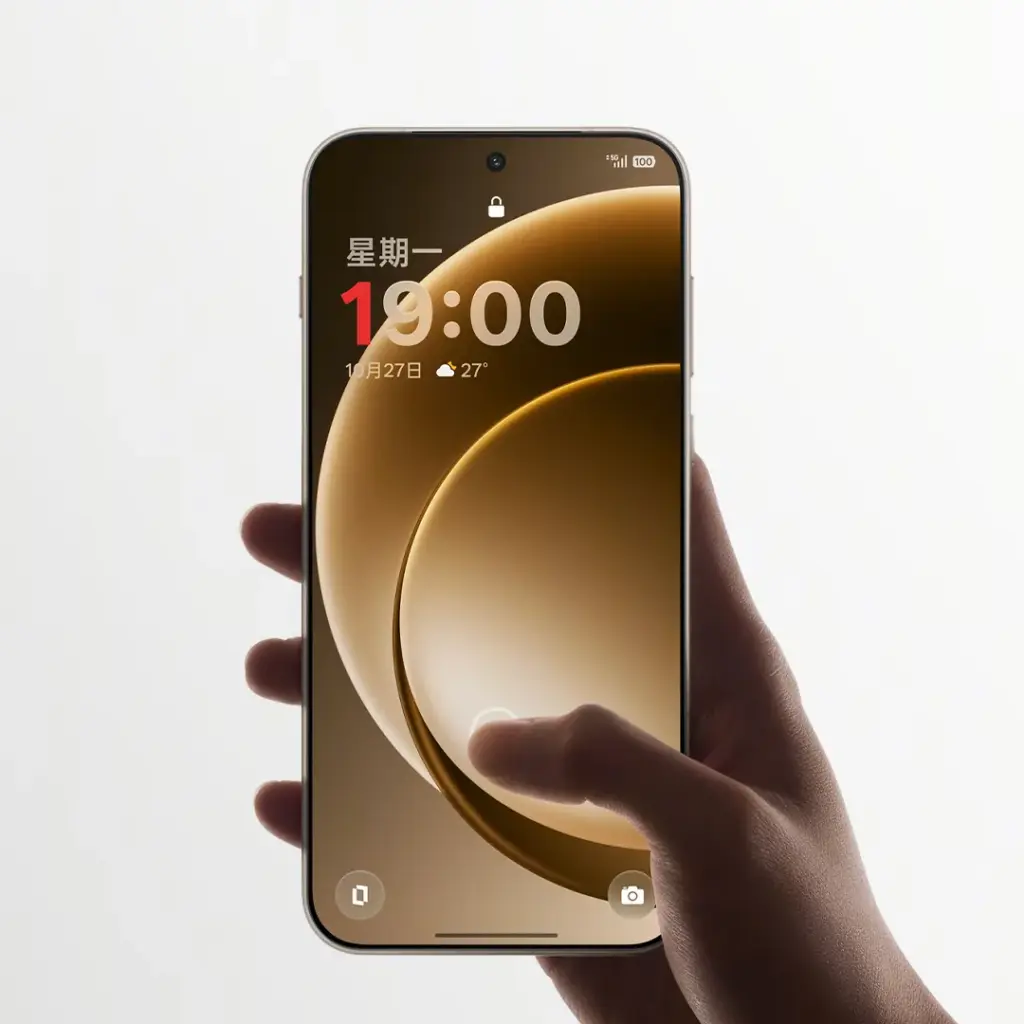
The phone will run on the most recent Qualcomm Snapdragon 8 Elite Gen 5 chipset, and it will be the first to have a 165Hz refresh rate display and the new DetailMax picture engine, according to last week’s announcements.
According to OnePlus, it would employ “strong CPUs and innovative algorithms to capture images that feel breathtakingly crisp and totally real.”
Next month, China will host an official launch celebration.
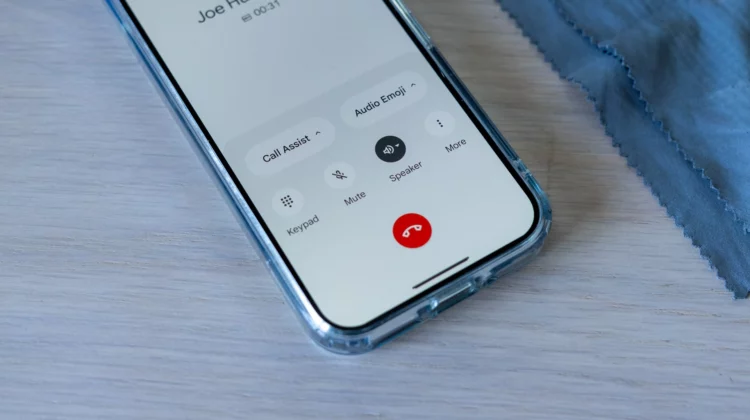
Google formally announced the Pixel Phone app’s wider worldwide availability today, along with a few new and planned features.
Google is formally introducing “basic Call Recording to all countries where Pixel is supported,” acknowledging that it is a fundamentally valuable tool even in the absence of AI transcription or summaries. Over the remainder of the year, the “extension to other countries will roll out.”
In particular: “Call recording will be accessible on Pixel 6 and later smartphones, which are unable to implement more sophisticated Call Notes features.” A disclaimer to “respect the other caller’s privacy” will be included.
In the meanwhile, Android Auto will allow you to view the Call Screen. You will be able to turn on Call Notes from your vehicle later this year.
Scam Detection is expanding to Australia, Canada, Great Britain, India, and Ireland
Call Notes will roll out to additional countries this year to Australia, Canada, India, and Ireland “as a beta preview”
Call Screen is coming to Australia, Canada, and Ireland. In India (starting with English and Hindi), Pixel 10 users will soon get a beta version of Manual Call Screen.
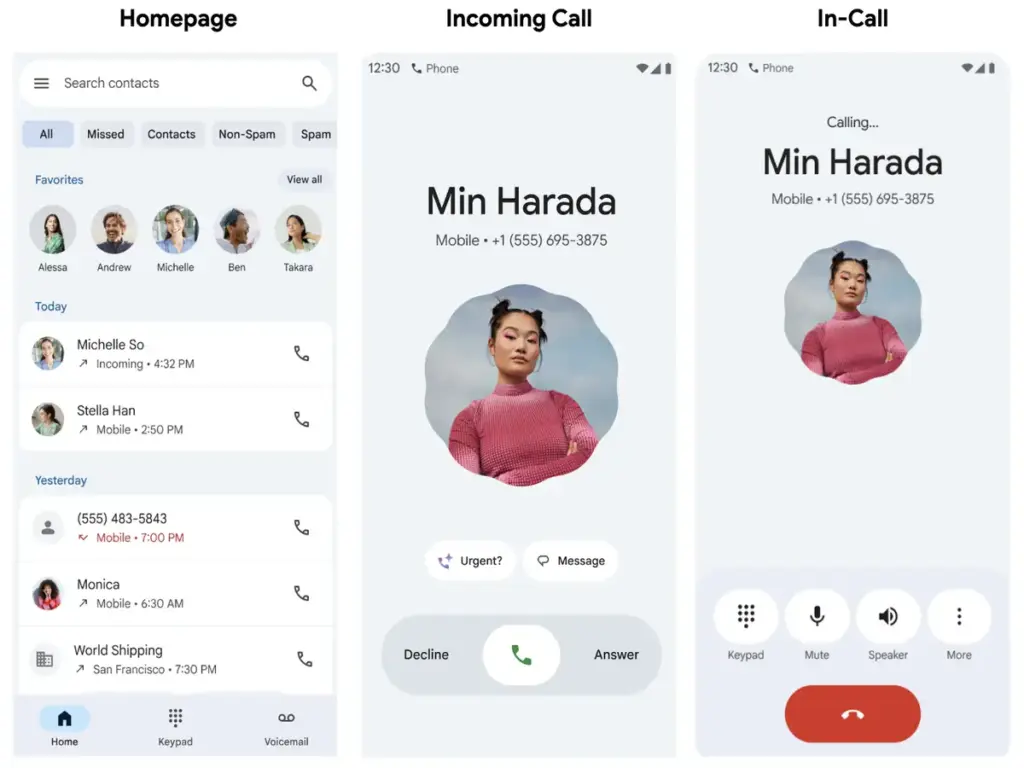
Lastly, Google’s post today summarized the Pixel 10’s Magic Cue, Voice Translate, and Take a Message features. Material 3 Expressive is advantageous to all Pixel Phone app users; according to Google, it “creates a more intuitive and easier experience, more than a visual upgrade.”
The Home tab’s Favorites carousel, which also features a “simplified recent calls list,” is meant to eliminate the need for you to switch between screens. Next are the “single-tap and horizontal swipe options for answering and refusing calls.”
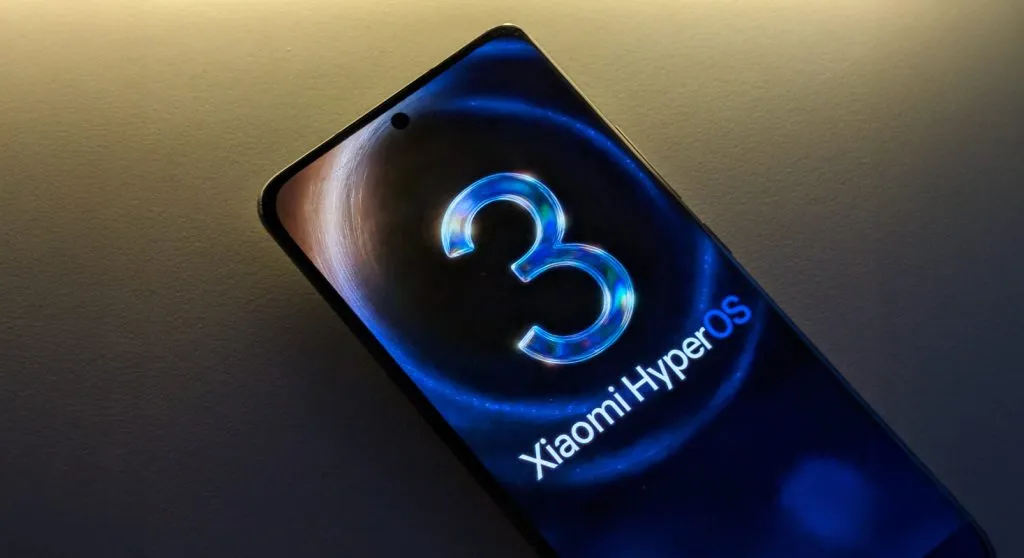
One of the Android oems speeding up the release of Android 16 is Xiaomi with HyperOS 3.0 skin. The company has now disclosed the whole list of smartphones and tablets that will receive the significant OS update, including Redmi and Poco models, in response to last month’s introduction of HyperOS 3.0, which is based on Android 16.
The Xiaomi 17 Pro was the company’s flagship smartphone when it introduced a number of others last week. However, we also discovered more fascinating information regarding the HyperOS 3.0 deployment, in addition to the new hardware portfolio.
First devices to receive HyperOS 3.0
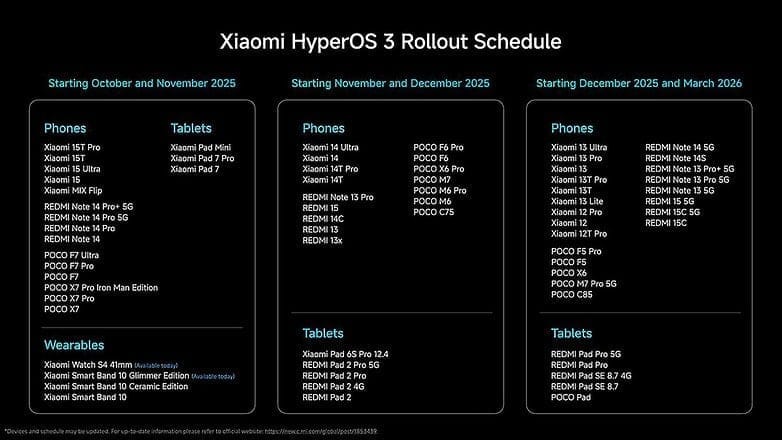
A limited number of smartphones, including the recently revealed Xiaomi 15T series, the flagship Xiaomi 15 (Pro) and 15 Ultra, and mid-range models like the Redmi Note 14 Pro, Poco X7, and Poco F7 (Ultra review), will start receiving HyperOS 3.0 in October. The Xiaomi Pad 7 and Pad Mini will be the first tablets to be supported.
The update has already begun to roll out for wearables, including the Xiaomi Watch S4 and the Smart Band 10 Glimmer Edition. Although a precise date has not yet been determined, this will eventually extend to the Smart Band 10 Ceramic and regular variants.
Another batch for November and December
In November and December, HyperOS 3.0 will be released for additional devices. These consist of the Redmi Note 13, Redmi 13, Redmi 14C, Redmi 15 4G, Redmi Pad 2, and Xiaomi 14 Ultra. The Poco F6 Pro, Poco X6 Pro, Poco M6 Pro, and Poco M7 are also categorized under the Poco sub-brand.
The rest of the flagship, mid-range, and low-cost smartphones will be released between December and March. These consist of the Xiaomi 13T series, Xiaomi 12T Pro, Xiaomi 13 Lite, and Xiaomi 12. This release window also includes the Redmi Note 14, Note 13, Redmi 15 5G, and Redmi 15C.
Not receiving HyperOS 3.0
The basic Xiaomi 12T was released alongside the 12T Pro, thus it’s still unknown why it’s not included. The Redmi 12 and Redmi 12 Pro, which have reached the end of their main OS update support but will still receive security updates for another year, are a more noteworthy omission.
What’s new in HyperOS 3.0
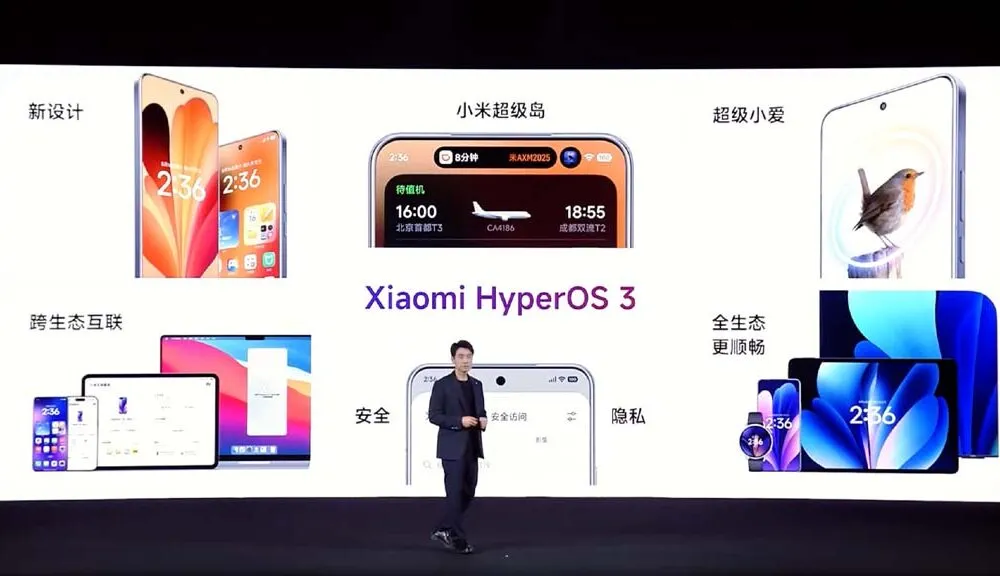
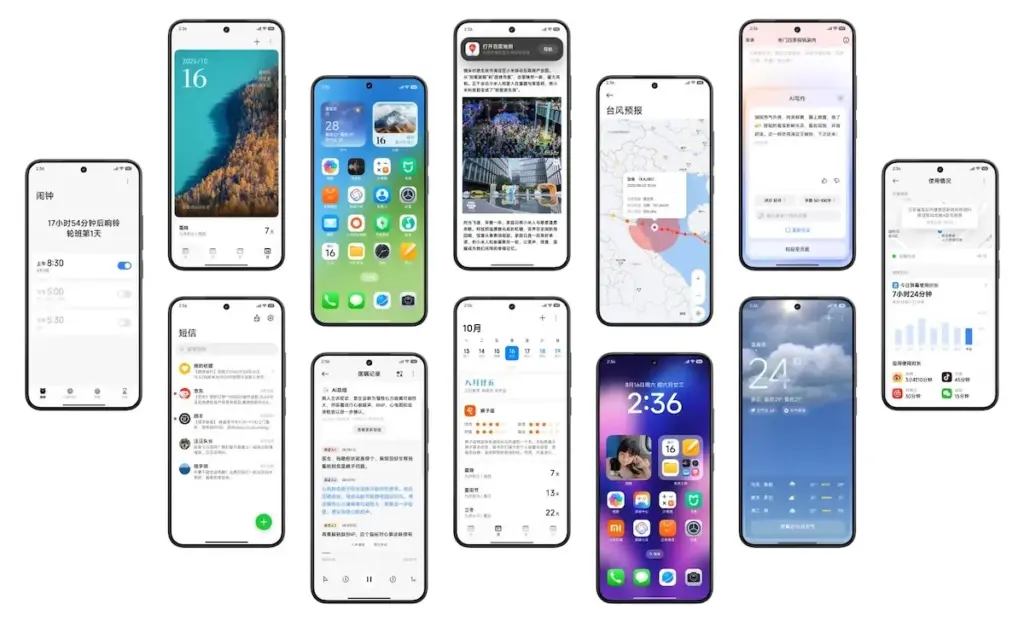
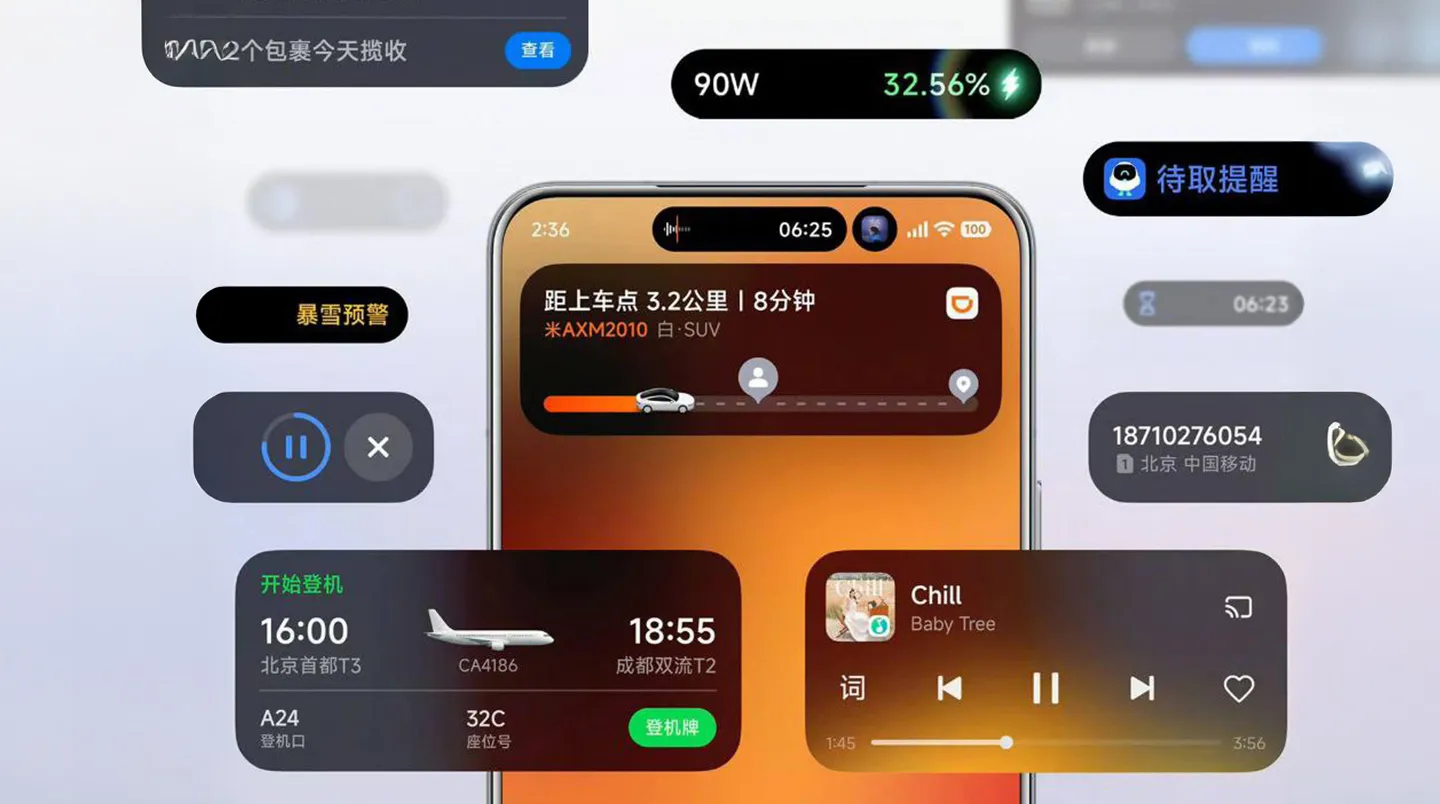
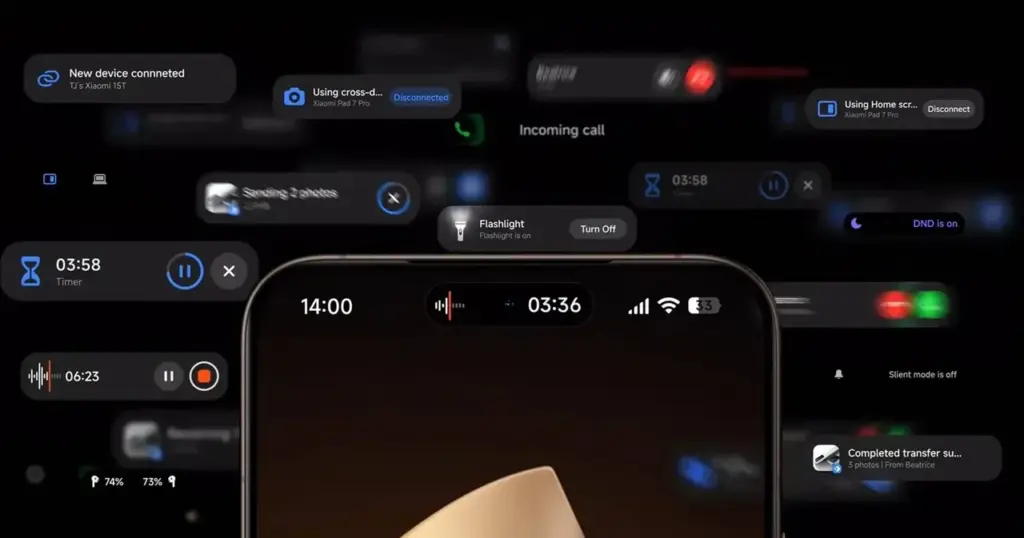
Performance and visual design have undergone significant upgrades in HyperOS 3.0. Super Island, Xiaomi’s version of Apple’s Dynamic Island, is introduced in the user interface. It allows for dynamic and real-time content overlays surrounding the punch-hole camera. AI-generated options for new background and lock screen styles are also included.
According to Xiaomi, HyperOS 3.0 offers performance gains of up to 30%. Ultra-low latency and pressure-sensitive pens and styluses are becoming more compatible with large-screen devices, such as tablets.
With capabilities like HyperAI Writing, real-time transcription, and subtitle production, AI improvements are also a top priority.
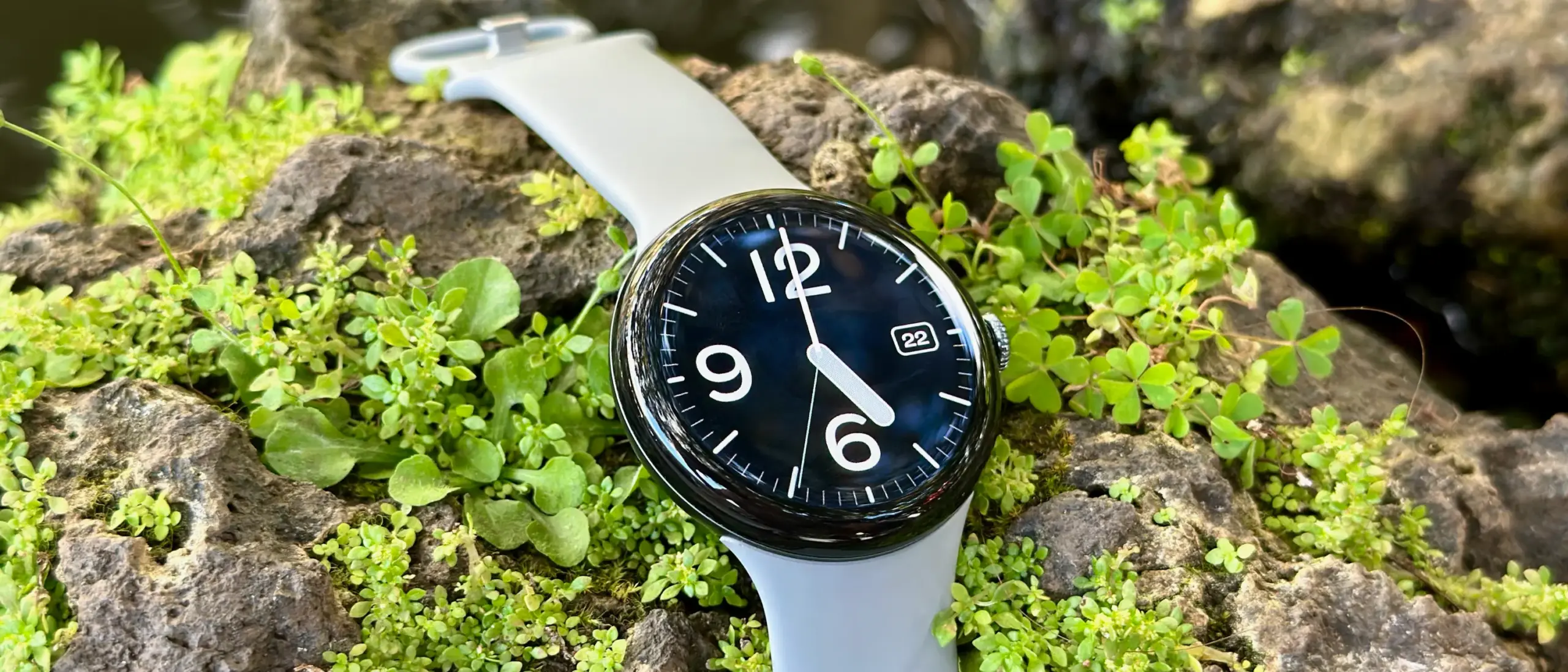
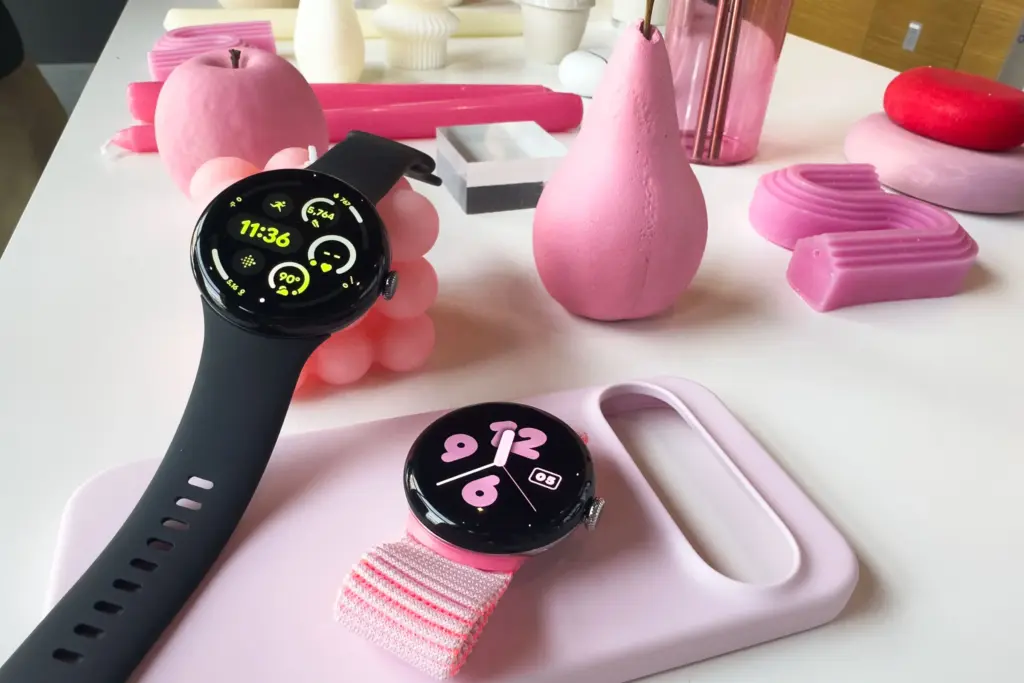
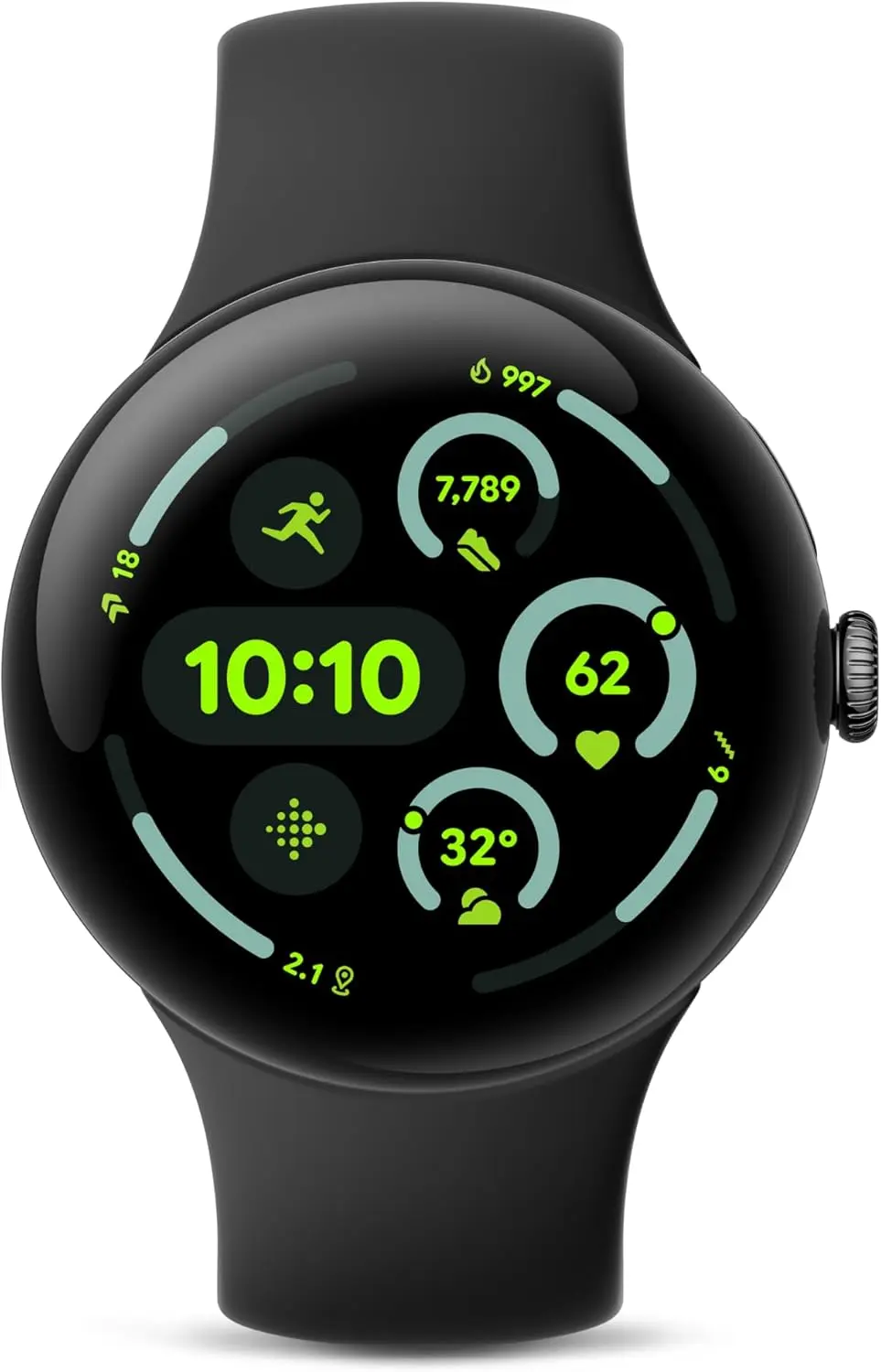
This could be the ideal moment if you haven’t purchased the Pixel Watch 3 due to its high cost. Prior to the release of the Pixel Watch 4, Google has drastically reduced the smartwatch’s pricing. Amazon is currently offering a significant $50 (20%) discount on the Wi-Fi 41 mm variant, bringing it down from $349 to $299. For the smartwatch, this is a new low.
The Champagne Gold version with a hazel band is eligible for the offer. Likewise, the 45 mm variant in matte black with a black band is also discounted by $50.
Top reasons to buy the Google Pixel Watch 3
Google Pixel Watch 3 (45mm) 2024
The Google Pixel Watch 3 is designed for performance, with advanced fitness from Fitbit; the 45mm screen is twice as bright and 40% larger than before, making it easier to see your stats and info
The Pixel Watch 3 was released last year, and its features are still strong. It’s perfect for people who want sophisticated health tracking and basic smartwatch features without having to shell out full cash for the impending Pixel Watch 4. All things considered, it is still a dependable wearable running Android.
It has an aluminum shell, a curved display, and a circular, pebble-like shape, just like other Google smartwatches. The form fits the wrist easily, and it weighs only 31 grams. Upgraded to a maximum brightness of 2,000 nits, the 1.2-inch (41 mm) display is shielded by Gorilla Glass 5. The watch’s IP68 dust and water resistance and 5 ATM waterproof rating make it appropriate for aquatic sports.
The Qualcomm SW5100 processor powers the Pixel Watch 3. It has improved sensors for temperature, blood oxygen, heart rate, and ECG with Afib detection for health monitoring. Because Fitbit’s high-end wearables use a cEDA sensor, it can also measure stress and provide detailed insights. You can use the well-known Readiness Score to evaluate your general physical condition and decide if you need to rest or train.
Google Pixel Watch 3 (45mm) 2024
The Google Pixel Watch 3 is designed for performance, with advanced fitness from Fitbit; the 45mm screen is twice as bright and 40% larger than before, making it easier to see your stats and info
In terms of fitness, the Pixel Watch 3 debuted Cardio Load, which calculates the strain from everyday activities and offers customized goals. This feature is particularly helpful for runners and athletes during training and recuperation. Additionally, it has a sophisticated running coach to assist you beat past records and lead your exercises. With the Wear OS 6 update, which has Gemini integration and the new Material 3 Expressive UI, Google is further enhancing its capabilities.
Despite having the Always-on display turned on, the battery lasts a long time and performs effectively throughout the day. By using power-saving mode, you can extend it to two days. In approximately 25 minutes, charging reaches 50%.
With a 200-megapixel back camera, the Honor Magic 8 series is anticipated to make its debut in October, according to a previously rumored launch schedule and camera configuration. One of the main features of the phone has now been revealed by the corporation. Qualcomm’s new Snapdragon 8 Elite Gen 5 CPU, which was revealed on Wednesday, will power it. The Honor Magic 8’s design has also been made public and is consistent with earlier leaks. The business is anticipated to make an announcement shortly on the launch date of its upcoming flagship devices.
Design and Specifications of the Honor Magic 8 Series (Anticipated)
The Honor Magic 8 series will be powered by Qualcomm’s top Snapdragon 8 Elite Gen 5 chipset, the Chinese smartphone manufacturer said shortly after the unveiling of the flagship chip. However, it won’t be the first phone with the Snapdragon 8 Elite Gen 5 to be released in China. On Thursday, the Xiaomi 17 series of smartphones—which will rival Honor’s next phones—will make their Chinese premiere.
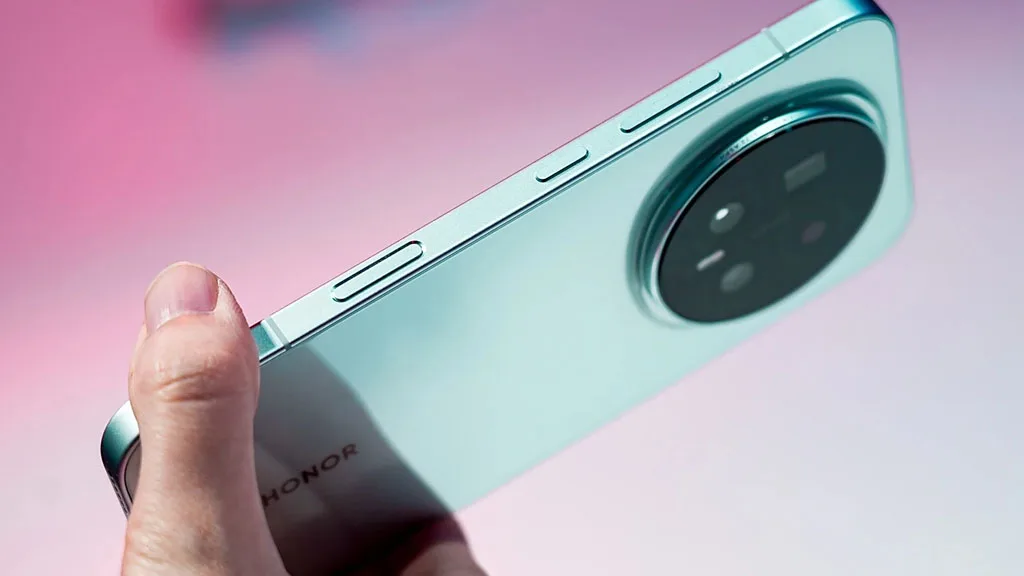
The pictures imply that the Honor Magic 8 series phone may have a metal frame and narrow bezels. Additionally, there are buttons for volume control and power on the right side. It’s interesting to note that one of the pictures also features a brand-new button that is flushed inside the frame. It looks a lot like the Camera Control button that Apple debuted with the iPhone 16 series. The Verge received confirmation from the business that this will be a dedicated AI button.
According to a Weibo post by tipster Digital Chat Station, the Honor Magic 8 will have a rear-facing camera lens with an f/1.9 aperture. The focal length of the ultrawide lens is reportedly 12 mm, whilst the focal length of the 3x periscope sensor may be 72 mm. For unlocking the phone, it may have a 3D ultrasonic fingerprint sensor. Like its predecessor, it might also have an IP68 classification for protection to water and dust.
According to recent sources, the normal Magic 8, Magic 8 Mini, Magic 8 Pro, and Magic 8 Max may all be part of the Honor Magic 8 series. But according to reports, only two of the lineup’s models will go on sale in mid-October. The Magic 8 Pro and Magic 8 Max may have 6.7-inch and 6.9-inch screens, respectively, while the normal Honor Magic 8 model may have a 6.58-inch display.
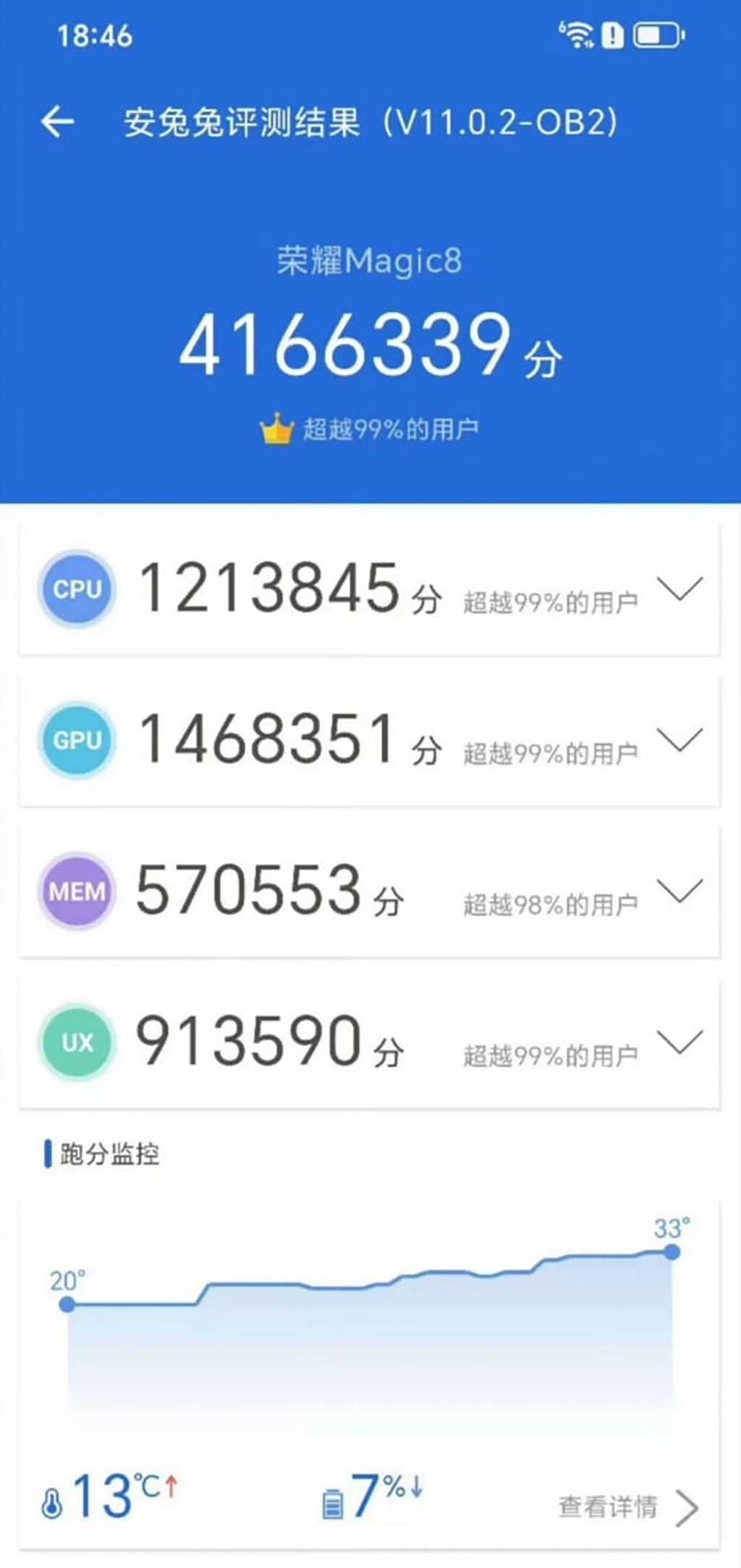
The Honor Magic 8 smartphone with the best performance rating has been seen on AnTuTu. Thanks to the latest Qualcomm Snapdragon 8 Elite Gen 5 chipset, which is said to have increased efficiency in addition to improving the device’s functionality.
Today, a number of Weibo tipsters revealed the Honor Magic 8 phone’s AnTuTu score. At room temperature, the device’s real operating points are 4.16 million.
To surpass the performance score on AnTuTu by more than 4 million is a significant accomplishment for the flagship model. It implies that the Magic 8 series will provide users with reliable and smooth operation in every way.
The CPU, GPU, MEM, and UX scores are highlighted while looking at the AnTuTu listing. All of these scores are available for review below, along with the key points.
Honor Magic 8: AnTuTu Score
Total Points: 4166339
CPU: 1213845
GPU: 1468351
MEM: 570553
UX: 913590
The 5th generation Snapdragon 8 Elite chip will be available in Honor’s devices. It has a full-core architecture with two Oryon v2 super cores operating at 4.6GHz and six performance cores operating at 3.62GHz, and it is based on the TSMC 3nm technology.
One of the company’s execs even asserted that, in comparison to competitors like Xiaomi, the Honor Magic 8 series will provide the finest Snapdragon chipset experience.
“What do you think of Xiaomi’s first LOFIC technology? The next Honor Magic 8 series is coming, and it is also equipped with the same chip. Honor has always been very powerful in Snapdragon optimization. Will this Honor optimization achieve any better results?” – said Honor Li Kun.
Leaks of the Magic 8 smartphones have started to reveal additional features and technological possibilities. It’s possible that the business is prepared to launch its premier lineup by mid-October.
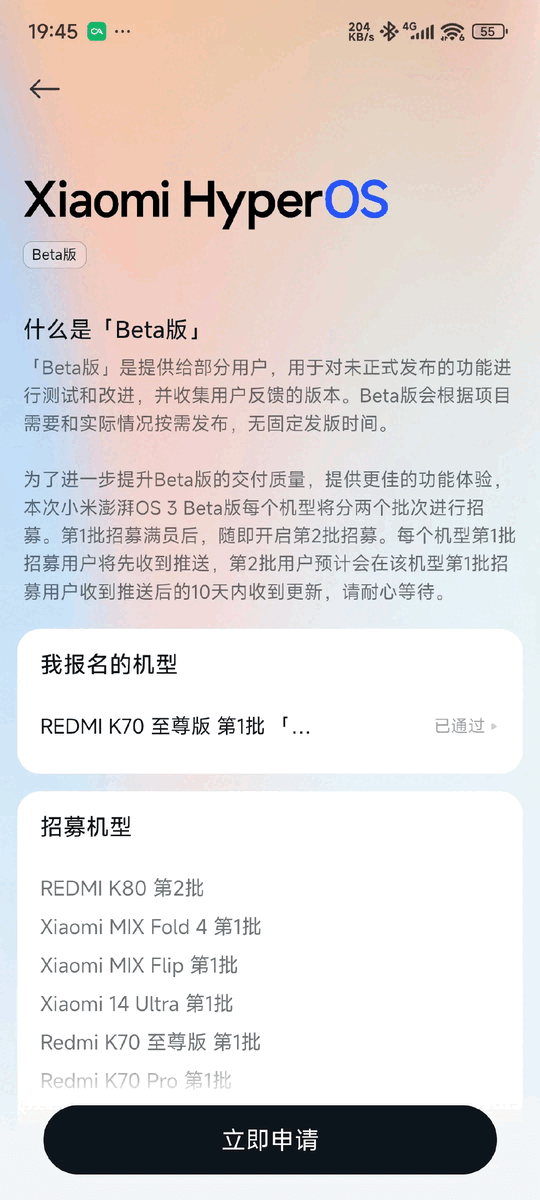
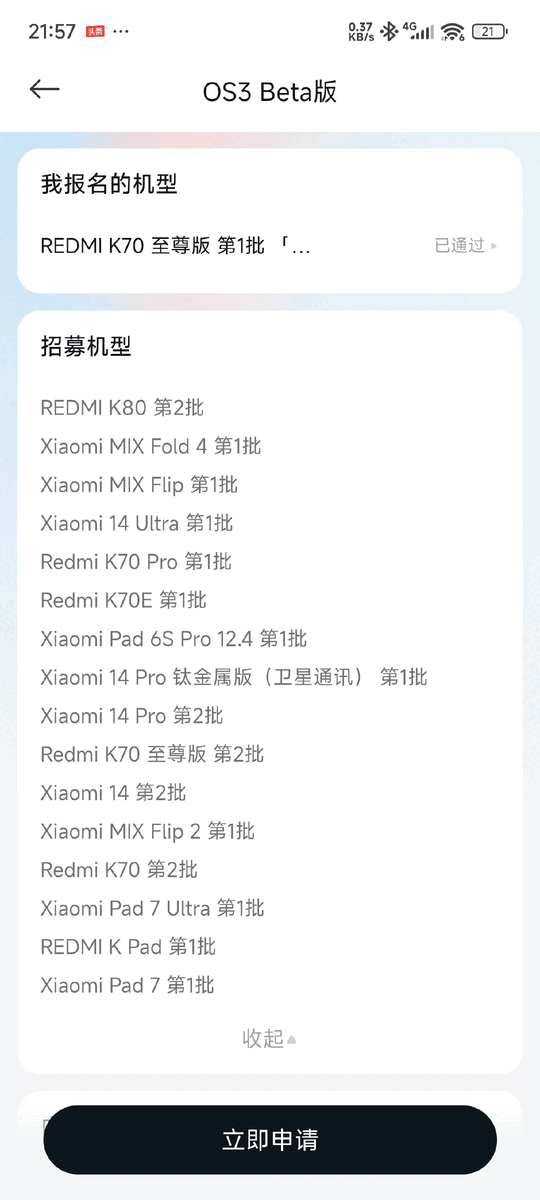
The Xiaomi 14 series, MIX Flip, MIX Fold 4, and Redmi K70 range are among the additional smartphones that Xiaomi is releasing HyperOS 3 for. Owners of these phones can now receive an early sample of the Android 16-based upgrade before the stable release occurs later this year, while testing is still ongoing.
A new batch of Xiaomi and Redmi smartphones have been added to the HyperOS 3 beta program, which enables a small group of customers to test drive the company’s latest software prior to its general release. Owners of the Xiaomi 14 series, MIX Flip, Redmi K70 lineup, and Xiaomi Pad 6S Pro are being invited to participate in the most recent round. They will have the opportunity to test an early build of HyperOS 3, which is based on Android 16, and assist the software team in resolving any significant bugs or issues before the scheduled stable rollout.
The list of gadgets receiving the most recent wave of the HyperOS 3 beta:
Redmi K70 (sold internationally as the POCO F6 Pro)
Redmi K70E (sold internationally as the POCO X6 Pro)
Xiaomi Pad 6S Pro 12.4
Although the closed beta is now only available for Chinese models, international versions will soon follow. A broader deployment appears inevitable, as Xiaomi has already begun similar beta tests for international models such as the Xiaomi 14 Ultra, Xiaomi 14T, POCO F7, Redmi 15C, and POCO C85.
To obtain HyperOS 3, you must apply for a position in the program through the Xiaomi Community app if you possess any of the devices mentioned above that have a China ROM. For every device, two groups of testers will be hired; testers in the first batch will have instant access to the update, while testers in the second batch may have to wait up to ten days. Before beginning, make sure you have a complete backup of your device and have read the instructions.
HyperOS 3 global rollout confirmed for November-December
The Chinese Xiaomi 14 series, MIX Fold 4, MIX Flip, and Redmi K70 devices are expected to receive the stable HyperOS 3 update in November. Global variants such as the Xiaomi 14 series, the Xiaomi Pad 6S Pro 12.4, the POCO F6 Pro (a rebranded Redmi K70), and the POCO X6 Pro (a rebranded Redmi K70E) will be released in November, with the full deployment continuing into December.
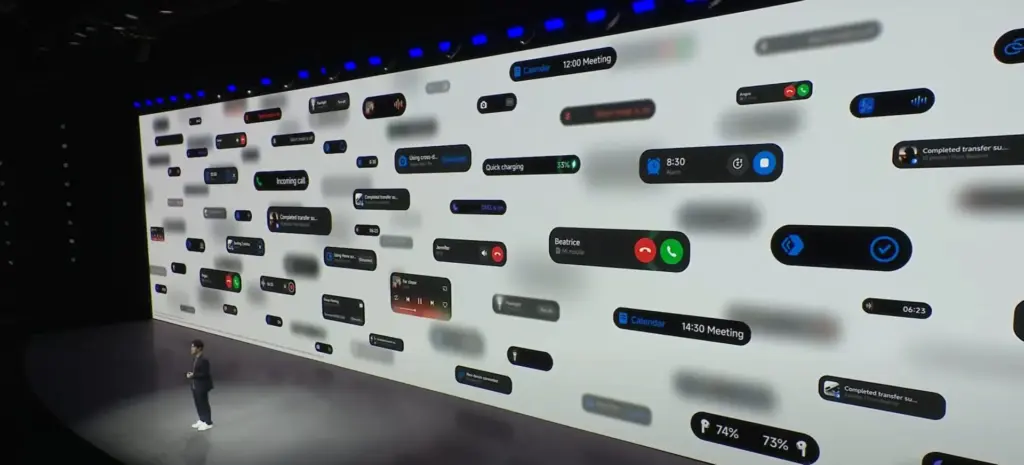
Prepare yourself for a whole new way to use your Xiaomi gadget! As part of the forthcoming Xiaomi HyperOS 3 upgrade, the company is introducing an exciting new feature dubbed Hyper Island. This creative new menu will show up in a pill-shaped notch area surrounding the camera cutout on your screen, much like Apple’s Dynamic Island. You will be able to quickly and easily access media controls, navigation instructions, and notifications.
This revolutionizes the way you handle your daily responsibilities on your phone by providing a seamless and user-friendly interface that makes multitasking effortless. Users greatly benefit from Xiaomi’s ongoing dedication to software innovation, which solidifies their position as a market leader in the mobile space.
What is Xiaomi Hyper Island?
Without taking up too much space on your screen, the Hyper Island function is made to place important information where you need it. A fluid, interactive pill-shaped menu will extend from the top of your screen in place of a typical notification banner or pop-up, giving you a seamless view of everything from incoming messages to media playback controls and even detailed instructions when using maps. This is a totally redesigned user experience that is entertaining and highly useful; it’s about more than simply notifications.
Beginning in late 2025, Xiaomi intends to release the HyperOS 3 update in stages. This is a complete list of devices that have been confirmed to get the update, arranged according to when it is expected to be released.
POCO F5 Pro, POCO F5, POCO X6, POCO M7 Pro 5G, POCO C65
Tablets:
REDMI Pad Pro 5G, REDMI Pad Pro, REDMI Pad SE 8.7 4G, REDMI Pad SE 8.7
POCO Pad
For many Xiaomi consumers, this is wonderful news, demonstrating the company’s commitment to enhancing the user experience through innovative software solutions. Your devices will feel new again and be even more productive thanks to the Hyper Island function.
The Pixels are even more feature-rich than Android. You find more the deeper you go. Given that he finds more features than Google even promotes, our own Mishaal Rahman may likely attest to that. And that speaks volumes about a platform that the majority of us use on a regular basis on our phones, which are our main devices.
Having spent years immersed in the vibrant and colorful world of Android, I have created certain personal favorites—features that are really essential yet still go unappreciated. Although you may be aware of them all, I’m willing to wager that many of us are unaware of them until we come across them in a random Reddit comment.
I now use these functions on a regular basis; some are exclusive to the Pixel, while others are available on all Android devices.
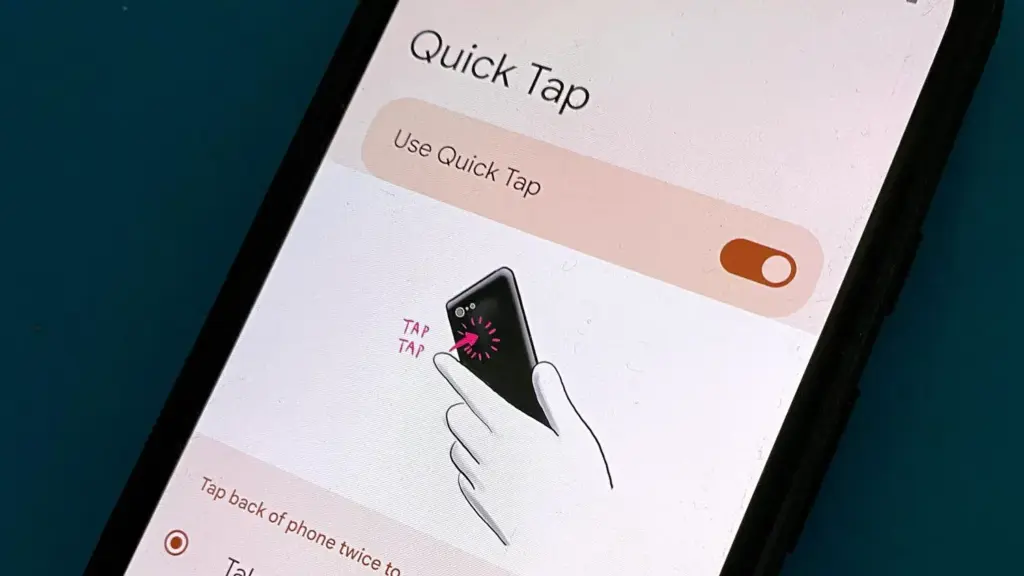
Quick tap
Double-tapping the back of a Pixel phone activates shortcuts, which is a great gesture. I have my Quick Tap in Settings app set to pull down the notification shade, which I probably do a thousand times a day, whether it’s to ignore a barrage of Instagram direct messages or obsessively check for a message.
Particularly when utilizing an app, it’s far simpler than reaching your thumb all the way to the top of the screen. I just need to lightly tap my index finger, which is where it naturally sits, to check who has ping-ed me, and then I can immediately resume my job while ignoring them. Easy.
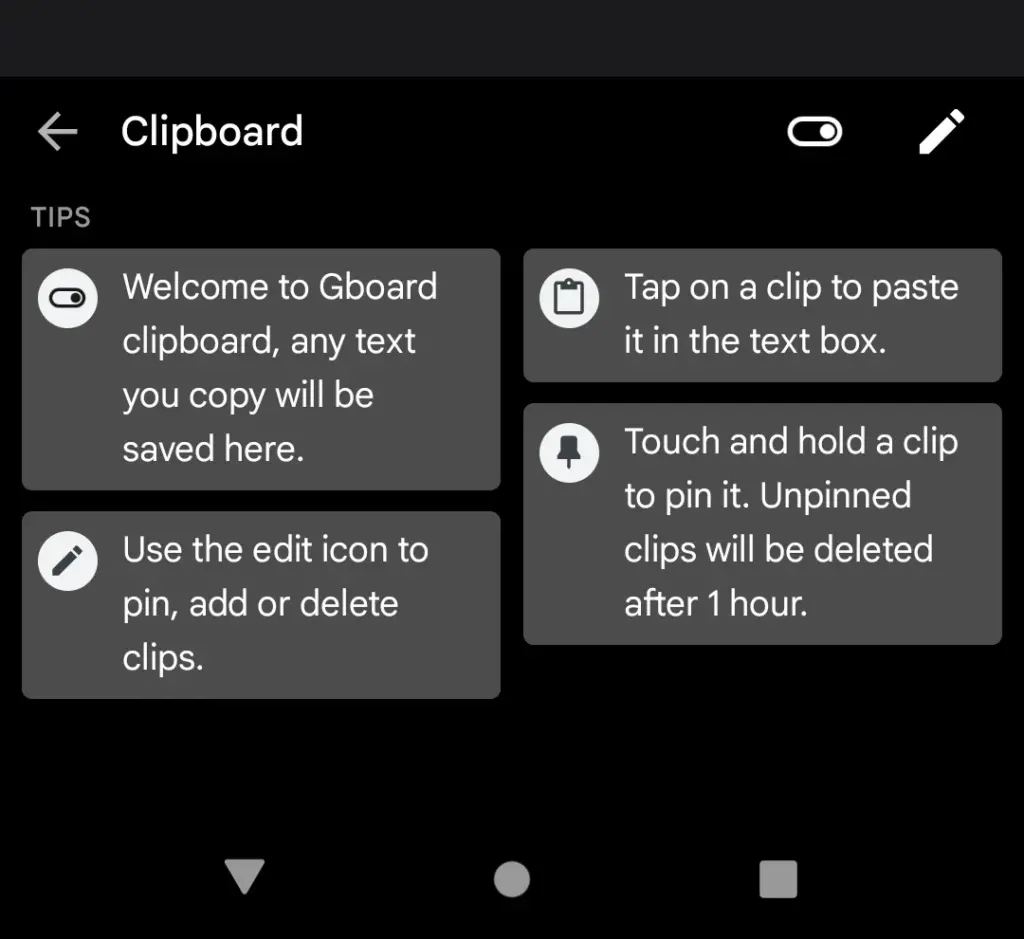
Clipboard manager on Gboard
Sincerely, I’m not sure how I’ll manage without this anymore. I’m always storing text snippets, URLs, package tracking numbers, and even Instagram captions that I’m still working on using Gboard’s clipboard manager. Additionally, it is located beneath Gboard‘s menu selections and is only a tap away.
It’s an underappreciated talent to be able to pin things so they don’t disappear after an hour. Additionally, it helps me fill out those nagging forms that always reload when I switch between apps. My sanity has been rescued numerous times by having lengthy responses stored in the clipboard.
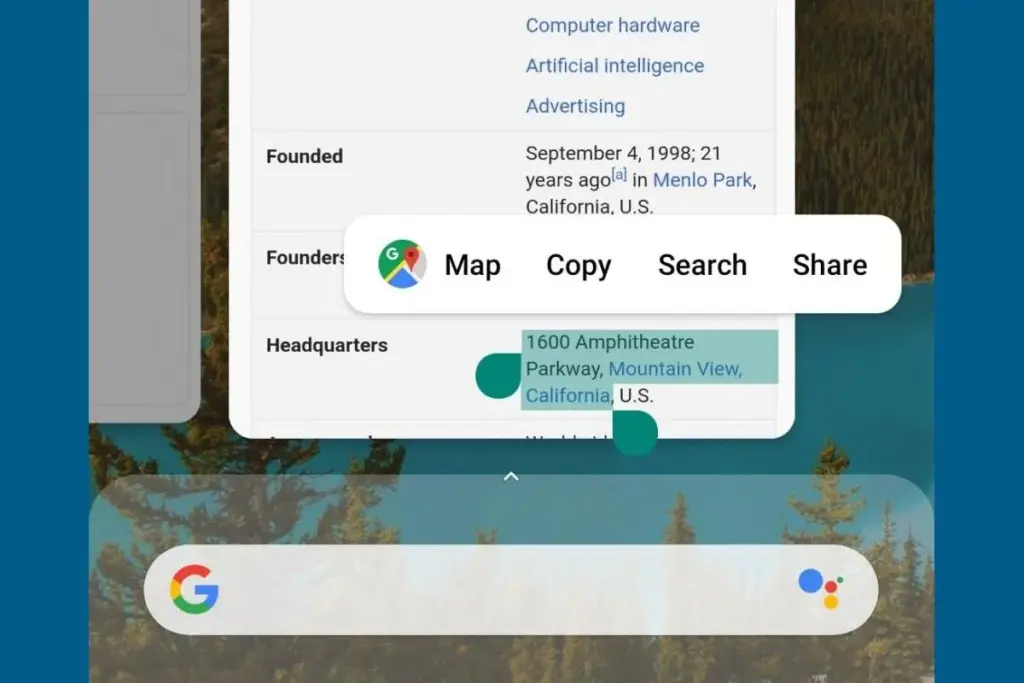
Smart text selection in overview
Who knew it could feel like such a victory to save one more tap? Long-pressing text in the app overview screen on Pixel phones allows you to copy it without having to return to the app.
At first, it might not seem like a significant deal. However, those saved taps add up if you’re copying information one by one, for example, from WhatsApp to fill out a form somewhere else while making sure everything is correct. It’s a minor detail that helps me avoid a lot of conflict and irritation.
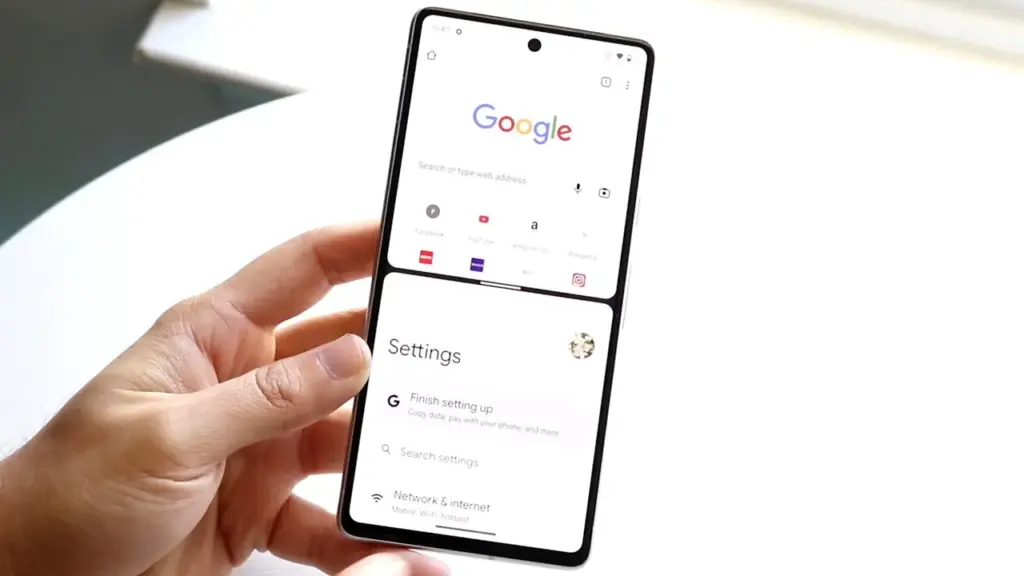
Multitasking with split-screen
I believe this function to be equally useful on smaller devices, even though it’s frequently marketed for phones with giant screens and foldables. To avoid continually switching between apps, I regularly utilize it to run utilities like the calculator alongside other programs, again from the Overview page.
I’ll admit that I occasionally forget it’s there, but I spare myself the hassle by arranging my programs into split-screen the instant I see myself switching between them too frequently.
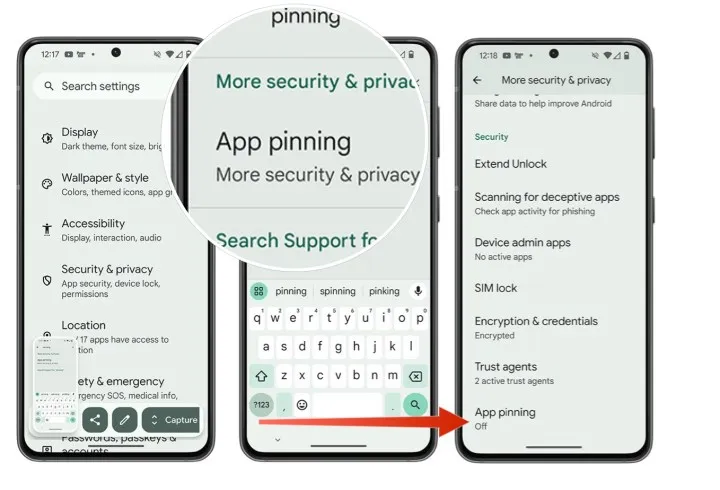
App pinning
It’s simple but incredibly underappreciated. I pin the app by choosing the Pin option from the Overview screen whenever I give my phone to someone, such as to pick up a contact or scan a QR code at a movie theater (you must first enable app pinning in your phone’s Security and privacy settings). This prevents them from inadvertently or purposely swiping into another app.
When I show friends and family a single picture, I can’t stop them from idly browsing around my gallery, but I can stop them from switching to Messages or Keep. It comes in particularly handy when my young niece or nephew borrows my phone to play games and I don’t want them to change applications or erase random notes.
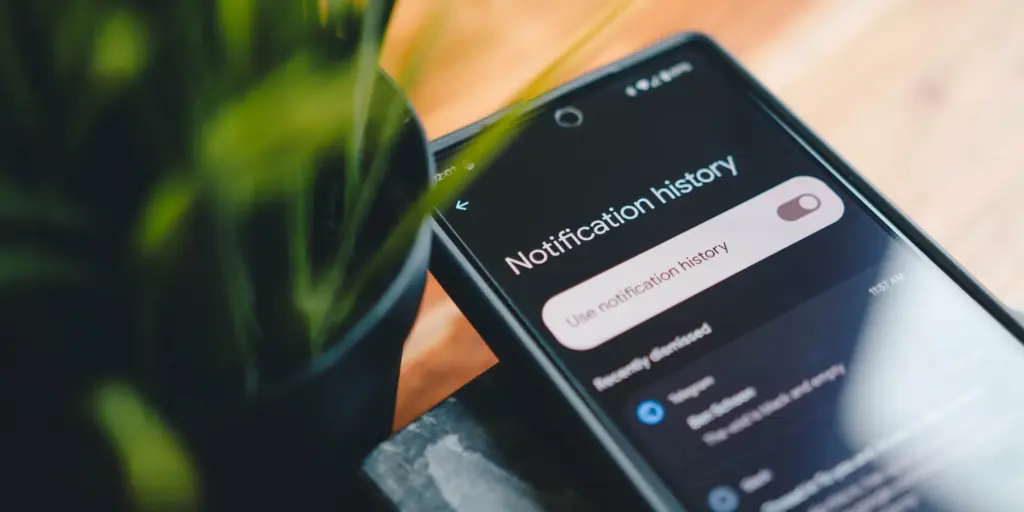
Notification history if you dismissed one by mistake
It would be an understatement to say that this is a lifesaver. I vividly recall how taken aback I was to discover that Android even possessed this capability.
I occasionally unconsciously swipe away notifications from a particular app out of habit, only to discover later that I truly needed that particular app. Even if accessing notification history through the Notifications area of the Settings app isn’t the most user-friendly method, knowing that those messages aren’t permanently erased calms my racing thoughts.
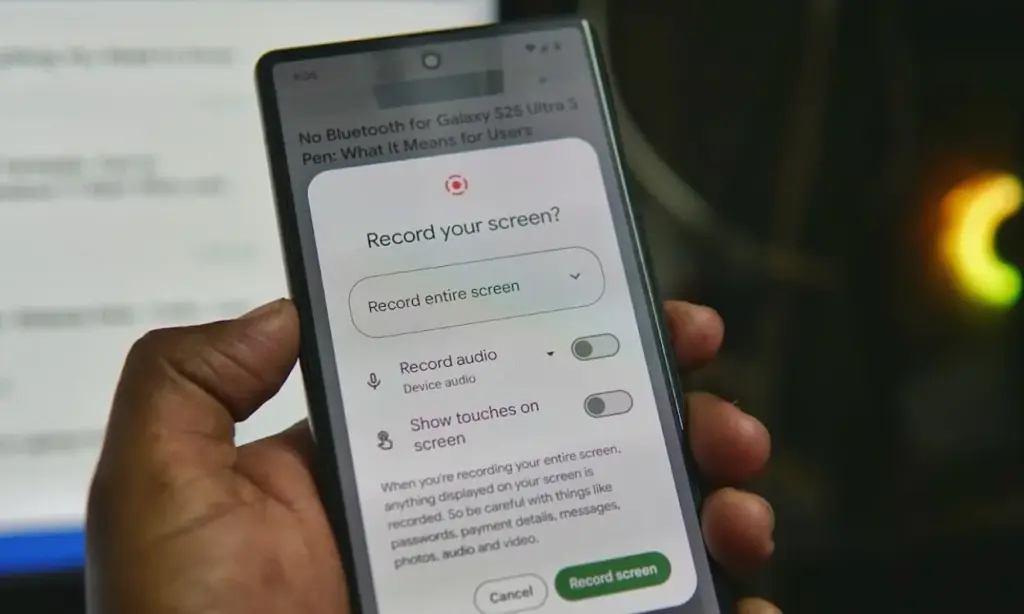
Screen recording has built-in audio
In addition to recording the screen, Android’s built-in screen recorder also records internal audio, not simply microphone input. Every time you choose the option from the Quick Settings menu, it allows you to choose the audio source.
I utilize the functionality for more enjoyable (and practical) purposes, but it’s also useful for sending how-tos to friends and relatives. When a song strikes, you can save synced lyrics from music applications to share with someone, record buggy app behavior to report bugs (and collect huge bug bounties, just saying), or record clear audio broadcast parts from YouTube.
The microphone does not pick up any noise during any of this. Furthermore, you definitely don’t need any dubious third-party tools for this.
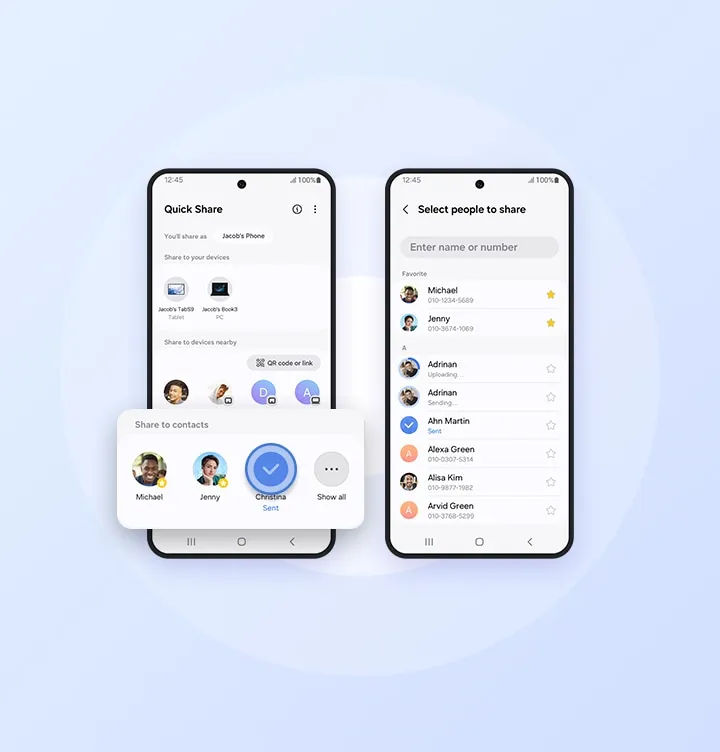
Quick Share
Fast file transfers between devices are a feature of Quick Share, however I use it more for myself than for other people.
I frequently have to transfer screenshots and images from my Pixel to my Mac for work. I can share files as quickly and smoothly as AirDrop if I have a third-party app installed on macOS. Even better, Google’s first-party Quick Share software functions flawlessly on Windows, so you’re in luck.
Google Pixel 10 Pro XL
Google Pixel 10 Pro XL is the ultimate Pixel experience, featuring advanced AI – Gemini, unbelievable camera quality, impeccable design, and the next-gen Google Tensor G5 chip
I’m confident that there are a dozen more hidden gems like this in the UIs of Android and Pixel if I look more closely. However, I use these on my Pixel every single day. My flow and my sanity would be totally disrupted if I were to lose even one of them.
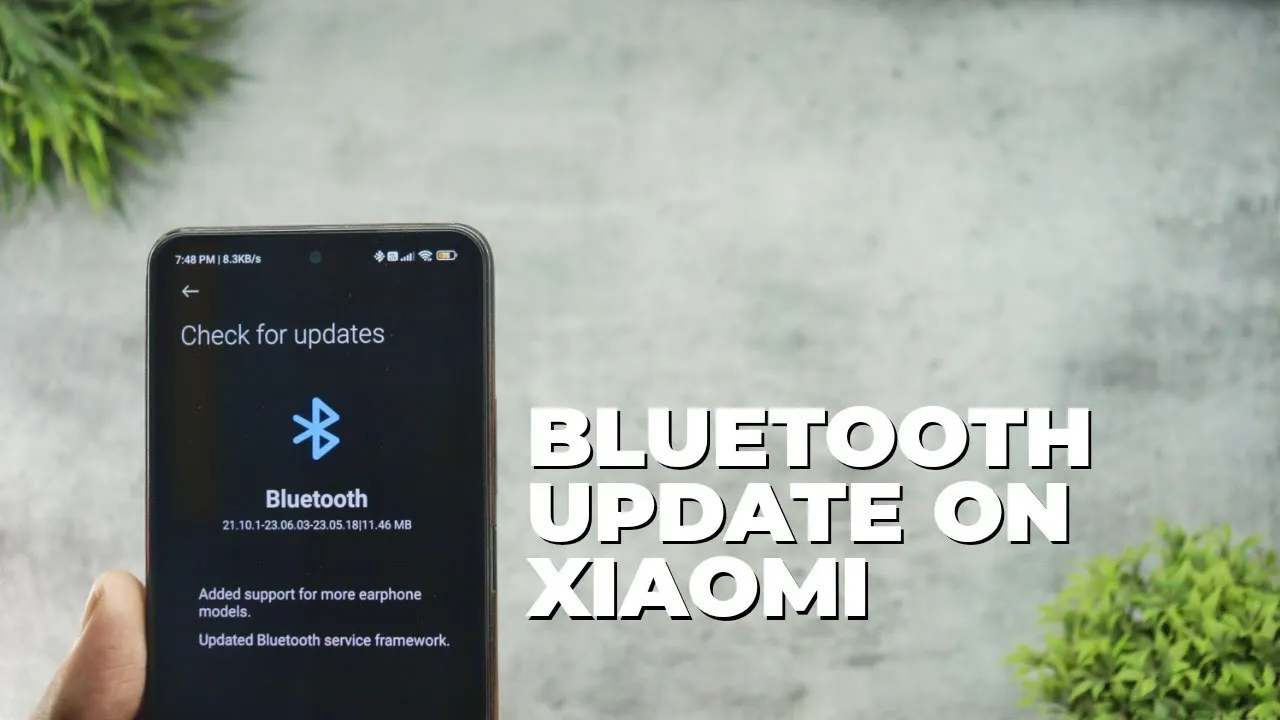
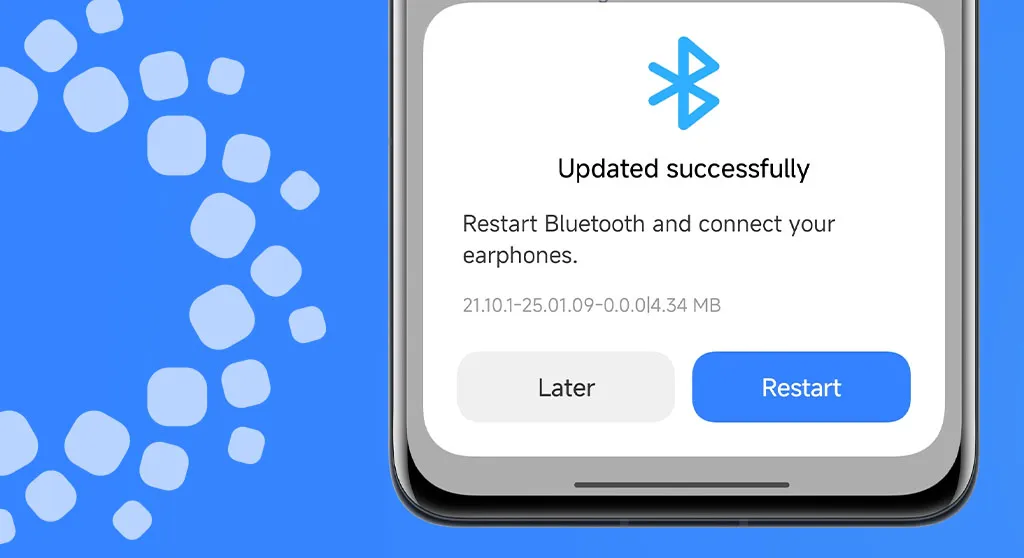
Xiaomi has released a comprehensive Bluetooth update for all compatible devices, bringing version with significant improvements to connectivity and device compatibility. This major system-level update addresses numerous connectivity issues while expanding support for a wider range of earphone models and accessories. Users across the globe are reporting enhanced audio performance, improved device pairing, and more stable connections with various Bluetooth peripherals.
The update represents Xiaomi’s ongoing commitment to refining the user experience through regular system optimizations and ensuring seamless integration with the expanding ecosystem of wireless devices and accessories.
Key Improvements in Latest Update
For the owners of Xiaomi devices, the latest Bluetooth update brings a number of substantial improvements that greatly boost the wireless experience overall. Future connection advancements have a stronger basis thanks to the revised service structure.
Better compatibility with various Bluetooth devices
Service Framework Updates
Updated Bluetooth service framework for better stability
Enhanced connection protocols for reliable pairing
Optimized power management for extended battery life
How to Install the Update
This significant Bluetooth upgrade is easy to install and only requires a few quick steps. Before starting the update process, users should make sure their device is connected to WiFi.
Installation Steps:
Open Settings app on your Xiaomi device
Navigate to Bluetooth settings
Look for the Updates section
Download and install
All suitable Xiaomi devices running MIUI and HyperOS are getting this Bluetooth upgrade worldwide. Depending on the speed of your internet connection and the capabilities of your device, the update process could take several minutes.
Beyond the fundamental enhancements, users might experience better connection reliability while playing media and higher-quality audio when using compatible earbuds. Additionally, the update incorporates background enhancements that enhance system efficiency in general.