Category: Apps

Explore the latest mobile apps for productivity, entertainment and tools that fit your daily routine and Android‑centric lifestyle.

  • Grab these temporarily free Android and iOS apps before they’re gone!

    Grab these temporarily free Android and iOS apps before they’re gone!

    When something is free, who does not love a good deal? To increase awareness and downloads, app makers give away their premium apps and games for a short period of time every week. This gives people the ideal chance to obtain top-notch software without having to pay a thing. Both the iOS and Android platforms offer something for everyone, from work tools to captivating games.

    We have compiled a list of some of the top temporarily free apps that are currently accessible. Keep in mind that these deals will not be there for long, so take advantage of them now! Downloading them ensures they remain in your library indefinitely, even after you uninstall them, even if you do not need them right away. Have fun downloading!
    temporarily free Android and iOS apps

    Limited-Time Free Android Apps and Games

    Must-Have Free Android Apps for Productivity and Lifestyle

    • Offline Password Manager ($0.99): A straightforward app that securely stores your passwords without unnecessary features.
    • QR/Barcode Scanner PRO ($5.99): An application designed for scanning, reading, and generating QR codes and barcodes.​
    • Simple Photo Widget ($0.75): An Android widget that allows you to display photos from your gallery directly on your home screen, enabling personalized customization of your device.​

    Free Android games

    Free iOS Games and Apps—for a Limited Time

    Top Free iOS Apps for Productivity and Lifestyle

    • Art Space: Artwork Preview App ($37.99): This app enables artists to display and present their works in a virtual gallery, providing an impressive preview of their art.​
    • Network Usage Monitor ($10.99): Network Usage Monitor provides a detailed analysis of network connections on your device and helps monitor data and bandwidth usage.​
    • Resume Designer 3 ($4.29): This app allows you to create professionally designed resumes that can be customized to fit the needs of the job.​

    Free games for the iPhone and iPad

    • Warlords Classic Strategy ($5.99): An engaging strategy game where you lead armies and defeat opponents in tactical battles. 
    • Mr. Traffic ($2.99): A game that challenges you to navigate traffic and avoid accidents while driving various vehicles.​
    • Bloom Sort ($14.99): A relaxing puzzle game where you arrange colorful flowers in the correct order.​
    • Neolysium ($2.99): An innovative, futuristic adventure game that immerses you in a mysterious world full of puzzles and discoveries.​

    While exploring new apps can be exciting, it’s essential to prioritize your safety and protect your personal data. Always download apps from trusted sources like the Google Play Store or Apple App Store, as these platforms have rigorous security measures in place to vet applications. Avoid third-party stores or unknown websites, as they often host apps that may contain malware or spyware.

    Before installing any app, take a moment to review its permissions. Be cautious if an app requests access to features or data unrelated to its functionality, such as a calculator app asking for location or microphone access. Additionally, check user reviews and verify the developer’s credibility to ensure the app is legitimate and secure.

    By following these precautions, you can enjoy the benefits of mobile apps without compromising your privacy or device security. Stay vigilant and download wisely!
  • Temporarily free Apps for Android and iOS

    Temporarily free Apps for Android and iOS

    This week, we are excited to present our carefully curated selection of essential free apps that you will not want to miss! Our hardworking staff has searched the Google Play Store and the Apple App Store for some hidden gems that are normally available for purchase but are now free for users on both iOS and Android devices.

    If you find an app that piques your interest, even if you don’t need it right away, go ahead and download it. Doing so will mark it as “purchased,” ensuring it remains in your app library indefinitely—regardless of whether you remove it from your device soon after.

    android and Ios apps

    Android Apps and Games Available for Free–Limited Time Offer

    Top Free Android Apps for Productivity and Lifestyle

    • AppLock Pro ($4.49): Choose different styles to lock your apps without being limited to what the app offers itself for a greater amount of flexibility.
    • Sound Meter & Noise Detector ($2.99): An app that claims to be able to detect the sound and noise level in the vicinity.
    • Fake Call Screen ($0.99): Ever been in a tight spot socially and need to be bailed out? This app simulates a fake call for you to get out of a tough situation.
    • Dark Screen Filter ($0.99): If you use your phone late into the night, perhaps dark mode is not enough, but having this dark screen filter might help ease the strain on your eyes.
    • PhotoApp ($6.49): An AI photo app that allows you to edit and modify images at your whims and fancy.

    Free Android Games

    • Non Stop Balloons Shooter ($3.99): Shoot down balloons as they continue to keep on coming at you!
    • Puzzle Words Pro ($1.49): A word search game with three modes to choose from to keep things happening.
    • Theme Park Simulator ($0.99): Enjoy running a theme park wherever you go with this cute little app. 
    • Live or Die Survival Pro ($0.49): The end of the world is coming, and you need to do your very best to remain alive with your wits.
    • Defense Zone 3 Ultra HD ($2.99): A tower defense game with amazing graphics that is set in a futuristic war setting.

    iOS Apps and Games Available for Free–Limited Time Offer

    Top Free iOS Apps for Productivity and Lifestyle

    • weather+ ($0.99): Want to know what the weather is like outside? Find out in this app before you head out.
    • Outfit Outdoor Fitness ($2.99): Let the app inform you on what you need to wear before you head out for your exercise.
    • Light Filter ($3.99): Want to take the perfect photo? Make sure the surrounding lighting is right with this app.
    • Feelly ($1.99): A personal mood tracker that helps you keep tabs on how you are feeling, perfect fro those who want to figure themselves out.
    • Bookends ($10.99): Do you do a lot of writing and research that needs referencing? Guess this reference management app will come in handy.

    Free Games for the iPhone and iPad

    • Cooking Game for Kids ($5.99): Think your kid will be the next Gordon Ramsay? Why not let them have a go at a cooking game and see if they have the chops to do so?
    • Catennacio Football Manager ($2.99): If you think you are able to do better than the real-life football managers, then give this game a go!
    • My City: Star Horse Stable ($3.99): Learn the ropes of taking care of a pony without incurring actual cost on a virtual platform.
    • Pirate Drops 2 ($4.99): A Match-3 game that takes on a pirate theme which will surely offer a refreshing experience.
    • Cuppy Ball ($0.99): Hopefully you’ll be able to place the cup at the right place for the ball to fall into.

    We advise you to review the app’s details in the Play Store or App Store before downloading any of the aforementioned apps. This is crucial as some of these free apps can have unique features or drawbacks of their own.

    While making sure your data is safe and secure, you are free to browse the wide range of free apps available for both iOS and Android smartphones.

  • 11 things to add to Google Wallet that aren’t your credit card

    11 things to add to Google Wallet that aren’t your credit card

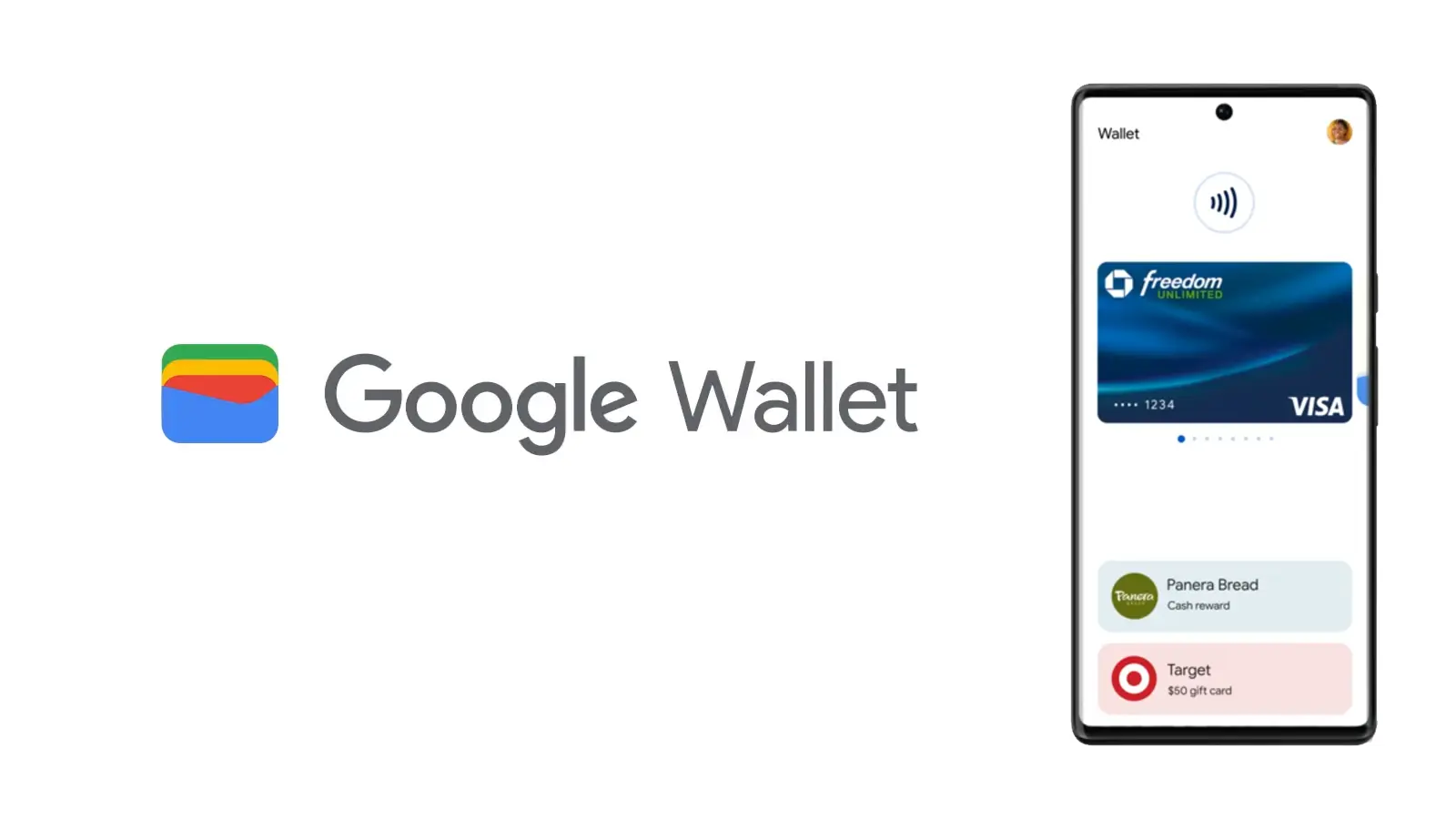
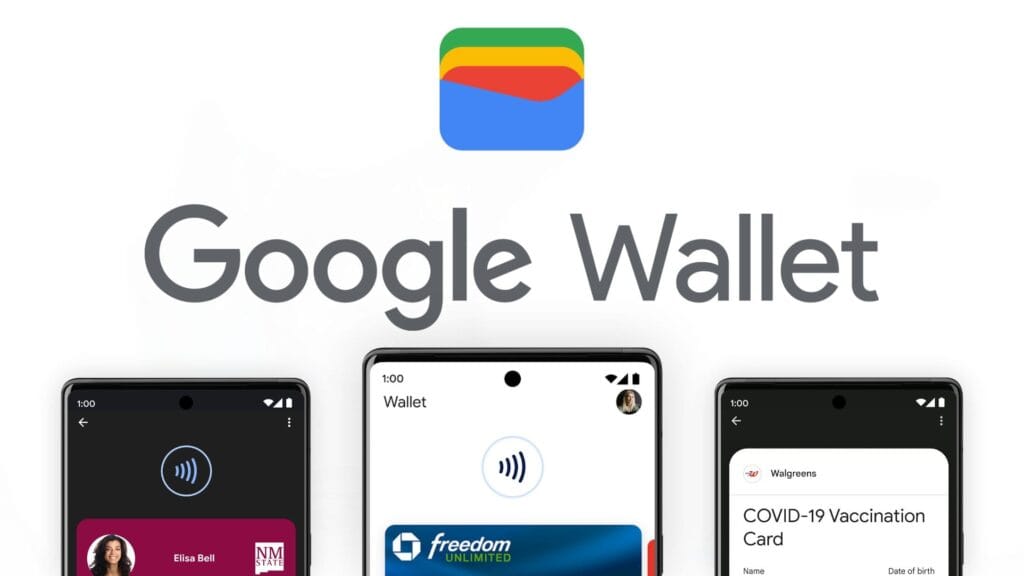
    Digital wallets are becoming a more common option to pay on the go. The concept is simple: why carry a wallet when you can store your credit card on your Android phone? It makes logical and decreases the amount of items to keep track of. Google Wallet goes a step further, allowing you to add goods other than credit cards to your digital wallet. What products exactly?

    Boarding passes

    Google Wallet boarding pass

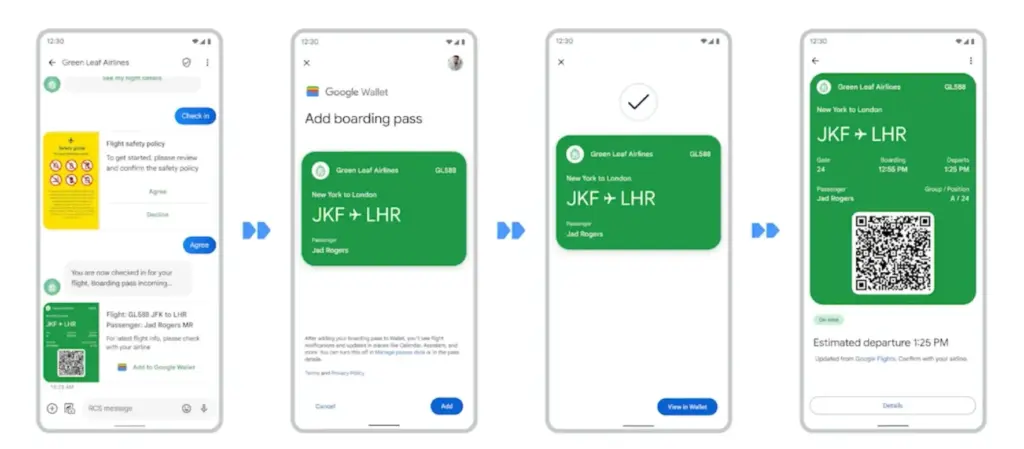
    Boarding cards are required for airline travel. You need these to get past security, confirm the flight’s departure time, and find your gate. Traditionally, they were paper, but they have recently gone digital, via the airline’s app or a digital wallet. Google Wallet can save boarding passes, eliminating the need for physical boarding tickets. It also refreshes the gate or flight time on the boarding card as soon as it changes, keeping you informed of any changes.

    Public transportaion tickets

    google wallet transit history

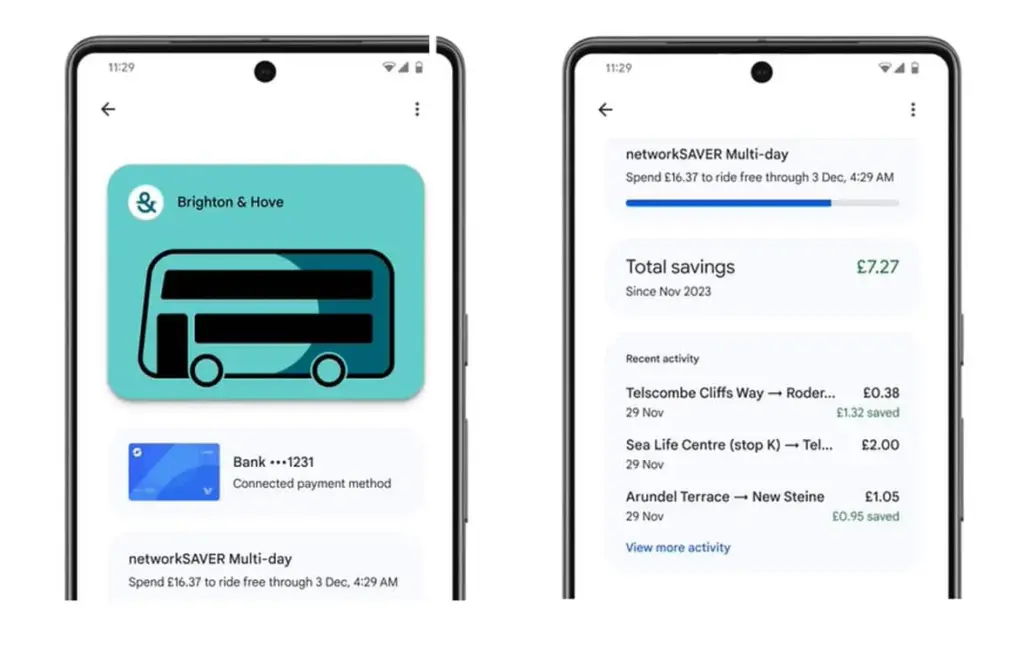
    Public transportation is useful for traveling around, regardless of whatever major city you are in. Each system has its own type of passes, such as monthly passes or reloadable cards. Normally, catching a trip requires a specific app or physical pass, but Google Wallet allows you to store and utilize passes from several major transportation agencies around the United States. Then, you can utilize Google Wallet to travel whenever necessary.

    Gift cards

    present cards are a popular option to offer someone a flexible present that does not require a specific item. It allows the receiver to select an item that is ideal for them, and gift cards can be pooled to purchase a more expensive item. During holidays or birthdays, you may receive multiple gift cards that are difficult to keep track of. Google Wallet allows you to save all of your gift cards in one location and redeem them later.

    Loyalty cards

    Loyalty cards on google wallets

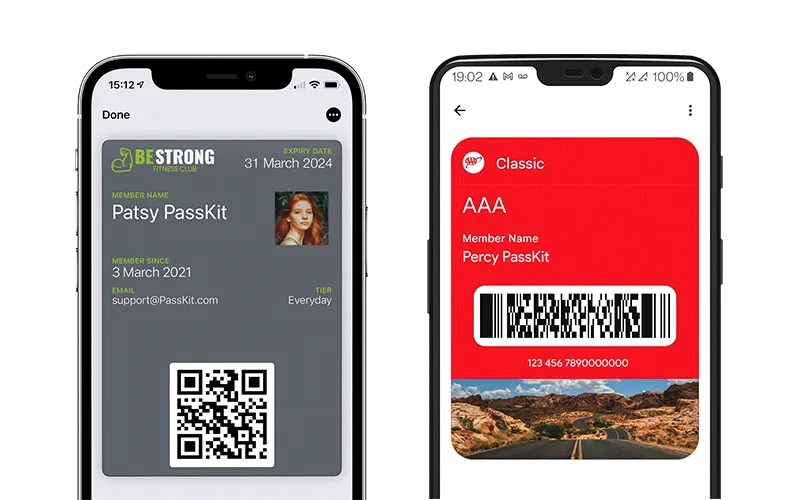
    Most businesses have a loyalty or rewards program in place to provide perks to consumers who return frequently. Sometimes this takes the form of a physical card that is utilized at the checkout. If you have rewards cards from multiple businesses, they might fill up your wallet. Google Wallet can also hold loyalty cards. Google Wallet identifies common cards, adds them, and provides you with an easily readable barcode to scan at checkout.

    Driver’s licenses

    Driver’s licenses in google wallet

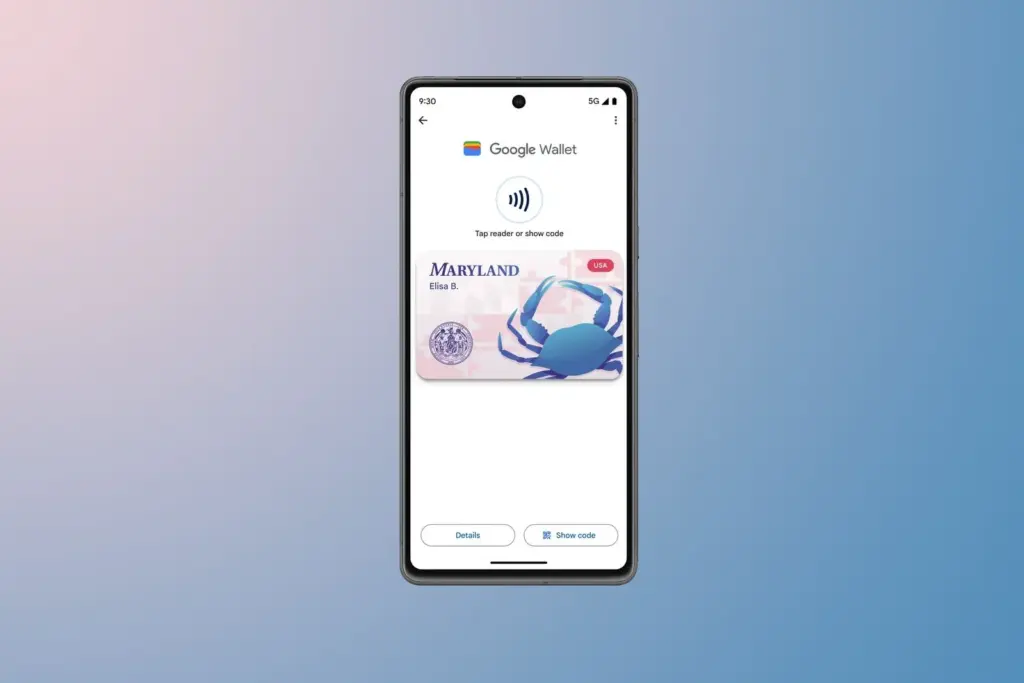
    To be able to drive, you must have a driver’s license, which is the most frequent form of identification used to prove your identity and age. Keeping your license with you at all times is a good idea and occasionally necessary, but it can be difficult to keep track of if you do not want to carry a wallet. If you lose it, finding a replacement can be tough. In several states in the United States, you can keep your license in Google Wallet. It is not available in every state. It will only be offered in Arizona, California, Colorado, Georgia, Maryland, and New Mexico as of March 2025. Hopefully, its availability will increase with time.

    Health insurance card

    Health insurance card on google wallet

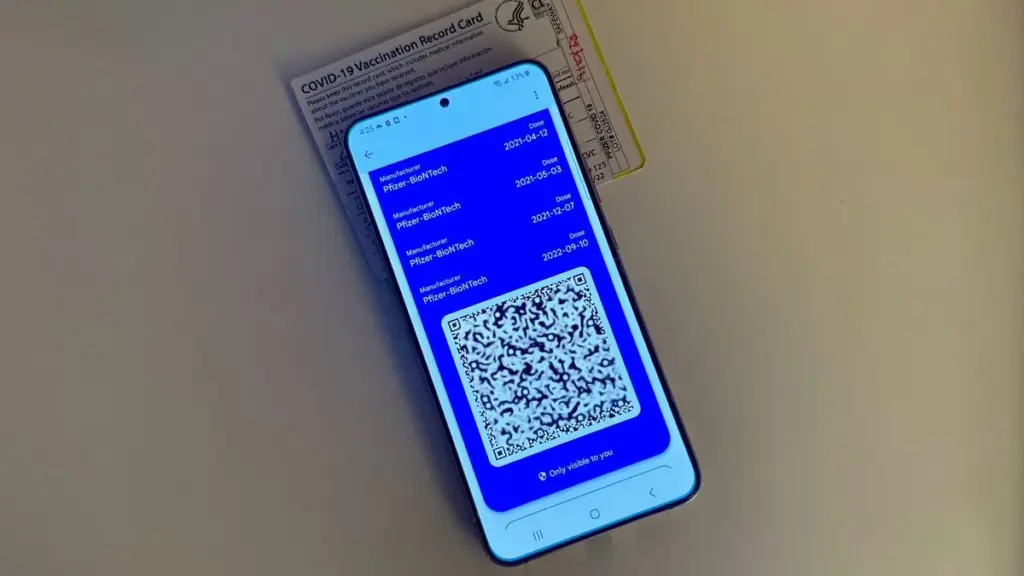
    Health insurance cards are another vital piece of information to keep with you at all times in case you want medical assistance. While you can keep the physical card, you can also save it to Google Wallet. While it is not as straightforward as adding a credit card or other comparable item to Google Wallet, you can scan or save it through your healthcare provider. Then you will have all of the critical medical information you need at your fingertips whenever you need it.

    Passport

    google wallet hero rev NBBUzpE.w

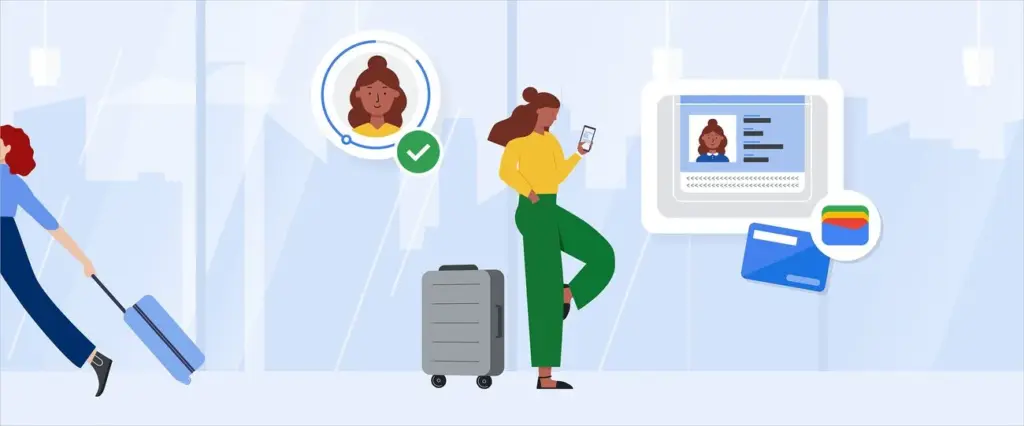
    Passports are required for travel and as a means of identification. With Google Wallet, you may use your phone to augment your passport with an ID pass. An ID pass enables Google Wallet to save your passport for use in specific instances. An ID pass cannot substitute a passport in all circumstances, however it can be used in some cases. An ID pass can be used at TSA checkpoints for domestic flights in some US airports. It can also be used as a form of identification in some instances, but keep your actual passport with you in case you need it.

    Student IDs

    Students need IDs for a variety of reasons, including building access, dining hall meals, and student discounts at specific establishments. If they lose their ID, they may be unable to obtain necessary services. Google allowed the ability to save student IDs to Google Wallet in 64 countries and territories, making them harder to lose and easier to use. Because students are likely to carry their phones with them at all times, having their student ID on the phone is more convenient.

    Event tickets

    You may attend a variety of enjoyable activities, including concerts, festivals, sports tournaments, and more. You must have a ticket to attend, and most are no longer printed on paper. However, depending on the venue or type of event, you may require multiple applications, which can be difficult to keep track of. Make it simple by adding them to Google Wallet. Google Wallet can store any sort of ticket or event pass, providing you with a convenient, centralized location to find everything you need. When the event is ended, Google Wallet makes it simple to remove the pass, so your app is not crowded with used tickets.

    Hotel keys

    Picture2 1

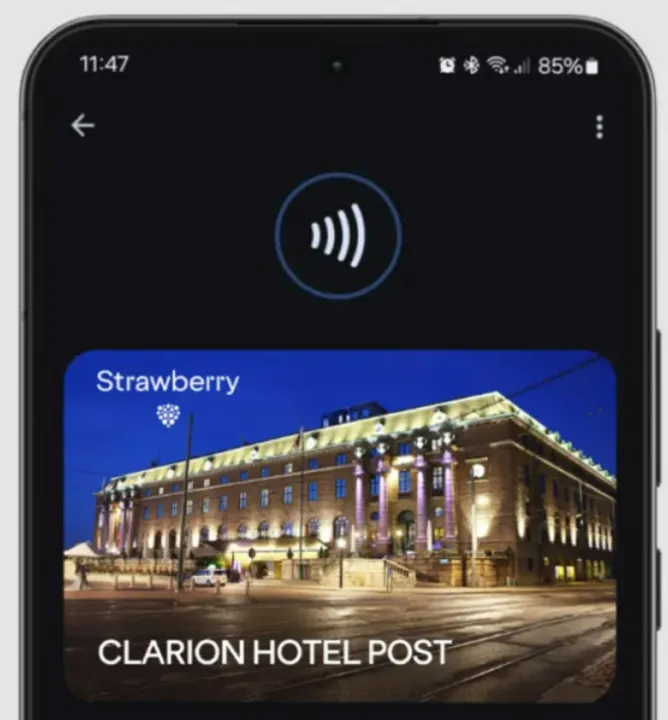
    To get access to your hotel room, most hotels use key cards rather than physical keys. In increasingly modern hotels, however, you can enter your room by tapping your key card. Some hotels let visitors use Google Wallet to store hotel keys instead of a physical key card. It is now limited to Club Quarter Hotels and other random individual hotels, but we want to expand it shortly.

    Corporate badges

    Many company buildings require badges to enter, which increases security. You must have your badge to enter, and if you forget it, you may be permitted to use a government-issued ID or a company ID instead. To circumvent this, some buildings allow customers to save their pass to Google Wallet on their phone, either eliminating physical badges or providing a backup option. Then simply tap your phone to enter, nothing more.

    One app for everything.

    Google Wallet is useful for storing and using credit and debit cards, but it can do a lot more. It can also hold other goods like IDs, transport passes, gift cards, and so on.

  • Will Google Wallet work offline? Absolutely – how it works

    Will Google Wallet work offline? Absolutely – how it works

    Google Wallet is a straightforward and safe mobile wallet that can easily store anything from concert tickets to credit cards. However, what occurs if you are not within range of Wi-Fi or if your mobile data is unavailable? Is it still usable?

    If you do not want to carry around a heavy physical wallet, Google Wallet can be rather useful. However, once we are out and about, we have no control over mobile signals or data connectivity. Therefore, it makes sense to be concerned about Google Wallet not working when there is no data connection.

    Even if your phone or smartwatch loses data connectivity, most of its functionality will keep working. For example, you can use your bank card to make contactless payments even when your smartphone is turned off. However, you cannot add a new bank card.

    Similarly, other cards and passes, such as boarding passes, event tickets, loyalty cards, digital IDs, and gift cards, do not usually include an online component for frequent use. If they are retrieved via an online service, you may require internet access to add them. Otherwise, they do not require a data connection to operate.

    Digital IDs, corporate badges, car keys, health insurance cards, and hotel keys can also work offline.

    However, if you are offline, Google Wallet will be unable to retrieve the most recent information about your stored cards and passes, such as loyalty point balances or updated flight timings.

    google wallet logo

    Google Wallet

    Safety starts with understanding how developers collect and share your data. Data privacy and security practices may vary based on your use, region, and age. The developer provided this information and may update it over time.

    google wallet payments

    How does Google Wallet work offline?

    As previously stated, many of the cards and passes you save in Google Wallet do not have an active online component. As a result, utilizing these cards does not require the app to connect to the internet. However, payment cards work slightly differently.

    When you add a bank card to Google Wallet, the app downloads a few one-time tokens from your card issuer, which effectively represent your payment card. When you pay with a contactless terminal, these codes are safely kept on your device and communicated to them. The terminal handles all the heavy lifting. It utilizes the token to communicate with the bank server and finish the transaction. So, you do not require the internet to pay using NFC because just the encrypted one-time code is transferred. This also protects the entire process from man-in-the-middle assaults.

    However, if you frequently utilize contactless payments without taking your phone or smartwatch online, your one-use tokens may run out. In such a case, you will be unable to make further payments. So, if you want to continue using contactless payment without complications, make sure your smartphone is not offline for an extended period of time. Whenever your phone is online, Google Wallet refreshes its supply of one-time tokens for later usage.

    Google Wallet normally saves a certain number of one-time tokens, which varies by card issuer. The number might range from roughly five to ten. Some card issuers may not support the offline payment option.

    It may be better to go offline in poor network areas.

    Although Google Wallet functions properly when connected to a stable internet connection, it may suffer with unstable data connections. So, if you see empty grey boxes while attempting to access the various cards or passes in your Google Wallet, your phone is most certainly experiencing connectivity troubles. The program attempts to connect to the internet to affirm the validity and other details of your inserted cards, but is unable to do so due to internet connectivity issues.

    In these situations, it is best to turn off mobile data and Wi-Fi. This way, you will be able to access all of the app’s offline functions, including its main function, contactless payments. Once you have turned off mobile data and Wi-Fi, you can view and use your stored cards. This is especially useful in locations with inadequate networks.

    Google Wallet is an useful and flexible tool for Android users. It has quickly become the preferred place for all of your cards, IDs, tickets, and passes.

  • Limited time offer! Temporarly free apps for Android and iOS

    Limited time offer! Temporarly free apps for Android and iOS

    Google and Apple’s app marketplaces, the Play Store and the App Store, include an almost limitless amount of apps. Some of these apps are free, while others cost money. However, many users are unaware that many paid programs are briefly offered for free as part of a special deal. We have compiled a list of the most fascinating apps now accessible for free.

    google pixel apps

    For Android

    • Netzsignal Pro: Wi-Fi & 5G ($0.49): If you want to find out more about your network signal, you can’t go past this app. Not only does it offer outstanding and numerous ratings, but also a clear user interface with many practical functions.
    • Illuminance -Lux Pro ($0.49): This light intensity meter is almost as popular. The app uses your smartphone’s sensors to display the illuminance in the Si unit lux. Users can create separate rooms and analyze the respective lighting conditions.
    • Voice Calculator Pro ($9.99): Calculator apps are a dime a dozen. However, this application stands out from the crowd because it allows you to open several calculation windows at the same time. This means you can start a new calculation without having to delete the old one.
    • Who Uses My Wi-Fi Pro ($0.49): If you don’t know exactly which devices are connected to your Wi-Fi, you should definitely download this app. Not only can you analyze your connected devices, but you can also find devices that have connected to your Wi-Fi.

    For iOS

    • 1Contacts Pro ($0.99): This app gives you full control and, above all, a complete overview of your contacts. Duplicate contacts can also be tracked down and merged if necessary. But beware: If you use this app, you give an additional third-party provider access to your contact data.
    • Queen Rules ($2.99): If you don’t like tower defense games, you can pass the time with this puzzle game. To win, you have to place your soldiers in such a way that they defeat the enemy troops. The app also offers interesting level designs and clay figures.
    • No Wi-Fi Mini Games ($0.99): The name says it all. Downloading the application provides you with access to over 50 exciting and nostalgic mini-games. An Internet connection is not required. The developers have also dispensed with advertising.
    • Aqueduct 101 ($2.99): A creative puzzle game in which you build aqueducts and make water flow. Real fun for puzzle fans and a great way to pass the time.

    Some businesses use innovative techniques to capitalize on your personal information in the rapidly evolving mobile application landscape. But do not worry, computer lovers; we have gathered crucial recommendations to help you protect your valuable data. It is critical that you exercise caution when granting rights to the apps you select to install.

  • 🔥 Limited-time offer: temporary free apps for Android & iOS you can download now!

    🔥 Limited-time offer: temporary free apps for Android & iOS you can download now!

    Are you always looking for high-end apps that do not come with a high price tag? You are lucky! As part of special promotions, developers frequently give away their paid apps for a limited time. We have selected the top apps that are now accessible for iOS and Android. This collection includes everything from top-rated games and utility apps to tools for creativity and productivity boosts.

    But act quickly—these offers will not be around for long! Make sure to download the apps before the deal expires, as some may only be free for a few hours or days. Continue reading to find the top free, limited-time apps and begin improving your mobile experience right now!

    Android Apps and Games Available for Free – Limited Time Offer

    Top Free Android Apps for Productivity and Lifestyle

    • Lineblack – Red Icon Pack ($1.49): This icon pack is interesting, as it showcases app icons in just red and black lines, hence its name.
    • Business Card Maker—Logo Card ($4.99): Not sure whether business cards are still relevant these days, but this is a good place to start if you ever want one.
    • Meteoroid Icon Pack ($1.49): No, it is not the end of the world, but it sure is the end of boring, standard icons on your phone if you install this icon pack!
    • Voice Calculator Pro ($9.99): Why not let this calculator read out the math? Comes in handy when you do not want to keep on referencing another screen visually. 
    • Resume Builder—CV Maker ($4.99): Create your own CV while you are on the move without needing a word processor.

    Free Android Games

    • Final Castle Defence ($0.99): Protect your castle from hordes of advancing enemies by upgrading your weapons and turrets in each level.
    • Image Puzzle Game ($1.99): A simple puzzle game for those who love minimalist style apps and games.
    • Cartoon Craft ($1.99): This is one RTS done right for mobile, offering intense battles in cute, cartoonish graphics.
    • EvoCreo—Pocket Monster Game ($0.99): Sounds like a Pokémon clone? Well, at least it offers this tried-and-true genre from a different perspective.
    • Traffic Jam Cars Puzzle Legend ($4.99): A match-3 game that features cute graphics of cars, all stuck in a traffic jam which you need to clear.

    iOS Apps and Games Available for Free – Limited Time Offer

    Top Free iOS Apps for Productivity and Lifestyle

    • Weather+ ($0.99): When you know what the weather is like outside, it allows you to better prepare yourself!
    • Light Meter—Film Photography ($3.99): This app will help you measure the amount of natural light in the vicinity, letting you take better-looking photos. 
    • mySymptoms Food Diary ($7.99): Keep track of what you eat if you’re allergic to certain food types.
    • Resume Designer 3 ($3.99): Design great-looking resumes while you are on the move… or maybe use LinkedIn instead? It’s your call.
    • Feelly – Daily Mood Tracker ($1.99): Keep track of your mood with this app so that you know when you’re about to Hulk-out.

    Free Games for the iPhone and iPad

    • Colorzzle ($0.99): A puzzle game that involves colors, if only there was a color-blind version of this!
    • EvoCreo—Pocket Monster Game ($2.99): Capture monsters, train them, send them out to battle, make them more powerful. Sounds familiar, doesn’t it?
    • Kings Hero: Turn-Based Strategy ($1.99): It is time to bust out your thinking cap and figure solutions in this unique turn-based strategy game to overcome your opponents.
    • The Bug Butcher ($0.99): A side-scrolling adventure game that sees you go around, well, butchering bugs with a myriad weapons.
    • Endless Archery ($1.99): While archery can be tense, this game is so laid back without any pressure, you can easily lose yourself in it as you progress from one level to the next seamlessly.

    As of the date of publication, the deals were active. Please share any expired deals you come across in the comments section below. We advise you to review the app’s details in the Play Store or App Store before downloading any of the aforementioned apps. This is crucial since some of these free apps can have unique features or drawbacks of their own.

    Both free and paid apps should be used with caution because they may conceal advertising and in-app purchases. This is especially important while downloading kid-friendly games.

    A small number of businesses use devious methods to profit from your personal information in the rapidly changing world of mobile apps. We have some essential tips to assist you better safeguard your valuable data, so do not fear. When choosing which apps to download, you must be careful about the rights you provide them.

  • Limited-time free apps: discover the best free Android & iOS Games and Apps today!

    Limited-time free apps: discover the best free Android & iOS Games and Apps today!

    Freebies are great, especially when it comes to high-end apps and games. Developers give away paid programs and games every day as part of promotions; if you are quick, you can get your hands on these treasures for nothing. You will not want to miss the newest temporarily free iOS and Android applications and games that we have compiled in this blog. There is something for everyone here, from productivity enhancers to addictive games, so let us get started before the offers expire!

    These time-limited deals are an excellent opportunity to try out new games and applications without having to pay a dime. With these offers, you can try out a creative tool, increase your productivity, or play games without taking any chances. Additionally, even when the campaign is over, you can retain them once you have claimed them. But act quickly—these deals are only available today and will disappear tomorrow! Let us find out what is currently for sale.

    Android apps and games that are free for a limited time

    Android apps for productivity and lifestyle

    • PhotoApp AI ($6.49): You can call this a highly useful photo editor to modify your photos on your phone.
    • Touch Lock ($0.99): This app ensures that your screen remains locked, doing away with accidental touches.
    • Volume Scheduler: Auto Silent ($0.99): Want to make sure your phone is silent at a certain time? This app gets the job done, fuss free.
    • Xproguard Anti-Theft ($22.99): An app that claims to add another layer of security to your handset, discouraging theft and unauthorized access.
    • Binary Calculator Pro ($0.99): Enjoy this free mathematical calculator that is capable of adding, subtracting, multiplying, and dividing numbers in binary format.

    Free Android games

    • Hero of the Kingdom: Tales 2 ($6.49): It is time to play the heroic princess and save your city from a great evil.
    • SPHAZE: Sci-fi Puzzle Game ($0.99): A puzzle game that is set in a sci-fi setting that is lovely to look at even as you crack your brain.
    • Brain Game Find 5x ($3.49): Think you are smart? Why not tease your brain with this game that contains plenty of puzzles!
    • Shadow Hunter Offline Premium ($0.99): Here’s a horizontal hack-and-slash adventure game where you mow your way through endless enemies.
    • The Lost Treasure ($3.99): A point-and-click visual adventure game that requires you to solve puzzles and put two-and-two together along the way.

    iOS apps that are free for a short time

    iOS apps for productivity and lifestyle

    • Vostok – Story Maker ($0.99): If you want to create a collage from your photo album, this app might come in handy.
    • Filterious Photo Filters ($2.99): Want to spruce up your photos? Use this photo filter app.
    • Origami Paper Fold ($2.49): Should you have plenty of free time to spare, why not learn how to make some craft?
    • Bookends ($10.99): This reference management app will certainly come in handy for scholars and those doing research.
    • Tiny Planner ($19.99): Want an app to keep your life organized? Tiny Planner does seem to fit the bill perfectly.

    Free games for the iPhone and iPad

    • Command Word Jumble Complete ($4.99): Unscramble words, reveal hidden meanings, and basically take full advantage of your vocabulary.
    • Lyrica: Drunken Moon ($1.99): A music-based game that combines lyrics, making it a rather interesting gaming experience. 
    • The Lost Treasure ($3.99): A point-and-click adventure game with numerous places to explore as you search for pirate’s treasure.
    • King’s Hero: Turn Based Strategy ($1.99): A classical RPG with turn-based combat in the same vein as that of Heroes of Might & Magic.
    • Arcs ($1.99): 100 circular puzzles for you to solve, each of them offering more challenge than before.

    While snagging free apps and games is exciting, it’s important to stay vigilant to ensure a safe and positive experience. Always review the permissions an app requests before installation—if an app asks for access to data or features that don’t seem necessary, it’s better to skip it. Be cautious with apps that include in-app purchases, as they can lead to unexpected charges if not monitored, especially when children are involved.

    For families, consider enabling parental controls on your devices to restrict downloads and purchases. Take a moment to review app content ratings and ensure that they’re appropriate for young users. A little oversight can go a long way in making sure your free finds are both fun and secure.

    By staying mindful of these tips, you can enjoy the best free apps and games without compromising on safety. Happy downloading!

  • Snag for free these must-have free Android & iOS apps before they’re gone!

    Snag for free these must-have free Android & iOS apps before they’re gone!

    Who does not enjoy getting free downloads of premium apps? Developers occasionally give away their premium iOS and Android apps for a brief period of time. These offers may cover anything from picture editors and productivity tools to instructive materials and captivating games.

    The catch? You will need to move quickly to seize these undiscovered treasures while they are still available because these deals do not stay long!

    We have compiled a list of the top temporarily free apps that are now accessible for download in this post. There is something for everyone here, regardless of your preference for iOS or Android. Every app has been chosen with attention due to its excellent reviews, practicality, and overall worth. Now is your opportunity to improve your smartphone experience without breaking the bank.

    Android apps and games that are free for a limited time

    Android apps for productivity and lifestyle

    • Iris Light Flat 3D Icon Pack ($0.49): An icon pack that changes the way your Android handset looks like.
    • 90s Music Radio Pro ($0.90): Stream hit music from the 1990s with this unique app that shares culture from the previous century with the current generation.
    • Math Up to 100 ($2.49): This app recognizes handwritten input that makes it a more natural method of learning math, especially for the younger ones.
    • Matrix Determinant Pro ($0.49): Need a quick calculating app to figure out matrices? This app is a math calculator, which can calculate the determinant of a matrix.
    • How Much Can I Spend? ($2.99): Not everyone is a billionaire, so this app comes in handy to help you track your spending.

    Free Android games

    • WindWings ($0.99): A frenetic shoot ’em up that will require your reflexes to be at their very best.
    • Live or Die Survival Pro ($0.49): This game places you in dire straits, where you need to keep your wits about you to remain alive in the midst of a zombie apocalypse.
    • Tower Defense Legend 5 Pro ($0.49): A tower defense game that keeps you on the edge of your seat as endless waves of enemies bear down upon you.
    • Dungeon Corp. S ($1.49): A really wacky game set in an office environment where you encounter various monsters and vanquish them to level up.
    • Words & Cards Pro ($1.49): Just how many words can you find in a jumbled mess of letters in this game?

    iOS apps that are free for a short time

    iOS apps for productivity and lifestyle

    • The Wonder Weeks ($5.99): Keep track of your newborn baby’s development over the first few weeks with this app, making sure you never miss a moment.
    • Weather+ ($0.99): The weather can be a very fickle thing, so making sure you keep tabs on what’s happening outside helps you prepare everything better.
    • Resume Designer 3 ($3.99): Want to cobble up a resume on the fly? This app will help you do so.
    • mySymptoms Food Diary ($7.99): If you want to keep track of what you eat to make sure you don’t take in anything allergic, this can be helpful.
    • Good Grade ($2.99): A photo editor and color grading app that you can bring with you wherever you go.

    Free games for the iPhone and iPad

    • Vigil RPG ($2.00): A single-player premium RPG that is featured in 8-bit graphics, with interesting battles that require some important decision-making which will impact the story.
    • Dragon Flight Simulator Games ($1.99): Flying a plane is one thing, but flying a dragon? It doesn’t seem to be as easy as it sounds.
    • My City: Hospital ($3.99): Running a hospital is no child’s play, but you can let your child play with this hospital simulation game!
    • Pirate Drops 2 ($4.99): A match-3 puzzle game that features a pirate theme with fire and water elemental obstacles to boot.
    • Kingdom Rush: Tower Defense HD ($5.99): Hordes of enemies are knocking at your castle’s door. How will you repel them?

    The deals were live as of the publishing date. If you found an expired deal, please share it in the comments below. 

    Before you download one of the apps mentioned, we recommend that you check the details of the app in the Play Store or App Store. This is important because some of these free apps may have their own special features or disadvantages.

    Be careful with both free and paid apps, as they can hide in-app purchases and advertising. This is particularly significant when downloading games for children. To avoid unexpected problems, please follow the advice below:

    A small number of companies use devious methods to profit from your personal information in the rapidly changing world of mobile apps. We have some essential tips to assist you better safeguard your valuable data, so do not fear, fellow IT enthusiasts. When choosing which apps to download, you must be careful about the rights you provide them. Think about it: why would a basic alarm clock require access to your contact list or camera? Or why would a flashlight app need to know your precise location? You may greatly protect your personal information from unauthorized access by exercising caution when granting permissions.

  • Temporary free apps and games for both Android and iOS

    Temporary free apps and games for both Android and iOS

    We have compiled a list of the most recent apps available on the iOS and Android platforms that have temporarily reduced their prices to $0.

    These temporary promotions allow you to purchase high-quality apps and gamges that typically have a price tag, such as top-rated games and premium productivity tools. Act quickly, though, as these offers will not last long, and you will lose your chance to download an app for free once it goes back to its normal price. Let us explore the must-have freebies of today that will improve your mobile experience.

    Android apps and games that are free for a limited time

    Android apps for productivity and lifestyle

    • Linea – Icon Pack ($1.49): If you want to spruce up your smartphone’s user interface, this is one icon pack that gets the job done.
    • 80s Music Radio Pro ($0.70): Stream hit music from the 1980s with this unique app.
    • AppLock Pro ($4.49): Keep your apps private with another layer of security. 
    • Fraction Maths Pro ($0.99): Need a quick calculating app to figure out fractions? This might be the app to do so.
    • Temperature Converter Pro ($0.99): No need to squeeze unnecessary brain power anymore in figuring out the temperature now.

    Free Android games

    • The Wordies Pro ($1.49): A relaxing word search game that helps you kill time without getting all stressed out.
    • Hero of the Kingdom: Tales 1 ($6.49): There is a looming dragon threat coming, make sure you prepare the villagers for it!
    • Survival Dungeon: Loot RPG Pro ($0.49): A mobile roguelike action RPG where you explore different dungeons and engage in battles.
    • Magnet Balls Pro Puzzle ($0.99): Remember Puzzle Bobble? This is something along the same lines, without cute dinosaurs.
    • Burning Sky VIP ($1.99): It is up to you to save the galaxy once again from endless waves of invaders from outer space.

    iOS apps that are free for a short time

    iOS apps for productivity and lifestyle

    • Strength Flight ($2.99): Want to bring your strength level to new heights? This app will hopefully help you be on that path.
    • Reverse Videos ($0.99): Here is a different video editing app where it basically does what it is named after – reversing videos.
    • Liftoff Workout Log ($4.99): Anything that can be measured, can be improved. Get better with your workouts by keeping track of them.
    • Hidgets ($2.99): View more health widgets on your phone’s home screen with this.
    • Loscil – Adrift ($2.99): This is a collection of 4 pieces of endless music by ambient musician loscil, where it relies on structured random selection that plays music continuously. 

    Free games for the iPhone and iPad

    • PicaSim ($2.99): Learn how to fly different aircraft with this game.
    • The Bug Butcher ($0.99): A side-scrolling shooter where you use your wits and reflexes to get rid of enemies.
    • Hack RUN ($2.99): Live the exciting (and perhaps glamorous?) life of a hacker with this game.
    • PuzzlAR: World Tour ($0.99): Join the navy, see the world? Nah, you can do so via this game now.
    • The Brilliant Kid ($1.99): An educational game for the little ones to keep them occupied.

    As of the date of publication, the deals were active. Please share any expired deals you come across in the comments section below.

    We advise you to review the app’s details in the Play Store or App Store before downloading any of the aforementioned apps. This is crucial as some of these free apps can have unique features or drawbacks of their own.

    Both free and paid apps should be used with caution because they may conceal advertising and in-app purchases. This is especially important while downloading kid-friendly games.

    In the quickly evolving world of mobile applications, some people use cunning tactics to make money by collecting and using your personal data. But do not worry, IT enthusiasts—we have some crucial advice to improve the security of your priceless data. When it comes to providing access for the apps you decide to install, it is important to remain vigilant.

    Why would a basic alarm clock require access to your contacts or camera? Alternatively, why would a flashlight app require your exact location? You may successfully protect your personal data from unauthorized access by carefully controlling the permissions you grant.

    Be sure to take advantage of these important opportunities! Even if these apps are free right now, they can suddenly and unexpectedly go back to their normal costs. Before downloading, make sure to read the app’s ratings and reviews. If you see something that strikes your eye, do not hesitate to take advantage of these offers.

    You may amass an outstanding library of premium apps without spending any money if you keep an eye out for these brief offerings. Developers often provide these time-limited promotions, so be sure to return again for new alerts about free apps. There has never been a better moment to upgrade your mobile device with high-quality, free software, regardless of your preference for iOS or Android.

  • 5 easy ways to use Google Gemini to boost your Android experience

    5 easy ways to use Google Gemini to boost your Android experience

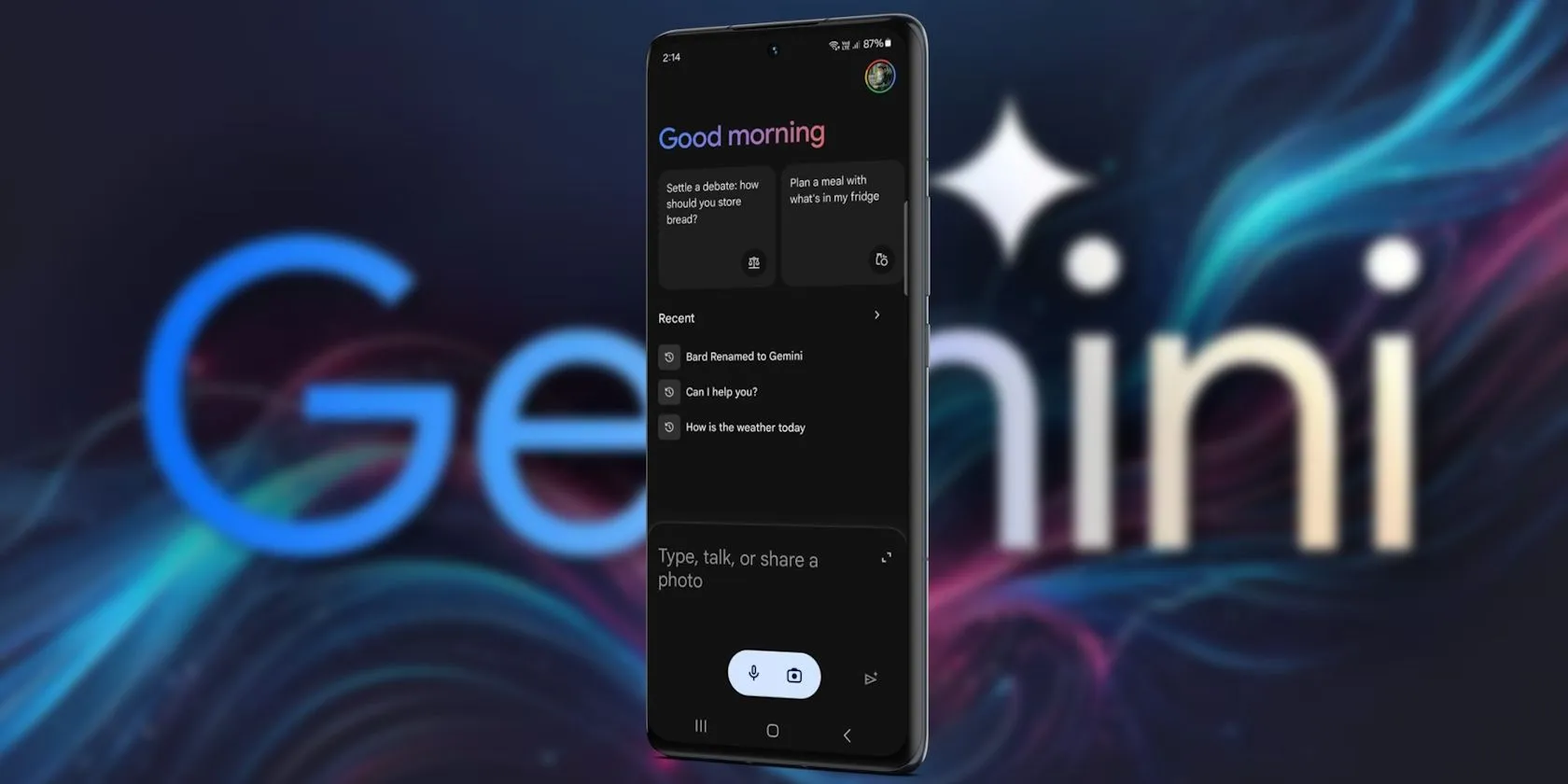
    Since its debut in 2016, Google Assistant has been a feature of the Android operating system. It is accessible by uttering the “OK Google” hot word, as a sticky widget in the dock, or in the news stream on the left side of your home screen. However, the assistant needed a makeover because AI was a key component of almost every phone that was released in the previous year.

    Google Gemini’s shortcomings were noted by early adopters, who said it could not execute jobs that Google Assistant could. With Gemini’s increased capabilities, a lot has changed. Here are some useful applications for it on an Android phone.

    Use Gemini from Messages

    google gemini in messeges

    Following Hangouts’ sunsetting and an unsuccessful attempt with Allo, Google finally figured out how to make texting work on Android. Google Messages is a fantastic way to interact with loved ones because of its many capabilities, especially when it comes to chats that use RCS.

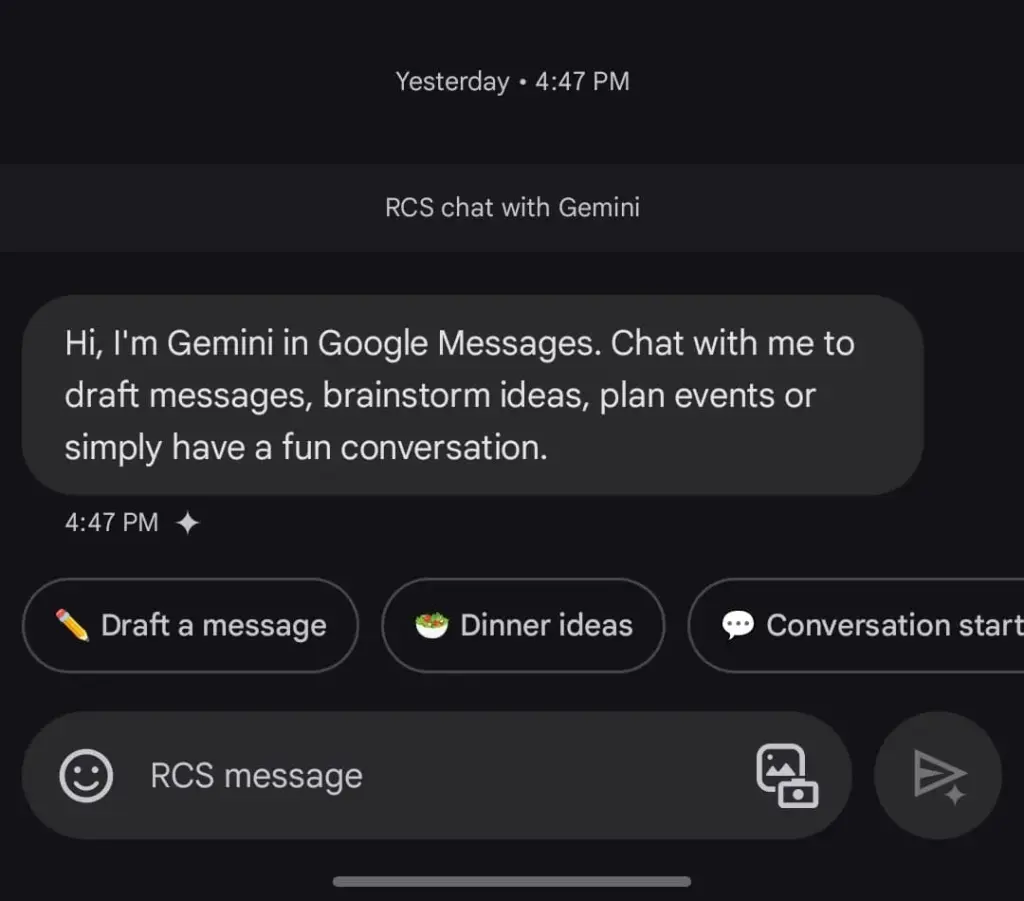
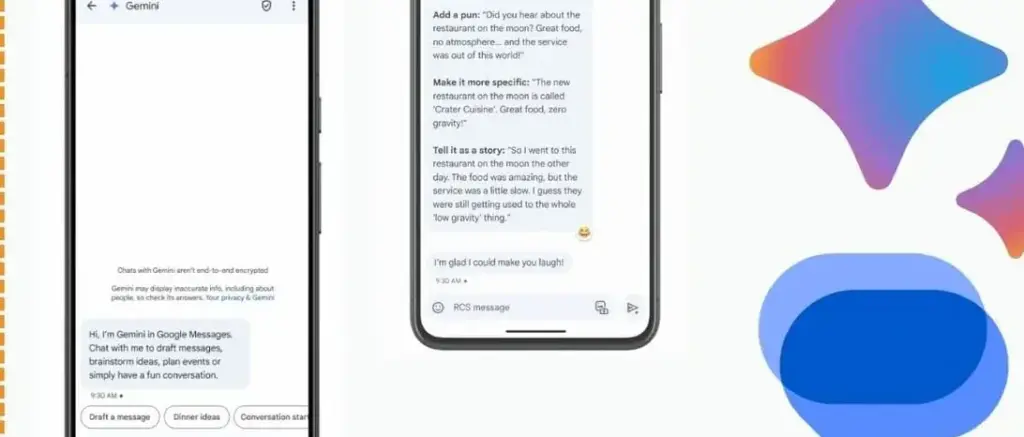
    The option to talk with Gemini will appear if you open Google Messages and tap the Start chat icon. This allows you to use Gemini’s conversational side in a chat window. You can ask it to create images, recite poems, or write a birthday message.

    Gemini in Google Messages is incompatible with other apps and is unable to manage device settings. It does, however, provide a more conventional method of communicating with the assistance. It does not answer questions using pictures of individuals, but you can send it pictures of food, clothing, and other objects.

    Also, Gemini cannot be asked to send a message through Google Messages. You can use the Gemini app specifically for that purpose. Furthermore, Gemini may be used to call contacts or look up the phone numbers of nearby businesses, just like Google Assistant. But you can not use your friendship with someone to make calls or send SMS. It is possible that saying, “Hey Google, call my mom,” will ring another contact with the name “mom.”

    Control device settings

    disable pull down quick settings

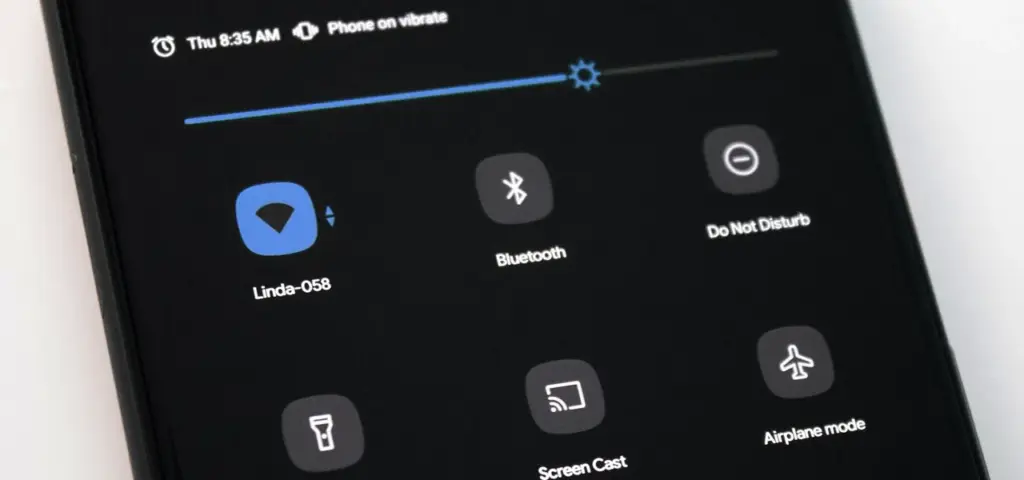
    Gemini has the ability to switch off your Wi-Fi, but in order to utilize the assistant again, you will need to manually activate it. Bluetooth, location, auto-brightness, and flashlight settings are among the more practical device controls.

    A series of instructions, such as “turn off auto-rotate and then turn on mobile data,” can be requested, but Gemini can be picky. Routine tasks, such as turning off alarms or setting a timer, function well.

    Controlling my phone’s music playback is one of my favorite applications of this feature. You may ask Gemini to rewind a song by 30 seconds, but it can still play, pause, and skip songs as normal.

    Also, you may use a custom timer to instruct Gemini to take a picture. On the other hand, when I ran the identical query on my iPhone using Apple Intelligence, it set a five-second timer labeled “picture.” Regards, Apple.

    A conversational tool

    Google Messages Gemini e1735622431861

    For years, we have been able to use voice commands to activate Google Assistant; however, typically, a specific action or question is required. By tapping the button next to the camera symbol in the Gemini Live app, you can initiate an unstructured chat.

    As long as the conversation does not violate the AI’s guidelines, you can talk about anything and get pertinent responses. It was a little unsettling to speak into my phone aloud and hear responses that seemed natural, but I eventually adapted. Gemini Live excels at having back-and-forth conversations, but you may also ask closed-ended questions.

    During a discussion, Gemini can be interrupted by tapping the screen or talking over it. When you use Live mode, you can choose from a small selection of voices. I use Gemini Live to practice talks, generate ideas, and learn new languages. This is an intriguing approach to employ an AI assistant on your phone because of its convincing and real-time responses.

    Use Gemini with Google Workspace

    Blog Header Light mode No text.w

    With a subscription, Gemini may be used with Google Workspace applications such as Docs, Gmail, and Slides. You may retrieve and condense emails, tasks, and other items linked to your Google account on an Android phone by using the Google Workspace extension, which is available for free with Gemini.

    Gemini can filter emails by sender name or transmit a list of your most recent emails. It is unable to access attachments, though. Asking Gemini to summarize papers is a helpful tool, as I utilize Google Docs for the most of my class notes. In order to locate an event you have been searching for, it can also scan your calendar.

    Gemini can be asked to save notes or tasks. In the Google Keep app, entries filled in this manner display a Gemini tag. Additionally, it cleverly names notes according to their substance.

    Connect it with third-party apps

    Gemini extensions allow you to access and manage additional features on your device. It is cool to connect to Google Workspace, and more third-party apps should soon be compatible with Gemini. Without opening the app and looking for a playlist, you can play songs from your playlists by connecting to your Spotify account. Media playback control then assists you in selecting the ideal song for the situation.

    You may use voice commands on Google Gemini to send messages or make a call to a contact if you are one of the three billion WhatsApp users globally. You cannot, however, request that Gemini read your WhatsApp chats or attach anything to them.


    Compared to its first day, Gemini now does more. Because device controls are compatible with the AI assistant, you are no longer forced to pick between it and Google Assistant. Additionally, when Gemini is unable to complete a task, it will sometimes rely on the Google Assistant extension. Your time with a Gemini is not going to be a happy one. It still has hallucinations and is a huge language model.

    Even though it is capable of performing things like “turning on Bluetooth,” it occasionally refuses to do so. Starting a fresh chat is a good strategy to get good answers in these situations. You must unlock your phone’s screen in order to use the majority of its useful commands. Even with its limitations, Gemini keeps getting new features, such as the ability to operate smart home appliances with the Google Home extension.