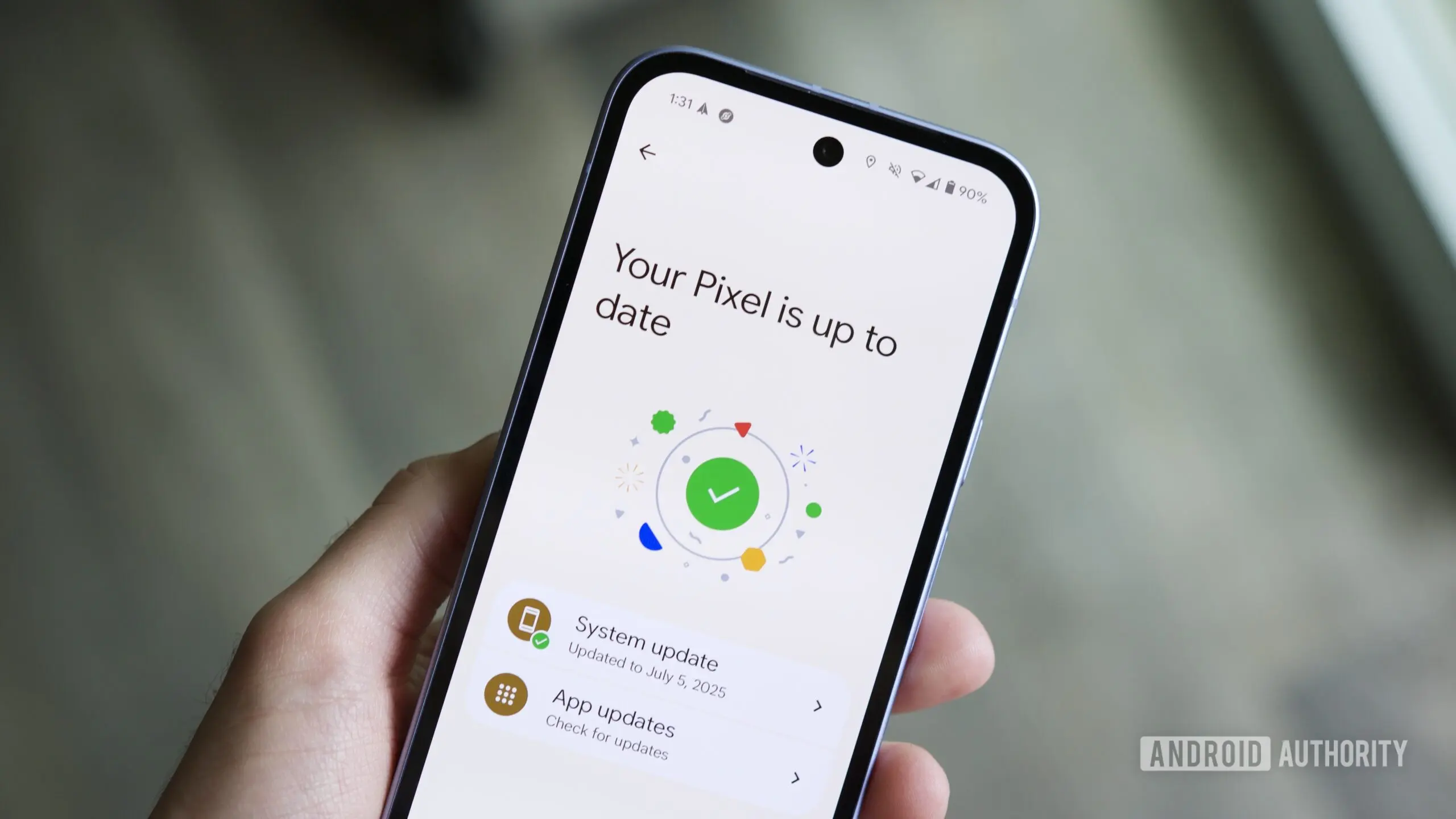
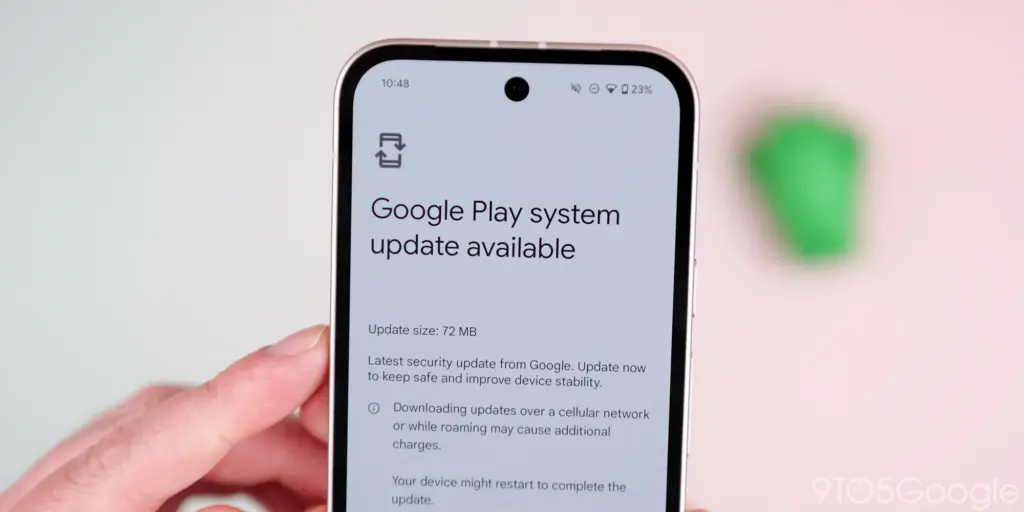
The Play services, Play Store, and Play system update for Android phones and tablets, Wear OS, Google/Android TV, Auto, and PC are the main topics covered in the monthly “Google System Release Notes.” While certain features are intended for developers, others are applicable to end users.
The “Google System” is made up of the following third-party apps:
To update, launch the Settings app, press your name at the top of the “Google services” page, then select All services > Privacy & security > System services.
A feature is not necessarily publicly accessible just because it appears in the changelog. The full launch of some capabilities takes months.
Google Play services v26.15 (2026-04-20)
Device Connectivity
[Auto, Phone, Wear] Bug fixes for Device Connections and System Management & Diagnostics related services.
Location & Context
[Phone] Bug fixes for Location Services related services.
Wallet
[Phone] With this update, a message at the bottom of the screen tells the user how to add a card to Wallet.
[Phone] With this update, you’ll get a new entry point for MyCommute.
Android System Intelligence B.24 (2026-04-16)
[Phone] Maintenance changes.
Google Play services v26.14 (2026-04-13)
Account Management
[Phone] With this update, you’ll get a faster way to set up your device when you transfer accounts and settings from an existing device.
System Management
[Auto, PC, Phone, TV, Wear] You can now find open source licenses for Android Pulse in GMS Core.
Wallet
[Phone] You can now control how private passes in Wallet work with other Google services like Autofill through new per-pass privacy settings.
[Phone] You can now use a redesigned Wallet interface for quick access, search, and discovery.
Google Play Store v51.0 (2026-04-13)
[Phone] You can now provide feedback on AI-generated summaries of user reviews.
[Phone] You can now create a Gamer Profile directly from You tab.
[Phone] You can now play some games on the You tab with no install required.
Google Play services v26.13 (2026-04-06)
Account Management
[Auto] When a user signs in to their Google account on Android Automotive devices via QR code, the sign-in confirmation displays the requesting device’s name.
Device Connectivity
[Phone] New developer features for Google and third party app developers to support Device Connectivity related processes in their apps.
Location & Context
[Phone] With this update, Location Sharing APIs are refined and new location requests are introduced.
[Phone] With this update, On-Device Location History Store Visits processes more frequently.
System Management
[Auto, PC, Phone, TV, Wear] Updates to system management services that improve Security and Stability.
Wallet
[Phone] Bug fixes for Wallet related services.
Google Play Store v50.9 (2026-04-06)
[Phone] This update adds download numbers to some app and game ads to help you make informed choices.
[Phone] You can now join and compete in Play Games Leagues directly from the You tab.
We recently reported about another type of banking Android malware that operates in the background and leverages accessibility settings to steal data, including passwords and bank credentials. More malware that allows remote attacks on Android devices and is freely disseminated among hackers as part of a subscription service has just been disclosed.
More banking malware on the loose
A new Android trojanware known as Albiriox has been found by researchers at the online fraud protection company Cleafy. Albiriox is disseminated through what are referred to as “dummy” or infected APKs to deceive users into downloading real apps, much as Sturnus, the malware that was discovered last week.
Hackers have tricked people by making phony copies of Google Play Store app listings, as Android Authority noted. As a result, potential victims may think they are downloading an app from a secure site when, in fact, they are not. Additionally, hackers have enticed victims by posting fictitious offers and promotions, requesting contact information, and then distributing the malicious APKs via well-known messaging services like Telegram and WhatsApp.
The research group claims that hackers in Russia and other nearby regions have been the primary users of these approaches. After being disseminated as a Malware-as-a-Service (MaaS) on dark web forums, it is reported to have lately acquired popularity.
The “install unknown apps” permission on users’ devices is mostly enabled via the APK files that hackers disseminate. The current (and destructive) program containing Albiriox is installed by the dropper app after that is activated.
According to Android Authority, the research organization has already caught over 400 fraudulent apps that target consumers in categories including banking, fintech, digital payments, and cryptocurrencies. Instead than obtaining users’ login credentials, these software versions enable hackers to conduct transactions directly on users’ banking apps.
You should be wary of any strange programs you install, especially if they appear to be connected to banking or any other financial service, as the malware works more covertly and silently. Make sure you have the most recent Play Protect update installed and that you only download apps from the official Google Play Store app.
In terms of updates, make sure your device has the most recent firmware that is supported, as this contains patches for vulnerabilities that have just been discovered. Similarly, Google has published the December Android Security Bulletin.
A new Android-based spyware that leverages NFC technology to make illegal ATM cash withdrawals and empty victims’ bank accounts was examined by the Polish Computer Emergency Response Team (CERT Polska).
Researchers discovered that the software, known as NGate, allows attackers to use banking information stolen from victims’ phones to withdraw money from ATMs (Automated Teller Machines, or cash machines) without actually taking the cards.
NFC is a wireless technology that enables close-quarters communication between gadgets like terminals, cellphones, and payment cards. Therefore, rather of stealing your bank card, the attackers use a mobile phone infected with the NGate virus to record NFC (Near Field Communication) activities and send that transaction data to ATM equipment. Instead of being relayed just via radio, the stolen data in NGate’s situation is transmitted over the network to the attackers’ servers.
There are several “flavors” of NFC. Some generate a static code, like the card that opens the door to my apartment complex. I can use a gadget like my “Flipper Zero” to open the door by just copying that type of signal. However, dynamic codes are used by sophisticated contactless payment cards, such as your Visa or Mastercard debit and credit cards. Your card’s chip creates a unique, one-time code (commonly referred to as a cryptogram or token) each time you use the NFC. This code is unique and cannot be reused.
That’s why the NGate malware is more advanced. It does more than just pick up a signal from your card. The victim must be duped into entering their PIN and completing a tap-to-pay or card-verification activity after the phone has been compromised. When that occurs, the app records every piece of information required for an NFC transaction, including the card number, new one-time codes, and other information created at that same moment.
All of the NFC data, including the PIN, is then immediately sent to the attacker’s handset via the virus. The attacker uses the codes right away to mimic your card at an ATM because they are newly produced and only valid for a brief period of time. The accomplice at the ATM displays the collected data using a card-emulating device, such as a phone, smartwatch, or bespoke hardware.
However, as you may guess, social engineering and preparation are necessary to be prepared at an ATM when the data arrives.
Attackers must first infect the victim’s device with malware. They usually send prospective victims phishing emails or SMS messages. They frequently try to create anxiety or urgency by claiming that there is a technical or security problem with their bank account. Occasionally, they make a follow-up call while posing as representatives of the bank. These calls or texts instruct victims to download a phony “banking” app from an unofficial source, like a direct link rather than Google Play.
After installation, the software requests permissions and guides users through fictitious “card verification” procedures. While an accomplice waits at an ATM to cash out, the objective is to persuade victims to act swiftly and trustingly.
Stay safe:
NGate only functions when your phone is compromised and you are duped into entering your PIN and starting a tap-to-pay action on the phony banking app. Therefore, the greatest defense against this infection is to protect your phone and be on the lookout for social engineering:
Stick to trusted sources. Download apps only from Google Play, Apple’s App Store, or the official provider. Your bank will never ask you to use another source.
Protect your devices. Use an up-to-date real-time anti-malware solution like Malwarebytes for Android, which already detects this malware.
Do not engage with unsolicited callers. If someone claims to be from your bank, tell them you’ll call them back at the number you have on file.
Ignore suspicious texts. Do not respond to or act upon unsolicited messages, no matter how harmless or urgent they seem.
Malwarebytes Mobile Security
Malwarebytes is an anti-malware software for Windows, macOS, ChromeOS, Android, and iOS that finds and removes malware.
Malwarebytes for Android detects these banking Trojans as Android/Trojan.Spy.NGate.C; Android/Trojan.Agent.SIB01022b454eH140; Android/Trojan.Agent.SIB01c84b1237H62; Android/Trojan.Spy.Generic.AUR9552b53bH2756 and Android/Trojan.Banker.AURf26adb59C19.
According to a survey by cloud security firm Zscaler, hundreds of malicious Android apps on Google Play were downloaded over 40 million times between June 2024 and May 2025.
The company saw a 67% year-over-year increase in malware that targeted mobile devices during that time, with banking trojans and spyware being the most common threats.
According to telemetry data, threat actors are leveraging phishing, smishing, SIM-swapping, and payment frauds to take advantage of mobile payments instead of traditional card fraud.
The shift to social engineering assaults can be explained by the widespread use of mobile payments and enhanced security standards like chip-and-PIN technology.
According to Zscaler, “to carry out these assaults, fraudsters use phishing trojans and malicious programs designed to steal financial information and login passwords.”
Zscaler estimates that it has found 239 harmful apps in the official Android store, with a total of 42 million downloads, compared to 200 malware apps on Google Play last year.
The emergence of adware as the most significant threat in the Android ecosystem, which now accounts for over 69% of all detections—nearly twice as many as the previous year—is another noteworthy trend observed at that time.
After leading with 38% the previous year, the Joker info-stealer is currently in second position with 23%.
The SpyNote, SpyLoan, and BadBazaar families—which are used for identity theft, extortion, and surveillance—were the primary drivers of the notable 220% year-over-year (YoY) increase in spyware.
Geographically speaking, 55% of all attacks were directed towards the United States, Canada, and India. Attacks against Israel and Italy also showed substantial increases, ranging from 800% to 4000% YoY, according to Zscaler.
Malicious Android apps and malware
In its annual study, Zscaler identifies three malware families that significantly affected Android users. The first is Anatsa, a banking trojan that occasionally enters Google Play through productivity and utility apps and receives hundreds of thousands of downloads each time.
Since its discovery in 2020, anatsa has undergone continuous evolution. The most recent version is capable of stealing data from bitcoin sites, more than 831 financial institutions, and new areas like South Korea and Germany.
The second is Android Void (Vo1d), a backdoor malware that targets Android TV boxes and has infected at least 1.6 million devices with out-of-date Android Open Source Project (AOSP) versions, mostly in Brazil and India.
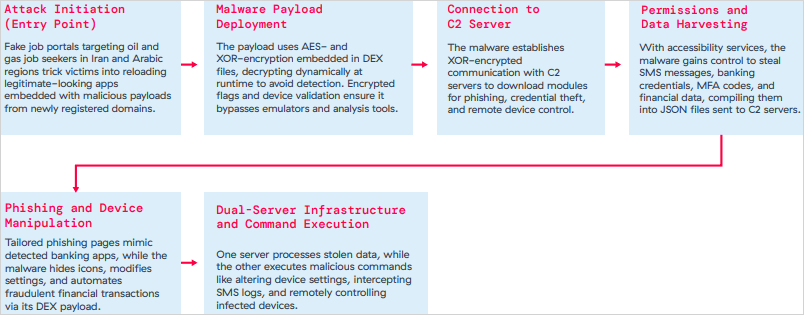
The third is Xnotice, a brand-new Android remote access trojan (RAT) that specifically targets job seekers in the oil and gas sector in Iran and Arabic-speaking areas.
Xnotice propagates via applications that are disseminated through phony employment websites and pose as tools for registering for exams or applying for jobs.
Through overlays, multi-factor authentication (MFA) codes, SMS messages, and screenshots, the spyware targets banking credentials.
Users are encouraged to install security updates, only trust reliable publishers, reject or restrict accessibility permissions, refrain from downloading unnecessary apps, and routinely run Play Protect scans in order to protect themselves from Android malware threats, including those from Google Play.
Routers continued to be the most targeted IoT equipment this year, according to Zscaler’s study. Hackers added routers to botnets or used them as proxies to spread malware by taking advantage of command injection flaws.
The majority of IoT attacks took place in the United States, with rising hotbeds in Hong Kong, Germany, India, and China following, suggesting that attackers are targeting devices throughout a larger geographic area.
The cybersecurity company advises businesses to harden IoT and cellular gateways by keeping an eye out for anomalies and implementing firmware-level protections, as well as to deploy zero-trust solutions for key networks.
Strict application control guidelines, security against phishing attacks, and monitoring SIM-level communications for anomalies should all be part of mobile endpoint protections.
I have six computers of different sizes and specs, but lately I’ve noticed that I use my Chromebook more frequently. It has one amazing feature that I can’t live without, despite its obviously poor performance and small 11-inch footprint: full-fledged Android app support. I’m not just saying this because I write for Android Authority; having access to smartphone apps that don’t have a true PC equivalent is revolutionary.
Unfortunately, earlier this year Microsoft ended the Windows Subsystem for Android (WSA) experiment, which enabled the use of Android apps on Windows 11. Additionally, Phone Link is still in use, although it just lets you mirror the screen of your smartphone. Furthermore, the Pixel and the great majority of other devices still do not have screen sharing enabled by Microsoft. Therefore, I have to decide between using an emulator or a Chrome OS device if I want the finest Android experience on my PC.
The sole issue? At best, Android emulators on PC provide a mediocre experience. Performance is lost due to emulation costs, and even the best Android emulators, such as BlueStacks, have crowded interfaces and advertisements designed for particular applications, like gaming. On Chrome OS, however, the experience is far more seamless: you may open individual Android apps, and they coexist peacefully with native apps.
Waydroid
Waydroid brings all the apps you love, right to your desktop, working side by side your Linux applications.
Is it possible to accomplish this Android-PC harmony without installing Chrome OS and forfeiting the ability to use a conventional desktop environment? Yes, but the only catch is that Linux is needed. Nevertheless, I believe it’s totally worth it, and Microsoft’s growing hostility against Windows privacy is just one more reason to think about switching.
Why running Android apps on PC matters more than ever
I enjoy having access to Android’s extensive app store on my PC for a number of reasons, including my investing portfolio tracker and other smart home apps. I frequently think that Android services are simply superior to their web or PC versions. For instance, WhatsApp for PC keeps me from scaling the window to my preferred size. In particular, it feels like a needless waste of screen space because it won’t shrink any smaller than a quarter of my screen.
Apps for smartphones, on the other hand, are made to fit on almost any screen size. Therefore, the window size should be much more adjustable if you can figure out how to run them on a computer. Additionally, you may already understand the appeal if you have ever tried multitasking on a computer with a single display.
Try using a web browser to launch Google Maps and minimizing the window size (see below). As soon as you click on a business, the sidebar will occupy all of the available space, leaving you with nothing except the search box. Without ignoring this sidebar, you are unable to move about the map.
You can see how much smaller the windows for the Android versions of WhatsApp and Google Maps can get on the right. This discrepancy is not the fault of Meta or any other developer; desktop applications are made to work on reasonable screen sizes, and my smaller windows don’t precisely meet that requirement.
Nevertheless, the difference is clearly noticeable on a 24-inch screen, such as the monitor on my gaming PC. I’ve considered purchasing a second monitor, but my desk isn’t large enough to fit one. I must therefore use every available inch of screen real estate for the time being. Aside from density considerations, I occasionally like mobile apps because of their simple user interfaces. For instance, AI mobile apps respond far more quickly than the web version, which is useful when I only need a brief response to a small query.
Because of my propensity for multitasking, I usually find myself using two chat apps (WhatsApp and Telegram) in addition to a full-featured web browser and possibly one other program, such as Maps or a social media app like X/Twitter. Normally, switching between the different full-screen windows would require a lot of Alt+Tab. However, with top-notch Android app support, I can use many windows simultaneously.
Android apps on PC without emulation
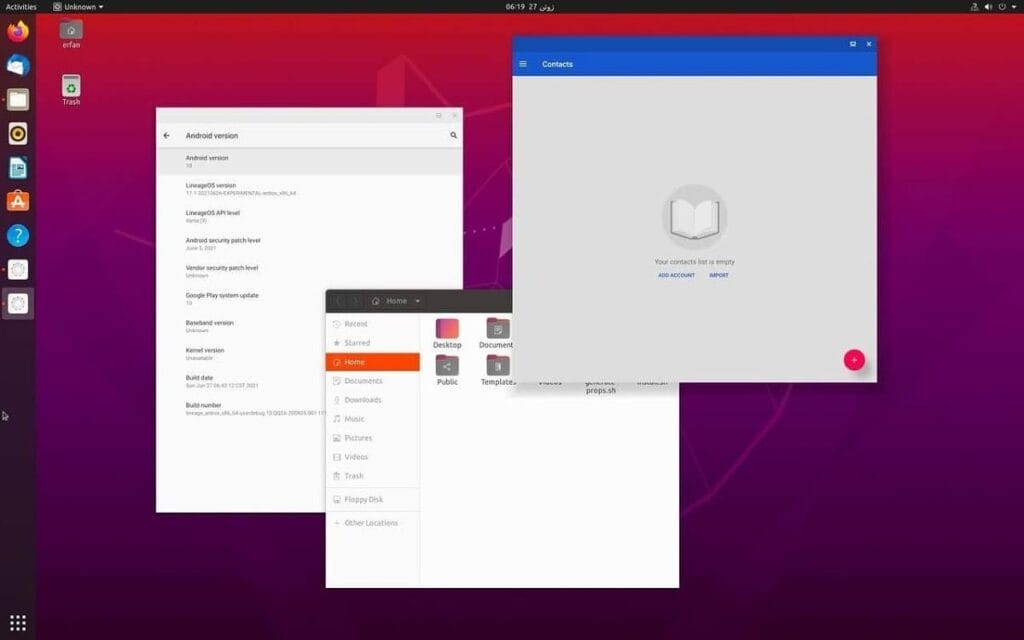
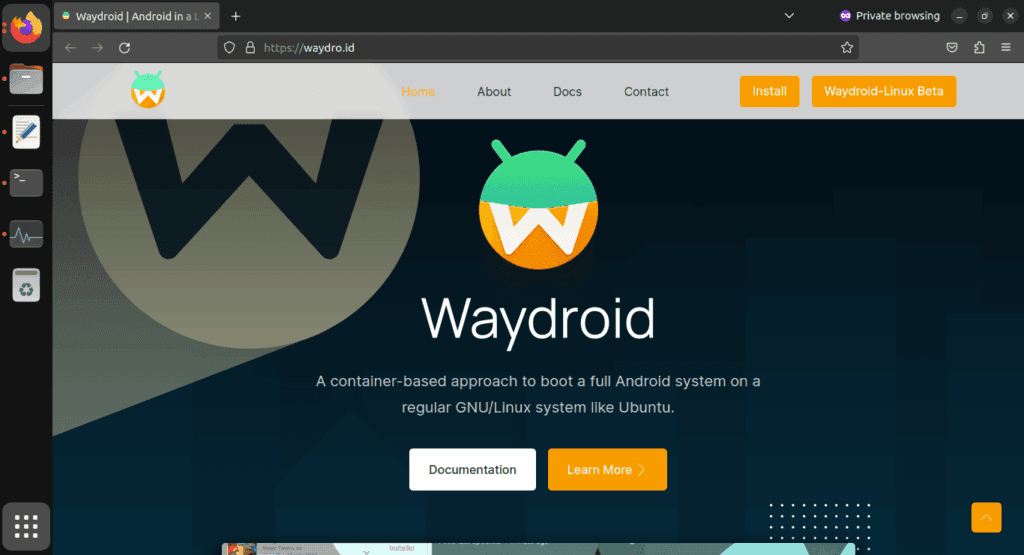
I came found Waydroid, an open source project that lets you run Android apps on a PC. Waydroid doesn’t simulate a whole Android device in a virtual machine, in contrast to Android emulators like BlueStacks or Genymotion, which you may already be familiar with. Rather, it shares the host OS’s kernel and makes use of Linux namespaces. In summary, it runs an entire Android system directly on Linux using a container-based methodology. This results in near-native performance with no overhead or performance penalty associated with virtualization.
Admittedly, installing Waydroid is more complicated than just downloading the installer for an emulator and repeatedly selecting Next, as is the case with Windows. However, it merely required entering two simple commands into the terminal, and Waydroid is available in the app stores of many distributions. It wasn’t a problem for me because I already use Linux on a daily basis, but I would advise you to give the operating system a try if you haven’t used it recently. Stable versions, such as Ubuntu, are largely similar to Windows and require no tweaking.
Returning to the topic of Waydroid, there are two builds available: one with Google apps (GApps) and one without. I chose the former, which included a minimum build of Android 13 based on LineageOS along with the Play Store and Google Play Services framework.
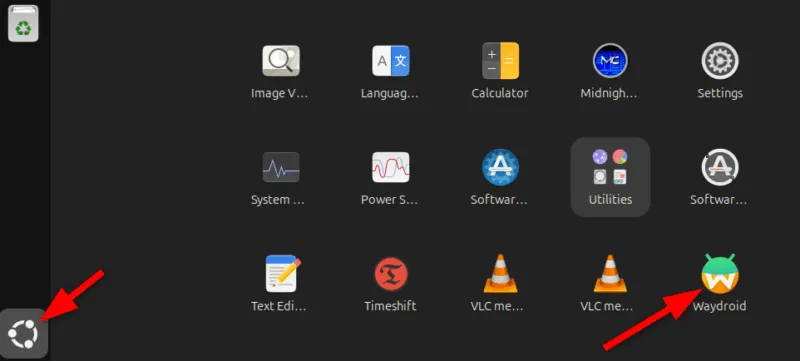
After installation, Waydroid displays installed Android apps in the application menu of your computer, complete with taskbar entries and unique icons, just like native programs. Additionally, you may enable multi-window mode, which lets each program open in a separate window, by changing one setting.
Is using Waydroid pleasant?
Waydroid
Waydroid brings all the apps you love, right to your desktop, working side by side your Linux applications.
Despite being an open-source, community-built program, Waydroid feels quite well-designed. With the exception of a few configurable configuration changes (such as turning off the on-screen keyboard), the main experience is identical to that of an Android tablet. I can use my monitor without even using my keyboard and mouse because it allows touch input.
I was pleasantly happy to discover that practically every software I wanted to run on Waydroid worked without any issues, despite my initial concerns about compatibility. You must first take a moment to register your Waydroid installation with Google Play Protect, but I could download everything from the Play Store. Of course, you may also utilize other app stores like F-Droid or sideload apps. Compared to Windows Subsystem for Android, which was formally restricted to the Amazon App Store, this is already a significant improvement.
We tested all of my favorite apps, including Telegram, YouTube, and Google Maps, and they all functioned perfectly without a single frame loss. Even my Chromebook, which runs Android apps less effectively, stands in sharp contrast to this. You see, with the release of Chrome OS 109 in 2023, Google shifted to a virtualization-based strategy for running Android. Since then, a lot of Chromebooks with lower specs have had trouble running Android apps.
The term “way” alludes to Waydroid, a crucial part of the graphics infrastructure of contemporary Linux that enables even hardware acceleration and fluid input. Even though I have AMD hardware, as the project suggests, I tested a few simple games and they ran perfectly. Allowing Waydroid to utilize your PC’s built-in graphics or switching to software rendering are two workarounds for NVIDIA’s lack of official support.
That’s not to imply that Waydroid doesn’t have drawbacks. You’ll soon discover that you can’t view incoming notifications when you run programs in multi-window mode. Apps lack the ability to send notifications outside of the container they reside in, in contrast to Chrome OS. If you install the appropriate desktop application and use a forwarding app, such as KDE Connect, you can easily get around this.
Additionally, Waydroid shields a large portion of your device’s hardware from Android apps. For example, the camera input is broken, which is really important if you care about video calls. Similarly, apps are inherently unable to directly access Bluetooth or GPS. However, this only truly matters in ancillary use scenarios, such as when attempting to configure a smart home device straight from Waydroid.
Overall, Waydroid fills the void better than anything else available at the moment, although it doesn’t completely replace my Pixel or even my detachable Chromebook. I can highly recommend Waydroid if you’re among the numerous folks who either use an emulator or wish that Windows Subsystem for Android would come back.
Waydroid
Waydroid brings all the apps you love, right to your desktop, working side by side your Linux applications.
Even while there isn’t such a thing as a free lunch, there is such a thing as free apps! We’ll look at a selection of free apps for iOS and Android phones today, which includes games and other kinds of apps. Please be aware that you must act immediately because these offers are time-sensitive and we are unsure of when they may end.
A wide variety of programs, from free to premium solutions, are available in the Google Play Store and Apple App Store, respectively. Many customers may be surprised to learn that during promotional events, a number of paid apps are frequently made temporarily available for free. We’ve put together a list of some of the most interesting apps available for free right now.
Free premium apps (Android)
Reminder Pro($3.49) – If you ever need a second brain like me, then this is the app to go for. It is a reminder app that will definitely come in handy, giving you alerts and various options to be notified, so that you know what’s next on your “To Do” list without falling behind on deadlines.
Resume Builder – CV Maker($4.99) – Ever wanted to conjure a resume while you are on the move? If you have answered in the affirmative, you can do so on the move with this nifty little app. Of course, some of us might use other apps, but this is rather comforting for old school folks like me.
Age Calculator Pro($0.49) – If you are poor in math, just like me, then this age calculator app might be just the thing! It is ideal to calculate my age and discover the total years, months, days, weeks, hours, minutes, and seconds between two dates! Of course, this is also nifty to find the date difference between important events like marriage anniversaries, work anniversaries, birthdays, festivals, and holidays, among others.
Free premium apps (iOS)
Lego Duplo Doctor(S4.99) – What do you think your little one is going to grow up to be? Well, let’s not pressure the tiny tots just yet and let them play. And who does not like Lego? Duplo can be said to be the introductory doorway to the world of Lego, and this game squarely places them into a hospital environment.
BJJ Old Man Style($19.99) – Check out this instructional app that features a 1 hour 45 minute video, where Jiu Jitsu black belt Rick Ellis showcases how he approaches the BJJ game as an older athlete. Rick emphasizes developing your game into systems of attack and defense, opening up various options when faced with different opponents.
Pixel Thoughts($0.99) – I would highly recommend using this app with a pair of headphones, as it lets you enjoy meditation by placing your thoughts into a star. Just focus on what’s boggling your mind and meditate to gain some perspective in a more focused manner.
At the time this post was published, all of the apps we are showcasing here were free to download. Regretfully, developers frequently fail to indicate the duration of these offers. Don’t hesitate to download an app if you enjoy it.
However, you should always check the app page in the store before downloading a free program. Because there are occasionally unnoticed obstacles that you should be mindful of.
The majority of free apps either provide in-app purchases or have advertisements. But some apps that cost money also accomplish this. It is crucial to give these factors the consideration they require, particularly if the game is meant for young players.
Many apps gather user information and frequently sell it to outside parties. Therefore, make sure you only give the program the rights it truly requires if you want to be safe. For instance, a flashlight shouldn’t be interested in your location information, and an alarm clock doesn’t require access to your contacts or cameras.
Users of iOS and Android, take note! You currently have the opportunity to download several premium apps for free. But act quickly—these amazing deals aren’t around for long, so take advantage of them before these apps revert to their premium editions.
With a wide range of programs to suit all your needs, the Google Play Store and the Apple App Store are overflowing. Many of the alternatives are free, while some have a cost. The sporadic promotional events where a variety of paid apps are available for free download are sometimes overlooked. We’ve compiled a fascinating list of some of the most intriguing apps available for free at the moment.
Even if you don’t require an app right away, install it if it piques your curiosity. It will be added to your app library and marked as “bought” as a result. After that, you may uninstall the app straight from your phone and get it back for free anytime you need it.
Android
Free Android Apps
DJ Music Mixer ($9.99): Have a bunch of MP3s or audio files on your phone and want to play DJ? Do so with this app!
Equalizer & Bass Booster Pro ($2.49): Get better-sounding audio from the software perspective with this app. Oh yes, a kick of bass doesn’t hurt, either.
Volume Booster & Sound Booster ($2.99): Just when you think that the music is not loud enough, this app comes to the rescue.
Clean Wave Water Eject Pro ($2.49): Even if your phone is waterproof or water resistant, why not remove unwanted water from its speaker area with this app that claims to do so? We have not tried it, so it’s your call!
Free Android Games
Brain App Daily Training ($7.99): Our brain is also an organ that would benefit from mental exercises, so why not give this game a spin?
Grow Zombie ($1.99): What kind of grotesque creation do you think you can come up with in this zany zombie-growing game?
Neo Monsters ($0.99): Collect monsters, train them, take care of them, send them out to fight, and watch them grow more powerful!
Heroes Legend: Epic Fantasy ($0.99): Train heroes up and equip them with better weapons and gear as you progress in the game to grow even more powerful.
Sky Wings ($0.99): An intense, fast-paced shoot ’em up that is set in space. Do you have the reflexes to take down your enemies?
iOS
Free iOS Apps
Alarmix ($3.99): Waking up to a jarring alarm clock can be disturbing, but the good thing is that this alarm app does so gently.
Air ShareWifi File Transfer ($4.99): An easy way to transfer music, videos, documents, photos, heck—any files from the PC or Mac to an iOS device over Wi-Fi by simply dragging and dropping.
Bed Time Large Clock ($0.49): The regular clock doesn’t have a large enough font for you to see? Good thing there’s an app for that.
iDousyn ($6.99): An app that transforms the iPhone or iPad into a professional music production powerhouse wherever you go, with its touch-based interface.
The Jiu Jitsu Class Volume 1 ($19.99): While you cannot download kung-fu modules like Neo in The Matrix, you can still learn Jiu Jitsu from an app…
Free iPhone games
Get Gabbin’ ($1.99): I guess this is more of a game, offering conversational topics so that no date or meet-up will be awkward, ever again.
Puffin Rock Music! ($1.99): An educational game for the little ones, where they embark on an adventure with a group of puffins and create their own music.
Pro Wrestling Manager ($3.99): Time to make a career out of wrestlers, as you manage them well and make them superstars.
Axion Run ($0.99): A game that tests your reflexes, as you try to break free from gravity in an intense competition with friends.
Sky Master ($0.99): A beautiful shoot ’em up that is set in space, where you take down enemy ships in intense space dogfights.
Even if you don’t require an app right away, install it if it piques your curiosity. It will be added to your app library and marked as “bought” as a result. After that, you may uninstall the app straight from your phone and get it back for free anytime you need it.
As of the date of publication, the deals were active. Please share any expired deals you come across in the comments section below.
We advise you to review the app’s details in the Play Store or App Store before downloading any of the aforementioned apps. This is crucial as some of these free apps can offer unique features or drawbacks of their own.
Both free and paid apps should be avoided since they could have unnoticed in-app purchases and adverts. This is especially important while downloading kid-friendly games.
In today’s bustling app marketplace, finding quality apps and games without having to dip into your wallet can feel like striking gold. Developers often run special promotions where normally paid apps become free for a short window—an opportunity savvy users love to seize. Whether it’s a powerful productivity app, a fun puzzle game, or a creative tool, these limited-time offers are perfect for anyone looking to expand their digital collection without the usual price tag.
A carefully chosen list of currently available, totally free Android and iOS apps and games may be found in this page. Every selection has distinct qualities that appeal to a variety of interests; there is definitely something here for everyone. But, be careful to move quickly because these deals could end at any time, and you’ll have to pay again to get access to these treasures.
Check out the newest limited-time freebies below and take advantage of these exclusive offers while they last if you enjoy finding fantastic games and helpful apps without having to pay for them.
Android
Free Android Apps
Mockup for Everything ($8.99): This is a powerful t-shirt design app that lets you come up with personalized designs on the move.
Resize Image ($0.99): If there ever arises the need to resize your photos on your phone, then this app gets the job done with minimal fuss.
Chess Position Scanner ($4.99): I have a terrible memory, and trying to memorize the different positions in chess is tough. Good thing there’s an app for that!
Stroop Effect Test ($3.49): Challenge your brain and mind constantly by keeping it on its toes.
Shortcut Maker ($0.99): Always a nifty addition to any phone if you want to create shortcuts to apps on the fly.
Free Android Games
Space Shooter: Galaxy Attack ($0.99): It all boils down to your reflexes and how you are able to shoot all the incoming alien ships to protect your world.
Word Tower PRO ($0.49): Keep on creating new words to protect your tower from crumbling.
Tech Quiz Master ($2.49): Think you know everything about technology? Why not pit your knowledge against this game?
Avalar: Raid of Shadow ($0.99): An adventure RPG where you explore new lands and level up as you progress.
Rectangles Pro ($1.49): This is a game that tests your logical skills as you identify and tap four dots of the same color that form any rectangular shape on the grid. Best of all, this game also works for those who are colorblind. Talk about being inclusive!
iOS
Free iOS Apps
Password Cube ($1.99): Store, generate, and manage your passwords with minimal fuss.
Skywall – Ultra HD+ Wallpapers ($1.99): If you have always wanted to spruce up your iPhone’s background with high-resolution wallpapers, this is it.
Dr. Pet Play ($1.99): Being more educational than a brain-rotting game for kids, I’d say this is worth checking out if your little one has shown interest in being a vet.
Guestbook Go ($7.99): A digital guestbook for social events that does not need your supervision as the host? Count me in, it allows your device to let your guests take photos with Photo Booth, record videos, answer questions in Quiz Show, and write/draw,
Time Calculator+ ($0.99): Ever wondered how long ago a particular event happened from today? Well, instead of manually hashing out the answer, let this app do the heavy lifting for you.
Free iPhone games
Animal Math Kindergarten Games ($7.99): Sporting over 100 math games to help your little ones remain glued to the screen, it offers an educational aspect while playing.
Pro Wrestling Manager ($3.99): While it is true that sports wrestling entertainment is scripted, it is still fun to watch. How about managing your own wrestlers?
Cut the Buttons ($1.99): A classic game that never gets old, and if you’ve never played it before, now is a good time to start.
WordWhile ($1.99): Think you have a fantastic collection of quotes in your head? This game will put that knowledge to the test.
Castle Ramble ($1.99): You’re a king, you own a castle, but there are invading pigs whom you need to fend off with your larger-than-life hammer!
Before you get started, a little reminder: Although these games and apps are free to download for a short period of time, keep in mind that some of them might have advertisements or require extra in-app purchases to unlock premium features or remove adverts. Although some features can improve your experience, using them may incur additional fees.
To ensure you know exactly what to expect, always take a moment to check the program’s permissions and details in the app store. You can get the most out of your new apps and games and enjoy these free downloads without any unpleasant surprises if you keep an eye out for any potential advertisements or optional payments.
We offer you a variety of iPhone and Android apps that are typically paid for but are temporarily free. Take advantage of these savings on games and apps to add some diversity to your phone’s app store, but don’t wait!
We only chose these applications since they are free right now! We are unable to guarantee that these limited-time offers will remain available on the Google Play Store or Apple App Store for very long, though. As a result, downloading them as soon as possible is advised. Just watch out for any possible subscription traps, in-app purchases, and advertisements.
Even if you don’t require an app right away, install it if it piques your curiosity. It will be added to your app library and marked as “bought” as a result. After that, you may uninstall the app straight from your phone and get it back for free anytime you need it.
Android
Free apps
Sound Meter & Noise Detector ($3.29): The name says it all. Register sound levels wherever you are, with recordings, graphs, and statistics.
Bubble Level Pro ($2.79): Planning on hanging a new frame on the wall? Check if it is properly leveled.
Passport Photo: ID Photo Print ($5.99): Make photos appropriate for documents, remove backgrounds, choose the right dimensions, and more!
Fake Call Screen ($0.69): Create realistic call screens on your phone to get out of awkward situations.
Free games
Grow Heroes VIP ($1.79): Evolve your fighters in this Idle RPG with charming retro graphics.
Epic Heroes War ($0.19): Hack and slash your way through the enemy hordes in this strategy-action-RPG.
Sudoku Master 2023 ($2.29): Challenge your brain in more than 5000 levels of puzzles.
ExtremeJobsKnight’sManager VIP ($0.79): Another Idle RPG. This time, collect and craft equipment in over-the-top battles.
iOS
Free apps
Videdit ($0.99): Edit your videos, apply effects, mix and match recordings for your next social media post.
Fotospot Road Trip ($3.99): Planning a road trip in the USA? Check this curated list of over 11,000 places across the country.
Medieval Madness Stickers ($0.99): Wanna try a different set of stickers? How about this collection of zany illustrations inspired by the Middle Ages.
Free games
Pro Wrestling Manager ($3.99): Create and manage your professional wrestling association, with storylines, rivalries, and everything that made the “sport” popular in the past.
Kid Tarzan Bubble POP Shooter ($0.99): Save the baby animals in the jungle by popping balloons in this classic puzzle game.
ABC Star ($4.99): Instead of feeding your kid endless videos on YouTube, teach them the alphabet!
As of the date of publication, the deals were active. Please share any expired deals you come across in the comments section below.
We advise you to review the app’s details in the Play Store or App Store before downloading any of the aforementioned apps. This is crucial as some of these free apps can offer unique features or drawbacks of their own.
Both free and paid apps should be avoided since they could have unnoticed in-app purchases and adverts. This is especially important while downloading kid-friendly games.
In the rapidly evolving world of mobile apps, numerous companies use cunning tactics to obtain your personal information. But tech buffs, don’t worry! We’ve compiled some crucial advice to help you safeguard your important data. Being selective about the permissions you grant the apps you decide to install is an essential first step.
Discover the wide range of free apps that are accessible on the iOS and Android operating systems, all while protecting your data.
Everyone enjoys a good bargain, particularly when it allows them to get high-quality Android games and apps without having to pay a thing. The Google Play Store occasionally offers highly regarded apps for free for a brief period of time, whether your goal is to increase productivity, try out new tools, or simply pass the time with an entertaining game.
We have hand-picked the newest Android games and applications that are now available for free download in this roundup. But move quickly! These deals only last for a brief period of time, after which they are no longer available. Let us get started and discover what treasures are available this week!
Android Apps and Games Available for Free–Limited Time Offer
Roast Beef ($0.99): Music production will never be the same again with this special app for the musically inclined.
Barcode + QR Code Reader ($0.99): If you want another third-party app to scan QR codes, then this might be just the thing for you.
Free Games for the iPhone and iPad
Bloom Sort ($14.99): A relaxing sorting merge puzzle game that won’t leave you tearing your hair out in frustration.
Thrones War ($0.99): A mini ancient strategy game that requires you to put on your thinking cap to obtain victory.
Bigfoot Quest ($2.99): A puzzle adventure game that is sure to keep your children engaged as they attempt to solve puzzles.
Puncha Not See ($0.99): Contrary to popular belief, you will be able to punch your way through different situations in life.
A Quick Heads-Up Before You Download
While these apps and games are temporarily free, it’s always smart to read the fine print. Some may include in-app purchases or ads that can affect your experience, especially in free versions. Others might only offer basic features for free while encouraging you to upgrade later. Be sure to check reviews and permissions before installing, and keep an eye on the original price — some “discounted” apps are free more often than not.
Still, this is a great chance to explore new tools, games, and utilities without breaking the bank. Grab what interests you before the deals expire, and make the most of your Android experience!