Tag: update

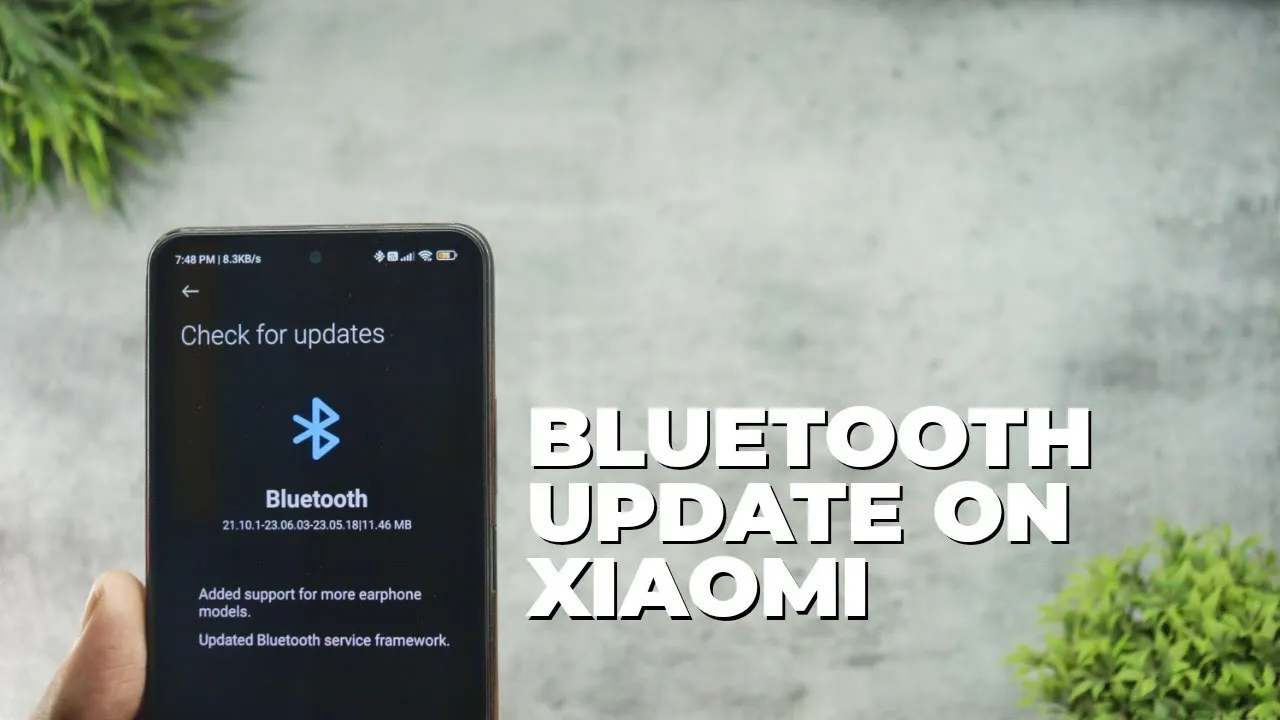
  • New Bluetooth update rolling out across all Xiaomi phones

    New Bluetooth update rolling out across all Xiaomi phones

    Xiaomi has released a comprehensive Bluetooth update for all compatible devices, bringing version with significant improvements to connectivity and device compatibility. This major system-level update addresses numerous connectivity issues while expanding support for a wider range of earphone models and accessories. Users across the globe are reporting enhanced audio performance, improved device pairing, and more stable connections with various Bluetooth peripherals.

    The update represents Xiaomi’s ongoing commitment to refining the user experience through regular system optimizations and ensuring seamless integration with the expanding ecosystem of wireless devices and accessories.

    Key Improvements in Latest Update

    For the owners of Xiaomi devices, the latest Bluetooth update brings a number of substantial improvements that greatly boost the wireless experience overall. Future connection advancements have a stronger basis thanks to the revised service structure.

    Enhanced Device Compatibility

    • Extended support for additional earphone models
    • Improved recognition of third-party accessories
    • Better compatibility with various Bluetooth devices

    Service Framework Updates

    • Updated Bluetooth service framework for better stability
    • Enhanced connection protocols for reliable pairing
    • Optimized power management for extended battery life
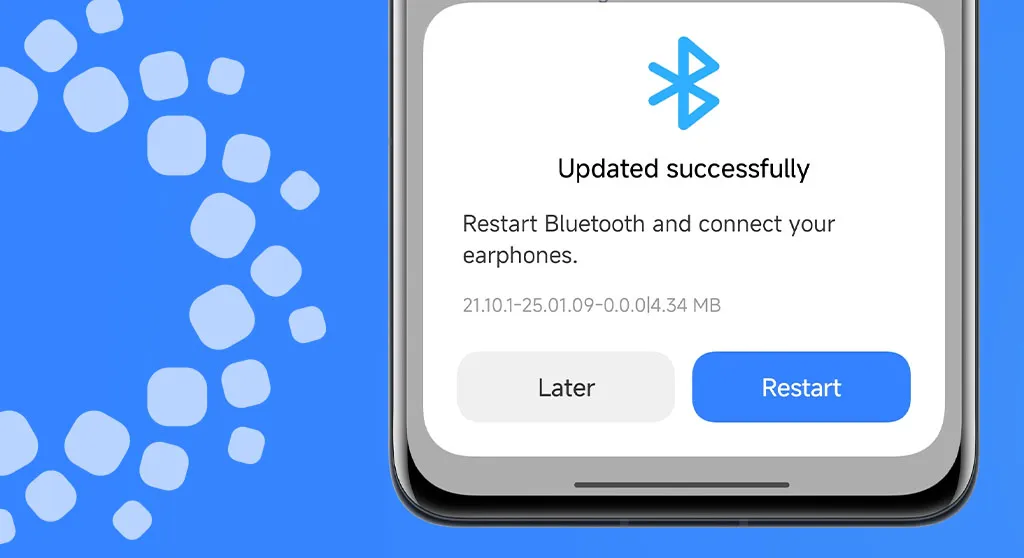
    xiaomi bluetooth update

    How to Install the Update

    This significant Bluetooth upgrade is easy to install and only requires a few quick steps. Before starting the update process, users should make sure their device is connected to WiFi.

    Installation Steps:

    1. Open Settings app on your Xiaomi device
    2. Navigate to Bluetooth settings
    3. Look for the Updates section
    4. Download and install

    All suitable Xiaomi devices running MIUI and HyperOS are getting this Bluetooth upgrade worldwide. Depending on the speed of your internet connection and the capabilities of your device, the update process could take several minutes.

    Beyond the fundamental enhancements, users might experience better connection reliability while playing media and higher-quality audio when using compatible earbuds. Additionally, the update incorporates background enhancements that enhance system efficiency in general.
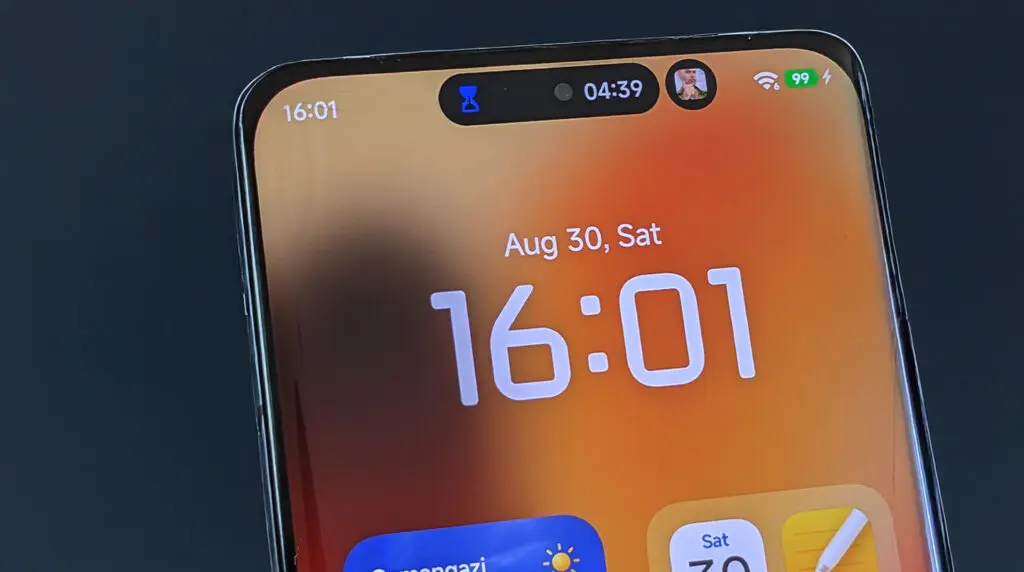
  • Xiaomi HyperOS 3 update solves major bugs for smoother performance

    Xiaomi HyperOS 3 update solves major bugs for smoother performance

    For those who have been having a few small problems, Xiaomi’s recent official progress update for HyperOS 3 is great news. In an effort to provide a dependable and seamless customer experience, the firm is addressing a variety of defects and performance issues. Fans are reassured that their opinions are valued and taken into consideration by this weekly announcement, which is posted on the Xiaomi Community and provides an inside peek at the continuous enhancements.

    The update describes how the business is methodically resolving a list of issues that have been reported, ranging from little visual bugs to more serious issues that impact the usability and performance of the app. Additional details regarding these updates are available on websites such as our own HyperOSUpdates.com and the official Xiaomi.cn community page.

    xiaomi hyperos 3 update with bugfix

    HyperOS 3: whaty has been fixed?

    The most recent announcement states that Xiaomi has been working diligently to address a number of significant problems that users have voiced with the HyperOS 3 beta version. Future updates are anticipated to incorporate these changes, guaranteeing a significantly enhanced experience. Among the most noteworthy problems that have been fixed are:

    • TikTok Volume Abnormalities: On the REDMI K70, a bug causing abnormal volume levels in TikTok has been fixed.
    • Wallpaper and Search Glitches: Issues with the desktop wallpaper turning black and the global search function jumping erratically have been addressed.
    • WeChat and App Behavior: Multiple problems related to the popular messaging app WeChat have been resolved, including display issues and a bug where the app’s background keep-alive function was failing.
    • Security and Display Bugs: Fixes have been implemented for security concerns, such as a hidden app’s preview image being displayed in recent tasks, and for visual glitches like the “Xiaomi Super Island” not disappearing after face authentication.

    The release details numerous improvements, these being only a handful. Xiaomi is demonstrating its commitment to its user base and fostering confidence by proactively announcing these fixes.

    HyperOS 3 features revealed — here’s what’s new and coming soon

    HyperOS 3 is introducing some exciting new features that will transform how you use your Xiaomi device in addition to bug fixes. Prepare yourself for intelligent functioning and an entirely new degree of customisation.

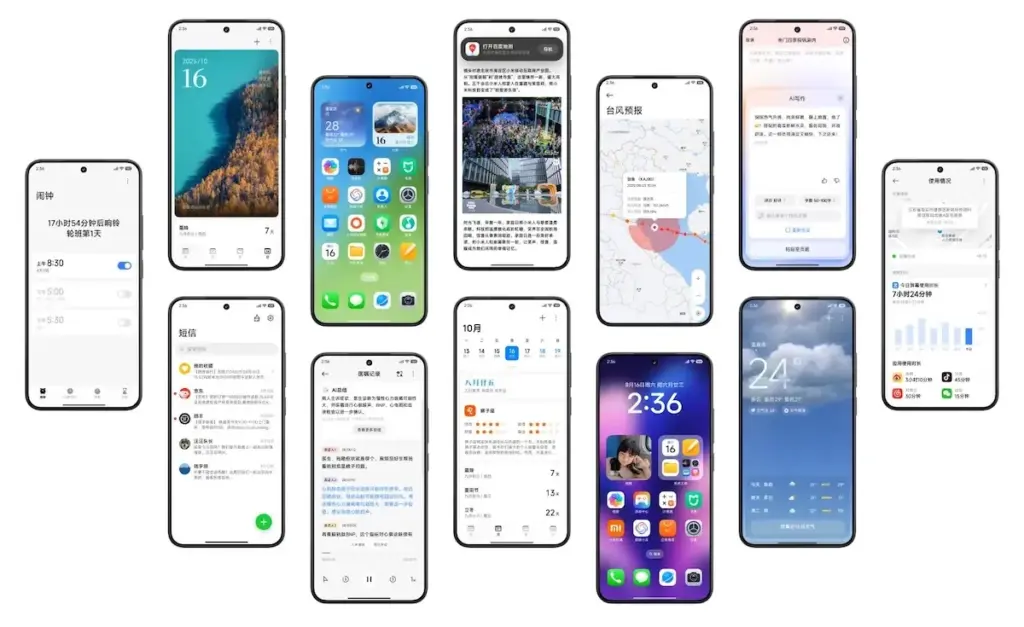
    • Refreshed Look and Feel: You’ll notice new icons, as well as updated battery and signal symbols. These small but impactful changes give the interface a fresh, modern look.
    • Enhanced Interconnectivity: Inspired by the seamless flow of other ecosystems, Xiaomi is introducing new features that allow for easy file sharing between devices by simply bringing them close together, similar to what you might know as Airdrop.
    • AI-Powered Features: HyperOS 3 is packed with artificial intelligence enhancements. AI features include note-writing, describing images, voice translation, and noise reduction for voice recordings. You can also look forward to an AI search feature and AI-powered photo searching within the Gallery app.
    • Dynamic Wallpapers: The popular AI Dynamic Wallpapers feature, which turns your photos into videos, is now available globally, allowing more users to enjoy this creative tool.
    • Performance Boost: The new update boasts a 30% improvement in performance optimization, meaning your favorite Xiaomi phone will feel faster and more responsive than ever before.

    This update demonstrates Xiaomi’s dedication to expanding the capabilities of mobile operating systems in addition to paying attention to customer comments on issues.

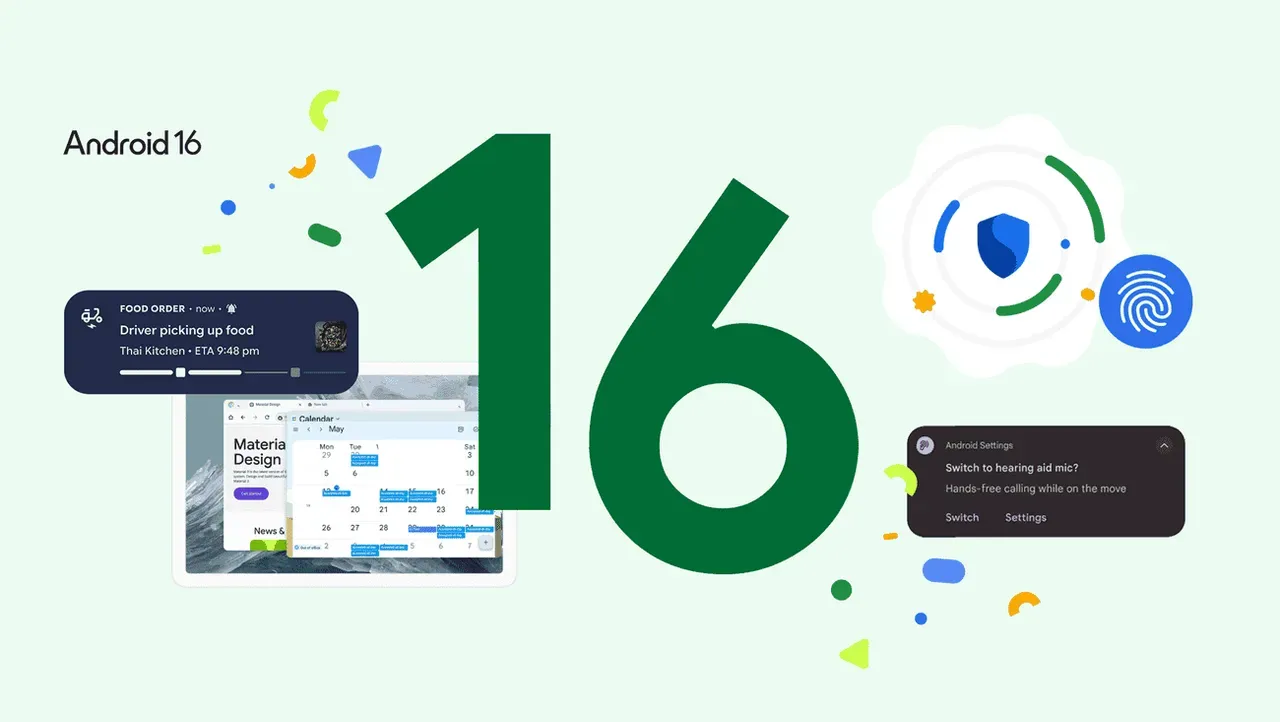
  • Xiaomi confirms HyperOS 3 rollout with Android 16: full schedule and device list

    Xiaomi confirms HyperOS 3 rollout with Android 16: full schedule and device list

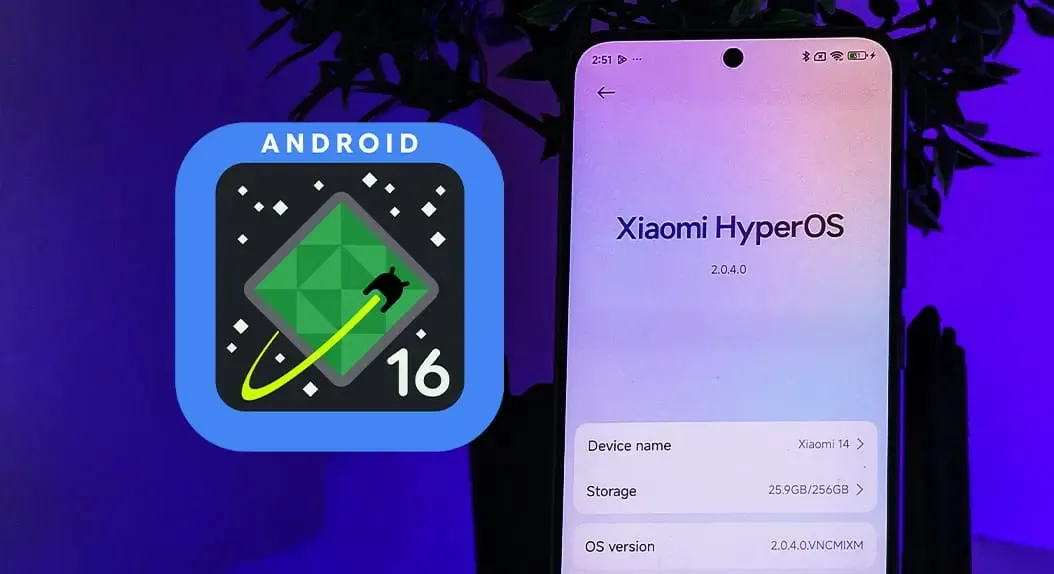
    A complete list of devices and a schedule are already available, and Xiaomi’s Android 16 update is official. HyperOS 3 is scheduled to launch in October.

    Xiaomi’s Android skin receives a few new improvements from HyperOS 3, including:

    Xiaomi claims you won’t have to wait long, so there’s a good deal to look forward to.

    Android 16 release today

    In October, HyperOS 3 will begin to roll out on the Xiaomi 15T series, with the Xiaomi 15 following shortly after. After that, the rollout lasts until March 2026. The following is Xiaomi’s schedule, which may change over time.

    Xiaomi HyperOS 3 (Android 16) Rollout Schedule

    October/November 2025

    Phones

    • Xiaomi 15T Pro
    • Xiaomi 15T
    • Xiaomi 15 Ultra
    • Xiaomi 15
    • Xiaomi MIX Flip
    • REDMI Note 14 Pro+ 5G
    • REDMI Note 14 Pro 5G
    • REDMI Note 14 Pro
    • REDMI Note 14
    • POCO F7 Ultra
    • POCO F7 Pro
    • POCO F7
    • POCO X7 Pro Iron Man Edition
    • POCO X7 Pro
    • POCO X7

    Tablets

    • Xiaomi Pad Mini
    • Xiaomi Pad 7 Pro
    • Xiaomi Pad 7

    Wearables

    • Xiaomi Watch S4 41mm (Available now)
    • Xiaomi Smart Band 10 Glimmer Edition (Available now)
    • Xiaomi Smart Band 10 Ceramic Edition
    • Xiaomi Smart Band 10

    November/December 2025

    Phones

    • Xiaomi 14 Ultra
    • Xiaomi 14
    • Xiaomi 14T Pro
    • Xiaomi 14T
    • REDMI Note 13 Pro
    • REDMI 15
    • REDMI 14C
    • REDMI 13
    • REDMI 13x
    • POCO F6 Pro
    • POCO F6
    • POCO X6 Pro
    • POCO M7
    • POCO M6 Pro
    • POCO M6
    • POCO C75

    Tablets

    • Xiaomi Pad 6S Pro 12.4
    • REDMI Pad 2 Pro 5G
    • REDMI Pad 2 Pro
    • REDMI Pad 2 4G
    • REDMI Pad 2

    December 2025 through March 2026

    Phones

    • Xiaomi 13 Ultra
    • Xiaomi 13 Pro
    • Xiaomi 13
    • Xiaomi 13T Pro
    • Xiaomi 13T
    • Xiaomi 13 Lite
    • Xiaomi 12 Pro
    • Xiaomi 12
    • Xiaomi 12T Pro
    • POCO F5 Pro
    • POCO F5
    • POCO X6
    • POCO M7 Pro 5G
    • POCO C85
    • REDMI Note 14 5G
    • REDMI Note 145
    • REDMI Note 13 Pro+ 5G
    • REDMI Note 13 Pro 5G
    • REDMI Note 13 5G
    • REDMI 15 5G
    • REDMI 15C 5G
    • REDMI 15C

    Tablets

    • REDMI Pad Pro 5G
    • REDMI Pad Pro
    • REDMI Pad SE 8.7 4G
    • REDMI Pad SE 8.7
    • POCO Pad
  • Speed up your Android device: 4 settings that can transform performance

    Speed up your Android device: 4 settings that can transform performance

    The first thing you should do if your Android phone has become sluggish is to wipe off its storage. Here are some tips for speeding up your outdated Android phone if you’re not sure where to start.

    Delete unused apps

    Phones can accumulate a large number of unused apps over time, leaving your device looking crowded. You may have used an outdated photo editing app or a QR scanner app from a restaurant on your previous trip. Uninstalling these apps is the best way to free up space on your Android phone.

    speed up android device

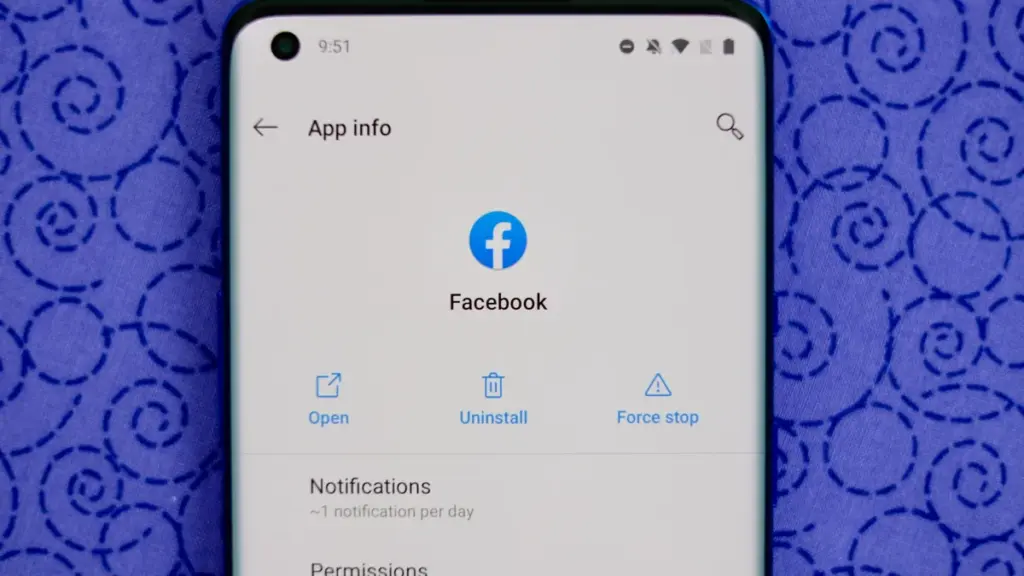
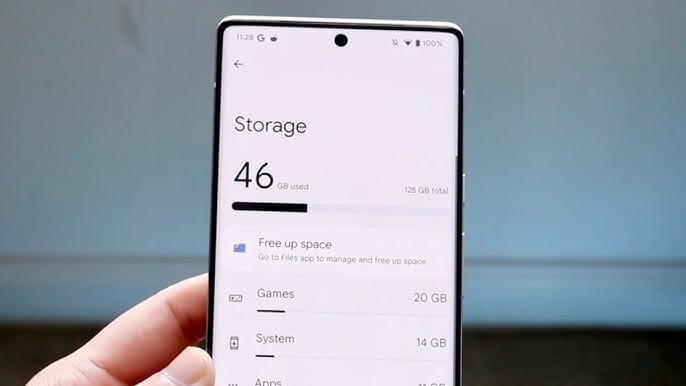
    Because your Android phone won’t have to spend resources on apps that aren’t being used, decluttering it can speed it up. Removing these APKs will improve resource management and make your phone quicker. To view the list of installed apps and remove those you no longer require, navigate to Settings > Storage > Apps. You may also long-press on these forgotten apps on the app screen to get App Info > Uninstall.

    Clear storage

    Files and long-forgotten pictures of school notes are just two examples of the trash that accumulates on old Android phones. Following the removal of unnecessary apps, you should try to free up space on your Android phone by browsing through the stored files and images.

    speed up android device - clean storage

    To see what’s saved, open the File app on your phone. The majority of garbage, including long-forgotten PDF files, images, etc., is frequently found in the Downloads folder. You should check two more areas to make sure the storage is clear.

    • Offload photos from your phone and save them to an external drive or the cloud. This helps create a backup of your memories and clear space on your old Android phone.
    • Clear the app cache. For the unaware, cache is bits of data that an app saves so it is quicker to operate the next time you open it. I recommend clearing the cache for less-used apps with no saved login information. You can go to Settings > Storage > App > Clear Cache to save more space.

    Check for updates

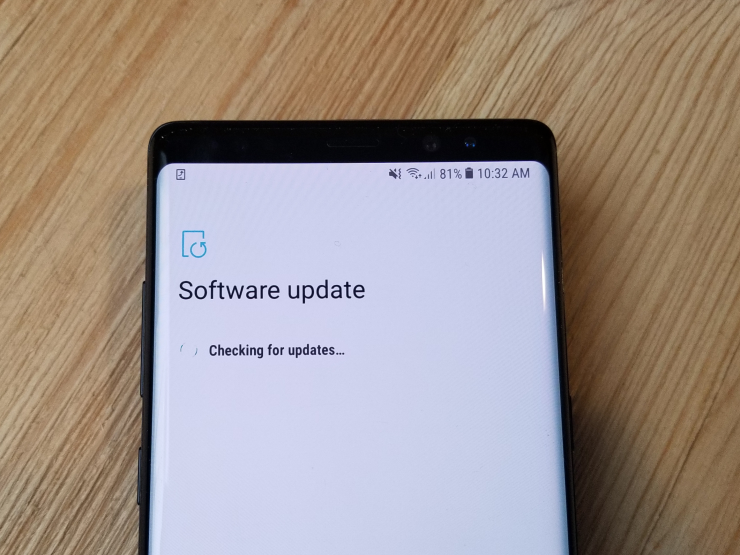
    Verify that the operating system on your Android phone is up to date. Updating it will install the most recent security procedures and make it snappier. To verify and install the most recent software version, navigate to Settings > General > System Update.

    20171204 103326

    After updating your old Android phone to the most recent OS version and removing the uninstalled apps, you should update the remaining apps from the Google Play Store. To get the newest features, enhanced security, and faster performance, it’s critical to utilize the most recent versions of these programs.

    Adjust the animation speed

    A few features, such as Developer options to alter the animation speed, can be enabled or disabled to make your phone feel faster. This can make your phone feel much faster, but it’s a little trickier than the other settings discussed above.

    How to Change Animation Speed on Android

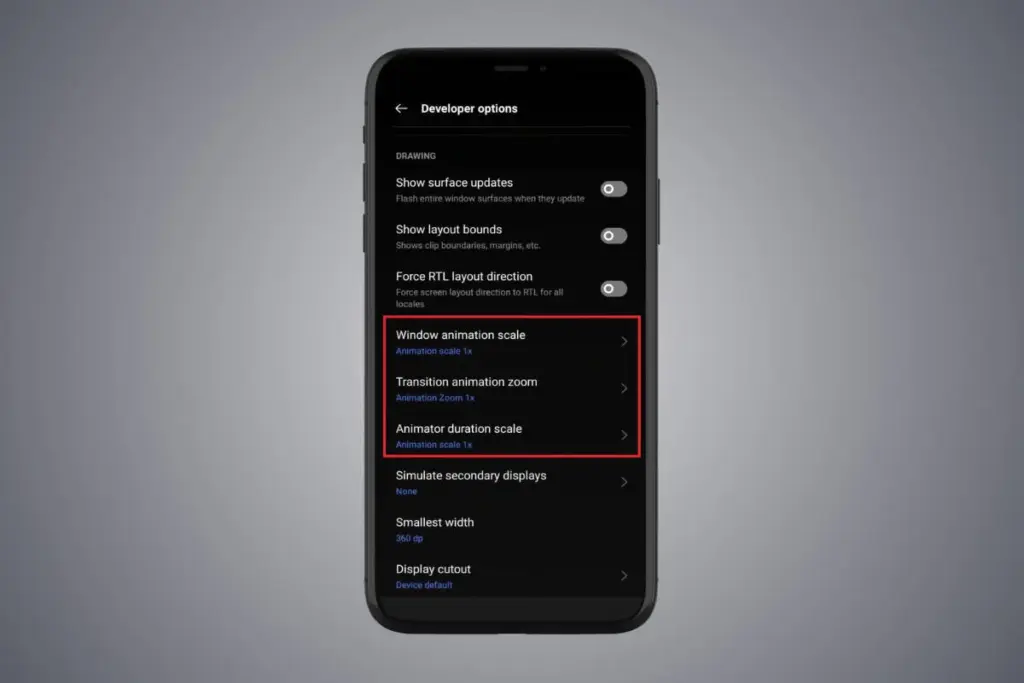
    Go to Settings > About phone > Tap on Software details >, then tap your Build number seven times to enable Developer options. You should now be able to access various animation scale parameters as this should activate the Developer options.

    Next, locate the Window animation scale by scrolling down in the Drawing section of the Developer settings. To make apps and window pop-ups run faster, tap on it and adjust the animation to 0.5x.

    To reduce the speed at which you move between home screen panels and within apps, you may also change the Transition animation scale. Additionally, reduce the Animator duration scale to speed up typical UI motions like unlocking the phone and opening and closing apps.

    You may breathe fresh life into your aging Android phone by adjusting these settings. After adjusting, it ought to feel quicker and have more zip when performing daily tasks. If you want to give it a refresh, I recommend tinkering around with your home screen, changing the wallpaper, and modifying extra settings to help it stay longer.

  • Nothing highlights Android 16 update: new design, ‘Extra Dark’ mode, smarter AI

    Nothing highlights Android 16 update: new design, ‘Extra Dark’ mode, smarter AI

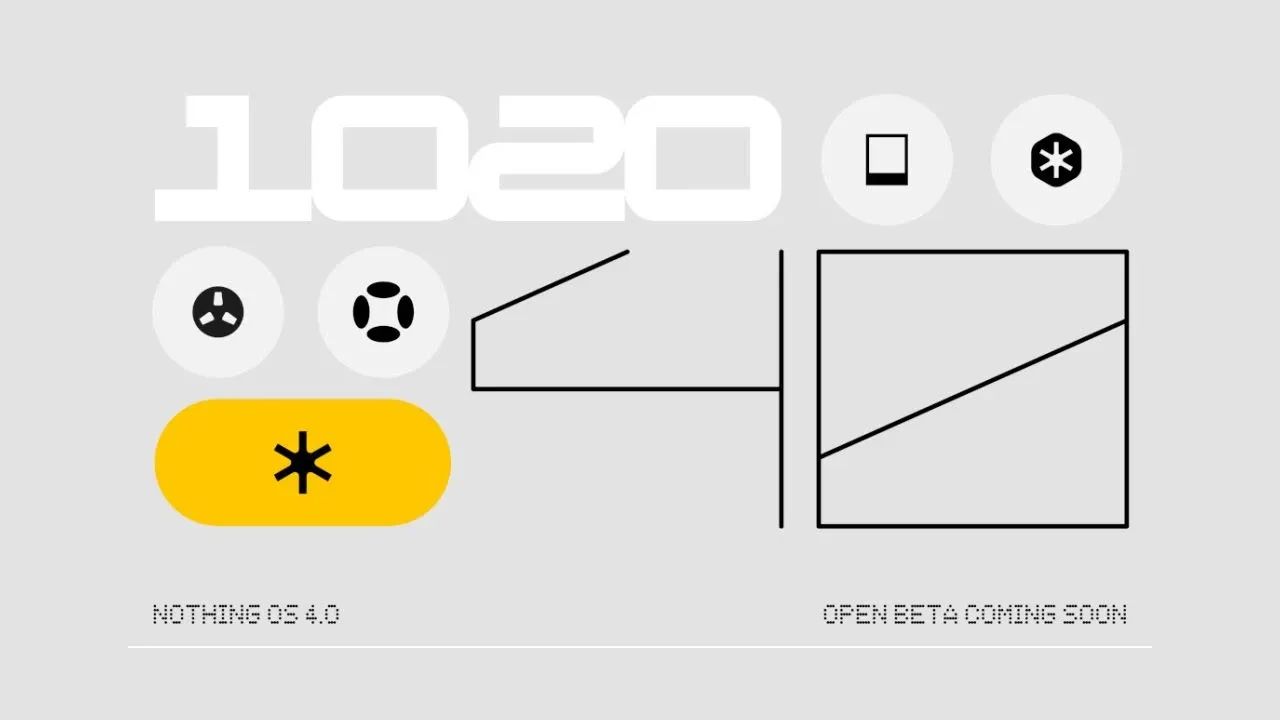
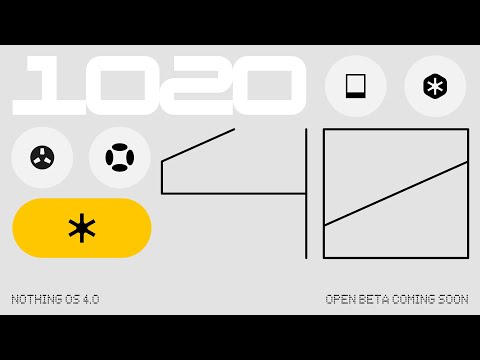
    Nothing is showcasing its Android 16 update, Nothing OS 4.0, as well as its new features and designs, ahead of its open beta launch that is “coming soon.”

    Earlier this year, the Phone (3) and Nothing OS 4.0 were announced, although the design hasn’t been revealed yet. However, nothing explains the new features of its Android 16 version in a recent post and video.

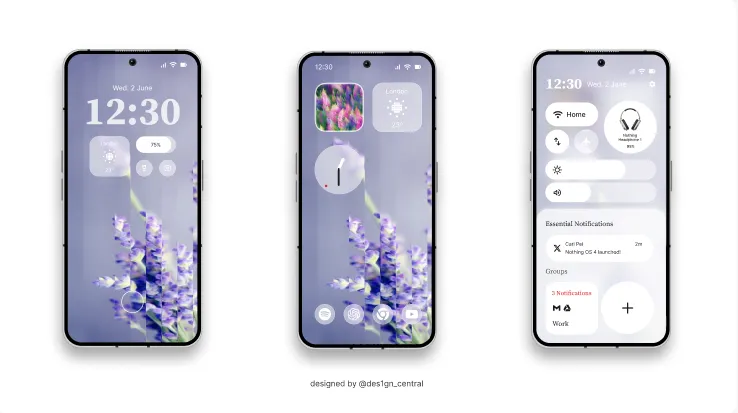
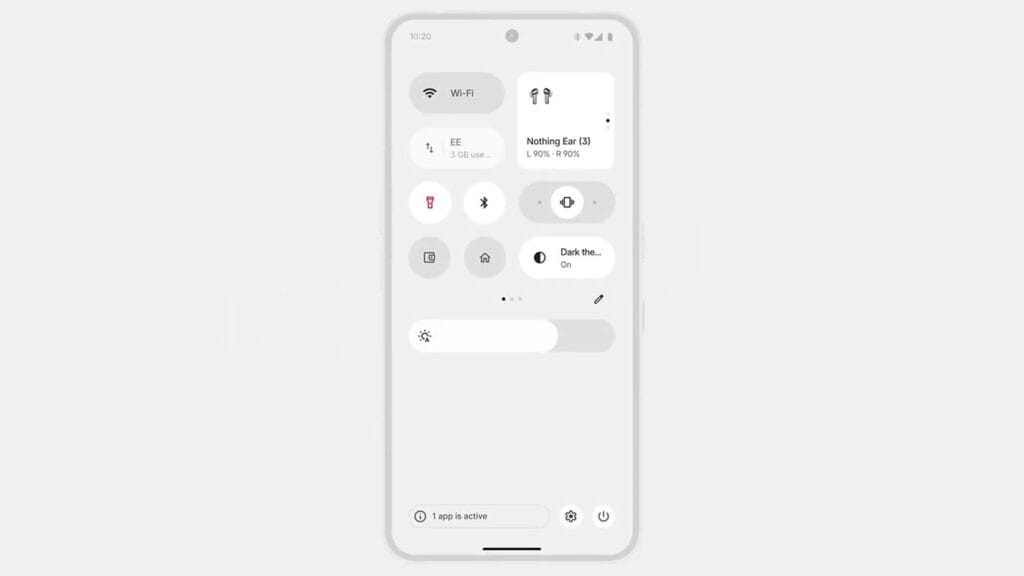
    The primary visual upgrade of Nothing OS 4.0 is a “sharper, more deliberate design across every layer.” Specifically mentions an improved Quick Settings panel, new lock screen clocks, and other changes across Nothing’s apps.

    nothing os 4 android 16 ipdate
    nothing os 4 quick settings

    In contrast to Android’s usual dark grey theme, there is a new “Extra Dark” theme that is completely black.

    The floating app icons improve multitasking, yet nothing indicates that the camera or overall performance would be improved—the latter due to the “TrueLens Engine.

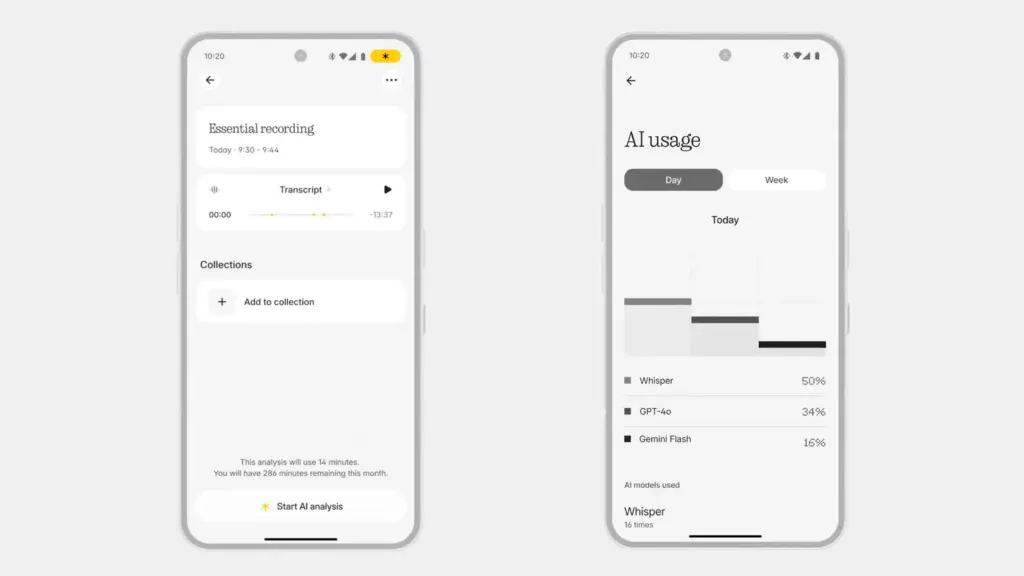
    Lastly, a brand-new AI dashboard that analyzes your usage of Nothing’s AI capabilities has been introduced. In particular, it deconstructs the AI models that Nothing’s AI features—such as Whisper, GPT-4o, and Gemini Flash—use.

    nothing os 14 ai

    The release date for OS 4.0 is not specified, but it is stated that it will happen “soon.” According to Nothing’s existing support promises, the update will eventually reach Phone (2), Phone (2a), Phone (3a), and CMF phones, though it is likely to begin on Phone (3).

    Youtube video
  • Xiaomi update list: 31 phones won’t go beyond Android 15

    Xiaomi update list: 31 phones won’t go beyond Android 15

    For owners of some well-known models, Xiaomi’s upgrade timeline is not good news. Android 16 will not be available for thirty-one Xiaomi, Redmi, and POCO phones. Rather, the last significant update for these smartphones will be HyperOS 3, which is based on Android 15. Support will then be restricted to minor fixes and security patches.

    In the universe of Android, this is not uncommon. Major updates are typically offered by brands for two to three years, with newer flagships receiving longer support. The similar pattern applies to Xiaomi’s choice, which focuses on enhancing HyperOS for the devices that are still eligible.

    POCO devices at the end of the line

    The POCO lineup losing future Android updates includes some well-known mid-range performers:

    • POCO C65
    • POCO F5 5G
    • POCO F5 Pro
    • POCO M6 Pro
    • POCO X6 Neo

    For these phones, HyperOS 3 will be the last major software release.

    Redmi phones stopping at HyperOS 3

    Numerous models in the Redmi series also stop supporting Android 15. The Redmi K lineup, low-cost gadgets, and even several Note series favorites are included in the list:

    • Redmi 12, 12 5G, 13C, 13C 5G, 13R
    • Redmi K50 Ultra, Redmi K60
    • Redmi Note 12 (4G, NFC 4G, 12R, 12S, 12T Pro, 12 Turbo)
    • Redmi Note 13 (4G, 4G NFC, 5G, 13R Pro)

    This marks the end of updates for several phones that were popular in markets like India and Southeast Asia.

    Xiaomi flagships are nearing the limit of updates.

    Not even expensive gadgets are exempt. Android 16 will not be available for a number of Xiaomi 12 series phones, such as the 12 Pro, 12S Ultra, and 12T Pro. This is also where the Civi 3 and MIX Fold 2 complete their lifetime.

    Full flagship list:

    • Xiaomi 12, 12 Pro, 12S, 12S Pro, 12S Ultra
    • Xiaomi 12T, 12T Pro
    • Xiaomi Civi 3
    • Xiaomi MIX Fold 2

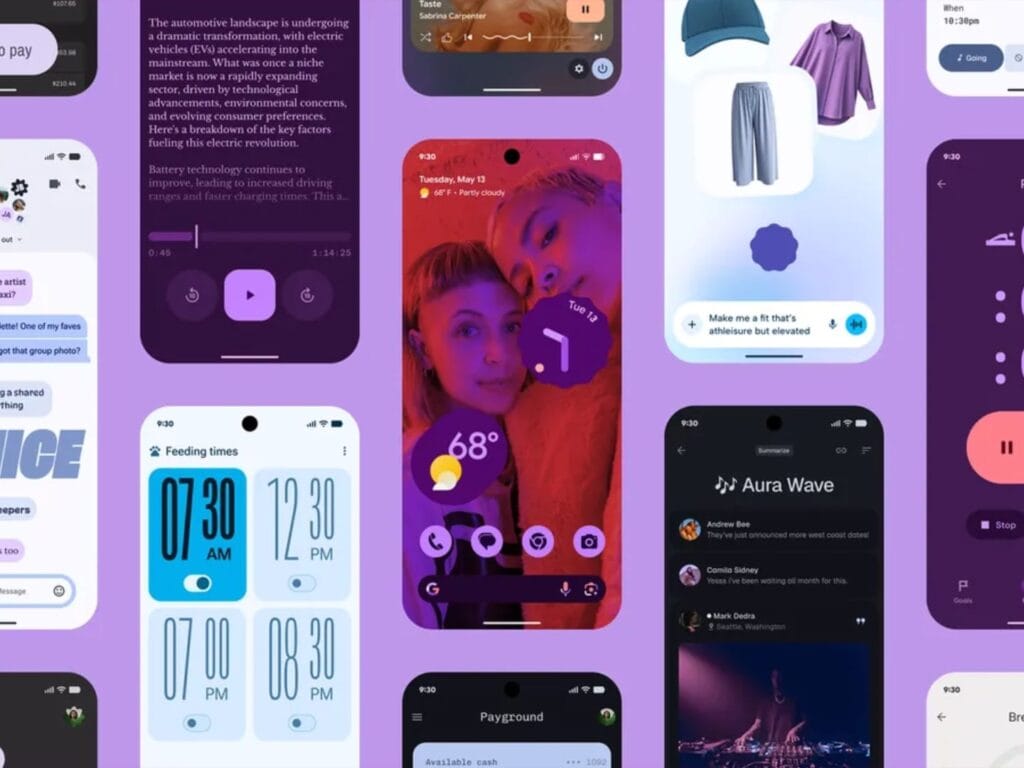
    Android 15 is not the end of the story for these devices. It is anticipated that HyperOS 3 would come with a new interface that is modeled after Apple’s renowned “liquid glass” design. Users should anticipate improved system speed, additional customization choices, and a redesigned control center editor.

    Although it’s the final significant update for these phones, the distribution is scheduled to start in September 2025 and provides them a more upscale appearance before updates formally cease.

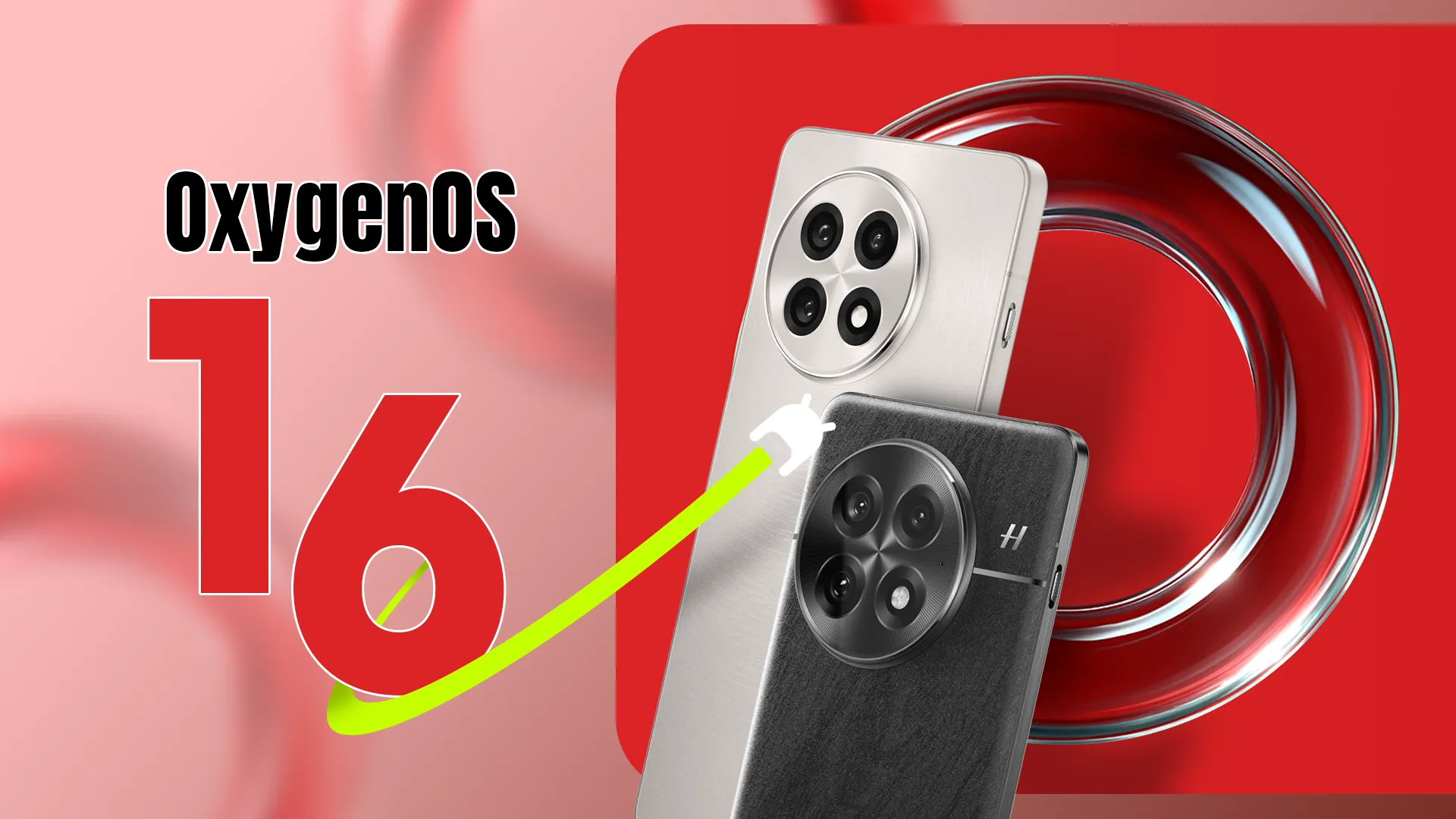
  • OnePlus is preparing the OxygenOS 16 launch

    OnePlus is preparing the OxygenOS 16 launch

    OxygenOS 16, based on Android 16, will be a major upgrade for OnePlus devices, expected to bring tons of enhancements, new features, and visual changes throughout the system. The Android 16 beta has been available to select OnePlus phones since April, and now it appears that the stable release of OxygenOS 16 is around the corner. So, if you have a OnePlus device, here’s what you need to know and what to expect.

    When the stable release will be pushed to public?

    This year, Google released Android 16 more quickly than normal. The new operating system upgrade was made available to qualified Google Pixels in June. Although we had anticipated a speedier release from other Android companies as well, the stable release is taking a long time to arrive.

    However, earlier this year, OnePlus was among the first companies to release the Android 16 beta. The second and third betas for the OnePlus 13 were released in April and May, respectively, omitting the first beta. However, it hasn’t said anything regarding the stable release as of yet. OnePlus has not disclosed the plan or the date of the stable OxygenOS 16 release.

    However, given that the company has already started OxygenOS 16 closed beta testing on a number of handsets, including the OnePlus 13 and 13s, it looks like the stable release may not be far off. This beta program is fairly private. Before releasing the stable build, OnePlus may soon conduct a large-scale open beta release for its users.

    In October, the brand is anticipated to begin the stable rollout of OxygenOS 16. The upgrade will first be available for the OnePlus 13 series, then previous flagship phones, and finally mid-range and less expensive variants.

    What will OxygenOS 16 bring?

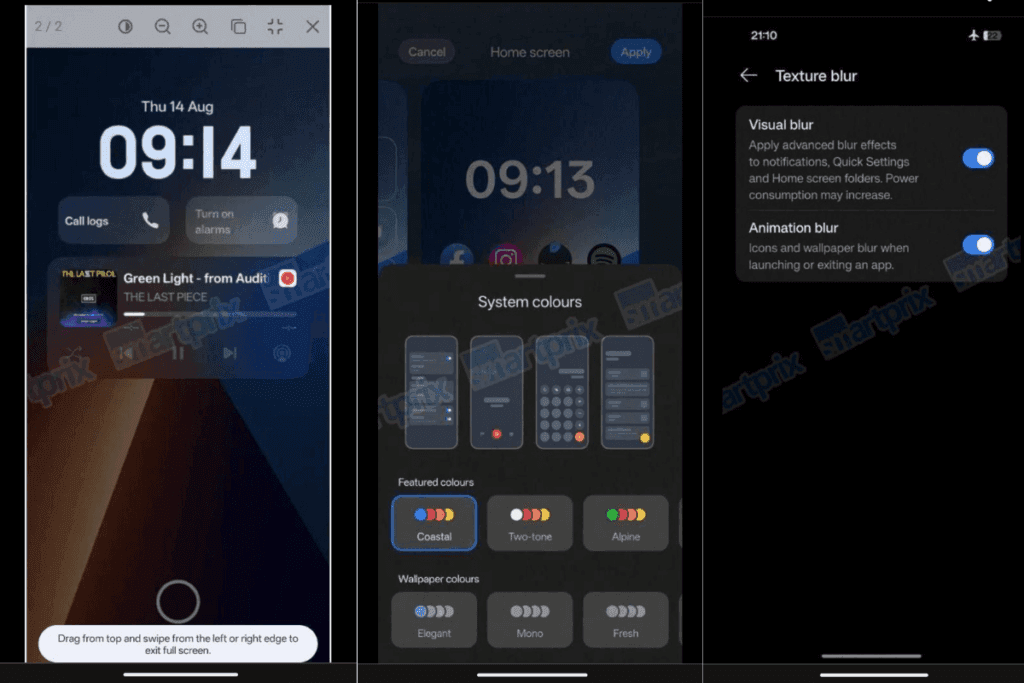
    OxygenOS 16 leaked screenshots

    Details on OxygenOS 16’s upcoming features and updates have not been disclosed by OnePlus. But because to recent leaks and earlier beta releases, we already have a solid notion of it. Along with several updates and new features from the OnePlus development team, the update will include new Google features as part of Android 16.

    A revamped fast settings menu, more customization options, notification grouping, and the most recent security and privacy improvements are just a few of the things that OnePlus may incorporate into its upcoming major update from Android 16. For increased utility, Live Alerts might be combined with Android 16’s Live Updates feature.

    A leak from Smartprix claims that OxygenOS 16 will finally include the eagerly anticipated lock screen widgets, increasing the lock screen’s usefulness. Numerous widgets will be available, such as calendar, weather, and widgets from compatible apps. Three new clock styles are also being added to the lock screen, one of which is a full-width stretched clock modeled after iOS 16.

    New choices also improve the Quick Settings panel. Users can drag and drop toggles anywhere on the screen while using the Split layout. For convenience, a new scrollable layout has also been included. The update also includes a number of internal adjustments that improve the software’s responsiveness and smoothness.

    When OnePlus publishes the final version of OxygenOS 16, I’m very certain there will be a ton of more great additions and updates. There is a lot to anticipate, so to remain informed about the most recent developments, you might want to frequently check out our Android 16 section or think about subscribing to our X.

  • September comes with HyperOS 3.0 update for more Xiaomi devices

    September comes with HyperOS 3.0 update for more Xiaomi devices

    Xiaomi unveiled HyperOS 3.0, the company’s most recent overlay built on the Android 16 operating system, last week. It goes without saying that the skin has a lot of new features and modifications. The business has released a HyperOS 3.0 beta deployment plan after outlining the list of improvements, and you’ll be happy to hear that a large number of phones are qualified to get the much-anticipated software update this month.

    The list of Xiaomi smartphones, tablets, and smart TVs that will get the HyperOS 3.0 beta upgrade in September 2025 is available here.

    The restricted beta program for a number of Xiaomi devices, including the Xiaomi 15 series, Redmi K80 Pro series, and Xiaomi Pad 7/7s Pro, was launched by Xiaomi on August 29. The HyperOS 3.0 beta, which is focused on Android 16, is currently available for testing on any of these devices.

    Xiaomi HyperOS 3

    Let’s move on to the list of gadgets that can get the September HyperOS 3.0 beta. The full list of devices eligible to receive a beta update this month is provided here. Xiaomi is now expanding the beta program to smart TVs.

    September HyperOS 3.0 updates

    Starting September 17

    • Xiaomi MIX Flip 2
    • Redmi K80
    • Xiaomi Pad 7 Ultra
    • Xiaomi Pad 7
    • Redmi K Pad
    • Xiaomi TV S Pro Mini LED 2025 series
    • Xiaomi TV S Pro Mini LED series

    Starting September 30

    • Xiaomi MIX Fold 4
    • Xiaomi MIX Flip
    • Xiaomi 14 Ultra / Xiaomi 14 Ultra Titanium Special Edition
    • Xiaomi 14 Pro / Xiaomi 14 Pro Titanium Special Edition
    • Xiaomi 14
    • Redmi K70 Pro
    • Redmi K70 Extreme Edition
    • Redmi K70
    • Redmi K70E
    • Xiaomi Pad 6S Pro 12.4

    It goes without saying that the beta program will launch in mainland China before being extended to other countries.

    You can just sign up for the beta program when it launches if your device is compatible with HyperOS 3.0. Installing the Mi Community app, selecting Global as the region, and then enrolling in the beta program will allow you to participate in the Mi Pilot testing program.

    Regarding the stable release, it is anticipated to be made available a month or two following the beta program.

  • Temporary free apps for iOS and Android

    Temporary free apps for iOS and Android

    We occasionally choose an intriguing selection of apps for fans of both Android and iPhone, which are often paid for but are currently accessible for free for a little period of time. Take advantage of these amazing discounts on games and apps to expand your device’s app library—just make sure to act quickly!

    We cannot guarantee how long these promotions will remain available on the Google Play Store or Apple App Store, so please keep in mind that they are just temporary. Therefore, it’s best to grab them while you can. Just a gentle warning to be mindful of any potential membership commitments, in-app purchases, and adverts that may accompany them.

    android and ios apps

    Even if you don’t require an app right away, install it if it piques your curiosity. It will be added to your app library and marked as “bought” as a result. After that, you may uninstall the app straight from your phone and get it back for free anytime you need it.

    Android Apps and Games

    Android Apps

    • Clock Widget ($0.99): Want to have the time told in words? This widget should do a decent job.
    • TriSolve ($0.99): See math from a different angle (heh!) with this app that helps calculate all things triangles for you.
    • QR and Barcode Scanner ($5.99): Here is a QR reader and barcode scanner code app that will make your life convenient. 
    • DogTok ($2.99): This app claims to be able to help you interact with your dog, but don’t expect to have heart-to-heart conversations with your furkid anytime soon.

    Android Games

    • Undead City: Survivor Premium ($0.99): You are a hero with many skills, and have a city full of hapless people to defend from waves of zombies. Can you do it?
    • Zombie Age 3 ($0.99): The zombie apocalypse is upon you, and you will need to have all your wits with you to survive.
    • Monster Killer Pro Shooter ($0.49): Choose from different characters with varying abilities to shoot monsters from a top-down perspective.
    • Live or Die: Survival Pro ($0.99): It is up to your wits and wisdom to survive an unforgiving environment.
    • Everybody’s RPG ($0.49): Go around, adventurer, recruiting more powerful heroes as you progress in the game to conquer new lands and defeat more dangerous enemies.

    iOS Apps and Games

    iOS Apps

    • Stickyboard 2 ($4.99): Imagine a giant board that lets you play with an unlimited number of sticky notes!
    • Breastfeeding Central ($1.99): A personal breastfeeding helper that you can ‘summon’ regardless of the time of the day (or night!) as it provides you with tips and tricks.
    • Amsterdam Audio Stories ($8.99): Walk through Amsterdam without actually being there, reliving the stories told over your headphones. 
    • Type Freely ($4.99): This app lets you get all your texts written freely, professionally, and shared as an HD image on social media.
    • Pool Calculator ($4.99): If you need help with calculations for your swimming pool or hot tub chemistry maintenance, then this app helps get the right balance on things.

    iPhone games

    • Word Search Creator ($0.99): Looking for a way to engage your audience? Why not come up with your own word search puzzle?
    • Color Lines 98 Bubbles Classic ($1.99): Connect color balls in a row to progress to the next level.
    • DEEMO ($1.99): A mobile rhythm game that requires you to have impeccable timing and a sense of rhythm.
    • Dead Rails ($6.99): If you love railroad networks, then how about navigating a train yourself through intricate rail networks while transporting passengers?
    • Tables – Multiplication Drills ($0.99): I have always been an advocate for practice makes perfect in math, and the same applies when it comes to mastering multiplication.

    We advise you to review the app’s details in the Play Store or App Store before downloading any of the aforementioned apps. This is crucial since some of these free apps can have unique features or drawbacks of their own.

    Both free and paid apps should be avoided since they could have unnoticed in-app purchases and adverts. This is especially important while downloading kid-friendly games.

    In the rapidly evolving world of mobile apps, several companies use cunning tactics to obtain your personal information. But tech buffs, don’t worry! We’ve compiled some crucial advice to help you safeguard your important data. Being selective about the permissions you grant the apps you decide to install is an essential first step.

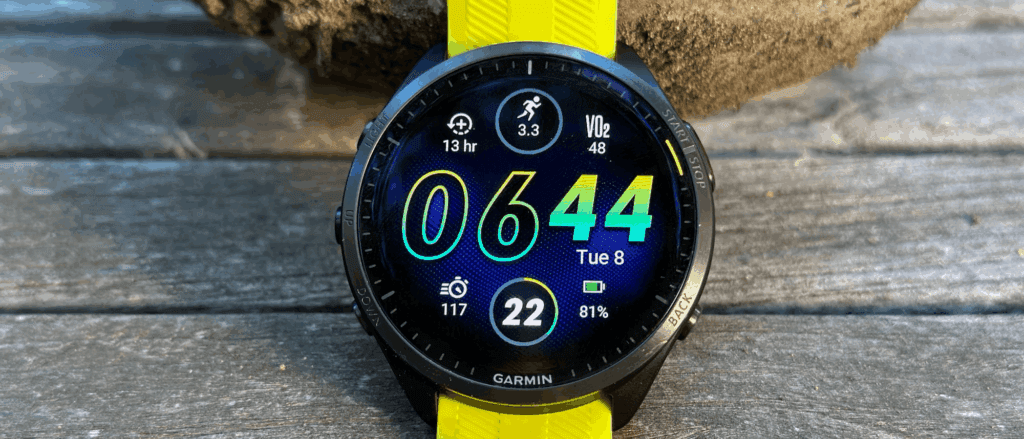
  • Garmin will push a new update for older high end watches

    Garmin will push a new update for older high end watches

    A new version of some of Garmin’s more expensive smartwatches has been introduced. Beta Version 23.16, which is being distributed globally through its Beta Program, comes ahead of a far more significant stable software update that seems to be imminent.

    After revealing the August 2025 Feature Update a little more than a week ago, Garmin has just upgraded a number of its devices. In summary, since releasing its most recent Feature Update, the business has released new stable upgrades for the Fenix 8, Forerunner 970, Instinct 2, Instinct 3, and related smartwatches. Additionally, it has produced significant modifications for its cycle computers, such as the Edge 1050 from the previous year.

    Through a new beta update for the Enduro 2, Epix 2, Fenix 7, Marq Gen 2, and Quatix 7, Garmin has now resorted to its more expensive, older smartwatches. In June, Garmin published System Software 22.06, the most recent stable update for these smartwatches. As it prepares to release a new stable build at some point, the corporation has released a number of beta updates in the interim.

    garmin watch

    Following a wait of more than three weeks, Garmin has begun releasing a new beta version, known as Beta Version 23.16. According to reports, Beta Version 23.16, the fourth v23.xx update to date, fixes two major problems that can lead to problems with CT10 sensor pairing and Hunt activity navigation. When Garmin will complete v23.xx development is still unknown. But given its recent modifications, the shift from v23.08 to v23.16 indicates the corporation may be on the verge of releasing a stable build.