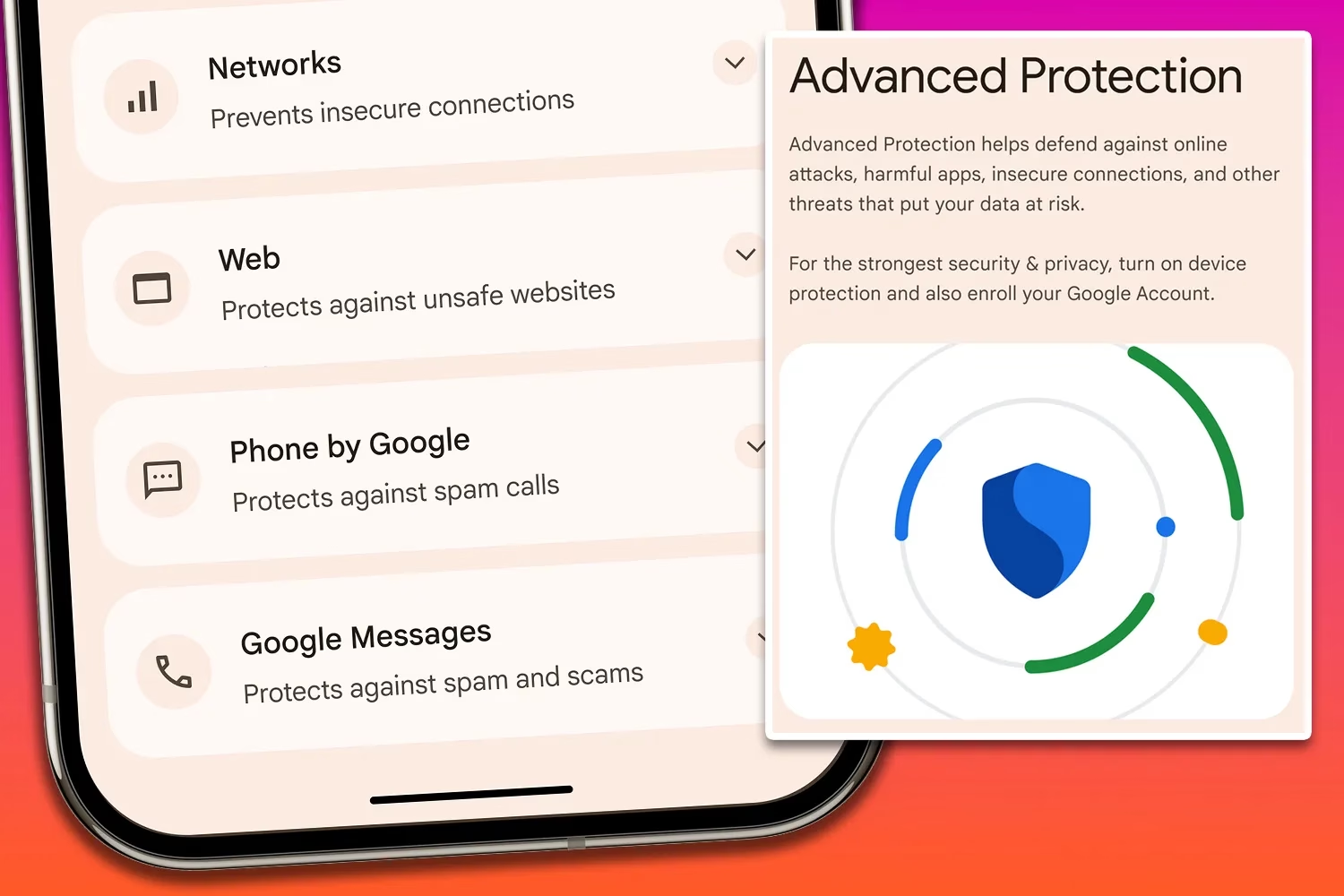
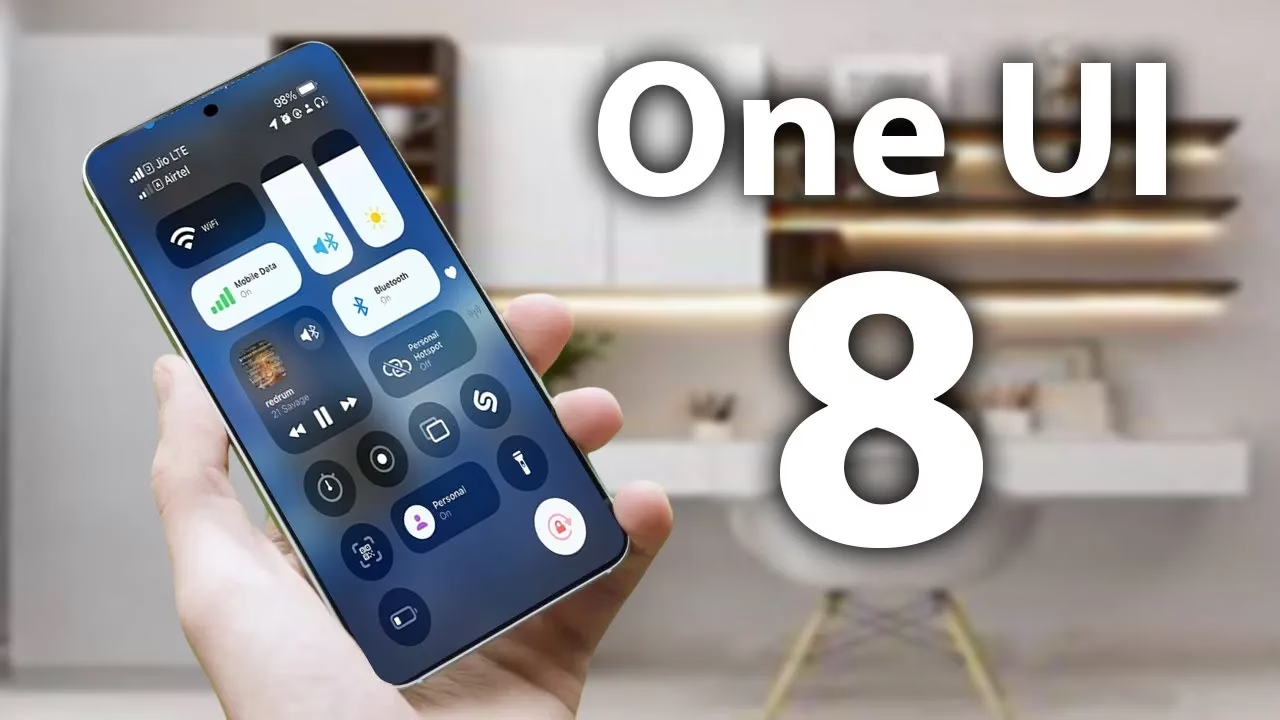
From strong, integrated security features like Samsung Knox to optional anti-theft settings that you must manually activate, Samsung phones come with an extensive array of security safeguards. It can be difficult to find and activate all of these security toggles, but the upcoming major One UI update offers a simpler method to increase the security of your device.
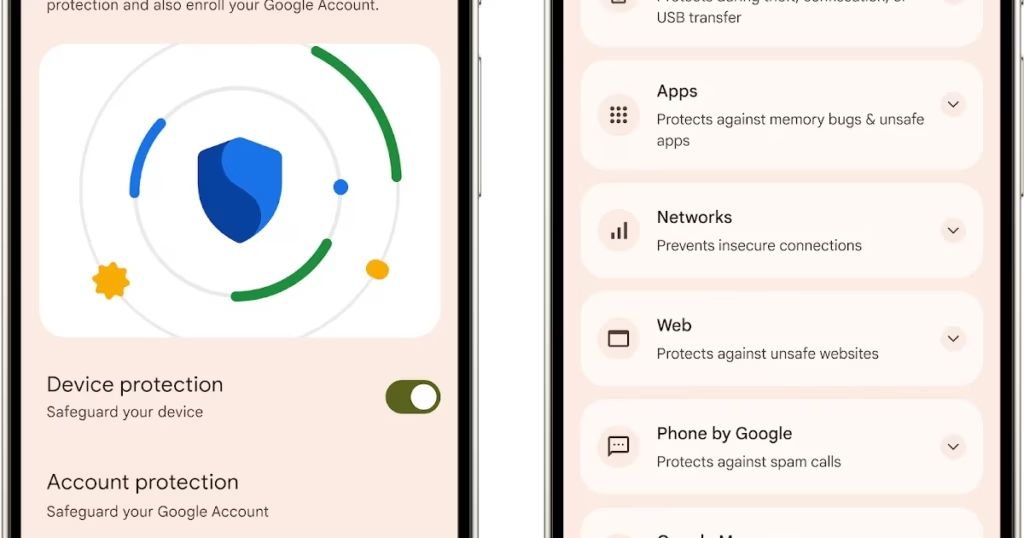
An optional Advanced Protection security mode, a one-click toggle that turns on a number of system and app-level security protections, will be included in the One UI 8 update. It permits, for instance, USB data protection, 2G network protection, and sideloading protection. Advanced Protection is available to anyone who want to better protect their data, even though it is intended for high-risk customers who might be the target of skilled attackers.
Advanced Protection feature comes in Android16
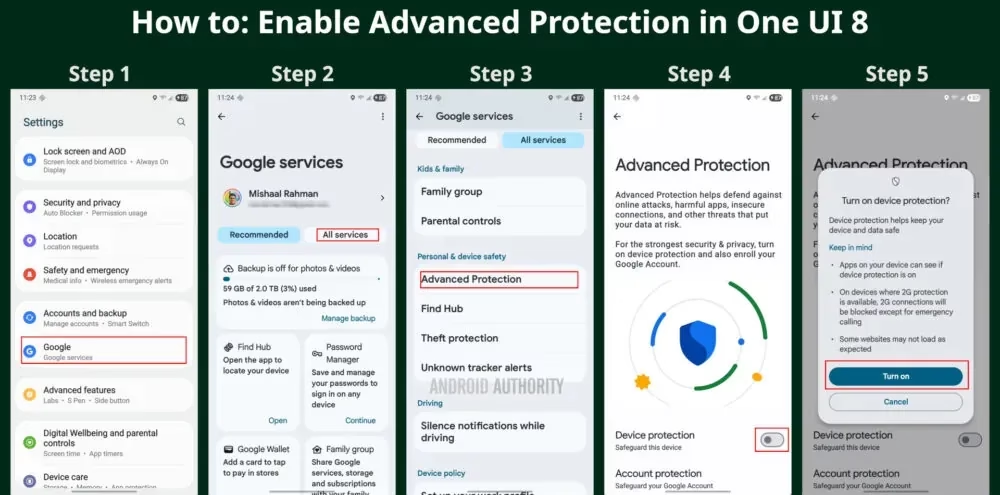
To turn on Advanced Protection, follow these steps on your Samsung phone running One UI 8:
Open Settings and select Google
Tap the All services tab
Scroll down to the Personal & device safety category and open Advanced Protection
Toggle “Device protection”
Tap Turn on
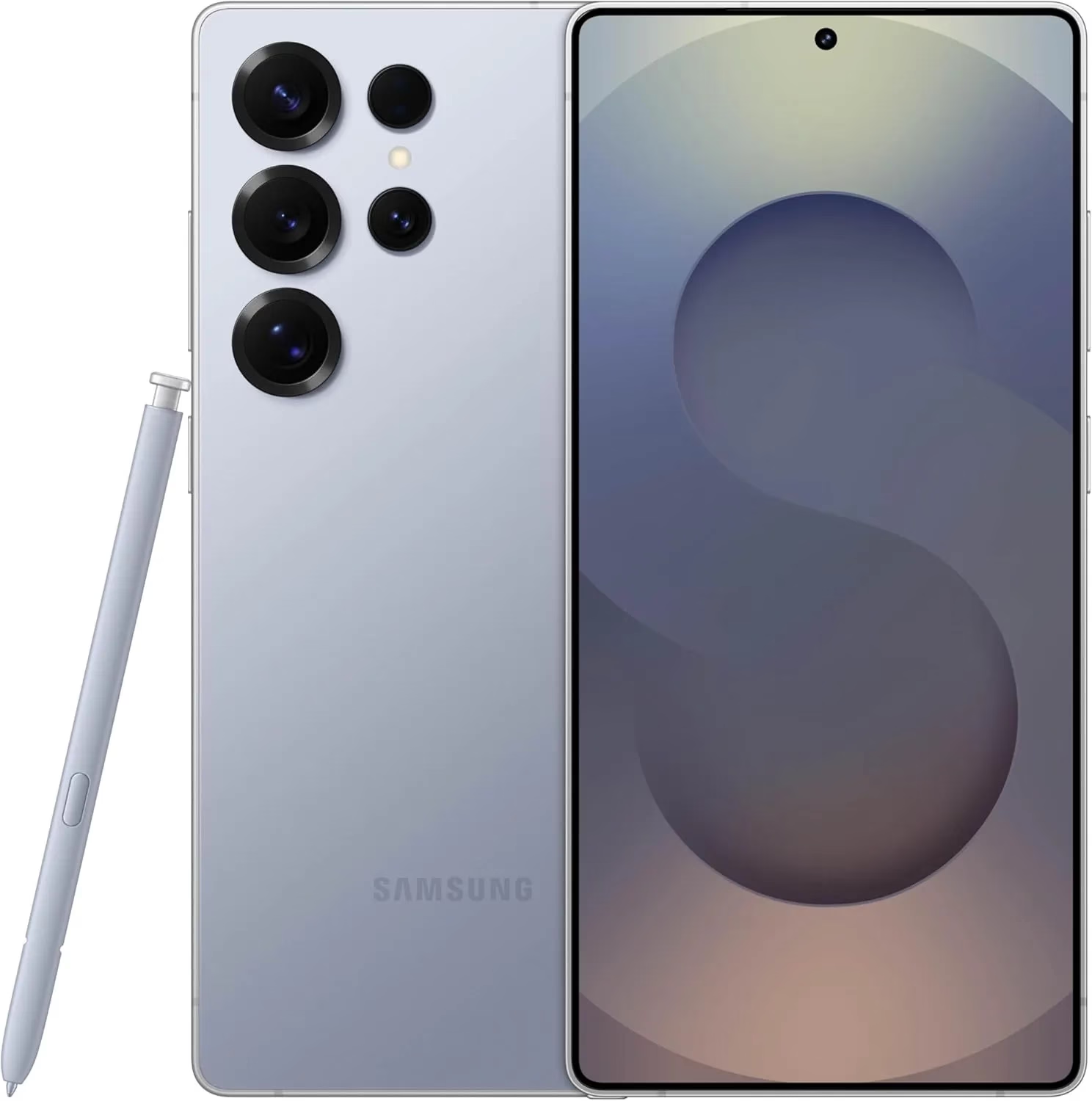
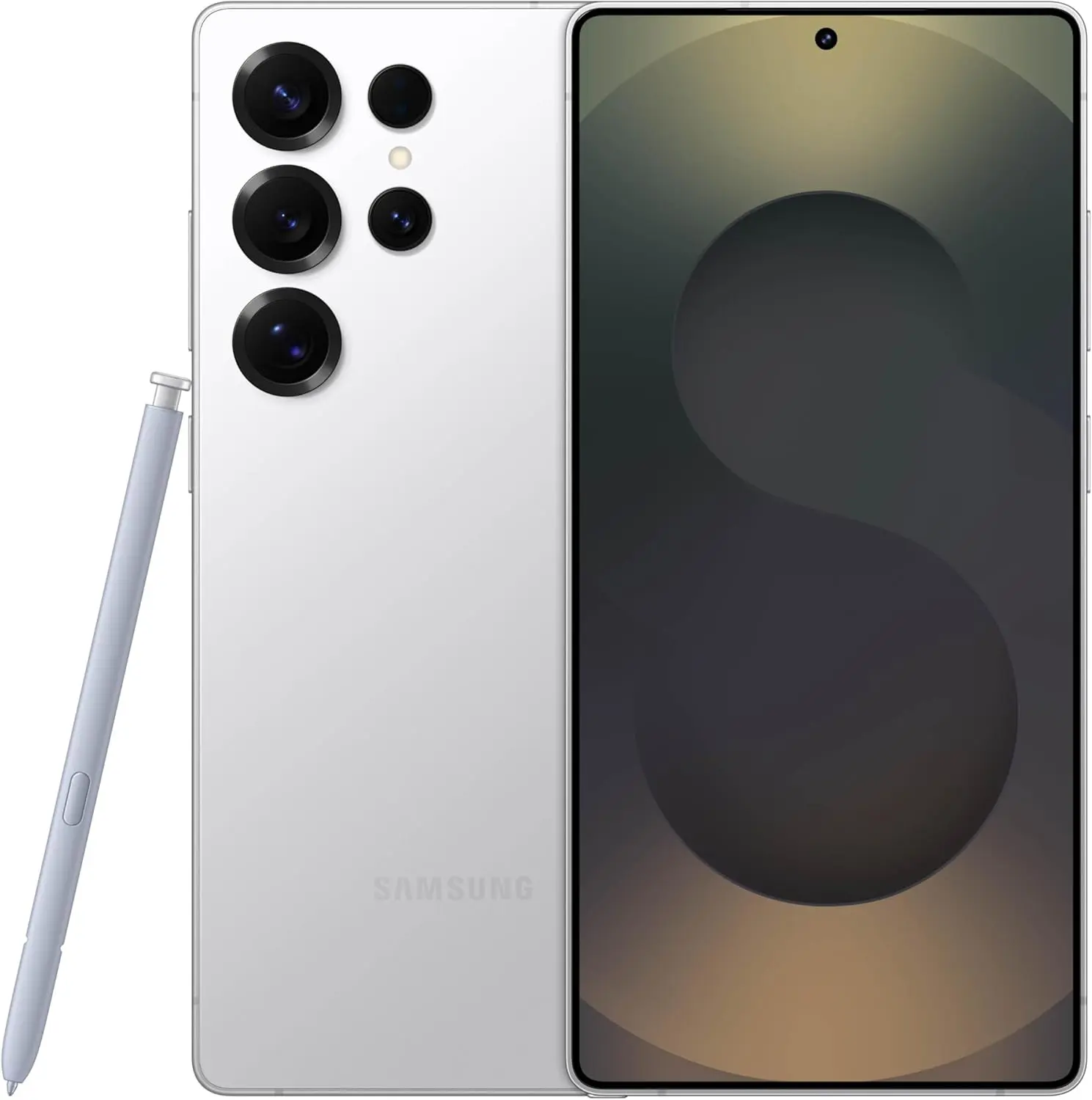
Samsung Galaxy S25 Ultra, 512GB
Streamline your day with an assistant that gets you. Ask it to Google search for a pet-friendly vegan restaurant nearby and text it to your friend— your Galaxy S25 Ultra handles multiple tasks with a single ask.
Building on Google’s Advanced Protection Program, which offers further protections against unwanted account access for high-risk users, this new mode is a feature of Android 16. While Advanced Protection does not yet handle any of Samsung’s unique security settings, it does activate the functions stated on its page. That might alter, though, if Samsung incorporates the Advanced Protection API, which enables third-party services and apps to verify whether the mode is enabled and activate their own security features.
Stay connected with the latest from Droid Tools—follow us on X @droid_tools, like our page on Facebook, check out our updates on Instagram, and follow us on Google News for real-time news, device tips, and mobile tech insights.
According to a tip from Android Authority and an APK breakdown, Samsung is included a new security tool in the next One UI 8 update. The “Alert Center,” a new feature, is supposed to provide customers with a more comprehensive alerting system for security and privacy issues.
When an app uses the camera or microphone on an Android device, users typically notice a green dot on the status bar’s edge. However, Alert Center will go one step farther and alert consumers to possible privacy and security threats.
It is said to provide notifications for a variety of problems, such as when applications read messages or get unauthorized access to the user’s camera or microphone. Gemini, turn away. Additionally, it will alert users to malware, insecure accounts, out-of-date software, and biometric security setup reminders. These alerts, which are directly related to the fix, assist users in acting promptly.
Additionally, Google revealed Android 16’s enhanced security features, which include a new protection mode to thwart attackers and keep gadgets safe.
No specific date has been set for the Alert Center’s launch.
Stay connected with the latest from Droid Tools—follow us on X @droid_tools, like our page on Facebook, check out our updates on Instagram, and follow us on Google News for real-time news, device tips, and mobile tech insights.
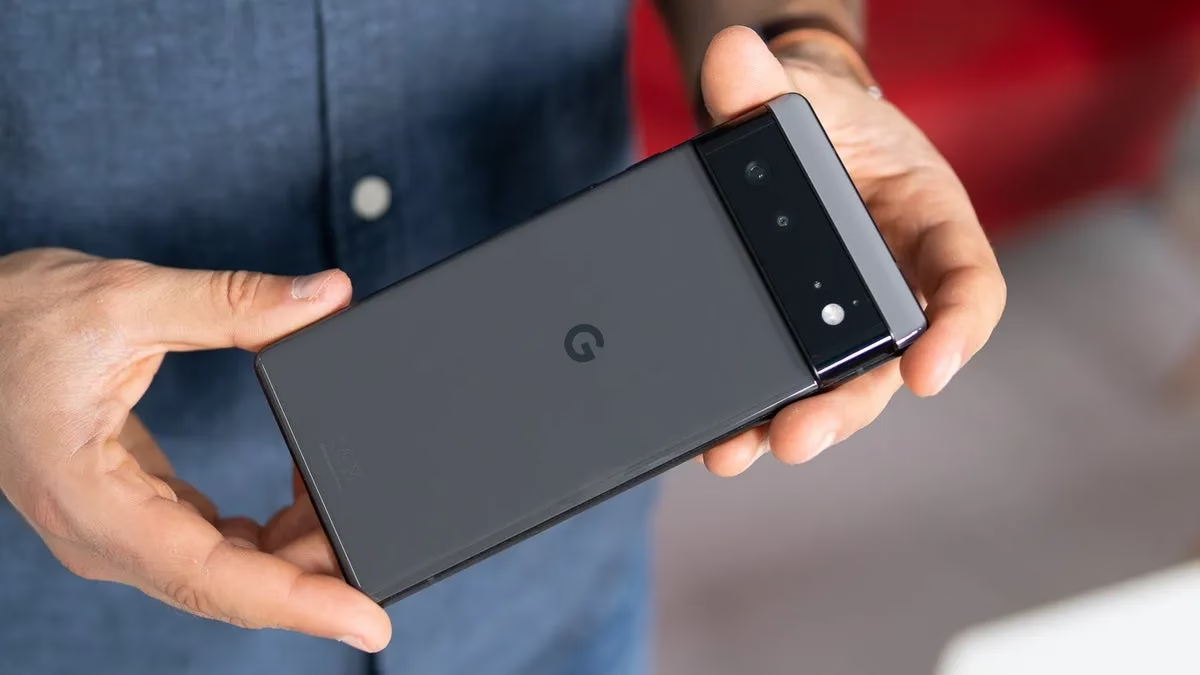
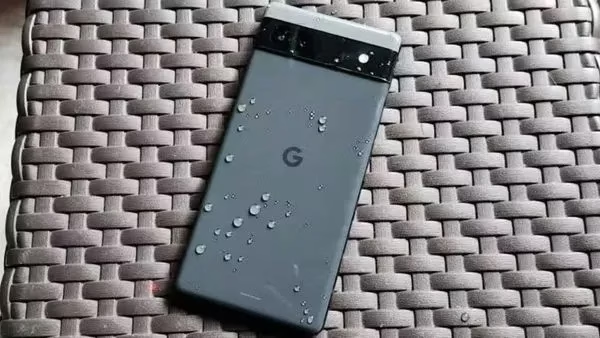
With Google’s surprise and abrupt hike in trade-in prices, now is an excellent time to exchange your damaged Pixel 6a for $524. You won’t find a better deal elsewhere.
The Pixel 6a’s battery will be throttled by a necessary update that Google is releasing on July 8th, for those who are unaware. This is a reaction to earlier this year’s allegations of phones overheating. The Pixel 4a experienced a similar issue, and the upgrade eventually reduced the phone’s battery life to a few hours.
According to Google, the Pixel 6a’s battery capacity will be lowered after 400 charge cycles or if the device is found to be impacted by the issue. Depending on where you live, the search company will replace your battery for free. But, utilizing the greatest trade-in offer I’ve seen this year is a better choice.
Google U.K. introduced a new campaign last week that increases trade-in pricing, meaning that phones that are effectively dead will get a sizable payoff. The regular Pixel 9 costs up to £675 ($920.50), the Pixel 9 Pro and XL versions cost £820 ($1118.24), and the Pixel 9 Pro Fold costs £1,045 ($1425.07). In addition to its standard trade-in assessments, Google claims that this adds a bonus of between £200 ($272.58) and £400 ($545.16).
Google will give you more money for your old phone
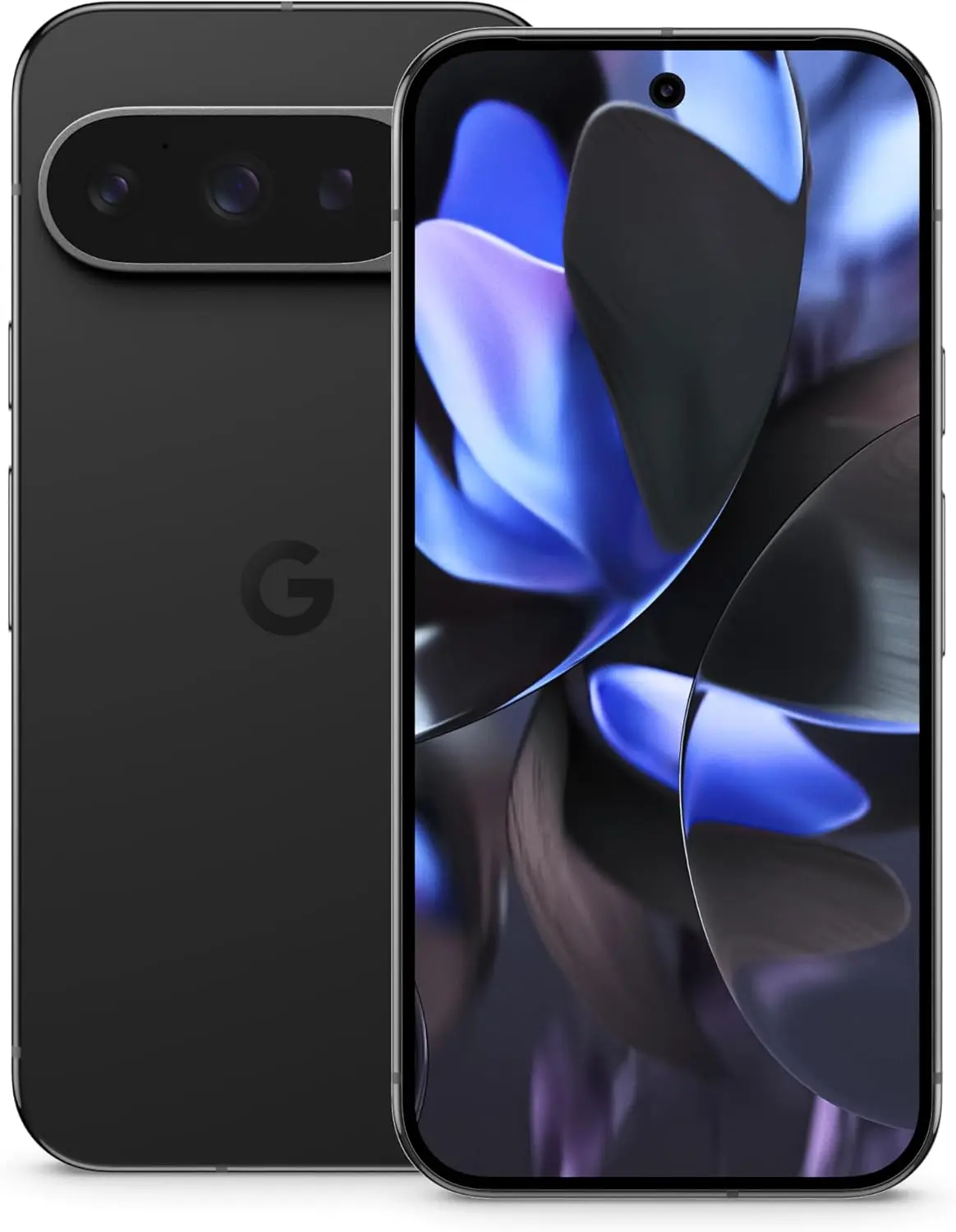
Google Pixel 9 Pro
Pixel 9 Pro with Gemini is the most powerful Pixel yet, and now comes in two sizes; it has a pro-level camera and it’s engineered by Google, so it gets the best of Google AI first
The company will pay £384 ($523.78) for your Pixel 6a. You won’t get anything like that for a Pixel 6a unless you con someone on eBay by sending them a broken Pixel 6a instead of an iPhone 14 (don’t do that). This is a good offer that I haven’t seen from Google or any other manufacturer before, if you’re not put off by their battery-related antics.
Google Pixel 7 Pro – £454 ($618.75)
Google Pixel 6 Pro – £415 ($565.60)
Google Pixel 5 – £377 ($513.81)
Apple iPhone 14 Pro Max – £657 ($895.42)
Apple iPhone 11 Pro Max – £447 ($609.21)
Samsung Galaxy S23 Ultra – £517 ($704.62)
Samsung Galaxy S10 Plus – £373 ($508.36)
Google releases the battery restricting update on July 8th, which also happens to be the day the offer finishes. But don’t worry, there will be more in the future given the scope and regularity of Google, Samsung, and Amazon’s promotional offers.
As part of early Prime Day savings, two of Samsung’s top smartwatch models are currently on sale for incredibly low rates, so forget about the rumored Samsung Galaxy Watch 8. I’m referring to the Samsung Galaxy Watch 7 and Galaxy Watch Ultra, of course.
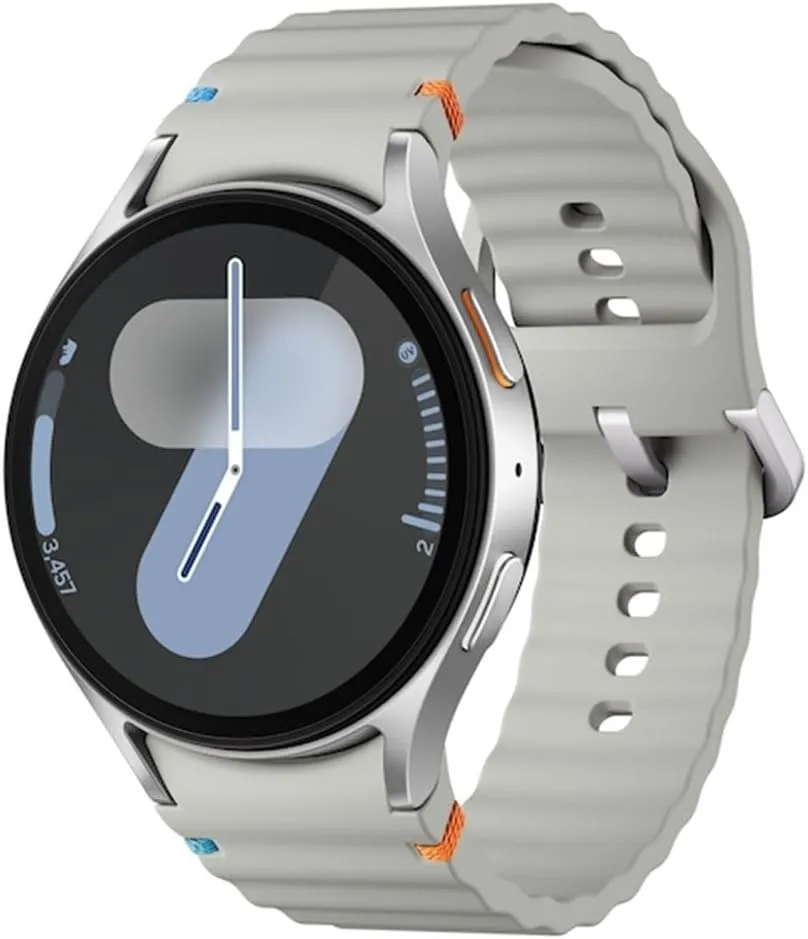
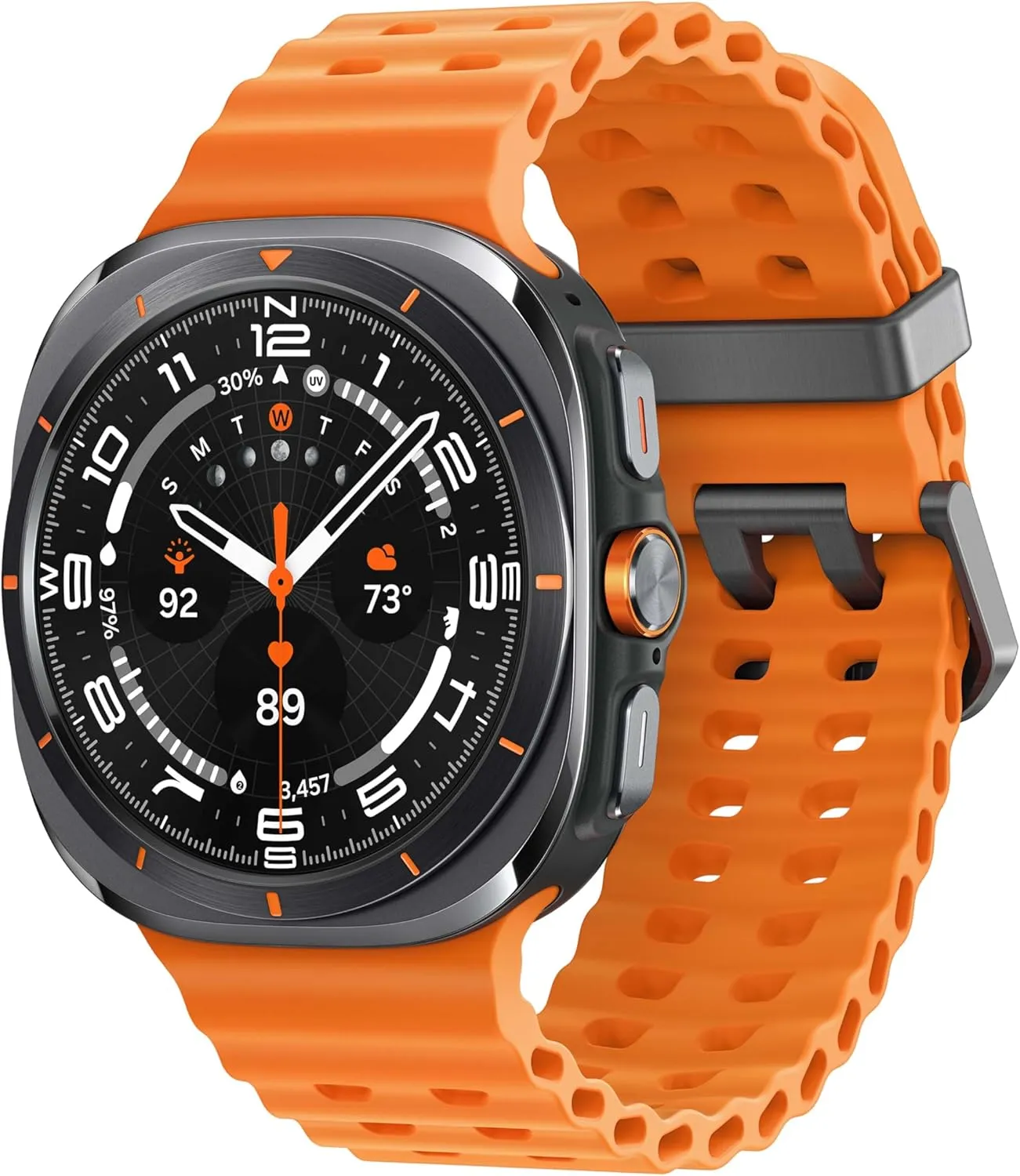
Amazon is selling the 40mm Galaxy Watch 7 for just $209, down from $299, and the 44mm variant for just $199.99, down from $269. But that’s not all. Amazon now sells the durable and long-lasting Samsung Galaxy Watch Ultra for $399, down from $649. Visit our early Prime Day bargains live blog for further discounts.
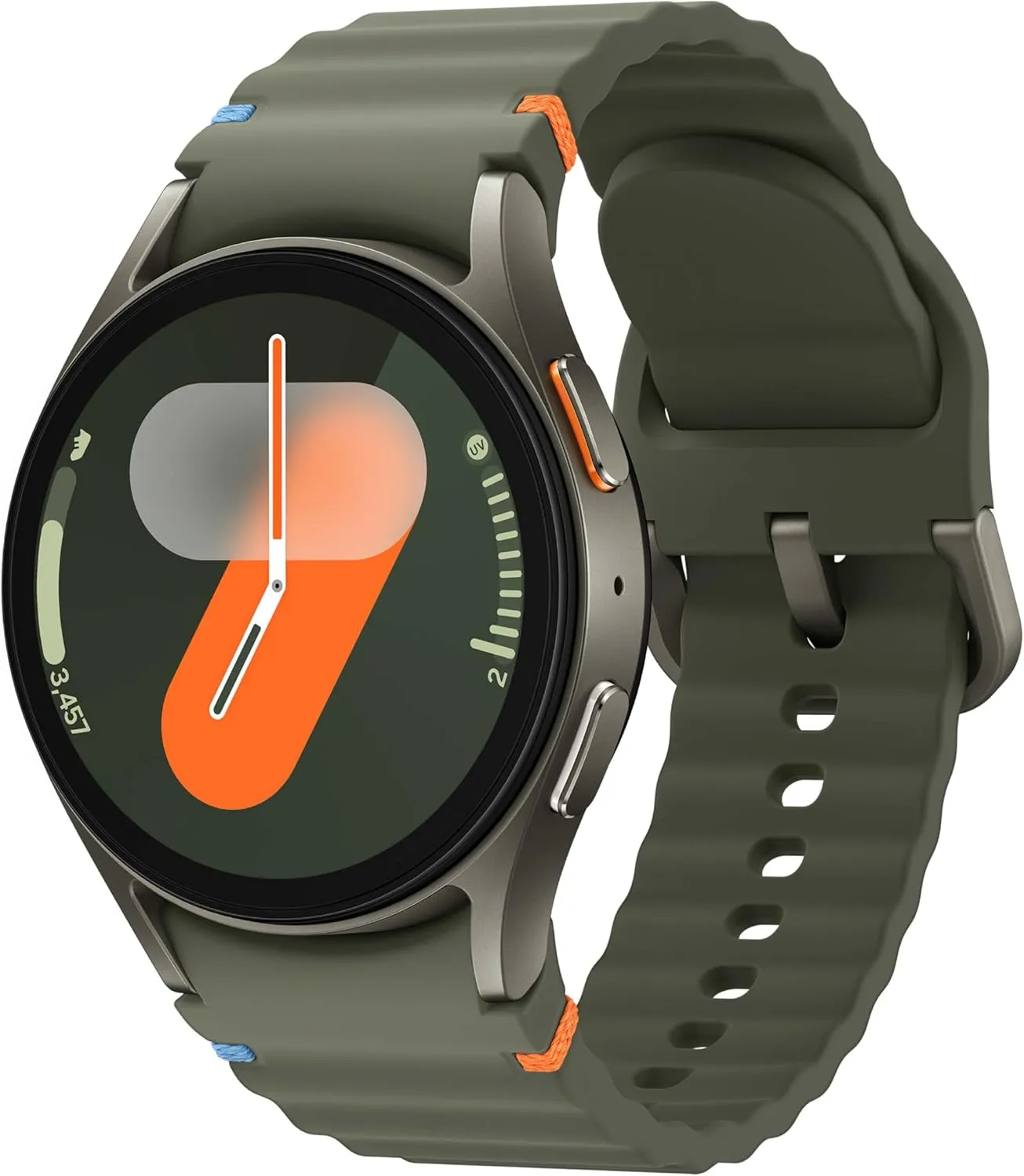
Samsung Galaxy Watch 7 (44mm)
1.5″ Super AMOLED, 480x480px ~327ppi, 425mAh Battery, Bluetooth 5.3, Wi-Fi, MIL-STD-810H compliant, 50m/5ATM water resistant (IP68), ECG certified, Sleep Coach, Heart Monitor
With the Samsung Galaxy Unpacked event less than a week away, where we’ll likely get our first look at the upcoming Samsung Galaxy Watch 8, now is a wonderful time to get a Galaxy Watch 7 or Ultra for less money!
The Galaxy Watch 7 is still a really powerful and impressive smartwatch, and even after the release of the Galaxy Watch 8, I’ll probably still suggest it if it stays affordable, even though the next generation smartwatches will undoubtedly have some awesome new capabilities.
The Galaxy Watch 7 is the greatest wristwatch for tracking sleep in 2025, in addition to being one of my favorite Android-compatible models. Available in 40mm or 45mm (both sizes are on sale), it provides a plethora of helpful native and third-party apps, dependable workout tracking and safety features, outstanding AI-backed holistic insights, and an incredibly comfortable design.
Samsung Galaxy Watch Ultra deal
Samsung Galaxy Watch Ultra 47mm LTE
RUGGED. RELIABLE. READY FOR ANYTHING: Climb the highest peak; Bike the long way home; The durable titanium design is our toughest yet, able to stand up to the rigors of your workout, including rainy or dusty conditions — even ocean swimming
In contrast, the Samsung Galaxy Watch Ultra has twice the battery life (up to three days in low power mode) and a much larger, all-titanium case with 100 meters of water resistance (compared to the Watch 7’s 50mm) and all the same features and comprehensive tools as the Galaxy Watch 7.
With the same tough-as-nails, anything-goes attitude as the Apple Watch Ultra series, consider it the Android counterpart.
Stay connected with the latest from Droid Tools—follow us on X @droid_tools, like our page on Facebook, check out our updates on Instagram, and follow us on Google News for real-time news, device tips, and mobile tech insights.
The One UI 8 Watch Beta update for the Galaxy Watch 7 and Watch Ultra, which is based on Wear OS 6, was released by Samsung a few hours ago. According to the changelog, the firm wants to improve the Galaxy Watch experience by adding smarter controls, new health features, simpler notification management, and other significant updates. Early previews of the major new upgrade, featuring the revised user interface, are now available.
A first look at key changes in One UI 8 Watch
People will notice a cleaner, more polished interface as soon as they install One UI 8 Watch. The system’s user interface has been completely revamped by Samsung. The screen seems smoother and more layered thanks to a blurred backdrop effect, and the battery icon now resembles the one seen on Galaxy phones running One UI 7. Additionally, a stylish new charging animation has been included, which gives even the act of plugging in your watch a more contemporary vibe.
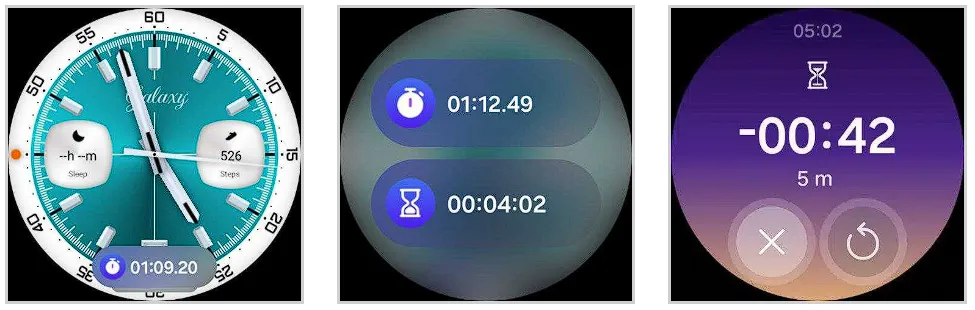
Now Bar is also included to Samsung’s watch platform with this upgrade. The Now Bar, which provides instant access to ongoing tasks and important information, is located at the bottom of the watch face, just like on Galaxy phones (thanks, @DalgleishGX!). Its style can be altered to better fit your requirements.
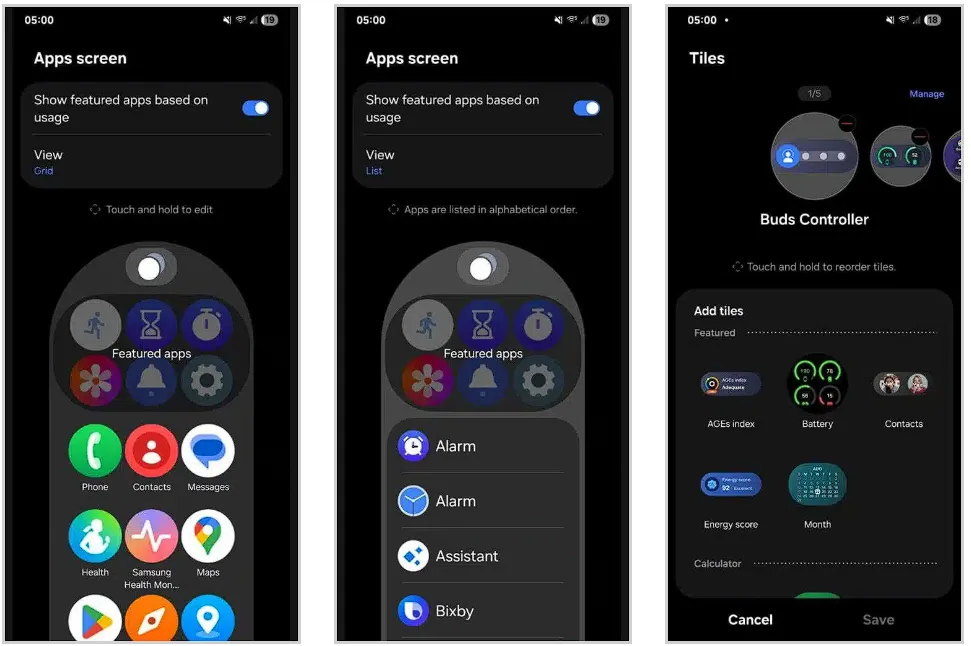
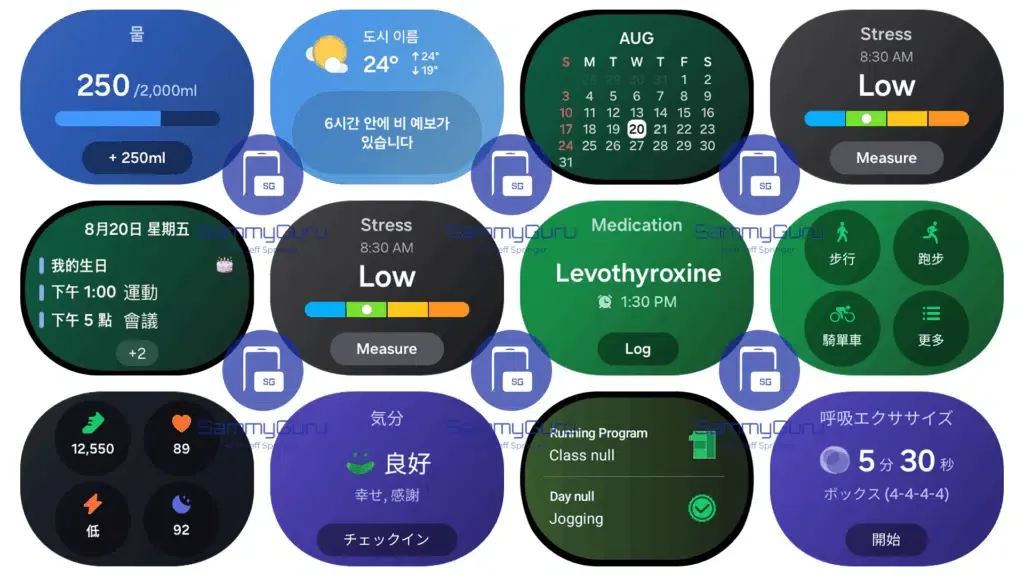
One UI 8 Watch significantly improves tile usability. To cut down on screen clutter, you can now group related tiles into one. You can also make custom tiles that show the information you care about most, like the weather, upcoming events, or reminders, all in one location. Although it’s a little adjustment, it greatly streamlines daily use.
Additionally, Samsung updated the Apps screen, enabling users to alternate between list view and grid view. You may now choose whether you want a traditional scrolling list or a condensed overview of your apps on the screen. Notifications have also been changed; they are now simpler to view and use, with clearer formatting that highlights alerts without being obtrusive.
A more organized Settings menu
Finding what you need is now faster thanks to a redesigned and more structured Settings menu. Additionally, Samsung is adding Routines to its portfolio of Galaxy Watches. For users who prefer their devices to anticipate their requirements, this automation function allows you to set rules such as turning off notifications when you go to bed or changing modes based on time or activity.
Last but not least, the Double Pinch gesture is new to the One UI 8 Watch. You can start apps, control music, activate the Now Bar, and scroll through notifications by just pinching your thumb and index finger together twice. Particularly for accessibility and fast interactions without touching the screen, it’s a potent addition. As we discover more intriguing improvements in the initial One UI 8 Watch beta, we’ll keep you informed.
Samsung Galaxy Watch 7
1.5″ Super AMOLED, 480x480px ~327ppi, 425mAh Battery, Bluetooth 5.3, Wi-Fi, MIL-STD-810H compliant, 50m/5ATM water resistant (IP68), ECG certified, Sleep Coach, Heart Monitor
Stay connected with the latest from Droid Tools—follow us on X @droid_tools, like our page on Facebook, check out our updates on Instagram, and follow us on Google News for real-time news, device tips, and mobile tech insights.
We are especially concerned about battery health because Google recently announced that its Battery Performance Program for the Pixel 6a will begin next week. Although it may seem strange to consider your smartphone a consumable, that is essentially what it is, and each time we put one of our gadgets through a complete charge cycle, the batteries get a little worse for wear. You’ll start to notice those losses if you repeat that process hundreds and hundreds of times.
Not all batteries are made equal, which is something that the whole controversy surrounding the Pixel 4a and now Pixel 6a has really brought home to us. The issue is that we typically only hear about battery-operated devices that cause issues years later. When you first buy a phone, isn’t there a good way to set your expectations for battery life? We recently received one, as expected.
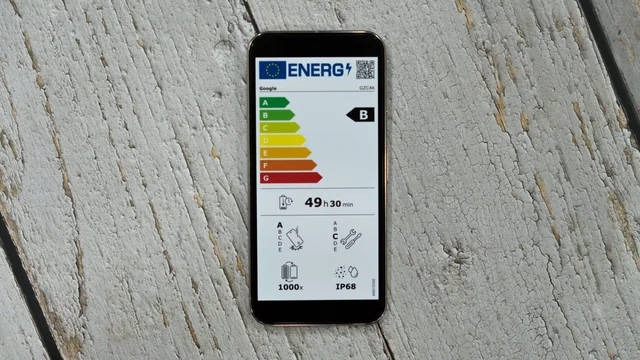
The European Union, and more especially its new energy label program, is to thank for this regulation, as it is for many other recent consumer-benefitting smartphone laws. These marks help convey power efficiency, hardware durability, and—most importantly for today’s discussion—a rating for the number of charge cycles the phone should be able to withstand, just like you might see an Energy Star rating on a new appliance.
Are you curious about how the battery life of your phone stacks up against the competition? We created this graphic to illustrate how many charge cycles these labels promote for a few well-known products because we have been curious ourselves.
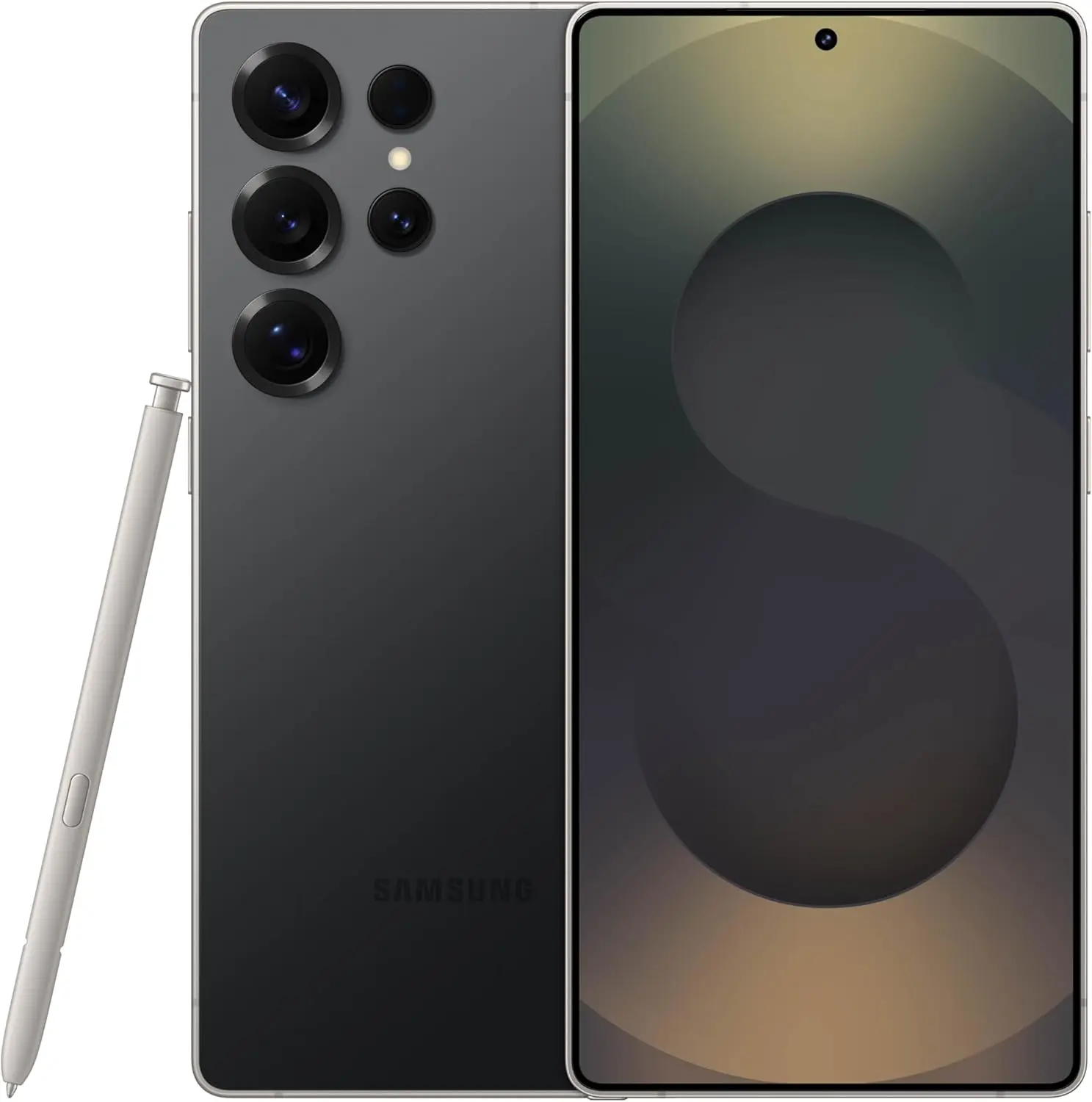
Samsung Galaxy S25 Ultra
Streamline your day with an assistant that gets you. Ask it to Google search for a pet-friendly vegan restaurant nearby and text it to your friend— your Galaxy S25 Ultra handles multiple tasks with a single ask.
All of these numbers have been confirmed by the European Product Registry for Energy Labeling of the EU. We’ve gone through the entire database and included even more gadgets you might find useful, thanks to Reddit user FragmentedChicken for compiling an early version of this list.
Wondering how things stand with the batteries on the other side of the platform fence? We also looked up the ratings for Apple products, and every device in the EU system, including the iPad Air M3 and iPhone 16 Pro Max, has a 1,000 charge cycle rating.
Right now, the vast majority of devices fall in the 1,000–1,400 cycle range. So how did Samsung manage to push so many of its phones and tablets up to 2,000 cycles? That is a very, very good question, and we would love to see a more technical analysis into how these numbers are put together, and just how accurately they may reflect real-world conditions. And what impact does different battery chemistry, like the silicon-carbon battery in the OnePlus 13, have on the cycle count?
This database offers a great jumping-off point, but we would sure love to see a whole lot more battery information provided by the manufacturers behind these devices.
Samsung Galaxy S25 Ultra
Streamline your day with an assistant that gets you. Ask it to Google search for a pet-friendly vegan restaurant nearby and text it to your friend— your Galaxy S25 Ultra handles multiple tasks with a single ask.
Stay connected with the latest from Droid Tools—follow us on X @droid_tools, like our page on Facebook, check out our updates on Instagram, and follow us on Google News for real-time news, device tips, and mobile tech insights.
Many Samsung Galaxy users reported that their phones’ batteries began to drain more quickly than normal after updating to One UI 7. This problem primarily impacted premium phones such as the Galaxy Z Fold 5 and S24 series. According to recent data, the most recent security patch has resolved the One UI 7 devices’ battery depletion problem.
Despite One UI 7’s improved appearance and additional functions, some phones’ batteries died significantly more quickly than they used to. It appears that Samsung may have quietly resolved this issue with the June 2025 security patch.
Users of the Z Fold 5 and Galaxy S24 have reported that installing the June 2025 security update significantly improved their battery life. One user even claimed that the battery life of his Galaxy Z Fold 5 had increased by “400%.” Users of the Galaxy S24 and S24+ also reported gains, albeit they weren’t that significant.
Earlier this month, the June update for the Galaxy Z Fold 5 and S24 series models began to trickle out. With this update, consumers are now seeing longer battery life.
Security updates are typically created to address vulnerabilities and issues. However, occasionally they also aid in enhancing the phone’s functionality, such as battery life. In order to include new features, bug repairs, and upgrades, it also updates a number of apps to the most recent version.
Although Samsung has not formally addressed the battery problem, several customers think the update was helpful. You might wish to see if the June update is available for your phone if the battery has been rapidly depleting after the One UI 7 update. Better battery life is already being noticed by certain users.
Has your phone improved with the upgrade, or are you still having battery problems? Share your experience with us by leaving a comment on our social media platforms.
Samsung Galaxy S25 Ultra
This phone is Unlocked for GSM Carriers in USA like T-Mobile (Excluding Verizon, Sprint, and US Cellular) and not compatible with any CDMA Network Carriers. Dual-SIM (2x Nano-SIM + or Nano-SIM + eSIM or Dual eSIM)
Stay connected with the latest from Droid Tools—follow us on X @droid_tools, like our page on Facebook, check out our updates on Instagram, and follow us on Google News for real-time news, device tips, and mobile tech insights.
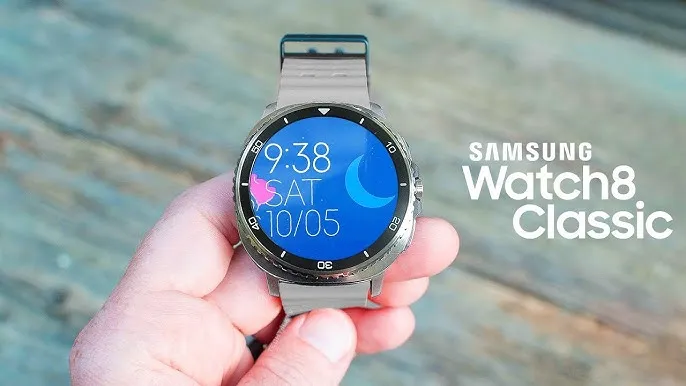
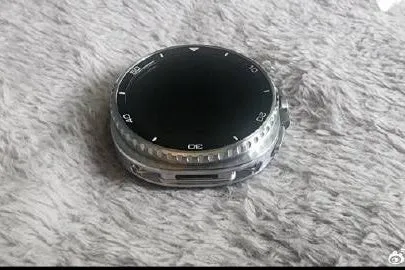
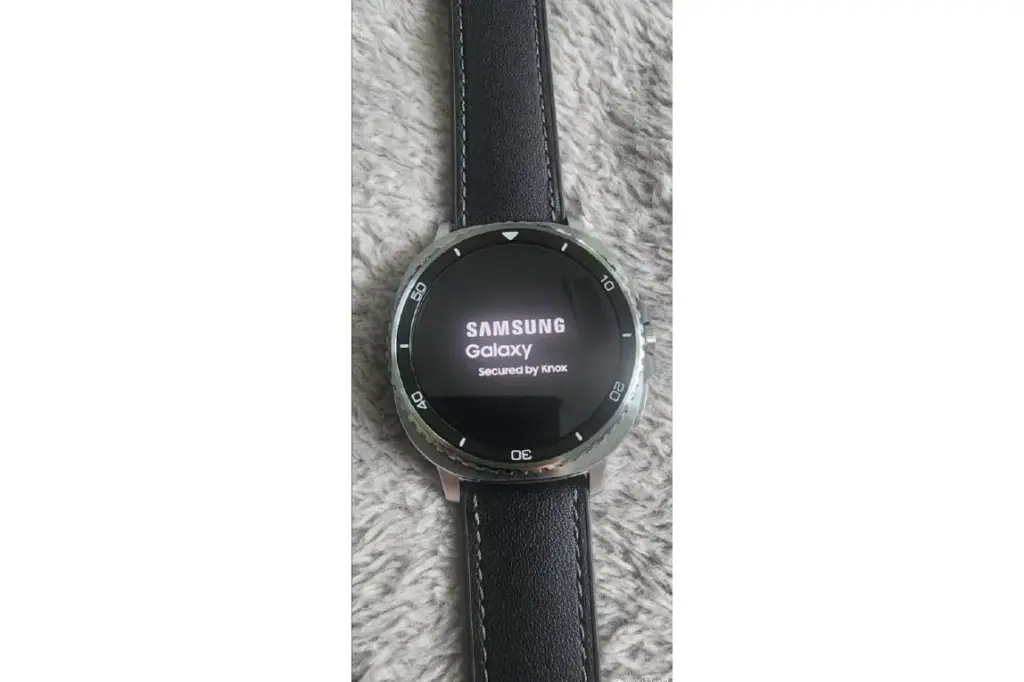
We are looking at a real-life photograph of the Galaxy Watch 8 Classic, which has leaked once more. Days before its anticipated release, leaker Setsuna Digital, also known as Instant Digital, posted the image on Weibo, giving us a better glimpse of what might be Samsung’s upcoming wristwatch.
The Galaxy Watch 8 series has been the subject of more leaks lately. The Classic model recently surfaced in an eBay sale, suggesting that testing or retail units may already be in circulation, in addition to CAD-based renders for the full Watch 8 series. The mounting body of evidence is further strengthened by this new image.
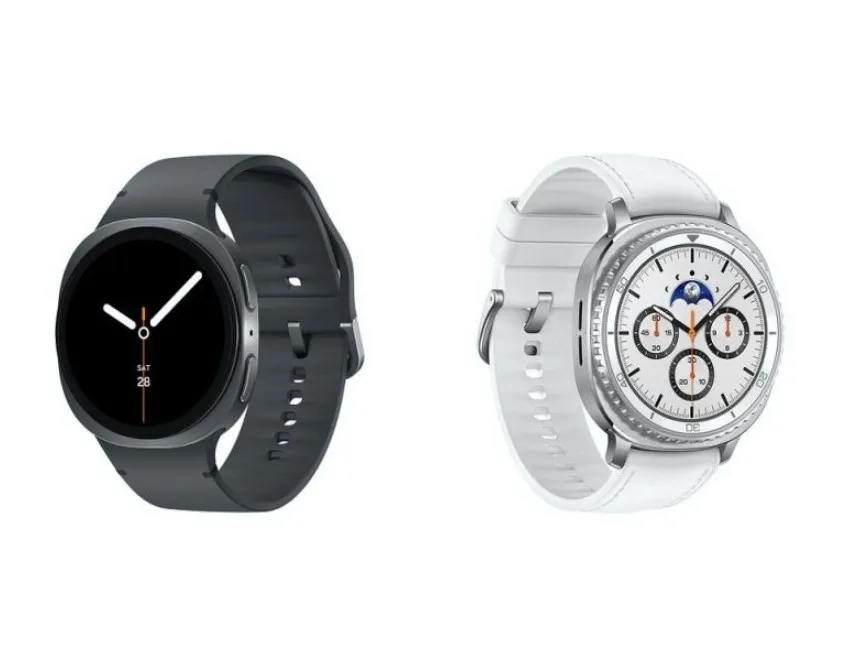
Galaxy Watch 8 Classic squircled design
The picture displays a black leather band on a metal watch body. Along with what appears to be a real spinning bezel, the watch has two side buttons. The “squircle” form that debuted with the Galaxy Watch Ultra and has unquestionably come to be associated with it is one obvious departure from Samsung’s earlier Classic watch offerings. With all of its watches, Samsung seems to be moving in the direction of this new design.
Also, the screen might be larger and the bezel seems a little smaller than in previous versions, however Samsung has not verified any of these claims. There have also been rumors that the Galaxy Watch 8 Classic would have a more durable design and a brighter display.
Although Samsung has not yet made the Galaxy Watch 8 series official, it is anticipated that the firm will do so during its Unpacked event on July 9th, along with its upcoming line of foldable gadgets. The Galaxy Z Fold 7, Galaxy Z Flip 7, and other new wearables are anticipated to be the main attractions of the event.
The likelihood that the Galaxy Watch 8 Classic will soon have this upgraded appearance is growing as more leaks support the same design. The return of the spinning bezel and its new brand identity may help it stand out in Samsung’s growing watch selection, though it is unclear if it will be able to draw attention over the well-liked Ultra model.Real-world photos of the Galaxy Watch 8 Classic were leaked once more.
Stay connected with the latest from Droid Tools—follow us on X @droid_tools, like our page on Facebook, check out our updates on Instagram, and follow us on Google News for real-time news, device tips, and mobile tech insights.
Samsung Galaxy Watch 7 (44mm)
1.5″ Super AMOLED, 480x480px ~327ppi, 425mAh Battery, Bluetooth 5.3, Wi-Fi, MIL-STD-810H compliant, 50m/5ATM water resistant (IP68), ECG certified, Sleep Coach, Heart Monitor
Because of their feature-rich and responsive software, Samsung’s Galaxy smartphones are among the best Android phones on the market right now. However, the majority of Samsung phones, particularly premium models like the Galaxy S25 Ultra, Galaxy Z Fold 6, and Z Flip 6, include extravagant features that you might not utilize on a regular basis.
There are ways to maximize what you have without degrading the user experience if your new Galaxy phone isn’t able to survive a full day between charges.
Here are seven strategies to extend your Galaxy phone’s battery life. Don’t worry, I won’t be Captain Obvious and suggest that you use your phone at a lower refresh rate or lower the screen resolution. The suggestions on this list ought to enhance your quality of life while optimizing the functionality of your phone.
Adaptive Brightness
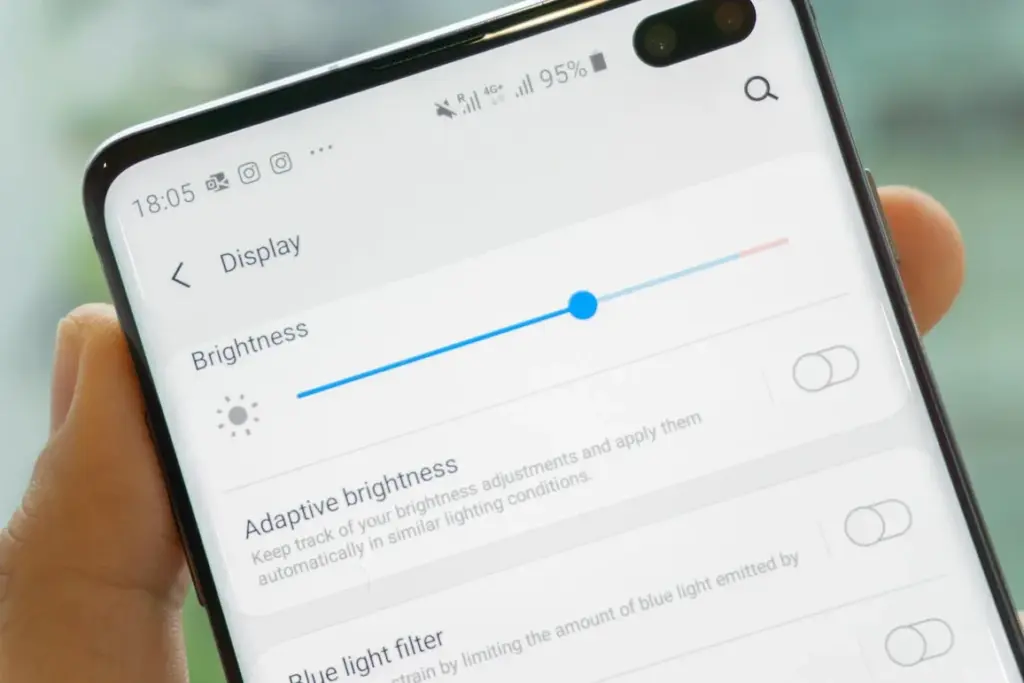
Although this setting should ideally be turned on by default, some individuals disable it because it’s not always reliable. Nonetheless, the quality of Samsung’s ambient light sensor has increased over time. Your Galaxy phone is capable of accurately detecting ambient illumination and adjusting the screen brightness on its own. By doing this, you can make sure your display is more effective and not overly bright.
Toggle Adaptive Brightness on by going to Settings > Display. Although it should function in most settings, you can use the Quick Settings panel to slide down to change the brightness if necessary.
Scheduel Always-On Display
I adore my Galaxy S25 Ultra’s Always-On Display (AOD). For efficiency, its LTPO display lowers to 1Hz, which is useful for functions like AOD. Using AOD may not be as effective if your Galaxy phone is midrange and has a minimum refresh rate of 60 Hz. You can use it wisely, though, by planning AOD for when it’s required.
For example, I’ve set it for 10 a.m. to 6 p.m. so I don’t miss any crucial messages and can quickly get the information I need.
How to: Select Settings > AOD and Lock Screen > Select Always On Display > As scheduled under When to show. Additionally, disable the Show lock screen wallpaper in the AOD options while you’re at it.
Enable Performance profile
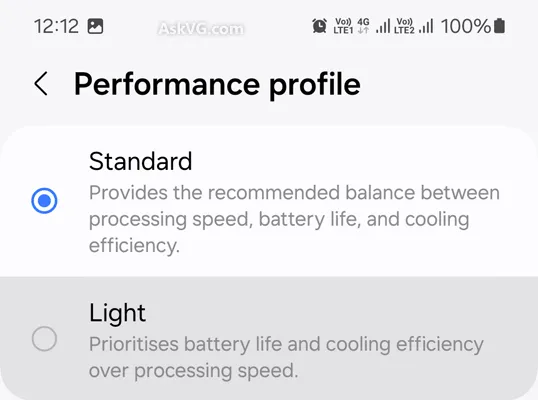
Samsung lets you select a performance profile according on how you use it. The Light Performance profile is a better option than the Standard if you don’t play games and use your phone mostly for everyday activities like surfing and making calls. It will put cooling and battery life ahead of processing performance.
Open the Settings app and go to Device care > Performance profile and select Light. This is ideal for average phone users.
Use Dark Mode
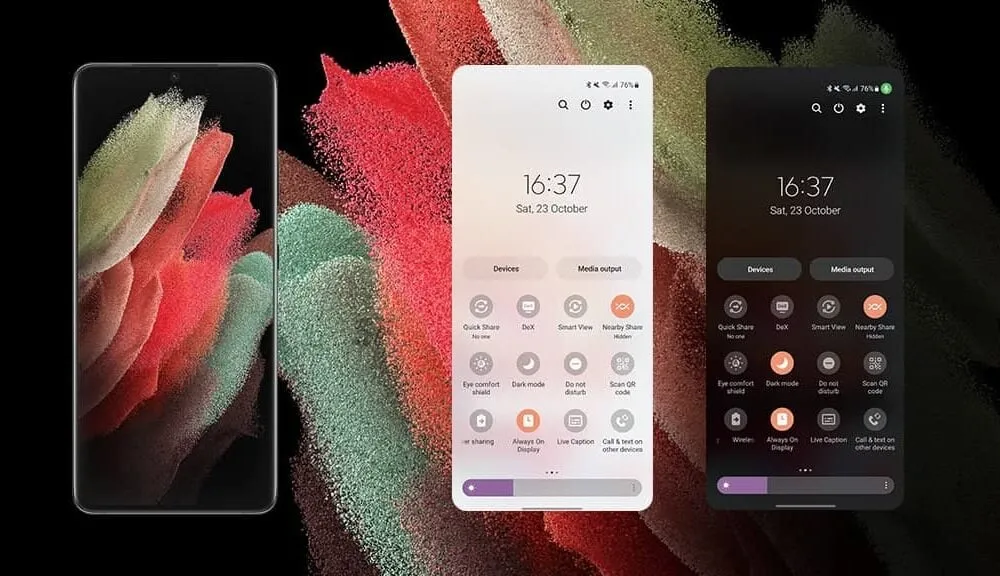
AMOLED screens, which can control individual pixels, are seen on the majority of Samsung phones. Therefore, the area of the screen that must remain black won’t activate those pixels when you choose a dark theme or dark wallpaper. As a result, your screen uses less power and your battery lasts a little longer.
How to do it: Go to Settings > Display. Two cards for Light and Dark will be dealt to you. Press the Dark option. Changing the system wallpaper and sticking with the light theme is an alternative, but it won’t have the same impact on energy life as switching to dark mode.
Use offline content when you can
It’s a good idea to download such stuff offline if you listen to the same podcasts and playlists or travel the same path every day. Google Maps and the majority of streaming apps use a lot of battery power over 5G and LTE. It may also cause your phone to feel warm to the touch when you’re outside. With a little advance forethought, you can handle this: Before you leave the house, use Wi-Fi to download your favorite music or maps.
How to: Go to the streaming apps you want to download content from and follow the in-app steps. For instance, YouTube has a download button on videos, and Spotify lets you download complete playlists.
Force stop or uninstall power-draining apps
Numerous programs, including Facebook, Microsoft 365, OneDrive, and numerous Samsung and Google apps, are pre-installed on Samsung phones. To stop them from running in the background, find the ones you don’t need and either remove them or force-disable them.
For instance, not everyone requires OneDrive or the Samsung Smart TV app. I remove those two apps along with others like Facebook, Outlook, Microsoft 365, Tutor, and more when I set up a new Galaxy phone.
To unistall an app tap and hold the app you want to uninstall. A pop-up menu will appear. Tap Uninstall. As a result, none of these non-required apps will use your battery.
Check what apps are power-draining
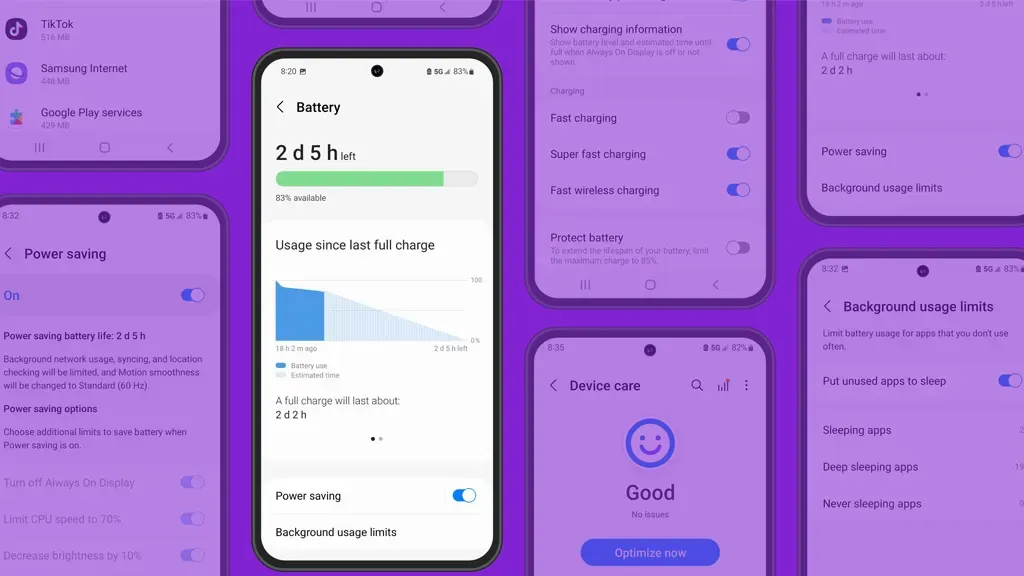
Depending on your location, 5G connectivity, and background usage, some apps need more power. To assist you reduce unnecessary battery usage, Samsung allows you to recognize certain power-hungry programs.
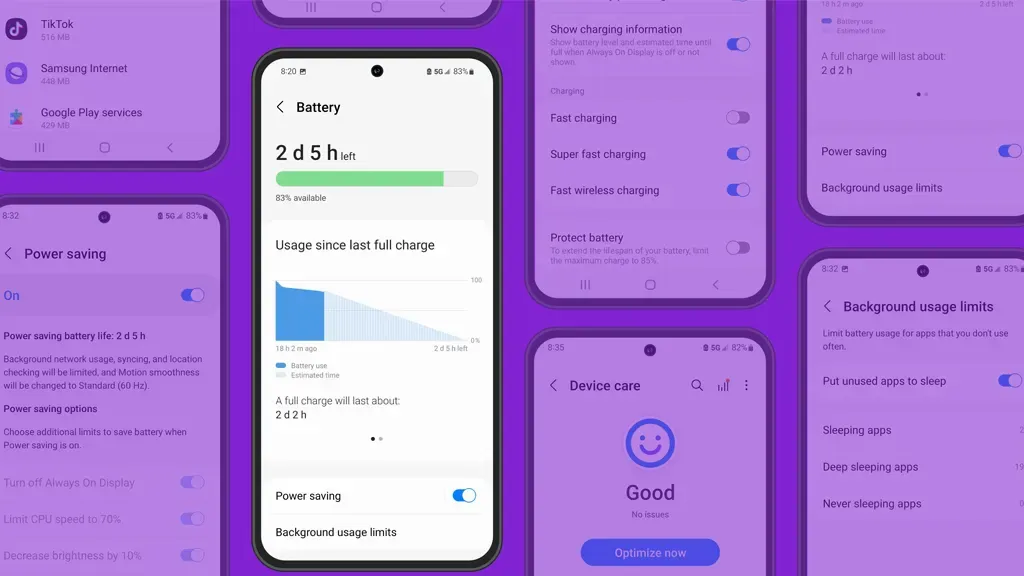
How to: Go to Settings > Battery and device care > Battery > Background usage limitations on your Galaxy smartphone to find apps that use a lot of power. Then, choose the apps you wish to disable.
What to do when you are low on battery?
The top functions of your Galaxy phone will not be compromised by the seven settings mentioned above. But if your phone’s battery is low while you’re out, you should:
Turn on Power Saving
Toggle off data roaming
Turn off location services
Switch off AOD altogether
When your phone’s battery is less than 20% and you’re still a few hours away from a charger, I advise activating these options. The Samsung settings listed above will also help you get the most out of your Galaxy phone’s battery.
Stay connected with the latest from Droid Tools—follow us on X @droid_tools, like our page on Facebook, check out our updates on Instagram, and follow us on Google News for real-time news, device tips, and mobile tech insights.
It should come as no surprise that Samsung releases a new generation of smartwatches every summer, generally in tandem with its most recent foldable phones. This year is no exception. Three smartwatches—the Galaxy Watch 8, the Galaxy Watch 8 Classic, and the Galaxy Watch Ultra 2—will be available to go along with the Galaxy Z Fold 7 and Galaxy Z Flip 7.
All of them appear to be slightly different from their predecessors, but as is customary, we anticipate that the Galaxy Watch 8 will be the most affordable new Samsung wearable, and it may even become a bestseller.
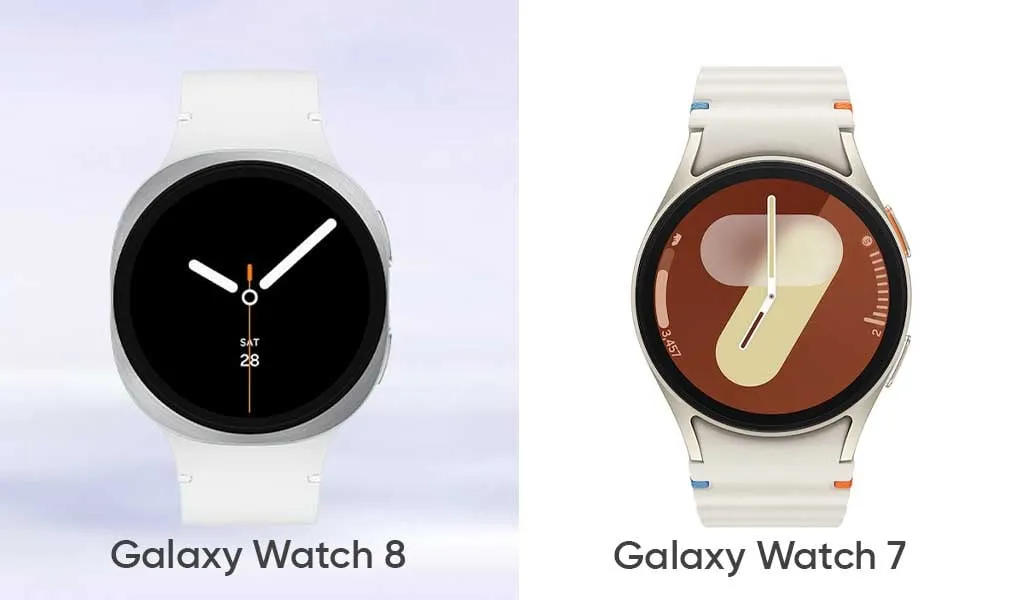
The Galaxy Watch 8 doesn’t appear to be anything that different from the Galaxy Watch 7 from the previous year, except from the somewhat updated design language. But is it just a new look, or is Samsung working on another exciting new feature?
Design
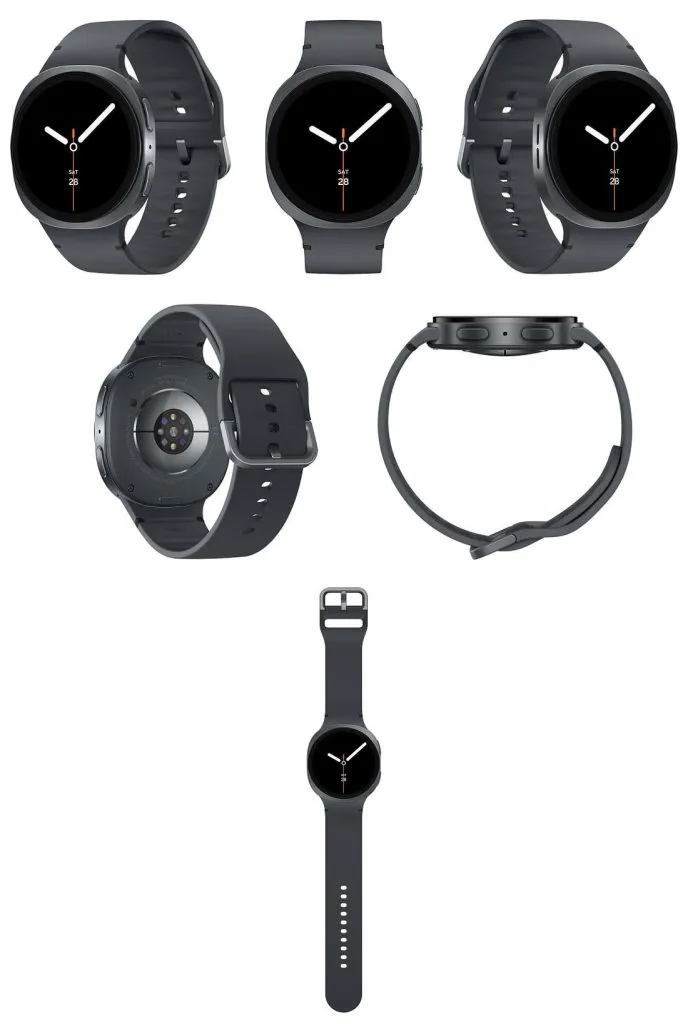
Similar to the Galaxy Watch Ultra from the last year, Samsung appears to be using a new squircle-like design language to all of its wearables this year. This entails a typical circular screen and an aluminum shell that is primarily squircle. This device only has the typical two buttons on the right side, not a rotating bezel.
Unrestricted by the round shape of the prior watch covers, this modification would allow Samsung to fit a slightly larger battery inside. This is exactly what appears to be happening here, as a slightly larger battery is reportedly making the rounds. There doesn’t appear to be any other specific justification for the redesign itself aside from that, since none was required in the first place.
The Galaxy Watch 7, which is a typical circular smartwatch like the majority of Samsung’s devices from previous years, stands in quite sharp contrast to that. The South Korean corporation was well aware that it was the most identifiable watch shape, which also worked well for the smartwatch spinoff.
Like its predecessors, the Galaxy Watch 8 will undoubtedly be available in two sizes: 40 and 44 mm.
We don’t anticipate any changes to the formula in terms of size, which could indicate that the Galaxy Watch 8 will be as thin and small as the Galaxy Watch 7. To refresh your memory, the latter was 9.7 mm thin and, depending on the model, either 40.4 or 44.4 mm in diameter. We don’t think the Galaxy Watch 8 will weigh significantly more than the Galaxy Watch 7, which weighed between 29 and 34 grams.
Like the Watch 7, the Galaxy Watch 8 will undoubtedly include MIL-STD-810H shock resistance and IP68 water and dust protection.
Samsung debuted a new quick-release band connection system for its smartwatches with the Galaxy Watch 6. It rapidly separates the strap mechanism from the watch casing by pressing a button. Since the band attachment technique isn’t expected to change, the system is expected to function flawlessly on the Galaxy Watch 8 as it did on the Galaxy Watch 6 and 7 generations.
Samsung Galaxy Watch 7
Looking for a great way to bring out your personal best every day?
Having said that, Samsung submitted a patent application in December 2024 for a novel attachment system that combines multiple technologies to provide even quicker band interchangeability at a glance. But since it’s a patent, it’s impossible to predict whether or not it will come to pass.
However, we anticipate that the Galaxy Watch 8 series will be accompanied by the announcement of a few new watch band styles.
Software & Features
Samsung’s One UI Watch 8 will run on top of Wear OS, which will serve as the foundation for the Galaxy Watch 8. From a usability and functionality standpoint, the combination of Google and Samsung’s software has historically produced a surprisingly good smartwatch experience, and there’s no reason to think the Galaxy Watch 8 UX would be any different.
However, Google’s Wear OS is set to undergo a significant revamp with the next Material 3 Expressive design language, which will also undoubtedly alter the look of Android 16.
Additionally, it is rumored that Samsung is expanding the capabilities of its Galaxy AI to include personalized recommendations driven by AI and other features on the company’s smartwatches.
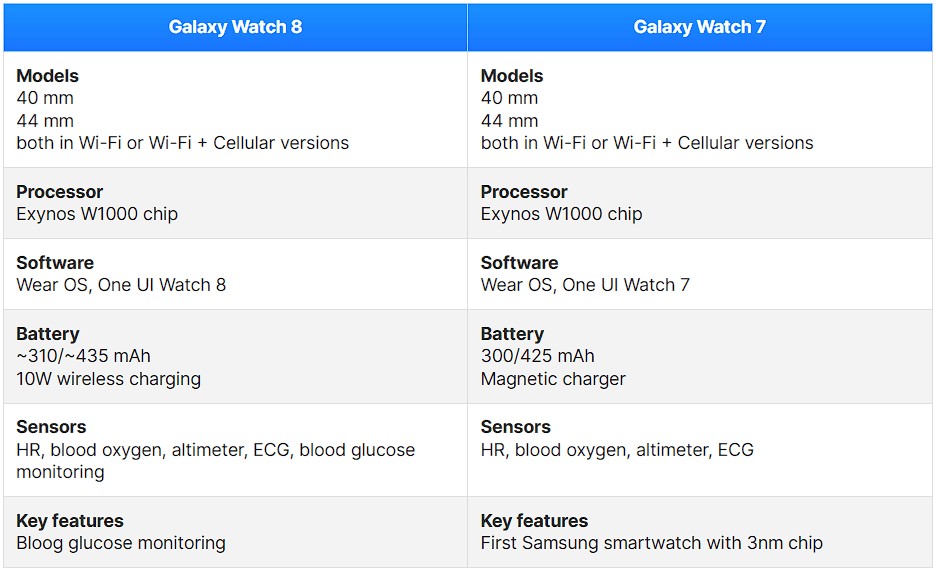
One potential new function is non-invasive blood glucose monitoring, which measures the minute variations in blood glucose using the BioActive sensor built into the device. Although we have some doubts that this feature will be included in the Galaxy Watch 8 series this year, there is always a chance.
Battery
The 40 mm model of last year’s Galaxy Watch 7 had a 300 mAh battery, but the larger 44 mm model has a 425 mAh battery.
According to rumors, the Galaxy Watch 8 will likely have a somewhat bigger battery. What we’re getting here is a slight bump to 435 mAh on the 44 mm size and perhaps 310 mAh on the smaller choice.
The Galaxy Watch 8 is anticipated to use the same 3nm Exynos W1000 chip, therefore a significant improvement in battery life seems unlikely. Therefore, the maximum battery life we are receiving may be around a day or a day and a half.
It’s possible that the Galaxy Watch 8 will support the same 10W wireless charging.
Specs
The specs for the Galaxy Watch 8 vs. Galaxy Watch 7 are anticipated to be as follows:
Samsung Galaxy Watch 7
Looking for a great way to bring out your personal best every day?
Compared to the Galaxy Watch 7, the Galaxy Watch 8 appears to be just a design update, a slow and sensible development.
The glucose monitoring feature, which may prove to be extremely helpful for many diabetics, is perhaps the most exciting new feature. The icing on the cake is that it will be non-invasive.
Is it time to replace your Galaxy Watch 7? Considering that the two smartwatches’ basic specifications and functionalities are essentially the identical, users of the Galaxy Watch 7 shouldn’t feel pressured to upgrade, despite the rumors that are currently circulating.