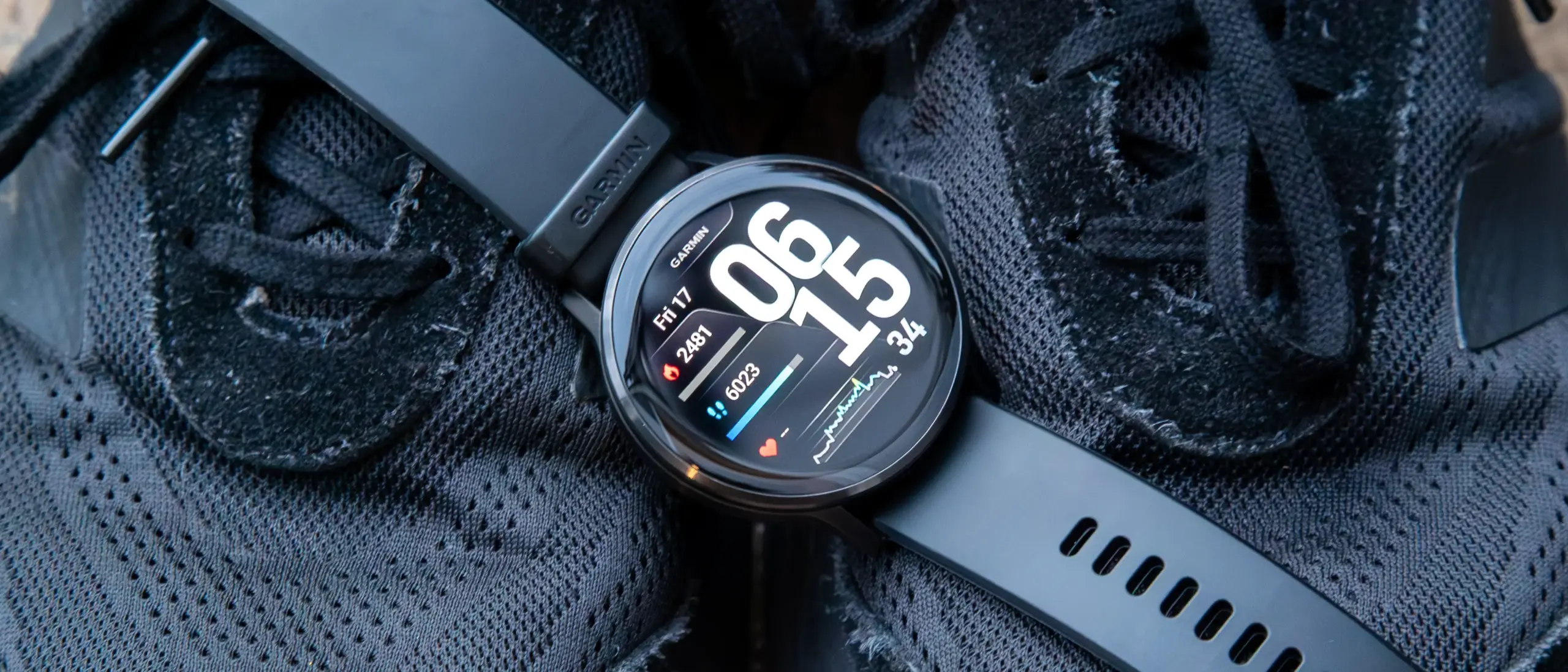
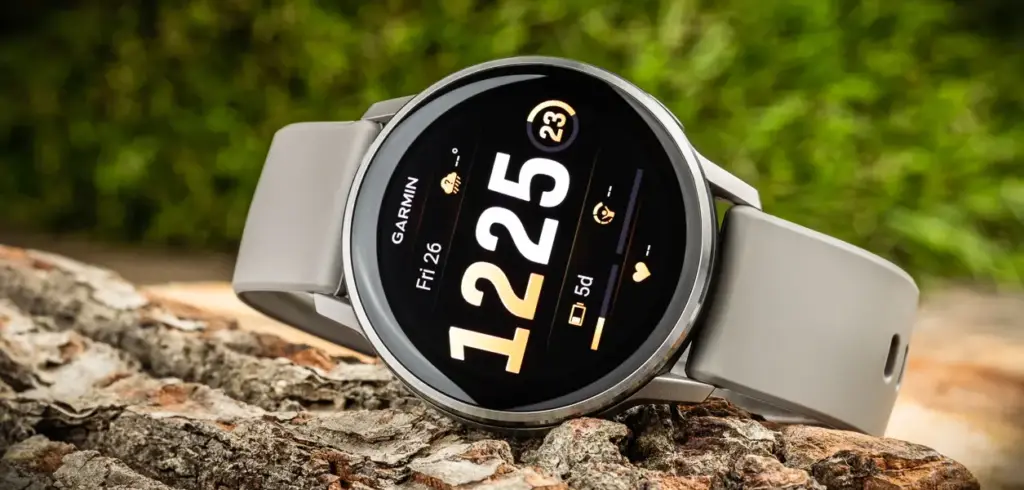
Garmin has rolled out another beta update for the Venu 4, delivering over a dozen fixes and refinements to the mid-range smartwatch. Beta 17.25 is available globally through Garmin’s Beta Program and tackles a notable bug that could cause the watch to enter recovery mode during a software update, among several other improvements.
The update arrives a day after Garmin pushed comparable beta builds to the Venu X1, Vivoactive 6, Forerunner 570, and Forerunner 970. The Venu 4 (currently $499 on Amazon) now gets its own update in the form of Beta 17.25, which Garmin says brings 13 changes to the device, including updated translations. The release also coincides with Garmin Connect Mobile picking up additional translations through its own v3.90 update.
There are no new features in this build – the focus is squarely on stability and accuracy. Beyond the recovery mode fix, Beta 17.25 resolves two separate issues that were causing device resets on earlier builds, and it also addresses a problem with battery estimate accuracy when switching power modes during activities. A few other quality-of-life fixes round out the changelog.
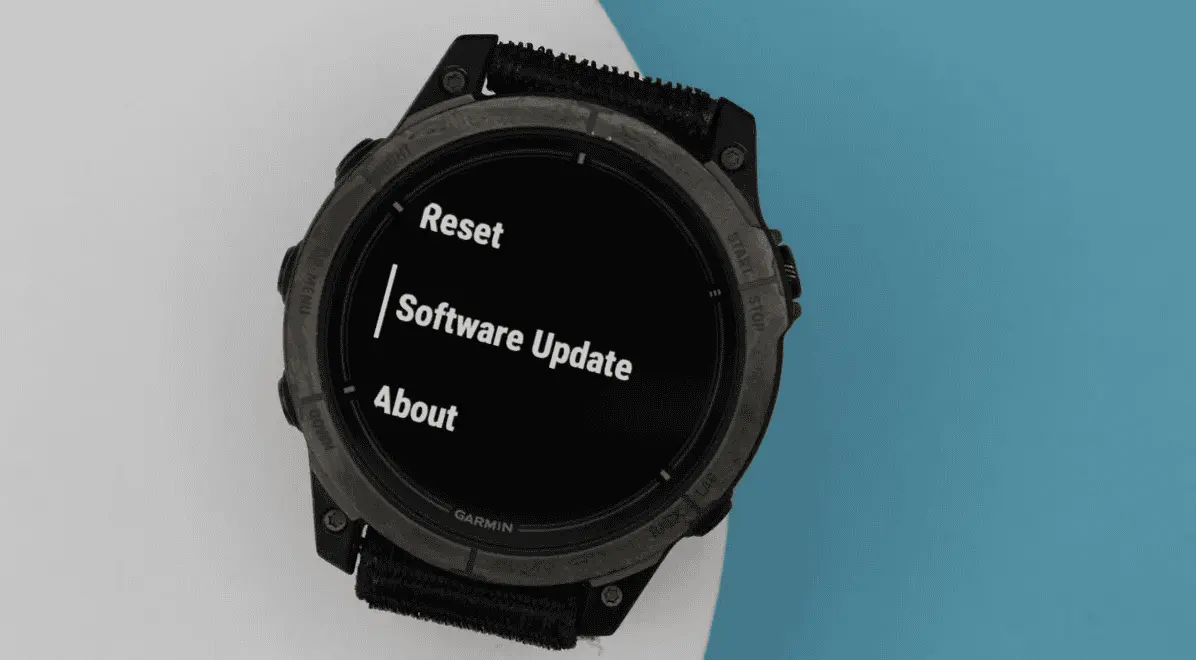
To install Beta 17.25, users enrolled in Garmin’s Beta Program need to trigger the update manually. The path is: Main Menu → Settings → System → Software Update → Check for Updates.
The full changelog from Beta 17.19 to Beta 17.25 is as follows:
Fixes a possible crash when routing back to start.
Fixes an issue that could cause the device to enter recovery mode during a software update.
Fixes an issue that could cause the device to reset when adding apps via Garmin Connect Mobile.
Fixes an issue that could cause the device to reset when viewing the evening report.
Fixes an issue that could result in counting reps incorrectly during strength training activities.
Fixes an issue that could result in the post-activity summary map being centered incorrectly for multisport activities.
Fixes an issue where the duration could be missing from the workout card in the morning report.
Fixes battery estimates when switching power modes for activities.
Fixes other minor bugs.
Fixes various other issues that could cause the device to reset.
Fixes weather app not updating when you enter the app.
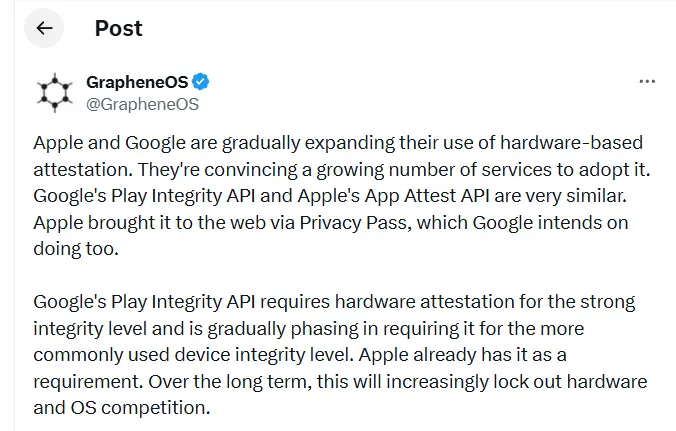
GrapheneOS has published a lengthy thread on X accusing Google and Apple of gradually making the internet and mobile apps more dependent on their own platforms, devices, and software ecosystems.
The project argues that tools like Google’s Play Integrity API and Apple’s App Attest are being marketed as security features when, in practice, they make it significantly harder for users to choose alternative operating systems. A growing number of apps and websites now check whether a user is running a trusted device and approved software before granting access. According to GrapheneOS, this trajectory could hand Google and Apple near-total control over which devices function properly online.
“Over the long term, this will increasingly lock out hardware and OS competition,” GrapheneOS wrote in the thread.
Much of the criticism is directed at Google’s Play Integrity API, which Android apps use to verify whether a device is genuine, running certified software, and considered secure. Banking apps commonly rely on these checks to block rooted phones or devices running modified versions of Android. GrapheneOS argues that the same system also shuts out legitimate alternatives – including its own OS.
“Google’s Play Integrity API bans using GrapheneOS despite it being far more secure than anything they permit,” the post states.
“The purpose of these systems is disallowing people from using hardware and software not approved by Apple or Google,” GrapheneOS added. “This is wrongly presented as being a security feature.”
reCAPTCHA concerns
The thread also raises concerns about reCAPTCHA, Google’s widely deployed CAPTCHA system. GrapheneOS points out that Google’s verification systems require users to confirm their identity using a certified Android or iOS device. In some cases, that means scanning a QR code with a phone just to prove you’re a real person before accessing a site or service. GrapheneOS warns this dynamic could eventually extend to desktop platforms like Windows and Linux as well.
“Control over reCAPTCHA puts Google in a position where they can require having either iOS or a certified Android device to use an enormous amount of the web,” the platform wrote.
GrapheneOS also highlights that governments and financial institutions are increasingly adopting these same verification systems for payments, digital ID apps, and age verification services – deepening the entrenchment of Apple and Google’s gatekeeping role.
“Instead of governments stopping Apple and Google from engaging in egregiously anti-competitive behavior, they’re directly participating in locking out competition via their own services,” GrapheneOS said.
Neither Google nor Apple has publicly responded to the issues raised in the thread.
Garmin has pushed out another beta update for two of its recent mid-range smartwatches. Beta 17.19 is the second update the company has issued to the Venu 4 and Vivoactive 6 during the current v17.xx development cycle, building on the two dozen or so changes that arrived with the first release in this round. Based on how Garmin has handled previous beta cycles, at least another two to three updates are likely before the company promotes v17.xx to its stable software branch.
Beta 17.19 brings eight changes shared across both the Venu 4 and Vivoactive 6 (currently $249 on Amazon). Among the fixes, Garmin has resolved an issue where the turn arrow would disappear during course navigation — a fairly disruptive bug for anyone relying on the watch for outdoor routing. The update also improves UI responsiveness when starting a timer, which should make the experience feel snappier during workouts.
The Venu 4 gets three additional changes on top of the shared fixes. A bug that prevented the watch from accepting incoming calls has been squashed, as has another that caused the back and down keys to stop functioning during bouldering and indoor climb activities. Garmin has also adjusted how the mute setting behaves — it will now only stay active for the duration of the current phone call rather than persisting indefinitely afterward.
The full changelogs for both devices are below.
Venu 4 & Vivoactive 6 changelog
Adds support for Approach CT1 club sensors.
Allows LiveTrack to be enabled automatically on a per activity type basis.
Fixes an issue that could cause the turn arrow to be missing when navigating a course.
Fixes other minor bugs.
Fixes send off time not vibrating during swim workouts.
Fixes various issues that could cause the device to reset.
GCM Translations – 3.80
Improves responsiveness when starting the timer.
Prevents automatic track detection during trail run activities.
Venu 4 specific changelog
Updates mute setting to only persist for the current phone call.
Fixes a possible issue where the back and down key would not work for indoor climb and bouldering activities.
Fixes an issue that could result in not being able to accept an incoming call on the watch.
With HyperOS 4, Xiaomi intends to make significant changes. The old MIUI code is entirely removed by the business. The system becomes more stable and quicker as a result. In August 2026, HyperOS 4 will be available. It turns into the initial “Zero-Legacy” version.
In HyperOS 3.1, Xiaomi begins to clear up outdated code. The MIUI SDK is eliminated from the Weather and Gallery applications. All legacy code from MIUI 1 to HyperOS 3 is removed. The system eliminates outdated dependencies and sluggish function calls. A new operating system is produced as a result. It decreases bugs and increases speed.
Key changes:
Removes MIUI backward compatibility layer
Uses only HyperOS SDK in all modules
Deletes over 10 years of old code
Makes updates faster and more stable
HyperOS 4 brings high-performance apps with Flutter and Rust
Xiaomi uses Rust and Flutter to rework key apps. The Weather app on HyperOS 3.1 checks this. These tools are extensively utilized in HyperOS 4. UI is made fluid via Flutter. Rust improves safety and speed. Versions of new apps are not available to older HyperOS users. This eliminates older phones’ backward compatibility.
Key features:
Flutter for standard UI rendering
Rust for secure and fast core code
Modular apps that update independently
Better stability on all devices
Small improvements are made to flagship phones. Large speed increases are seen in low-cost phones. Xiaomi resolves outdated code issues. The most stable experience in Xiaomi history is what it promises.
The open-source HarmonyOS and Euler operating systems have seen quicker developer growth in China, according to the OpenAtom Foundation.
The OpenAtom Foundation is China’s first open-source software foundation, having been founded in 2020. From the start, Huawei has been a major supporter to the foundation. The business created OpenHarmony, an open-source HarmonyOS and Euler operating system, and gave the foundation the openEuler source code.
According to Cheng Xiaoming, Chairman of the OpenAtom Foundation, there are 2.27 million active open source developers and over 3 million active open source projects in China. These programmers are producing a wide variety of open-source programs and software.
OpenAtom foundation
Additionally, it is disclosed that Chinese developers are at the forefront of open source AI models, such as DeepSeek and Qwen, outperforming their competitors in the worldwide market. By 2025, a 25% global market adoption rate is anticipated for the open source hardware designs embodied by RISC-V.
The upcoming generation of AI computing power systems will be led by open source RISC-V. The open-source HarmonyOS and Euler have achieved the Graduation milestone, according to the OpenAtom Foundation.
An open-source project’s graduation represents its overall maturity in terms of technological iteration, community governance, and ecosystem development, and it is an important milestone in its operation.
Graduating projects will have a significant impact on industry innovation and technological advancement in addition to having strong vitality and sustainable development capabilities. They will also generate more value for developers and consumers worldwide. Graduating projects continue to play a significant role in the Foundation’s environment.
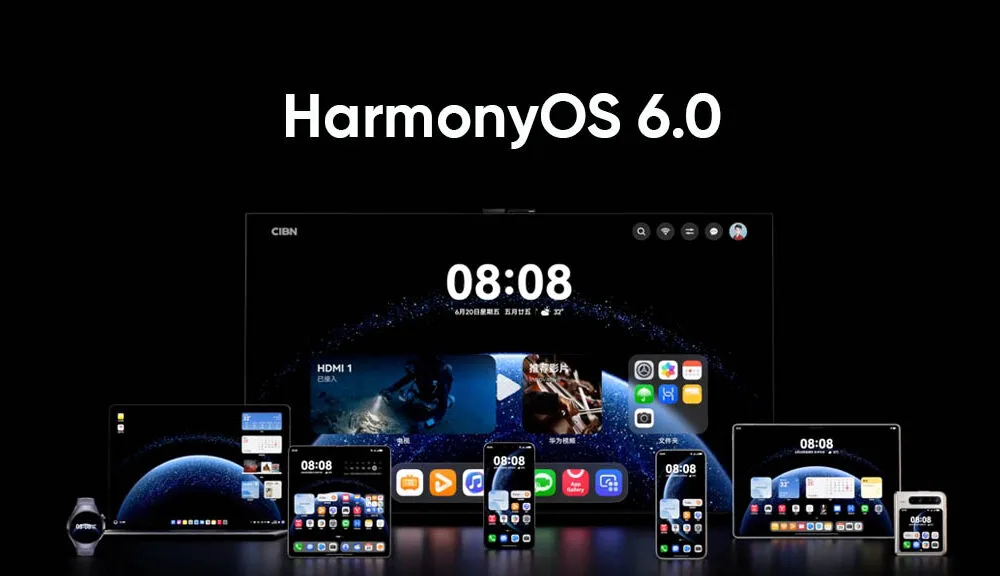
The HarmonyOS 6.0 Beta has been installed over 3 million times in a single day, according to Richard Yu, Chairman of the Huawei Consumer Business Unit. Before its formal release, the new software version has already broken all previous records.
Today, Richard Yu sent a letter via the Xinsheng Community to his staff. It highlighted some significant developments in Huawei’s software and hardware over the last several months.
HarmonyOS 6 Next coming
This year, Yu emphasized its software development in particular. As of October 22, 2025, the rollout, which began with HarmonyOS NEXT, has more over 23 million installs.
In spite of dire conditions, the company has emerged victorious, as seen by this hit situation. In order to match consumer expectations, he described the process of developing the company’s first operating system.
According to the chief, HarmonyOS 6 is even more significant because it set a new record in the software industry by completing 3 million installations in just one day.
HarmonyOS is not just something made, it’s something used! HarmonyOS 6 received 3 million upgrades within 24 hours of its release, setting a new record for upgrade speed!
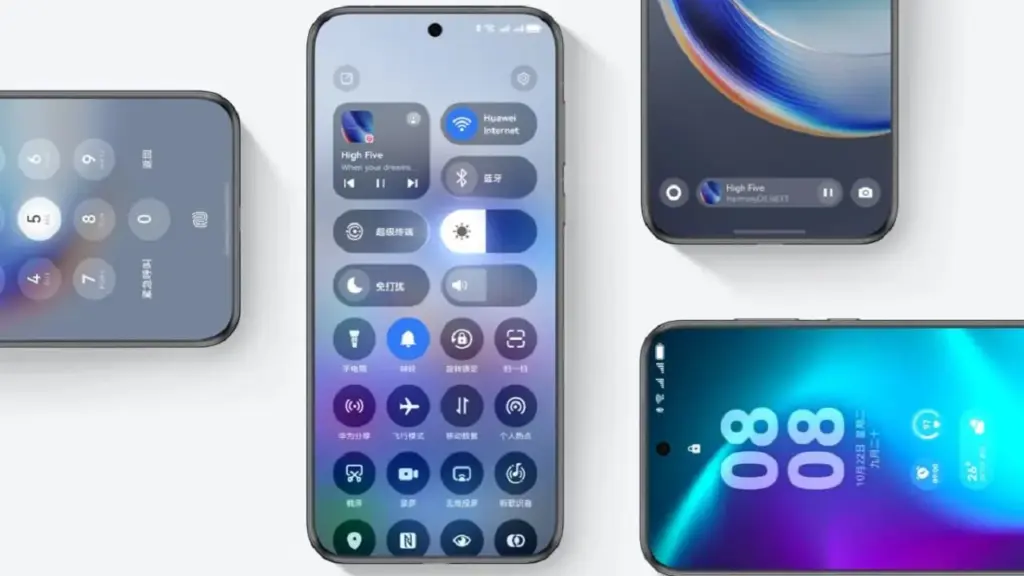
AI-powered one-tap video production, family-based fraud detection, dynamic and entertaining themes, and tap-to-share are just a few of the new version’s many noteworthy features.
In order to secure a third of the smartphone OS market, Richard stated that the next stage is to swiftly reach 40 million, 60 million, and even 100 million user coverage in the next months. The executive went on to say:
We must remain true to our original aspirations, focus on user experience, and truly practice our ecosystem culture. […] Each of us can contribute a brick, and together we will build the Great Wall of the HarmonyOS ecosystem! When the mountain flowers bloom, we will raise a glass to celebrate our victory!
Oppo’s ColorOS is the operating system that has produced the most feature-rich Android skins. The user experience is now significantly enhanced by the AI tools. Now, Oppo users are looking forward to the release of ColorOS 16. The most recent version of Android 16 will serve as its foundation. More efficiency, more features. This post will be helpful if you are currently considering an Oppo phone, such as the forthcoming Find X9 series. Additionally, this post will assist you in determining whether your current Oppo phone is eligible for the update. Let’s dissect all the information we require.
ColorOS 16 release date and rollout
On October 15, 2025, the ColorOS 16 was most recently announced worldwide. It will make its debut alongside the upcoming Find X9 series. Regarding the current devices, they will also progressively get the update. For devices like the Find X8 Pro, beta versions have already begun to roll out in a number of countries, including Malaysia, Indonesia, and India. Most likely, the stable update will be released on October 30, 2025. However, it won’t be accessible in India right away. It will be initially applied to China’s flagship gadgets. In India, the first stable ColorOS 16 upgrade is anticipated in Q1 2026.
Therefore, in order to avoid the wait when purchasing a new phone, opt for models that come pre-installed with ColorOS 16.
ColorOS 16 Features
We may claim that the core of Oppo’s ColorOS 16 is “Smart & Smooth” performance. Thus, anticipate speedier daily tasks, simpler multitasking, and assistance for content production. This may indicate that you should get an Oppo cellphone running ColorOS 16 if you want AI integration and smoothness over standard Android.
Performance
Oppo has concentrated on creating a sense of instantaneity in interactions. This one also uses ColorOS 15’s Parallel Animation, albeit with a minor improvement. Seamless Animation is a new feature in ColorOS 16. Here, your touch point is the natural starting point for gestures and app transitions.
It is powered by some important technology, such as:
Luminous Rendering Engine: Renders visuals in parallel for lag-free animations.
Trinity Engine: Optimises resources for gaming and heavy tasks.
Tide Engine: Reduces power use (by 13%) and lowers temperature (by 4.1°C).
Overall, we get faster boot times, smoother app launches and scrolling, and quicker tap responses.
Ai integration
Whether you agree or not, AI has made a significant impact. incorporating time-saving and productivity-boosting tools? Bring it on! If you use your phone for artistic or professional purposes, it will be ideal.
AI One-Tap Flash Note: Captures and organises notes from documents, videos, or bills. Also, summarises videos into chapters and automates expense tracking.
Xiaobu AI Assistant: Offers personalised briefings (weather, tasks, news). Suggestions based on your habits, real-scene dialogues via voice/gestures. Gives portrait lighting for better photos.
Productivity suite: AI Recording for transcriptions, AI Writing for drafts (emails, docs), AI Notes for templates. There’s handwriting conversion, and AI Calendar for task timelines too.
ColorOS 16’s AI improvements are its highlights. Anyone who believes that these AI tools may simplify their life by taking care of routine duties ought to give this operating system a try.
Additionally, there are some similarities to Google’s Gemini integration. The only difference is that this one is customized for the Oppo environment.
UI and Customisation
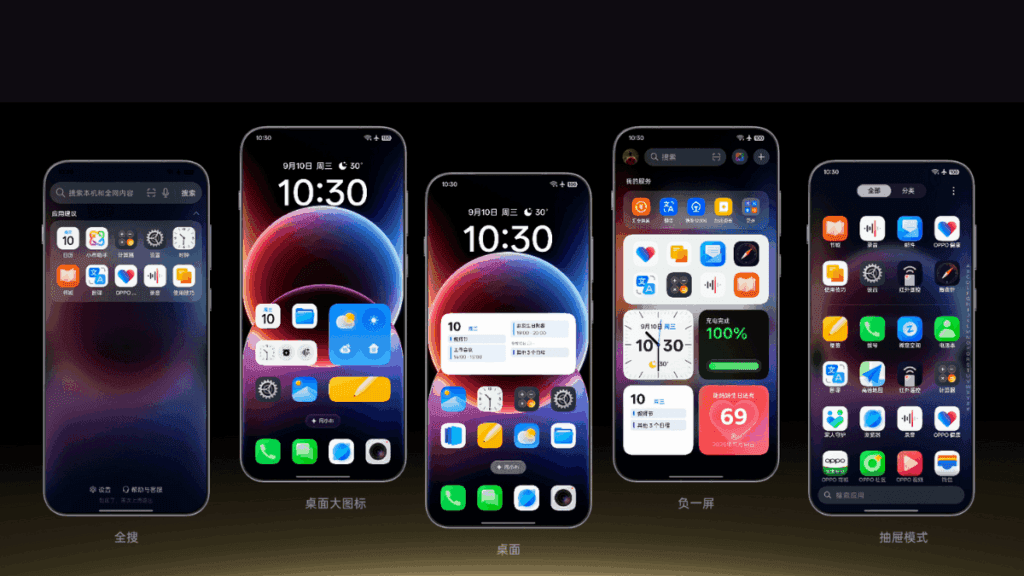
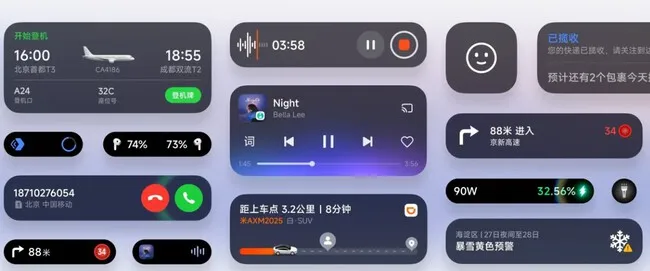
An OS’s user interface and degree of customization reveal a lot about it. Natural light and shadows served as inspiration for the ColorOS 16. Gradients, halos, and glows are used in the design to create a simple, intuitive appearance.
The notable ones are as follows:
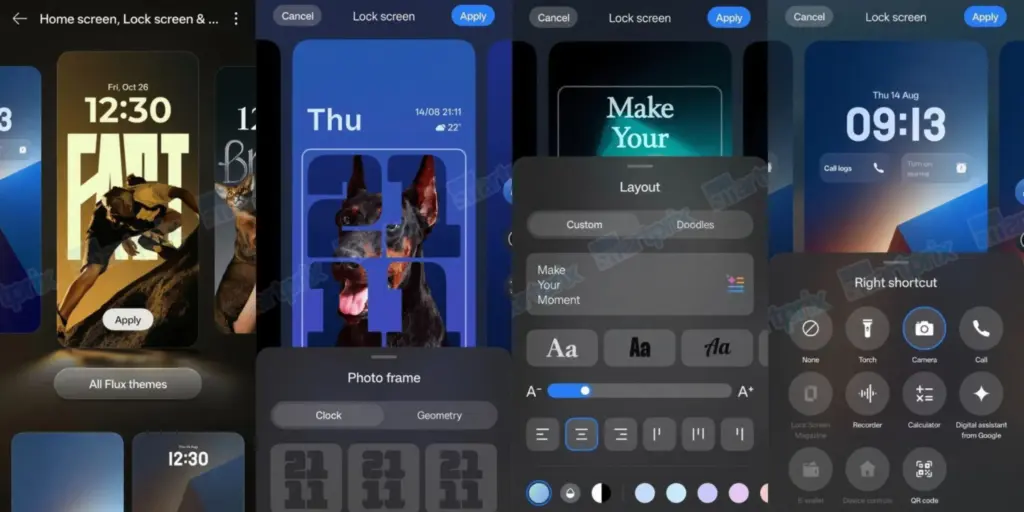
Flux Home Screen: Resize icons, folders, and cards dynamically. The layout adapts with fluid animations.
Full-Screen AOD: View your wallpaper with key info on the always-on display.
Personalisation: AI-generated themes, animated wallpapers from static images, and auto-matching icon colours.
Compared to many other competitors, these alternatives offer greater versatility if you enjoy playing with the look of your phone.
Photo and Video Editing
For people interested in photography, ColorOS 16 upgrades the Photos app with:
AI Portrait Glow: Enhances low-light portraits by optimising skin tones.
Other AI tools: Eraser, Unblur, and Reflection Remover.
Video editing: Master Cut for trimming, music, filters, and adjustments.
For those seeking effortless photography, some enjoyable settings include slow-motion effects, live collages, and collections of human and pet photos.
Cross-Device Connectivity
Seamless integration across ecosystems is a highlight:
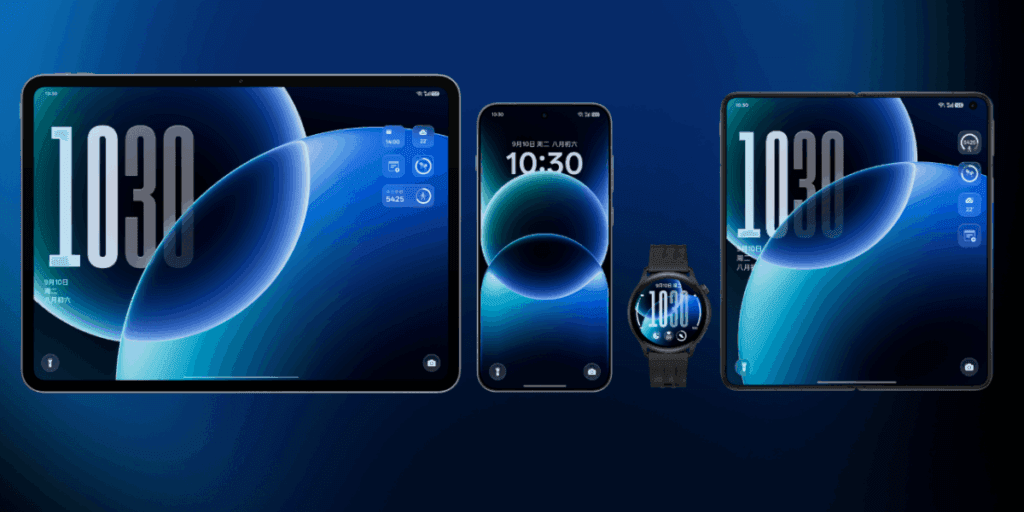
O+ Connect: Manage files and remote control between phone, Mac, or Windows PC.
Screen Mirroring: Cast up to five apps and control with a mouse/keyboard.
One-Tap Share: Transfer docs, notes, and more, including health data from Apple Watch.
Additional benefits include PC-level WPS Office, vehicle connectivity, customizable control center, and floating windows for multitasking.
There will still be seamless connectivity between your various devices if you have a mixed Apple/Android configuration.
Find N3 series Find X7 series Reno14 series Reno13 series Pad 4 Pro Pad 3 Pro OnePlus 12 Ace 3/5 series Pad Pro
December 2025
Find N2 series Find X6 series K13 Turbo series OnePlus 11 Ace 2 series
Q1 2026
Find X5 series Reno12 / 11 / 10 / 9 series (select models) K13 / K12 series Pad 3 / 2 / SE OnePlus 10 Pro Pad series
Your device might not get ColorOS 16 if it isn’t listed (for example, if it’s older than Find X5 or Reno9). If you truly enjoy them, you might want to upgrade to the newest features.
ColorOS 16 vs ColorOS 15
Since the current OS update isn’t that old, many people wonder if it’s worthwhile to upgrade to the next one. Check out the distinctions between ColorOS 16 and its predecessor ColorOS 15 if you’re experiencing the same confusion:
AI One-Tap Flash Note, Xiaobu (Briefing, Dialogue, Lighting), AI Writing/Notes/Calendar
AI Editor (Clarity, Eraser), AI Toolbox, Gemini Integration
UI Customisation
Flux Home Screen, Full-Screen AOD, AI themes
Aesthetic upgrades, smoother icons/widgets
Performance
Tide Engine (13% less power), Project Breeze for entry-level
Snappy responsiveness, fluid multitasking
Cross-Device
O+ Connect (Mac/Windows), 5-app mirroring
Touch to Share (iOS), basic multitasking
Photo/Video
AI Portrait Glow, Master Cut
AI Eraser/Unblur, basic editing
For deeper AI and efficiency advantages, especially on older hardware, ColorOS 15 is a worthy upgrade.
Every Oppo user has been waiting for ColorOS 16’s level of novelty. It combines customization, AI tools, and performance in more than subtle ways. Because of this, it is an appealing option for upgraders or new purchasers. For the complete experience, think about smartphones like the Find X9 if you’re in the market. Or upgrade your current gadget to make it last longer. Keep checking back here for more information about devices that qualify.
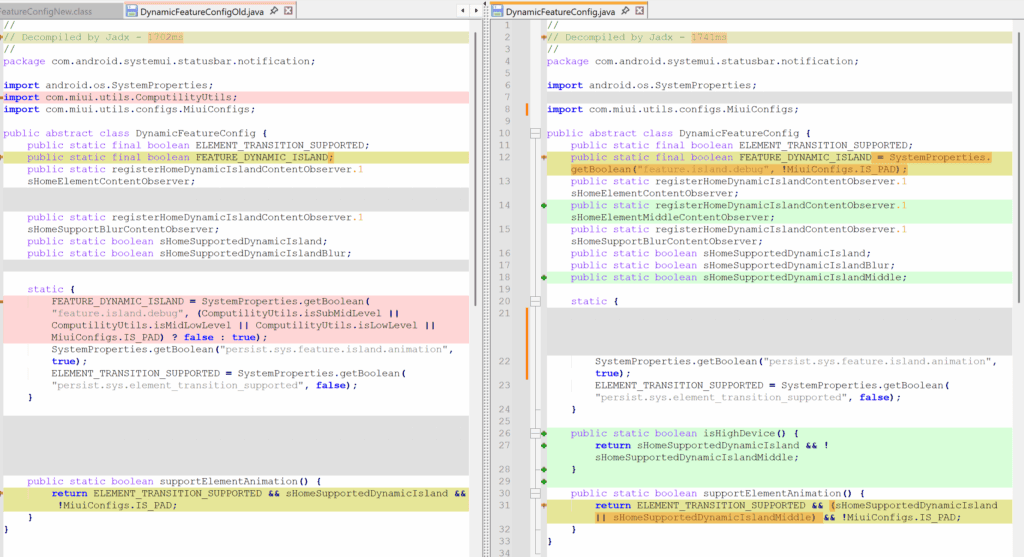
By removing internal limitations in the most recent HyperOS 3 Beta version, Xiaomi has expanded access to its “Hyper Island” feature, which was previously only available for flagship models. All Xiaomi, Redmi, and POCO devices—including tablets and entry-level smartphones – can now use Hyper Island thanks to this upgrade. In an effort to be more inclusive throughout its product line, the business removed device-specific tags (such IS_PAD and isLowLevel) that had previously restricted interoperability.
What is Xiaomi Hyper Island?
Xiaomi‘s integrated notification and background activity control interface, Hyper Island, is located at the top of the screen and was inspired by Apple’s Dynamic Island. Although the functionality was initially designed for high-performance devices, recent advancements have made it possible for it to function properly on devices with less powerful hardware.
This change is in line with Xiaomi’s overarching plan to encourage uniformity and feature parity throughout its network of devices. Xiaomi hopes to improve customer satisfaction and device durability inside the HyperConnect ecosystem by offering flagship-level user interface experiences on more reasonably priced products.
However, the Island can function without animations on certain devices.
Hyper Island with the most recent update will be immediately sent to those that take part in the HyperOS 3 Beta program.
Xiaomi’s continued dedication to providing a consistent and all-encompassing user experience across all device categories is in line with this progress.
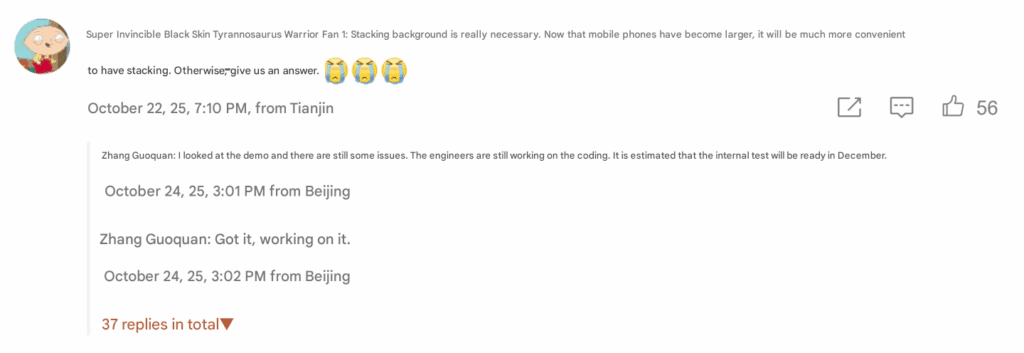
Zhang Guoquan, the director of mobile software for Xiaomi, has stated that the business will start testing the layered background interface in HyperOS internally in December. This impending update will improve Xiaomi phones’ multitasking capabilities by providing a more user-friendly and aesthetically pleasing background management experience. Through Zhang’s interactions with Weibo users, the functionality was made public, demonstrating Xiaomi’s ongoing dedication to enhancing the real-world user experience using HyperOS, the company’s unified operating system.
A Xiaomi devotee responded in a Weibo debate by calling for the inclusion of a stacked background interface, particularly given the larger screens of modern smartphones that necessitate more fluid multitasking capabilities. Zhang Guoquan replied, “Received, working on it,” to the comment. He then added that the functionality is currently in the demonstration stage but still undergoing optimization. The code is now being finished by programmers, and internal testing is expected to start in December.
Stacked Background Interface?
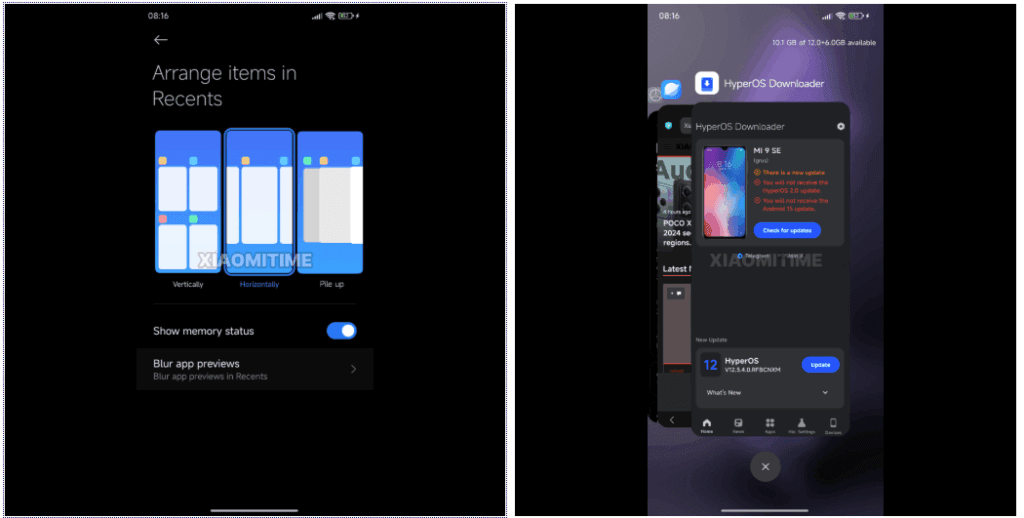
Users can see running apps as a deck of cards arranged on top of each other, from largest to smallest, depending on which card is accessed first thanks to the stacked background interface. Similar to the multitasking interfaces found in webOS (2009) and later in Apple’s iOS 9, users can swipe up to close apps or left or right to navigate between them.
In place of conventional grid-patterned task lists, this structure provides an interactive and spatial method of managing applications. It makes it possible to maximize screen real estate, which is particularly helpful on devices with large screens like the Xiaomi 15 Pro and Xiaomi Pad 7.
Originally developed in webOS, stacked multitasking was first used on phones like the Palm Pre, which also popularized features like wireless charging and gesture navigation, which are now commonplace on the majority of contemporary smartphones. This kind of multi-application management became popular once Apple adopted the UI in iOS 9.
With HyperOS, Xiaomi appears to be bringing back these antiquated ideas while modernizing them with fluid animations, AI enhancements, and improved performance scaling.
It is anticipated that the stacking interface will be included in HyperOS’s 2025 upgrades, maybe in the feature package that comes after HyperOS 3.1. When public testing starts, Xiaomi customers should anticipate smoother animations, more fluid multitasking, and better use of display real estate. These features are in line with Xiaomi’s overarching goal of using Xiaomi HyperConnect to build an intelligent, connected user ecosystem.
The first thing you should do if your Android phone has become sluggish is to wipe off its storage. Here are some tips for speeding up your outdated Android phone if you’re not sure where to start.
Delete unused apps
Phones can accumulate a large number of unused apps over time, leaving your device looking crowded. You may have used an outdated photo editing app or a QR scanner app from a restaurant on your previous trip. Uninstalling these apps is the best way to free up space on your Android phone.
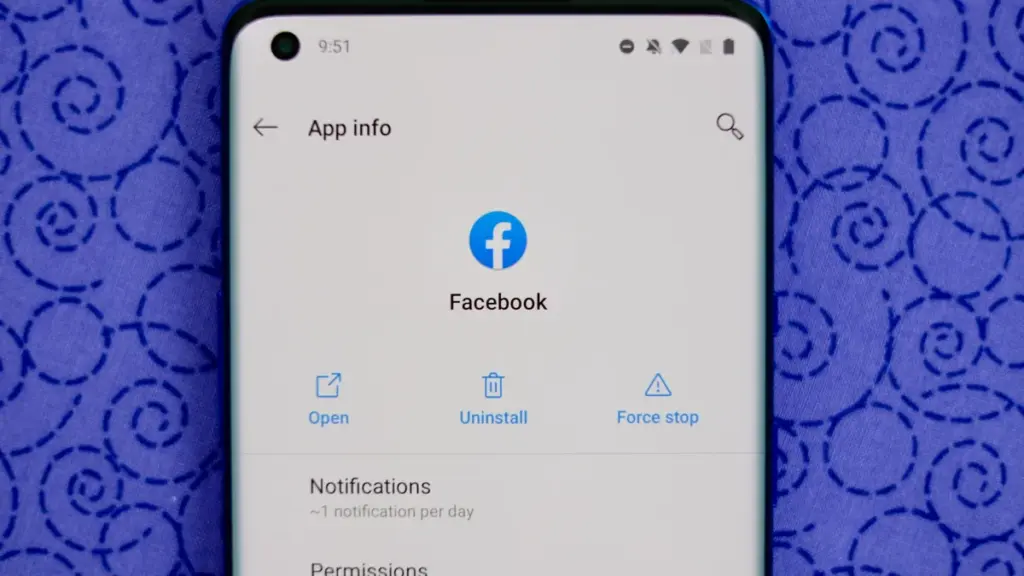
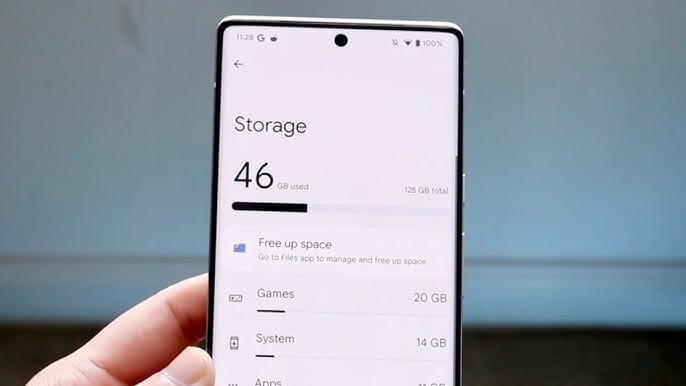
Because your Android phone won’t have to spend resources on apps that aren’t being used, decluttering it can speed it up. Removing these APKs will improve resource management and make your phone quicker. To view the list of installed apps and remove those you no longer require, navigate to Settings > Storage > Apps. You may also long-press on these forgotten apps on the app screen to get App Info > Uninstall.
Clear storage
Files and long-forgotten pictures of school notes are just two examples of the trash that accumulates on old Android phones. Following the removal of unnecessary apps, you should try to free up space on your Android phone by browsing through the stored files and images.
To see what’s saved, open the File app on your phone. The majority of garbage, including long-forgotten PDF files, images, etc., is frequently found in the Downloads folder. You should check two more areas to make sure the storage is clear.
Offload photos from your phone and save them to an external drive or the cloud. This helps create a backup of your memories and clear space on your old Android phone.
Clear the app cache. For the unaware, cache is bits of data that an app saves so it is quicker to operate the next time you open it. I recommend clearing the cache for less-used apps with no saved login information. You can go to Settings > Storage > App > Clear Cache to save more space.
Check for updates
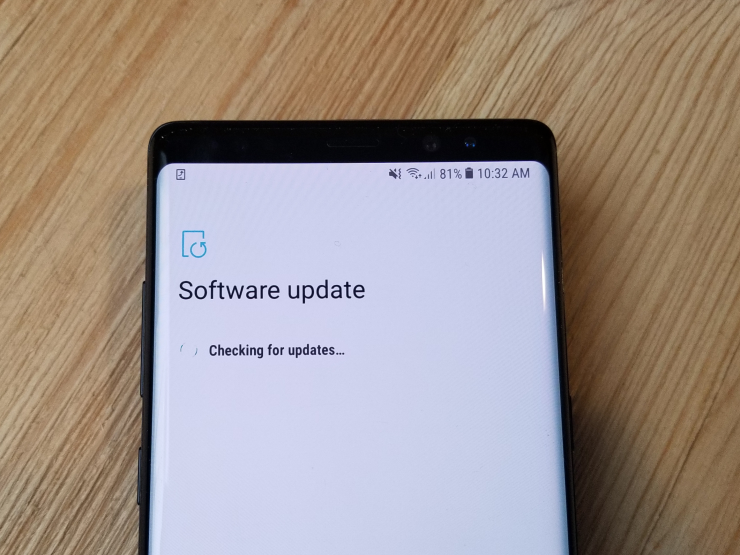
Verify that the operating system on your Android phone is up to date. Updating it will install the most recent security procedures and make it snappier. To verify and install the most recent software version, navigate to Settings > General > System Update.
After updating your old Android phone to the most recent OS version and removing the uninstalled apps, you should update the remaining apps from the Google Play Store. To get the newest features, enhanced security, and faster performance, it’s critical to utilize the most recent versions of these programs.
Adjust the animation speed
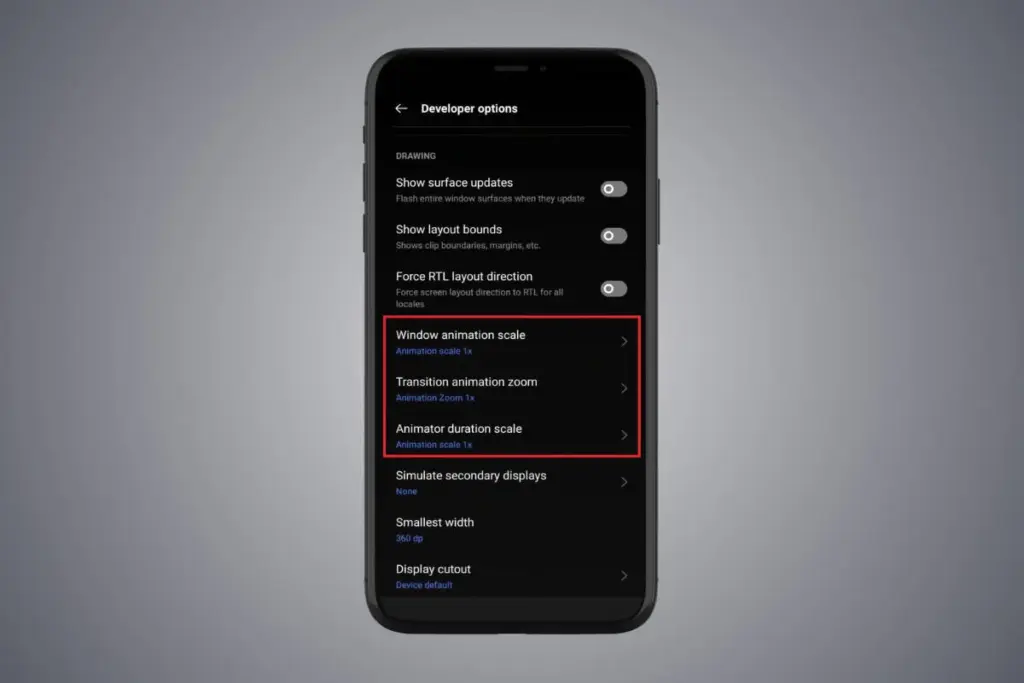
A few features, such as Developer options to alter the animation speed, can be enabled or disabled to make your phone feel faster. This can make your phone feel much faster, but it’s a little trickier than the other settings discussed above.
Go to Settings > About phone > Tap on Software details >, then tap your Build number seven times to enable Developer options. You should now be able to access various animation scale parameters as this should activate the Developer options.
Next, locate the Window animation scale by scrolling down in the Drawing section of the Developer settings. To make apps and window pop-ups run faster, tap on it and adjust the animation to 0.5x.
To reduce the speed at which you move between home screen panels and within apps, you may also change the Transition animation scale. Additionally, reduce the Animator duration scale to speed up typical UI motions like unlocking the phone and opening and closing apps.
You may breathe fresh life into your aging Android phone by adjusting these settings. After adjusting, it ought to feel quicker and have more zip when performing daily tasks. If you want to give it a refresh, I recommend tinkering around with your home screen, changing the wallpaper, and modifying extra settings to help it stay longer.