Tag: os

  • Xiaomi will end OS updates for these devices

    Xiaomi will end OS updates for these devices

    Six different Xiaomi, Redmi, and POCO devices will no longer receive official support, according to a new announcement from Xiaomi. Since these devices have been available for two years, MIUI and Android upgrades will no longer be provided for them. The MIUIs telegram channel shared the information, including the precise models that Xiaomi would stop supporting as of April 21, 2023.

    The original model and all of its variants are on the list of devices that will no longer receive updates. Also, each model’s internal name is included to aid in identification. Despite the fact that some of the listed devices have just been on the market for two years. They won’t get any further official help from the business.
    xiaomi os devices update

    The six devices that will no longer receive updates:

    • Redmi K40 Pro/+/Xiaomi 11X Pro/Xiaomi 11i (haydn)
    • Redmi K40/Xiaomi 11X/POCO F3 (alioth)
    • Redmi K40 Gaming/POCO F3 GT (ares)
    • Redmi Note 10 Pro/POCO X3 GT (chopin)
    • Xiaomi 10S (thyme)
    • Xiaomi 11 Lite 5G (renoir)

    The development of the beta version of the Chinese MIUI ROM for these models will stop. Which means that they will reach the end of their support period. However, Xiaomi has clarified that the stable versions of these models will continue to receive updates until all the features planned for the current version have been implemented, and all the bugs present in the current version have been fixed. So, users of these devices will still receive updates and bug fixes until the stable version has reached its final update.

    It is important to note that several of these models have existed under many names in various parts of the world. As a result, both the original model and its several variations are included in the list. Moreover, each model’s internal name. so that consumers may more easily recognize their gadgets.

    In conclusion, Xiaomi has revised its list of products that the company will stop supporting. The stable versions of MIUI and Android will continue to receive updates until they have all the features that are in the works and a fix for all the bugs that are present in the current version, even if the devices will no longer receive MIUI and Android updates.
  • MagicOS 7.0 based on Android 13 announced, rollout schedule

    MagicOS 7.0 based on Android 13 announced, rollout schedule

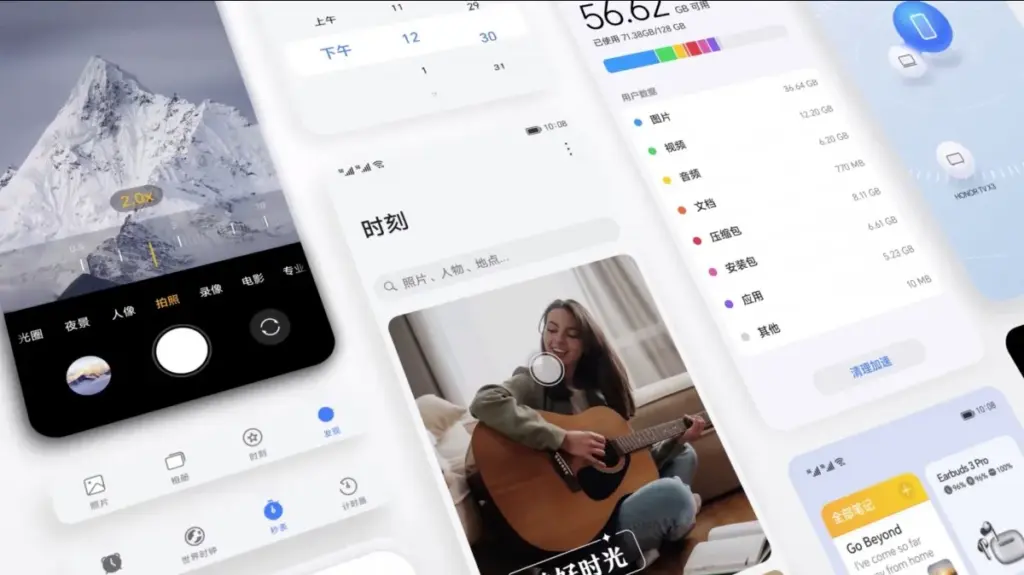
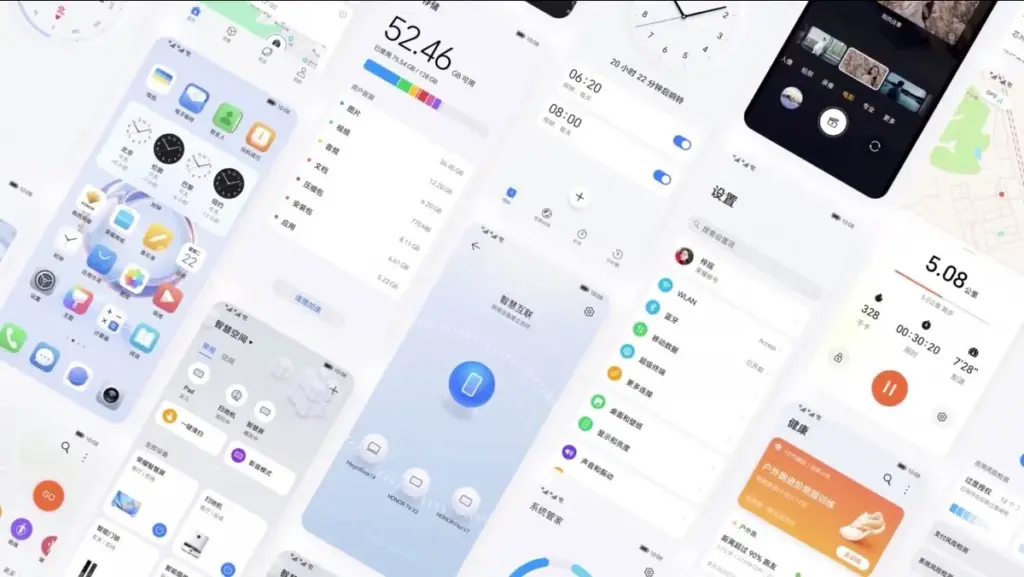
    A day before the Honor 80 series and foldable Magic Vs were officially unveiled, Honor unveiled MagicOS 7.0, which is based on Android 13. The new version, which replaces Magic UI 6.2, will be available on all incoming Honor smartphones. MagicOS offers an aesthetic makeover along with a number of remarkable features.

    Flat icons, fluid animations, and the new Honor Sans font are all part of MagicOS 7.0’s more streamlined design. Larger, more accessible folders are now housed on the home screen. A more individualized experience is made possible by the new widgets. A new built-in video editor was also unveiled by Honor.

    honor 7 OS UI

    The smooth file transfers, smart clipboard, call management, and notification handling between MagicOS devices and other Honor laptops and tablets are now known as MagicRing, according to Honor. A split-screen keyboard, smart widgets, and task manager support are further advantages for foldables. Another novelty, Magic Text, lets users scan and save text to PDF while also identifying text in photos.

    gsmarena 003

    Faster app launches and improved system-level power consumption management are promised by Honor OS TurboX, while MagicGuard takes care of system, privacy, and financial security concerns as well as malware protection for devices.

    A preliminary list of the devices that will get the MagicOS 7.0 update in China was also released by Honor. The China-specific device list will be shared in due course, along with the global rollout schedule and list.

    Honor MagicOS 7.0 eligible devices and rollout schedule:

    • Honor Magic V
    • Honor Magic3 Ultimate Edition
    • Honor Magic3 Pro
    • Honor Magic3
    • Honor V40
    • Honor Magic4 Supreme Edition
    • Honor Magic4 Pro
    • Honor Magic4
    • Honor 70 Pro+
    • Honor 70 Pro
    • Honor 70
    • Honor 60 Pro
    • Honor 60
    • Honor 50 Pro
    • Honor 50
    • Honor X40 GT
    • Honor V40 Light Luxury Edition
    • Honor X40
    • Honor X30

    Source (in Chinese)

  • Nothing OS 1.1.3 update brings camera improvements

    Nothing OS 1.1.3 update brings camera improvements

    Nothing released Nothing OS 1.1.2 for the Nothing Phone (1) at the beginning of this month, and today, roughly two weeks later, we receive yet another upgrade.

    Nothing OS 1.1.3 is already being sent to Nothing Phone (1) devices all around the world, and it includes numerous bug fixes and camera enhancements.

    nothing os update

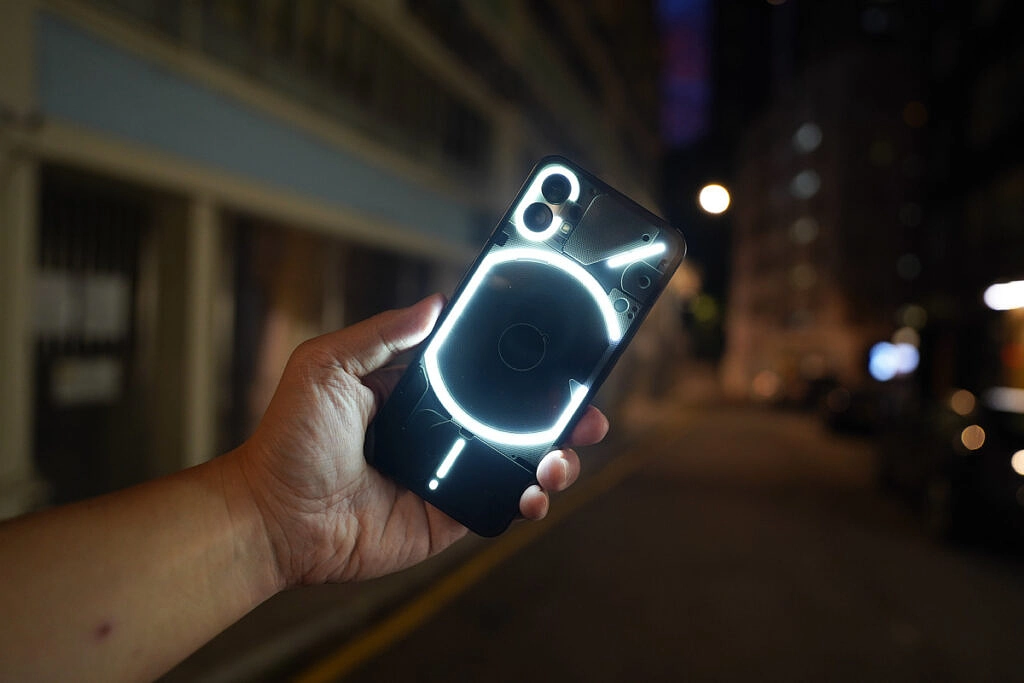
    When using the front camera, you can anticipate improved photo clarity, quicker Night Mode and HDR photo processing times, richer color saturation when using the ultrawide, less noise and more sharpness when zooming, and images will automatically be adjusted to “optimal color and brightness” when using Glyph lighting. A further reminder to clean the camera lenses is included.

    The Google Adaptive Battery may now be enabled to “intelligently optimize battery life,” and the fingerprint verification UI for third-party apps has been updated.

    Finally, a number of problems were resolved, including those that resulted in stuttering in apps like Twitter, Play Store, and others, ineffective mobile hotspot functionality, and lock screen crashes after pressing on a notification and attempting to unlock with a fingerprint. Minor UI aspects have also been improved.

    The rollout might be staged, as it usually is with such things, and it might take a few days to reach every Nothing Phone (1) out there. There will be a 64MB download when it does come. Our thorough, in-depth review of the Nothing Phone (1) is available for reading if you’re curious to learn more.

  • Funtouch OS based on Android 11 – when Vivo will roll out?

    Funtouch OS based on Android 11 – when Vivo will roll out?

    funtouch os android 11

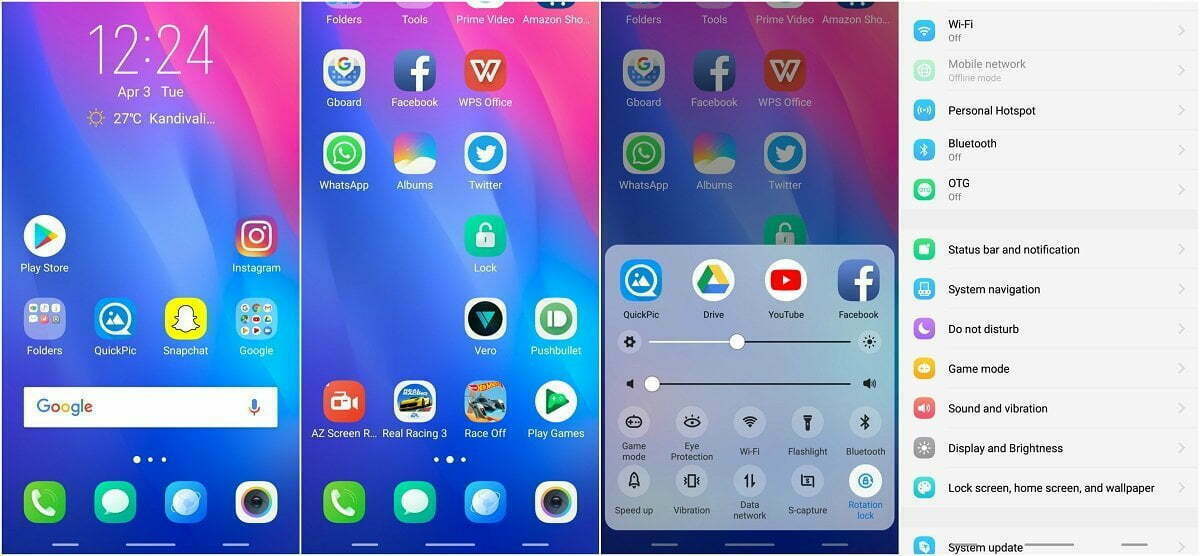
    While Google’s latest Pixel devices are typically the first to be launched with Android’s latest flavor, Chinese OEM Vivo hit Google with its Vivo V20 last year. The device was the first new smartphone to launch Android 11 out of the box, hitting the new Pixel 5 and Pixel 4a 5G by just a few hours. Since then, Vivo has launched a few other devices running the latest Funtouch OS-based Android 11 flavor, but the company has yet to release updates to older devices.

    Although Vivo has previously released a Funtouch OS 11 beta for the Nex 3S 5G and the iQOO 3 4G/5G, the company hasn’t shared an update timeline for other devices in its portfolio. That changes today, as Vivo has now shared a Funtouch OS beta roll-out plan on Twitter. According to the tweet, Vivo has already started rolling out the Funtouch OS 11 beta to the X50 Pro last month. The Vivo V19 and X50 should start receiving their first beta releases by the end of this month.

    Older devices, like the Vivo V17, V17 Pro, V15 Pro, and S1, will start receiving the first Funtouch OS 11 beta by the end of March 2021. The Vivo S1 Pro, Z1x, and Z1 Pro will follow soon thereafter by the end of April 2021. And finally, the Vivo V15 will receive its first Android 11 beta by the end of June 2021. The beta releases for all the aforementioned devices will roll out in a staggered fashion, with users receiving the update in small batches. Once Vivo ensures that the beta release doesn’t have any critical bugs, the devices should receive the stable version of Funtouch OS 11 based on Android 11. As of now, the company hasn’t shared a release timeline for the stable update.

    It’s worth noting that Vivo has already launched a new Android skin called OriginOS, which is expected to replace Funtouch OS in the future. But, for the time being, the company hasn’t clarified exactly when the new Android skin will land on its devices. Currently, Vivo X60 and X60 Pro are the only devices in its portfolio to run OriginOS 1.0 based on Android 11.

  • SkyDragon OS – OnePlus 6T custom ROM

    SkyDragon OS – OnePlus 6T custom ROM

    This ROM is based on AOSP source that optimized specifically for the Snapdragon 845.
    Is paired it with an already optimized kernel.

    About SkyDragon OS

    Based on AOSP
    Android Version: 9.0 PQ3B.190605.006
    Actually Optimized specifically for SDM845(SD845)
    LightningZap! Kernel Built-in Refer here
    SkyDragon Boot animation

    SkyDragon OS Features:

    Custom Theme Support
    - Accents (Amber, Black, Cerulean, Crimson, Deep Purple, Emerald, Fuchsia, Green, Grey, Hot Pink, Light Blue, Lime, Maroon, Mexican Sunset, Pink, Pixel, Pumpkin, Teal, White, Yello)
    - Primary/Base (Almost Black, Dark Blue, Pitch Black, White)
    - Notification (Dark, Light, Match Primary)
    
    Volume Rocker Customization
    - Rocker Playback Control
    - Rocker Wake Control
    - Rocker Cursor Key Control
    - Rocker Answer Key
    
    Gestures
    - Jump to camera on unlock (Double tap power button)
    - Prevent ringing
    - OP6 Navigation Gestures
    - Screen-off power button Torch(long press power button)
    
    Lock Screen Customization
    - Change lockscreen bottom shortcuts
    - Double tap to sleep anywhere on lockscreen
    - Lockscreen charging info toggle
    - Fingerprint authentication vibration toggle
    - Fingerpint unlock on first boot toggle
    - Lockscreen media cover art
    
    Navigation Bar
    - Navbar button layout customization (Normal, Compact, Left-leaning, Right-leaning)
    - Extra left/right button customization
    - Invert navbar layout
    - Navbar burn-in protection toggle with shift configurable
    
    Notifications
    - Heads-up toggle
    -- Heads-up time-out selectable (2/4/5/6/8/10 seconds)
    -- Heads-up snooze timer selectable (Disabled/1/5/10/15/20 minutes)
    -- Heads-up stoplist (block while in chosen apps)
    -- Heads-up blacklist (black from apps)
    - Notification light per-app configurable
    - Battery charging light toggle
    -- Battery light in DND mode toggle
    -- Battery light blink when low toggle
    -- Battery light colors
    - Disable notifications while screen on toggle
    - In-call vibrate on connect toggle
    - In-call vibrate on call waiting toggle
    - In-call vibrate on disconnect toggle
    
    Power menu customization
    - Disable on lockscreen toggle
    - Menu options (Power/Restart/Advanced restart(Shortpress recovery/longpress bootloader)/Screenshot/Flashlight/Airplane/Settings/Lock Down/Users/Logout)
    
    Quick Settings Customization
    - Brightness slider toggle
    - Brightness slider on bottom toggle
    - QS Footer toggle
    - Vibrate on qs tile touch
    - Running Services Toggle
    - Bluetooth battery status toggle
    
    Recents Apps Customization
    - Recents Apps Style (AOSP/PIE)
    - Clear-all button toggle
    - Clear-all location 
    - Memory Bar toggle
    
    Status Bar Customization
    - Status bar items configurable
    - Double tap to sleep toggle
    - Battery Icon choices (Portrait/Circle/Dotted Circle/Text/Hidden)
    -- Battery percentage in icon
    - Battery bar customization
    -- Location (Status bar/top of navbar/bottom of navbar)
    -- Battery bar style (Regular/Center-Mirrored/Reversed)
    -- Battery bar thickness (1/2/3/4 dp)
    -- Charging animation
    -- Colors (Charging/low-high battery)
    - Bluetooth battery status toggle
    - Clock and Date toggle
    -- Clock style (Left/Center/Right)
    -- AM/PM style (Hidden/Small/Normal)
    -- Show Seconds toggle
    -- Date (Hidden/Small font/Normal font)
    -- Date style (Normal/Lowercase/Uppercase)
    -- Date format
    - ADB Notification toggle
    - Network Traffic toggle
    -- Network traffic activity threshold configurable
    - Disable VoLTE Icon
    - Use oreo style mobile icons
    - Use 4G instead of LTE toggle
    
    Weather
    - System service toggle
    -- Update interval
    -- Provider (OpenWeather Map)
    -- Unit (F/C)
    -- Custom Location
    - Icon pack
    - Statusbar Weather toggle (Hidden/Temp with image and scale/Temp with image/Temp with scale/Temp/Image)
    - Lockscreen Weather toggle
    - Show City Name on lockscreen
    - Show Temperatue on lockscreen
    
    Miscellaneous
    - App Ops
    - Sensor block per-package toggle
    - System Wakelock blocker
    - System alarm blocker
    - Wake up on charger connected toggle
    - Scrolling cache selection (Force enable/Default enable/Default disable/Force disable)
    - Doze Settings configurable
    -- Preset profiles (Aggressive/SkyDragon)
    - Aggressive Battery Toggle
    
    Device Features
    - OP Off-screen gestures 
    -- Proximity check toggle
    -- Tap to wake toggle
    - Swap HW Keys toggle (Back/Recents)
    - Vibration strength configurable
    - HW Slider position customization
    - Panel Modes (sRGB/Soft Color/Wide Color/HighBrightness Mode)
    - Ambient Display configuration
    -- Pickup toggle
    -- Hand-wave toggle
    -- Pocket toggle
    
    Wifi and Network
    - Sim cards toggle
    - Auto hide unprovisioned sim slots
    
    Apps & Notifications
    - Show package version
    
    Battery
    - Auto reset battery stats at %99
    - Reset battery stats toggle
    
    Display
    - Extra font sizes
    - Extra display sizes
    - Dashboard conditions toggle
    - Dashboard summaries toggle
    
    Security & Location
    - Scramble Pin layout
    - Quick unlock on correct pin/pass toggle
    
    About Phone
    - Viewable Changelog
    - Phone Info button (*#*#4636#*#*)

    How to install:

    • Download ROM
    • Flash OOS 9.0.XX Stock (Not BETA)
    • Flash twrp-fajita-3.2.3-XX-installer
    • Reboot To Recovery
    • Flash ROM + TWRP
    • Reboot To Recovery
    • Wipe (Swipe To Perform Factory Reset)
    • Note: If your first boot results in a bootloop, you WILL need to FORMAT data.
    • This will wipe ALL you data including your sdcard. MAKE A BACKUP!
    • Flash OpenGapps ARM64 9.0 Pico/Nano
    • Flash Magisk
    • Boot To OS

    How to update:

    • Wipe Cache/Dalvik
    • Flash ROM + TWRP
    • Reboot To Recovery
    • Flash Gapps
    • Flash Magisk
    • Boot To OS