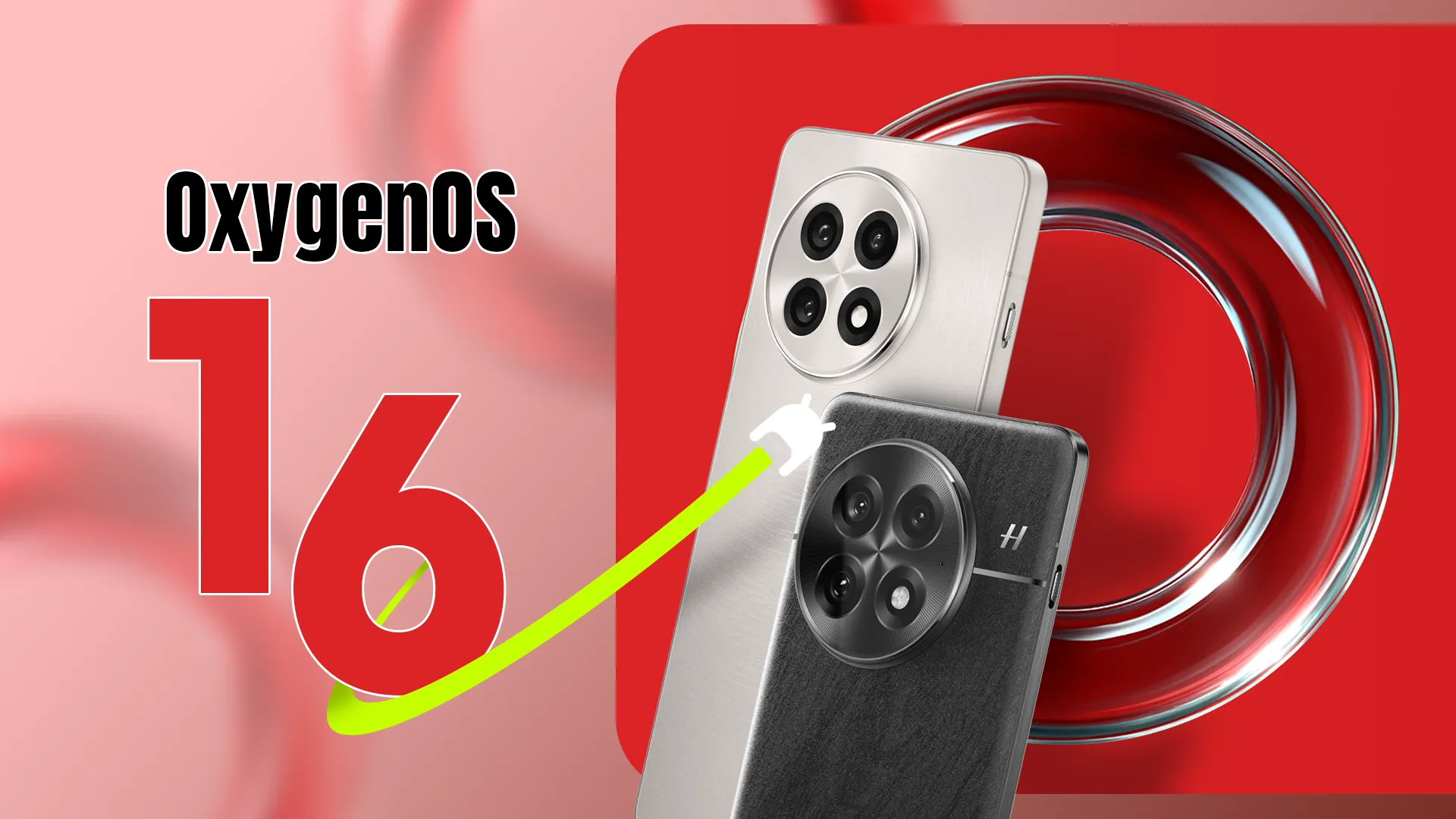
OxygenOS 16, based on Android 16, will be a major upgrade for OnePlus devices, expected to bring tons of enhancements, new features, and visual changes throughout the system. The Android 16 beta has been available to select OnePlus phones since April, and now it appears that the stable release of OxygenOS 16 is around the corner. So, if you have a OnePlus device, here’s what you need to know and what to expect.
When the stable release will be pushed to public?
This year, Google released Android 16 more quickly than normal. The new operating system upgrade was made available to qualified Google Pixels in June. Although we had anticipated a speedier release from other Android companies as well, the stable release is taking a long time to arrive.
However, earlier this year, OnePlus was among the first companies to release the Android 16 beta. The second and third betas for the OnePlus 13 were released in April and May, respectively, omitting the first beta. However, it hasn’t said anything regarding the stable release as of yet. OnePlus has not disclosed the plan or the date of the stable OxygenOS 16 release.
However, given that the company has already started OxygenOS 16 closed beta testing on a number of handsets, including the OnePlus 13 and 13s, it looks like the stable release may not be far off. This beta program is fairly private. Before releasing the stable build, OnePlus may soon conduct a large-scale open beta release for its users.
In October, the brand is anticipated to begin the stable rollout of OxygenOS 16. The upgrade will first be available for the OnePlus 13 series, then previous flagship phones, and finally mid-range and less expensive variants.
What will OxygenOS 16 bring?
Details on OxygenOS 16’s upcoming features and updates have not been disclosed by OnePlus. But because to recent leaks and earlier beta releases, we already have a solid notion of it. Along with several updates and new features from the OnePlus development team, the update will include new Google features as part of Android 16.
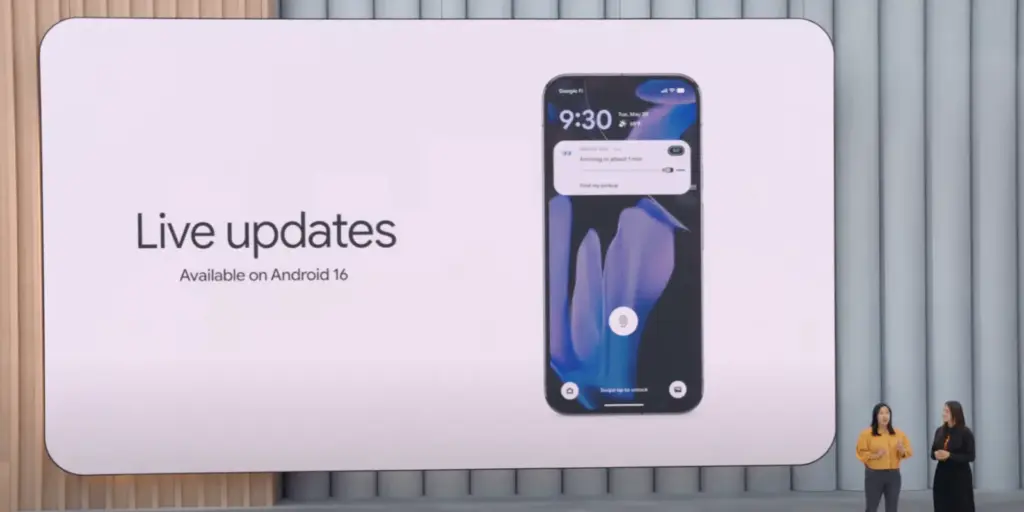
A revamped fast settings menu, more customization options, notification grouping, and the most recent security and privacy improvements are just a few of the things that OnePlus may incorporate into its upcoming major update from Android 16. For increased utility, Live Alerts might be combined with Android 16’s Live Updates feature.
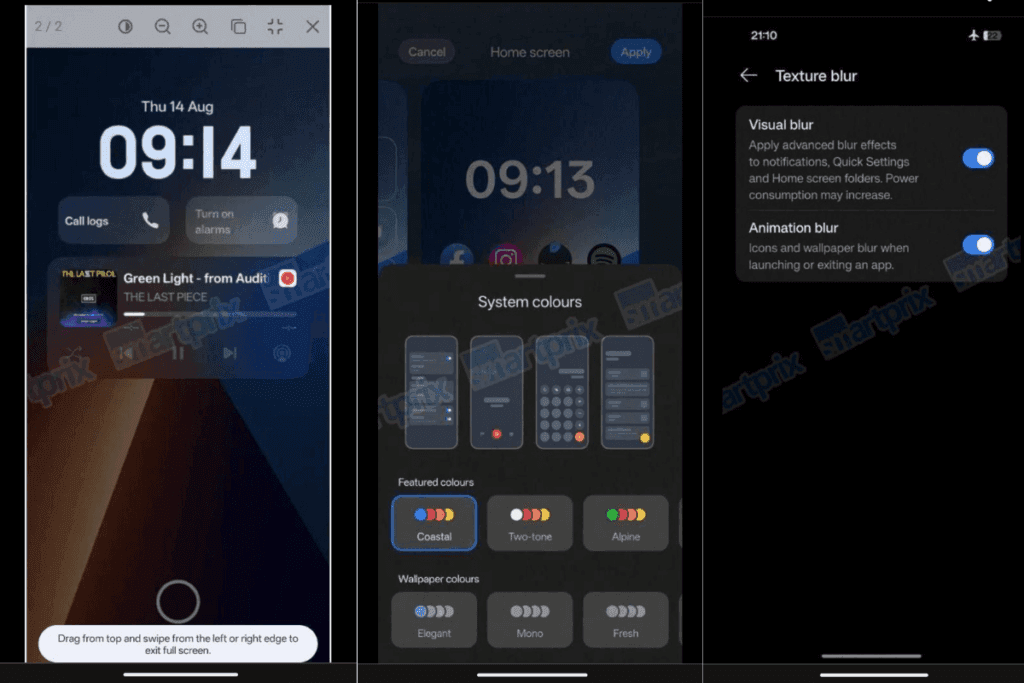
A leak from Smartprix claims that OxygenOS 16 will finally include the eagerly anticipated lock screen widgets, increasing the lock screen’s usefulness. Numerous widgets will be available, such as calendar, weather, and widgets from compatible apps. Three new clock styles are also being added to the lock screen, one of which is a full-width stretched clock modeled after iOS 16.
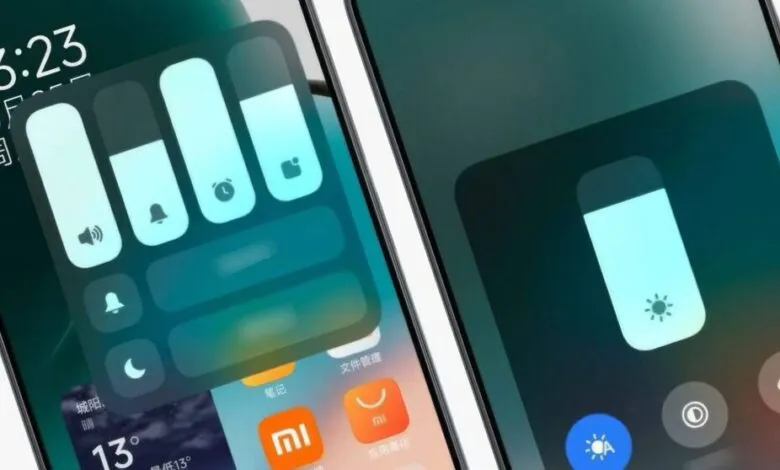
New choices also improve the Quick Settings panel. Users can drag and drop toggles anywhere on the screen while using the Split layout. For convenience, a new scrollable layout has also been included. The update also includes a number of internal adjustments that improve the software’s responsiveness and smoothness.
When OnePlus publishes the final version of OxygenOS 16, I’m very certain there will be a ton of more great additions and updates. There is a lot to anticipate, so to remain informed about the most recent developments, you might want to frequently check out our Android 16 section or think about subscribing to our X.
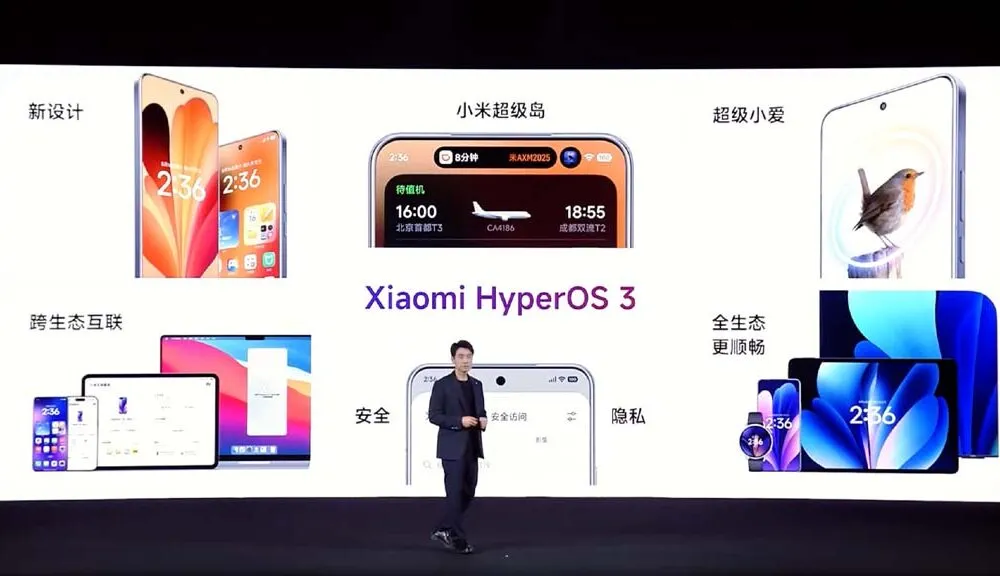
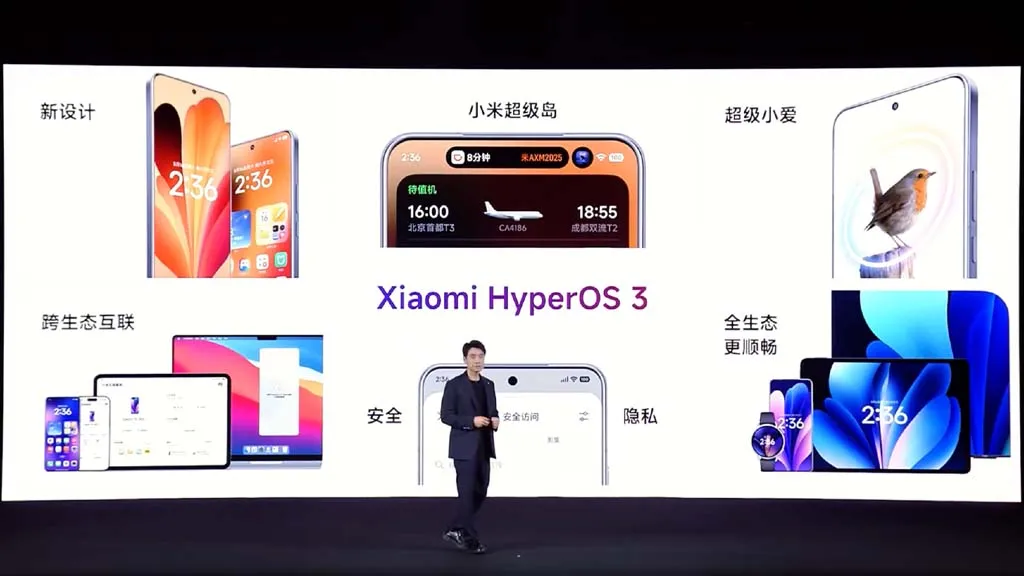
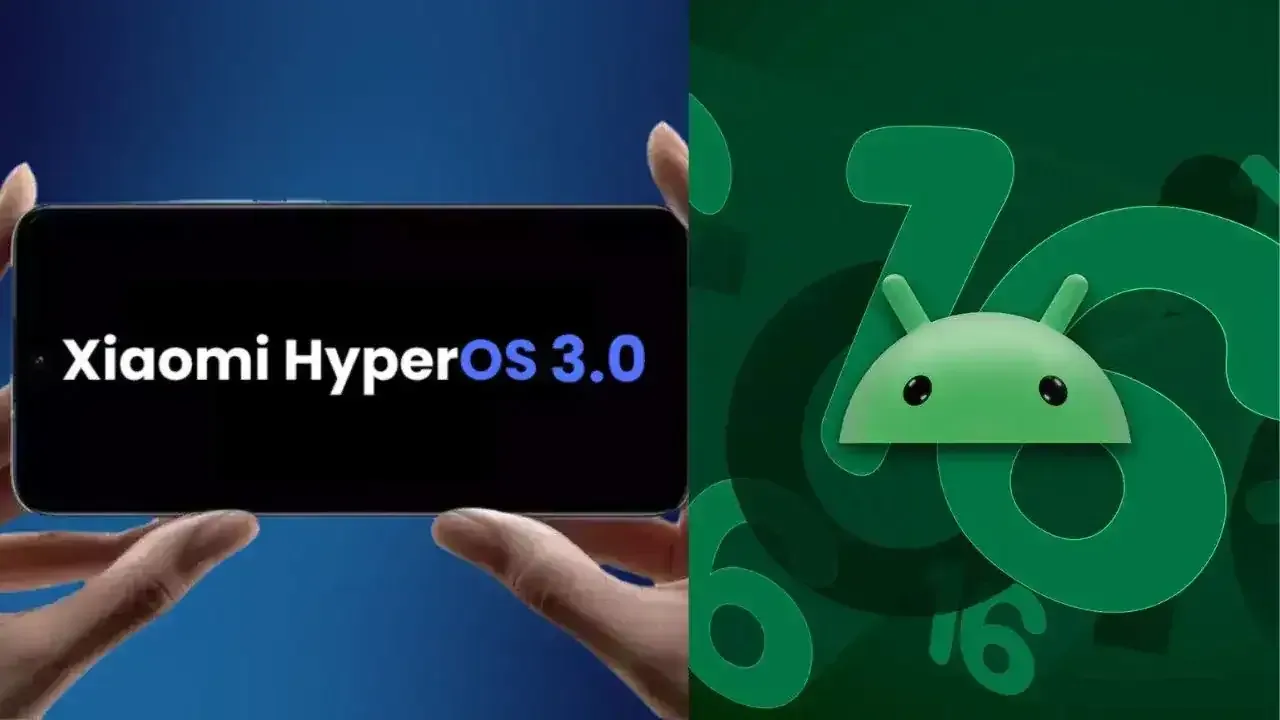
Based on Android 16, Xiaomi has shown HyperOS 3, its upcoming significant software update. Along with a list of compatible devices, the brand has revealed new features and enhancements, and the rollout is soon to start. All of the HyperOS 3 features that will be available for Xiaomi, Redmi, and Poco devices are listed here.
Design update
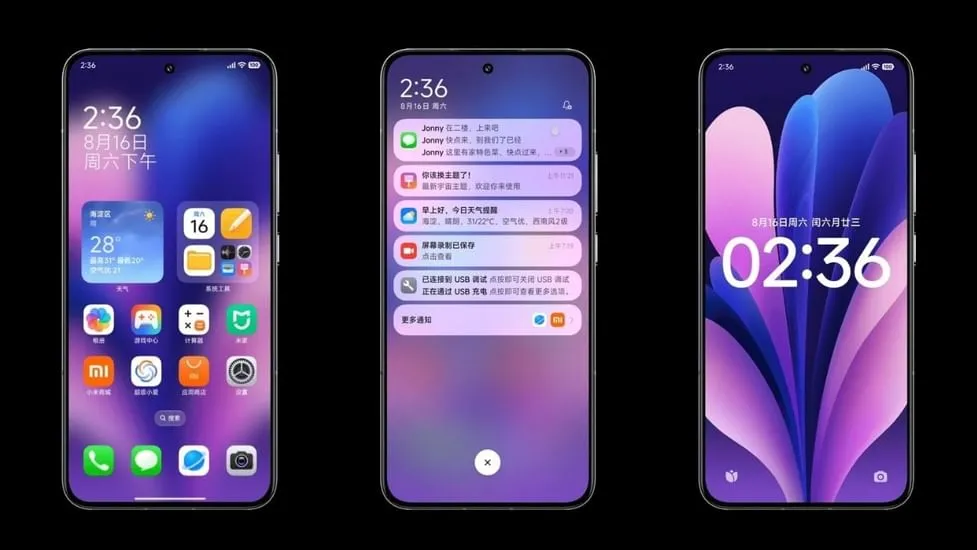
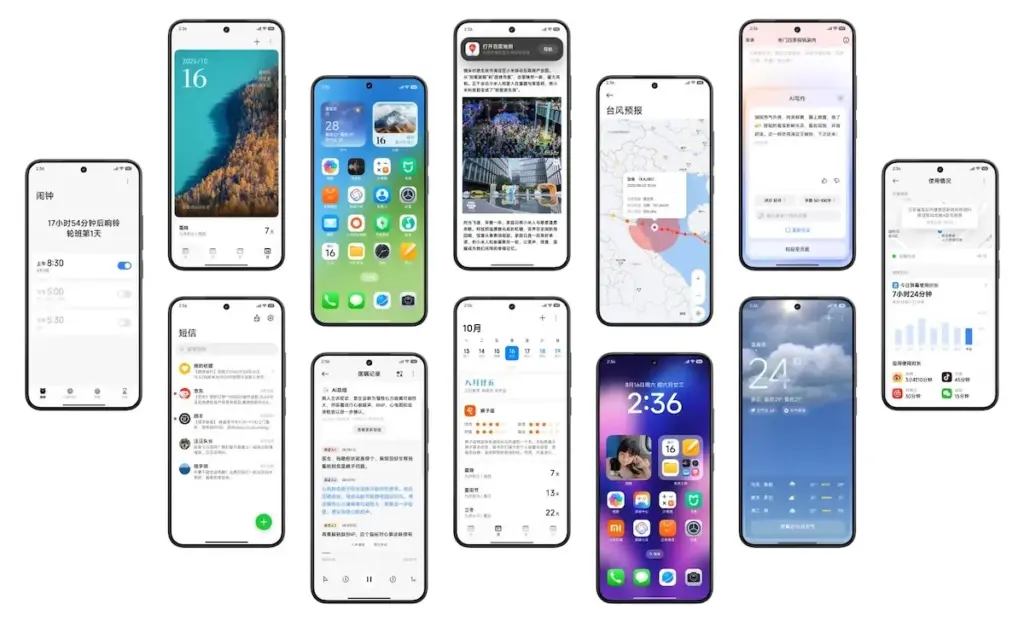
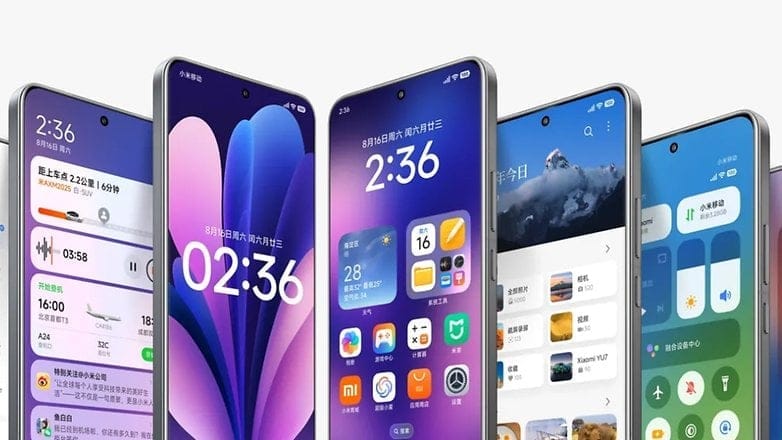
Starting with the home screen, HyperOS 3 icons have a slightly increased contrast and a more 3D appearance. Clearer and more readable icons have also been added to the bottom bar. The improvement won’t be that noticeable to regular users.
Additionally, Xiaomi finally changed the HyperOS 3 status bar icons. With slightly more dispersed pieces and the battery % inside the battery indicator, the company’s strategy is comparable to Material 3 Expressive in stock Android.
In order to provide HyperOS 3 a more unified and professional appearance, the home screen layout has been somewhat altered to be more uniform with tighter gaps between the widgets.
Lockscreen customisations
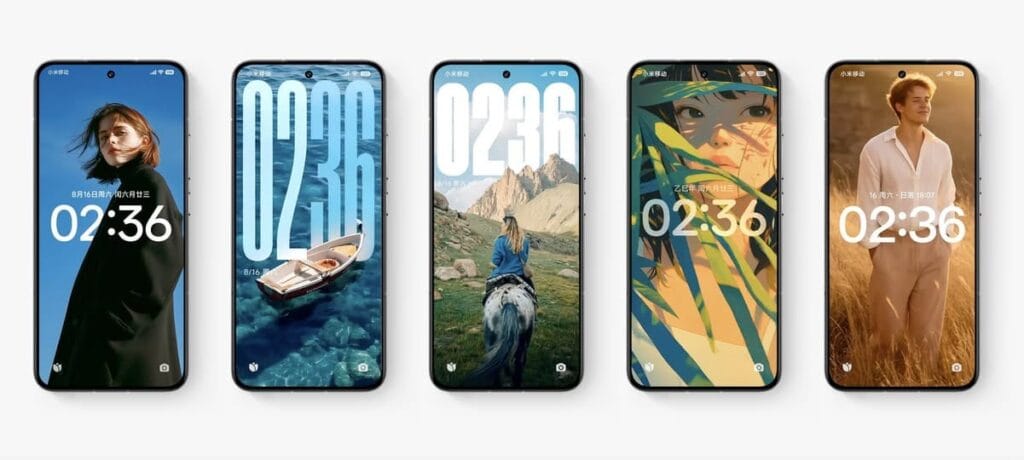
HyperOS 3 introduces new lockscreen customizations and effects, as well as smoother unlock animations, in keeping with the immersive lockscreen user interface trend. Motion can be added to still images, and then the lock screen clock can be given Cinematic Depth. This is comparable to iOS 26’s new Spatial Scene feature, which gives lock screen backgrounds a 3D appearance.
This feature is known by Xiaomi as “Movie lock screen,” according to our translation from Chinese to English. This function will assist in applying AI styles to images, enabling you to Ghibli-fy, dreamscape-fy, or Disney-fy your photos. Additionally, there is a library of community-made and shared custom lock screens available if you don’t want to invest the time in such artistic endeavors.
Finally, users can now relocate the lock screen to the center in HyperOS 3. This is on top of the plethora of clock typefaces that can all be customized to fit the themes of your wallpapers. Users will find these settings in a single menu under the Wallpaper customization section, similar to OxygenOS or iOS.
Super Island
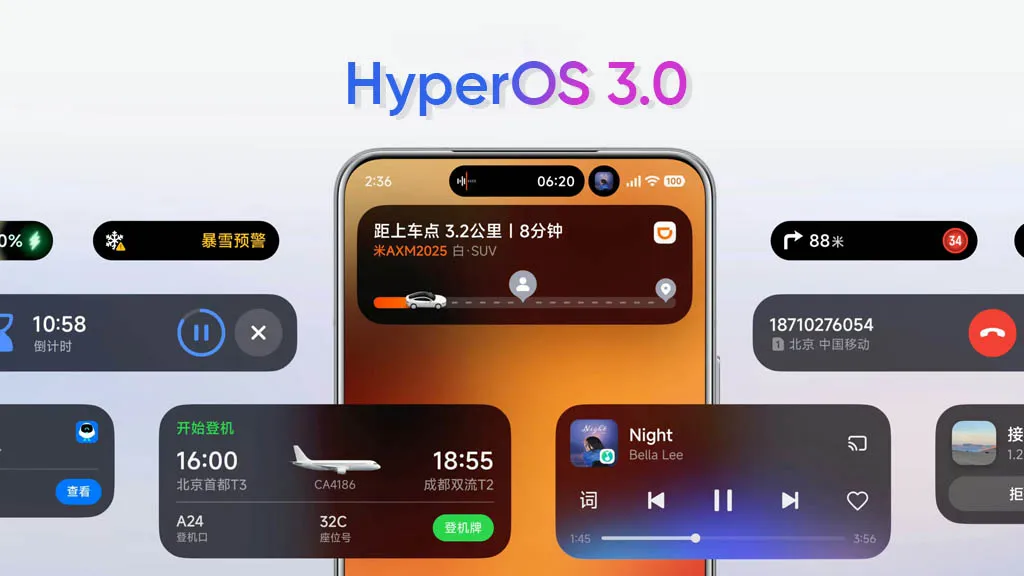
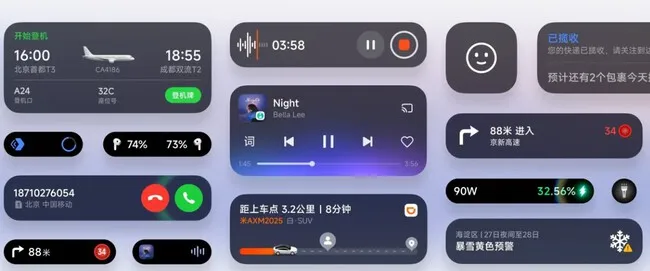
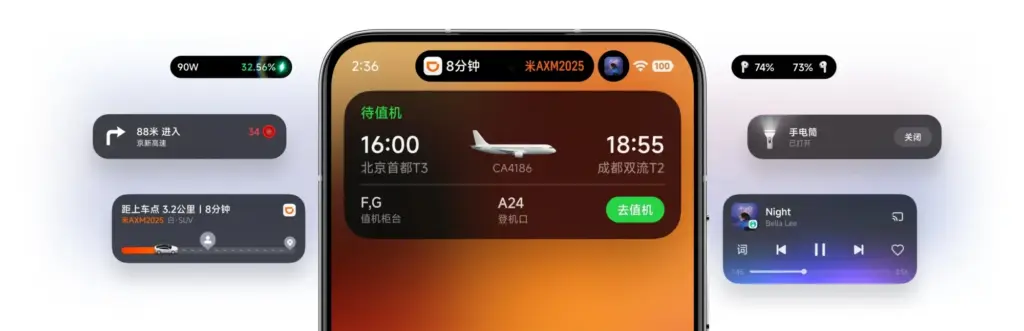
Xiaomi is utilizing Xiaomi Super Island in HyperOS 3 to leverage live upgrades, one of the greatest aspects of Android 16. The functionality can display up to three live events simultaneously, and its implementation is eerily similar to Dynamic Island on iPhones.
Around the selfie camera, you’ll notice a Super Island. After that, you can open a floating window for the current activity by swiping down on the pill to activate the feature. Two additional activities are displayed beside the floating window, one as a pill and the other as a circular icon. You can easily switch between these, and you may open the app by dragging them to the center of the screen.
By dragging and dropping material straight from the Super Island to an app, HyperOS 3 will also make sharing simple. More than 70 apps are presently supported, according to Xiaomi, and support for more well-known apps will be added soon.
NameDrop
Similar to NameDrop, HyperOS 3 allows for the easy exchange of Wi-Fi passwords as well as images and videos. According to the firm, media may be moved quickly and without loss. It bridges the ecosystem divide by supporting both iPhones and Xiaomi devices.
It’s important to note that the feature was briefly shown on stage and using HyperOS 3’s default Gallery app, which receives a number of enhancements of its own (more on that later). Even though Xiaomi didn’t go into detail, we can guess that it connects using NFC.
Updated system apps and features
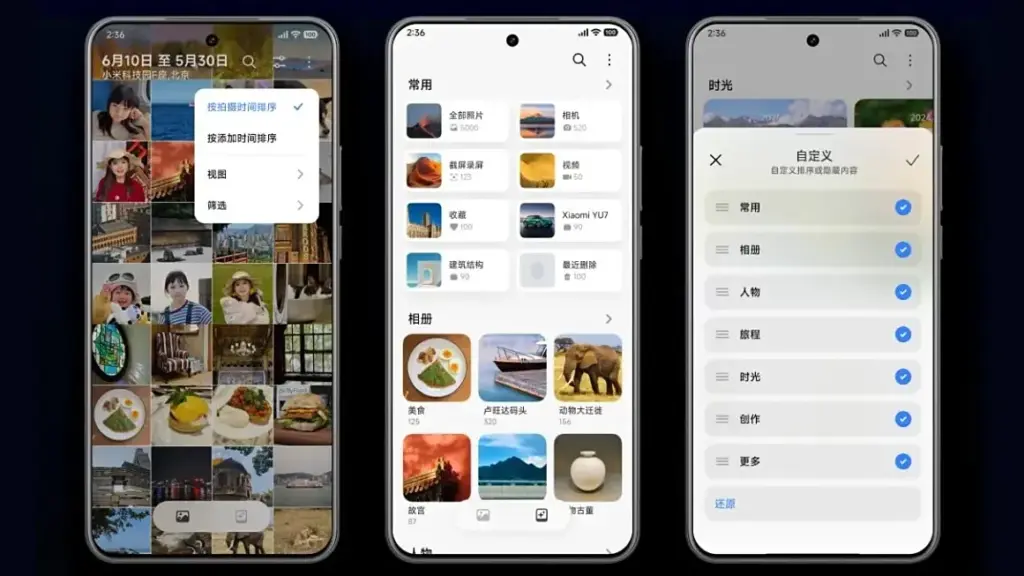
Xiaomi is enhancing the HyperOS 3 app experience for a number of system programs, but its Gallery app is getting the most love. To begin with, users will now be able to quickly locate photographs according to their search preferences. In order to transition between layouts organized by date and continuous tiling, it offers photo view and photo sorting.
AI advancements are enhancing the image search capabilities. For faster search results, the app’s image search has been optimized for over 30,000 keywords and 10 categories.
Additionally, Xiaomi has included an algorithm that facilitates pet photo searches. The brand aggregates its photographs using pet body traits, just like it does with facial recognition.
In addition, HyperOS 3 offers design enhancements for a number of its China-only apps, including the calendar, Xiaomi Shelf, voice recorder, weather, clock, and others.
More AI features
Xiaomi is also improving its in-house Xiaoai with HyperOS 3 to provide suggestions more quickly and effectively. Google’s Circle to Search is comparable to the new Circle Screen functionality, which is driven by Xiao AI. This function allows you to circle a portion of the screen to obtain information about it.
The agentic AI integration in HyperOS 3, which employs LLMs to carry out a number of activities for users, is by far the most fascinating innovation. For instance, it can initiate navigation to a location you wish to visit or place food orders from restaurants. By the end of September 2025, Xiaomi says its new AI agent-like capability will work with more than 80 apps.
Xiaomi Watches will also get a number of new features with HyperOS 3. Similar to the Smart Boost option that shows your heart rate on a HyperOS-powered automobile, supported watches will allow you to transmit real-time workout data to your phone. Along with syncing music to smart speakers while working out, the watch and automobile will also sync navigation instructions.
HyperOS 3 enhances split-screen multitasking, latency, and other aspects of tablets. Additionally, it has an enhanced PC-like browser and better app layouts for wide screens.
HyperOS 3 supported devices and rollout calendar
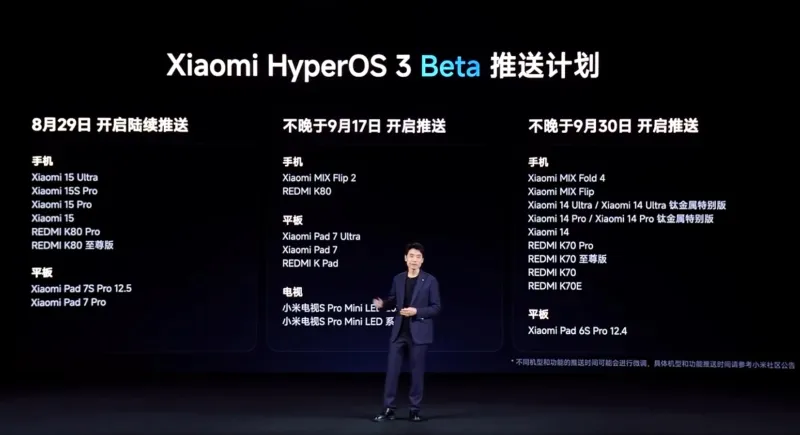
Xiaomi has confirmed that a limited number of devices in China will begin receiving the HyperOS 3 Beta on August 29, 2025. Although the distribution is now limited to China, we have compiled a lengthy list of HyperOS 3 devices that are eligible for the upgrade in India and around the world.
When Xiaomi releases a comprehensive list of devices that will receive the HyperOS 3 stable update, we will update the list and timeline of rollouts. By the end of 2025, we anticipate the stable update.
The Xiaomi 15 and Redmi K80 series will be the first to receive the HyperOS 3 Beta. On September 17, 2025, the Mi Mix Flip 2 will take its place. On September 30, 2025, the Redmi K70 series, Xiaomi 14 series, and Mi Mix Fold 4 will be available for beta testing.
All of those are the new HyperOS 3 features that Xiaomi has disclosed. The layout of the home screen and lock screen in particular has been optimized in this release. Xiaomi adds that games should benefit from 1% lower frame rates and lower battery usage, and that latency has been lowered by 21%.
For Indian lovers of Xiaomi, Redmi, and Poco, this is an all-around great update. To find out more about the HyperOS 3 upgrade rollout in India and around the world, keep checking back and bookmarking this site.
Xiaomi disproved our assumption that the Android announcements for the month were over. With the release of HyperOS 3.0, the company’s most recent version based on Android 16, its mobile devices now include notable functional and visual improvements. The selected models will soon start beta testing, and in Q4, a broader public rollout is anticipated.
What’s New in HyperOS 3.0
HyperOS 3.0 is based on Android 16 and incorporates key enhancements from Google’s most recent Android release. Xiaomi, however, is doing more than just skinning Android; it is also incorporating its own significant features and design modifications into smartphones and tablets.
New icons, super island, and a cleaner layout
Simplified app icons that mirror iOS and have square shapes with rounded sides give the UI a new look. A flatter, simpler look is also used for the quick settings and status bar. The dialer app is completely redesigned in China. Whether this will eventually be shipped to the global ROM is unknown.
Super Island, Xiaomi’s version of Google’s Live Updates and Apple’s Dynamic Island, is one notable feature. It displays dynamic overlays for media, notifications, and app activity on the front-facing punch-hole region. For more interaction, Super Island allows dragging and expanding, unlike its competitors.
New lockscreen designs, like as animated effects that give still images movement, are powered by AI advancements. Additionally, there are more customizable choices for the home screen.
New Gallery app and upgrades for tables
All content, including albums and folders, now have a cleaner look and better search capabilities in the gallery app. Your furry pals’ pictures and videos are automatically arranged with a new pet album feature.
Xiaomi adds adaptive window scaling and improved split-screen management to tablets. Enhancements in ultra-low latency and pressure sensitivity will be advantageous to stylus users.
Significant performance and battery improvements
HyperOS 3.0 offers significant performance improvements in addition to aesthetics. With over 100 new and improved animation effects, Xiaomi promises up to 21% less app latency and smoother system animations.
According to reports, in-game frame rendering uses 9% less energy, video playback requires 10% less power, and gaming performance is 15% faster.
Xiaomi 15 5G
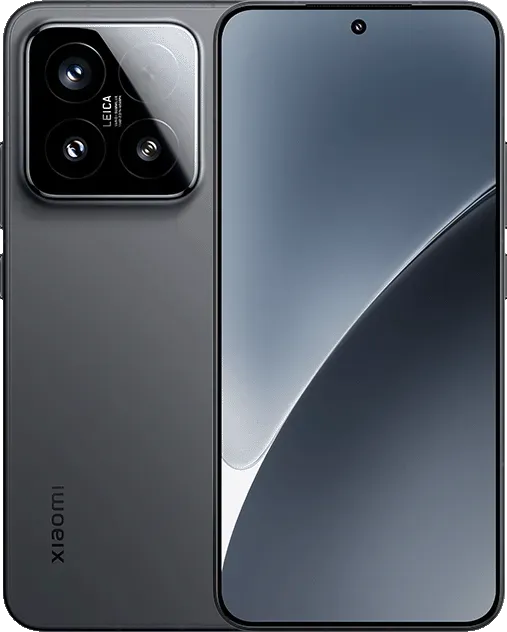
The Xiaomi 15 features a 6.36-inch OLED display with a 1.5K resolution, a 120 Hz refresh rate, and a peak brightness of 3200 nits. The phone is built with an aviation-grade aluminum frame and has a compact design measuring 152.3 × 71.2 × 8.08 mm, weighing 181 g.
Xiaomi has stated that a few smartphones, tablets, and TVs will be available for the public beta, though it hasn’t yet disclosed the complete list of compatible devices. Please be aware that the gadgets on the list are Chinese versions; a different rollout timetable for models that are available worldwide will be revealed later.
Google launched Android 16 more than two months ago, yet no Realme phone has received the upgrade as of yet. However, the company claims to be one of the first to roll out Android 16 on premium phones. The deployment of mid-range and low-cost phones should also happen sooner than normal as a result.
Realme plans to update a number of phones in various pricing ranges to Android 16. However, it will mark the end of significant upgrades for several of them. In other words, no significant updates beyond Android 16 will be available for those devices, which will continue to run the same OS for the remainder of their lifetimes. We’ve put together a list of these gadgets. Check it out below to see if you’ll soon need to upgrade your smartphone.
Android 16 – the final major upgrade
Realme GT 5
Realme GT 5 240W
Realme GT 3
Realme 14x
Realme 14 Pro Lite
Realme 13 (LTE/5G)
Realme 13+
Realme 13 Pro
Realme 13 Pro+
Realme 12 (LTE/5G)
Realme 12+
Realme 12 Pro
Realme 12 Pro+
Realme 12x
Realme 12 Lite
Realme Narzo 70
Realme Narzo 70 Pro
Realme Narzo 70x
Realme Narzo 70 Turbo
Realme Narzo N65
Realme C75 4G
Realme C67 4G
Realme C65
Realme C65 4G
Realme C63 5G
Realme C63
Realme C61
Realme P2 Pro
Realme P1
Realme P1 Pro
Realme P1 Speed
Realme Note 60
Realme Note 60x
The list was created using the update policy and previous rollouts as a guide. Even while it ought to be largely correct, I still advise verifying with the official announcement for the last word.
When will the Android 16 update be released by Realme?
A release date for Android 16 has not yet been disclosed by Realme. But the company has previously stated that the Realme GT 7 Pro will be the phone running Android 16’s Realme UI 7.0 update. Soon after, the GT 7 and GT 7T will join the celebration.
Starting with the GT 6 and GT 6T, the company will introduce the stable Realme UI 7.0 to the GT 6 series after the Realme GT 7 series. Other Realme devices that qualify will thereafter progressively receive the update.
The company has not commented on the Android 16 release, but given that competitors like Oppo, OnePlus, and Samsung are also doing so for their own Android skins, it must be getting ready for a Realme UI 7.0 beta release shortly. Realme is anticipated to begin hiring beta testers for Realme UI 7.0 in a few days, with the stable rollout probably starting in September.
Nothing is a name that people eagerly anticipate when it comes to an operating system that may provide you with a clean Android experience! It was Carl Pei who founded the Nothing brand. The Nothing OS 4.0 is about to be released. Android 16 serves as its foundation. When the Nothing Phone (3) was released in July 2025, the Nothing 4.0 update was first shown off.
Like its predecessor, Nothing OS 4.0 will have a basic and clean design. New features and enhanced performance are to be expected. The release date and new features of Nothing 4.0 will be discussed in this post. You’ll also be aware that phones will receive the update.
Release date and rollout
The Nothing OS 4.0 update will be available from September 2025 to November 2025. This was disclosed by Carl Pei at the Nothing Phone 3’s debut. The precise date is still unknown. The Nothing OS 4.0 beta version will be released first. Early September 2025 is when this beta deployment will begin. The whole version should be available in a few weeks. The first phone to receive this will be the Nothing Phone 3.
Android 16 arrived sooner than expected. It appears that nothing is doing much to keep current.
Nothing 4.0 eligible devices
Nothing has stated that many of its phones will be able to run Nothing OS 4.0. However, this update will not be available for the Nothing Phone 1. This is due to the fact that three significant Android updates have already been applied to the original phone. Android 12 has been replaced with Android 15.
The following phones will receive Nothing OS 4.0:
Device
Update Information
Nothing Phone (3)
First phone to get the beta and full update of Nothing OS 4.0
Nothing Phone (3a) and (3a) Pro
Will get the update soon after Phone (3)
CMF Phone 2 Pro
Will get the update after the Phone (3a) phones
Nothing Phone (2a) and (2a) Plus
These will get update based on when they came out
Nothing Phone (2)
Will get Nothing OS 4.0 as the last big update. It will get security updates for a few more years
CMF Phone 1
Will get Nothing OS 4.0 as the last big update. Security updates will continue
Nothing OS 4.0 features
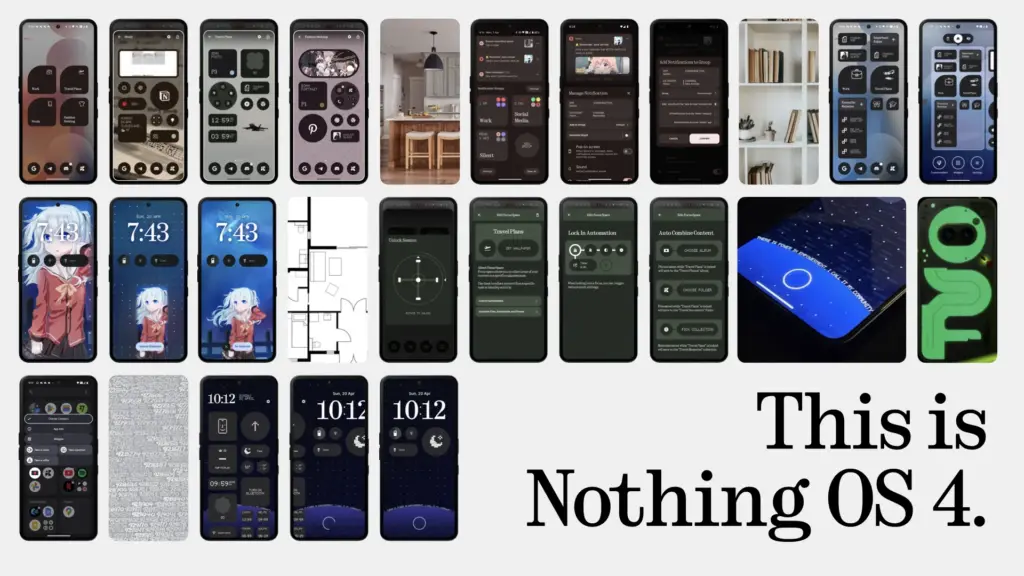
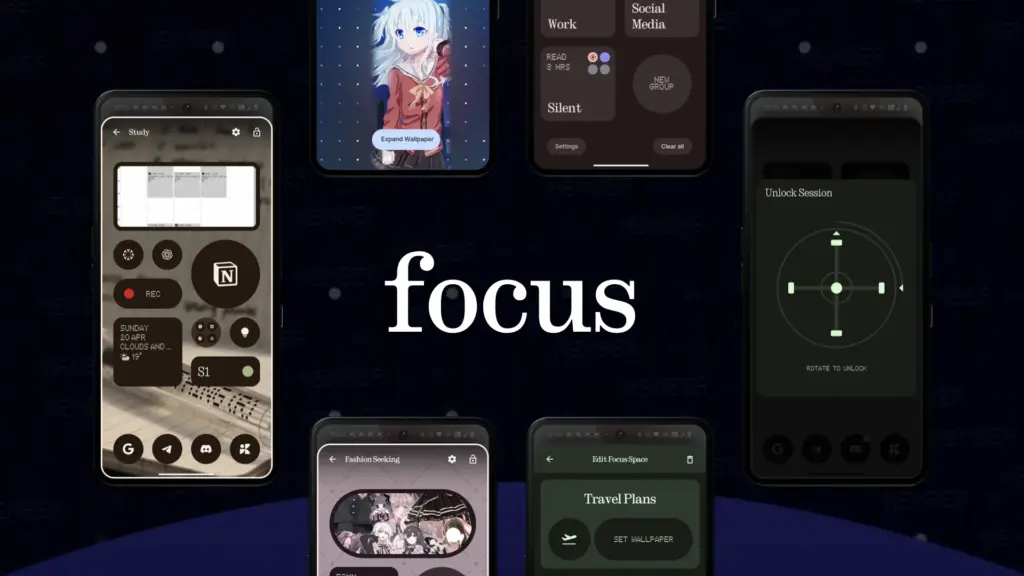
Not all of Nothing OS 4.0’s features have been shared by Nothing. However, we can get a good indication from various Android 16 leaks and news. The latest upgrade will combine the sleek appearance of Nothing with the new functionality of Android 16.
People are anticipating the following key features:
Better Notifications
Android 16 makes it easier to manage notifications. If you get many messages from the same app, they’ll be grouped. This way, your screen won’t get messy. You won’t get too many alerts all at once. Nothing OS 4.0 will likely use these features with dot-matrix-style animations.
Improved Built-In Apps
With Nothing OS 4.0, the main apps that come with the phone are getting upgrades! This includes the Gallery, Weather app, and Camera app.
The Nothing Gallery already opens 25 per cent faster than Google Photos. In OS 4.0, it might get even smarter with AI.
The Weather app could also get fun updates. You can see dot-matrix-style animations that show live weather.
Live Delivery & Ride Updates
With the Nothing OS 4.0 update, you’ll be able to see live updates. These updates like food delivery or ride status. You will see them right on your lock screen or notification panel. It means you don’t have to open the app every time to check the order status.
New Look with Material 3
Android 16 brings a new design called Material 3 Expressive. It has smoother animations and lets you change how things look on your screen. Nothing OS 4.0 is expected to use some of the animations. But it will still keep its simple black-and-white style.
Better AI Tools
Nothing has been testing AI features like Essential Space and Essential Search in older versions. In OS 4.0, they might bring in even smarter tools. There will be suggestions based on how you use your phone. We can also expect better app organisation. It may also work with Google’s Gemini AI to help you search easily.
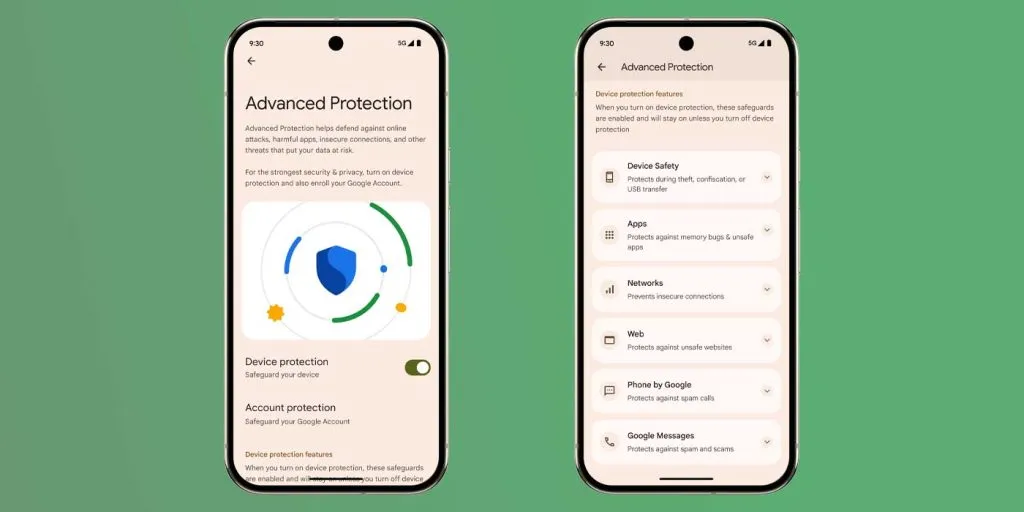
Better Security With Android Protection
There will be a new system called Android Protection. It will keep your phone safe from bad apps, scam calls, and suspicious websites. Nothing OS 4.0 will likely include this too. This will be done with its own special privacy settings.
Glyph Matrix Upgrades
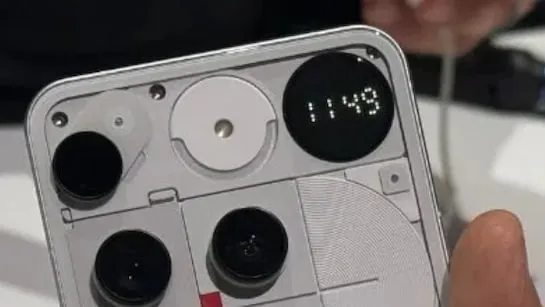
The Glyph Matrix is a special feature on the Nothing Phone (3). It’s an advanced version of the older Glyph Interface.
With Nothing OS 4.0, the Glyph Matrix is getting even better! There will be a new tool called the Glyph Matrix API. This will let developers create fun mini-games, useful widgets, and cool notifications.
The Glyph Matrix might work with Android 16 live alerts. You will see delivery progress or incoming calls with lights. You can see what’s happening without looking at your screen.
This new feature is only for the Nothing Phone (3). But older phones with Glyph lights might still get some small updates.
Feature
What’s New
Lock Screen & Home Screen
– New widgets – cool clock styles – more space to add stuff – more control over app icons
Quick Settings Panel
– Smaller, better-looking buttons – smarter brightness slider – nice colour effects when playing music
Interactive Dot Animation
– More apps and widgets will use dot-style animations
Private Space Integration
– Lets you hide, lock, and even clone apps
Cross-Device Integration
– Easier and faster connection to Nothing headphones – Better control of Tesla features from your phone
Ultimately, I can say that your phone will see some awesome upgrades with Nothing OS 4.0. It will be straightforward and uncomplicated, yet efficient and effective. It will be even more intelligent with AI features. The transparent design, dot matrix animations, and black and white icon pack will all be included in this version. Please share your thoughts about this update in the space provided for comments below.
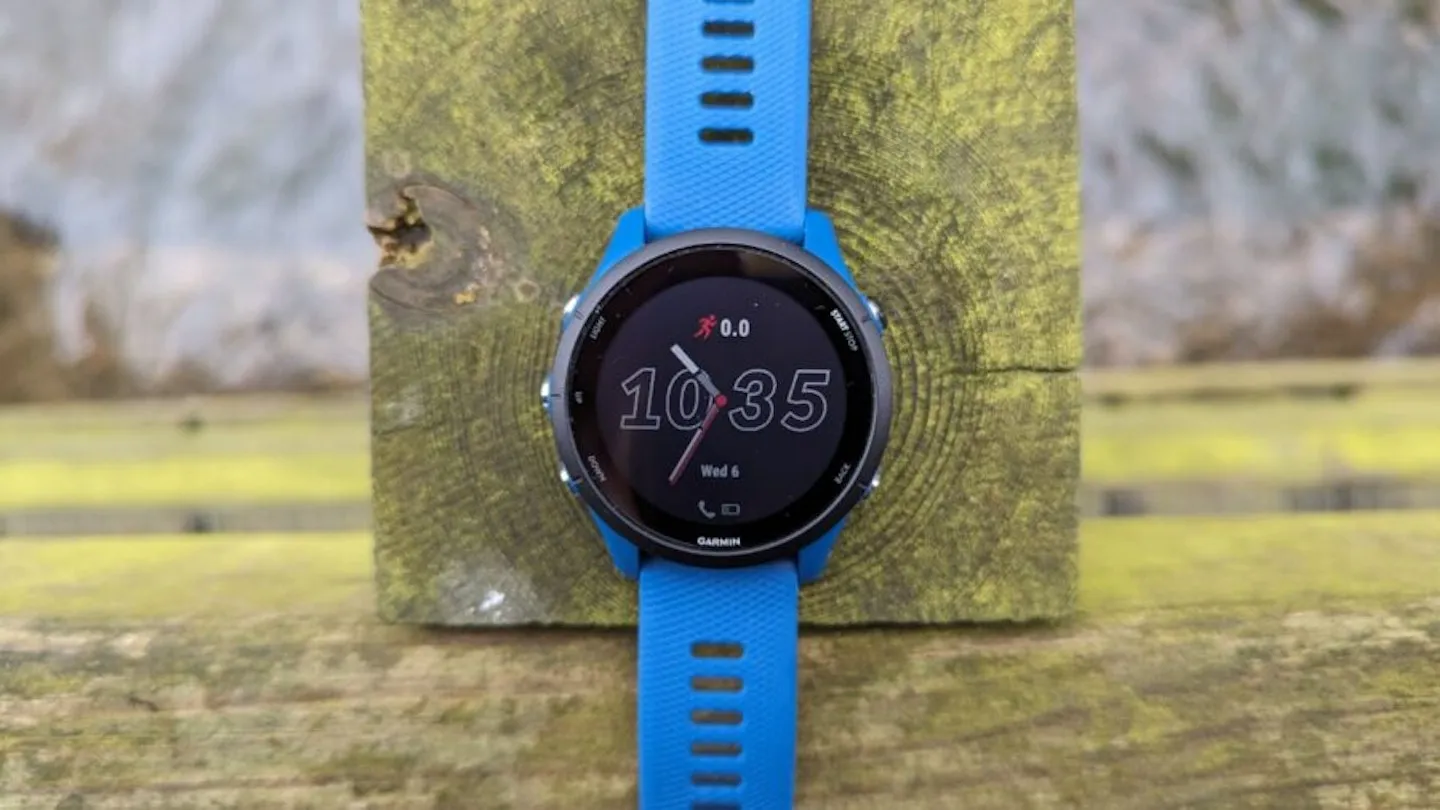
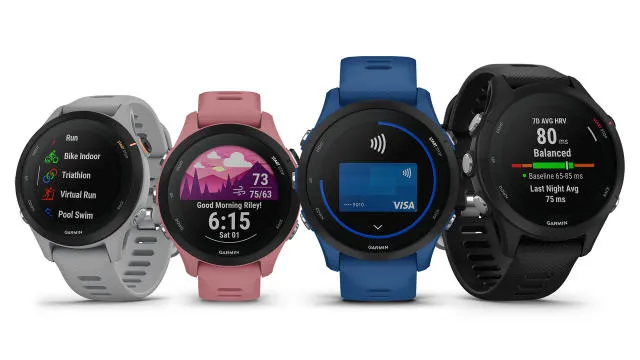
Garmin is still getting ready to update its older Forerunner smartwatches with v24.xx software. The first new update for the five smartwatches running Garmin’s beta or stable software programs in more than a month is Beta Version 24.10, which is compatible with the Forerunner 165, Forerunner 255, Forerunner 955, and Forerunner 965.
Garmin has released numerous updates for both its experimental and stable software programs in recent weeks. The business has prioritized its newest high-end models, such as the Fenix 8 and Tactix 8, over lesser models, as is frequently the case. Similar to this, mid-range or older smartwatches appear to have been pushed farther down the priority scale by the recent release of the Forerunner 570, Forerunner 970, and Venu X1.
For instance, since Garmin released System Software 23.20 more than two months ago, the older Forerunner 165, Forerunner 255, Forerunner 955, and Forerunner 965 (now $599 on Amazon) have not gotten a new stable update. Meanwhile, the same devices have been left running v24.07 on Garmin’s Beta Program for almost a month at this point.
But with the release of Beta Version 24.10, the business has finally updated its Beta Program. The update is available for the Forerunner 165, 255, 265, 955, and 965 starting today. You can also manually download it by going to Settings, System and Software Update, Main menu, and then selecting ‘Check for Updates’ on your smartwatch that is enrolled in the Beta Program. The five smartwatches have comparable changelogs as usual, which include a bug update meant to address possible system crashes on the watch face. For further information, please refer to Garmin’s forum and the listings below.
The OneUI 8 Watch upgrade, which was unveiled alongside the Galaxy Watch 8 and Watch Ultra (2025), represents a significant feature advancement for the Galaxy Watch. Samsung surprised us by releasing the major Wear OS 6-based software, with the original Watch Ultra getting first dibs, even though it was anticipated that it would arrive later for earlier Watch models.
It was first believed that the new Galaxy Watch 8 would have a brief exclusivity period with the new operating system, so the release of OneUI 8 Watch is rather unexpected. Samsung has now formally said that the OneUI 8 Watch would be released before the Galaxy Watch Ultra from last year.
Numerous users – including those with carrier-tied and unlocked models – confirmed receiving the update. With a size of roughly 1.9 GB, the OTA update is quite large, however it may differ depending on the watch model. A patch will be sent to beta participants at the same time to move them to the stable version.
Regarding the changes and new features, OneUI 8 Watch seems to be a noteworthy turning point. As part of Samsung Health, it does offer a new generation of wellness and health tracking tools.
New smart features and customizations
The Now Bar from OneUI 8 is one of the many UI improvements and refinements that OneUI 8 Watch offers in addition to the new tracking tools. It functions with the majority of first-party apps and workouts and shows the current tasks as a widget at the bottom of the watch face.
Additionally, the update allows users to receive personalized watch face recommendations and merge numerous app tiles into one. Now, the double pinch gesture can be used to take a picture, dismiss notifications, and control music.
Vital Sleep Tracking Tools
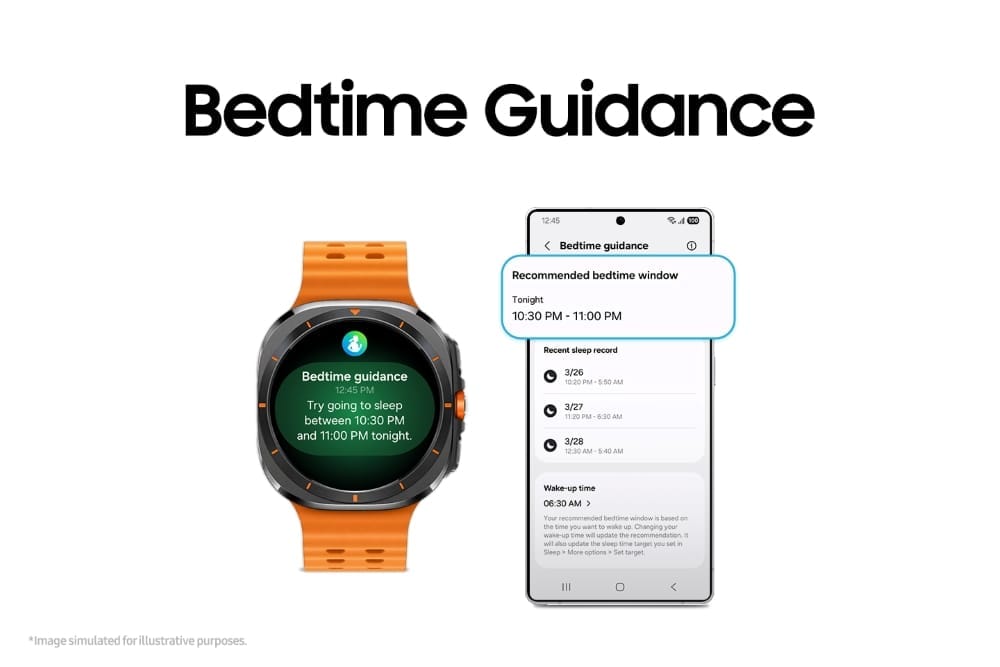
“Bedtime Guidance” is a new feature in the update that, as the name implies, offers tailored bedtime recommendations based on a user’s activities and sleep habits. To assist users in addressing irregular sleep patterns and improving their quality of sleep, it is integrated with sleep coaching.
Another sleep-related tracking tool is Vascular Load. This gauges the vascular system’s circulatory stress as you sleep, which is a crucial sign of your general health.
Running coach and mindfulness
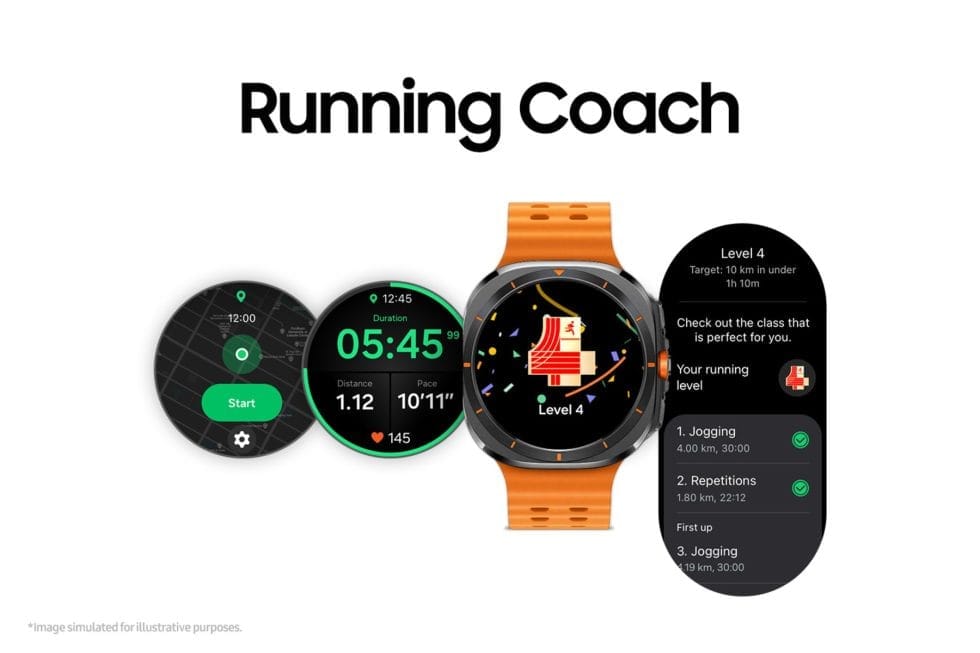
Athletes and runners would also profit from OneUI 8 Watch’s new Running Coach feature. Personalized training programs are offered by this fitness gadget according to users’ fitness levels and objectives. In order to analyze a runner’s level of fitness and generate a performance analysis, they must essentially complete a 12-minute test. During runs, real-time coaching is also available.
Mindfulness, a well-known function that is new to the Galaxy Watch, is a technique for stress and anxiety management. It includes breathing techniques to help lower stress levels.
Antioxidant Index
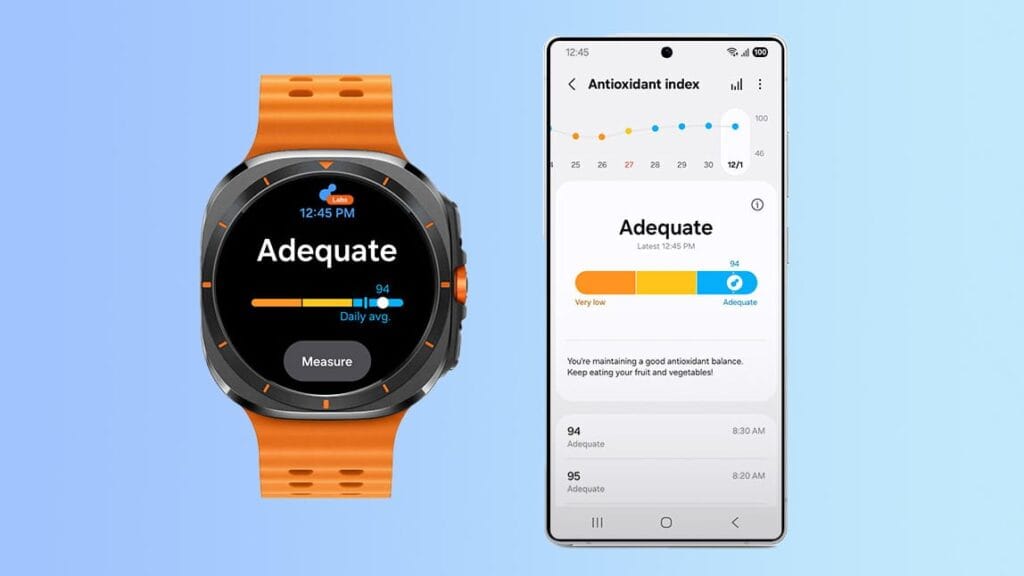
One of these new features is the Antioxidant Index, which measures the antioxidant-producing carotenoids in a user’s skin using a non-invasive technique. To determine the antioxidant level, users must press their finger against the Galaxy Watch’s BioActive sensor for five seconds. A score ranging from 0 to 100 is displayed for the outcome, with 100 being the highest and most suitable.
As usual, a person’s level of antioxidants reflects their overall health. The tool also suggests ways to improve carotenoid levels, such as eating more fruits and vegetables.
Samsung Galaxy Watch 8
Advanced health and sleep tracking features. A lighter, more snug design for all day comfort. Improved user interface. Personal AI assistant for hands free help
Additionally, the upgrade allows users to receive personalized watch face recommendations and merge numerous app tiles into one. Additionally, the double pinch gesture may now be used to take a picture, dismiss notifications, and control music.
Given that it has the same sensor and processor as the Galaxy Watch Ultra, the majority of these capabilities are also intended for the Galaxy Watch 7, though we are unsure of when the update will be available for that wristwatch. Additionally, there is no timeline for previous Galaxy Watch models.
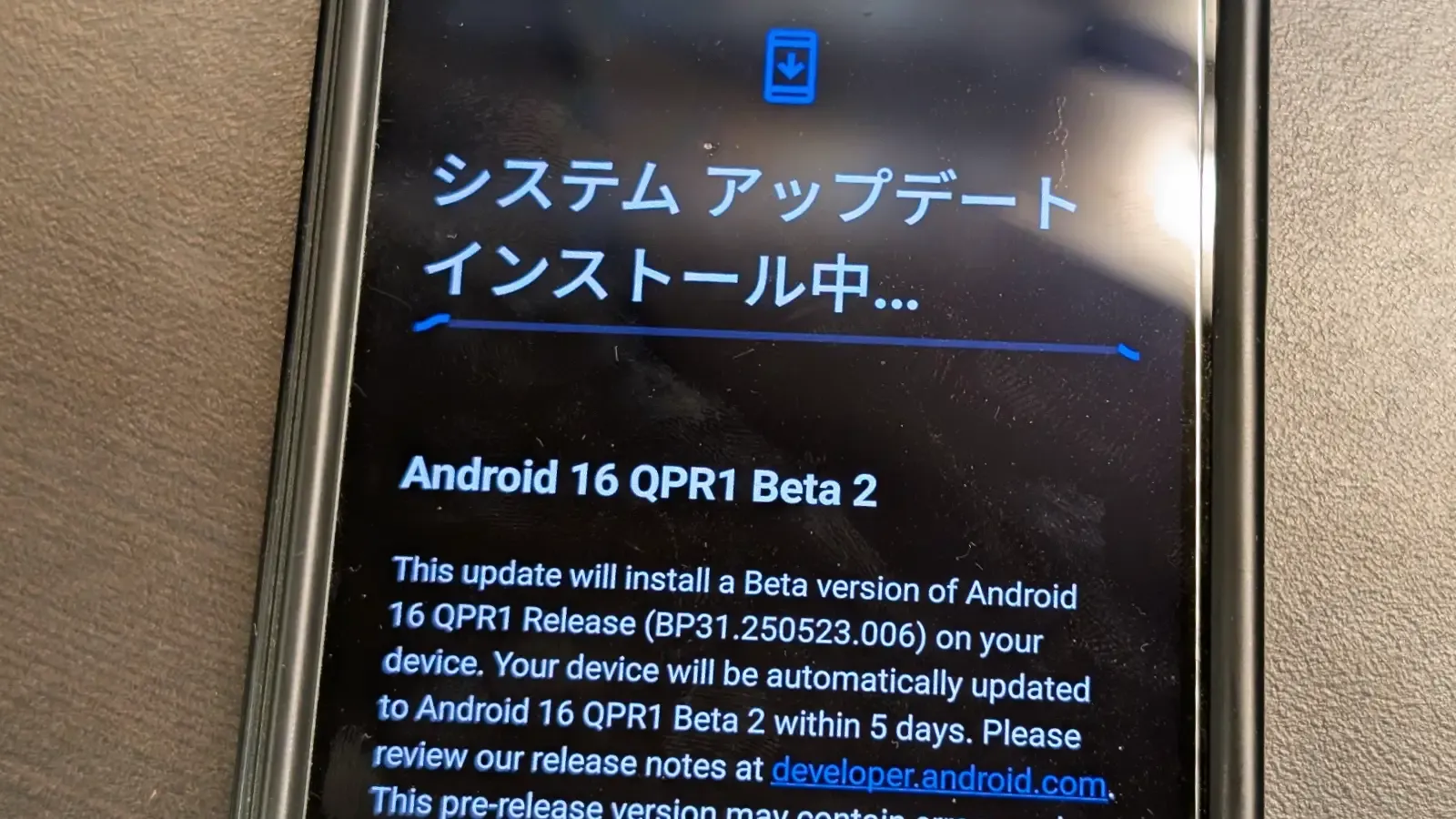
Android 16 has finally been made available to the general public by Google. The June Pixel Drop and Android 16 QPR1 Beta 2 are also available today, so this isn’t the only update. Here, we’ll concentrate on Android 16 QPR1’s second beta, which will be made available to the general public as Pixel Drop the next quarter.
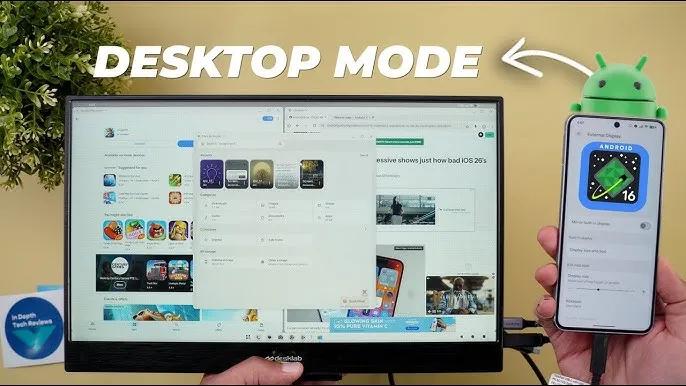
In late May, Google started testing the Android 16 QPR1. Some of the Material 3 Expressive changes were first made available in the first beta. In addition to bug improvements, the second beta offers developers a sneak peek into Dex-like desktop mode.
Desktop mode is inevitable in Android 16
Pixel devices using build number BP31.250523.006 can access the Android 16 QPR1 Beta 2, which is still based on the May security patch. The second beta, as previously said, is more akin to a bug-fix update that fixes a number of known problems. The known bug fixes are listed here.
Auto dark theme is not working
Now playing is crashing when selecting a track
Camera frequently fails to launch
Shortcuts for newly-downloaded apps aren’t automatically added
Home button not working on app list UI
“More wallpapers” button misaligned in wallpaper settings
Gemini fails to work on the lockscreen
The second beta of Android 16 QPR1 will be accessible via an over-the-air update if you have already installed the first beta on your Pixel phone. To test the new QPR beta and the next beta builds, you can simply sign up for the beta program if you’re on a public build.
Make care to backup crucial data and charge your smartphone to at least 50% before applying the update.
Stay connected with the latest from Droid Tools—follow us on X @droid_tools, like our page on Facebook, check out our updates on Instagram, and follow us on Google News for real-time news, device tips, and mobile tech insights.
Xiaomi has started the release of the HyperOS 2.2 stable upgrade for its second batch of devices sooner than originally planned. Some devices have already received the update, rather than the previously announced June 20th start date. Camera 6.0 improvements, improved system animations, sophisticated lock screen customization choices, and system-level efficiency optimizations that take user feedback and changing usage patterns into account are all included in this update. The update strengthens the brand’s user experience across product lines and marks a significant leap in Xiaomi’s software architecture.
Devices that already received HyperOS 2.2
The following devices have successfully received the HyperOS 2.2 stable update:
REDMI Turbo 4 Pro
REDMI Turbo 4
REDMI Note 14 5G
REDMI Note 14 Pro 5G
REDMI Note 14 Pro+ 5G
These models now operate with the full HyperOS 2.2 feature set, including all integrated improvements and interface updates.
In the upcoming weeks, the update is planned for further high-end models:
Flagship Smartphones:
Xiaomi 13 Ultra
Xiaomi 13 Pro
Xiaomi 13
Xiaomi MIX FOLD 3
Xiaomi CIVI 4 Pro
Tablet Devices:
Xiaomi Pad 6 Max 14
Xiaomi Pad 6 Pro
Performance Series:
REDMI K60 Ultra
REDMI K60 Pro
REDMI K60
REDMI Turbo 3
Key features we found in HyperOS 2.2
Camera 6.0, which offers better computational photography and increased image capabilities, is introduced in HyperOS 2.2. Updated lock screen customization options offer a more adaptable user interface, and system animations have been further improved for greater fluidity. Additional system-wide improvements help to boost battery efficiency and overall performance.
Stay connected with the latest from Droid Tools—follow us on X @droid_tools, like our page on Facebook, check out our updates on Instagram, and follow us on Google News for real-time news, device tips, and mobile tech insights.
Since Android 16 is now accessible on compatible phones, Google has made it widely available. According to the business, the OS will be preinstalled on new devices in “the next months.”
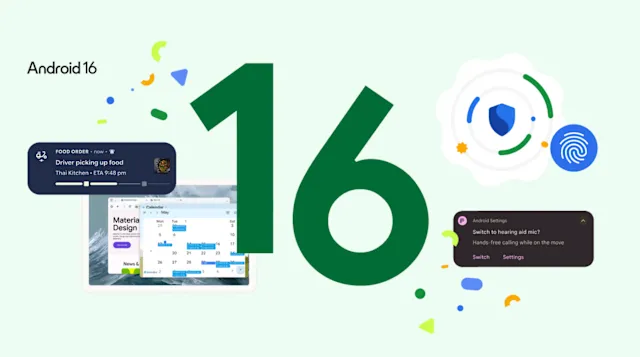
The update has a number of noteworthy features. Live updates in alerts may be the most significant. People won’t have to keep opening and closing the app to figure out why a burrito seems to be stuck four streets away thanks to this change, which will put a progress indicator in the notification for things like ride-sharing and food delivery.
Also, to cut down on clutter and pings, alerts from the same app will now be automatically grouped together. With a native control option, LE audio hearing aids are now supported. When utilizing one of these hearing aids in noisy environments, users can easily switch to the microphone on their phone for crisper audio.
Android 16 offers more protection for users
Users may now be protected from “online attacks, malicious apps, risky websites, fraudulent calls and more in just a tap” thanks to Google’s integration of all its security capabilities. New scam detection tools that were teased back in May are part of this.
A significant amount of new features are being added to shutterbugs, such as hybrid auto exposure, automatic night mode scene identification, and more accurate color temperature adjustments. Android 16 has integration with the premium Advanced Professional Video (APV) codec, and UltraHDR photos have been enhanced with support for HEIC encoding.
Although it isn’t yet ready, Google is finally introducing desktop windowing to Android. Android 16 QPR 3 Beta 2 is now previewing that feature, which will be made accessible to the general public later this year.
A nice upgrade to the Android environment with some useful improvements is also available. Improved RCS group conversations with personalized icons and thread muting capabilities are part of this. The AI-enhanced image editor in Google Photos now suggests possible adjustments. Wear OS devices can now pay for transit fares without opening a separate app, while Emoji Kitchen is getting additional sticker combinations.
Lastly, Google has provided information about the June Pixel Drop. Among the new features are more expressive video captioning and a Pixel VIPs widget that shows details about favored contacts.
Stay connected with the latest from Droid Tools—follow us on X @droid_tools, like our page on Facebook, check out our updates on Instagram, and follow us on Google News for real-time news, device tips, and mobile tech insights.