Tag: android16

  • 4 new Xiaomi devices receive stable HyperOS 2.2

    4 new Xiaomi devices receive stable HyperOS 2.2

    Users of Xiaomi should rejoice since the stable HyperOS 2.2 update is currently planned for four new devices. The software is now available on Xiaomi’s servers and is awaiting final staff testing before going public. As Xiaomi continues to roll out its most recent OS to an increasing number of devices across its wide range of products, this step marks another milestone in the company’s aggressive HyperOS rollout strategy.

    Xiaomi‘s emphasis on providing frequent software updates and keeping its ecosystem up to speed with the newest features is further highlighted by the new update, which promises to improve performance, battery life, and user experience for compatible phones.

    HyperOS 2.2 family has four new members.
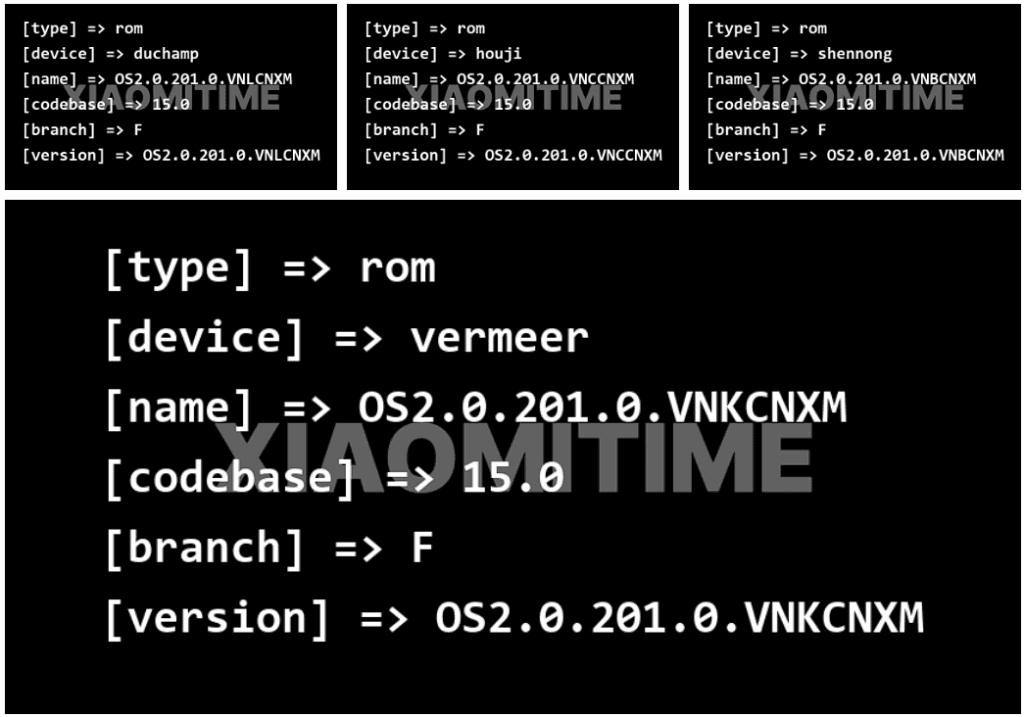
    HyperOS 2.2 new devices

    Based on data found on Xiaomi’s update servers, the following devices are now set to upgrade to the stable HyperOS 2.2 update:

    • Redmi K70E: OS2.0.201.0.VNLCNXM
    • Redmi K70: OS2.0.201.0.VNKCNXM
    • Xiaomi 14 Pro: OS2.0.201.0.VNBCNXM
    • Xiaomi 14: OS2.0.201.0.VNCCNXM

    These builds are being tested by Xiaomi employees for the final time ahead of release, providing users everywhere with a smooth and bugless experience when the upgrade is rolled out.

    Previously Confirmed Devices

    The four new devices add to a number of already confirmed devices for which the HyperOS 2.2 stable update was announced:

    • Xiaomi 14
    • Xiaomi 14 Ultra
    • Xiaomi 15
    • Xiaomi 15 Pro
    • Xiaomi 15 Ultra
    • Xiaomi Pad 6S Pro 12.4

    This extended rollout reflects Xiaomi’s commitment to providing its most recent flagship models, as well as last generation models, with the most current software features.

    What HyperOS brings?

    The HyperOS 2.2 update features a number of significant upgrades for supported devices:

    • Enhanced system stability for all programs
    • Optimized battery management for increased usage hours
    • Smoother animation transitions across the interface
    • New Xiaomi HyperConnect features for effortless device connection

    In order to make Xiaomi smartphones competitive in the rapidly evolving smartphone market, these improvements build upon the strong basis of HyperOS 2, improving the user experience and adding new functions. For people who want to view the available updates,
  • #rumor – Samsung is preparing One Ui 8 public beta for on Galaxy S25

    #rumor – Samsung is preparing One Ui 8 public beta for on Galaxy S25

    Samsung is internally getting ready for the One UI 8 Beta for Galaxy devices in addition to the stable One UI 7 release. The beta program may begin in the third week of May 2025, according to rumors. The One UI 8 Public Beta Program for the Galaxy S25 series may begin earlier than anticipated, according to new information.

    A fresh One UI 8 Beta build for the Galaxy S25 series was recently found by a trustworthy source, suggesting that Samsung is actively developing the upcoming version. Internal testing for the global version of the Galaxy S25 Ultra is currently in progress, according to the latest build, S938BXXU3ZYEF.

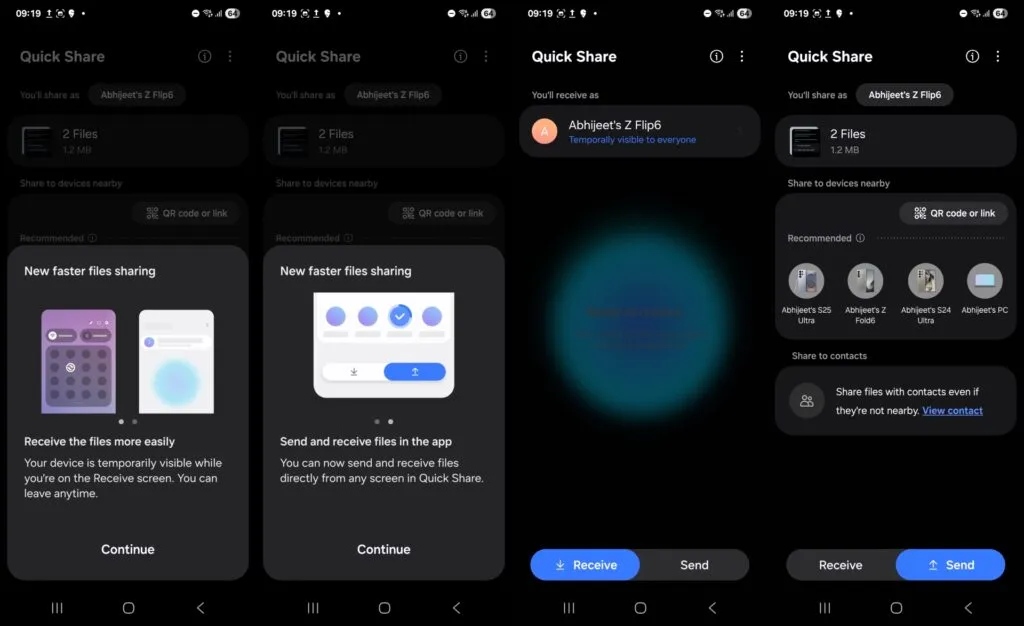
    one ui 8 quick share

    One UI 8 beta testing appeared online

    The first One UI 8 beta testing build for the Galaxy S25 series, with a version ending in ZYEA, appeared online last week. Samsung appears to be moving swiftly forward with internal beta testing for the Galaxy S25 series based on the change from that build to the latest one.

    Samsung is anticipated to launch the One UI 8 Public Beta Program for the Galaxy S25 series and other qualified smartphones after internal testing is finished. Users of the Galaxy can test out new features through this program prior to their official release.

    Additionally, according to some rumors, Samsung may launch the One UI 8 Beta Program during the third week of May 2025. According to reports, it will first be accessible to a certain group of Galaxy customers in particular nations.

    We should be cautious about this report, though, as Samsung has not yet confirmed it. In contrast to One UI 7, we may anticipate no delays this time around because Samsung seems to be proceeding swiftly with internal testing.

  • One UI 7 will be the last update for these Galaxy devices

    One UI 7 will be the last update for these Galaxy devices

    A number of Samsung handsets are getting UI 7, and as the final significant update, certain Galaxy A phones will get it as well. Along with many new features and design modifications, software updates also reach a support milestone.

    Samsung is progressively rolling out the One UI 7 upgrade for Galaxy smartphones. With the most recent OS update, flagship smartphone users have joined the party. Nonetheless, the expansion will last until this year’s July.

    One UI 7 was the most recent OS update for the Galaxy S21 series, Z Flip3, and Z Fold3. It’s a significant firmware that adds new features and design modifications. It’s worth the remaining time to use One UI 7.

    This also applies to other lineups, such as the Galaxy A series. The availability will vary depending on hardware capabilities and optimization stage, but the majority of the design improvements and essential OS features will be offered.

    one ui 7 update

    One UI 7 is the last major upgrade for these Galaxy A phones

    • Galaxy A14
    • Galaxy A14 5G

    Rollout is expected in June 2025.

    Released in 2023 with Android 13, the Galaxy A14 and A14 5G are expected to receive two significant updates (Android 14 and 15), making One UI 7 their last version. For security enhancements, these devices might get additional quarterly or biannual patches.

    Therefore, One UI 7 is not a concern if you own a Galaxy A14 or its 5G version. Samsung is dedicated to offering the Android 15 update with as many features and modifications as feasible while still satisfying hardware requirements.

  • Android 16 update for Samsung One UI 8: complete list of compatible Galaxy devices

    Android 16 update for Samsung One UI 8: complete list of compatible Galaxy devices

    Samsung has already provided a specific schedule for the stable rollout, but the company is now having trouble launching One UI 7. Users must be wondering which handsets will be eligible for the update, as Samsung will be concentrating on One UI 8 after this is finished. Here is the complete list of (anticipated) One UI 8 compatible devices.

    As the initial glance has already been made public, Samsung has in fact started working behind closed doors on One UI 8, their next major OS version that will run Android 16.

    Although Samsung has already given a precise timeline for the stable rollout, the business is currently experiencing issues with One UI 7. After this is done, Samsung will focus on One UI 8, therefore users must be wondering which phones will be eligible for the update. The full list of (expected) One UI 8 supported devices is available here.

    Samsung has actually begun working behind closed doors on One UI 8, their next major operating system version that will run Android 16, as the first look has already been made public.

    galaxy s25 ultra

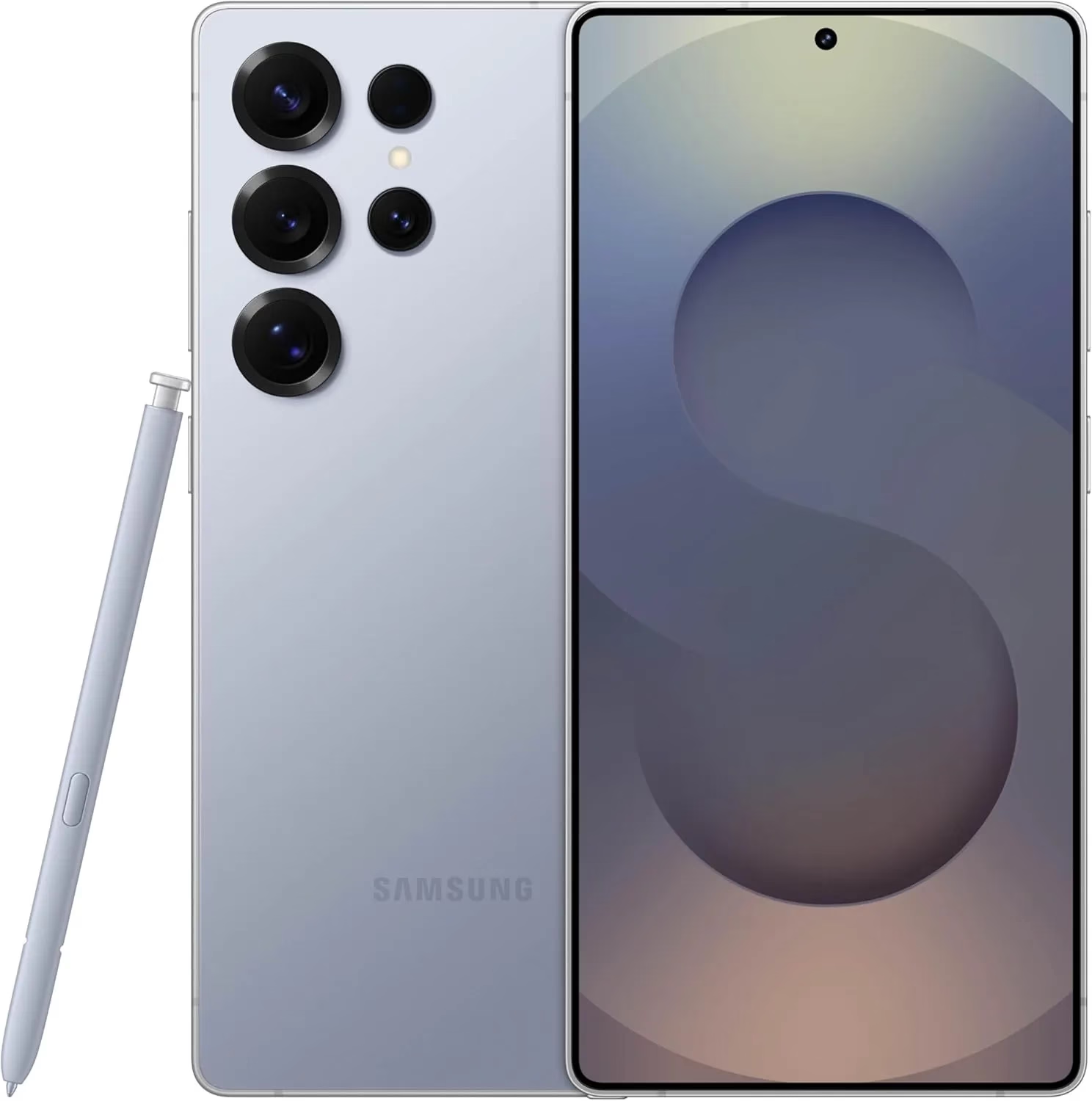
    Samsung Galaxy S25 Ultra 512GB

    Streamline your day with an assistant that gets you. Ask it to Google search for a pet-friendly vegan restaurant nearby and text it to your friend— your Galaxy S25 Ultra handles multiple tasks with a single ask.

    Best choice
    $1,419.99$1,119.99Amazon

    List of One UI 8 Eligible Galaxy Phones and Tablets

    Galaxy S series

    • Galaxy S25
    • Galaxy S25+
    • Galaxy S25 Ultra 
    • Galaxy S24 Ultra
    • Galaxy S24+
    • Galaxy S24
    • Galaxy S24 FE
    • Galaxy S23 Ultra
    • Galaxy S23+
    • Galaxy S23
    • Galaxy S23 FE
    • Galaxy S22 Ultra
    • Galaxy S22+
    • Galaxy S22
    • Galaxy S21 FE

    Galaxy Z series 

    • Galaxy Z Fold 6
    • Galaxy Z Flip 6
    • Galaxy Z Fold Special Edition
    • Galaxy Z Fold 5
    • Galaxy Z Flip 5
    • Galaxy Z Fold 4
    • Galaxy Z Flip 4

    Galaxy A series 

    • Galaxy A73
    • Galaxy A56
    • Galaxy A55
    • Galaxy A54
    • Galaxy A53
    • Galaxy A36
    • Galaxy A35
    • Galaxy A34
    • Galaxy A33
    • Galaxy A26
    • Galaxy A25
    • Galaxy A24
    • Galaxy A16
    • Galaxy A15
    • Galaxy A14
    • Galaxy A06
    • Galaxy A05
    • Galaxy A05s

    Galaxy Tab series

    • Galaxy Tab S10+
    • Galaxy Tab S10 Ultra
    • Galaxy Tab S10 FE
    • Galaxy Tab S10 FE+
    • Galaxy Tab S9 FE+
    • Galaxy Tab S9 FE
    • Galaxy Tab S9 Ultra
    • Galaxy Tab S9+
    • Galaxy Tab S9
    • Galaxy Tab S8 Ultra
    • Galaxy Tab S8+
    • Galaxy Tab S8
    • Galaxy Tab A9
    • Galaxy Tab A9+
    • Galaxy Tab Active5 Pro
    • Galaxy Tab Active5

    Galaxy M series

    • Galaxy M56
    • Galaxy M55s
    • Galaxy M55
    • Galaxy M54
    • Galaxy M34
    • Galaxy M35
    • Galaxy M53
    • Galaxy M33
    • Galaxy M16
    • Galaxy M15
    • Galaxy M06

    Galaxy F series

    • Galaxy F55
    • Galaxy F54
    • Galaxy F34
    • Galaxy F16
    • Galaxy F15
    • Galaxy F06

    Galaxy XCover Series

    • Galaxy XCover7 Pro
    • Galaxy XCover7
    • Galaxy XCover6 Pro

    Android 16 with One Ui 8 release date and features

    It is anticipated that the most recent One UI 8.0, which is based on Android 16 and is a modest upgrade that improves One UI 7 capabilities, would be released in late July or early August. Because it comes pre-installed on the Galaxy Z Fold 7 and Z Flip 7, an early distribution is expected.

  • How to enable Auracast in Android 16 – audio sharing feature

    How to enable Auracast in Android 16 – audio sharing feature

    While there won’t be any significant UI changes in the impending Android 16 update for Pixel devices, it will finally provide a long-awaited feature: support for Auracast. Devices can initiate or listen to adjacent audio streams thanks to the Bluetooth LE Audio standard’s Auracast functionality, which is the marketing name for broadcast audio. Despite Google’s announcement that the latest Pixel smartphones will support Auracast in Android 16, if you install the beta, the capability is not yet available. Here’s how to turn on Auracast on an Android 16 beta-powered Pixel device.

    To put things in perspective, Google said in March that owners of Pixel 9 devices could receive Auracast broadcasts straight to their hearing aids. The Pixel 9 must be running the Android 16 beta and have LE Audio-compatible headphones in order to use this feature. Google emphasized the accessibility advantages of Auracast, although the capability works with any audio device that can receive LE Audio broadcasts, not only hearing aids.

    Auracast isn’t actually enabled in the current Android 16 Beta 4 version, even though Google previously stated that it will work on Pixel 9 devices running the Android 16 beta. The “Audio Sharing” page was missing from Settings after I factory reset my own Pixel 9 and updated it to this beta. I know how to make this settings page available, but I’m not sure why it’s hidden by default.

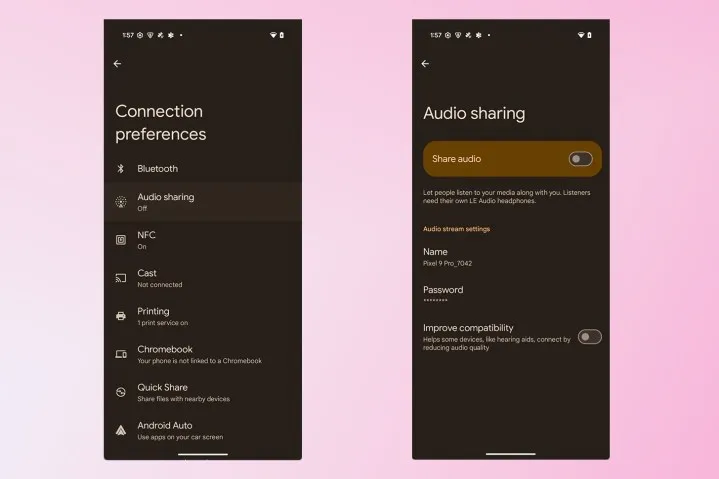
    To activate Audio Sharing on your Pixel device, you need to first enable Developer Options. Then, navigate to Settings > System > Developer options and scroll down until you find “Enable Bluetooth LE Audio Broadcast UI preview.” Toggle this setting on, and then reboot your phone. Once your phone boots back up, go to Settings > Connected devices > Connection preferences, where you’ll find the “Audio sharing” page.

    By connecting a headset that supports Auracast and turning on the “share audio” feature from this page or the Bluetooth panel, you can now begin an audio broadcast. You can set a password for your broadcast to keep undesirable listeners from joining. Tap the “find an audio stream” option to look for streams in your area if you would prefer to listen in on a broadcast.

    Auracast audio sharing

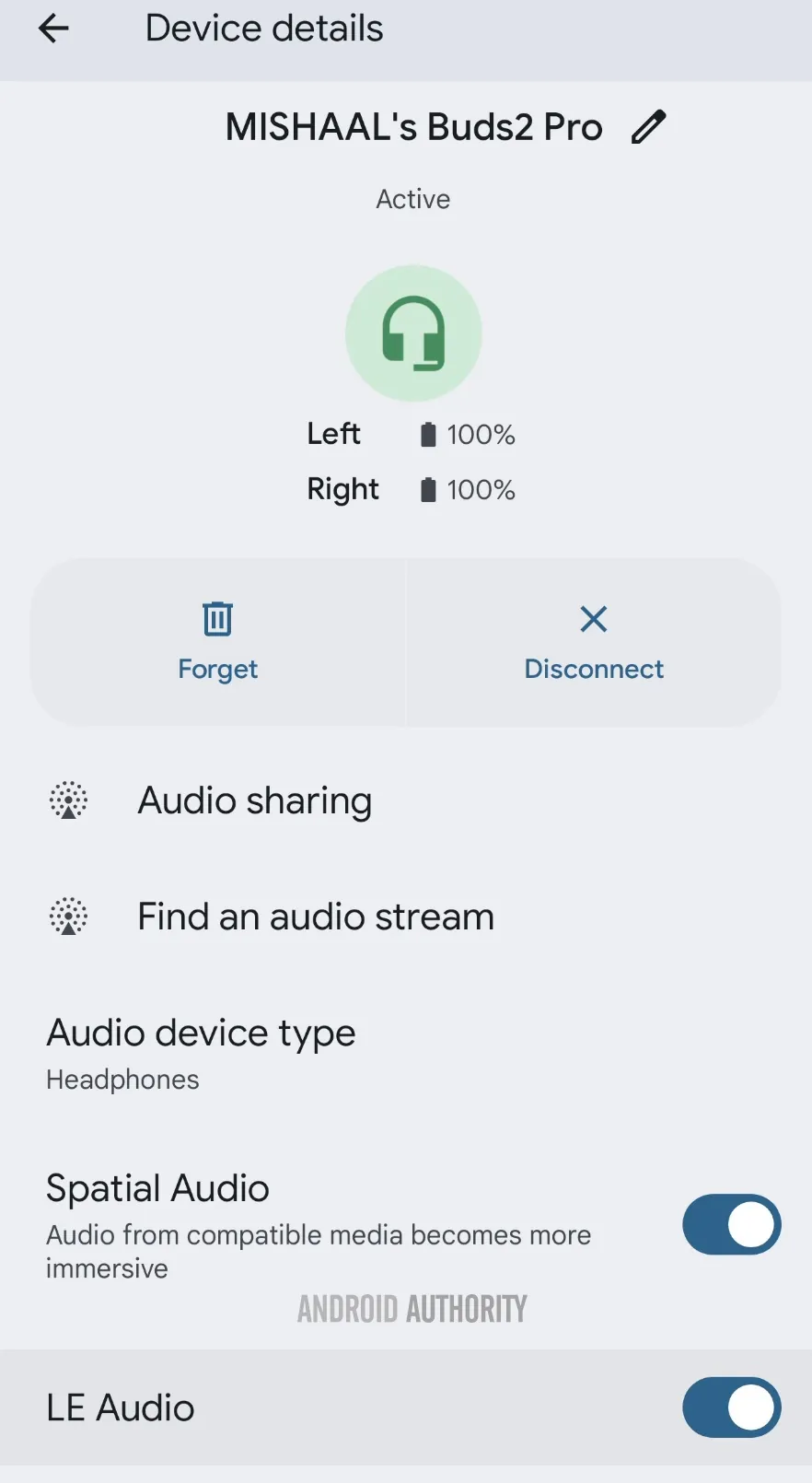
    Make sure Bluetooth LE Audio is turned on for that particular device if Android still prevents you from starting or listening to adjacent broadcasts even when you have an Auracast-capable audio device connected. You may need to manually activate LE Audio via the Bluetooth device details page for a lot of audio items. As an alternative, you can compel Android to automatically enable Bluetooth LE Audio for any compatible audio device by turning on the “bypass Bluetooth LE Audio Allowlist” toggle in Developer Options.

    Bluetooth device details page for LE Audio capable earbuds.jpg

    Finally, your Pixel device does not support Auracast if you do not see the “Enable Bluetooth LE Audio Broadcast UI preview” toggle in Developer Options. At the moment, the Pixel 8, Pixel 8 Pro, Pixel 9, Pixel 9 Pro, Pixel 9 Pro XL, and Pixel 9 Pro Fold are compatible with Auracast.

    This toggle won’t show up for devices like the Pixel 7 series, Pixel Tablet, Pixel Fold, Pixel 8a, and Pixel 9a, even though they theoretically support Bluetooth LE Audio. However, they don’t support Auracast. Since the Pixel 6 series does not support LE Audio, it does not meet the requirements to use Auracast and will not display the toggle.

    Remarkably, the most recent stable version of Android 15 for Pixel smartphones with Auracast support does have the “Enable Bluetooth LE Audio Broadcast UI preview” button. Accordingly, installing the Android 16 beta is not strictly required in order to utilize the Audio Sharing feature. You might anticipate that Audio Sharing would be enabled by default in the Android 16 beta, given Google’s announcement, but it might not be the case with the next stable release of Android 16. Google is anticipated to release the stable Android 16 version next month, so we’ll have to wait and see.

  • HyperOS 3 – what features can you expect next

    HyperOS 3 – what features can you expect next

    A number of cutting-edge features from the soon-to-be released Android 16 will also be included in Xiaomi’s eagerly anticipated HyperOS 3, setting a new standard for mobile operating systems for the company’s diverse range of devices. HyperOS 3 will deliver cutting-edge capabilities that will transform how people use their devices as Xiaomi develops its ecosystem integration, adds cutting-edge security measures, and keeps improving its software experience.

    The upcoming upgrade is expected to offer an unparalleled combination of performance, functionality, and configurability, continuing Xiaomi’s tradition of perfecting the foundations of Android.

    HyperOS 3 new features

    Important changes to expect in HyperOS 3

    Android 16 will be the starting point for HyperOS 3 to introduce many significant upgrades that Xiaomi will probably enhance and build upon:

    • Live Updates: Delivery of information in real time without apps
    • Embedded Photo Picker: Simplified photo chooser interface
    • Improved Privacy Controls: Featuring the new Privacy Sandbox
    • WritingTools API: Enables apps to control access to AI writing tools

    Multimedia and Visual Enhancements

    HyperOS 3 is due to bring major upgrades to media capabilities:

    1. Camera Enhancements
      1. Hybrid auto-exposure for improved low-light photography
      2. Exact colour temperature controls Night mode Camera extension API
      3. Motion photo capture functionality
    2. Display Optimizations
      1. Improved Adaptive Refresh Rate support
      2. Forcing edge-to-edge app support
      3. Ultra HDR image enhancements

    These enhancements are a perfect fit for Xiaomi’s mission to deliver superior multimedia experiences across its line of devices, especially so across its camera-focused devices such as the latest Xiaomi 14 series.

    Performance and System Improvement

    The fundamental system architecture within HyperOS 3 will probably undergo major upgrades:

    • Vulkan: Presently the official graphics AkPI for Android
    • Cloud compilation: Quicker app installations
    • Improved app adaptability: Increased performance across device types
    • Software audio codecs in-process: Improved audio processing

    Xiaomi has consistently prioritized performance optimization in its previous operating systems, suggesting that HyperOS 3 would further enhance these features to allow for even higher responsiveness and speed.

    Connectivity and Accessibility Features

    HyperOS 3 is also anticipated to advance how people interface with their devices and one another:

    • Auracast broadcast audio support: Innovative audio sharing functionality
    • Volume controls for ambient sound: For hearing aids using LE Audio
    • Generic ranging APIs: Enhanced location services
    • Gemini Extensions: Extended AI assistant capabilities

    These features support Lei Jun’s idea of seamless integration throughout the Xiaomi product range and are evidence of Xiaomi’s continuous efforts to provide a simpler and more connected device ecosystem.

  • HyperOS 3 update: eligible devices

    HyperOS 3 update: eligible devices

    Xiaomi is still updating a variety of devices with the HyperOS 2.1 upgrade, which is based on Android 15. However, all eyes are now on HyperOS 3, which is based on Android 16, the upcoming major release. This one will come with enormous improvements in terms of performance, features, and design.

    Xiaomi to roll out HyperOS 3 update based on Android 16

    Android 16 1

    A recent article from XiaomiTime states that the release of HyperOS 3 is anticipated to be in July 2025. Although Xiaomi has not yet released an official announcement regarding the complete list of devices, the report offers us a good idea of which models should be updated. Xiaomi, Redmi, and POCO devices will be included in the upgrade, demonstrating the company’s dedication to providing long-term software support.

    What to Expect in HyperOS 3

    HyperOS 3.0 e1745555193567

    Improved multitasking, improved battery life optimization, more intelligent AI-based capabilities, and a redesigned user interface are just a few of the many new features that HyperOS 3 is said to offer. It is anticipated that a primary focus will be on improving device integration and performance, particularly with regard to tablets and foldables.

    xiaomi 15 silicon carbon battery

    Xiaomi 15 5G

    Snapdragon 8 Elite Mobile Platform3nm manufacturing processCPU2 x Prime Core, up to 4.32GHz6 x Performance Core, up to 3.53GHzGPUAdreno GPUAIQualcomm AI engine.

    Leica Summilux optical lensLEICA VARIO-SUMMILUX 1:1.62-2.2/14-60 ASPHLeica main camera50MPLight Fusion 900 image sensor2.4μm 4-in-1 Super Pixelf/1.62OIS23mm equivalent focal lengthLeica 60mm floating telephoto50MPf/2.0OIS60mm equivalent focal lengthLeica ultra-wide camera50MPf/2.214mm equivalent focal length115°. 32MP FRONT CAMERA

    $947.50$900.00Amazon

    Expected Devices to Receive HyperOS 3

    Xiaomi Devices:

    • Xiaomi 15, 14, 13, and 12 series
    • MIX Flip, Flip 2
    • MIX FOLD 2, 3, and 4
    • Xiaomi Pad 6 Pro, 6S Pro, 7, and 7 Pro

    Redmi Devices:

    • Redmi Note 12, 13, and 14 series (4G, Turbo, and Pro models)
    • Redmi 12, 13, and 14 series (C and A models)
    • Redmi K50, K60, K70, and K80 series
    • Redmi Pad SE, Pad SE 8.7, Pad Pro, and Pad Pro 5G

    POCO Devices:

    • POCO F5, F5 Pro, F6, F6 Pro, F7, F7 Pro, and F7 Ultra
    • POCO X6 5G, X6 Pro 5G, X7, X7 Pro, and X7 Pro Iron Man Edition special edition
    • POCO M6 (4G, 5G, and Pro versions), M7, and M7 Pro 5G
    • POCO C65, C75, and C75 5G

    With a wider rollout, Xiaomi will gradually introduce the most recent Android experience across a diverse range of devices. It is likely that HyperOS 3 will improve on everything you do on a flagship, mid-range, or low-cost phone. Xiaomi is going to make the announcement, so keep a look out!

  • Easily install Android 16 Beta on Xiaomi devices

    Easily install Android 16 Beta on Xiaomi devices

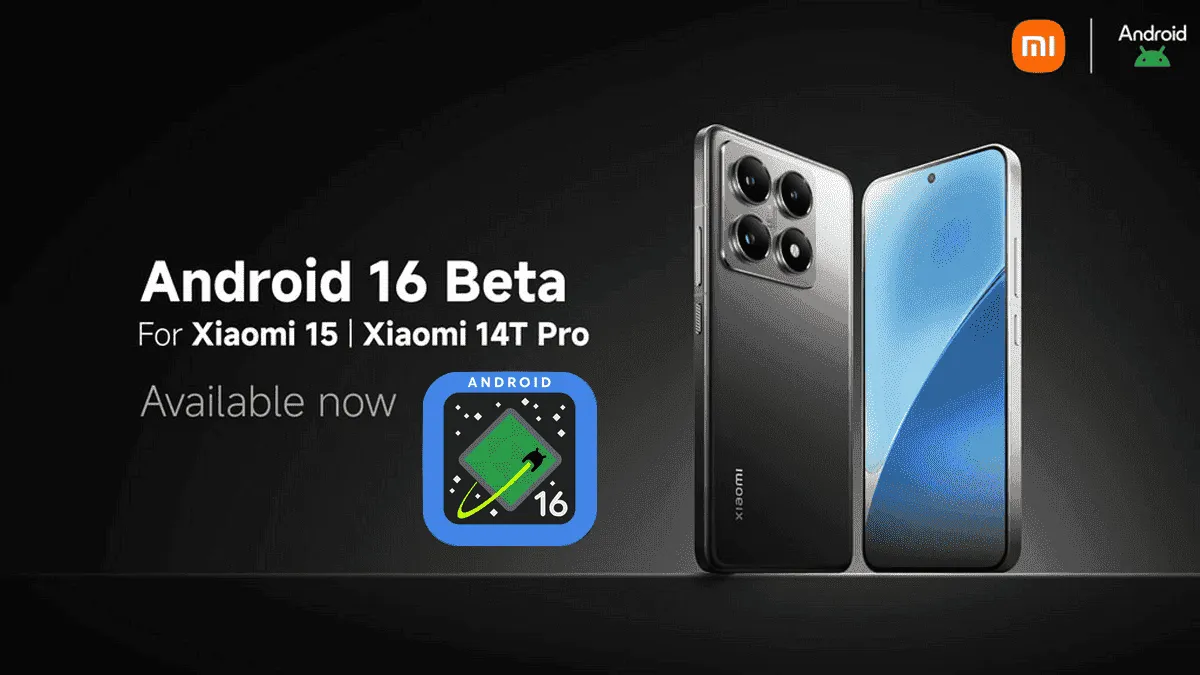
    After being first released in China, the exciting HyperOS 2 for some Xiaomi devices running Android 16 Beta 2 is now available globally. The most recent features and improvements are now available to consumers worldwide on the Xiaomi 15 and Xiaomi 14T Pro, which is the international version of China’s Redmi K70 Ultra.

    If you are eager to obtain Google’s most recent operating system and cannot wait for the final release, which is scheduled for June 2025, this comprehensive installation guide will walk you through the process.

    Supported Devices and Build Numbers

    Check your device compatibility before proceeding with the installation and record the correct build number:

    Method 1: Local Update

    This method is based on your device having at least the following software version:

    1. Check that your Xiaomi 15 is running OS2.0.109.0
    2. Make sure your Xiaomi 14T Pro is running on OS2.0.103.0
    3. Key steps to take Back up your data as you are about to erase the contents of your phone
    • Download the suitable Android 16 Beta build for your device
    • Copy the ROM package into your phone storage
    • Settings → About phone → Tap on “OS version” 10 times in order to enter developer mode
    • Go back to Settings → About phone → Tap on the system icon → Tap on the three-dots icon → Tap on “Choose update package”
    • Select the ROM package in order to initiate the upgrade
    android16 beta 4 on xiaomi devices
    HyperOS Manual Update 4

    Method 2: Fastboot Update

    For experts who are familiar with bootloader unlocks:

    1. Seek out and obtain bootloader unlock approval
    2. Back up your data
    3. Download the Android 16 beta build for your device
      1. Xiaomi 15
      2. Xiaomi 14T Pro
    4. Follow the tutorial for Fastboot Update

    Fastboot Recovery Option

    To restore using Fastboot mode:

    1. Turn off your device
    2. Press Volume-down + Power buttons simultaneously for 4-5 seconds
    3. Restore factory settings as indicated on-screen
    4. Keep in mind that beta software can have bugs as well as performance issues.
  • Xiaomi announced the Android 16 Beta launch – which devices will get it?

    Xiaomi announced the Android 16 Beta launch – which devices will get it?

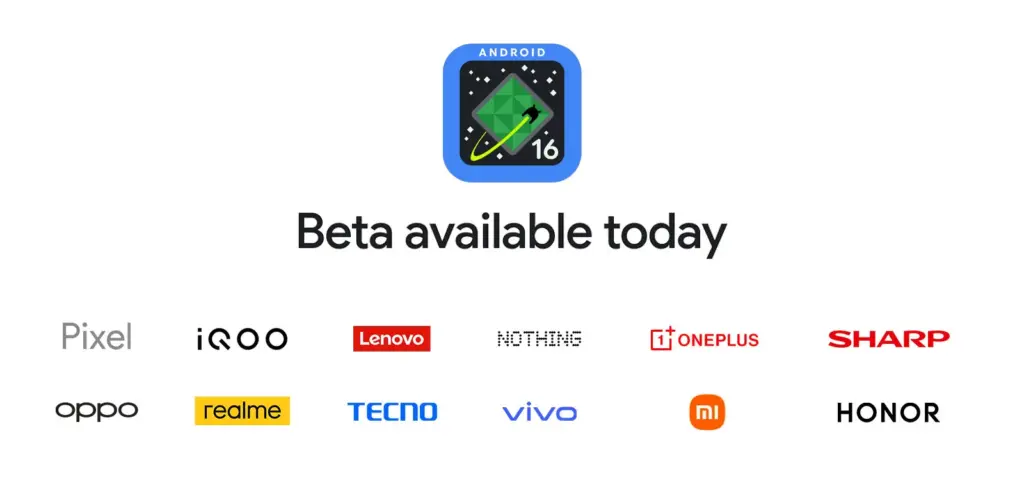
    For developers and Android enthusiasts alike, Google’s release of Android 16 Beta 4 marks a significant milestone as it is the first release candidate build prior to a consumer launch. Along with Honor, iQOO, Lenovo, OnePlus, OPPO, Realme, and Vivo, Xiaomi is among the fortunate ones to have access to the current beta, which is currently available on a variety of devices from various partner vendors, including phones, tablets, and foldable phones.

    It is interesting to note that on April 8, around ten days earlier, Xiaomi had released the same to its flagship Xiaomi 15 and 14T Pro phones. This shows how committed the firm is to providing early adoption of the newest Android innovations.

    Significant changes in Android 16 Beta 4

    Numerous bug fixes and performance enhancements that address issues found by both developers and users are included in the pre-release beta. In order to provide a seamless experience when Android 16 is formally released, Google has been working to increase stability.

    Key fixes in this release are:

    • Resolved the map disappearance bug in the Pixel’s Weather app Resolved problems of haptic performance and late feedback
    • Resolved excessive power consumption that impacted some devices Resolves system restart problems during call answering
    • Fixed display magnification stability issues
    • Corrected screen saver activation problems Fixed phone restart issues that occur while using the ranging API
    • Several system stability and performance enhancements, such as launcher crashes fixes
    Android 16 Beta launch

    Xiaomi amoung the first

    Xiaomi’s dedication to provide users with cutting-edge software experiences is demonstrated by its early release of Android 16 Beta 4. Xiaomi has taken the lead among Android innovators by releasing the beta for the Xiaomi 15 and 14T ten days before the official Google release.

    Early adoption by Xiaomi users offers them the following benefits:

    • Early availability of Android 16 enhancements and features
    • Additional time for users to give feedback and log issues
    • Chance to try the most stable pre-release version of Android 16

    The release is the final scheduled update before the Android 16 Beta program’s public launch, which is currently in its final stages.

  • Xiaomi Android 16 tracker: is your device eligible for update?

    Xiaomi Android 16 tracker: is your device eligible for update?

    Google’s recent announcement to release two Android SDK updates every year has raised many concerns among technology enthusiasts. As a result, Android 16 could be released before June 2025, far ahead of schedule. While the events of Android 15 updates continue across all devices, Xioami is preparing to take the next significant step by integrating Android 16 capabilities into their next HyperOS.

    The following is a comprehensive list of Xiaomi, Redmi, and POCO devices that may receive an update to Android 16-based HyperOS, which is simply categorized for review.

    Xiaomi Android 16 tracker

    Current Android 16 Internal Tested Devices

    Android 16 is currently being tested on HyperOS 2. It is not known when the internal test versions will be released.

    • Xiaomi 15
    • Xiaomi 15 Pro
    • REDMI K70 Ultra
    • Xiaomi Pad 7 Pro

    Xiaomi Flagship Devices

    Currently, high-end models with great performance and features are taking center stage in Xiaomi’s update plans:

    • Xiaomi 13 Lite/Xiaomi Civi 2 (ziyi)
    • Xiaomi 13 Pro (nuwa)
    • Xiaomi 13 (fuxi)
    • Xiaomi 13 Ultra (ishtar)
    • Xiaomi 14 (houji)
    • Xiaomi 14 Pro (shennong)
    • Xiaomi 14 Ultra (aurora)
    • Xiaomi 13T Pro (corot)
    • Xiaomi 13T (aristotle)
    • Xiaomi Pad 6 Pro (liuqin)
    • Xiaomi Civi 3 (yuechu)
    • Xiaomi Pad 6 Max 14 (yudi)
    • Xiaomi Mix Fold 3 (babylon)
    • Xiaomi MIX FLIP (ruyi)
    • Xiaomi MIX FOLD 4 (goku)
    • Xiaomi 14 CIVI/Xiaomi Civi 4 Pro (chenfeng)
    • Xiaomi Pad 6S Pro 12.4 (sheng)
    • Xiaomi 14T (degas)
    • Xiaomi 14T Pro (rothko)
    • Xiaomi 15 Ultra  (xuanyuan)
    • Xiaomi 15 (dada)
    • Xiaomi 15 Pro (haotian)

    Redmi Devices

    Known for good-level performance at competitive prices

    • Redmi K80 (zorn)
    • Redmi K80 Pro (miro)
    • Redmi A4 5G (warm)
    • Redmi Turbo 4 (rodin)
    • Redmi K60 Pro (socrates)
    • Redmi K60 (mondrian)
    • Redmi Note 13 Pro (garnet)
    • Redmi Note 13 Pro+ (zircon)
    • Redmi K70 Pro (manet)
    • Redmi K70E (duchamp)
    • Redmi K70 (vermeer)
    • Redmi 13R/Redmi 13C 5G (air)
    • Redmi K60 Ultra (corot)
    • Redmi Note 13 Pro 4G (emerald)
    • Redmi Turbo 3 (peridot)
    • Redmi 13 5G/Redmi Note 13R (breeze)
    • Redmi 13 (moon)
    • Redmi Pad Pro 5G (ruan)
    • Redmi Pad Pro (dizi)
    • Redmi 14R 5G (flame)
    • Redmi 14C/Redmi A3 Pro (lake)
    • Redmi Pad SE 4G (spark)
    • Redmi Pad SE 8.7 Wi-Fi (flare)
    • Redmi K70 Ultra (rothko)
    • Redmi Note 14 (beryl)
    • Redmi Note 14 Pro (malachite)
    • Redmi Note 14 Pro+ (amethyst)
    • Redmi Note 14 Pro 4G (tanzanite)
    • Redmi 14C/Redmi A3 Pro (lake)

    POCO Devices

    • POCO F7 (zorn)
    • POCO F7 Ultra (miro)
    • POCO X7 Pro (rodin)
    • POCO X7 (malachite)
    • POCO C75 5G (warm)
    • POCO F5 Pro (mondrian)
    • POCO X6 5G (garnet)
    • POCO X6 Pro (duchamp)
    • POCO F6 Pro (vermeer)
    • POCO M6 Pro 4G (emerald)
    • POCO F6 (peridot)
    • POCO M6 Plus 5G (breeze)
    • POCO M6 (moon)
    • POCO Pad (dizi)
    • POCO C75 (lake)

    What we will get along with Android 16?

    With Android 16 integrated into HyperOS, users can expect:

    • Enhanced multitasking by improving window management and application performance. Advanced AI features like improved accessibility, translation, and on-device processing.
    • Polished UI/UX with smoother animations and further personalization.
    • Better privacy and security settings to complement those updates made by Google.

    Xiaomi continues to innovate, ensuring that its devices remain competitive and feature-rich through frequent Android updates. With the release of Android 16 before mid-2024, the aforementioned Xiaomi, Redmi, and POCO devices will gain access to the latest Android SDK. More information will be released once Xiaomi begins handing out the HyperOS updates to these devices.