Tag: android

  • Temporarily free and on-sale apps and games for Wednesday

    Temporarily free and on-sale apps and games for Wednesday

    First up is a huge discount for Evoland 2, an excellent RPG that’s easily worth a dollar. Next, I have a sale for Redsun RTS Premium, an older strategy game that still holds its own. Last but not least is a significant reduction in price for Dariusburst -SP-, an enjoyable shoot ’em up. As always, I’ve highlighted all of the interesting titles in bold in order to make discovery easier. So without further ado, here are 12 temporarily free and 33 on-sale apps and games for the middle of the week.

    google play store free apps

    Free

    Apps

    1. Dark screen filter – Blue light – Night mode $0.99 -> Free; Sale ends in 6 days
    2. Electron Config Engine $2.49 -> Free; Sale ends in 6 days
    3. Fast Video Splitter for Whatsapp status $0.99 -> Free; Sale ends in 6 days

    Games

    1. Demon Warrior Premium – Stickman Shadow Action RPG $0.99 -> Free; Sale ends in 6 days
    2. Extreme Mini Fun Car Racing 3D $1.49 -> Free; Sale ends in 6 days
    3. ExtremeJobs Knight’s Assistant VIP $0.99 -> Free; Sale ends in 6 days
    4. Secret Tower VIP (Super fast growing idle RPG) $0.99 -> Free; Sale ends in 6 days
    5. Stickman Master: League Of Shadow – Ninja Fight $0.99 -> Free; Sale ends in 6 days
    6. Superhero War Premium: Robot Fight $0.99 -> Free; Sale ends in 6 days
    7. Survival Island: EVO PRO– Survivor building home $0.99 -> Free; Sale ends in 6 days

    Icon packs & customization

    1. Light Purple – Icon Pack $0.99 -> Free; Sale ends in 1 day
    2. Play Edition $0.99 -> Free; Sale ends in 3 days

    Sale

    Apps

    1. PRO Voice Navigator “IGH” $2.99 -> $0.99; Sale ends in 2 days
    2. pedestrian voice navigator PRO $4.99 -> $0.99; Sale ends in 3 days
    3. Custom Data Recorder $1.99 -> $0.99; Sale ends in 5 days
    4. Float It $1.99 -> $0.99; Sale ends in 5 days
    5. Handy Surveying $2.99 -> $1.99; Sale ends in 5 days
    6. FIRE POWERAMP VISUALIZATION $1.99 -> $0.99; Sale ends in 6 days
    7. Greek Mythology For Kids $5.99 -> $0.99; Sale ends in 6 days
    8. iLondon Collection. Immersive Reading Experience $1.99 -> $0.99; Sale ends in 7 days
    9. iLovecraft Collection Vol. 1 “Immersive Book” $1.99 -> $0.99; Sale ends in 7 days
    10. iLovecraft 2 Immersive Reading $1.99 -> $0.99; Sale ends in 7 days
    11. iPoe Collection Vol. 1 – Edgar Allan Poe $1.99 -> $0.99; Sale ends in 7 days
    12. iPoe Collection Vol. 2 – Edgar Allan Poe $1.99 -> $0.99; Sale ends in 7 days
    13. iPoe Collection Vol. 3 – Edgar Allan Poe $1.99 -> $0.99; Sale ends in 7 days
    14. iWilde Collection (Immersive Reading Experience) $1.99 -> $0.99; Sale ends in 7 days
    15. The Canterville Ghost (Oscar Wilde) Immersive Book $1.99 -> $0.99; Sale ends in 7 days
    16. The interactive Adventures of Sherlock Holmes $1.99 -> $0.99; Sale ends in 7 days
    17. The Legend of Sleepy Hollow (Immersive Experience) $1.99 -> $0.99; Sale ends in 7 days

    Games

    1. Mahjong Fantasy $3.49 -> $0.99; Sale ends in 3 days
    2. Naked King $4.49 -> $0.99; Sale ends in 5 days
    3. Evoland 2 $8.49 -> $0.99; Sale ends in 6 days
    4. Redsun RTS Premium $1.49 -> $0.99; Sale ends in 6 days
    5. Heroes of Flatlandia – Turn based strategy $2.49 -> $0.99; Sale ends in 7 days
    6. RPG Knight Bewitched $1.99 -> $0.99; Sale ends in 7 days
    7. Shattered Plane: Turn-Based Strategy Game $4.99 -> $0.99; Sale ends in 7 days
    8. DARIUSBURST -SP- $9.99 -> $4.49; Sale ends in ?
    9. Thinkrolls Kings & Queens – Full $5.99 -> $3.99; Sale ends in ?

    Icon packs & customization

    1. Black Purple – Icon Pack $1.99 -> $0.99; Sale ends in 3 days
    2. Dark Purple – Icon Pack $1.99 -> $0.99; Sale ends in 3 days
    3. Hera Dark Icon Pack – Circle Shaped Dark Icons $1.99 -> $0.99; Sale ends in 3 days
    4. Hera Icon Pack – Circle Icons $1.99 -> $0.99; Sale ends in 3 days
    5. Nambula Purple – Lines Icon Pack $1.99 -> $0.99; Sale ends in 3 days
    6. One4KWGT Reloaded – widgets for KWGT $1.99 -> $0.99; Sale ends in 3 days
    7. Dusk KWGT $1.99 -> $1.49; Sale ends in ?

  • The Best 20 Examples of Narrow AI That You Must Like

    The Best 20 Examples of Narrow AI That You Must Like

    Narrow AI is preferable to doing specific tasks. It has many limitations. Weak AI does not preserve memory or experience. But, it is widely used. Out of 7 different types of AI, narrow AI is used everywhere. Find out the best 20 examples of narrow AI.

    Weak (narrow) AI refers to an AI system that is created for and focuses on one dedicated purpose, as opposed to a strong AI that could be applied to a host of problems or tasks. 

    In the future, artificial intelligence will be able to carry out human tasks more efficiently and with fewer errors. However, until scientists discover a way for machines to learn on their own and mimic biology more closely, we will always need humans in our society.

    These tasks are performed single-handedly by the computer, and it does it well. They can, however, display behavioral weakness too. This happens when a description of a material does not register, explain, or predict anything. They are pretty in the form of a programmed response.

    ai

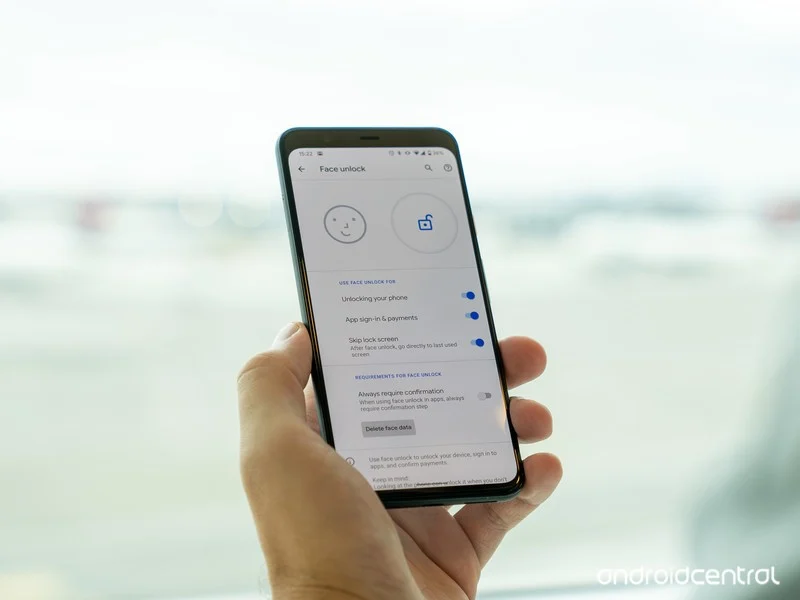
    1. Face ID to unlock your cell phone

    The average individual with a personal device encounters narrow AI every single day. For example, if you use Face ID to unlock your cell phone, you use narrow AI! If you attempted to google something and recommended other options for your search, that is an example of narrow AI. 

    2. GPS tracking 

    Narrow AI is any technology that provides a specific, narrow solution to the user. Many companies use narrow AI in that it offers a SaaS revolving around GPS tracking for fleets across the nation, without the development of narrow AI. 

    3. Bot or software application

    Narrow AI is the program designed to do a specific task, i.e., handle a narrow task set. A bot or software application that uses AI to do a particular task can be categorized as ‘Narrow AI’.

    4. Driverless car’s AI system

    The work of a driverless car’s AI system is to comprehend a road’s situation, maps, traffic rules, and drive. So, it won’t understand your commands like ‘Dance’ if it is not programmed for that. It is narrow AI.

    5. X-ray machine

    An AI-enabled X-ray machine will only detect X-rays and won’t alert you on temperature changes in the room, as it is not working.

    6. Siri

    Siri – the famous AI-enabled person assistant – will respond to any of your queries, even if it is inaccurate or does not understand your query. 

    7. Vitalize human cognition

    Narrow AI (Artificial Intelligence) performs a single task in a programmed way. It is known to vitalize human cognition and into a limited specific area. It works beyond human expectations, or how do you explain playing a chess game with your device, that is an example of weak AI. The weak AI collects big data and transforms them into usable information by making predictions. 

    8. AI simulates human cognition

    Weak artificial intelligence (AI)—also called narrow AI—is a type of artificial intelligence limited to a specific or limited area. Weak AI simulates human cognition. It can benefit society by automating time-consuming tasks and analyzing data in ways that humans sometimes can’t. Weak AI can be contrasted to strong AI, a theoretical form of machine intelligence equal to human intelligence.

    9. Image and facial recognition systems

    Weak AI systems, such as those used by Facebook and Google to automatically identify persons in images, are examples of these systems.

    10. Chatbots and conversational assistants

    Google Assistant, Siri, and Alexa are examples of prominent virtual assistants. Simpler customer-service chatbots, such as one that aids clients in returning an item to a retail store, are also featured.

    11. Self-driving vehicles

    Narrow AI applications include autonomous or semi autonomous cars, such as some Tesla models and autonomous drones, boats, and factory robots.

    Narrow AI is often used to refer to machines that can perform specific tasks, such as playing chess or driving cars. These systems are very good at these particular tasks, but they don’t exhibit many other abilities typically associated with human-level intelligence. Critics have argued that narrow AI might perform precise actions, but they are not intelligent.

    Autonomous vehicles and drones;- are designed solely for self-driving locomotion

    12. Human-like decisions

    Artificial intelligence (AI) designs systems that can make human-like decisions and perform tasks that people otherwise have to do themselves. The concept of AI has been around since the dawn of science fiction, but it has only been in recent years that AI has been realized in hardware systems for specific tasks. Weak AI is one of the many terms used to characterize this type of AI and machine learning systems and automated tasks.

    13. Recommendation algorithms

    Recommendation algorithms on social media and streaming platforms such as Twitter, TikTok, YouTube, and Netflix are the best examples. Their sole purpose is to monitor user behavior and interaction on-site and use the data collected to predict and display content that the user might like.

    14. Image and facial recognition systems 

    Image and facial recognition systems identify people and images based on numerous data points collected. It is a weak AI because it serves no other purpose than identification.

    15. Medical field

    In the medical field, AI systems speed up the pharmacovigilance process by automating adverse report analysis, collecting medical evidence, and compiling final reports.

    16. AI exam proctoring

    AI exam proctoring systems stand as an excellent example of weak AI in the education field. The AI bots that answer your customer queries in the domain of business are also weak AI. When it comes to the transportation industry, weak AI exists in the form of digital receipt systems.

    17. Sensor and automated manufacturing machines

    Sensor and automated manufacturing machines in the manufacturing industry work as per the encoded functionalities. The banking domain has included weak AI in the form of automated customer dashboards.

    18. grammar correction systems

    AI-based grammar correction systems, AI resume analysis systems, and automated management systems are examples of narrow AI.

    19. Contextual recommendation engines 

    Contextual recommendation engines are also weak AI systems. They utilize deep learning concepts to recognize things such as language recognition and behavioral patterns and frequently searched-for or talked-about topics to provide users with recommendations tailored specifically for them. They are, however, unable to do anything further than that and are therefore weak AI.

    20. Google’s search engine

    Google‘s search engine is another example of weak AI. It isn’t designed to understand what you are asking but only to find relevant documents according to some set of criteria.

    Final Words

    Narrow AI, sometimes known as weak AI, uses artificial intelligence technology to create a high-functioning system that mimics — and possibly exceeds — human intelligence for a specific purpose.

  • How to disable in-app purchases on smartphones & tablets

    How to disable in-app purchases on smartphones & tablets

    While smartphones and tablets are excellent temporary digital nannies for keeping children entertained, they also pose a risk of children spending their parents’ money on in-app purchases and the Google Play Store itself. This article will teach you how to avoid making unintentional or unwanted purchases on your Android smartphone or tablet.

    Anyone with young children has most likely placed a smartphone or tablet in the hands of their child, assuming the child does not already have their own device. However, with so many games offering in-app purchases, how do you keep them from exceeding your credit card limit?

    With the popularity of the one-click purchase feature, such convenience creates a risk for poorly secured devices in children’s hands. Securing your device will also assist you in avoiding impulse or even accidental purchases.

    Both Google and Apple offer tools to control or prevent such unwanted or accidental purchases on Android or iOS/iPadOS. In this article, we’ll show you how to do that in Google’s ecosystem.

    Avoid unwanted purchases on your smartphone by your child

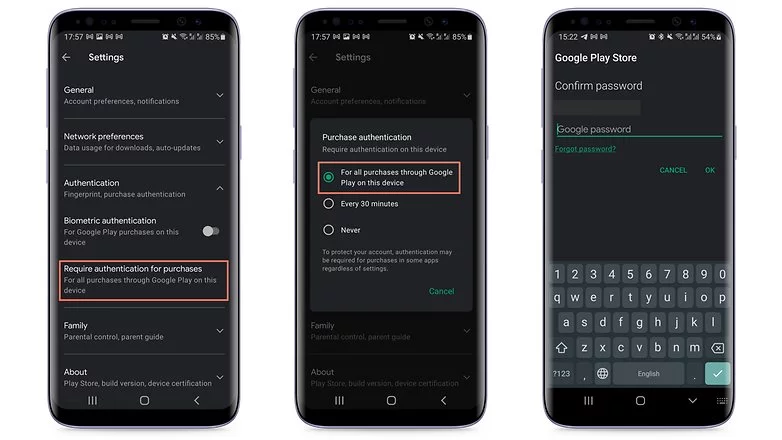
    If your child uses your smartphone or tablet while logged in to your Google account, the simplest solution is to make all purchases require approval via account password confirmation. Simply follow these steps to accomplish this:

    1. Tap the profile picture in the top corner of the screen in the Play Store.
    2. Choose Settings.
    3. Tap the Authentication field to launch the available options.
    4. Select Require authentication for purchases.
    5. Choose For all purchases through Google Play purchases on this device.
    in app purchases
    disable in app purchases android

    As the option itself already mentioned, you will need to repeat the steps on all tablets and smartphones used by the child.

    Otherwise, the child may authorize purchases using his or her fingerprint or other biometric systems registered on the device if the Biometric authentication option is enabled.

    Needless to say, the password to your Google account is private and should never be shared with your child. Disable biometric authentication as well if necessary.

    After following the above steps, every time you or anyone else using the device would like to make a purchase, you/they will need to authorize it by entering your Google account password, including in-game and in-app purchases that rely on the Google Play Services payment system.

    Another important point is to remember to repeat the steps for all user accounts that have been registered on the smartphone or tablet. Doing so will help avoid unwanted scares on devices used, for instance, covering both personal and professional areas.

    After you’ve completed the preceding steps, every time you or anyone else using the device wants to make a purchase, you’ll need to authorize it by entering your Google account password, including in-game and in-app purchases that use the Google Play Services payment system.

    Another important point to remember is to repeat the steps for all user accounts registered on the smartphone or tablet. This will help to avoid unwanted scares on devices used, for example, in both personal and professional settings.

    Use parental Control to prevent unwanted purchases

    If your child has his or her own tablet or smartphone, we recommend using parental controls to force purchase authorization. Google provides the Family Link app for just this purpose. This app allows you to create a user account just for your child or teen, as well as other admin options for YouTube, web search, and other services.

    After installing the app on your smartphone or the smartphone of the child’s guardian, launch Family Link and follow the steps shown below:

    ezgif.com gif maker 4
    1. After the app is launched, choose the user account of the parent or guardian.
    2. In the next screen, select the Parent option.
    3. Choose Next and then I’m ready.
    4. On the next screen, we will choose to create a new account for the child by tapping No.
      1. If she already has a Google account, just go to Settings on the other device, then Google > Parental Controls, and set up the device to be managed from your smartphone.
    5. Tap Next to begin the account creation process, which will require more information and can take around 10 minutes.
      1. During this step, you will need to agree to additional terms of use and confirm your user password, as well as accept the privacy rules for the new account.
    6. At the end of the creation process tap the Next button.

    After creating the Family Link account, use the login as the primary Google account on the child’s device. Return to your smartphone and launch the Family Link app to configure the following restrictions on the child’s account:

    ezgif.com gif maker 3
    1. Tap the View button under the profile that will have restricted purchases.
    2. Select the Manage settings option.
    3. Choose Google Play.
    4. Tap Require approval for.
    5. Select the All content option just to be safe!

    After that, each time the child attempts to purchase content, they must authorize the transaction on the parent or guardian’s device.

    Depending on how the secondary account is set up, make sure there is no form of payment registered in the account. If there are any, simply follow the steps in the next section.

    Remove associated credit or debit cards on the Google account

    This is a more extreme option, and it is not recommended if you also buy a lot of apps, have subscriptions or recurring payments associated with your Google account, or use the Google Pay service. Removing all payment methods from your Google account affects all devices associated with the login, so think twice before wiping your account clean.

    To remove a credit card, debit card, or other payment methods from your account, follow these steps:

    1. Launch the Play Store app and tap your profile photo.
    2. Select the Payments and subscriptions option.
    3. Choose Payment methods.
    4. Scroll down the screen and launch the More payment settings option.
    5. The browser will open a list of all available payment methods registered on the account. Tap Remove.
    6. Confirm the removal of the credit/debit card from the account by tapping Remove again.

    You will need to repeat these steps for each registered payment method, as well as all for all user accounts associated with the device.

  • Android devices secret codes – list of custom dialer USSD codes

    Android devices secret codes – list of custom dialer USSD codes

    These codes can be divided into two categories: USSD codes and MMI codes. While these hidden codes are rarely useful to the average smartphone owner, they can be used to pique your interest once in a while. As a result, the goal of this article is to compile a comprehensive list of these secret codes for Android devices.

    What is the USSD and MMI code?

    USSD codes

    While the average user may not need to know the distinction between these two, it is always useful to be aware of them. Both USSD and MMI codes are typically preceded by an asterisk or a pound symbol/hashtag. These codes are regularly updated as new versions of Android software are released, and some manufacturers have their own special codes as well.

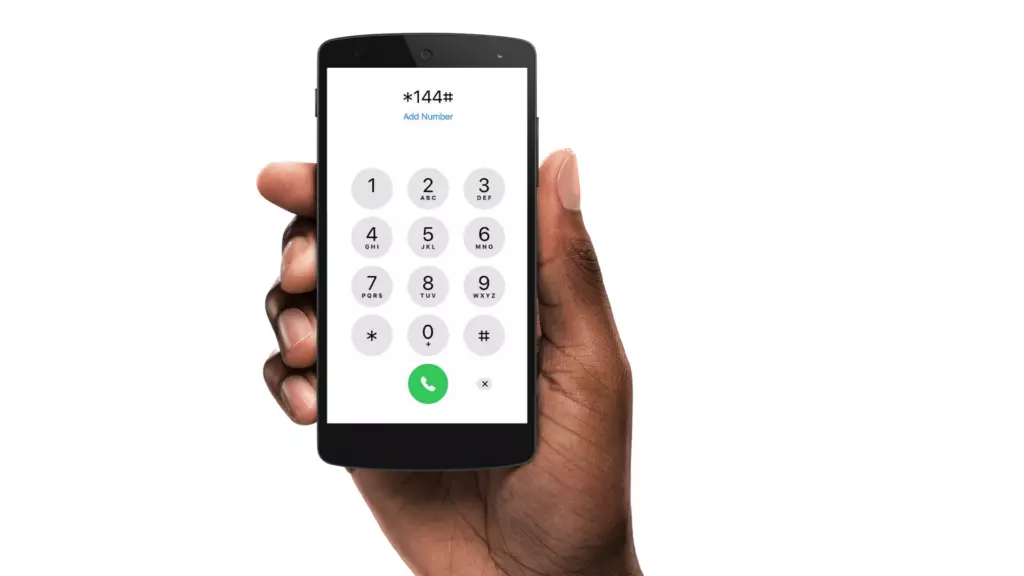
    The code entry procedure is straightforward, requiring only that you bring up your dialer keypad and enter the appropriate number sequence. It’s worth noting that some codes are carrier-specific, which means they won’t work on all devices. So, if your phone doesn’t respond to a code, don’t dwell on it; instead, move on and try again.

    USSD code

    USSD is an abbreviation for Unstructured Supplementary Service Data, and these codes are commonly used to communicate between your smartphone and your mobile network operator. This also means that in order for USSD codes to work, you must almost always be connected to your carrier.

    Previously, USSD codes were used to initiate and terminate specific value-added services. They were also helpful in informing you of your data usage and prepaid balance, as well as providing access to a wealth of carrier-specific information.

    fWhile smartphone enthusiasts continue to use them, USSD codes have largely fallen out of favor with general users because most carriers have their own app/website where most of this information can be easily accessed. USSD codes are typically carrier-specific and vary from one carrier to the next. You will need to contact your carrier to find out which ones apply to you.

    MMI Codes

    MMI codes, on the other hand, are part of the Man Machine Interface schema and are typically unique to a smartphone brand or model. MMI codes provide access to a variety of interesting features on your smartphone, ranging from your IMEI number and SAR values to hidden menus commonly used by smartphone engineers and repair services.

    Several smartphones, for example, allow users to enter an MMI code to access a ‘test’ menu. This menu allows users to quickly perform various tests on their smartphone, such as camera and vibration motor tests, as well as speaker and display tests.

    Note that there are only a few MMI codes that typically work on all Android smartphones. We have listed the most popular ones in the generic list of codes below.

    Info Codes

    Generic secret codes for Android phones (Info codes)

    CODEFUNCTION
    *#06#    Show phone’s IMEI
    *#07#Displays the Specific Absorption Rate (SAR) value of the device
    *#*#225#*#*Displays calendar storage info
    *#*#426#*#*Google Play Services info or Firebase Cloud Messaging diagnostics (Select devices only)
    *#*#759#*#*Access Rlz Debug UI (Select devices only)
    *#0*#    Info menu (Select devices only)
    *#*#4636#*#* Info menu (Select devices only)
    *#*#34971539#*#*Camera info (Select devices only)
    *#*#1111#*#* FTA software version (Select devices only)
    *#*#1234#*#* PDA software version
    *#12580*369# Software and hardware info
    *#7465625# Device lock status
    *#*#232338#*#* MAC address
    *#*#2663#*#* Touchscreen version
    *#*#3264#*#* RAM version
    *#*#232337#*# Bluetooth address
    *#*#2222#*#* Hardware version
    *#*#44336#*#* Software version and update info
    *#*#273282*255*663282*#*#*    Backup all media

    Testing codes

    CODEFUNCTION
    *#*#197328640#*#*Test mode
    *#*#232339#*#*Wi-Fi test
    *#*#0842#*#*Brightness and vibration test
    *#*#2664#*#*Touchscreen test
    *#*#232331#*#*Bluetooth test
    *#*#7262626#*#*Field test
    *#*#1472365#*#*GPS quick test
    *#*#1575#*#*Full GPS test
    *#*#0283#*#*Packet loopback test
    *#*#0*#*#*LCD display test
    *#*#0289#*#*Audio test
    *#*#0588#*#*Proximity sensor test

    Configuration codes

    CODEFUNCTION
    *#9090#Diagnostics settings
    *#301279#HSDPA/HSUPA settings
    *#872564#USB logging settings

    Developer codes

    CODEFUNCTION
    *#9900#System dump mode
    ##778 (+green/call button)EPST menu

    Manufacturer-specific codes

    Samsung codes

    CODEFUNCTION
    *#0*#Access diagnostics
    *#011#Network details and serving cell information
    *#0228#Battery status
    *#0283#Loopback Test menu
    *#0808#USB Settings
    *#1234#Software version/ Model details
    *#2663#Firmware details (Advanced)
    *#7353#Quick test menu
    *#9090#Advanced debugging tools
    *#9900#SysDump
    *#2683662#Service mode (Advanced)
    *#34971539#Camera firmware details

    Xiaomi Codes

    CODEFUNCTION
    *#*#64663#*#*  Access test menu

    Realme codes

    CODEFUNCTION
    *#800#Feedback menu
    *#888#Engineer mode – displays PCB number
    *#6776#Software version

    OnePlus codes

    CODEFUNCTION
    *#66#Encrypted IMEI
    *#888#Engineer mode – displays PCB number
    *#1234#Software version
    1+= (In stock calculator app)Displays ‘NEVER SETTLE’ on the calculator app
    *#*#2947322243#*#*Wipes internal memory

    Asus codes

    CODEFUNCTION
    *#07#Regulatory labels
    .12345+= (In calculator)Open engineering mode

    Motorola

    CODEFUNCTION
    *#*#2486#*#*Opens engineering mode
    *#07#Shows regulatory information
    ##7764726Hidden Motorola Droid menu

    HTC

    CODEFUNCTION
    *#*#3424#*#*HTC test program
    ##786#(Caution!) Phone reset menu
    ##3282#EPST menu
    ##3424#Diagnostic mode
    ##33284#Field test
    ##8626337#Launch Vocoder
    *#*#4636#*#*HTC info menu

    Sony codes

    CODEFUNCTION
    *#*#73788423#*#*Access service menu
    *#07#Certification details

    Nokia codes

    CODEFUNCTION
    *#*#372733#*#*Open service menu (FQC Menu)

    Other codes 

    CODEFUNCTION
    *#7780#(Caution!) Factory reset
    *2767*3855#(Caution!) Full factory reset
    *#*#7594#*#*Power off the phone
    *#*#8351#*#*Activate dialer log mode
    #*#8350#*#*Deactivate dialer log mode

    Stay away from these codes! Think before using!

    CODEFUNCTION
    *#*#7780#*#*(Caution! Risk of data loss and rendering phone useless) Factory data partition reset
    *2767*3855#(Caution! Risk of data loss and rendering phone useless) Format device

    USSD codes for US carriers

    These aren’t exactly hidden, but they’re not widely known either. Once dialed, USSD, or Unstructured Supplementary Service Data, codes connect to the phone’s network to perform specific functions, such as determining how much credit is left on your prepaid phone or how much data you’ve used this month. They change frequently, and the codes differ from carrier to carrier. Here are some examples for some of the major US carriers, along with links to more carrier-specific codes:

    AT&T

    • Check your data and SMS usage: *3282#

    Verizon

    • Check your data and SMS usage: #3282

    T-Mobile

    • Check your data usage: #932#

    Sprint

    • Check minutes, messages, and other usage stats: *4

    There’s a good chance you’ll never need to use most of these codes, but if you do, then now you know where to find them.

  • In 2021, Google will pay Apple $15 billion to be the default search engine in Safari

    In 2021, Google will pay Apple $15 billion to be the default search engine in Safari

    Google will pay Apple $15 billion

    Apple has its eco-system of products from phone to browsers hence users rarely need to venture outside the Apple world in search of third-party apps. Nevertheless, there seems to be a monopoly brewing between Apple and the G. According to recent reports, the latter will pay Apple $15 billion in 2021 to be the default Safari search engine.

    That’s quite a hefty sum but it will give an edge to him since currently, Apple does not have its search engine.

    google

    Further Details

    It’s no secret that Google pays Apple substantial money each year to keep its search engine as the default on iPhone, iPad, and Mac. According to a new projection from Bernstein analysts, Google’s payment to Apple might reach $15 billion in 2021, up from $10 billion in 2020.

    Google’s payment to Apple is expected to rise to $15 billion in 2021, and between $18 billion and $20 billion in 2022, according to analysts. The data is based on “disclosures in Apple’s public filings as well as a bottom-up analysis of Google’s traffic acquisition costs payments.”

    The big G is most likely “paying to prevent Microsoft from outbidding it.” According to the analysts, there are two major dangers for Google’s payment to Apple: regulatory risk and Google just deciding the agreement isn’t worth it.

    Over the years, Apple’s decision to keep Google as the default search engine on the iPhone, iPad, and Mac has been received with increasing criticism. Despite privacy concerns, Apple’s senior director of global privacy Jane Horvath explained why the contract was made in an interview earlier this year: “Right now, the G is the most popular search engine. We do support him but we also have built-in support for DuckDuckGo, and we recently also rolled out support for Ecosia.”

    The payment from the big G to Apple makes up a sizable portion of Apple’s crucial Services division. Apple has placed a strong emphasis on Services in recent years to demonstrate to investors that it can generate income and profit in ways other than through hardware sales.

    On another note

    We noticed an intriguing trend while visiting the Google Playstore recently. SMS Share apps, for example, appear to be gaining in popularity. The COVID-19 epidemic is most likely to blame for the rise in such apps. People have been forced to stay at home due to the outbreak, and as the disease spreads, they are turning to apps for help.

    Everyday work has shifted to the virtual sphere, people are looking for more convenient solutions to their difficulties. We’ll have to see if this trend persists or is just a passing craze.

    i

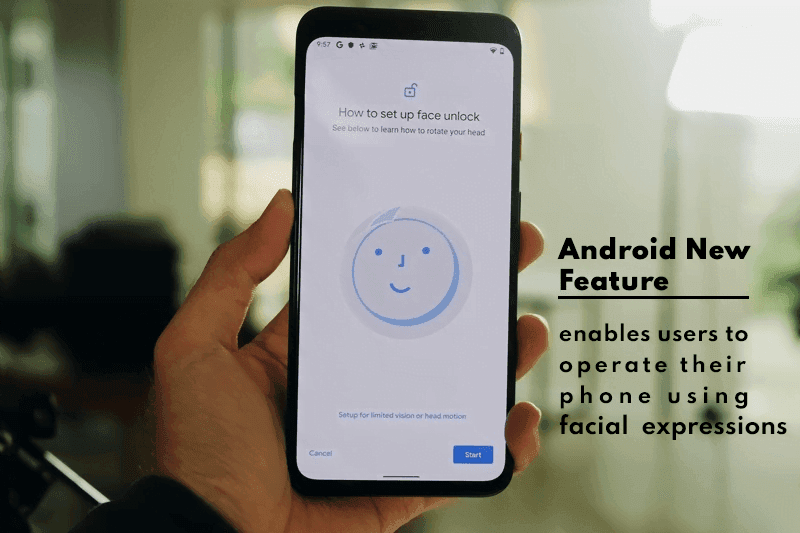
  • Android New Feature enables users to operate their phone using facial expressions

    Android New Feature enables users to operate their phone using facial expressions

    Google is one of the world’s most powerful technology companies. It has a wide ecosystem of products that can meet almost every technical need. Because it is always updated to provide the best experience to its consumers, the Silicon Valley-based corporation is usually at the top.

    The tech juggernaut has been adding new features to Android lately. Google aims to maximize the use of AI; its latest feature will enables users to operate their phone using facial expressions

    Latest Accessibility Feature

    Though it isn’t always used for that purpose, Android has long offered an Accessibility API that allows developers to create apps and experiences that aid people with disabilities. Screen readers, switch-based input systems, and voice-based input systems are among the categories that Google envisions for apps that use the Accessibility API.

    The company’s own “Android Accessibility Suite” software provides, as the name suggests, a set of accessibility capabilities to help people with disabilities use their devices. The Android Accessibility Suite’s most recent release provides a new option for users to control their devices: “Camera Switches.

    android

    The Android Accessibility Suite application was included in the fourth Android 12 beta release, which was pushed out to Pixel phones a few days ago, as beta version 12.0.0. Switch Access, one of the accessibility services included in the Android Accessibility Suite app, now has “Camera Switches.” Switch Access is a collection of tools that allow you to interact with your Android device without having to use the touchscreen.

    You can use Switch Access to select objects, scroll, type, and more by connecting an external device through USB or Bluetooth. Users can now control their device with nothing more than their face thanks to “Camera Switches.”

    Camera Switches now allows you to assign a few gestures to a few controllers, though this list may expand in the future. For example, you can have the app recognize when you wave your hand and then connect that to opening the notifications window. You may also have it detect when your brows are raised and then return the phone to the home screen.

    In Other News

    We noticed an intriguing pattern while looking through the Google Playstore recently. There appears to be a significant increase in utility apps, such as phone clone apps. The COVID-19 epidemic is most likely to blame for the rise in such apps. People have been forced to stay at home due to the pandemic, and as it continues to spread, they are turning to apps for help.

    People are looking for more convenient solutions to address their problems because almost every monotonous work has shifted to the virtual realm. We’ll have to see if this trend persists or if it’s just a passing craze.

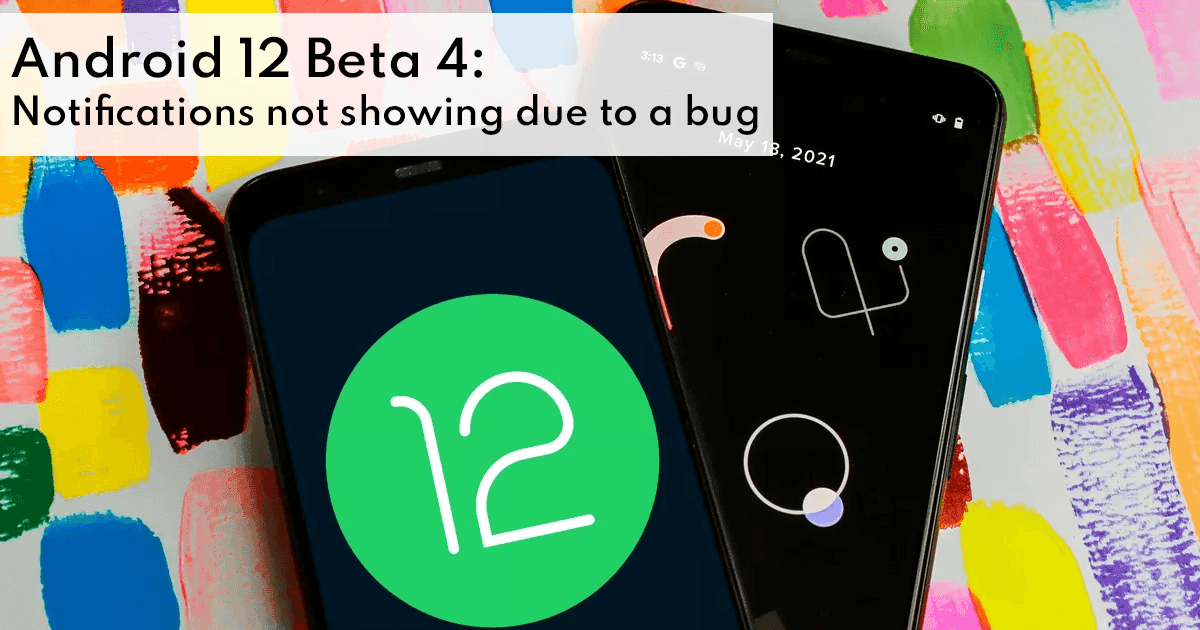
  • Android 12 Beta 4: Notifications not showing due to a bug

    Android 12 Beta 4: Notifications not showing due to a bug

    Google is one of the top tech company’s worldwide. It has a vast ecosystem of products catering to almost every technological need. The Silicon Valley-based company is always at the top since it keeps on updating to provide its users with the best experience.

    During the past year, Google has been working on the Android 12 update. The Beta version is available and has revealed some intriguing features. The details about which features will be kept in the final version are ambiguous but overall this seems to be the best update till now.

    Nevertheless, there seem to be a couple of issues that need to be resolved before the Android 12 update is rolled out worldwide. The most recent issue is with the notifications. Due to a bug, most notification banner pop-ups do not appear.

    android 12

    Notifications Bug

    Google is “moving into the final phase” of Android 12 with this week’s release, focusing on perfecting rather than introducing new features. However, most notification banners do not appear on Android 12 Beta 4 due to a glitch.

    When you receive a notification on Android, you should see the app icon/name in the status bar, as well as a short banner containing the sender name, message preview, and reply option. On Beta 4, users only see the status bar section of the notice, and they must swipe down to see the complete alert. The pop-up notification banner is missing.

    Consequently, if you use your device without sound or vibration, it’s incredibly simple to miss incoming alerts. If users forget the app name, they’ll have to keep an eye on the status bar. Rebooting does not fix the problem, as the impacted apps’ “Pop-up screen” notification feature stays enabled.

    Regardless of whether your device is set to receive all notifications, only vibrate, or is silent, this is a common problem reported by Pixel 3, 4, and 5 owners. Some apps, on the other hand, appear to be unaffected, while the banner appears when two warnings arrive at the same time. On the lock screen and always-on display, banners work normally.

    Summing Up

    Google will almost certainly have to fix the notification flaw, but it’s unclear if that will happen in an Android 12 Beta 4.1 update or when the Release version arrives “in the weeks ahead.” Although this is the final beta, it is evident that there are still some usability issues.

    However, it is worth mentioning that the Android 12 will make it easy to perform tasks such as file sharing. This bundle of features known suggests that Google is attempting to improve the usability of its operating system since it enables users to personalize and alter their devices. We will have to wait a bit more to see which features end up in the final “polished” version. Additionally, it appears that Google agrees with Apple’s privacy regulations, which have been the subject of debate since their debut. Many of the details of these features are unknown, and the majority of them are just suppositions. We’ll have to wait for the build to see how correct our leak-based assumptions were.

  • Google Pixel 6 is to include a Samsung camera sensor with a resolution of 50 megapixels

    Google Pixel 6 is to include a Samsung camera sensor with a resolution of 50 megapixels

    Google’s ecosystem is similar to Apple’s. Its users have access to a wide range of products for all of their technological needs. The tech juggernaut has continued to evolve, releasing innovative product after another. It began as a search engine and has now expanded into the smartphone industry with its mid-range smartphones.

    Details about the phone are being gradually unveiled and we have just discovered another interesting feature.

    google pixel

    Google Pixel 6: Brief Overview

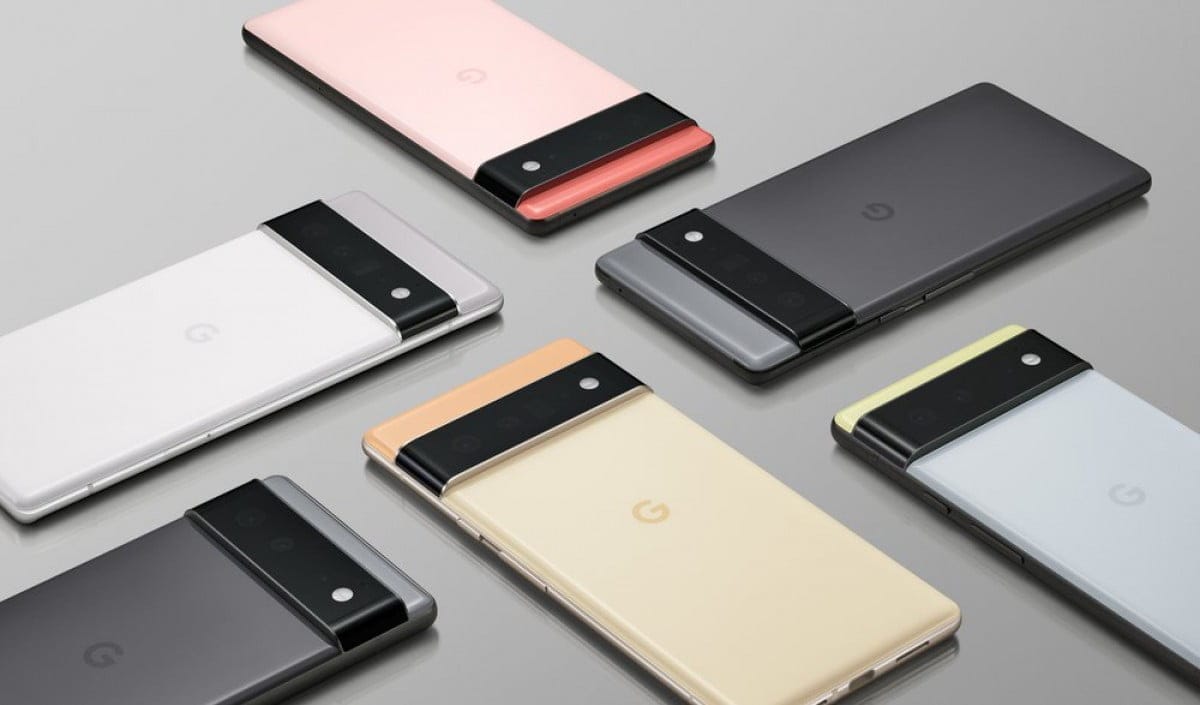
    Google has released official rear shots of the Pixel 6 and Pixel 6 Pro, with the design correlating with many leaked versions and exhibiting a substantial departure from previous Pixel devices. The Pixel 6 Pro will have a similar look to the Pixel 6, but instead of two lenses on the back, it will feature three.

    According to rumors on the internet, the Google Pixel 6 Pro will have a 6.67-inch or 6.71-inch display, making it somewhat bigger than the Pixel 5. It also boasts a bigger screen than the Pixel 4 XL, which only features a 6.3-inch display.

    The Pixel 6 Pro is rumored to boast a Quad HD+ resolution and a 120Hz refresh rate, putting it in direct competition with the Samsung Galaxy S21 and S21+, as well as the OnePlus 9 Pro, although nothing has been confirmed as of yet.

    Tensor, Google’s system-on-chip, will be included in the Pixel 6 Pro; learn more about it here. The chip has a new security core module and Titan M2, and it’s meant to run all AI and machine learning applications, including computational photography and real-time translation. It will be able to do functions like iOS transfer with ease.

    Samsung’s Camera Sensor

    Google did not reveal many details about the cameras when it previewed the Pixel 6 and 6 Pro, merely stating that the regular model will have two sensors and the Pro variant would have three. It did say that the Pixel 6 would be able to capture 150 percent more light, and reports suggest that both models will contain at least a 50MP wide-angle primary sensor.

    google pixel camera

    Last year, Samsung launched the ISOCELL GN1, a 50MP camera sensor with pixel-binning for 12.5MP pictures and a combined pixel size of 2.4m. If this is the sensor that will be used in the Pixel 6, it will be a significant upgrade above the 12.2MP Sony sensor that has been used in almost every Pixel’s main camera.

    Furthermore, because the device’s Google Tensor chip is reported to be created by Samsung using the company’s 5nm process, the Pixel 6 could include a lot more Samsung. The modem is also rumored to be produced by Samsung, and while there’s no information on the OLED display, it wouldn’t surprise us if it was as well.

    Summing Up

    No definite release date has been given for the Google Pixel 6 but is expected to be released sometime this fall. The Google Pixel 6 seems quite impressive and the collaboration with Samsung is sure to bring a lot of high-end features on board. We will have to wait for further details to determine if this device will be a hit or miss.

  • The Xiaomi Mix 4 is a revolutionary Android powerhouse

    The Xiaomi Mix 4 is a revolutionary Android powerhouse

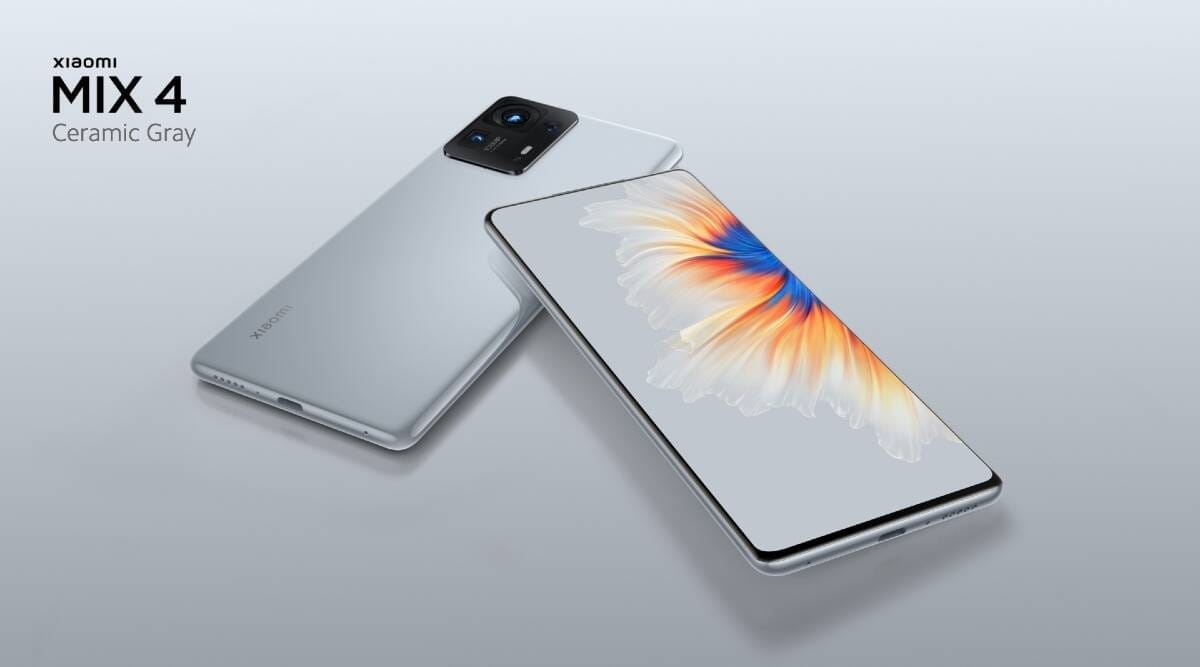
    Xiaomi took advantage of Huawei’s troubles with the US government to take a major portion of the market for a purpose. Over the years, the Chinese smartphone manufacturer has been chastised for ripping off Apple. Xiaomi, on the other hand, has taken risks of its own, introducing technologies that rivals can’t match. 

    To make the company more appealing the company offered exceedingly competitive prices and connected gadgets, which does not only make the company’s mobile environment on the same hand more appealing. Xiaomi has revealed its a new phone in the most fascinating time.  A day, before the launch of Samsung’s Z fold 3, the Mix 4 was made official. Xiaomi not only introduced a camera hidden behind the display but also several exhilarating features.   

    xiaomi mi mix 4

     The Xiaomi has 4 has remarkable specs.

     The Xiaomi appeared to be familiar on the paper, it’s not like the other high end-end Android Phones. It has taken the title of being the world’s first phone that has used Snapdragon 888+ CPU, which is quicker than the Snapdragon 888 that will be found in many Android devices in 2021.

    The phone comes up with the storage of 8GB or 12GB of LDDR5 RAM, up to 512GB of UFS 3.1, and 5G connectivity.   The “exclusive UWB technology,” of the Xiaomi mix 4 has been said to improve the phone’s interaction with other internet-connected gadgets. To achieve this improved UWB experience, the Mix 4 has 19 antennas and supports 42 bands. The device is capable of carrying out functions such as iOS transfer with ease.

     The brilliance of the under-screen camera

     Caducity has been waited for Xiaomi to launch its first under-screen camera. The CUP (Camera Under Panel) on the Mix 4’s 120Hz 6.67-inch screen stands for Camera Under Panel.  Xiaomi used micro-diamond pixels, a new circuitry array, and transparent sub-pixel circuitry, to make the CUP camera. As a result of this, the Mix 4 is designed to provide a seamless screen. At, first You will not be able to find the fabulous camera. According to Xiaomi, the software also certifies that photographs and videos taken with the CUP selfie cam “retain genuine colors and details.

    Xiaomi y comes with a majestic camera that has a 108-megapixel primary camera with 4-in-1 1.6-micron Super Pixels and a 4-in-1 1.6-micron secondary camera. The optical lens of a free-form in a 13-megapixel ultra-wide-angle camera reduces wide-angle distortion. An 8-megapixel periscope camera with 5x optical zoom and 50x digital zoom rounds out the package.

      The Xiaomi uses a graphene battery

     Xiaomi has a wireless charger of 50 watts and a 4,500 mAh battery that supports cable charging at 120 watts.  Depending on the model, it promises to charge the phone in 15 or 28 minutes. Graphene anodes, which are 1,000 times more conductive than carbon black anodes, are used in the battery. The Mix 4 also has intelligent, fast charging, according to Xiaomi, which “helps optimize charging temperature and speed for different conditions, as well as improving battery charge cycles by up to 25%.”

    For heat management, Graphene is used in other parts of Mix 4. The material is a component of a heat dissipation structure with a total surface area of 11,588 square mm.

     Android has introduced a lot of innovative features

      Xiaomi’s Mix 4 will include AI Translation at the system level, which will operate with text, images, and audio. According to the business, the service would also interpret and transcribe audio. The SIM lock function may make it impossible for a stolen Mix 4 to be repurposed. When changing the SIM card, the user must enter the right password.

     Cost of Xiaomi and launch date 

     Ceramic Black, Ceramic White, and Ceramic Gray are the three amazing colors available for the Xiaomi Mix 4. All are made of ceramic and fired at 1,400 degrees Celsius. Meanwhile, to protect the screen shatterproof Corning Gorilla Glass Vectus is used.

     Xiaomi will sell the following Mix 4 configurations, on 16th August

    ·        4,999 yuan ($771) for 8GB/128GB

    ·        5,299 yuan ($817) for 8GB/256GB

    ·        5,799 yuan ($894) for 12GB/256GB

    ·        6,299 yuan ($971) for 12GB/512GB

     The bottom line

     Mix 4’s pricing structure is also incredible. Yet, it is not confirmed when Mix 4 will be released in overseas regions. In its announcement, Xiaomi only mentioned the phone’s release date in China.

  • Xiaomi Mi Pad 5: What We Know So Far

    Xiaomi Mi Pad 5: What We Know So Far

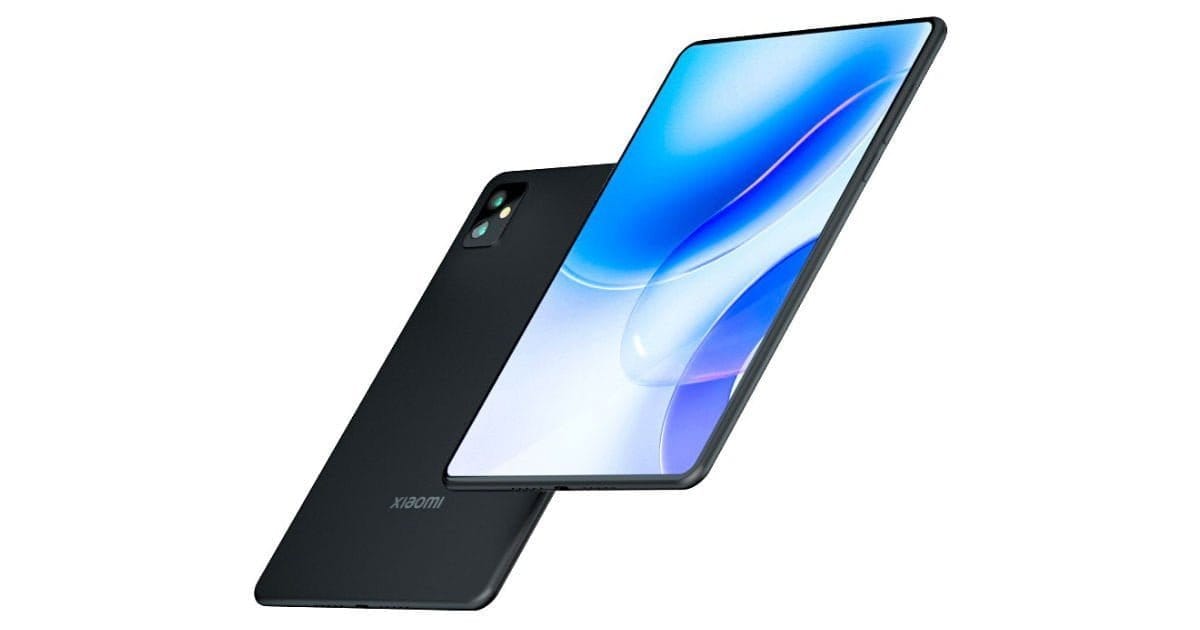
    On August 10th, Xiaomi plans to launch the Mi Pad 5 tablet series in China. The Xiaomi Mi Pad 5 will be released alongside the Mi Mix 4 in China on August 10th, according to the company’s official Weibo account.

    Last month, renders and details for the Xiaomi Mi Pad 5 were leaked. The renders revealed the tablet’s design ahead of time. The Mi Pad 5 has now debuted on Geekbench, which is a recent development. The hardware characteristics of the Mi Pad 5 are revealed in the benchmark listing ahead of its introduction tomorrow.

    Further Details

    The Xiaomi Mi Pad 5’s model number is M2105K81AC, according to rumors. The Mi Pad 5 will be powered by an octa-core Snapdragon 870 chipset with Adreno 650 GPU, according to the Geekbench listing. The Mi Pad 5 will have 6GB of RAM and come pre-installed with Android 11. In the Geekbench test, the tablet scored 997 points in the single-core and 3181 points in the multi-core tests, respectively. The Mi Pad 5 is expected to include a 10.95-inch IPS LCD 120Hz display, according to earlier leaks. The Mi Pad 5 is believed to have a side-mounted fingerprint sensor for added security.

    Mi Pad 5

    A dual-camera arrangement could handle the optics department of the Mi Pad 5. A 20MP primary camera and a 13MP secondary camera may be found on the back of the phone. An 8720mAh battery might be used to power the entire package. The Mi Pad 5 is expected to feature 65W fast charging. Last month, the Mi Pad 5 with model number M2105K81AC was certified by 3C. The Mi Pad 5’s 65W fast charging support was revealed through the 3C certification. In related news, the Smart Pen that will be included with the tablet has received FCC approval. The Smart Pen’s schematics were revealed via the FCC listing before its release. The device is capable of carrying out functions such as iOS transfers.

    Apart from the Keyboard case, Weibo users have seen renders of the forthcoming tablet. The Mi Pad 5 will include a dual-camera configuration, according to the renders. In addition, the Mi Pad 5 will be available in three color variants, according to the image released on Weibo: Black, White, and Green.

    Details such as pricing will be known upon release.

    Summing Up

    Xiaomi has raised expectations for the Mi Pad 5 ever since surpassing Samsung. It has become a worthy contender as a smartphone manufacturer and other tech devices. Users cannot wait for its latest venture. The Chinese-based company has been appealing to the masses with a budget-friendly phone with premium features. We can’t wait to see what else is in store for the tech giant.