Tag: android

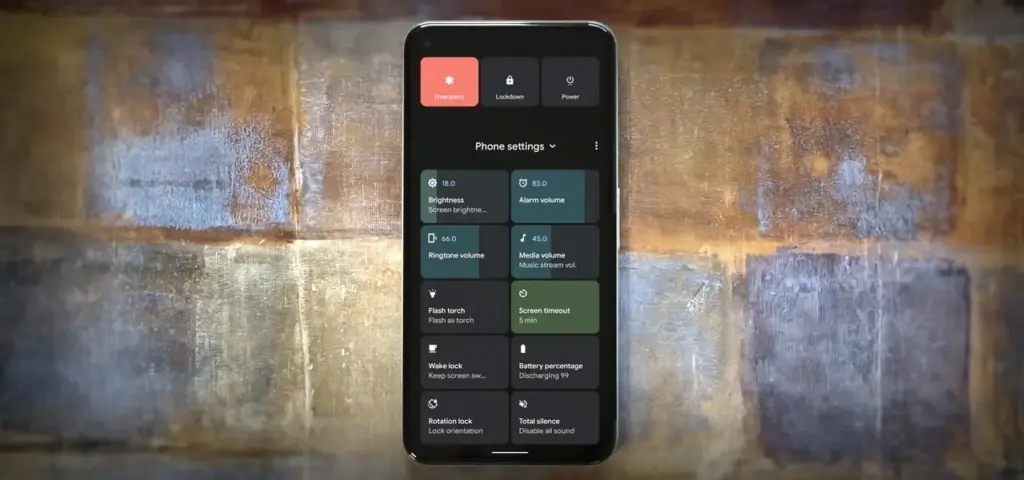
  • The power menu in Android 12 has been dubbed “ruined,” according to Google users

    The power menu in Android 12 has been dubbed “ruined,” according to Google users

    add custom toggles android 11s new power menu.1280x600 1

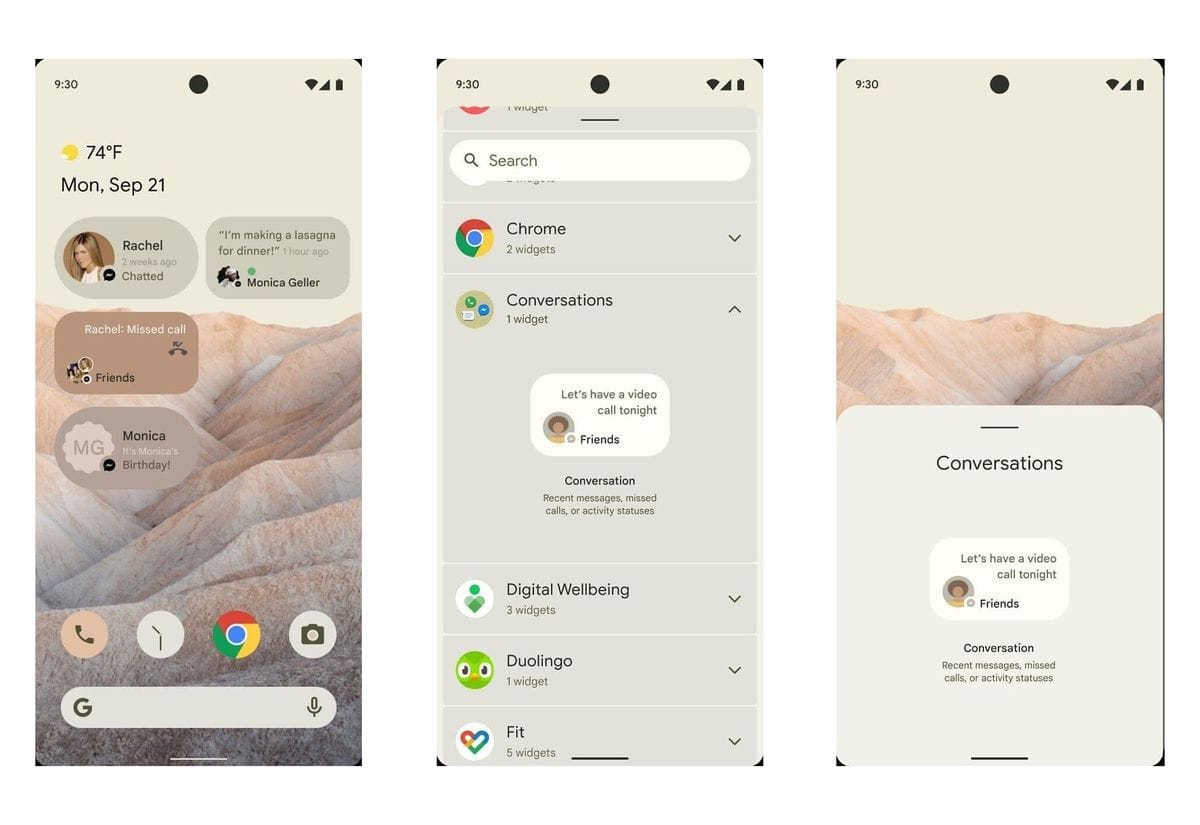
    The release of Android 12 heralds the beginning of a new era. Google has recently taken its design language more seriously, overhauling the majority of Android’s user interface to the point that it feels almost like a new operating system.

    The new Material You design approach, as Google puts it, is fantastic, with substantial modifications to the Quick Settings and lock screen, as well as a tight notification shade. There are numerous changes, both subtle and obvious, and you’ll quickly notice that this is the most significant visual upgrade to Android since the introduction of Material Design in 2014.

    Android 12, which is still in beta as of now, has enormous intentions. Partnerships with several third-party phone manufacturers are among those ambitions, allowing phones other than Pixels to participate in the beta. Of course, when the entire version of Android is out, we’ll have to see how the finest Android phones adopt Google’s new vision.

    On the Flip Side

    If you’ve used Android 12, you’ve probably seen the pared-down power menu – Google has removed many of the capabilities that were there in Android 11. And it appears that the firm is aware of this. Google has secretly inserted a message explaining where all those missing capabilities went, according to reports.

    When you initially open the power menu, Android 12 will display a  notification instructing you to swipe down from the top of the screen to discover Google Pay, Home controls, and other ‘missing’ functions. Although it isn’t as convenient as before, you won’t be scrambling to find common jobs.

    The notice shows that some Google employees are dissatisfied with the new Android 12 power menu. There are also some data to back up that unhappiness. If the decreased feature set was a deliberate decision, one Googler commented on a bug tracker for the power menu that the product was “doomed.”

    The remark opens the possibility that Google will reverse course if enough people are dissatisfied with the power menu’s retreat. If nothing else, it serves as a reminder that when firms adopt OS feature changes, they don’t always have consistent support, and such changes aren’t always permanent.

    In other news

    As a result of the pandemic, people have been confined to their homes even the most mundane tasks have moved to the digital realm hence the reliance on technology to carry out simple tasks has greatly increased. However, during these troubling apps, a few quite impressive utility apps have emerged such as smart switch apps which allow users to carry out data transfers without any hassle. These apps have no complicated processes hence extremely simple to use plus the minimalistic UI is quite appealing. As the pandemic prolongs, we’ll have to wait and see what the next trend in the app world is. Will the trend of utility and entertainment apps continue or will we observe a dynamic shift in the spectrum? I guess all we can do for now is waiting.

  • 50+ temporarily free and on-sale apps and games

    50+ temporarily free and on-sale apps and games

    Welcome to Wednesday, everyone. It’s the middle of the week, and surprisingly we have some killer sales to get us over the hump. The first sale I’d like to highlight is for Stardew Valley, currently the best farming/life sim available on the platform, if not all platforms. Next up is a sale for Evoland 2, a fantastic RPG that offers historical graphics through the ages. Last but not least is the sale for Buff Knight, an idle RPG that’s easily a fan-favorite. As always, I’ve highlighted all of the interesting titles in bold green text in order to make discovery easier. So without further ado, here are 20 temporarily free and 36 on-sale apps and games for the middle of the week.

    Free

    Apps

    1. Stelios PRO Gym & Fitnesstracker $2.99 -> Free; Sale ends in 2 days
    2. mAh Battery Pro $0.99 -> Free; Sale ends in 7 days
    3. Quick Volume Control in notification bar $0.99 -> Free; Sale ends in 7 days

    Games

    1. Buff Knight Advanced – Retro RPG Runner $1.99 -> Free; Sale ends in 6 days
    2. Galaxxy Idols PV: Dress Up and Runway $3.99 -> Free; Sale ends in 6 days
    3. Mystic Guardian PV: Old School Action RPG $3.49 -> Free; Sale ends in 6 days
    4. Theme Solitaire Tripeaks Tri Tower PV $3.49 -> Free; Sale ends in 6 days
    5. Heroes Defender Premium – Epic Tower Defense $0.99 -> Free; Sale ends in 7 days
    6. Let the Pharaoh Free $0.99 -> Free; Sale ends in 7 days
    7. [VIP]Coin Princess: Offline Retro RPG Quest $0.99 -> Free; Sale ends in 7 days
    8. [VIP]Infinity Dungeon: Offline RPG Adventure $0.99 -> Free; Sale ends in 7 days
    9. [VIP]Retro Mini Game Arena Online $0.99 -> Free; Sale ends in 7 days

    Icon packs & customization

    1. Shamrock – Icon Pack $0.99 -> Free; Sale ends in 4 days
    2. Ergon – Icon Pack $1.49 -> Free; Sale ends in 9 hours
    3. Annabelle ui icon pack $1.99 -> Free; Sale ends in 1 day
    4. Lillian icon pack $1.99 -> Free; Sale ends in 1 day
    5. Precise : Minimal Icon Pack $5.00 -> Free; Sale ends in 7 days
    6. Circlines Icon Pack $0.99 -> Free; Sale ends in ?
    7. Deep Icon Pack $0.99 -> Free; Sale ends in ?
    8. Limitless Icon Pack $0.99 -> Free; Sale ends in ?

    Sale

    Apps

    1. Video Player – OPlayer $4.99 -> $0.99; Sale ends in 2 days
    2. NetX Network Tools PRO $2.99 -> $0.99; Sale ends in 4 days
    3. Bird Mail Pro -Email App $4.49 -> $2.99; Sale ends in 6 days
    4. Sub Muxic for SubSonic Server $2.99 -> $1.99; Sale ends in 6 days
    5. Custom Formulas $2.99 -> $1.49; Sale ends in 7 days
    6. Europe map $2.49 -> $1.49; Sale ends in 7 days
    7. Filter Calculator (RC, RL, LC, RLC) $1.99 -> $0.99; Sale ends in 7 days
    8. HSPA+ Optimizer Pro Version $2.99 -> $1.49; Sale ends in 7 days
    9. National Anthems PRO $1.99 -> $0.99; Sale ends in 7 days
    10. Science For Kids $1.99 -> $0.99; Sale ends in 7 days

    Games

    1. Cult Manager Tycoon $1.99 -> $0.99; Sale ends in 1 day
    2. Cook, Serve, Delicious! $3.99 -> $1.99; Sale ends in 5 days
    3. Up and Down: gems $4.49 -> $0.99; Sale ends in 5 days
    4. 7Days: Offline Mystery Puzzle Interactive Novel $4.99 -> $1.99; Sale ends in 6 days
    5. Argo’s Choice: Offline Visual Novel Adventure Game $6.99 -> $3.49; Sale ends in 6 days
    6. Buff Knight – Offline Idle RPG Runner $1.99 -> $0.99; Sale ends in 6 days
    7. Evoland 2 $8.49 -> $0.99; Sale ends in 6 days
    8. Guppy $3.49 -> $0.99; Sale ends in 6 days
    9. Hidden Through Time $2.99 -> $1.49; Sale ends in 6 days
    10. MasterGear – MasterSystem & GameGear Emulator $4.99 -> $2.99; Sale ends in 6 days
    11. Series Makers Tycoon: TV Tycoon Simulator $2.49 -> $0.99; Sale ends in 6 days
    12. The Last Dream (Full) $4.99 -> $0.99; Sale ends in 6 days
    13. Underworld Office: Offline Mystery Visual Novel $6.99 -> $3.49; Sale ends in 6 days
    14. Neverwinter Nights: Enhanced Edition $9.99 -> $1.99; Sale ends in 7 days
    15. Stardew Valley $4.99 -> $3.99; Sale ends in ?

    Icon packs & customization

    1. Flat Squircle – Icon Pack $1.99 -> $0.99; Sale ends in 3 days
    2. One4KWGT Reloaded – widgets for KWGT $1.99 -> $0.99; Sale ends in 3 days
    3. Whale Papers Pro $1.49 -> $0.99; Sale ends in 3 days
    4. Hera Dark Icon Pack – Circle Shaped Dark Icons $1.99 -> $0.99; Sale ends in 4 days
    5. Hera Icon Pack – Circle Icons ???? $1.99 -> $0.99; Sale ends in 4 days
    6. Flat Dark Square – Icon Pack $1.99 -> $0.99; Sale ends in 5 days
    7. Elements Live Wallpaper $4.99 -> $2.49; Sale ends in 6 days
    8. Iggy-Icon Pack $1.99 -> $0.99; Sale ends in 6 days
    9. Daily Wallpapers Pro – Auto Change Wallpapers $1.99 -> $0.99; Sale ends in 7 days
    10. Super Icon Pack $1.99 -> $0.99; Sale ends in 7 days
    11. SuperBlack Icon Pack $1.99 -> $0.99; Sale ends in 7 days
  • Friday temporarily free and on-sale apps and games

    Friday temporarily free and on-sale apps and games

    First up is KORG Kaossilator, one of if not the best synthesizers on Android, and it’s currently half off. Next, I have Battle Chasers: Nightwar, a console-quality RPG that offers tons of fun. Last but not least is Kenshō, a gorgeous puzzler that also offers a relaxing experience. As always, I’ve highlighted all of the interesting titles in bold green text in order to make discovery easier. So without further ado, here are 10 temporarily free and 40 on-sale apps and games for the end of the week.

    play store apps

    Free

    Apps

    1. EZ Notes – voice notes, notepad notes, to-do notes $3.49 -> Free; Sale ends in 2 days
    2. BLAQMOJI D‪9‬ $4.99 -> Free; Sale ends in 3 days
    3. iEncrypto – Protection Layer for any Messenger $2.49 -> Free; Sale ends in 6 days
    4. My Sheet Music – Sheet music viewer, music scanner $2.99 -> Free; Sale ends in 7 days

    Games

    1. Cooking Speedy Premium: Fever Chef Cooking Games $0.99 -> Free; Sale ends in 5 days
    2. Heroes Infinity Premium $0.99 -> Free; Sale ends in 6 days
    3. League of Stickman 2-Sword Demon $0.99 -> Free; Sale ends in 6 days
    4. Dungeon999 $0.99 -> Free; Sale ends in 7 days
    5. Superhero Fruit Premium: Robot Wars Future Battles $0.99 -> Free; Sale ends in 7 days
    6. Surface Trimino: increase the area. Casual game $0.99 -> Free; Sale ends in 7 days

    On-Sale

    Apps

    1. Audit Assistant – Site Auditing, Snagging, Inspect $2.99 -> $1.49; Sale ends in 6 days
    2. Baggage – Packing list PRO (without ADS) $1.99 -> $0.99; Sale ends in 6 days
    3. Cocktails Guide PRO (more functions without ads) $1.99 -> $0.99; Sale ends in 6 days
    4. The three little pigs $1.99 -> $0.99; Sale ends in 6 days
    5. Learn C Programming Tutorial PRO – (NO ADS) $3.00 -> $0.99; Sale ends in 7 days
    6. Learn C# .NET Programming – PRO (NO ADS) $3.49 -> $0.99; Sale ends in 7 days
    7. Learn C++ Programming – PRO (NO ADS) $3.49 -> $0.99; Sale ends in 7 days
    8. Learn Java Programming Tutorial – PRO (NO ADS) $3.00 -> $1.49; Sale ends in 7 days
    9. Learn Kotlin Programming – PRO $3.49 -> $0.99; Sale ends in 7 days
    10. Learn Python Programming Tutorial – PRO (No Ads) $3.00 -> $1.49; Sale ends in 7 days
    11. Learn R Programming Tutorial PRO (NO ADS) $3.49 -> $0.99; Sale ends in 7 days
    12. Web Development PRO (HTML, CSS) $3.49 -> $0.99; Sale ends in 7 days
    13. Basic for Android $4.49 -> $1.00; Sale ends in ?
    14. KORG Kaossilator for Android $19.99 -> $9.99; Sale ends in?

    Games

    1. CyberHive $1.99 -> $0.99; Sale ends in 3 days
    2. Lanternium $1.99 -> $0.99; Sale ends in 3 days
    3. The Choice of Life: Middle Ages $1.99 -> $0.99; Sale ends in 3 days
    4. Farm Frenzy: Time management game $1.99 -> $0.99; Sale ends in 4 days
    5. FootLOL: Crazy Soccer! Action Football game $2.99 -> $1.49; Sale ends in 4 days
    6. Ice Rage: Hockey Multiplayer game $1.49 -> $0.99; Sale ends in 4 days
    7. Majesty: The Fantasy Kingdom Sim $1.99 -> $0.99; Sale ends in 4 days
    8. Majesty: The Northern Expansion $2.99 -> $1.49; Sale ends in 4 days
    9. MiniChess by Kasparov-cognitive puzzles for kids♟️ $3.99 -> $1.99; Sale ends in 4 days
    10. Plancon: Space Conflict $1.99 -> $0.99; Sale ends in 4 days
    11. The Enchanted Kingdom $1.49 -> $0.99; Sale ends in 4 days
    12. The Tiny Bang Story-point and click adventure game $2.99 -> $1.49; Sale ends in 4 days
    13. Battle Chasers: Nightwar $9.99 -> $3.99; Sale ends in 5 days
    14. Cyberlords – Arcology $1.99 -> $0.99; Sale ends in 5 days
    15. Hyperspace Delivery Service $3.99 -> $0.99; Sale ends in 5 days
    16. Cult Manager Tycoon $1.99 -> $0.99; Sale ends in 6 days
    17. Kenshō $3.99 -> $0.99; Sale ends in 6 days
    18. [Premium] RPG Seek Hearts $7.99 -> $3.99; Sale ends in 6 days
    19. [Premium] RPG Wizards of Brandel $7.99 -> $3.99; Sale ends in 6 days
    20. I.F.O $1.99 -> $0.99; Sale ends in 7 days
    21. ROOMS: The Toymaker’s Mansion $4.99 -> $1.99; Sale ends in 7 days
    22. Shadow of Naught – An Interactive Story Adventure $2.99 -> $1.99; Sale ends in 7 days
    23. Spirit Roots $4.99 -> $2.99; Sale ends in 7 days
    24. SuperGBAC Pro (gba/gbc emulator) $3.99 -> $1.99; Sale ends in 7 days

    Icon packs & customization

    1. Pix Material Dark Icon Pack $1.49 -> $0.99; Sale ends in 6 days
    2. Pix – Minimal Black/White Icon Pack $1.99 -> $0.99; Sale ends in 6 days
  • How to join FaceTime calls through Android or Windows

    How to join FaceTime calls through Android or Windows

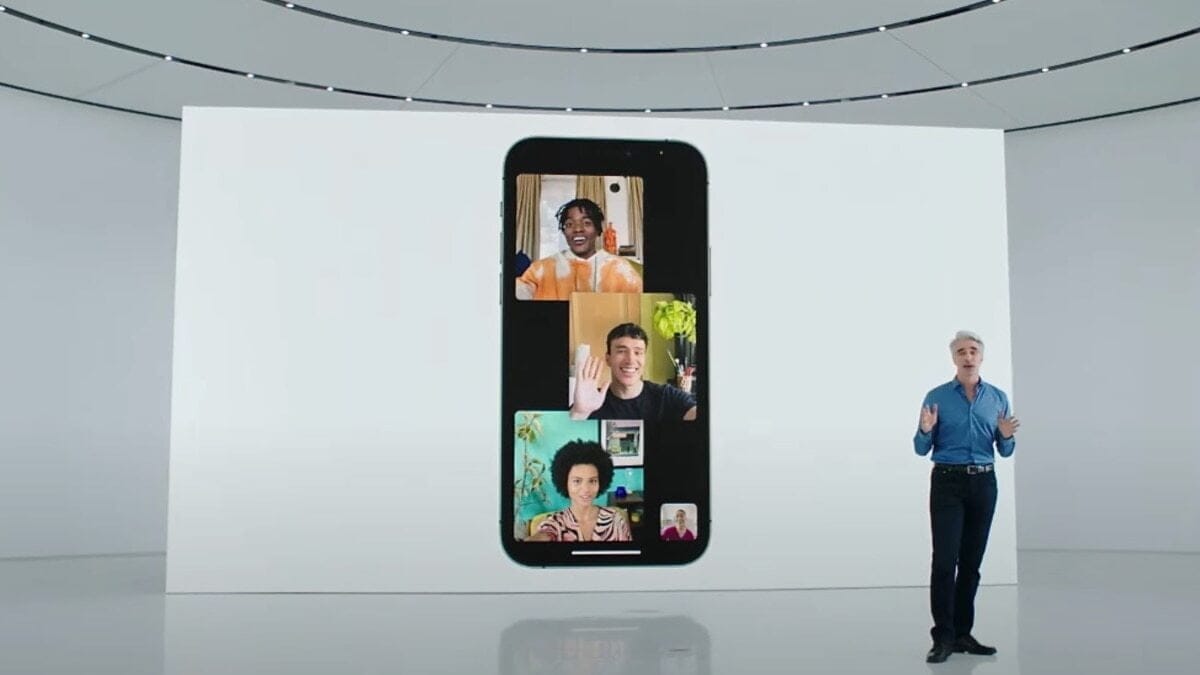
    Android and Windows users get ready because soon you will be able to join FaceTime calls. Apple announced the news on Monday at its annual Worldwide Developers Conference, along with a slew of other iOS, iPadOS, and macOS improvements.

    facetime on android and windows

    Future Updates

    FaceTime will gain many enhancements in the future iOS 15 operating system, including a participant grid view and the option to plan conversations, that will make it look and perform more like Zoom and Microsoft Teams. FaceTime will also get spatial audio in the new OS, which makes people’s voices sound like they’re originating from their position on the screen, giving it a more genuine feel.

    In the fall, iOS 15 will be widely available. Here’s how you join FaceTime calls no matter what device you’re using once you’ve downloaded the new operating system.

    How to join FaceTime calls

    If you have an Android or Windows device and a friend or family member who has an Apple device, they can SMS, email, WhatsApp, or calendar invite you to a FaceTime call. All you have to do now is click on the link, and it will open in your browser. From there, you can join the call.

    You’ll need an Apple device and an Apple account to schedule or initiate a FaceTime call. Then you can share a link with friends to encourage them to join using their browser on Android or Windows devices — no Apple account required. However, those others won’t be allowed to join the call until the Apple user who put it up gives their permission.

    FaceTime calls are always end-to-end encrypted on the web, according to Apple’s WWDC presentation.

    In other news There seem to a trend in SMS Messages Backup & Restore applications. The utility apps section seems to be filled with different variations of these applications. The pandemic has to lead to people carrying out these tasks such as this themselves rather than seek help. It is yet to be seen if this will last long.

  • Download Magisk v23.0 And Magisk Manager

    Download Magisk v23.0 And Magisk Manager

    nexus2cee Magisk Generic Hero

    Magisk v23.0

    Magisk is a fantastic tool for advanced Android users. It is a one-of-a-kind systemless interface designed by XDA Senior Recognized Developer topjohnwu that can be used for much more than simply rooting your devices. The interface allows users to tinker with system settings without actually changing the system files.

    Another reason for Magisk’s popularity is the possibility of circumventing Google’s SafetyNet, which prevents certain apps from running on rooted devices. The most recent Magisk update is Magisk version 23.0, which includes several bug fixes for root access.

    The developer announced the new update on Twitter today, saying the focus is primarily on stability improvements. In case you’re using the Magisk app solely for SafetyNet attestation checking and you’ve found the functionality broken during the last few weeks, then you’ll be happy to know that this release addresses the issue as well.

    Full changelog for Magisk v23.0:

    • [App] Update snet extension. This fixes SafetyNet API errors.
    • [App] Fix a bug in the stub app that causes APK installation to fail
    • [App] Hide annoying errors in logs when hidden as stub
    • [App] Fix issues when patching ODIN tar files when the app is hidden
    • [General] Remove all pre Android 5.0 support
    • [General] Update BusyBox to use proper libc
    • [General] Fix C++ undefined behaviors
    • [General] Several sepolicy.rule copy/installation fixes
    • [MagiskPolicy] Remove unnecessary sepolicy rules
    • [MagiskHide] Update package and process name validation logic
    • [MagiskHide] Some changes that prevents zygote deadlock

    One important thing to note that with this release, Magisk has finally stopped supporting Android versions older than Android 5.0 Lollipop. If you still have a device running Android KitKat or Jelly Bean and want to root it using Magisk, you have to stick with the legacy builds.

  • Temporarily free and on-sale apps and games on Google Play Store

    Temporarily free and on-sale apps and games on Google Play Store

    We’ve had a busy week, so make sure to check out Wednesday’s sales since the list contains every Dragon Quest title on the Play Store, and they are still on sale. I also have some solid sales to share today, as well as some great standouts. First up is Crashlands, a great survival game that sports a wicked sense of humor. Next up is Lock’s Quest, a fantastic action RPG that made its way from the Nintendo DS to the Play Store. Last up is 9th Dawn III RPG, a deep and rewarding game that offers hundreds of hours of fun. As always, I’ve highlighted all of the interesting titles in bold green text in order to make discovery easier. So without further ado, here are 18 temporarily free and 42 on-sale apps and games for the end of the week.

    Free

    Apps

    1. CPUz Pro $5.49 -> Free; Sale ends in 6 days
    2. Learn Korean Language: Word Quiz Pro for Beginner $2.99 -> Free; Sale ends in 6 days
    3. Ray Financial Calculator Pro $2.49 -> Free; Sale ends in 6 days
    4. Sleep Faster, Meditation Pro: High-Quality Sounds $2.99 -> Free; Sale ends in 6 days
    5. Relaxing Sleep Sounds PRO $0.99 -> Free; Sale ends in 7 days
    6. Snipback – Lifehacker smart voice recorder PRO HD $2.99 -> Free; Sale ends in 7 days

    Games

    1. Hot Guns $1.99 -> Free; Sale ends in 1 day
    2. Spaxe | Procedural Survival Space Alien Shooter $0.99 -> Free; Sale ends in 1 day
    3. Warhammer Quest $3.99 -> Free; Sale ends in 1 day
    4. Empire Warriors Premium: Tower Defense Games $0.99 -> Free; Sale ends in 6 days
    5. Final Castle Defence : Idle RPG $0.99 -> Free; Sale ends in 6 days
    6. Hero Knights (idle RPG) $1.49 -> Free; Sale ends in 6 days
    7. Legend of the cartoon $2.49 -> Free; Sale ends in 6 days
    8. Fire and Water – Platformer Game $3.99 -> Free; Sale ends in 7 days
    9. Healing Matching Puzzle $0.99 -> Free; Sale ends in 7 days
    10. Hills Legend: Action-horror $0.99 -> Free; Sale ends in 7 days
    11. Infinite Puzzle $4.49 -> Free; Sale ends in 7 days
    12. Space Shooter: Alien vs Galaxy Attack (Premium) $0.99 -> Free; Sale ends in 7 days

    Sale

    Apps

    1. LayerPaint HD $6.99 -> $2.99; Sale ends in 10 hours
    2. Secure Clips – Secure & private clipboard manager $1.99 -> $0.99; Sale ends in 2 days
    3. KReader PRO: kindle read all formats (no Ads) $3.49 -> $1.49; Sale ends in 6 days
    4. Mushrooming $2.49 -> $0.99; Sale ends in 6 days
    5. Rapid Notifications Blocker PRO $2.49 -> $1.49; Sale ends in 6 days
    6. RE Equalizer Music Player $2.75 -> $0.99; Sale ends in 6 days
    7. Kids Music Classes: 10+ Music Instruments $3.49 -> $0.99; Sale ends in 7 days
    8. Sunnytrack – Sun Position, Shadows, Golden Hour $5.20 -> $0.99; Sale ends in 7 days
    9. Tinnitus Therapy Pro $6.99 -> $3.99; Sale ends in 7 days

    Games

    1. A Street Cat’s Tale : support edition $2.49 -> $0.99; Sale ends in 10 hours
    2. Despotism 3k $3.49 -> $1.49; Sale ends in 10 hours
    3. Unit 404 $2.99 -> $1.99; Sale ends in 10 hours
    4. Hue: Alter the color world $4.99 -> $2.49; Sale ends in 2 days
    5. The Lonely Hacker $3.00 -> $0.99; Sale ends in 2 days
    6. B.D.R.S : Biological Disaster Response System $3.99 -> $1.49; Sale ends in 3 days
    7. Crash Dive $3.99 -> $1.99; Sale ends in 3 days
    8. Crashlands: Story-driven Crafting ARPG $6.99 -> $4.75; Sale ends in 3 days
    9. Crash Dive 2: The Silent Service $9.99 -> $5.49; Sale ends in 3 days
    10. Earthlings Beware! $1.99 -> $0.99; Sale ends in 5 days
    11. Lock’s Quest $7.99 -> $3.99; Sale ends in 5 days
    12. Through the Darkest of Times $7.99 -> $3.99; Sale ends in 5 days
    13. 9th Dawn III RPG $9.99 -> $5.49; Sale ends in 6 days
    14. Mindcell $5.00 -> $0.99; Sale ends in 6 days
    15. My PlayHome Hospital $3.49 -> $0.99; Sale ends in 6 days
    16. My PlayHome : Play Home Doll House $3.49 -> $0.99; Sale ends in 6 days
    17. My PlayHome School $3.49 -> $0.99; Sale ends in 6 days
    18. My PlayHome Stores $3.49 -> $0.99; Sale ends in 6 days
    19. Pandemia: Virus Outbreak $3.49 -> $0.99; Sale ends in 6 days
    20. Flockers $1.99 -> $0.99; Sale ends in 7 days
    21. Hangman Premium $2.99 -> $0.99; Sale ends in 7 days
    22. Pocket Rogues: Ultimate $3.99 -> $2.49; Sale ends in 7 days
    23. The Angry Banana $1.99 -> $0.99; Sale ends in 7 days
    24. The Escapists: Prison Escape $6.49 -> $1.49; Sale ends in 7 days
    25. The Escapists 2: Pocket Breakout $6.99 -> $1.99; Sale ends in 7 days
    26. Word Search Premium $2.99 -> $0.99; Sale ends in 7 days
    27. Worms 2: Armageddon $5.49 -> $0.99; Sale ends in 7 days
    28. Muse Dash $2.99 -> $1.49; Sale ends in ?
    29. VERSUS: The Elite Trials $3.99 -> $2.99; Sale ends in ?
    30. VERSUS: The Lost Ones $3.99 -> $2.99; Sale ends in ?

    Icon packs & customization

    1. Vera Outline Black – Black linear icons $1.99 -> $0.99; Sale ends in 3 days
    2. Vera Outline White – White linear icons $1.99 -> $0.99; Sale ends in 3 days
    3. Kaorin – Icon Pack $1.99 -> $0.99; Sale ends in 7 days
  • Top 6 Android Apps to improve your Mobile Utility

    Top 6 Android Apps to improve your Mobile Utility

    apps

    There are numerous apps released every week and it becomes hard to keep track of all of them. To make sure you don’t miss out on all the amazing apps, we have compiled this week’s best releases for you!

    One Swipe Notes

    One Swipe Notes is a promising utility app. It was free at the time of its release but is now for $0.99, which is quite reasonable. It is an intuitive note-taking app and easy to use with premium features.  The app enables users to swiftly take notes by opening a floating window with a single-window, taking quick notes, and exiting. However quick note mode, r, it is worth mentioning that in quick note mode, there is a limit to the information you can put in but users can always open the app and fill in the details afterward. Overall, it is an efficient note-taking app with a smart design and plenty of features.

    Princess Tale

    Princess Tale is a hybrid between gacha and an idle game. As of now, it is free for all to play. Once installed, players can obtain multiple characters and as the game progresses, the characters level up even if you don’t play often. The game itself, it quite impressive even though quite generic for its genre. There is a storyline user can follow along. The game does have a few kinks that the developers need to figure out but since it’s the game’s girt week, hopefully, the bug fixes are done over time.

    Cultivate

    ezgif.com gif maker 27 1

    Cultivate may seem like a gardening app at first but it is much more than that. It is a free motivational app that helps users complete tasks with the aid of digital plants. Users create plants and name them with certain actions. After acting, tap the plant and it will keep growing. As you continue performing the task, the plant will grow but if you don’t perform the respective task often, the plan with wither and die. It’s quite simple to use but an innovative idea to motivate people to be consistent with their activities. The activities can range from journaling to reading, basically anything you want to be more consistent with.

    Leap Trigger

    Leap Trigger is another interesting game. It is a free and a shooter game. The thing that sets it apart from most shooter games is that it heavily relies on AR much like Pokemon Go. Users can use the camera viewfinder to find their opponents and then shoot them with the on-screen controls. Players can avoid bullets. The game includes options such as multiplayer with its single-player mode.

    BYJU’S Learning App featuring Disney

    BYJU’S Learning App featuring Disney has three subscription packages ranging from free, $9.99 per month, and $99.99. To ensure maximum engagement from children the app uses Disney characters to enhance the learning experience. There are over 1,000 educational activities that kids can choose from. The app is kidSAFE and COPPA certified for child safety. Furthermore, as kids play games they are given incentives to keep playing in the form of stickers and rewards. The app is still under development hence a few bugs are expected. To gain full access it is better to opt for the paid version.

    Smart Transfer

    Smart Transfer is another innovative utility app. It is a free content transfer app with premium features that enables users to swiftly transfer all their data from one device to another. The app has multiple connectivity options such as Wi-Fi and Hotspot. This app is ideal for all data management needs and makes the cross-platform transfer much easier.

    Summing Up

    The aforementioned applications are quite impressive and worth try! Be sure to check them out and let us know if they worked for you.

  • Clean your phone – 6 best apps that really clean your Android device

    Clean your phone – 6 best apps that really clean your Android device

    Most people just consider cleaning up their phone when something goes wrong. While Android devices are intelligent enough that routine maintenance isn’t needed, it’s still a good idea to perform a digital tune-up every now and then. Don’t underestimate the power of keeping digitally organized—-it might just keep your phone running longer.

    The trick is to find phone cleaner applications that deliver on their promises. A bad cleaner app, at best, wastes storage space; at worst, it can infect you with malware and flood you with ads. However, not all Android cleaner apps are worthless, so we’ll help you find the ones that are.

    1. Files by Google

    files clean device

    Google’s official Android file manager includes simple tools, making it the first Android junk cleaner someone can try. To access these options, launch the app and navigate to the Clean tab at the bottom.

    Here you’ll see several areas that the app identifies as wasting space. These include Junk filesDuplicatesBacked up photos, and Unused apps. Select an option to look at what’s taking up the most space, check what you want to remove, and confirm to have the app take care of the rest.

    While you can also use the Browse tab to explore your phone’s storage manually, letting the app weed out the biggest space hogs is more efficient.

    As we’ll see, many of the apps on this list have useful cleaning features but also have RAM optimizers and other nonsense you don’t need. Files is a nice solution to these problems; it’s one of the easiest ways to clean up Android with an easy, free app that isn’t bloated with unnecessary extras.

    Download: Files by Google (Free)

    2. Droid Optimizer

    droid optimizer clean android apps

    Droid Optimizer is one of the best-known Android cleaner tools, with over a million downloads on the Google Play Store. It’s simple to use, especially for newbies, with an introduction screen that walks you through permissions and features.

    It includes a “rating scale” to encourage you to keep your device in good working order. Droid Optimizer is the perfect Android cleaner for you if you don’t mind making your own smartphone shame you into better habits.

    One tap is all you need to begin a phone cleanup. You’ll see your stats at the top of the screen; free space and RAM show next to your “rank” score, where you receive points for your cleanup actions.

    If you’d rather set it and forget it, Droid Optimizer lets you schedule routine, automatic cleaning. This auto-cleanup will clear your cache, disable background apps, and remove any unused files. It also includes a “good night scheduler” to save energy by automatically disabling features like Wi-Fi while not in use.

    Droid Optimizer can also mass-delete apps—useful if you’re looking to quickly make some space.

    It’s not the most attractive app, but it works. If you’re looking for the best Android phone cleaner app and don’t want to do much of the work yourself, Droid Optimizer should be on your shortlist.

    Download: Droid Optimizer (Free, in-app purchases available)

    3. CCleaner

    ccleaner android app

    The same well-known desktop app for reclaiming disk space is also available on Android. We’ve discussed why CCleaner isn’t an essential app for Windows anymore, as it’s gone downhill somewhat since Avast acquired the service. And while the Android app isn’t perfect either, it’s better than a lot of the other spammy cleaner apps for Android.

    Indeed, CCleaner on Android is a multifunctional app that does its best to analyze and clean up stray files taking up your precious space. The main function is the cleaner feature that can wipe cache data from apps, purge empty folders, and delete various histories.

    It also has an App Manager, which offers a simple interface that lets you pick multiple apps for uninstallation. Lastly, the System Info page monitors your phone’s resources (CPU, RAM, device details) so you can see what’s going on at a quick glance.

    There is no need for root, and it is completely free, but you can upgrade to the Pro subscription for a few extras. It may be lacking in functionality, but it does the job if all you need is a fast way to reclaim storage space on your devices.

    Download: CCleaner (Free, subscription available)

    4. All-in-One Toolbox

    All-in-One Toolbox android app

    Cleaning your phone of unwanted files is just one step in the process. What about keeping track of your battery, CPU temperature, or those annoying mobile ads? The All-In-One Toolbox, as the name suggests, will do it all.

    It will clean your Android device’s temporary files, wipe your cache, and delete empty folders and orphaned files. It only takes one tap to examine your system, followed by another to uninstall, and you’re done. It’s the same mechanism in other parts of the app.

    The Boost function cleans your system cache and closes background apps, again with two taps. You can set this automatically with the Boost+ function if you’d prefer, but doing so requires an in-app purchase. If you’re running out of juice, the Battery Saver section is another background task killer (see below for a warning on this), but it also provides your current battery statistics.

    If that wasn’t enough, there’s also a mass app deleter, advanced file cleaning tools, and Wi-Fi analysis. As its name promises, All-In-One Toolbox tries to do it all. Like Droid Optimizer, there’s also a ranking system to encourage regular use.

    Download: All-in-One Toolbox (Free, in-app purchases available) | All-In-One Toolbox Pro ($15.99)

    5. SD Maid

    sd maid android app

    SD Maid claims to be “at your service” as the digital cleaner for your Android phone. It keeps the experience simple—opening up the app gives you four quick action features you can use to “tidy up” your device.

    The first, CorpseFinder, searches for and erases any orphaned files or folders left over from deleting an app. SystemCleaner is another search-and-delete tool, this time looking for common files and folders that SD Maid believes it can safely delete.

    If this sounds appealing, AppCleaner does the same thing with your games. To use this feature, you must first upgrade SD Maid Pro. There’s even a Databases section to further simplify any app databases in use—-in our test, this cleared 40MB from Spotify.

    There are also tools for storage analysis (to help you find and delete big files) and mass app removal if you’re looking at a bigger phone tune-up.

    Download: SD Maid (Free, in-app purchases available) | SD Maid Pro ($4)

    6. Norton Clean

    norton cleaner android app 1

    Aside from CCleaner (owned by Avast), none of these cleaner apps come from top-tier security firms. The search for the best cleaning app for Android can’t conclude without mentioning Norton Clean, the Android little brother of the famous Norton Antivirus from Symantec.

    Norton says that it will “clear the clutter” from your Android computer. It will scan for and wipe your cache, delete any junk files, and assist you in quickly removing any unused applications you have installed, just like the other entries. The Manage Apps section lists all of your apps and allows you to group them by last use, installation date, or storage use.

    The software takes a straightforward approach. Norton Clean has one of the cleanest, strongest, and most modern-looking user interfaces as compared to the other entries. Anything you need is just a few taps away, so you don’t need to be an Android expert to find it out.

    It’s lacking in functionality, consisting only of a file cleaner and app remover, with popular advertisements for other Norton applications. If you’re concerned about space, Norton Clean is simple enough to use to help you reclaim it. There are no in-app purchases or subscriptions to think about.

    Download: Norton Clean (Free)

    Keeping Android Clean and Tidy

    Regular maintenance isn’t vital for most Android users, but it can help to keep your device running smoothly. Yes, it’s true—your device should keep running even if you don’t spend time clearing out junk. Most modern Android devices have plenty of RAM and device storage to cope with anything you have installed or saved. You shouldn’t need to spend your days clearing app cache, either.

    That said, if you notice there’s a problem with your Android device, an Android cleaner could perk it up a little. If that doesn’t work, you might need to try manual cleaning next.
  • Android 12 DP2 a bug-fixing update

    Android 12 DP2 a bug-fixing update

    android 12

    Android 12 DP2 just picked up its second bug-fixing update, bumping things numerically to DP2.2. This latest release includes a lot more fixes than DP2.1 did, including a fix for video encoding issues that I ran into, a crash tied to the Bluetooth section of Settings, disappearing widgets, and a failure to save Wi-Fi passwords, among others.

    Android 12 Developer Preview 2.2 (April 2021)
    
    If you’re already running a Developer Preview build, you will automatically receive an over-the-air (OTA) update to Developer Preview 2.2.
    
    This minor update to Android 12 Developer Preview 2 includes the following fixes:
    
    -Fixed an issue that sometimes caused the Settings app to crash when a user tried to access Bluetooth settings. (Issue #180962266)
    -Fixed an issue that caused widgets to be removed from the home screen after a user installed an OTA update.
    -Fixed an issue that caused notifications to be sent about low Bluetooth call quality even when call quality was currently unaffected.
    -Fixed an issue that caused WiFi network passwords to not be saved in some cases.
    -Fixed an issue that caused the notification shade to be activated when typing on the on-screen keyboard.
    -Fixed an issue with Codec 2.0 that could cause apps to crash on some devices.
    -Fixed an issue that could cause videos to be encoded incorrectly when shared.
    -Android 12 Developer Preview 2.1 (March 2021)
    
    This minor update to Android 12 Developer Preview 2 updates WebView to fix an issue that caused some apps to crash.-

    Some say that a problem with gesture navigation that was supposed to be resolved in a previous release remains in DP2.1, but no note was made of whether or not another patch for that issue is included in this release. It’s also likely that some unnamed changes slipped into this update — that happens from time to time, so we’ll keep an eye out.

    The update is already rolling out via the traditional means for those that have installed a prior Android 12 Developer Preview. Compatible phones remain the same: The Pixel 3 series, 3a series, 4 series, 4a series, and Pixel 5. OTA images are also available for manual sideloading/deconstruction if you prefer to install it yourself.

    If you’re doing it for the first time, we still recommend you wait until the Android Beta Program starts, but we have instructions here if you’re willing to assume the risks.

  • Top 5 battery saver apps for Android

    Top 5 battery saver apps for Android

    In this tech-savvy era, we depend heavily on our phones even for the most mundane tasks. Our biggest challenge is making sure the battery lasts almost an entire day, however, it is immensely difficult to find an application that saves you battery since most battery saver measures are manual.

    The best way to conserve battery is to first understand what is causing the battery drainage and then take the appropriate measures such as decreasing the brightness on your screen, reducing the frequency that apps sync data, use dark mode, and more. In case you are looking for apps to fix your battery issue then keep reading! We have picked the most effective and reliable battery saver apps for Android.

    1.      Battery Guru

    battery saver battery guru

    Battery Guru is one of the most premium battery saver applications. It aids in battery conservation but not in the way you would think. It does not work like booster apps or service terminators. The app provides you with helpful information such as battery temperature limits and charging limits so you don’t wear out your battery sooner.

    Moreover, there are a few battery-saving modes that can help reduce battery drain so you won’t have to charge often. There is even a Doze Mode customization tool that makes the app more aggressive. The app has a free and paid version for $19.99.

    2.      Greenify

    greenify

    Greenify is one of the known battery saver applications. It identifies apps that wake up your phone more frequently and gives you the tools to prevent apps from doing this often. The app has some intuitive and interesting features including Android Nougat and beyond with Aggressive Doze and Doze modes.

    This particular application has two versions, the free version which has almost all the premium features, and a paid version for $2.99 for support development.

    3.      GSam Battery Monitor

    gsam battery mnonitor

    GSam Battery Monitor is another popular choice for battery saving. The app itself does not do much on its own to conserve battery but instead provides you with information about the apps draining your battery. Consequently, that information can be utilized to improve your own battery life. Its features providing information regarding wakelocks, wake time, and even CPU and sensor data.

    It is worth mentioning that the latest version caused minor issues. However, it still gets the job done. This application has a free version and a paid version for $2.49.

    4.      Servicely

    servicely battery saver

    Servicely is one of the top battery saver applications. It works by stopping services that run in the background. It helps prevent odd apps from going insane and keeps them from syncing all the time. This is ideal if you do not want your applications to sync all the time. There might be a delay in certain notifications from apps that have been prevented from syncing hence use it with caution.

    Additionally, this app works well with wakelock detectors as a potent one-two punch. It’s highly configurable with enough options to make it work how you want. You can opt for the free version of the paid one for $13.99.

    5.      Wakelock Detector

    Wakelock Detector is another top-notch battery saver app. The main function of this application is to aid in the detection of wakelocks. It can detect both partial and full wakelocks. You can also get a list of all the apps that are causing it. From there, you can take steps to uninstall the apps or find replacements.

    There is a free version available and a paid version for $1.99.

    Alternative methods to conserve battery:

    There are a lot of native features on Android that aid in battery conservation. By enabling Doze Mode your entire device goes into hibernation. Apps can only sync occasionally and in batches as dictated by the OS. Thus, it loads battery life. Whereas, App Standby restricts data usage by apps you don’t use very often for additional savings.

    These features are enabled by Android automatically hence there is almost no room for customization. Further methods include;

    •  Uninstall apps you don’t use
    • Lower your screen brightness
    •  Use black mode, wallpapers, etc on OLED screens
    • Avoid playing games
    • Avoid using Cellular Data
    • Get rid of duplicate photos/videos
    • Turn off connections you’re not using such as Bluetooth
    •  Use battery saving modes on your phone
    •  Don’t use vibration or haptic feedback
    • Don’t use booster apps
    • Turn off 5G if you can

    Summing Up

    All of the above-mentioned applications are ideal for battery conservation. The most preferable manner to save battery to uninstall unnecessary apps and get rid of duplicate functionality applications. Instead of downloading apps to conserve battery, try using Android’s native features such as limiting screen brightness, avoid using cellular data, use battery-saving mode as often as possible, and much more.