Recently, I have been testing a lot of Android phones, but one feature that I feel is really missing from these phones is UWB support. UWB, or ultra-wideband, is a low-energy, short-range radio technology that has been around for a few decades (it was formerly known as “pulse radio”).
UWB uses extremely fast signal pulses, up to a billion per second, sent across a broad spectrum of radio frequencies (from 500MHz to several gigahertz).
Because of this feature, UWB can be used for more than just applications like locating other UWB devices. It can also withstand interference problems that Wi-Fi and Bluetooth cannot handle.
The most well-known use of UWB is probably AirTags, but that is only available to iPhone users. Support for UWB on Android is still limited, but it is improving gradually.
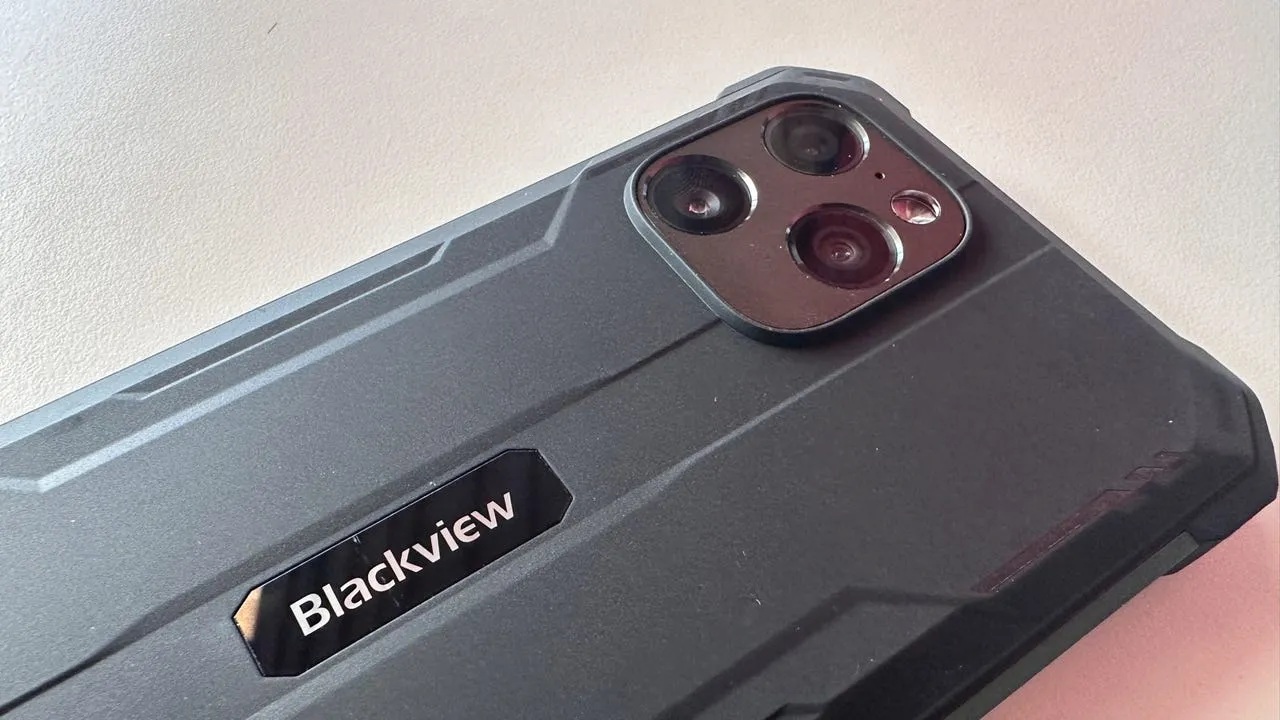
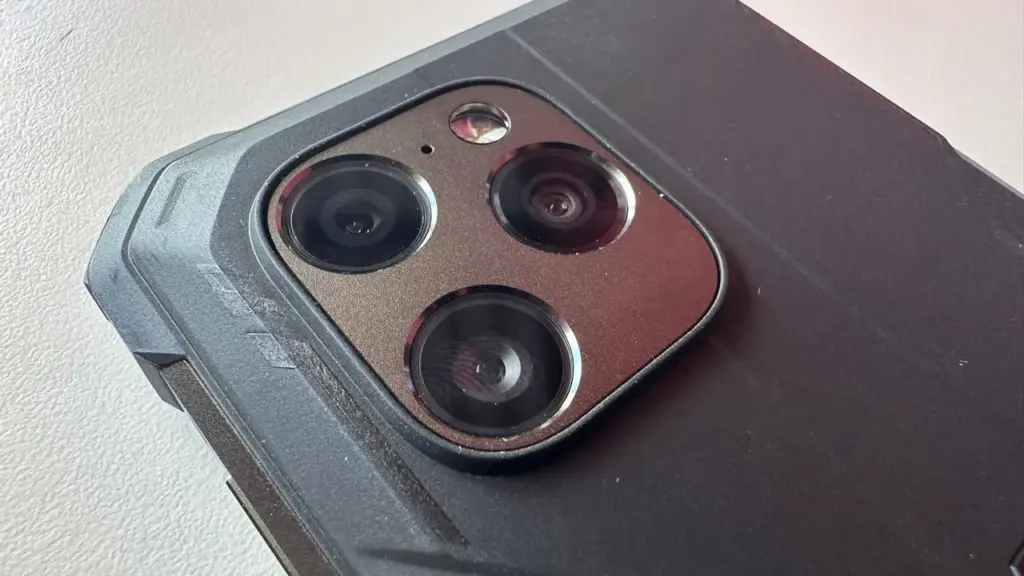
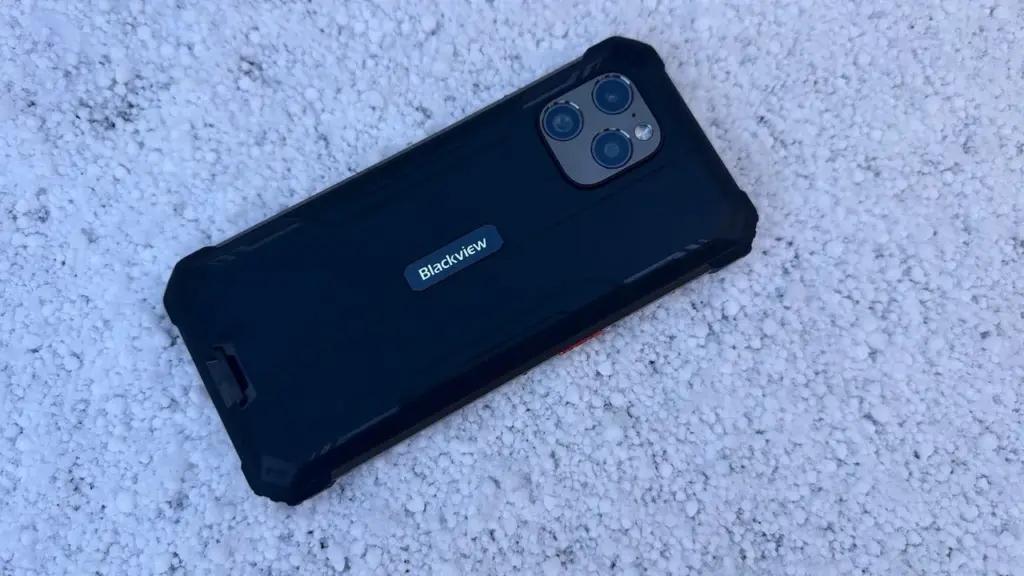
Here, I look at Blackview’s BV8900 Pro, which is the world’s first ruggedized smartphone to feature UWB.
Rear cameras: 64-megapixel, 8-megapixel, and 2-megapixel
Front camera: 16-megapixel
Battery: 10000mAh, with 33W fast charging
SIM: Dual SIM support
Biometric: Fingerprint and face recognition
Water/dustproofing: IP68, IP69K, and MIL-STD-810H
Finishes: Black, orange, and green
The BV8900 Pro appears to be similar to many of the other Blackview smartphones that I have tested and reviewed. It is a large smartphone with a toughened glass display and a black rubber casing.
The 10000mAh battery and rubber add bulk to the device, but in exchange, the battery provides approximately 13 hours of video watching time and more than a month of standby time.
The device is designed to be dropped and abused, and water, dirt, dust, mud, or high/low temperatures are no match for it. There’s even a lanyard loop built into the handset, so you don’t lose it in the jungle or over the side of a boat while you’re being battered by storms.
The phone has a powerful Helios P90 chip that keeps everything running smoothly without draining your battery life. It has 8GB of RAM that is backed up by another 8GB of virtual RAM. The phone also has reverse charging, so you can use it as a power bank and send power to other devices. I had no lag or stuttering issues at all when using this phone.
In addition, the BV8900 Pro has UWB support, which does not mean much right now given the current state of support for UWB on Android; however, I expect this situation to change over the coming months as Google deploys its rival to Apple’s Find My network and UWB locater tags for Android, which are similar to AirTags.
Ruggedized handsets can, by virtue of being encased in rubber, cause the processor to overheat and be throttled; however, the cooling system—which consists of silicon and graphite heatsinks, and an array of copper cooling pipes—keeps the chip cool, even under heavy loads.
However, to get you going, the BV8900 Pro comes with a UWB tracking tile that you can attach to your keys, pet dog, or whatever else you want to keep an eye on.
At $216, the Blackview BV8900 Pro is a reasonably priced option for those seeking a robust smartphone with an enormous battery capacity and future-proof design thanks to its integrated UWB technology.
Although manufacturers do not coordinate release dates and some choose not to disclose software update release dates at all, consumers always want to ensure they have the most recent software to get the most out of their devices. As Motorola and its smartphones gain popularity, the company is taking advantage of its opportunity to gain a competitive edge — and extending the availability of Android 14 to do so. Android 14 has been available since October, but its launch has been staggered across eligible devices.
As spotted on Motorola’s support page, the company is beginning to roll out the Android 14 update to more of its devices (via Phone Arena). Of the Razr line, the 40; 40 Ultra; Razr+ (2023); Razr (2023); and Razr (2022) will receive the software update.
From the Edge series, those who have the Edge+ (2023); Edge (2023); Edge+ (2022); Edge (2022); Edge+ 5G UW (2022); Edge 40 Pro; Edge 40 Neo; Edge 40; Edge 30 Ultra; Edge 30 Pro; Edge 30 Neo; Edge 30 Fusion; and Edge 30 will get the update. Finally, G Series device owners won’t be left out — those who have the 5G (2023); Stylus 5G (2023); Stylus (2023); Power 5G (2023); G84 5G; G54; G73 5G; G53 5G; G23; and G14 will get Android 14, too.
Motorola has confirmed that its Lenovo ThinkPhone will receive Android 14 as a part of the rollout, but generally speaking, no dates or timelines have been publicized.
The tech giant has been slow to release Android 14, but as more people start using its phones, its popularity is growing. In part, this is because Motorola has continued to explore the possibilities of foldable designs, even as other companies release touchscreen devices with flat displays.
For example, the Razr series has maintained its foldable look, and excitement is building for the 2024 series. Rumor has it that, in contrast to last year, Verizon may carry the Razr+ 2024. It is also speculated that the device may sport the Snapdragon 8 Gen 3 SoC, which would be a welcome upgrade from the Snapdragon 8+ Gen 1 SoC used in its predecessor.
You are not alone if you have not given Motorola devices much thought lately; the company’s rivals have made it harder for the Lenovo-owned behemoth to keep up its reputation as a household name.
But, as Motorola starts a fresh campaign to regain ground, it might be worthwhile to give their products another look; they might not be as eye-catching as other flagship devices, but the company seems determined to improve its reputation.
Without apps, a phone is useless. If you are not sure what to put on your phone, do not worry—we have a free iOS and Android Apps of the Week column that updates you on a variety of productivity and gaming apps that might be of interest to you every two weeks!
When the developers decide to revert back to their paid status, we have no idea when these games and applications will be made accessible for free. If you find a listed program that is no longer free, please let us know so we can update the appropriate information.
Tip: If you find an app that you want to have but do not need right now, download and install it first. It will stay in your app library forever, even if you remove it from your smartphone right away. This way, the program will be regarded as “purchased.”
Android apps that are free for a short time
Android apps for productivity and lifestyle
English for All Pro($0.99):Want to master the English language? This app might help you out.
Reminder Pro($3.49):Ever felt as though you keep on forgetting stuff? Here’s an app that will help you remember things…
Android games
Legend of the Moon($0.99): A 2D side-scroller where you explore dungeon after dungeon, leveling up to be more powerful.
Defense Zone 3 Ultra HD($2.99):Tower defense with extremely realistic graphics to keep you occupied.
SPHAZE($0.99): A sci-fi puzzle game that looks great while tickling your grey matter.
Ruby Square: Puzzle Game($0.99):With over 700 brain-teasers to choose from, you will definitely find this game worth your while if you love puzzlers.
Minesweeper Pro($1.49):This is a classic game that everyone should experience at least once in their lives.
iOS apps that are free for a short time
iOS apps for productivity and lifestyle
FABULUS($3.99):If you have trouble figuring out the chord to a particular song, this app might just be of help.
Dollar Bill Origami($1.99):Your humble dollar bill is way more useful than just for monetary transactions…
Streakly($4.99):It is not too late to get started on your New Year resolutions yet. Why not get this app’s help to form new and positive habits?
ChatGo AI bot($0.99):AI is taking over the world, so why not let it take over your phone?
iOS games
Demetrios($2.99):A visual novel that comes with plenty of silly jokes. This is the perfect pick-me-up if you’re ever feeling down.
Legacy 3: The Hidden Relic($1.99):A 3D point-and-click adventure game that will certainly require you to think more than usual.
Agile 3($1.99):Test your reflexes and dexterity in this uniquely designed game.
2 Players 1 Device($0.99):This is how you remedy a situation when you have two kids fighting over a single device…
What drew your attention this week? Which apps on the list—games or productivity—is your favorite? Share your opinions in the comments below.
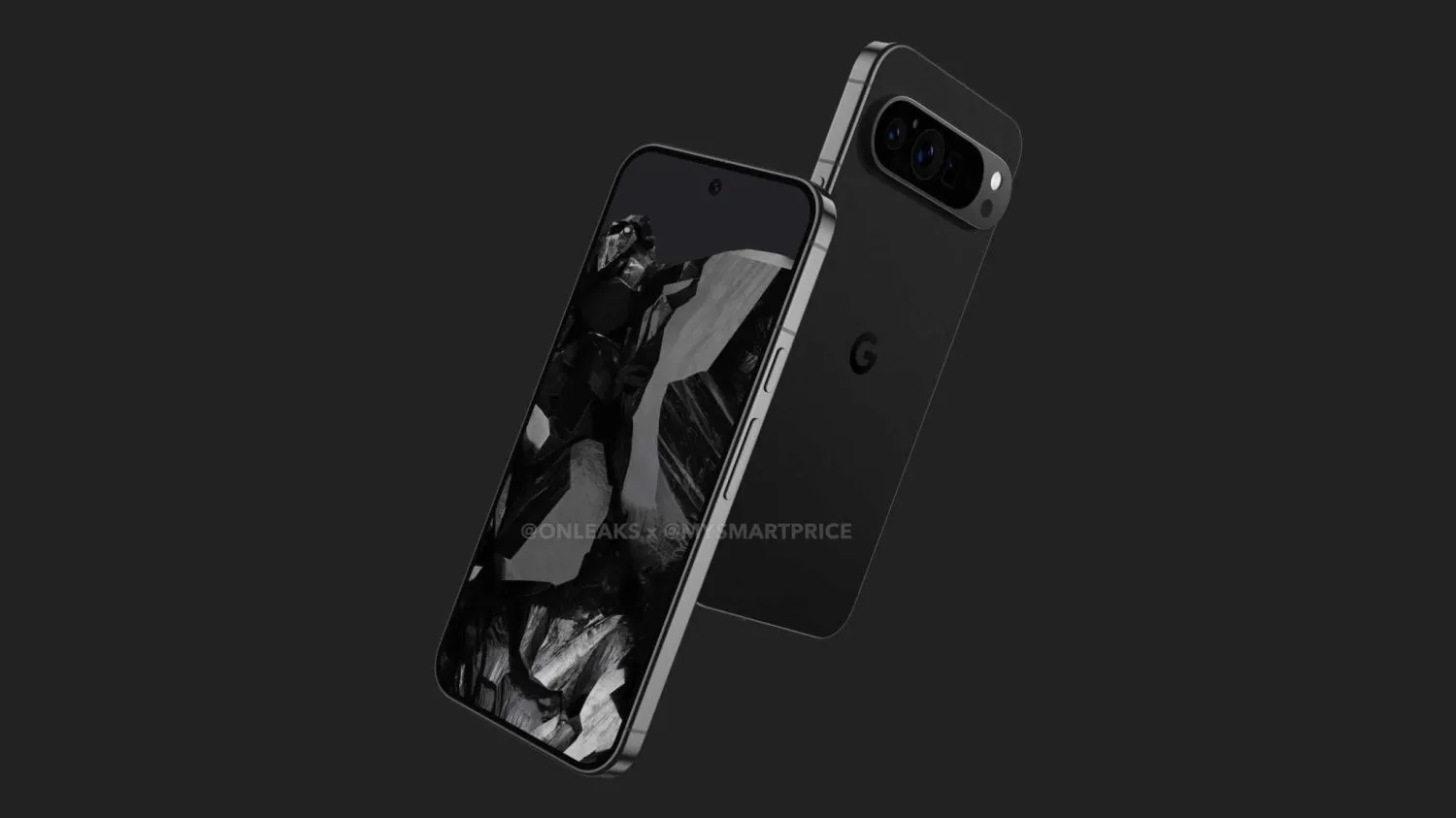
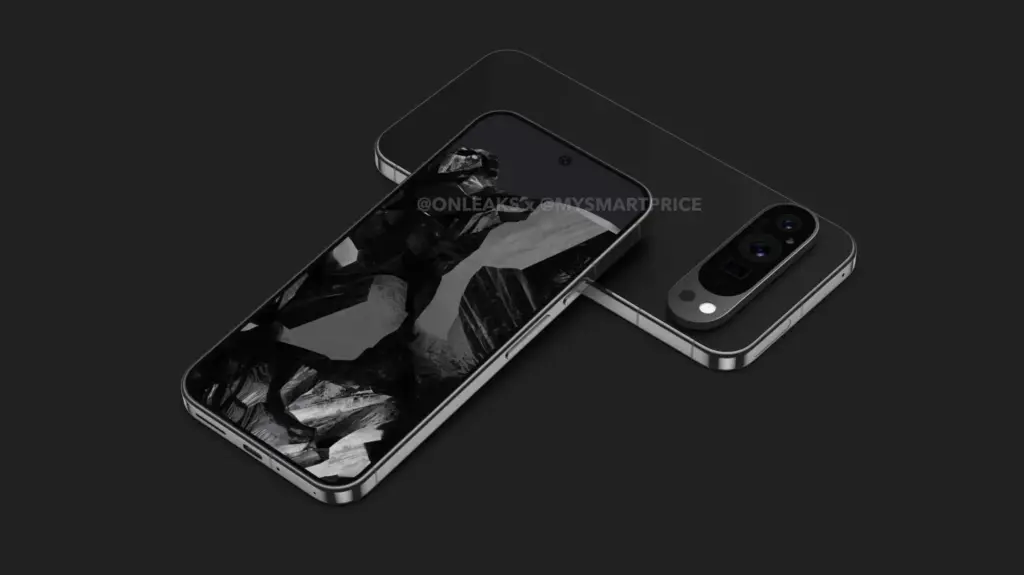
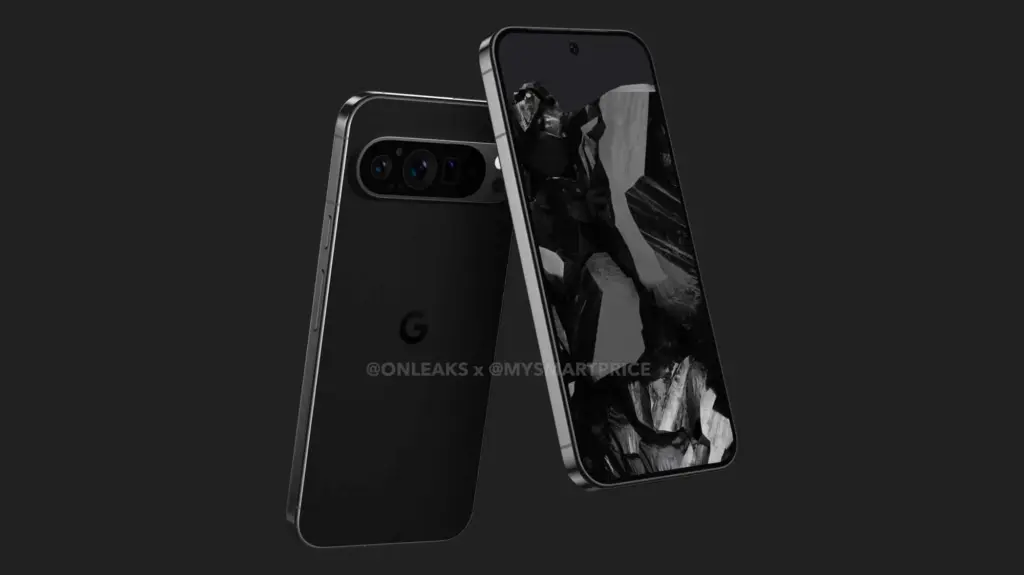
The first Pixel 9 Pro leak has surfaced, and the renders reveal a pretty drastic design change from the current Google phone.
@OnLeaks and MySmartPrice claim that the Pixel 9 Pro has flat edges that very slightly curve into the display and rear panel, in sharp contrast to the Pixel 6-8 Pro’s curved rail.
There is a cutout to the left of the connector, nothing on the left side, and the mmWave antenna cutout is located on top. The power button and volume rocker are still located on the right edge, and Google appears to have moved the SIM card tray to the bottom edge to the right of the USB-C port.
The three cameras are once again positioned side by side and covered by an oblong piece of glass, while the camera bar—which is obviously modeled after the Pixel Fold—is a floating pill that is not attached to the left or right edge like on previous phones. The overall effect is a pill-on-pill design with extremely little bezels on the left side.
The camera system, which features a large circle between the wide and ultrawide lenses, has two circular perforations next to it; one is for flash, and the other appears to be a temperature sensor that Google is keeping from the Pro model from last year.
The Pixel 9 Pro, according to the OnLeaks x MySmartPrice article, would have a 6.5-inch display, which would be significantly smaller than the 6.7-inch panel on the 8 Pro. This is true even if the proportions are about the same as they were last year, which may indicate a screen size error.
Pixel 9 Pro: 162.7 x 76.6 x 8.5 mm (12.0 mm camera bump)
The phone’s body is.3 mm thinner. Based on the renders, the display appears to be as flat as the 8 Pro’s, if not flatter.
This Pixel 9 Pro leak is happening two months earlier than the 8 Pro render. The design will definitely be compared to the iPhone, but it also has some Essential Phone-like qualities.
Have you just pre-ordered a Galaxy S24 Ultra (hands-on)? If so, you might be able to find out which free apps are available for you to download and install in time for the delivery of your much-desired new phone! Take a look at our bi-weekly free iOS and Android Apps of the Week column to see if there is anything you could be interested in!
All of these free apps have a time restriction before they become paid apps. If you find an app that is on this list that is no longer free, please let us know so we can update the post.
TIP! When you see an app that you think you might like but do not need right now, download and install it first. That way, you will have “purchased” it for nothing once, and it will always be in your app library, even if you later remove it from your smartphone.
Rogue Hearts($0.99): Want some good old dungeon hack-and-slash adventure game? This is where you get your fix.
Zombie Age 2 Premium Shooter($0.99):Time to shoot zombies to preserve your life. Can you survive the non-stop onslaught?
Cooking Kawaii($0.99): Can you build an empire of restaurants throughout the city? Give it a shot with this game!
Cytus II($1.99):A very well-crafted music rhythm game to challenge your reflexes.
RUSTY: Island Survival Pro($0.99):You are stuck on an island and need all your wits to survive. Do you have what it takes?
iOS apps that are free for a short time
iOS apps for productivity and lifestyle
Magnifying Glass & Flashlight($0.99):Have trouble reading the fine print in books and documents? This app might be able to help.
Easy Spending Budget($0.99):Want to keep track of your budget? Why not get an app to help you?
Pixel Art Pro($2.99):If you love drawing pixel art, this app might help you get off on the right footing.
Vinyls($4.99):A music player app that not only plays back your favorite tunes, it does so while looking aesthetically pleasing.
Search Ace – Adblock Browser($2.99):Everyone’s surfing experience becomes better without ads, and this browser does the job.
iOS games
Cytus II($1.99):How is your hand-eye coordination? Give it a go with this music rhythm game.
My City: Newborn Baby($3.99):Find out what life is like with a newborn baby. Bring the baby to the doctor’s, to the supermarket, the choice is yours!
Demetrios($2.99):A crazy adventure visual novel that is wacky and zany enough to tickle your imagination.
Paintiles($2.99):Paint the different tiles to match their colors in order to clear each level.
Mage Mania($1.99):There is always a trade-off, isn’t there? Many treasures await you in the dungeon, but you might have to fend off dragons with your magic.
Which of the apps on the list piques your interest? Please share your app choices in the comments section. We hope you have a wonderful weekend.
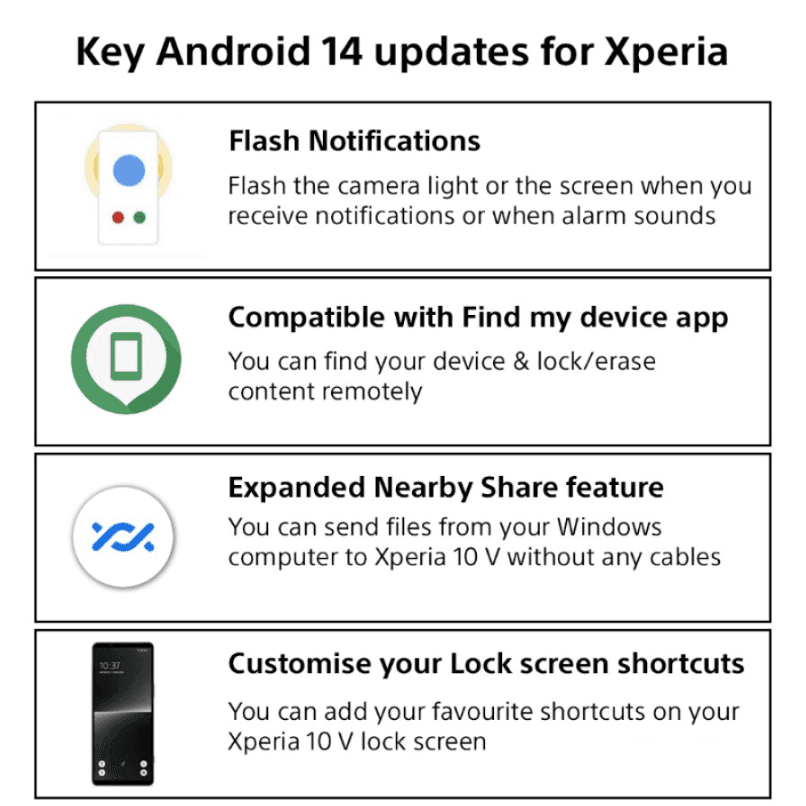
The Xperia 1 IV, Xperia 5 IV, and Xperia 10 IV are among the smartphones in Sony‘s 2022 portfolio that are now receiving the Android 14 update. These devices receive all of Android 14’s customization and security features in addition to some additional, exclusive customizations.
The updates will likely follow a scheduled release meaning some regions will get the update quicker than others.
The majority of serious photographers use DSLR cameras, which are currently the industry standard. You can purchase a variety of cameras and lenses, which can be costly but worthwhile. However, you can enhance your experience even more by using apps. Generally speaking, your camera comes equipped with all the controls you need, but some apps can add features like remote control support or quicker, easier update processes. There are not many excellent options, but the ones that are available are good enough. Here are the top DSLR apps for Android!
Adobe Lightroom
Price: Free / Up to $52.99 per month
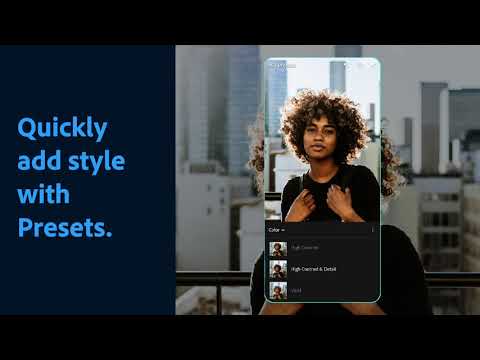
A good photo editor app is one of a photographer’s most valuable tools, and Adobe Lightroom is one of the best; the mobile version offers many of the same features as the desktop version, such as support for RAW photos, easy reverting back to the original, and the ability to send the files to your desktop version if necessary.
The majority of the features in the app are free, but if you already have an Adobe Creative Cloud subscription, you can access additional features. Overall, it is a good app for serious photographers.
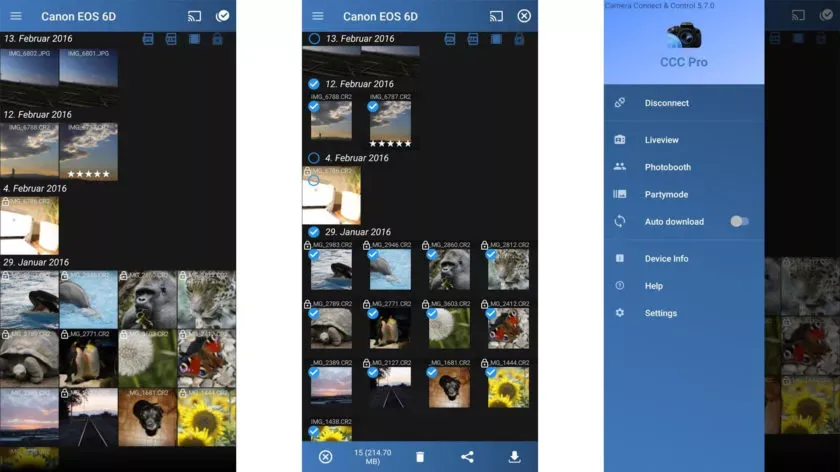
One DSLR app that lets you control your camera is called Camera Connect and Control. It works with a number of cameras, including Nikon, Canon, Sony, and GoPro. Depending on your camera, you can connect via WiFi or USB.
The app allows you to load your images to your phone and supports tethered shooting. Pro versions come with extra features like ad removal and access to EXIF data. The full pro version has even more features, but it has some bugs.
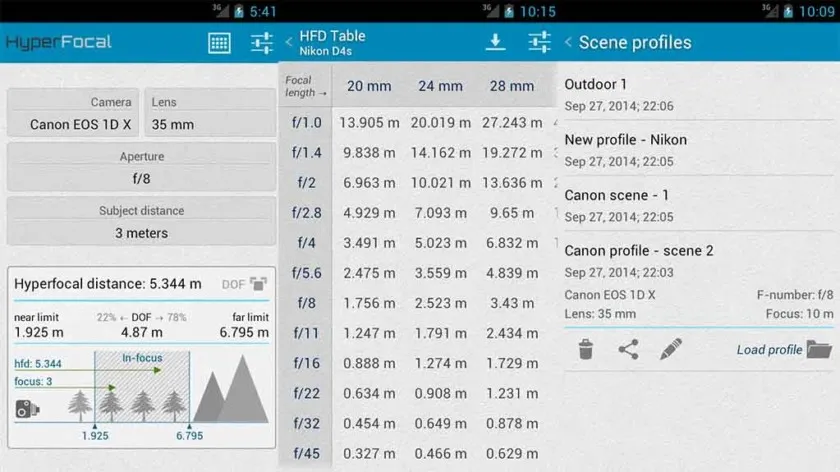
A reference guide for photographers, HyperFocal Pro displays calculations to get the best focus, ideal focus ranges based on subject, distance, camera, and glass; it works with most cameras; it displays statistics for depth of field, angle of view, and field of view; it is easy to read; it is free of cost, has no in-app purchases, and has no advertising.
For most beginning and intermediate photographers, it is a useful little tool.
The Magic Viewfinder app family is a collection of DSLR apps that do not control or connect to cameras; instead, they help you plan shots and see how your camera would perform by simulating your camera and lens setup. This allows you to accomplish tasks like framing without carrying your actual gear.
The apps are available for free download, with cheap in-app purchases to unlock all of the features. While they are not always the most useful, they can be useful in certain situations.
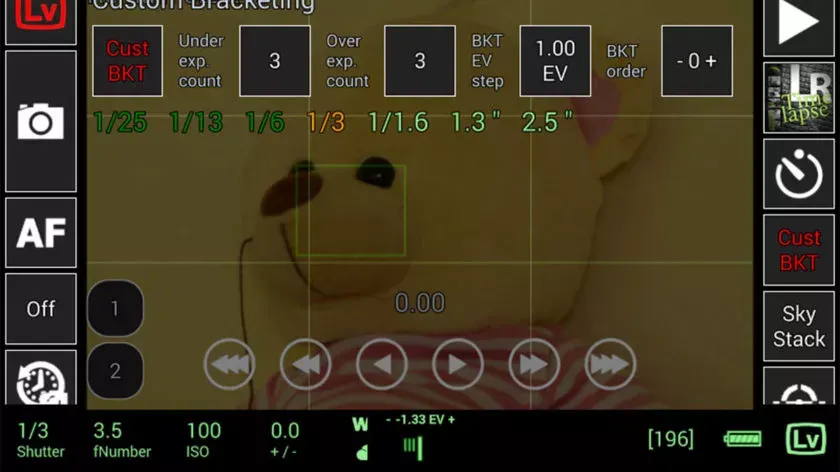
This DSLR app, called qDslrDashboard, works with mirrorless cameras from Canon, Nikon, and Sony. It has a long list of features, such as support for multiple cameras, the ability to view and pull photos from a camera, time-lapse controls, wireless controls, and more. If you prefer to work wired, it can also be used over USB-OTG. However, not all cameras are compatible with this app, and many users have reported connection problems and other various bugs.
Given its price tag, we imagine that’s why the rating is a bit lower than we’d normally see. In any case, if you try this, make sure to give it as thorough a testing as you can inside of the refund period, just in case.
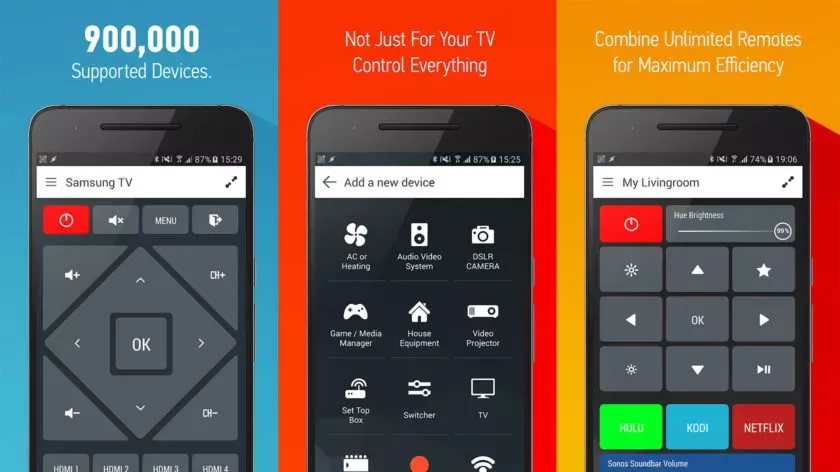
With that said, there is an immediate caveat with this one: your device needs an IR blaster on the phone in order for this remote app to function at all. Other than that, it should work with almost anything that has an IR receiver, which does include some DSLR cameras and camera remotes. However, there is not an easy list to refer to as to what cameras work with this one. Smart IR Remote is primarily for TVs and other home electronics.
The pro edition of the app is a bit pricey, but you definitely get what you pay for—it is arguably the greatest infrared remote software available on Google Play. Our recommendation is to download the free version and see if it functions with your camera.
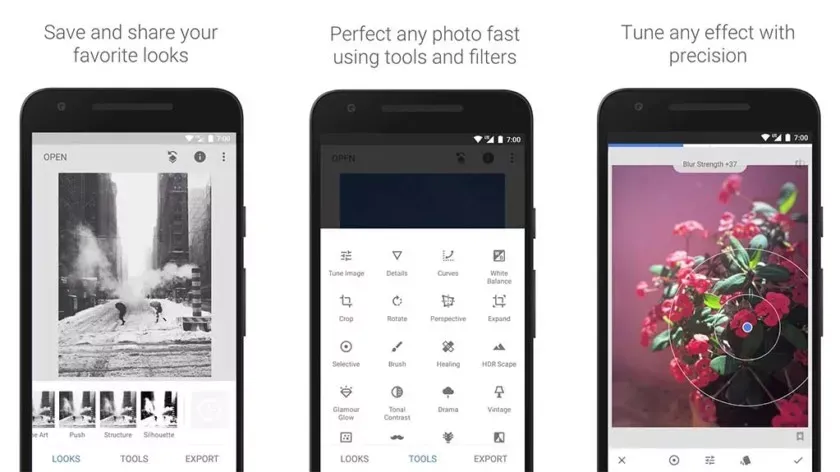
Google’s Snapseed is an extremely feature-rich free photo editor app that supports RAW files in addition to offering 29 additional editing tools with intensity sliders for finer control; it can also perform standard photo editing functions like cropping and white balance.
While it is not quite as powerful as desktop photo editors like Lightroom or Photoshop, Snapseed is probably the best option available for mobile devices.
DSLR apps are available from most camera manufacturers. Canon, Sony, Nikon, Lumix, and other manufacturers have official apps designed to be used with their cameras. These apps are typically not the best—if they were, you would not be here and this list would not be necessary—but they can do basic functions like taking photos and transferring them to your phone.
While most of the apps are free, there are some that are more functional and allow you to do things like download via Bluetooth, take pictures remotely, and perform other advanced tasks. It is advisable to try the official app for your camera first (assuming it has one and is compatible) before downloading any other apps.
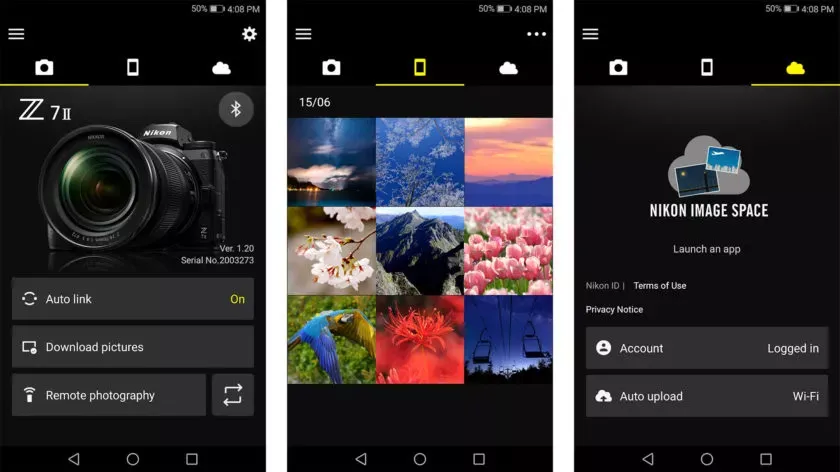
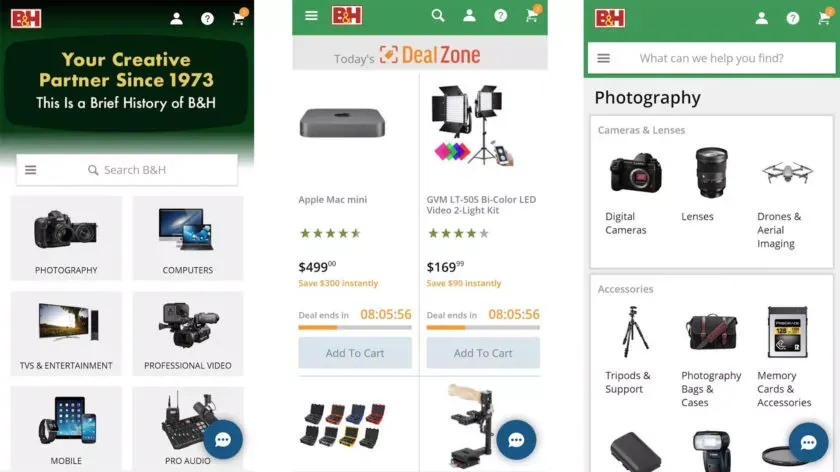
There are a lot of apps that sell various DSLR cameras and accessories. Some examples include B&H Photo Video (linked at the button), Amazon Shopping (Google Play link), and Newegg (Google Play link). However, you can also find some neat stuff on sites like eBay if you want a new piece of glass or some lightly used accessories.
Plus, those are excellent places to find lighting, filters, camera bags, cleaning supplies, and other things to make your photography life better. Hit all the links to check out the various apps.
Over the last fifteen years, smartphones display have grown in size exponentially. It is funny how, while six inches was once considered the definition of a phablet, these days we can call a six-inch device compact. Along with larger screens come improvements in color fidelity, resolution, refresh rate, and other technical marvels that enhance the smartphone experience.
Over the last fifteen years, smartphones have grown in size exponentially. It is funny how, while six inches was once considered the definition of a phablet, these days we can call a six-inch device compact. Along with larger screens come improvements in color fidelity, resolution, refresh rate, and other technical marvels that enhance the smartphone experience.
When buying a new smartphone, it is important to consider the display specifications because people are consuming more and more content on their phones, whether it is through watching HDR movies and shows or binge-watching your favorite TikToks. Innovations have made it possible for displays to take on new forms, such as edge-to-edge, curved, and OLED, and competition has made these phones more affordable than ever.
Here are five Android phones with some of the best screens in the market, ranging from incredibly clear 4K panels to the really fluid displays found in foldable smartphones. However, there are always a select handful at the top with the most advanced display technologies.
Samsung Galaxy S23 Ultra
With its Ultra-series of phones, Samsung has polished the recipe with its many design advancements, such as folding panels or the overflowing edge displays in its previous flagships. Samsung has been the undisputed ruler in display technologies, and not just in its smartphones.
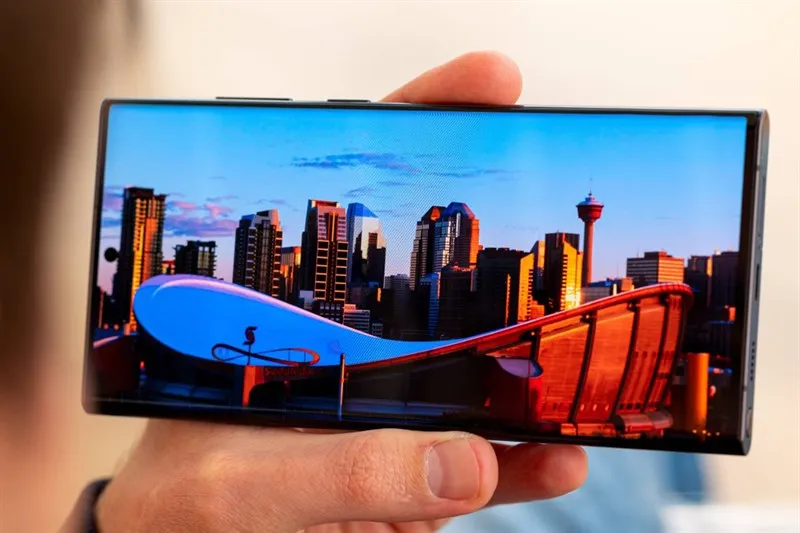
With its tried-and-true build and design, the Galaxy S23 Ultra certainly plays it safe, but that does not mean it shys away from what may be the best all-around smartphone display: a massive 6.8-inch 2K AMOLED display that refreshes at 120 Hz and boasts great outdoor visibility thanks to its 1,750 nits of peak brightness. The nearly bezel-less, edge-to-edge panel with a centrally aligned hole-punch camera is just one of the many features that combine to create an immersive experience.
With its robust specifications and S Pen, the S23 Ultra is an incredible phone—especially considering how well users have rated its battery life. It also boasts one of the best camera setups, with a 200-megapixel camera that can record 8K video and a dedicated periscope lens that can zoom up to 100 times.
Samsung’s good track record with quick software updates and long-term support further make this phone a solid recommendation. As expected, all of this comes at a hefty price of $1,200, but there really isn’t anything like the Galaxy S23 Ultra in the market.
Sony Xperia 1 V
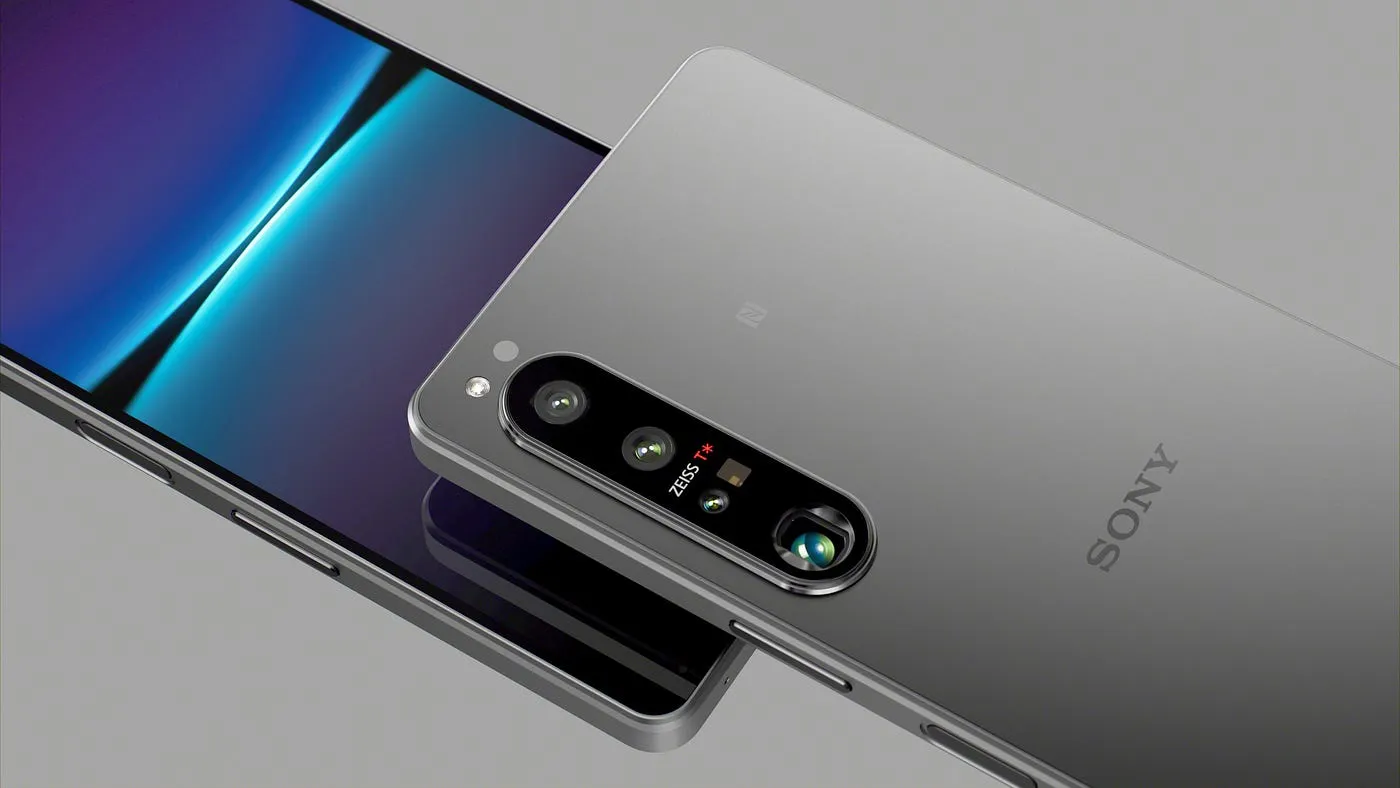
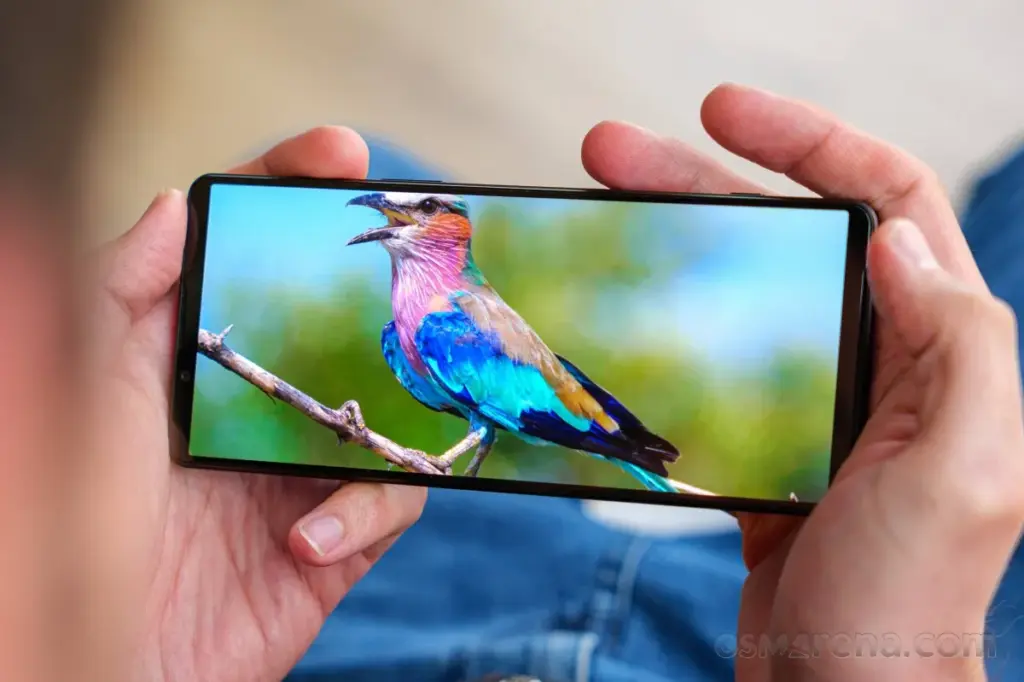
The Sony Xperia 1 V boasts a 6.5-inch 4K OLED display with a 120 Hz refresh rate and a 21:9 refresh rate, making it one of the only smartphones available with such an absurdly crisp resolution of 643 ppi. The display is typically slimmer and taller than most phones, making it perfect for scrolling through vertical videos or watching widescreen HDR content. Yes, Sony is still making smartphones in 2024, even though it is marketed towards a niche audience of display and camera enthusiasts.
With a triple camera setup that uses Zeiss optics and Sony’s proprietary S-Cinetone video look, the Xperia 1 V runs on the Snapdragon 8 Gen 2 chipset and has 12GB of RAM and 256GB of storage that can be expanded further using the microSD card slot. All three cameras can record in 4K HDR at 120 frames per second and have the same autofocus technology as Sony’s professional cameras.
The Xperia 1 V, touted as the ideal media powerhouse, boasts front-facing stereo speakers, a 3.5mm headphone jack that supports Dolby Atmos and LDAC for wireless earphones, and a sleek yet robust in-hand feel thanks to Corning’s Gorilla Glass Victus protection up front. However, the phone’s steep $1,200 price tag must be justified by its impressive display and camera features.
Google Pixel 8 Pro
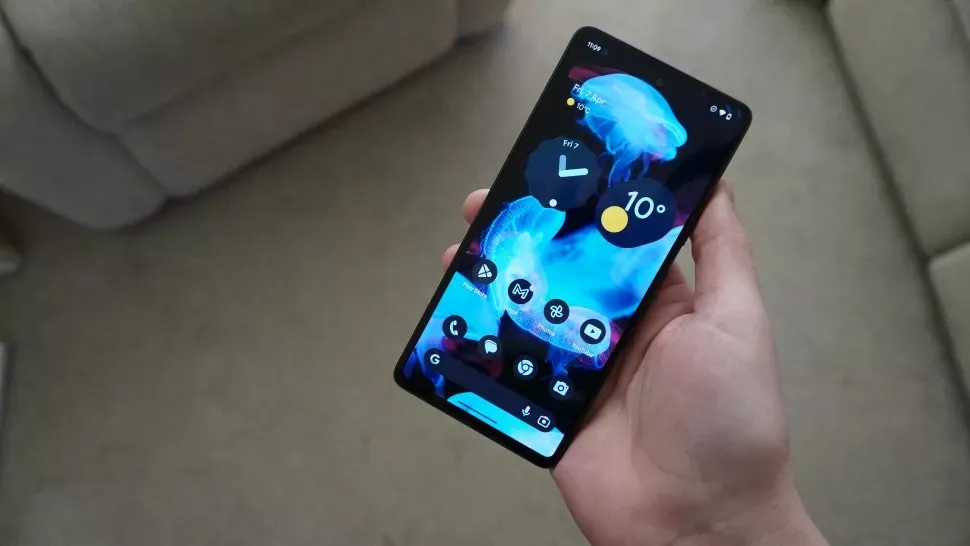
The improved display is one of the Google Pixel 8 Pro’s main selling points this time around, as the device still manages to be a great value for $1,000 even after a price increase from last year’s model. The Pixel 8 Pro boasts one of the brightest smartphone displays ever, peaking at 2,400 nits at maximum output thanks to the adoption of an OLED panel. When you combine that with its flat 6.7-inch 120 Hz display, you have yourself a winner.
The Pixel 8 Pro offers a respectable movie-watching experience even without Dolby Vision thanks to its LTPO technology, which enables the phone to lower its refresh rate to as low as 1 Hz. This helps greatly preserve battery life, especially when using the always-on display. Android 14’s Material You design loves splashing colors throughout the user interface, and they do reflect really well on the HDR10+ certified panel.
Though not the most powerful, the Tensor G3 chipset powering the phone is efficient and offers a seamless user experience because it has been designed specifically for Pixel devices. Pixels have always been known for their cameras and software, and the 8 Pro takes both of these aspects to new heights. Google’s computational photography has seen even more improvements thanks to the addition of software features. Exclusive Pixel-only goodies include AI-generated wallpapers, background noise remover, and a one-tap magic editor.
OnePlus Open
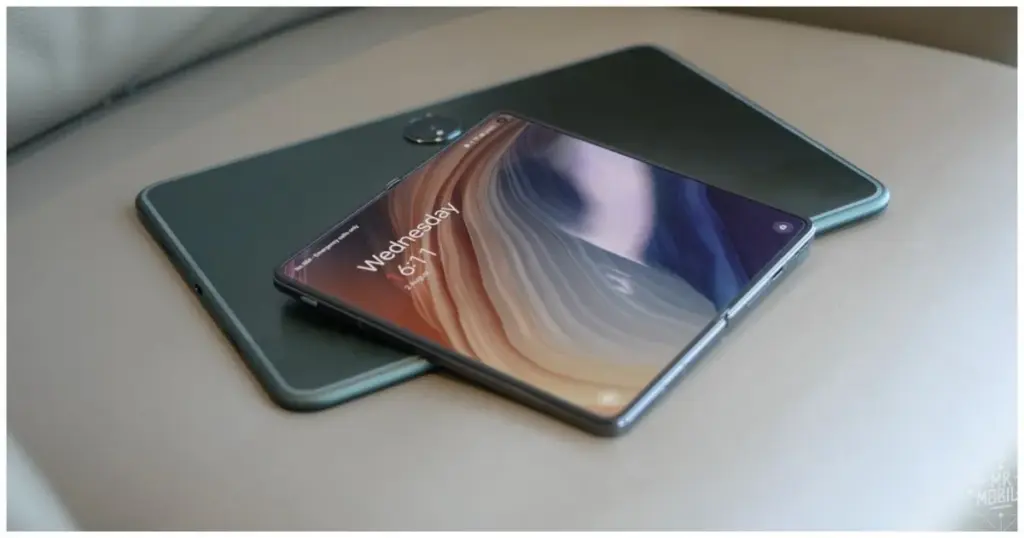
Although OnePlus is primarily recognized for its flagship smartphones that offer a good balance between price and performance, its debut in the foldable smartphone market shows just how high-end the brand can go. The $1,500 OnePlus Open, the company’s most expensive phone to date, is still fairly competitive when measured against other phones in the same market.
Both the 2K displays refresh at 120 Hz and have a ridiculously bright peak brightness of 2,800 nits. The cover display is a 6.31-inch 20:9 panel that can go as low as 10 Hz to save battery. When unfolded, the massive 7.82-inch nearly square display is immersive and surprisingly has the least visible crease in any foldable smartphone. Both panels are Dolby Vision compatible and provide a fantastic HDR viewing experience.
The OnePlus Open’s fluid display, combined with OxygenOS’s smooth and fluid experience, makes for an unparalleled experience. The phone, in typical OnePlus fashion, is powered by flagship-grade internals, including the Snapdragon 8 Gen 2, 16GB of RAM, and 512GB of UFS 4.0 storage.
The triple camera setup, optimized in collaboration with Hasselblad, makes the Open an excellent shooter as well. Being foldable unlocks unconventional use cases, such as multitasking with split-screen apps and floating windows.
Asus ROG Phone 7
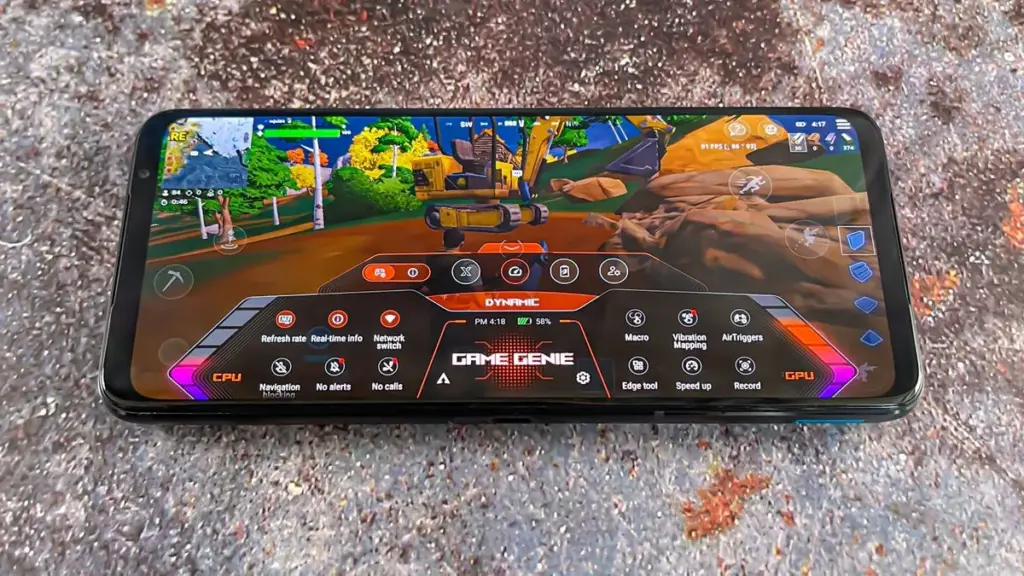
With its ROG series of phones pushing the limits in terms of raw performance, Asus has been at the forefront of the smartphone gaming space. The ROG Phone 7 is no different, sporting one of the fastest displays on any smartphone along with a powerful Snapdragon 8 Gen 2 chip and up to 16GB of RAM. The phone’s robust internals are expected considering its gaming-focused design.
You can set specific refresh rates for individual games, bypassing any default capped limits. The 6.78-inch 165 Hz AMOLED panel with support for HDR10+ and an impressive peak brightness of up to 1,500 nits provides an experience like no other handset when gaming. Pairing a touch sampling rate of 720 Hz with Asus’ rather bloat-free and stock Android user interface, this phone has perhaps the most fluid experience.
Unlike most modern slabs of glass and metal, the ROG Phone 7 has a noticeable forehead and chin, preventing mistouches while gaming. This also leaves space for a dual front-facing stereo speaker configuration, allowing for an immersive multimedia experience. The ROG Phone 7’s cooler accessory not only promises better thermal performance but also has a subwoofer, a 3.5mm audio jack, another type-C port, and four tactile remappable buttons.
Asus has always placed a high priority on long battery life, and the ROG Phone 7’s 6,000 mAh battery offers remarkable endurance. Passthrough charging is supported, which allows the battery to power the phone without the need for additional charge.
Huawei is scheduled to release HarmonyOS NEXT on January 18, which represents a significant advancement in the company’s software goals. Unlike HarmonyOS 4, which was built on the Android Open Source Project (AOSP) as its foundation, HarmonyOS NEXT is entirely based on Huawei‘s proprietary Harmony kernel, which means that it does not support Android compatibility or the direct execution of existing Android apps (APKs).
HarmonyOS Next breaks free from Android
This bold move presents a unique opportunity for Chinese developers: since native apps are now the only language supported by HarmonyOS NEXT, there will be a huge demand for programmers who understand its architecture. As a result, more than 400 software companies from a variety of industries, including games, finance, travel, and navigation, have already jumped on board and developed applications specifically for HarmonyOS NEXT.
Furthermore, research firm TechInsights projects that by 2024, HarmonyOS will have overtaken iOS as the second most popular mobile operating system in China as a result of this calculated move, which could pose a serious threat to Android’s hegemony in the nation.
Though the potential is evident, there are still obstacles to overcome. Establishing an app ecosystem from the ground up is no easy task, and gaining widespread app adoption—especially from international players—will be essential to long-term success. That being said, NEXT marks a significant turning point in the company’s journey towards software independence and opens the door for a potentially competitive alternative in the mobile market.
HarmonyOS NEXT: future
Independence achieved: Huawei’s latest OS, HarmonyOS NEXT, ditches its Android roots and relies entirely on its own Harmony kernel.
No legacy baggage: Existing Android apps (APKs) won’t run on NEXT, demanding native app development.
Developer boom: 400+ Chinese companies are already building apps for this new platform, creating job opportunities.
If you paid a lot of money for your Android phone, it can be really annoying when it lags or performs poorly.
There are three secret options on your device that you may adjust to improve performance if you are experiencing slow app loading times or a slow device overall.
Limit background processes
Numerous background-running apps are one of the main causes of slow phone performance. Even when you are not using them, these apps are continuously using resources, which can cause your phone to slow down. Fortunately, Android comes with a built-in feature to limit background activity.
You can experiment with different values to find the one that works best for your device.
By reducing background activity for apps that are not used frequently, you can free up resources for the apps that you do use, which will make your experience faster and smoother.
To test this feature, go to Settings and then select Developer Options. From there, tap on Background Process Limit and set a process limit between 0 and 4.
Remove old files
One of the best ways to make your device feel brand new is to remove all of your old apps and files.
These take up valuable space and no longer serve any purpose for you.
The easiest way to manage the storage on your phone is to use the Files app, which you can access by swiping up from the bottom of the screen to open the Android app drawer, then tap My Files (also known as File Manager).
From there, you can access your downloads, documents, images, audio, and other files.
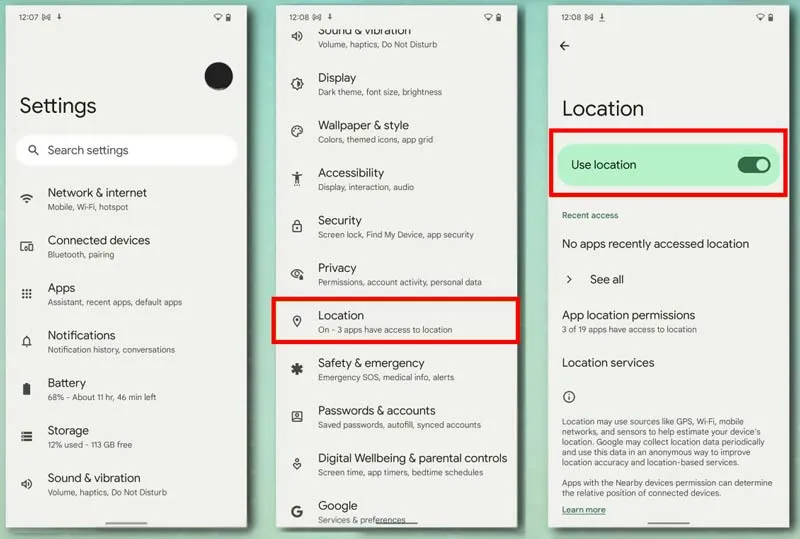
Disable location services for better performance.
You can see which apps are using location on your iPhone by going to Settings > Privacy > Location Services.
Many smartphone apps use your location to improve your experience while using them.