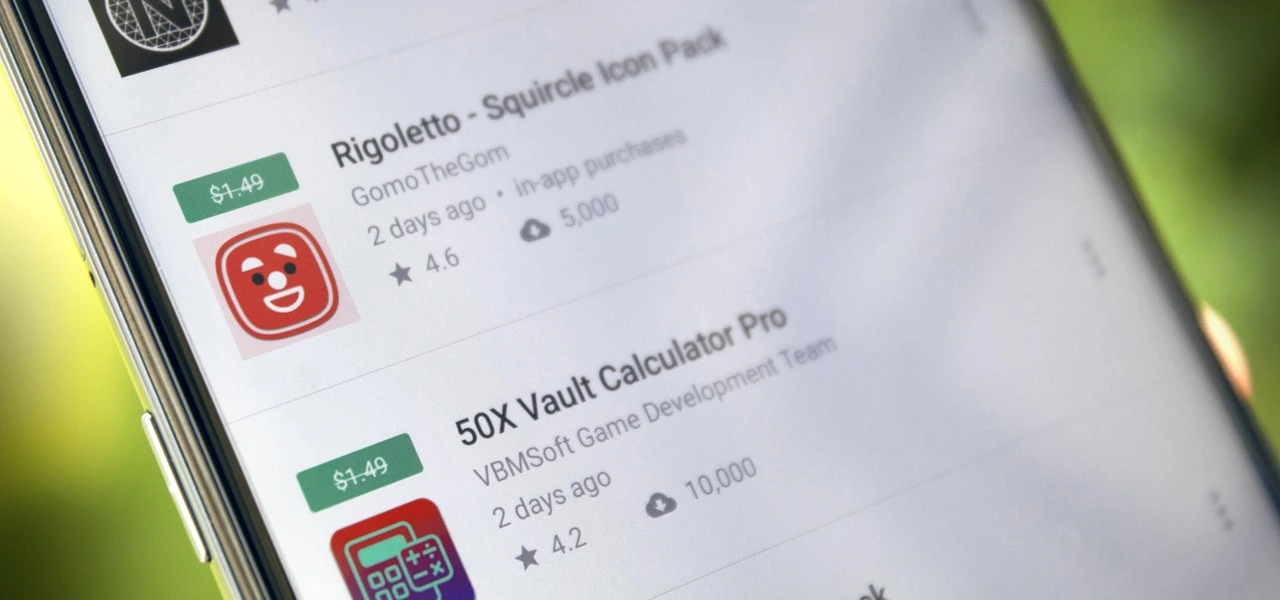
We have compiled a list of the most recent apps available on the iOS and Android platforms that have temporarily reduced their prices to $0.
These temporary promotions allow you to purchase high-quality apps and gamges that typically have a price tag, such as top-rated games and premium productivity tools. Act quickly, though, as these offers will not last long, and you will lose your chance to download an app for free once it goes back to its normal price. Let us explore the must-have freebies of today that will improve your mobile experience.
Android apps and games that are free for a limited time
Android apps for productivity and lifestyle
Linea – Icon Pack ($1.49): If you want to spruce up your smartphone’s user interface, this is one icon pack that gets the job done.
80s Music Radio Pro ($0.70): Stream hit music from the 1980s with this unique app.
AppLock Pro ($4.49): Keep your apps private with another layer of security.
Fraction Maths Pro ($0.99): Need a quick calculating app to figure out fractions? This might be the app to do so.
Temperature Converter Pro ($0.99): No need to squeeze unnecessary brain power anymore in figuring out the temperature now.
Free Android games
The Wordies Pro ($1.49): A relaxing word search game that helps you kill time without getting all stressed out.
Hero of the Kingdom: Tales 1 ($6.49): There is a looming dragon threat coming, make sure you prepare the villagers for it!
Survival Dungeon: Loot RPG Pro ($0.49): A mobile roguelike action RPG where you explore different dungeons and engage in battles.
Magnet Balls Pro Puzzle ($0.99): Remember Puzzle Bobble? This is something along the same lines, without cute dinosaurs.
Burning Sky VIP ($1.99): It is up to you to save the galaxy once again from endless waves of invaders from outer space.
iOS apps that are free for a short time
iOS apps for productivity and lifestyle
Strength Flight ($2.99): Want to bring your strength level to new heights? This app will hopefully help you be on that path.
Reverse Videos ($0.99): Here is a different video editing app where it basically does what it is named after – reversing videos.
Liftoff Workout Log ($4.99): Anything that can be measured, can be improved. Get better with your workouts by keeping track of them.
Hidgets ($2.99): View more health widgets on your phone’s home screen with this.
Loscil – Adrift ($2.99): This is a collection of 4 pieces of endless music by ambient musician loscil, where it relies on structured random selection that plays music continuously.
Free games for the iPhone and iPad
PicaSim ($2.99): Learn how to fly different aircraft with this game.
The Bug Butcher ($0.99): A side-scrolling shooter where you use your wits and reflexes to get rid of enemies.
Hack RUN ($2.99): Live the exciting (and perhaps glamorous?) life of a hacker with this game.
PuzzlAR: World Tour ($0.99): Join the navy, see the world? Nah, you can do so via this game now.
The Brilliant Kid ($1.99): An educational game for the little ones to keep them occupied.
As of the date of publication, the deals were active. Please share any expired deals you come across in the comments section below.
We advise you to review the app’s details in the Play Store or App Store before downloading any of the aforementioned apps. This is crucial as some of these free apps can have unique features or drawbacks of their own.
Both free and paid apps should be used with caution because they may conceal advertising and in-app purchases. This is especially important while downloading kid-friendly games.
In the quickly evolving world of mobile applications, some people use cunning tactics to make money by collecting and using your personal data. But do not worry, IT enthusiasts—we have some crucial advice to improve the security of your priceless data. When it comes to providing access for the apps you decide to install, it is important to remain vigilant.
Why would a basic alarm clock require access to your contacts or camera? Alternatively, why would a flashlight app require your exact location? You may successfully protect your personal data from unauthorized access by carefully controlling the permissions you grant.
Be sure to take advantage of these important opportunities! Even if these apps are free right now, they can suddenly and unexpectedly go back to their normal costs. Before downloading, make sure to read the app’s ratings and reviews. If you see something that strikes your eye, do not hesitate to take advantage of these offers.
You may amass an outstanding library of premium apps without spending any money if you keep an eye out for these brief offerings. Developers often provide these time-limited promotions, so be sure to return again for new alerts about free apps. There has never been a better moment to upgrade your mobile device with high-quality, free software, regardless of your preference for iOS or Android.
You are not alone if your Android device has started to lag. Many gadgets have the potential to slow down over time, but there are easy solutions to boost performance. Restarting the device is a quick fix that can resolve a lot of frequent problems. Clearing up cached data from websites and apps is another efficient way to increase speed and free up storage.
With the use of simple steps, you will go through the process of clearing your Android device’s cache. Depending on the manufacturer and software customisation of your Android device, the steps described may differ, but the overall procedure is the same, and this guide should help you get started.
View every application that is installed on your Android smartphone.
To easily view all of the apps on your Android phone or tablet, launch the Settings app. Scroll until you see Storage, then tap on it. Next, check for the Apps option. On some Android devices, Storage may not appear, and you can navigate directly to Apps from the Settings menu.
If you’re having trouble finding the Apps section, you can always use the search bar at the top of the Settings app to help.
When you are in the Apps area, some Android versions make it simple to view which apps use the most space. Simply hit the three-dot menu in the upper right corner and select Sort by Size.
Clear the cache of of the installed apps
Select an app from the list to remove its cache. Just a heads up: I prefer using an app you installed over a system service like Android System Intelligence. I have had inconsistent outcomes with emptying the cache of system apps, thus it is recommended to only delete the cache for apps you added yourself.
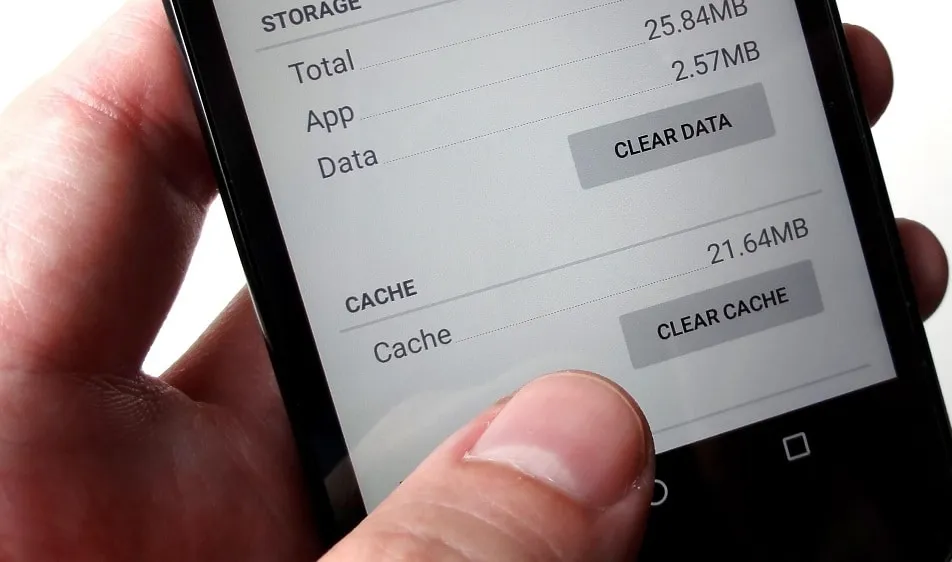
When you open an app, you will see facts such as its size, user data, cache size, and total storage usage. At the top of the page, you will find two options: Clear storage and Clear cache.
Tap Clear cache to clear the cache for that app. However, avoid tapping Clear storage because it will reset the app, requiring you to set it up again. Clearing the cache will not cause any problems.
Continue to browse your list of installed apps, checking for any programs that take up a lot of space and removing their cache.
If you are feeling particularly thorough, you might erase the cache for each app on your phone. However, it is a good idea to start with the biggest offenders, such as the Facebook app.
Clear the cache from Chrome
If Chrome is your primary browser, it may have accumulated a large amount of data, which can slow down your device. Here’s how to clear the cache.
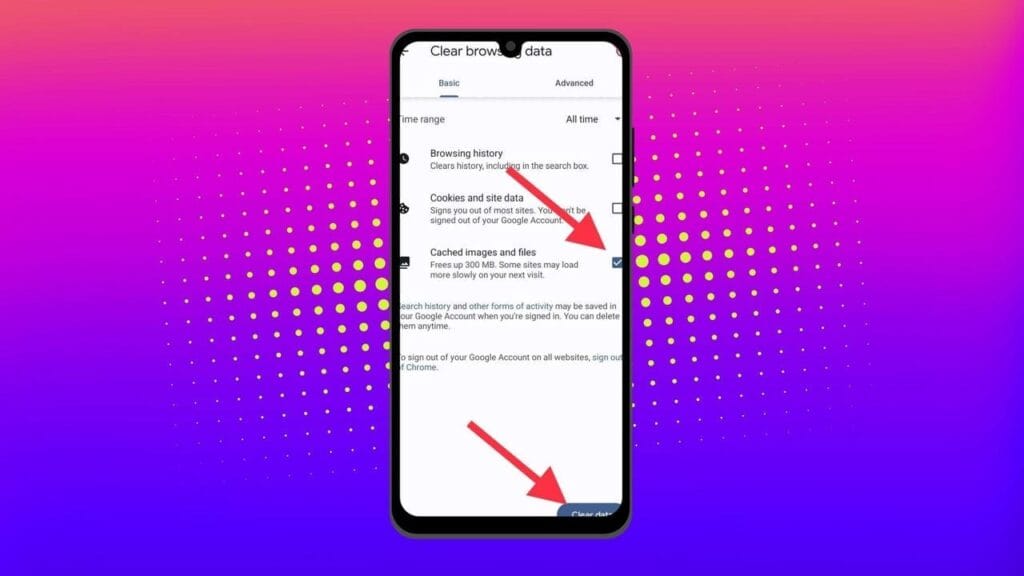
Go to History settings in Chrome – Open the Chrome app on your Android device, press the three-dot menu in the top-right corner, click History, and then Clear browsing data.
Choose the data you want to delete – The following screen will display a selection of alternatives, allowing you to select whatever data you want to erase from Chrome.
You can also provide a timeframe for when you want the data cleared. Each option gives a brief explanation of what it does and how it may affect your browsing experience. For example, deleting cookies and site data will log you out of most (if not all) websites. Clearing cached images and files may cause Chrome to load images more slowly the next time you visit a website.
In later versions of Chrome for Android, hitting the menu button displays the option “Clear Browsing Data”. When you select this option, a popup will display, allowing you to erase browsing data for a defined time period.
If you choose More Options, you’ll be taken to the Browsing Data screen, where you can select the data to delete and choose the time range.
What does cached data mean?
Cache is temporary storage that stores data like as photos, files, and scripts from websites or apps you have visited in order to speed up their loading time. Clearing cached data, whether for Chrome or any other app, removes the files that have been kept on your device. For example, on Facebook, cached data could contain profile pictures, photos, and videos.
Deleting cached data from the Facebook app removes these temporary files from your smartphone, which may cause the program to take longer to load content the next time you use it. However, this strategy will have no effect on the accounts you visit, the postings you make, or your personal information.
Will deleting the cache remove all app data?
No, emptying an app’s cache does not destroy crucial data such as login credentials or saved settings. It merely deletes temporary files that help the app load faster, so you do not lose any important data.
Will deleting the cache make your Android device faster?
Yes, clearing the cache can free up storage and remove corrupted or outdated files that may slow down your device, leading to smoother performance.
How often should you clear your cached data?
It depends on how well your equipment performs. If you are experiencing slowdowns or other problems, emptying the cache can be part of the solution. Otherwise, you may only need to perform it once every three to six months.
Is the purpose of clearing the cache only to increase storage space?
No. Clearing the cache is one of the first steps you should take when dealing with bugs or difficulties in an app. Cached files frequently get corrupted or outdated, and removing them causes the app to reload the cache, which can resolve the issue. As a result, deleting the cache can assist solve problems rather than simply free up space.
Can you clear the cache for all Android apps simultaneously?
There is no built-in method to remove the cache for all Android apps at once, but you can browse through the list and clear each app’s cache separately.
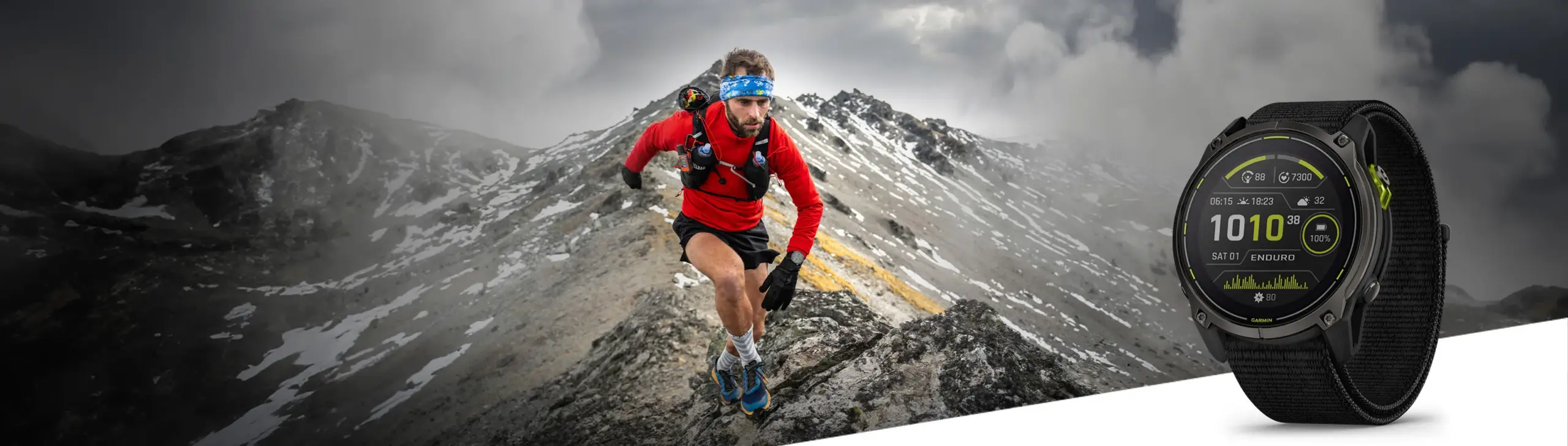
A new stable update for the Enduro 3, Fenix E, and Fenix 8 is being released by Garmin to close out the year. In the past few months, the company has delivered hundreds of bug patches to the three, but it has also discovered a number of other enhancements that have emerged.
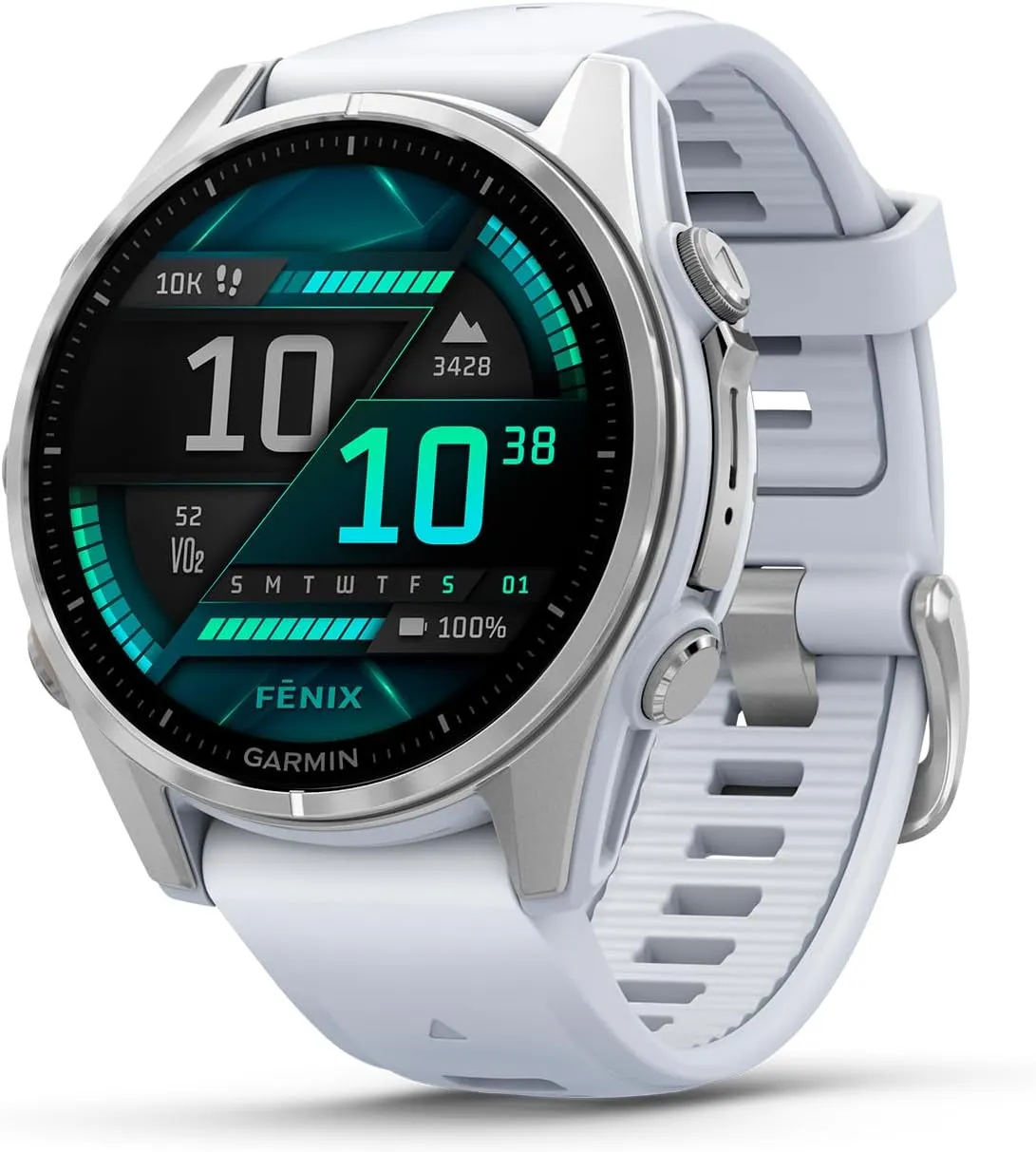
The Fenix 8 (now available on Amazon for $999.99) has received a new update from Garmin, which is also being rolled out for the Enduro 3 and Fenix E. Notably, the latest version is now available via Garmin’s official software distribution channel instead of its beta program.
Garmin fēnix® 8
AMOLED, Premium Multisport GPS Smartwatch, Long-Lasting Battery Life, Dive-Rated, Built-in LED Flashlight, Silver with Whitestone Band
System Software 12.35 should therefore have fewer issues than the most recent beta versions. In light of this, Garmin just released an update for the Fenix 7 and Fenix 7 Pro smartwatches that fixes a previous stable build that was troublesome.
In the same way, System Software 12.35 for the Enduro 3, Fenix E, and Fenix 8 primarily fixes issues in previous software. For example, after transferring settings from a Fenix 7 family smartwatch, alarms should not be set to silent any more.
Additionally, Garmin claims to have resolved problems that hindered the proper display of CIQ watch faces following a device reset. Additionally, System Software 12.35 should not have any missing call alert tones.
Additionally, Garmin’s Workout Execution Score is limited to running and cycling workouts as a result of the recent upgrade. Additionally, by positioning sensors in pairing mode at the top of a search list, Garmin has improved the user experience of its sensor search. For reference, the following is the whole changelog for System Software 12.35 as detailed by Garmin in its forum post:
Fixed missing tones for phone call alerts.
Fixed alarms being set to silent after migrating settings from Fenix 7.
Fixed CIQ app ability to close with Palm Cover.
Fixed CIQ watch face display issue after device reset.
Fixed event Countdown icon selection via touch.
Fixed Fishing timer status toggle.
Fixed Tides app time-out issue.
Fixed potential crash when opening Map Manager from Garmin Connect Mobile.
Fixed potential ConnectIQ application crash.
Restricted Workout Execution Score to only Running and Cycling workouts.
Updated sensor search to place sensors in Pairing Mode at the top of the search list.
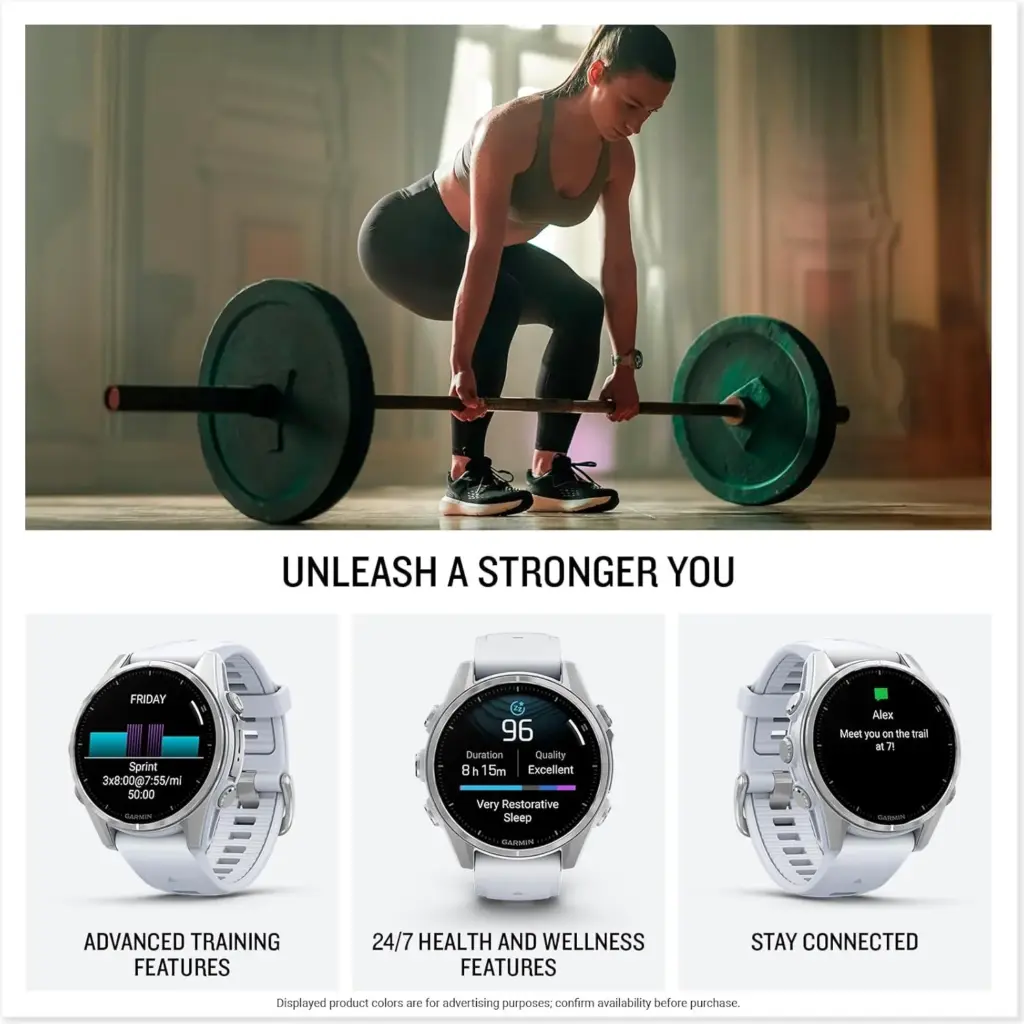
Garmin fēnix® 8
AMOLED, Premium Multisport GPS Smartwatch, Long-Lasting Battery Life, Dive-Rated, Built-in LED Flashlight, Silver with Whitestone Band
If you want to save money on the Fitbit Charge 6, Pixel Watch 3, and other Google devices, you have to act quickly. The company’s New Year’s deal, which ends today, January 18, at 11:59 PM PT, was a great way to start the year. Although we expect the matching promotions to end at the same time, other merchants, such as Amazon and Best Buy, are already matching Google’s rates in some cases.
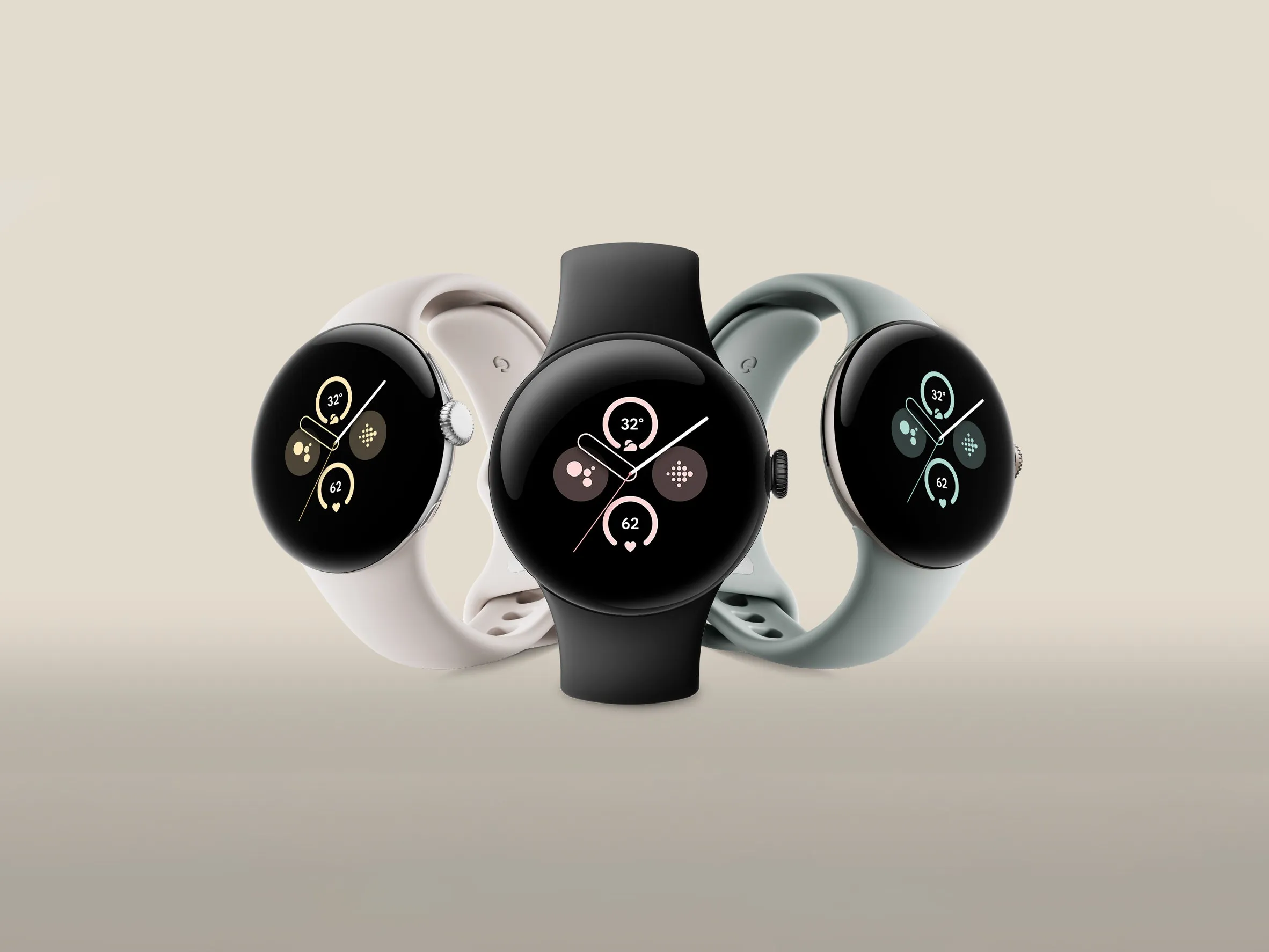
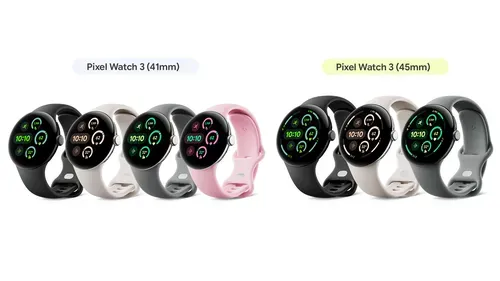
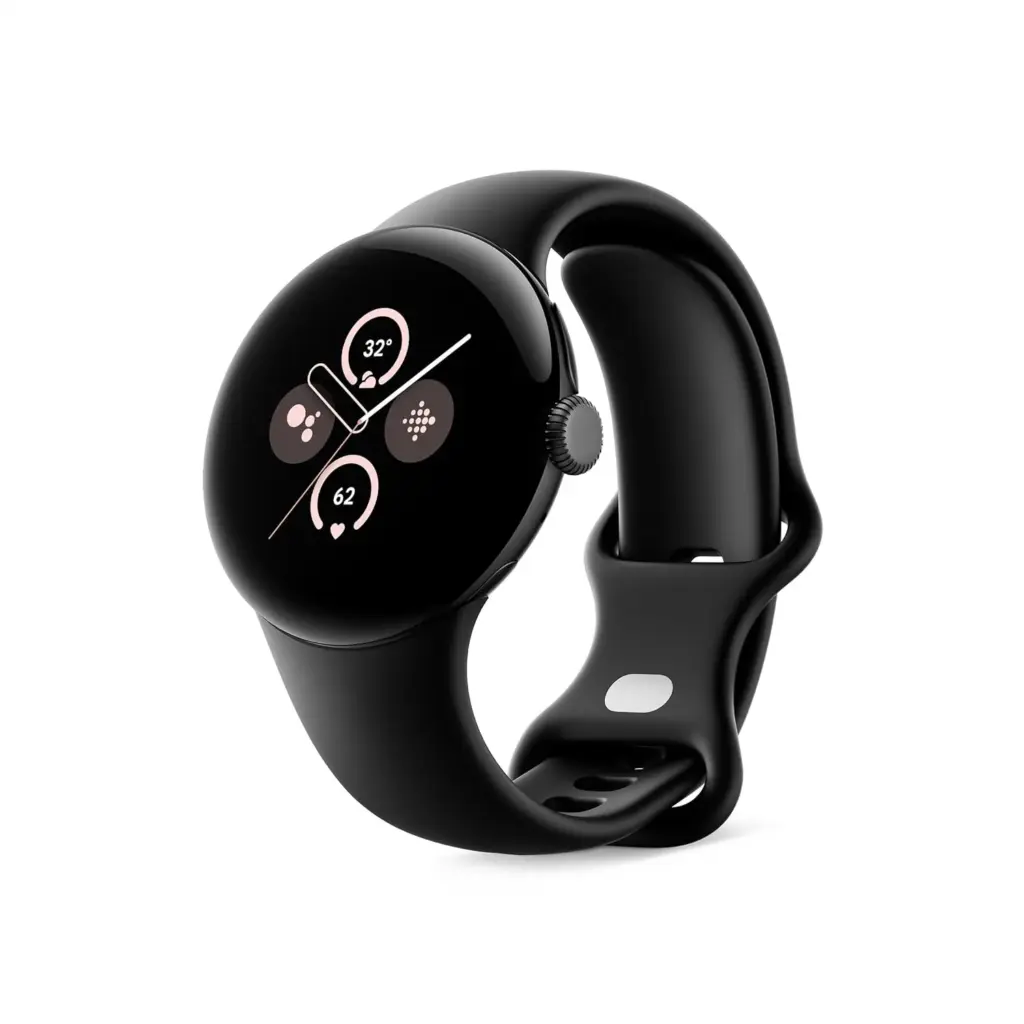
The Pixel Watch 2 and the Pixel Watch 3—the latter of which is still our favorite “Fitbit”—are both now available for the second-best price to date. The 41mm Pixel Watch 3 starts at $299.99 ($50 discount) at Amazon, Best Buy, and the Google Store, while the Wi-Fi-enabled Pixel Watch 2 costs $199.99 ($50 off) at Google, Best Buy, and Target.
Google Assistant, Gmail, Calendar, and Wallet integration, FDA-approved EKGs, and automatic workout tracking are just a few of the Fitbit and Google-powered features found in both wearables. But last year’s Pixel 3 also came in a bigger 44mm version, whilst the previous generation Pixel Watch 2 only came in 41mm.
Other noteworthy improvements of the Pixel Watch 3 include greater connection with other Google devices, AI-generated fitness recommendations, significantly longer battery life, and offline Google Maps. For example, the Pixel Watch 3 allows you to operate your Google TV from your wrist or monitor a Nest Doorbell or Nest Cam feed, both of which are not available with the Pixel Watch 2.
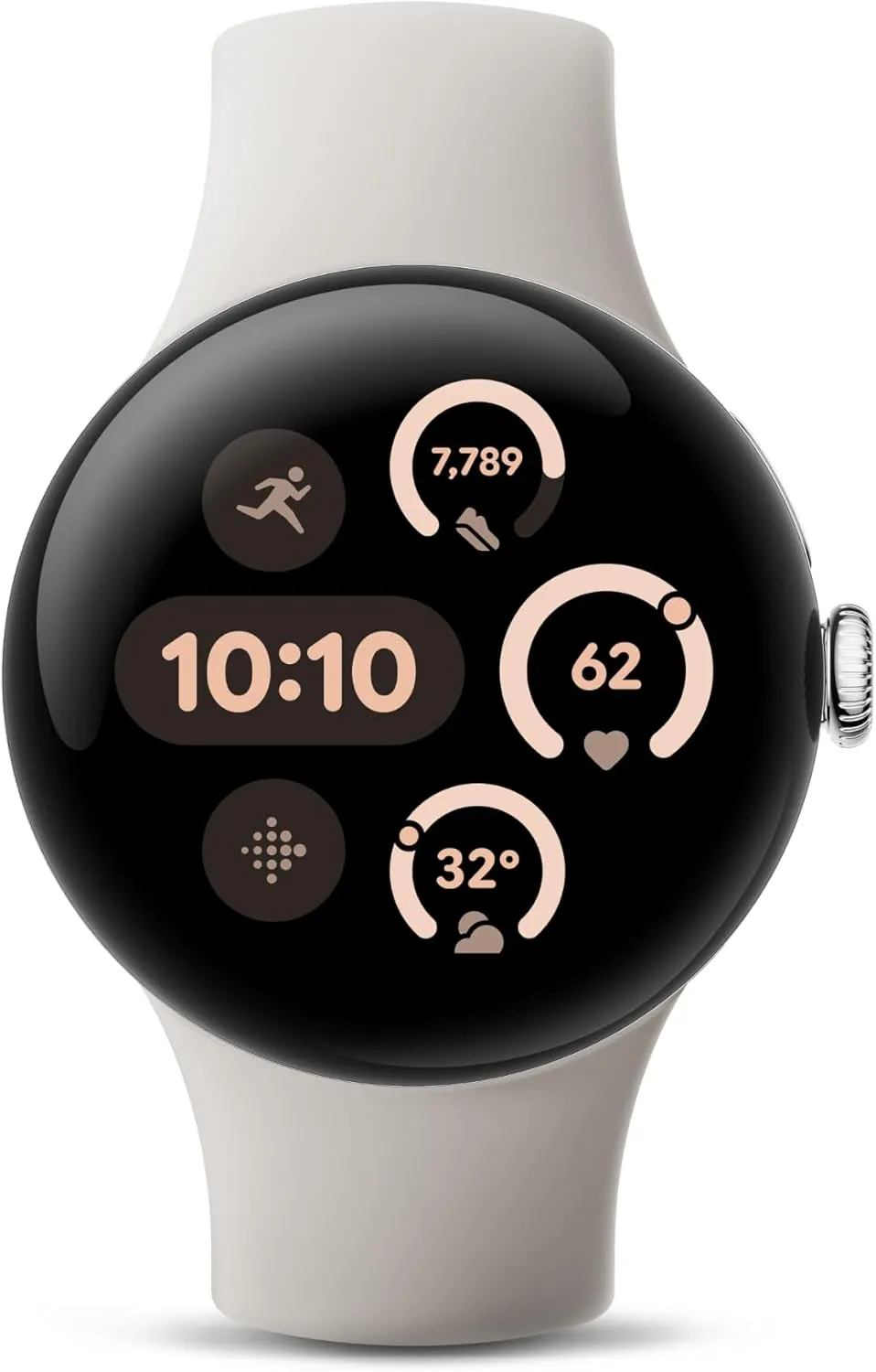
Google Pixel Watch 2 – 41mm
When the always-on display is turned on, the Pixel Watch 2 may dependable last for 24 hours on a single charge. It has a multipath health sensor, Wear OS 5 compatibility, a number of useful safety features, and the same Qualcomm CPU as the new Pixel Watch 3.
Compared to its predecessor, Google’s new Pixel Watch 3 is larger and brighter. Additionally, it has tighter interaction with other Google devices, offline Google Maps capability, and more sophisticated running capabilities.
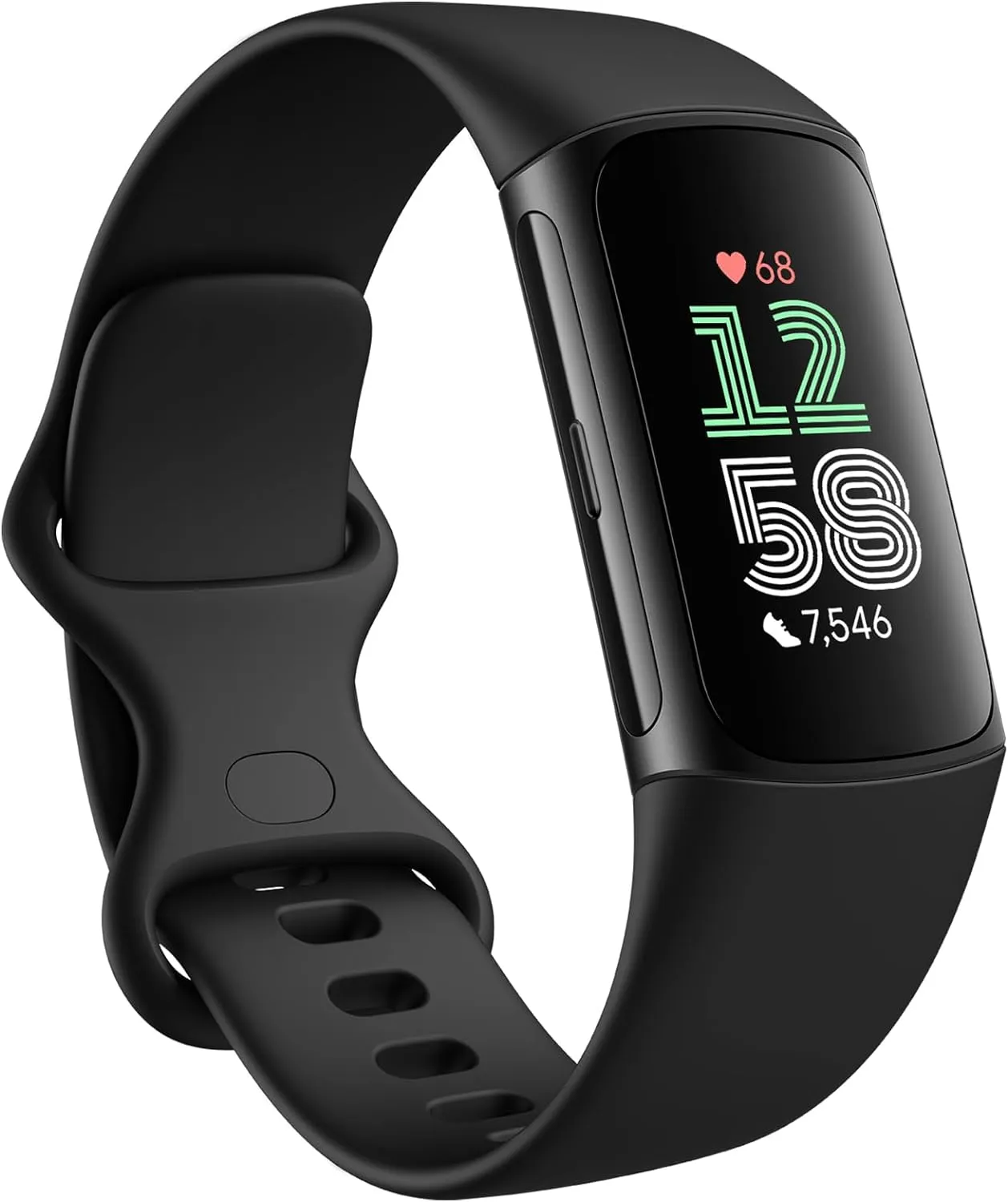
The Fitbit Charge 6 is also on sale at Amazon, Best Buy, and the Google Store for $129.95 ($30 off), which is roughly $30 more than its lowest price ever, if you would rather use a low-cost fitness tracker than a smartwatch.
Like its predecessor, the fitness band has a bright OLED display, a built-in GPS, and a variety of sensors to monitor your health. However, the Fitbit Charge 6 has an enhanced heart rate algorithm and is compatible with some fitness equipment via Bluetooth, unlike its predecessor. You may still use Google Wallet and turn-by-turn navigation with Google Maps, even if it does not support as many Google services as a Pixel Watch 3.
Fitbit Charge 6
Turn-by-turn navigation with Google Maps, an enhanced heart rate algorithm, a haptic side button, and the capability to broadcast your heart rate on specific Bluetooth exercise equipment are all features of the Fitbit Charge 6.
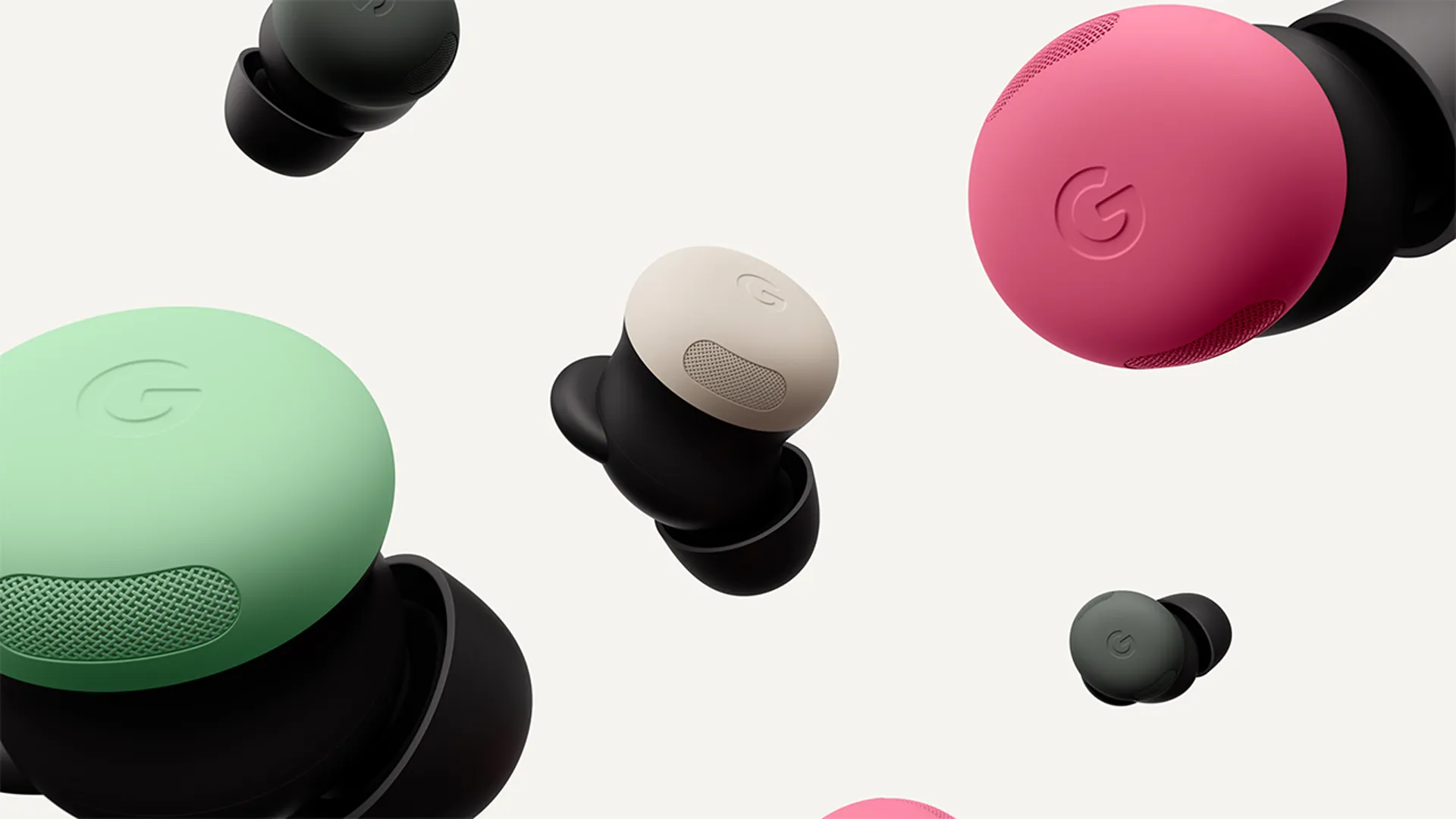
Google is offering discounts on a number of wireless earbud pairs in addition to fitness trackers and smartwatches. Amazon, Google, and Best Buy are currently offering the Pixel Buds Pro 2 for $199 ($30 off), which is still their second-best price to date. They are also available from Google in a bundle with the Fitbit Charge 6 for $130.95 ($29 off) or the Pixel Watch 3 for $441.99 ($58 off).
Our top pick for Pixel phone owners are Google’s most recent wireless earphones. They are more pleasant to wear because they have a lightweight construction and more noise cancellation than the previous model. Additionally, they provide some fantastic Google-specific benefits, such as the ability to track the charging case using the company’s recently enhanced Find My Device network and immediately access Google’s Gemini AI assistant. Several Pixel-only functions, such as head tracking spatial audio, are still supported via the earphones.
Google Pixel Buds Pro 2
Significantly smaller and lighter than their predecessors, the Pixel Buds Pro 2 also offer stronger noise cancellation, a crystal-clear transparency mode, and lengthy battery life.
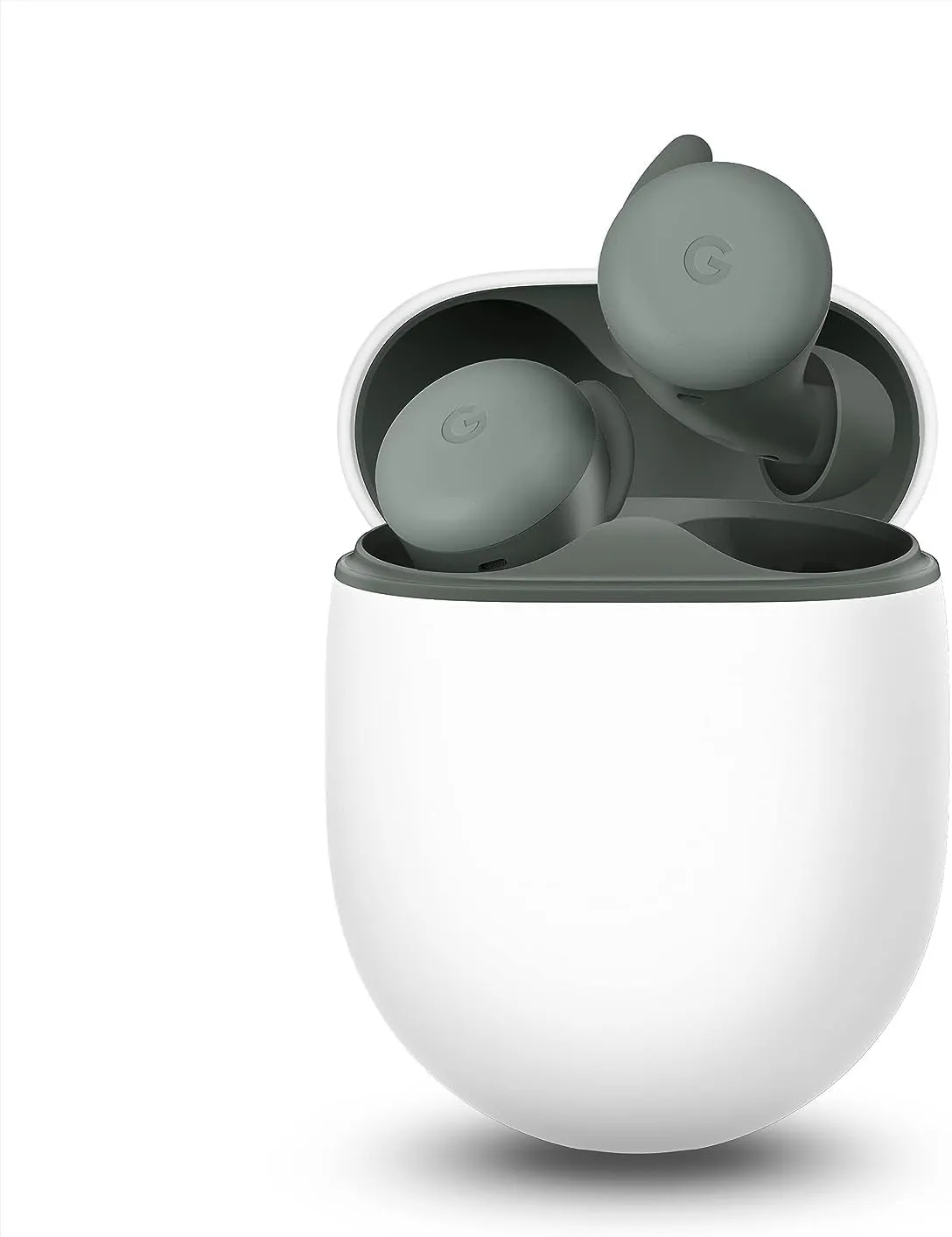
If you can not afford the Pixel Buds Pro 2, you can still acquire the Pixel Buds A-Series from Google, Best Buy, and Amazon for $79.95 ($20 down), which is $20 less than their previous lowest price. Although they lack some of the more sophisticated features of the Pro model, such as active noise cancellation, they nevertheless provide great sound quality for the money and a snug fit with a variety of cozy ear tips. Additionally, the latest earbuds enable Google Assistant for hands-free voice control and work nicely with Pixel phones.
Google Pixel Buds A-Series
For less than $100, the Pixel Buds A-Series offer remarkable audio quality, good comfort, and hands-free Google Assistant voice controls.
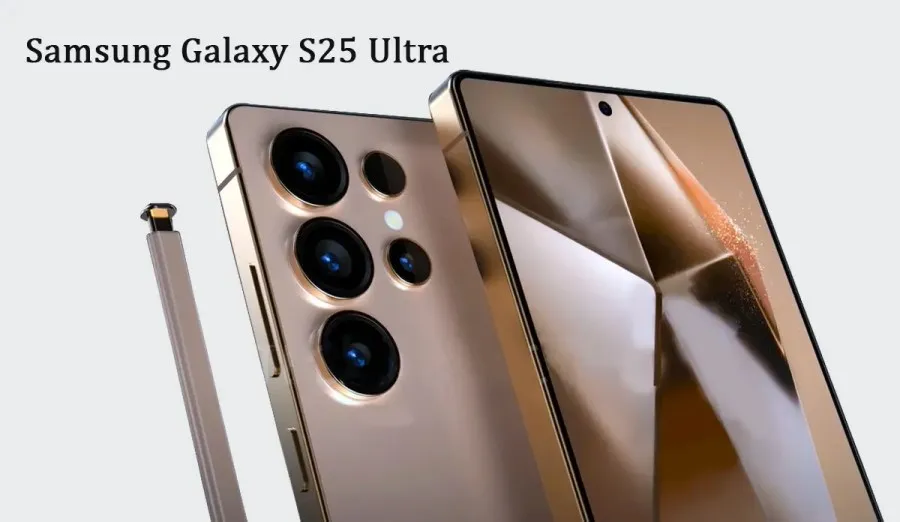
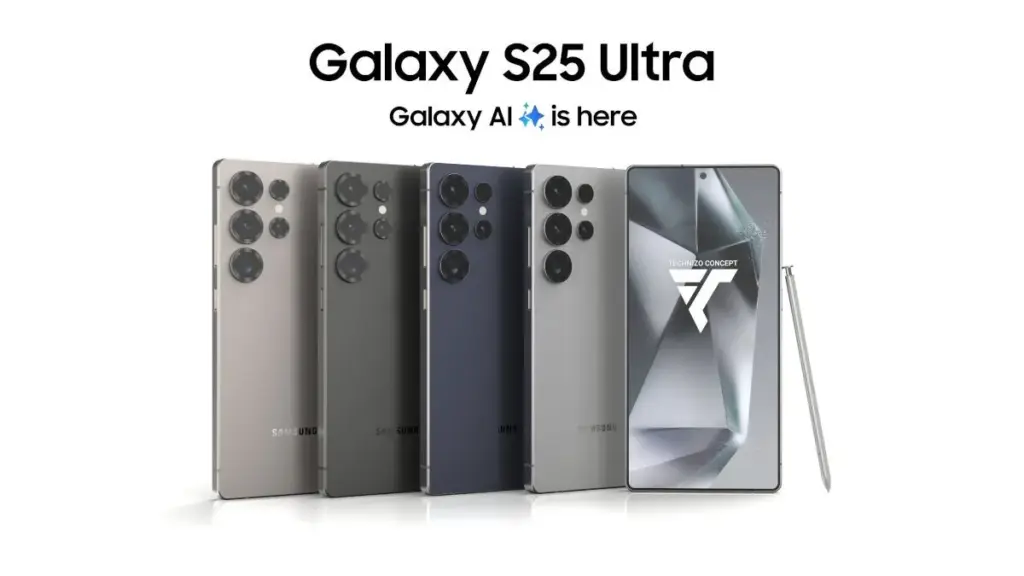
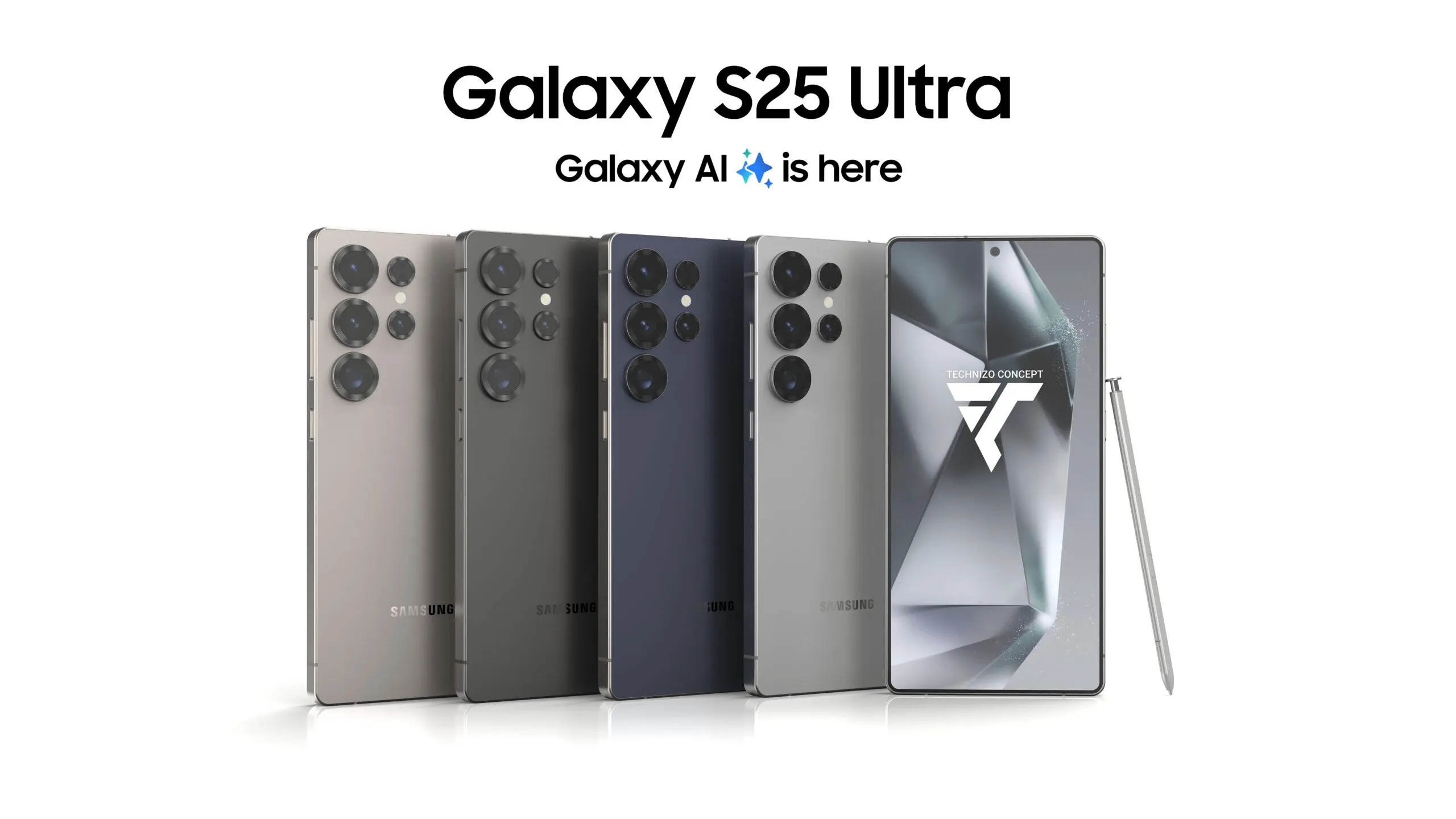
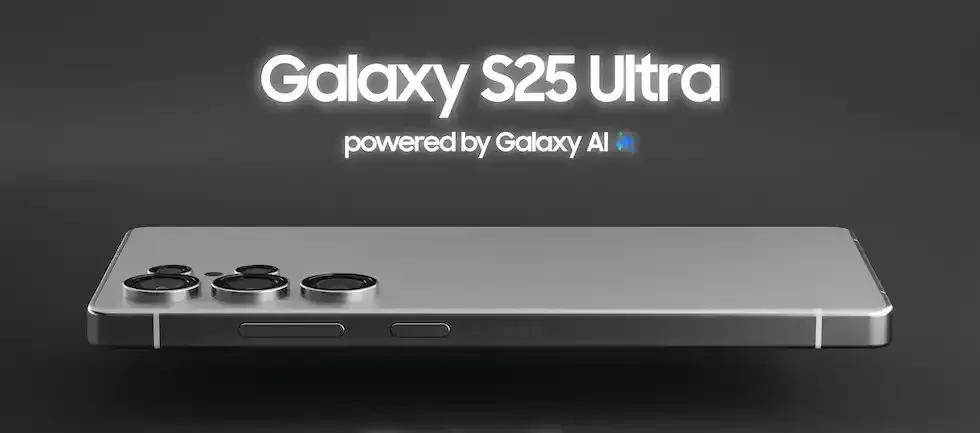
The Samsung Galaxy S25 Ultra will raise the bar for performance and mobile cameras. While the boxy Note design is being phased out, the business has made significant design revisions. According to recent reports, the next Ultra flagship would feature remarkable camera capabilities and performance enhancements.
Based on the leaks and rumors that have surfaced over the past few months, you can investigate the Samsung Galaxy S25 Ultra characteristics.
Titanium Black, Titanium Blue, Titanium Gray, and Titanium Silver
Price and release date
According to Samsung’s official Unpacked teaser, the Galaxy S25 series will go on sale on January 22, 2025. The next Galaxy S25 Ultra will come with three memory configurations with UFS 4.0 technology and 12GB or 16GB of RAM (depending on the market).
In the US, a smartphone with 12GB RAM and 256GB of storage might cost $1299, while a 1TB model could cost an incredible $1659. According to a reliable source, some European countries will not raise prices.
The camera on the Pixel phones is one factor contributing to its success. Most phone cameras are unable to match the depth, clarity, and vivid/accurate colors.
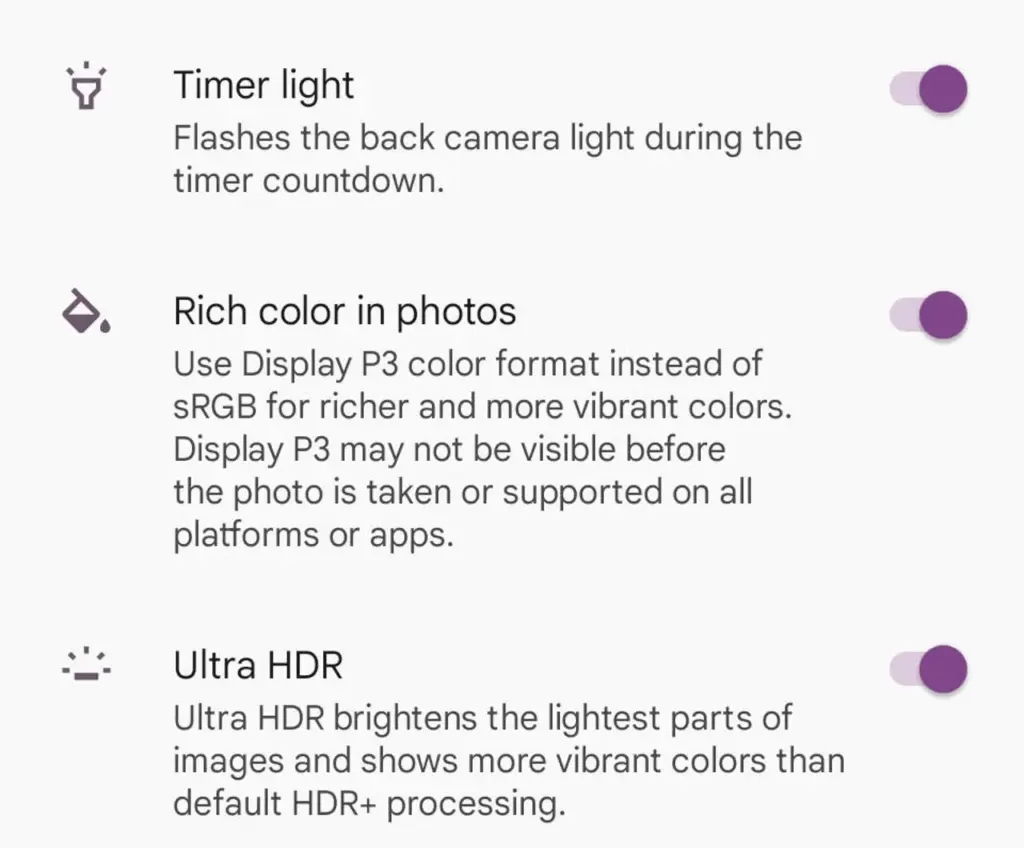
With each new edition of the Pixel camera, Google aims to surpass itself. Google first debuted the P3 wide gamut capture feature with the Pixel 8, which was accompanied by the Ultra HDR format of Android 14. Photos truly come to life with color thanks to the Display P3’s wide gamut capture.
Display P3: What is it?
Display P3 is a color space that combines the following:
DCI-P3 color gamut
D65 white point
sRGB gamma curve
Gamma is a nonlinear operation that is used to encode and decode brightness in images and videos, for those who were not present at the popular photography club table over lunch. Gamma is defined as the relationship between the luminance and the numerical value of a pixel, which is an even simpler description. Your photographs would not capture color as your eyes perceive it if gamma were not present.
A camera can prevent color and light tint by using white point, often known as white balance. Consider it in terms of the temperature of color. Are you recording in warm inside light or in the daylight? Your images may appear amber or blue if the white point is set incorrectly.
The range of colors in a color space that a device can replicate is known as the color gamut.
The Society of Motion Picture and Television Engineers and the Digital Cinema Initiatives developed Display P3, or DCI-P3, as a color space in an effort to standardize colors used in motion pictures. P3 focuses on what you see in movies. The coordinates of the red (x =.68, y =.332), green (x =.265, y =.69), blue (x =.15, y =.06), and white points (x =.134, y =.351) are even charted.
Anyone wishing to improve their smartphone photography skills should think about utilizing Display P3, as it gives a far wider variety of colors than sRGB. All of the phones in that range support P3, so if you own a Google Pixel 8 or 9, you are in luck.
How to enable P3 in the Pixel camera app
A Pixel 8 or 9 phone is all you will need for this. It may be XL, Pro, or ordinary.
Open the Camera app – to begin, unlock your phone and open the camera app.
Open Settings – Ttap the gear icon in the lower left corner of the window to open Settings.
Open More Settings – From the Settings pop-up, tap “More settings.”
Enable P3 – Move the On/Off slider for that entry until it’s in the On position. You can now back out of settings.
The color enhancement may appear mild on some devices and striking on others when you take pictures.
It should be noted that not all devices are compatible with P3. You may use the P3 gamut to snap a picture and then send it to someone whose device does not support it. The shot will not look nearly as good on their device as it does on yours.
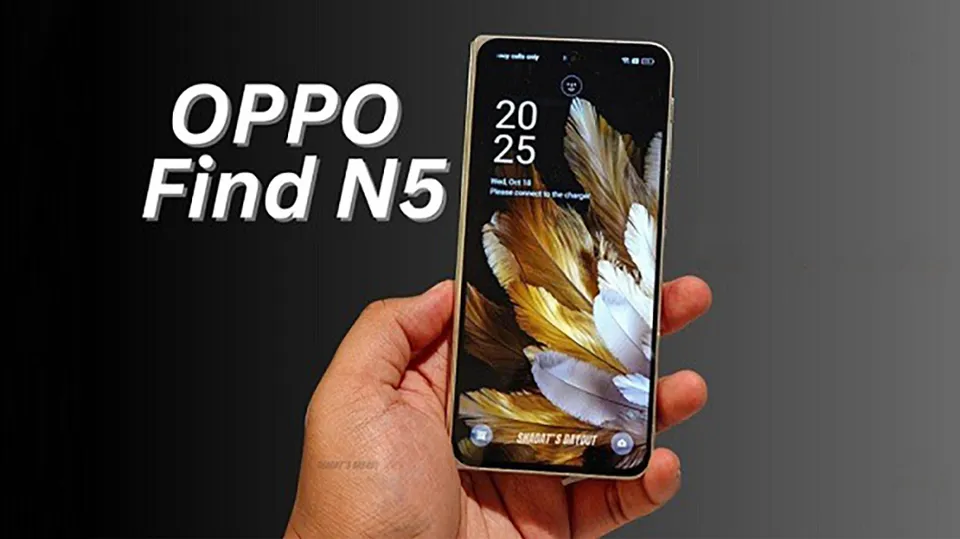
OPPO is preparing to release its newest foldable, the Find N5, in February at a time when several smartphone makers are reducing their manufacturing of foldable handsets. With the Find N5 positioned as a revolutionary addition to the foldable industry, leaked information and promotional materials have created a lot of buzz. This excitement is not merely speculative; it stems from the potential innovations that OPPO is bringing to the table, which could redefine user expectations for foldable devices. As we anticipate this release, let’s delve deeper into what makes the Find N5 a standout in a crowded market.
In conclusion, the OPPO Find N5 is not just another foldable smartphone; it represents a shift in how we view mobile technology. With its high-end materials, cutting-edge features, and potential for redefining user experiences, it is poised to make a significant impact in the smartphone market. As we await its official release, the excitement surrounding the Find N5 is a testament to the innovative spirit driving the next generation of mobile devices.
Furthermore, the rise of 5G connectivity and advancements in mobile applications open new avenues for foldable smartphones. The Find N5 is expected to leverage high-speed internet capabilities to provide seamless streaming, gaming, and productivity features. As remote work and content consumption continue to grow, a device that can effortlessly switch between tasks and provide an immersive experience will resonate with users. The interplay of hardware and software will be crucial, ensuring that users have a cohesive experience across all applications.
As the foldable smartphone market evolves, competition intensifies among manufacturers. Brands like Samsung and Huawei are also investing heavily in foldable technology, which raises the stakes for OPPO. The ongoing advancements in flexible display technology and hinge mechanisms will likely foster innovation across the sector. Users can expect improvements not just in thinner designs, but also in durability and multi-functionality. In this dynamic landscape, the Find N5’s success may hinge on its ability to meet consumer expectations while also pushing the envelope on what a foldable device can achieve.
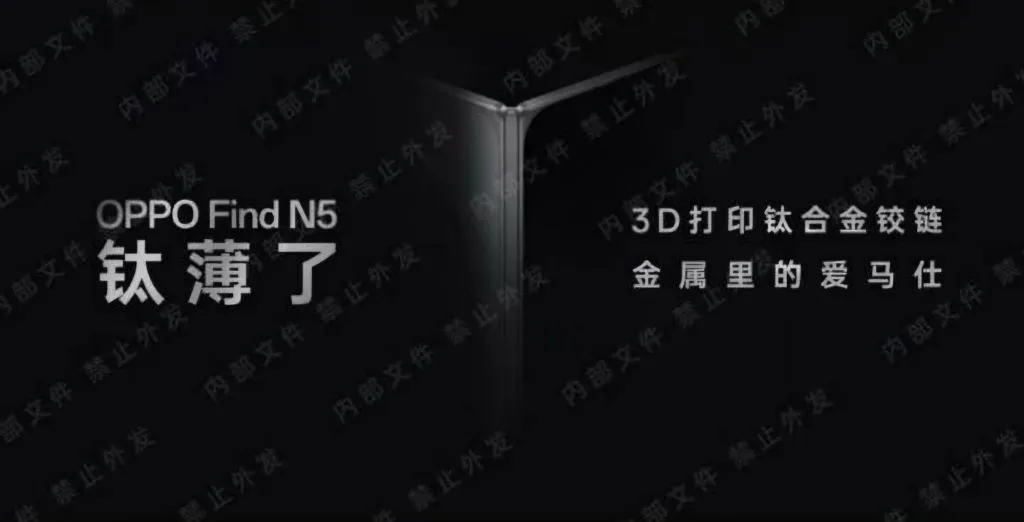
With titanium metal integrated into its design for the first time, the OPPO Find N5 is expected to be the thinnest foldable phone in the world. This innovative integration of titanium not only contributes to the device’s reduced weight and size but also enhances its durability, making it a more reliable option for everyday use. The premium feel of titanium, often associated with luxury items, elevates the overall aesthetic of the phone, catering to users who appreciate both functionality and style. Additionally, the use of titanium signifies OPPO’s commitment to utilizing advanced materials to push the boundaries of smartphone design, a trend that is likely to influence future models across the industry.
The brand’s emphasis on luxury and cutting-edge engineering is highlighted in the leaked graphic with prominent features including a 3D-printed titanium alloy hinge and the tagline “The Hermes of metals.” This tagline not only showcases the premium materials but also positions the Find N5 as a fashion statement in the tech world. The 3D-printed hinge represents a significant advancement in manufacturing technology, allowing for intricate designs that improve both functionality and aesthetic appeal. Such innovations are often seen in high-end automotive design or luxury watchmaking, suggesting that OPPO is aiming to place its products in a similar echelon of craftsmanship and desirability.
By giving firsthand observations, prominent insider DCS increased the excitement even more: “I got my hands on the Find N5, the next-generation huge foldable from the Green Factory (OPPO).” The anticipation surrounding this device is palpable, as it seems to encapsulate a new era of foldable technology. Even titanium is used in the world’s thinnest body, which is a remarkable feat in engineering. Users are eager to experience firsthand how these advancements translate into everyday use, including the phone’s performance, battery life, and overall user experience. The excitement is not just about the specs; it’s about the potential transformation of how users interact with their devices.
Very impressive! The Honor Magic V3, which measures 9.2mm when folded, is now the thinnest foldable in the industry. According to the information that is now available, the Find N5 is anticipated to take this even farther, possibly matching conventional straight-screen phones in terms of thickness. This comparison is crucial as it challenges the preconceived notions about foldable devices, which have traditionally been viewed as bulkier alternatives. By achieving a similar form factor to standard smartphones, OPPO is opening doors for wider acceptance of foldable technology, making it more appealing to a broader audience as says New Zealand Business News.
The Find N5 has many high-end features in addition to its remarkable form factor. It boasts a periscope telephoto lens, a back triple-camera array with a 50-megapixel main sensor, and a 2K high-resolution display. Such specifications are designed to cater to photography enthusiasts who demand quality and versatility from their mobile devices. The camera module’s recognizable circular form is back, hinting at a design language that resonates with existing OPPO users while appealing to newcomers. The device also integrates a powerful 5600mAh battery and IPX8 water protection, making it reliable for daily usage in various environments. In order to improve connectivity, the Find N5’s high-end model will further use Tiantong satellite communication, a feature that enhances its functionality in areas with poor cellular coverage, ensuring that users remain connected no matter where they are.
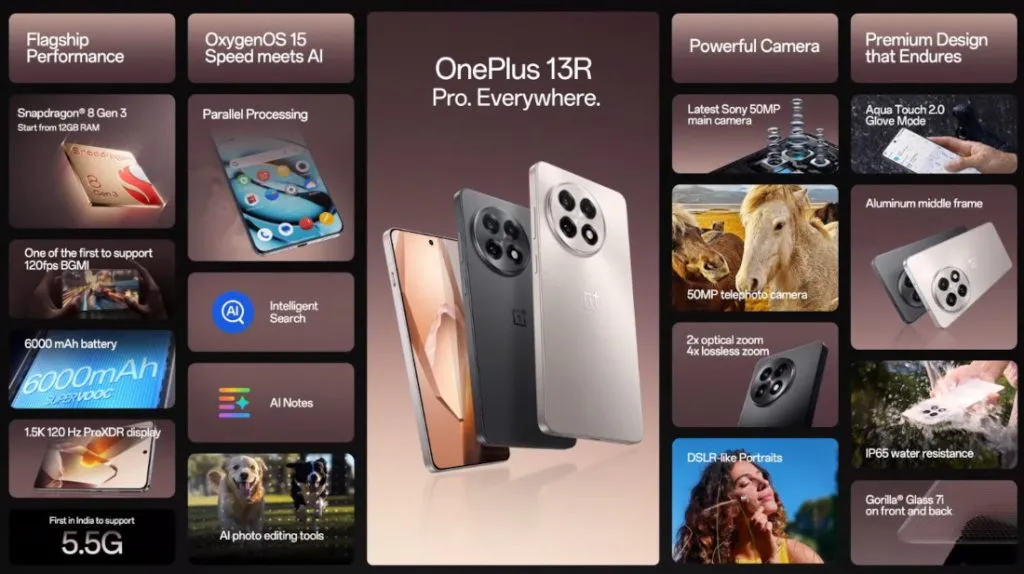
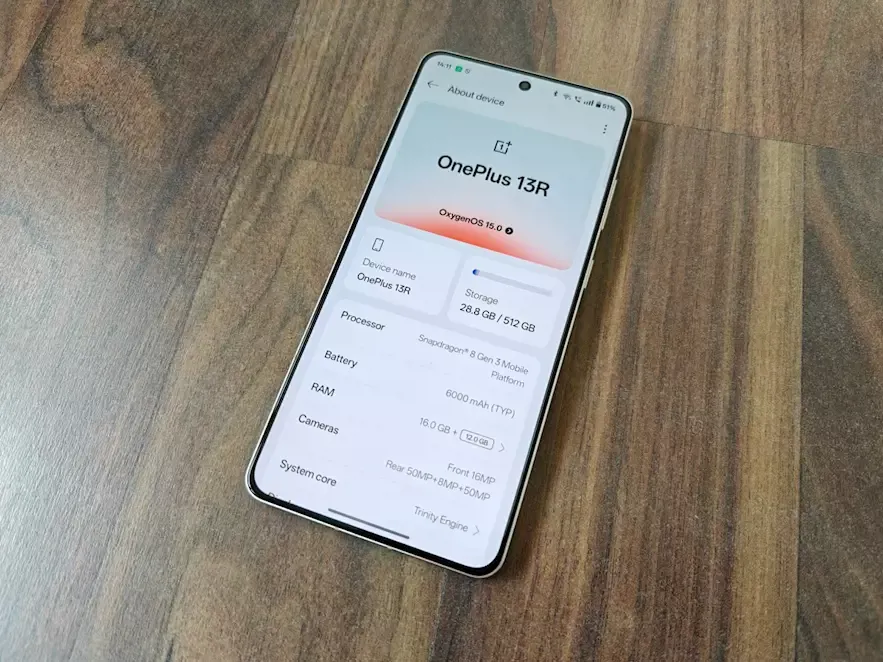
Building on the successful formula of its predecessor, the OnePlus 12R, the OnePlus 13R offers a long battery life, a stunning display, and a lot of power in a stylish, high-end package. The OnePlus 13R offers a lot of features at a price that is not as competitive as the brand’s original “flagship killers,” but if you are looking for a flagship phone without the incredibly high price tags that accompany them, this phone is a great choice.
The first “R” branded phones (of series 9, 10, and 11) did not make it to the coasts of Europe or North America, making this the second time an R-Series cellphone has been released abroad.
The OnePlus 13R is a less advanced, and therefore more cost-effective, variant of the flagship OnePlus 13, which was released concurrently. Consider this phone to be similar to Google’s “A” range of Pixel phones and Samsung’s “FE” versions of its high-end S series.
Even in direct sunshine, the 6.78-inch display is easy to use due to its color and brightness. The phone’s flat screen makes for a pleasant viewing experience because it is flush with the aluminum chassis.
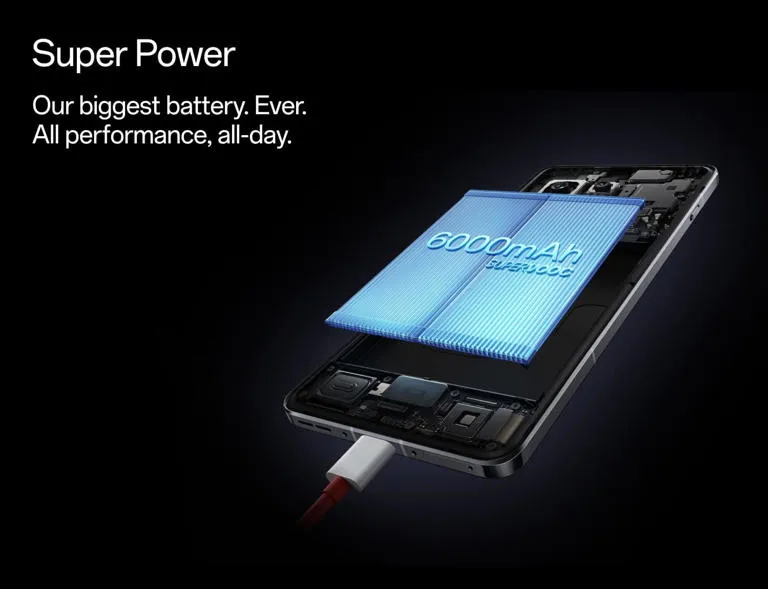
Even heavy users will get more than a day’s use out of the OnePlus 13R before reaching for the charging wire, thanks to its large 6,000mAh battery, which lasted me two days on a single charge. However, as there is not wireless charging, grab the cable.
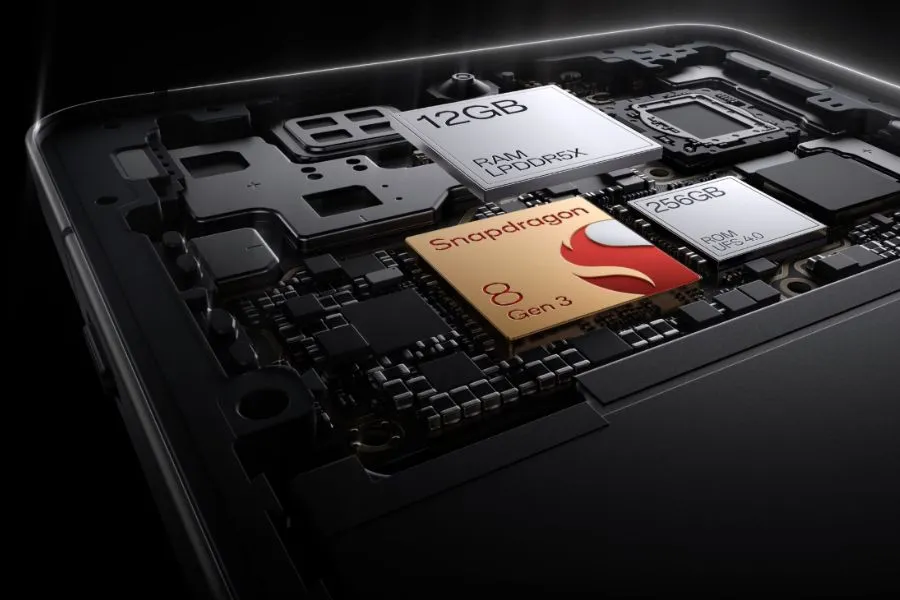
With 12GB of RAM skillfully supporting the previous flagship generation Snapdragon CPU at its heart, there is a ton of power beneath the hood. It implies that the 13R is capable of handling almost everything.
The three cameras on the back may not have the newest capabilities seen in flagships of the current generation, but they are still excellent point-and-shoot cameras that perform well in the majority of situations.
However, because the 13R is a large phone, it might be a little difficult for people with little hands to hold. Furthermore, as this phone is not waterproof, you should exercise caution when near water. It will be fine in the rain because it is only splash-proof.
While it retains many of the features of the brand’s previous flagship phone, the OnePlus 13R is a capable smartphone that is just out of reach of some of the newest technology that has been saved for its non-R, numbered twin.
Pricing & Availability
With only one storage option—256GB ROM + 12GB RAM—available in North America and Europe, the OnePlus 13R is a straightforward purchase. A more robust 512GB + 16GB extra combination is available for those living in India, which would make some Western markets jealous of Asia.
The pricing of the OnePlus 13R is $599/£679, which is the same as the OnePlus 12R’s debut price in the US but £30 higher in the UK.
The 13R is positioned well in the market, delivering a large screen, a large battery, and plenty of performance at a price point that undercuts Apple, and it was launched in the US at the same price as the 256GB OnePlus 12R from the previous year.
Although the £30 price rise is a little annoying for UK customers, OnePlus has made improvements to the 13R, which still provides a good all-around experience. The OnePlus 13R is priced at the upper end of the “affordable flagship” market, and unlike the OnePlus 12R, it only comes with 256GB of ROM and 12GB of RAM in the US. This time, there is not a less expensive model with 8GB or 128GB of RAM and storage.
This means that it costs more than Google’s own version of a cheap flagship, the smaller, more portable Pixel 8a, but it is around the same as the AI-enabled Samsung Galaxy S24 FE and the alternative Nothing Phone (2), albeit the latter is already a year and a half old. The OnePlus 13R’s exceptional battery life is one of its main selling points, but if you value battery life above all else in a large-screen phone, you might want to check out the Honor Magic 7 Lite. Although it is not accessible in North America and has a larger battery (6,600mAh), it is significantly less expensive.
Storage / RAM
US Price
UK Price
India price
256GB / 12GB
$599
£679
Rs TBC
512GB / 16GB
N/A
N/A
Rs TBC
OnePlus 13R specs
Three key specifications are included with the OnePlus 13R. It has a large, bright, and striking 6.78-inch screen with a maximum brightness of 4,500 nits, a massive 6,000mAh battery that lasts for two days, and smooth performance because it uses the same Snapdragon 8 Gen 3 CPU as the OnePlus 12, the brand’s flagship from the previous generation.
All but the most frequent power users will be satisfied with the 256GB of storage, three cameras around the back, and quick 80W wired charging.
Dimensions:
161.72 x 75.77 x 8.02mm
Weight:
206g
Display:
6.78-inch, 19.8:9 ProXDR Display with LTPO 4.1, Support 100% Display P3, 10-bit Color Depth
Resolution:
1264 x 2780, 450 ppi
Peak brightness:
4,500 nits
Chipset:
Snapdragon 8 Gen 3
RAM:
12GB LPDDR5X
Storage:
256GB
OS:
Android 15 w/ OxygenOS 15
Main camera:
50MP Sony LYT-700, 1/1.56”, f/1.8, 84-degree field of view, OIS, EIS
Telephoto camera:
50MP S5KJN5 with 2X optical zoom, 1/275”, f/2.0, EIS
Ultra-wide camera:
8MP, 1/4″, f/2,2, 112-degree field of view, EIS
Selfie Camera:
16MP, 1/3.09”, f/2.4, 82-degree field of view, EIS
Battery:
6,000mAh
Charging:
80W wired
Colors:
Astral Trail, Nebular Noir
OnePlus 13R
The OnePlus 13R builds on the winning formula of its predecessor, the OnePlus 12R, by delivering prolonged battery life, a dazzling display, and plenty of power in a slick, premium package.
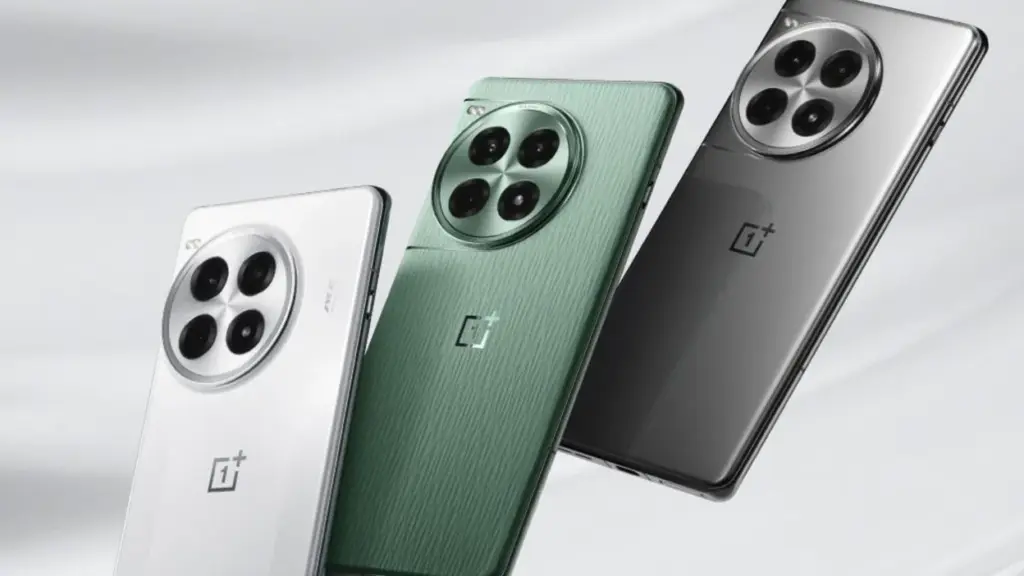
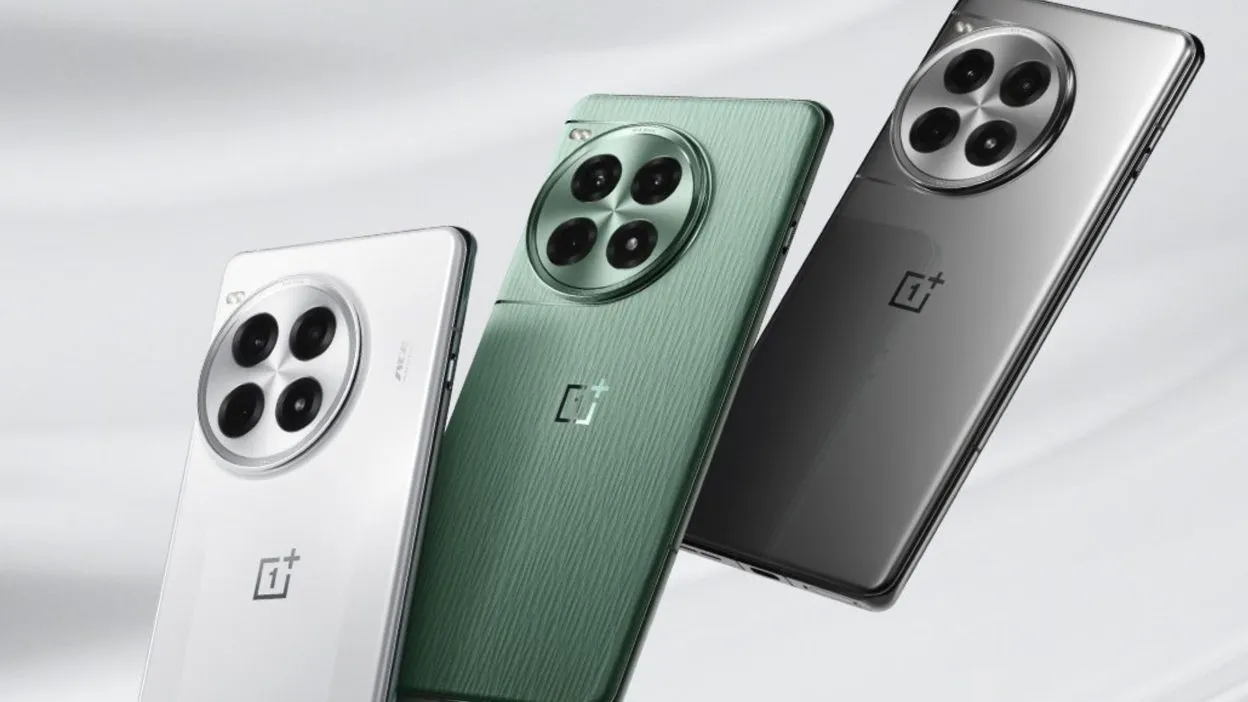
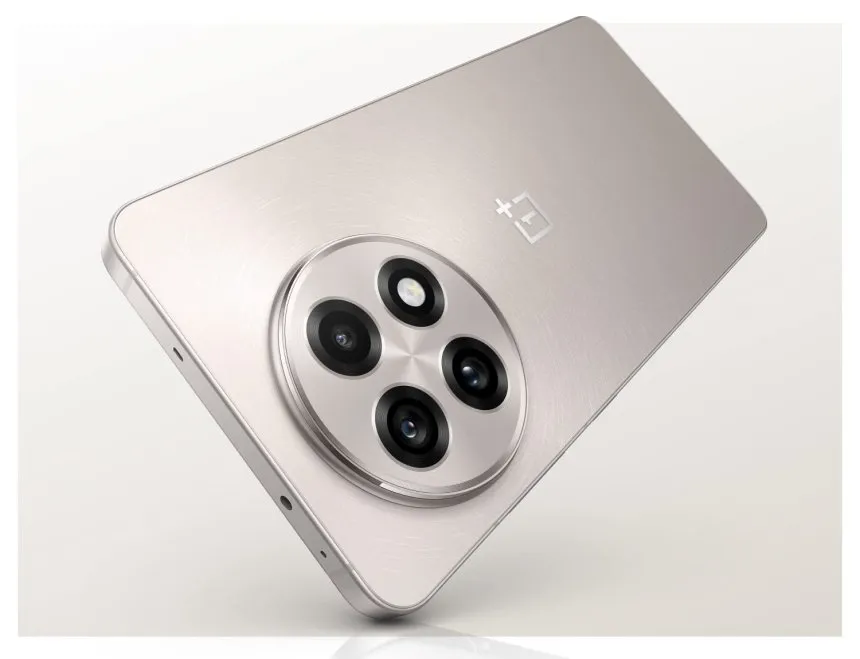
With a sleek aluminum frame encircling the phone and glass on either side, the OnePlus 13R is a stylish piece of hardware. Because both companies are owned by the same business, the flat sides are reminiscent of both the Oppo Find X8 range and Apple’s iPhone 15 Pro and 16 Pro series. The latter shares several design characteristics with the OnePlus 13 series.
Gorilla Glass 7i, the first OnePlus phone to use this new glass type, is used to cover the phone’s screen and back to complete the luxury package. According to manufacturer Corning, the glass is “particularly created to answer the demand for increased drop protection and scratch resistance.” This implies that the 13R should be resilient to the occasional drop and knock, but I did not actually test this out when I was reviewing the phone.
The OnePlus 13R has a high-end appearance and feel, is well-built, and performs better than its pricing suggests, even though its design is not totally original. I would have preferred the power and volume buttons on the right of the 13R to be positioned lower down, but those with smaller hands will find the gadget too large, especially for one-handed operation.
My thumb was strained by the volume rocker in particular, which made it difficult to turn up the volume without making awkward hand shuffles. The buttons would naturally fall beneath the thumb if OnePlus positioned these a few millimeters lower, making manipulation simpler.
The OnePlus 13R has OnePlus’ now-iconic alert slider, which makes it simple to choose between silent, vibration, and ring modes. However, it has the same placement problem as the volume and power buttons; it is positioned a bit too high up on the left side of the phone for my taste.
The speaker and SIM tray, which can hold two cards, are on either side of the USB-C connector, which is located in the middle of the phone’s bottom edge. Only the massive round camera housing on the back breaks the sleek, minimalistic finish of my Nebular Noir-colored smartphone.
The IP65 water resistant rating of the phone is one unsatisfactory feature. Although an IP68 rating (water resistance for submersion) is not unusual in this price range, it is an upgrade over the IP64 rating of its predecessor and offers protection against water jets.
Display
The good news is that the display on this phone, which OnePlus makes a huge deal out of, lives up to the hype. It is large, vivid, and multicolored. It is a massive device at 6.78 inches, slightly larger than the Samsung Galaxy S24 FE (6.7 inches) and much larger than the Pixel 8a’s 6.1-inch screen. It is also about the same size as the Honor Magic 7 Lite, another big-battery contender.
The resolution of 1264 x 2780 (1.5K), which provides a pixel density of 450 ppi, is standard. While OnePlus claims that the 13R can reach a maximum brightness of 4,500 nits, you will not be able to view that level of brightness in practical applications.
The OnePlus 13R’s screen did a great job in bright light during my time with it, both indoors and out. You can be sure you will be able to see what is on screen in direct sunlight if you are lucky enough to be in an area with lots of sunshine.
It is not surprising that interactions do take a bit more force than when not wearing gloves. Glove mode does not support gameplay, according to OnePlus, so if you want to play PlayerUnknown’s Battlegrounds (PUBG) while on vacation in Lapland, Finland, you might want to wait until you are indoors and gloveless before launching yourself into combat. But it is simple to open and close apps, navigate the interface, skim through social media, and tap out messages.
Software
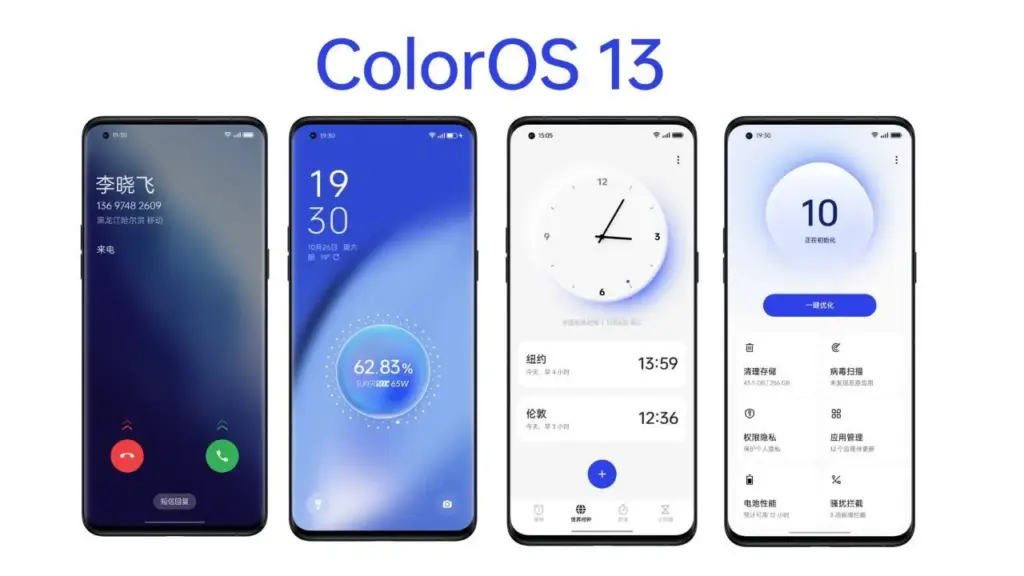
The software you see on the screen of the OnePlus 13R is powered by the most recent version of Google’s mobile operating system, which is Android 15. It is not entirely Android because OnePlus has layered its OxygenOS 15.0 interface over top, giving the phone a familiar appearance and feel for those who have used the company’s earlier models.
This offers the stock Android platform—found on Pixel phones—a slightly distinct appearance and feel. Other apps were pre-installed on my OnePlus 13R in addition to the standard system apps.
According to OnePlus, OxygenOS 15 has been made 40% smaller overall, providing more capacity for apps, games, pictures, movies, and other media by using less of the 256GB of internal storage.
With OnePlus promising to provide the smartphone with six years of security upgrades and four years of software updates, the OnePlus 13R is also future-proof. Although this product is decent, it is not the best in its field.
While Google and Samsung provide seven years of software and security updates on their most recent devices, Apple has long provided five years. And a 2025 smartphone would not be complete without mentioning artificial intelligence. You may use the AI Editor option, which has four tools, in the Photos app (the OnePlus version, not Google’s Photos app). See the camera section for more details.
The OnePlus 13R also has Google’s Gemini AI assistant pre-installed, which allows you to use tools like Magic Compose (which helps you write text messages) and Circle to Search.
Camera
The large, circular camera housing of the OnePlus 13R houses three cameras, the most prominent of which are a 50MP Sony LYT-700 primary sensor and a 50MP telephoto sensor that supports 2x zoom. An 8MP ultra-wide sensor with a 112-degree field of view completes the sensor array. An LED flash is also included to assist light up dim areas.
There is a 16MP selfie camera on the front, however it lacks a wide-angle lens to accommodate more faces. You will have to accept that some people might not be included in the picture or put your cheeks together.
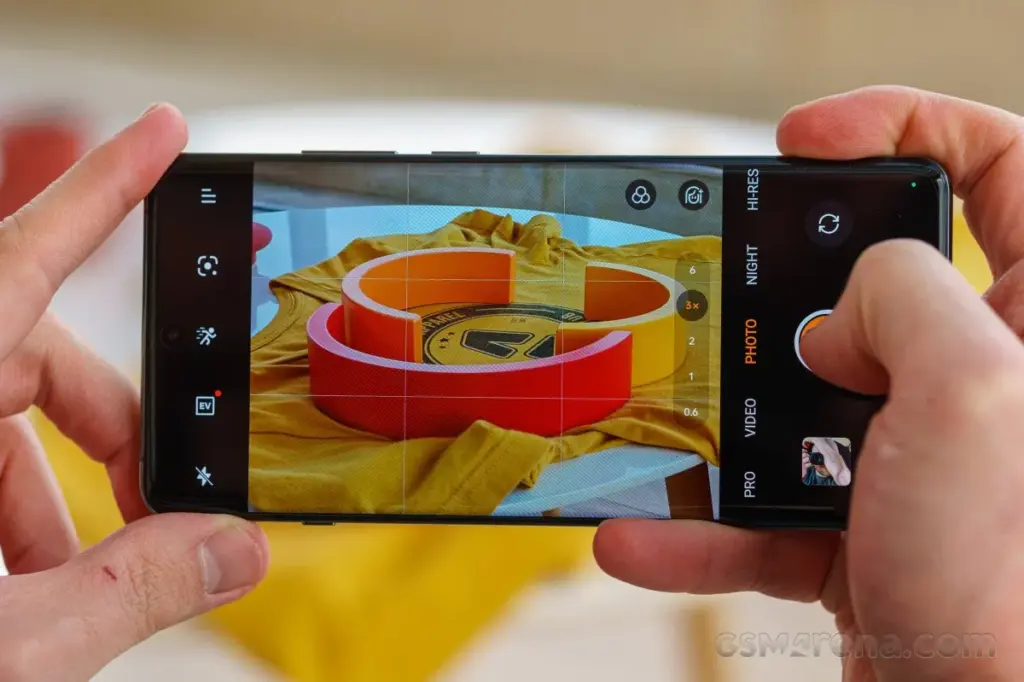
With easy access buttons for Google Lens, exposure, retouch (beautification mode), and filters, the OnePlus 13R camera software launches quickly and is jam-packed with features that will have you Instagram-ready in no time.
In addition to offering more precise options for ISO, shutter speed, exposure, focus, and white balance, the “Pro” mode allows users to shoot in RAW instead of JPG for more editing flexibility in applications like Photoshop.
In summary, the OnePlus 13R camera app offers a wide range of customization choices. However, for those who prefer not to tinker with settings, the good news is that it shoots fantastic pictures in the default configuration.
The 13R is a pretty good smartphone camera under most circumstances. Given that it is a tier below the genuine premium flagship offers, it is not on par with the greatest camera phones available, but that is to be anticipated.
Performance
The Snapdragon 8 Gen 3 processor is the same flagship chipset used in the OnePlus 12, but it is not Qualcomm’s most recent top-tier Snapdragon 8 Elite offering. What this means is the 13R still packs a punch, backed up by a capable 12GB of RAM.
Social media scrolling is quick and fluid because to the performance and the 120Hz screens, and the interface works well. Although apps load swiftly, the OnePlus 13R does not feel as snappy as the real flagships on the market when it comes to more demanding games.
That is not really a problem, and I was more than satisfied with the performance I was getting for the price of this phone, whether I was using it for social media browsing, video streaming, email checking, work (including writing some of this review), or taking a well-earned break to play games.
Genshin Impact ran smoothly on the OnePlus 13R at 60 frames per second and at its maximum graphics setting of 30 frames per second.
Compared to flagship phones, load screens were a bit slower to complete, but this did not interfere with gameplay. The phone did warm up, but it never got to a point where it was unpleasant.
Moreover, it works well; we had no read errors when using the phone, and it was very responsive. Enabling face unlock is an additional option. Even from unusual angles, like surreptitiously glancing at your phone from behind a desk, the OnePlus 13R can quickly recognize your face and unlock it in the sunshine.
Battery
One of the greatest selling points for the OnePlus 13R is its massive 6,000mAh battery, offering the handset with excellent longevity and giving you the piece of mind of true all-day battery life without the need to even contemplate reaching for a charger.
We discovered that on days when we reduced our gaming and video watching, we could simply unplug at 7am and then plug in at 11pm with 50% of the power remaining. On days when we used the device heavily, we would still be going to bed at the end of the day with at least 20% of the battery remained.
To extend the lifespan of the massive power pack within, the company lowered the SUPERVOOC charging speed from 100W on the OnePlus 12R to 80W on the new OnePlus 13R.
The OnePlus 13R can go from 1% to 100% in as little as 52 minutes with the correct fast-charging plug converter (in the UK, you only receive a USB-C cable in the box), and the 80W charging still provides a respectable amount of power in a short period of time.
The OnePlus 13R charged from 15% to 31% after 15 minutes using a quick 60W charging block, and the battery returned to 48% after 30 minutes, a 33 percentage point increase in 30 minutes. Fair top-up times, particularly if you have to quickly add charge before leaving the house.
The OnePlus 13R’s lack of wireless charging is the only drawback to its battery life. You will want a wire to recharge the 13R because this feature is exclusive to its more expensive sister, the OnePlus 13.
OnePlus 13R
The OnePlus 13R builds on the winning formula of its predecessor, the OnePlus 12R, by delivering prolonged battery life, a dazzling display, and plenty of power in a slick, premium package.
The next Galaxy Unpacked event is scheduled for later this month, according to Samsung. The second generation of Galaxy AI and a variety of linked peripherals will undoubtedly be the subject of significant attention. However, the new Galaxy S25, Galaxy S25+, and Galaxy S25 Ultra will be the focus of the community’s attention.
There are a few dates to be mindful of if you want to buy any of the new phones, including the flagship Galaxy S25 Ultra, in order to receive the device as soon as possible and at a reasonable price.
Registering for Galaxy Unpacked
For those who are interested, Samsung has already begun the procedure. Customers can now express their interest in the Galaxy S25 Ultra and Galaxy AI through a new program that offers a $50 gift card for “additional qualified products.” Additionally, a questionnaire including a $50 offer was sent to Samsung registered users via email.
However, those who express interest must do so before January 21st, the day before Galaxy Unpacked.
When will Galaxy S25 Ultra pre-orders open?
In the past, Samsung opened pre-orders at the conclusion of Galaxy Unpacked events that included phone debuts. Pre-orders are anticipated to open an hour or two after the Galaxy Unpacked event begins on January 22 at 1300 Eastern/1000 Pacific.
In contrast to other years, there has been talk of Samsung moving the pre-order system’s opening from the Wednesday event to the morning of Friday, January 24. Regardless of the start date, pre-orders are probably going to end on Tuesday, February 4.
There is another reason why the pre-order period will be significant. Samsung usually gives customers who buy a new Galaxy during the pre-order phase some of its finest discounts. A free upgrade to the next storage tier (so those purchasing the Galaxy S25 Ultra priced for the 512 GB model would receive the 1 TB storage model), a number of exclusive colors that were only available on Samsung.com, and generous trade-ins on a variety of smartphones from Samsung and other manufacturers, such as Google and Apple, were all features of last year.
Retail availability
Delivery of the Galaxy S25 Ultra will coincide with its retail availability after you have registered your interest, seen the Galaxy Unpacked premiere, and placed your pre-order. Deliveries to customers who placed preorders are anticipated to begin on Friday, February 7.
One of the greatest Android smartwatches on the market at the moment is Google’s newest flagship device, the Pixel Watch 3. Take advantage of the Pixel Watch 3 on Amazon for $299.99 (was $349.99) if you want the newest smartwatch technology from the company.
Google Pixel Watch 3
Save $50 off the 41mm Pixel Watch 3, which is now only $299.99, $20 more than it was on Black Friday. It has a 24-hour battery life, sleep monitoring, heart rate and exercise tracking, and Wear OS 5 compatibility. It comes in all four colors. Take advantage of this offer now before it is too late if you missed it before Christmas.
Even though it costs $20 more than the Black Friday pricing, this is still a great bargain. Along with a ton of amazing features for staying in shape, the watch has the most recent version of the Android Wear OS.
We appreciated the significant overhaul and its focus on health in our review of the Google Pixel Watch 3. Google has made significant improvements to Wear OS that make it a true pleasure to use, without losing the popular formula or the iconic teardrop design.
It comes pre-installed with a clean version of WearOS 5 and a stack of stylish sensors that provide several benefits. It features heart rate monitoring, blood oxygen or Sp02 tracking, sleep tracking, daily activity and training tracking, and the ability to obtain an ECG whenever needed.
It is a more sophisticated running watch than it was previously because it now enables the setup of multiple routines with unique metrics. With tracking that genuinely helps you decide whether to push your performance today or not, Fitbit is Morning Brief looks extra great.
Google Pixel Watch 2
Save $50 off the 41mm Pixel Watch 3, which is now only $299.99, $20 more than it was on Black Friday. It has a 24-hour battery life, sleep monitoring, heart rate and exercise tracking, and Wear OS 5 compatibility. It comes in all four colors. Take advantage of this offer now before it is too late if you missed it before Christmas.