Blog

  • Amazfit Active 2 launches in Europe: €99 Smartwatch

    Amazfit Active 2 launches in Europe: €99 Smartwatch

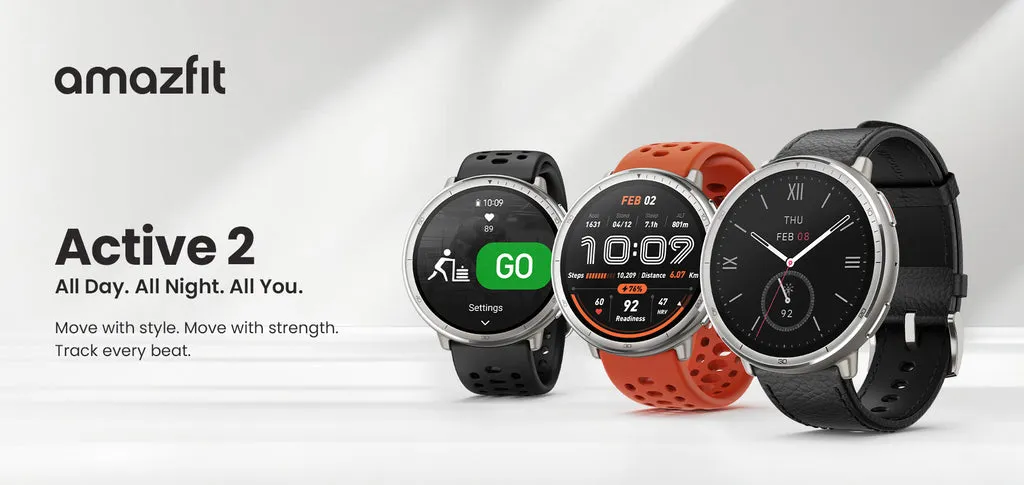
    Amazfit has expanded the availability of its Amazfit Active 2 smartwatch to Europe, following its initial introduction in North America. The device’s stylish design is combined with fitness and health tracking functions, making it appealing to both casual and avid fitness users.

    Amazfit takes a simple, holistic approach to wellness. It prioritizes preparation, sleep quality, and weekly activities above closing rings or cramming every performance measure possible into your dashboard. And, like prior Fitbits, the Active 2 has a longer battery life than more complex smartwatches. Amazfit estimates 10 days from a charge. In testing, I scored between eight and nine.

    Design and Display

    The Active 2 has a stainless steel body and a 1.32-inch AMOLED display with a maximum brightness of 2,000 nits for outdoor use. There are two variants available: a normal model with red or black silicone straps, and a premium model with a black leather strap, red silicone strap, and sapphire glass for screen protection.

    Tech used

    The watch includes Amazfit is BioTracker 6.0 PPG biosensor, which improves heart rate and blood oxygen monitoring, as well as better sleep-tracking algorithms. New features include an altitude tracking barometer and support for skiing and other winter sports. Under typical conditions, the battery is expected to last 10 days. Zepp Flow voice controls let Android users to respond to communications by text or voice.

    Fitness and Health Tracking

    The watch supports over 160 sports modes, including HYROX races, and it automatically identifies strength-training routines (reps, sets, and rest intervals). Offline maps with turn-by-turn navigation are available and powered by five satellite systems. A daily Readiness score (used to monitor physical/mental recovery), HRV tracking, and Wild.AI integration for menstrual cycle insights are among the health features.

    Pricing & availability

    The Amazfit Active 2 is now available in Europe, with the standard model priced at €99 (~$100 in the US) and the premium model at €129 (~$130 in the US). There is no confirmation yet on additional regional launches.
  • Xiaomi finally released HyperOS 2.2 update

    Xiaomi finally released HyperOS 2.2 update

    The formal rollout of HyperOS 2.2 has begun, with the Xiaomi 15 and Xiaomi 15 Pro receiving beta releases first. This update improves and adds new capabilities to Xiaomi’s top-of-the-range mobiles, highlighting the company’s commitment to software quality. As China-region variations lead the way with this initial beta release, we have compiled a comprehensive list of what is new, what is modified, and how to securely update your device to this release.

    Official build information

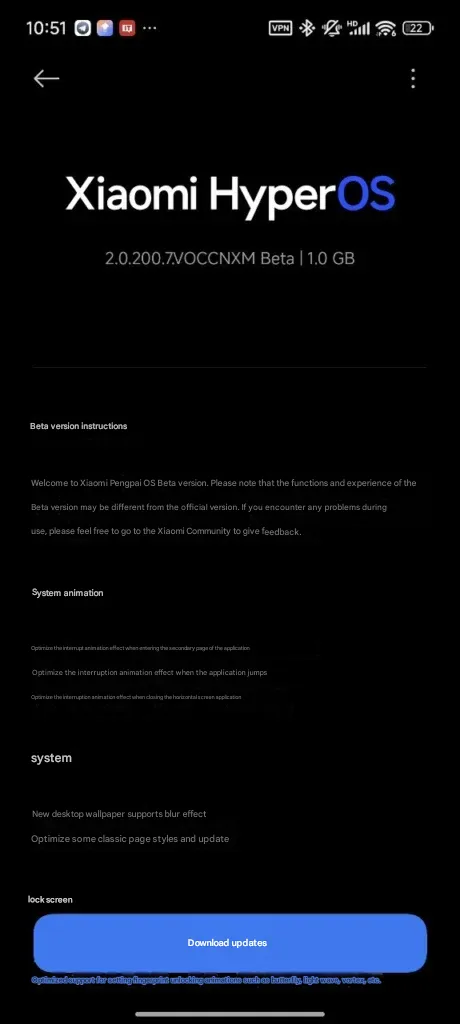
    The beta of HyperOS 2.2 is now available on the Xiaomi 15 series with build numbers as follows:

    • Xiaomi 15: OS2.0.200.7.VOCCNXM
    • Xiaomi 15 Pro: OS2.0.200.1.VOBCNXM

    These early beta releases are Xiaomi’s first move in rolling out the upgraded HyperOS 2.2 to users, building on the enhancements previously present in HyperOS 2.1 on China ROM versions.

    HyperOS 2.2 update

    Improvements in HyperOS 2.2

    The update introduces a number of important enhancements to many areas of the system:

    System Animations

    Xiaomi has taken special care to make the user interface more streamlined through optimized animations:

    • Enhanced interrupt animation while browsing application subpages
    • Improved transition animations while switching between apps
    • Enhanced animations while closing landscape-oriented apps

    System Configuration

    The personalisation options have been expanded with:

    • Desktop wallpaper now supports blur effect
    • Streamlined traditional page layouts throughout the system

    Lock Screen

    The lock screen is updated meaningfully:

    • New oriental lock screen templates, enhanced fingerprint unlock animations like:
      • Butterfly effect
      • Patterns of Light Waves
      • Vortex animations

    Status Bar and Notifications

    Numerous functional enhancements make daily application more convenient:

    • Additional status bar icon support through customized display
    • Expandable custom notifications
    • Enhanced icon behavior of optimized signals (now no longer permanently visible)

    System Navigation

    The update also brings enhancements to navigation settings:

    • Improved shortcut capability in system navigation mode in desktop settings
    • Xiaomi keeps making incremental improvements to HyperOS with every release that reflect the company’s intent to refine user experience through thoughtful software tuning.

    The release of the HyperOS 2.2 beta on Xiaomi’s 15 series is only the beginning, with other devices scheduled to be updated in the following days and weeks.

  • Will Google Wallet work offline? Absolutely – how it works

    Will Google Wallet work offline? Absolutely – how it works

    Google Wallet is a straightforward and safe mobile wallet that can easily store anything from concert tickets to credit cards. However, what occurs if you are not within range of Wi-Fi or if your mobile data is unavailable? Is it still usable?

    If you do not want to carry around a heavy physical wallet, Google Wallet can be rather useful. However, once we are out and about, we have no control over mobile signals or data connectivity. Therefore, it makes sense to be concerned about Google Wallet not working when there is no data connection.

    Even if your phone or smartwatch loses data connectivity, most of its functionality will keep working. For example, you can use your bank card to make contactless payments even when your smartphone is turned off. However, you cannot add a new bank card.

    Similarly, other cards and passes, such as boarding passes, event tickets, loyalty cards, digital IDs, and gift cards, do not usually include an online component for frequent use. If they are retrieved via an online service, you may require internet access to add them. Otherwise, they do not require a data connection to operate.

    Digital IDs, corporate badges, car keys, health insurance cards, and hotel keys can also work offline.

    However, if you are offline, Google Wallet will be unable to retrieve the most recent information about your stored cards and passes, such as loyalty point balances or updated flight timings.

    google wallet logo

    Google Wallet

    Safety starts with understanding how developers collect and share your data. Data privacy and security practices may vary based on your use, region, and age. The developer provided this information and may update it over time.

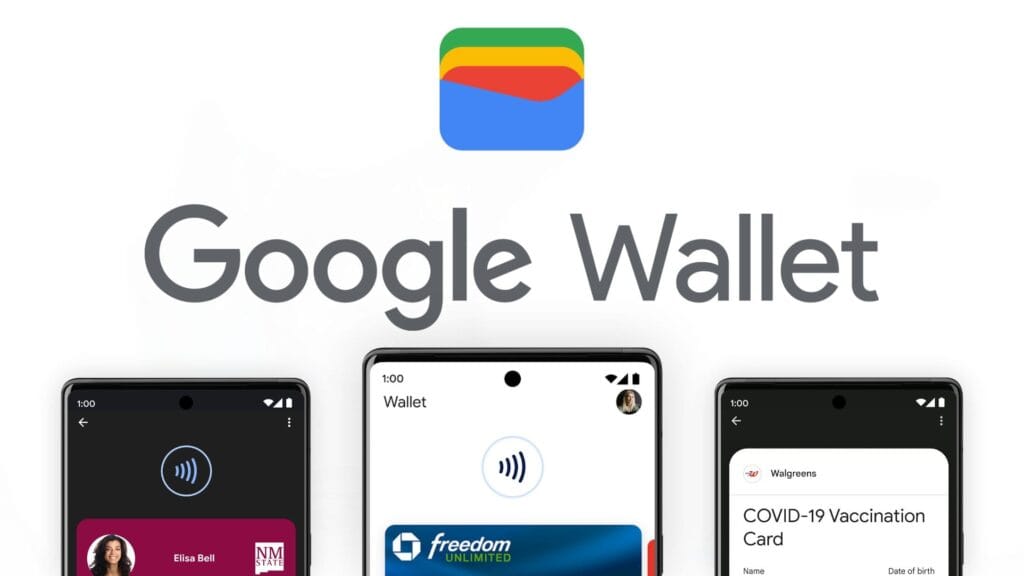
    google wallet payments

    How does Google Wallet work offline?

    As previously stated, many of the cards and passes you save in Google Wallet do not have an active online component. As a result, utilizing these cards does not require the app to connect to the internet. However, payment cards work slightly differently.

    When you add a bank card to Google Wallet, the app downloads a few one-time tokens from your card issuer, which effectively represent your payment card. When you pay with a contactless terminal, these codes are safely kept on your device and communicated to them. The terminal handles all the heavy lifting. It utilizes the token to communicate with the bank server and finish the transaction. So, you do not require the internet to pay using NFC because just the encrypted one-time code is transferred. This also protects the entire process from man-in-the-middle assaults.

    However, if you frequently utilize contactless payments without taking your phone or smartwatch online, your one-use tokens may run out. In such a case, you will be unable to make further payments. So, if you want to continue using contactless payment without complications, make sure your smartphone is not offline for an extended period of time. Whenever your phone is online, Google Wallet refreshes its supply of one-time tokens for later usage.

    Google Wallet normally saves a certain number of one-time tokens, which varies by card issuer. The number might range from roughly five to ten. Some card issuers may not support the offline payment option.

    It may be better to go offline in poor network areas.

    Although Google Wallet functions properly when connected to a stable internet connection, it may suffer with unstable data connections. So, if you see empty grey boxes while attempting to access the various cards or passes in your Google Wallet, your phone is most certainly experiencing connectivity troubles. The program attempts to connect to the internet to affirm the validity and other details of your inserted cards, but is unable to do so due to internet connectivity issues.

    In these situations, it is best to turn off mobile data and Wi-Fi. This way, you will be able to access all of the app’s offline functions, including its main function, contactless payments. Once you have turned off mobile data and Wi-Fi, you can view and use your stored cards. This is especially useful in locations with inadequate networks.

    Google Wallet is an useful and flexible tool for Android users. It has quickly become the preferred place for all of your cards, IDs, tickets, and passes.

  • Limited time offer! Temporarly free apps for Android and iOS

    Limited time offer! Temporarly free apps for Android and iOS

    Google and Apple’s app marketplaces, the Play Store and the App Store, include an almost limitless amount of apps. Some of these apps are free, while others cost money. However, many users are unaware that many paid programs are briefly offered for free as part of a special deal. We have compiled a list of the most fascinating apps now accessible for free.

    google pixel apps

    For Android

    • Netzsignal Pro: Wi-Fi & 5G ($0.49): If you want to find out more about your network signal, you can’t go past this app. Not only does it offer outstanding and numerous ratings, but also a clear user interface with many practical functions.
    • Illuminance -Lux Pro ($0.49): This light intensity meter is almost as popular. The app uses your smartphone’s sensors to display the illuminance in the Si unit lux. Users can create separate rooms and analyze the respective lighting conditions.
    • Voice Calculator Pro ($9.99): Calculator apps are a dime a dozen. However, this application stands out from the crowd because it allows you to open several calculation windows at the same time. This means you can start a new calculation without having to delete the old one.
    • Who Uses My Wi-Fi Pro ($0.49): If you don’t know exactly which devices are connected to your Wi-Fi, you should definitely download this app. Not only can you analyze your connected devices, but you can also find devices that have connected to your Wi-Fi.

    For iOS

    • 1Contacts Pro ($0.99): This app gives you full control and, above all, a complete overview of your contacts. Duplicate contacts can also be tracked down and merged if necessary. But beware: If you use this app, you give an additional third-party provider access to your contact data.
    • Queen Rules ($2.99): If you don’t like tower defense games, you can pass the time with this puzzle game. To win, you have to place your soldiers in such a way that they defeat the enemy troops. The app also offers interesting level designs and clay figures.
    • No Wi-Fi Mini Games ($0.99): The name says it all. Downloading the application provides you with access to over 50 exciting and nostalgic mini-games. An Internet connection is not required. The developers have also dispensed with advertising.
    • Aqueduct 101 ($2.99): A creative puzzle game in which you build aqueducts and make water flow. Real fun for puzzle fans and a great way to pass the time.

    Some businesses use innovative techniques to capitalize on your personal information in the rapidly evolving mobile application landscape. But do not worry, computer lovers; we have gathered crucial recommendations to help you protect your valuable data. It is critical that you exercise caution when granting rights to the apps you select to install.

  • New OnePlus device coming, 6.83″ screen and Dimensity 9400+ chipset – OnePlus Ace 5V

    New OnePlus device coming, 6.83″ screen and Dimensity 9400+ chipset – OnePlus Ace 5V

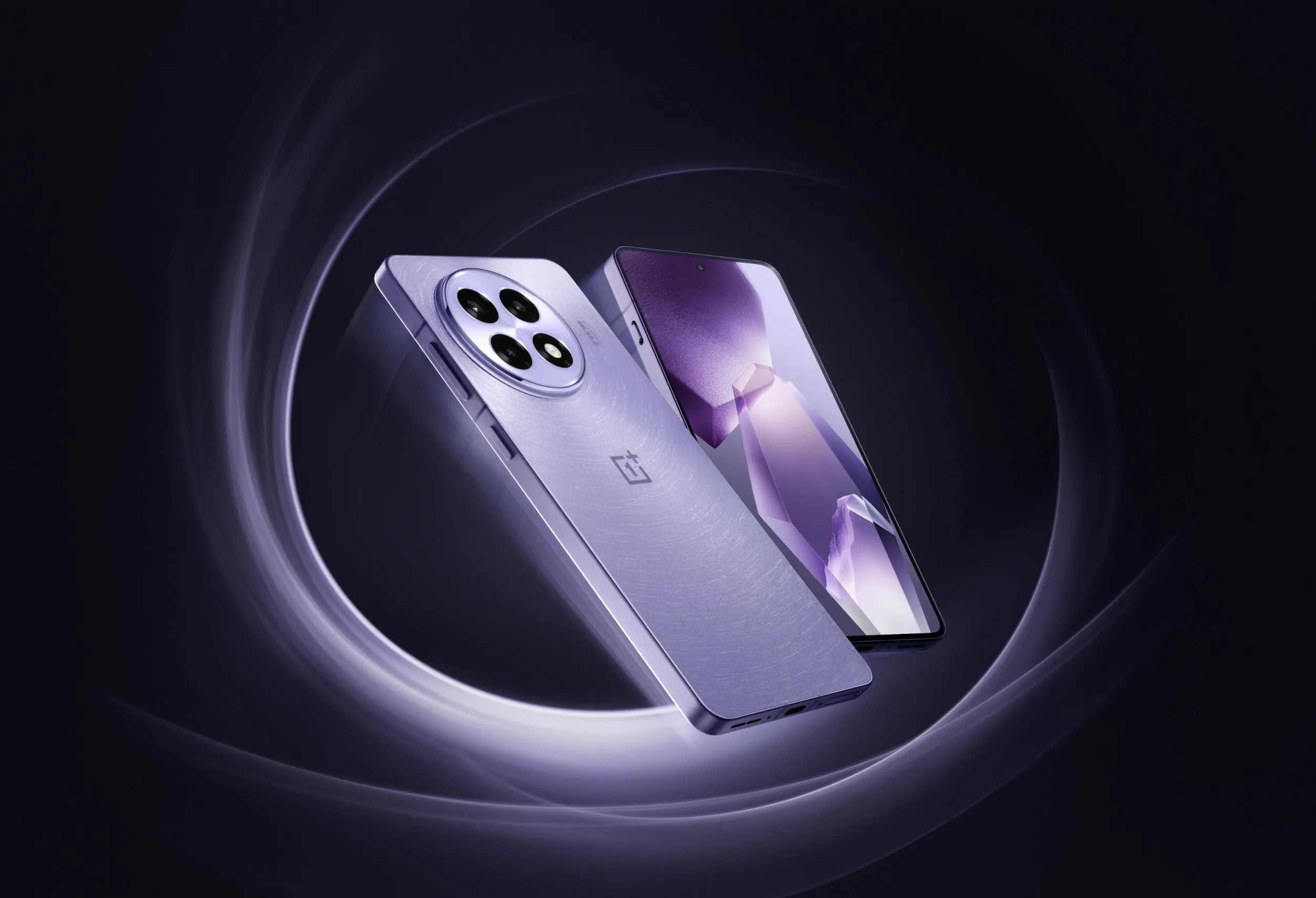
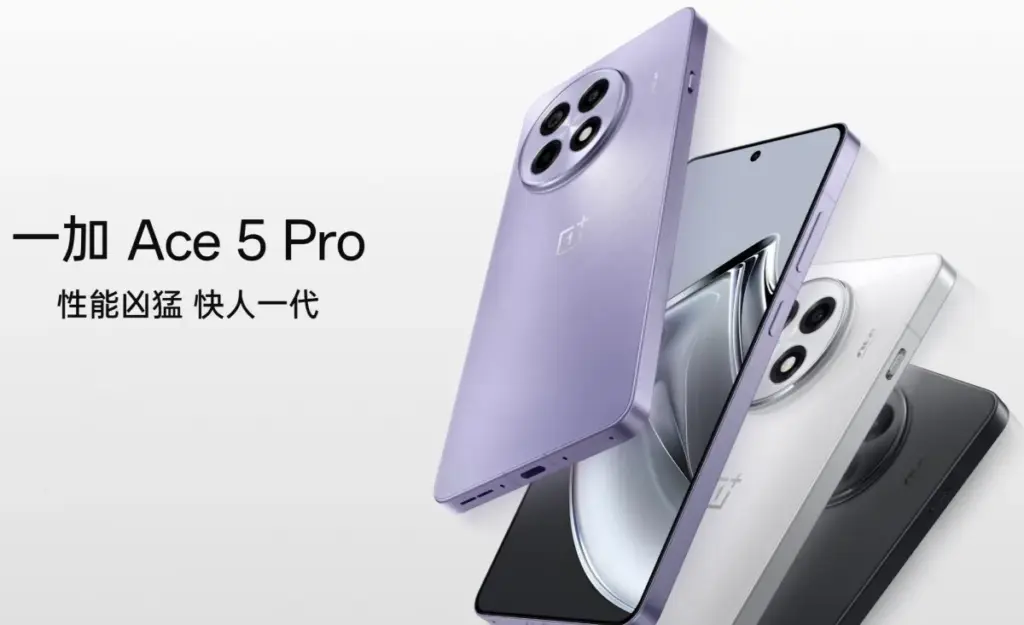
    A new upper-midrange phone with a flagship chipset – a “flagship killer,” if you will – is presently under development by OnePlus. Although the exact name is yet unknown, OnePlus Ace 5V and Ace 5S appear to be the two possibilities. In any case, it will be the replacement for the Ace 3V, which was released in March of last year.

    The new gadget is expected to be powered by MediaTek’s forthcoming Dimensity 9400+ SoC and have a 6.83-inch “1.5K” LTPS OLED flat panel with a refresh rate of 120 Hz. It will sport a 50 MP primary camera instead of a telephoto on the rear.

    onplus ace5 pro photos OnePlus Ace 5v

    The device will come with OnePlus’ new button, which replaces the Alert Slider, and have a “simple design” on the back, whatever that means. The battery’s capacity has not yet been determined, although it may be 7,500 mAh when plugged at 80W or approximately 7,000 mAh when charging at 100W. OnePlus is presumably still undecided on whether to favor a larger battery or faster charging.

    Although the exact date of the phone’s official release is unknown, we believe it will not be more than a few weeks, especially considering that the predecessor is rapidly approaching its one-year anniversary.

  • Older Pixel Phones gets a kernel update along with March update

    Older Pixel Phones gets a kernel update along with March update

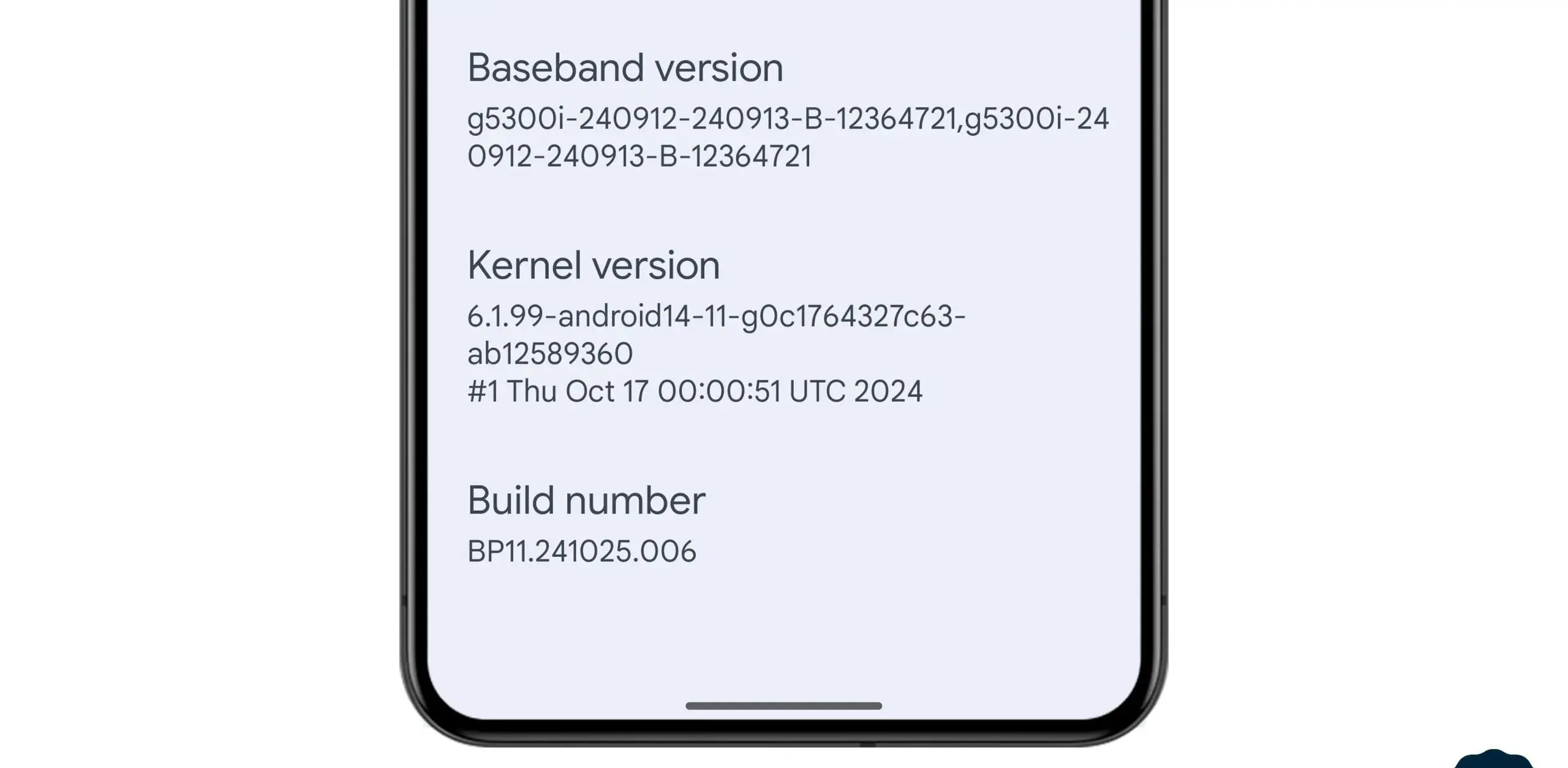
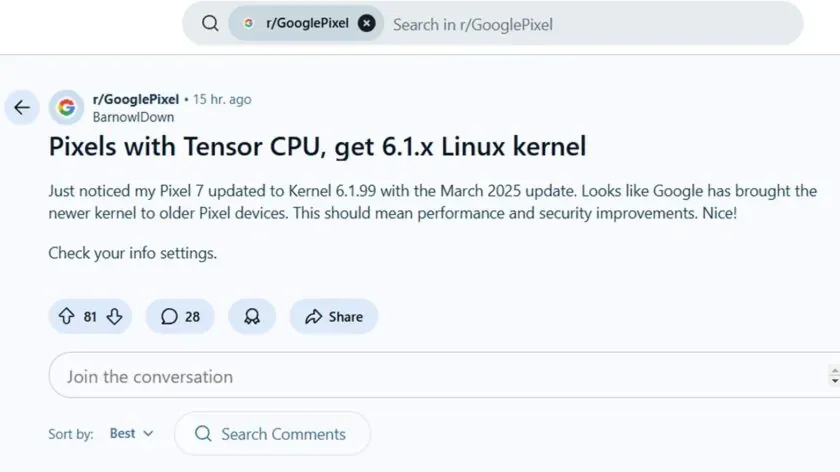
    In the stable March 2025 update, Google formally released the Linux 6.1 kernel for Tensor-powered Pixel phones from the prior generation. This update brings the Pixel Tablet and Pixel Fold, as well as the Pixel 6, 7, and 8 series devices, up to the same kernel version as the Pixel 9 series. Performance and security will probably improve as a result, and some users are already experiencing the advantages.

    pixel with Kernel update

    In the QPR2 beta, where it was announced that Tensor-powered Pixels will be switching from older kernel versions to 6.1, we previously reported that Google was testing this update. The update is now available to all users with the March stable release.

    News of the update was posted by a commenter on the GooglePixel subreddit, who said, “Just noticed my Pixel 7 updated to Kernel 6.1.99 with the March 2025 update.” While several Redditors in the topic commented on a perceived gain in battery life since the update, another Pixel 6a owner in the thread stated that their phone seems “extremely responsive compared to [the] pre-March update.” Although it is difficult to confirm that the new kernel is directly responsible for these developments, the indications are unquestionably encouraging.

    This kernel upgrade is part of Google’s broader commitment to long-term software support. Google’s Longevity GRF program plays a crucial role in ensuring that Tensor-powered Pixels meet their update policies by implementing major kernel upgrades when necessary.

    If you own a Pixel 6, 7, 8, or another Tensor-powered device, you can check your kernel version by heading to Settings — About phone — Android version and looking under Kernel version.

  • HyperOS 2.1 update rolled out to seven Xiaomi devices

    HyperOS 2.1 update rolled out to seven Xiaomi devices

    Xiaomi keeps updating more of its devices to HyperOS 2.1 in an effort to reach a larger audience with the newest features and enhancements. The Chinese company just released an update for seven Xiaomi devices.

    The latest recipients of HyperOS 2.1 include some high-end Xiaomi phones, a Xiaomi tablet, and affordable Poco phones. Here’s the list:

    • Xiaomi 14 Ultra
    • Xiaomi 14T Pro
    • Xiaomi 13 Pro
    • Xiaomi Pad 6S Pro 12.4
    • POCO X6 Pro 5G
    • Poco F6
    • Xiaomi 13 Ultra

    You may be able to install the HyperOS 2.1 upgrade if you own any of these Xiaomi devices. Open the Settings app, select About Phone, and then hit the HyperOS logo to see whether there is a new update available. To find out if your device has an update available, click Check for updates.

    A number of internal improvements have been made in the latest HyperOS 2.1 software to enhance the user experience and animations. Voice chats without an internet connection are also possible with the new Networkless mode. In places with inadequate connectivity, this function enables users to converse efficiently.

    Xiaomi’s device connect prompts have been improved. Additionally, the file transfer function has been enhanced to provide a smooth experience. Better night vision is one of the camera enhancements brought about by the HyperOS 2.1 software. Additionally, the update enhances imaging performance in a range of lighting settings and snapshot capabilities.

    The update also brings a redesigned album layout and new album display columns. The search functions have also been improved. Xiaomi has also made improvements to the image recognition capabilities for the circle to search feature. The Gaming Toolbox now has a performance dashboard and offers an enhanced gaming experience.

  • Xiaomi 15 Ultra not in top 10 DXOMark’s even if it has a powerful camera

    Xiaomi 15 Ultra not in top 10 DXOMark’s even if it has a powerful camera

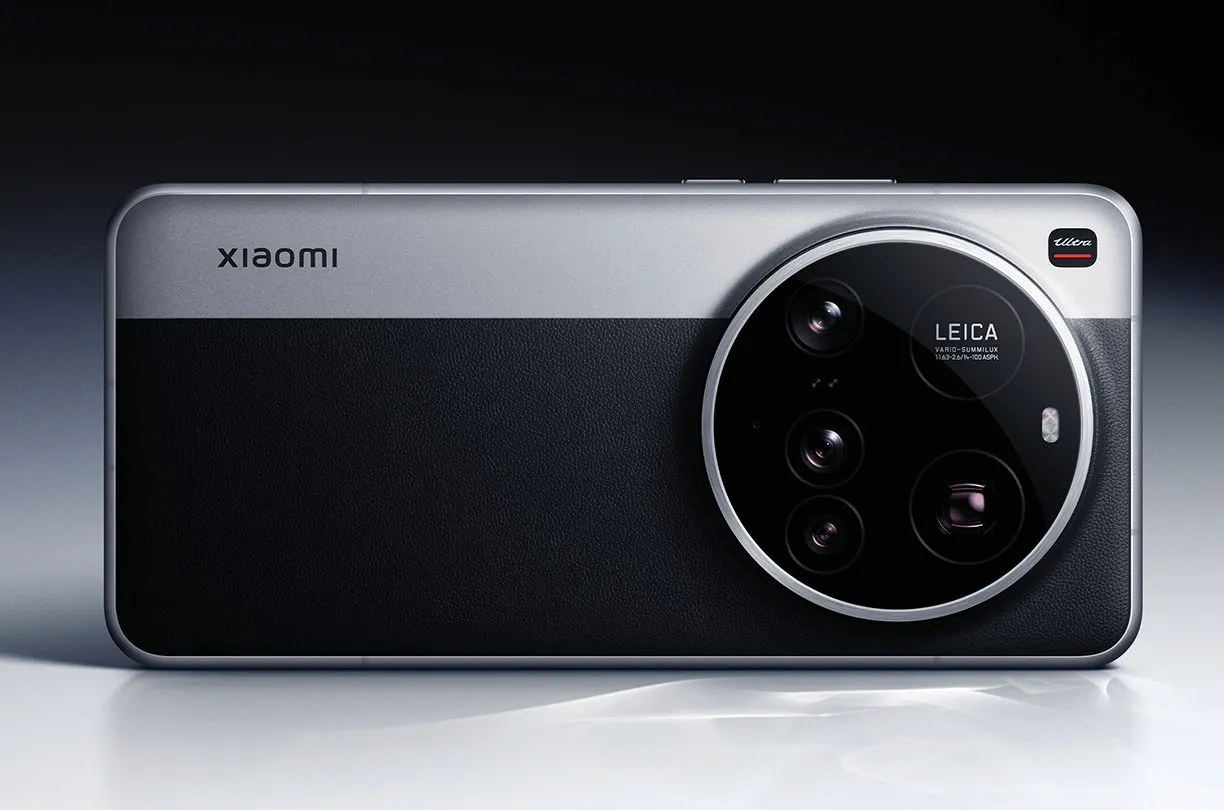
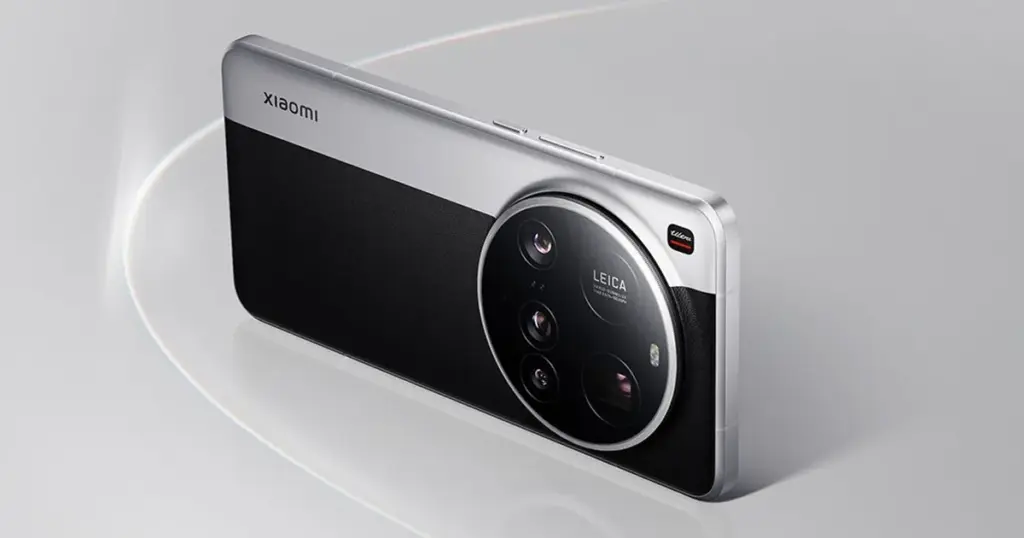
    The 15 Ultra, Xiaomi’s most recent flagship, is currently offered for sale worldwide. At €1,500, it has a huge 200MP periscope telephoto lens and a 1-inch primary sensor, which are both really amazing pieces of kit.

    These specs put it ahead of Apple’s flagship in terms of hardware. But even with all that firepower, the 15 Ultra hasn’t entered DXOMark’s top 10 camera rankings.

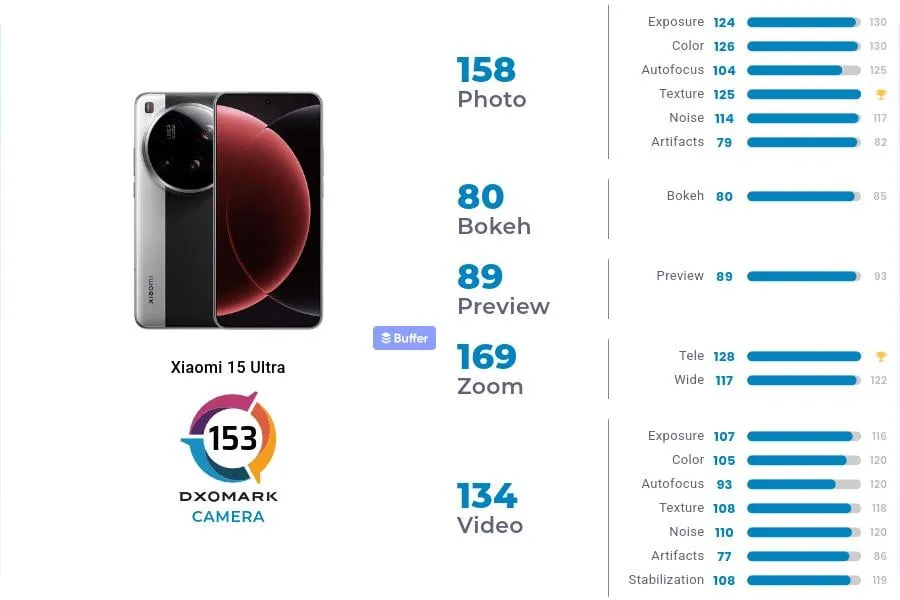
    In DXOMark’s camera testing, the 15 Ultra received 153 points, ranking 13th in the world. With 149 points, Xiaomi’s 14 Ultra from the previous year is in 19th place, which is their highest performance to date.In DXOMark’s camera testing, the 15 Ultra received 153 points, ranking 13th in the world. With 149 points, Xiaomi’s 14 Ultra from the previous year is in 19th place, which is their highest performance to date.

    Xiaomi 15 Ultra DXOMark rating

    However, both in China and the West, it continues to lag behind its most formidable competitors. The Honor Magic 6 Pro and Pixel 9 Pro XL are currently behind Huawei’s Pura 70 Ultra in the DXOMark rankings.

    To be clear, this doesn’t mean the 15 Ultra has a lousy camera—far from it. At number 24, even Samsung’s Galaxy S25 Ultra is ranked lower. The 15 Ultra was commended by DXOMark for its outstanding color rendering, broad dynamic range, precise exposure, low noise, and great texture detail.

    xiaomi 15 ultra back side

    Why Xiaomi 15 Ultra missed the top?

    DXOMark reports that the phone has trouble with visible abnormalities that affect image quality, contrast irregularities, and sporadic warm color casts in both images and videos. Additionally, there are problems with autofocus stepping and texture degradation under some circumstances, which can make focusing less fluid.

    Its limited depth of field, which causes blurry background faces in group photos, is another significant flaw. Keep in mind that its primary camera is the source of this limitation.

    These flaws could be disappointing for a phone that strives to be the finest of the best. Despite these figures, the 15 Ultra still has some of the best mobile camera hardware on the market.

  • Google Pixel 9 Pro and 9 Pro XL #deal – $200 of

    Google Pixel 9 Pro and 9 Pro XL #deal – $200 of

    This weekend, the Pixel 9 Pro and 9 Pro XL went on sale for some of the lowest prices we have ever seen. Amazon and Best Buy are attempting to outdo Google with their own $250-off promotions, but Google launched another $200-off promotion through its own store.

    google pixel 9 pro

    The Obsidian 256GB version of the Pixel 9 Pro and 9 Pro XL is available for $250 less on Amazon and Best Buy, but we have included links to them all below if you want the best deal. With that discount, you can purchase a 9 Pro for $849 or a 9 Pro XL for $949, both of which have enough capacity to last you several years.

    The price is still excellent even though all other models, colors, and storage options are roughly $200 off. That Obsidian colorway, though, ought to catch your eye. Additionally, the Obsidian (black) color of the Pixel 9 Pro series may be the nicest of them, as seen in the image above.

    google pixel 9 pro amazon deal

    Google Pixel 9 Pro

    Pixel 9 Pro with Gemini is the most powerful Pixel yet, and now comes in two sizes; it has a pro-level camera and it’s engineered by Google, so it gets the best of Google AI first

    $999$671.16Buy on Amazon
  • Google Pixel March update – fixed bugs and more

    Google Pixel March update – fixed bugs and more

    Google’s March update bug list, which is already being rolled out to compatible devices, has been made public. Even if it is a short list, it is nevertheless wise to keep in mind in case you have been dealing with any of these problems.

    Although not every device is receiving the identical set of changes, these fixes are applicable to devices as far back as the Pixel 6 series. For instance, Google claims updates for Bluetooth headset loudness issues, camera stability, and display stability, among other things. You can use the number that corresponds to each item on the list to determine which device the fix is for.

    Pixel Update – March Bug Fixes

    Apps

    • Fix for stability or performance with certain apps using WebView

    Audio

    • Fix for issues with adjusting call volume on calls over BT headsets]

    Camera

    Display & Graphics

    • Fix for display stability and performance in certain conditions

    System

    Telephony

    • General improvements for network connection stability and performance in certain conditions

    User Interface

    • Fix for issue occasionally causing color theme in launcher preview to not match with the selected wallpaper in certain conditions
    • Fix for issue with home screen icons to appear transparent after unlocking or switching apps in certain conditions
    • Fix for issue with switching between apps when using third party launchers in certain conditions
    • Fix for issue with themed icons in certain conditions
    • General improvements for performance and stability in certain UI transitions and animations

    Fixes are available for all Pixel devices that are supported. Certain fixes can be region/carrier specific.