Blog

  • Amazfit Balance 2 XT – Amazfit to launch a titanium smartwatch

    Amazfit Balance 2 XT – Amazfit to launch a titanium smartwatch

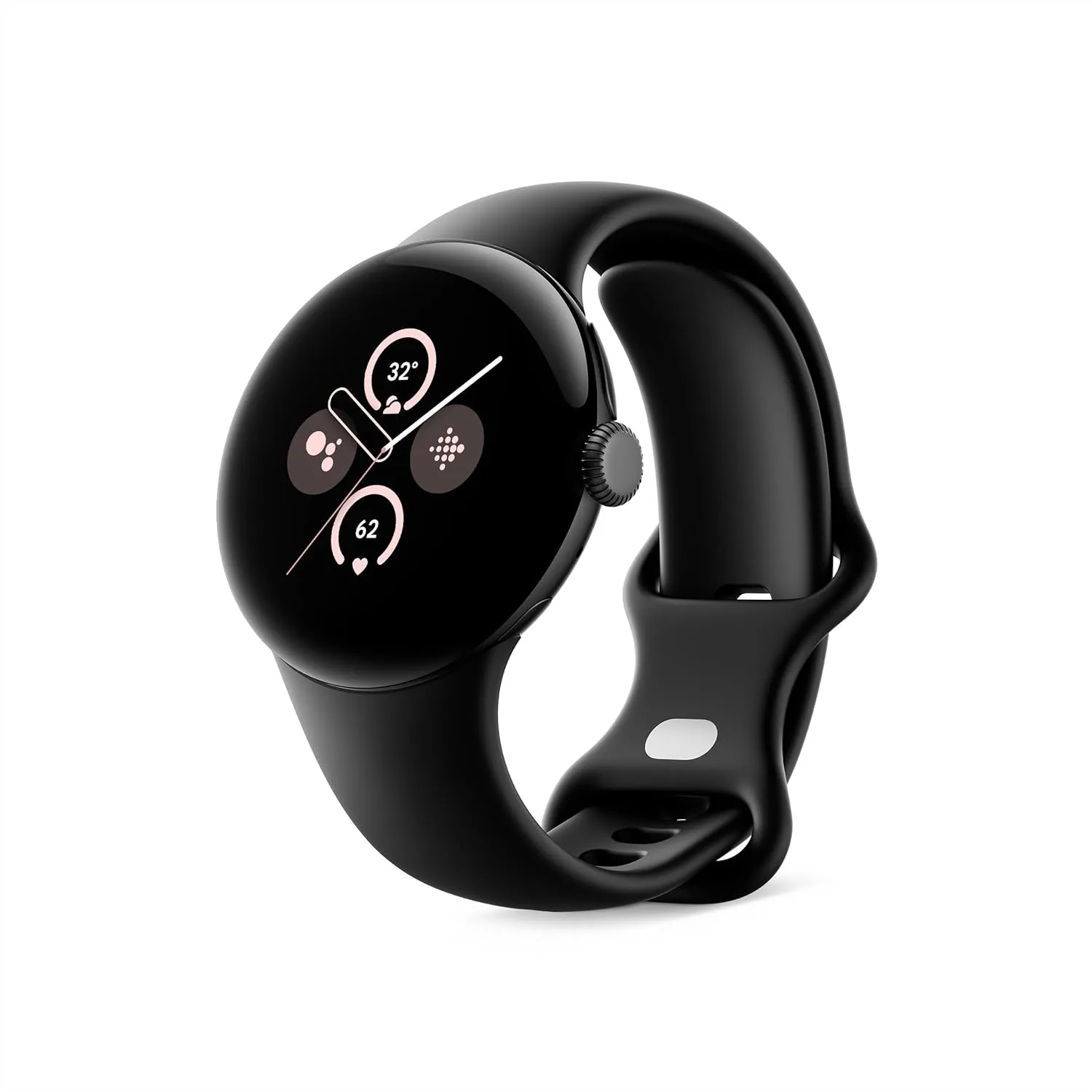
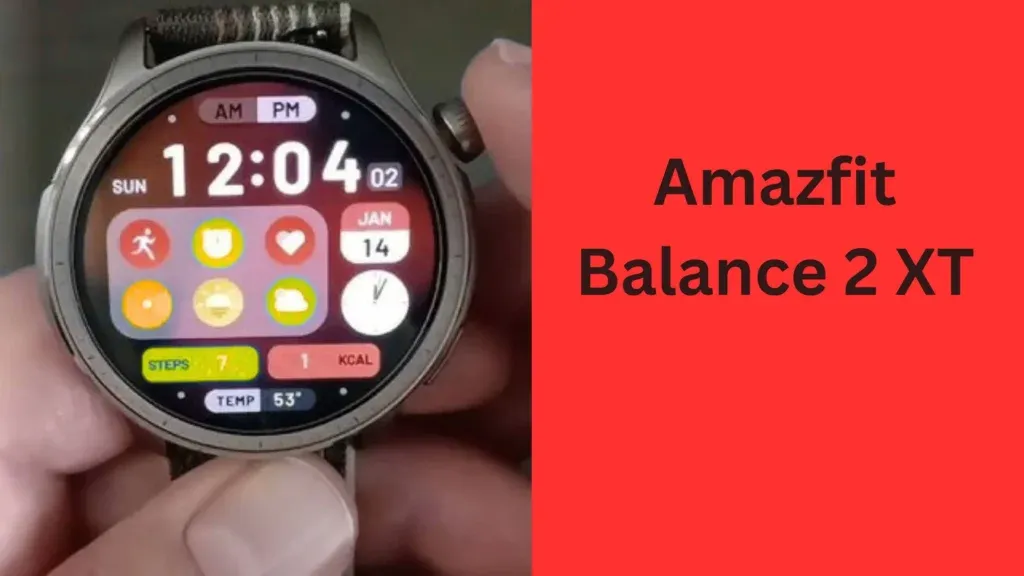
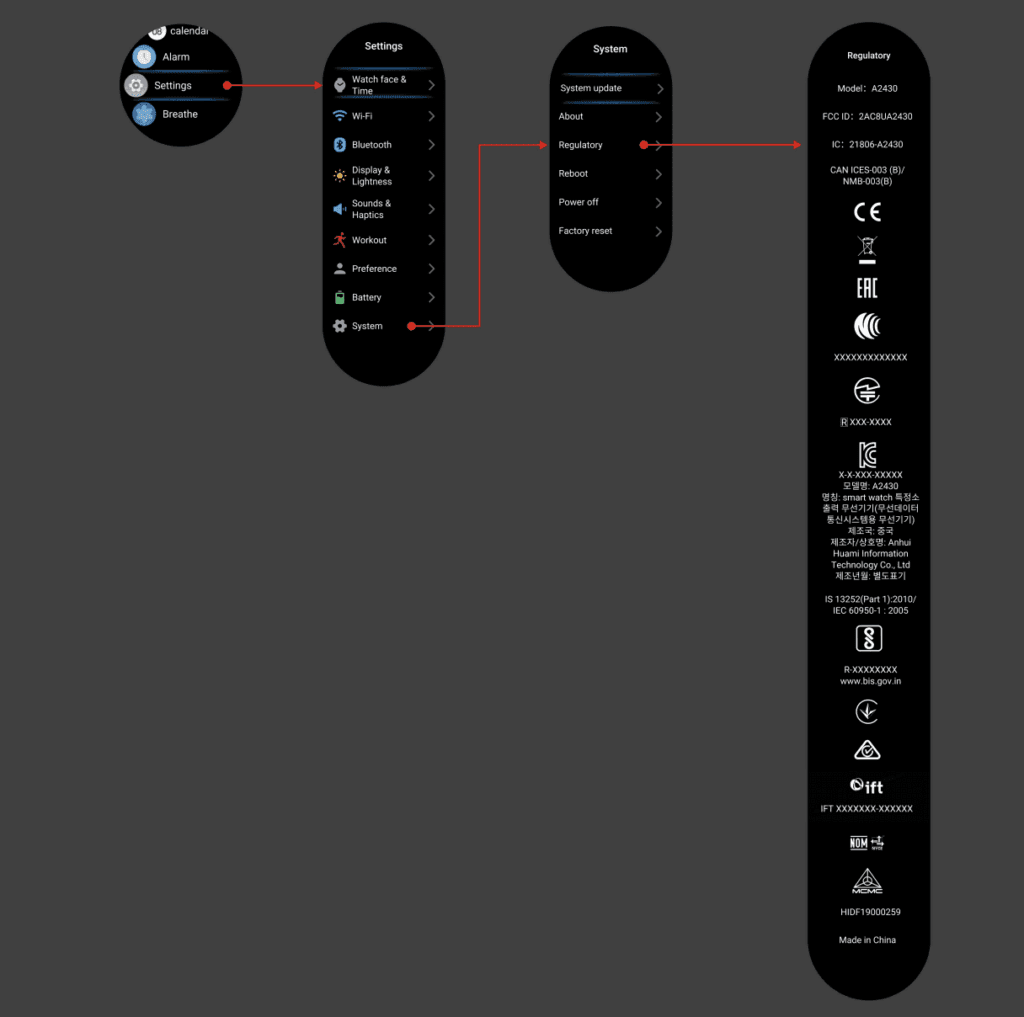
    The Amazfit Balance 2 XT, which was recently leaked, is reportedly a titanium version of the Balance 2 smartwatch, which was released in May 2025. Some information regarding this future watch, model number A2430, is revealed by a recent article and FCC filings. Additionally, it has been proposed that an NFC feature might exist.

    There are rumors that the Amazfit Balance 2 smartwatch will soon be available in titanium. This appears to be the Amazfit Balance 2 XT smartwatch that was leaked and was just discovered on a Zepp Health website. In May 2025, the ordinary Balance 2 wearable—a replacement for the original Balance watch—was introduced in China.

    More information about the Amazfit Balance 2 XT smartwatch, model number A2430, appears to have been revealed by an AndroidTR report. It is anticipated that titanium components will take the place of the conventional Balance 2 wearable’s aluminum and fiber-reinforced polymer housing. It’s unknown if the Sapphire crystal glass cover and 1.5-inch AMOLED display will be available.
    Amazfit Balance 2 XT info

    Amazfit Balance 2 XT – the big brother

    According to FCC filings, the model A2430 is 49 x 49 x 13 mm (~1.92 x 1.92 x 0.51 inches) larger than the standard Balance 2, which is 47.4 x 47.4 x 12.3 mm (~1.87 x 1.87 x 0.48 inches). Additionally, it shows that the watch will have two bands, just like the Amazfit Active 2 Premium wristwatch (which retails for $129.99 on Amazon) and the normal Balance 2. The two bands’ composition and color are yet unknown, though.
    Rephrase
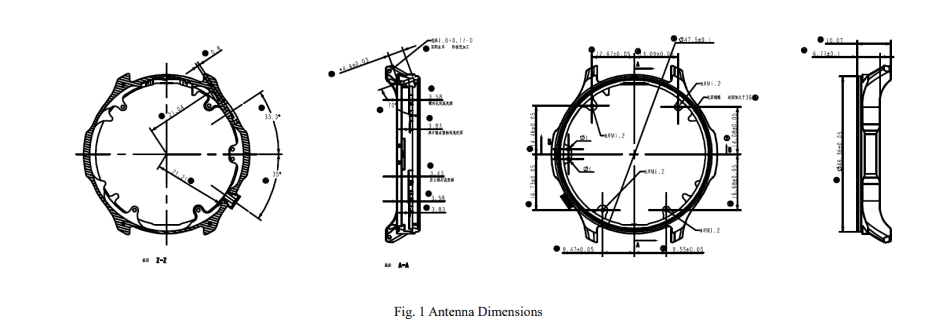
    Amazfit Balance 2 Titanium

    Like its predecessor, the Balance 2 XT or Balance 2 Titanium is probably going to run Zepp OS 5.0. We don’t yet know if it will have any other features. Although the source of this rumor is unknown, AndroidTR claims that a version of this watch with an NFC contactless payment feature may exist.

    Uncertainty surrounds the Amazfit Balance 2 XT smartwatch’s release date. According to a recent leak, it might show out in June 2025. Pricing-wise, it is probably going to cost more than the Balance 2 smartwatch, which sells for CNY 1,999 (about $277) in China.

    Stay connected with the latest from Droid Tools—follow us on X @droid_tools, like our page on Facebook, check out our updates on Instagram, and follow us on Google News for real-time news, device tips, and mobile tech insights.
  • Google starts rolling out Material 3 Expressive to Messages app

    Google starts rolling out Material 3 Expressive to Messages app

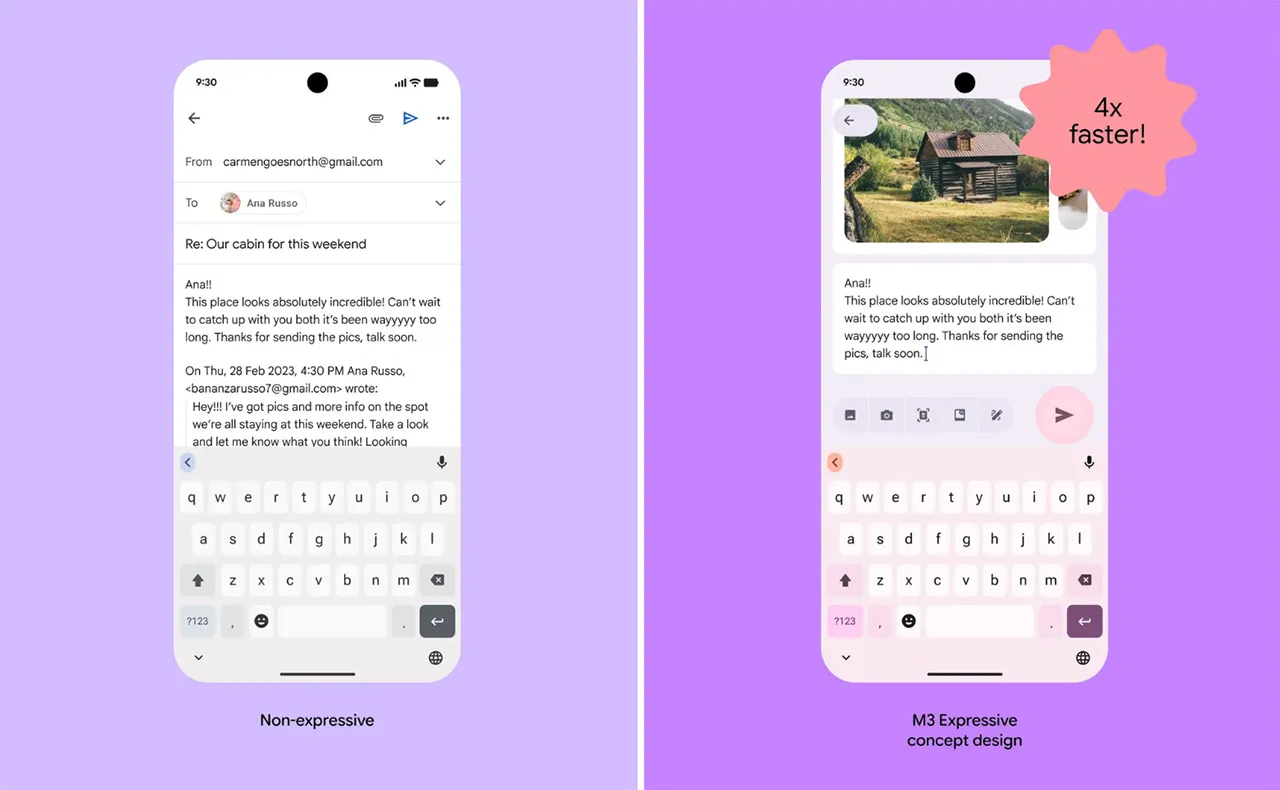
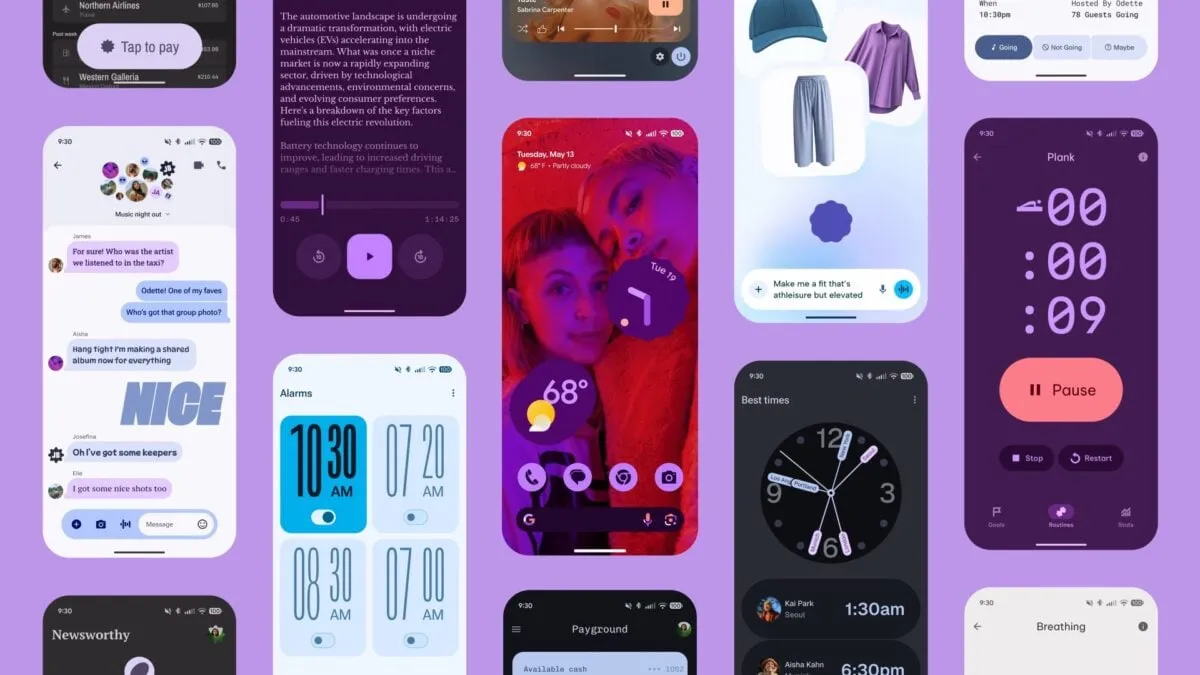
    Google Messages is starting to implement a Material 3 Expressive overhaul of just the conversation interface, following Gmail for certain users and Photos.

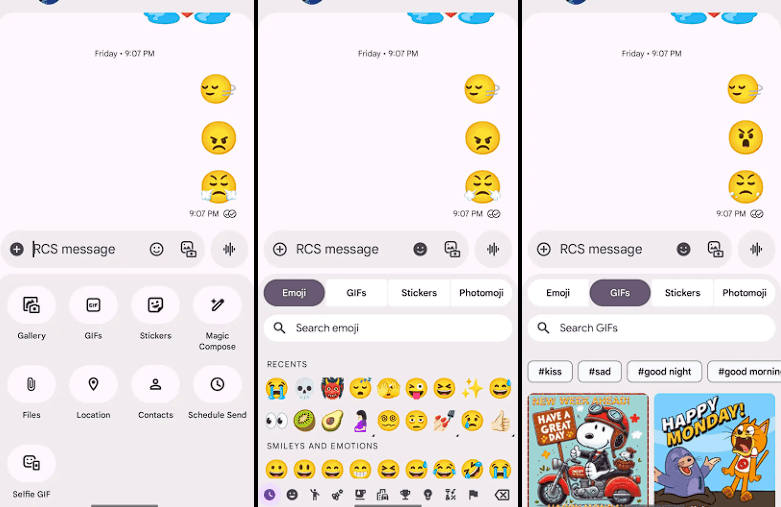
    Placing the message thread in a container with rounded corners at the top makes the app bar its own (darker) layer, which is the primary alteration to the conversation screen.

    The Gallery, GIFs, Stickers, and other items are arranged in pill-shaped containers rather than circles in the “plus” menu, which is a distinct container. The wallpaper it uses is identical to that of the app bar. Additionally, Google eliminated the vibrant symbols and reduced the grid’s density.

    The linked button group used to transition between Emoji, GIFs, Stickers, and Photomoji (which was the first item in the current design) is visible when you access the emoji menu. The current tab you are reading is a pill, and the entire thing is a circular container. Moving the search bar down one line eliminates back-to-back text fields, which is a welcome modification.

    Material 3 Expressive Messeges app

    As of right now, we have one report of this going live with Google Messages beta version 20250528_00_RC00, namely the Samsung version. We examined other devices today, and we don’t notice it.

    The home page, search, settings, and other areas of the app have not been changed today. It appears like Material 3 Expressive in Google Messages will be implemented gradually. In the meantime, the software usually takes a long time to go from beta or initial release to general release.

    Stay connected with the latest from Droid Tools—follow us on X @droid_tools, like our page on Facebook, check out our updates on Instagram, and follow us on Google News for real-time news, device tips, and mobile tech insights.
  • Lists of supported devices and countries eligible for One UI 8 beta testing

    Lists of supported devices and countries eligible for One UI 8 beta testing

    Owners of the Galaxy S25 series had already been testing the initial beta build in a few chosen regions when Samsung shocked its Galaxy audience by launching the most recent One UI 8 beta program. At the moment, the beta is accessible in four nations, with additional countries to follow afterwards.

    Regarding previous deployments, Samsung has set aside seven nations—China, the US, the UK, South Korea, Germany, India, and Poland—to test the most recent One UI beta version for years.

    Samsung eventually separated the beta distribution into two stages with One UI 7. The first batch of One UI beta was released in four regions—South Korea, Germany, the US, and the UK—with the exception of China. The two remaining regions—India and Poland—will be saved for the second phase of the One UI beta deployment.

    one ui 8 beta testers

    Samsung is following the same approach for the One UI 8 beta rollout.

    • Phase 1: Initial beta release is limited to:
      • Devices:
        • Galaxy S25
        • Galaxy S25+
        • Galaxy S25 Ultra
      • Countries:
        • South Korea
        • Germany
        • The United States (US)
        • The United Kingdom (UK)
    • Phase 1 is exclusively reserved for the listed countries.
    • Only owners of the Galaxy S25 series in these regions currently qualify.

    Interested Galaxy S25 owners can now register and test the most recent beta release thanks to Samsung’s recent improvements to the One UI 8 beta enrollment and participation process. The beta program is now available for the S25 family, but it will eventually expand to include more qualified devices.

    Stay connected with the latest from Droid Tools—follow us on X @droid_tools, like our page on Facebook, check out our updates on Instagram, and follow us on Google News for real-time news, device tips, and mobile tech insights.
  • How to scan documents using your Android phone

    How to scan documents using your Android phone

    A large flatbed scanner is no longer necessary for document scanning. You already have everything you need in your pocket if you own an Android phone. Android makes it simple to scan and digitize your papers with just your camera, whether they are signed contracts, handwritten notes, or invoices.

    We’ll walk you through the best ways to scan documents on Android with Google Drive, Google Photos, and other apps in this post. All you need is a decent camera and a few taps; no further gear is required.

    Why scan documents with your phone?

    There are many reasons to scan documents using your Android device:

    • You don’t have access to a physical scanner.
    • You want to save time by instantly digitizing documents.
    • You need to share signed papers, IDs, or receipts on the go.
    • You want to organize your paper clutter and go paperless.

    Thanks to apps like Google Drive and Microsoft Lens, the scanning process is fast, accurate, and easy to use.

    Scan documents using Google Drive

    scan documents with google drive

    Google Drive comes pre-installed on most Android phones and includes a powerful built-in document scanner.

    Step-by-step instructions:

    1. Open the Google Drive app
      Launch Google Drive from your app drawer.
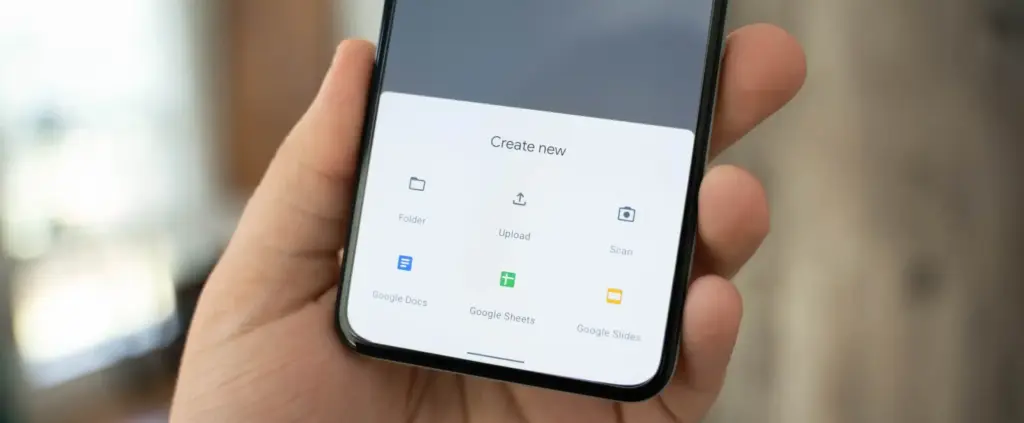
    2. Tap the “+” (plus) button
      It’s located at the bottom-right corner of the screen.
    3. Select “Scan”
      This opens your camera with a scanning interface.
    4. Take a photo of the document
      Frame the document clearly in good lighting. Tap the shutter button.
    5. Adjust the crop area
      You can move the corners to fit the document if the scan is uneven.
    6. Tap “Done” or scan more pages
      You can continue adding pages or finish the scan.
    7. Save the file
      Choose a name and folder to save the scan as a PDF in your Drive account.

    Pros:

    • No need to install anything
    • Saves directly to cloud
    • Easy to share scanned files

    Cons:

    • Limited editing tools
    • Requires Google account

    Scan documents using Google Photos (via Lens)

    Google Photos includes Google Lens, which can recognize text and scan documents quickly.

    How to do it:

    1. Open the Google Photos app
      Find the photo of your document or take a new one.
    2. Tap the “Lens” icon
      It’s at the bottom of the screen and activates text recognition.
    3. Select the document area
      Google Lens will highlight the text areas.
    4. Choose “Copy text” or “Search” or “Save as PDF”
      You can extract text or save it, depending on your needs.

    This method works best for typed text and single pages rather than full multi-page scans.

    Scan documents using Microsoft Lens

    scan documents

    Microsoft Lens is a dedicated scanning app with powerful enhancement tools.

    Steps:

    1. Install Microsoft Lens from the Play Store
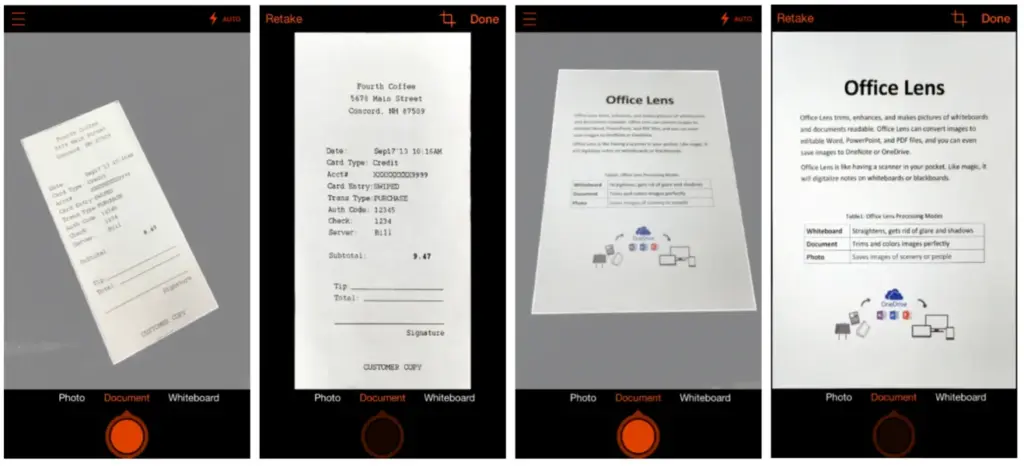
    2. Open the app and choose “Document” mode
    3. Capture your document
      It automatically detects edges and adjusts perspective.
    4. Edit the scan
      You can crop, rotate, or enhance the scan quality.
    5. Save or share the file
      Export to PDF, Word, OneNote, or save to your gallery.

    This app is ideal for professional-quality scans and editing.

    Tips for best scanning results

    • Use natural lighting to avoid glare or shadows.
    • Place the document on a flat, contrasting background.
    • Keep the phone steady while capturing the image.
    • Make sure the document fills the frame but doesn’t crop edges.
    • Clean your camera lens for sharper results.

    Organizing your scanned documents

    After scanning, keep your files organized by:

    • Creating folders in Google Drive (e.g., Receipts, IDs, Legal Docs)
    • Using consistent file naming (e.g., “Invoice_June_2025.pdf”)
    • Backing up to cloud storage or an external drive

    Security and privacy concerns

    If you’re scanning sensitive documents (like IDs, contracts, or financial info):

    • Use apps that encrypt your files
    • Avoid scanning on public Wi-Fi
    • Use a secure cloud service (Google Drive, OneDrive, etc.)
    • Consider locking folders or using file protection apps

    Scanning is excellent for common documents, but dedicated hardware scanners may still provide superior results for specific applications, such as high-resolution archiving, submitting legal papers, or intricate artwork. However, your Android phone is more than capable of meeting 95% of your daily demands.

    You can increase your freedom and convenience by learning how to scan documents with your Android phone. Whether you use a third-party tool, Google Drive, or Photos, digitizing documents and maintaining organization is simple. It only takes a few taps and eliminates the need for large scanners or additional procedures.

    Stay connected with the latest from Droid Tools—follow us on X @droid_tools, like our page on Facebook, check out our updates on Instagram, and follow us on Google News for real-time news, device tips, and mobile tech insights.
  • Gmail is already getting Material 3 Expressive design

    Gmail is already getting Material 3 Expressive design

    One of the main topics of discussion with Android 16 is the release of Material 3 Expressive, which not only improves the user experience of the system but also guarantees that Google apps use the same design language, improving consistency. Later in the year, those system-level design modifications are anticipated, but it appears Google is eager to begin implementing Android 16’s app designs.

    Over the past few weeks, the Mountain View tech behemoth has been seen previewing Material 3 Expressive in the Phone app and, more lately, in Calendar, Photos, Files, and Meet. If Gmail is your main email app on your Android phone, it’s time to see if you have the Material 3 Expressive design upgrade installed. However, there is no information regarding when Android 16’s design will be available for these apps.

    How Material 3 Expressive design is changing Gmail?

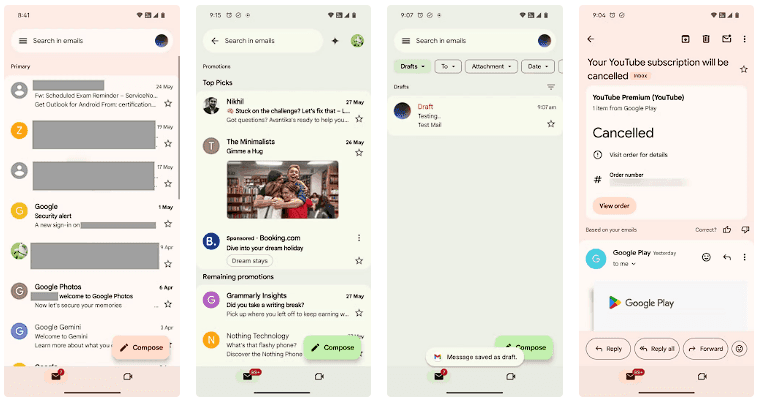
    The Gmail app version 2025.05.11 is implementing Android 16’s design language, which was initially noticed by SparkRadar on Telegram. This brings significant modifications to the program’s general look (via Android Authority). The new card-based user interface for the email list is the first significant change you’ll notice when you launch the app.

    Material 3 Expressive design Gmail

    Emails and the landing page’s search box were previously shown in a single-sheet format. With the Material 3 Expressive redesign, the email screens also had the same card-based user interface as the landing page.

    On the landing page, the “Compose” FAB is still located on the right, but now has a thicker typeface and a solid-filled pencil image. The search bar has seen a minor alteration as well. The profile symbol in the search bar is no longer present in the updated user interface. As an alternative, the search bar’s size has been lowered to create space for the profile symbol next to it.

    Additionally, we can see that the Meet and Email symbols have grown in size, and the bottom bar has slightly expanded. Additionally, Gmail now has a pill-shaped button animation for its swipe motions, which gives the interface a lively personality.

    Although the Material 3 Expressive design update is visually appealing, not all Gmail users can currently access it. The reason for this is that a server-side update is being used to roll it out. Additionally, it may take a few more days to make this adjustment available to everyone, as Gmail is one of the Google apps with over 10 billion installations on the Google Play Store.

  • Wear OS 6 will allow AOD controls

    Wear OS 6 will allow AOD controls

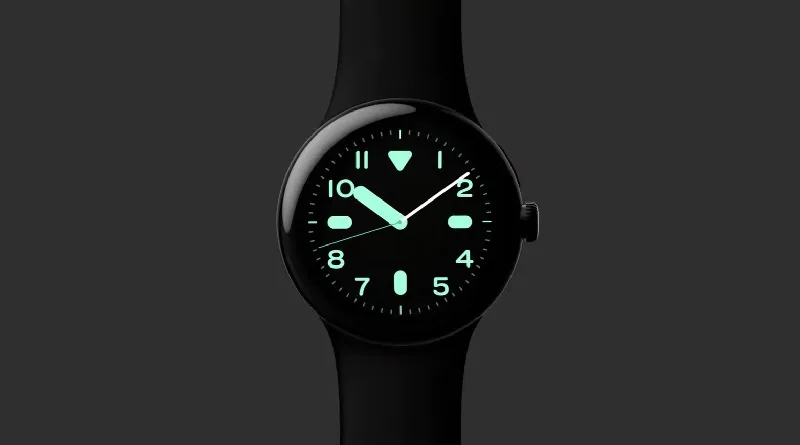
    Due to limits in its actual “always-on” functioning, the always-on display (AOD) mode on Android smartwatches hasn’t always been the smoothest feature. This seems to be fixed in Wear OS 6, which would allow for more usage even when the watch’s display is off.

    Wear OS’s always-on display mode hasn’t changed much. At the moment, the majority of apps only show the clock; only Spotify and Maps completely adjust to the mode. This is a major reduction in productivity, particularly when you want to control or modify something on your watch without waking the screen completely.

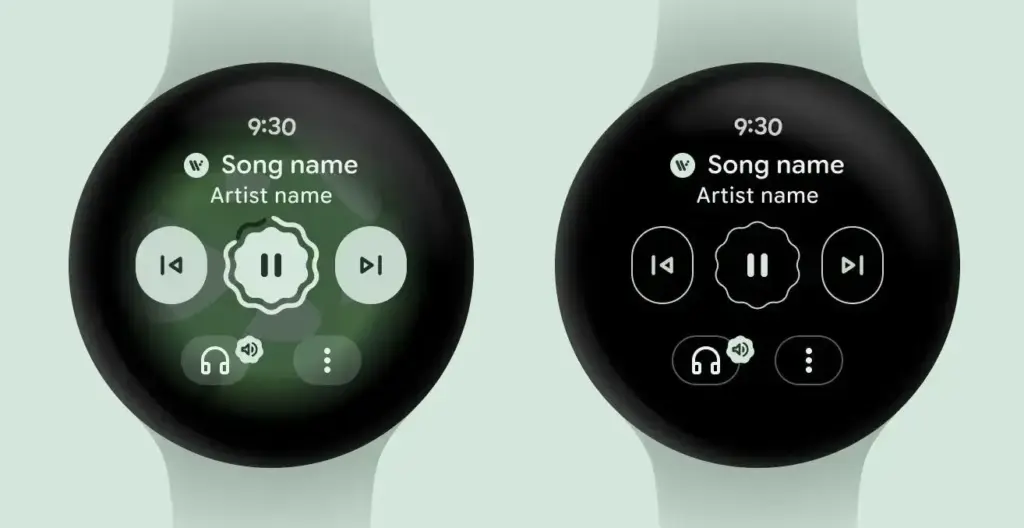
    wearOS 6 always on display controls

    Control more from directly from AOD in Wear OS 6

    In Wear OS 5.1, Google is already developing a feature dubbed “Force Global AOD” that, as the name implies, attempts to compel active app displays to switch to an always-on display state. Although it is presently undergoing developer testing, the firm has started to share updates regarding the feature, so we can now anticipate its arrival with Wear OS 6.

    Google claims to be offering a complete solution with seamless cross-device integration of this capability as part of Wear OS 6. Google gave an example of the existing music control interface, which will change to a black-and-white user interface in AOD mode when utilizing the Material 3 Expressive design. Importantly, the rich and whimsical shapes of many elements, including text and navigational buttons, will be preserved in this AOD version.

    How this will seem in other apps that eventually make use of Google’s Material 3 Expressive’s “glanceable UI” is yet unknown. For apps that don’t support always-on display natively, there might be a default screen.

    Google Pixel Watches and Samsung Galaxy Watches stand to gain the most from this improved always-on display, which will significantly improve Wear OS user experience. With this enhancement, Wear OS smartwatches may even surpass Apple’s watchOS, which does not yet have a real always-on display mode.

    Later this year, Wear OS 6 is anticipated to be made available to compatible Android smartwatches. Improved battery life and performance are two of the improvements in the upcoming main Android wristwatch OS, in addition to the actual AOD. In keeping with Google’s long-term strategy, Gemini will also become more deeply integrated into the system.

    Pixel Watch 3 1

    Google Pixel Watch 3

    The Google Pixel Watch 3 is designed for performance, with advanced fitness from Fitbit[1,2]; the 41mm screen is twice as bright and 10% larger than before, making it easier to see your stats and info

    $349.99$299.99Amazon

    Stay connected with the latest from Droid Tools—follow us on X @droid_tools, like our page on Facebook, check out our updates on Instagram, and follow us on Google News for real-time news, device tips, and mobile tech insights.

  • How the EU is transforming the mobile industry for the benefit of consumers

    How the EU is transforming the mobile industry for the benefit of consumers

    The European Union has instructed smartphone makers to alter their product lines in a number of ways over the past few years in order to better serve customers. Making USB-C the industry standard connector for a variety of consumer goods, such as laptops, tablets, phones, and cameras, is part of this. It even compelled Apple to allow sideloading of programs and third-party App Stores. Later this month, the EU will implement a new guideline under the Energy Labelling and Ecodesign Regulation that will increase the lifespan of smartphones and tablets as a whole.

    The following design specifications (provided by the European Commission) must be met by smartphones and tablets marketed in the EU as of June 20, 2025:

    • Resistance to accidental drops or scratches and protection from dust and water
    • Sufficiently durable batteries which can withstand at least 800 charge and discharge cycles while retaining at least 80% of their initial capacity
    • Rules on disassembly and repair, including obligations for producers to make critical spare parts available within 5-10 working days, and for 7 years after the end of sales of the product model on the EU market
    • Availability of operating system upgrades for longer periods (at least 5 years from the date of the end of placement on the market of the last unit of a product model)
    • Non-discriminatory access for professional repairers to any software or firmware needed for the replacement

    These days, practically every mid-range and high-end phone has an IP rating, making it simple for them to comply with the EU’s new design guidelines. For a maximum of seven years following the discontinuation of a device’s sale, the European Union will now mandate that companies supply essential spare parts within ten working days. This modification should greatly increase a phone or tablet’s lifespan and facilitate user repairs.

    Additionally, according to Heise Online, the Ecodesign Regulation mandates that software updates be provided for a minimum of five years following the product’s last day of retail sale. For their flagship phones, Google and Samsung offer seven years of OS updates; however, their chronology starts on the day of the device’s debut.

    These businesses might have to either stop selling older flagship models after two years or provide substantially more software support under the new EU regulations. Since Xiaomi and Honor presently only provide upgrades for a maximum of five years after the device’s launch date, the new guideline will have a big influence on both brands.

    Existing smartphones and tablets will not be affected by these changes; they will only be applicable to new models that go on sale on or after June 20, 2025.

    In the EU, smartphones and tablets will have an energy label.

    eu energy label

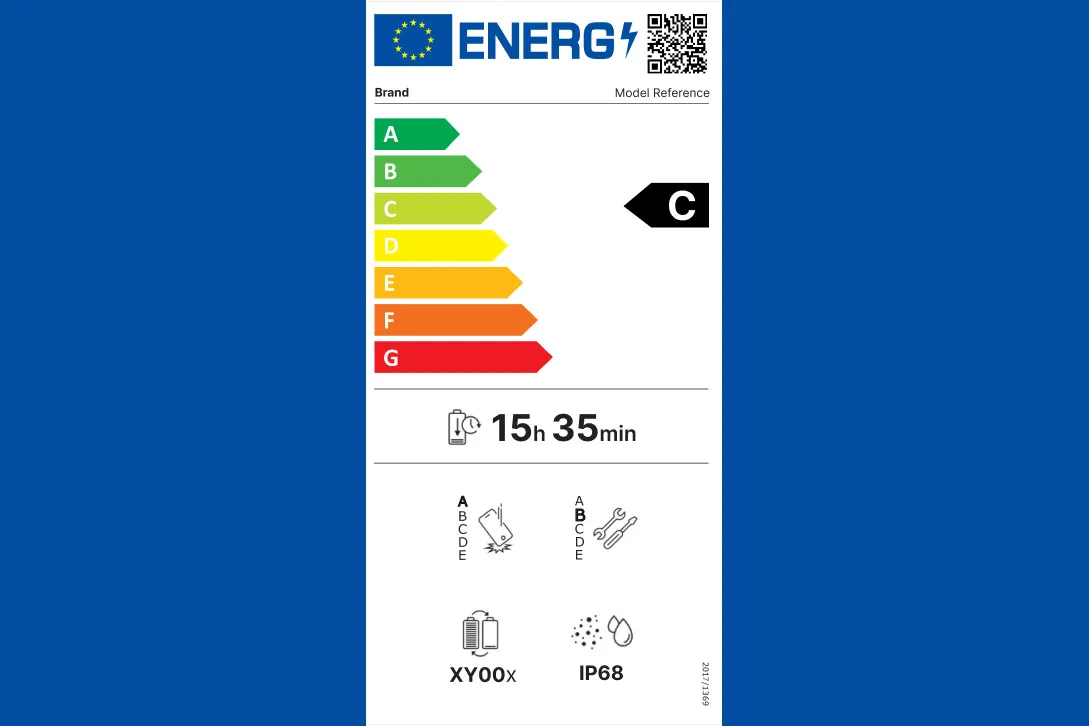
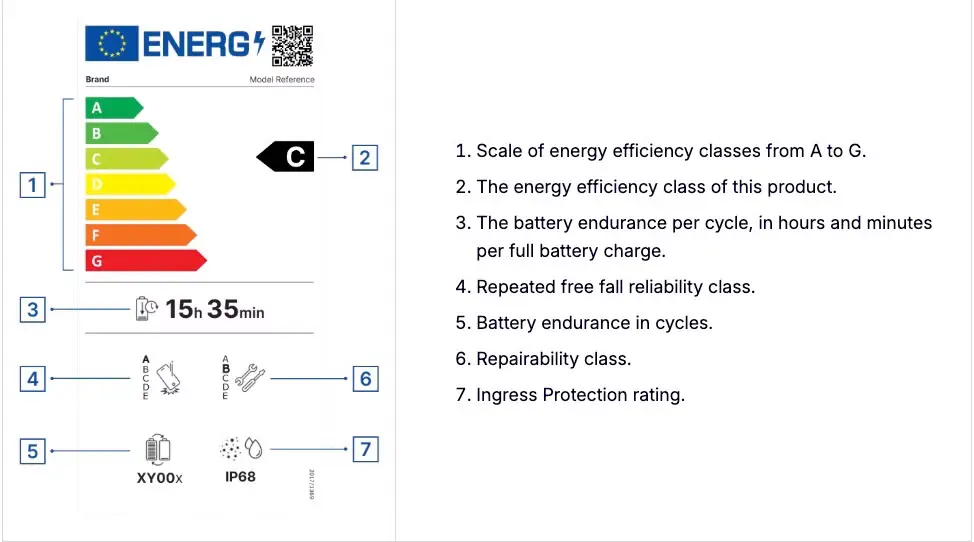
    The EU’s Energy Labelling regulations also take effect on June 20 of this month. It requires manufacturers to include an energy label on their tablets and smartphones that includes information about repairability, battery longevity, dust and water ingress protection, and energy efficiency.

    A scale from A to G will be used to rate energy efficiency, with A representing the highest efficiency and G representing the lowest. Similarly, battery endurance in hours and minutes per full battery charge cycle must be stated by manufacturers.

    According to the European Union, by 2030, phones and tablets that comply with its new energy requirements will contribute to an annual savings of around 14 terawatt-hours.

    Stay connected with the latest from Droid Tools—follow us on X @droid_tools, like our page on Facebook, check out our updates on Instagram, and follow us on Google News for real-time news, device tips, and mobile tech insights.
  • One UI 8 Watch update will bring new features

    One UI 8 Watch update will bring new features

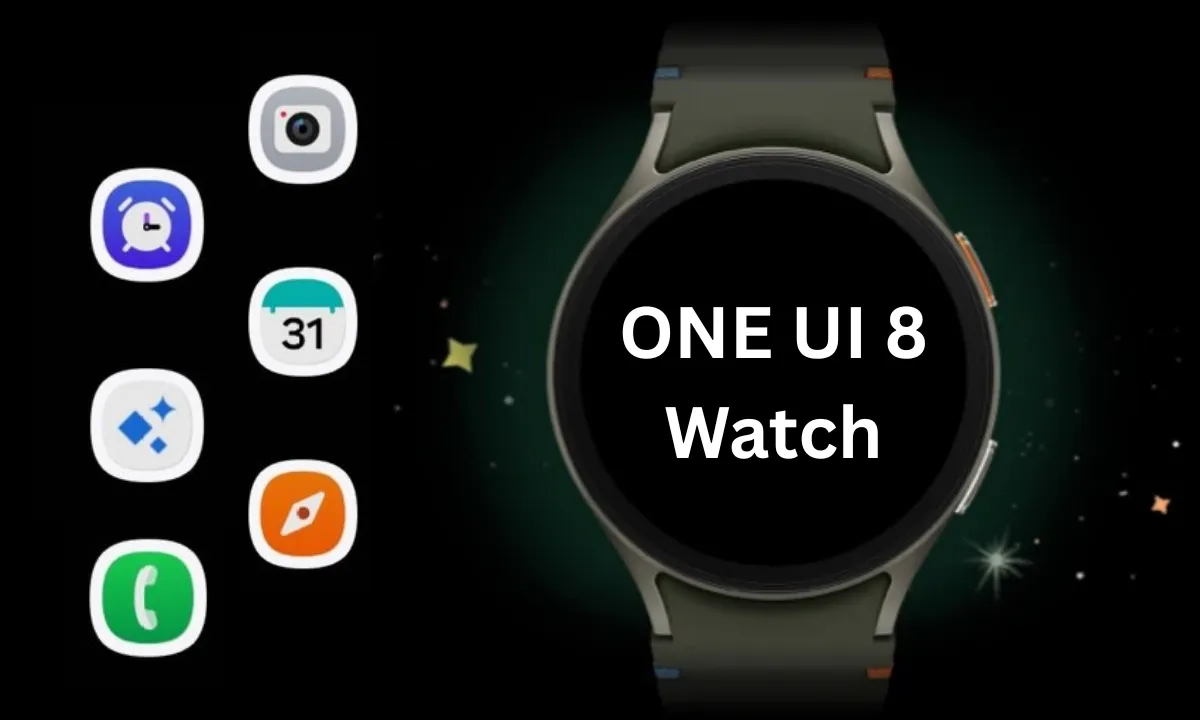
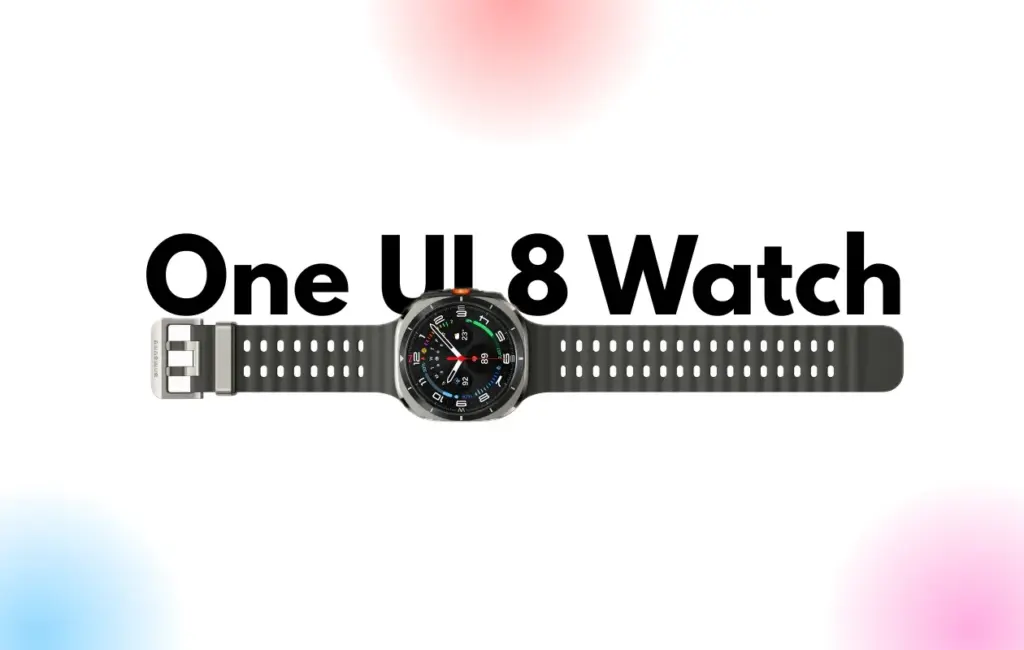
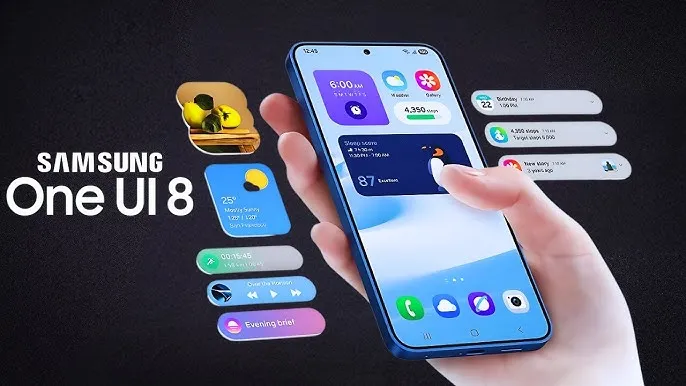
    Samsung Galaxy Watches will get a substantial overhaul with the release of One UI 8 Watch, which might arrive as early as June or July and is expected to incorporate Google Gemini, a Shortcuts app, and Samsung’s Now Bar.

    Following claims that Samsung will bypass One UI 7 Watch in favor of One UI 8 Watch, a move that will unify the branding of Samsung’s watch software with its top Samsung phones— One UI 8 APKs have leaked, revealing the new features coming to Galaxy wearables.

    According to Android Authority, Gemini AI will be available on both Samsung watches and its own Pixel portfolio, along with some interesting new capabilities. The findings indicate that new ‘Gemini Actions’ will bring many of the same fantastic Gemini capabilities for Android phones to your wrist, with code strings hinting at numerous intriguing actions.

    References include Gemini Actions, which can relocate meetings, summarize emails, and tell you the weather, as well as an input that allows you to rapidly mute Gemini AI with a single press of your screen.

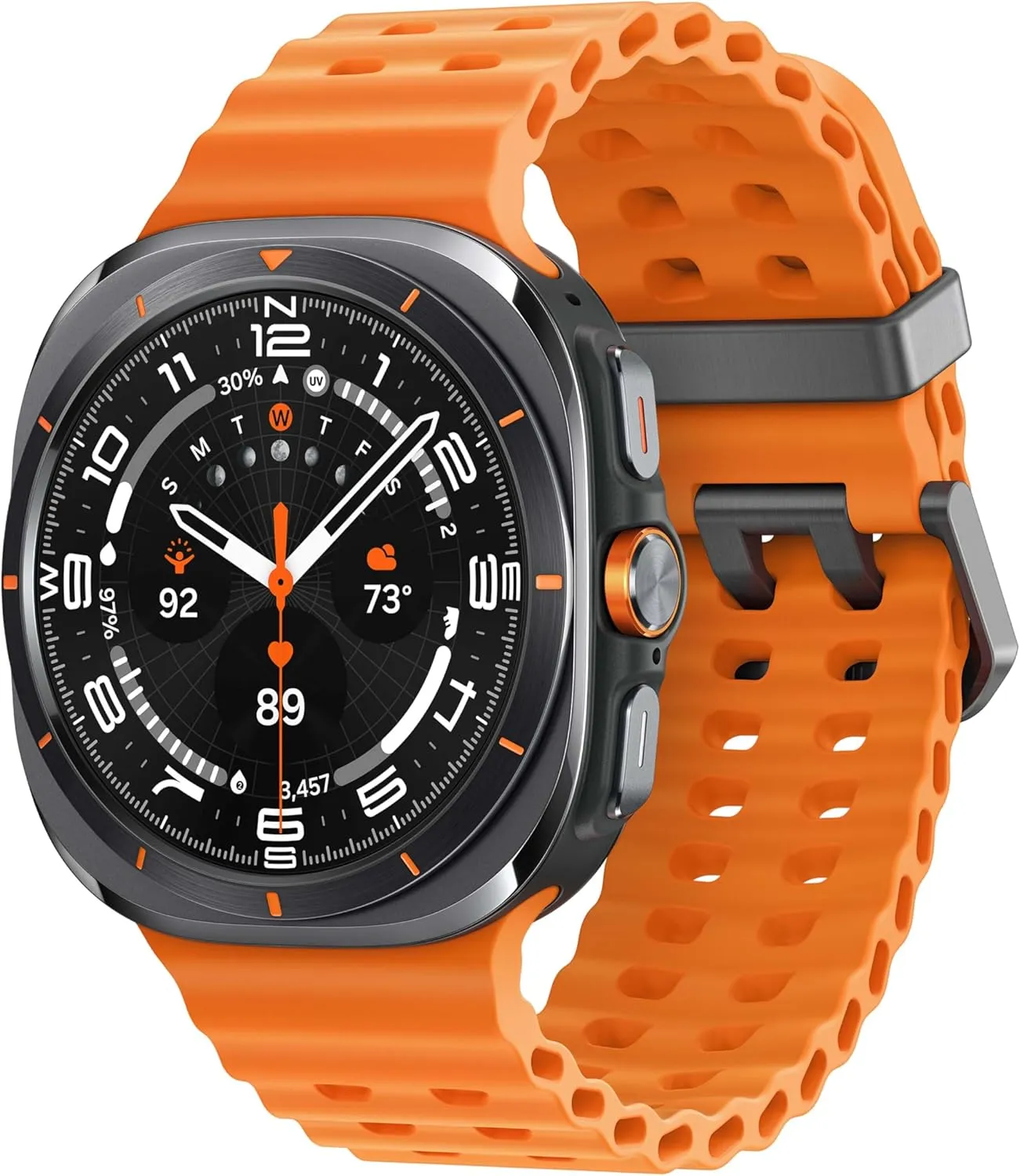
    One UI 8 Watch update
    galaxy watch ultra

    Samsung Galaxy Watch Ultra 47mm LTE

    Climb the highest peak; Bike the long way home; The durable titanium design is our toughest yet, able to stand up to the rigors of your workout, including rainy or dusty conditions — even ocean swimming

    Best choice
    $649.99$399.00Amazon

    One UI 8 Watch – other features

    As mentioned in a separate article, AA has also discovered a new Watch app called Shortcuts, which allows you to add apps to your Galaxy Watch home screen as either 2 x 1 or 2 x 2 tiles, making them considerably more accessible.

    Finally, the publication reports that Samsung will add One UI 7’s Now Bar and Now Brief to the Galaxy Watch. The Samsung Now Bar appears on the home screen of your Galaxy smartphone, displaying information such as live notifications, music, and more. According to AA, users will be able to select between a simple icon and a larger display that includes both an icon and text.

    Users will also reportedly be able to double-pinch to open the Now Bar, and enable other actions if there’s no content in the bar.

    “Essentially, the Now Bar on Galaxy Watches will serve as a widget system, surfacing contextually relevant data without needing to navigate away from the watch face,” the report explains, specifically noting contextual suggestions, maps, media controls, Now Brief, tips, and Sports on Google (live sports scores).

    There are undoubtedly other significant features hiding beneath the surface that will be revealed when One UI 8 Watch approaches its formal release. Customers should expect a significant software upgrade for devices such as the Galaxy Watch Ultra and Samsung Galaxy Watch 7.

    Naturally, these modifications will be incorporated into the upcoming Galaxy Watch 8, which is slated to be released later this year.

    Grab a Samsung Galaxy Watch Ultra with 40% off – limited time deal

    galaxy watch ultra

    Samsung Galaxy Watch Ultra 47mm LTE

    Climb the highest peak; Bike the long way home; The durable titanium design is our toughest yet, able to stand up to the rigors of your workout, including rainy or dusty conditions — even ocean swimming

    Best choice
    $649.99$399.00Amazon
  • The complete feature list of HyperOS 2.3 update

    The complete feature list of HyperOS 2.3 update

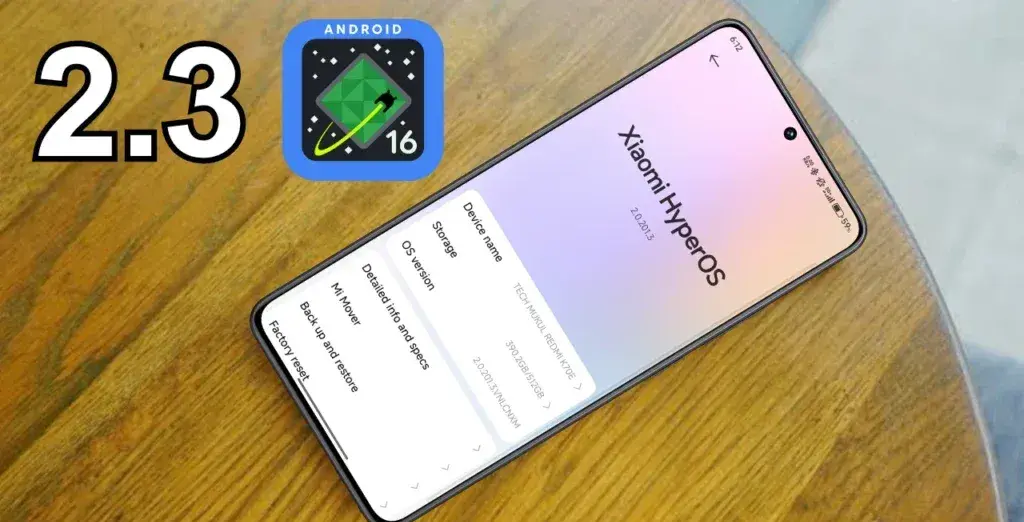
    With Android 16 serving as its foundation, Xiaomi’s next HyperOS 2.3 update is expected to bring about the biggest leap in the company’s own Android experience. This significant system update introduces improved security measures and improved user experience components while expanding on the foundation of the current HyperOS 2.2 framework.

    Although the major emphasis is still on security improvements rather than ground-breaking new features, the update demonstrates Xiaomi’s dedication to offering state-of-the-art software experiences that capitalize on Google’s most recent Android advances. Through official channels and specialized monitoring tools, users can monitor their device compatibility and eligibility for updates.

    hyperos 2.3
    hyperos 2.3 update android 16

    New features in HyperOS 2.3

    The Android 16 foundation, which offers better system stability, more performance optimization, and—above all—advanced security features that safeguard user data and privacy, is the main improvement in HyperOS 2.3.

    Enhanced Security Framework

    HyperOS 2.3’s security improvements include:

    • Advanced encryption protocols for sensitive data protection
    • Improved app permission management system
    • Enhanced biometric authentication security
    • Strengthened system-level protection against malicious applications

    Device compatibility and release

    Only those devices that qualify for the Android 16 upgrade will be able to get the HyperOS 2.3 update. While preserving system stability, this phased deployment guarantees the best possible performance and compatibility throughout Xiaomi’s device ecosystem.

    Eligible Device Categories

    • Flagship smartphones from recent generations
    • Select mid-range devices with adequate hardware specifications
    • Compatible tablets and other smart devices in Xiaomi’s ecosystem

    All of Google’s normal services and security upgrades are available on the Android 16 base, even though Google hasn’t added any new Android features specifically for Xiaomi’s HyperOS version. Preserving system security and guaranteeing compatibility with Google’s ecosystem services are the major goals of the integration.

    Update eligibility

    With the MemeOS Enhancer app on the Play Store, users may find out if their device is compatible with Android 16 and eligible for HyperOS 2.3. In addition to system app updates, access to secret Xiaomi features, and direct update access from the device screen, the app offers instant visibility into update status upon activation.

    Stay connected with the latest from Droid Tools—follow us on X @droid_tools, like our page on Facebook, check out our updates on Instagram, and follow us on Google News for real-time news, device tips, and mobile tech insights.
  • You still can buy Galaxy Watch Ultra at 40% off – hurry up

    You still can buy Galaxy Watch Ultra at 40% off – hurry up

    With an amazing $261 discount, you can purchase one of the top smartwatches available for less than $390 from a third-party seller on Amazon. You still have a 30-day return window even though the offer isn’t coming straight from Amazon, so you can shop with confidence knowing you can return the item if necessary.

    galaxy watch ultra

    Samsung Galaxy Watch Ultra 47mm LTE

    Climb the highest peak; Bike the long way home; The durable titanium design is our toughest yet, able to stand up to the rigors of your workout, including rainy or dusty conditions — even ocean swimming

    Best choice
    $649.99$399.00Amazon
    galaxy watch ultra models

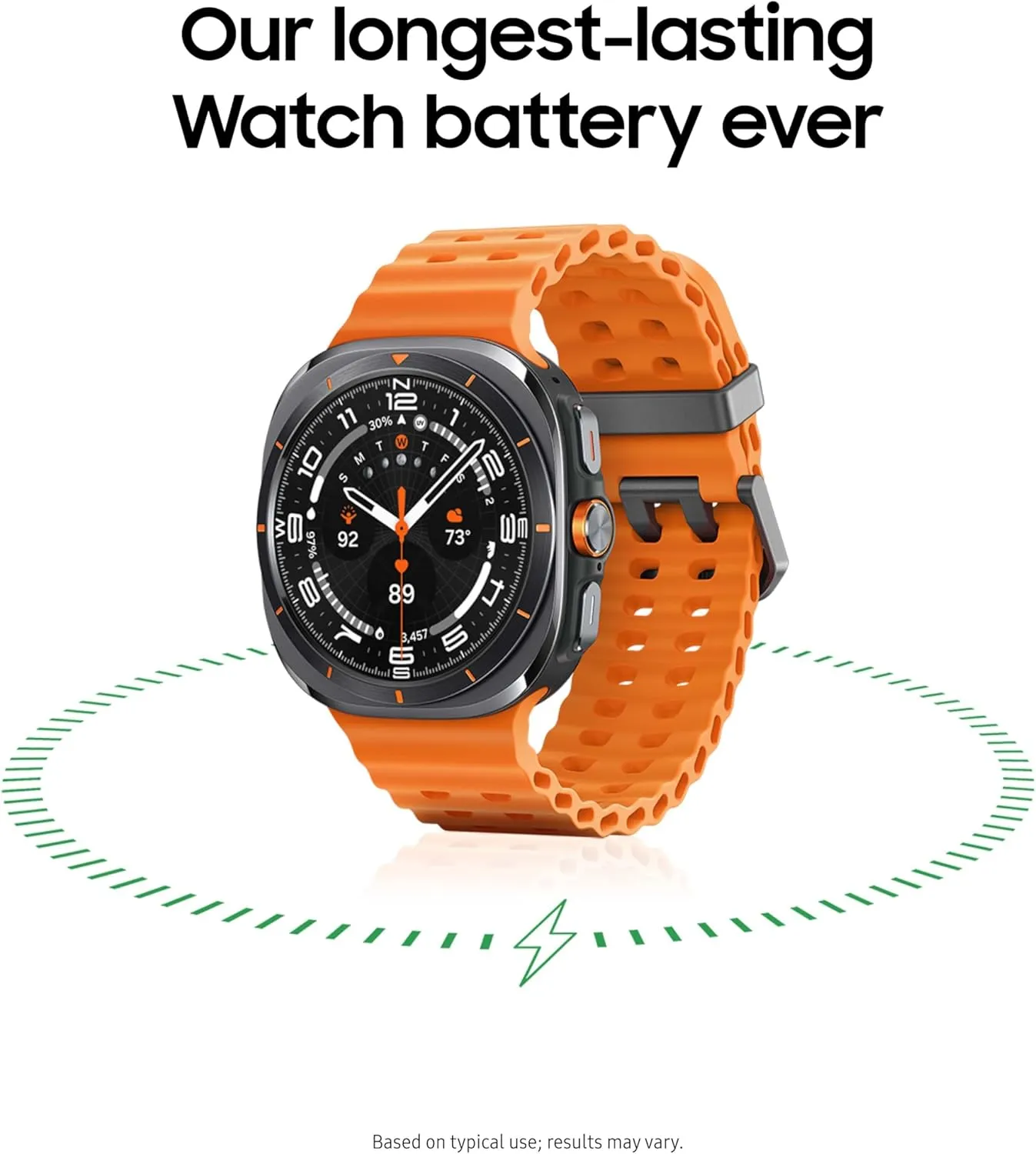
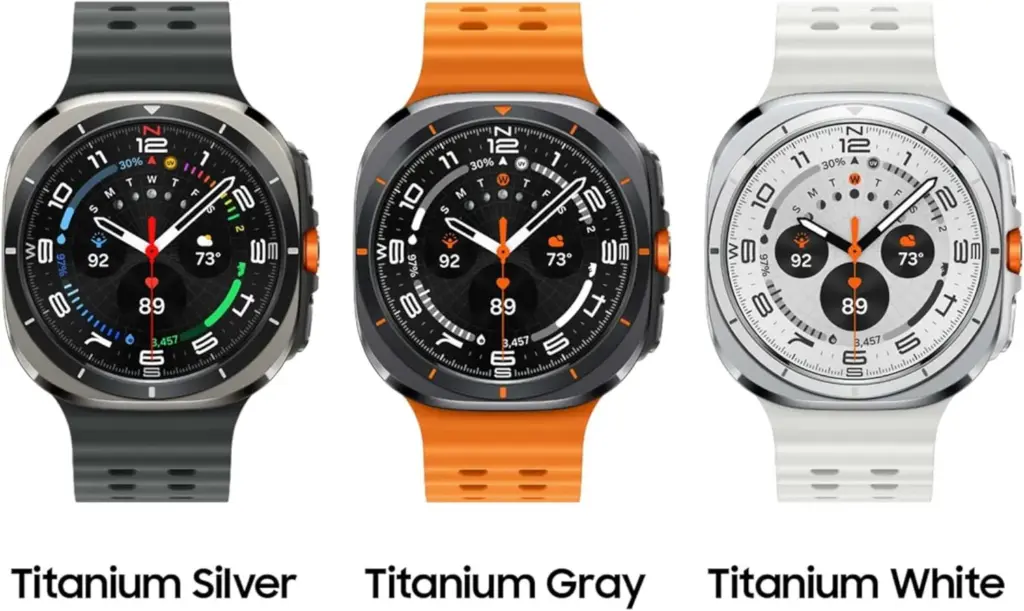
    Price is important, of course, but this Samsung watch’s excellent look and longevity are what actually make it worthwhile. It is durable enough for daily use and even harsher environments with to its sapphire crystal display and sturdy titanium case. It can survive up to 30 minutes in five feet of water, manage dust with ease, and even resist short dives as deep as 328 feet thanks to its IP68 and 10ATM classifications.

    In addition to its robust construction, it has a long battery life. If you turn off the always-on display and enable heart rate tracking, you can get up to two days between charges. It also has a ton of cutting-edge health capabilities, such as Samsung’s body composition functionality and FDA-approved sleep apnea detection.

    With its robust design, abundance of functions, and long battery life, the Galaxy Watch Ultra is the whole deal. Additionally, given its current pricing on Amazon, it’s a real steal. Additionally, even though this $261 deal is only available occasionally, it always presents an opportunity to improve your smartwatch game.

    galaxy watch ultra

    Samsung Galaxy Watch Ultra 47mm LTE

    Climb the highest peak; Bike the long way home; The durable titanium design is our toughest yet, able to stand up to the rigors of your workout, including rainy or dusty conditions — even ocean swimming

    Best choice
    $649.99$399.00Amazon