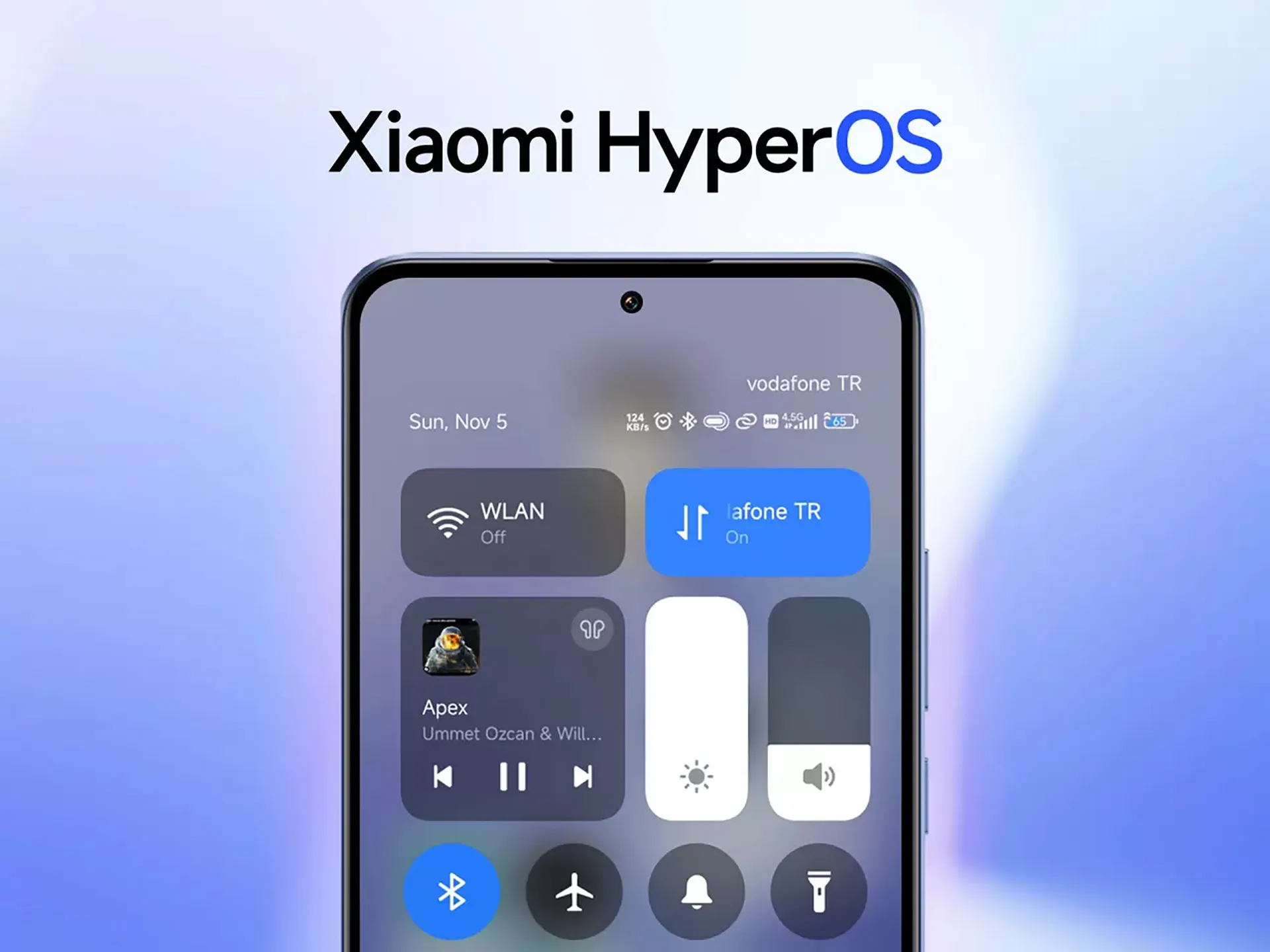
With the current rapid pace of HyperOS 2.3 development, Xiaomi has taken a major step forward in the development of its software ecosystem. The company’s strategic commitment to integrating its next-generation operating system with the upcoming release of Android 16 was demonstrated on May 27th when internal testing got underway. With Android 16 as its fundamental core, HyperOS 2.3 is positioned as a significant update that improves user experience and performance.
HyperOS 2.3 is coming fast
Development teams have initiated a comprehensive internal testing phase, deploying multiple build variants tailored for different regional markets. This strategy ensures broad compatibility across Xiaomi’s international user base.
The initial test builds include:
OS2.0.300.1.WOCCNXM (China variant)
OS2.0.300.1.WOCMIXM (Global variant)
OS2.0.300.1.WOCEUXM (EEA Global variant)
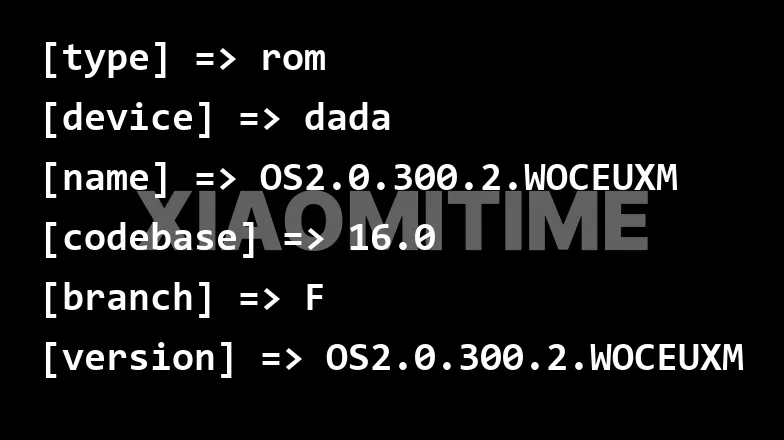
Updated builds have been produced in recent development cycles; the most recent version for the EEA Global market is OS2.0.300.2.WOCEUXM. These small changes are the result of ongoing optimization and improvement initiatives inside Xiaomi’s development process.
Currently, the Xiaomi 15 flagship device—internally dubbed “dada”—is given priority in testing methods. The goal of this focused strategy is to guarantee the best possible compatibility between the new hardware and HyperOS 2.3’s sophisticated capabilities.
HyperOS 2.3 release
Xiaomi has a shorter development timetable for HyperOS 2.3 because Android 16 is expected to launch in June. Although attaining the late-June objective is still uncertain, the enhanced pace indicates a strong organizational commitment to providing a stable release.
Stay connected with the latest from Droid Tools—follow us on X @droid_tools, like our page on Facebook, check out our updates on Instagram, and follow us on Google News for real-time news, device tips, and mobile tech insights.
Ever since they upended the industry by releasing flagship phones that reduced the market share of the iPhone, I have been evaluating OnePlus smartphones. Somewhere, that crispness was lost as OnePlus grew over the years.
However, the OnePlus 13s seems like a relaunch, a return to the original OnePlus: community-driven, focused, and straightforward. With its sleek, small design, the 13s makes a far bigger statement than the OnePlus 13 and 13R, which suggested a return.
Design
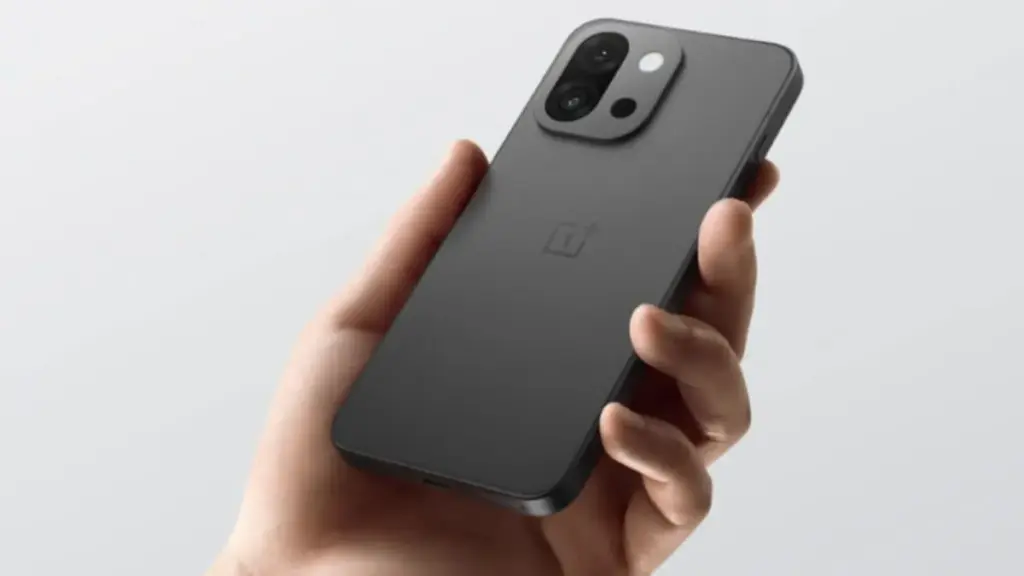
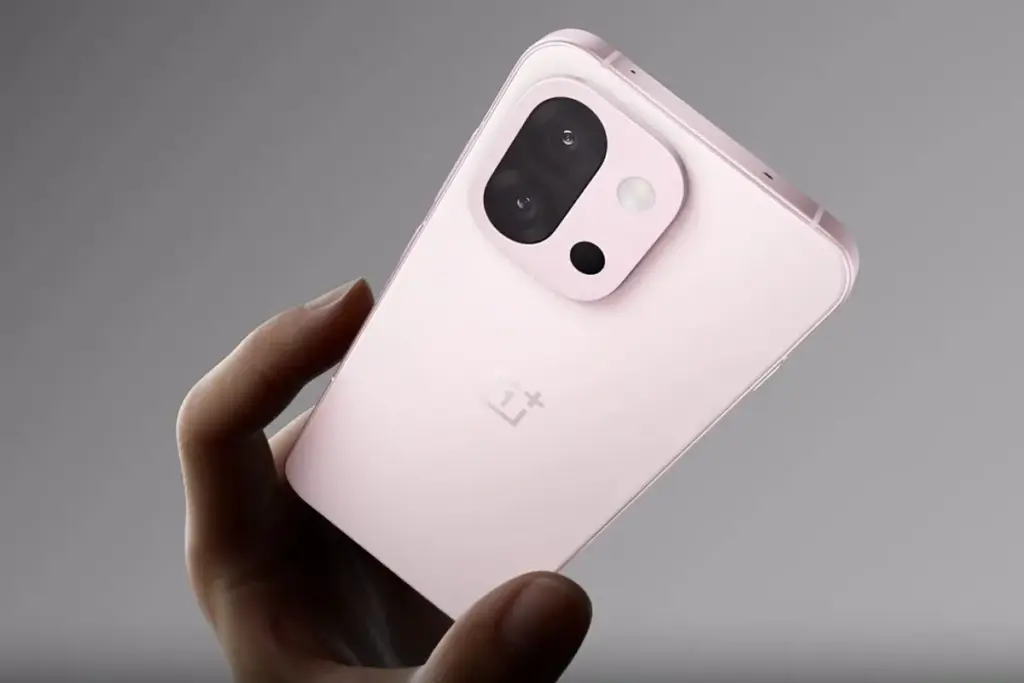
The OnePlus 13s is elegant, solid and small, and it hits the mark right away when you hold it. Yes, the clean symmetry and flat frame make it resemble an iPhone, but it never comes across as a cheesy knockoff. In fact, it feels just as good in the hand as phones like the Galaxy S25 and iPhone 16 Pro.
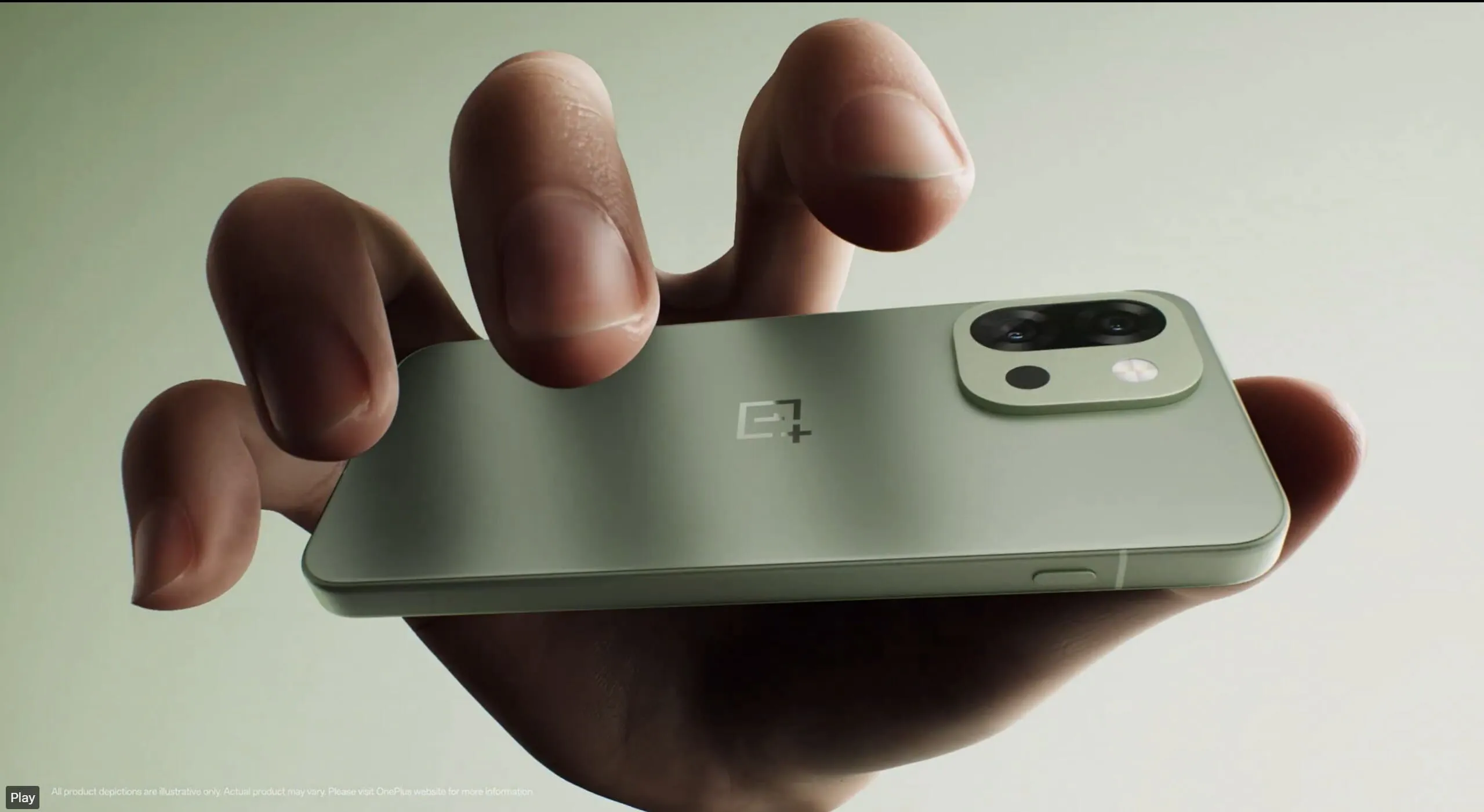
In a time when smartphones weigh 220g, the 13s is surprisingly light at 8.15mm thin and 185g. A textured glass finish that feels smooth without being flashy or slick is used on the back. On flat surfaces, the flush camera module makes sure there is no wobbling. The Green Silk version, which feels as high-end as it looks, is a lovely addition that is exclusive to India.
Also, OnePlus’s well-known Alert Slider has been transformed into the Plus Key, a configurable button that can be mapped to start apps and even initiate AI activities. It can be long-pressed to switch between quiet, vibrating, and ringing modes. Sensible and realistic without being overly dramatic.
An added plus is the phone’s IP65 designation, which allows it to withstand dust, rain, and unintentional splashes but falls short of complete waterproofing like the flagship models. That’s a victory for a little Android flagship.
Display
On paper, the 6.32-inch LTPO AMOLED may appear small, yet it excels in key areas. It is bright, sharp, and able to withstand the intense sunlight of Delhi thanks to its FHD+ or 1.5K resolution, 120Hz adaptive refresh rate, and maximum brightness of 1600 nits.
The color calibration by OnePlus is also flawless; it’s rich without being overpowering. The viewing experience is visually pleasing whether you’re watching Instagram Reels or IPL highlights, and I didn’t miss the 4K that was missing from my Netflix series. To be honest, I don’t see why anyone would be upset about losing out on the extra nuances of 4K on a screen this small.
Even wet hands—or sweaty ones during hot summers—won’t impair touch response thanks to Aqua Touch 2.0.
For individuals who find the large 6.7-inch slabs of today awkward, the Oneplus 13s provide a wonderfully portable option without feeling claustrophobic.
Performance
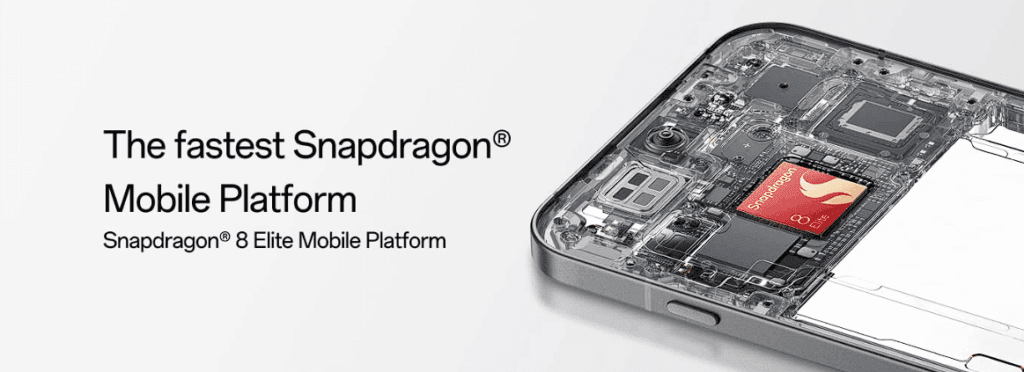
The Snapdragon 8 Elite processor, 12GB LPDDR5X RAM, and UFS 4.0 storage are installed under the hood. In summary, its performance is on par with flagship models.
The Oneplus 13s doesn’t blink whether you’re balancing multiple tabs on Chrome, Instagram, WhatsApp, and BGMI. Because of the vapor chamber cooling mechanism, it maintains frame rates steadily even throughout extended gaming sessions. Even in hot 40°C summers, OnePlus has managed to keep thermals under control thanks to some serious engineering.
You can easily reach a steady 120 frames per second on BGMI, and even after an hour of gaming, the phone remains warm – not hot. The 13s provides consistently regardless of whether you’re a casual user, gamer, or multitasker. Importantly, there are no sporadic lags or harsh throttling, even while multitasking for extended periods of time—something that even larger phones can have trouble with.
Camera
Here’s where things get interesting. The OnePlus 13s skips the trendy ultrawide lens and instead goes for a more focused setup: 50MP Sony LYT-700 primary sensor (f/1.8, OIS) 50MP 2x telephoto lens 32MP front camera with autofocus
50MP Sony LYT-700 primary sensor (f/1.8, OIS)
50MP 2x telephoto lens
32MP front camera with autofocus
Photos appear natural in daylight because of the great dynamic range and well-balanced colors. The 13s captures realistic images without the highly saturated processing we frequently see in typical Indian settings, such as bustling marketplaces, bright outdoor spaces, or verdant landscapes.
It also performs well in low light. Though not nearly as good as Google’s Pixel Night Sight or Xiaomi’s Leica-tuned cameras, nighttime street images are detailed with controlled noise. The 2x telephoto is excellent for portraits and tighter framing, but the absence of an ultrawide will be a pain if you enjoy taking landscapes or group shots.
The 32MP selfie camera is a delight – crisp, sharp, and excellent for video calls even under average indoor lighting.
With minimal tweaking, Oneplus 13s will produce Instagram-worthy photos for the majority of users. You might want to look elsewhere if you’re a purist photographer who longs for zoom versatility or ultrawide enchantment. However, the 13s is equally good for everyday recollections and social networking.
Battery
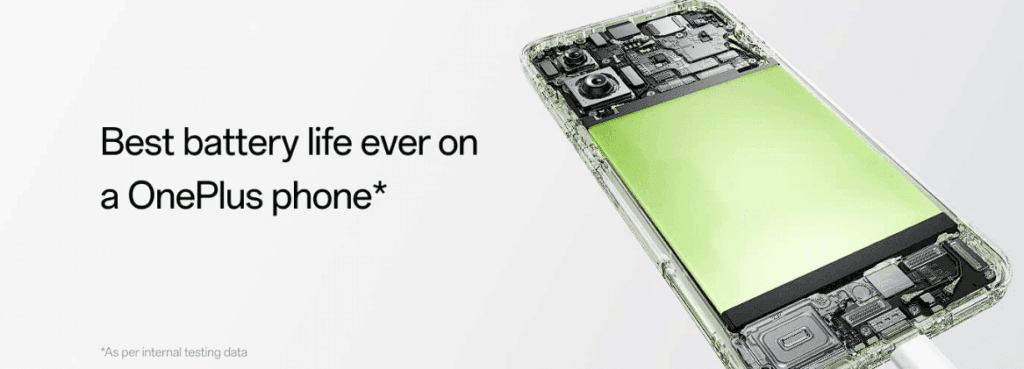
OnePlus somehow managed to fit a 5,850mAh battery into this slim body – and it pays off massively. In daily use – think 5G on, social media, camera, gaming, video calls – the 13s comfortably lasts a full day and often stretches into the next morning. In fact, it’s easily one of the longest-lasting compact flagships around right now.
Heavy BGMI gamers can pull around 7 hours of continuous play. Normal users will easily see 6-7 screen-on hours on a typical day, which is remarkable for a phone this size.
Additionally, charging is quick—80W SuperVOOC will charge you from 0% to 100% in about 50 to 60 minutes. Although wireless charging isn’t included, it’s hardly a deal breaker at this price point in India, where conventional charging is still common.
Another noteworthy feature is bypass charging, which minimizes battery wear and lowers heat by powering the phone directly during games rather than using the battery. Excellent for extended battery life and for gamers.
Conectivity
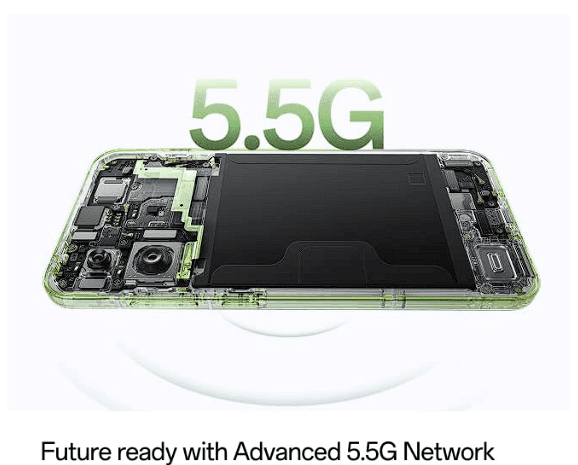
All of the well-known bands are supported by the OnePlus 13s’ extensive 5G band coverage. Even in challenging locations like metro stations and basements, it maintained robust 5G connectivity in real-world usage.
Even in spotty locations, there are very few dropouts during voice and video calls, indicating great call quality. During commutes, the stereo speakers are ideal for streaming YouTube or Netflix because they are clear and loud.
There’s dual SIM 5G standby, Wi-Fi 7 readiness for future-proofing, and even an IR blaster – a small but underrated feature for controlling your ACs, TVs and more. My personal favorite.
OnePlus 13s OS
On the Oneplus 13s, OxygenOS seems quick, clean, and bloat-free. Just like OnePlus enthusiasts would have hoped. With four years of Android OS upgrades and six years of security fixes, this phone is long-lasting and free of spam and advertisements.
Additionally, OxygenOS 15 has been polished with small features that improve everyday usability, such as Open Canvas for multitasking and smooth Mac/Windows file transfers.
Additionally, OnePlus guarantees Private Computing Cloud security for its AI capabilities, which means that your private information won’t be taken to the cloud without your permission.
All specs
Category
OnePlus 13s
Display
6.32 -inch 120Hz LTPO AMOLED, 2640×1216, 1600 nits max
OS
OxygenOS 15 based on Android 15
Chipset
Qualcomm Snapdragon 8 Elite, Adreno 830, 3nm
RAM
12GB LPDDR5X
Storage
256GB/512GB UFS 4.0
Rear camera 1
50MP Sony Lytia LYT-700, PDAF, OIS
Rear camera 2
50MP Samsung JN5 tele, 2x optical zoom
Front camera
32MP GalaxyCore GC32, autofocus, 4K video
Ingress protection
IP65 dust and water resistance
Connectivity
Wi-Fi 7, Bluetooth 6.0, limited 5G bands, NFC, dual-band GPS
Security
Optical in-screen sensor
Audio
USB-C, stereo sound, AptX HD, LDAC, LHDC 5.0
Battery
5,850mAh battery, 80W charging
Dimensions
150.8 x 71.7 x 8.2mm, 185g
Colors
Green, Pink, Black
Overall
The OnePlus 13s distinguishes itself in a crowded market for large slab phones by subtly delivering the necessities. It’s smart without being overbearing, strong without draining your battery, and high-end without breaking the bank.
The OnePlus 13s is difficult to overlook for anyone desiring a small flagship experience without sacrificing quality, be it professionals seeking power in a portable device, ardent Android users, or previous iPhone enthusiasts wishing to transfer. It’s not the most affordable flagship available.
It isn’t the most dazzling. However, for mosts’s tech-savvy users that prioritizes functionality over flash, it might be the best option.
Stay connected with the latest from Droid Tools—follow us on X @droid_tools, like our page on Facebook, check out our updates on Instagram, and follow us on Google News for real-time news, device tips, and mobile tech insights.
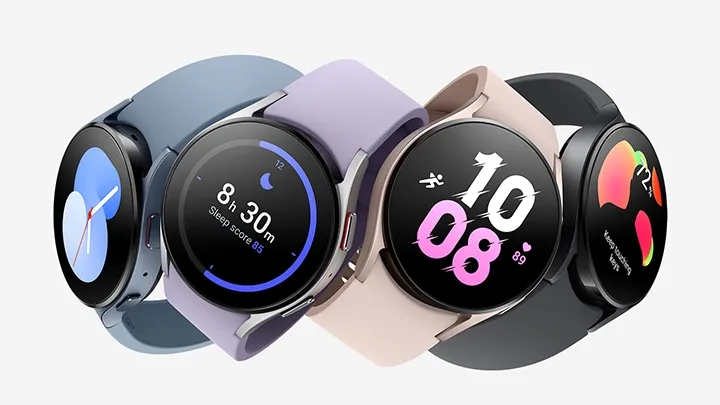
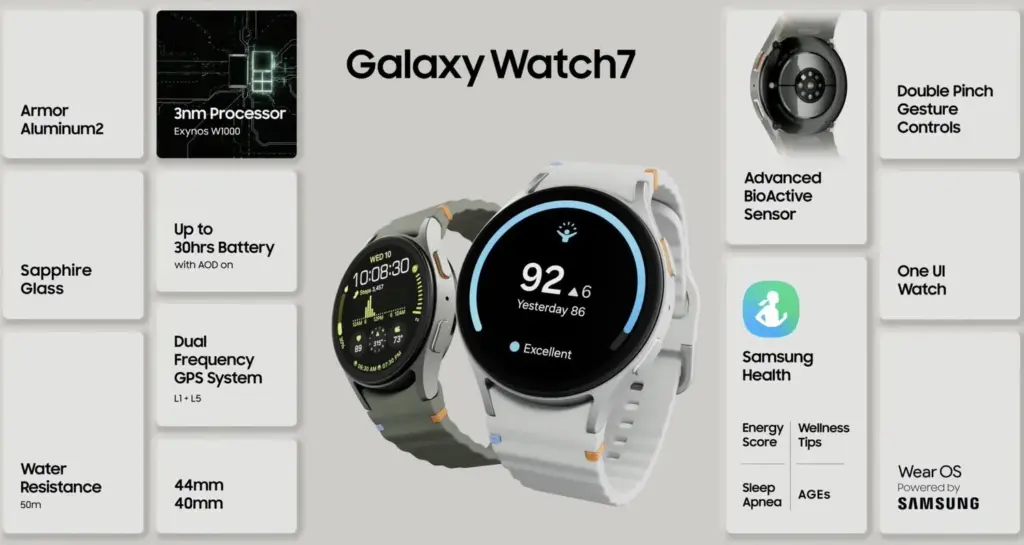
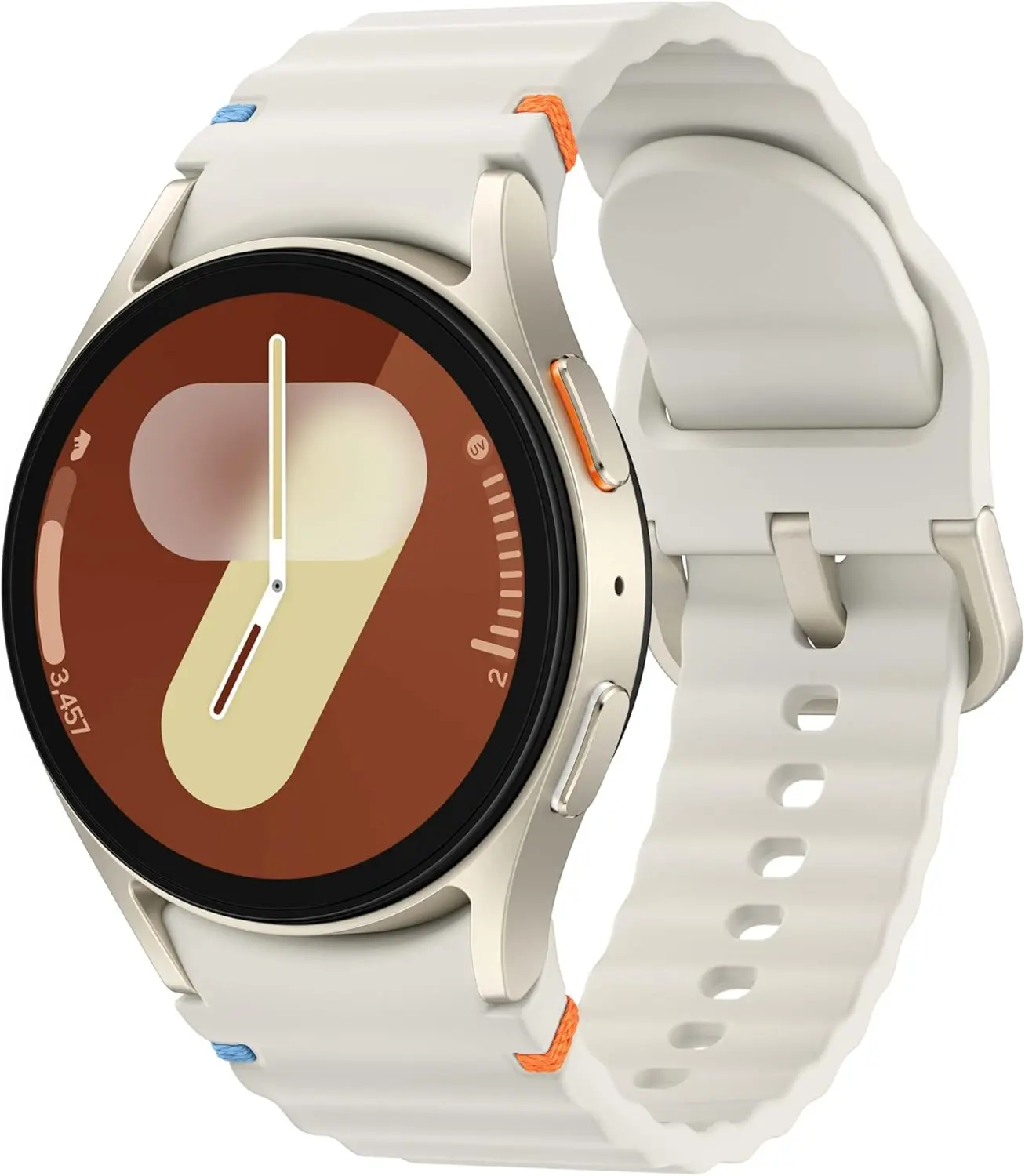
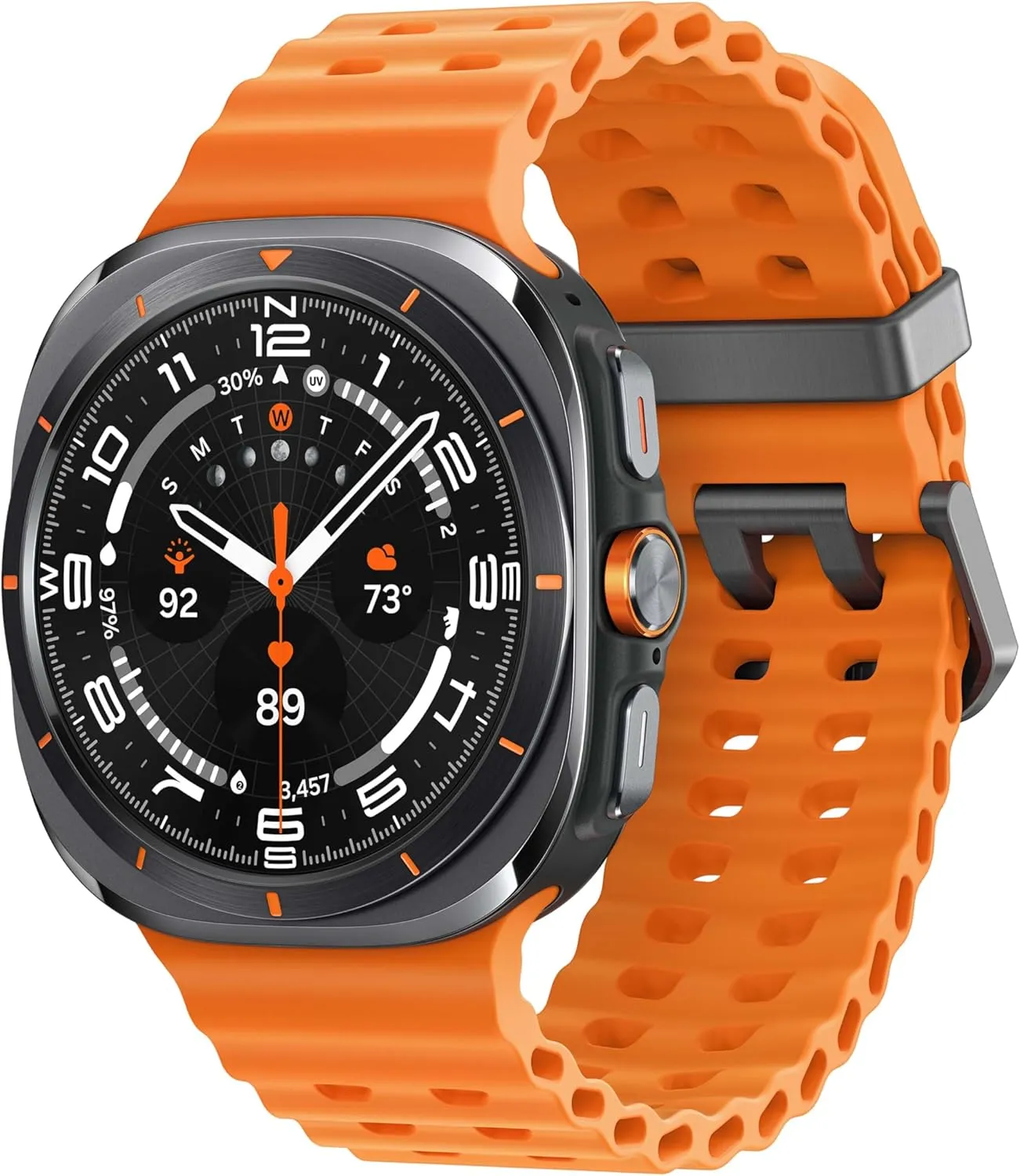
A new software update is coming out for some Galaxy Watch models, so you might want to check your settings if you use one.
Samsung usually only releases a few upgrades for the Galaxy Watch annually, but at least one significant one. One of the company’s less significant updates is currently being released for a few Galaxy Watch models.
The May 2025 security update is being released by the firm for the most recent models of the Galaxy Watch 7 and Galaxy Watch Ultra. This covers Verizon variants as well, although we’re seeing a very short changelog for basic phones that displays the March 2025 security patch:
The usability of device operations has been improved.
In the meantime, the March 2025 security patch is being applied to the Galaxy Watch 5 and Galaxy Watch 5 Pro. However, this most recent upgrade is the first one for these devices to be made generally available in 2025. A few weeks ago, some customers received an April update, but it omitted many regions and variants.
Stay connected with the latest from Droid Tools—follow us on X @droid_tools, like our page on Facebook, check out our updates on Instagram, and follow us on Google News for real-time news, device tips, and mobile tech insights.
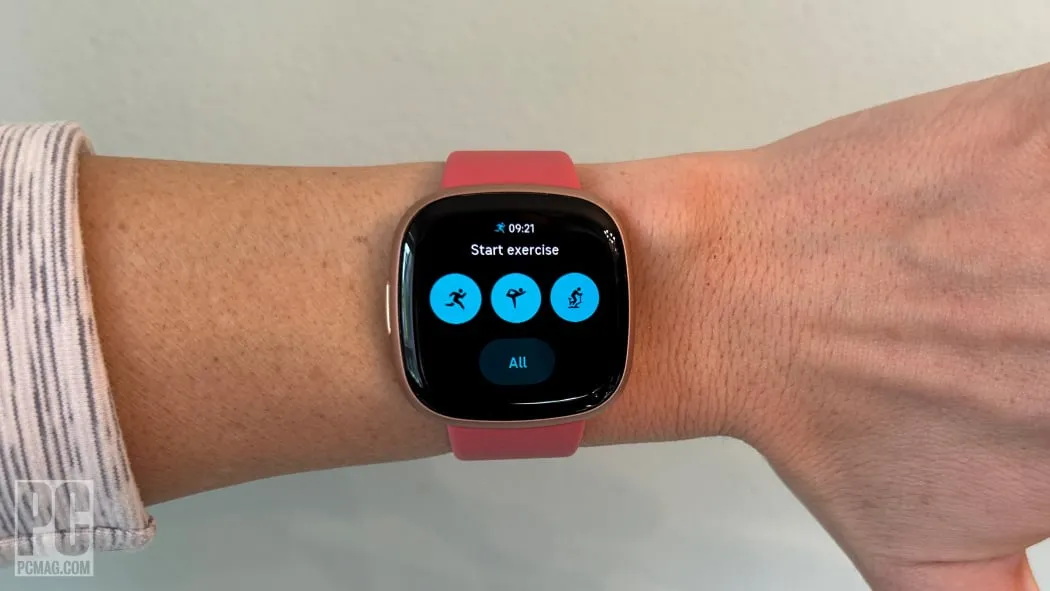
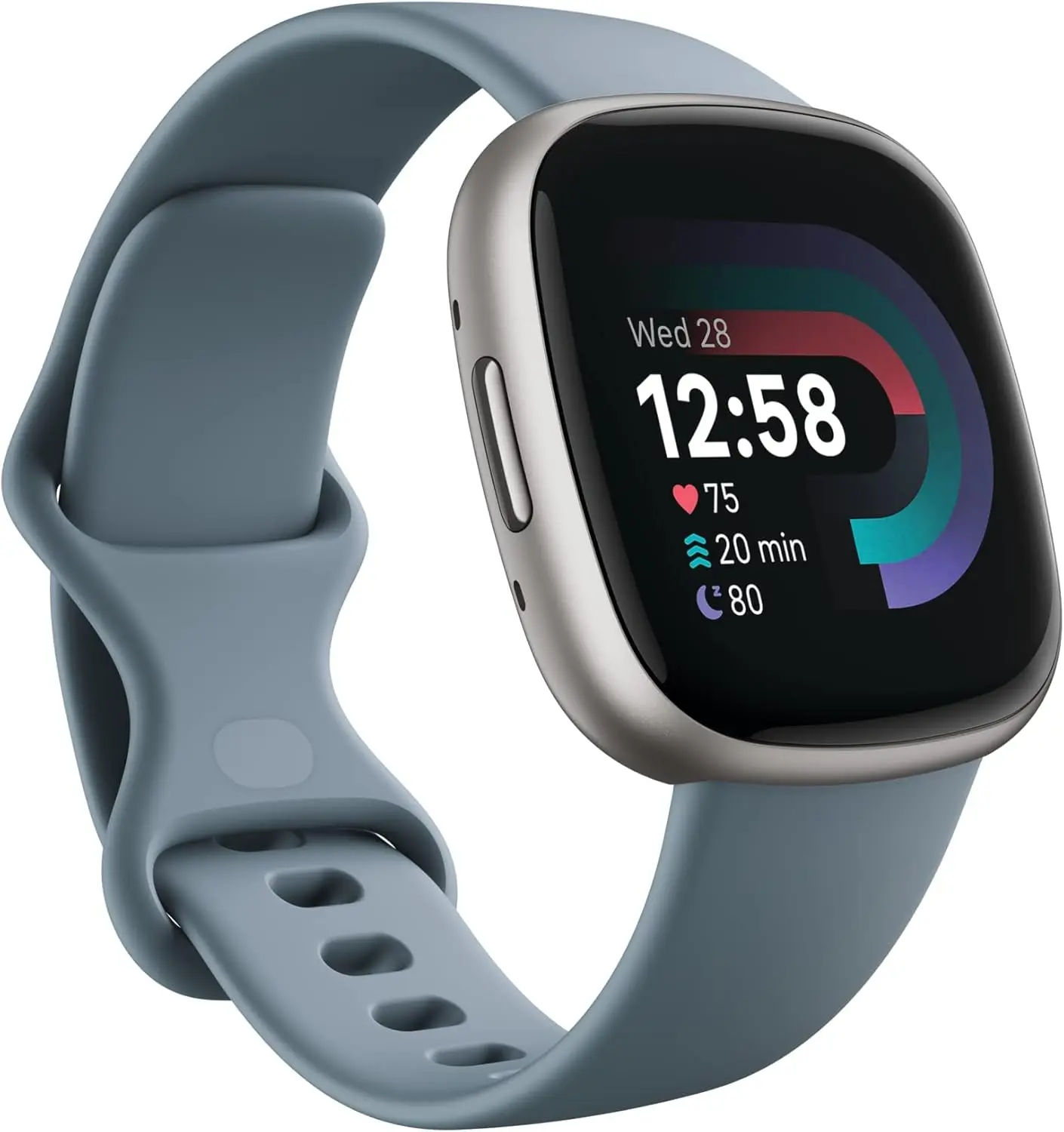
After being acquired by Google a few years ago, Fitbit has greatly enhanced its software and products to become the leading brand among regular consumers searching for a dependable fitness smartwatch. For a brief while, the Fitbit Versa 4 is on sale on Amazon for a record-breaking $149, less than its original price of $199. This is a significant 25% discount.
Get inspired and stay accountable with Versa 4 + Premium – learn when to work out or recover, see real-time stats during exercise and find new ways to keep your routine fresh and fun.
Fitbit Versa 4 – premium features with a great price
The Fitbit Versa 4 combines smart features with high-end fitness capabilities in a sleek, slim design. Corning Gorilla Glass 3 provides strength and purity of vision for its bright 1.58-inch AMOLED display. People can wear the device in humid situations or when swimming without worrying about it becoming damaged because it is water-resistant up to 50 meters. All-day wearability is ensured by the elastic strap and aluminum case.
It provides a full range of fitness tracking features: Without carrying a phone, it can accurately track distance and pace thanks to its built-in GPS and GLONASS. In addition to auto-activity recognition to ensure that no workout is missed, its users can select from over 40 exercise modes, such as HIIT, yoga, strength training, and jogging. In order to keep users within their desired heart rate training zones, the watch also has round-the-clock heart rate tracking with high or low heart rate alarms. The Active Zone Minutes increases the efficacy of workouts by encouraging users to maintain their own desired heart rate zones.
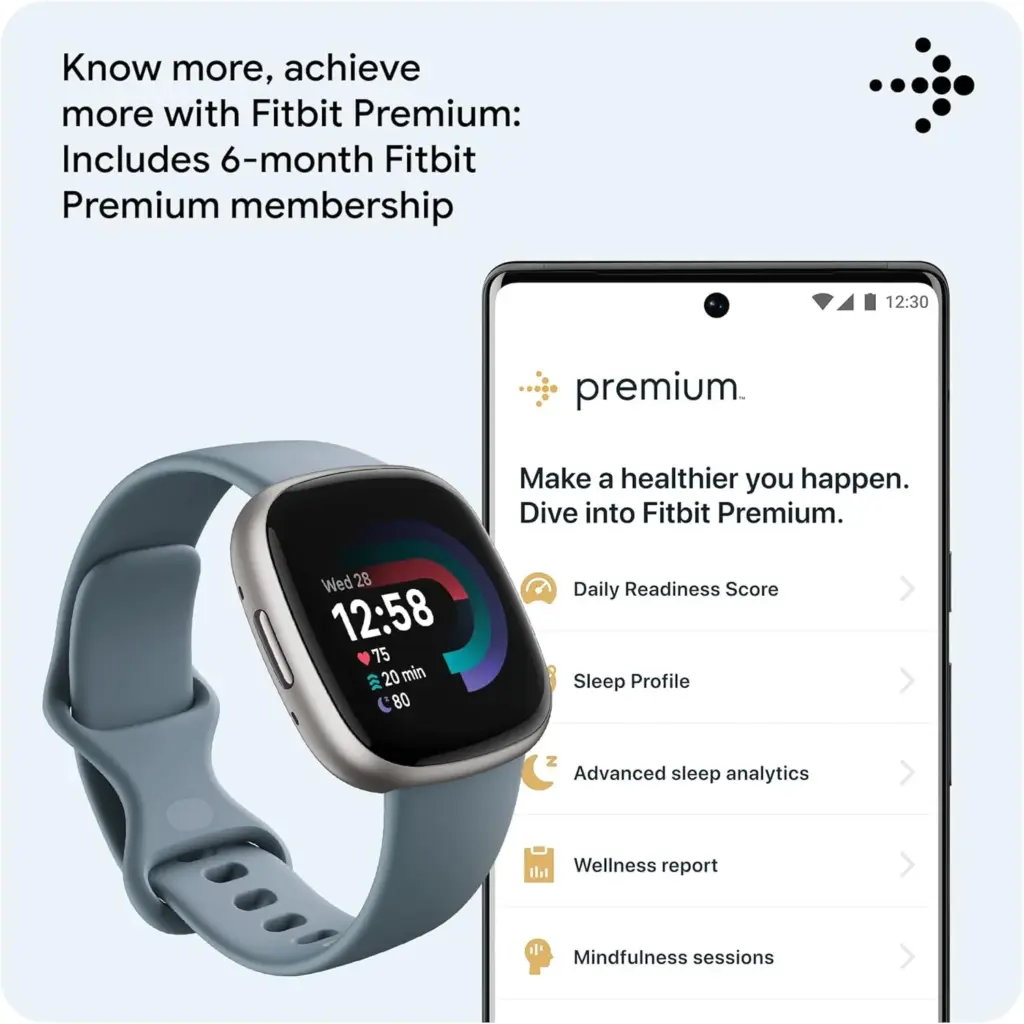
Based on recovery, the Fitbit Daily Readiness Score, which comes with the extra six-month Premium membership, provides tailored recommendations for increasing training intensity or taking a day off. The user can use these in conjunction with the Cardio Fitness Score (VO2 Max) to maximize training for cumulative gains. In order to identify patterns that could have an impact on health, Versa 4 also tracks changes in skin temperature and blood oxygen levels at night and during high-altitude training.
Get inspired and stay accountable with Versa 4 + Premium – learn when to work out or recover, see real-time stats during exercise and find new ways to keep your routine fresh and fun.
Additionally, it offers a Sleep Score, a unique Sleep Profile, and percentage breakdowns of the light, deep, and REM sleep stages to help users better understand and manage their sleep. For better mornings, its intelligent wake-up alarm also wakes users at the ideal time in their sleep cycle. In order to support mental health, the watch additionally has stress management features including guided breathing, mindfulness training, and a daily Stress Management Score.
The Versa 4 aims to enhance everyday life in addition to exercise by enabling features like text messaging, app messages, and on-wrist Bluetooth calls. For Android users, there is voice response and quick reply, and contactless payments are made simple with Fitbit Pay and Google Wallet. The watch is an all-around partner for normal activities and workouts because it can be used with Google Maps for directions and Amazon Alexa for voice instruction.
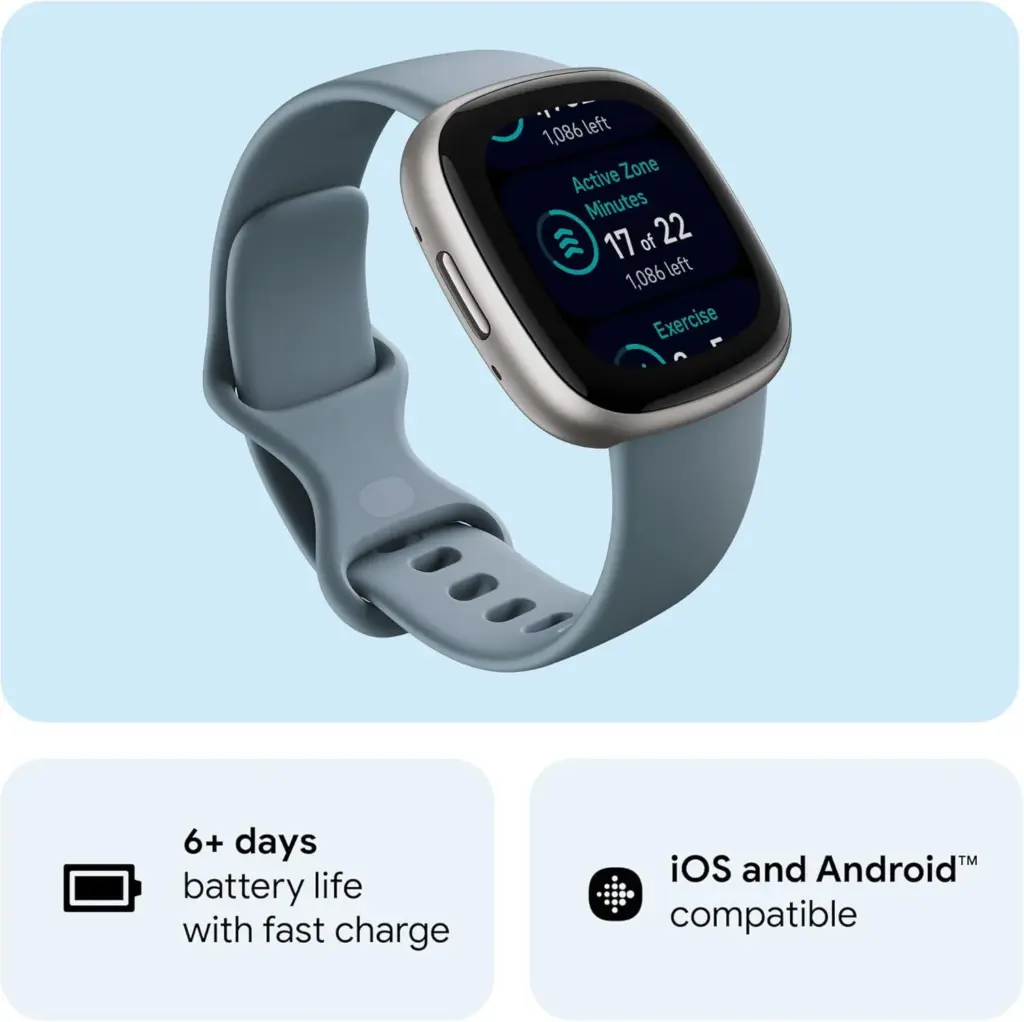
With more than six days of everyday wear time between charges, the battery has an excellent lifespan that eliminates the inconvenience of regular recharging. The Versa 4 is comfortable and easy to wear for extended periods of time because to its lightweight design, which is approximately 15% lighter and 10% thinner than its predecessor.
Get inspired and stay accountable with Versa 4 + Premium – learn when to work out or recover, see real-time stats during exercise and find new ways to keep your routine fresh and fun.
Here, things operate differently because we carefully choose the programs. We chose these programs because they are temporarily free, rather than because we checked and tested everything. Regretfully, neither the Google Play Store nor the Apple App Store provide us with a summary of how long the deals are valid. It’s worthwhile to give them a try right away, but read the warnings about in-app purchases, advertising, and other subscription pitfalls.
Even if you don’t require an app right away, install it if it piques your curiosity. It will be added to your app library and marked as “bought” as a result. When you need it, you can easily reinstall the app for free after removing it straight from your phone.
Android apps and games
Android apps for productivity and lifestyle
PhotoApp: AI Photo Editor, Art: One of the many photo apps that let you modify your pictures. For example, you can integrate your face into other photos.
Simple App Locker: Do you want to protect certain apps or games from being accessed by others? Then this app offers you the option of securing desired applications with a PIN code or fingerprint.
Touch Lock: This app does exactly what the name promises – you can temporarily deactivate the touchscreen. This can be useful if, for example, you are listening to music or watching videos and don’t want to tap the screen accidentally.
PowerAudio: Do you want to give an appealing-looking music player with a good rating (4.4 stars) another chance? Then please – go for it!
Smart Navigation Bar – navbar: This alternative navigation bar is rated rather average with 3.4 stars, but hey, this way you can at least give the bar a new look on a trial basis and for free.
Android games
Defense Zone 3 Ultra HD: I’ve often recommended this game to tower defense fans. And I’m always happy to do so when it’s free again. Really great graphics and tough at times!
Cooking Quest: Do you have what it takes to make people happy with your street food cart? Then prove it in this game!
Sudoku Master Premium: I don’t have to explain Sudoku to anyone here, do I? In any case, this is a very nice implementation for puzzle fans.
Crossword Quest Premium: Fancy putting your gray matter to the test again? Then here’s something else for crossword puzzle fans.
WindWings: Fancy another spin-off of the Atari classic Galaxian? This one makes a really good impression and has a great rating. Have fun shooting!
iOS apps and games
Free iOS apps for productivity and lifestyle
Water Drinking Reminder: To be honest, this app, which reminds me to drink regularly, would be too expensive for six euros. But “for free,” you can get it without hesitation.
Scrap Paper: A very highly rated and intuitive note-taking app that wants to capture your ideas and thoughts without taking you out of your workflow.
Atten: Screen Time App Blocker: Do you often lose concentration and look at your phone more often than you should? Then this app will help you reduce your screen time.
abCursive: Do you still know how to write by hand? It’s almost a bit ironic that a cell phone app, of all things, wants to teach you how to write beautiful handwriting, isn’t it?
Pocketbooth Photo Booth: A photo tool that is modeled on the good old photo booth. I can imagine it being great fun for in-between times. And you?
Free iPhone games
Solitaire: The game, the design, and even the title of the game are sensationally simple. Anyone who enjoys playing solitaire will find a simple and ad-free version here, completely without frills.
Blindfold Chess: An exciting idea for a chess game – you have to play virtually blind. In this way, you learn to visualize the board in your brain and thus develop a different understanding and therefore a different skill for playing chess.
Rotaeno: For this music game, you need a sense of rhythm and a solid basic trust in your iPhone’s gyroscope. You have to hit notes by rotating your cell phone accordingly.
Spider Solitaire: If you like playing solitaire, you’ll find a simple and ad-free version here, without any frills. Oops, I’ve just written that sentence before. So be it – you can tell us which of the two versions you like better.
Following last week’s successful launch in China, Xiaomi is continuing its aggressive worldwide rollout strategy for HyperOS 2.2, with four major products now ready for immediate release. The server-side preparations indicate an immediate deployment timeframe for the planned updates, which include builds for the Xiaomi 14T, Xiaomi 14 CIVI, Xiaomi 13T, and Redmi Note 14S.
Xiaomi’s dedication to providing cutting-edge software experiences in multiple international regions at the same time is demonstrated by their well-coordinated worldwide expansion. An important turning point in Xiaomi’s software development has been reached with the HyperOS 2.2 update, which brings cutting-edge features and improved performance improvements that were previously only available in China. Users across the world can anticipate that these updates will start to trickle out a few days after server verification is finished, in keeping with the custom of China-first releases.
Prepared Device Updates
In order to guarantee thorough worldwide coverage for the HyperOS 2.2 experience, Xiaomi has finished developing four essential device variations for several regional markets. The ready-made builds show how Xiaomi deploys software globally in a logical manner.
Updates that are ready for:
Xiaomi 14T: OS2.0.201.0.VNEEUXM (EEA region)
Xiaomi 14 CIVI: OS2.0.201.0.VNJINXM (India)
Xiaomi 13T: OS2.0.201.0.VMFMIXM (Global)
Redmi Note 14S: OS2.0.202.0.VFOMIXM (Global)
Better camera functionalities
Building on versions 2.0 and 2.1, HyperOS 2.2 offers enhanced camera functionality, AI, and system performance. One of the most notable features is the Xiaomi Camera 6.0, which revolutionizes photography with its entirely new interface and smooth animations.
The Camera 6.0 upgrade improves workflows for both novice and professional photographers by introducing contemporary user interface features with simple controls and seamless switching between shooting modes.
HyperOS 2.2 will deliver more performance
Better navigation, enhanced customisation, and smoother animations are all features of the upgrade. A more responsive user interface that feels elegant and high-end throughout all device interactions is produced by these improvements.
In order to ensure optimal performance across various hardware configurations, system-level optimizations concentrate on lowering resource usage while preserving advanced functionality.
The MemeOS Enhancer software, which offers screen-based update management, system app updates, and access to secret Xiaomi features, may be downloaded from the Play Store to improve users’ HyperOS 2.2 experience.
Stay connected with the latest from Droid Tools—follow us on X @droid_tools, like our page on Facebook, check out our updates on Instagram, and follow us on Google News for real-time news, device tips, and mobile tech insights.
Is a Samsung watch required during their Discover sale? They are giving you a discount on all of their remaining Galaxy Watch models, whether or not you have a trade-in. While the Galaxy Watch Ultra is up to 50% off, even the previous Galaxy Watch 6 Classic, which features a rotating bezel, is up to $225 off.
Great deals for all Galaxy watches
Samsung didn’t go all out for this Discover week, but they still have good offers on almost everything, including the Galaxy Watch. With the right trade-in, a Galaxy Watch Ultra is almost 50% off, making it $325—a fantastic deal. However, you may just simply cut $200 off without making any trades. The Galaxy Watch 7 is also discounted by $175 with trades or $100 without. I was unaware that Samsung was still offering the Galaxy Watch 6 Classic, but it’s available for as little as $279 if you don’t trade in anything.
Galaxy Watch Ultra: $200 off with no trades, $325 off with | Buy
Galaxy Watch 7: $100 off with no trades, $175 off with | Buy
Galaxy Watch 6 Classic: $120 off with no trades, $225 off with | Buy
Galaxy Watch FE: $50 off with no trades, $50 off with | Buy
With incredible discounts on their 75-inch Neo QLED 4K TV (nearly $2,000 off), their Bespoke Jet Bot Combo Robot Mop (here) for $550 off, and their incredibly cool Odyssey OLED G9 curved monitor (here) for $900 off, Samsung’s Discover sale is still going strong.
Stay connected with the latest from Droid Tools—follow us on X @droid_tools, like our page on Facebook, check out our updates on Instagram, and follow us on Google News for real-time news, device tips, and mobile tech insights.
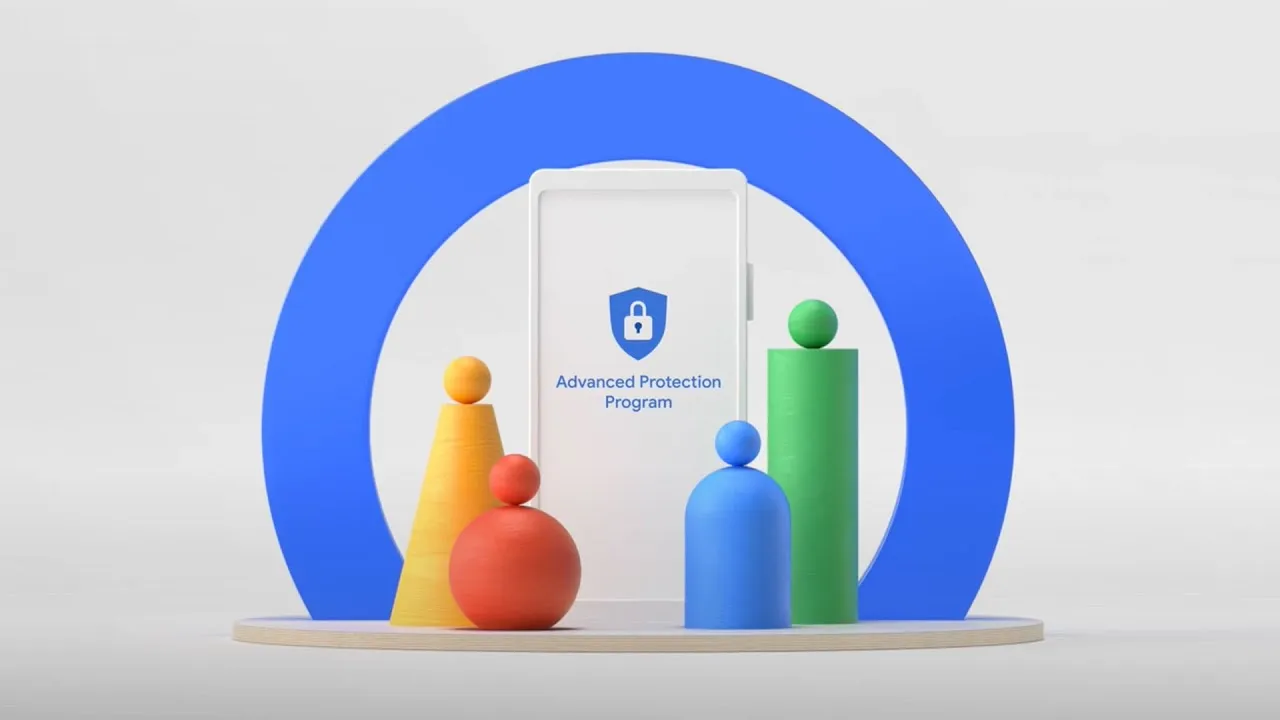
Google has released the Material 3 Expressive design language for Android 16 QPR1 Beta. In addition to the new UI changes, it comes with a new Advanced Protection feature, which is a collection of security measures intended to keep Android users safe. Here’s how to activate it and when you should think about activating it.
The Advanced Protection feature was included in the Android 16 QPR1 update for Pixel devices, but it is anticipated that the final stable update will make it available on further devices in the future.
What is Advanced Protection?
Advanced Protection, as the name implies, is a new mode that gives your Android device and linked Google account overall increased security. When you believe there are security risks or breaches, you can activate it.
It combines and activates a number of current and future Android features, despite sounding like a brand-new security feature. Put differently, it’s a feature that combines multiple protections in one location and activates them all at once when required. This is especially helpful when you just want to make sure your device and account are as safe as possible but are unable to pinpoint a threat or assault.
This features enable different security tools
Device theft, app, network, browser, and phone protections are among the options available in Pixels’ Advanced Protection mode.
In order to further prevent access to stored data, device theft prevention, an anti-theft feature for stolen phones that is already commonly present on the majority of contemporary Android smartphones, will immediately lock the device and compel a restart if it stays locked for three days. Additionally, it will prevent unwanted USB access.
App protection, meanwhile, checks for memory problems in apps, screens for malware and dangerous apps, and prevents installations from unreliable developers and sources. At the same time, the network tool prevents the device from using 2G, which is based on a less secure protocol, and requires it to utilize 3G and newer networks.
These protections apply to browsing as well as making and receiving calls and messages. While the Phone by Google and Messages applications check numbers during calls and chats to determine whether they are spam or real businesses using Google’s scam detection, the web blocker prevents non-HTTPS and malicious websites.
How to Enable Advanced Protection
Once enabled, the feature is located in the Security & Privacy section of the settings on your Google Pixel or compatible Android smartphone. To turn it on, follow these steps:
Go to Settings > Security & Privacy.
Scroll down and look for Other security settings.
Tap on Advanced Protection.
Toggle on Device protection.
Confirm the step.
Restart your device.
To disable it again after it has been enabled, you must authenticate using biometrics or your password and PIN.
Stay connected with the latest from Droid Tools—follow us on X @droid_tools, like our page on Facebook, check out our updates on Instagram, and follow us on Google News for real-time news, device tips, and mobile tech insights.
Android devices are extremely popular, mainly due to their open-source model, wide range of device options, and affordability, which makes them appealing to a broad demographic and accessible to people from diverse incomes.
However, due to its popularity, it makes Android devices an easy target for attacks, resulting in multiple risks associated with storing sensitive data on mobile devices.
This is why it is important to secure Android devices and data against theft and loss, especially in the current digital landscape.
Threats that Android users face
If you haven’t installed a suitable antivirus for Android, you are opening yourself to multiple cybersecurity threats to your private data, which can result in the theft and loss of confidential information that can lead to financial losses.
Malware Threats
These include viruses, spyware, ransomware, and trojans, among other malware. They are harmful for a number of reasons, which sometimes overlap with each other.
They are sometimes disguised as legitimate apps.
Monitor activity and collect data to send to attackers
They can steal sensitive information like banking credentials
They can intercept communications to access confidential information
It locks or encrypts files to demand a ransom in order to restore access.
Phishing attacks
These attackers can create apps that mimic legitimate ones or fake overlay screens to trick users into entering their credentials.
They can disguise themselves as popular services which are distributed through unofficial app stores, bypassing Google Play’s protections
They can send deceptive messages that come from seemingly trusted sources to click on malicious links or input sensitive information.
Some phishing apps can read information from the Android notification bar and access information like one-time passcodes, which can help bypass multifactor authentication.
Biggest data concerns for Android users
Widespread privacy concerns: Android users actively seek ways to configure privacy settings on their devices. This is due to the majority of privacy-related concerns reflecting anxiety on how personal data is handled by the OS and popular apps.
Excessive Data Collection and Sharing: Android devices often collect and share large amounts of user data with third parties, sometimes they don’t offer users a way to opt out. Google tracks Android phones using cookies, identifiers, and other data stores, often without user awareness.
Security Vulnerabilities and Exploits: Android’s open nature and fragmented update system expose users to high-severity vulnerabilities. This includes zero-day exploits that lead to privilege escalation and remote code execution.
Malicious Apps and Sideloading Risks: Android users are at risk of malicious apps, especially those installed outside of the official Google Play Store, which can bypass Google’s security checks. These apps can introduce malware, spyware, and stalkerware that compromise device security and user privacy.
Insecure App Permissions and Poor Passcode Hygiene: Many users grant excessive permissions to apps, which increases the risk of data misuse or leakage. Weak or reused passwords and simple device passcodes make it easier for attackers to gain unauthorised access.
Biometric and financial data exposure: Vulnerabilities in Android can put biometric data, like fingerprints, and financial information, like credit card details, leaving many devices exposed to known vulnerabilities for extended periods.
Built-in Android security features
Android devices come with their own set of security features that attempt to protect data stored on them.
Google Play Protect: The official store for downloading apps, scans apps and actively monitors for malware and prompts users to uninstall apps that may be harmful. It also blocks apps from untrusted sources.
Safe browsing and permission management: Alerts users when they attempt to visit dangerous sites, suspicious links, or files that may be harmful.
Encryption and authentication: The devices come with encryption by default, which ensures all data is stored securely, and only someone with the PIN, password, or authentication can access the data and protect it if the device is lost or stolen.
Find My Device: For locating or erasing data on lost devices. It prevents unauthorised access to personal data.
Why Additional Measures are Needed
There are several gaps in Android’s native security, such as delayed security updates from manufacturers and the risks of sideloading apps and using public Wi-Fi. This is why additional protection, such as antivirus software, is needed.
Scenarios where antivirus is especially important
Handling sensitive data such as banking, work files, and personal information.
Frequent connection to unsecured networks.
Downloading apps from third-party sources.
How anti-virus software protects your data
Real-time malware protection and detection, and removal of these threats.
This software blocks ransomware before device lockout occurs.
It scans for phishing URLs and fraudulent websites before users access them.
Conducts privacy audits to monitor app permissions and data access.
Monitors for identity theft protection and aids with secure online payments.
Some software has VPN and secure browsing features.
Has in place a remote device location, lock, or wipe in case of loss or theft.
What to be wary of
With Antivirus Software: Some apps contain vulnerabilities, like exposing the address book or allowing attackers to disable the antivirus software itself. Some also track user data and end up creating new risks instead of eliminating them.
Google Play Protect: These and other official store apps are not always foolproof; malicious apps are able to slip through the vetting process, and antivirus software that scans before and after installation can add a layer of defence.
Making the Choice: When choosing the right software for you, you want a comprehensive malware detection, real-time protection and updates, privacy controls, app permission management, and additional tools like VPN, anti-theft, backup, and Data Loss Prevention (DLP).
DLP and Advanced Security Features of Antivirus Software
It encrypts data in transit and at rest.
Separates personal and corporate data for business users.
Centralised password and access management.
Remote wipe and selective data erasure for lost or stolen devices.
App and domain whitelisting to restrict access.
Practices for Maximising Android Security
Keep operating system and apps updated: Install the latest Android OS and app updates to patch vulnerabilities and protect against new threats.
Regular review app permissions: Check which permissions each app has and revoke those that are unnecessary. Only grant essential permissions for app functionality.
Avoid downloading from untrusted sources: Download apps from the Google Play Store or reputable sources. Avoid third-party app stores, which are more likely to host malicious apps.
Use strong passwords and enable biometric authentication: Use a strong PIN pattern for the lock screen, and use fingerprint or face access for added security.
Enable remote tracking: Enables wiping features if devices are lost or stolen to protect confidential information.
Conclusion
Installing antivirus software on Android devices helps protect the device’s data from being compromised and open to cyber threats. To make the most of your protection attempts, make use of built-in features in conjunction with a reputable antivirus solution for comprehensive protection.
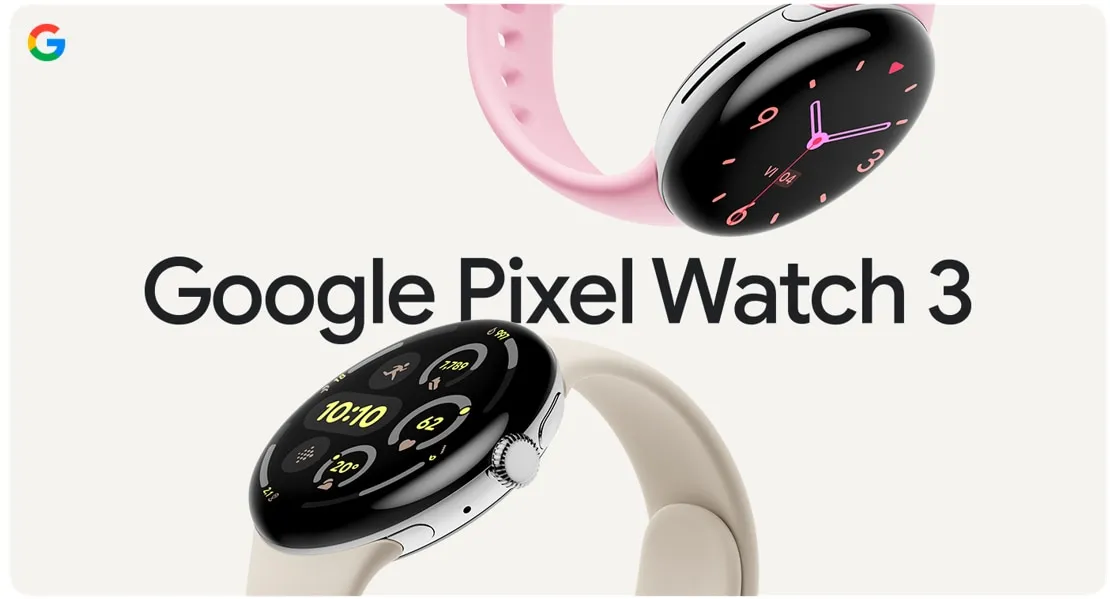
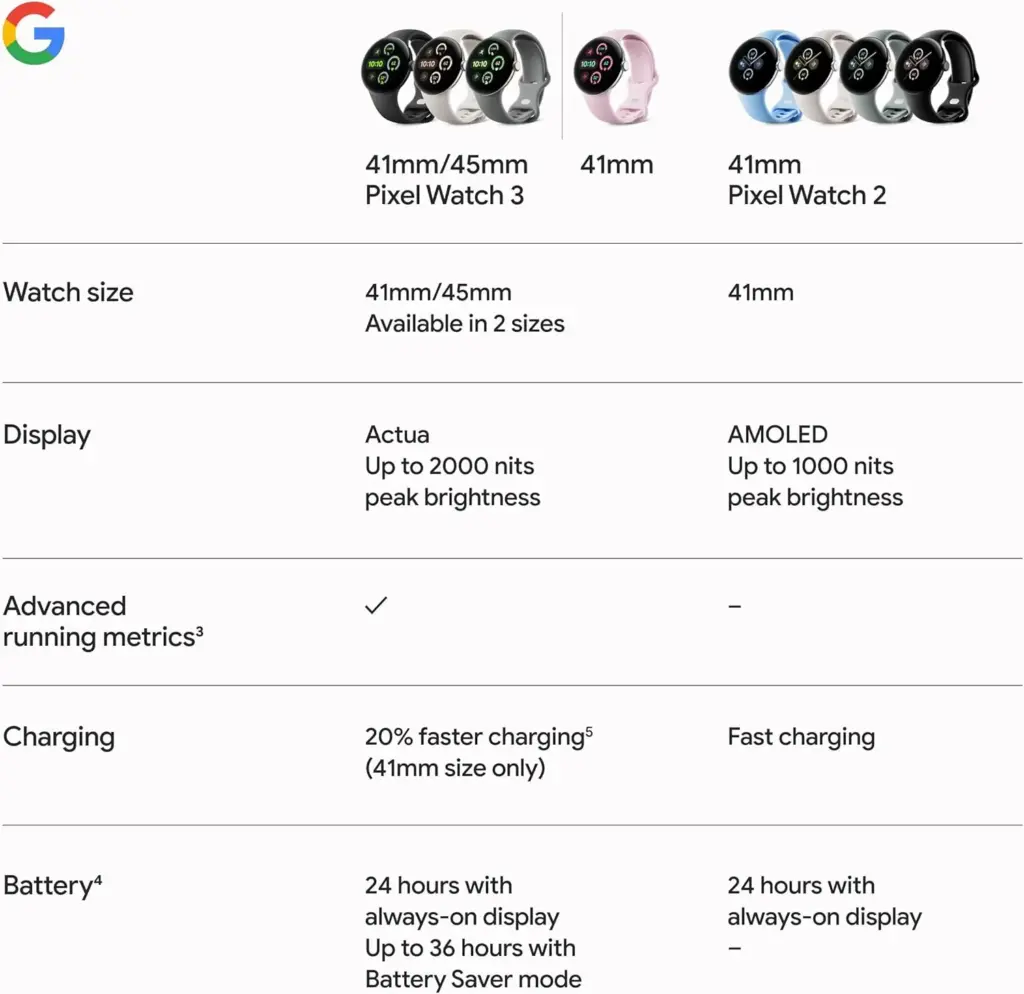
This is the ideal moment to purchase a brand-new Pixel Watch 3 if you’ve been searching for one. You can choose the model of Google’s flagship watch that best suits your needs, preferences, and price range thanks to Amazon’s ongoing excellent discounts.
As of this writing, for example, all Wi-Fi models are on sale for $50 off, making them as cheap as $350. Additionally, you can choose the paint job that you like most because all color selections are priced the same.
Google Pixel Watch 3 – Wi-FI
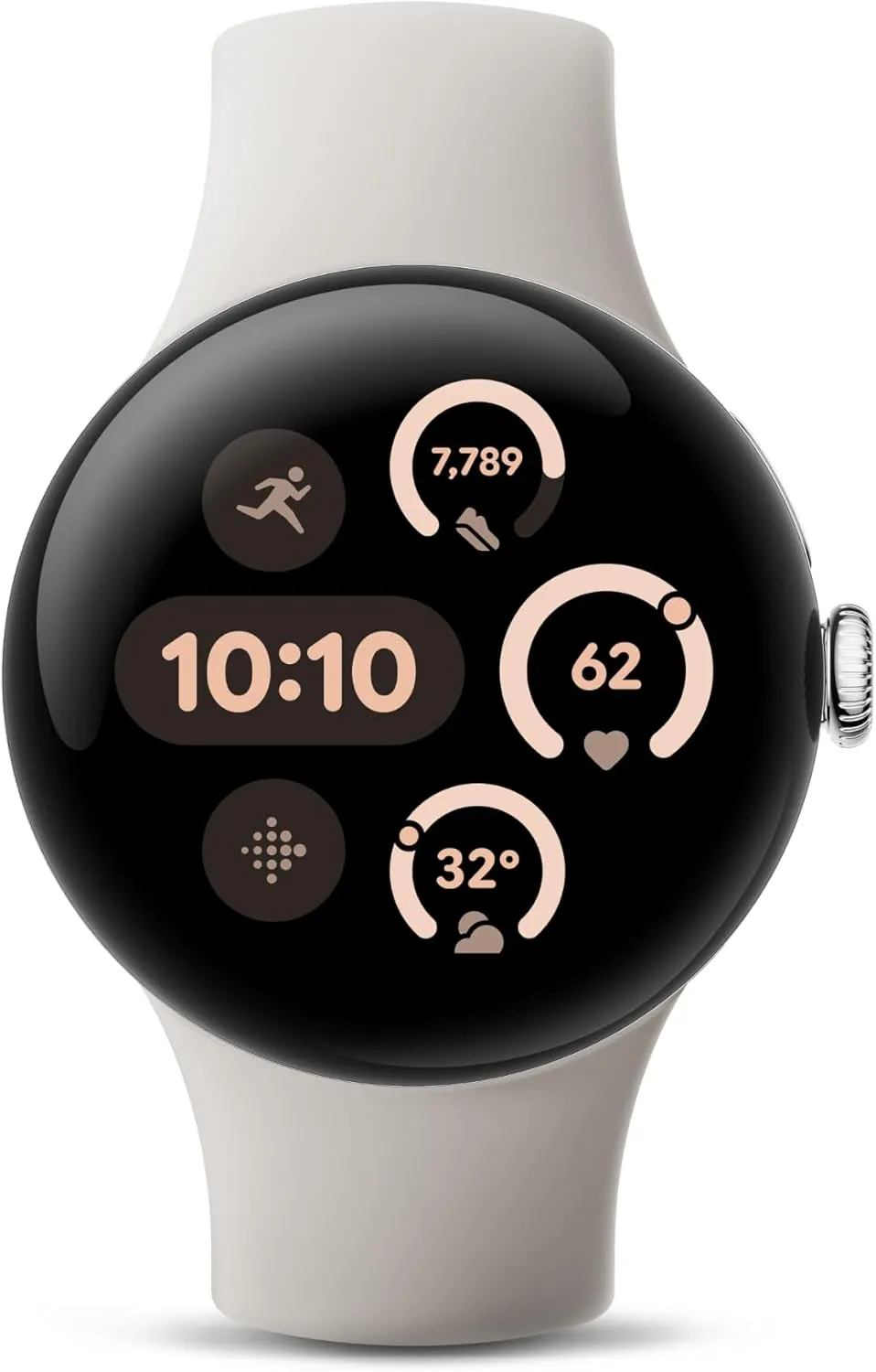
The Google Pixel Watch 3 is designed for performance, with advanced fitness from Fitbit; the 41mm screen is twice as bright and 10% larger than before, making it easier to see your stats and info
Feel free to purchase one of the LTE variants if you would prefer to be able to make calls while leaving your Pixel phone at home. All cellular-powered models of the watch are delightfully discounted and on sale for $70 off, much like the Wi-Fi versions.
It’s important to note that Amazon frequently offers similar price reductions for the Pixel Watch 3. They show up, stay for a few weeks, then fade away for a bit before resurfacing. However, should this deter you from buying one of the top smartwatches available?
Even though the $50 and $70 discounts are sporadic, they nevertheless allow you to upgrade your smartwatch game by obtaining the best Pixel Watch at a lower cost. And simply have a peek! It looks stunning with its dome-like form and may work well with both a pricey suit and casual wear.
Naturally, as a direct competitor to the Apple Watch Series 10 and Galaxy Watch 7, its many features complement its attractive appearance. In fact, it has a temperature sensor and all the other health-tracking capabilities that a smartwatch of this kind should have. Additionally, the readings are accurate because Fitbit’s tracking powers it.
Numerous apps will also be available to you. You can download apps straight to your wearable as the watch, which runs Wear OS, supports Google’s Play Store. Additionally, the battery has a good lifespan, easily lasting a full day between charges. Just bear in mind that, as is quite typical with this kind of smartwatch, you’ll probably need to recharge it every night.
Google Pixel Watch 3 – LTE
Know what your body is ready for each day with readiness; it uses sleep, resting heart rate, and heart rate variability to show if you’re ready to take on a workout or prioritize recovery.