Author: Robert Haba

  • Pre-order and store availability of the Samsung Galaxy S25 Ultra

    Pre-order and store availability of the Samsung Galaxy S25 Ultra

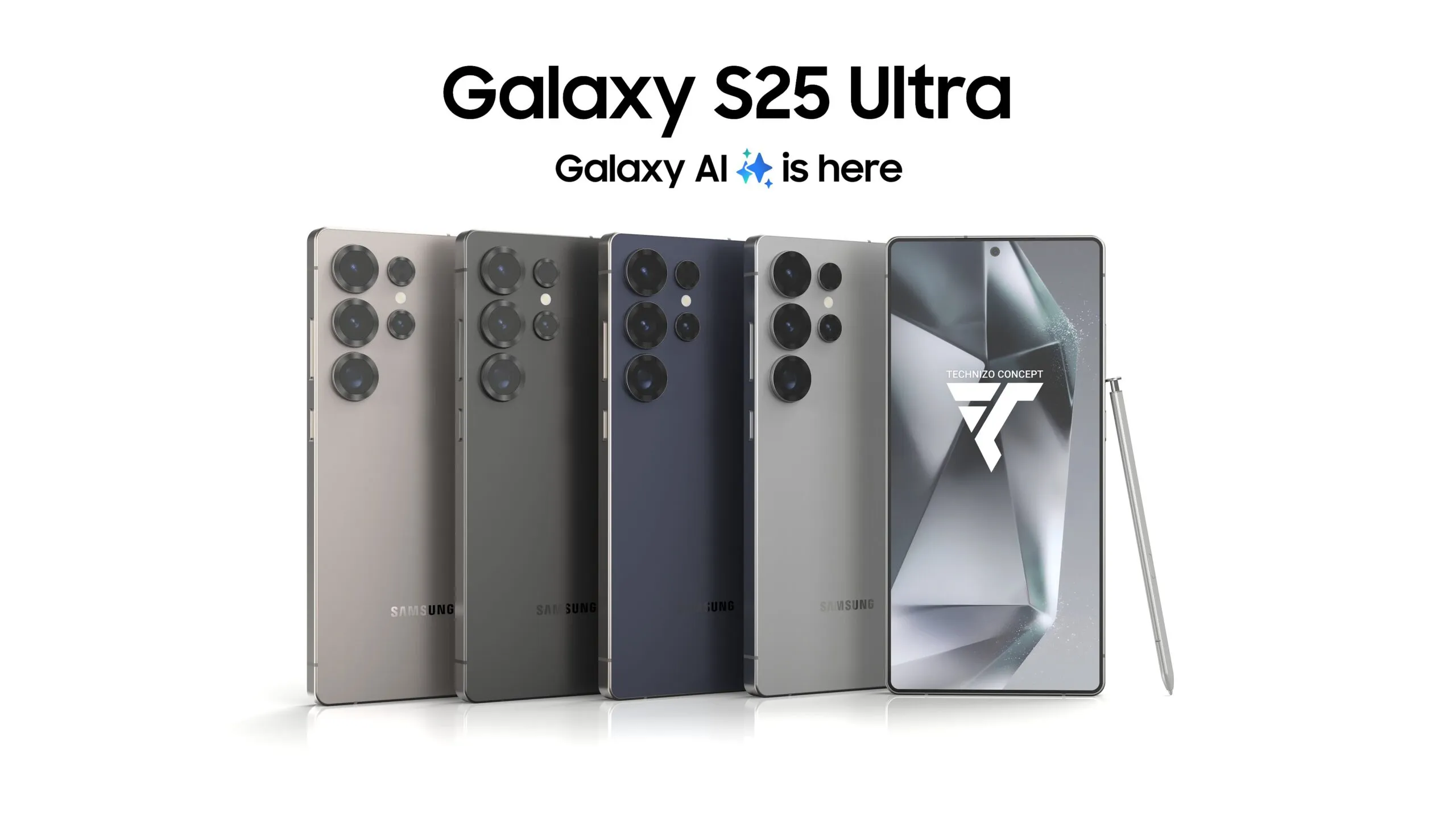
    The next Galaxy Unpacked event is scheduled for later this month, according to Samsung. The second generation of Galaxy AI and a variety of linked peripherals will undoubtedly be the subject of significant attention. However, the new Galaxy S25, Galaxy S25+, and Galaxy S25 Ultra will be the focus of the community’s attention.

    There are a few dates to be mindful of if you want to buy any of the new phones, including the flagship Galaxy S25 Ultra, in order to receive the device as soon as possible and at a reasonable price.

    Galaxy S25 Ultra preorder

    Registering for Galaxy Unpacked

    For those who are interested, Samsung has already begun the procedure. Customers can now express their interest in the Galaxy S25 Ultra and Galaxy AI through a new program that offers a $50 gift card for “additional qualified products.” Additionally, a questionnaire including a $50 offer was sent to Samsung registered users via email.

    However, those who express interest must do so before January 21st, the day before Galaxy Unpacked.

    When will Galaxy S25 Ultra pre-orders open?

    In the past, Samsung opened pre-orders at the conclusion of Galaxy Unpacked events that included phone debuts. Pre-orders are anticipated to open an hour or two after the Galaxy Unpacked event begins on January 22 at 1300 Eastern/1000 Pacific.

    In contrast to other years, there has been talk of Samsung moving the pre-order system’s opening from the Wednesday event to the morning of Friday, January 24. Regardless of the start date, pre-orders are probably going to end on Tuesday, February 4.

    There is another reason why the pre-order period will be significant. Samsung usually gives customers who buy a new Galaxy during the pre-order phase some of its finest discounts. A free upgrade to the next storage tier (so those purchasing the Galaxy S25 Ultra priced for the 512 GB model would receive the 1 TB storage model), a number of exclusive colors that were only available on Samsung.com, and generous trade-ins on a variety of smartphones from Samsung and other manufacturers, such as Google and Apple, were all features of last year.

    Retail availability

    Delivery of the Galaxy S25 Ultra will coincide with its retail availability after you have registered your interest, seen the Galaxy Unpacked premiere, and placed your pre-order. Deliveries to customers who placed preorders are anticipated to begin on Friday, February 7.

  • Google Pixel Watch 3 – great #deal on Amazon, less than $300

    Google Pixel Watch 3 – great #deal on Amazon, less than $300

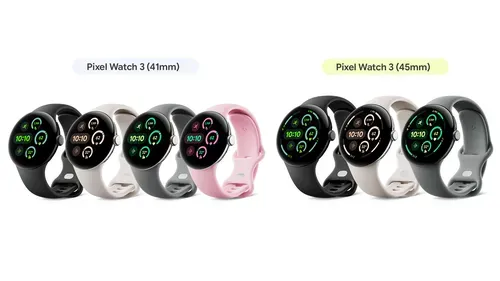
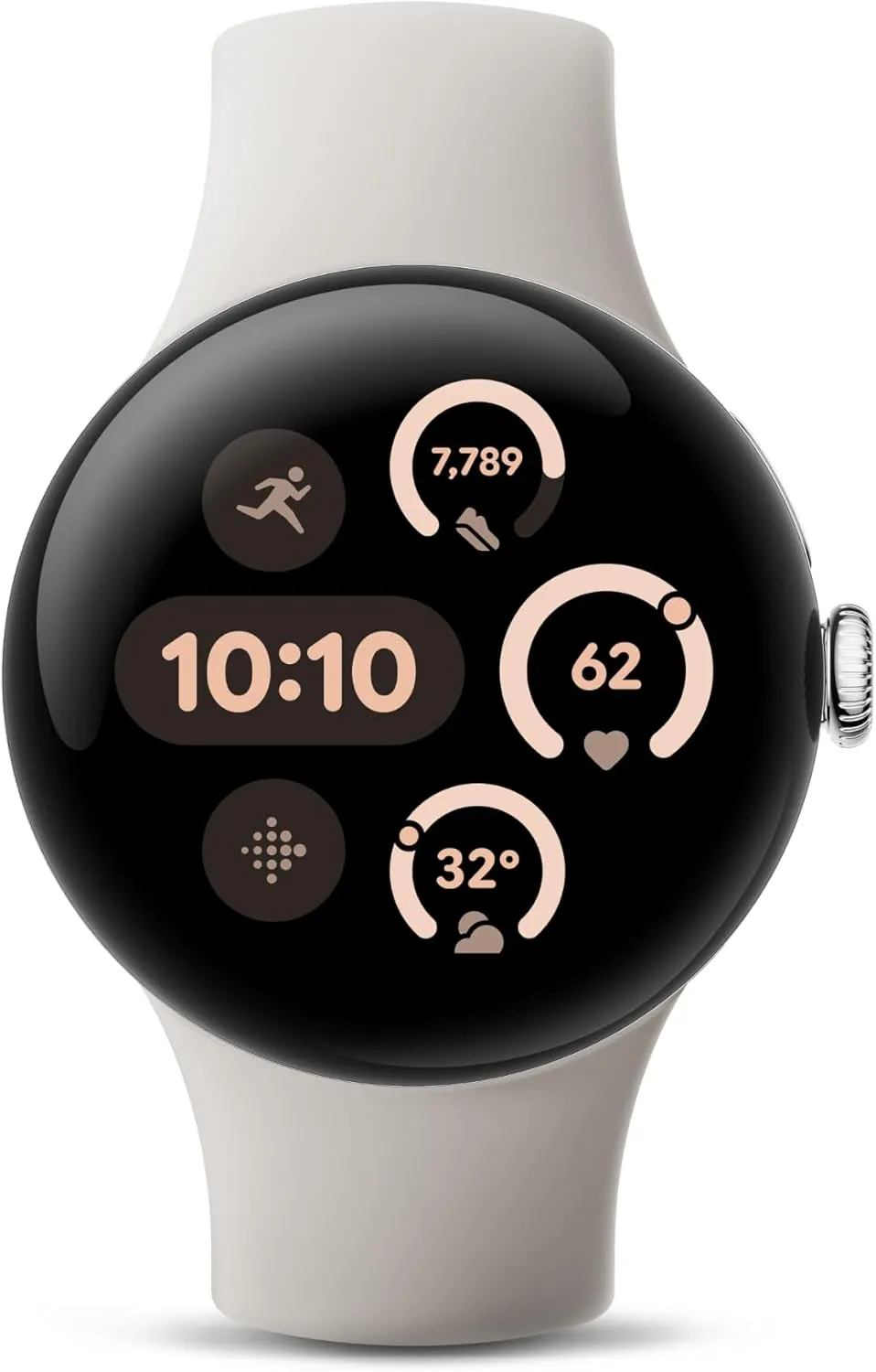
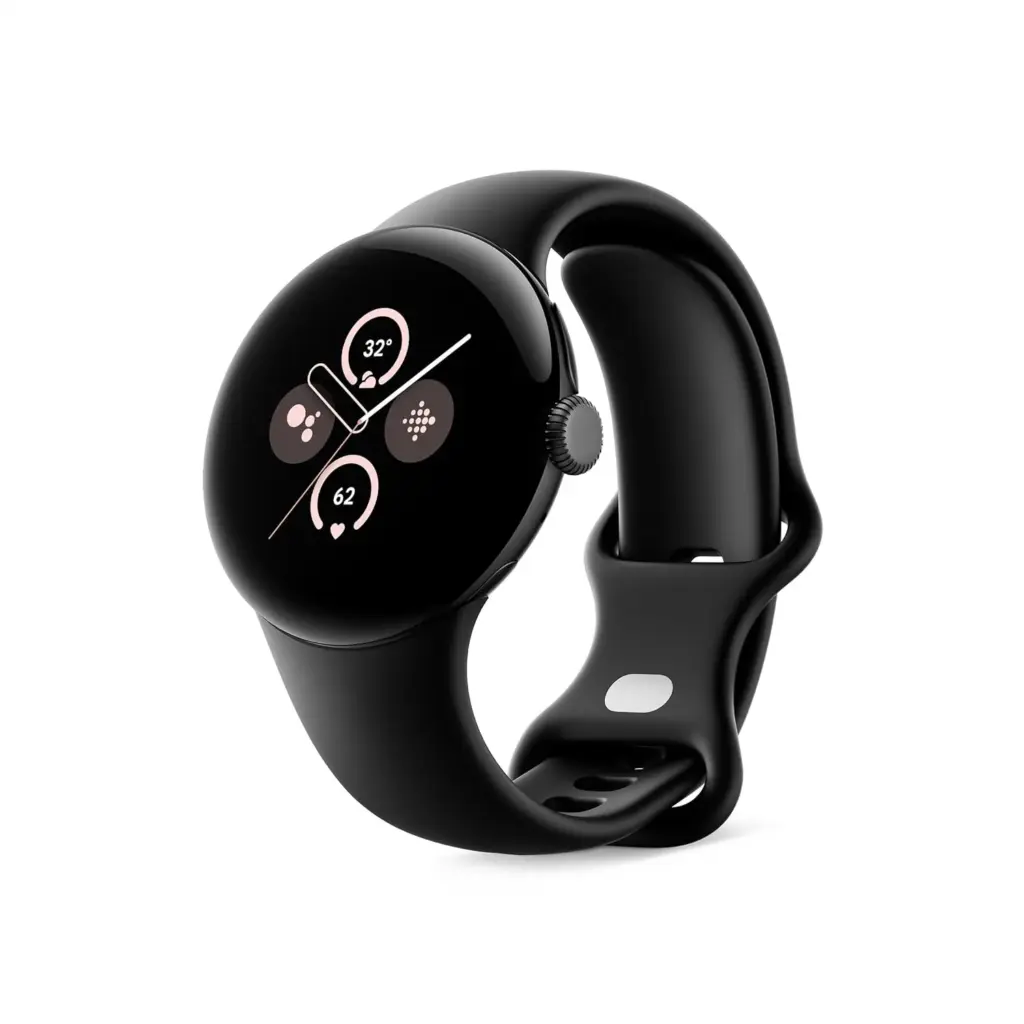
    One of the greatest Android smartwatches on the market at the moment is Google’s newest flagship device, the Pixel Watch 3. Take advantage of the Pixel Watch 3 on Amazon for $299.99 (was $349.99) if you want the newest smartwatch technology from the company.

    Pixel Watch 3 on amazon

    Google Pixel Watch 3

    Save $50 off the 41mm Pixel Watch 3, which is now only $299.99, $20 more than it was on Black Friday. It has a 24-hour battery life, sleep monitoring, heart rate and exercise tracking, and Wear OS 5 compatibility. It comes in all four colors. Take advantage of this offer now before it is too late if you missed it before Christmas.

    Best choice
    $349.99299.99Buy on Amazon

    Even though it costs $20 more than the Black Friday pricing, this is still a great bargain. Along with a ton of amazing features for staying in shape, the watch has the most recent version of the Android Wear OS.

    pixel watch 3

    We appreciated the significant overhaul and its focus on health in our review of the Google Pixel Watch 3. Google has made significant improvements to Wear OS that make it a true pleasure to use, without losing the popular formula or the iconic teardrop design.

    It comes pre-installed with a clean version of WearOS 5 and a stack of stylish sensors that provide several benefits. It features heart rate monitoring, blood oxygen or Sp02 tracking, sleep tracking, daily activity and training tracking, and the ability to obtain an ECG whenever needed.

    It is a more sophisticated running watch than it was previously because it now enables the setup of multiple routines with unique metrics. With tracking that genuinely helps you decide whether to push your performance today or not, Fitbit is Morning Brief looks extra great.

    Pixel Watch 3 on amazon

    Google Pixel Watch 2

    Save $50 off the 41mm Pixel Watch 3, which is now only $299.99, $20 more than it was on Black Friday. It has a 24-hour battery life, sleep monitoring, heart rate and exercise tracking, and Wear OS 5 compatibility. It comes in all four colors. Take advantage of this offer now before it is too late if you missed it before Christmas.

    Best choice
    $249.99$199.99Buy on Amazon
  • Android widgets to boost productivity

    Android widgets to boost productivity

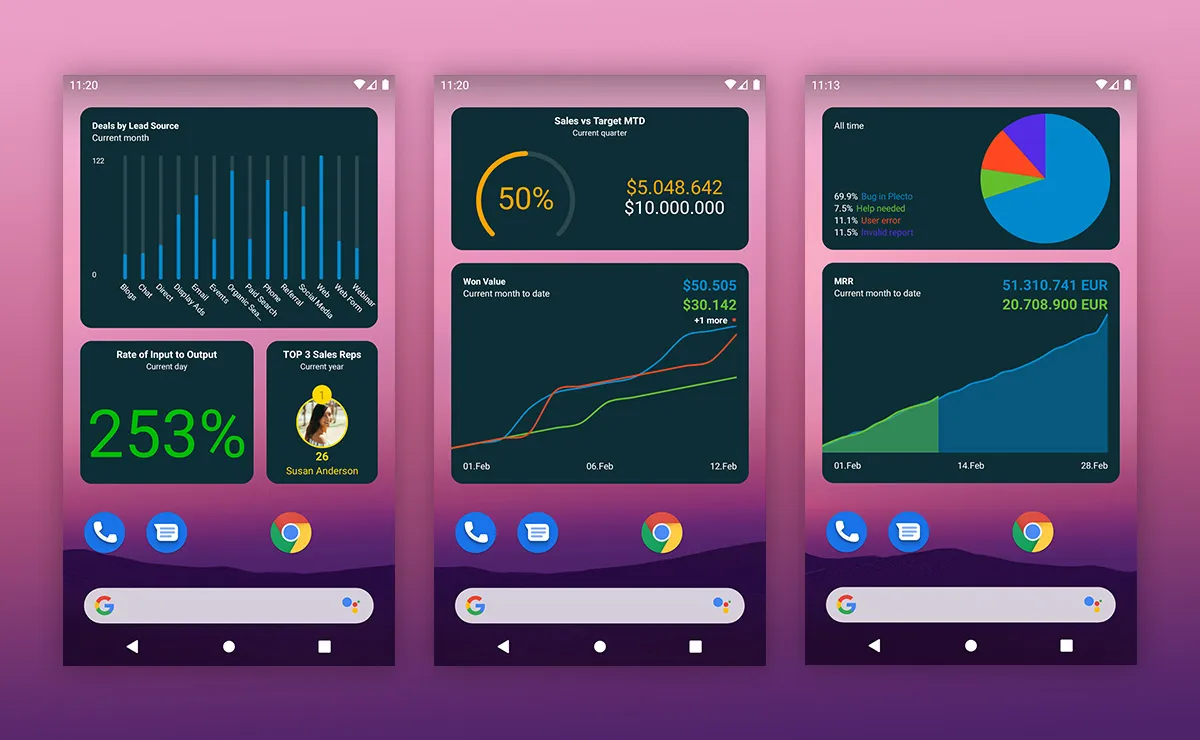
    There is a widget for everyone, and depending on the apps you have loaded on your Android device, you will most likely find one or two in this post to assist make your day more effective.

    So, what are widgets?

    Simply defined, they are enhancements to your Android home screen that provide rapid access to information from apps, the apps themselves, or the services you rely upon. With the correct widgets, you can create an at-a-glance home screen that keeps you up to date without having to open any apps.

    Gmail

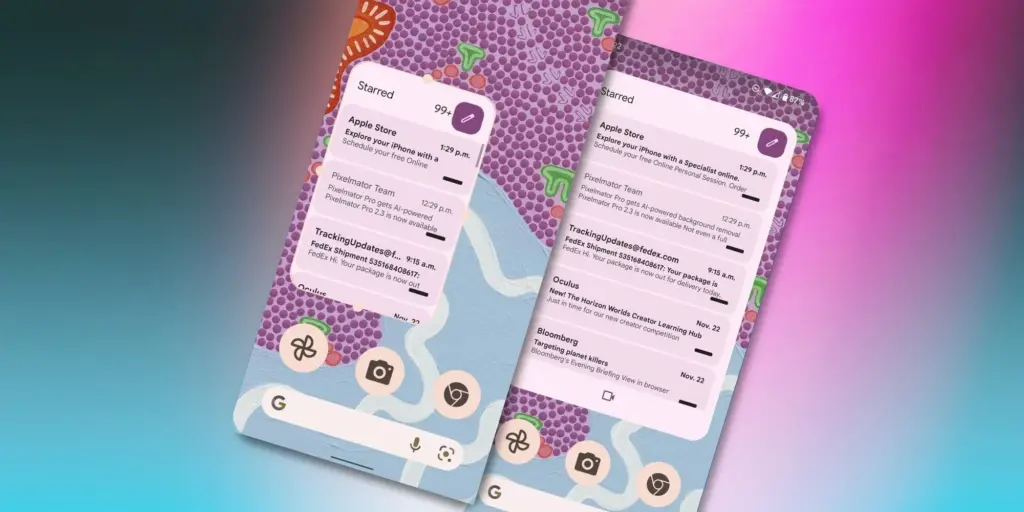
    Adding the widget to your default email app allows you to quickly see what is in your inbox and easily access the app’s email compose window.

    Tap the pencil icon on the Gmail widget to access the Gmail compose window and type an email. I enjoy this widget since it allows me to send a fast email without opening the email program.

    If you rely on email to stay connected and up to date, this widget should be deemed essential.

    gmail widgets on android home screen

    Battery widget

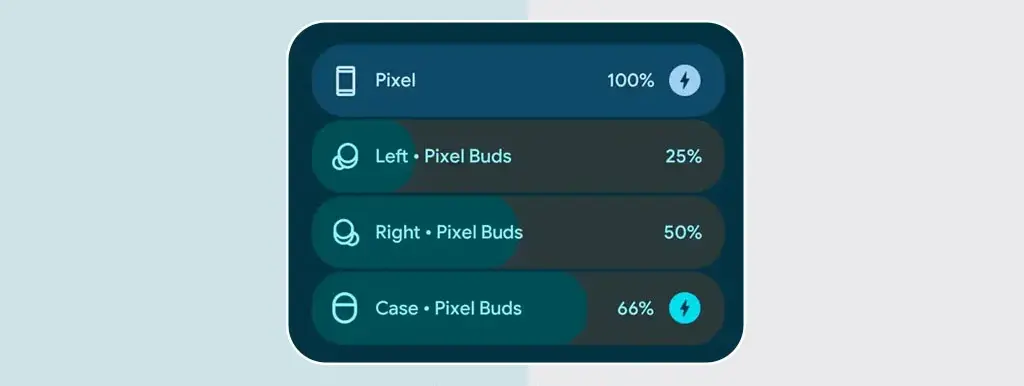
    Yes, there is a battery indicator near the top of your phone’s display. However, the indicator does not provide any information about the charge levels of the linked devices.

    Add the battery widget to your home screen to monitor the charge levels of your devices, including your Pixel Watch and headphones. If you want to see how much battery life your device has left, the Android Battery widget is a terrific addition.

    pixel Battery Widgets

    Google Calendar

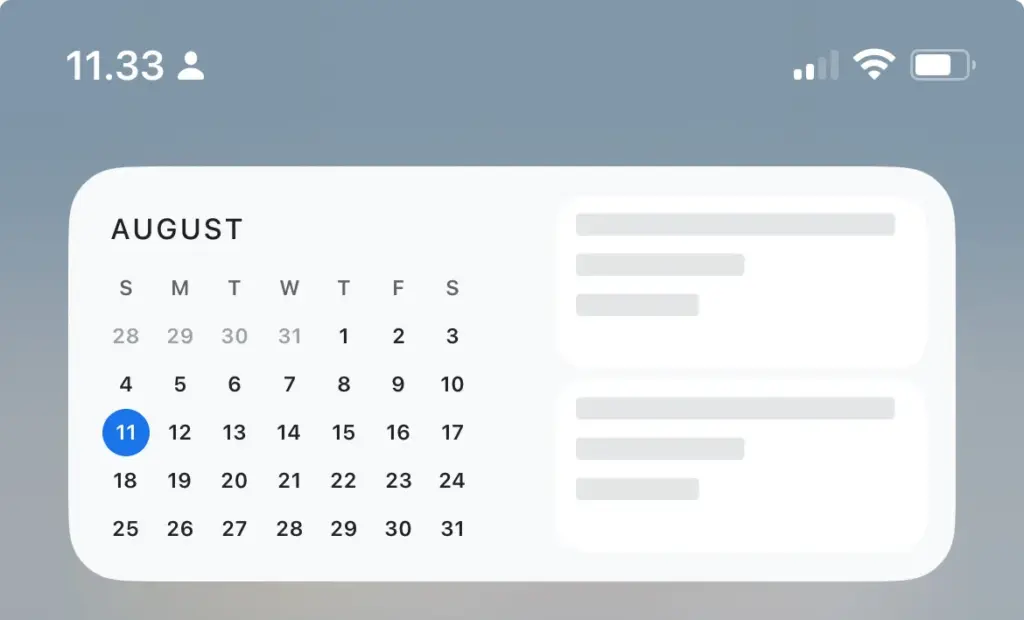
    If you use Google Calendar on a daily basis and rely on it to help you manage your hectic schedule. Because I frequently check my Google Calendar, I find the widget really useful.

    You can add a widget that displays the complete month or a daily widget. You may view events from either widget and add them to your calendar by tapping the Add button.

    Keep in mind that if you use multiple calendars in Gmail, you will need to build a widget for each one. I prefer the day view since it provides an overview of my day at a glance, allowing me to anticipate what will happen next.

    Google Calendar widgets

    Pixel Weather

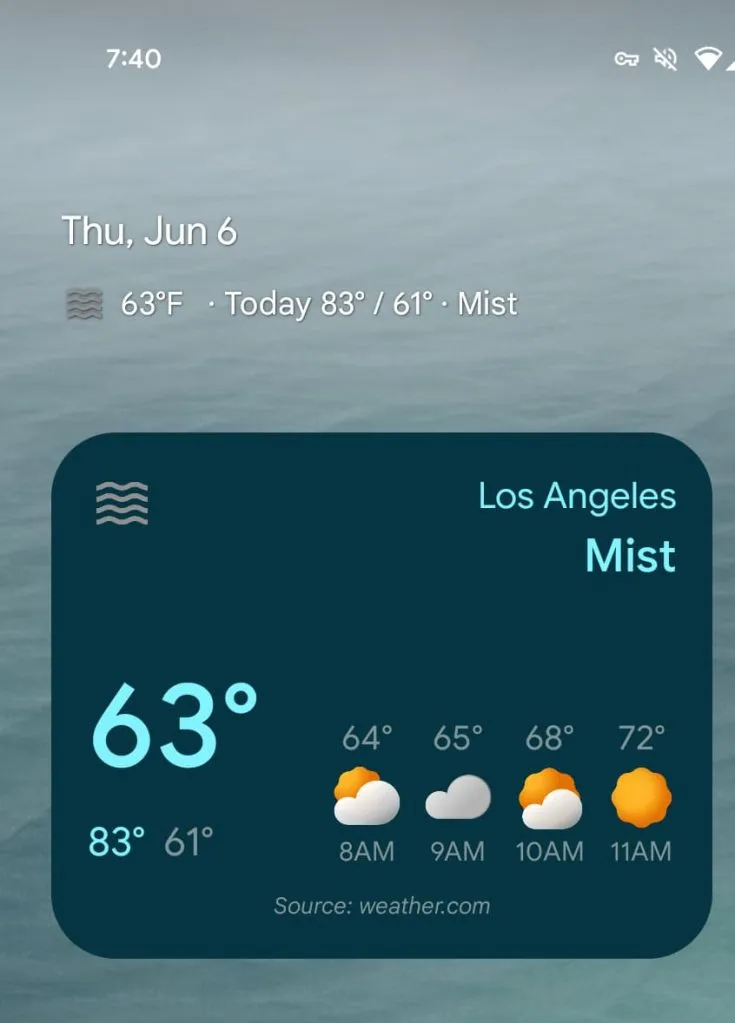
    The Android at-a-glance function displays the current temperature, which you may tap to launch the weather app. However, it is not always intuitive to utilize. It is typically a toss-up between opening the Weather app or the Calendar app.

    To minimize misunderstanding, we included the Pixel Weather widget. Yes, this is a Pixel-only feature, but it is far superior to attempting to read the tiny text of the at-a-glance weather choice. When I do not wear my spectacles, the Weather widget is always available to assist me.

    pixel weather widgets

    How to add a widgets to you screen?

    This part is simple. All you have to do is long-press a blank area on your home screen, select Widgets, find the widget you want to add in the resultant window, and drag it onto your home screen. You can then resize and position the widget as needed.

  • 4 essential tips to enhance your Pixel Watch 3 experience

    4 essential tips to enhance your Pixel Watch 3 experience

    Over the last two years, the Wear OS ecosystem has advanced significantly. Google, Samsung, and OnePlus all have great options.

    The Pixel Watch 3 is one of the greatest smartwatches, and Google appears to have mastered it, but it still requires some improvements. I use these everyday tips to get the most of my Google Pixel Watch 3.

    Pixel Watch 3 on amazon

    Pixel Watch 3

    The Google Pixel Watch 3 might not be a massive departure from its predecessor, but the company did pack it with some interesting new features. The larger 45mm version sports a bigger battery and new fitness features help track and plan your runs. If you’re a smart home user, the Pixel Watch 3 can stream live video of your security cameras.

    Best choice
    $349.99 $299.99Buy it on Amazon

    Turn off notifications when using your phone.

    Even when using your phone, Android continues to transmit a notification tone to the Pixel Watch 3, despite the fact that it provides an excellent experience. This is not user-friendly because the notice appears on the screen of your phone, negating the need for the watch.

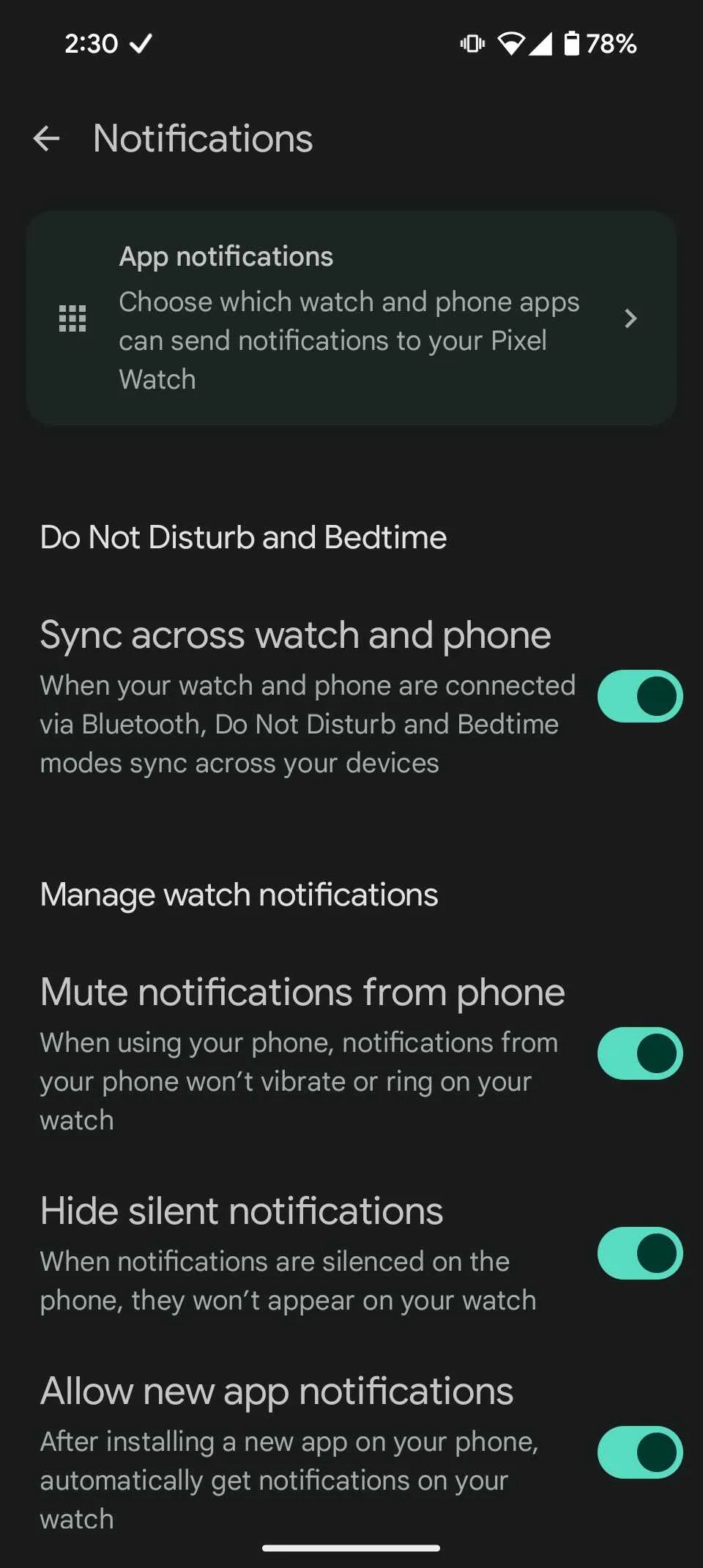
    You may turn off the option that makes your watch vibrate or ding when your phone is in use, which I find bothersome. Here’s how to disable this if you find it annoying:

    1. Open the Watch app on your phone.
    2. Select Notifications.
    3. Toggle on Mute notifications from phone.
    Turn off notifications when using your phone.

    Pixel Watch 3 as a camera remote

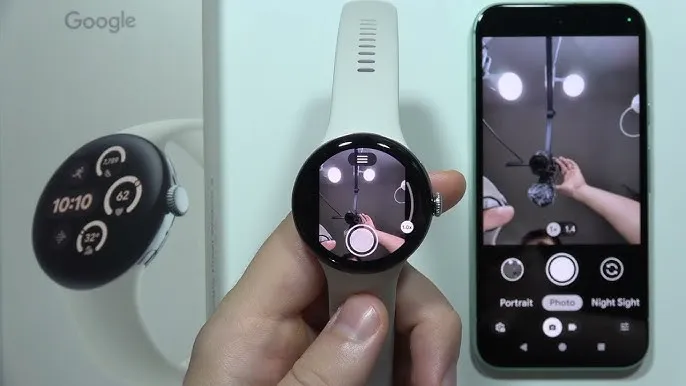
    Using the Pixel Watch 3 as a camera remote is a feature I regularly utilize, particularly when traveling. It functions as a hands-free camera control for your smartphone, which makes it ideal for snapping pictures or selfies when you do not have both hands free. Numerous features are available in the app, such as the ability to change the camera’s zoom level or enter video mode.

    The Pixel Watch allows you to remotely activate your phone’s camera, displaying a live feed of the images you are taking. It is a handy function that comes in particularly handy while traveling alone. If you have not tried it yet, it is worth it. To make use of this function:

    1. Click the crown on your Pixel Watch.
    2. Select the Camera app.
    3. Wait a moment for it to connect to your phone.
    4. Now, you can take photos, record videos, zoom, and explore different modes from the watch.
    Pixel Watch 3 as a camera remote

    Use Google Maps offline

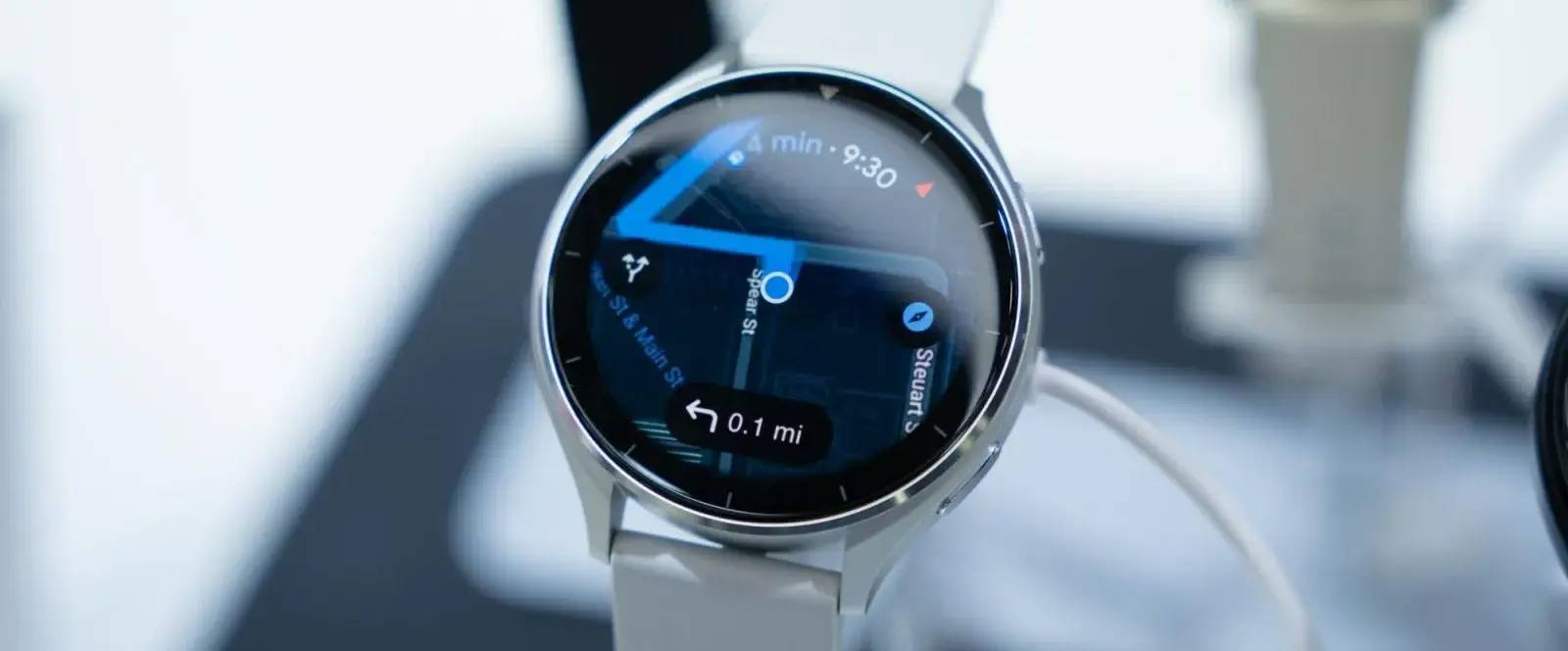
    I use the offline maps on my Pixel Watch virtually every day. This is useful since it lets me navigate without taking out my phone while driving, which is very convenient while I am commuting. It is revolutionary because you can tap “Home” to get directions anywhere in the city. In the Himalayas, where connectivity can be erratic, this function is very helpful for trekking.

    You must use the Google Maps app to download offline maps to your smartphone in order to enable this function. After that, you can sync them to your watch by choosing the city you wish to download offline maps for and going to the Offline Maps area of the Google Maps app on your Pixel Watch.

    google pixel watch maps

    Customization

    I can not continue using the default watch faces that Google supplies with the Pixel Watch, but everyone has different demands when it comes to smartwatches. The Pixel Watch comes with a number of fully customisable first-party watch faces, several of which allow you to add complexities to your liking.

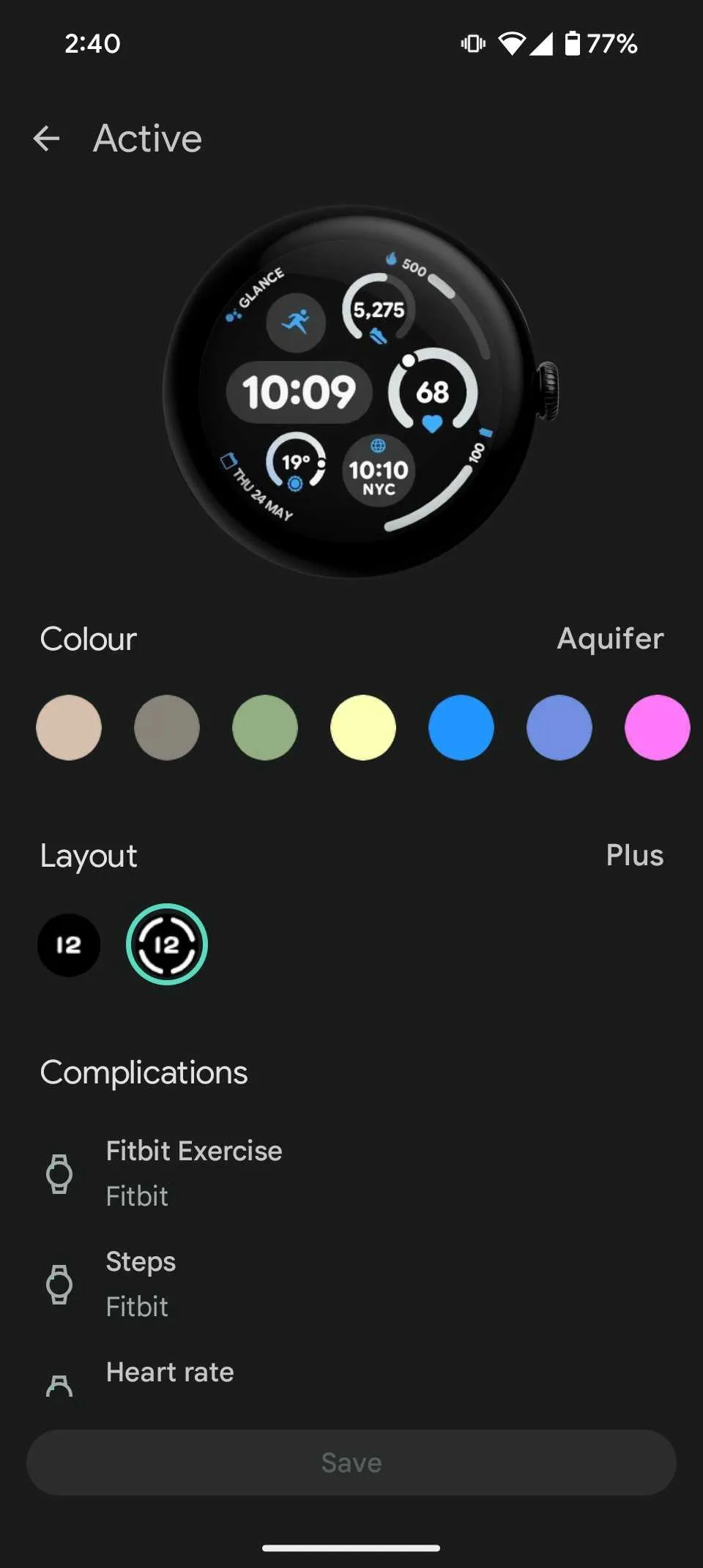
    Because I work in the Eastern Standard Time zone, I use the Active watch face with complexities like World Clock, At a Glance to keep track of my day, and widgets like calories and batteries. Here’s how to personalize the face of your Pixel Watch:

    1. Open the Watch app on your phone.
    2. Tap Watch faces from the home screen and choose your favorite watch face.
    3. After it’s selected, tap the Edit option.
    4. Customize the watch face by selecting your preferred color, complications, and more.
    Pixel Watch 3 custom watch face

    Pixel Watch 3 on amazon

    Pixel Watch 3

    The Google Pixel Watch 3 might not be a massive departure from its predecessor, but the company did pack it with some interesting new features. The larger 45mm version sports a bigger battery and new fitness features help track and plan your runs. If you’re a smart home user, the Pixel Watch 3 can stream live video of your security cameras.

    Best choice
    $349.99 $299.99Buy it on Amazon

    Like Android, the Wear OS ecosystem’s greatest feature is how customizable it is. You can modify the entire system to your liking or download hundreds of apps from the Play Store. The Pixel Watch offers a wealth of tips and tricks to help you customize the experience to your liking, but Wear OS still has space to learn from rivals.

  • Xiaomi HyperOS battery drain issue will soon be resolved.

    Xiaomi HyperOS battery drain issue will soon be resolved.

    One of the most important factors for many smartphone users is battery performance, and several recent HyperOS updates have been reported to cause significant battery drain for some Xiaomi handsets. Fortunately, that has been resolved.

    HyperOS Battery Drain Issue

    During regular use, users saw a rapid loss of the battery. This problem was particularly noticeable in:

    • POCO M6 with OS2.0.2.0.VNTMIXM
    • Redmi 13 with OS2.0.2.0.VNTMIXM

    Xiaomi swiftly fixed the problem in OS2.0.3.0.VNTMIXM, the next release. This shows the brand’s responsiveness and their high regard for customer pleasure.

    Go to SettingsAbout PhoneSystem Updates to confirm that the most recent version is installed on your smartphone. Avoid using excessively power-hungry apps until all adjustments have been made. Xiaomi has once again demonstrated through the speedy fix that it values customer feedback and responds quickly to problems.

    More on the Source

  • Temporarily free Android and IOS apps

    Temporarily free Android and IOS apps

    Get ready to upgrade your mobile experience without spending a dime! Every week, numerous premium apps on both Android and iOS platforms temporarily drop their price tags to zero, giving savvy users a chance to grab high-quality apps for free.

    In this article, we’ve curated a fresh selection of temporarily free apps that you won’t want to miss. From powerful productivity tools to entertaining games and creative suites, these limited-time offers provide an excellent opportunity to enhance your smartphone or tablet with premium software – but you’ll need to act fast, as these deals typically only last for a few days.

    android and ios apps

    Let me guide you through this week’s most exciting free app offers and help you decide which ones are worth your time and storage space. We’ll explore each app’s key features, regular pricing, and potential use cases to help you make informed decisions about which apps to download.

    Download and install any apps you find that you would want to have but do not require right now. It would be seen as “purchased,” and even if you immediately remove it from your smartphone, it will always remain in your app library.

    Android apps and games that are free for a limited time

    Android apps for productivity and lifestyle

    • Cutout Premium ($2.99): Resize, cut, remove backgrounds, and spice up your profile pictures.
    • Stick – Remote Control Pro ($2.99): Use your phone as a universal TV remote for the main brands.
    • Countdown Widget ($0.99): Create simple, handy widgets to remind you of upcoming events.
    • Business Card Maker ($4.99): Design real or virtual business cards, with handy features such as a QR Code generator.

    Free Android games

    • Defense Zone 2 HD ($2.99): Pass the time with this HD take on the classic tower defense genre.
    • The Lonely Hacker ($2.99): Master the art of hacking in this thriller with (allegedly) realistic cyber attacks.
    • Shadow of Death: Dark Knight ($3.99): Fill your screen with gorgeous visual effects and the bodies of your dead enemies in this hack-and-slash action game.
    • Sky Wings VIP ($0.99): Prepare your nostalgia for this voxel-like 3D shmup. Take down the enemy aircraft in this old-school-style arcade shooter.

    iOS apps that are free for a short time

    iOS apps for productivity and lifestyle

    • Screen Mirroring ($69.99): Mirror your iPhone or iPad screen to a nearby smart TV, even if it doesn’t support AirPlay.
    • Cutout Premium ($2.99): Resize, cut, remove backgrounds, and spice up your profile pictures.
    • Stick – Remote Control Pro ($2.99): Use your phone as a universal TV remote for the main brands.

    Free games for the iPhone and iPad

    • Adventure Bike Trials ($0.99): Miss the good old days of Trials? Take your bike and face the off-road tracks in this physics-based casual racer.
    • Trials of Dragons ($0.99): Strategy RPGs may not be as hot as they used to be. This is a good excuse to check this turn-based mobile offering.
    • Mage Mania (0$.99): Find your way through a monster-ridden dungeon on this 16-bit style adventure game.
    • Raider ($1.99): Navigate tight caverns with your ship while killing the invading enemy drones to protect the galaxy, no pressure.

    As of the date of publication, the deals were active. Please share any expired deals you come across in the comments section below. We advise you to review the app’s details in the Play Store or App Store before downloading any of the aforementioned apps. This is crucial since some of these free apps can have unique features or drawbacks of their own.

    Why, after all, would a simple alarm clock require access to your contacts or camera? Furthermore, why would a flashlight app need to know your precise location?

    You may successfully protect your personal information from prying eyes by choosing which permissions to provide with caution. With the knowledge that your data is safe and secure, you may explore the wide selection of free apps that are available for download on your iOS or Android device.

    A bond value calculator is a useful financial tool that helps investors determine the current worth of a bond based on its face value, interest rate, time to maturity, and market interest rates. By inputting these variables, users can quickly assess whether a bond is priced fairly or if it’s a good investment opportunity. This calculator is especially valuable for comparing different fixed-income securities and making informed decisions in a fluctuating interest rate environment.

  • 5 easy ways to use Google Gemini to boost your Android experience

    5 easy ways to use Google Gemini to boost your Android experience

    Since its debut in 2016, Google Assistant has been a feature of the Android operating system. It is accessible by uttering the “OK Google” hot word, as a sticky widget in the dock, or in the news stream on the left side of your home screen. However, the assistant needed a makeover because AI was a key component of almost every phone that was released in the previous year.

    Google Gemini’s shortcomings were noted by early adopters, who said it could not execute jobs that Google Assistant could. With Gemini’s increased capabilities, a lot has changed. Here are some useful applications for it on an Android phone.

    Use Gemini from Messages

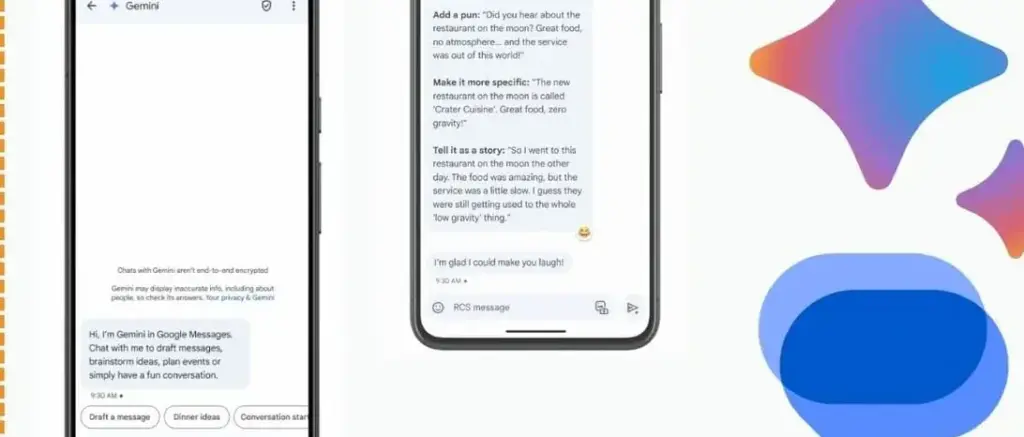
    google gemini in messeges

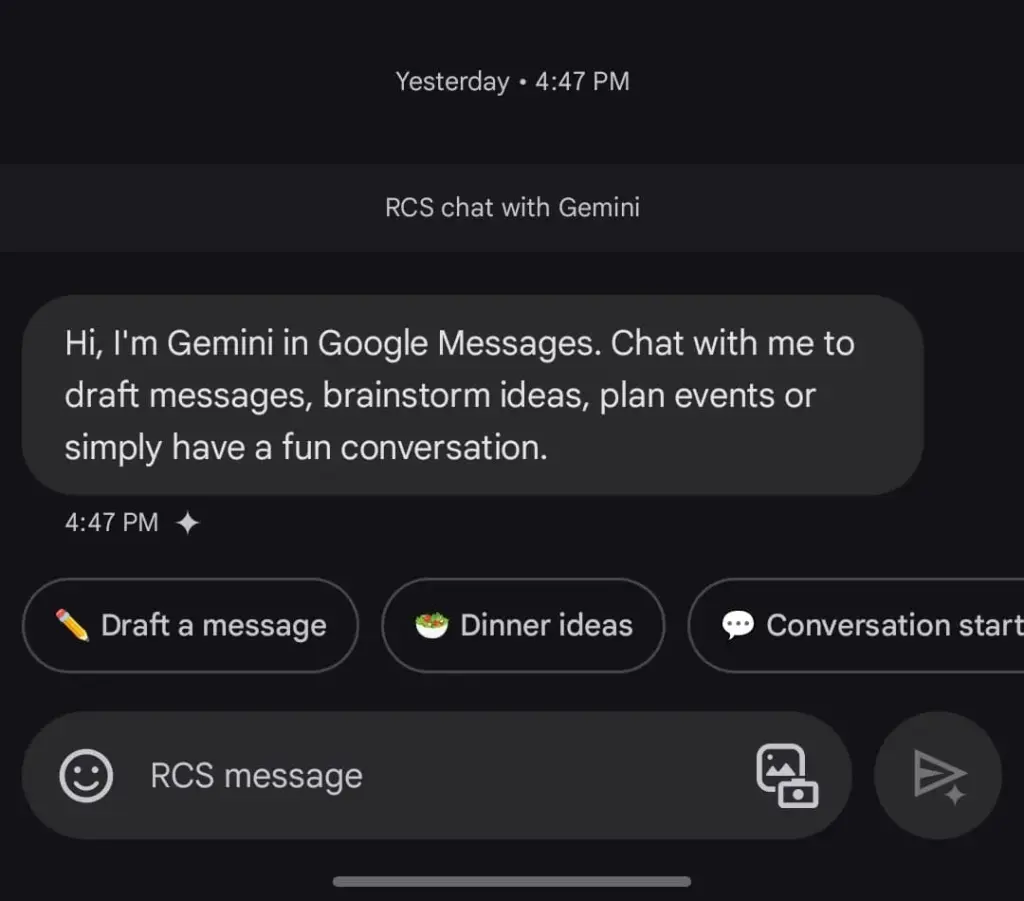
    Following Hangouts’ sunsetting and an unsuccessful attempt with Allo, Google finally figured out how to make texting work on Android. Google Messages is a fantastic way to interact with loved ones because of its many capabilities, especially when it comes to chats that use RCS.

    The option to talk with Gemini will appear if you open Google Messages and tap the Start chat icon. This allows you to use Gemini’s conversational side in a chat window. You can ask it to create images, recite poems, or write a birthday message.

    Gemini in Google Messages is incompatible with other apps and is unable to manage device settings. It does, however, provide a more conventional method of communicating with the assistance. It does not answer questions using pictures of individuals, but you can send it pictures of food, clothing, and other objects.

    Also, Gemini cannot be asked to send a message through Google Messages. You can use the Gemini app specifically for that purpose. Furthermore, Gemini may be used to call contacts or look up the phone numbers of nearby businesses, just like Google Assistant. But you can not use your friendship with someone to make calls or send SMS. It is possible that saying, “Hey Google, call my mom,” will ring another contact with the name “mom.”

    Control device settings

    disable pull down quick settings

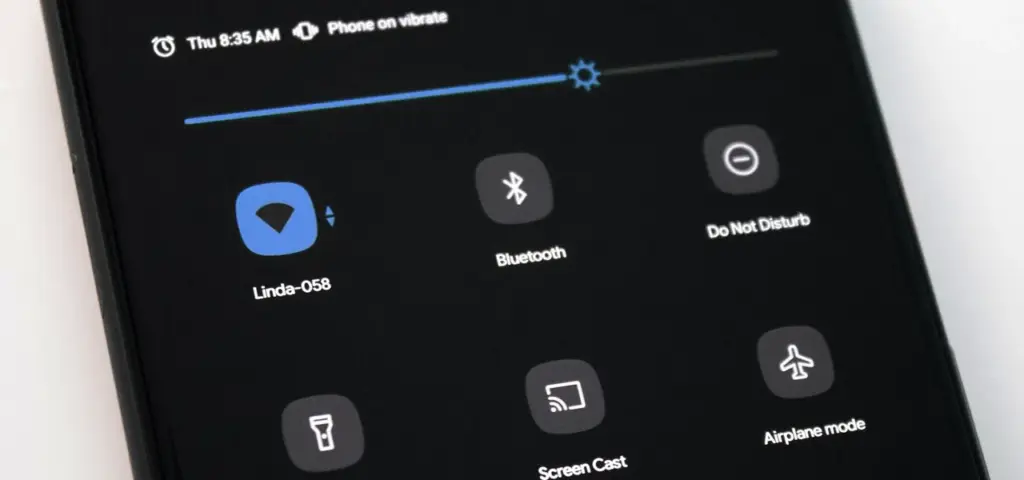
    Gemini has the ability to switch off your Wi-Fi, but in order to utilize the assistant again, you will need to manually activate it. Bluetooth, location, auto-brightness, and flashlight settings are among the more practical device controls.

    A series of instructions, such as “turn off auto-rotate and then turn on mobile data,” can be requested, but Gemini can be picky. Routine tasks, such as turning off alarms or setting a timer, function well.

    Controlling my phone’s music playback is one of my favorite applications of this feature. You may ask Gemini to rewind a song by 30 seconds, but it can still play, pause, and skip songs as normal.

    Also, you may use a custom timer to instruct Gemini to take a picture. On the other hand, when I ran the identical query on my iPhone using Apple Intelligence, it set a five-second timer labeled “picture.” Regards, Apple.

    A conversational tool

    Google Messages Gemini e1735622431861

    For years, we have been able to use voice commands to activate Google Assistant; however, typically, a specific action or question is required. By tapping the button next to the camera symbol in the Gemini Live app, you can initiate an unstructured chat.

    As long as the conversation does not violate the AI’s guidelines, you can talk about anything and get pertinent responses. It was a little unsettling to speak into my phone aloud and hear responses that seemed natural, but I eventually adapted. Gemini Live excels at having back-and-forth conversations, but you may also ask closed-ended questions.

    During a discussion, Gemini can be interrupted by tapping the screen or talking over it. When you use Live mode, you can choose from a small selection of voices. I use Gemini Live to practice talks, generate ideas, and learn new languages. This is an intriguing approach to employ an AI assistant on your phone because of its convincing and real-time responses.

    Use Gemini with Google Workspace

    Blog Header Light mode No text.w

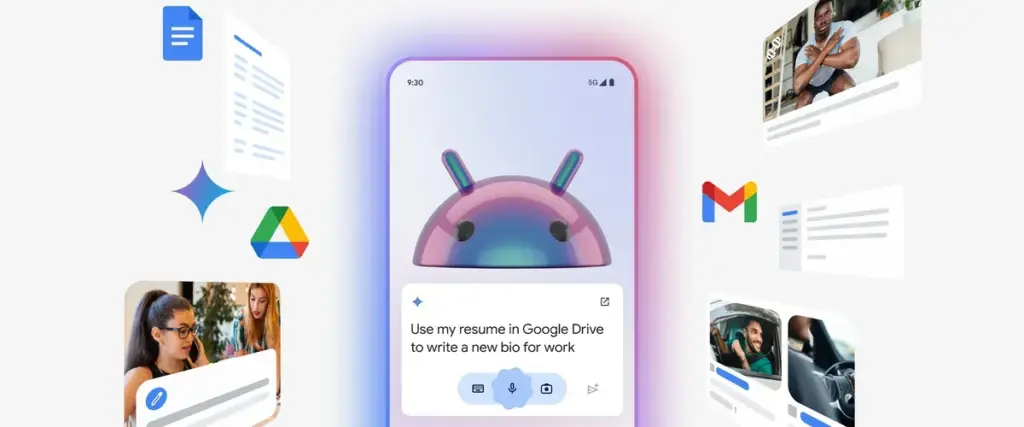
    With a subscription, Gemini may be used with Google Workspace applications such as Docs, Gmail, and Slides. You may retrieve and condense emails, tasks, and other items linked to your Google account on an Android phone by using the Google Workspace extension, which is available for free with Gemini.

    Gemini can filter emails by sender name or transmit a list of your most recent emails. It is unable to access attachments, though. Asking Gemini to summarize papers is a helpful tool, as I utilize Google Docs for the most of my class notes. In order to locate an event you have been searching for, it can also scan your calendar.

    Gemini can be asked to save notes or tasks. In the Google Keep app, entries filled in this manner display a Gemini tag. Additionally, it cleverly names notes according to their substance.

    Connect it with third-party apps

    Gemini extensions allow you to access and manage additional features on your device. It is cool to connect to Google Workspace, and more third-party apps should soon be compatible with Gemini. Without opening the app and looking for a playlist, you can play songs from your playlists by connecting to your Spotify account. Media playback control then assists you in selecting the ideal song for the situation.

    You may use voice commands on Google Gemini to send messages or make a call to a contact if you are one of the three billion WhatsApp users globally. You cannot, however, request that Gemini read your WhatsApp chats or attach anything to them.


    Compared to its first day, Gemini now does more. Because device controls are compatible with the AI assistant, you are no longer forced to pick between it and Google Assistant. Additionally, when Gemini is unable to complete a task, it will sometimes rely on the Google Assistant extension. Your time with a Gemini is not going to be a happy one. It still has hallucinations and is a huge language model.

    Even though it is capable of performing things like “turning on Bluetooth,” it occasionally refuses to do so. Starting a fresh chat is a good strategy to get good answers in these situations. You must unlock your phone’s screen in order to use the majority of its useful commands. Even with its limitations, Gemini keeps getting new features, such as the ability to operate smart home appliances with the Google Home extension.

  • Exciting beta upgrade for Garmin Fenix 8 & others!

    Exciting beta upgrade for Garmin Fenix 8 & others!

    A major upgrade has recently been made available in beta form for the Garmin Fenix 8 and Enduro 3 watches. The release of this public beta has been announced by Garmin on the Garmin forums. The Fenix 8, Enduro 3, and Fenix E watch families can use it.

    What is fresh? Among Garmin’s patch notes, three features are particularly noteworthy. In addition to a new mini-app, there are two additional activities.

    New features for Garmin Fenix 8

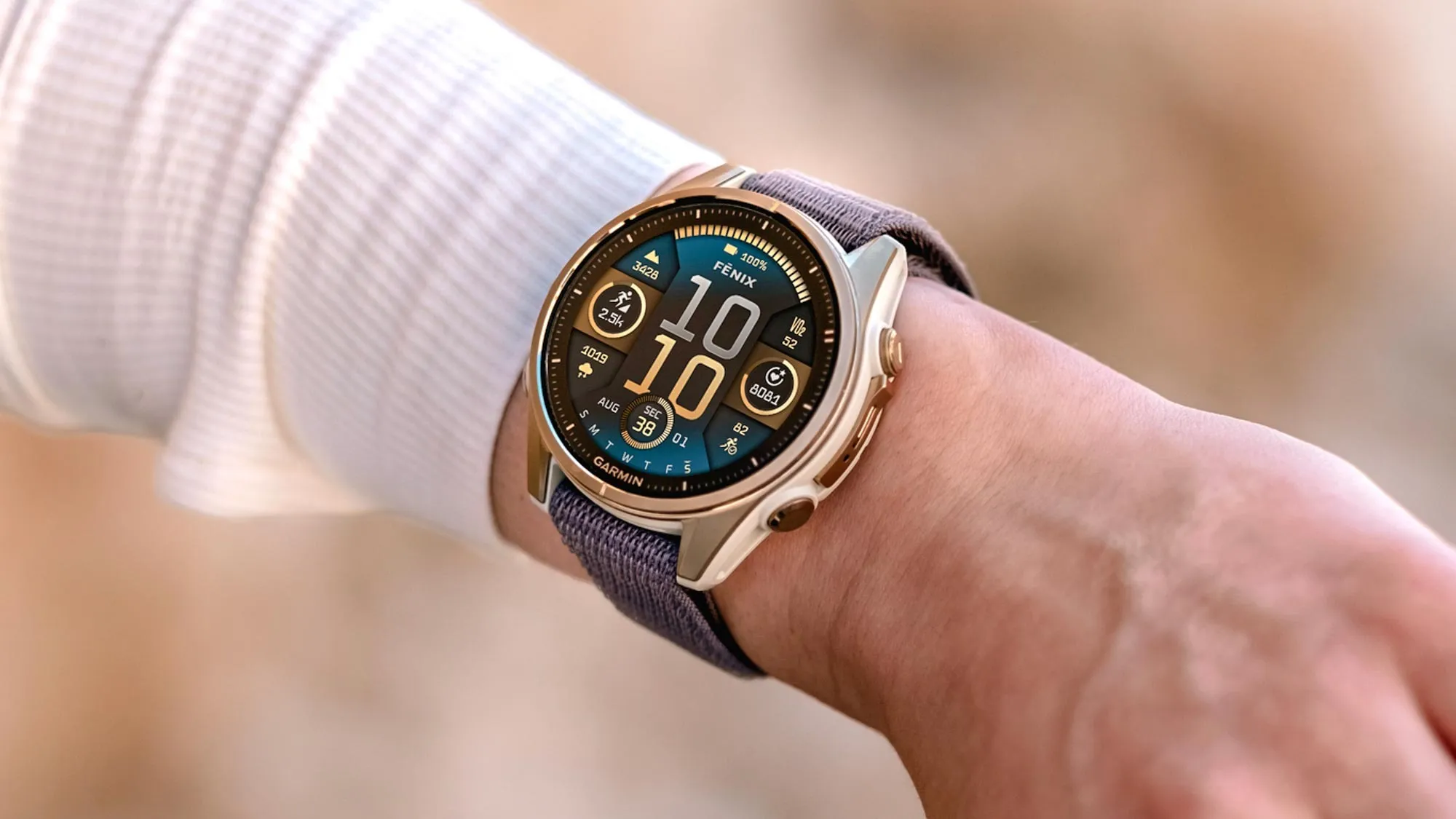
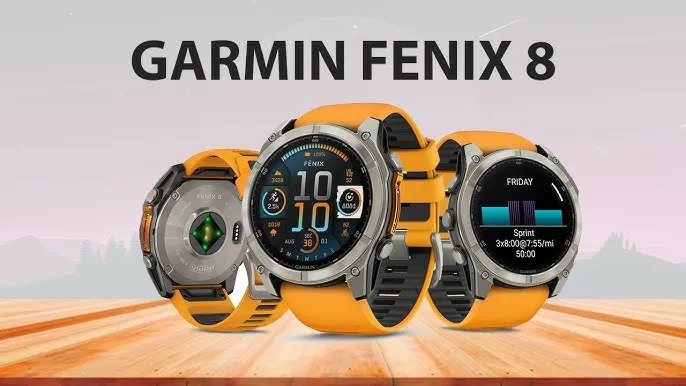
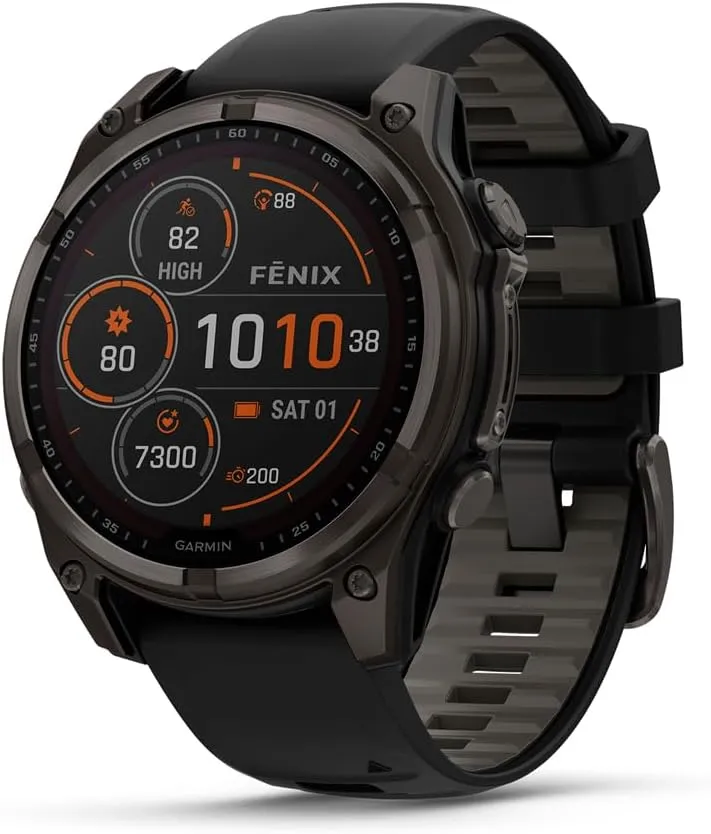
    Garmin fēnix® 8

    The activities are Jumpmaster and Sail Race. Before the debut of the Fenix 8, some people complained on Reddit about the lack of Sail Race, which had previously been included in Garmin Fenix 7-series watches.

    This mode, like a lot of Garmin’s modes, does a little more than merely record the statistics you see in other modes. According to the Garmin website, “you can utilize the device to help you cross the start line of a race exactly when the event begins.”

    “When you set the starting line, the device uses GPS data to indicate whether your boat will cross the start line before, after, or at the correct time to start the race.”

    Another mode that was present in the Fenix 7 series but was not initially included in the Fenix 8 and other models is Jumpmaster.

    It is for people who leap out of airplanes with a parachute attached, making it even more specialized than Sail Race. You can set the intended landing spot and use it to gauge when you are at the proper height for the jump.

    More information on this pro-grade mode can be found on the Garmin website. The Trolling Motor app is the final significant update, and no, it has nothing to do with online trolls.

    Although not necessarily present in the more popular Fenix/Enduro models, this type of feature would be a mainstay of the Garmin Quatix line. From your wrist, you can operate compatible Garmin Force Trolling boat motors.

    Garmin fēnix® 8

    Garmin Fēnix® 8

    The Garmin Fenix 8 is a premium multisport GPS smartwatch that combines rugged durability with advanced training features. Built for athletes and outdoor enthusiasts, it features comprehensive activity tracking, advanced performance metrics, and enhanced navigation capabilities.

    Best choice
    $1,099.99Buy on Amazon

    Fenix 8 update patch notes

    Many additional fixes and adjustments are included in the release. According to Garmin’s post, here is the complete list:

    • Added CIQ System 8: Supports the latest Connect IQ apps, watch faces, and data fields.
    • Added Sail Race Activity.
    • Added Jumpmaster Activity.
    • Added Trolling Motor App.
    • Added connection type information for paired sensors.
    • Improvements to the icons that display with notifications.
    • Added Insight Hint to Health and Fitness Apps.
    • Added Missing Map Option in Mountaineering Activity.
    • Added Respiration Graph to Meditation Activity Summary.
    • Added Stress Card to Gaming Activity Summary.
    • Added Support for HRM as Speed and Distance Monitor for BLE Sensors.
    • Added Support for Nautical Units.
    • Added Support to Show Needed Equipment for Strength Workouts.
    • Added Touch Support to Dismiss Popup Notification.
    • Fixed a possible issue where touchscreen input could not be disabled in activities.
    • Fixed Apps that were Inaccessible from the Recents Menu.
    • Fixed Auto Climb Data Screen Selection.
    • Fixed Blank Calendar Card in Morning Report.
    • Fixed Blank Map for Power Guide Preview.
    • Fixed Current Time Indicator on the Tides Graph.
    • Fixed Do Not Disturb Smart Notification Setting.
    • Fixed InReach Contacts List Layout.
    • Fixed InReach PIN Code Display Page.
    • Fixed Morning Report Showing Stale HRV Data.
    • Fixed Pool Swim Interval Details Page Layout.
    • Fixed Potential Crash after Deleting Activities from the list.
    • Fixed Potential Crash during Meditation Setup.
    • Fixed Potential Crash on Body Battery Glance Folder View.
    • Fixed Potential Crash on Fitness Age Page.
    • Fixed Potential Crash when Dismissing Notifications.
    • Fixed Potential Crash when Enabling Broadcast HR.
    • Fixed Potential Crash when Viewing Breathwork Preview.
    • Fixed Round Trip Routing Not Calculating Full Distance.
    • Fixed Sleep History Graph after Traveling.
    • Fixed Sleep Window Setup Sometimes Getting Skipped on Initial Setup.
    • Fixed Weather App Accidentally Returning to Watch Face.
    • Improved Countdown Glance Folder Info Text.
    • Improved GPS Progress Bar Presentation when Beginning Search.
    • Increased the Maximum Speed of Virtual Partner to 48.95 kph.
    • Updated Sunrise/Sunset Time Alert Range.

    Since Garmin’s beta program is free to join, it is important to note that this update will also turn off the watches’ Dive mode and ECG readings. Since Garmin releases software on a quarterly basis, it will probably take several weeks before these capabilities are included in a full non-beta version.

    Garmin products

    Garmin Fenix 8
    $1,099.99Buy on Amazon
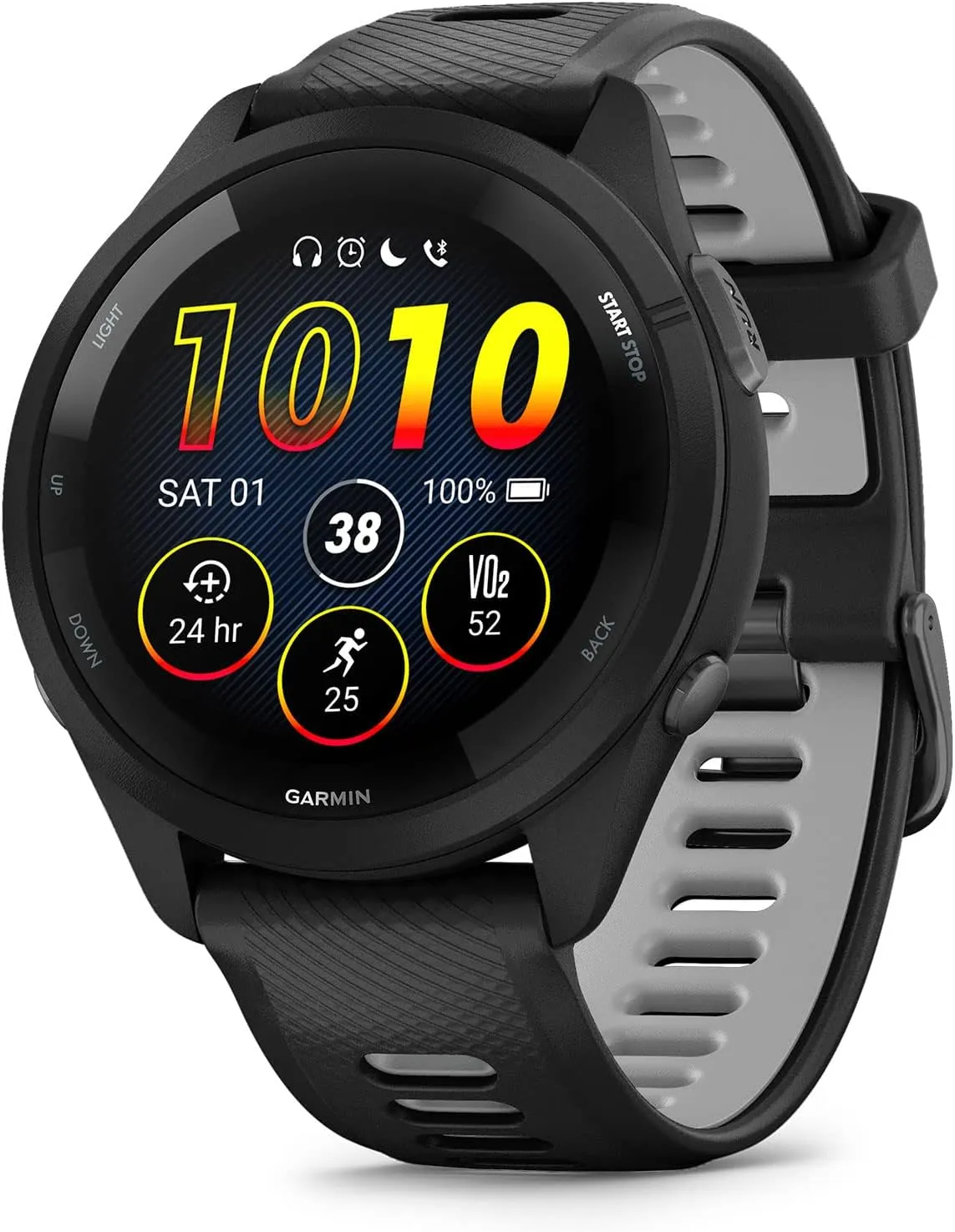
    Garmin Forerunner 265
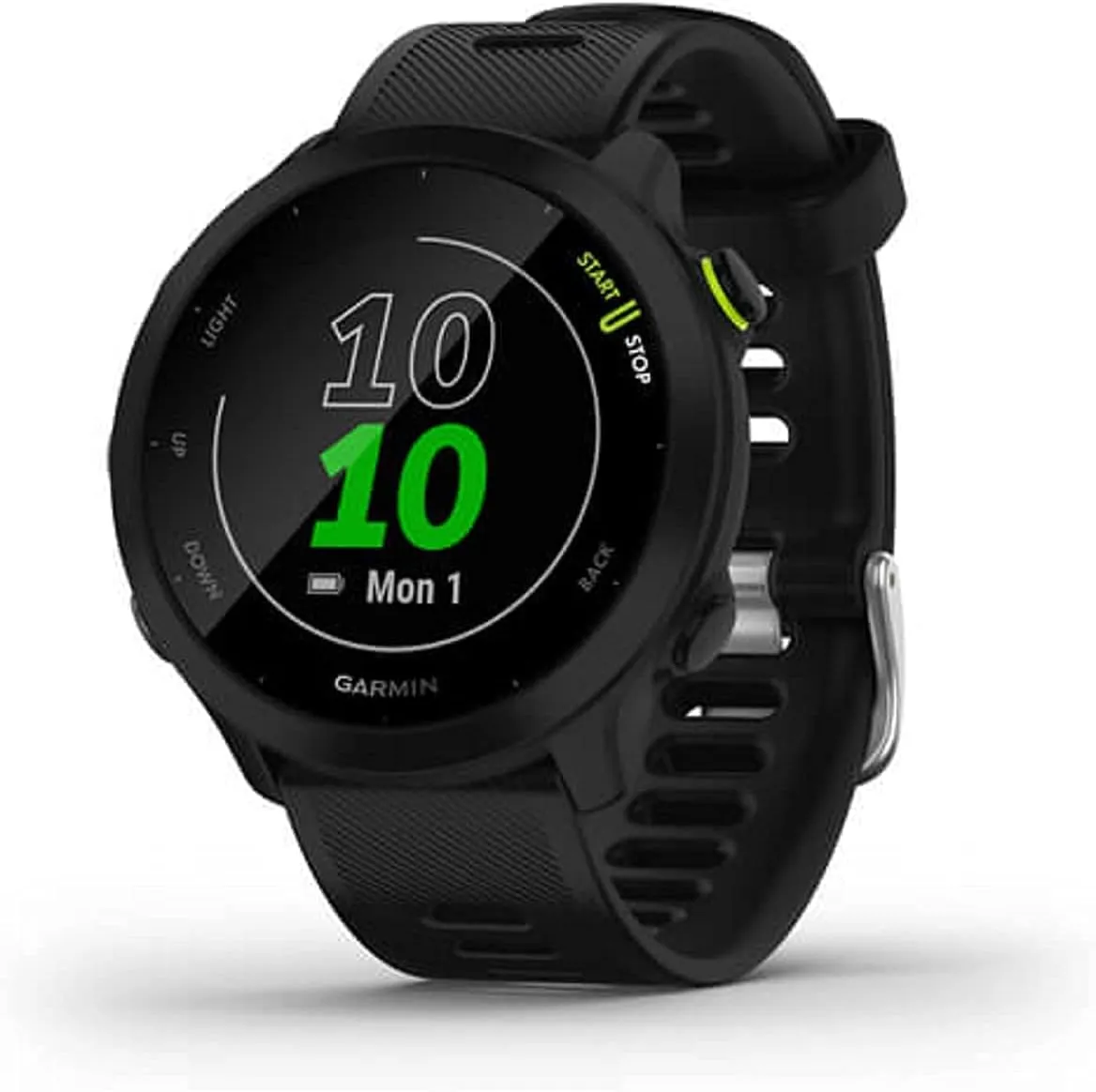
    Garmin Forerunner 55
    $199.99$182.70Buy on Amazon
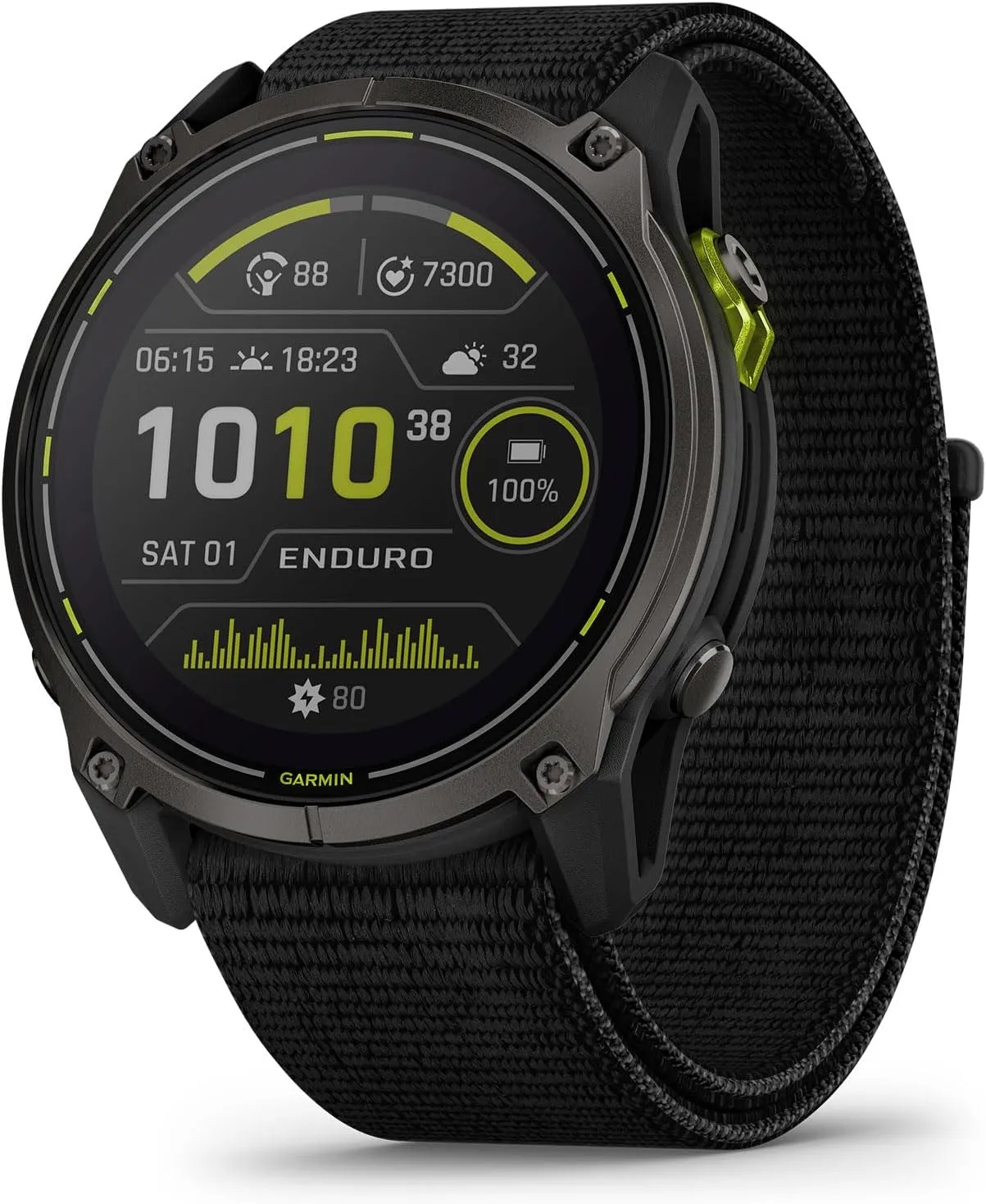
    Garmin Enduro 3
    $899.99$849.99Buy on Amazon
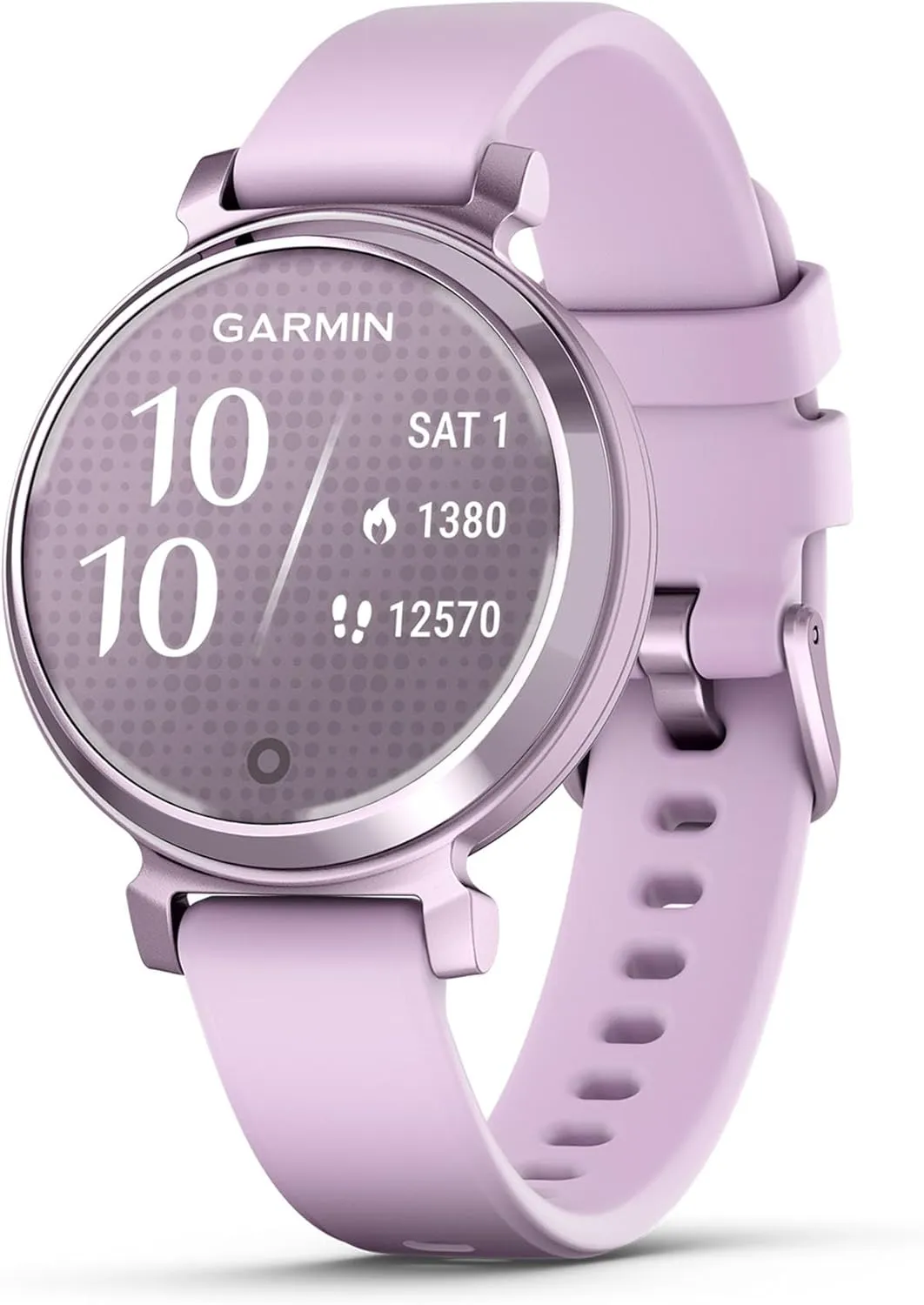
    Garmin Lily 2 Active
  • Top 4 compact smartphones to check out in 2024

    Top 4 compact smartphones to check out in 2024

    Smartphones come in many shapes and sizes, but choosing a good smartphone that is also tiny is a little more difficult.

    Smaller phones have traditionally been concentrated on the low end of the market because smaller displays are less expensive to manufacture, but we have seen a rebirth of small phones in the luxury end of the market in recent years with the likes of the Samsung Galaxy S24 and Asus ZenFone 10.

    However, it remains challenging to find a smartphone that is both tiny and provides a satisfying smartphone experience. That is why we thoroughly benchmarked each option on our list, with our reviewers switching SIM cards and transferring all apps and data to test real-world performance.

    We take into account screen size, dimensions, and weight, in addition to the usual performance, camera, and battery testing that we do with all smartphone reviews, and we have divided our list into categories – best small Android, best small mid-ranger, and more – to make the decision easier.

    It is definitely worth noting that our official definition of a small phone is one with a maximum display size of 6.1 inches; nevertheless, if there are any exceptions to this criterion in our selection below, we will make sure to explain why. If you have changed your mind and are now tempted by something a little larger, check out our list of the top smartphones and Android phones for more ideas.

    If you need a little phone but want to continue with Android, the Asus ZenFone 10 is your best option. It is not quite as little as the iPhone 13 mini, with a 5.9-inch 120Hz OLED display, but it is still modest in comparison to other Android flagships, which have 6.7- or even 6.8-inch displays. And, like with the iPhone 13 mini, do not be fooled by its diminutive size; this is a flagship smartphone with blockbuster specs.

    That contains the latest and greatest Qualcomm CPU, the Snapdragon 8 Gen 2, as well as 8GB or 16GB of RAM and up to 512GB of UFS 4.0 storage, allowing the ZenFone 10 to handle everything you throw at it with ease. Gaming was also enjoyable on the small phone, which managed to stay cool even throughout extended gameplay sessions.

    There is also excellent camera performance from a 50MP main and a 13MP ultrawide, particularly in terms of image stabilisation, and a 32MP RGBW selfie camera produces some of the best selfies we have seen this year. What actually distinguishes the ZenFone 10 from the competition is its highly customizable approach to Android 13.

    You may either use Asus’ ZenUI skin or something very similar to pure Android, with Material You and other UI customization options. It outperforms almost every other Android OEM, making it a pleasure to use on a daily basis. Add in a comfortable all-day battery life with a 4,300mAh cell, and you have got a fantastic tiny Android smartphone that will not break the bank.

    The Asus ZenFone 10 remains the smallest flagship Android smartphone available, but the Samsung Galaxy S24 is not only more powerful, but also has a larger screen in a body that is only slightly larger than the ZenFone’s.

    The 6.2-inch Dynamic AMOLED 2X screen is somewhat larger than last year’s 6.1-inch panel, but do not worry; this is feasible because Samsung reduced the screen’s bezels, leaving the form factor nearly equal to its older sister. That means it is not only larger while preserving a compact form factor, but it also has high-end features like an LTPO-enabled 120Hz refresh rate, HDR10+ support, and a maximum brightness of 2600nits.

    It gets a little confused in the chipset sector, with the Exynos 2400 chipset available in the UK, Europe, and other regions, yet the Snapdragon 8 Gen 3 for Galaxy is available in the United States.

    We evaluated the former, but we benchmarked the latter, and it is evident that the Snapdragon-equipped edition outperforms in GPU tests, but you will not notice a difference in regular use. It is fast and responsive, and it makes use of GenAI capabilities to deliver on-device translation, voice recording transcription, and other features. That could only get better with its improved seven-year OS upgrade cycle, which is the longest of any small-screen phone now available.

    The only disappointment is camera performance; while it is far from a bad camera setup, consisting of a 50MP main, 12MP ultrawide, and 10MP telephoto, it is been unchanged for the third year in a row, and as a result, there are more powerful options on the market – though many of these are attached to larger screens like Samsung’s own 6.8-inch Samsung Galaxy S24 Ultra.

    Still, if you are seeking for a reliable small-screen flagship that can handle just about anything, the Galaxy S24 is a compelling alternative.

    What if your budget does not cover flagship-level devices like the S24 or ZenFone 10? The Google Pixel 8a is our top pick for tiny smartphone aficionados on a tight budget.

    The Pixel 8a measures 6.1 inches, has a smooth 120Hz refresh rate, and uses Actua technology from the flagship Pixel 8 to improve brightness to 2000nits. It is also a lovely, compact size that feels well in the hand, especially with the Pixel 8a’s rounded corners.

    The Pixel 7a flexes its mid-range muscles in the camera department, where it uses the flagship-level Tensor G2 chipset to power a variety of AI features such as Super Res Zoom and Night Sight, as well as exclusive photo editing features that remove background distractions and sharpen blurry images.

    That AI goodness extends to the overall experience, with the Pixel 8a’s stock Android 14 littered with useful AI features to improve your day-to-day, from displaying upcoming calendar invites and the weather on the Home screen to Recently Played, an AI feature that detects music in your surroundings as you go about your day – a real boon for music discovery.

    The battery life is also good, but it is still only a one-day gadget, which is one of the drawbacks of more compact smartphones. Still, if you want a tiny phone on a cheap, the Google Pixel 8a in 2024 is the best option.

    If you are seeking for a really compact Android smartphone with a large-screen experience, a solid camera, powerful performance, and an all-day battery life, the Motorola Razr 50 Ultra (or Razr+ 2024 if you are in the US) is the best option.

    While the main 6.9-inch 165Hz pOLED panel is far from small, it outperforms some of the largest smartphones on the market. When folded, the external display measures only 4 inches. This is ideal for one-handed use because all corners are easily accessible with just your thumb.

    Not only is the external screen small yet highly functional, but the handset itself is only 15mm thick when folded, making it easy to sneak into your pocket or purse. You will not have to worry about scratches because the display is protected by Gorilla Glass Victus.

    Aside from the screens, the Razr 50 Ultra has two updated back cameras: a 50MP main and a 50MP 2x telephoto, with the latter replacing the ultrawide lens on the previous generation model. We were generally pleased with the new lenses’ performance, albeit the phone struggled with difficult photos such as brilliant sunsets, and HDR performance was occasionally hit-or-miss.

    The phone features the Snapdragon 8s Gen 3 chipset, which, while not Qualcomm’s most recent engine, is nonetheless powerful and performed well in our CPU and GPU benchmark tests when compared to the foldable competitors, with no significant differences in everyday use.

    Whether you want the tiniest smartphone possible or simply want to recreate the flip phone experience of the noughties, the Motorola Razr 50 Ultra is an excellent choice for the majority of people.
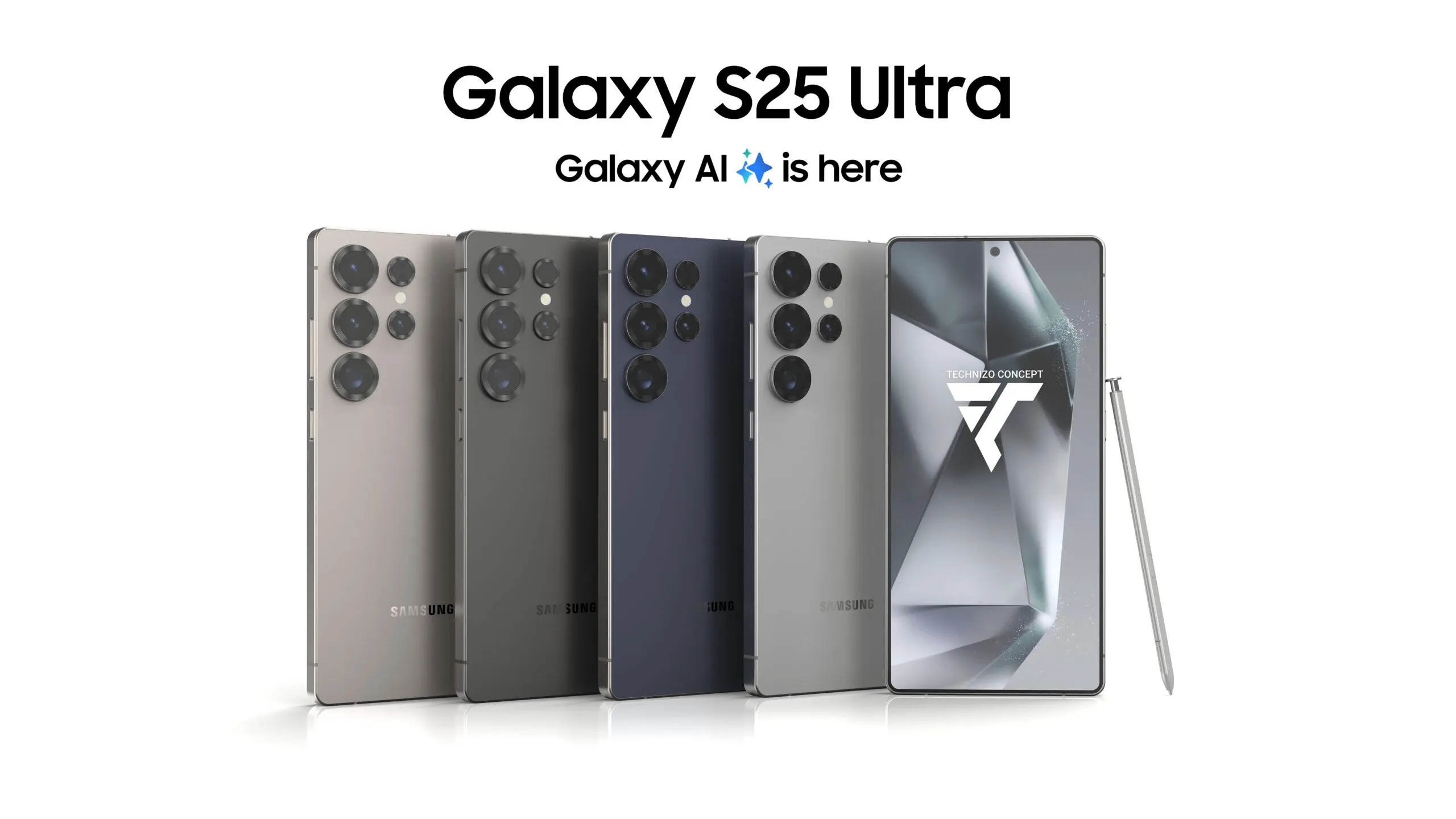
  • Samsung Galaxy S25 – launch date was confirmed

    Samsung Galaxy S25 – launch date was confirmed

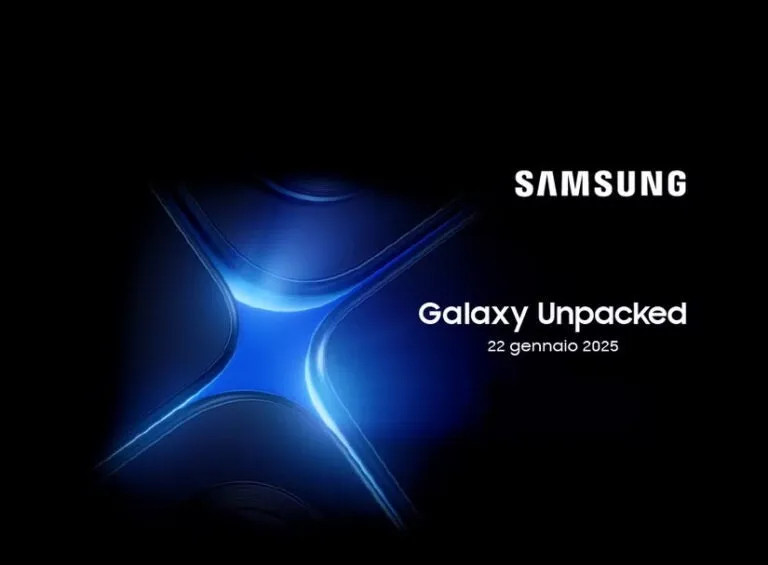
    Seasons source evleaks has just posted what appears to be a genuine Samsung invitation, albeit in Italian, to the company’s forthcoming Unpacked presentation.

    The date on the invitation is “22 gennaio 2025.” In English, that is January 22. This date is not technically new; it was leaked only last week. However, the source and content of this recent leak pretty much seals the deal for us.

    There could be more to this invitation than just a date confirmation. If you look closely, you will notice that the AI symbol that dominates the invite is actually made up of the corners of four gadgets arranged tightly together.

    We were anticipating three smartphones, as is customary with Samsung: the Galaxy S25, Galaxy S25 Plus, and Galaxy S25 Ultra. But what might the fourth phone (or device) be?

    Galaxy S25

    There have been reports of a Samsung Galaxy S25 Slim, with the South Korean manufacturer expected to follow (or rather anticipate) Apple’s trend. However, reports say that it may be released later in the year than the rest of the range, possibly in Q2.

    Even said, it is probable that Samsung will provide a small hint at its largest launch event of the year.Especially because the aforementioned reports suggest that the Slim will be a limited edition smartphone designed to test market interest in such a model.

    The tipster also shared low-resolution renders of the Galaxy S25 Plus, which appear to confirm what we have already heard. The bezel size has been reduced, and the corners may be slightly less curved, but the overall shape remains familiar.

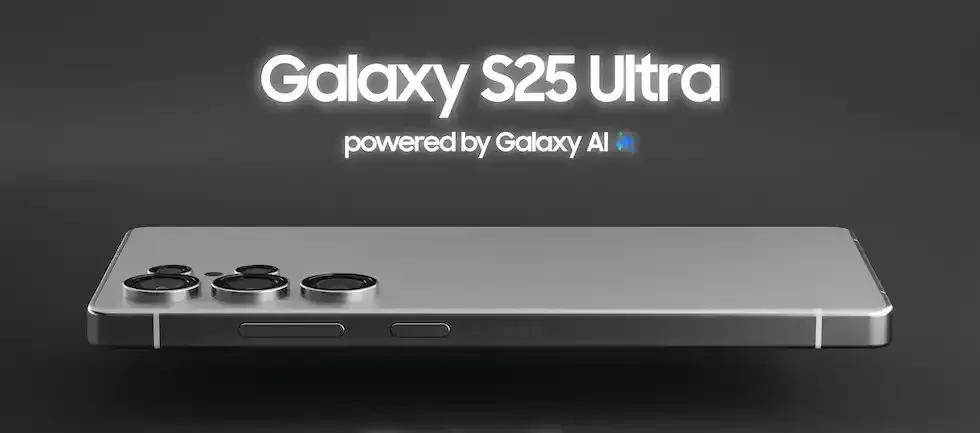
    We also learned that the Galaxy S25 Ultra will feature extremely thin bezels and a less Note-like design.