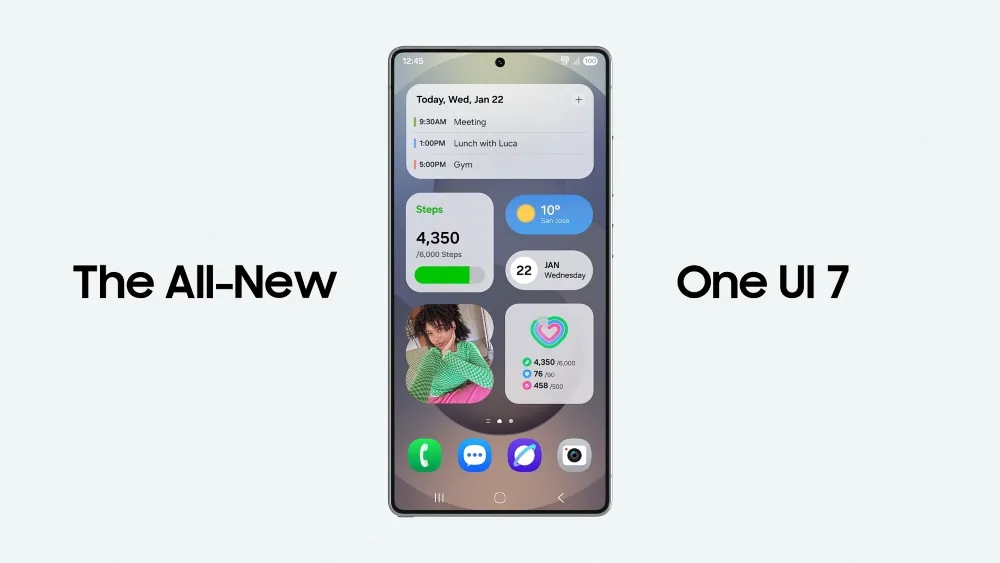
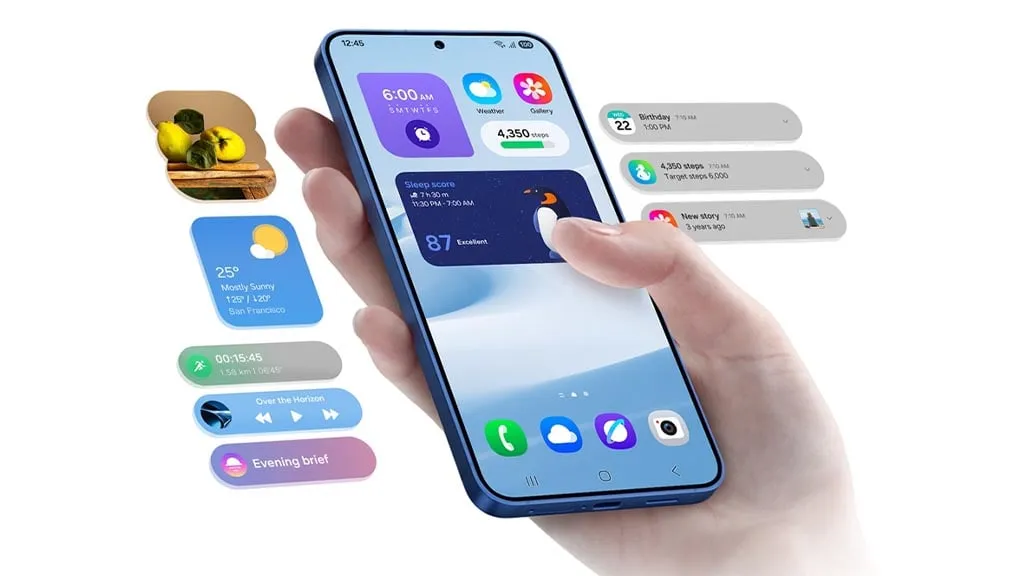
Samsung devices include a power-saving mode; while this feature is similar to all smartphones around the world, One UI 7.0 makes it more customisable.
Android and iOS smartphones have had a power saving mode for some time, but you may only be able to enable or disable it. Smartphones, by default, limit background processes such as network usage, synchronization, and location, as well as reducing the high refresh rate to 60 Hz, and you may not be able to adjust the power saving mode.
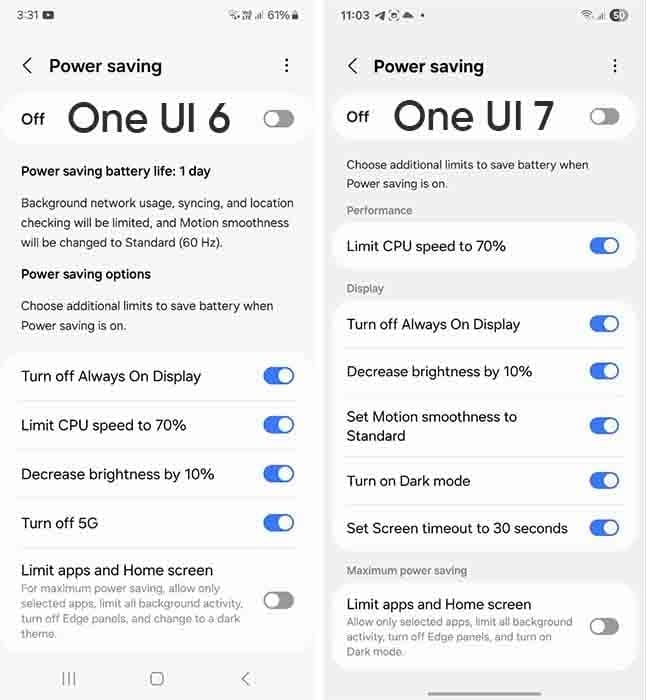
However, Samsung devices provide you with more control over this capacity due to extra limitations. This power saver can be enabled from either the fast settings panel or the battery settings. Additional power-saving settings from One UI 6.x are listed below:
Turn off Always on Display
Limit CPU speed to 70%
Decrease brightness by 10%
Turn off 5G
Limit apps and the Home screen
You can control these options with the toggle button in front.
Moving on, One UI 7.0 device users will now see three additional power saving limits, including:
Set motion smoothness to standard
Turn on Dark mode
Set screen timeout to 30 seconds
The refresh rate was previously deactivated automatically during power saving mode, but you can now set its limits. Similarly, Dark mode and screen timeout help to conserve power.
If you wish to maximize power efficiency, enable “Limit apps and Home screen”. It only permits certain apps, restricts background activity, disables Edge panels, and activates Dark Mode.
If you do not want to employ any of these additional power-saving features, you may click the toggle button to return to the system’s normal power usage restrictions. When you disable the high refresh rate option, the 70% CPU limit is reduced automatically. Additional power-saving limits can be found in Settings > Battery > Power saving.
Users of Xiaomi should rejoice since the stable HyperOS 2.2 update is currently planned for four new devices. The software is now available on Xiaomi’s servers and is awaiting final staff testing before going public. As Xiaomi continues to roll out its most recent OS to an increasing number of devices across its wide range of products, this step marks another milestone in the company’s aggressive HyperOS rollout strategy.
Xiaomi‘s emphasis on providing frequent software updates and keeping its ecosystem up to speed with the newest features is further highlighted by the new update, which promises to improve performance, battery life, and user experience for compatible phones.
HyperOS 2.2 family has four new members.
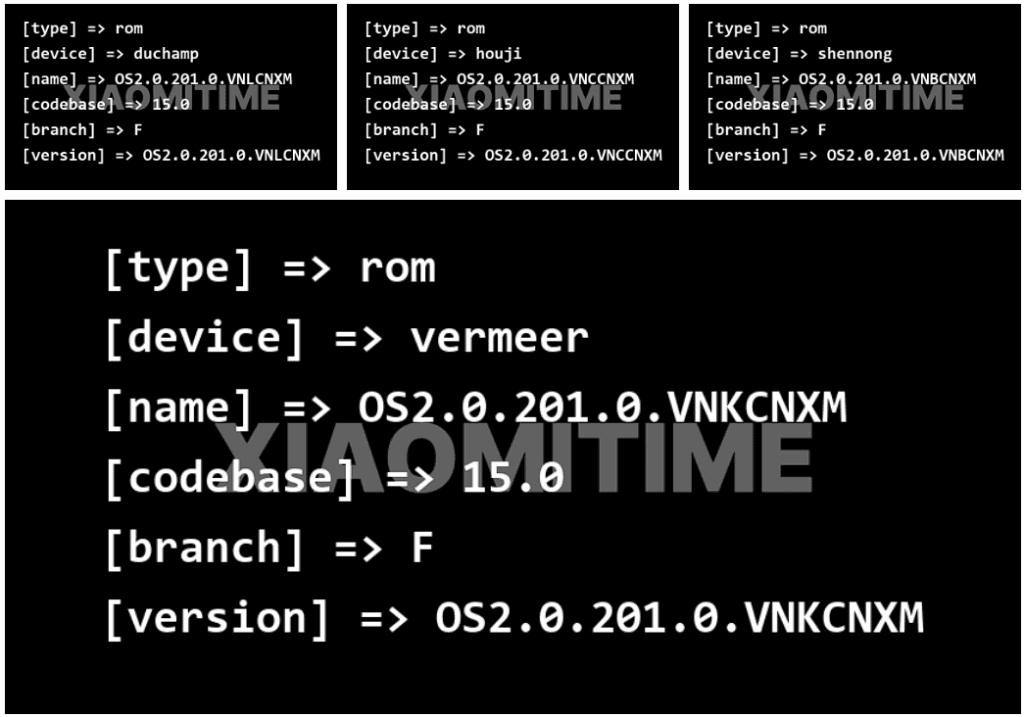
Based on data found on Xiaomi’s update servers, the following devices are now set to upgrade to the stable HyperOS 2.2 update:
Redmi K70E: OS2.0.201.0.VNLCNXM
Redmi K70: OS2.0.201.0.VNKCNXM
Xiaomi 14 Pro: OS2.0.201.0.VNBCNXM
Xiaomi 14: OS2.0.201.0.VNCCNXM
These builds are being tested by Xiaomi employees for the final time ahead of release, providing users everywhere with a smooth and bugless experience when the upgrade is rolled out.
Previously Confirmed Devices
The four new devices add to a number of already confirmed devices for which the HyperOS 2.2 stable update was announced:
Xiaomi 14
Xiaomi 14 Ultra
Xiaomi 15
Xiaomi 15 Pro
Xiaomi 15 Ultra
Xiaomi Pad 6S Pro 12.4
This extended rollout reflects Xiaomi’s commitment to providing its most recent flagship models, as well as last generation models, with the most current software features.
What HyperOS brings?
The HyperOS 2.2 update features a number of significant upgrades for supported devices:
Enhanced system stability for all programs
Optimized battery management for increased usage hours
Smoother animation transitions across the interface
In order to make Xiaomi smartphones competitive in the rapidly evolving smartphone market, these improvements build upon the strong basis of HyperOS 2, improving the user experience and adding new functions. For people who want to view the available updates,
The president is back in the White House after limiting Huawei’s access to American-made technology. This is most likely the reason why other top Chinese businesses have chosen to work together on a new operating system. I believe this is a positive step, even though it might only be a preventative measure and it might be some time before the efforts pay off.
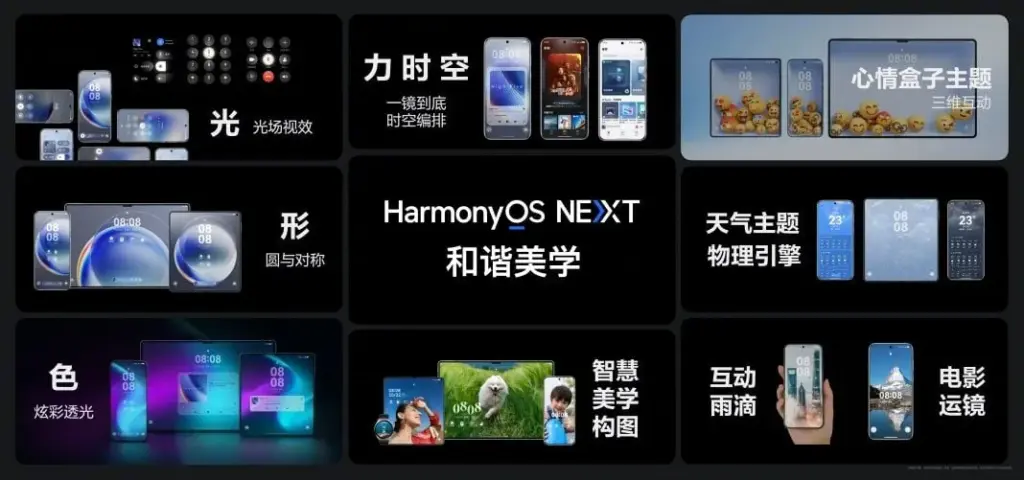
Huawei is prepared to abandon Android entirely, six years after the US government first imposed limitations on the Chinese corporation. Huawei will now help OnePlus, Vivo, OPPO, and Xiaomi develop an Android substitute that doesn’t use Google. The market for smartphones needs this shock.
Smartphones aren’t as thrilling anymore. Each firm used to have a distinct advantage, but these days they all make phones with essentially the same design.
Operating systems for smartphones have been copying one another for so long that they hardly distinguish one another. Apple’s iOS imitated Android features last year, and Samsung debuted a new One UI 7 version this year that draws inspiration from iOS.
That isn’t always a terrible thing. For example, I’m happy to see Android get its own version of Dynamic Island as I use both iOS and Android phones.
Additionally, I miss the days when smartphone makers were free to try new things and different devices didn’t all have the same user experience.
Microsoft makes sporadic attempts to add some spice, but it never succeeds. Although Google’s Fuchsia OS offered some promise, it appears that smart gadgets would never be able to use this operating system.
Xiaomi and OnePlus’s rumored operating system may make smartphones exciting again.
Being self-sufficient is always beneficial.
Every business is on its own as nationalism grows. Chinese businesses must become more independent than ever before because of the ongoing hostility between the US and China. Chinese businesses need to prepare their operating system in case they run afoul of the US government as a precaution.
This has nothing to do with supporting a certain nation or business. Every business, including Samsung, should create its own operating system, in my opinion.
As of right now, though, Android is the only option available to businesses looking to sell phones.
When it comes to purchasing a smartphone, the options are already limited. The majority of consumers will no longer want to purchase phones from Xiaomi and BBK-owned OnePlus, Vivo, and OPPO if they are unable to access Android.
This has already happened with Huawei. However, Huawei has made a resurgence in China as its HarmonyOS matures. The wise course of action is to begin developing a new operating system if Chinese Android manufacturers don’t want to be taken by surprise.
No more Samsung and Apple monopoly
Apple and Samsung stand to gain the most from any possible rift between the US government and Chinese smartphone manufacturers. Google stands to benefit greatly as well because, although producing some of the greatest phones available today, its market share is quite small.
Xiaomi reportedly began developing an in-house microprocessor after learning about potential sanctions. Therefore, even if there hasn’t been any sign that the US wishes to restrict its access to Android, it is still possible.
In the worst case scenario, Apple and Samsung will see exponential growth, potentially leading to a duopolistic market. For this reason, we are in greater need than ever of a third mobile ecosystem.
This will not be a simple undertaking. For example, even after years of development and investment, Huawei’s operating system is still not a full substitute for iOS and Android. There are still not many well-known apps in the company’s app store.
Xiaomi and BBK-owned companies risk alienating customers in international markets if they cease selling Android-powered phones. A redesigned Android skin with cutting-edge functionality and distinctive aesthetic improvements would be a smart place to start.
Samsung is internally getting ready for the One UI 8 Beta for Galaxy devices in addition to the stable One UI 7 release. The beta program may begin in the third week of May 2025, according to rumors. The One UI 8 Public Beta Program for the Galaxy S25 series may begin earlier than anticipated, according to new information.
A fresh One UI 8 Beta build for the Galaxy S25 series was recently found by a trustworthy source, suggesting that Samsung is actively developing the upcoming version. Internal testing for the global version of the Galaxy S25 Ultra is currently in progress, according to the latest build, S938BXXU3ZYEF.
One UI 8 beta testing appeared online
The first One UI 8 beta testing build for the Galaxy S25 series, with a version ending in ZYEA, appeared online last week. Samsung appears to be moving swiftly forward with internal beta testing for the Galaxy S25 series based on the change from that build to the latest one.
Samsung is anticipated to launch the One UI 8 Public Beta Program for the Galaxy S25 series and other qualified smartphones after internal testing is finished. Users of the Galaxy can test out new features through this program prior to their official release.
Additionally, according to some rumors, Samsung may launch the One UI 8 Beta Program during the third week of May 2025. According to reports, it will first be accessible to a certain group of Galaxy customers in particular nations.
We should be cautious about this report, though, as Samsung has not yet confirmed it. In contrast to One UI 7, we may anticipate no delays this time around because Samsung seems to be proceeding swiftly with internal testing.
A number of Samsung handsets are getting UI 7, and as the final significant update, certain Galaxy A phones will get it as well. Along with many new features and design modifications, software updates also reach a support milestone.
Samsung is progressively rolling out the One UI 7 upgrade for Galaxy smartphones. With the most recent OS update, flagship smartphone users have joined the party. Nonetheless, the expansion will last until this year’s July.
One UI 7 was the most recent OS update for the Galaxy S21 series, Z Flip3, and Z Fold3. It’s a significant firmware that adds new features and design modifications. It’s worth the remaining time to use One UI 7.
This also applies to other lineups, such as the Galaxy A series. The availability will vary depending on hardware capabilities and optimization stage, but the majority of the design improvements and essential OS features will be offered.
One UI 7 is the last major upgrade for these Galaxy A phones
Galaxy A14
Galaxy A14 5G
Rollout is expected in June 2025.
Released in 2023 with Android 13, the Galaxy A14 and A14 5G are expected to receive two significant updates (Android 14 and 15), making One UI 7 their last version. For security enhancements, these devices might get additional quarterly or biannual patches.
Therefore, One UI 7 is not a concern if you own a Galaxy A14 or its 5G version. Samsung is dedicated to offering the Android 15 update with as many features and modifications as feasible while still satisfying hardware requirements.
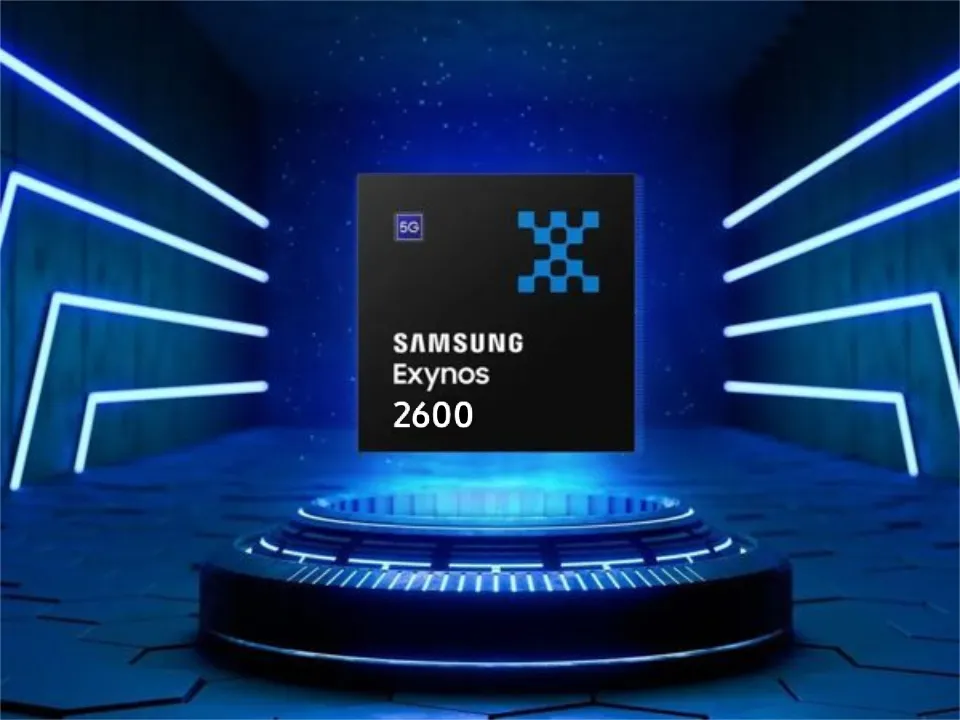
The in-house Exynos 2600 chipset is expected to be manufactured by Samsung, which is apparently nearing mass production readiness, according to a recent Korean article.
In terms of competition, Samsung Foundry has not yet reached the desired milestone, whereas TSMC has already exceeded 60% yield on their 2nm class N2 node. However, a recent report indicates that the nascent chip manufacturer is rather close, with yields currently falling between 4 and 50 percent. It is far higher than the predicted 30% figure that was released in February.
Samsung may be forced to forgo the Snapdragon 8 Elite 2 chip for the upcoming Galaxy S26 series in some areas next year due to the Exynos 2600 chipset’s promising results from the efficient 2nm technology.
The Snapdragon 8 Elite 2 for Galaxy will be developed using the same 2nm technology, the report also reveals. It is expected to appear in the second half of 2026, maybe alongside the Galaxy Z Fold 8 and Galaxy Z Flip 8.
According to a post published by a tipster on X, the Korean tech giant apparently had to sacrifice performance in order to obtain functional chips, meaning that SF2 will once again lag behind TSMC’s N2 node in terms of raw performance. There might be a significant performance difference between the standard Snapdragon 8 Elite 2 and the tipster’s claim if it turns out to be accurate.
Samsung has already provided a specific schedule for the stable rollout, but the company is now having trouble launching One UI 7. Users must be wondering which handsets will be eligible for the update, as Samsung will be concentrating on One UI 8 after this is finished. Here is the complete list of (anticipated) One UI 8 compatible devices.
As the initial glance has already been made public, Samsung has in fact started working behind closed doors on One UI 8, their next major OS version that will run Android 16.
Although Samsung has already given a precise timeline for the stable rollout, the business is currently experiencing issues with One UI 7. After this is done, Samsung will focus on One UI 8, therefore users must be wondering which phones will be eligible for the update. The full list of (expected) One UI 8 supported devices is available here.
Samsung has actually begun working behind closed doors on One UI 8, their next major operating system version that will run Android 16, as the first look has already been made public.
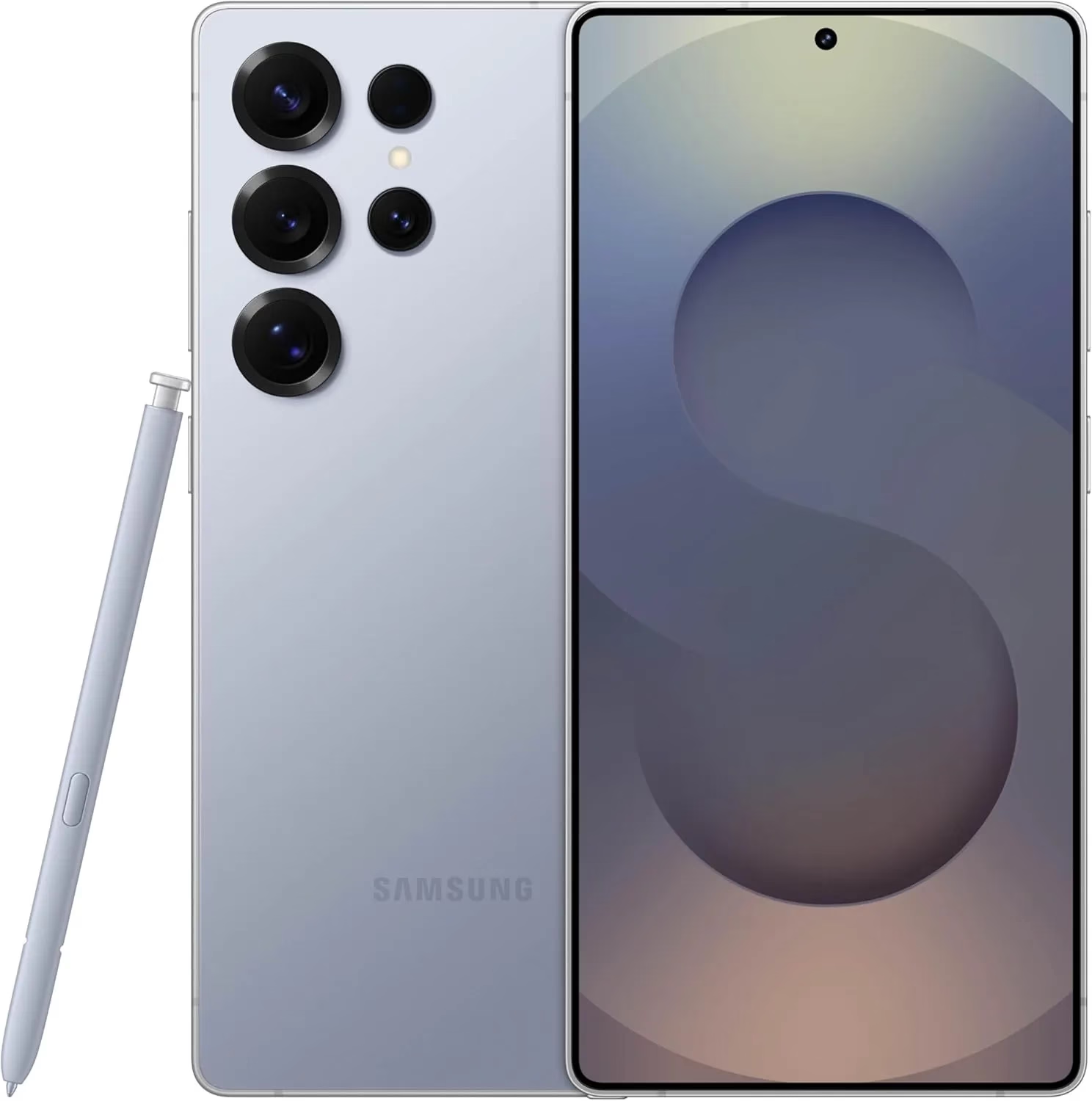
Samsung Galaxy S25 Ultra 512GB
Streamline your day with an assistant that gets you. Ask it to Google search for a pet-friendly vegan restaurant nearby and text it to your friend— your Galaxy S25 Ultra handles multiple tasks with a single ask.
Android 16 with One Ui 8 release date and features
It is anticipated that the most recent One UI 8.0, which is based on Android 16 and is a modest upgrade that improves One UI 7 capabilities, would be released in late July or early August. Because it comes pre-installed on the Galaxy Z Fold 7 and Z Flip 7, an early distribution is expected.
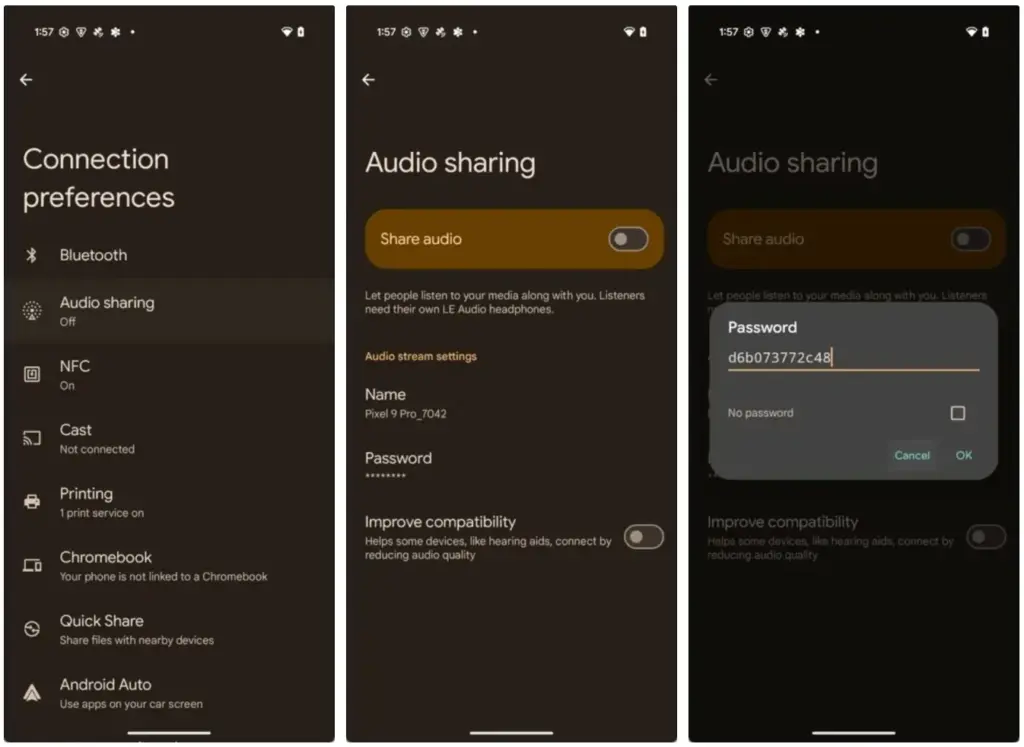
While there won’t be any significant UI changes in the impending Android 16 update for Pixel devices, it will finally provide a long-awaited feature: support for Auracast. Devices can initiate or listen to adjacent audio streams thanks to the Bluetooth LE Audio standard’s Auracast functionality, which is the marketing name for broadcast audio. Despite Google’s announcement that the latest Pixel smartphones will support Auracast in Android 16, if you install the beta, the capability is not yet available. Here’s how to turn on Auracast on an Android 16 beta-powered Pixel device.
To put things in perspective, Google said in March that owners of Pixel 9 devices could receive Auracast broadcasts straight to their hearing aids. The Pixel 9 must be running the Android 16 beta and have LE Audio-compatible headphones in order to use this feature. Google emphasized the accessibility advantages of Auracast, although the capability works with any audio device that can receive LE Audio broadcasts, not only hearing aids.
Auracast isn’t actually enabled in the current Android 16 Beta 4 version, even though Google previously stated that it will work on Pixel 9 devices running the Android 16 beta. The “Audio Sharing” page was missing from Settings after I factory reset my own Pixel 9 and updated it to this beta. I know how to make this settings page available, but I’m not sure why it’s hidden by default.
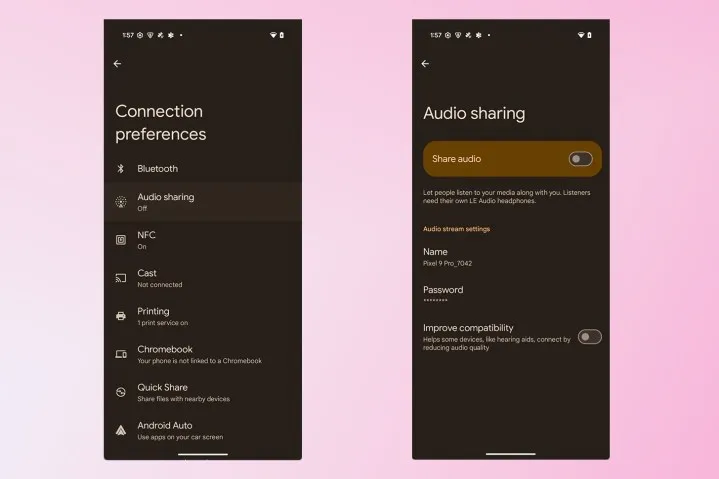
To activate Audio Sharing on your Pixel device, you need to first enable Developer Options. Then, navigate to Settings > System > Developer options and scroll down until you find “Enable Bluetooth LE Audio Broadcast UI preview.” Toggle this setting on, and then reboot your phone. Once your phone boots back up, go to Settings > Connected devices > Connection preferences, where you’ll find the “Audio sharing” page.
By connecting a headset that supports Auracast and turning on the “share audio” feature from this page or the Bluetooth panel, you can now begin an audio broadcast. You can set a password for your broadcast to keep undesirable listeners from joining. Tap the “find an audio stream” option to look for streams in your area if you would prefer to listen in on a broadcast.
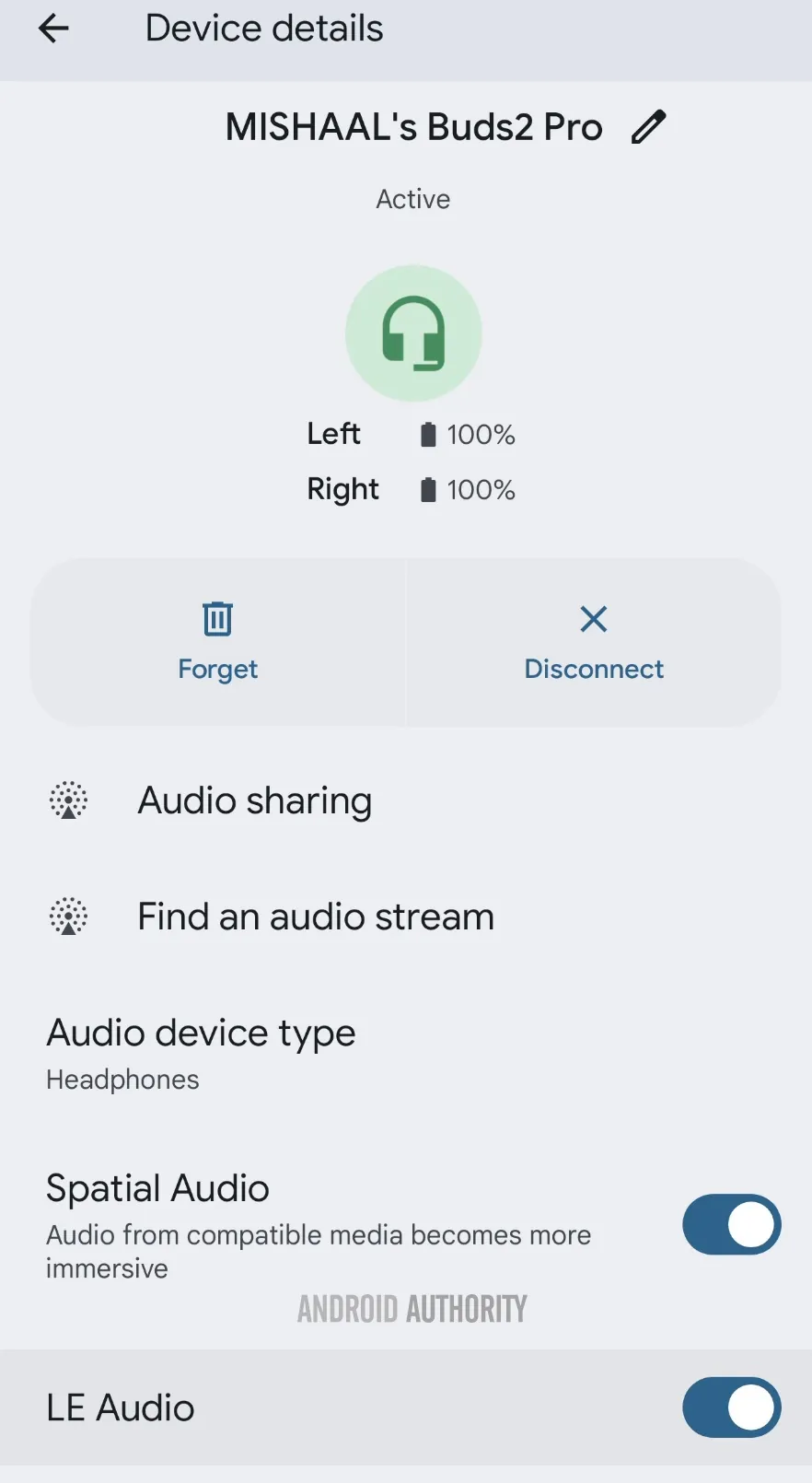
Make sure Bluetooth LE Audio is turned on for that particular device if Android still prevents you from starting or listening to adjacent broadcasts even when you have an Auracast-capable audio device connected. You may need to manually activate LE Audio via the Bluetooth device details page for a lot of audio items. As an alternative, you can compel Android to automatically enable Bluetooth LE Audio for any compatible audio device by turning on the “bypass Bluetooth LE Audio Allowlist” toggle in Developer Options.
Finally, your Pixel device does not support Auracast if you do not see the “Enable Bluetooth LE Audio Broadcast UI preview” toggle in Developer Options. At the moment, the Pixel 8, Pixel 8 Pro, Pixel 9, Pixel 9 Pro, Pixel 9 Pro XL, and Pixel 9 Pro Fold are compatible with Auracast.
This toggle won’t show up for devices like the Pixel 7 series, Pixel Tablet, Pixel Fold, Pixel 8a, and Pixel 9a, even though they theoretically support Bluetooth LE Audio. However, they don’t support Auracast. Since the Pixel 6 series does not support LE Audio, it does not meet the requirements to use Auracast and will not display the toggle.
Remarkably, the most recent stable version of Android 15 for Pixel smartphones with Auracast support does have the “Enable Bluetooth LE Audio Broadcast UI preview” button. Accordingly, installing the Android 16 beta is not strictly required in order to utilize the Audio Sharing feature. You might anticipate that Audio Sharing would be enabled by default in the Android 16 beta, given Google’s announcement, but it might not be the case with the next stable release of Android 16. Google is anticipated to release the stable Android 16 version next month, so we’ll have to wait and see.
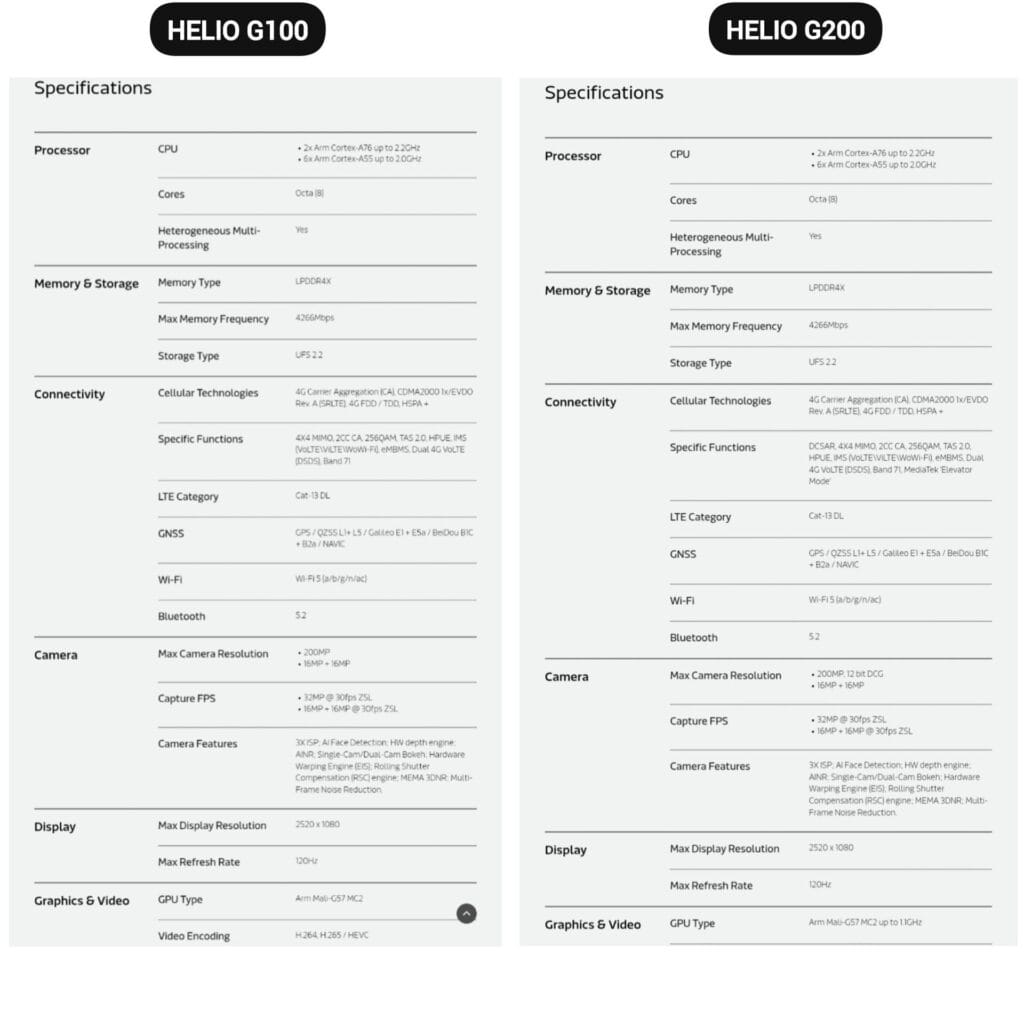
The Helio G200, MediaTek’s newest chipset, was formally announced. It significantly improves the low-cost phone lineup, which is dominated by Xiaomi phones. Utilizing the advancements of its predecessor, the Helio G100, which powered the well-liked Redmi Note 14 Pro 4G, this new chip delivers significant improvements to networking and camera management.
The G200 is a component of MediaTek’s continuous effort to offer premium features at reasonable costs, which is exactly in line with Xiaomi’s own strategy in the smartphone market.
Better Performance
The MediaTek Helio G200 features the same core architecture as the previous one but with several significant upgrades:
Octa-core CPU setup (6x Arm Cortex-A55 at 2.0GHz + 2x Arm Cortex-A76 at 2.2GHz)
Mali-G57 MC2 GPU now at 1.1GHz for enhanced gaming performance
Support for LPDDR4X memory with speeds of up to 4266Mbps
Compatibility with UFS 2.2 storage for quick data access
MediaTek’s HyperEngine technology, which adjusts the network connections, display settings, and touch input while gaming, further strengthens the processor’s gaming capabilities.
Improved camera capabilities
One of the greatest advancements in the G200 is in its imaging abilities:
Support for camera sensors with as much as 200MP with 12-bit DCG
Triple ISP architecture for quicker image processing
Advanced AI noise reduction technology
Hardware-accelerated depth engine for enhanced portrait shots
Both single and dual camera bokeh effects are supported
Because of these enhancements, the G200 is a desirable option for smartphone manufacturers looking to offer exceptional photography capabilities in mid-range devices.
Features
The Helio G200 features several new connectivity features not available in the G100:
Optimized signal reception through DCSAR technology
MEDIATEK introduces new “Elevator Mode” for preserving connectivity in difficult situations
We should expect Xiaomi’s upcoming mid-range smartphones to employ this new G200 chip, as the Redmi Note 14 Pro 4G uses the Helio G100. Better gaming performance, better photography, and more reliable connectivity would all be supported by the updated specifications without significantly increasing the devices‘ price.
There are some new features to look forward to with each Android update. Some updates include more new features than others, of course, because not all upgrades are made equal. There are a lot of exciting (rumored) features in Android 16 that are making me eager for its impending release.
Note that I used the word “rumored.” This is because, with each release, there are online speculations about what people “think” will be included in Google’s newest and greatest upgrade. You never know what will make the final cut, so you should be skeptical of this list.
However, I tested the Android 16 beta and searched the internet for all the best features that might be released this summer with Android 16 (using reputable websites like Android Authority, Android Police, Engadget, Android Developers, Business Today, Android Headlines, GSMArena, Android Update Tracker, and numerous forums), and here they are.
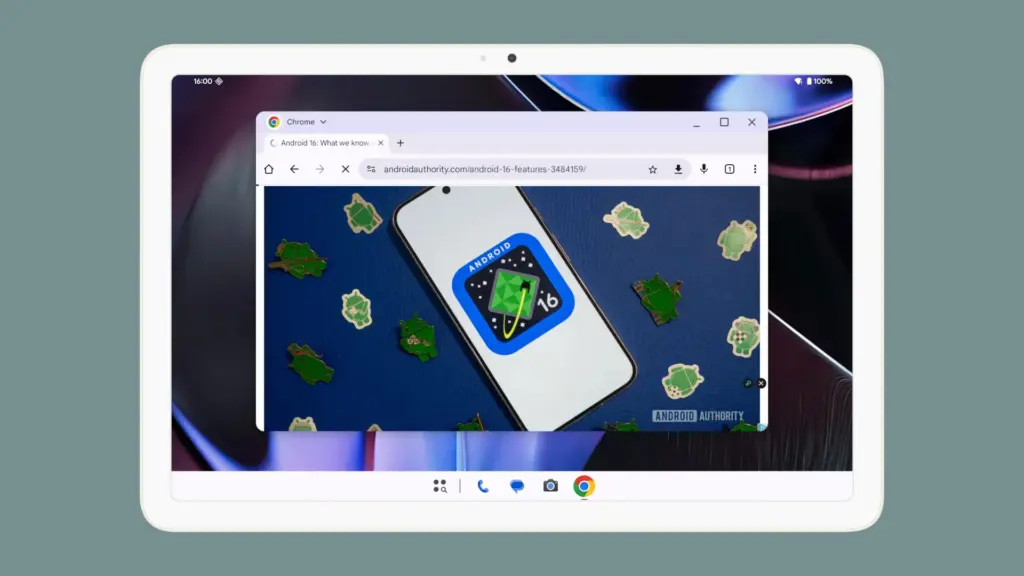
Desktop Windowing
When I see it, I’ll trust the rumors about this feature. The Samsung DeX, which enables users to connect an Android phone to an external display (through USB-C) and utilize a desktop-like interface that includes a top status bar, bottom taskbar, resizable, movable, snappable app windows, drag-and-drop support between apps, minimized windows, and physical keyboard and mouse support, will be mirrored by Desktop Windowing, which will bring desktop mode to Android phones.
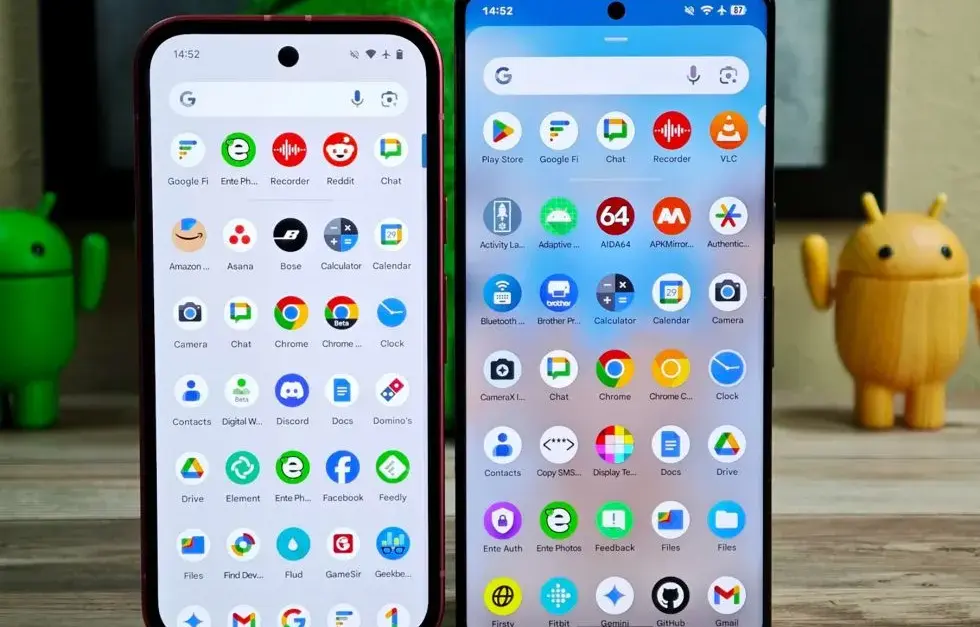
App drawer blur
Neither your phone’s performance nor your efficiency with it will improve as a result of this. But I’ve always found the Android app drawer to be rather dull. When you pull it down, the background is either black or white. While some home-screen launchers do let you change the appearance of the app drawer, the default home-screen launcher does not offer this feature. According to rumors, Android 16 will alter everything and give the app drawer a lovely backdrop blur.
Although I acknowledge that not everyone believes that aesthetics are as significant as other factors, including performance and dependability, the iPhone’s UI aesthetics are one of the main factors contributing to its popularity. The Android user interface will be on a level playing field with iOS if Google implements a great app drawer blur.
Live updates
According to rumors, Android 16 will also provide a new class of real-time notifications that are intended to tell you of ongoing operations like food delivery, ridesharing updates, and navigation. These real-time updates will show up as dynamic “chips” in the status bar that show current data, like ridesharing arrival times or delivery ETAs.
To keep you updated, a comprehensive notification pop-up displays beneath the status bar when you tap one of the live-update chips. Live updates are displayed above all other alerts (apart from the media player) under the Notification Shade.
Auracast Broadcast audio support
The inclusion of Auracast broadcast audio would be fantastic, so hopefully this rumor is accurate. Auracast broadcast audio is a Bluetooth LE Audio feature that enables devices such as earphones and hearing aids to receive direct audio broadcasts from TVs, public spaces, or announcement systems, in case you were unaware.
Anyone who uses LE Audio earbuds or hearing aids frequently finds oneself in awkward situations, such busy or noisy places where announcements are essential (like train stations, airports, or concerts). By pairing your earphones or hearing aids with Auracast Broadcast support, you can tune into the broadcast and hear everything much more clearly.
Hybrid Auto Exposure in the camera
If you love taking pictures, you’ll love this function. You’ll have more control over the camera’s exposure settings with the hybrid auto-exposure. You will have the option to manually change the ISO or exposure time (shutter speed) or rely on the auto-exposure algorithm, rather than relying solely on full manual or auto exposure.
You will still have the simplicity and dependability of auto-exposure for everything else, but you will be able to adjust ISO to cut down on noise or select a precise shutter speed to get truly creative with your photos. Additionally, the Android 16 Camera app has enhanced support for high-quality image formats including HEIC and Ultra HDR, as well as accurate color-temperature and tint adjustments.
APV Codec support
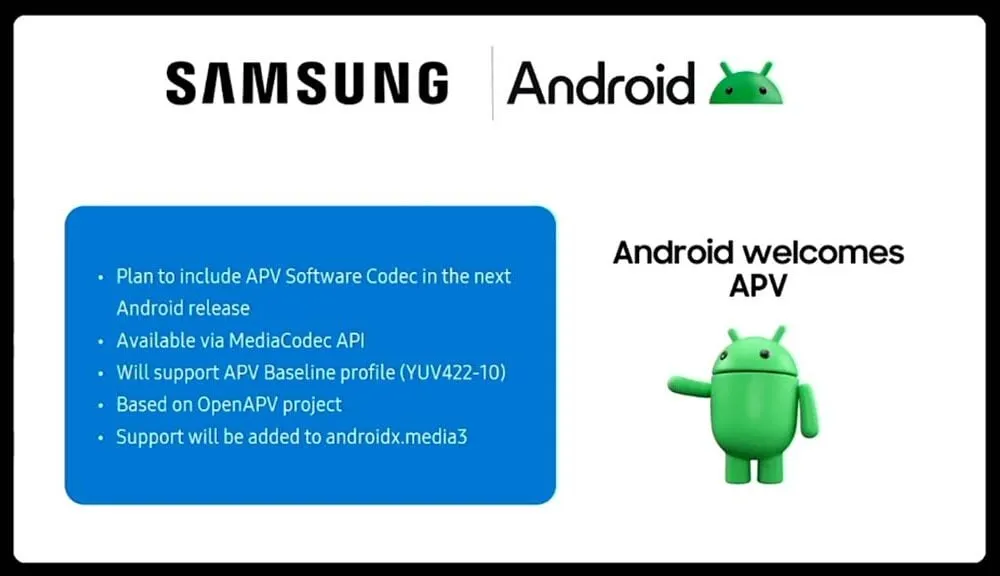
Additionally, there are reports that Android 16 will support the APV codec. A professional-grade video format (created by Samsung) is included with the new native support for the Advanced Professional Video (APV) codec, enabling high-quality video recording, editing, and post-production.
Frame tiling (to provide immersive content and parallel encoding/decoding for efficient processing), intra-frame-only coding (for simpler editing workflows and lower processing demands), high bit-rate support (2K, 4K, and 8K resolutions), and lossless video quality (nearly raw footage) are some of APV’s cool features.
Once more, Google has been promising this feature for a very long time, so I will believe it when I see it. If they were to ever implement this functionality, Android would become one of the most flexible operating systems available, which would be really awesome.
Keep in mind that these are simply rumors, but I do think that most of the features mentioned above will be included in the final version of Android 16, which is also expected to be released in June 2025.