Right now, bargain seekers are receiving value for their money. Right now, you can get seven paid apps for free, including one that helps you remember everything you need to do.
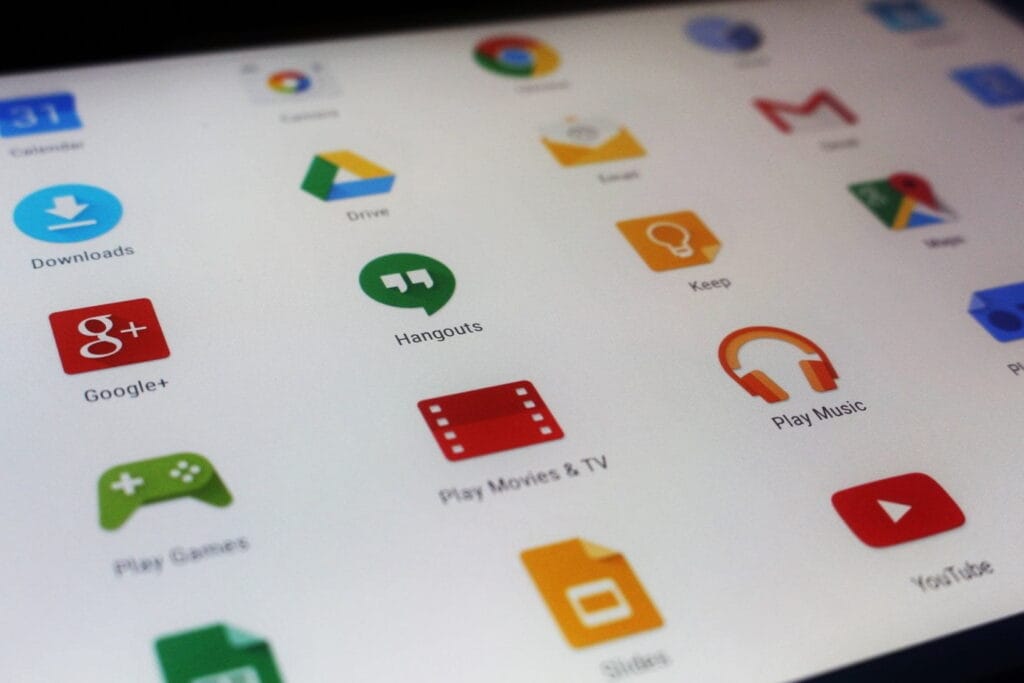
There are countless apps available in the Play Store and the App Store, the two app stores owned by Apple and Google. While some of these apps are free, some cost money. However, many users are unaware that many paid apps can also be temporarily made free as part of a special deal. We have compiled a list of some of the most intriguing free apps accessible right now.
Free Pro apps (Android)
Reminder Pro – Reminder($3.69) – With this app, you always have an overview of all your reminders. New reminders can be created in seconds, and you can also be reminded at a specific time.
Bubble Shooter Pop Puzzle Game($4.89) – There’s also something for everyone who occasionally wants to play on their smartphone this week. This newly released bubble shooter regularly costs almost 5 euros and is completely free to start with.
Multiscreen Calculator Pro($9.99) – The look of this calculator is debatable, but the tool offers a decisive advantage: “multiscreens”. If you want to start a new calculation without deleting the results of the old calculation, simply swipe to the left on the screen. A new window will then open. Users can open as many new windows as they want.
Free premium apps (iOS)
Vythm JR – Music Visualization($49.99) – With the app Vythm, you can visualize your music with a matching video. Countless effects such as Equalizer, Mandala, Shapes, Fluids, Psychedelic, Dreaming, and more are available. To get the app permanently free, you have to start it once after downloading and activate the “Pro version + lifetime updates” once.
Eat Me First($2.99) – With this app, you can always keep an eye on the contents of your fridge. The app shows you the expiration dates for all your food and thus helps to reduce food waste.
Sky Master – pixel shooter($0.99) – If you’re nostalgic, you’ll enjoy this game, at least for a short while. It’s not particularly good, but the pixel look gives the game an irresistible charm for older gamers.
Queen Rules($2.99) – This puzzle game is the ideal way to pass the time. The aim is to position your soldiers in such a way that they are able to defeat the evil witch’s soldiers. There are also interesting level designs and clay figures
The majority of free apps either provide in-app purchases or have advertisements. But some apps that cost money also accomplish this. These factors should be taken into consideration, particularly if the game is meant for young players.
Many apps gather user information and frequently sell it. As a result, only allow the rights that the program actually requires if you want to be secure. For instance, a flashlight should not be interested in your location information, and an alarm clock should not require access to your contacts or cameras.
If you’re inspired by the quality of these apps and are thinking about creating your own, now might be the perfect time to explore professional development options. Whether you’re targeting Android, iOS, or both, investing in a reliable iOS mobile application development service can turn your app idea into a polished product that stands out in the App Store. Stay tuned for more updates on free apps, industry trends, and mobile development tips.
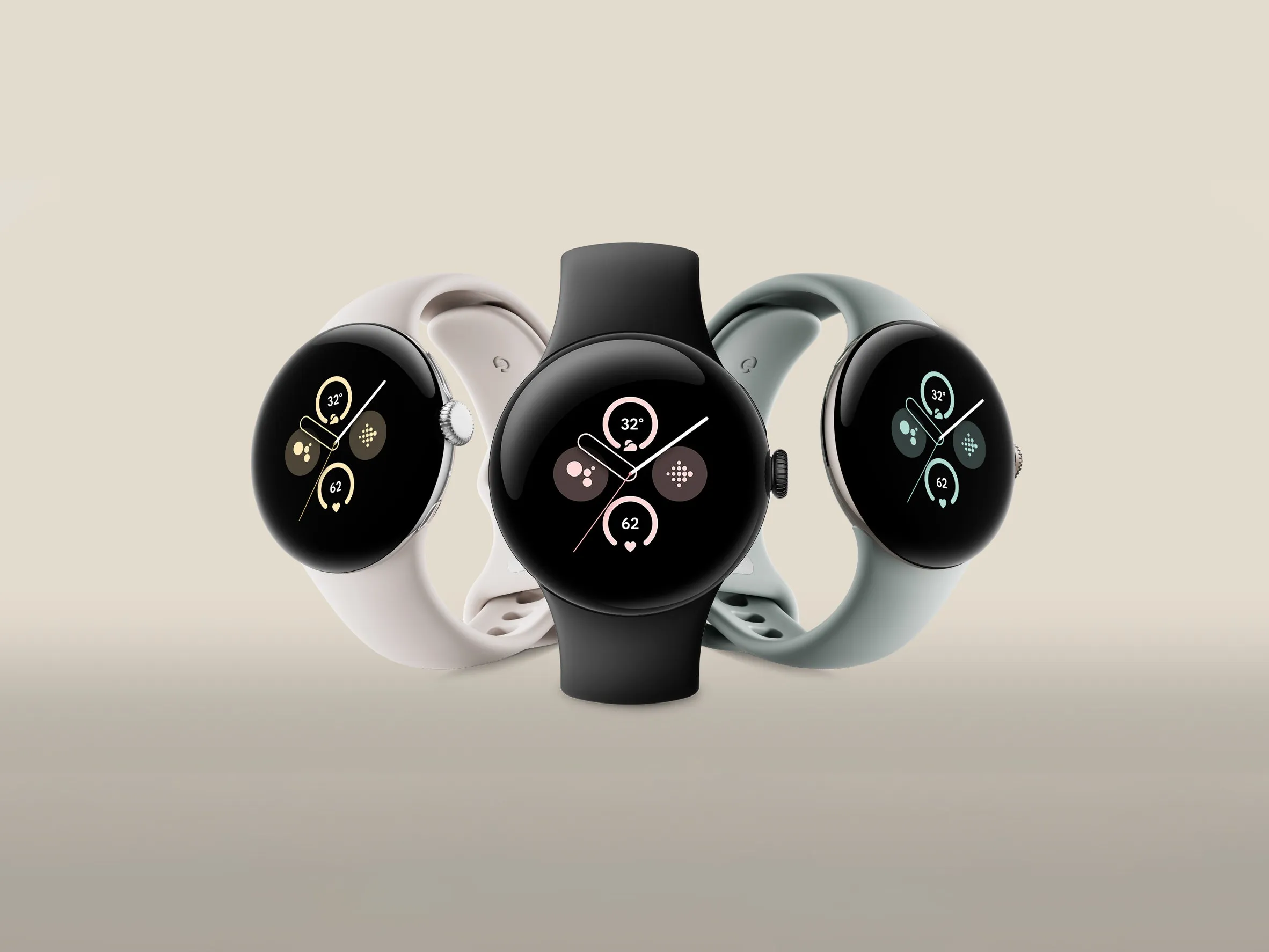
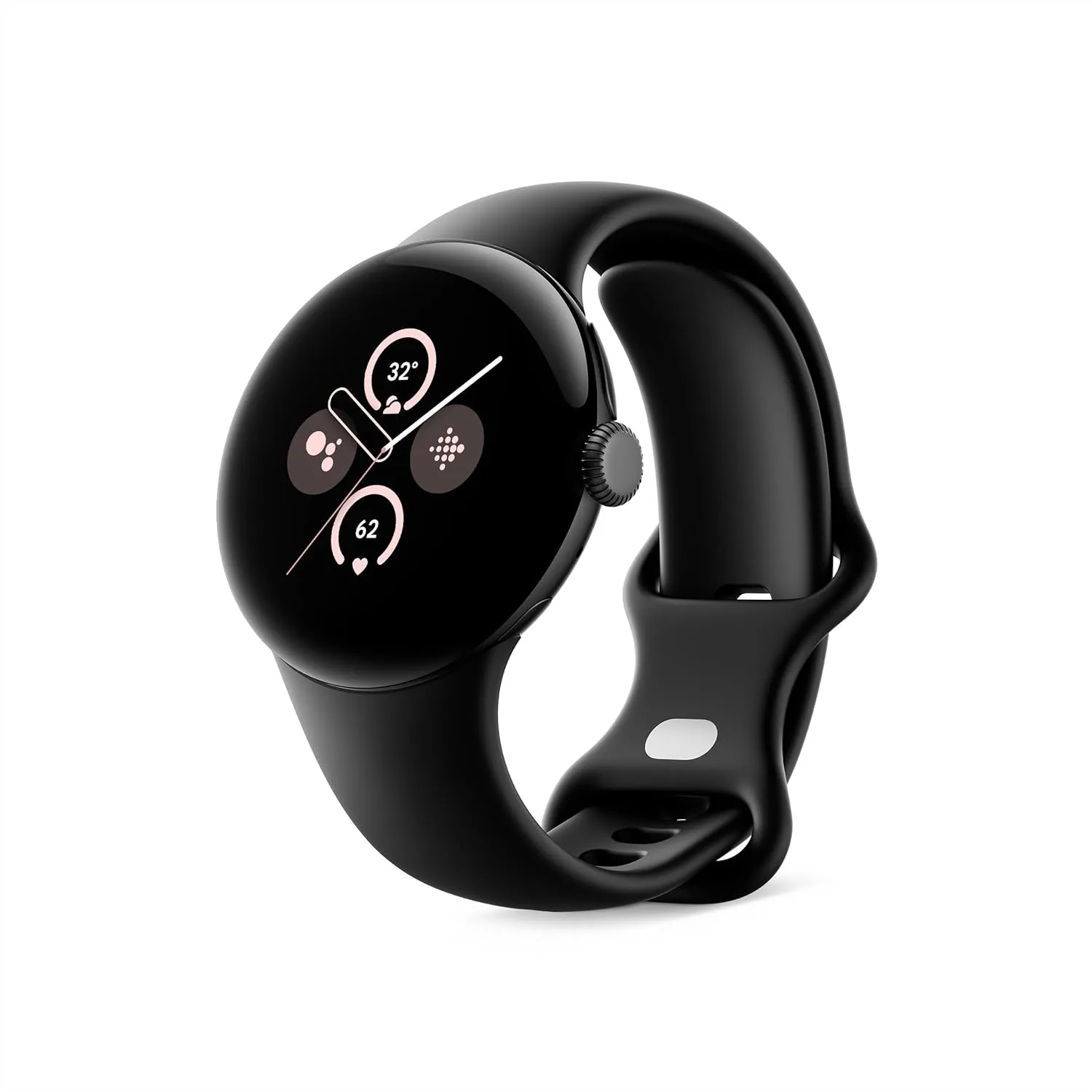
Avoiding the newest models of consumer electronics, such as cellphones, headphones, or Bluetooth speakers, is a terrific method to save money. Purchase the prior model at a reduced price. For example, take a look at this: the Google Pixel Watch 2 fitness smartwatch is currently on sale for just $150, which is its lowest price ever. That is $250 cheaper than the list price of the Google Pixel Watch 3 and $100 less than its list price.
Google Pixel Watch 2
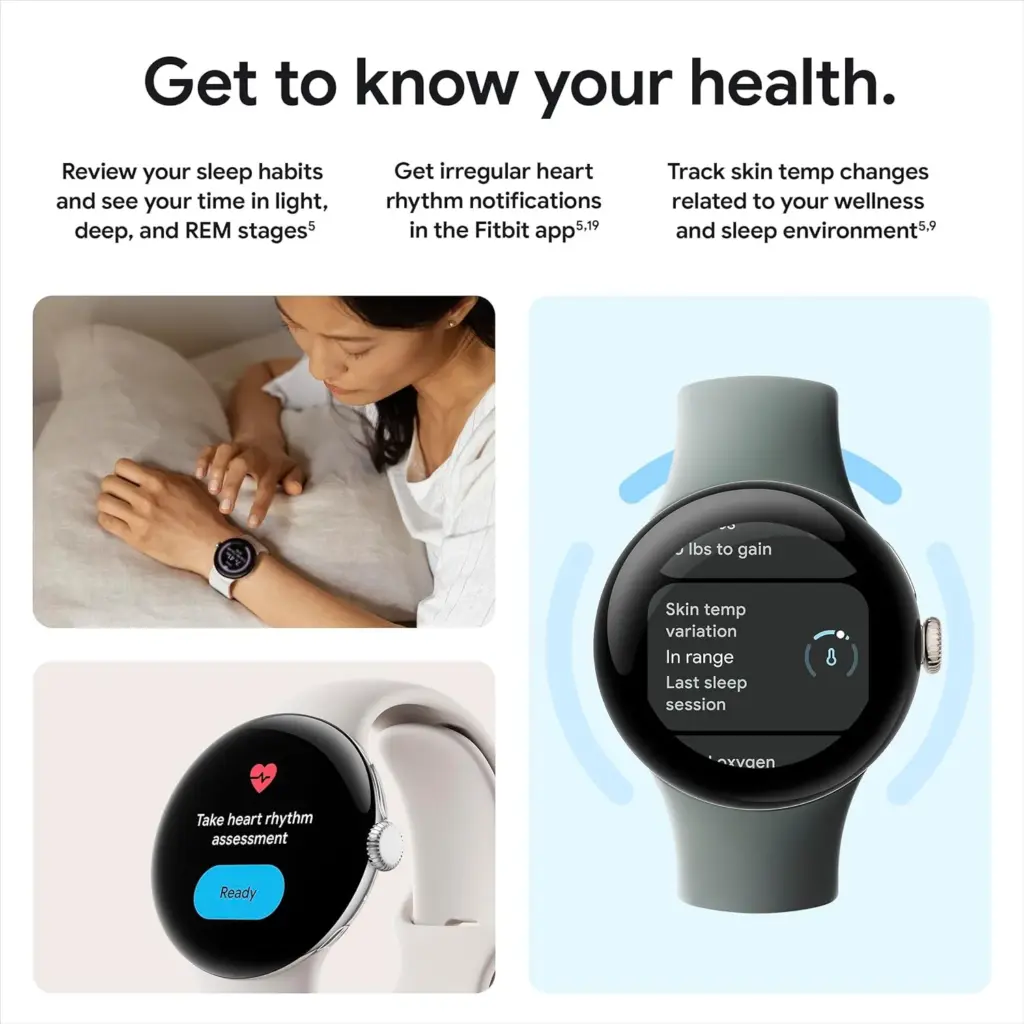
The Pixel Watch 2 comes with three new advanced sensors for heart rate tracking, skin temperature, and stress management; 100% recycled light aluminum housing makes it comfortable to wear
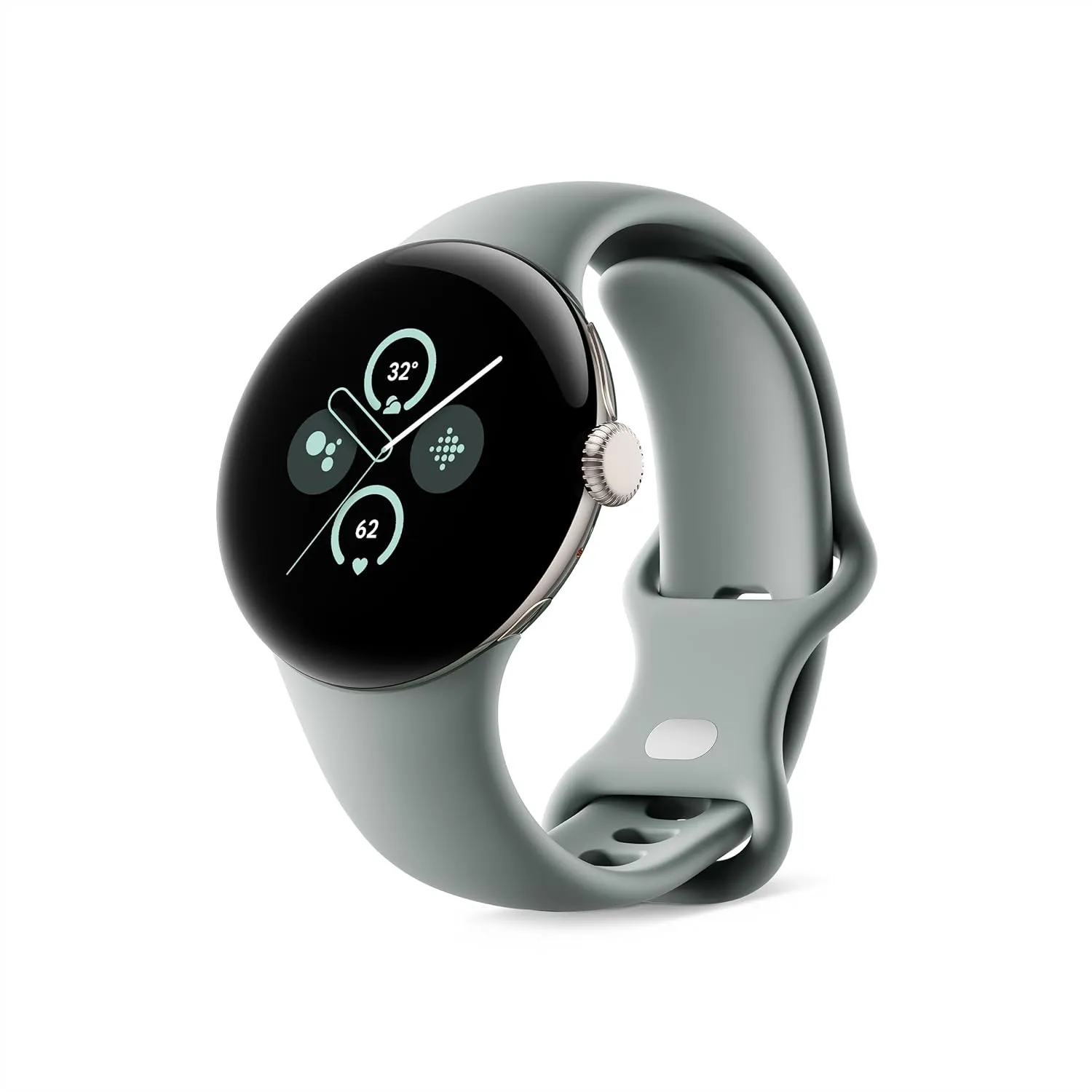
The Google Pixel Watch 2 strikes a mix between functionality and style. Although it comes in a wide range of vibrant hues, the gold case with the hazel band, the silver case with the bay blue band, and the silver case with the porcelain band are the only ones eligible for the $100 savings that are currently in effect. Fortunately, all three of these appear excellent.
These costs apply to models that are Wi-Fi only. There is good news if you were expecting to get an LTE model so you could put your phone away while working out. Additionally, several of those models are now only $200. The Google Pixel Watch 2 LTE model is available on Amazon in the following case styles: silver with the bay blue band, gold with the hazel band, black with the obsidian band, and silver with the porcelain band. Therefore, you will need to purchase the LTE model if you wanted it in black.
Google Pixel Watch 2
The Pixel Watch 2 comes with three new advanced sensors for heart rate tracking, skin temperature, and stress management; 100% recycled light aluminum housing makes it comfortable to wear
The watch serves as your personal fitness coach by utilizing Google AI. Depending on your objectives, running history, and level of readiness each day, it can suggest running exercises. As you follow these suggestions, you will see an immediate improvement in your running performance as you get more comfortable covering greater distances at faster speeds. You may even create your own runs that include pace training, cooldowns, and warmups. You can track your PRs as you repeat your exercises and access the ones you have saved.
The battery lasts a long time. You can use the watch continuously for up to 24 hours with the always-on display. Additionally, it just takes 75 minutes to charge from a dead watch to full power for the day.
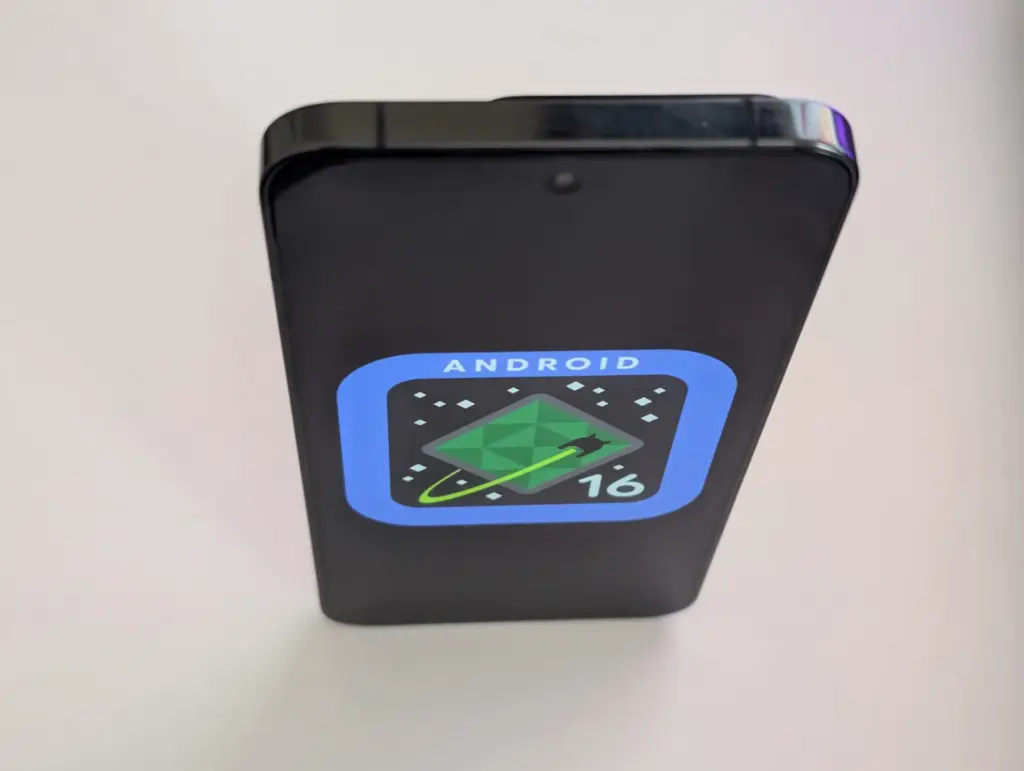
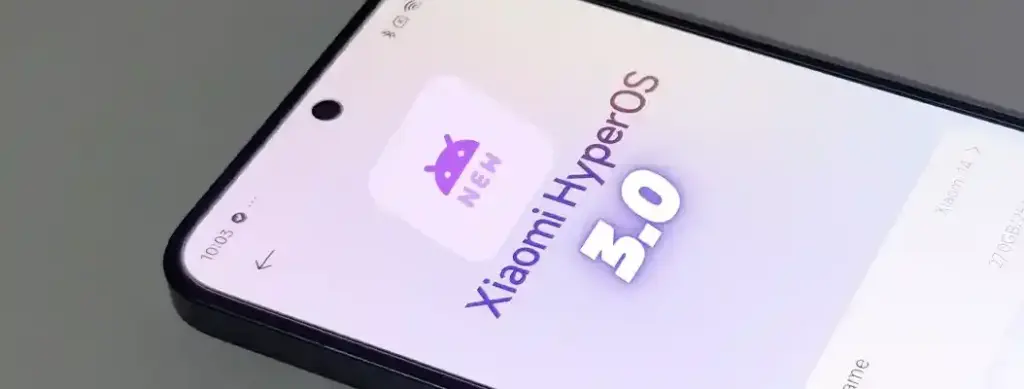
A number of cutting-edge features from the soon-to-be released Android 16 will also be included in Xiaomi’s eagerly anticipated HyperOS 3, setting a new standard for mobile operating systems for the company’s diverse range of devices. HyperOS 3 will deliver cutting-edge capabilities that will transform how people use their devices as Xiaomi develops its ecosystem integration, adds cutting-edge security measures, and keeps improving its software experience.
The upcoming upgrade is expected to offer an unparalleled combination of performance, functionality, and configurability, continuing Xiaomi’s tradition of perfecting the foundations of Android.
Important changes to expect in HyperOS 3
Android 16 will be the starting point for HyperOS 3 to introduce many significant upgrades that Xiaomi will probably enhance and build upon:
Live Updates: Delivery of information in real time without apps
Hybrid auto-exposure for improved low-light photography
Exact colour temperature controls Night mode Camera extension API
Motion photo capture functionality
Display Optimizations
Improved Adaptive Refresh Rate support
Forcing edge-to-edge app support
Ultra HDR image enhancements
These enhancements are a perfect fit for Xiaomi’s mission to deliver superior multimedia experiences across its line of devices, especially so across its camera-focused devices such as the latest Xiaomi 14 series.
Performance and System Improvement
The fundamental system architecture within HyperOS 3 will probably undergo major upgrades:
Vulkan: Presently the official graphics AkPI for Android
Cloud compilation: Quicker app installations
Improved app adaptability: Increased performance across device types
Xiaomi has consistently prioritized performance optimization in its previous operating systems, suggesting that HyperOS 3 would further enhance these features to allow for even higher responsiveness and speed.
Connectivity and Accessibility Features
HyperOS 3 is also anticipated to advance how people interface with their devices and one another:
Volume controls for ambient sound: For hearing aids using LE Audio
Generic ranging APIs: Enhanced location services
Gemini Extensions: Extended AI assistant capabilities
These features support Lei Jun’s idea of seamless integration throughout the Xiaomi product range and are evidence of Xiaomi’s continuous efforts to provide a simpler and more connected device ecosystem.
Users can try out premium experiences without spending a dollar thanks to the weekly rotating selection of paid applications and games that are made available for free for a brief period of time on app stores like Google Play and Apple’s App Store. These short-term offers can help you save a lot of money on a variety of digital tools and games, from puzzle games and immersive role-playing games to productivity tools and creative utilities. These free app deals are worth looking into whether you want to increase your productivity, take up new hobbies, or just have some good fun.
But while the thrill of snagging a paid app for free is undeniable, it’s important to approach these deals with a bit of caution. Free or paid apps often request access to various parts of your device, from your contacts and photos to your location and microphone. Understanding what you’re granting and why is key to enjoying these offers safely.
Android games and applications that are free for a limited period of time
Free Android Apps
NT Calculator ($2.49): Here’s an app that allows you to perform all the calculations you ever wanted.
Voice Calculator Pro ($9.99): Need a calculator that speaks the calculations? This might be the one for you.
One Swipe Notes ($0.99): A note-taking app that provides easy accessibility with a swipe.
Bookmark Manager ($0.99): Manage all your bookmarks from this single app
Free Android Games
Chicken Tournament ($1.49): A third-person shooter where you are a chicken, and out for blood!
Poosh XL ($1.99): An interesting game that requires some idea of physics and angles to progress.
Spelling Master Pro ($1.99): If your kid is going to remain glued to a smartphone all day long, why not make sure (s)he learns something?
Dungeon Corp ($0.99): An idle RPG that sees you, a corporate drone, take on monsters from another dimension.
Empire Warriors: Tower Defense ($0.99): A tower defense game set in a medieval setting with cute graphics and endless waves of enemies.
iOS games and applications that are free for a limited period of time.
Top Free iOS Apps for Productivity and Lifestyle
Weather+ ($0.99): Is it going to rain? Will it be sunny? Why leave things to chance when you have an app that provides you with weather updates?
Light Meter ($3.99): Don’t leave things to chance when it comes to taking photos by making sure the lighting is ideal for your composition.
mySymptoms Food Diary ($7.99): If you want to keep track of your food intake and possible allergens, having a food diary would help.
Resume Designer 3 ($3.99): Here’s an app for you to cobble a resume quickly while you are on the move.
The Wonder Weeks ($5.99): Just had a newborn? Keep track of all that happens, from the first steps to the first words with this app!
Free Games for the iPhone and iPad
Pirate Drops 2 ($4.99): A match-3 game that requires fast thinking, with graphics that change with the tides to match the mood.
Catenaccio Football Manager ($2.99): A football managing game where you get to determine how your team performs against others through tactics and psychology.
My City: Doctor Hospital ($3.99): Maybe your little one might have interest in being a doctor, what about it?
Neo Monsters ($0.99): A game where you go around catching monsters, training them, and sending them out to fight.
Cuppy Ball ($0.99): Do you have what it takes to get the ball into the cup?
Examine the permissions requested before downloading any new apps or games, especially those that are temporarily free. An app’s basic operation does not require all permissions, and giving it too much access could compromise your privacy.
To limit what information each app can access, use the privacy settings on your device. You should also frequently verify which apps have access to sensitive data, such as your location, camera, or microphone. Remember, a great deal is only worthwhile if it doesn’t compromise your personal data. Stay vigilant, enjoy your new apps, and make privacy a priority every time you download.
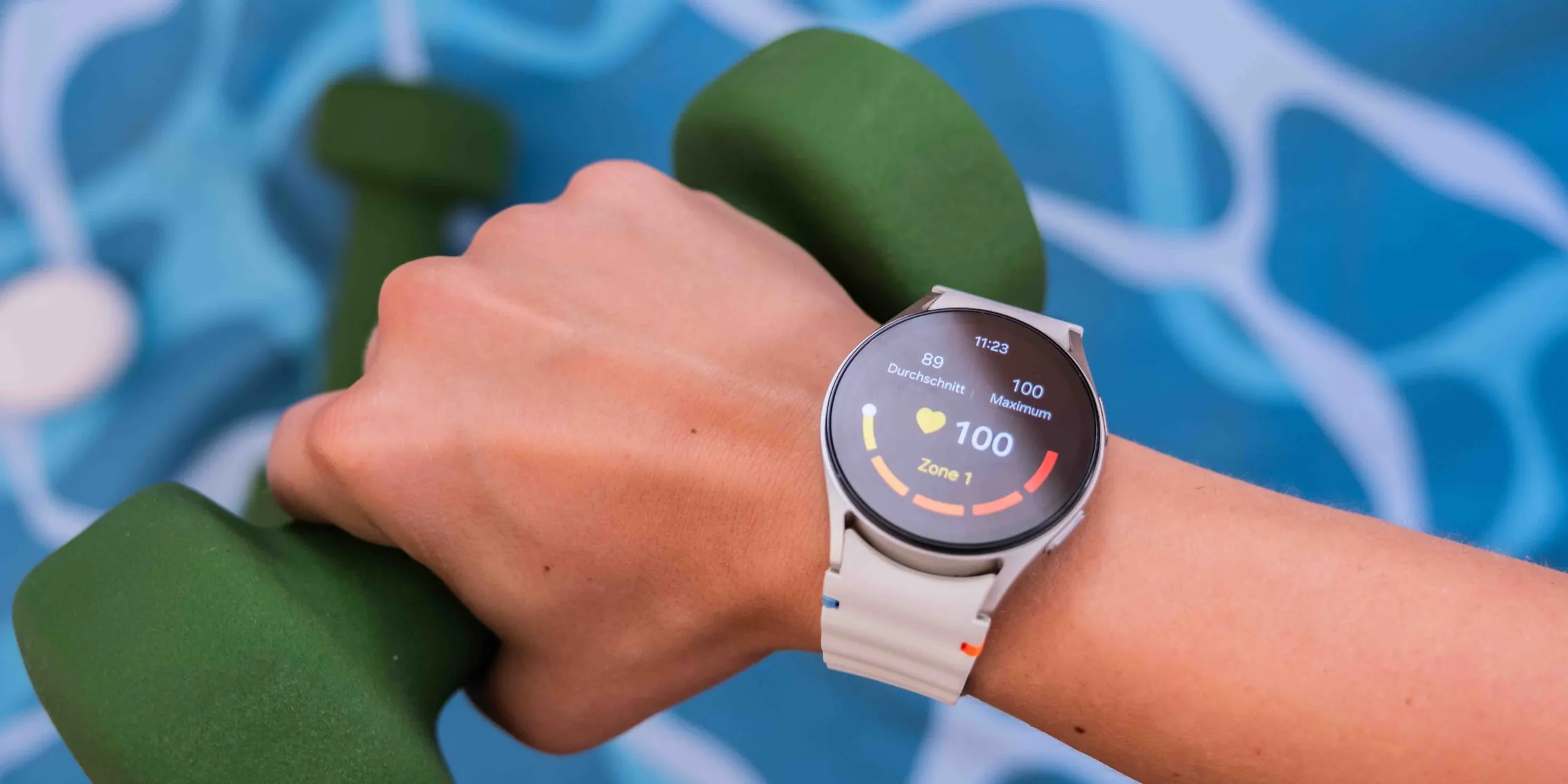
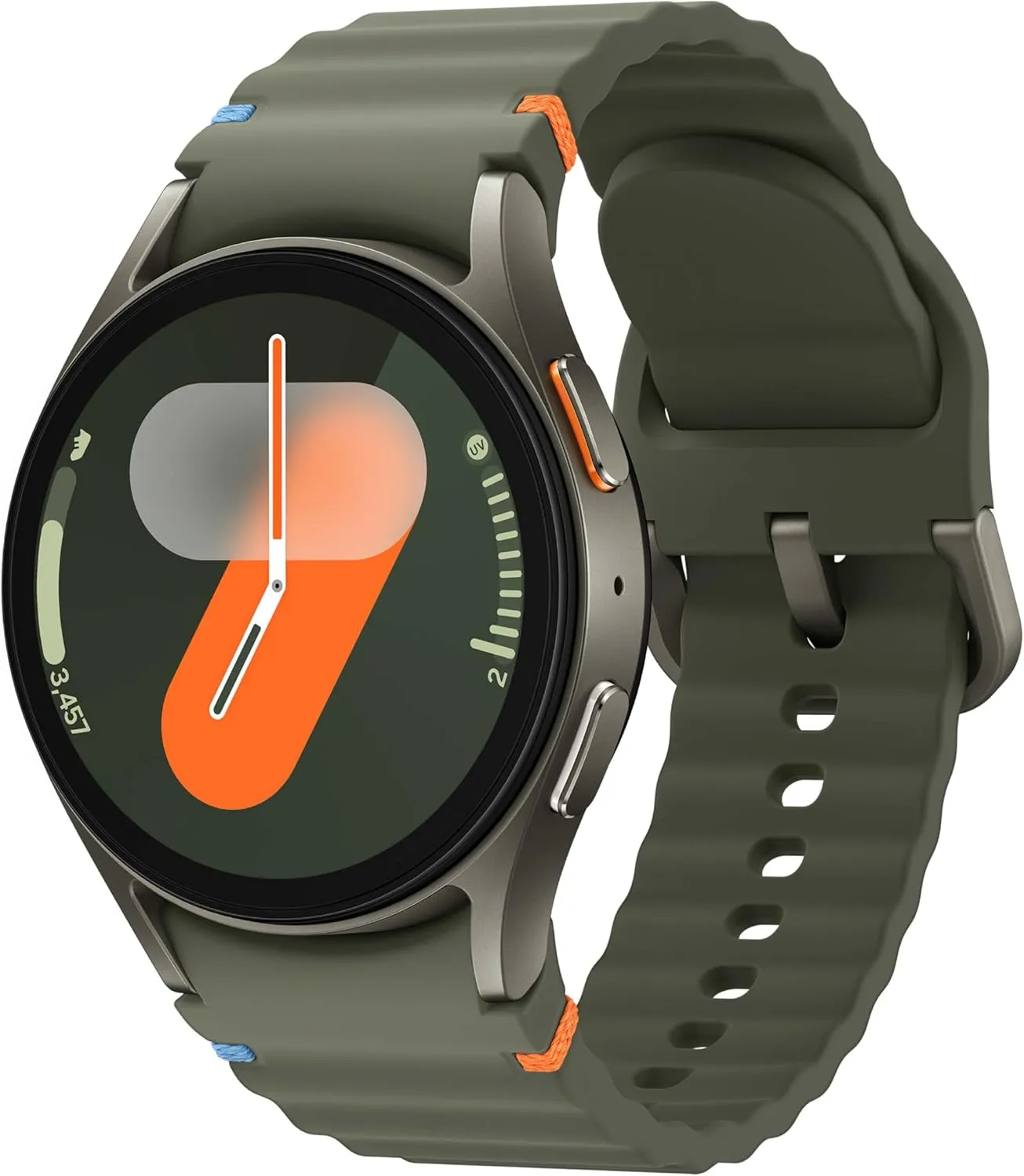
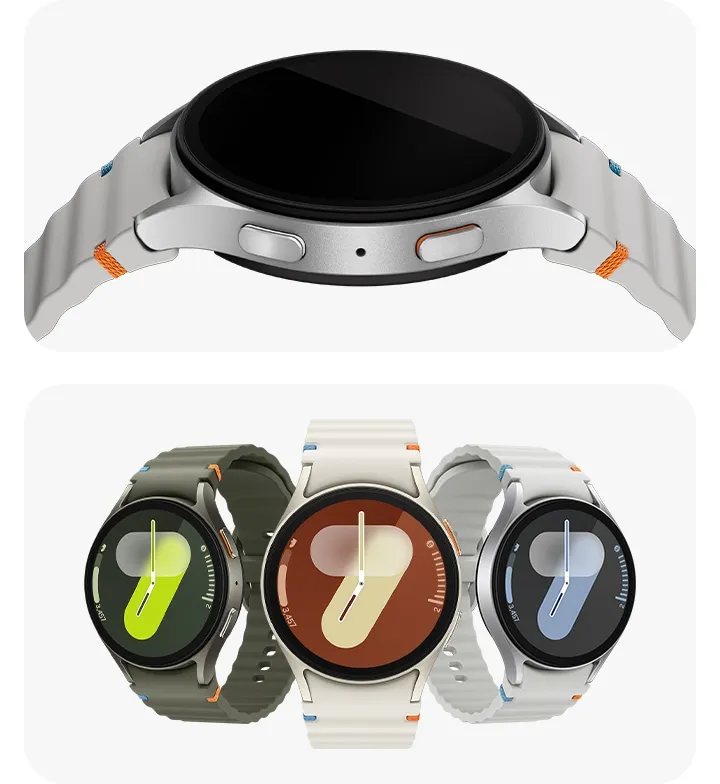
Now is a good time to concentrate on enhancing your well-being as spring approaches. A smartwatch is a fantastic addition to your fitness and health toolset for tracking your workouts and recuperation. You can save $80 or 27% right now when Samsung’s Galaxy Watch 7 with AI capabilities returns to its lowest price of $219 on Amazon, down from $299.
This deal is valid for the 40 mm Wi-Fi-only model in the green colorway. The 44 mm in Green is also $80 off, lowering its price from $329 to $249 if you would rather have a larger model.
Samsung Galaxy Watch 7 40 mm Wi-Fi
Looking for a great way to bring out your personal best every day? Challenge yourself to excel on your next run or bike ride using tracking with Galaxy AI¹ that lets you compare your current performance to your last one
In the second half of last year, Samsung unveiled the Galaxy Watch 7 and Galaxy Watch Ultra. The standard model has both minor and major improvements under the hood, despite having a fairly identical appearance to its predecessor.
Along with military-grade durability and an IP68 rating with 5 ATM water resistance, the wristwatch maintains its brilliant and colorful AMOLED display, making it appropriate for outdoor sports like swimming and snorkeling.
It has a better BioActive sensor with additional LED lights inside. As a result, blood oxygen saturation, heart rate, and other parameters like stress and sleep are measured more precisely. The Exynos W1000 processor, which boosts the CPU’s speed and efficiency by three cores to five, powers the smartwatch. Overall performance should be faster and more consistent.
New AI-powered tracking features like improved AI insights, sleep apnea detection, AGEs index, and Energy Score are also included in the Galaxy Watch 7. You may also mix and match different elements and objectives to make your workouts unique.
Depending on your preferences, the Galaxy Watch 7’s battery can last anywhere from a few days to three days. This is better than what the Apple Watch Series can usually do. Additionally, charging is considerably faster than before.
Samsung Galaxy Watch 7 40 mm Wi-Fi
Looking for a great way to bring out your personal best every day? Challenge yourself to excel on your next run or bike ride using tracking with Galaxy AI¹ that lets you compare your current performance to your last one
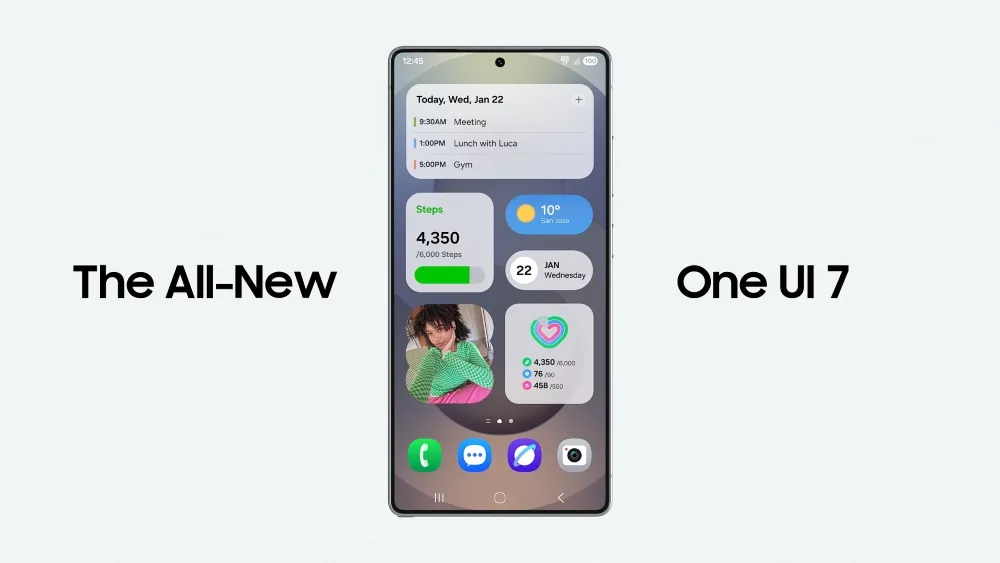
There is no sugarcoating it. Samsung botched the deployment of One UI 7 on the top Galaxy phones. Still, it is one of the most significant redesigns in One UI history, adding an unmatched level of polish to the company’s appearance. You have surely heard about the Now Bar and the huge Galaxy AI improvements in One UI 7, but here are several tiny, underappreciated updates you might have overlooked.
Double-tap playback controls in AOD
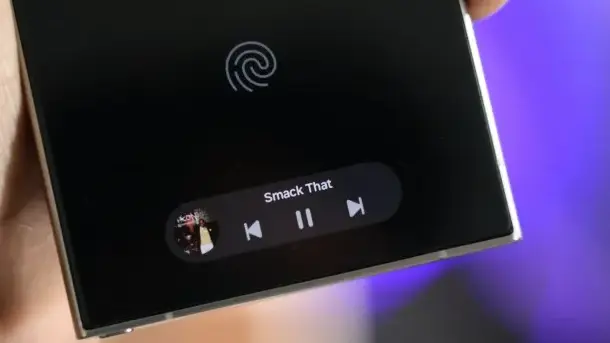
Now Bar is one of the significant new features in One UI 7, promising to provide relevant information at the right time. It also works with Always-on Display, displaying softly at the bottom. This is not the only way Samsung enhanced the Always-on Display with One UI 7. You may now control media playback via the Always On Display (AOD).
If you lock your Galaxy phone running One UI 7 while media is playing, the playback controls show at the bottom of the Now Bar. A single tap does nothing, but double tapping the playback controls will play, pause, or skip the current song or movie.
When you double-tap the album art, an expanded view of the media player appears, complete with larger controls and the ability to adjust media output.
Vertical app drawer
One UI 7 introduces a vertical app drawer to the One UI launcher. The option was included in One UI 5 and earlier releases, however it was deleted with Samsung’s Android 14-based One UI 5 update. The business promised to bring back the vertical app drawer with One UI 6.1.1, however this never happened.
If you have hundreds of apps installed on your Galaxy phone, a vertical app drawer will help you to easily swipe through them. In true Samsung form, there is an anomaly in how the feature was implemented.
Samsung does not specifically refer to it as a vertical app drawer. Instead, open the app drawer, hit the overflow menu button in the lower-left corner of the search bar, and choose Sort, then Alphabetical order. This converts the app drawer to a vertical style and organizes apps by name. You cannot move apps in this view, but you may position them within folders. Folders are located at the top, followed by applications and games.
A useful feature of the vertical app drawer is the addition of a fast-scroll bar on the right, which allows you to swiftly skim through and jump to any portion of your app list. The Home Up Good Lock module, which was updated with One UI 7, allows for more customisation of the home screen and app drawer.
Quick switch between the notification panel and Quick Settings
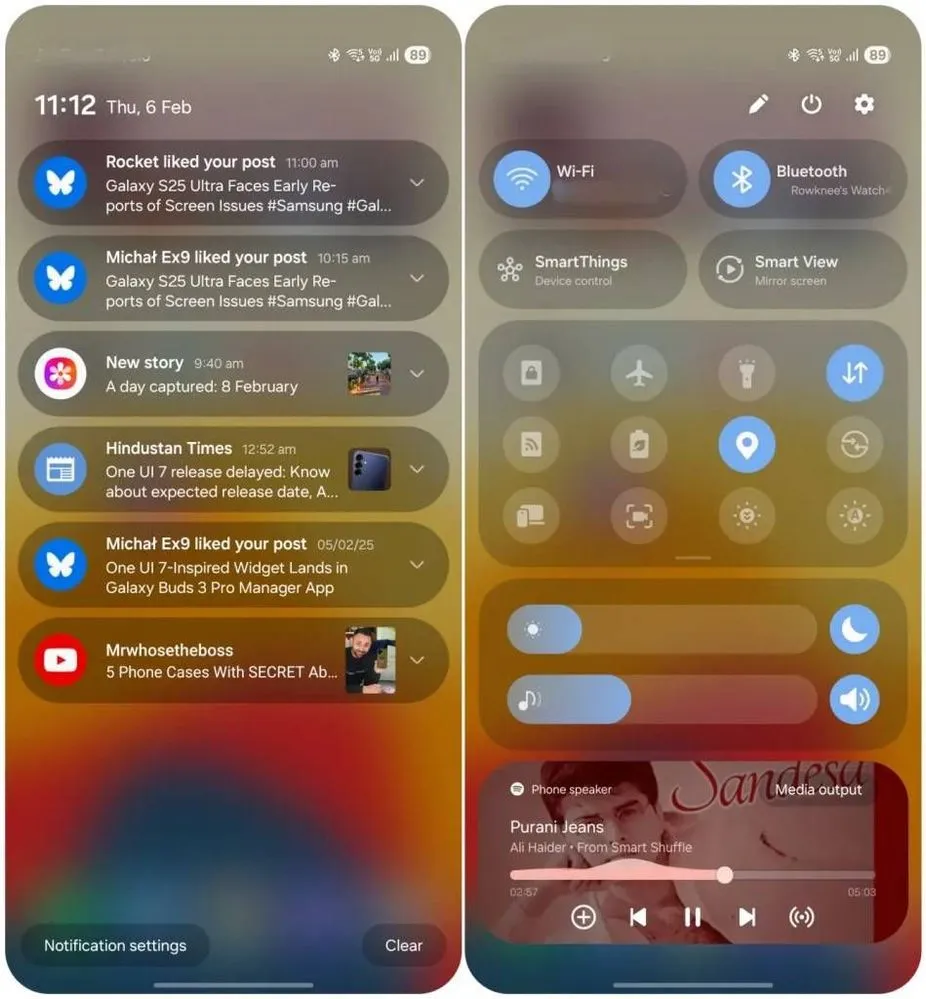
Samsung used an iOS-like approach with One UI 7, separating the notification panel and Quick Settings into two sections. You can return to the former One UI 6-like layout, but sample this adjustment for a few days before making a decision.
Compared to Apple’s distinct Quick Settings and notification panel design, Samsung’s method has one significant advantage. Swiping between the Quick Settings panel and the notification shade allows you to rapidly move between them. The same is true for phones from Xiaomi, Oppo, and OnePlus, all of which have long used separate Quick Settings and notification panels.
Although Samsung was not the first to market with the idea, it made care to include a helpful change in One UI 7.
Minimized pop-up apps group together
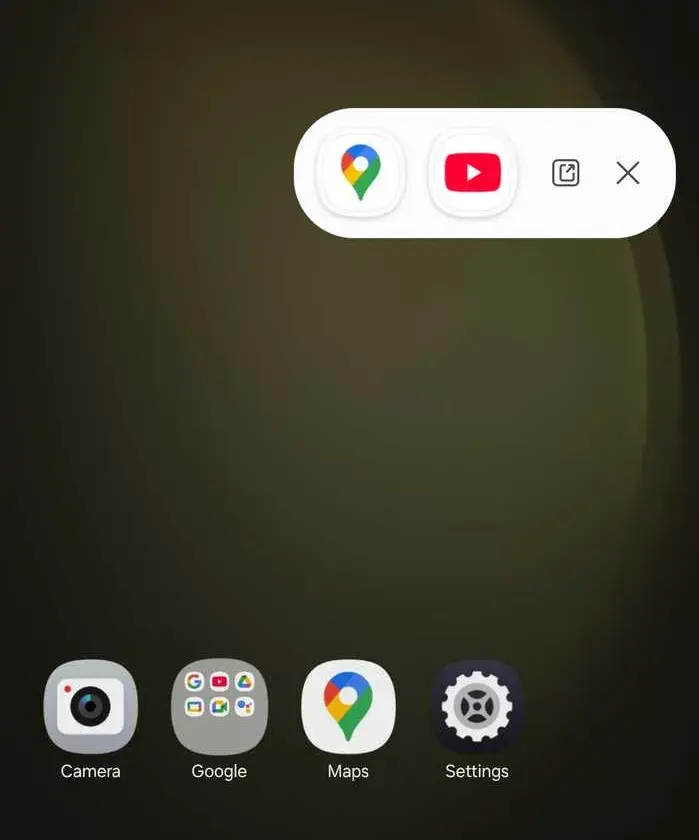
Samsung’s Android skin includes a variety of useful multitasking capabilities, including the option to run programs in a pop-up view. This allows you to run many programs simultaneously and minimize them into a floating shortcut. When you minimize numerous apps in pop-up mode, your Galaxy phone’s display may appear cluttered.
One UI 7 solves this problem by grouping the floating shortcuts of all minimized programs. Even better, there is a shortcut for launching all minimized apps at once. If you do not frequently utilize pop-up view multitasking on your Galaxy phone, you may disregard this as a minor modification. If you rely significantly on it, you will benefit from this modification.
New charging animation
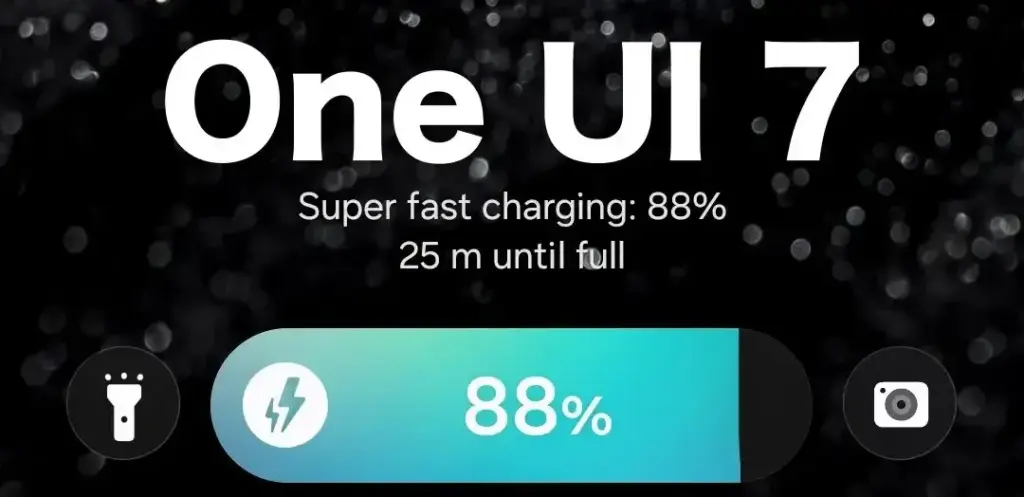
Samsung’s work with One UI 7 is evident, from the smooth system animations to the general fluidity. The experience rivals iOS in polish and feels substantially better than other Android skins. You will not encounter sporadic lags or stutters. The new charging animation demonstrates Samsung’s attention to detail in One UI 7.
If you put in your Galaxy phone to charge when the display is turned off, a charging pill with a slick animation appears at the bottom, where the Now Bar resides. It does not appear in extreme brightness, but rather in a dimmed state. When you are in a dark room, the phone automatically adjusts the brightness to make it even darker. The charging information can be displayed even when the screen is turned off.
One UI 7 is really improved
Samsung’s Android skin offers a feature-rich experience, including useful multitasking options. Still, it felt like One UI lacked the polish and attention to detail that Pixel UI and iOS possessed.
With One UI 7, Samsung steps up, demonstrating that when it wants to, it can create a professional and well-rounded Android experience while correcting some of its long-standing faults. So it is sad that the focus on One UI 7 is primarily on its rollout delays, rather than the polish and enhancements it delivers.
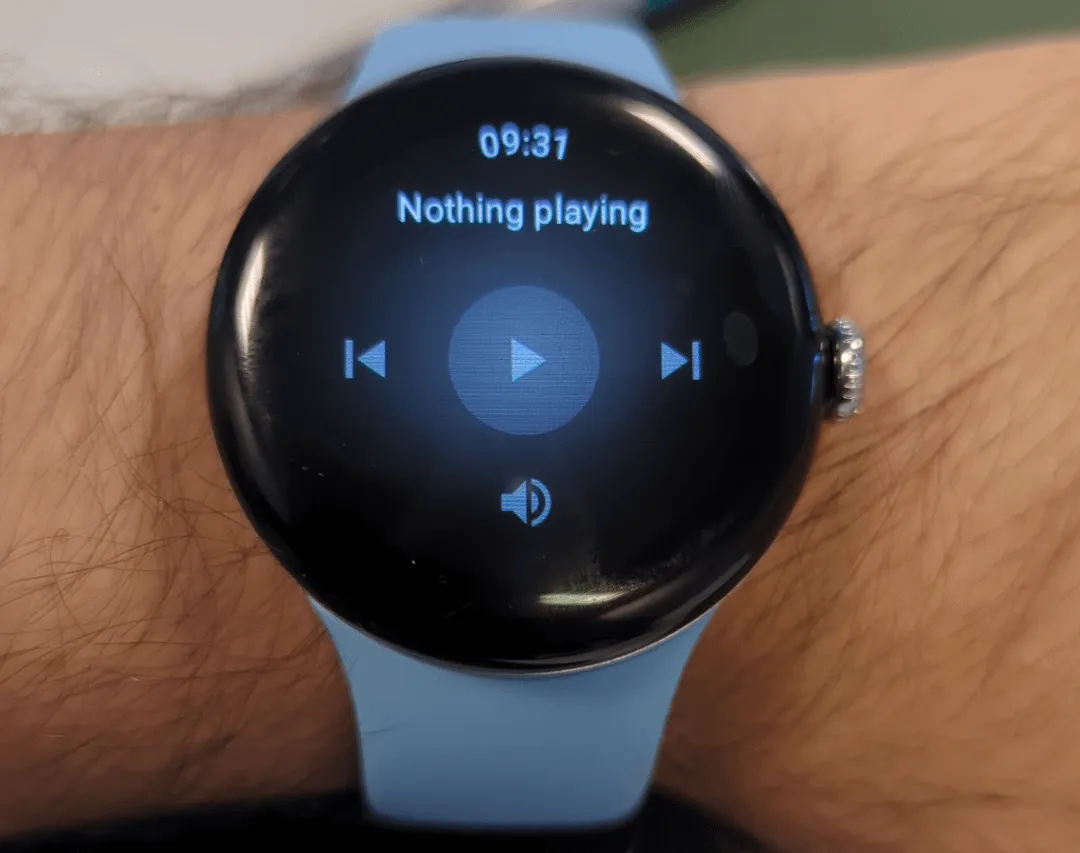
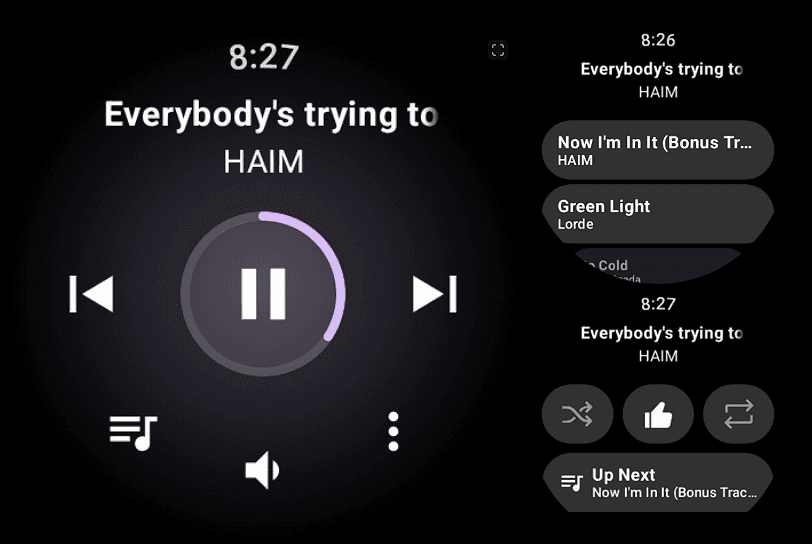
Google has released rich media controls for the Pixel Watch, following the March 2025 Feature Drop teaser.
Last month, Google teased the upgrade as such:
“Make it easier to control audio content from the watch with control types based on content being played (such as Podcasts within YouTube music).”
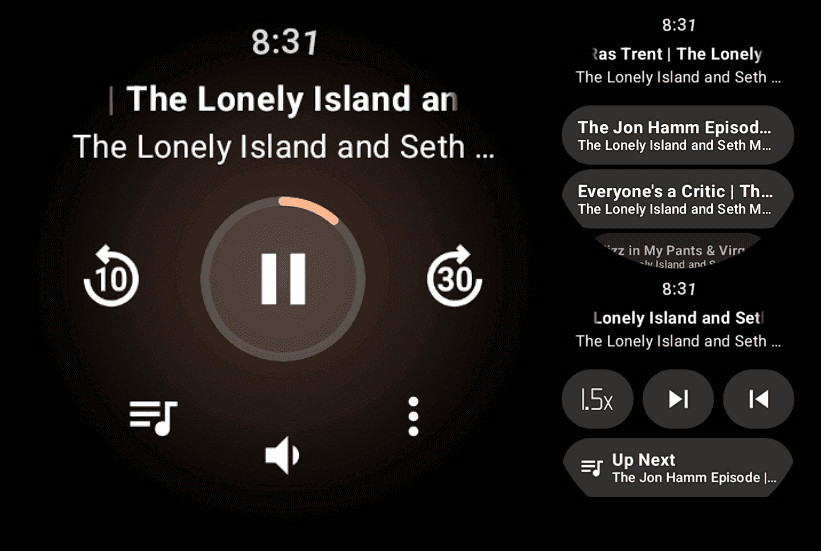
“Manage your favorite audio content with new actions on Pixel Watch to fast forward and rewind, adjust playback speed or control playback queue.”
In the past, the Pixel Watch‘s system media controls only let you to change the volume, play/pause, and next/previous. This is on top of the tracking data for the music that is currently playing on your phone.
By tapping the new button on the left, you can now see your Up Next queue in addition to those actions. With YouTube Music, this displays the next 24 tracks, which can be tapped to begin playing right now.
In the meanwhile, you can repeat, thumbs up, and shuffle a track (in YTM) with the three-dot overflow button on the right. For Up Next, you also receive an additional tablet.
You may adjust the playback speed of podcasts (in YouTube Music), with each tap resulting in a larger increment. Additionally, you can go to the previous or next episode.
These updated media controls for the Pixel Watch are not supported by all apps. The extra features are grayed out in the screenshot below, which is from Pocket Casts (played on my phone).
The Pixel Watch 3 running Wear OS 5.1 is where we are experiencing this, and you should confirm that “Wear Media” in the on-watch Play Store is completely current (version 1.6.7.x).
Google Pixel Watch 3
The Google Pixel Watch 3 is designed for performance, with advanced fitness from Fitbit; the 41mm screen is twice as bright and 10% larger than before, making it easier to see your stats and info.
Xiaomi is still updating a variety of devices with the HyperOS 2.1 upgrade, which is based on Android 15. However, all eyes are now on HyperOS 3, which is based on Android 16, the upcoming major release. This one will come with enormous improvements in terms of performance, features, and design.
Xiaomi to roll out HyperOS 3 update based on Android 16
A recent article from XiaomiTime states that the release of HyperOS 3 is anticipated to be in July 2025. Although Xiaomi has not yet released an official announcement regarding the complete list of devices, the report offers us a good idea of which models should be updated. Xiaomi, Redmi, and POCO devices will be included in the upgrade, demonstrating the company’s dedication to providing long-term software support.
What to Expect in HyperOS 3
Improved multitasking, improved battery life optimization, more intelligent AI-based capabilities, and a redesigned user interface are just a few of the many new features that HyperOS 3 is said to offer. It is anticipated that a primary focus will be on improving device integration and performance, particularly with regard to tablets and foldables.
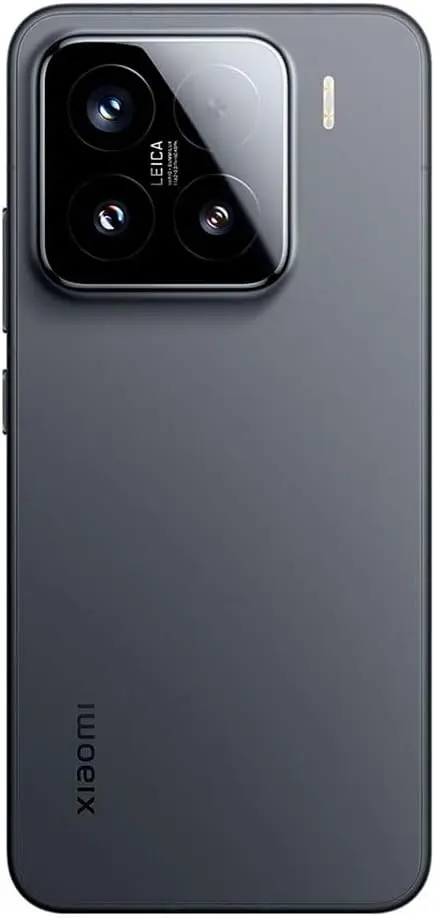
Xiaomi 15 5G
Snapdragon 8 Elite Mobile Platform3nm manufacturing processCPU2 x Prime Core, up to 4.32GHz6 x Performance Core, up to 3.53GHzGPUAdreno GPUAIQualcomm AI engine.
Leica Summilux optical lensLEICA VARIO-SUMMILUX 1:1.62-2.2/14-60 ASPHLeica main camera50MPLight Fusion 900 image sensor2.4μm 4-in-1 Super Pixelf/1.62OIS23mm equivalent focal lengthLeica 60mm floating telephoto50MPf/2.0OIS60mm equivalent focal lengthLeica ultra-wide camera50MPf/2.214mm equivalent focal length115°. 32MP FRONT CAMERA
Redmi Note 12, 13, and 14 series (4G, Turbo, and Pro models)
Redmi 12, 13, and 14 series (C and A models)
Redmi K50, K60, K70, and K80 series
Redmi Pad SE, Pad SE 8.7, Pad Pro, and Pad Pro 5G
POCO Devices:
POCO F5, F5 Pro, F6, F6 Pro, F7, F7 Pro, and F7 Ultra
POCO X6 5G, X6 Pro 5G, X7, X7 Pro, and X7 Pro Iron Man Edition special edition
POCO M6 (4G, 5G, and Pro versions), M7, and M7 Pro 5G
POCO C65, C75, and C75 5G
With a wider rollout, Xiaomi will gradually introduce the most recent Android experience across a diverse range of devices. It is likely that HyperOS 3 will improve on everything you do on a flagship, mid-range, or low-cost phone. Xiaomi is going to make the announcement, so keep a look out!
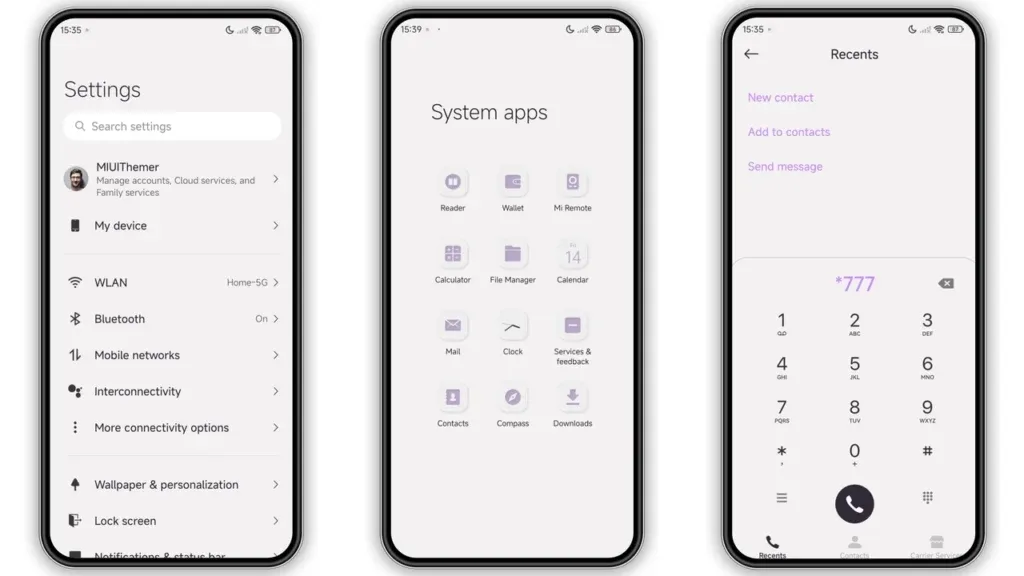
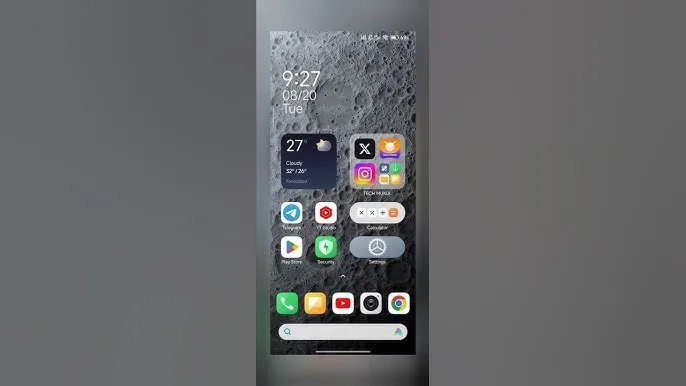
In October 2023, Xiaomi unveiled their new Android-based operating system, or Android skin as some of you could refer to it. It was the successor of MIUI and is called HyperOS. Sincerely, HyperOS ended up looking a lot like MIUI, and although it did provide some nice modifications, it also brought about some unfavorable ones. HyperOS is undoubtedly a highly powerful piece of software, but there is still a lot of space for improvement. Although Xiaomi’s HyperOS has a lot of promise, a few things must alter if it is to advance.
So far, I have been running HyperOS on several Xiaomi and Redmi devices. I have discovered a number of things that I would alter during my time with it. To be clear, you might not have an issue with some or all of these things. Nevertheless, I think HyperOS has a lot of promise and can reach that point with just a few smart actions from Xiaomi. Keep in mind that, as is typical with these kinds of pieces or editorials, personal opinion does come through. Views vary. So, let us examine HyperOS’ shortcomings, shall we? I will not do it in any specific order.
Home screen customization
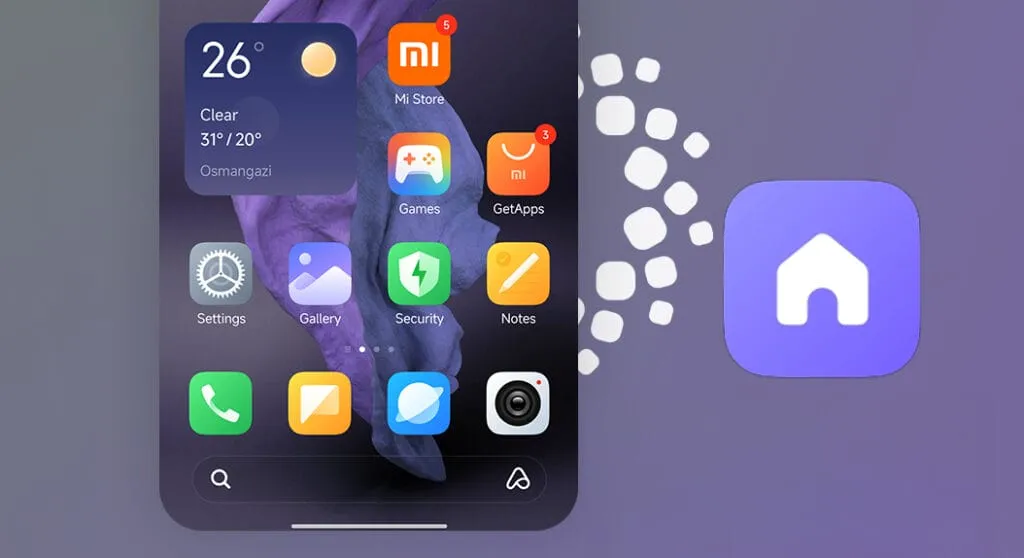
There is a lot of flexibility available with HyperOS. Still, there is potential for improvement. I made the decision to pay close attention to the home screen. Why? Xiaomi can improve this in a number of ways that will help consumers. First and foremost, using icon packs from the Google Play Store would be great. Setting up icon packs is practically impossible since we are unable to use third-party launchers. Xiaomi has no reason not to implement this change in their stock launchers, as many other Android OEMs do.
Plus, it would be fantastic to give customers additional grid size options. There are very few options available presently. However, there is a problem with nearly all other Android OEMs. The home screen’s app dock row comes next. It would be great if we could eliminate it completely and have a single, consistent canvas on the home screen because some users choose not to use it at all.
Unblock third-party launchers
One of my main complaints with HyperOS is this. The only significant Android skin that totally prevents third-party launchers from working is this one. Although it is likely that you will have problems with gesture navigation, other OEMs let you set them. Actually, Google is to blame for this, as it restricts access to certain APIs for third-party developers. It has been a persistent problem. To change that, they even petitioned Google.
However, for some reason, Xiaomi chose to restrict third-party launchers entirely. Actually, it was not the case with MIUI in the past. In actuality, third-party launchers performed best on Xiaomi smartphones in terms of animations and other features. It was a significant shift when Xiaomi blocked them. Since many fans use Xiaomi phones, it should be possible to enable third-party launchers and let them function properly.
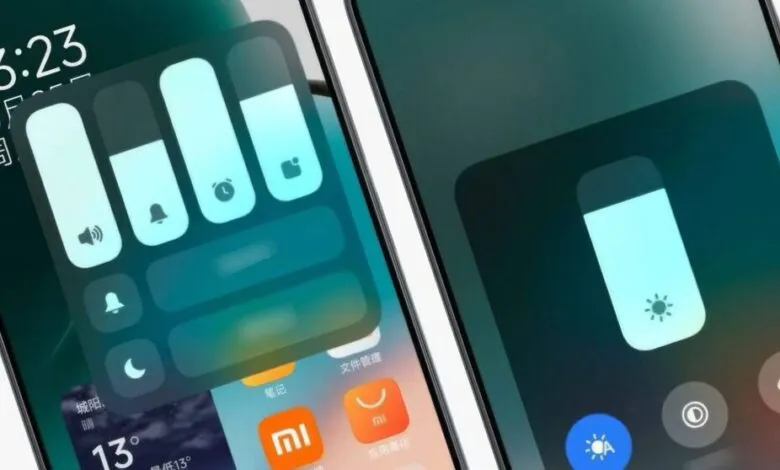
Toggles
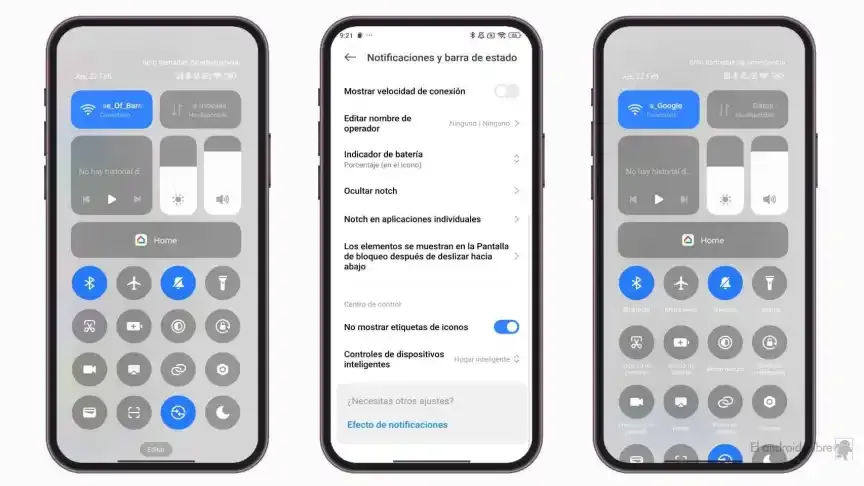
The Quick Toggles screen might be enhanced by Xiaomi as well. Although it makes us think of iOS, it is not an issue in this case. This Android skin lacks a dedicated Settings toggle, in contrast to the majority of others. Although there is a toggle, it is a component of every other toggle. Although you can move it around and position it wherever you choose, it is not independent and lacks sufficient intuitiveness. It would be convenient if it were distinct because many users are accustomed to opening Settings from there.
In addition, there are just two sizable toggles there, and regrettably, you are unable to alter that. The WiFi and mobile data toggles are the only sizable toggles you receive. For example, the Bluetooth toggle and the screen rotation toggle cannot be made huge. If Xiaomi made this possible and let users fully design the Quick Toggles interface, it would be great.
Push notifications
Unbelievably, HyperOS still has problems with push notifications. At least the way it is configured right out of the box. I have been experiencing problems with the majority of apps. By default, apps are set to “Battery Saver,” which is the suggested setting. You will not have these problems, though, if you unblock them from their limitations in the settings (each program independently). It will be possible for notifications to reach their destination on schedule.
The problem is that ordinary consumers will not be aware of that. They will not consider changing that function by going into the settings. Of course, that is problematic. Many of them will find it annoying because they will not be receiving notifications right away. As a result, they become irritated with the business—in this example, Xiaomi—and develop a bad opinion of their goods. To be honest, Xiaomi should make changing this a high priority. Push alerts need to function normally right out of the box.
The 10-second countdown
Another noticeable issue when it comes to HyperOS has to do with the timeout Xiaomi is placing on its consumers. Essentially, a warning pop-up will appear each time you attempt to modify a more complex setting, such as an accessibility setting. That is typical, is not it? Yes, it is; all OEMs carry it out. The 10-second countdown, however, is unusual. You cannot approve or reject anything on Xiaomi until ten seconds have elapsed. This is most likely in place to allow you sufficient time to read the warning.
You truly do not need to read it again after you have seen it for the first time. That countdown is incredibly annoying since you know exactly what you want to do. It makes sense if Xiaomi only did it once after you had configured your device. However, in HyperOS, you receive it each time a more complex configuration is altered.
Notifications
I wanted to draw attention to a few more notifications-related problems besides push notifications. For other people, lock screen notifications are an additional problem. They work similarly to what you get on iOS the way they are currently configured. It goes without saying that many individuals will find that offensive. What is wrong? You will notice your new notifications when you get to the lock screen. However, they will not be there the next time you get to the lock screen, even if you do not read or open them and then lock the device.
Yes, they will still remain in the notification shade, however this is a problem if you use your lock screen a lot. That is not what the great majority of other Android OEMs do. Similar to the notification shade, notifications will remain on your lock screen unless you choose to dismiss or open them. This distinction between the lock screen and notification shade is completely superfluous, and I sincerely hope Xiaomi will eliminate it soon.
Status bar icons
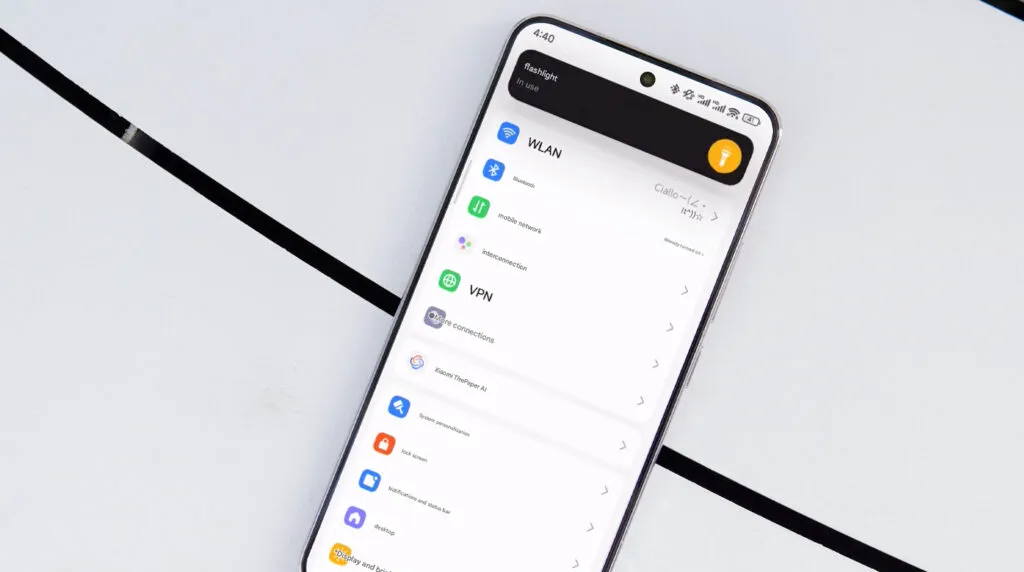
Xiaomi can also make the HyperOS status bar better. When it comes to it, there are a number of various irritations. Notification icons are the subject of the first one. Xiaomi restricts you to a single app notification icon in the upper-left area by default. However, you have the option to enable up to three app notification icons to show. Only the three most recent alerts from various applications will show up if you have more than three.
Almost all other Android OEMs permit as many app notification icons as they can fit on the screen. It does not restrict you in that manner, which is the proper approach. The fact that Xiaomi only allows one icon by default and that you are unable to enable more than three icons is not the only issue. Simply put, HyperOS introduced a totally needless modification that was not a problem on MIUI.
Additionally, if HyperOS allowed users to remove some of the status bar icons, that would be great. For instance, it is superfluous that the Bluetooth indicator is always up there. Many individuals always have Bluetooth turned on for their headphones, smart watches, or other accessories. That icon does not really need to be up there all the time if it is always on. If we could take it off and forget about it, that would be great.
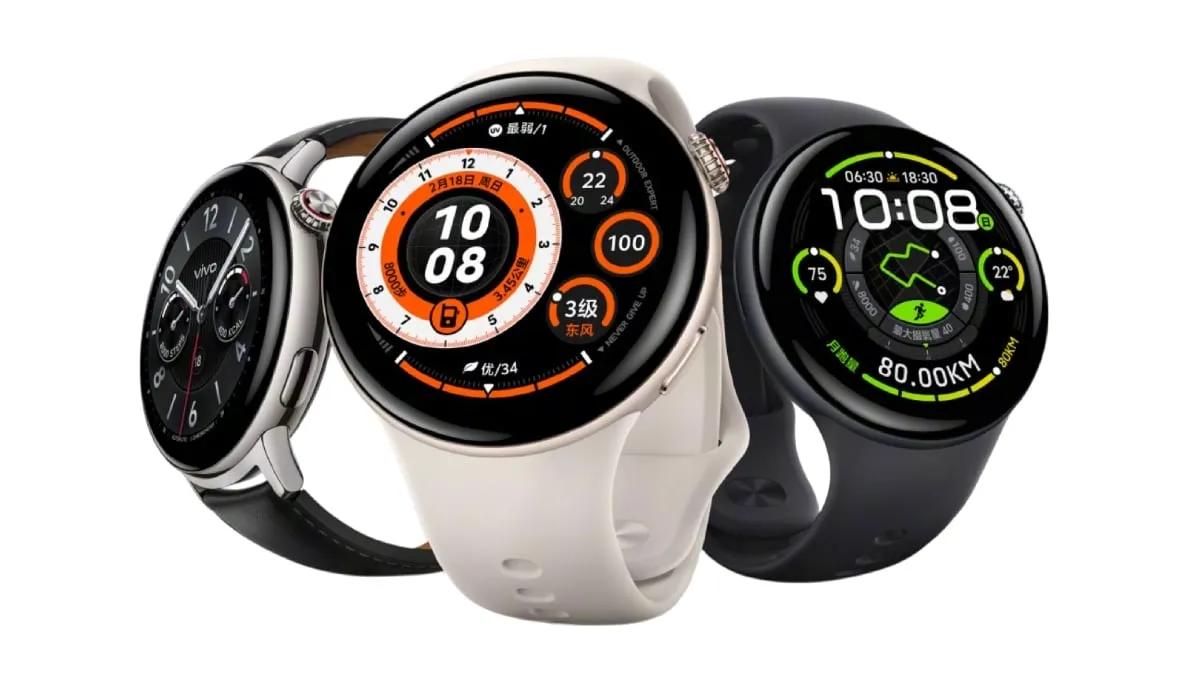
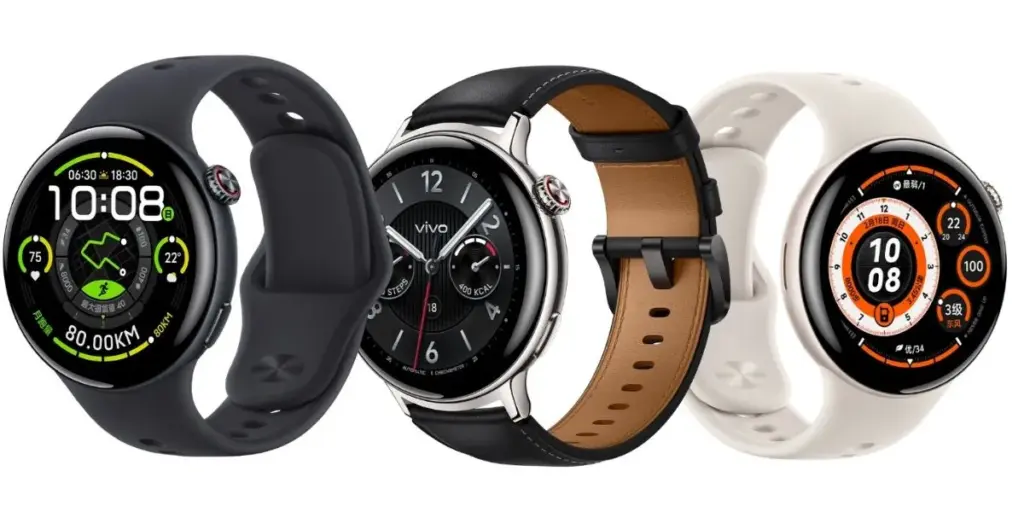
In China, Vivo unveiled the Vivo Watch 5, a new smartwatch, in addition to the new X200 series smartphones and a few tablets. With improvements in style, sports tracking, and health statistics, it is a gradual upgrade over the Watch 3.
Vivo Watch 5 specs
On the surface, not much has changed in terms of design. The Watch 5 features a 1.43-inch curved AMOLED display with a refresh rate of 60 Hz and a brightness of up to 1500 nits, while maintaining the recognizable circular dial.
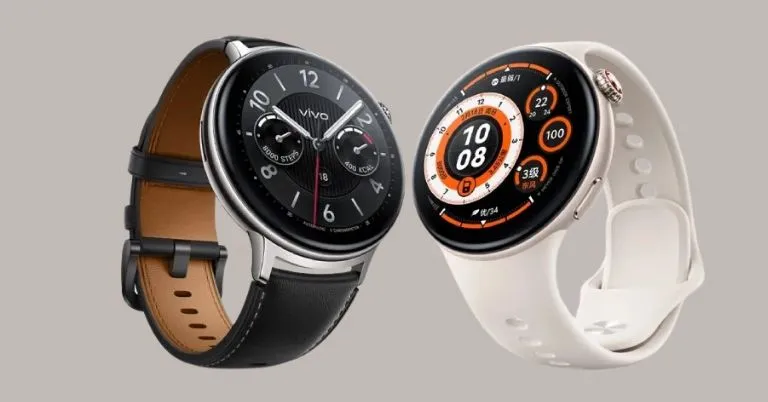
The watch now weights only 32g without the strap and comes in Night Black and Moonlight White with stainless steel or aluminum alloy bodies. Compared to the 35g frame of its predecessor, that is a slight but notable decrease. Depending on their preferences, users can select leather or silicone straps.
BlueOS 2.0 powers this year’s model, which has a few new software features. The new AI Sports Coach can monitor your running form and efficiency and even provide fat-burning training regimens depending on your heart rate in real time.
With 24-hour tracking of heart rate, blood oxygen, stress, sleep, and even involvement in blood pressure and heart health research, Vivo also boasts a more comprehensive suite of health monitoring functions.
Similar to the Watch 3, this device does not yet have a complete operating system. Although there is a working app store, third-party app support is restricted. It does, however, offer the essentials, such as notifications, music controls, and Bluetooth calling. In addition, it has a 5ATM water resistance rating, GPS for tracking outdoors, and NFC for payments.
Battery life is one of the main selling aspects. Vivo claims that because of improved power management, the Watch 5 can operate in Bluetooth mode for up to 22 days in extended use situations. Additionally, there is a new AI Smart Window feature that uses usage patterns to prioritize the information you are most likely to require.
Not all smartwatches are compatible with both iOS and Android devices, but the Watch 5 is. WeChat is directly supported on the watch for people in China.
Price and availability
The silicone strap version of the Vivo Watch 5 costs CNY 799, or about $109, while the leather strap version costs CNY 999, or about $136. Pre-orders are already being accepted, and official sales will begin on April 29. International availability is still unknown.