Everyone enjoys a good bargain, particularly when it allows them to get high-quality Android games and apps without having to pay a thing. The Google Play Store occasionally offers highly regarded apps for free for a brief period of time, whether your goal is to increase productivity, try out new tools, or simply pass the time with an entertaining game.
We have hand-picked the newest Android games and applications that are now available for free download in this roundup. But move quickly! These deals only last for a brief period of time, after which they are no longer available. Let us get started and discover what treasures are available this week!
Android Apps and Games Available for Free–Limited Time Offer
Roast Beef ($0.99): Music production will never be the same again with this special app for the musically inclined.
Barcode + QR Code Reader ($0.99): If you want another third-party app to scan QR codes, then this might be just the thing for you.
Free Games for the iPhone and iPad
Bloom Sort ($14.99): A relaxing sorting merge puzzle game that won’t leave you tearing your hair out in frustration.
Thrones War ($0.99): A mini ancient strategy game that requires you to put on your thinking cap to obtain victory.
Bigfoot Quest ($2.99): A puzzle adventure game that is sure to keep your children engaged as they attempt to solve puzzles.
Puncha Not See ($0.99): Contrary to popular belief, you will be able to punch your way through different situations in life.
A Quick Heads-Up Before You Download
While these apps and games are temporarily free, it’s always smart to read the fine print. Some may include in-app purchases or ads that can affect your experience, especially in free versions. Others might only offer basic features for free while encouraging you to upgrade later. Be sure to check reviews and permissions before installing, and keep an eye on the original price — some “discounted” apps are free more often than not.
Still, this is a great chance to explore new tools, games, and utilities without breaking the bank. Grab what interests you before the deals expire, and make the most of your Android experience!
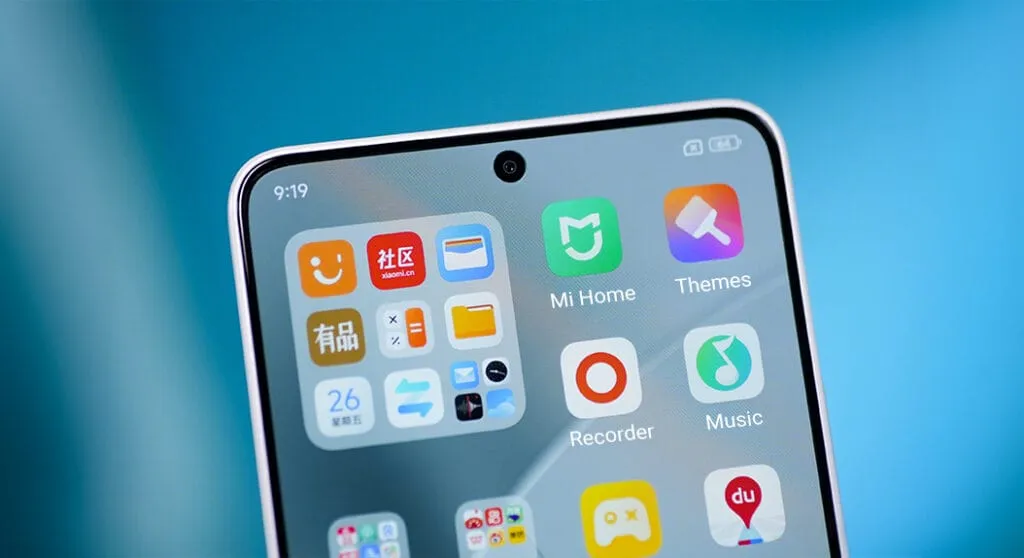
For optimal performance and user experience, it is imperative to keep your Xiaomi smartphone updated, especially with the new HyperOS ecosystem. Five essential system apps will receive significant updates in April 2025 that enhance their usability, security, and appearance. All Xiaomi phones will offer a better, more potent experience thanks to these updates, which are made to work perfectly with HyperOS 2.1.
HyperOS Launcher
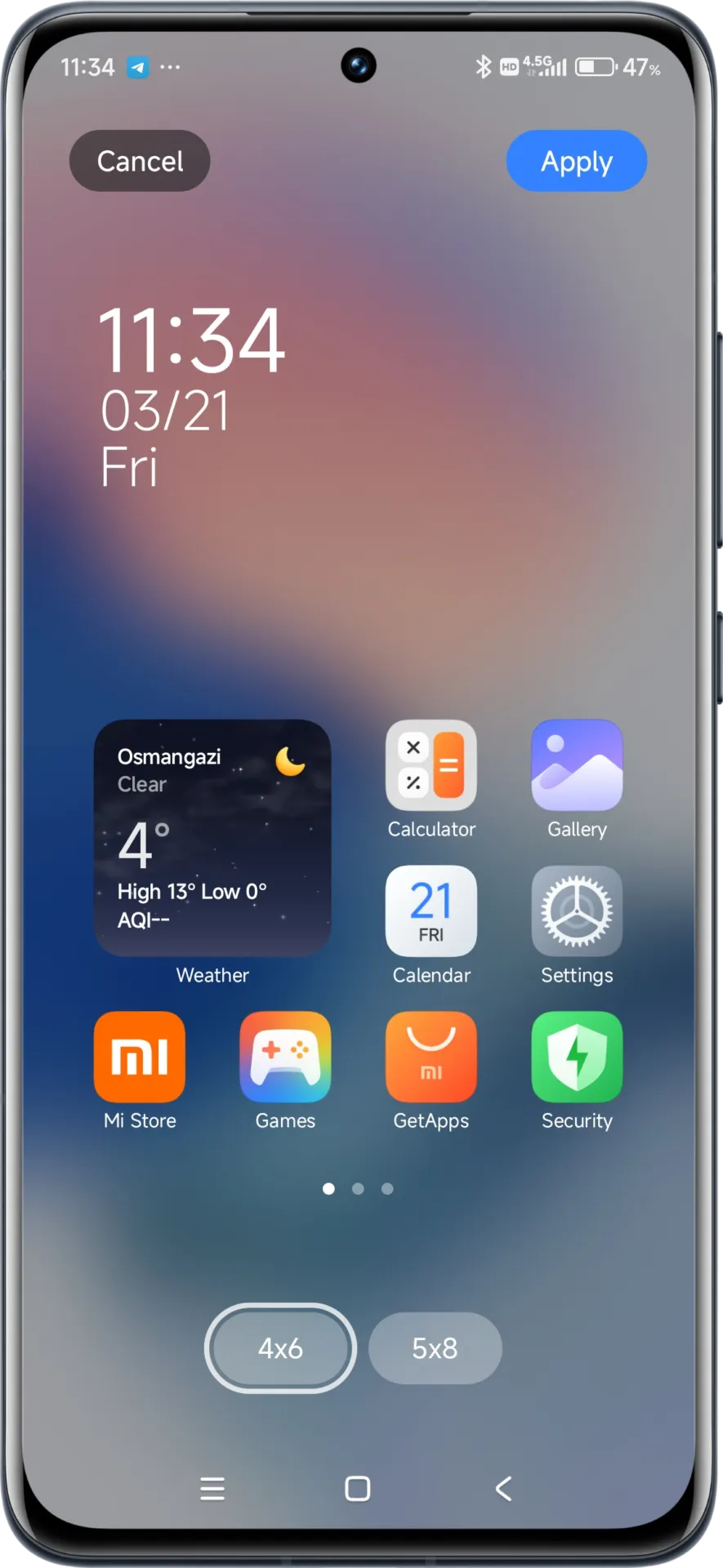
Updated on HyperOS Launcher was overhauled in full with many enhancements:
Improved Animations: Better folder animations bring a more refined, pleasing aesthetic experience
Enhanced Readability: Large fonts on the top drawer bar improve readability
MIUIX V3 UI Library: Implements modern design language for a fresher appearance with more uniform features
Adjustable Layout Options:
4×6 layout with search box 4×7 layout without search box
2K Screen Optimization: Popup UI now scaled correctly for high-resolution screens
The update to the launcher is centered on aesthetics and functionality, resulting in an improved user experience that still offers high performance.
HyperOS Themes
The updated HyperOS Themes has a better, more streamlined user interface. The update makes device customisation more comprehensive and accessible, allowing users to alter their gadgets to better reflect their own unique style.
With improved previewing and classifying capabilities, the simplified interface makes it possible to find and use new themes more quickly and easily.
HyperOS Security
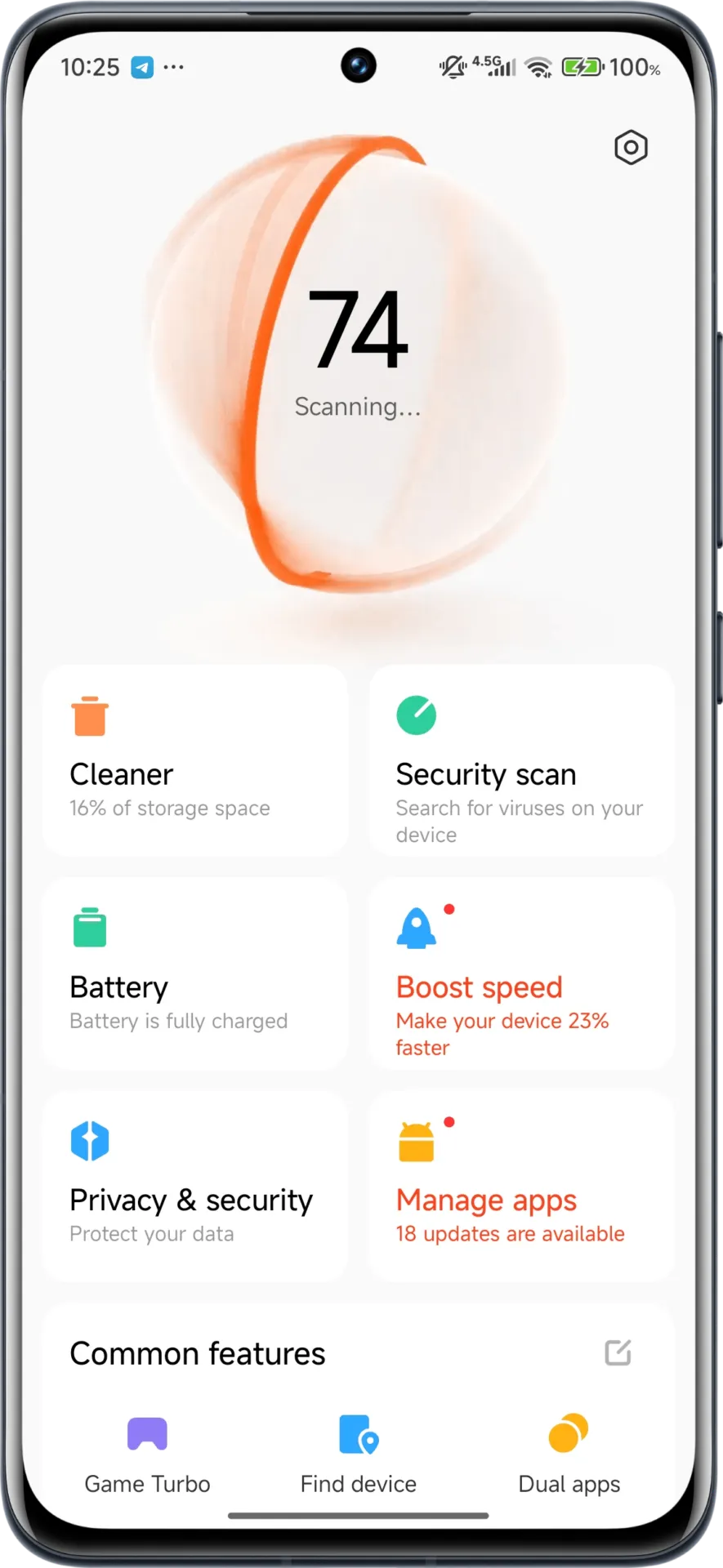
The HyperOS Security updated for brings essential enhancements to gaming performance and device protection:
Turbocharged Game Performance: All-out performance enhancements with advanced optimization capabilities
Security Improvements: Several behind-the-scenes updates improve system and data security
Performance Optimizations: Enhanced resource allocation to ensure seamless performance even on high-intensity tasks
Privacy Controls: Broader choice for controlling app permissions and data access
These security enhancements play a crucial role in shielding personal data while providing stable system performance.
HyperOS Wallpaper
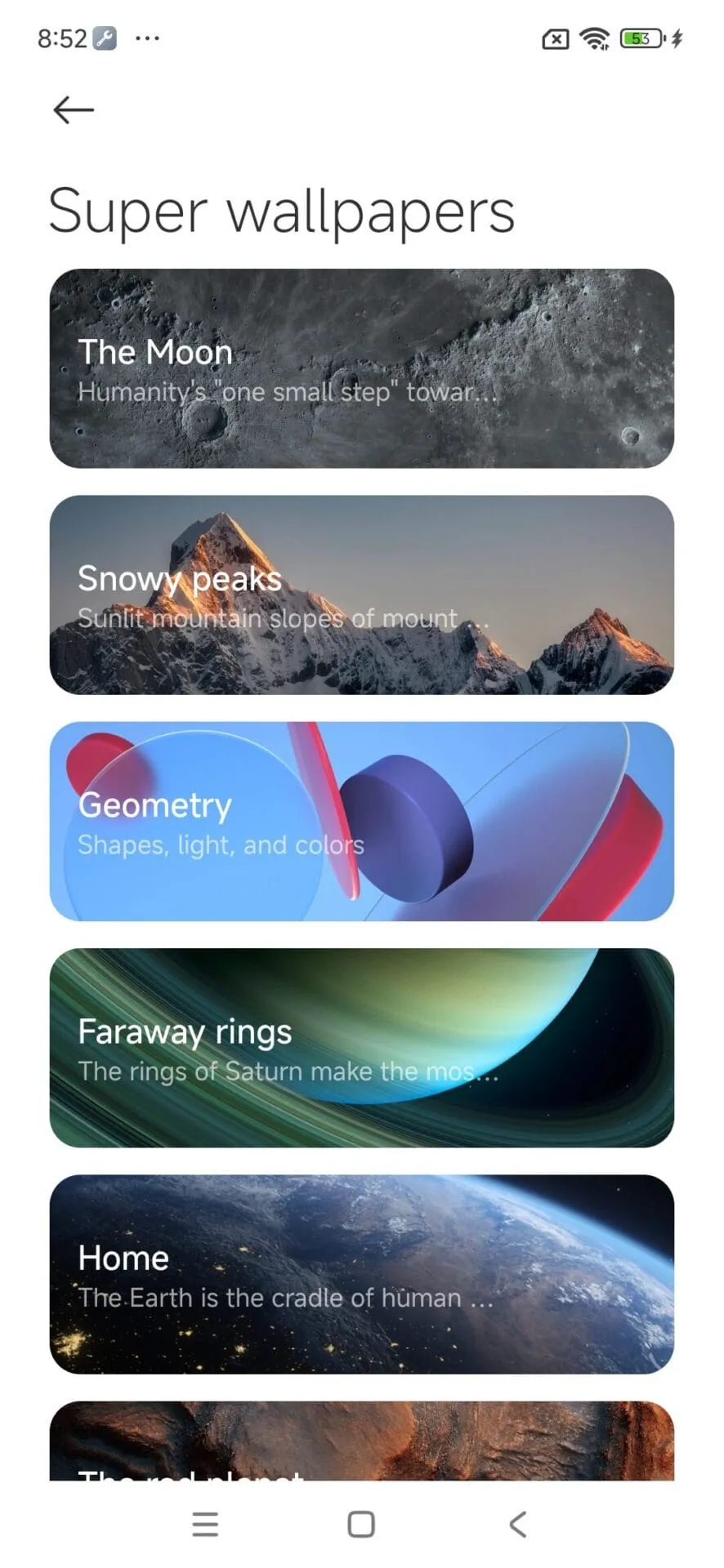
Updated on April. This new version emphasizes fixing bugs and performance enhancements. This update also solves problems that were causing lock screen and home screen wallpapers to:
Improved fluidity in switching wallpapers Improved stability throughout system transitions
Enhanced resource management for reduced battery usage
Improved integration with dynamic wallpaper features
Though mostly an update for maintenance, these changes considerably improve overall Wallpaper experience.
How to update HyperOS system apps
For an optimized upgrading process, Xiaomi users have an available HyperOS Downloader app:
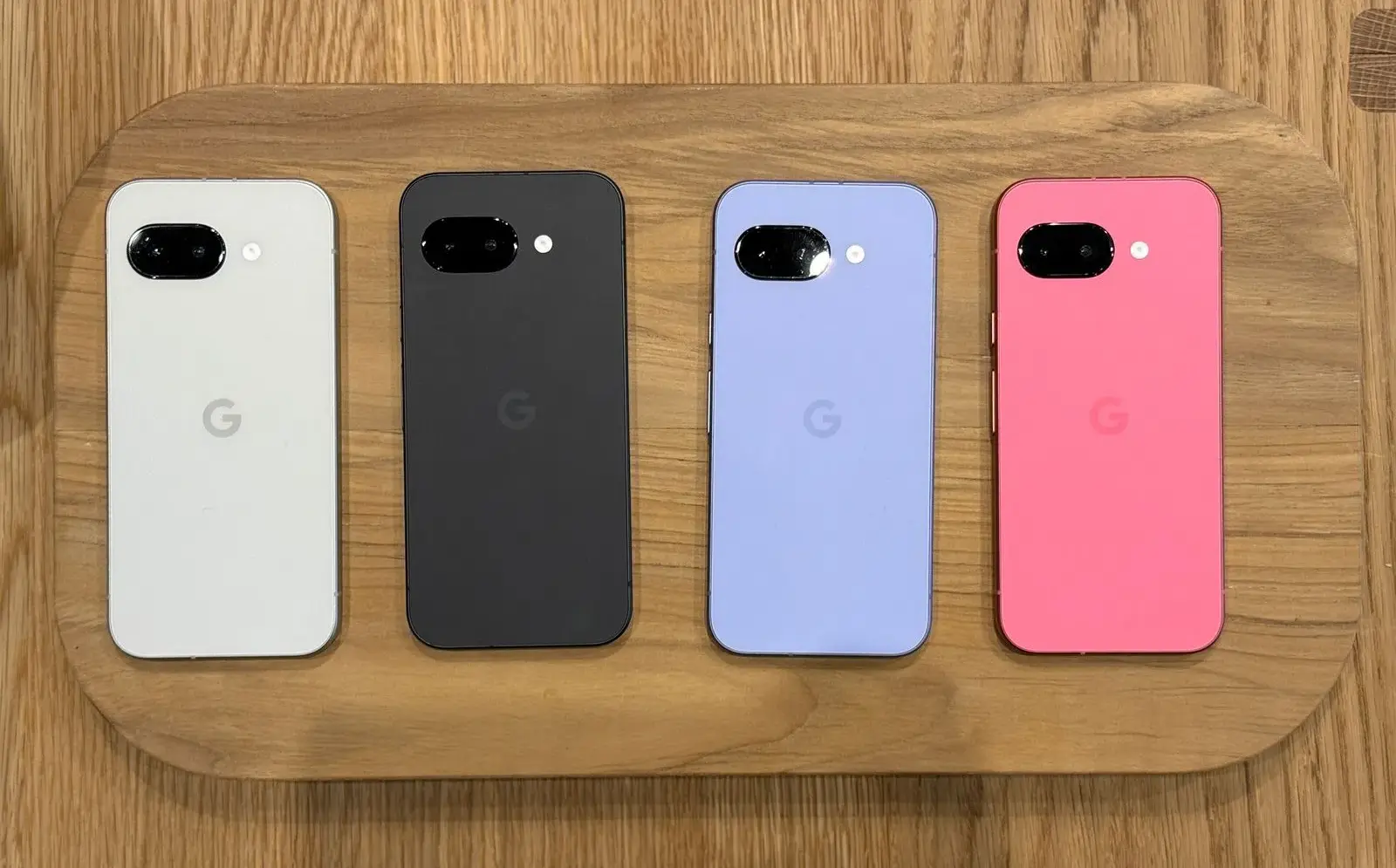
Despite a minor delay, the Pixel 9a is now available for purchase beginning today. I am still testing the phone myself, but so far, I am really impressed with what is clearly Google’s best A-series entry to date. Regardless of how you feel about the camera bar-less design or any of the missing functionality, the Pixel 9a has made me very enthused about Google’s latest value proposition. In fact, I believe it is the best Android phone to buy right now. Here’s why.
Google Pixel 9a with Gemini
Google Pixel 9a is engineered by Google with more than you expect, for less than you think; like Gemini, your built-in AI assistant, the incredible Pixel Camera, and an all-day battery and durable design
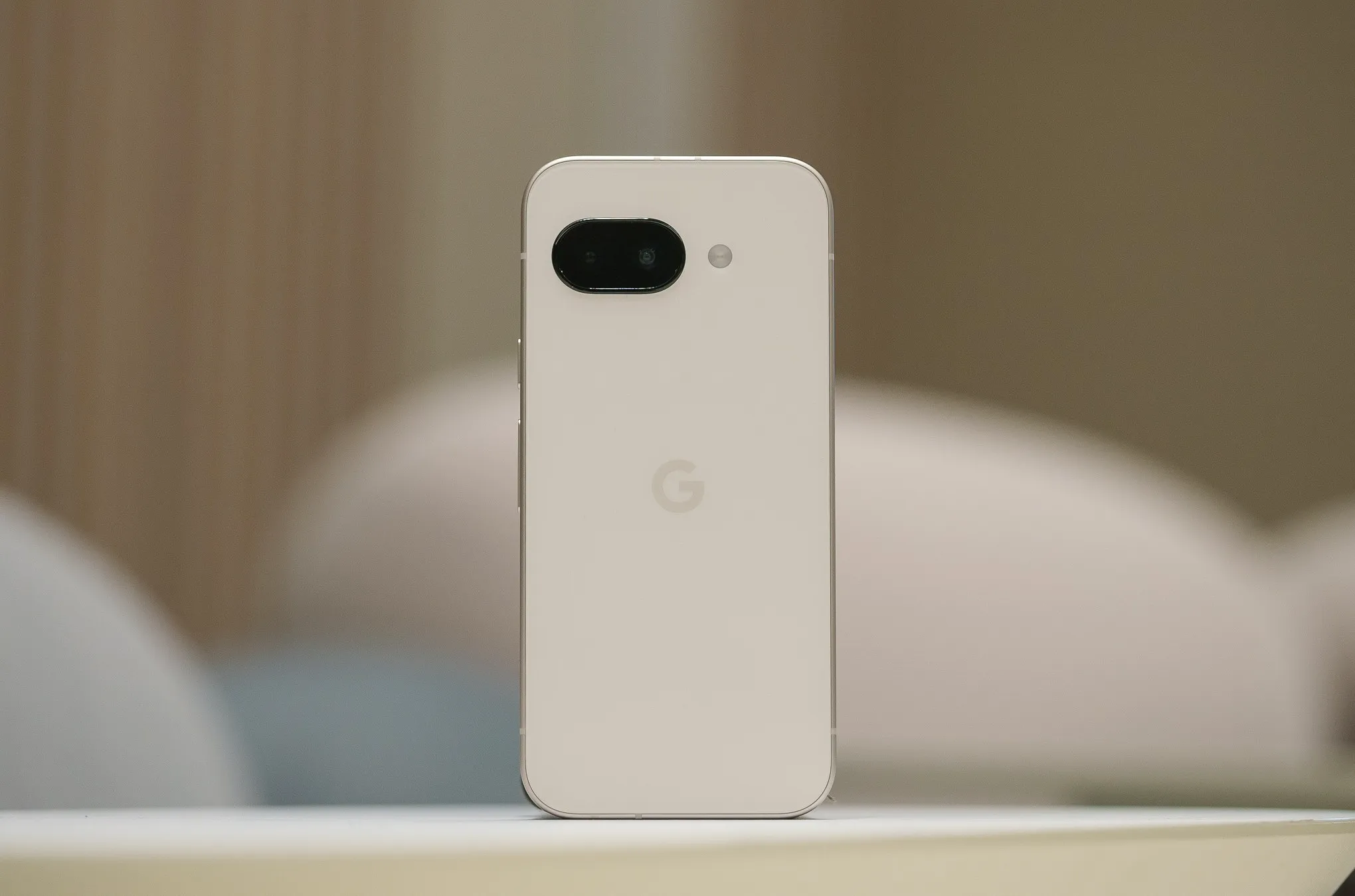
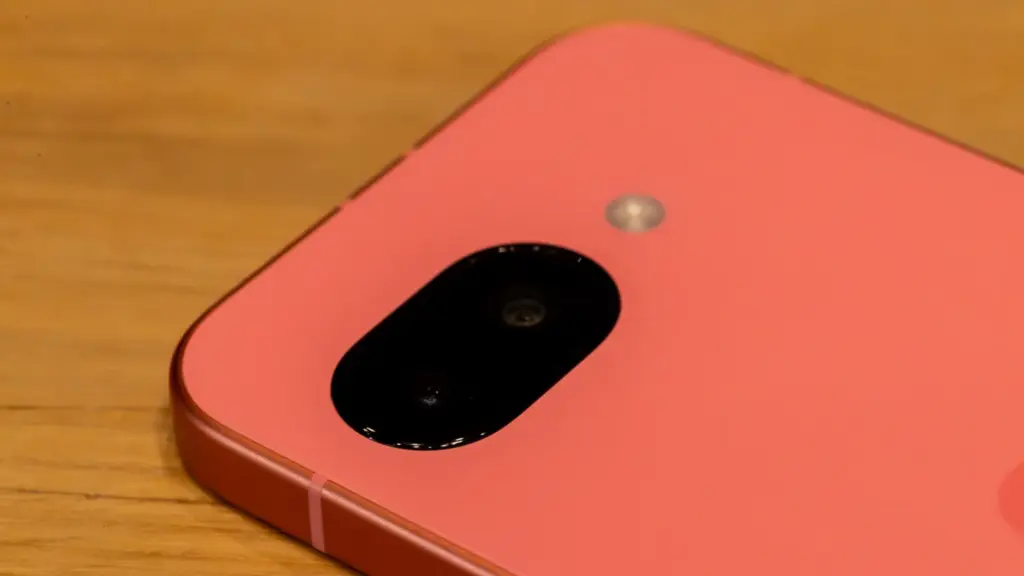
When I originally bought the Pixel 9a, I noticed myself resting my middle and forefinger on the bottom of the camera pill as a habit. I have since adjusted and do not touch the lens cover, which is reported to be slightly domed and inspired by “nature and water droplets,” similar to the Pixel Watch.
The new 48MP sensor is comparable to the one used in the Pixel 9 Pro Fold, but it is significantly smaller. It is a Pixel Camera, as detailed in our video review.
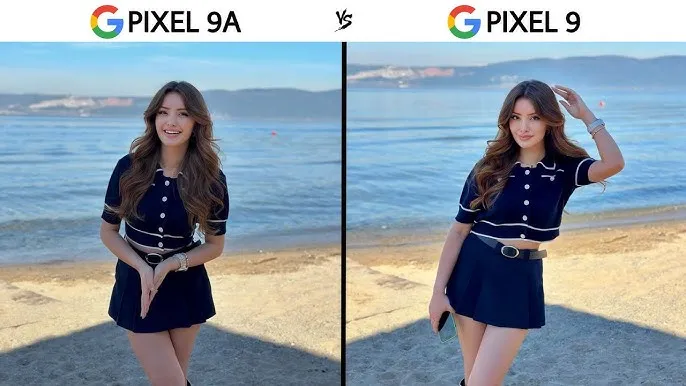
In our tests, we found that the Pixel 9a takes crisper photographs than the 8a from last year. This is most likely owing to an enhanced main camera sensor. While most people will not use both phones side by side or compare photographs in this manner, our gallery shows that the Pixel 8a has more contrast, whilst the 9a is pin sharp throughout the frame.
A lesser camera bump
Look, this is a minor request, but my request from late last year was completely successful. I had not realized how much I missed having a bump-free smartphone until I started using this one. While the elevated camera lip causes it to rattle somewhat on a table — strangely, it is perhaps the most a Tensor-powered Pixel has ever rocked on a table, excepting the Pixel 9 Pro Fold – it helps to make the phone seem so much more comfortable in everyday use.v
Look, this is a minor request, but my request from late last year was completely successful. I had not realized how much I missed having a bump-free smartphone until I started using this one. While the elevated camera lip causes it to rattle somewhat on a table — strangely, it is perhaps the most a Tensor-powered Pixel has ever rocked on a table, excepting the Pixel 9 Pro Fold – it helps to make the phone seem so much more comfortable in everyday use.
A great Google experience
This is the most loaded A-series Pixel we have seen thus far. It is strange to think that the Pixel 7a, a device that felt cheaper to handle than its price tag suggested, was released only two years ago. No one will mistake the Pixel 9a for a flagship smartphone, but the handset itself feels excellent in the hand. The matte polycarbonate back improves on the already superb build quality of the Pixel 8a, and the flat frame feels just as wonderful as it did on the original Pixel 9.
Google Pixel 9a with Gemini
Google Pixel 9a is engineered by Google with more than you expect, for less than you think; like Gemini, your built-in AI assistant, the incredible Pixel Camera, and an all-day battery and durable design
But, in my opinion, what truly counts is the display. While it is still protected by Gorilla Glass 3 — and yes, when you use as many different smartphones in a year as I do, you can really notice the difference in newer Corning glass applications — it is as good as the panel found on the ordinary Pixel 9. Hell, it may be the same panel used in the Pixel 9, as almost every specification, from size to brightness ratings, is similar. Regardless, it is one of the nicest screens I have seen on a $500 smartphone.
However, the rest of the phone is equally impressive. The speakers are solid, the haptics are good, and the buttons are satisfyingly clicky—all of this adds up to a surprisingly durable smartphone. Sure, it lacks some of the more modern features of Google’s flagships, like as the ultrasonic fingerprint sensor and the extra 4-8GB of RAM, but for $500, this is the most complete package we have ever seen from this firm.
A good design
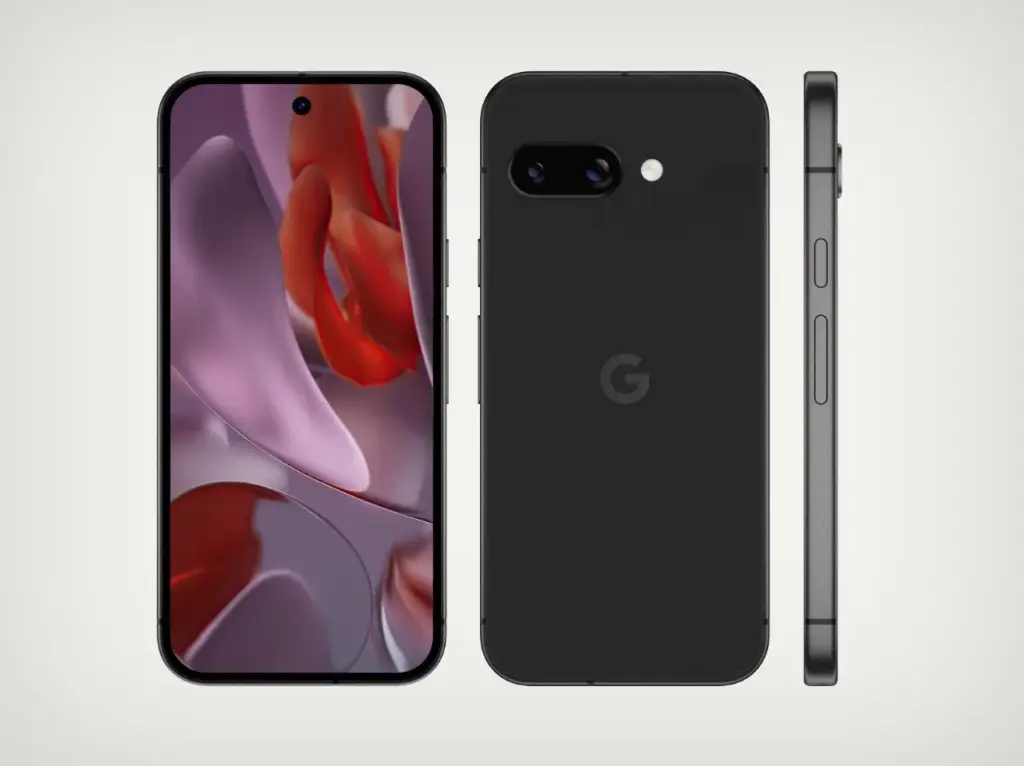
Okay, I get it. I was not sold on the design from the time I saw it, whether in leaked renders or hands-on photographs from our staff. The choice to remove the camera bar in favor of a flat (or largely flat) back irritated many people in this sector, as many viewed the Pixel team abandoning an iconic design for no apparent reason. Combined with the wider bezels and flat frame, I was not sure how I would react when the Pixel 9a arrived in my hands.
The answer, of course, is “totally fine,” as I truly enjoy the design Google chose here. It seems funny to celebrate something as easy as slipping a phone into your pocket, but the lack of a camera bar makes a significant difference here — it never got snagged on the lip of a jeans pocket, for example, and felt considerably smaller in my pants as a result. In our hands-on images, the wider bezels appeared to be exacerbated by the flat frame, but once the device was turned on, I stopped noticing the bezels almost immediately.
Obviously, the look and feel of any phone will be determined by personal preference. But if, like me, you never quite clicked with the Pixel 9a no matter how many times it appeared in various leaks and renders, I would recommend that you check see the phone in person before dismissing it completely. And I would be negligent if I did not mention the colors – I love the Iris color on my unit, and the Peony looks excellent as well.
Missing ai features? not many that you will use
Due to its limited 8GB of RAM, the Pixel 9a lacks a number of AI-powered capabilities seen in the mainline Pixel 9 series. Apps like Pixel Screenshots are completely vanished, while Call Notes has been removed from the Phone app altogether. While Google’s 2024 flagships shipped with its on-device Gemini Nano XS LLM, the Pixel 9a has a modified “XXS” model that removes multimodal capabilities in favor of text-only inputs. The end result is a lower-quality experience, but I doubt most people will notice.
Pixel Screenshots is a nice app, and I hope Google continues to improve the experience on the Pixel 10 and future. But I would be lying if I said I would been using it or Call Notes on the ordinary Pixel 9 for the past eight months. Your mileage may vary, of course, but I do not believe the absence of these apps is very noticeable in day-to-day use. Most people will get their AI experience via apps like Gemini or ChatGPT, which work wonderfully on the Pixel 9a.
Overall a pretty great phone
Google Pixel 9a with Gemini
Google Pixel 9a is engineered by Google with more than you expect, for less than you think; like Gemini, your built-in AI assistant, the incredible Pixel Camera, and an all-day battery and durable design
It is easy to dismiss a $500 smartphone as wonderful, but in my opinion, this is something to rejoice. Google’s efforts with the Pixel 9a feel like the culmination of several years of work to elevate the A-series from “surprisingly good for the price” to simply excellent.
Obviously, there are reasons to choose the Pixel 9 over this device — and if the prices are close enough, going with the older, more powerful smartphone feels like the right move — but at its core, this is a fantastic smartphone that will only improve if and when (tariff madness pending) it sees deals throughout the rest of 2025. For me, that is sufficient.
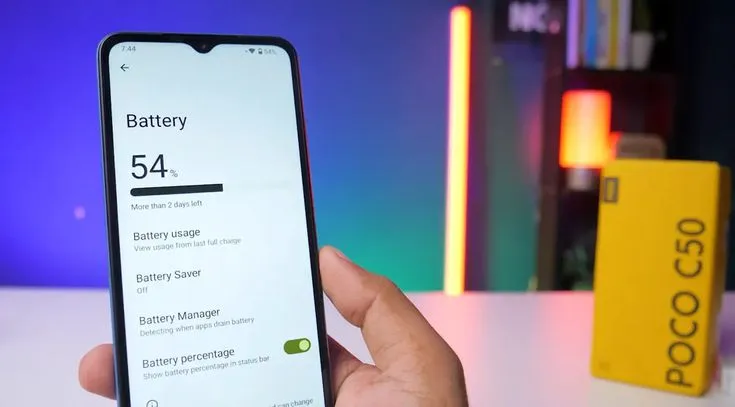
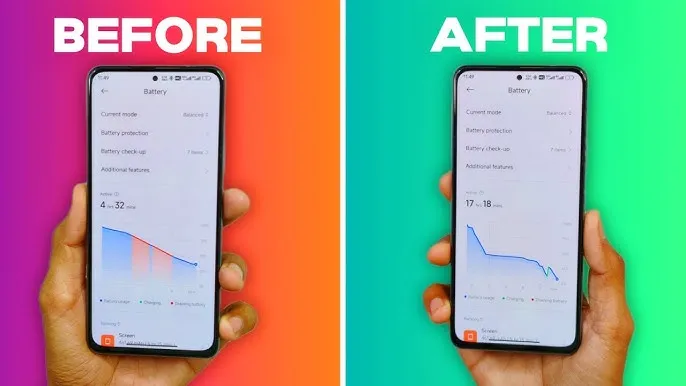
Google announced an amazing beta feature that addresses one of Android’s most long-standing issues: battery drain. The innovation is significant for Xiaomi consumers who prioritize battery performance in their daily smartphone usage. The functionality works by tracking “excessive wake locks” in Android’s Vitals panel, assisting developers in identifying and correcting programs that secretly waste battery power in the background.
For those who do not aware, “wake locks” are system-level capabilities that allow applications to keep your phone awake when in background operations. Although valid in some applications, such as music or navigation, overuse can severely deplete your Xiaomi device’s battery without providing any value in terms of how you view your experience.
How Does Google’s New Tool Work?
This approach is specifically designed for applications with active foreground processes that are running in the background. If such programs maintain a “wake lock” for more than three hours in a single 24-hour cycle, regulators consider them harmful. This accurate identification enables developers to address battery usage issues before they reach a large number of consumers.
This methodology provides app developers with more realistic views of how their applications function in real-world circumstances rather than laboratory-like test scenarios.
Partnership with Key Manufacturers
Google is not operating alone in this initiative. The internet behemoth is working with key smartphone manufacturers like Samsung to define “good” performance in a more consistent manner across the Android platform.
This collaboration aims to help developers create more optimized applications that run as easily as possible across a wide range of phone models from all brands, from Xiaomi’s large array of cheap options in Redmi to premium flagships in Mi.
Android Future Plan for Optimisation
This battery monitoring tool is just the beginning of Google’s multi-year strategy to provide developers with deeper insights into real-world app performance. Looking ahead, Google plans to:
Roll out more metrics for performance optimization
Develop and launch new battery life measurement tools.
Potentially release an updated Play Store to promote highly optimized apps
For Xiaomi users who consider battery life to be an important feature, these innovations hold out hope for an era when third-party applications are more efficient to use under HyperOS and other Android-based platforms.
What It Means for Xiaomi Users
Xiaomi has continually focused energy optimization in its devices, including larger batteries and advanced power management in HyperOS. Google’s new developer tools support these efforts by addressing the software side of the problem, potentially improving Xiaomi phones’ outstanding battery life.
The “excessive wake lock” monitoring tool is currently in the testing phase, with Google actively seeking developer feedback to improve its capabilities before a wider release.
Google released the Pixel Watch 3 alongside the Pixel 9 series in mid-August 2024, with a design that was not too different from its predecessor. There was a modest reduction in bezel size, an increase in brightness, and an additional size option, but it appeared substantially unchanged.
The wristwatch was revealed earlier than usual, as Google typically announces new products in October, which could change with the Pixel Watch 4. Even if Google sticks with August and a September release, the next-generation device will be accessible several months later.
That has not stopped suspicions from spreading, with the most recent revealing full renders of the supposed forthcoming smartwatch.
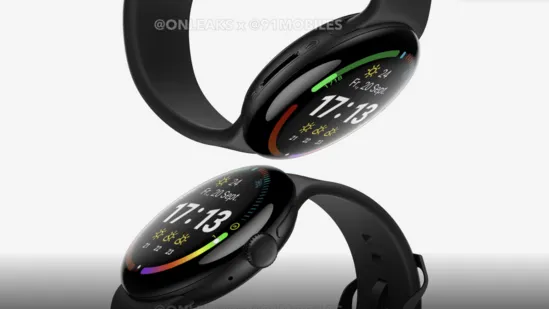
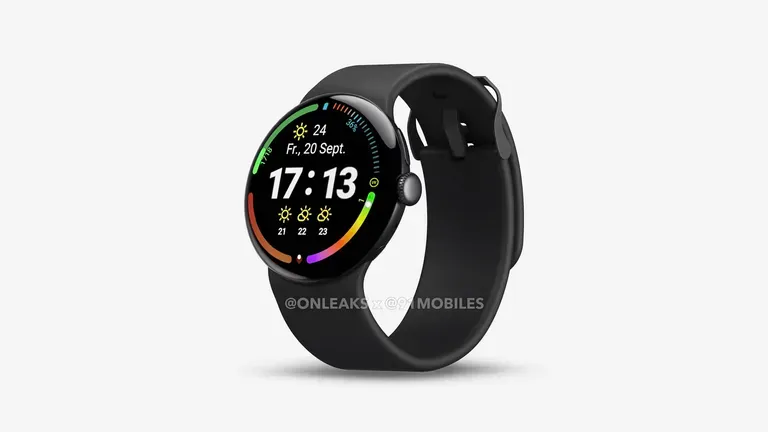
The renders were shared by 91Mobiles in collaboration with Steve Hemmerstoffer, also known as OnLeaks.
There is also a video of the gadget from all angles, giving us a fair idea of how the Pixel Watch 4 would look, as well as some distinct 5K renders.
What features might be available on the Pixel Watch 4?
Based on the renders, it appears that the Pixel Watch 4 will resemble the Pixel Watch 3. The circular design continues, with the crown centered on the right edge and a separate button above it.
(Image credit: OnLeaks / 91Mobiles)
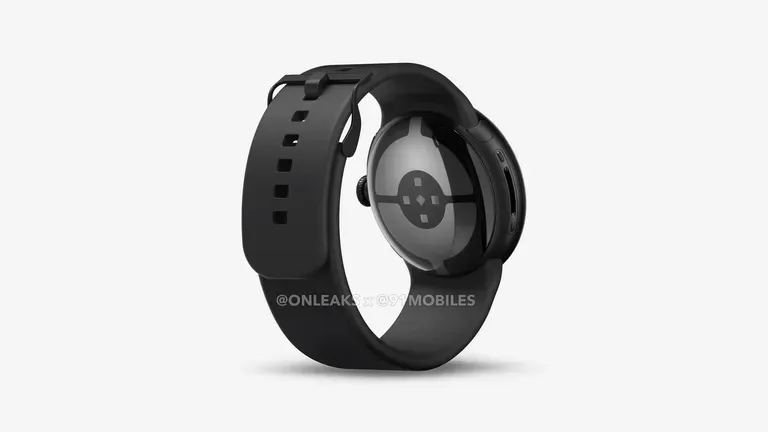
According to 91Mobiles, the bezels may be slightly thinner, but this is difficult to confirm, and the smartphone does not appear to have charging ports on the underneath. That could suggest that the Pixel Watch 3 enables wireless charging, however this has yet to be confirmed.
(Image credit: OnLeaks / 91Mobiles)
In addition, the Pixel Watch 4 is expected to be thicker than its predecessor, measuring 14.3mm instead of 12.3mm. This could be owing to a larger battery, although the same two sizes (41mm and 45mm) are also planned.
The video also reveals the strap mechanism, which does not appear to be changing anytime soon.
For the time being, nothing about the Pixel Watch 4 has been officially confirmed, but we would not be shocked if rumors about it spread in the coming months.
A number of leaks have already surfaced on the Pixel 10, Pixel 10 Pro, and Pixel 10 Pro Fold, all of which are expected to be released concurrently with the Pixel Watch 4, so keep an eye on this space.
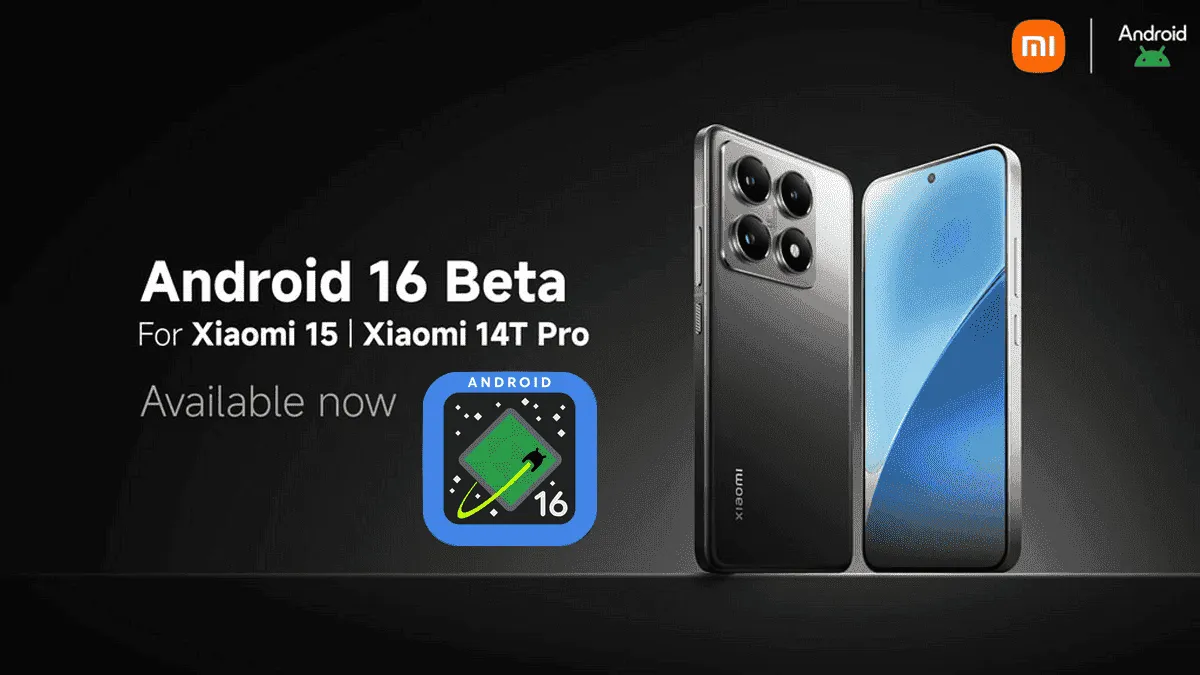
After being first released in China, the exciting HyperOS 2 for some Xiaomi devices running Android 16 Beta 2 is now available globally. The most recent features and improvements are now available to consumers worldwide on the Xiaomi 15 and Xiaomi 14T Pro, which is the international version of China’s Redmi K70 Ultra.
If you are eager to obtain Google’s most recent operating system and cannot wait for the final release, which is scheduled for June 2025, this comprehensive installation guide will walk you through the process.
Supported Devices and Build Numbers
Check your device compatibility before proceeding with the installation and record the correct build number:
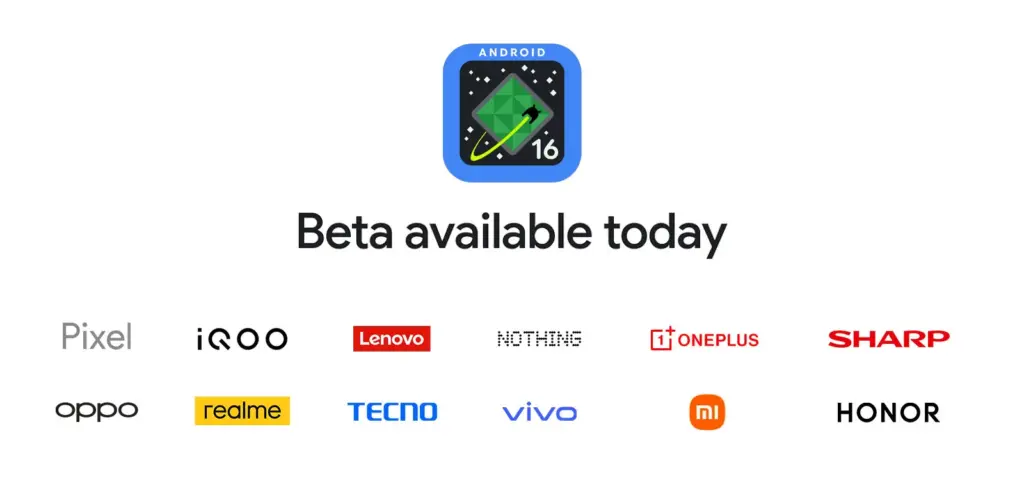
For developers and Android enthusiasts alike, Google’s release of Android 16 Beta 4 marks a significant milestone as it is the first release candidate build prior to a consumer launch. Along with Honor, iQOO, Lenovo, OnePlus, OPPO, Realme, and Vivo, Xiaomi is among the fortunate ones to have access to the current beta, which is currently available on a variety of devices from various partner vendors, including phones, tablets, and foldable phones.
It is interesting to note that on April 8, around ten days earlier, Xiaomi had released the same to its flagship Xiaomi 15 and 14T Pro phones. This shows how committed the firm is to providing early adoption of the newest Android innovations.
Significant changes in Android 16 Beta 4
Numerous bug fixes and performance enhancements that address issues found by both developers and users are included in the pre-release beta. In order to provide a seamless experience when Android 16 is formally released, Google has been working to increase stability.
Key fixes in this release are:
Resolved the map disappearance bug in the Pixel’s Weather app Resolved problems of haptic performance and late feedback
Resolved excessive power consumption that impacted some devices Resolves system restart problems during call answering
Fixed display magnification stability issues
Corrected screen saver activation problems Fixed phone restart issues that occur while using the ranging API
Several system stability and performance enhancements, such as launcher crashes fixes
Xiaomi amoung the first
Xiaomi’s dedication to provide users with cutting-edge software experiences is demonstrated by its early release of Android 16 Beta 4. Xiaomi has taken the lead among Android innovators by releasing the beta for the Xiaomi 15 and 14T ten days before the official Google release.
Early adoption by Xiaomi users offers them the following benefits:
Early availability of Android 16 enhancements and features
Additional time for users to give feedback and log issues
Chance to try the most stable pre-release version of Android 16
The release is the final scheduled update before the Android 16 Beta program’s public launch, which is currently in its final stages.
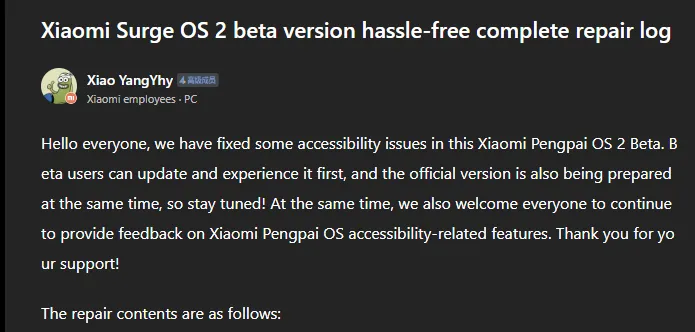
Xiaomi has taken a huge step in making its devices more inclusive by releasing a comprehensive accessibility repair log for HyperOS 2.2 Beta. Xiaomi employee @小杨Yhy shared a complete update in the Xiaomi Community, addressing accessibility concerns across the system, including basic controls, SMS functioning, and TalkBack improvements. This massive accessibility upgrade underscores Xiaomi’s dedication to create a more inclusive user experience, ensuring that their devices are usable by people with a variety of disabilities.
Common control enhancements in HyperOS
The accessibility update addresses a number of typical control issues that previously limited users with impairments. These improvements significantly improve the system’s overall user experience.
Key enhancements to standard controls are:
Corrected password control choices in the input fields
Resolved index bar operation and selection issues
Corrected focus problems with bubbles showing up when entering pages
Corrected switch control focus redundancy
Corrected wrong reading of switches as checkboxes
Included proper labeling to jump buttons in lists
Fixed reading problems with search and input boxes
Fixed focus and labeling problems with back buttons
Enhanced notifications of selection status
Provided proper labels to progress bar buttons
These fundamental upgrades will make the process more natural for users who rely on accessibility capabilities, particularly those who use screen readers or voice commands.
Communication and messaging enhancements
All users must be able to communicate, and the latest update significantly improves the SMS and phone accessibility capabilities. These changes make messaging and phoning more accessible to handicapped people.
Notable SMS and phone accessibility fixes include:
Correct labeling of satellite map SMS broadcasts
Addressed incorrect messaging in SMS multi-select action
Fixed the checkbox selection issue in message feedback.
Removed unnecessary blank focus fields in message details
Resolved incoming call number labeling issues
Fixed the dial pad focus and selection problems.
The new update also resolves several contact-related accessibility challenges to allow users greater control over their contact list and dialing irrespective of disability.
Control Center and System Settings Accessibility
System settings and the Control Center both benefit from extensive accessibility enhancements, making the management of the device more accessible to everyone.
Key improvements are:
Resolved focus penetration problems in the Control Center
Fixed switch status reporting issues
Included proper labeling throughout the Control Center
Fixed-coordinate position reporting during icon ordering adjustment
Enhanced focus of notification center and labeling
Fixed switch reading problems in settings
Added proper control type announcements
These enhancements guarantee that the users with disabilities can efficiently navigate and control their device settings without the presence of accessibility barriers.
Specific accessibility features for apps
The update also introduces several accessibility improvements to some of the Xiaomi apps, such as the Calculator, Calendar, Weather, Notes, Recorder, File Manager, Xiaomi Video, and Browser. These improvements work to achieve consistent accessibility within the entire Xiaomi ecosystem. TalkBack users stand to benefit most from the fixed volume adjustment problem and touch failure issues that previously hindered screen reader performance.
With a remarkable array of new features in HyperOS 2.2, Xiaomi is once again redefining smartphone innovation. These recent advancements further cement Xiaomi’s position as a mobile technology behemoth by spanning the domains of photography, artificial intelligence, and automotive connection. Explore the exciting new features that will completely transform your Xiaomi experience.
Photo and video editing capabilities
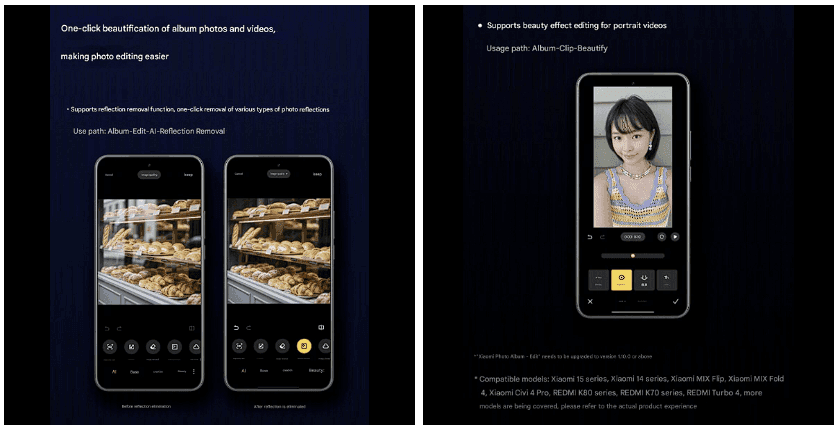
With HyperOS 2.2, you may alter your visual memories in a whole new way. The new anti-glare feature, which can instantly remove reflections from your photos, is its main attraction. Getting those pictures in the window or in difficult lighting situations is now easier than ever thanks to this technology, which adjusts to various kinds of reflections.
The update offers video enthusiasts beauty editing features specifically designed for altering portrait videos. With this tool, you can retouch your video recordings to the same level of personalization that was previously only possible with images. The Album app offers immediate access to these editing features through the Album-Clip-Beauty path for films and the Edit-AI-Anti-glare path for images.
These advanced editing capabilities will come to high-end Xiaomi models, including the Xiaomi 15 series, Xiaomi 14 series, Xiaomi MIX Flip, Xiaomi MIX Fold 4, Xiaomi Civi 4 Pro, REDMI K80 series, REDMI K70 series, and REDMI Turbo 4.
AI-Powered schedule management
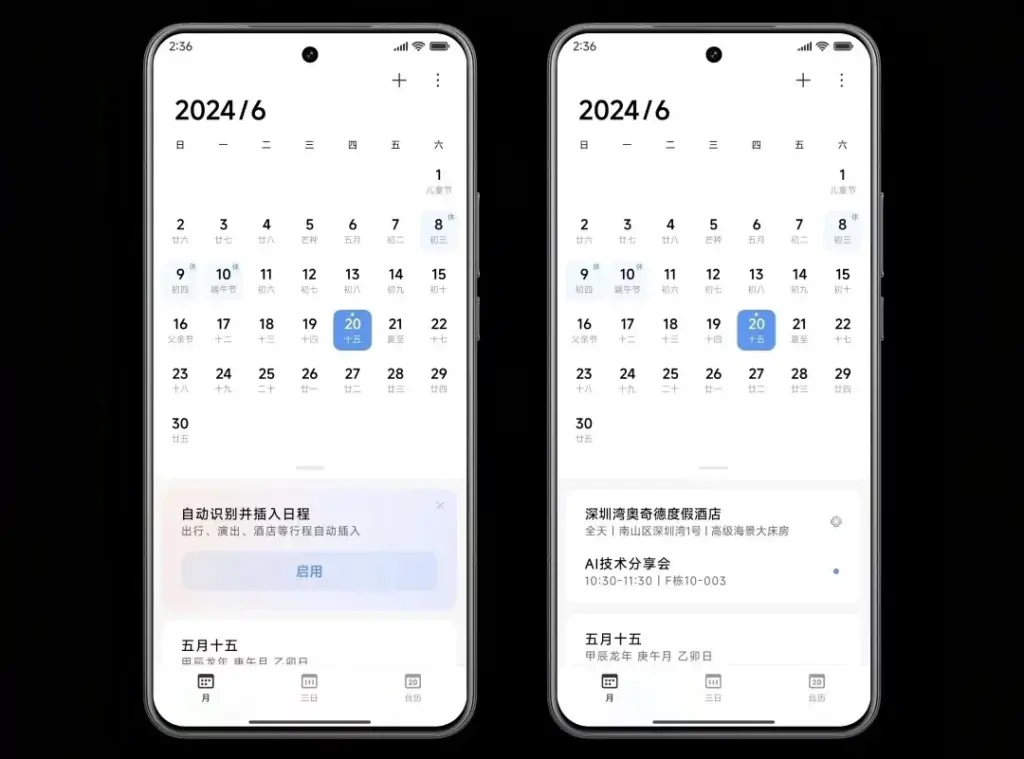
The AI scheduling clever extraction tool is one of HyperOS 2.2’s most useful enhancements. Instead of requiring you to manually enter scheduling information, this function will identify and display it in your text messages.
The system accommodates a variety of schedule types, including:
Train reservations
Flight information
Hotel booking
Restaurant reservations
Performance tickets
Movie tickets
To turn on this handy functionality, simply go to Calendar-Settings and turn on “AI Schedule Extraction.” Be aware that the feature is only supported on Xiaomi HyperAI-enabled models.
Enhanced CarWith functionality
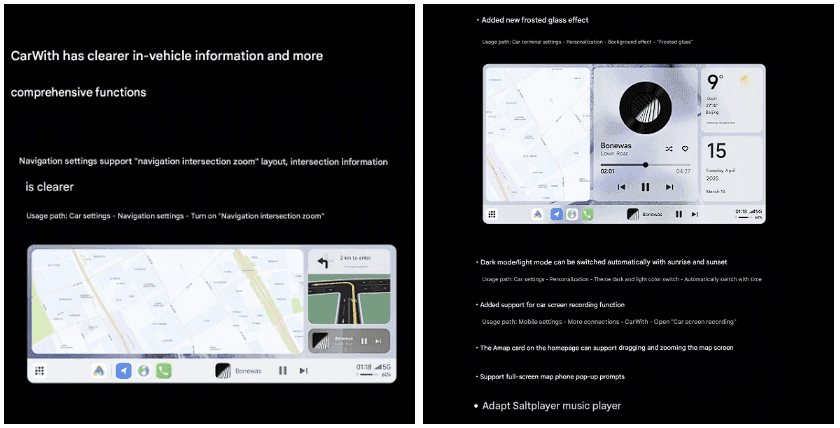
HyperOS 2.2 significantly improves CarWith, transforming Xiaomi users’ in-car experiences. A new “Navigation intersection zoom” style improves navigation by making information at road intersections easier to read and making it simpler to understand turns and exits up ahead.
A new frosted glass design further improves the visual experience, giving the car terminal a high-end aspect and feel. The dark mode/light mode can also switch automatically with dawn and sunset for added convenience, reducing eye strain both throughout the day and at night.
Additional improvements to car connectivity are:
Car screen recording capability
Map dragging and zooming on the homepage card of Amap
Full screen map phone notifications Compatibility with the music player Saltplayer
System-Wide optimizations
Beyond these major improvements, HyperOS 2.2 includes several quality-of-life enhancements throughout the system:
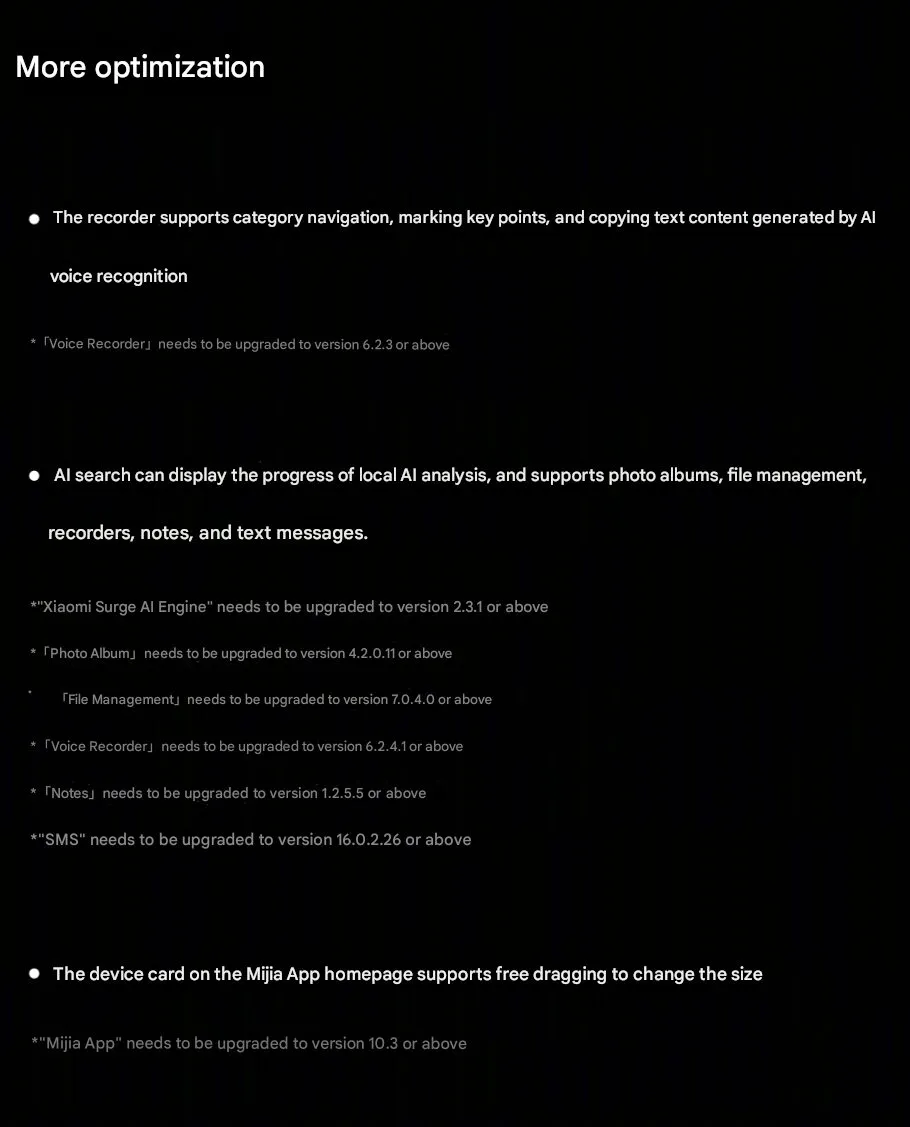
Recorder app includes support for category browsing, highlighting of key points, and copying of text created by AI voice recognition
AI search shows activity of local AI processing and provides support to photo albums, file management, recorders, notes, and texts
Mijia App homepage device cards are now free to drag and resize
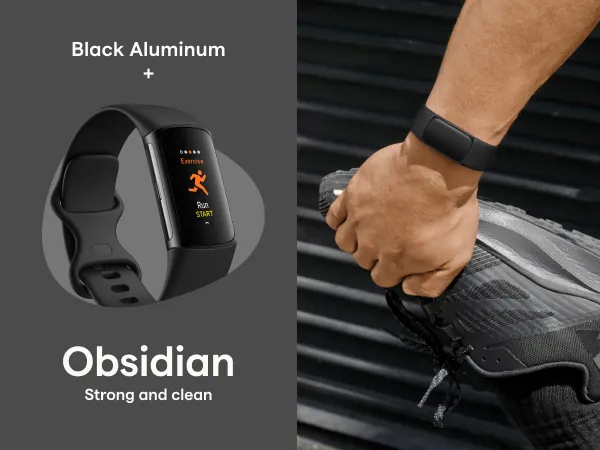
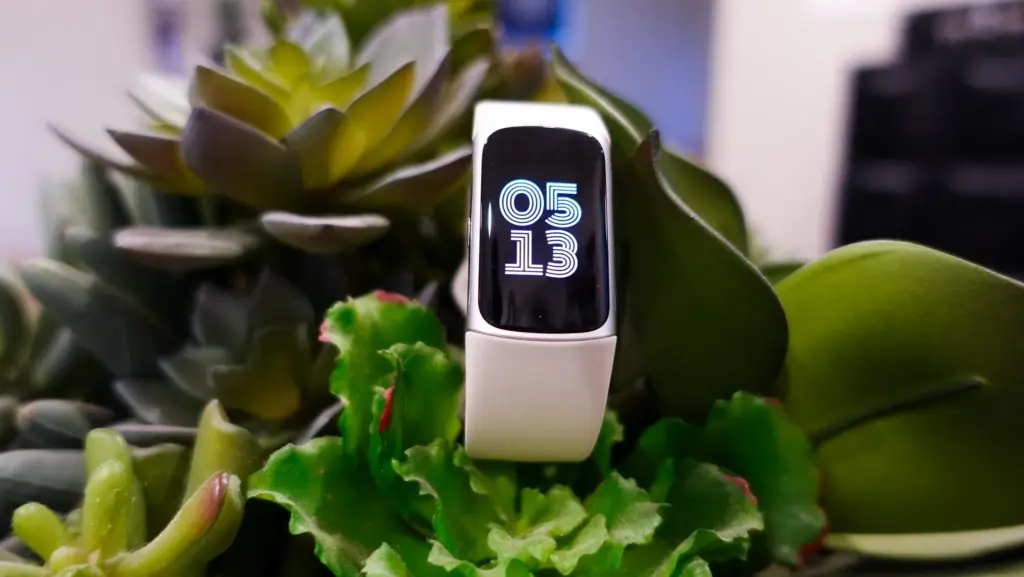
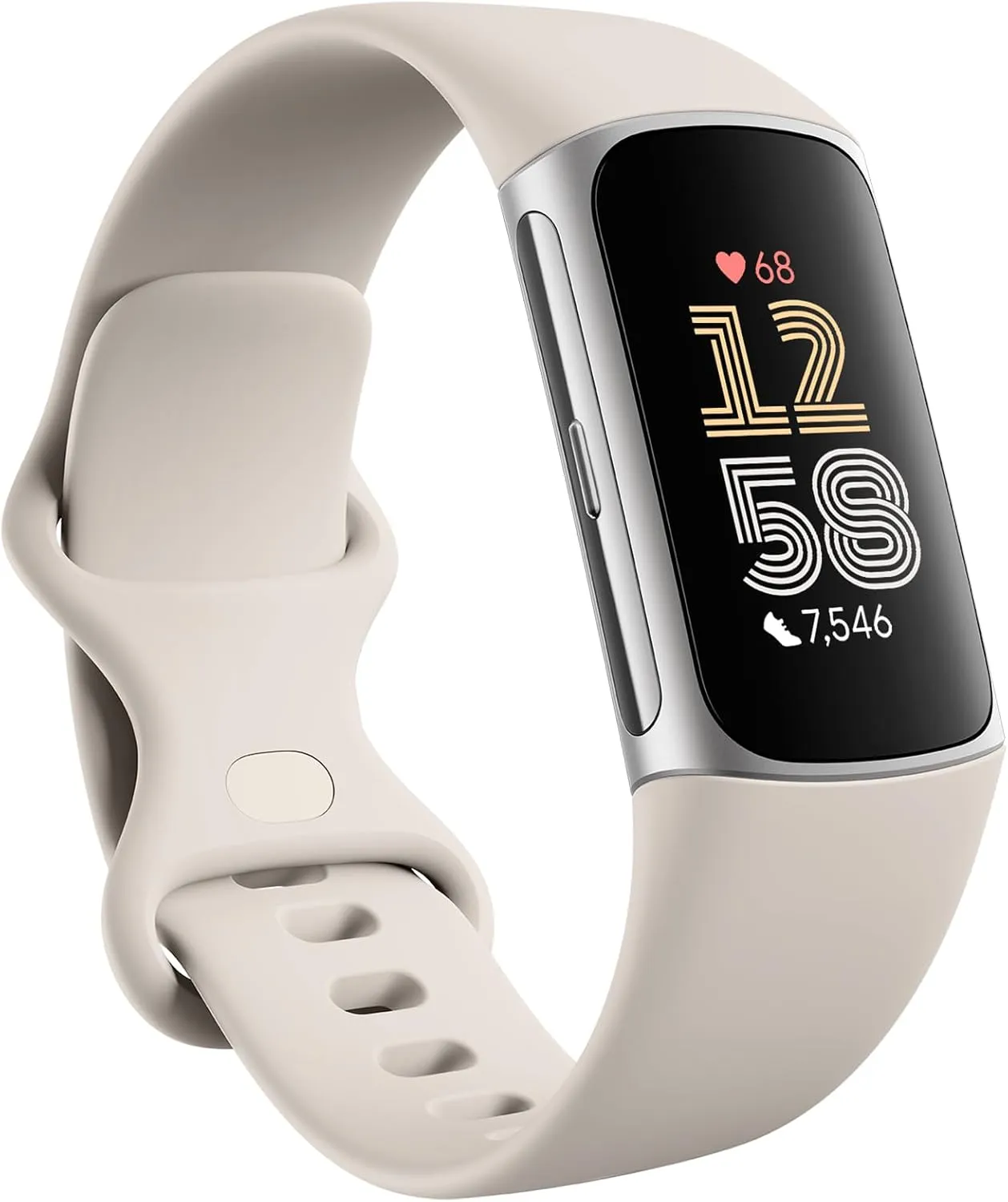
Whether you are a runner, rock climber, or a frequent gym goer, a fitness tracker can help you stay motivated to maintain your good habits. For a limited time, you can save 25% on the Fitbit Charge 6 fitness smartwatch. Normally, the watch costs $160, but with the discount, you can get it for $120 on Amazon. This saves you $40.
Fitbit Charge 6 Fitness Tracker
Turn little habits into healthier routines with Fitbit Charge 6 and Google Pixel Buds Pro 2; get advanced health and fitness insights from Fitbit and power through your workouts with the most comfortable, secure earbuds
The Fitbit Charge 6 is your fitness companion and coach, whether you are running or working out at the gym. There are over 40 distinct activity modes to choose from, and the watch immediately starts tracking when it detects a workout. You can view your numbers while lifting weights at the gym, kayaking, or doing anything else. It even boasts built-in GPS for tracking mileage and running pace during outdoor workouts, eliminating the need to utilize your smartphone.
To determine the intensity of your workouts, monitor your heart rate at all times. It will notify you when you reach fat burn, cardio, or peak zones, allowing you to modify your effort to match your goals. Monitoring your heart rate might also help you stay healthy. The ECG app and sensor can help you detect indicators of irregular heart rhythm, which could be caused by atrial fibrillation (AFib). Other health variables it will look at include your blood oxygen levels, skin temperature, and more.
The Charge 6 has the ability to transmit metrics such as heart rate to your screen when using a compatible treadmill, elliptical, rower, or workout cycle. This way, you do not have to look down at your wrist and can concentrate on your form while doing exercise.
Have more restful sleep and feel reenergized when you wake up in the morning. The watch may be programmed to vibrate at the best sleep cycle, leaving you refreshed when you open your eyes. You will be assigned a sleep score and will be able to track your light, deep, and REM sleep, as well as your sleeping heart rate, to see how consistent your sleep is.
Fitbit Charge 6 Fitness Tracker
Turn little habits into healthier routines with Fitbit Charge 6 and Google Pixel Buds Pro 2; get advanced health and fitness insights from Fitbit and power through your workouts with the most comfortable, secure earbuds
You will also have access to a few stress management tools. The Fitbit Charge 6 may provide you with a detailed explanation of your stress management score based on heart rate and other characteristics, as well as guided breathing exercises to help you develop healthier coping strategies.