Google Photos is making a significant change to how it manages RAW photos and backup on Android, as we noticed at the beginning of this year. The format has been substantially improved as of late, although there may be some drawbacks.
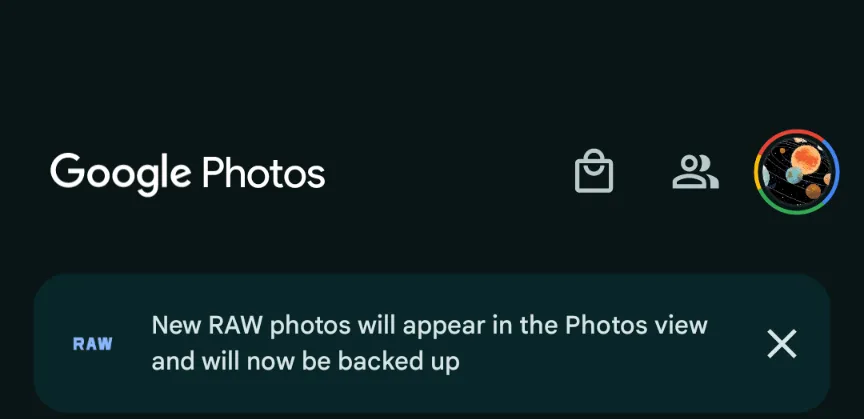
This morning, Google Photos presented the following banner on a Pixel 8 that had previously taken RAW photos in the Camera app: “New RAW shots will appear in the Photos view and will now be backed up.”
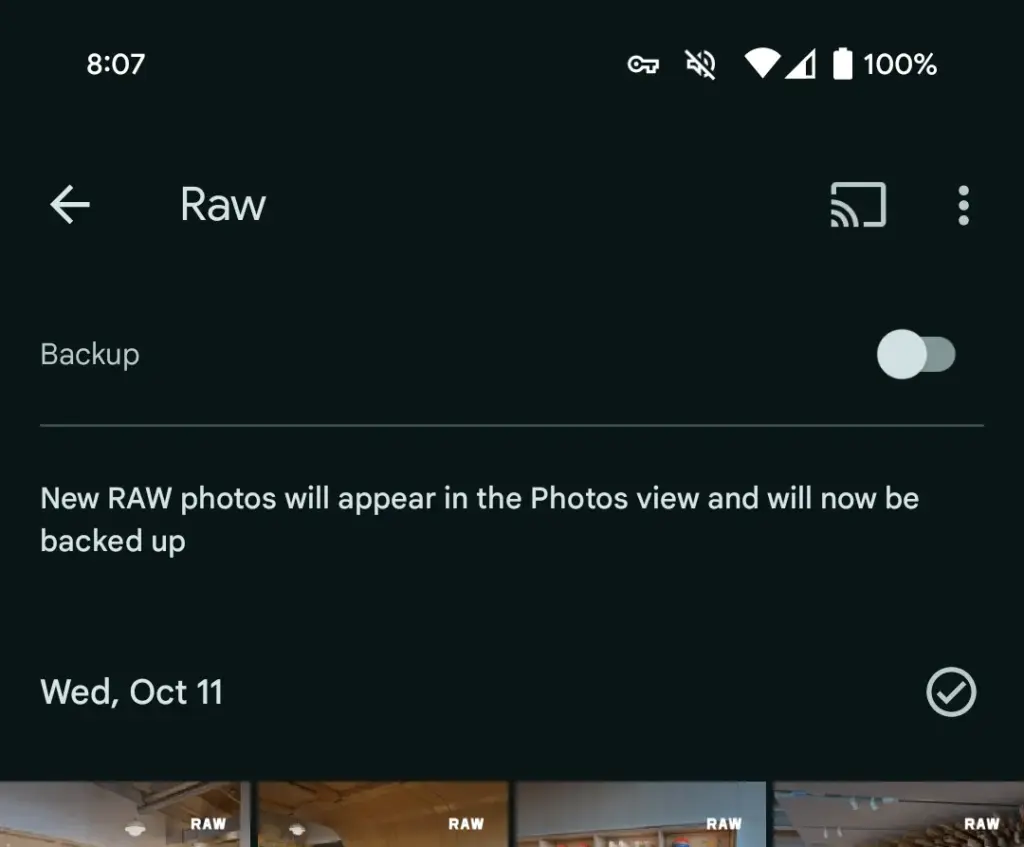
Taking a RAW photograph now automatically uploads it to Google Photos backup and displays it in the main “Photos” tab/grid. It’s labeled “RAW” in the top-right corner, and opening it shows a switcher at the bottom that allows you to view the JPEG as well. When viewed as a “Burst,” JPEG allows you to “Export this photo” or “Keep this photo only,” whereas RAW allows you to “Set as main photo” and “Keep this photo only.”
RAW files are quite huge, and Google automatically uploading to the cloud might rapidly exceed mobile data restrictions. (However, Google is no longer uploading earlier on-device RAWs.) There is no obvious way to prevent RAW uploads using existing backup settings.
It may potentially have an influence on Google One storage restrictions. Personally, I’ve always transferred RAW photographs I’ve taken via USB because I don’t have a backup for that folder.
Meanwhile, that “Raw” folder (on Pixel) found in the Library tab > Photos on device carousel is no longer in use. New RAW images are not shown there. At a glance, there’s no obvious way to view just RAW captures in Google Photos.
Meanwhile, this comes as Google Photos recently added the ability to set a default RAW editor. Photos settings > Apps & devices > Raw editor shows apps like Photos (which will convert to JPEG before editing), (Pixel) Markup, Gallery (Go), and Snapseed.
We’ve reached out to Google to explain this RAW backup change in Photos on Android on behalf of wedding photographers.
This news item isn’t exactly one of the more dramatic ones. It’s only the most recent upgrade to Google Wallet, though. A recent report claims that the Google Wallet app is now receiving independent notifications.
Although it has a separate app, Google Wallet is not totally independent. Wallet has its own app, however it lacks its own notifications. Indeed, they originate from Google Play Services. When you use Wallet to make a purchase, you’ll receive a notification with a brief description of the transaction. Google believes that it is now appropriate for Google Wallet to go independent.
Google Wallet is getting notifications
We don’t entirely understand the company’s motivations for separating Wallet from Play Services. We do know that Google is developing a new version of the Wallet app. For all we know, Google might be developing a more significant overall overhaul for Wallet. To be sure, we’ll need to wait for additional details on this.
In any event, the Wallet icon will be there next to your notice when it comes from Google Wallet. So, you must use the app’s notifications and not Google Play Services if you wish to turn off the notifications.
Google Wallet is receiving additional updates.
You need to be aware of how Google Wallet uses space before you open it. The app has a great deal of unneeded empty space. The cards are shown in a huge horizontally scrolling carousel that is topped with a sizable NFC icon. You may access the settings by clicking on your profile image in the top right corner of the page. You can see more cards at the bottom of the screen.
Google, however, intends to promote a redesign that will improve the UI’s use of the available space. To begin with, the NFC logo will vanish, and your cards will take its place. You may see your other passes, such as gift cards and reward cards, immediately beneath your cards.
All in all, the cards and passes will better fill out the interface. We’re not sure when Google is going to push this update to more devices, but it shouldn’t take too much time.
Every morning when you wake up, you drink your freshly brewed espresso while using the newest mobile applications. Every day that goes by, the market for Android and iOS applications expands. It’s growing quite quickly.
It’s not surprising that the market for smartphone apps is booming. On the Google Play Store, 2.87 million apps are available for download. 50 or more times per day are used by 21% of Millennials. 49% of consumers use an app 11 or more times per day. Mobile apps account for 70% of all digital media consumption in the US.
These days, public awareness of AI is widespread. Well, we are quite happy to provide you with all the best examples of Android AI apps. So let’s get started:
The List of Top AI Apps for Android
Buildfire’s analysis indicates that there are 6.3 billion smartphone users worldwide. But do you know why we’re here to talk about it? It’s the AI magic in Android applications. These days, public awareness of AI is widespread. Isn’t it intriguing to learn how AI functions in Android apps?
To see their astonishing features, let’s learn more about these AI Apps for Android in depth.
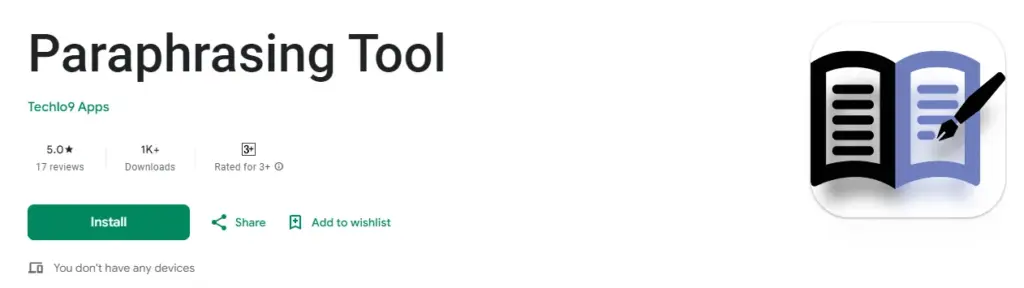
Paraphrasing.io
Artificial intelligence has significantly changed the digital market. We no longer need to spend more time and money creating excellent communication material.
The main goal of this paraphrasing tool was to facilitate writing. It is possible to rephrase the content at the level of words, phrases, and sentences. The rewriter in this paraphrasing tool is one of the greatest AI tools for paraphrasing any type of text.
In order to create entirely original, error-free work, it modifies the language and grammatical constructs changing the text while maintaining its readability and aesthetic appeal.
It enables quick phrase changes for both short-form and long-form content. Create a statement to learn how to change the diction and tone.
Google Assistant
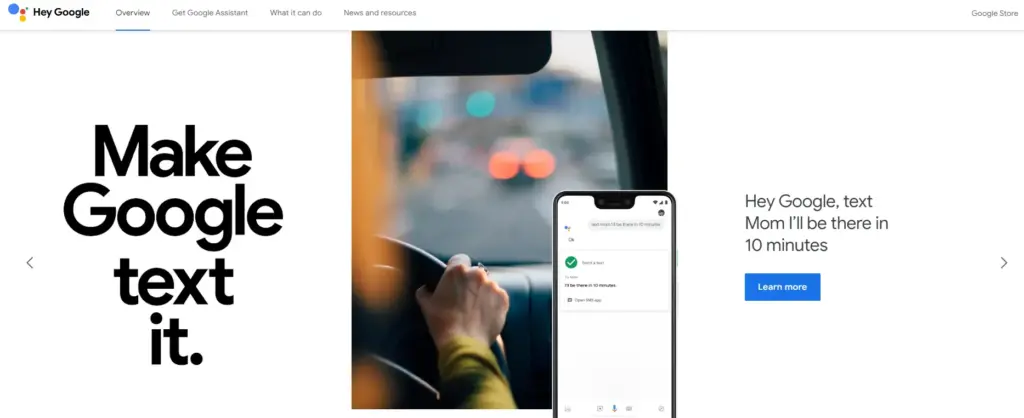
It is a Google-created virtual assistant software program. It is mostly accessible through mobile and home automation technology. Android apps can be voice-activatedly controlled using Google Assistant.
Users are able to open apps and do tasks with the aid of Google Assistant. They use search engines to acquire information and can accomplish a lot more things just by speaking commands like, “Hey Google, start a run on Example App.”
Continued discussion is supported by Google Assistant. It enables users to express numerous requests or ask follow-up inquiries without having to repeat themselves.
Numerous Google services, like Gmail, Google Calendar, Google Maps, and others, are smoothly integrated with it. Users can utilize this to navigate, view, and share images, as well as access their emails and make appointments.
Netflix
This Android AI app does not require an introduction. Nearly everyone in your immediate vicinity is engrossed in using this app.
Netflix is one of the most well-known streaming services in the world, and artificial intelligence has significantly contributed to this success. Using Netflix’s sophisticated recommendation technology, users can find content they might have missed.
Within a single Netflix account, customers have the option to establish multiple profiles. With the help of this feature, each household member can enjoy individualized interactions with their own viewing preferences, watchlist, and suggestions.
Depending on the subscription level, consumers can stream material to many devices at once. Family members or friends can watch various episodes or movies on their individual devices thanks to this capability.
Amazon Alexa
Amazon.com has created a different virtual assistant app. This app is used to establish a connection with Echo, Echo Dot, Echo Studio, and Tap speakers from Amazon.
It is a straightforward program to use; all the user needs to do is issue voice instructions, and it will search and react correctly. It carries out numerous activities, such as playing music and giving the most recent news, weather updates, and alarms. With the aid of IoT, it is also beneficial for home automation.
With over 100 million downloads, it has a 4.3 Google Play rating.
It supports multiple languages, including Hindi, Arabic, English, and more.
ChatGPT
ChatGPT was created by the OpenAI team. It is a free AI chatbot that can be downloaded right now from the Google Play Store. This service can fulfill your demands, make ideas that are tailored to you, spark your creativity, and offer a variety of other conveniences.
If you purchased ChatGPT’s Plus version, you can log in with the same account to this app and access GPT-4’s mobile power. This ChatGPT mobile app from OpenAI is an official one; thus, it syncs your history across devices and offers the most recent model upgrades.
Replika
Replika is a chatbot companion powered by AI that enables you to construct a 3D avatar that it refers to as Replika. Your Replika can be interacted with in the same way as a friend. As you converse more, it grows in personality and memory alongside you.
On this app, you may build your own Replika (AI companion) and educate it about the outside world and about you. The AI companion’s personality will develop with time, and its communication skills will improve.
It’s a great app for talking about your thoughts or how you’re feeling.
Socratic
Since it is a learning application, students can benefit from using it. It was created by Google and is suitable for college and high school students. Socratic is a well-known educational program that supports students in various topics, including literature, chemistry, and biology.
Text and speech recognition power the program. Users can quickly access materials or lessons to learn from thanks to it. Simply take a picture of the question and post it, says the pupil. The program will locate all classes and tutorials pertinent to the query.
Bottom Line
You may expand your company by using AI business tools to their full potential. The state of artificial intelligence today is too advanced for what is available in the Google Play Store. Other Android AI applications are proliferating and making slow progress. The AI apps for Android are about to undergo a revolution thanks to advancements in the field of AI. If you run an inventive business, your next objective should be developing AI-based apps.
Have you ever realized that you were aimlessly browsing through your phone without taking any action? It’s simple to get lost and unsure of which apps to really install when perusing the large selection of apps available on the Google Play Store or the Apple App Store, whether you’re looking through news, social media, or the apps themselves.
We are aware of the negative effects of this behavior, but we also value the thrill of finding a free program that is genuinely helpful. Because of this, we at Droid Tools have taken the time to search the Google Play Store and the Apple App Store for free apps that are usually not made available for free.
It’s crucial to remember that the free versions of the iOS and Android apps we describe below are only accessible right now. The expiration date of this deal is beyond our control. Because of this, it’s essential to take advantage of the chance and download/install any program that grabs your attention as quickly as you can, before it turns back into a paid app.
Android apps available for free for a limited time
Android apps for productivity and lifestyle
Reminder Pro($2.99): Our smartphones are supposed to help us be more efficient, so why not take advantage of this app so that you can remember stuff?
Home Workouts No Equipment Pro($1.49): You might have a thousand and one excuses not to work out at home, but this app ensures you can get a well-balanced workout even without any expensive gym equipment!
Android Games
Evertale($0.99): A fantasy game with monsters to kill and places to explore. A Pokemon clone of sorts, with extremely lovely graphics!
The Hearts PRO($1.99): A puzzle game that will certainly stretch your brain power. There are 6 different game modes to choose from to keep you occupied for hours on end.
Stickman Warriors Super Heroes($0.49): A beat’em up that will test your skill to the maximum. Do you have the type of reflexes required to win?
Space Shooter Galaxy Attack($0.99): It is up to you again to save the galaxy from an alien invasion force. Do you have what it takes?
Timing Hero PV($2.99): An interesting RPG that pays homage to the pixelated graphics from the 8-bit era, where you explore the world and start growing in power as you level up.
iOS apps available for free for a limited time
iOS apps for productivity and lifestyle
Memorize IELTS Vocabulary($4.99): If you are running out of time and need an app to help push you over the line in memorizing IELTS vocabulary, this might just be it!
Casual Dieting($0.99): Want to start keeping track of all that you eat? This log book makes everything look so cute, and it should spur you on!
Household Account Book($0.99): Balancing your monthly expenditure can be quite a chore, but what happens when you have an app that encourages you to do so with lovely graphics? It would be an encouragement for sure!
Pocket Chops($1.99): Practice makes perfect, and with 2,300 practice rudiments for the aspiring drummer, you’re spoilt for choice!
Locker Pro($15.99): Here’s where you can store all your passwords with peace of mind, at least it is an alternative if you are feeling paranoid.
iOS games
Geography Duel($2.99): Hello, nerd! Want to show the world just how good your geographical knowledge is? This game will find you out!
Drop Flop!($0.99): Just how fast do you think your reflexes are? Find out in this screen-tapping game!
Hexio($1.99): A mind-numbing minimalist puzzle game with 96 levels to help keep your brain on its toes.
Doge Flyer($0.99): Now here’s a game that pays homage to the endless runner genre, where you are a Shiba Inu flying around in a rocket, avoiding obstacles to stay alive. Unlike a cat, you do not have nine lives…
Cartoon Craft($1.99): It is a fierce battle between orcs and humans, which faction will you take in this RTS to emerge victorious?
Have you ever let your phone idle while you scroll through it idly without doing anything? This involves looking via social media and the Google Play Store, as well as the Apple App Store. With so many apps available, it’s simple to become confused and unsure about which ones to install. Although there are disadvantages, there is also joy in discovering something free that is genuinely helpful. To identify free programs that are typically not free, we at nextpit have combed through the Google Play Store and the Apple App Store.
First and foremost, it’s crucial to remember that the free, temporary availability of the iOS and Android apps described below. The expiration date of this deal is beyond our control. Hence, take advantage of the situation! Each program that captures your eye should be downloaded and installed right away before it starts to cost money.
If you come across an interesting app that is listed here but don’t need it just yet, we would recommend you install it before deleting it. By doing so, you will save the app in your library and install it later without having to pay for it, even after the promotion has ended.
Android apps available for free for a limited time
Android apps for productivity and lifestyle
Reminder Pro($2.99): Are you a very forgetful person and need an app that becomes your second brain? Reminder Pro fits the bill perfectly.
Home Workouts No Equipment Pro($1.49): How is your New Year’s Resolution to keep fit and trim coming along? It is not too late to start yet, with this app to help you regain your strength and health without the need for expensive gym memberships or equipment.
ColorMeter Color Camera Picker($1.99): This tool is a pretty cool one for content creators, as it helps you capture and identify colors in your surroundings easily. If you are a stickler for accurate stuff, then this is right up your alley!
Android Games
Burning Fortress 2($0.99): Forget about defending your castle or fortress, this time around, it is your turn to be on the offensive! Just how well can you do?
Block Blast($1.49): A retro puzzle game that is almost like Tetris, except that it is not. You need to match the colors of the blocks instead of clearing lines.
Kingdom Rush Vengeance TD Game($4.99): A tower defense game that offers unique challenges that will keep you coming back for more!
Crazy Calculator($1.49): Do you think you are a math whiz? If so, you might want to check out this game which looks like a calculator app but teases your brain in ways you never knew a calculator could.
Zombie Age 2 Premium Shooter($0.99): A cartoonish side-scroller that sees you mow down wave after wave of zombies in a desperate bid for survival.
iOS apps available for free for a limited time
iOS apps for productivity and lifestyle
Farm Touch Sounds($0.99): Listen to the different types of sounds that farm animals make by touching their respective photos.
HibiDo Pro($2.99): We know that everyone is extremely busy just trying to survive. This means tons of tasks to do each day, so why not enlist the help of an app to simplify your life?
Sifter($0.99): An app that filters incoming SMSes, making sure that no spam gets past it.
iOS games
SARKWO($0.99): A puzzle game that requires you to slide marbles in the right order so that you can advance to the next level.
Spell the Beans($1.29): Absolutely cute title, where a bunch of spilled coffee beans will then require you to make words out of them.
Halloween II($3.99): Find out everything that you need to know about Halloween right here in this cute little app.
Duplicado($2.99): It is an avalance of avocados! You will need to slide all the avocados on the ground so that every single seed is planted to maximize the harvest.
Shock Clock Arcade($0.99): Jump from clock to clock before time runs out. Just how fast are you?
That’s it for now! To get you through the weekend, we hope you’ve enjoyed our selection of free iOS and Android apps. Were there any intriguing apps or games that you liked that you did not find here in the Apple App Store or Google Play Store? Please feel free to leave your suggestions in the comments section.
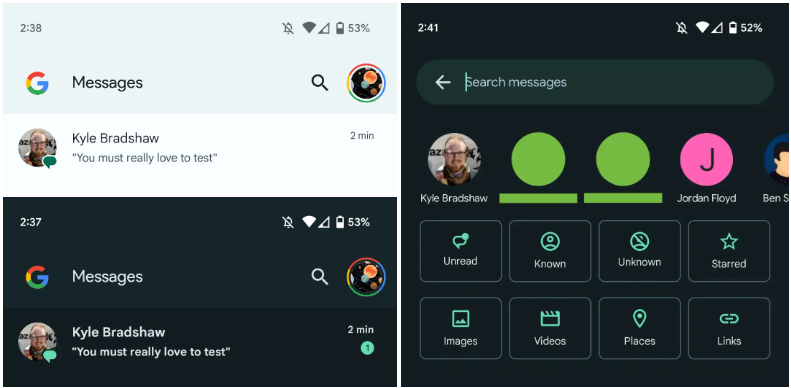
Interesting changes are being made by Google to the Messages homescreen, including the removal of the navigation drawer and the addition of prominent branding to the Android app.
The Google Messages homescreen has undergone another update with beta version 20230717 01 RC00.
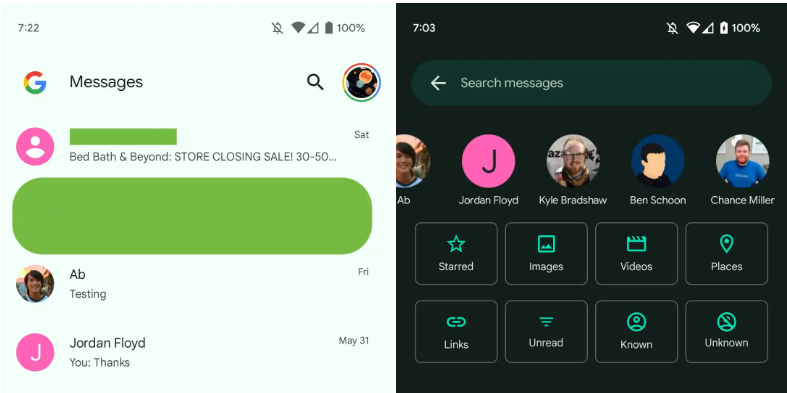
With this redesign, the message organization feature that had recently been enabled for beta users is not present. In the meantime, Google has slightly modified the search filters. This new appearance has not yet been implemented broadly.
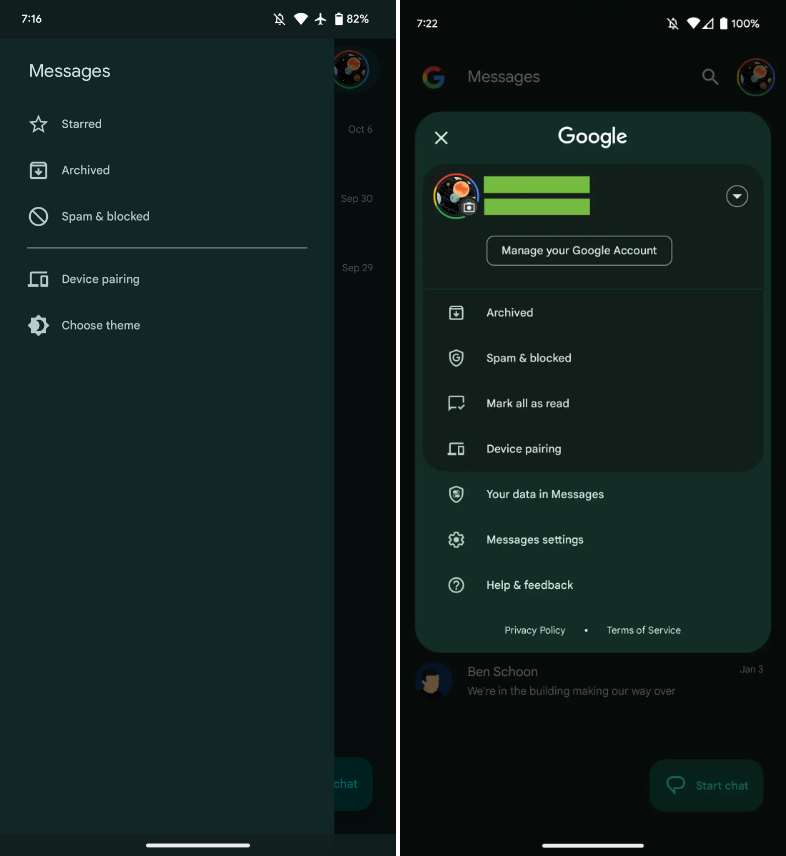
You only get a magnifying glass icon in place of a full-width search bar. Google’s four-color “G” logo is in the top-left corner, followed by the word “Messages.
With those settings now under the account menu, the navigation drawer and its hamburger icon have been deleted. Your data in Messages, Messages settings, Help & feedback, Spam & blocked, Mark all as read, and Device pairing are displayed in that order. Google has shifted “Select theme” inside the settings menu in the interim.
Early in 2022, after previously solely using an overflow menu, Messages added a navigation drawer. This was considered to be defying current Google app design trends at the time.
A small change in search sees Google drop the “Categories” carousel for a standard grid that requires less scrolling: Starred, Images, Videos, Places, Links, Unread, Known, and Unknown.
In comparison to programs like Gmail, which has a huge list of categories and labels, and Calendar, Messages’ navigation menu was ineffective, included just a few items, and was unnecessary. This account menu strategy is more effective and is used by other first-party apps like the Google Play Store. The complete search box was likewise superfluous, despite being a Google app hallmark.
More interesting to me is the “G” logo in the top-left corner that serves as very explicit Google branding that denotes how this is how the company wants you to message. It can be seen as part of Google’s ongoing RCS campaign.
We’re seeing this homescreen redesign rolled out with version 20230608_01_RC00 of Google Messages that was released yesterday to the beta channel. This redesign is not yet widely available, but feels like a definite modernization.
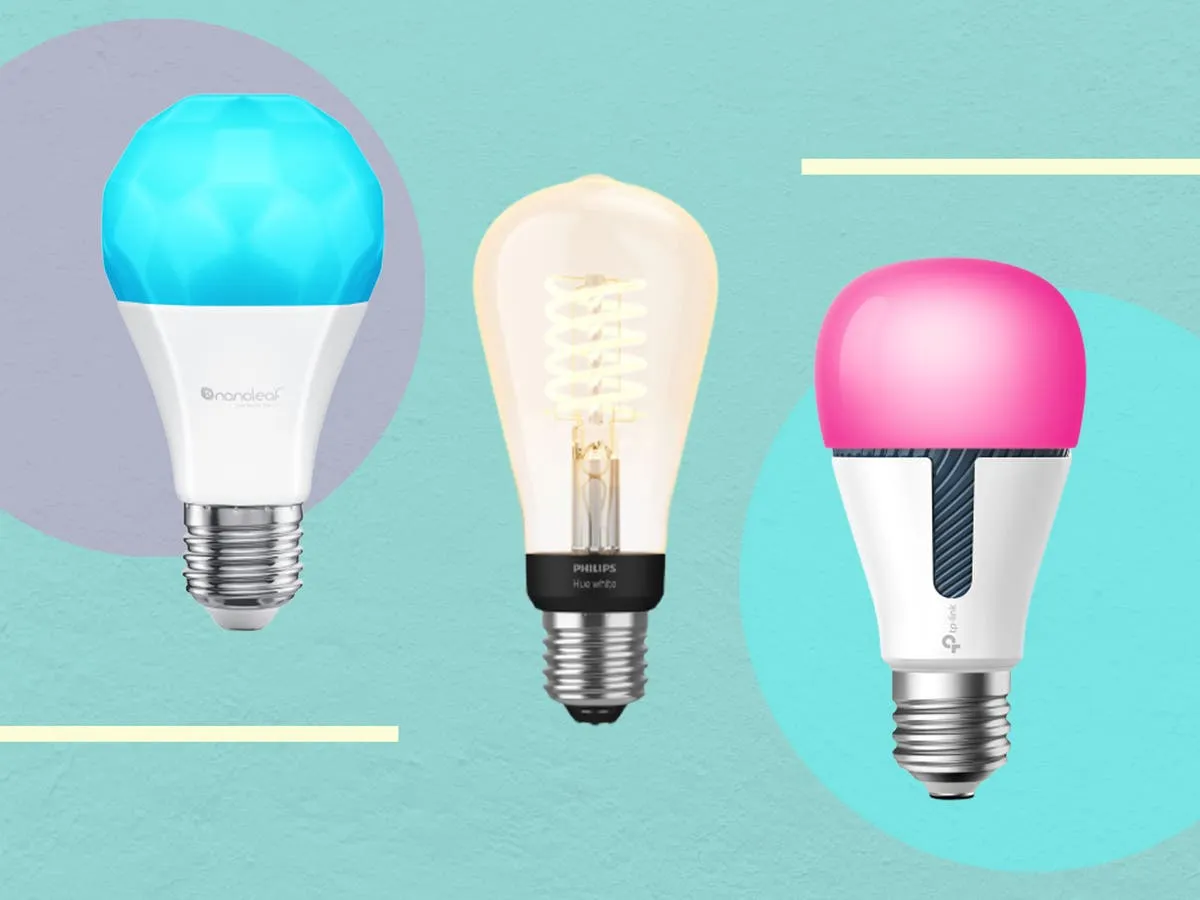
Because they are capable of far more than just turning on and off, smart bulbs are intelligent. You can create schedules to deter would-be burglars while you’re on vacation, dim them with the press of a button on an app, or change their colors with a simple voice command (or just reduce your carbon footprint). Many third-party apps can allow you execute some cool tricks that you wouldn’t otherwise be able to do with the official mobile app. Certain smart bulbs can even be designed to function with third-party apps.
The greatest smart lighting solution we’ve ever evaluated is the Philips Hue lighting system, which is a very adaptable smart lighting platform.
There are many apps available in both the Apple App Store and the Google Play Store that can let you quickly access some of these “unlockable” tactics. Some of these apps even integrate with other smart bulb systems, making it possible to manage many smart bulb brands from a single platform.
To set these things up yourself, you also don’t need to be a top-notch programmer. With just one of the mobile apps from our list and a little perseverance, you can combine a few instructions to control your smart lights even more.
HueDisco (Android and iOS)
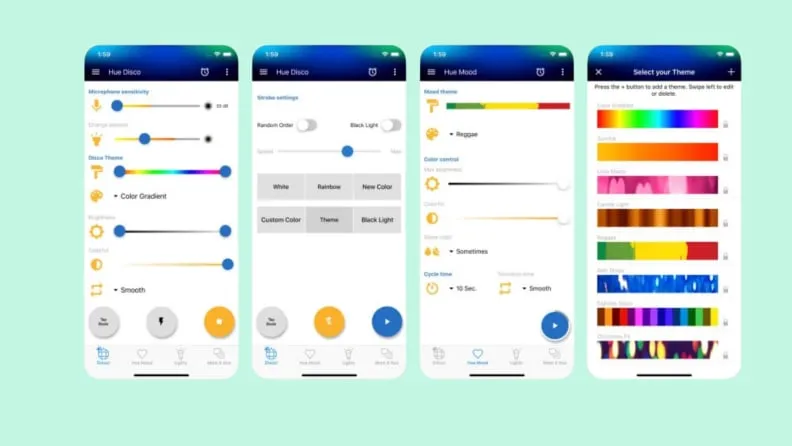
HueDisco is a lot of fun. Anytime they want, everyone can turn their home into a dance party because it is accessible to both Android and iOS users. The app connects your lights and music, causing the lights to change color in time with the music.
The microphone sensitivity and color range control settings allow you to fine-tune how accurately the bulbs pick up the sound recorded by your phone’s microphone and prevent your lights from bouncing from one end of the spectrum to the other. Even without playing loud music, you can establish the mood for the Hue lamps with a range of strobe patterns and arrays.
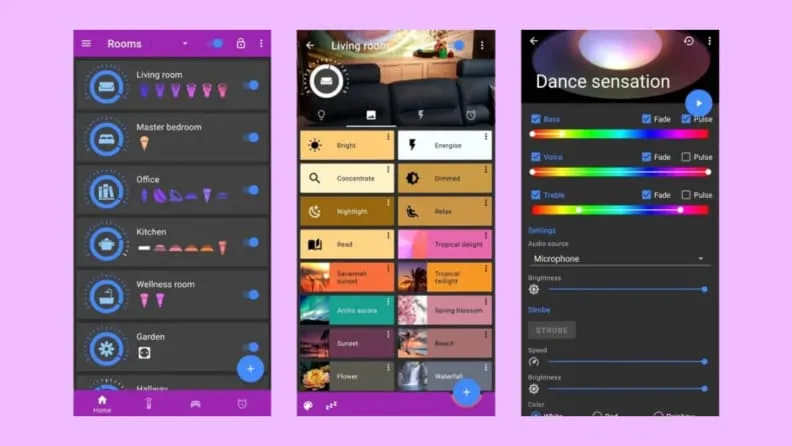
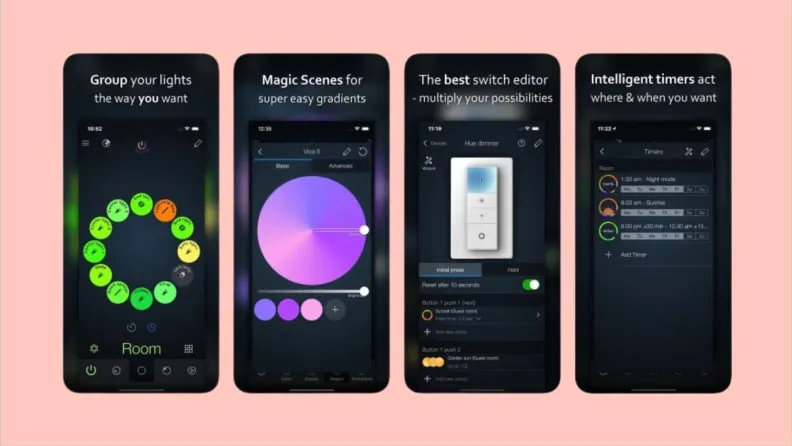
The Hue Basics app is a respectable substitute for the Hue app by default for Android users. It has a beautiful layout with an easy slider control for each bulb and a shelf that contains quick links to other connected lights and their respective groups. Moreover, Hue Essentials provides rapid settings tiles, which are useful if you like to set the mood for group activities. Additionally, you can activate the Quick Settings toggle to enable push-button access from within the Android notification shade.
This software also includes a useful feature that synchronizes your Hue lights with the music, similar to Hue Disco. The Hue Essentials app also provides control for many bridges at once for individuals who enjoy fiddling with settings.
The iConnectHue for Philips Hue app is a comparable substitute for iPhone customers looking for Hue Essentials. The Philips Hue light system now has automation, customization of individual and group lights, support for multiple bridges, and even Apple Watch capabilities thanks to this app. Even if you’ve connected your Hue lights to other smart bulbs or bec led, such as Cree, Osram, or GE Link, this app may be the best way to control them all from one location since it supports several lesser-known lighting manufacturers as well.
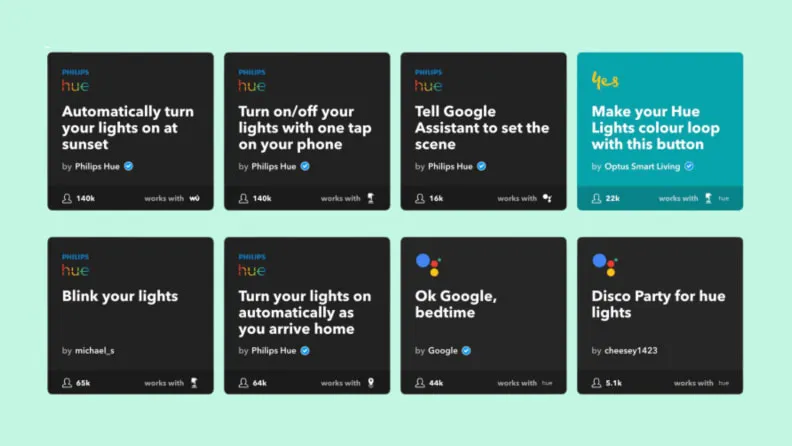
IFTTT, which stands for “If This Then That,” is a perfectly good substitute for the complexity of Stringify and Yonomi if you don’t want to spend the time learning about home automation in-depth. It works with most of the well-liked smart lighting platforms now available, including Philips Hue, LIFX, TP-Link, Sengled, and others. Additionally, it integrates with a wide range of other services, including social networking accounts like Twitter and Facebook as well as cloud accounts like Dropbox. If you haven’t got the chance to plunge into automation yet, IFTTT is the ideal approach to whet your taste for it.
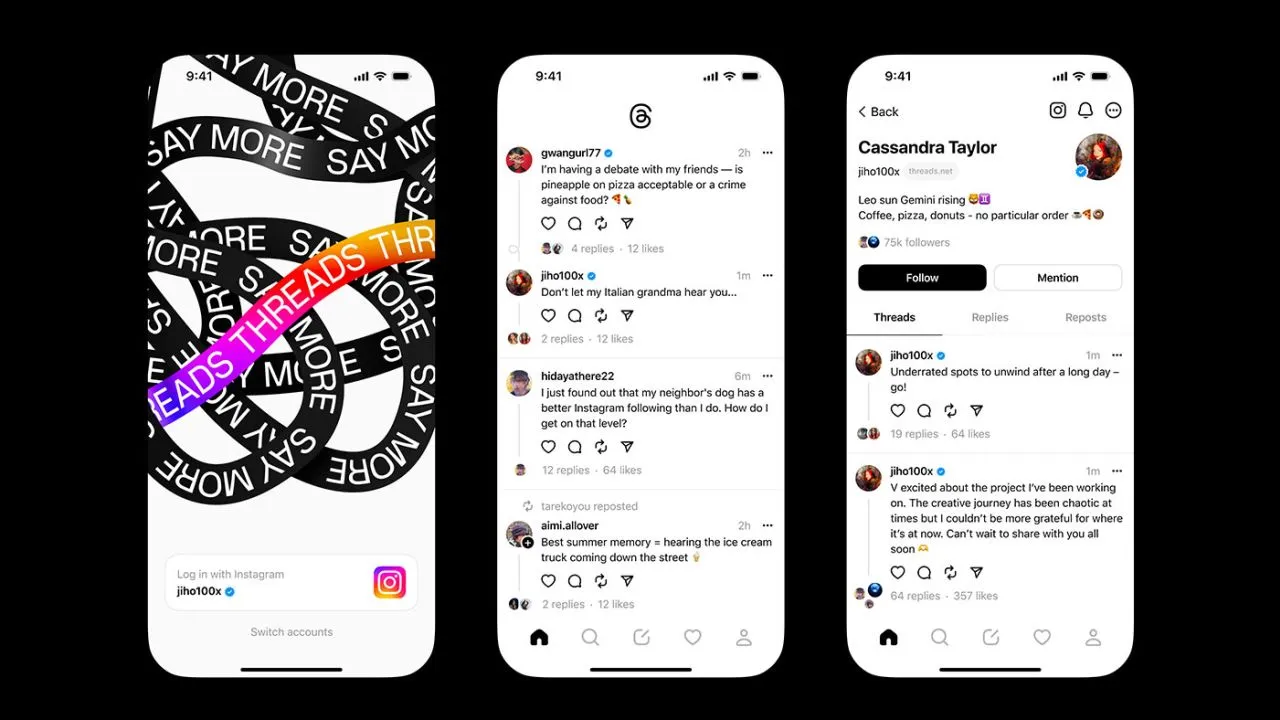
Think again if you believed that your data on Threads is private.
All of the methods that Threads is following you and using your data are listed in the App Privacy section of the Threads App Store website. The list is very, very long, reader.
Thursday saw the launch of Threads, Meta’s answer to Twitter, and it appears that in its first seven hours of operation, it attracted more than 10 million users.
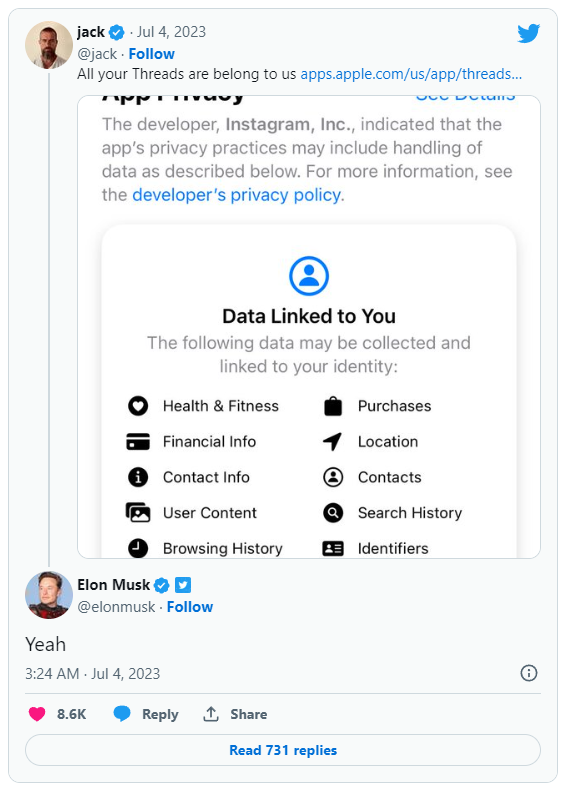
Click the “See Details” link in the App Privacy section of the App Store page for a comprehensive overview of the possible data collection and usage practices for Threads (opens in a new tab). But, the gist is this: Nearly all of your personal information is being gathered by Threads, including information about your transactions, finances, location, contact details, search history, and browsing habits.
Jack Dorsey, a co-founder of Twitter, became aware of this and tweeted about the Threads App Privacy section. Elon Musk, the company’s current owner, simply said, “Yeah.”
It doesn’t come as big surprise. The amount and breadth of data that Threads collects is similar to its sister app, Instagram(opens in a new tab) (both Threads and Instagram are owned by Meta, which also owns Facebook).
Twitter and other significant social media platforms gather user data as well in order to provide advertisements from outside businesses more effectively. A comparable, albeit slightly condensed, overview of all the ways in which Twitter uses the data of its users can be found on its App Privacy(opens in a new tab) page.
Even still, it’s upsetting to have to give a Twitter clone access to vast amounts of your personal information. Another Twitter competitor, Jack Dorsey’s BlueSky, which is now invite-only, claims to be looking into ways to make money without being as dependent on third parties as its rivals.
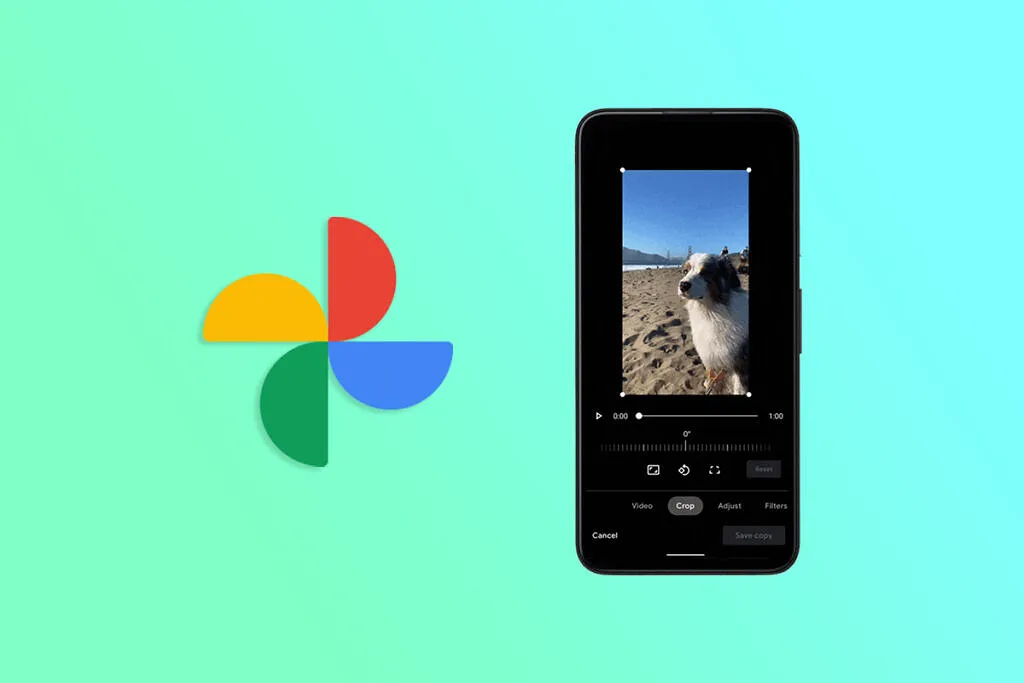
With every update, Google Photos, which might be compared to the Swiss Army knife of gallery apps, gets better. For instance, Pictures recently added a useful import feature. The software has now been enhanced by the developers with the addition of video effects and improved media controls, making it an even more useful tool for Android users. Google Photos expands its library of stunning video effects.
According to a video by In Deep Tech Reviews, Google Photos is adding a new feature to its video editing toolkit that enables users to add a variety of special effects to their videos (via Google News on Telegram). The edit interface’s new effects tab contains all the options. The program downloads the effects once you select the effects tab, and you may start using the app.
Google has added 12 new effects, including Dust Max, Black and White Film, Light Leak, and others, that serve a variety of various use cases. Your videos become more unique thanks to these effects. For instance, the Poster effect makes your video resemble folded paper, while the Layouts effect offers your selfie movies a tidy block-by-block appearance.
This was tried by In Deep Tech Reviews on a Google Pixel 7 Pro running Android 14 Beta 3, and it seems to function flawlessly. That is not restricted to the Android preview version because it also functions on my Pixel 6 running Android 13.
Separately, Google has simplified the use of the video playback controls. There are now buttons to skip ahead and backward in addition to merely play and pause. It’s a useful upgrade from the previous version, like the one displayed in the video on the Pixel 7a.
Ther is also a profile menu update. Google has removed the old floating box style and brought in a full-screen view that shows up when you activate the profile menu. And it’s not just in Google Photos — the YouTuber says the makeover is also available in other Google apps for him.
Are you looking for a music-making app for your Android device? Then you have landed in the right place. Because in this blog, we will be covering the best ones of 2023. So, continue reading to learn about them.
The concept of making music on smartphones might have felt surreal two or three decades ago, but now that we are living in the 21st century, you can easily create any kind of music on your Android device anywhere, anytime.
While it is true that producing music on a laptop or desktop system lets you create better quality and more powerful music within a much shorter time with their robust processors and external USB device facilities, there are some excellent music-making apps for Android devices that seamlessly let you create music on the go.
So, what are you waiting for?
Let’s dive into the world of the best music apps and take advantage of advanced technology.
Best music-making apps for Android 2023
There are countless types of music apps available on the market. For instance, there are the best soundboard apps that let you play audio clips, and then there are music-creating apps that we will be discussing in the coming part to make the everyday lives of artists easier and more interesting. The purpose of these apps is to create music you like and share it with your loved ones.
So, let’s get to know them.
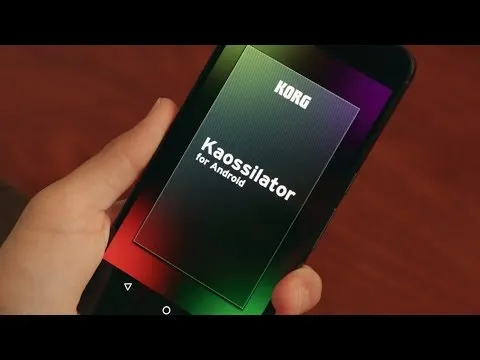
KORG Kaossilator for Android
KORG Kaossilator for Android is another excellent music-synthesizing app that gives you a full-fledged experience by simply moving your fingers on a touchpad. You can seamlessly add layers to your performance and record them. With a wide range of options, from electronic to instrumental to acoustic, you can engage yourself in the world of music creation if you want to.
Moreover, the app offers 150 diverse in-built music sounds through which you can create versatile dance music styles, be they techno, house, EDM, electro, or a lot more. Also, you can erase all your wrong notes using its scale/key feature so that your music stays in the right place.
And if you want to level up your music performance with additional layering, you can also do that with the help of its in-built loop sequencer, which includes five different types of layering, including synth, bass, chords, drums, and sound effects.
However, the only downside of this app is that it is a bit pricey and includes in-app purchase.
FL Studio Mobile
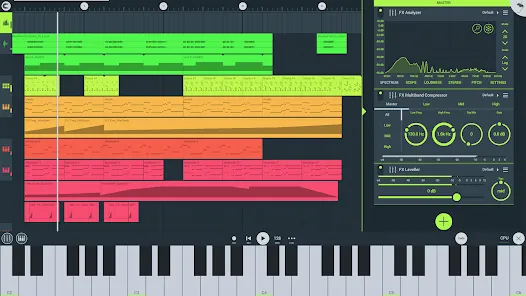
Powered by Image-Line, FL Studio Mobile is an excellent music-making app for Android users that lets you produce ultra-high-quality music on the go. The interesting thing about this app is that you can plug it into your desktop when you reach home and continue working from the system, which is a great advantage for professional music composers.
Furthermore, if you want to add step-by-step sequences, you can use this app and then further refine your music with reverbs, filters, and effect modules. Moreover, the app lets you save the files in multiple formats, including WAV, MP3, FLAC, and MIDI, and share them with your loved ones via WiFi or any cloud.
However, the only downside of this app is that it is not free and includes an in-app purchase for the DirectWave Sample Player.
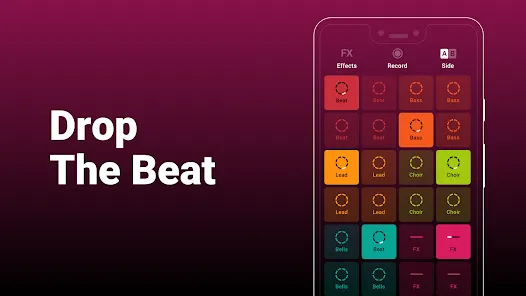
Groovepad
As its name says, the Groovepad music-making app lets you create your own smooth-sounding music at ease with all its keyboards and extensive library of one-of-a-kind and unconventional soundtracks. It has an engaging interface and very color-coordinated buttons that make the whole spotting and navigation process easier.
Just pick any song from its array of genres, including Hip-hop, EDM, House, Trap, electronic, and more, and create your own incredible melody. Talking about its other eccentric features, it includes mind-boggling FX effects like reverb, flanger, delay, or filter that bring back the party feels into your life.
An ideal choice for both beginners and professionals, the app lets you share your self-created music with your loved ones using your inner DJing talents.
SunVox
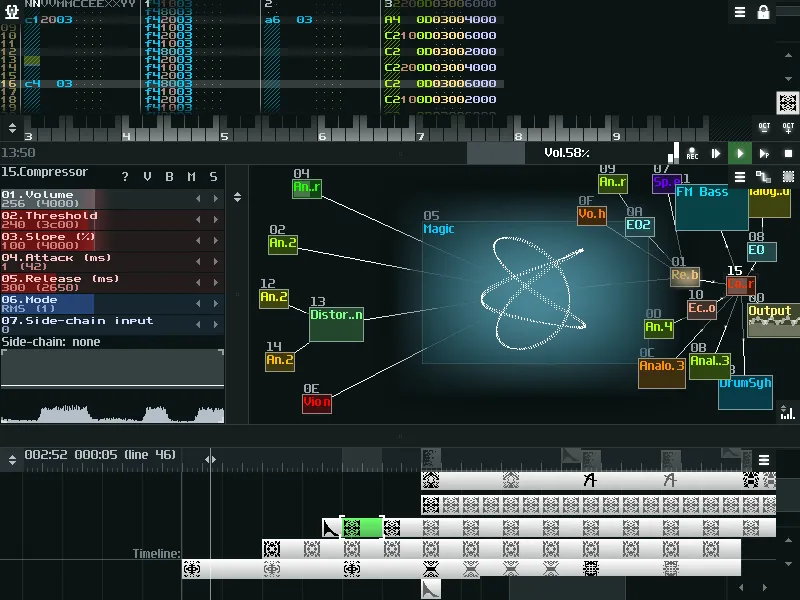
SunVox is a distinctive music sequencer app for small and fast cross-platform devices with an in-built pattern-based sequencer (also called the tracker). It is a tool that most professional music composers would like, as it comes with extremely optimized synth algorithms, a malleable architecture, and multi-platform support systems.
Furthermore, the app has a well-defined modular interface that makes it easy to understand and use. And if you’re ready to import music that consists of multiple tracks, you can even export it into WAV format.
Its other potential features include USB musical instrument digital interface IN/OUT for 6+ Android users, mic recording using a sampler, the ability for developers to deploy the SunVox engine into their own apps via its free library, and support for 16/24/32 bit WAV, AIFF, and XI music samples.
BandLab – Music Making Studio
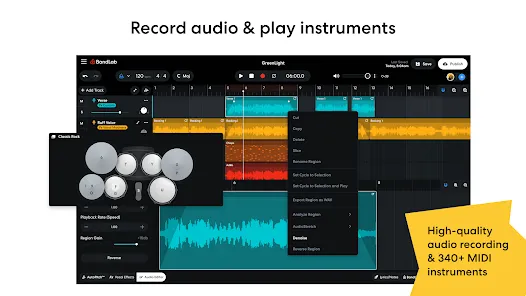
BandLab: Music Making Studio is another potential music-making app for Android devices with a global user base of 60 million. It is the best free multi-track music maker app available on the market. Its digital audio workstation (DAW) lets you seamlessly record, edit, and add multiple layers of music to create your own grooving remix.
The app gives you limitless music storage and accessibility from any device, so now you can create and access it from anywhere and at any time. Furthermore, there are over 15,000 royalty-free sounds and beats that you can use in your music. This app is more than just any music app; you can use it as a beat-maker or an audio recording app.
With 180+ distinct vocal, guitar, and bass effect presets, 330+ virtual MIDI instruments, and tools like AutoPitch, Looper, Metronome, or Tuner, you can create your own world of music and live in it for a lifetime.
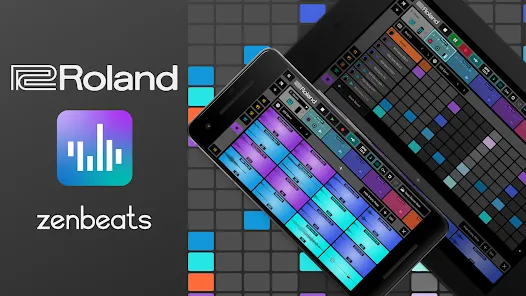
Roland Zenbeats Music Creation
With its classic collection of traditional and modern sounds, Roland Zenbeats Music Creation brings out the history of Roland into a very unique melody style. The app works well for the halfway-to-advanced level of music creators. So, in whichever part of the world you are living in, unleash your inner creative spirit with the app and create your own sense of beats, a multitrack song, or a melody.
Talking about the features that the app offers, it comes with 14,000 plus presets that let you create something super exciting and fresh; you can tweak your music with its advanced edit functionality; sample your music with a touch of your finger on Zen’s drums; it offers you a set of drum tones from TR-808 to TR-909; and a lot more.
The number of presets or any kind of advanced functionality is fairly distributed between the free and pro versions.
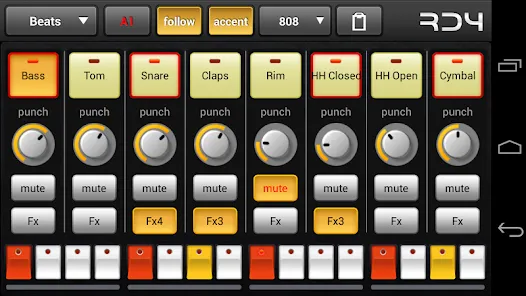
RD4 Groovebox
RD4 Groovebox is another premium music-making app that lets composers and artists create their styles of music in real-time with the in-built virtual analogue synthesisers, marvellous drum effects, and grooving tunes. One can simultaneously select instruments for the four channels and record and set the notes for each of these instruments.
Also, the interface has been mindfully designed to match the shape of the fingertips and the frequency. The multi-touch sensor-enabled app makes it simple for the creators to invent multiple musical phrases. Furthermore, one can tweak the sound of music by modifying the oscillators, adding filters, or even adding audio envelopes.
To even refine the music, you can add reverb, phaser, distortion, delay, and even control the tempo. Overall, it is another great paid music-making app for Android devices.
Add Music to Voice
The app does exactly what its name says. Add Music to Voice is a great choice for those vocalists who don’t have a playback band or an instrument and have just started out in their career and are looking for that perfect track for their voice.
So, the app simply lets you record a new voice or add an existing one from your device and add background music from its amazing music library. To refine the final output, you can take advantage of smart filters so that your voice and music blend smoothly. Consider it a useful app for all your Karaoke parties.
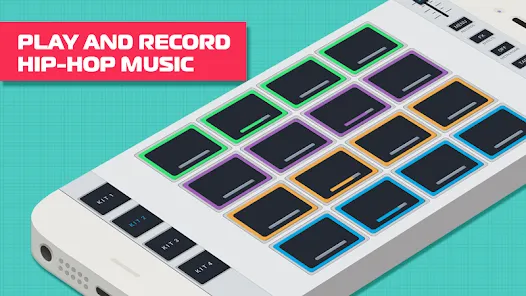
Hip-Hop Producer Pads
It is a fun music-making app for Android devices. As the name says, the app lets you create super-fresh, unique Hip-Hop music using the in-built virtual Sampler and drum equipment.
Considering its key features, it lets you create melodies with an array of options like Loops, One-Shots, or samples; to keep the rhythm, there is a metronome, and create outstanding music and be the real hero of the party.
Wrapping-Up
That’s all for the best music-making apps for Android devices. Now that you know about these amazing apps, it’s time to take advantage of their power-packed functionalities.
Use their incredible soundtracks, beats, voiceovers, and sound effects, seamlessly cut and merge them, and create the music your heart agrees upon. And feel immense joy by sharing it with your family, friends, and that special someone.
We hope you find these music apps worthy. If so, don’t forget to share your favorite among them.