Category: Apps

Explore the latest mobile apps for productivity, entertainment and tools that fit your daily routine and Android‑centric lifestyle.

  • BadBazaar Android malware linked to Chinese cyberspies

    BadBazaar Android malware linked to Chinese cyberspies

    Unknown Android spyware called “BadBazaar” has been found to target China’s ethnic and religious minorities, particularly the Uyghurs in Xinjiang.

    Due to their cultural divergence from traditional eastern Chinese values, the central Chinese government has subjected the 13 million-strong Uyghur Muslim minority to extreme oppression.

    The new spyware was originally discovered by MalwareHunterTeam and linked to Bahamut in VirusTotal detections.

    BadBazaar spyware

    Lookout performed more investigation on the malware and discovered that it was brand-new spyware that was being used by APT15, a state-sponsored hacking outfit, in its 2020 attacks against Uyghurs (aka “Pitty Tiger).

    Lookout also noticed a second campaign employing updated versions of the spyware known as “Moonshine,” which CitizenLab first came up in 2019 when using it against Tibetan organizations.
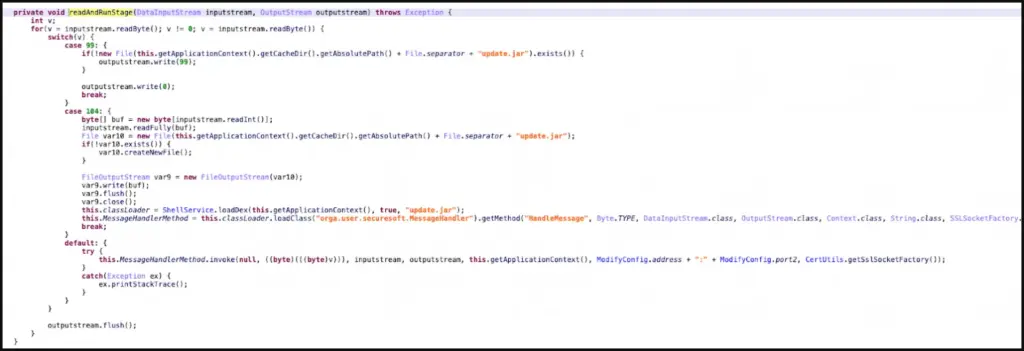
    BadBazaar malware

    Since 2018, the BadBazaar spyware has promoted itself on communication channels frequented by the targeted ethnic group by infecting Uyghurs using at least 111 different apps.

    The impersonated apps fall under a variety of categories, including dictionaries, tools for religious practice, battery savers, and media players.

    Since Google Play, Android’s official app store, has never seen any record of these apps, they are most likely distributed through rogue websites or unreliable third-party stores.

    It’s interesting that there is only one instance of an iOS app on the Apple App Store that communicates with the malicious C2, but it merely sends the device UDID and doesn’t have spyware functionality.

    BadBazaar’s data-collecting capabilities include the following:

    • Precise location
    • List of installed apps
    • Call logs with geolocation data
    • Contacts list
    • SMS
    • Complete device info
    • WiFi info
    • Phone call recording
    • Take pictures
    • Exfiltrate files or databases
    • Access folders of high-interest (images, IM app logs, chat history, etc.)

    Looking into the C2 infrastructure, which exposes some of the admin panels and the GPS coordinates of test devices due to errors, Lookout analysts found connections to the Chinese defense contractor Xi’an Tian He Defense Technology.
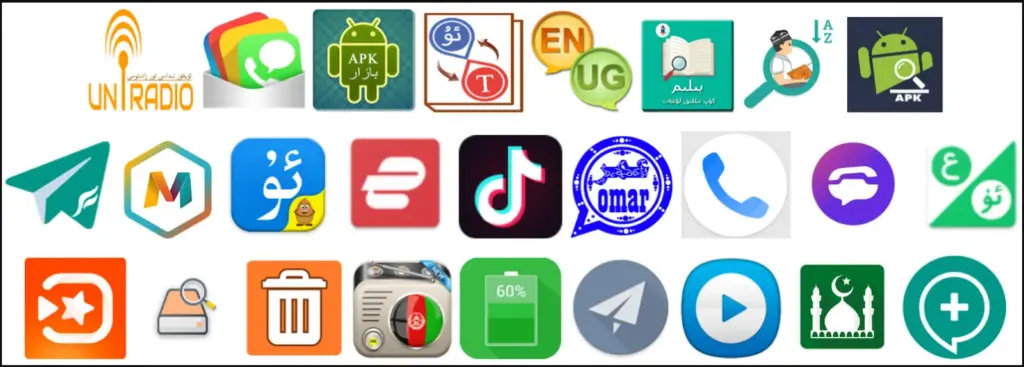
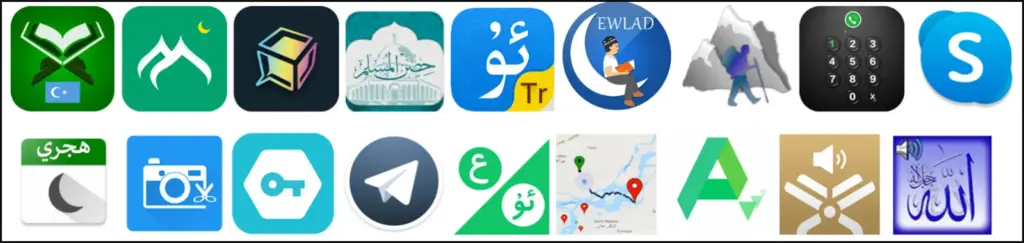
    BadBazaar malware apps
    Only a few of the BadBazaar apps promoted to Uyghurs (Lookout)
    BadBazaar malware infected apps
    Sample of apps carrying Moonshine spyware (Lookout)

    Moonshine variants

    Lookout researchers began to discover a new operation in July 2022 that uses 50 apps to push users new versions of the “Moonshine” spyware.

    These programs are advertised on Telegram channels for Uyghur speakers, where dishonest users recommend them to other users as reliable software.

    Examples of programs that contain the spyware Moonshine (Lookout)
    The creators of the more recent virus have added additional modules to increase the tool’s capacity for spying, and it is still modular.

    Network activity, IP addresses, hardware details, and other information are among the data that Moonshine takes from hacked devices.
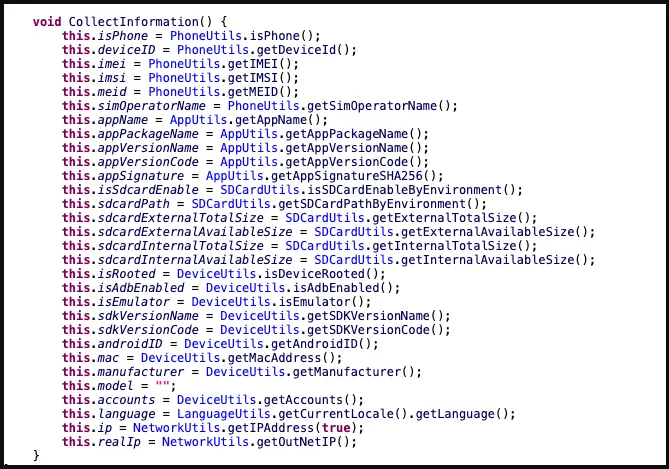
    BadBazaar data collection
    Information collected by Moonshine (Lookout)

    The C2 commands supported by the malware are:

    • Call recording
    • Contact collection
    • Retrieve files from a location specified by the C2
    • Collect device location data
    • Exfiltrate SMS messages
    • Camera capture
    • Microphone recording
    • Establish SOCKS proxy
    • Collect WeChat data

    Lookout has found evidence that the authors of the new Moonshine version are Chinese, as both code comments and server-side API documentation are written in simplified Chinese.

    “While Lookout researchers could not connect the malware client or infrastructure to a specific technology company, the malware client is a well-built and full-featured surveillance tool that would have likely required substantial resources.”

    Lookout.

    This report indicates that surveillance of Chinese minorities continues unabated despite the outcry from international human rights protection organizations.
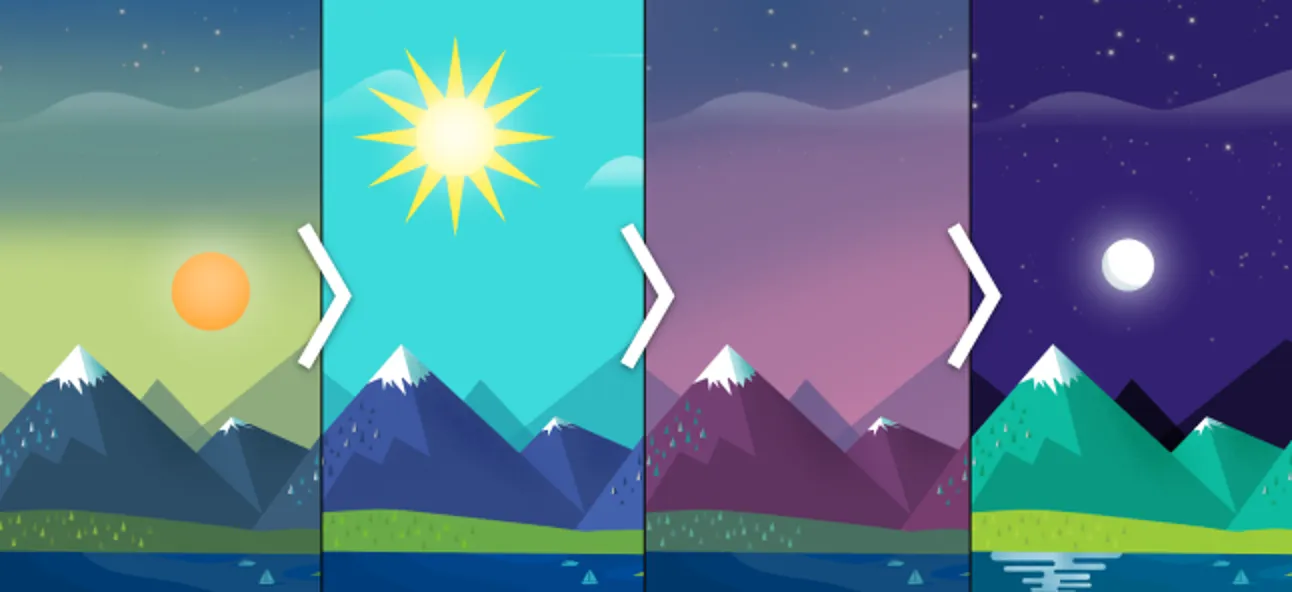
  • Dynamically change your wallpaper – free to download and use app

    Dynamically change your wallpaper – free to download and use app

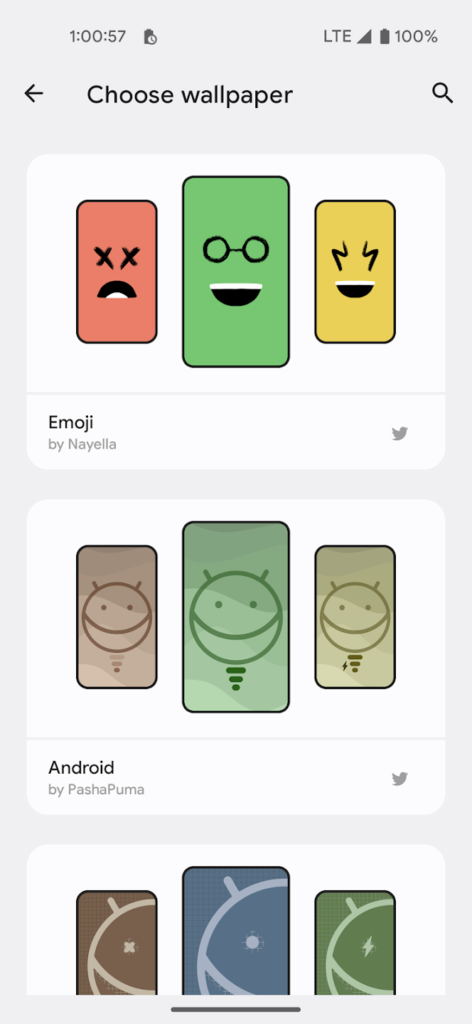
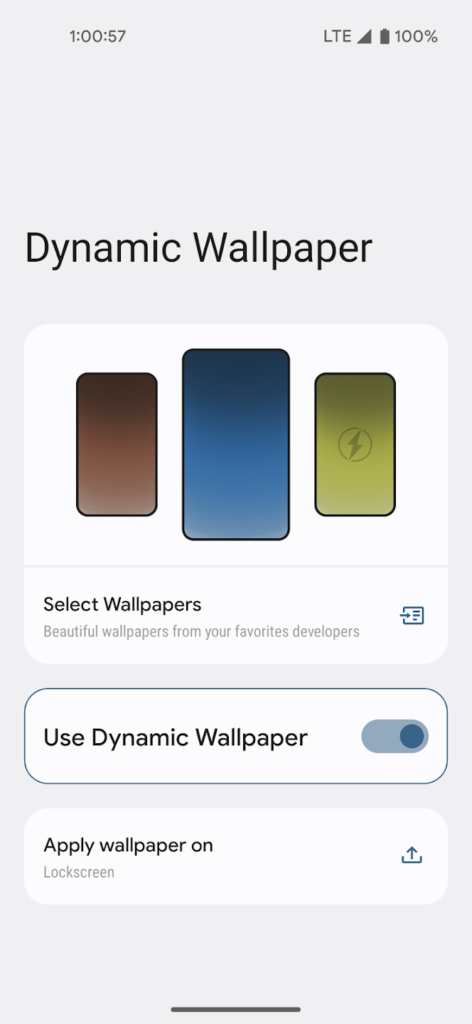
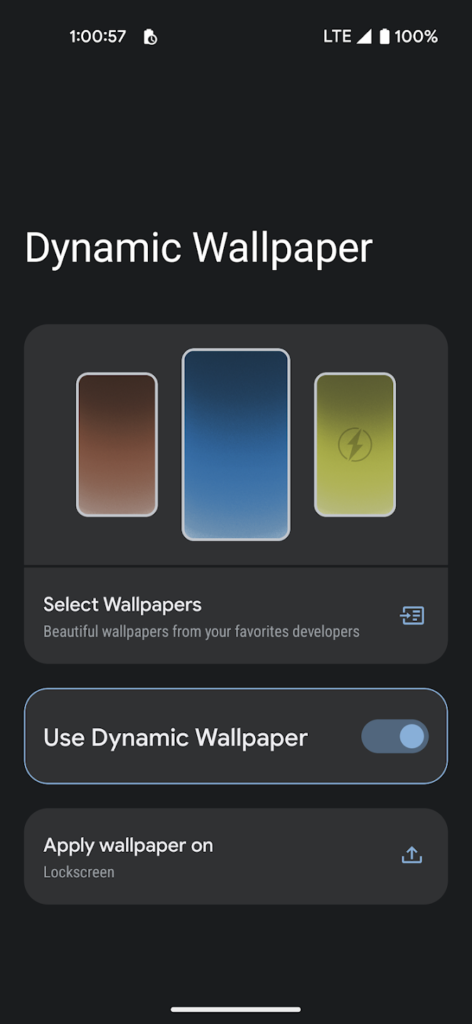
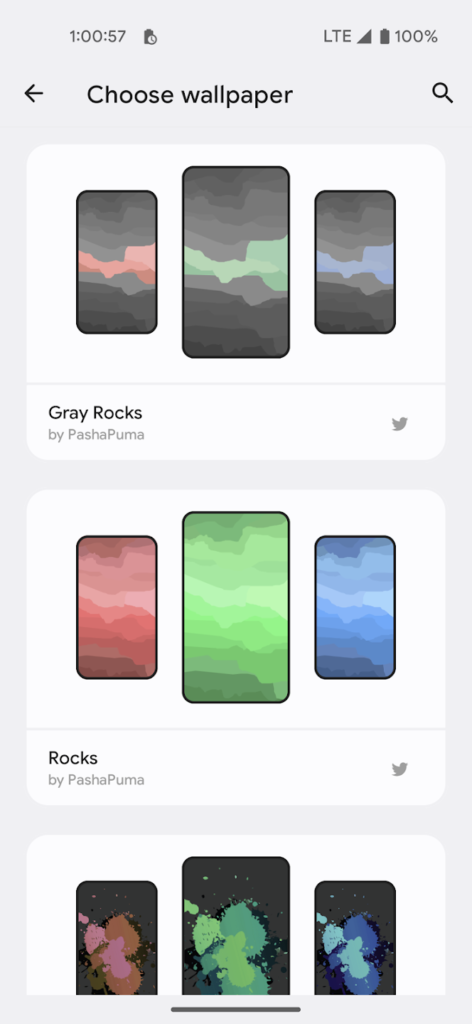
    At Android Police, we generally like apps, but we actually prefer the ones that are straightforward, attractive, and cost nothing. Consider the newest software from designer Rushikesh Kamewar, Dynamic Wallpaper.

    Users of this free, ad-free software can choose among 17 endearing trios of wallpapers made by designers Pashapuma Design, Nayella, and Sai Naveen. When the battery is charged or when it is getting low, the wallpapers alternate between each other. Make sure you take that into account because the main page of the program features a menu item that will take you directly to your system power settings. The first condition is typically related to when your device enters battery saver mode.

    The program doesn’t consume a lot of power because it only initiates a brief background operation when the power requirements are met. The transition between wallpapers isn’t elegant; it’s a rapid cut to black and then to the next wallpaper.

    Although it’s very early, Kamewar says he plans to give users the option to select three of their own wallpapers in a future release. There will undoubtedly be more wallpapers from various designers in those upgrades. The creator is aware that include all the wallpapers in the app will make it larger. Its 38MB size is a bit excessive for such a basic program.

    The program doesn’t consume a lot of power because it only initiates a brief background operation when the power requirements are met. The transition between wallpapers isn’t elegant; it’s a rapid cut to black and then to the next wallpaper.

    Although it’s very early, Kamewar says he plans to give users the option to select three of their own wallpapers in a future release. There will undoubtedly be more wallpapers from various designers in those upgrades. The creator is aware that include all the wallpapers in the app will make it larger. Its 38MB size is a bit excessive for such a basic program.

  • You can play Age Of Empires on your smarthphone

    You can play Age Of Empires on your smarthphone

    Age of Empires is a game that every original PC gamer has heard of. Although this game mostly existed on the PC platform, it appears that it will be growing over the coming months. This also includes an upcoming Age of Empires mobile game.

    Given that the franchise has recently turned 25, this is a rather significant milestone. Here is a brief recap of the game in case you are new to it. In 1997, the first Age of Empires game was released. In this simulation game, you expand your kingdom. You begin with a group of cavemen and gradually expand your civilisation into a vast empire by gathering resources, going on food hunts, etc.

    age of empires

    Now, Age of Empires is coming to mobile

    Is a really popular game, but it suffered from one pitfall: it only really lived on one platform. This game didn’t really migrate outside of the PC ecosystem. There were two mobile releases several years ago, but those didn’t share the formula of the core games.

    Now, Microsoft is taking another crack at bringing this game to the small screens. World’s Edge, the developer behind this game, posted a short teaser of an Age of Empires game built from the ground up for mobile hardware. This game seems to be more closely related to the original titles. The teaser didn’t show much, however, it let us know that it’s going to be for mobile, and that it’s coming soon.

    Also coming to Xbox

    Because Microsoft is going all out to celebrate this game’s 25th anniversary, more people will be able to enjoy the series. But those hoping for the original title will be let down.

    On January 31st, Age of Empires II: Definitive Edition will be released on Xbox platforms, while Age of Empires IV will follow later in 2019. Additionally, Age of Empires IV Anniversary Edition will receive some new content. Two new civilizations are represented by this: Milian and Ottoman. In addition, there are 11 new game languages, 8 new multiplayer maps, new biomes, achievements, and challenges. All users can access this update for free.

    Looking for the first Age of Empires Game?

    If you’re craving the original title, then there is some good news. At the time of writing this article, Age of Empires: Definitive Edition is now only $4.99 on steam. That’s a 75% discount from the $19.99 price. You’ll want to act fast, as this sale ends on November 1st!

  • Today deals for Android apps

    The greatest Android game and software bargains for Monday afternoon are now available below the fold. Along with the software discounts, there are also price reductions for the OnePlus 10 Pro 5G, Samsung’s most recent Galaxy Z Fold 4 foldable, and the Chromecast with Google TV 4K. However, the focus of today’s bargains is on apps, with titles like Pavilion: Touch Edition, ProCam X, Evoland 2, YoWindow Weather, Hack, Slash, Loot, Crystalline, and others among the highlights. For a detailed look at today’s top Android app bargains, courtesy of Google Play, continue reading below.

    android apps

    Today’s best Android app deals:

    Today’s Android hardware deals are headlined by Samsung’s latest Galaxy Z Fold 4 foldable at new all-time low of $1,500. That deal joins the OnePlus 10 Pro 5G with a Hassleblad 48MP camera setup at new low of $600 as well as today’s discount on the Chromecast with Google TV 4K, a solid offer on JBL’s ultra-portable Go 3 Bluetooth, and our smartphone accessories roundup

    More Android app deals still live:

  • Beeper – get iMessage on Android or Windows

    Beeper – get iMessage on Android or Windows

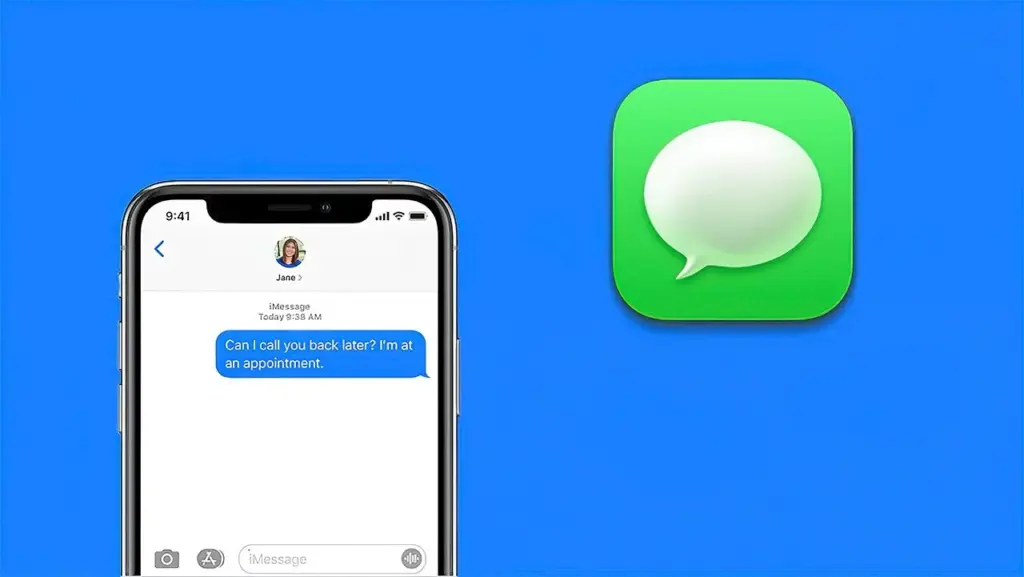
    Apple excels at retaining consumers inside of its ecosystem. Once you experience the iPhone world and fall in love with its distinct features or apps, switching to Android is challenging. iMessage is one of the key iOS apps we wish existed on Android and Windows. Although there isn’t an official way to use iMessage on Android, Beeper’s unified chat software makes it possible.

    What is Beeper?

    beeper

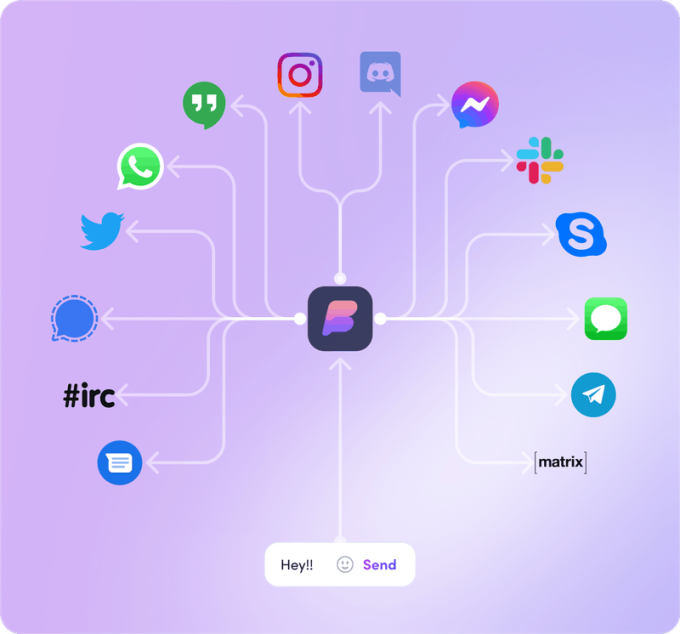
    An integrated chat and inbox app is called Beeper. Former Pebble CEO and Founder Eric Migicovsky is one of the project’s key figures. It is renowned for smoothly integrating all of your communications and social networks. Additionally, you can set notes, search all services, and make voice and video conversations.

    Google Chat, Instagram, Messenger, Signal, WhatsApp, Twitter, Discord, Slack, and more services are also supported.

    We’ll talk more about this later. The app is presently in beta, and the only way to access it is with an invite.

    How does it work?

    If iMessage isn’t available outside of Apple devices, how does it manage this?

    imessage on Android

    It functions as an intermediary between your iMessage content and your other devices. It redirects conversations through its messaging software and links your Apple ID account to its own servers. In essence, you send a message to their servers, which then forward it to iMessage so that the receiver may get it. The opposite also holds true.

    The waitlist

    As previously mentioned, the app is still in a closed beta stage. This means you’ll need an invite in order to get access to the app. Click on the button below to get on the waitlist, and hopefully you can get in soon.

    Does it costs?

    The app seems really awesome, no? It completes a task for which we have been waiting years, even in beta. The unified chat service is functional, attractively designed, and compatible with all significant platforms. You are correct to believe that such kindness cannot be offered for free. It charges $10 per month, even though it’s still in beta. For a service that isn’t even ready for prime time yet, it’s a little on the costly side, but some of you might find it worthwhile.

    The bad

    apple id

    Beeper has to go through some hurdles in order to use iMessage on Android or Windows because there isn’t an official way to do so. They’ll need access to your Apple ID account, and that’s the trick here. Even though it claims it will only utilize this information to obtain your messages through iMessage, some security-conscious people may have some worries about this. These accounts are kept by Beeper on a Mac Mini server. To make chat easier, they will also access your contacts. If you do this, you must have faith in it. You must also have faith in their ability to avoid hacking.

    One more significant drawback is that it doesn’t support RCS (Rich Communications Services). The SMS and MMS replacement, which can use data for messages, video, and other communication tools, is a crucial feature for Android users and is essentially an iMessage rival. The Google Messages app contains it. If you continue to use Google Messages as your main messaging app, RCS will continue to work. Then, you can use Beeper’s iMessage feature as a backup service. RCS support will be lost if Beeper becomes the standard messaging program.

    Finally, a PC must be used to set up Beeper. It cannot just be installed and run using the Android app. More specifically, the Android app does not allow you to add services to your account. The purpose of the app is to sync with your account, which is managed by the PC program. That essentially eliminates this for anyone without access to a computer.

    How to set up iMessage on Beeper

    Are you ready to move forward? If you got your invite, it’s time to set up iMessage on Beeper. You’ll get notified when it’s your turn. In which case you have to follow instructions to set up Beeper.

    1. Follow the instructions to install the Beeper app on your Windows PC, and create your account.
    2. Download the Beeper Android app.
    3. Sign into your Beeper account on the Android app.
    4. You’ll be asked to verify your identity from the windows App. Click on Yes. You can also use the security code provided to you during account setup.
    5. Now both your Windows and Android apps are ready. It’s time to enter your iMessage account.
    6. Click the + button on the left-side panel from the Windows Beeper app.
    7. Click on iMessage.
    8. Hit Continue.
    9. If you don’t have an Apple ID, create one here. You can do this while you wait for Beeper to assign a server to you.
    10. Enter your Apple ID credentials and verify your account.
    11. Beeper will take some time to activate your iMessage. You’ll be able to chat on iMessage after this.
    12. Open the Beeper app on your phone, and you’ll see iMessage added to the available services in the bottom tabs.

    How to remove iMessage from Beeper

    Are you not convinced by iMessage on Beeper? Here’s how to get rid of it.

    1. Open the Windows Beeper app.
    2. Click on the Gear Settings icon.
    3. Select Chat Networks.
    4. Go into iMessage.
    5. Click on Delete.
    6. Hit Delete iMessage Cloud Connection.
  • New ways to flag content that you don’t like on Instagram

    New ways to flag content that you don’t like on Instagram

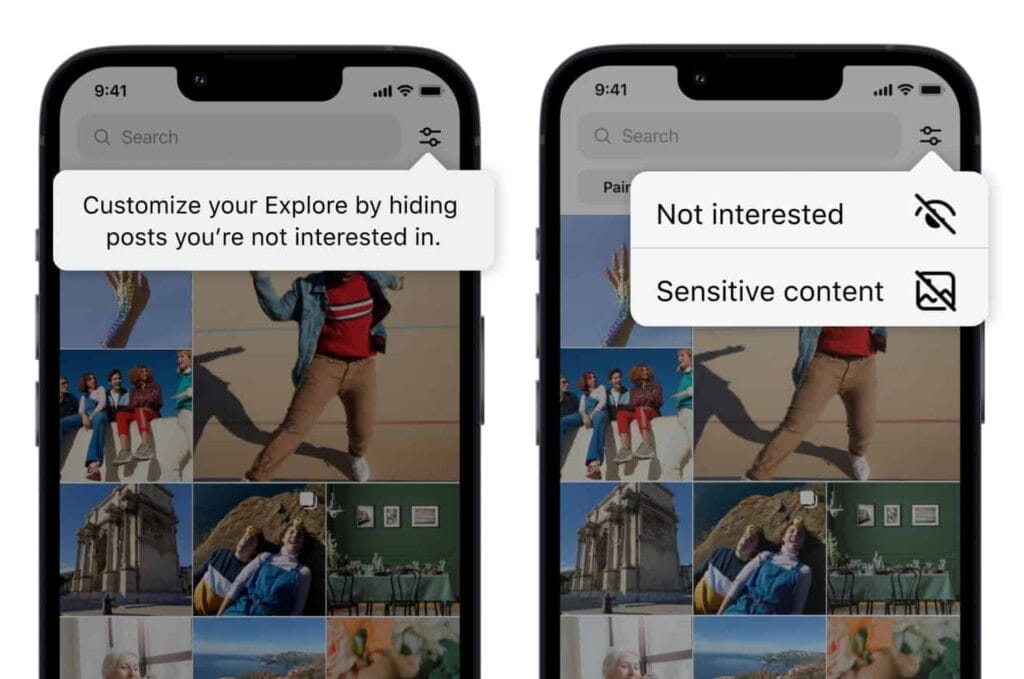
    Users now have more options for managing what they view on Instagram. You can now personalize your Instagram feed with a few of the new features the business has introduced. First off, it is a test of the feature that lets you designate several postings as “uninterested.” In the Explore page, you can choose whatever posts you want to flag for the app at once. The chosen posts are instantly removed from your feed. Additionally, you won’t see any more such content in the future. You may presently only do that for individual postings on the Meta-owned platform. Multiple posts cannot be flagged at once.

    You must tap the new Filter option in the Explore tab, which is located next to the search box, in order to flag multiple posts on Instagram. There are two choices there: Sensitive Content and Not Interested. Decide between the two options, then indicate on the posts. Tap Done to finish the activity at this point. Compared to the present implementation, which calls for you to first open a post, tap on the three-dot menu, and then choose Not Interested, this is far more convenient. For each piece of content you want to filter out, you must repeat these steps.

    instagram not interested content

    Instagram adds new ways to filter content as it becomes more like TikTok

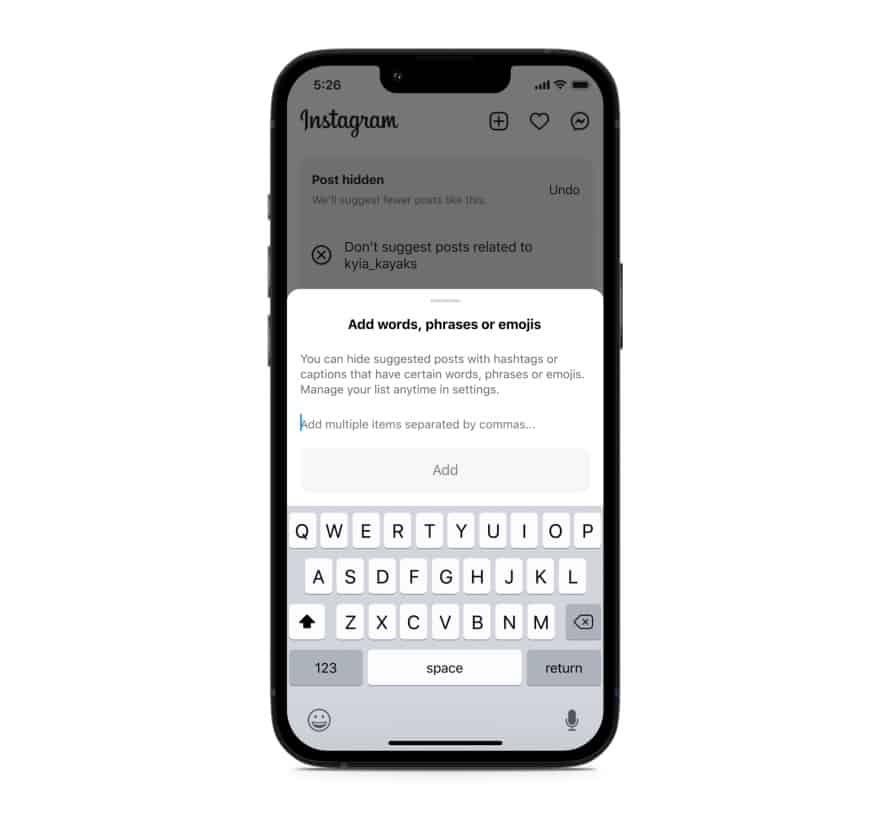
    Instagram will also soon start testing the ability to filter out content based on keywords. You can create a list of words, phrases, and emojis that will trigger this filter. The app will look for those keywords in a post’s caption or hashtags and remove all related posts from your feed. “Whether you’re seeing something that’s not relevant, or have moved on from something you used to like, you can use this feature to stop seeing content that’s not interesting to you,” Meta said in a blog post. TikTok already offers similar keyword-based filtering of posts.

    Instagram started out as a photo-sharing app before later adding video functionality. However, it currently favors short videos akin to TikTok over everything else. Reels is the name of the TikTok-inspired feature that is quickly dominating the site. Users now frequently hide material from their friends and relatives by seeing more Reels from accounts they don’t follow. The CEO of Meta, Mark Zuckerberg, has asserted that interest-based recommended content will dominate Instagram, despite widespread opposition to this notion.

    Instagram is expanding its selection of filters to make sure users don’t see things they don’t want to. In addition to the current options for switching between your Favorites and Following feeds, these two new capabilities will be available soon. You can already designate specific topics as Not Interested, and you can choose to snooze suggested content for 30 days. Additionally, Instagram has modified its filters for delicate content.

    Instagram keyword filter content feed
  • Google Duo transforms in Google Meet

    Google Duo transforms in Google Meet

    Google Duo transforms in Google Meet

    Only a few days have passed since we gave you an update on the conversion of Google Duo into Google Meet, and we already have another. Google informs us today that the Google Duo symbol and name change, which transforms it into Google Meet, is beginning today.

    We recently informed you that Google would rename Duo to Meet by the end of the year after integrating all of Google Meet’s capabilities into Google Duo. Google claims that the change will begin to take effect immediately and that it may take several weeks to fully implement. The full deployment should take place by September, at which point all users should notice a change in icon and name.

    If it hasn’t already, the old Google Meet app you presently have on your phone will also be renamed to “Meet (original)” in addition to the move from Duo to Meet. I’ve already changed, as you can see in the example above.

    Google is also replacing the branding on duo.google.com with Google Meet as of today. That will redirect to meet.google.com/calling in the “coming few months.”

    Get Google Meet

  • These Pro versions are currently free – apps and games

    These Pro versions are currently free – apps and games

    apps and games

    For a limited time only, Android apps and games are available to download for free this week. We will explain to you how to obtain these priceless downloads.

    If you have been following Droid Tools for some time, you will be familiar with what to anticipate from this article: Both the Google Play Store and the Apple App Store frequently run sales and promotions where you may get paid content for nothing for a brief period of time.

    Unlike our list of the five best applications of the week, we have not intentionally tried any of the downloads we have compiled for you.

    Hence, be a little bit careful before you fall into a money pit as some apps may still include microtransactions.

    Tip: Do you want to secure a free app for the future? If so, download it once and uninstall it if necessary. This way, it will be added to your list of purchased apps and you can download it again in the future once you need it.

    These apps are free in the Google Play Store

    • Measuring Center ($4.49): Do you want to perform a makeover in your home this summer? Then download this app and make sure your DIY projects will not run from the required measurements!
    • Equalizer Bass Booster Pro ($1.99): This app sports a volume booster that alters the global sound and improves sound quality, making your music sound more pleasant and loud. Of course, it might even make your earbuds experience better.

    These games are free in the Google Play Store

    • Sword Knights: Idle RPG (Magic) ($1.49): If you love collecting all kinds of weapons and basically leveling up and becoming the most badass knight ever, then this game is perfect for you.
    • Assassin Lord: Idle RPG (Buff) ($1.99): Yet another self-playing RPG that cannot be affected by the player, but you are able to kill time with it.
    • Word Search 600 Pro ($1.99): Love tickling your brain? Then you will certainly be able to figure out just how smart you are by hunting down every single word.
    • Fastar VIP ($0.99): This is a rhythm game that tests your reflexes that pays homage to Beatmania and other old-school rhythm games.
    • DungeonMon! ($0.99): Train monsters and have them compete in battles to emerge as the victor. Does this sound familiar? 
    • SLOC ($1.99): This 2D Rubik’s Cube puzzle is a great way to pass the time in a beneficial manner whenever you want to squeeze your brain juice.
    • MR RACER ($4.99): Challenge your friends or the AI in fast-paced races. The road is simply straight without any curves, but it is still fun.
    • Bottle Breaker 3D ($1.99): This master bottle shooting game simulator from 2021 will make you feel like a professional glass breaker. Perfect for releasing stress in a mindless manner that features stunning graphics and smooth shooting control.
  • Droid Tools’s free apps and games for this week.

    Droid Tools’s free apps and games for this week.

    If you’ve been following Droid Tools for a long, you’ll be familiar with the following information: Both the Google Play Store and the Apple AppStore frequently host sales events where you may receive paid content for nothing for a brief period of time. Unlike our list of the five greatest applications of the week, we don’t explicitly try out the content when we compile these downloads and offer them for you. Therefore, use caution to avoid getting caught in a cost trap since some apps may still offer in-app purchases.

    Tip: Do you want to secure a free app for the future? Then download it once and delete it again if necessary. This way it will be added to your list of purchased apps and you can download it again in the future once you need it.

    free apps and games on Play Store

    Free apps for your Android phone

    These apps are free in the Google Play Store

    • Home Workout Pro ($1.49): Funny, I installed this app when it was free last time—and I’m still not more muscular. I’ll be sure to start this app sometime!
    • Video Gallery – HD Video Live Wallpapers ($0.99): For the most part, I don’t need live wallpapers on my smartphone. If you’re different and need some new fodder for your homescreen, this might be your app.

    These games are free in the Google Play Store

    • Peppa Pig Sports Day ($2.99): Peppa Pig games are always fun, aren’t they? Well, not for us adults, but kids celebrate Peppa frenetically, of course. As always, this is a collection of various mini-games.
    • Rogue Hearts ($0.99): Nice dungeon crawler that likes to force you into in-app purchases, though. You can also pick up weapons, treasures, etc. in the game.
    • Klocki ($1.99) No time limits, no ads, but chilled out music. That’s the way to enjoy a puzzle game, isn’t it?
    • Mr Racer($4.99): Challenge your friends or the AI in fast races. Goes straight ahead, but it’s still fun.
    • Neo Monsters ($0.99): Catch and train monsters and have them compete in battles – sounds like that one game, what was it called again?
    • Cartoon Craft ($1.99): Real-time strategy game in which you logically have to decimate your enemies’ troops.
    • Cyber Fighters: Offline Game ($1.09): Action RPG where you are immersed in a world right after the end of World War III – in the year 2077! Can be played offline, as the title suggests.
    • Superhero War Premium ($0.99):Action RPG, where you fight your way through many levels to collect gold and diamonds.
  • The best YouTube Vanced alternatives

    The best YouTube Vanced alternatives

    Without a doubt, YouTube Vanced was one of the greatest technologies in recent memory. It provided the same functionality as YouTube but without the annoying commercials, frequent UI changes, and dubious improvements like the elimination of the hate counter. In addition to resolving all of these problems, Vanced also introduced new features that completely altered how you consume material.

    One of the best features that Vanced offered was and is the SponsorBlock API. You could watch videos for far shorter periods of time because it essentially skipped all sponsor portions and self-promotions. Additionally, Vanced included a full AMOLED black theme that was very popular. Unfortunately, a Google notice forced Vanced to stop doing business.

    While there aren’t any options that are as smooth and flawless as YouTube Vanced, there are a few that let you watch without ads and even let you download movies to your phone. Therefore, unwind as you read about some of the top YouTube Vanced options you ought to employ in 2022.

    Best YouTube Vanced Alternatives in 2022

    1. LibreTube

    vanced alternative

    Kicking the list off, we have LibreTube, which is a beautiful YouTube client that provides an ad-free video-watching experience. The app allows you to customize playback controls and is completely open-source, meaning features can be added to it quite easily in the long run. The only downside for now is the fact that LibreTube is still in beta and is missing a lot of features, including the option to sign into a Google account. That said, the app is fast, fluid, and works as advertised.

    2. NewPipe

    ezgif.com gif maker 3 1

    NewPipe is a solid alternative to YouTube Vanced. It does not depend on any of the Google Frameworks to function and is instead based on another API that doesn’t require you to have a Google account to enjoy watching videos ad-free. The app has a simple interface with not much going on. While you can import your subscription feed from an existing Google account, you still cannot simply sign into one using the app. NewPipe also lets you download videos in a slew of different quality options.

    3. SkyTube

    SkyTube is similar to NewPipe in a lot of ways, and we only really recommend one over the other if you’re facing troubles using either of them. Just like NewPipe, SkyTube doesn’t run on top of YouTube’s API and thus allows for a seamless ad-free video-watching experience. You can import your subscriptions to avoid starting from scratch, although the app doesn’t have support for logging into a Google account as of yet.

    4. Kiwi Browser with Extensions

    kiwi browser

    If you really miss the great SponsorBlock integration that YouTube Vanced had in store, we have got a workaround! Kiwi Browser is a chromium-based web browser available on the Play Store that you can use to watch videos on YouTube using the mobile website. While this might seem obvious, you can install extensions such as an adblocker and SponsorBlock to enjoy an experience similar to that of YouTube Vanced. The only downside to using this method is the rather clumsy and unintuitive interface of the YouTube web app.

    5. YouTube Premium

    ezgif.com gif maker 4 1

    As much as we hate to admit it, the best video-watching experience is offered by YouTube itself. While it still lacks features like SponsorBlock and the dislike counter, there is no denying that the official YouTube app will provide you with the smoothest and fastest experience while consuming content. YouTube Premium gets rid of all the ads for you, unlocks Premium content, and allows you to watch videos in the picture-in-picture (PIP) mode. YouTube Premium has pretty attractive pricing with its family plan, so you might want to check that out.

    Conclusion

    We hope our article on some of the best YouTube Vanced alternatives provided you with some much-needed insight. If you have suggestions for Vanced alternatives other than what we’ve mentioned, do let the other readers know in the comments below! If you have any queries regarding the article, feel free to contact us, we’d be happy to help!