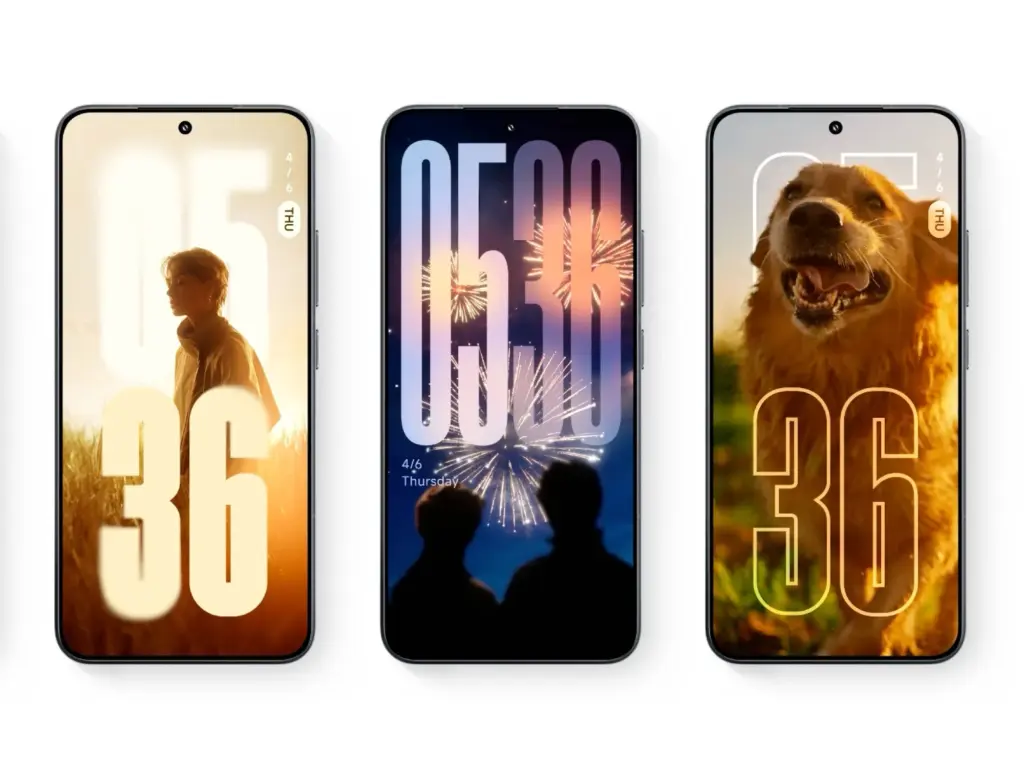
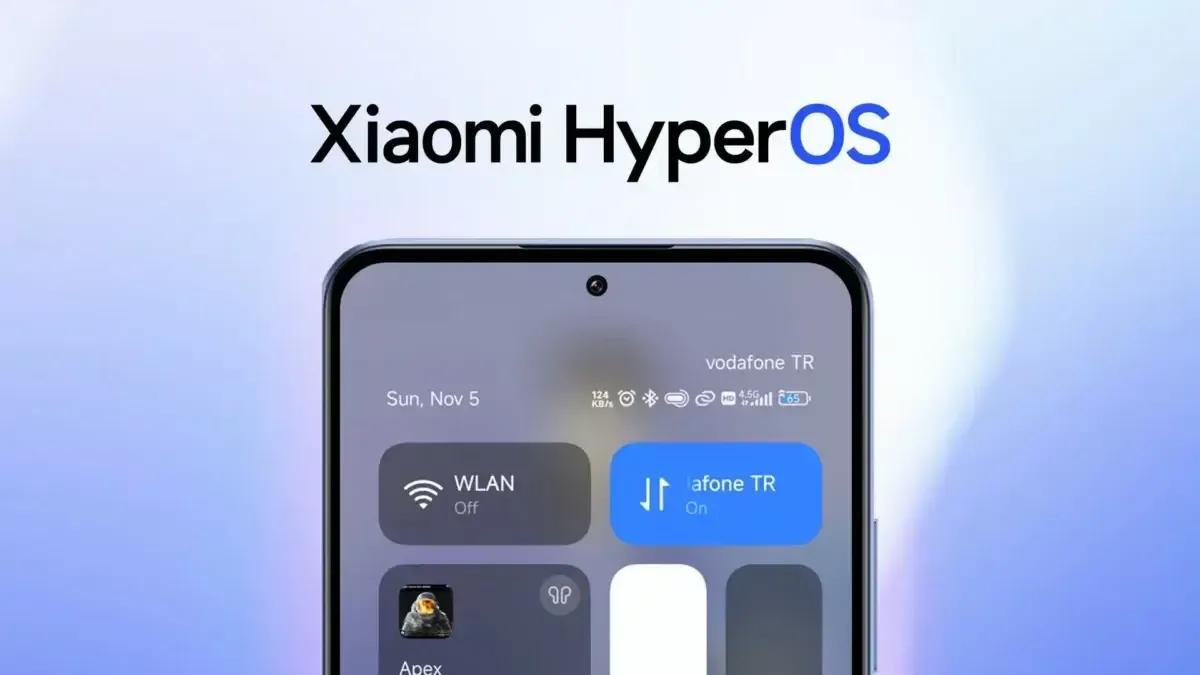
The advantages of the HyperOS build, which is based on Android 16, will soon be available on Xiaomi handsets, however at least 31 models might not receive them. There are some benefits, but a new piece of information shows how many devices will not get the next big software update.
According to XiaomiTime, the Android 16 (HyperOS) distribution schedule would not include 31 Xiaomi devices. Redmi, POCO, and flagship phones are on the list.
For flagship phones, the Chinese phone manufacturer provides three or four years of major operating system updates and three or four years of security updates. Redmi models receive security fixes for three to six years and two to four significant Android OS upgrades. POCO receives three years of security patches and two years of OS.
These findings indicate that the major OS upgrade cycle for some devices appears to be coming to an end. Here’s some good news, though. These phones will benefit from HyperOS 3, which is based on the Android 15 version, even if they do not receive Android 16.
Indeed, HyperOS 3 will be the last update for smartphones now running Android 15. As a result, you can still use your phone for a year.
Indeed, HyperOS 3 will be the last update for smartphones now running Android 15. As a result, you can still use your phone for a year.
XiaomiTime claims that since HyperOS 3 will still be available, “missing out on Android 16 shouldn’t cause anxiety.” In addition, compared to previous software releases, the next OS has few innovations and just minor UI changes.
Conversely, HyperOS 3.0 will enable your device to have new features and minor adjustments. We don’t yet know the precise features. Check on the models until then:
These 31 Xiaomi devices will not get Android 16 but they will get HyperOS 3:
Xiaomi phones
Xiaomi 12
Xiaomi 12 Pro
Xiaomi 12S
Xiaomi 12S Pro
Xiaomi 12S Ultra
Xiaomi 12T
Xiaomi 12T Pro
Xiaomi Civi 3
Xiaomi MIX Fold 2
Redmi Devices
Redmi 12
Redmi 12 5G
Redmi 13C
Redmi 13C 5G
Redmi 13R
Redmi K50 Ultra
Redmi K60
Redmi Note 12 4G
Redmi 12 NFC 4G
Redmi Note 12R
Redmi Note 12S
Redmi Note 12T Pro
Redmi Note 12 Turbo
Redmi Note 13 4G
Redmi Note 13 4G NFC
Redmi Note 13 5G
Redmi Note 13R Pro
POCO Models
POCO C65
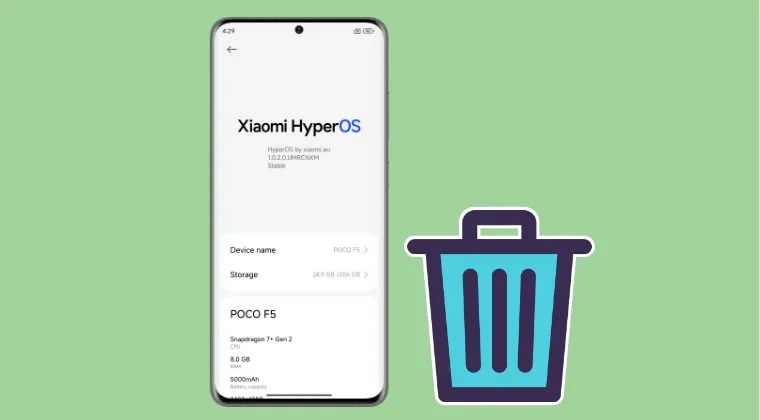
POCO F5 5G
POCO F5 Pro
POCO M6 Pro
POCO X6 Neo
Stay connected with the latest from Droid Tools—follow us on X @droid_tools, like our page on Facebook, check out our updates on Instagram, and follow us on Google News for real-time news, device tips, and mobile tech insights.
Many users of Xiaomi devices have complained of a notable decline in battery performance after major HyperOS updates. This problem has affected productivity for professionals who depend on their smartphones for work throughout the day. These abrupt variations in power usage can be unpleasant and uncomfortable, especially for corporate activities that rely on reliable devices. Thankfully, there are practical measures you can take to lessen these problems and extend the battery life of your device.
Restart the device to complete optimization
Xiaomi devices frequently carry out a number of background operations following major updates, like reindexing apps and rebuilding caches, which can momentarily raise battery consumption. Usually, these procedures take between thirty and an hour to do. You should restart your device 15 to 30 minutes after the update is finished to speed up system stabilization. This can aid in your device’s more effective adaptation to the new software environment by renewing the optimization cycle.
Remove bloatware applications
New, pre-installed apps that operate in the background and can cause significant battery drain are frequently introduced by updates. It’s crucial for business users to periodically check their device’s app list and disable or delete any apps that aren’t directly necessary. There are a number of monitoring solutions on the Play Store that offer real-time data if you need to determine which apps are using the most resources.
Roll back to a stable version
Reverting to an earlier, stable software version might be the best course of action when a particular upgrade is associated with widespread battery drain problems. Depending on your Xiaomi model, the rewind procedure can differ greatly, thus it’s important to review official documentation or knowledgeable community members before moving forward. By taking this precaution, data loss and gadget malfunction can be avoided.
Device reset
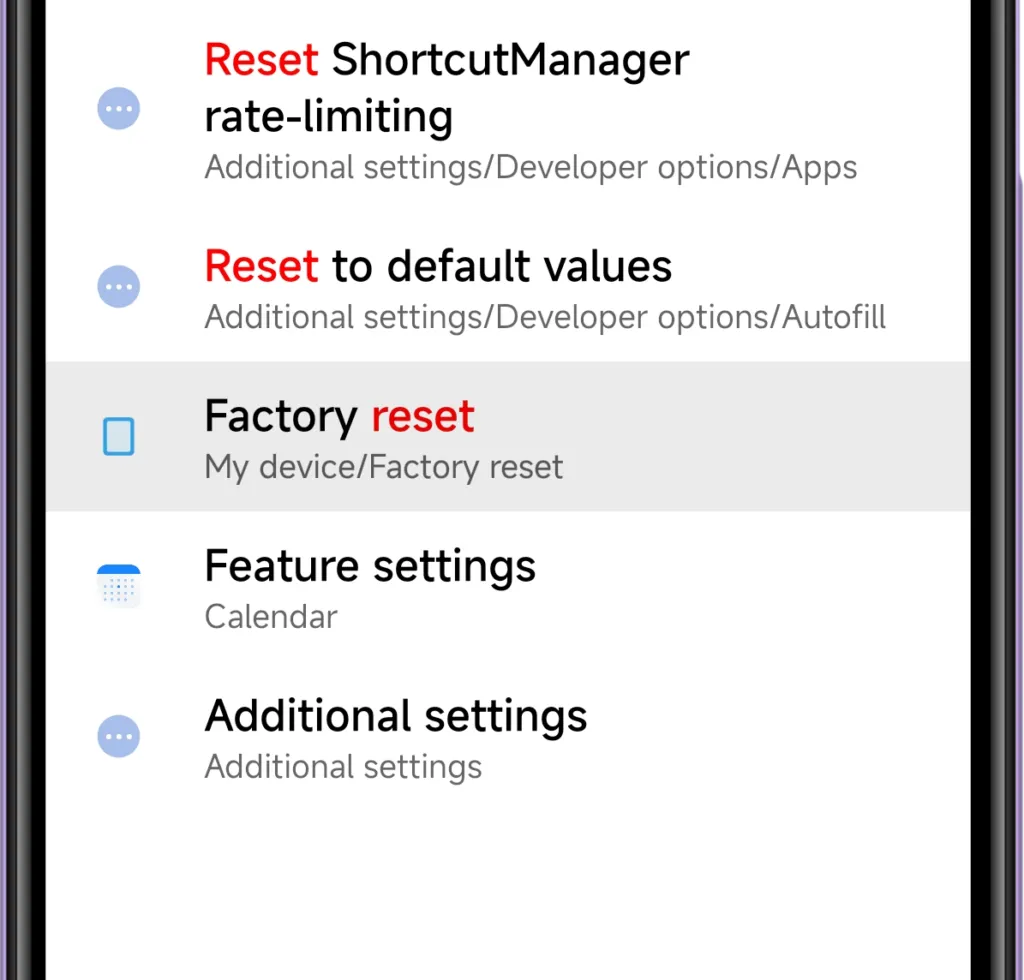
A complete system reset might be required if battery problems continue after trying alternative fixes. Conflicts between new features and residual data from previous software versions can occasionally lead to persistent issues with power consumption. Since a reset will remove all personal data and return to factory settings, make sure all crucial business data, including contacts, documents, and messages, are safely backed up before starting the procedure.
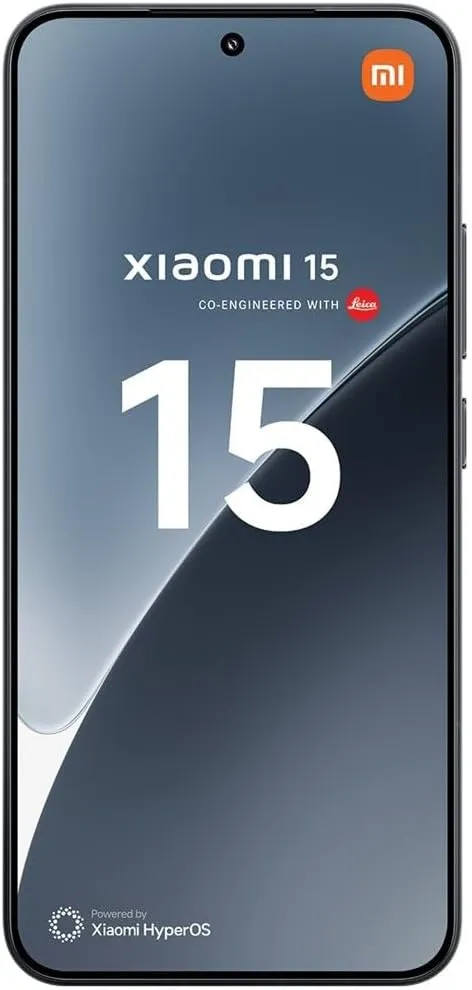
Xiaomi 15 5G
International Model
Dual SIM
eica Summilux optical lensLEICA VARIO-SUMMILUX
6.36″ 3200 nits ultra-bright displayCrystalRes AMOLED
Snapdragon 8 Elite Mobile Platform 3nm
Ultrasonic in-screen fingerprint sensor
32MP in-display selfie camera
Stay connected with the latest from Droid Tools—follow us on X @droid_tools, like our page on Facebook, check out our updates on Instagram, and follow us on Google News for real-time news, device tips, and mobile tech insights.
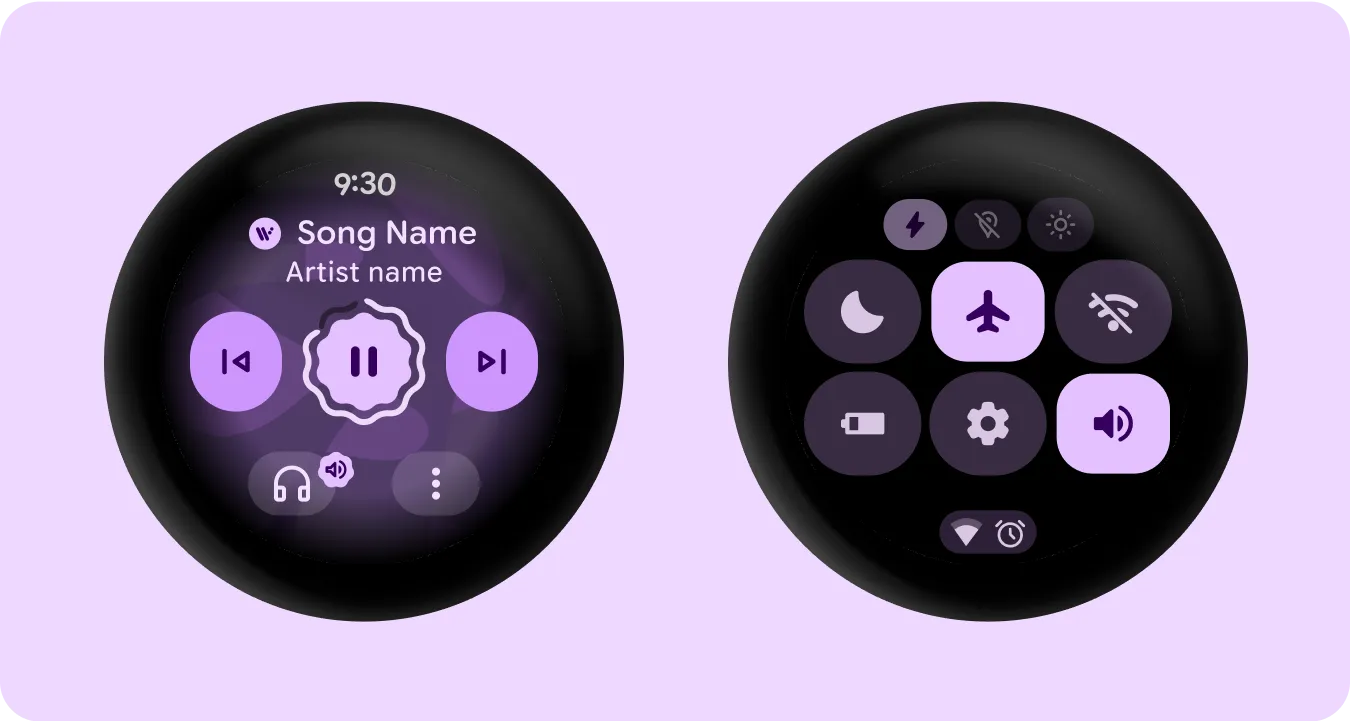
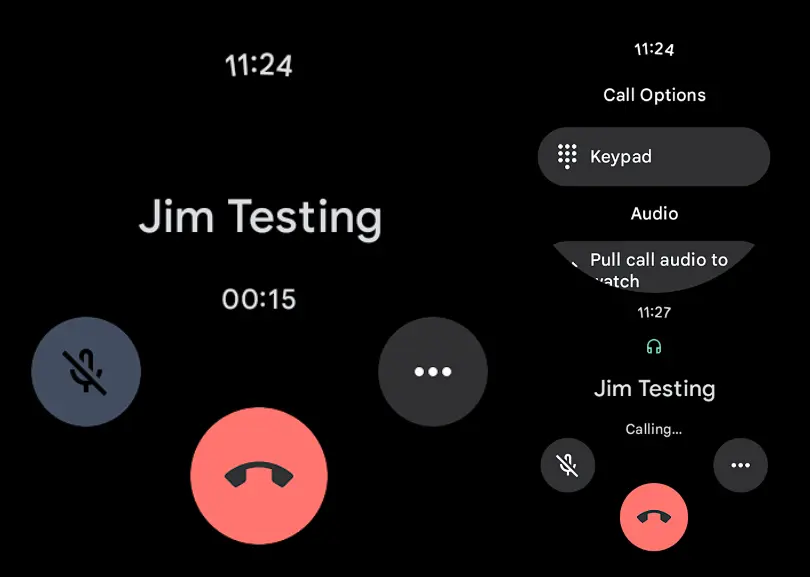
The Phone by Google app is receiving an M3 Expressive overhaul on WearOS, much like it does on Android.
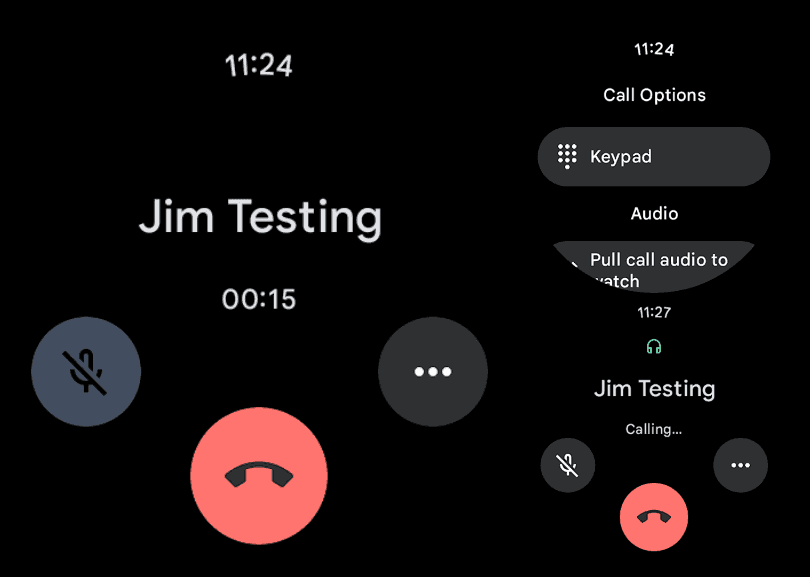
The in-call screen has been updated for users to see. The end call button clings to the display’s lower border. For a larger touch target that is useful on this small screen, it is larger than the current circle.
The call duration appears at the center of the same line, while the mute and three-dot overflow buttons are positioned farther up the screen.
Similar updates occur when you dial a number. Presumably, M3 Expressive will also be added to the Google Phone Wear OS homescreen. On the watches we looked at today, this is not currently generally available.
These are minor updates that match the phone’s redesigned in-call screen. Although it is no longer a grid, the “More” menu is now a list similar to Call Assist. The incoming call screen, which allows users to choose between a left/right slide or buttons to answer calls, is the most significant improvement.
While some beta users already have the Home, Keypad, and Voicemail bottom bar, others have Material 3 Expressive’s complete redesign.
Google Pixel Watch 3
The Google Pixel Watch 3 is designed for performance, with advanced fitness from Fitbit; the 45mm screen is twice as bright and 40% larger than before, making it easier to see your stats and info
Stay connected with the latest from Droid Tools—follow us on X @droid_tools, like our page on Facebook, check out our updates on Instagram, and follow us on Google News for real-time news, device tips, and mobile tech insights.
Thanks to its inclusion in Mi Code, Xiaomi’s impending HyperOS 3 update has now been formally announced, offering verifiable proof that the eagerly awaited software update is proceeding according to schedule. Xiaomi has decided to stick with its current number practice, despite previous industry rumors that suggested a switch to year-based naming (e.g., HyperOS 26). This strategic choice is consistent with market recognition and proven brand continuity.
The first HyperOS 3 rollout in China is scheduled for September 2025, according to Xiaomi. Based on past release trends, markets in Europe, Southeast Asia, and India are anticipated to follow in October or November. Given the early release of Android 16, some devices might get HyperOS 3 as early as September 2025, which would speed up time-to-market for Xiaomi’s user base worldwide.
The first formal confirmation from Xiaomi that HyperOS 3 is present in Mi Code confirms earlier predictions made by industry observers. With a September–October 2025 timetable that aligns with previous corporate release cycles, this development phase indicates that Xiaomi is on pace.
HyperOS 3 will have dual Android version compatibility
Xiaomi’s dual-platform strategy is a noteworthy feature of HyperOS 3. The upgrade will increase compatibility across Xiaomi’s wide range of devices by supporting both Android 15 and Android 16. This approach guarantees that the improved features and performance improvements of HyperOS 3 are available to both flagship and older devices.
Although Xiaomi has not revealed every feature, it is anticipated that the upgrade would bring about notable enhancements in performance, a revamped user interface, and new features that are intended to elevate the user experience throughout the brand’s ecosystem. Strong internal progress and preparedness for the next launch window are indicated by the Mi Code confirmation.
Stay connected with the latest from Droid Tools—follow us on X @droid_tools, like our page on Facebook, check out our updates on Instagram, and follow us on Google News for real-time news, device tips, and mobile tech insights.
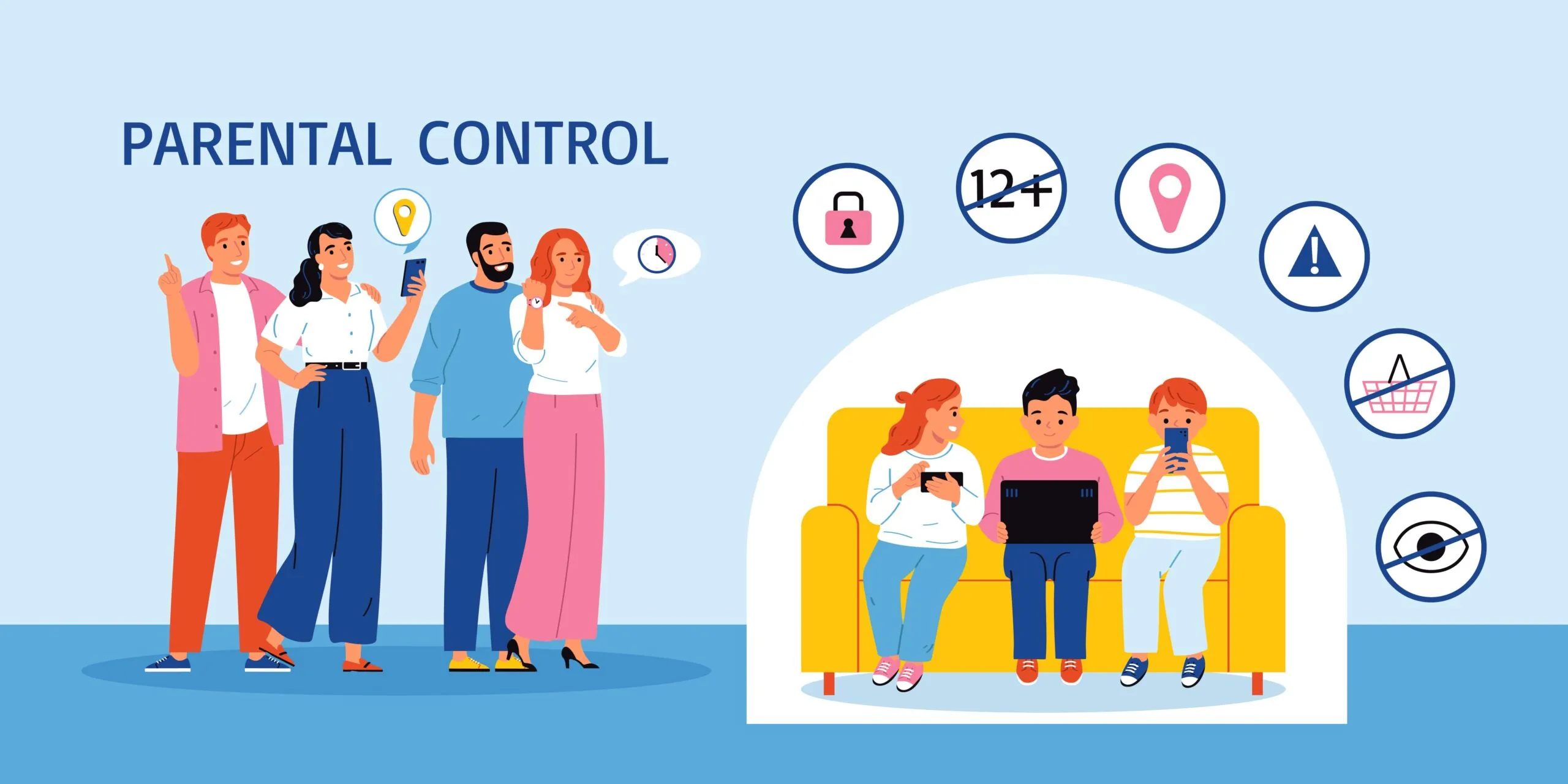
Setting such much-needed digital limits is now easier than ever thanks to Android’s initiative to give parents more control over their children’s digital lives. The beta versions of Android 16 have been revealing some intriguing new features that point to a significant drive for improved child protection. In the Android Canary build, Google appears to have begun testing a new parental limit feature, which represents a more significant change in the way Android phone supervision functions.
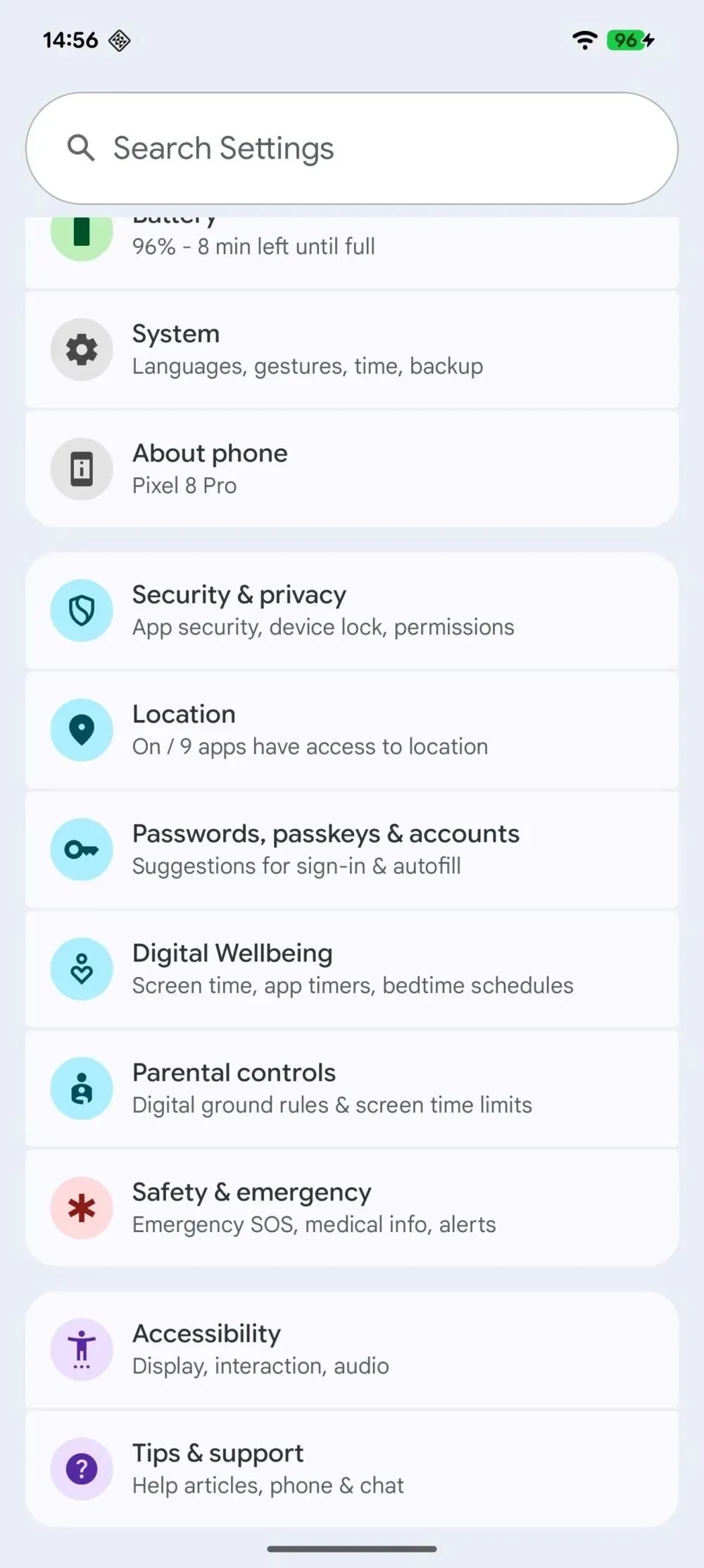
The Android Canary release channel, which is effectively Google’s sandbox for testing out experimental features, contains a new “Parental controls” setting that Android Authority has noticed. Parents will no longer need to search through Digital Wellbeing to establish some limits because the option is located directly within the main settings menu. Although it isn’t working right now, its positioning indicates that Google intends to prioritize parental settings over treating them as an afterthought.
At the present, tapping the choice has no effect. Nevertheless, it appears that Google is coordinating these changes with more extensive enhancements anticipated in Android 16. For example, the Settings app’s “Supervision” feature, which might allow parents to ban specific online content, was hinted to in Android 16 Beta 4. But now, instead of having a jumble of menus, the focus is on integrating all of that.
In addition to being easier to use, Android 16 is also making it easier to weed out the less wholesome parts of the internet. To prevent explicit content from slipping through, new content blocking capabilities are on the horizon.
Simply enable device supervision and set up a PIN for the account you’re monitoring to activate these site filters. Next, you can filter out explicit photos, text, and links from Google Search and ban dubious websites in Chrome. These capabilities are intended to conceal the majority of problematic web content, making the Android experience considerably safer for younger users—though no filter is infallible.
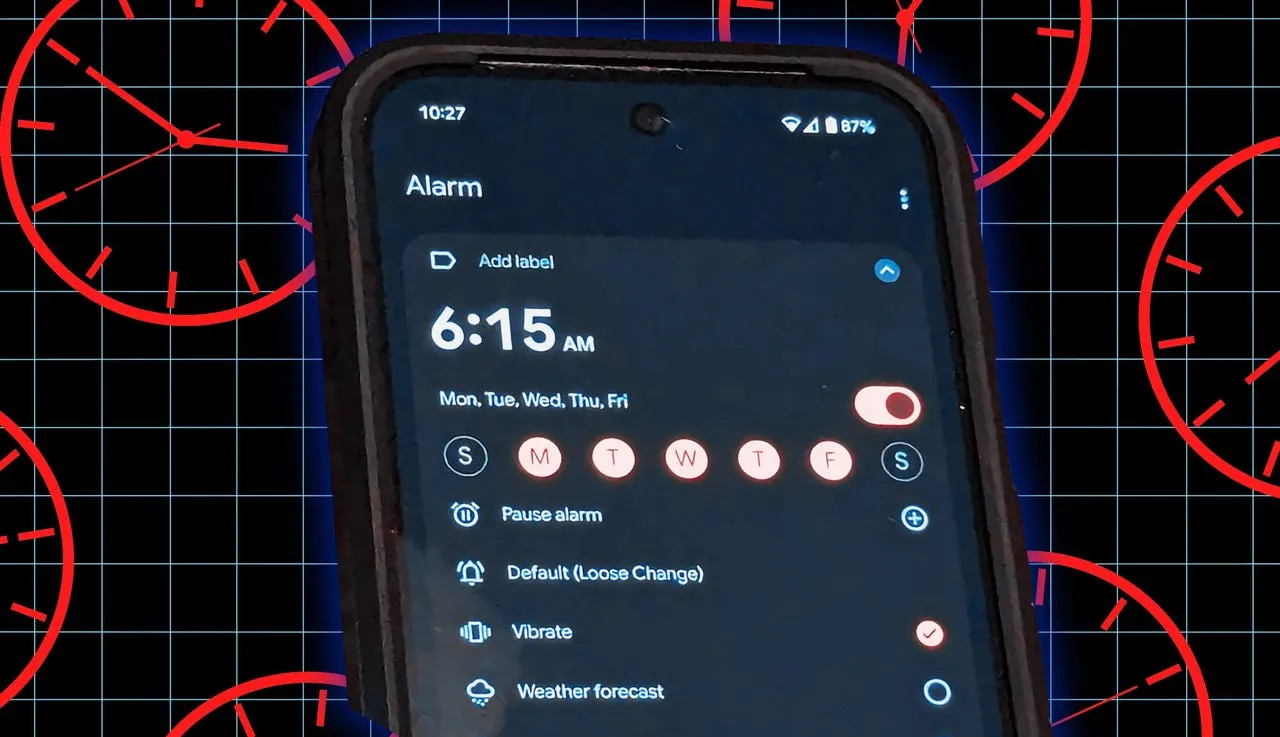
With the Pixel 9 series and new Android upgrades, the notoriously bug-ridden Google Pixel devices have begun to improve. Nevertheless, people continue to report new flaws in Pixel phones, and this time it appears to be related to the alarm clock, which is one of the most crucial features of the device.
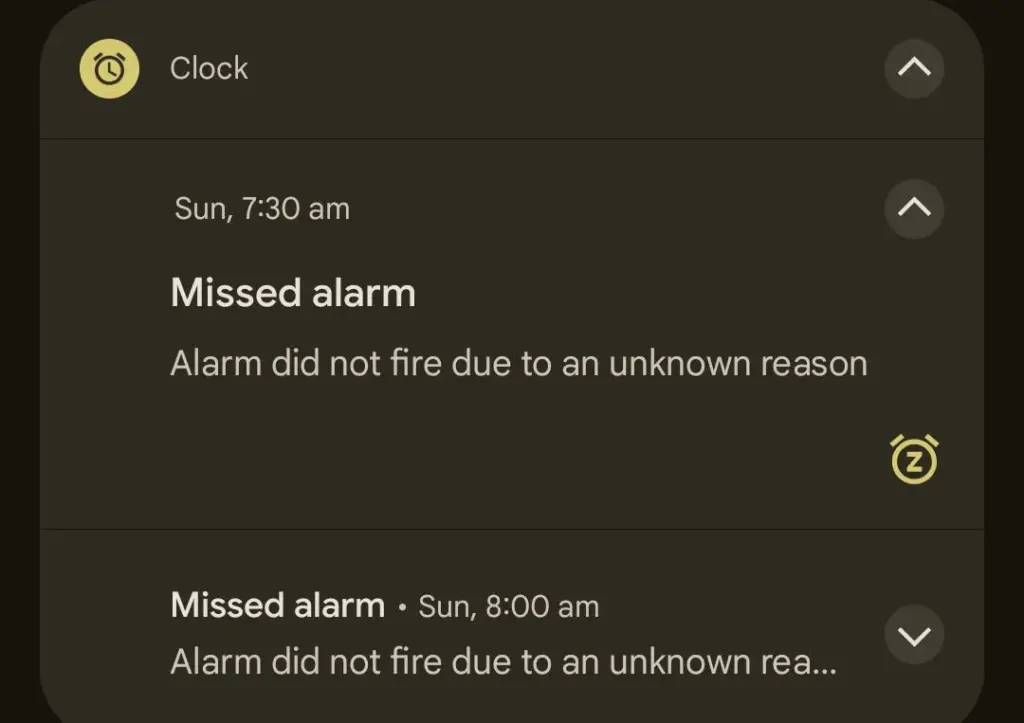
Angry Pixel users have taken to Reddit to complain that their devices’ alarms are not sounding as planned. After the time their alarm was intended to sound, users are complaining that their Pixel displays a “Missed alarm” warning, stating that the “Alarm didn’t fire owing to an unexplained reason.”
If you have a Pixel, you might not want to trust your morning alarm – alarm bug returned
Although the problem doesn’t appear to be widespread yet, other users in the Reddit post reported that it happened to them, with some saying it happened “a few times,” indicating that it’s not an isolated incident.
A Redditor claims that Google has not been able to reproduce the problem and “is not looking for a remedy” at this time, despite some customers contacting Google support. Perhaps because it’s not common, but Google might investigate if enough reports surface. The majority of people who encountered this problem were using the stable version of Android rather than the Android Beta program.
However, alarm-related complaints from Google Pixel owners are not new. In March 2025, a similar issue with alarms turning off on their own was reported by Pixel 9 customers. But this time, it appears that a system malfunction is keeping the alert from going off at all.
Although I haven’t yet encountered the alarm bug on my Pixel 9 (which is on the most recent Android 16 QPR1 beta), there are enough reports to indicate that many users are likely affected. There isn’t a solution as of now, but as a precaution, you could want to set backup alarms on other gadgets, such as smartwatches or smart home hubs.
Stay connected with the latest from Droid Tools—follow us on X @droid_tools, like our page on Facebook, check out our updates on Instagram, and follow us on Google News for real-time news, device tips, and mobile tech insights.
Android 16 wasn’t expected to be a huge event, but Material 3 Expressive altered that and made many excited about the upcoming Android release. Google is making the required adjustments to truly streamline the experience overall, in addition to giving you the option to personalize the appearance and feel of your device.
The Google Phone app is one area that is receiving a lot of unexpected attention. Late last month, Google said that it will be making modifications to the Phone app, and now it is beginning to push out those changes to users. This UI update is presently only available to beta users, so it won’t be available to everyone this time around, according to 9to5Google.
Google Phone app redesign with Material 3 Expressive
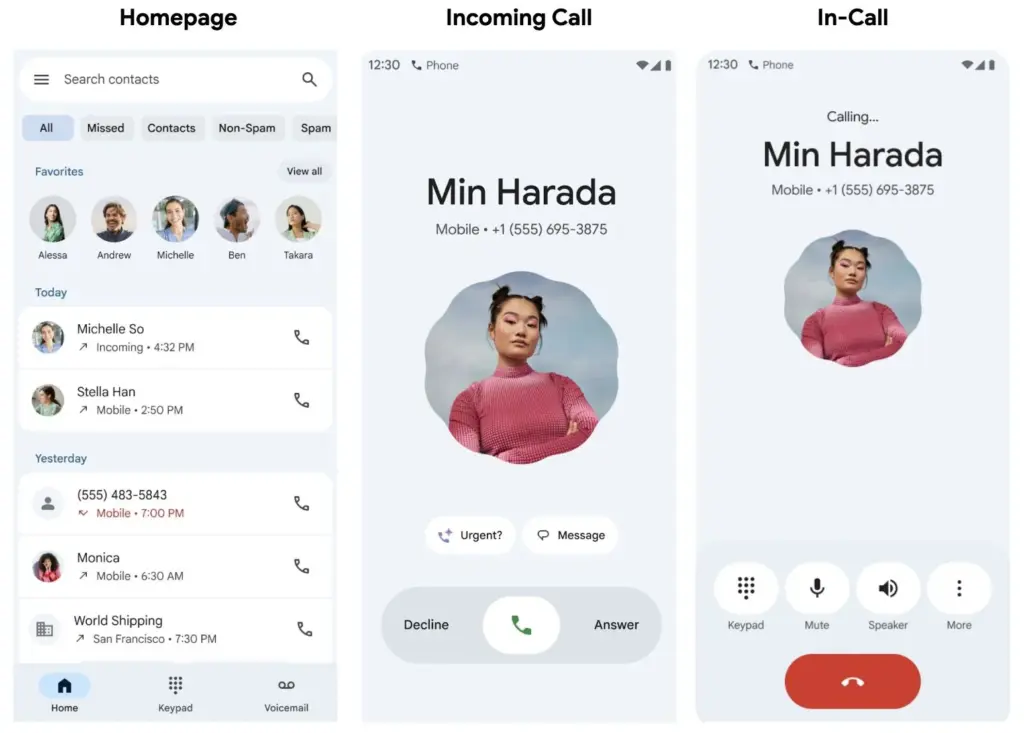
Going ahead, beta users should anticipate a much more straightforward interface with only three menu options—Home, Keypad, and Voicemail—to select from on the bottom bar. The Home page now has a plethora of data, including recent calls and preferred contacts, further deepening the alterations. You can manually make calls or view some recommended contacts by going to the Keypad area. Additionally, any voicemails you may have will be stored in the Voicemail section, as you might anticipate. Users should now have access to the gesture controls in addition to the previously mentioned features.
You may now accept and reject calls with a simple tap or horizontal swipe thanks to the recent update. It’s a lovely addition that gives the user interface a more contemporary feel, even though it’s not a significant improvement. With Material 3 Expressive touches appearing on numerous other well-known Google apps, additional modifications will undoubtedly emerge over the year.
Even though the modifications are gradual, more areas of Android and other Google apps are gradually incorporating them. We’ll have to wait and see how far Google takes this. With the Pixel 10 expected to be released in a few months, hopefully there will be more intriguing additions to this.
Stay connected with the latest from Droid Tools—follow us on X @droid_tools, like our page on Facebook, check out our updates on Instagram, and follow us on Google News for real-time news, device tips, and mobile tech insights.
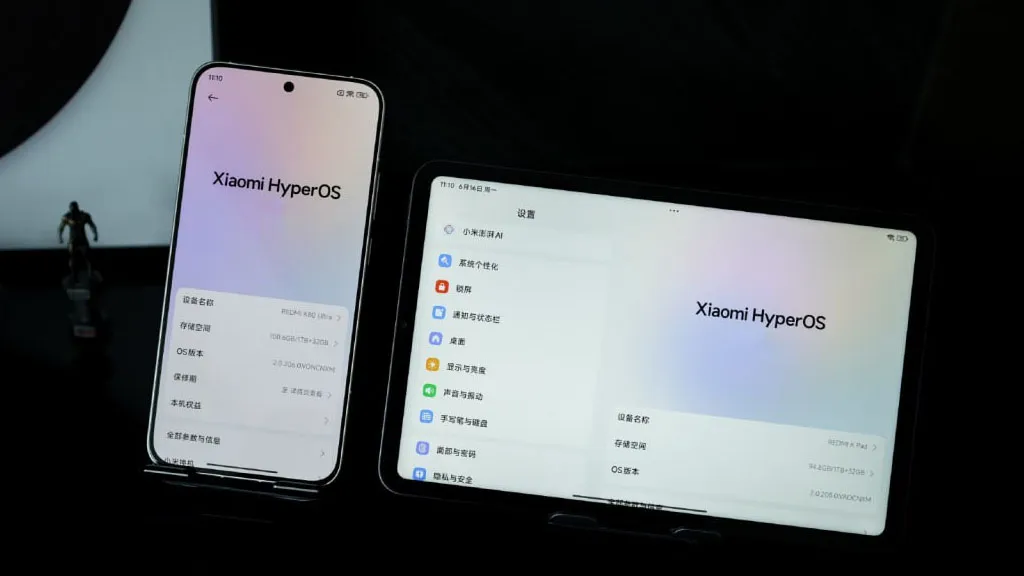
With the release of HyperOS 2.3, Xiaomi has moved several of its flagship models on an Android 16 basis. This release prioritizes improved security and strong system stability over adding new features or altering the design.
Deep enhancements in HyperOS 2.3
All of the features of HyperOS 2.2 are retained in HyperOS 2.3, which is now compatible with the Android 16 platform. The main improvements provide a more dependable and secure user experience and are operational in nature.
System-Level Updates
Integration with Android 16
Deployment of latest security patches
Improved system stability protocols
Enhanced performance optimization
Upgraded memory management
Refined system animations
Security & Privacy Improvements
Comprehensive Android 16 security patches
Advanced privacy controls
Refined app permission management
Expanded malware protection
Secure boot verification
Enhanced biometric authentication
Device Compatibility
The HyperOS 2.3 update is currently available for the following premium Xiaomi devices:
Xiaomi 15 series – Full deployment completed
REDMI K70 Ultra – Gradual rollout in progress
Xiaomi 14T Pro – Mi Pilot release phase
The next HyperOS 3 version, which is anticipated to deliver wider compatibility and more feature enhancements throughout the Xiaomi device ecosystem, will grant Android 16 access to the majority of Xiaomi consumers.
HyperOSUpdates.com offers programs for advanced users who want customization. Additional capabilities including enabling system app updates, unlocking hidden Xiaomi functionalities, and offering power users on-screen update management.
Stay connected with the latest from Droid Tools—follow us on X @droid_tools, like our page on Facebook, check out our updates on Instagram, and follow us on Google News for real-time news, device tips, and mobile tech insights.
Nothing has published its Android launcher version 3.3.4, which has significant enhancements centered on visual design, usability, and speed. The update is compatible with the majority of Android devices running Android 10 or later and is currently accessible through the Google Play Store.
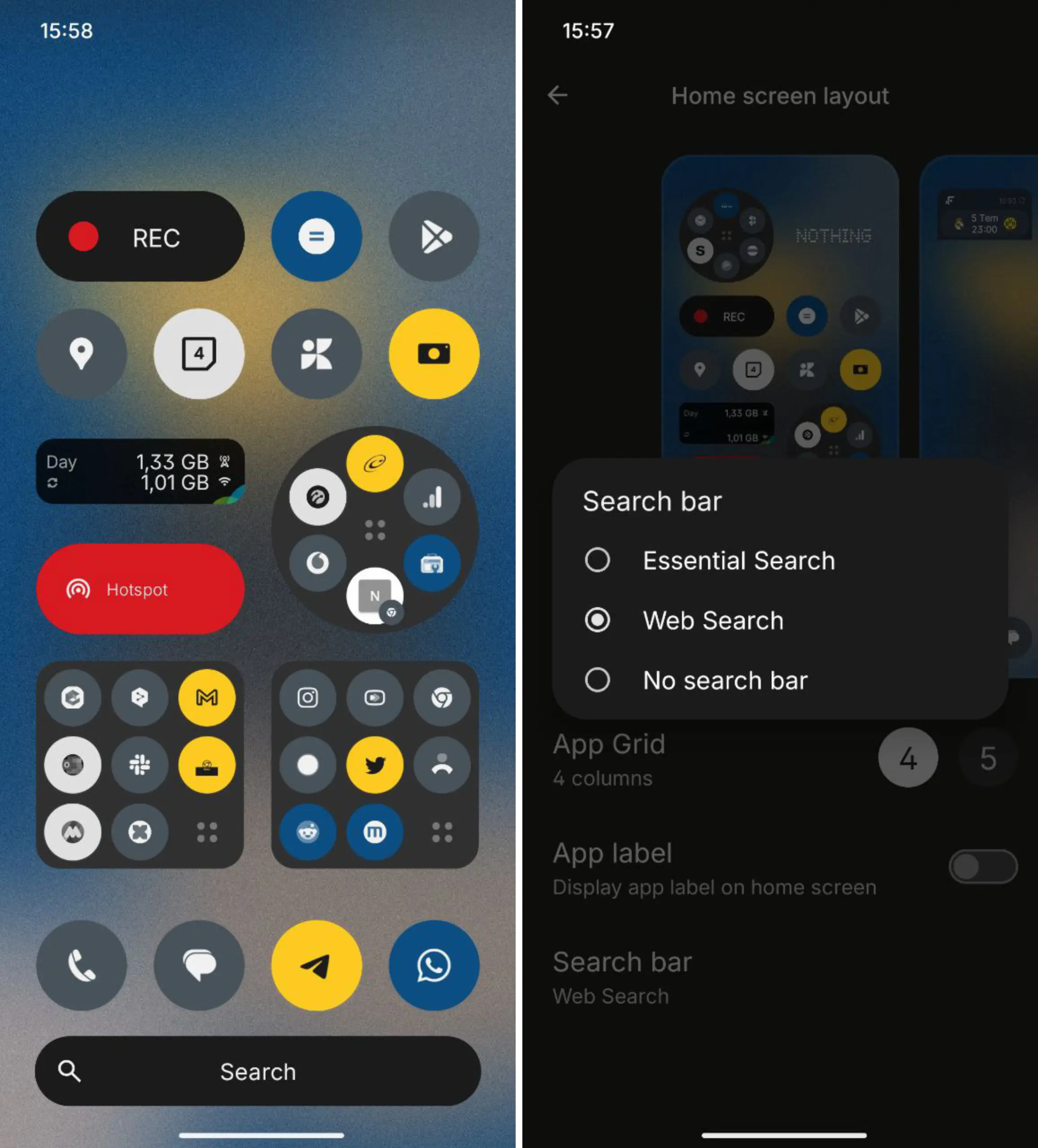
The updated app drawer is the most significant change. It now adopts the future Nothing Phone 3’s look. Users can access apps more easily thanks to the layout’s improved cleanliness and ease of use, which also maintains the Nothing interface’s overall aesthetic.
Additionally, a new Essential Search function has been implemented. Users can locate contacts, programs, files, and settings all in one location using this search bar. It helps people find what they need more quickly by eliminating the need to launch several menus or apps.
Nothing Launcher update
The system’s animations have also been enhanced. Screen transitions, folder opens, and app starts are now more seamless. During regular use, the launcher seems faster and more polished thanks to these modifications.
Additionally, Nothing Launcher 3.3.4 improves its compatibility with the rest of the Nothing ecosystem. It is intended to provide a better experience for users of other Android devices that like a straightforward and uncluttered interface, in addition to Nothing phones.
Nothing’s emphasis on creating a unified user experience across hardware and software is evident in the upgrade. This launcher upgrade helps consumers get ready for the upcoming Nothing Phone 3 edition of the company’s goods.
Now available are the new features. The launcher is available for users to update or download from the Play Store.
Stay connected with the latest from Droid Tools—follow us on X @droid_tools, like our page on Facebook, check out our updates on Instagram, and follow us on Google News for real-time news, device tips, and mobile tech insights.
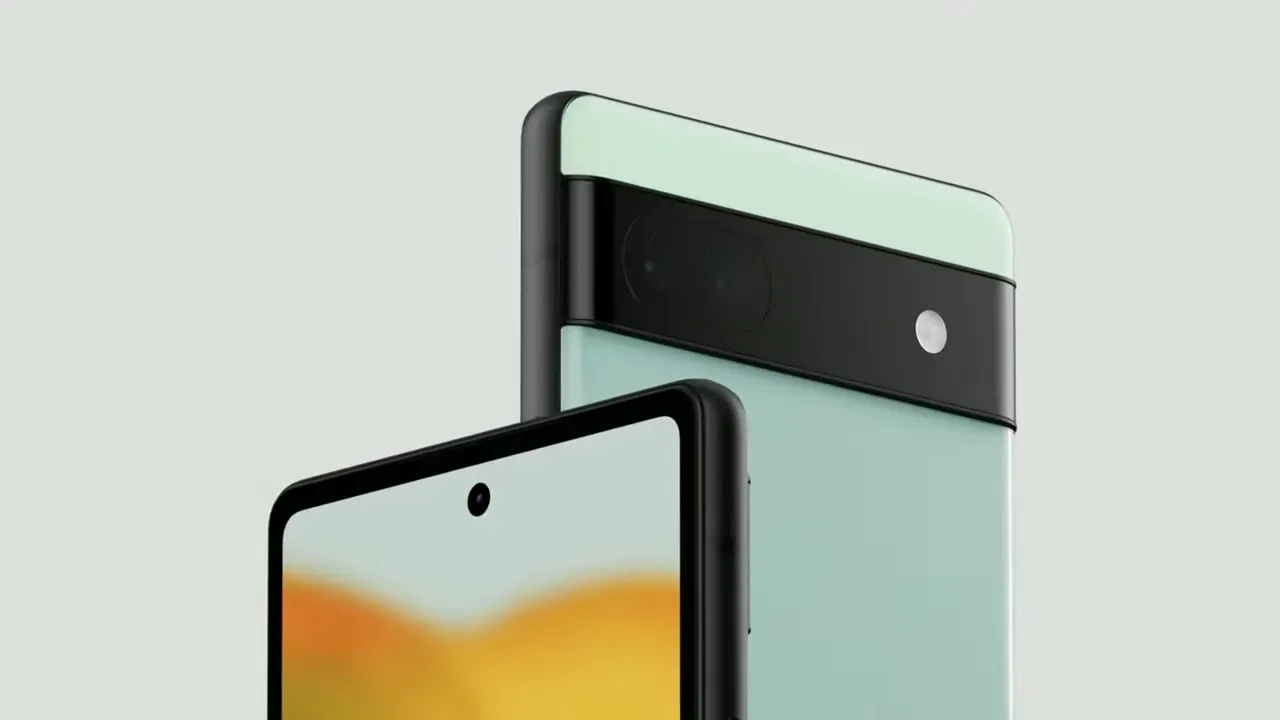
Installing the most recent Android 16 update is crucial if you possess a Google Pixel 6a.
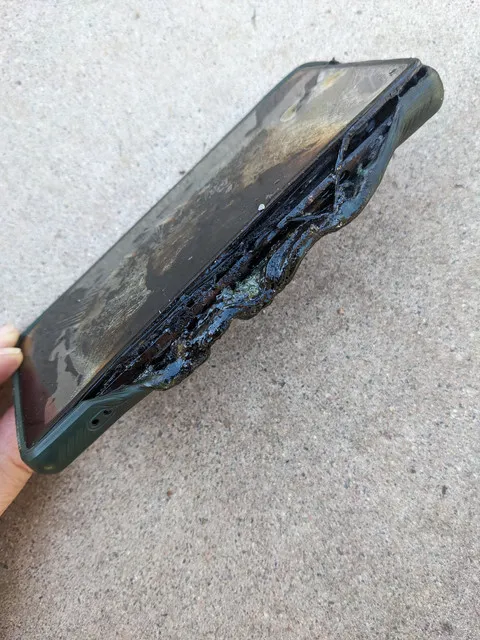
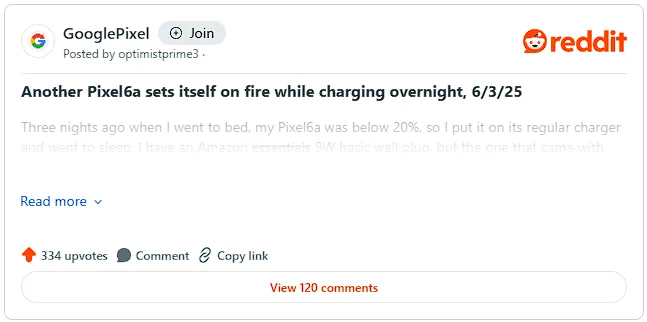
After some Pixel 6a owners reported their devices catching fire, this required software update, which goes live globally today (July 8), will reduce the chance of the dangerous battery overheating. On the social news site Reddit, several Pixel 6a owners have shared their terrifying experiences.
“Just in the middle of the night, my Pixel 6a caught fire. I had it charging on my bedside table. Fortunately, I don’t sleep too deeply, and I was awakened by the sound of hot gas erupting from the battery. One Reddit user posted in a community devoted to the beloved Google Pixel brand, “There was a fireball on my nightstand about two seconds later.”
“I was startled awake at 4am by the sound of my phone screaming its overheating noise at the volume I’d set for my alarm, along with the odd sound of the phone’s internal components blasting out the right side, along with the horrifying smell of burning chemicals and electronics,” says another post that is similar.
“I was initially perplexed by everything, but I easily located the phone in the dark. I threw it away from me into the tile floor, and it was so hot that I’m not sure how I didn’t get burned.
That moved it closer to my smoke detector and away from combustible objects, causing it to go off a moment later. I switched on a light, reached for the non-melting part of the phone, and threw the still-smoking, sizzling Pixelbomb into my concrete patio. Before I could remove the phone from the charger and put it on the floor, I found out that it had actually caused a little fire on some of my garments.
“I would have been battling a nasty house fire if I hadn’t been a few feet away from the phone to respond as fast as I did. It will be disastrous if someone is unable to swiftly take their burning phone and place it to a non-flammable surface.
Google has taken action since there have been enough of these reports. Google’s latest software update will lower the device’s total battery capacity after 400 charging cycles in order to prevent this overheating issue.
Google clarifies in an online support post regarding the problem that “you will not experience the battery-related changes and the new features will stay dormant, even though the update is installed, until your battery reaches this point.”
A “charge cycle” is the process of consuming and recharging 100% of the battery’s capacity, though not necessarily all at once, for those who are unaware. It would only be considered one full charge cycle, for instance, if you used 50% of your battery one day, recharged it, and then used 50% again the next day before charging.
Google claims that Pixel 6a owners will be alerted when their device has completed 375 cycles of charging, alerting them to the impending activation of its new battery management capabilities. You may experience slightly slower charging speeds and a shorter battery life when these safety precautions are in place.
According to Google, you may also experience “short-term changes to how the battery-level indicator on your phone shows your battery capacity as your phone learns its revised battery capacity.” For this reason, you should not rely solely on the percentage of your phone’s battery that appears in the corner when determining whether you need to top it up.
After 400 charge cycles, the new limitations won’t apply to all Pixel 6as. According to Google, the new restriction would only be applied to “impacted devices” that over the 400 recharge level.
The specifics of what else qualifies a Pixel 6a as a “impacted device” have not been provided.
Google is providing a free battery replacement if the required Android 16 update determines that your Pixel 6a is affected by battery problems. To find out whether your Pixel 6a qualifies, follow the instructions in this support guide.
By changing the battery, the overheating and swelling problems should be resolved, and your Pixel 6a’s battery life won’t be artificially restricted. Beginning July 21, walk-in or mail-in repair centers in the US, UK, Canada, Germany, Singapore, Japan, and India will offer free battery replacement.
Your Google Pixel 6a could get a new free battery
Google might not offer a free battery replacement if your Pixel 6a displays any of the following traits:
If your Pixel 6a device exhibits other forms of damage, like liquid damage, exposure to sharp objects, or excessive force, it may not qualify for a battery replacement at no charge under this program
If your phone has out-of-warranty damage, such as display or cover glass cracks, then there may be a fee to repair your phone. Before we start any repairs, we’ll provide a cost estimate. You then have the option to proceed with the repair or have your device returned to you
Reports of battery bloating and even the documented occurrence of a Google-designed device catching fire first surfaced in May, marking the beginning of the Pixel 6a’s battery issues.
Google has already experienced battery issues with its Pixel range. To prevent similar problems with the lithium-ion cell, Google released an Android update earlier this year that reduced the battery life of its low-cost Pixel 4a.
In that instance, Google provided a choice between an £80 store credit to be used towards the purchase of a new Pixel phone from the Google Store, a £40 one-time cash payment, or a free battery replacement service for the Pixel 4a.
And Google Pixel owners’ battery problems don’t stop there. The California-based business has started a comprehensive repair program to address the Pixel 7A’s battery swelling problems. The United States, India, Canada, Germany, Japan, Singapore, and the United Kingdom all have walk-in centers to address battery issues.
Stay connected with the latest from Droid Tools—follow us on X @droid_tools, like our page on Facebook, check out our updates on Instagram, and follow us on Google News for real-time news, device tips, and mobile tech insights.