Tag: ui

  • Xiaomi HyperOS 3.1 update brings major new features — here’s what to know

    Xiaomi HyperOS 3.1 update brings major new features — here’s what to know

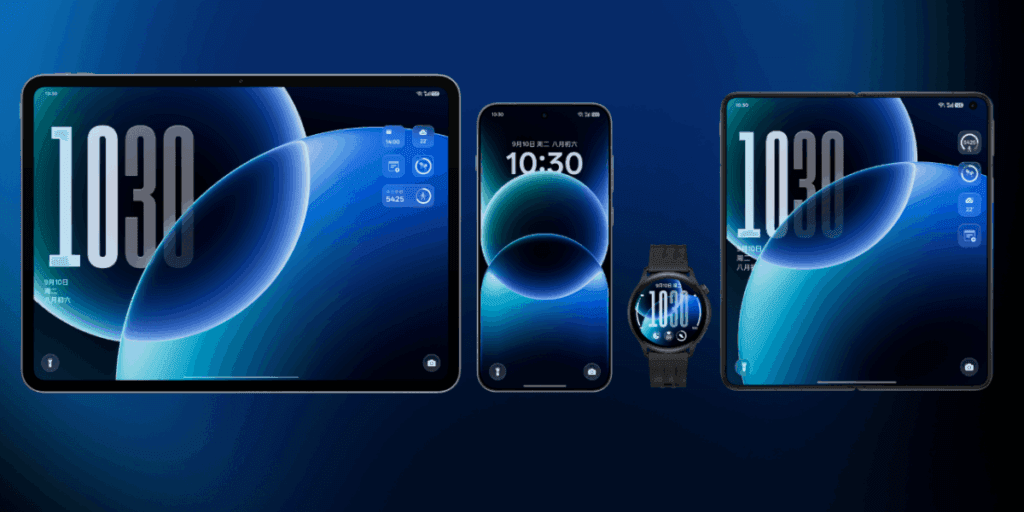
    On January 22, 2026, Xiaomi launched the HyperOS 3.1 beta, which included minor but significant UI and privacy improvements. Phones become smoother and speedier as a result. Additionally, the HyperOS 3.1 update uses AI to extend battery life.

    With improved app switching and adjustable settings, it improves the user interface. Additionally, it offers improved multitasking, smoother animations, and increased privacy and security.

    A more reliable, refined, and connected experience is provided by HyperOS 3.1. It also offers support for iOS calls and security updates for Android 16. Let’s examine the characteristics of HyperOS 3.1 in more detail below:

    Quick look at Xiaomi HyperOS 3.1 features coming to your device

    CategoryFeatureExplanation
    iOS IntegrationAirPods Native Pop-UpLet users hide unlock pattern traces
    iOS IntegrationSpatial Audio SupportEnables 360-degree immersive audio on Xiaomi phones
    iOS IntegrationANC & Transparency ControlManage noise cancellation and sound modes easily
    iOS IntegrationFind My AirPodsLocate lost AirPods without needing an Apple ID
    UI & AnimationsNew System AnimationsSmoother, more fluid transitions across the system
    UI & AnimationsiOS-Style Recent AppsCard-like multitasking view inspired by iOS
    Apps OverhaulNew Gallery & Weather AppsFaster apps with rewritten code for better performance
    AccessibilityNew “Assistance” MenuEasier access to vision, hearing, and control tools
    AccessibilityActive Visual PerceptionHelps users better understand on-screen content
    Motion & ComfortMotion Sickness FeatureReduces visual motion to prevent dizziness
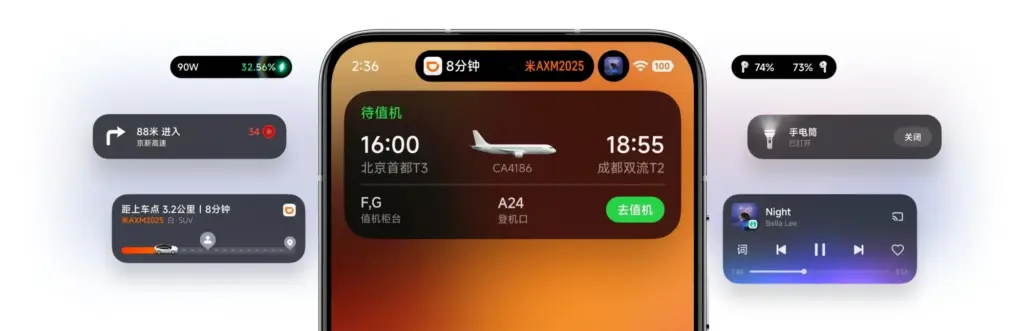
    Super IslandLive Update SupportReal-time updates from apps like Uber and Spotify
    Super IslandTodo Notes & QR AccessView tasks, QR codes, and maps directly on Island
    Lock ScreenCard Swipe SupportSwipe payment and transit cards on lock screen
    MediaMusic Progress BariOS-style glowing progress bar on media player
    EcosystemXiaomi + iPhone Call SupportAnswer Xiaomi calls directly on an iPhone
    System CoreBiometric RedesignImproved fingerprint and unlock settings
    System CoreQuick GesturesFaster gesture shortcuts on select premium phones
    SecurityNew Password AppStores passwords, Wi-Fi logins, and passkeys
    SecurityPassword Breach AlertsWarns if your passwords are compromised
    PrivacyShake Permission UpdateLimits app access to camera, mic, or location
    PrivacyHidden Pattern TrailLets users hide unlock pattern traces
    PerformanceFaster & Smoother SystemImproved speed and stability
    BatteryAI Battery OptimizationSmarter power saving using AI
    Android CoreAndroid 16 Security PatchesLatest system-level security improvements

    iOS integration

    You may have overlooked many Apple-only features if you have Apple AirPods and a Xiaomi phone. The AirPods’ battery level was visible before the introduction of Xiaomi HyperOS 3.1. Similar to Apple AirPods, Xiaomi phones have developed as a local brother that will never be alone.

    Important improvements like Apple-like native Pop Up support are included in the latest version of HyperOS 3.1. A brief card with details about the battery and connectivity now appears on your screen when you open the AirPod

    Spatial Auido, one of Apple’s most exclusive features, is now accessible. Users of Xiaoimi can now enjoy native 360-degree immersive audio. Additionally, the HyperOS club allows you to control the connection time, ANC, and Transparency mode.

    Additionally, instead of displaying the standard Bluetooth icon, it only displays the appropriate AirPods model icon. Notably, Xiaomi’s “Find My” Integration allows you to locate your misplaced AirPods using Xiaomi Online Search without even requirin

    New UI animations

    Xiaomi rewrites Gallery and Weather and changes its animations. To enhance system performance, all outdated code has been eliminated. The new APK files will crash when installed on older HyperOS 3 devices as a result of this modification.
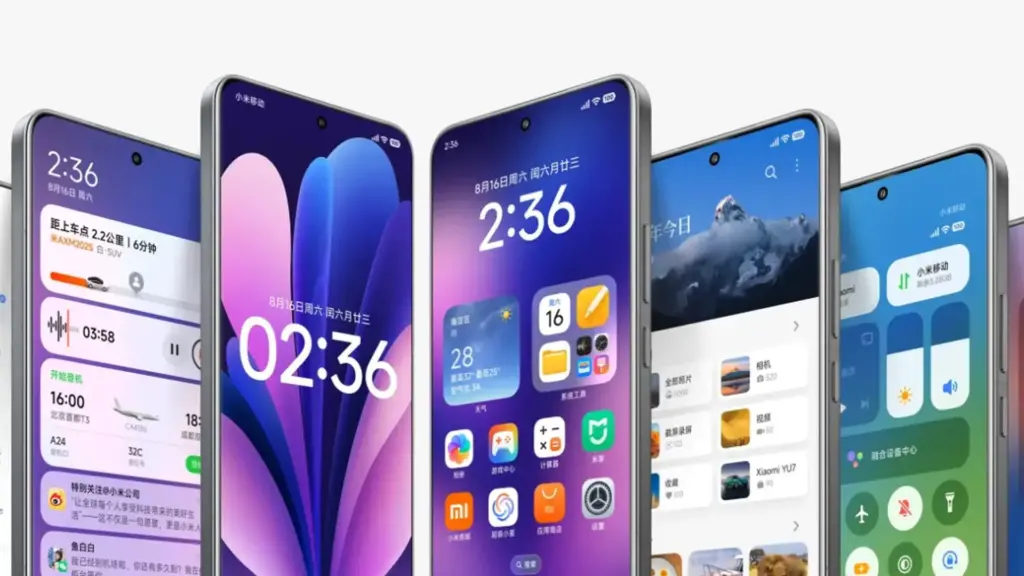
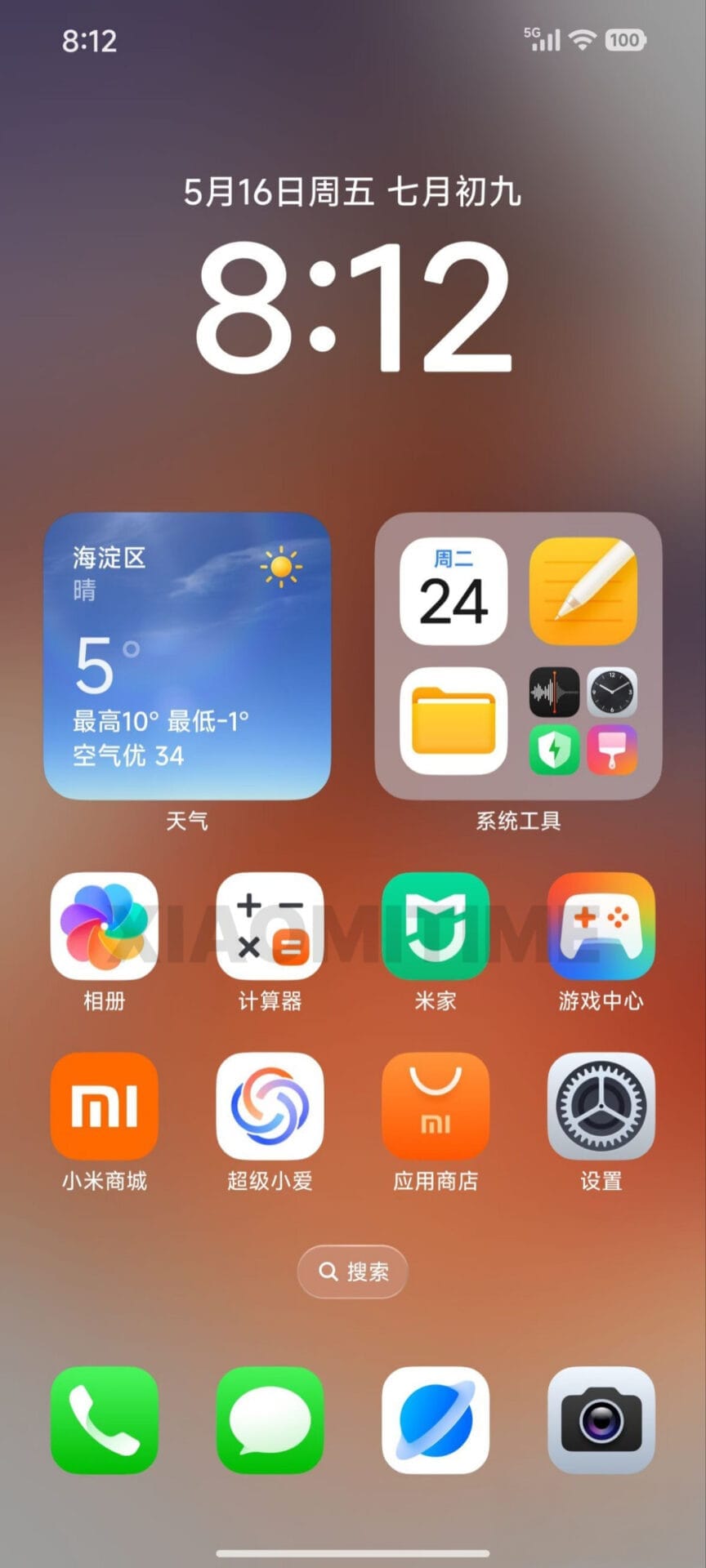
    Xiaomy HyperOS 3 new UI icons iPhone like

    Additionally, the company imitated the latest iOS 26 app animation. Switching between programs feels more contemporary because to the new style, which resembles the iOS cards.

    Improvements have been made to the white bar at the bottom of the screen that indicates when you are in full-screen mode. It now responds better to touch and moves more fluidly.

    HyperOS 3.1 now has a new Motion Sickness function from Xiaomi. Motion sickness-causing visual motion cues are lessened by this featur

    Improved Super Island

    Although Super Island now uses the native Android 16 “Live update” API, it was completely inspired by iOS Dynamic Island. Thus, Xiaomi-specific code will no longer be required for international apps such as Uber, Spotify, or other food delivery services to display real-time information on Super Island
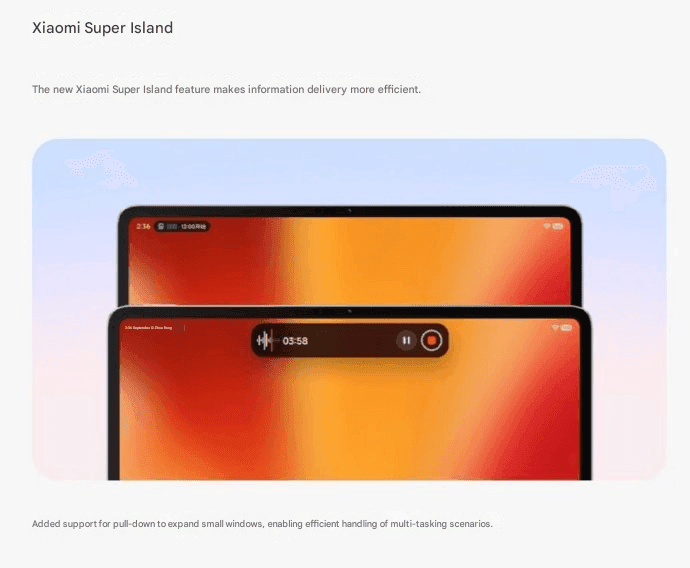
    HyperIsland Tablet

    Following this upgrade, Xiaomi added a Todo Notes feature. You no longer need to open the app landing page in order to view a variety of notifications, QR codes, and map instructions in Island. Additionally, a function known as Lock Screen Card Swipe is added. This makes it simple to swipe through your cards, including transit and payment cards, directly on the lock screen. You won’t have to visit a different wallet website.

    The new Music Progress Bar, which was completely lifted from iOS, is one of my favorites. The media player on the island now has a glowing progress bar thanks to a straightforward yet lovely modification.

    System Core enhancements

    The “Assistance” Menu functionality was implemented in HyperOS 3.1 (Accessibility Settings Change). This indicates that Xiaomi renamed and relocated the accessibility options to a new main menu called “Assistance.” Those who require simpler phone controls or who have vision or hearing issues can benefit from these options.

    Features, for instance, relocated there. Active Visual Perception improves the clarity of what users see or comprehend on the screen. Screen readers, text size control, and tools for hearing and vision assistance.

    Additionally, the new biometric area offers a more contemplative experience. Additionally, Xiaomi included Quick Gestures control, which is only available on more recent high-end models like the Poco F8 Ultra and Redmi K90 Pro Max.

    As I have stated, deep ecosystems are greatly impacted by Apple AirPod integration. Additionally, the most crucial brick is iPhone Cross-Compatibility (Xiaomi + iPhone). You can now answer and receive calls from your Xiaomi phone directly on your iPhone if you have both an iPhone and a Xiaomi phone. To put it simply:

    When your Xiaomi phone calls, you may answer it on your iPhone. Thus, you don’t always need to touch your Xiaomi phone. Since Apple and Xiaomi often don’t collaborate closely, this function is unique in that it links two competing ecosystems.

    Many security improvements
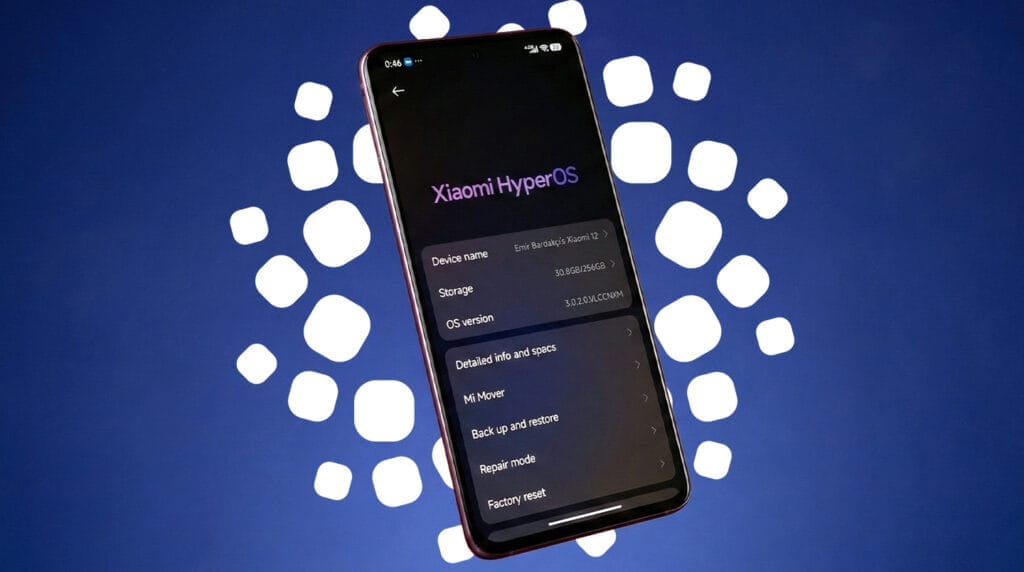
    hyperos 3.1 security updates

    The Passwprd App, similar to iOS, is now one of the key features of HyperOS 3.1. Similar to Apple, this new tool helps you manage your Wi-Fi passwords, passkeys, and app logins.

    It can detect and alert you if your passwords have been stolen. Additionally, it allows you to manage all of your passwords in one location by combining them from several online browsers. Additionally, it offers a simple method for your passwords to be automatically filled in throughout the system.

    The way you can use patterns and fingerprints has changed in the latest release. The pattern trace can now be concealed once more. Additionally, it is now simpler to select your security options because the fingerprint unlock is independent of the private password settings.

    Shake Permission Update is a new function that allows you to modify your privacy. This enables you to restrict access to your location and camera, for example, only when your screen is on. Additionally, you have the option to restrict these permissions to eight seconds following the opening of an application. By doing this, you can stop apps from following you when you’re not
    xiaomi hyperos 3.1 update

    Overall, HyperOS 3.1’s improvements prioritize polish over a significant redesign, enhancing ecosystem connectivity, privacy, battery efficiency, and smoothness. This beta seems more polished, reliable, and prepared for the future than earlier HyperOS iterations thanks to Apple-inspired features and Android 16 security improvements.

  • HyperOS 3.1 rolls out with bold UI improvements, leaving some Xiaomi devices behind

    HyperOS 3.1 rolls out with bold UI improvements, leaving some Xiaomi devices behind

    The latest version of Xiaomi’s HyperOS is almost here, and it looks like there will be a lot of changes. Xiaomi HyperOS 3.1 appears to be attempting to improve the appearance of their software by drawing inspiration from well-known skins. There is a significant hitch, though, that could let some users with outdated specs down. According to the most recent reports, this upgrade will only come on Android 16 devices because it is closely related to the underlying OS design.

    HyperOS 3.1

    What are the new features that are coming to HyperOS 3.1?

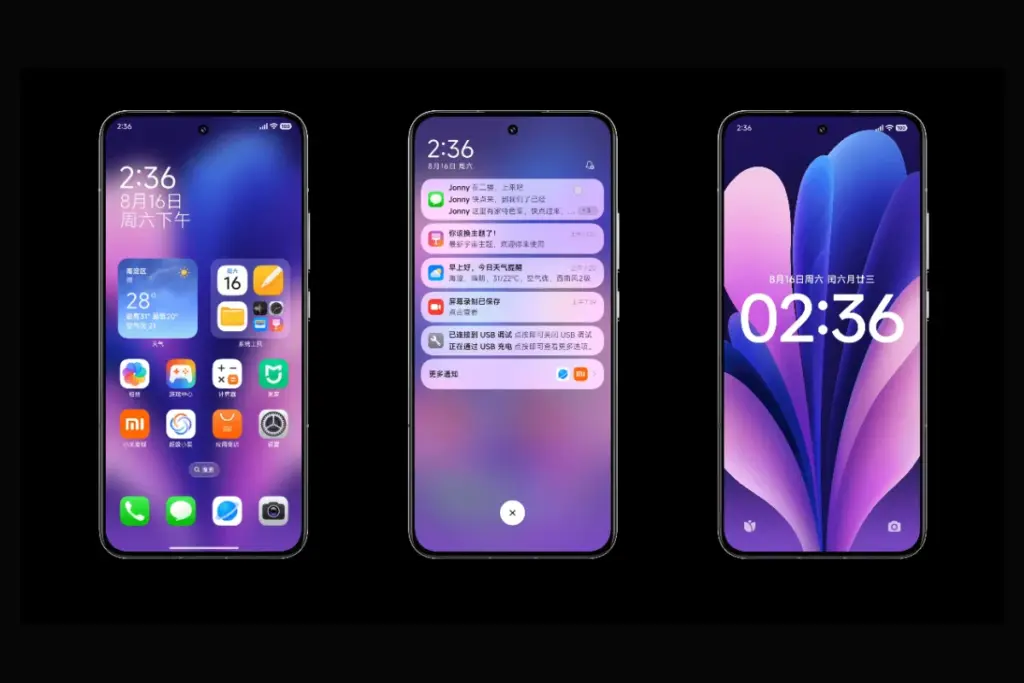
    We have also been monitoring the development of Xiaomi’s latest software update, and version 3.1 has a long list of features. The “Stacked Layout Style” in more modern apps is likely to be the first thing you notice. You will therefore recognize this design if you have used an iPhone within the last year or so. A horizontal scroll where the apps stack seamlessly one after the other has replaced the conventional two-column grid. It’s noteworthy to note that individuals who are prepared to take the risk can already download this launcher upgrade.

    Improved “Super Island”

    hyperos super island

    Additionally, Xiaomi is creating a Super Island settings page that lets users select which apps are linked to the animation effect and improving the HyperIsland feature. Not only is functionality being enhanced, but visual effects are as well. The media playing progress indicator on the island is now interactive thanks to new light effects. Additionally, the Super Island logic has been improved for smoother transitions. This was a problem that many users had previously brought up because animations were stuttering.

    More customizations

    csm Xiaomi HyperOS 31 rumours bottom 03586d7a96

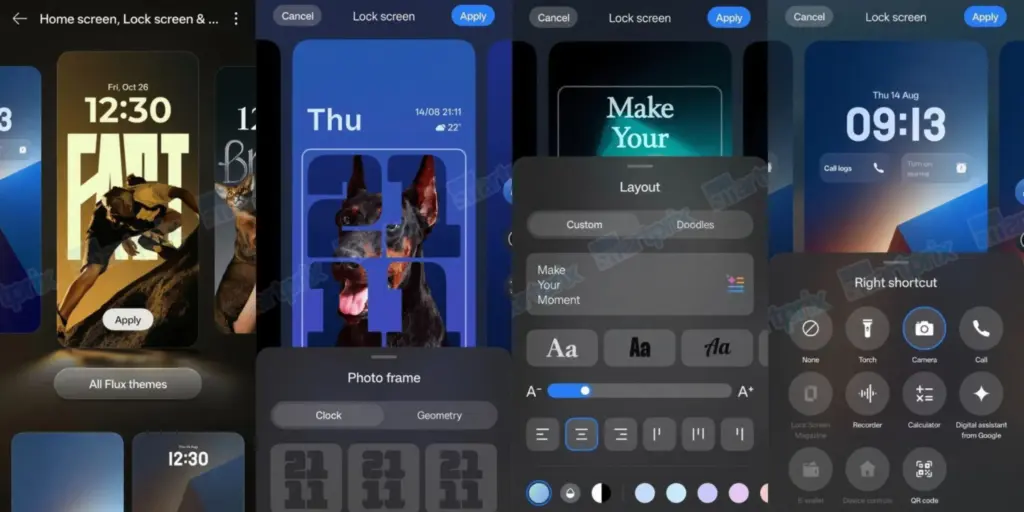
    In terms of versatility, HyperOS 3.1 is a great choice for home screen organizers. Drag-and-drop folder size changes are now properly regarded. To enable users to conceal numerous apps in a tiny area without sacrificing accessibility, new folder sizes including 2×1 and 1×2 have been included, along with page turning. A complete photo editing suite is added to the Lock Screen to facilitate the placement of widgets and the incorporation of depth effects.

    System-wide improvements

    There are other “under the hood” adjustments in addition to the aesthetic modifications that are intended to make the phone appear smarter.

    1. Multi-Volume Adjustment: Managing media, ringer, or alarm volume all at once gets a new design.
    2. Bluetooth Memory: The system will now remember the connection status of Bluetooth devices more accurately.
    3. HyperAI Suggestions: The active suggestions in the app drawer and negative screen are getting the optimization boost. (China only)

    Roadmap

    The HyperOS 3 Beta Phase 2 recruitment will take place in two waves from January 22 to January 30, according to the official Xiaomi announcement. In its job ad, the business makes it clear that these are engineering builds that are not stable and should not be used as everyday drivers. The first round of updates, which concentrated on the newest flagship devices, started on January 22.

    The following gadgets will be compatible with the first wave of upgrades for China:

    Wave 1 (Starts January 22)

    • Xiaomi 17 Series: Xiaomi 17 Ultra Xiaomi 17 Pro MaxXiaomi 17 ProXiaomi 17
    • REDMI K90 Series: REDMI K90 Pro MaxREDMI K90
    • Tablets: Xiaomi Pad 8 ProXiaomi Pad 8

    Wave 2 (Starts by January 30)

    • Xiaomi 15 Series: Xiaomi 15 UltraXiaomi 15S ProXiaomi 15 ProXiaomi 15
    • Xiaomi 14 Series: Xiaomi 14 UltraXiaomi 14 Pro (incl. Titanium Edition), Xiaomi 14
    • Foldables: Xiaomi MIX Flip 2
    • REDMI K80 Series: REDMI K80 ProREDMI K80 UltraREDMI K80
    • Tablets: Xiaomi Pad 7 Ultra

    While the testing process is underway, Xiaomi claims that beta testers are unable to upgrade to the stable build right away. Users in the first batch will begin receiving OTAs on January 22; users in the second batch will receive the update ten days after the distribution process begins.

    When the update is expected?

    According to our sources, Xiaomi HyperOS 3.1 is anticipated to become available in China in February. However, it is limited to Android 16-capable smartphones. This implies that the Xiaomi 17 series and other flagship devices, like the Xiaomi 15T Pro, will receive the updates first. The aforementioned upgrades might not be accessible to you if you are currently using a device that won’t be receiving the Android 16 update. Xiaomi typically transfers some of the functions to the outdated operating system, though.

  • Oppo ColorOS 16: Release date, new features, and list of eligible devices

    Oppo ColorOS 16: Release date, new features, and list of eligible devices

    Oppo’s ColorOS is the operating system that has produced the most feature-rich Android skins. The user experience is now significantly enhanced by the AI tools. Now, Oppo users are looking forward to the release of ColorOS 16. The most recent version of Android 16 will serve as its foundation. More efficiency, more features. This post will be helpful if you are currently considering an Oppo phone, such as the forthcoming Find X9 series. Additionally, this post will assist you in determining whether your current Oppo phone is eligible for the update. Let’s dissect all the information we require.

    ColorOS 16 release date and rollout

    On October 15, 2025, the ColorOS 16 was most recently announced worldwide. It will make its debut alongside the upcoming Find X9 series. Regarding the current devices, they will also progressively get the update. For devices like the Find X8 Pro, beta versions have already begun to roll out in a number of countries, including Malaysia, Indonesia, and India. Most likely, the stable update will be released on October 30, 2025. However, it won’t be accessible in India right away. It will be initially applied to China’s flagship gadgets. In India, the first stable ColorOS 16 upgrade is anticipated in Q1 2026.

    Therefore, in order to avoid the wait when purchasing a new phone, opt for models that come pre-installed with ColorOS 16.

    ColorOS 16 UI changes

    ColorOS 16 Features

    We may claim that the core of Oppo’s ColorOS 16 is “Smart & Smooth” performance. Thus, anticipate speedier daily tasks, simpler multitasking, and assistance for content production. This may indicate that you should get an Oppo cellphone running ColorOS 16 if you want AI integration and smoothness over standard Android.

    Performance

    Oppo has concentrated on creating a sense of instantaneity in interactions. This one also uses ColorOS 15’s Parallel Animation, albeit with a minor improvement. Seamless Animation is a new feature in ColorOS 16. Here, your touch point is the natural starting point for gestures and app transitions.

    It is powered by some important technology, such as:

    • Luminous Rendering Engine: Renders visuals in parallel for lag-free animations.
    • Trinity Engine: Optimises resources for gaming and heavy tasks.
    • Tide Engine: Reduces power use (by 13%) and lowers temperature (by 4.1°C).

    Overall, we get faster boot times, smoother app launches and scrolling, and quicker tap responses.

    Ai integration

    Whether you agree or not, AI has made a significant impact. incorporating time-saving and productivity-boosting tools? Bring it on! If you use your phone for artistic or professional purposes, it will be ideal.

    oppo coloros ai integration e1761766874281
    • AI One-Tap Flash Note: Captures and organises notes from documents, videos, or bills. Also, summarises videos into chapters and automates expense tracking.
    • Xiaobu AI Assistant: Offers personalised briefings (weather, tasks, news). Suggestions based on your habits, real-scene dialogues via voice/gestures. Gives portrait lighting for better photos.
    • Productivity suite: AI Recording for transcriptions, AI Writing for drafts (emails, docs), AI Notes for templates. There’s handwriting conversion, and AI Calendar for task timelines too.

    ColorOS 16’s AI improvements are its highlights. Anyone who believes that these AI tools may simplify their life by taking care of routine duties ought to give this operating system a try.

    Additionally, there are some similarities to Google’s Gemini integration. The only difference is that this one is customized for the Oppo environment.

    UI and Customisation

    An OS’s user interface and degree of customization reveal a lot about it. Natural light and shadows served as inspiration for the ColorOS 16. Gradients, halos, and glows are used in the design to create a simple, intuitive appearance.

    coloros 16 ui and customization

    The notable ones are as follows:

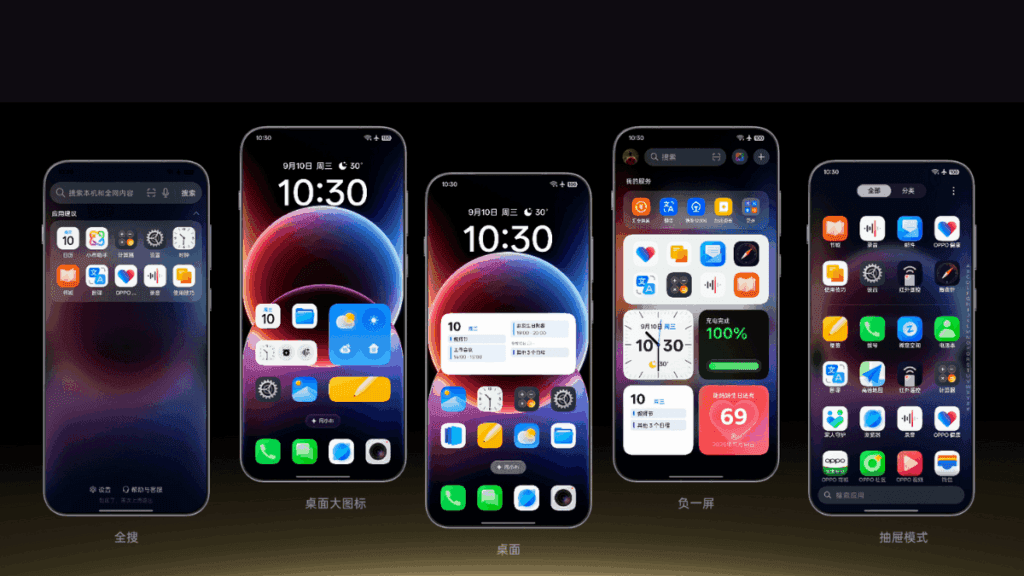
    • Flux Home Screen: Resize icons, folders, and cards dynamically. The layout adapts with fluid animations.
    • Full-Screen AOD: View your wallpaper with key info on the always-on display.
    • Personalisation: AI-generated themes, animated wallpapers from static images, and auto-matching icon colours.

    Compared to many other competitors, these alternatives offer greater versatility if you enjoy playing with the look of your phone.

    Photo and Video Editing

    For people interested in photography, ColorOS 16 upgrades the Photos app with:

    • AI Portrait Glow: Enhances low-light portraits by optimising skin tones.
    • Other AI tools: Eraser, Unblur, and Reflection Remover.
    • Video editing: Master Cut for trimming, music, filters, and adjustments.

    For those seeking effortless photography, some enjoyable settings include slow-motion effects, live collages, and collections of human and pet photos.

    Cross-Device Connectivity

    Seamless integration across ecosystems is a highlight:

    • O+ Connect: Manage files and remote control between phone, Mac, or Windows PC.
    • Screen Mirroring: Cast up to five apps and control with a mouse/keyboard.
    • One-Tap Share: Transfer docs, notes, and more, including health data from Apple Watch.

    Additional benefits include PC-level WPS Office, vehicle connectivity, customizable control center, and floating windows for multitasking.

    There will still be seamless connectivity between your various devices if you have a mixed Apple/Android configuration.

    Which Oppo devices are eligible for ColorOS 16?

    Release PeriodSeries / Models
    October 30, 2025Find N5 series: N5, N5 Satellite Find X8 series: X8, X8s, X8s+, X8 Pro, X8 Pro Satellite, X8 Ultra, X8 Satellite OnePlus 13 series
    November 2025Find N3 series Find X7 series Reno14 series Reno13 series Pad 4 Pro Pad 3 Pro OnePlus 12 Ace 3/5 series Pad Pro
    December 2025Find N2 series Find X6 series K13 Turbo series OnePlus 11 Ace 2 series
    Q1 2026Find X5 series Reno12 / 11 / 10 / 9 series (select models) K13 / K12 series Pad 3 / 2 / SE OnePlus 10 Pro Pad series

    Your device might not get ColorOS 16 if it isn’t listed (for example, if it’s older than Find X5 or Reno9). If you truly enjoy them, you might want to upgrade to the newest features.

    coloros 16 on all devices

    ColorOS 16 vs ColorOS 15

    Since the current OS update isn’t that old, many people wonder if it’s worthwhile to upgrade to the next one. Check out the distinctions between ColorOS 16 and its predecessor ColorOS 15 if you’re experiencing the same confusion:

    AspectColorOS 16ColorOS 15
    Base AndroidAndroid 16Android 15
    AnimationSeamless Animation (touch-point flows, Luminous Engine)Parallel Animation (smooth transitions)
    AI FeaturesAI One-Tap Flash Note, Xiaobu (Briefing, Dialogue, Lighting), AI Writing/Notes/CalendarAI Editor (Clarity, Eraser), AI Toolbox, Gemini Integration
    UI CustomisationFlux Home Screen, Full-Screen AOD, AI themesAesthetic upgrades, smoother icons/widgets
    PerformanceTide Engine (13% less power), Project Breeze for entry-levelSnappy responsiveness, fluid multitasking
    Cross-DeviceO+ Connect (Mac/Windows), 5-app mirroringTouch to Share (iOS), basic multitasking
    Photo/VideoAI Portrait Glow, Master CutAI Eraser/Unblur, basic editing

    For deeper AI and efficiency advantages, especially on older hardware, ColorOS 15 is a worthy upgrade.

    Every Oppo user has been waiting for ColorOS 16’s level of novelty. It combines customization, AI tools, and performance in more than subtle ways. Because of this, it is an appealing option for upgraders or new purchasers. For the complete experience, think about smartphones like the Find X9 if you’re in the market. Or upgrade your current gadget to make it last longer. Keep checking back here for more information about devices that qualify.

  • UX lessons from Android that apply to Web Design

    UX lessons from Android that apply to Web Design

    When someone lands on your website, their experience matters – more than most businesses realise. In fact, user experience (UX) can make or break whether a visitor turns into a customer.

    While UX might seem like a tech-heavy concept, it simply means this: how easy and enjoyable your website is to use. And one of the best sources of UX insight comes from a place you might not expect – Android, the world’s most widely used mobile operating system.

    With billions of users worldwide, Android has mastered the art of intuitive, user-friendly design. And many of the principles it follows can – and should – be applied to your business website. A professional web design agency can help translate these UX lessons into a high-performing website that attracts, engages, and converts your visitors.

    Let’s take a look at some of the most valuable UX lessons from Android that your website could benefit from – and why working with the right agency makes all the difference.

    1. Consistency Builds Trust

    Android keeps things familiar. Whether you open a messaging app or a banking app, core elements behave in ways users expect – same buttons, similar layouts, predictable actions.

    How this applies to your website:
    Your customers don’t want to relearn how to use your website on every page. Consistent navigation, button styles, fonts, and branding build trust and reduce frustration.

    A good web design agency ensures every part of your site feels cohesive, guiding users smoothly through your content and towards the actions you want them to take.

    2. Design Should Be Clear, Not Clever

    Android’s Material Design guidelines focus on simplicity, clarity, and depth. Visuals aren’t just attractive – they help users understand what to do next.

    For your business:

    Clever design may win awards, but clear design wins customers. A cluttered or confusing website drives people away.

    3. Your Website Must Work on Every Device

    Android powers phones, tablets, TVs, and more. Its designers had to master responsive layouts – ensuring everything works no matter the screen size.

    The takeaway:

    Your customers are on the go. If your website doesn’t work seamlessly on their phone, they’re not sticking around.

    4. Speed Matters More Than You Think

    On Android, slow apps get uninstalled. People simply don’t have time for delays – and the same is true for websites.

    What this means for your site:
    If your pages take more than a few seconds to load, you’re losing business.

    5. Users Expect Feedback

    On Android, every tap, swipe, and interaction provides some kind of response – a visual cue, animation, or message that says “yes, we’ve received your input.”

    Your website should do the same:
    When someone clicks a button or submits a form, they expect an immediate reaction. Without feedback, they may assume something’s gone wrong.

    6. Accessibility Isn’t Optional

    Android takes accessibility seriously, making sure users with different needs can still navigate, read, and interact with apps and devices.

    How this affects your business:
    Your website needs to work for everyone – including those with visual, hearing, or motor impairments. An experienced web design agency will follow accessibility standards (like WCAG) so your site is inclusive, legally compliant, and open to a wider audience.

    7. Whitespace Is Powerful

    Android’s design avoids clutter. It uses spacing strategically, letting important elements stand out and giving users a sense of calm and focus.

    What this means for your site:
    You don’t need to cram everything above the fold. Clean, spacious layouts are easier to read and more engaging.

    8. Start with the User – Not the Business

    Perhaps the most valuable lesson from Android is this: design everything around the user’s needs. Every screen, every button, every action is designed to make things easier for the person using it.

    That’s how your website should work, too.
    A professional web design agency will begin by understanding your customers – their goals, pain points, behaviours, and expectations. From there, they’ll create a site tailored to your audience, not just your internal preferences.

    Why Work With a Web Design Agency?

    It’s tempting to think that anyone can build a website using a drag-and-drop tool. But while DIY platforms can create something that “looks okay”, they rarely offer the performance, polish, and strategy that a professionally designed site delivers.

    Here’s how a web design agency helps you apply these UX lessons in a way that drives results:

    • Strategic Planning – They’ll start by understanding your business goals, ideal customers, and competitors.
    • Custom Design – No templates here. Your site will reflect your brand, tone, and market position.
    • Responsive & Accessible – Your site will look great and work flawlessly on any device, for any user.
    • Optimised for Speed & SEO – Every detail is considered to maximise performance and search visibility.
    • Ongoing Support – Post-launch updates, security, and advice keep your site evolving with your business.

    UX Isn’t Just for Tech Giants

    Android’s design success wasn’t accidental – it was built on years of refining how people interact with technology. Those same principles can transform your website into a tool that not only looks good but works hard for your business.

    Great UX isn’t just for apps. It’s for your business website, too – and the right agency can help you get there.

  • Nothing Launcher update 3.3.4 brings new UI and smoother animations

    Nothing Launcher update 3.3.4 brings new UI and smoother animations

    Nothing has published its Android launcher version 3.3.4, which has significant enhancements centered on visual design, usability, and speed. The update is compatible with the majority of Android devices running Android 10 or later and is currently accessible through the Google Play Store.

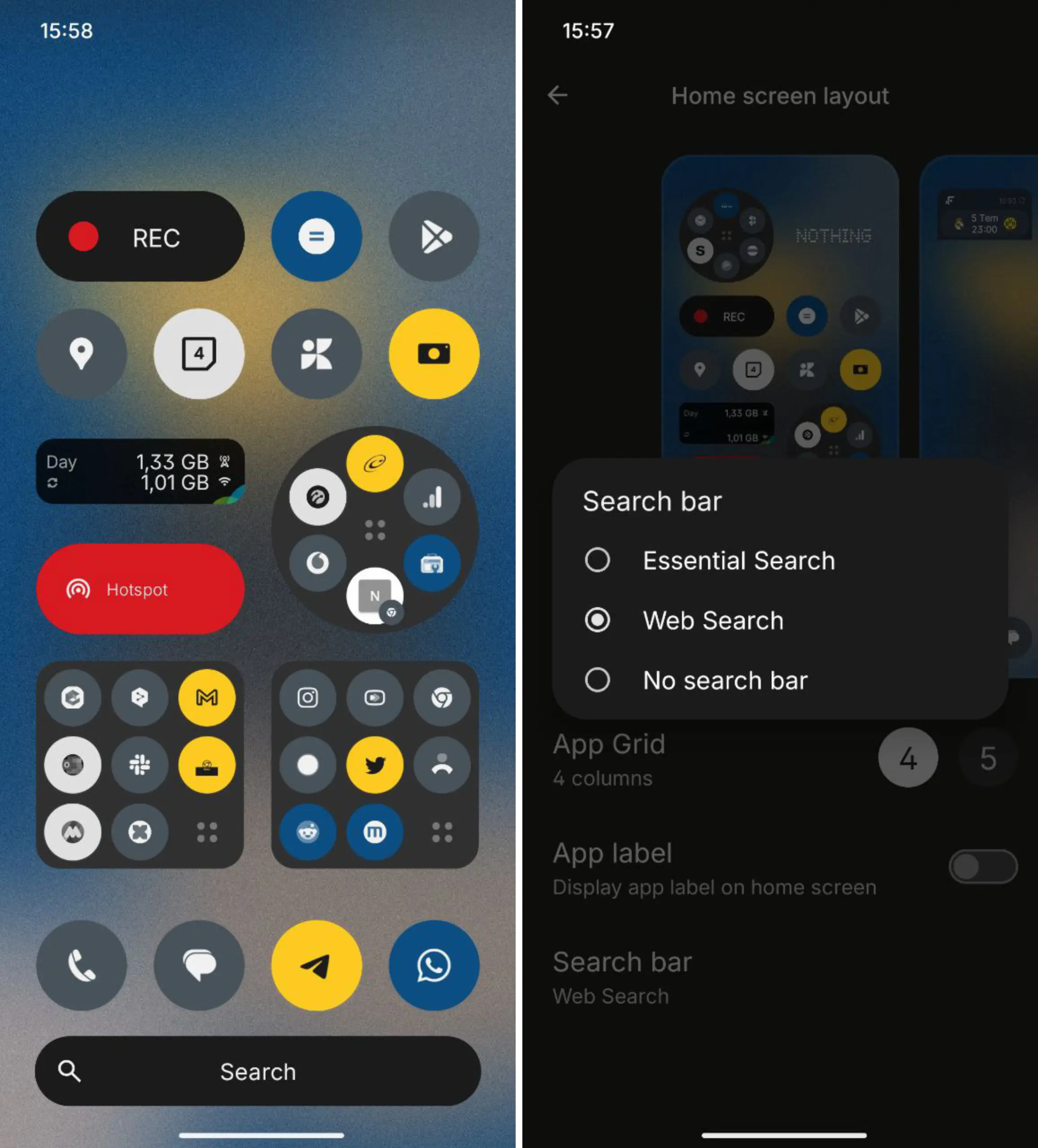
    The updated app drawer is the most significant change. It now adopts the future Nothing Phone 3’s look. Users can access apps more easily thanks to the layout’s improved cleanliness and ease of use, which also maintains the Nothing interface’s overall aesthetic.

    Additionally, a new Essential Search function has been implemented. Users can locate contacts, programs, files, and settings all in one location using this search bar. It helps people find what they need more quickly by eliminating the need to launch several menus or apps.

    Nothing Launcher update

    Nothing Launcher update 3.3.4

    The system’s animations have also been enhanced. Screen transitions, folder opens, and app starts are now more seamless. During regular use, the launcher seems faster and more polished thanks to these modifications.

    Additionally, Nothing Launcher 3.3.4 improves its compatibility with the rest of the Nothing ecosystem. It is intended to provide a better experience for users of other Android devices that like a straightforward and uncluttered interface, in addition to Nothing phones.

    Nothing’s emphasis on creating a unified user experience across hardware and software is evident in the upgrade. This launcher upgrade helps consumers get ready for the upcoming Nothing Phone 3 edition of the company’s goods.

    Now available are the new features. The launcher is available for users to update or download from the Play Store.

    Stay connected with the latest from Droid Tools—follow us on X @droid_tools, like our page on Facebook, check out our updates on Instagram, and follow us on Google News for real-time news, device tips, and mobile tech insights.

  • HyperOS 3 will come with a new design according to the new leaked screenshots

    HyperOS 3 will come with a new design according to the new leaked screenshots

    Through a newly published user survey, Xiaomi has given users an early glimpse at HyperOS 3, and the changes are remarkable. Xiaomi intends to establish HyperOS as a high-end, competitive platform, as evidenced by the recent screenshot’s significant UI redesign. With significant updates to key system components, especially icons and layouts, the design language is obviously influenced by iOS. This version demonstrates Xiaomi’s continued commitment to improving its unique Android skin in order to better cater to a worldwide users.

    The updated icon set is the most noticeable change. The unified, elegant look of these new icons, which closely resemble those in iOS 18, improves the user experience as a whole. This change reflects Xiaomi’s emphasis on improving brand perception among high-end users and conforming to industry-leading design standards.

    The removal of the search bar on the home screen is another significant change. Xiaomi achieves a more simplified and clean home screen by removing this component, giving app icons and widgets more attention. This minimalist style should appeal to people who value clarity and simplicity and is consistent with larger trends in mobile user interface design.

    hyperos 3 leak design

    New battery indicator and glass user interface

    Additionally, a revised battery indication that now closely resembles the iPhone’s approach is included in HyperOS 3. In addition to updating the battery status visual representation, this update advances Xiaomi’s overarching objective of providing a recognizable, intuitive user experience that appeals to iOS customers thinking about switching.

    Furthermore, Glass UI-inspired effects are incorporated into the redesigned interface, giving the system more visual refinement and depth. Together, these improvements give all supported devices a more upscale and sophisticated appearance.

    Wide device compatibility

    Xiaomi is extending HyperOS 3 to an extensive range of devices, reinforcing its commitment to software support:

    • 33 Xiaomi models
    • 44 Redmi devices
    • 19 POCO devices

    This broad compatibility—spanning 96 devices in total—demonstrates Xiaomi’s dedication to serving a diverse customer base, from flagship owners to budget users.

    Analysts predict that Xiaomi will formally unveil HyperOS 3 in October 2025. Depending on rollout timelines and device capabilities, the update will be developed for both Android 15 and Android 16.

    Stay connected with the latest from Droid Tools—follow us on X @droid_tools, like our page on Facebook, check out our updates on Instagram, and follow us on Google News for real-time news, device tips, and mobile tech insights.

  • One UI 8 Watch update will bring new features

    One UI 8 Watch update will bring new features

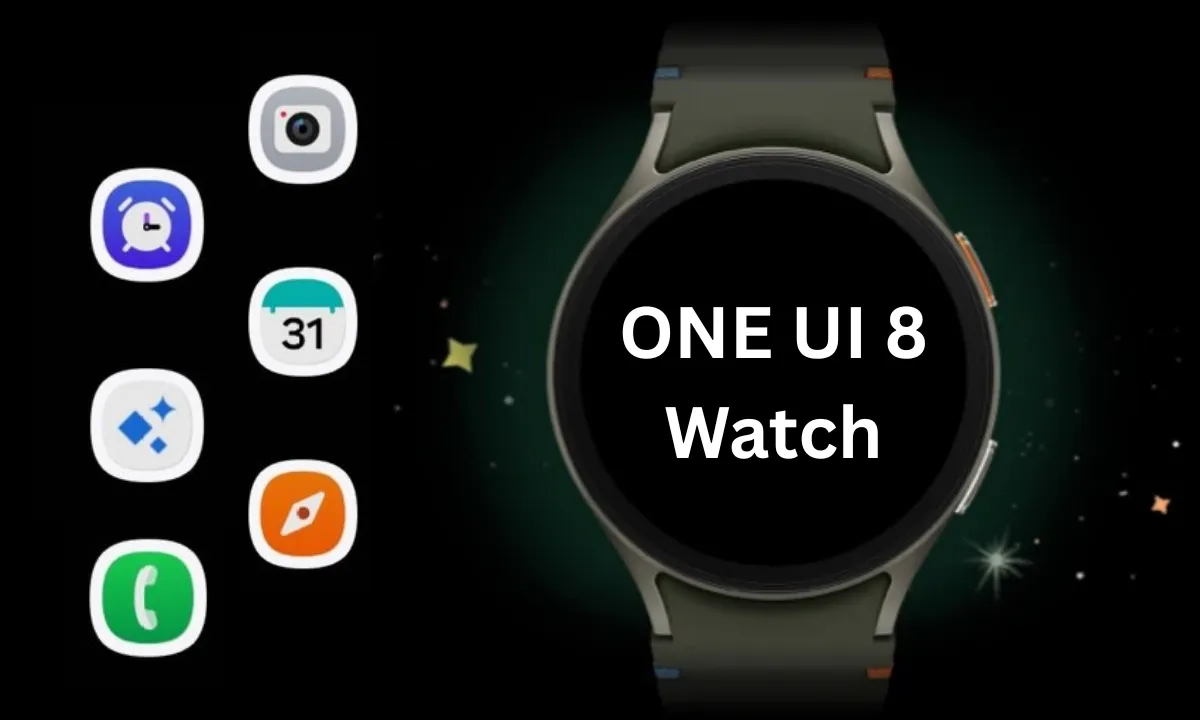
    Samsung Galaxy Watches will get a substantial overhaul with the release of One UI 8 Watch, which might arrive as early as June or July and is expected to incorporate Google Gemini, a Shortcuts app, and Samsung’s Now Bar.

    Following claims that Samsung will bypass One UI 7 Watch in favor of One UI 8 Watch, a move that will unify the branding of Samsung’s watch software with its top Samsung phones— One UI 8 APKs have leaked, revealing the new features coming to Galaxy wearables.

    According to Android Authority, Gemini AI will be available on both Samsung watches and its own Pixel portfolio, along with some interesting new capabilities. The findings indicate that new ‘Gemini Actions’ will bring many of the same fantastic Gemini capabilities for Android phones to your wrist, with code strings hinting at numerous intriguing actions.

    References include Gemini Actions, which can relocate meetings, summarize emails, and tell you the weather, as well as an input that allows you to rapidly mute Gemini AI with a single press of your screen.

    One UI 8 Watch update
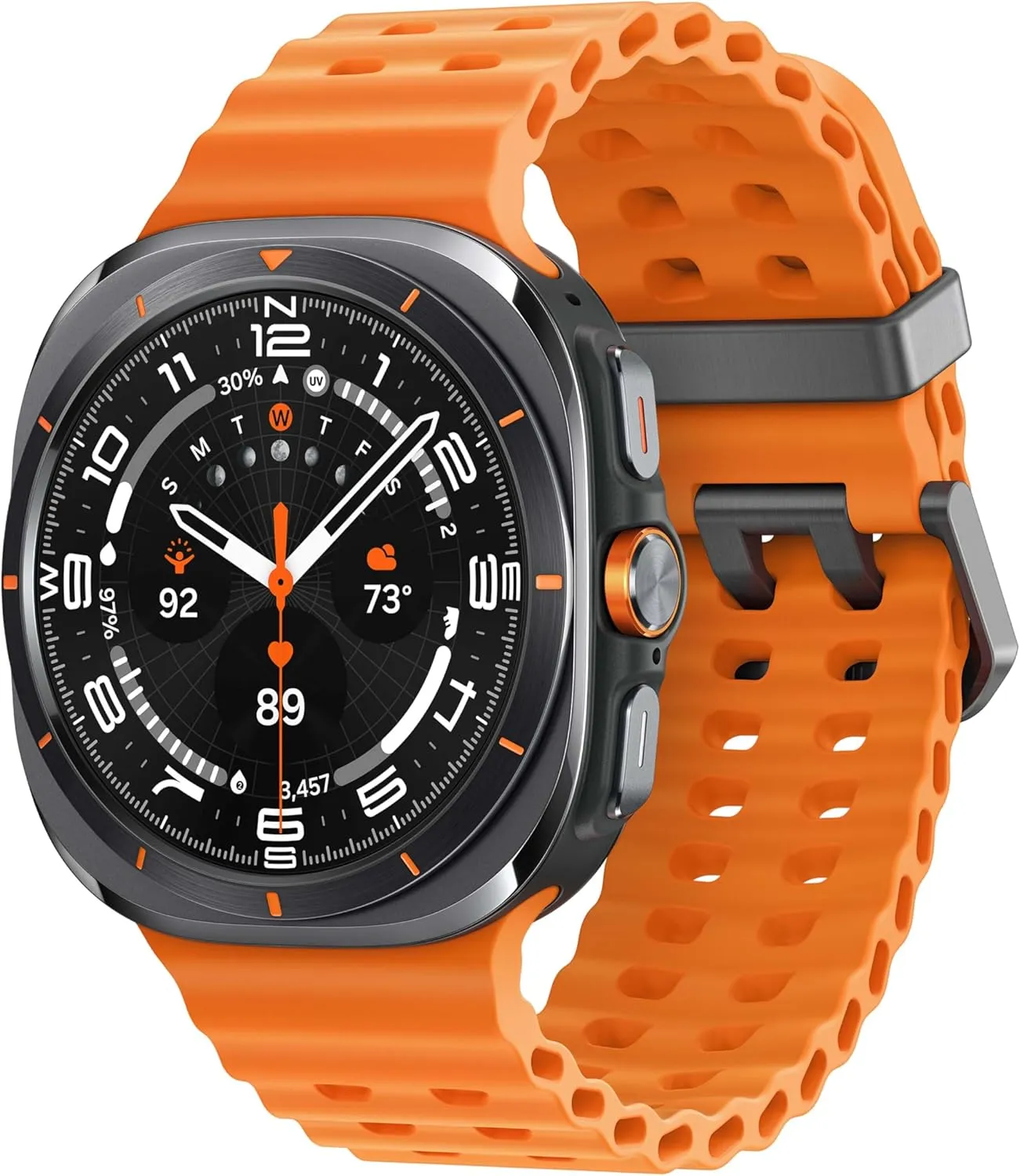
    galaxy watch ultra

    Samsung Galaxy Watch Ultra 47mm LTE

    Climb the highest peak; Bike the long way home; The durable titanium design is our toughest yet, able to stand up to the rigors of your workout, including rainy or dusty conditions — even ocean swimming

    Best choice
    $649.99$399.00Amazon

    One UI 8 Watch – other features

    As mentioned in a separate article, AA has also discovered a new Watch app called Shortcuts, which allows you to add apps to your Galaxy Watch home screen as either 2 x 1 or 2 x 2 tiles, making them considerably more accessible.

    Finally, the publication reports that Samsung will add One UI 7’s Now Bar and Now Brief to the Galaxy Watch. The Samsung Now Bar appears on the home screen of your Galaxy smartphone, displaying information such as live notifications, music, and more. According to AA, users will be able to select between a simple icon and a larger display that includes both an icon and text.

    Users will also reportedly be able to double-pinch to open the Now Bar, and enable other actions if there’s no content in the bar.

    “Essentially, the Now Bar on Galaxy Watches will serve as a widget system, surfacing contextually relevant data without needing to navigate away from the watch face,” the report explains, specifically noting contextual suggestions, maps, media controls, Now Brief, tips, and Sports on Google (live sports scores).

    There are undoubtedly other significant features hiding beneath the surface that will be revealed when One UI 8 Watch approaches its formal release. Customers should expect a significant software upgrade for devices such as the Galaxy Watch Ultra and Samsung Galaxy Watch 7.

    Naturally, these modifications will be incorporated into the upcoming Galaxy Watch 8, which is slated to be released later this year.

    Grab a Samsung Galaxy Watch Ultra with 40% off – limited time deal

    galaxy watch ultra

    Samsung Galaxy Watch Ultra 47mm LTE

    Climb the highest peak; Bike the long way home; The durable titanium design is our toughest yet, able to stand up to the rigors of your workout, including rainy or dusty conditions — even ocean swimming

    Best choice
    $649.99$399.00Amazon
  • New Android 16 features that everybody is waiting for

    New Android 16 features that everybody is waiting for

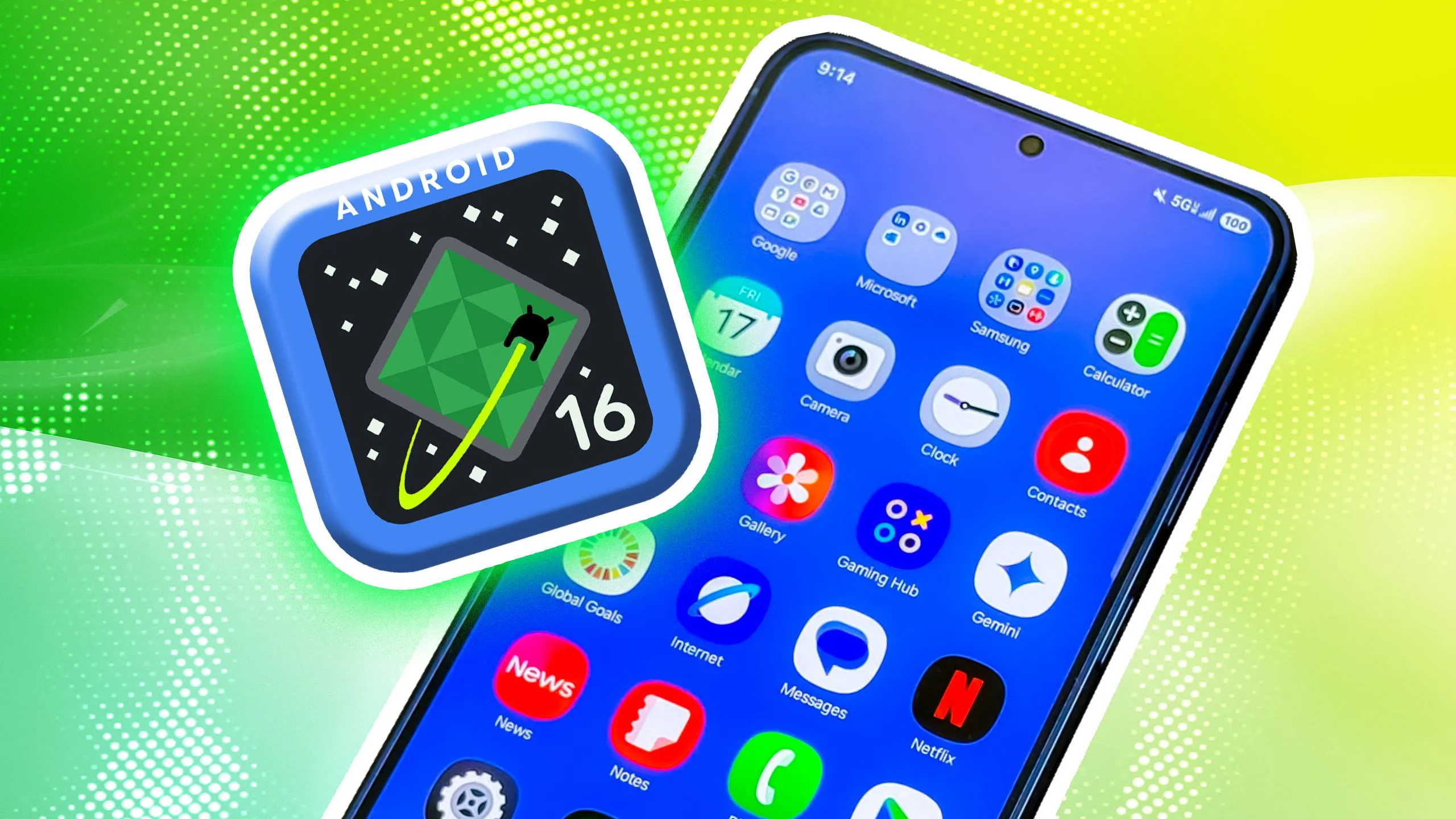
    Android 16 offers a lot of innovations that I’m eager to test out on my Android phone, including Material 3 Expressive, a redesigned Quick Settings menu, and Live Updates. It seems like one of the biggest Android updates in a long time.

    There weren’t many obvious adjustments that would have excited me. Prior to Google revealing new features at The Android Show: I/O Edition on May 13, Android 16 was looking like a really dull update.

    New Quick Settings panel

    With each significant Android update, Google alters the Quick Settings panel almost like a ritual. That tendency will continue with Android 16, and I’m looking forward to the modifications Google has planned. Resizable toggles are being added. Additionally, one-click Bluetooth and Wi-Fi toggles are returning.

    Android 16 material expressive 2 shade blur anim

    The tiles have a new appearance and take considerably less room than they did previously, which is another obvious alteration. Extending the Quick Settings panel will provide a depth effect by blurring the background, similar to what is seen on some Chinese Android skins.

     The next flagshipfrom Oppo to have the fastest charging ever on a phone

    Google appears to have drawn inspiration from the updated Control Center for Android 16 Quick Settings panel in iOS 18. It seems to be a significant improvement in usability.

    The June release of Android 16 will not have the updated Quick Settings panel. It will come later in the year instead.

    Material 3 Expressive

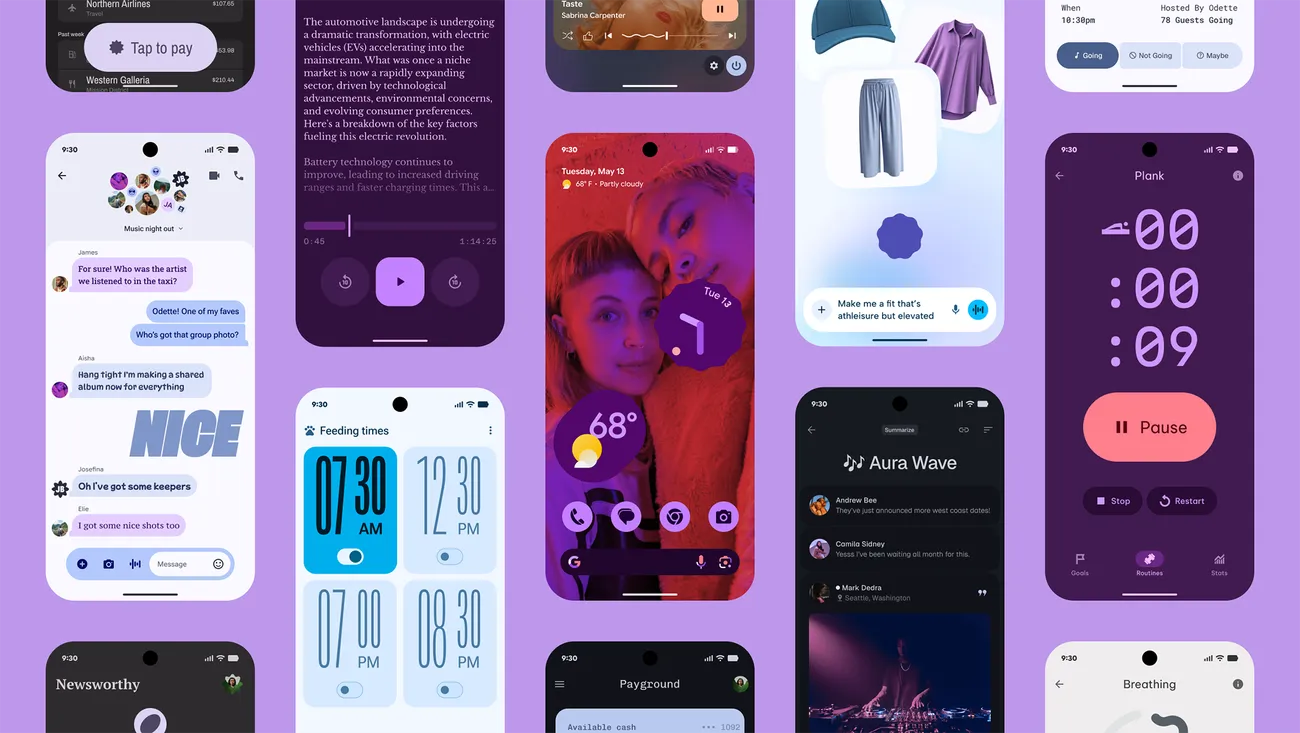
    Google’s latest phone and tablet design language, Material 3 Expressive, makes its debut with Android 16. It is also among the OS’s most significant user-facing modifications. It doesn’t significantly alter the appearance. Rather, it expands upon Material Design 3 by including bolder fonts, larger buttons, slick and lively animations, and more.

    The timing of Material 3 Expressive is perfect. The current look felt outdated because Google introduced Material look 3 with Android 13 four years ago. Additionally, it maintains familiarity while bringing about the appropriate enhancements. Rather than droning on about Material 3 Expressive, I’ll let this Google GIF speak by itself:

    Android 16 material 3 expressive animations2 gif anim

    This polish is present throughout Android 16, particularly when switching the system volume or closing apps from the recent apps menu. It also features smooth animations and haptic feedback. Android 16 will upgrade the dynamic color themes in addition to Material 3 Expressive, allowing apps to use additional colors from your wallpaper.

    One of the main Android 16 improvements that I am most looking forward to is Material 3 Expressive, which looks good based on what Google has demonstrated. The one sour note? When Android 16 is first made available to the public in June, Material 3 Expressive will not be included. It will come later in the year instead.

    Live Updates

    Apps for food delivery have permeated our daily lives. Uber, Grubhub, and other food delivery apps provide real-time, urgent notifications, unlike other apps. The same is true of sports apps. Instead of launching the app, you would prefer to get real-time information in the notification shade on your phone.

    Even while Android’s notification panel is more capable than iOS’s, it has trouble efficiently delivering real-time updates. With Live Activities, Apple nailed this, making it simple to monitor real-time food delivery status and sports scores.

    Android 16 material expressive 3 live updates anim

    Google’s Android 16 will have a feature called Live Updates, which is modeled after iOS. It will show the status of your meal delivery in real time on the notification shade or the lock screen of your phone. When you use Always-On Display, the status is displayed. Additionally, Google’s approach enhances the Live Update notification with helpful Call, Message, and Tip buttons.

    It’s time-consuming and annoying because I have to open the meal delivery app all the time to see how it’s doing. A feature akin to the iPhone’s Live Activities was added to the skins of Android manufacturers such as OnePlus and Oppo, although the execution is unreliable and glitchy. Google should address these problems with an official solution.

    Ultra HDR support for HEIC images

    I use my phone to shoot a lot of photos. I have my phone’s camera app set to save JPEGs in the space-efficient HEIC format because they take up a lot of storage. The catch is that images saved in the HEIC format are not compatible with Ultra HDR on Android. I therefore use JPEG for my photos, which uses up all of my 2TB of Google One storage.

    This will be altered with Android 16’s addition of Ultra HDR capability for HEIC photos. Additionally, Google is developing UltraHDR support for AVIF files, which should be available soon.

    With Android 14, Google debuted Ultra HDR. It enables images to have improved color and a wider dynamic range. These enhancements are provided without any compatibility problems. On devices with SDR screens, Ultra HDR JPEG images immediately revert to the SDR gain map. Google mandated Ultra HDR support for phones with performance class 15 starting with Android 15.

    Let’s hope Google upgrades the Pixel Camera app to enable saving shots in HEIC by default rather than JPEG, because Android 16 now supports Ultra HDR for HEIC files.

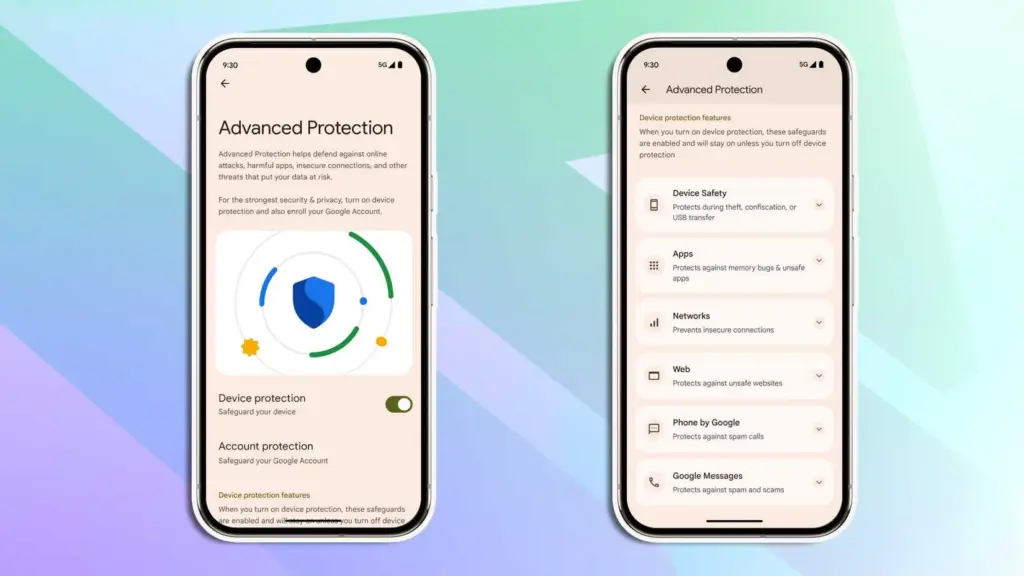
    Advanced Protection mode

    Google has strengthened Android’s security over the past few years by adding a number of features. However, there is still opportunity for improvement. In addition, I believe that Android’s security features fall short of those of the iPhone.

    Google is making a significant effort to address issue with Android 16. Major security-related settings will be consolidated under a new Advanced Protection mode. To activate offline device locating or Theft Detection, you won’t need to go far into your phone’s settings menu.

    Android 16 advanced protection

    With a single Advanced Protection toggle, you can enable all available security measures in Android across several categories. The list is as follows:

    • Intrusion Logging
    • Theft Detection Lock
    • Offline Device Lock
    • Inactivity Reboot
    • USB Protection
    • Google Play Protect
    • Unknown App Protection
    • Memory Tagging Extension
    • Android Safe Browsing
    • Chrome Safe Browsing
    • Javascript Protection
    • Unsafe Link Protection
    • Spam and Scam Protection (Google Messages)
    • Spam and Scam Protection (Phone by Google)
    • Called ID & Spam
    • Automatic Call Screening
    • 2G Network Protection
    • Disable Auto-Reconnect to Insecure Networks

    Numerous security mechanisms are dispersed across the operating system. For instance, the Google Play Protection option is located under Security & Privacy, whereas the Caller ID & Spam protection settings are located in the Phone app settings.

    With Android 16, a new security feature called Intrusion Logging generates and preserves a device activity record for study after a compromise. It is safe but easily accessible because it is kept in the cloud and is end-to-end encrypted.

    Another new security feature in Android 16 is Inactivity Reboot, which will restart your phone automatically after 72 hours of inactivity and lock-up. This will guarantee that no user data may be viewed until the device is opened by entering the password or PIN.

    I won’t gain much from Android 16’s Advanced Protection Mode. I only activate these functions when I’m on the road. Nevertheless, it’s a useful innovation that will make Android more secure.


    Despite being a feature-rich version, Android 16 will not ship with all the new goodies in June and still lacks several long-awaited additions. Rather, Google will make more significant improvements later in the year, most likely in conjunction with a quarterly platform release and the Pixel 10 family. Additionally, some improvements may not be available for non-Pixel phones because the manufacturer may choose not to incorporate them into their skin.If you want the latest Droid Tools news, follow us on X @droid_tools and like our page on Facebook to stay updated.

  • How to get early access to One UI 8 beta program

    How to get early access to One UI 8 beta program

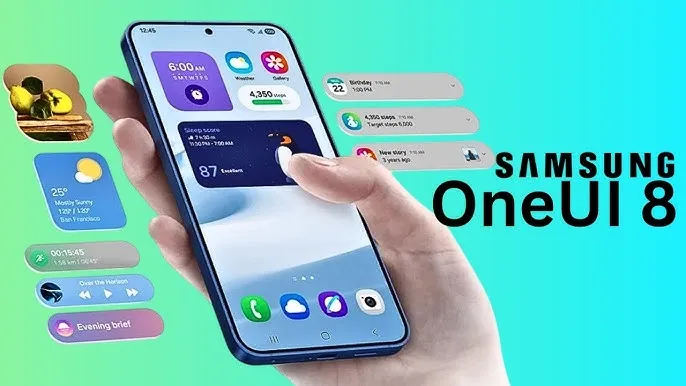
    With Samsung now enabling Galaxy S25 series owners to test the most recent One UI 8 beta program, starting in its home country of South Korea, One UI 8 will soon be available on your Galaxy phone. You must be wondering how to join the beta phase as soon as it arrives on your device, but here are a few easy actions you can take.

    Before the official or stable release, the One UI 8 Beta program is now available for the Galaxy S25, Galaxy S25+, and Galaxy S25 Ultra to test out all the newest features and capabilities.

    The beta build for the Galaxy S25 family is designated with build number ZYER, while the upgrade may eventually reach additional eligible regions outside of South Korea. Simultaneously, this most recent version improves accessibility, efficiency, and security while also adding some of the main features of Android 16.

    Beyond this, this update further includes the ongoing May 2025 security patch that significantly improves the device’s overall security and core functionality.

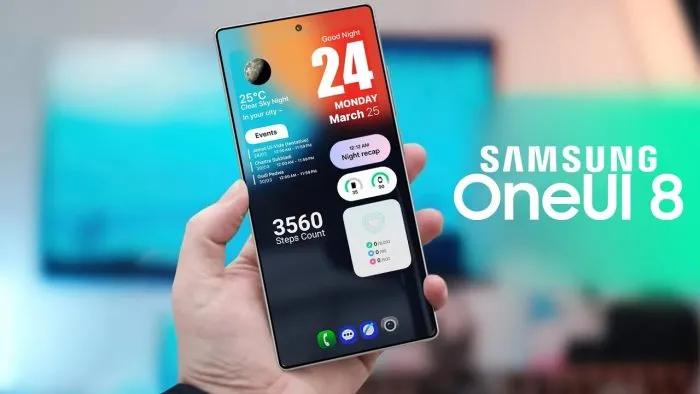
    One UI 8

    How to join One UI 8 beta program?

    Also, Samsung made some minor changes to its beta registration procedure this time around to make it more convenient. Here’s how to sign up for the most recent One UI 8 beta program using the Samsung Members app!

    • Open the Samsung Members app.
    • Tap on the One UI 8 Beta program banner.
    • Once tapped, follow all the on-screen prompts while also accepting the beta terms and conditions. You are enrolled now!
    • This takes you closer to installing the latest beta build; just head to Settings >> Software Update >> and finally, Download and Install.
    • Once installed, your device will automatically reboot to the latest build; thus, you are now ready to rock One UI 8 beta.

    If you want the latest Droid Tools news, follow us on X @droid_tools and like our page on Facebook to stay updated.

  • Big UI change in Android 16 Beta QPR

    Big UI change in Android 16 Beta QPR

    With Gemini mostly overshadowing the two-day developer conference, Google I/O 2025 is now gone. On the other hand, the release of Android 16 QPR1 Beta, which incorporates the previously introduced Material 3 Expressive design language, is a more noteworthy advancement for certain aficionados. What’s new in this version and how to access the beta are explained here.

    After the stable Android 16 Beta program, the first Quarterly Platform Release is the Android 16 QPR1. Despite being more stable than previous betas, it is still intended for developers and testers because of flaws and other problems. Similarly, this release represents a sneak peek at the upcoming Pixel Feature Drop, which is anticipated to happen next month.

    Google’s new design language, Material 3 Expressive design, or M3E, which incorporates bolder and more playful elements, is now available in the Android 16 QPR1 Beta. Wear OS 6 for wearables will also use the M3 Expressive design.

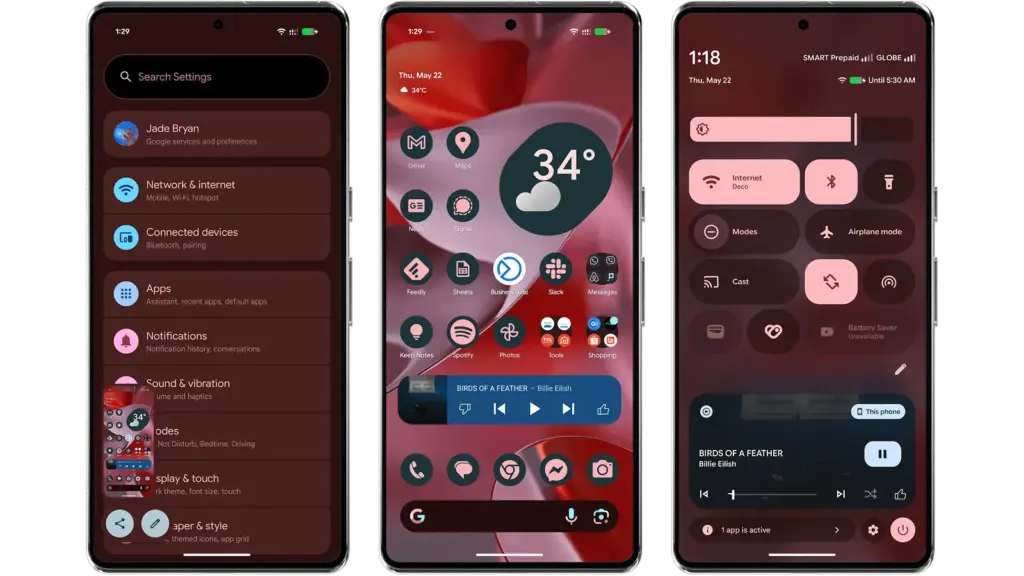
    To experience M3 Expressive, I set up the Android 16 QPR1 Beta on my Pixel 9 Pro XL (review). The wallpaper and quick settings are two examples of UI elements and sections where the modifications are instantly apparent. Additionally, some features, including personalized icons on the Pixel Launcher, are not yet enabled.

    Android 16 QPR1 Beta with Materi

    Material 3 Expressive design landed in Android 16 QPR

    A notable modification to the home screen is the addition of a complete row of additional space for widgets and apps. This is because the “At a Glance” widget, which was formerly located at the top of the home screen, has decreased.

    The battery, cellular, and Wi-Fi system icons have also been added to the status bar. In the meantime, each component of the system settings has more themed glyph icons.

    The most significant changes are in the fast settings panel, which now uses shortcuts and widgets in a more vibrant and effervescent manner, along with new animations that Google calls “springy.” Additionally, there are additional customization options for scaling and positioning toggles and icons, which enables users to employ 1×1 icons to fit more elements.

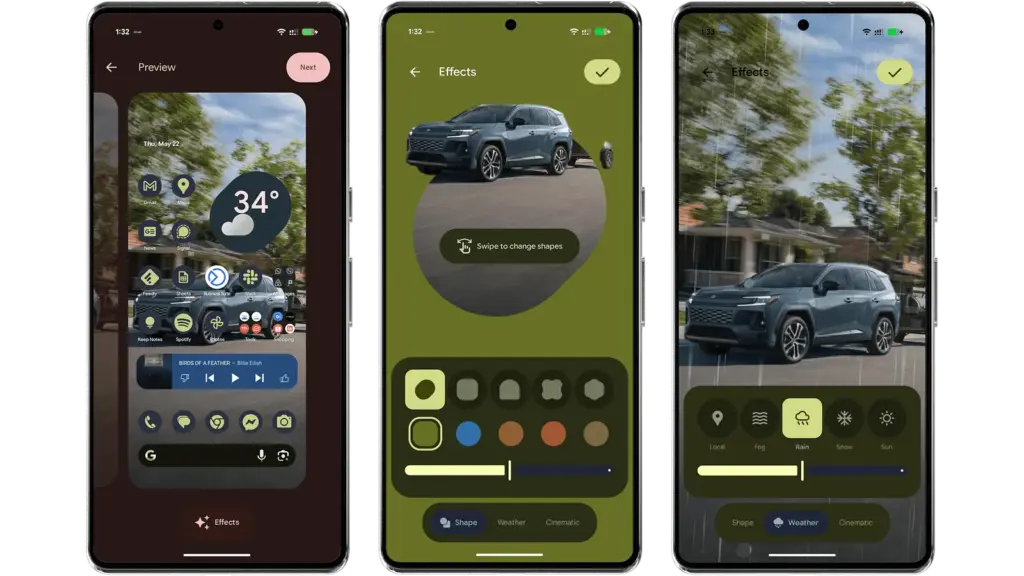
    Android 16 provides additional settings and effects for custom images, which will appeal to those who like personalizing their home screen and lock screen. AI-powered weather effects and the ability to overlay colors with shapes are now available. A cinematic effect is an additional choice, but my device was still unable to use it after trying.

    android 16 qpr changes

    More apps will come with Material 3 Expressive

    It is anticipated that Google would add more M3 Expressive elements to its services and applications, such as Google Photos and Keep.

    Manufacturers of skinned Android versions, like Samsung’s One UI, are now primarily responsible for implementing the Material 3 Expressive design. Many of these changes and new features should be maintained for those that provide stock and near-stock Android experiences.

    All of these updates, along with perhaps other improvements and optimizations not included in the first Android 16 QPR version, will be included in the June Pixel Feature Drop if you’re patient enough.

    The Android 16 QPR1 Beta update is available via the beta program for Pixel 6 all the way to Pixel 9 series.

    • Pixel 6, Pixel 6 Pro, and Pixel 6a
    • Pixel 7, Pixel 7 Pro, and Pixel 7a
    • Pixel 8, Pixel 8 Pro, and Pixel 8a
    • Pixel 9, Pixel 9 Pro, Pixel 9 Pro XL, Pixel 9 Pro Fold, and Pixel 9a
    • Pixel Fold
    • Pixel Tablet