Many people commend Google’s Pixel phones for their dependable cameras and extensive software support. To suggest that they don’t have any concessions, particularly with regard to battery quality, would be inaccurate. Battery problems, especially with older Pixel models, have been the subject of numerous stories recently; in rare cases, the problems have resulted in overheating and even fire. The Pixel 7 series is currently the subject of a fresh wave of worry.
Pixel 7 battery swelling reported by more users
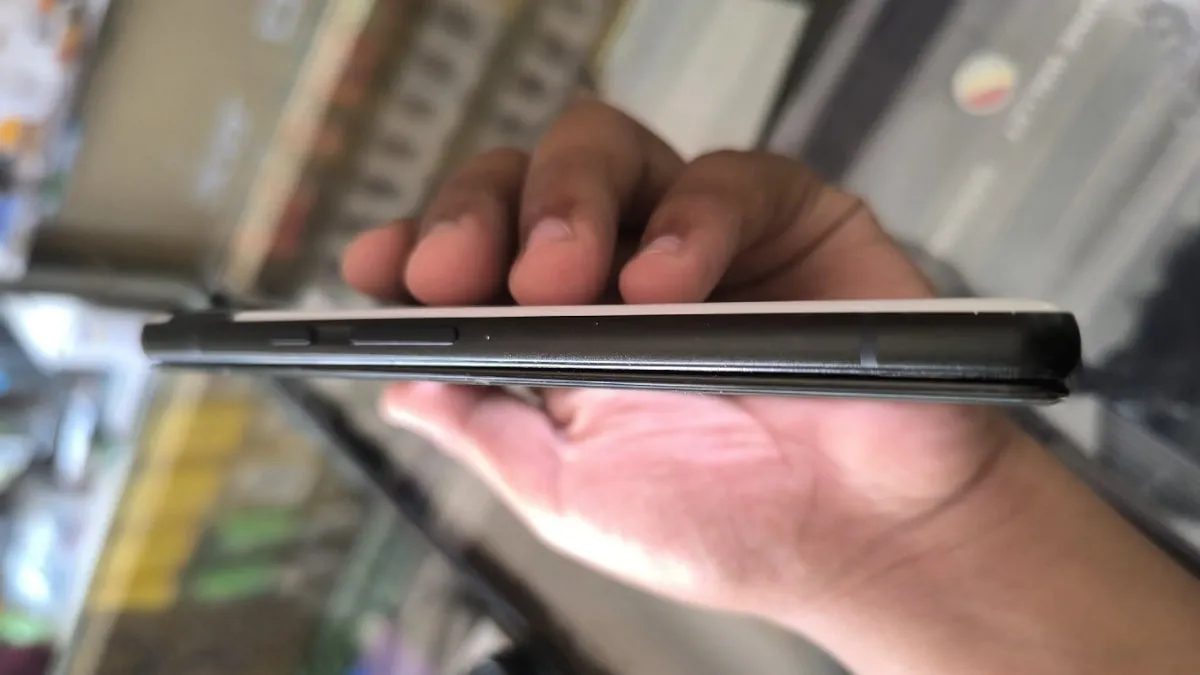
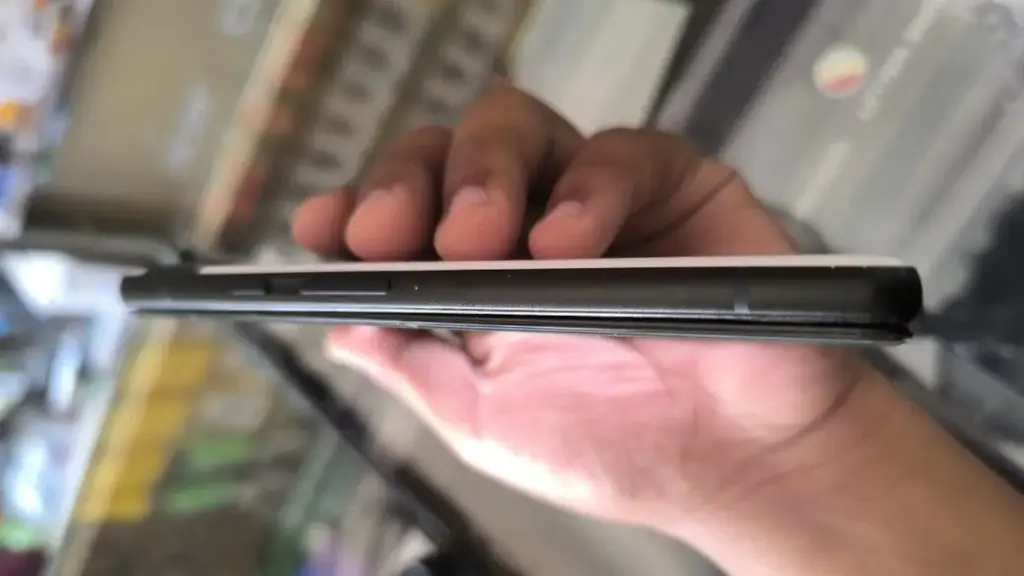
More Pixel 7 and Pixel 7 Pro owners are posting concerning experiences with their devices on Reddit and Google’s help sites. The majority of problems are related to battery swelling, which results in the back panel bulging and the display panel separating. Reports of these occurrences seem to be growing, with more coming to light in recent weeks, though some go back to July and August.
One user demonstrated that the front panel of his Pixel 7 Pro had already begun to detach from the frame. Another said that pressure from the protruding battery was causing a crack to form around the larger camera lens.
Another user reported that the lower edge of the AMOLED panel started to separate. The owner claims that the display finally popped out after a progressive separation over time.
Additional concerns regarding abnormalities in battery life are found when browsing these platforms. According to some consumers, the batteries in their Pixel 7 and Pixel 7 Pro have severely deteriorated and now overheat when used frequently.
Battery packs that have been used a lot or are worn out are probably the cause. Since the Pixel 7 series was introduced over three years ago, a large number of devices have had high charge cycles and significantly worsened battery health.
Is There a Fix for Pixel 7 Owners?
The Pixel 7 and Pixel 7 Pro have so far had patching that is case-specific and unreliable. Many people complain that the warranty has already expired on their gadgets. Some people have chosen to cover the cost of battery replacements on their own.
Given the mounting worry, it might not be long before Google offers more extensive assistance, like a special repair program. How Google will respond to devices with further damage, such as warped back covers or cracked screens, is still unknown.
In addition to the Pixel 7, the Pixel 6a has issues with battery-related concerns, including as the potential for fire and explosion. In response, Google launched a repair program that provided qualified consumers with free battery replacements.
It’s still unclear if Google has actually fixed these battery problems in more recent versions, such as the Pixel 8, Pixel 9, and Pixel 10. Many people are hopeful that the company’s latest releases use better battery components.
With Android 16 QPR1, changes on how the how lock screen notifications are displayed came. The abrupt shift may be a little confusing if you’re not used to it. Now that the “compact” and “full” views are available, this guide will assist you in selecting the appropriate one.
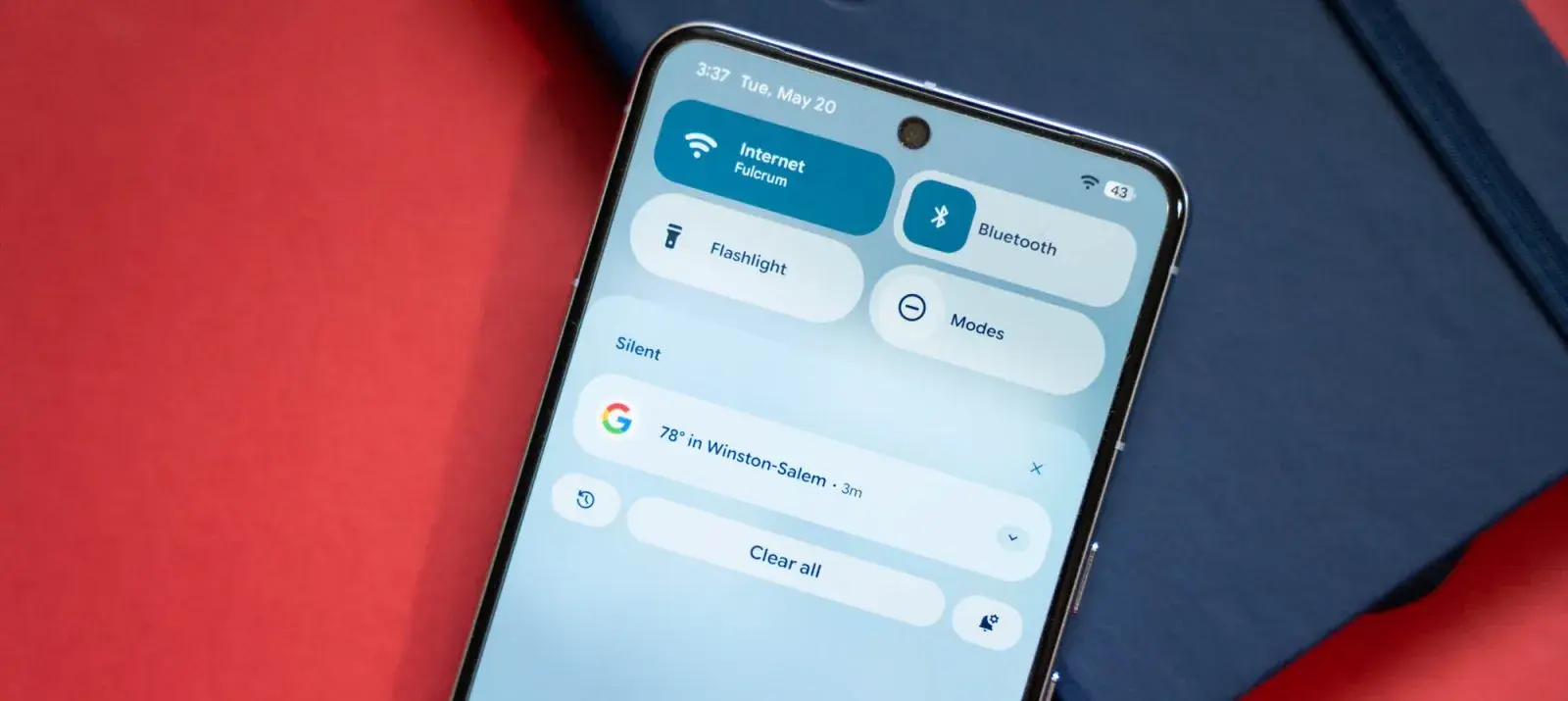
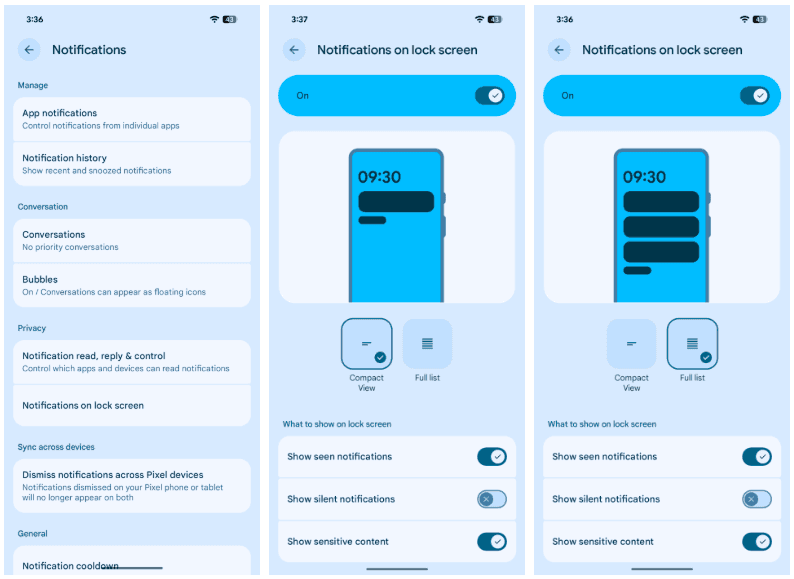
In its new condensed layout, Google’s latest Android release by default shows notifications on the lock screen. merely one notification is displayed in the presentation; all other notifications are merely represented by app icons in the overflow menu below. The secondary compact portion receives alerts that are viewed.
The only alternative way for alerts to appear on the Pixel’s lock screen is “full list.” Notifications are displayed in cards and in the order they were received. Although they can be enlarged, they do occupy a considerable lot of room.
There are further choices as well. Notifications that are viewed without any action performed, such as unlocking the phone, are buried until the phone is unlocked when the “display seen notifications” setting is disabled. In order to keep the shade clear, the option to “Show silent notifications” will show alerts from apps that have been manually or automatically switched to silent.
Here’s how to set your preferred view:
On your Pixel running Android 16 QPR1 or later, head to settings.
Find and tap Notifications.
Hit Notifications on lock screen.
Choose between Compact View and Full list.
Although you can always go back, for some people, full view can be the greatest choice. In contrast to compact mode, which only shows one notification at the top, all Pixel lock screen notifications are always shown in that mode. All of this depends on personal taste, but that’s what makes Android what it is!
We occasionally choose an intriguing selection of apps for fans of both Android and iPhone, which are often paid for but are currently accessible for free for a little period of time. Take advantage of these amazing discounts on games and apps to expand your device’s app library—just make sure to act quickly!
We cannot guarantee how long these promotions will remain available on the Google Play Store or Apple App Store, so please keep in mind that they are just temporary. Therefore, it’s best to grab them while you can. Just a gentle warning to be mindful of any potential membership commitments, in-app purchases, and adverts that may accompany them.
Even if you don’t require an app right away, install it if it piques your curiosity. It will be added to your app library and marked as “bought” as a result. After that, you may uninstall the app straight from your phone and get it back for free anytime you need it.
Android Apps and Games
Android Apps
Clock Widget ($0.99): Want to have the time told in words? This widget should do a decent job.
TriSolve ($0.99): See math from a different angle (heh!) with this app that helps calculate all things triangles for you.
QR and Barcode Scanner ($5.99): Here is a QR reader and barcode scanner code app that will make your life convenient.
DogTok ($2.99): This app claims to be able to help you interact with your dog, but don’t expect to have heart-to-heart conversations with your furkid anytime soon.
Android Games
Undead City: Survivor Premium ($0.99): You are a hero with many skills, and have a city full of hapless people to defend from waves of zombies. Can you do it?
Zombie Age 3 ($0.99): The zombie apocalypse is upon you, and you will need to have all your wits with you to survive.
Monster Killer Pro Shooter ($0.49): Choose from different characters with varying abilities to shoot monsters from a top-down perspective.
Live or Die: Survival Pro ($0.99): It is up to your wits and wisdom to survive an unforgiving environment.
Everybody’s RPG ($0.49): Go around, adventurer, recruiting more powerful heroes as you progress in the game to conquer new lands and defeat more dangerous enemies.
iOS Apps and Games
iOS Apps
Stickyboard 2 ($4.99): Imagine a giant board that lets you play with an unlimited number of sticky notes!
Breastfeeding Central ($1.99): A personal breastfeeding helper that you can ‘summon’ regardless of the time of the day (or night!) as it provides you with tips and tricks.
Amsterdam Audio Stories ($8.99): Walk through Amsterdam without actually being there, reliving the stories told over your headphones.
Type Freely ($4.99): This app lets you get all your texts written freely, professionally, and shared as an HD image on social media.
Pool Calculator ($4.99): If you need help with calculations for your swimming pool or hot tub chemistry maintenance, then this app helps get the right balance on things.
iPhone games
Word Search Creator ($0.99): Looking for a way to engage your audience? Why not come up with your own word search puzzle?
DEEMO ($1.99): A mobile rhythm game that requires you to have impeccable timing and a sense of rhythm.
Dead Rails ($6.99): If you love railroad networks, then how about navigating a train yourself through intricate rail networks while transporting passengers?
Tables – Multiplication Drills ($0.99): I have always been an advocate for practice makes perfect in math, and the same applies when it comes to mastering multiplication.
We advise you to review the app’s details in the Play Store or App Store before downloading any of the aforementioned apps. This is crucial since some of these free apps can have unique features or drawbacks of their own.
Both free and paid apps should be avoided since they could have unnoticed in-app purchases and adverts. This is especially important while downloading kid-friendly games.
In the rapidly evolving world of mobile apps, several companies use cunning tactics to obtain your personal information. But tech buffs, don’t worry! We’ve compiled some crucial advice to help you safeguard your important data. Being selective about the permissions you grant the apps you decide to install is an essential first step.
This week, Google is distributing the September security patch to all Pixel devices that support it, starting with the Pixel 6 series. Numerous updates are included, and fortunately, Google offers a comprehensive list of all the new features.
The most recent Pixel 10 devices will have BD3A.250721.001.B7, the Pixel Tablet will have BP3A.250905.014.A1, and most Pixel owners will want to see build version BP3A.250905.014 to make sure they’re running the most recent version.
Among the highlights are fixes for Pixel Launcher crashes, call audio quality issues, camera stability issues, “overall improvements for network connection stability,” and enhanced Bluetooth stability for a variety of phones. The whole list and the devices it applies to are shown below. However, we’re pleased with the list overall.
Changelog:
The September 2025 update includes bug fixes and improvements for Pixel users – see below for details
Audio
Fix for issue Call Audio quality in certain conditions*[2]
Fix for issue causing occasional system instability and performance slowdowns in certain conditions*[2]
General improvements for system stability and performance in certain conditions*[1]
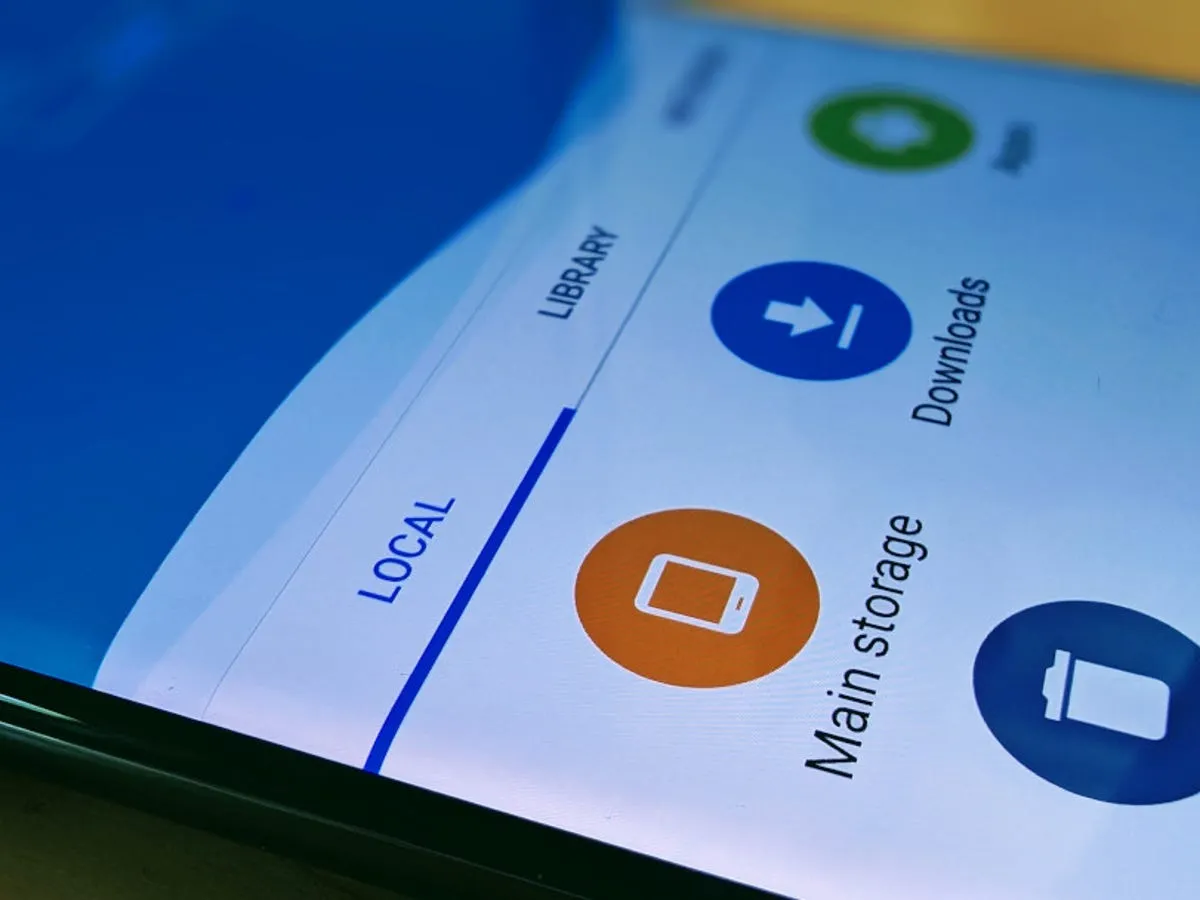
Every Android smartphone requires a file explorer, and Google Files is the default choice for Pixel smartphones and many others. This lightweight, free tool has all the necessary file management features, and its simple layout makes it simple to examine information in folders or categories. It’s not the greatest file management tool for Android, but it’s an excellent method to get rid of duplicate files and keep your smartphone free of clutter.
I’ve used a lot of Android file explorers over the years, and these are the greatest substitutes for Google Files since they have more sophisticated capabilities, a more appealing appearance, and more customization choices.
Cx File Explorer
With a variety of options to assist users in managing their decreasing storage space, Cx File Explorer focuses primarily on managing the storage on Android devices. Its analysis features, which show the location of storage hogs, the amount of storage used by each file type, and the largest files on the device, are its strongest feature. This feature is very useful to me because it makes it easier to organize the videos I have on my device for offline entertainment and flights.
In addition to these features, Cx File Explorer has a simple layout with integrated image, video, and audio players, a handy info box showing available storage, and a small icon-based breadcrumbs menu.
Cx File Explorer
Cx File Explorer is a powerful file manager & storage cleaner app with a clean and intuitive interface. With this file manager app, you can quickly browse and manage the files on your mobile device,
Mixplorer is more extensible and versatile than most file explorers. Having been in development for more than ten years, this is my favorite Android file management software.
As implied by its name, Mixplorer may easily connect a wide range of storage options, including LAN, Google Drive, OneDrive, external media, internal storage, and other cloud services. You can view all of this info without launching specific apps once it’s set up. Additionally, Mixplorer is compatible with symlinks, which offer even more versatile file access options throughout Android.
The customizable design of Mixplorer is another well-liked feature. Although the basic layout is easy to use, power users may install skins to customize the software, integrate add-ons for more functionality, and effortlessly navigate between services and folders using the tabbed interface. I adore Mixplorer’s dropdown breadcrumbs menu because it’s a clever design decision that allows you to quickly navigate back to a root folder without taking up much screen real estate.
Mixplorer
MiX Silver is a bundle of MiXplorer file manager and Archiver, Image, Tagger and PDF add-ons as a paid app to support development of MiXplorer.
In the Android app market, Solid Explorer is likewise quite well-regarded. Solid, a high-end file management program, has many of the same functions as Mixplorer, plus a few extras. Its real-time folder size indicator, which refreshes each directory’s byte count as files are added or removed, is possibly my favorite feature.
Solid Explorer File Manager
Solid Explorer is a file management app inspired by the old school file commander applications.
Material Files appeals to both Files by Google consumers and power users by striking a mix between an intuitive user interface and a robust feature set. The app feels as though Google themselves could create it because of its heavy reliance on Material You. Its components permit automated Night mode activation based on system settings and take on the color scheme of your device.
Even though it doesn’t offer the same expandability as Mixplorer, I would contend that its user interface is simpler to use. Nevertheless, the left-hand sidebar has all the information I require. Its dedicated Screenshots shortcut, which takes me straight to screenshots of the programs I frequently use for my articles, is something I really like.
The program does not let you connect to and access files on Google Drive, for example, but it does enable external storage on physical media or local networks.
Material Files
An open source Material Design file manager. Lightweight, clean and secure. Follows Material Design guidelines, with attention into details.
Finally, Fossify File Manager prioritizes simplicity and privacy and is open-source and free. With more security features, it most likely offers the experience that is closest to Files by Google in that regard. For example, it enables users to secure certain files and folders using a password or fingerprint.
With multiple color choices for the overall theme, a tab that shows you which file kinds are using up space on your disk, and basic search and organizing tools, the user interface is very user-friendly.
Fossify File Manager
Tired of file managers that slow you down and invade your privacy? Unlock a lightning-fast, secure, and completely customizable experience with Fossify File Manager.
Google Files is by no means an inferior app. In fact, Google has created a straightforward and dependable file management solution that ensures constant performance for all Android applications. Consider one of the five programs listed above, though, if you require a few extra capabilities, wish to access local network stores and cloud storage, or want to add protection to your crucial files.
The Google Pixel 10 Pro XL is a major advancement in smartphone design, emphasizing improved utility and more intelligent software integration over drastic hardware changes. This device is designed to improve your everyday interactions with features including wireless charging, camera technology, widgets, software automation, and performance improvements. We examine its top features below, highlighting the reasons the Pixel 10 series is unique in the crowded smartphone market.
Google Pixel 10 Pro with $200 Amazon Gift Card
Order the new Google Pixel 10 Pro and get an Amazon Gift Card. Valid 8/20/2025 until 9/4/2025 at 11:59pm PT, while supplies last and subject to availability
As the first significant Android smartphone to use the Qi2 wireless charging standard, the Pixel 10 series raises the bar for compatibility and ease of use. This method greatly increases charging efficiency by using magnets for exact alignment. It also makes it possible for MagSafe accessories to work seamlessly, so you can connect magnetic wallets, power banks, or stands without the need for additional cases or adapters.
This integration increases the phone’s functionality while also making charging easier. The Qi2 standard makes sure your gadget is always charged and prepared to fit your needs, whether you’re at home, at work, or on the go. This feature is a unique addition to the Pixel 10 series since it combines efficiency and ease.
Innovative Camera System in Pixel 10 series
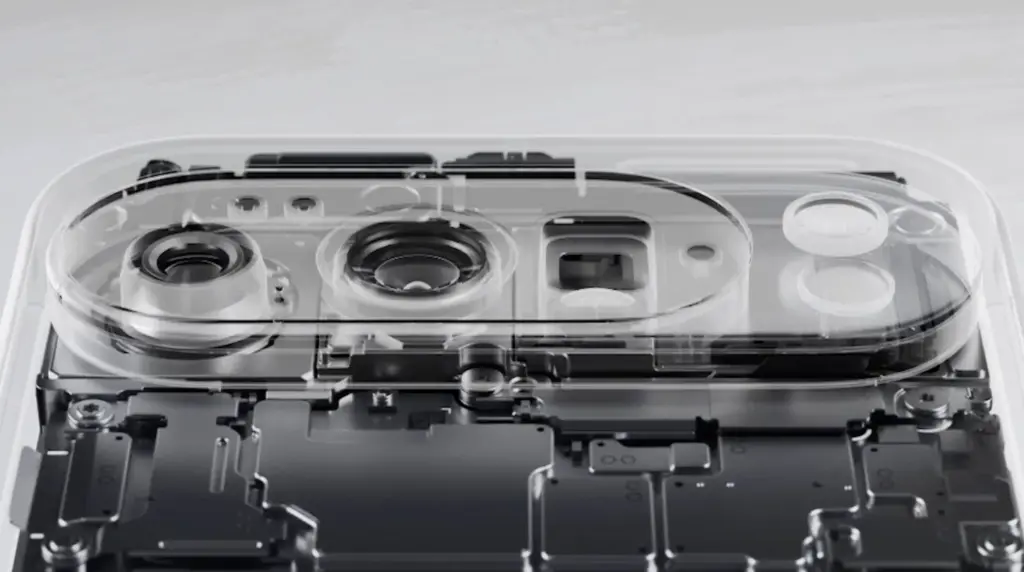
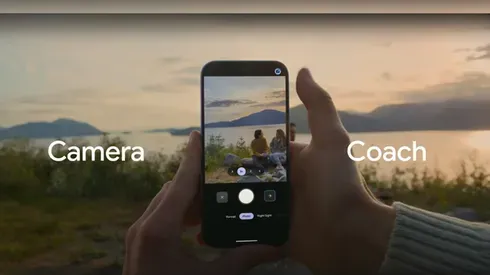
With its Gemini Eye technology, the Pixel 10 Pro XL elevates smartphone photography to a new level. A “Camera Coach,” which offers real-time advice on lighting, framing, and other settings to help you effortlessly take professional-quality photos, is a feature of this cutting-edge device. Even when photographing distant scenes, the 11-megapixel telephoto lens and up to 20x super-res zoom guarantee that your images stay crisp and clear.
The Gemini Eye technology makes it simpler to get amazing results, whether you’re a casual user taking short pictures or a photography fanatic striving for perfection. The Pixel 10 Pro XL is now a top option for those who are camera-focused thanks to these improvements, which demonstrate Google’s dedication to providing an excellent shooting experience.
Intelligent Automation with Magic Cue Assistant
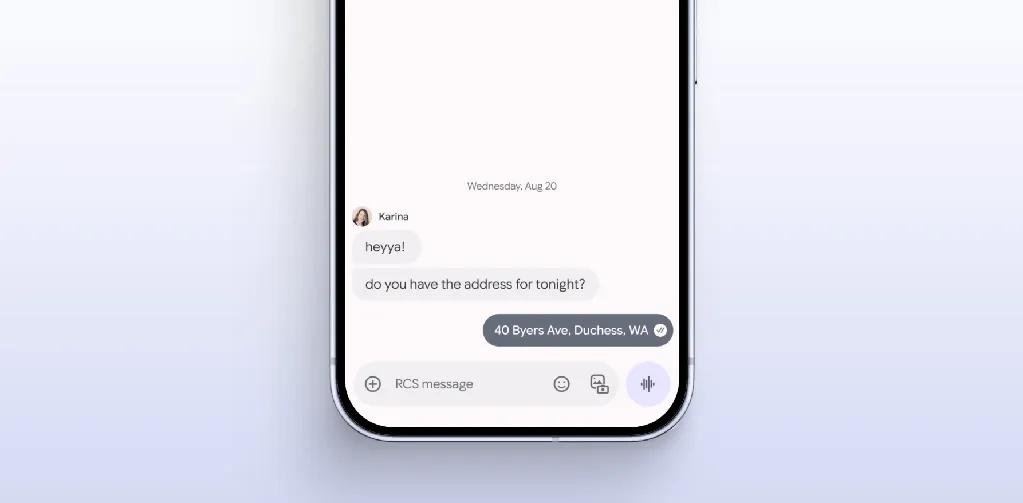
The Magic Coup Assistant is another example of how Google is pushing the limits of software innovation. This tool automates repetitive chores and provides contextual recommendations by using machine learning to understand your preferences and behaviors. Magic Coup Assistant is made to make your life easier, from scheduling to changing settings according to your activity or location.
For instance, it can remind you of crucial deadlines, recommend routes depending on traffic, or automatically turn off messages during meetings. The Pixel 10 Pro XL is a sensible option for people who value efficiency and convenience because of this degree of personalization, which shows Google’s commitment to making the experience more intuitive and user-friendly.
Smarter Widgets with Gemini Space
Gemini Space, a development of Google’s “At a Glance” function, offers a major improvement to the Pixel 10 Pro XL’s widgets. This utility adds real-time updates from programs like Docs, Maps, and Gmail straight to your home and lock displays. Gemini Space keeps you focused and organized without requiring you to launch numerous apps by giving you access to real-time information at a glance.
Keeping track of appointments, managing hectic calendars, and remaining informed about critical activities are all made easier with this tool. It is a minor but significant innovation that improves the user experience overall because it might simplify your everyday routine. The Pixel 10 Pro XL provides a more user-friendly method of interacting with your smartphone with Gemini Space.
Google Pixel 10 Pro with $200 Amazon Gift Card
Order the new Google Pixel 10 Pro and get an Amazon Gift Card. Valid 8/20/2025 until 9/4/2025 at 11:59pm PT, while supplies last and subject to availability
The Google Pixel 10 Pro XL places a high priority on significant upgrades that boost speed and usability. This smartphone is made to satisfy the demands of the customers, from a more potent Tensor G5 chip to the cutting-edge Gemini Eye camera system and the creative Qi2 wireless charging. The experience is further enhanced by features like the Magic Cue Assistant and Gemini Space widgets, which provide a smooth fusion of convenience and functionality.
These well-considered improvements show Google’s dedication to providing a feature-rich gadget that fits your needs. Whether you’re a photography enthusiast, tech enthusiast, or someone looking for a dependable and effective smartphone, the Pixel 10 Pro XL provides an alluring blend of innovation and usefulness.
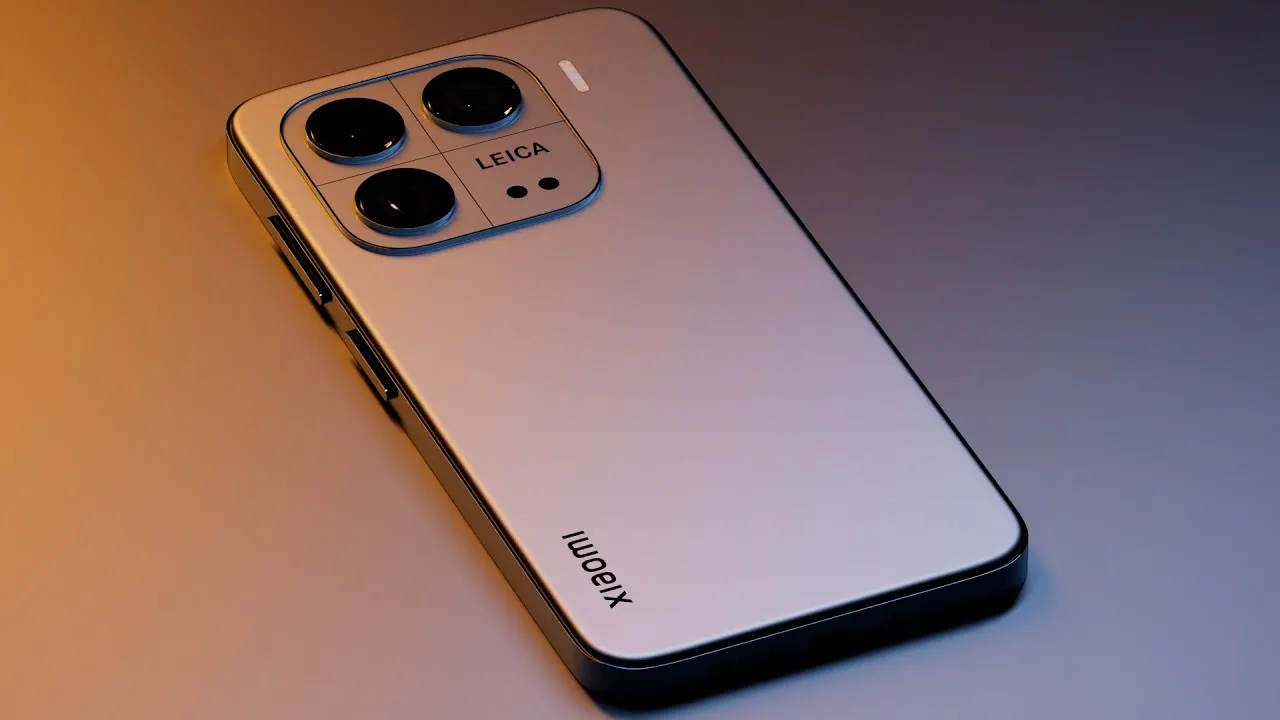
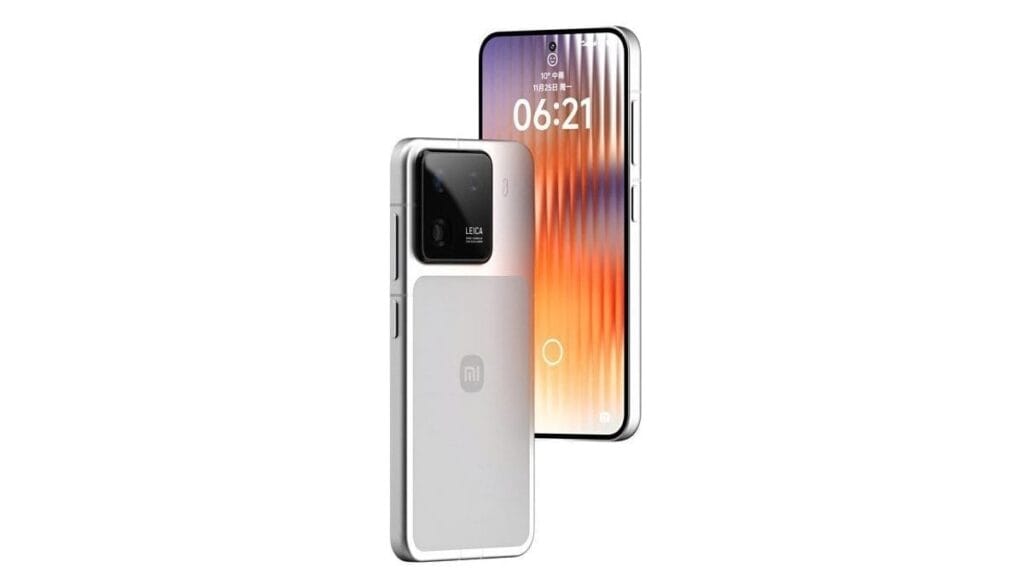
It has been predicted that the Xiaomi 16 and Xiaomi’s flagship 16 Pro smartphones will include a significant camera update, however it might not be the one you were hoping for.
Digital Chat Station, a prolific tipster, posted an intriguing allegation on Weibo regarding one of the first large flagship phones of the upcoming generation.
The post claims that a far better selfie camera with a crisper 50Mp resolution—up from 32Mp in the Xiaomi 15—will be included in the Xiaomi 16 and the Xiaomi 16 Pro.
Both focusing and better low-light performance should be features of this selfie camera. In phones that support it, the latter feature always results in better selfies. In this sense, it will be nice to see Xiaomi‘s entry-level flagship catch up to the Pixel 9, iPhone 16, and Galaxy S25.
The tipster goes on to say that, like the Xiaomi 15, this selfie camera will record 4K/60FPS videos and enable a wide viewing angle.
Xiaomi 16 known specs
The Xiaomi 16’s back cameras also need an upgrade, however the selfie camera appears to be the most notable addition.
It is said to include a new 50Mp 1/1.3 primary sensor, whereas the Pro model will also have a ToF (Time of Flight) sensor, which should enhance bokeh and focusing, among other things, and an extremely high dynamic range function.
According to earlier rumors, the Xiaomi 16 will contain a massive 7000mAh silicon-carbon battery, which is 75% larger than the Galaxy S25’s.
For Google, the Pixel 9 series marked a significant turning point. With a fresh design, robust software support, and an extensive array of practical AI functions, it signaled the company’s transition into a reputable flagship smartphone manufacturer.
But the Pixel 9 has been out for about a year now. The Pixel 10 series is now ready to take center stage.
The Pixel 10 series is anticipated to be introduced at Google’s Made by Google event on August 20, 2025, which Google formally confirmed on Wednesday, July 16, 2025.
Here’s how to watch the Pixel 10 launch event live, along with the precise time, date, location, and announcements to anticipate.
When and how to watch the Google Pixel 10 launch event
On August 20, 2025, Google’s Pixel 10 series launch event will begin at 1 PM ET (10 AM PT).
Google used to release Pixel smartphones in September, following Apple’s iPhone event. Nevertheless, the firm shifted its calendar to August with the Pixel 9, and the Pixel 10 is now operating on the same timetable.
For those of us who can’t make it, Google will broadcast the unveiling, even though it will take place in person.
Here is a list of global time zones so you know exactly when to tune in, even though the event starts at 1 PM ET in New York:
Time zone
Start time
Date
New York (ET)
1:00 PM
August 20, 2025
Los Angeles (PT)
10:00 AM
August 20, 2025
London (BST)
6:00 PM
August 20, 2025
Central Europe (CEST)
7:00 PM
August 20, 2025
India (IST)
10:30 PM
August 20, 2025
China (CST)
1:00 AM
August 21, 2025
Japan (JST)
2:00 AM
August 21, 2025
Sydney (AEST)
3:00 AM
August 21, 2025
You may watch the event on any of your devices, including laptops, gaming consoles, cellphones, and smart TVs, since Google will be livestreaming it on YouTube as usual.
You can either tap the Notify me button to receive a reminder or save the keynote to your Watch Later playlist when the YouTube page goes live. A few minutes prior to the commencement of the event, you will receive a notification from the YouTube app.
Your local time for the event will also be displayed in the stream listing. When the official keynote video is live, we’ll embed it above, so be sure to return.
What we can anticipate from the Made by Google this year
The new Pixel 10 series will undoubtedly be the main attraction.
The Pixel 10, Pixel 10 Pro, Pixel 10 Pro XL, and Google’s third-generation foldable smartphone, the Pixel 10 Pro Fold, are all anticipated to be part of the same range as the Pixel 9.
The Pixel 10 lineup isn’t anticipated to receive a significant visual makeover, as Google has already updated the Pixel’s design language with the Pixel 9 series. Instead, the phones’ designs will probably stay similar to those of the previous year.
But some significant improvements are anticipated.
Most importantly, it has been speculated that the base Pixel 10 would (finally) include a telephoto zoom lens, something that Pixel owners have long wanted.
This implies that a triple-camera configuration – possibly comprising a 50MP primary sensor, a 12MP ultra-wide, and a 10.8MP telephoto lens – will probably be included in the base model.
A larger 4,970 mAh battery (up from 4,700 mAh on the Pixel 9) and somewhat quicker cable charging at 29W (a tiny increase from 27W on the previous generation) are other anticipated features of the Pixel 10.
Speaking of batteries, it is anticipated that the Pixel 10 Pro and Pixel 10 Pro XL would come with bigger cells than previous models. It has been reported that the Pixel 10 Pro XL will have the largest battery in a Pixel phone, with a capacity of 5,200 mAh.
The Pro models might start at greater base storage tiers this time around, even if the camera systems are anticipated to mostly stay the same as the previous generation.
The Pixel 10 Pro XL may cost $100 more than its predecessor, according to certain speculations.
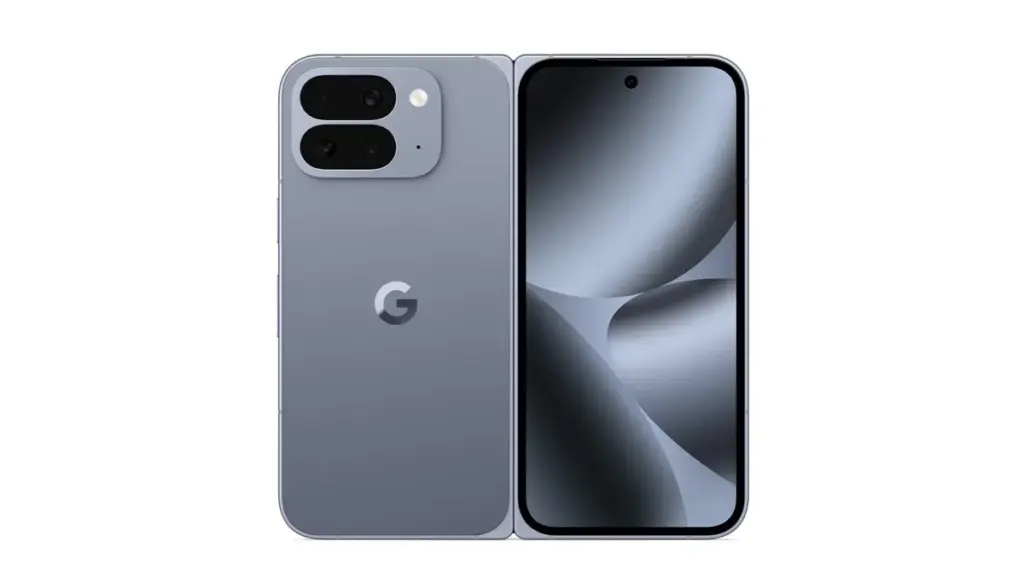
It looks like Google is working on some significant improvements for the Pixel 10 Pro Fold.
Although there are rumors that it may have a larger 6.4-inch cover display, the smartphone will feel exactly as small in the hand because of a better hinge.
Additionally, a larger battery and an IP68 rating are anticipated for the foldable. However, the Tensor G5 processor will probably be the most significant improvement throughout the whole Pixel 10 family.
According to reports, Google and TSMC have teamed up to produce the Tensor G5 for the Pixel 10 series.
According to reports, the chipset is based on the 3nm technology, which should increase efficiency over Samsung’s Tensor G4.
This might seem like a small change, but it could have a big impact on sustained performance and power efficiency.
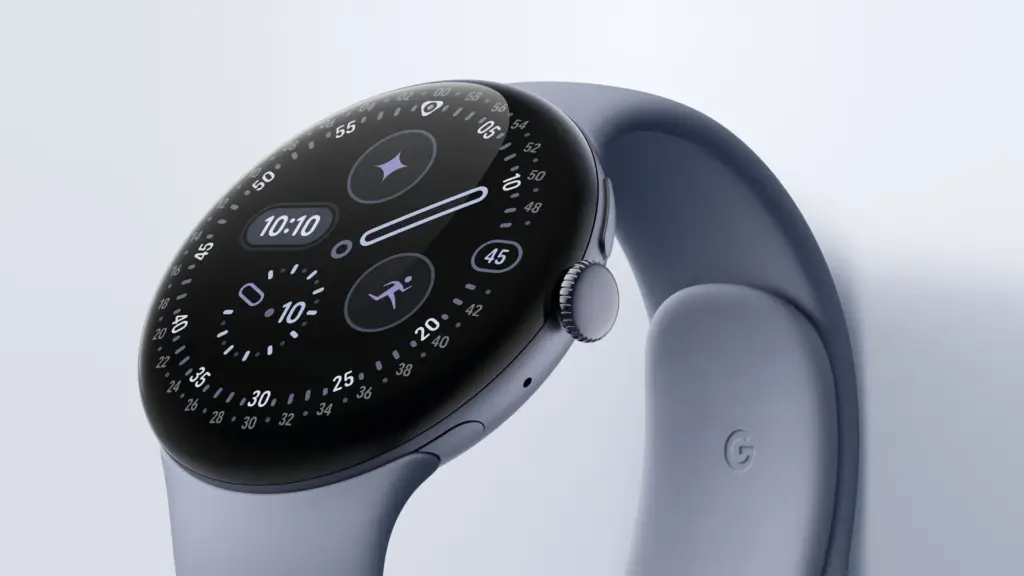
At the Made by Google event, Google is anticipated to reveal the Pixel Watch 4 in addition to the Pixel 10 series.
According to reports, the Pixel Watch 4 will have new buttons and even smaller bezels than the Pixel Watch 3, while yet maintaining the same spherical appearance.
More significantly, the Pixel Watch 4 series is expected to provide a much-needed advance in strength training, complete with Workout Builder and real-time workout coaching.
This would at last establish the Pixel Watch as a viable choice for athletes seeking a specialized health-tracking gadget.
There are reports that Google may release the Pixel Buds 2a to complete the product lineup.
The first Pixel Buds A were released more than four years ago, and it appears that Google is now prepared to update its reasonably priced earbuds.
Better ANC, longer battery life, and four color options are possible features of the Pixel Buds 2a.
Overall, it looks like Google will have a crowded event for the second year in a row.
Expect news on Gemini and Android 16 features, like as the upgrade that makes Material 3 Expressive available on all devices, as is customary with Google keynotes. ,
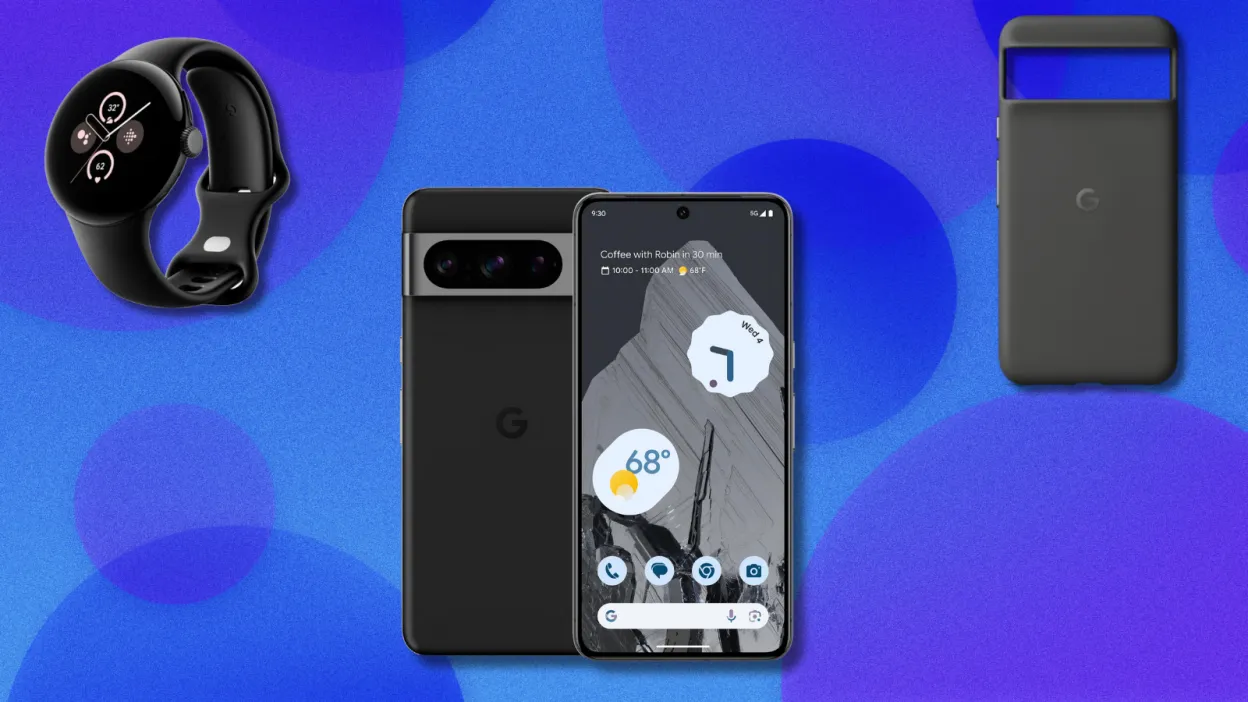
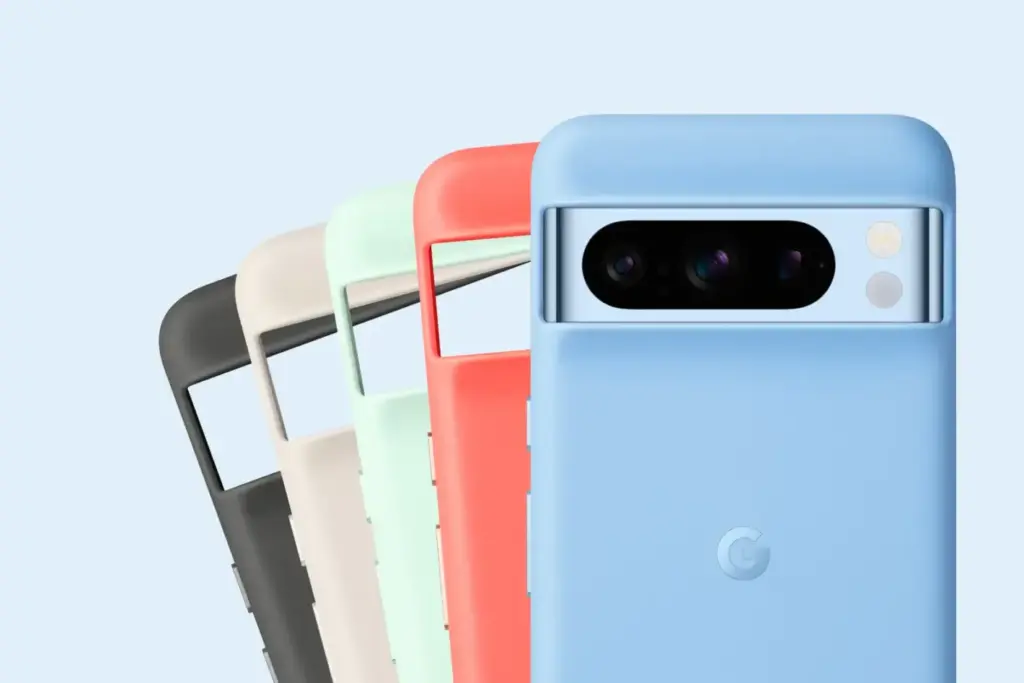
It makes sense that Google is attempting to sell off their older models at a discount, as they have formally announced that the Google Pixel 10 range and the Pixel Watch 4 will be introduced in August. In addition to the Pixel Watch 2 (199.99) and the official Pixel 8 Pro case ($34.99), which are both free, they are currently selling the Pixel 8 Pro for $599.99 (originally $999.99). If you want to start your trip into the Google ecosystem or obtain a Pro phone on a budget, this is a good value.
The Pixel 8 Pro has a 10.5MP front-facing camera, a 50MP, 48MP, and 48MP back camera, and a battery life of roughly nine hours. The 6.7-inch OLED panel has a refresh rate of 120 Hz and a resolution of 2,992 by 1,344 pixels. The brightness reaches 2,400 nits at its max.
Google Pixel 8 Pro with free Pixel Watch 2 and case
With support for a ton of AI features that keep the phone feeling new a year after it was released, the Pixel 8 Pro is still a fantastic phone in 2025. Since Google has been actively trying to address security flaws in its Pixel phones since the Pixel 6, software upgrades for the Pixel 8 Pro will be available for a considerable amount of time (up to seven years). Every few months, Google also releases new features for the Pixel, such as the “Audio Magic Eraser,” which eliminates annoying noises from films, and the “finest Take” function, which allows you to select the finest picture out of a collection.
The Pixel Watch 2 has a vivid AMOLED screen, a Qualcomm 5100 CPU, 33 hours of battery life, and a host of other features like a temperature sensor, GPS, an accelerometer, and a blood oxygen monitor. You may submerge the smartwatch up to 164 feet underwater because it has an IP68 rating for water and dust protection. Our review goes into greater information about it.
In just over three weeks, the Google Pixel 10 series will arrive, but as is customary, a lot of information has already leaked about it. One of its most significant new features—a potent contextual AI assistant named Pixel Sense—was previously covered by us. Alleged screenshots of the assistant were published last month, suggesting that it may debut under a different name. Regardless of its name, it is evident that Google is developing a new AI assistant, and the most recent Android Canary build supports this.
Pixel Sense is intended to use information from several Google services and apps, including Calendar, Chrome, Docs, Files, Gmail, Messages, Photos, and YouTube, to make pertinent, predictive recommendations, as we revealed earlier this year. The assistant might, for instance, recommend people, locations, or goods at the precise moment you need them. Additionally, it would understand your usage patterns to help you do jobs and routines more quickly and adjust to your interests by figuring out what matters to you. Pixel Sense would do all of this while protecting the privacy of your data by keeping it entirely on-device.
According to purported screenshots of the assistant released by leakers last month, the function may initially be known as “Magic Cue.” More information was provided by the pictures, which mentioned that in order to provide tailored recommendations, the assistant gathers information on current screen activity, app usage, and specific Google app data. According to the app you’re using, it does this to “present you useful details and time-saving actions.” For instance, “Magic Cue can locate your flight number from your Gmail – saving you the hunt” if a friend asks for it in a conversation.
It was discovered additional code in the SystemUI app that supports these earlier leaks while examining the second Android Canary build that Google made public last week. An alert is added by the code to let the user know how to use the feature for the first time. “We use AI to proactively offer info and activities relevant to what you’re doing on screen,” says the explanation of the alert, which is named “Get useful suggestions.” To “see how ideas are generated,” you can “tap & hold” the alert, which probably takes you to the Magic Cue configuration page.
We are unable to display the Magic Cue feature because it is not part of the SystemUI app. These threads that allude to it are all that we have.
<string name="ambientcue_first_time_edu_title">Get helpful suggestions</string>
<string name="ambientcue_first_time_edu_text">We use AI to proactively suggest info and actions relevant to what you’re doing on screen</string>
<string name="ambientcue_long_press_edu_text">Touch & hold to see how suggestions are generated</string>
<string name="ambientcue_first_time_edu_text">We use AI to proactively suggest info and actions relevant to what you’re doing on screen</string>
<string name="ambient_cue_icon_content_description">Ambient Suggestions Icon</string>
Curiously, one of the strings describing the alert’s image (for accessibility reasons) refers to it as “Ambient Suggestions,” and the string resource names refer to the feature as “Ambient Cue” rather than “Magic Cue.” Since public-facing names are typically decided upon considerably closer to launch, Google’s code-names for features frequently differ from their code-names. We’ll have to wait a few weeks to find out, but it’s probable that the feature will still be branded “Magic Cue” when it launches.
The Pixel 10 series will be introduced by Google on August 20th at its upcoming Made by Google event. To receive all the updates, be sure to visit our homepage or follow us on social media, as Android Authority will be covering the launch in great detail.