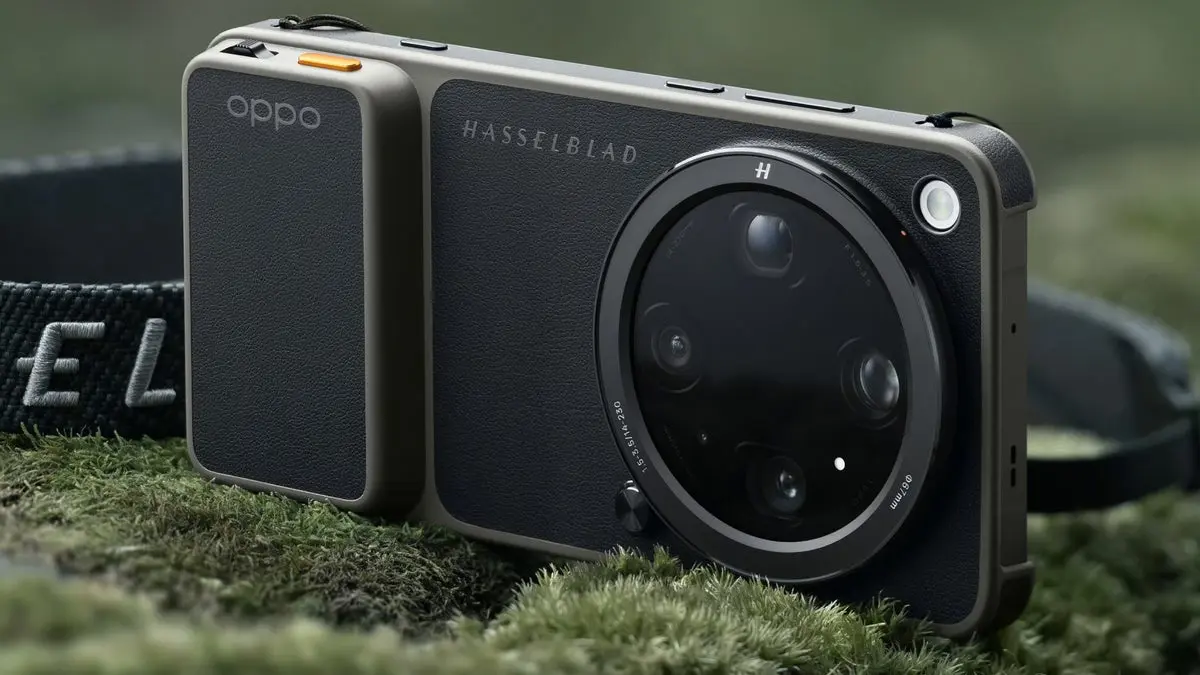
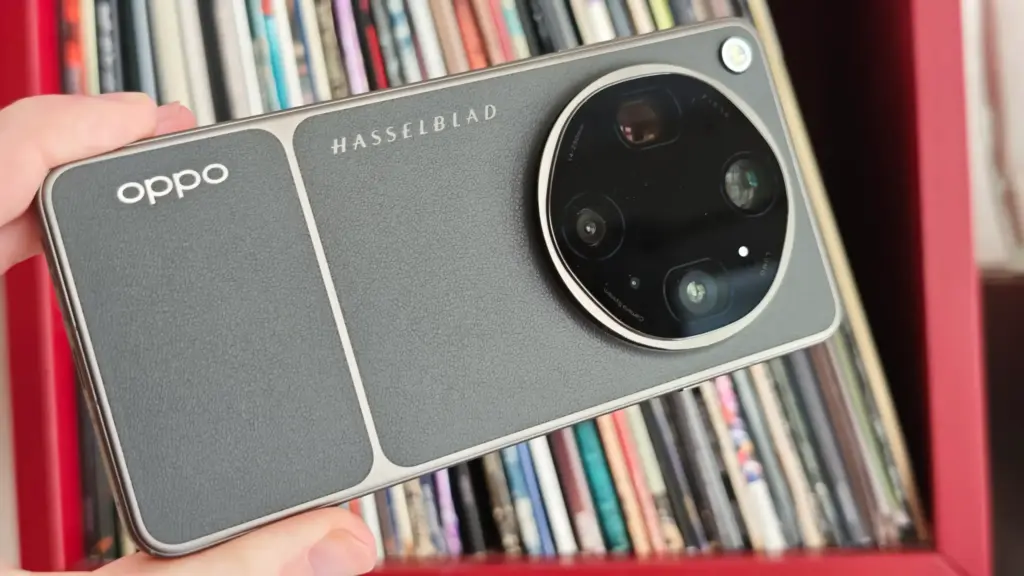
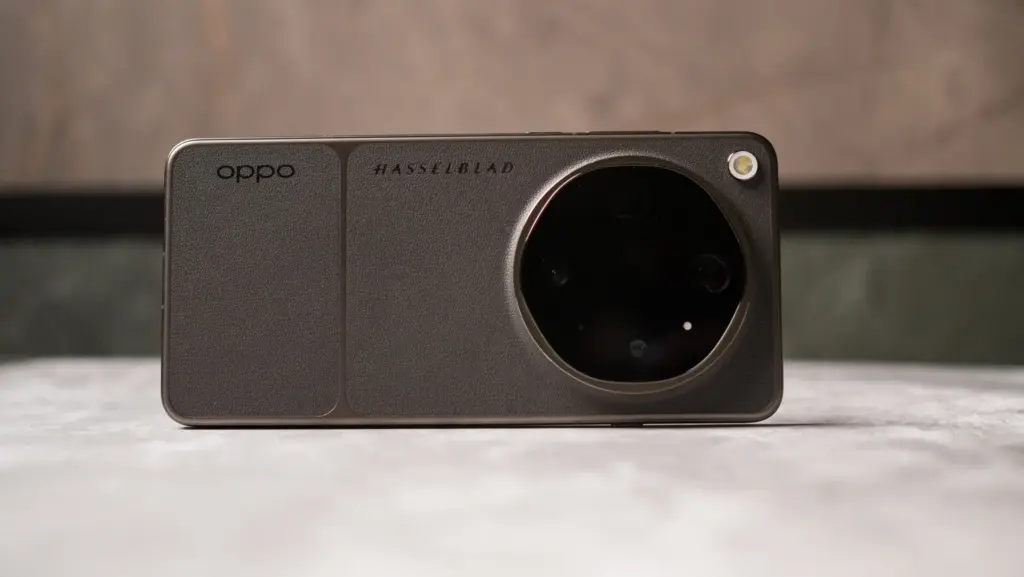
Oppo officially launched the Find X9 Ultra in China on Tuesday, slotting it in as the flagship of the Find X9 family alongside the standard Find X9 and Find X9 Pro. The device runs on Qualcomm’s Snapdragon 8 Elite Gen 5 chipset paired with up to 16GB of RAM, features a 2K display with a 144Hz refresh rate, and houses a 7,050mAh silicon-carbon battery with 100W wired fast charging support.
Oppo Find X9 Ultra Price and Availability
Pricing in China starts at CNY 7,499 (roughly Rs. 1,03,000) for the base 12GB + 256GB configuration. The 12GB + 512GB variant comes in at CNY 7,999 (roughly Rs. 1,10,000), while stepping up to 16GB + 512GB costs CNY 8,499 (roughly Rs. 1,17,000). Those wanting more storage can opt for the 16GB + 1TB model at CNY 9,299 (roughly Rs. 1,27,000), with a special edition variant rounding things out at CNY 9,499 (roughly Rs. 1,30,000).
The phone is available in three colour options – Polar Glaciers, Rongsha Canyon, and Tundra (translated from Chinese) – and goes on sale in China from April 24. Global rollout details haven’t been confirmed yet, though Oppo has already announced an India launch for May. Pricing and full regional details are expected to follow closer to that date.
Oppo Find X9 Ultra Specifications and Features
The dual-SIM device (nano + nano/eSIM) runs ColorOS 16 built on Android 16. Up front, there’s a 6.82-inch QHD+ flexible AMOLED panel with a resolution of 1,440 x 3,168 pixels, a 120Hz refresh rate, up to 1,800 nits peak brightness, and 10-bit colour depth. The Snapdragon 8 Elite Gen 5 handles processing duties, backed by an Adreno 840 GPU, up to 16GB of LPDDR5x RAM, and up to 1TB of UFS 4.1 storage.
Photography is where the Find X9 Ultra really pushes boundaries. The quad rear camera system leads with a 200-megapixel primary sensor featuring OIS, joined by a 50-megapixel ultra-wide shooter, a 200-megapixel periscope telephoto lens, and a 50-megapixel ultra-telephoto camera capable of 10x optical zoom and up to 120x digital zoom. A dedicated colour reproduction lens rounds out the rear setup, while a 50-megapixel camera handles selfies from the front.
Video capabilities are equally impressive, with support for 8K recording at 30fps, 4K at up to 120fps, and Dolby Vision capture. The camera system also integrates Hasselblad imaging, an XPAN shooting mode, and a suite of professional video tools.
On the connectivity side, the phone covers Wi-Fi 7, Bluetooth, NFC, GPS, GLONASS, Beidou, Galileo, QZSS, and USB Type-C. Select variants additionally support Tiantong satellite communication (translated from Chinese) and Beidou satellite messaging. Security is handled by a 3D ultrasonic in-display fingerprint sensor.
The 7,050mAh silicon-carbon battery supports both 100W wired and 50W wireless fast charging. The handset measures approximately 163.16 x 76.97 x 8.65mm depending on the colourway chosen and weighs around 235g.
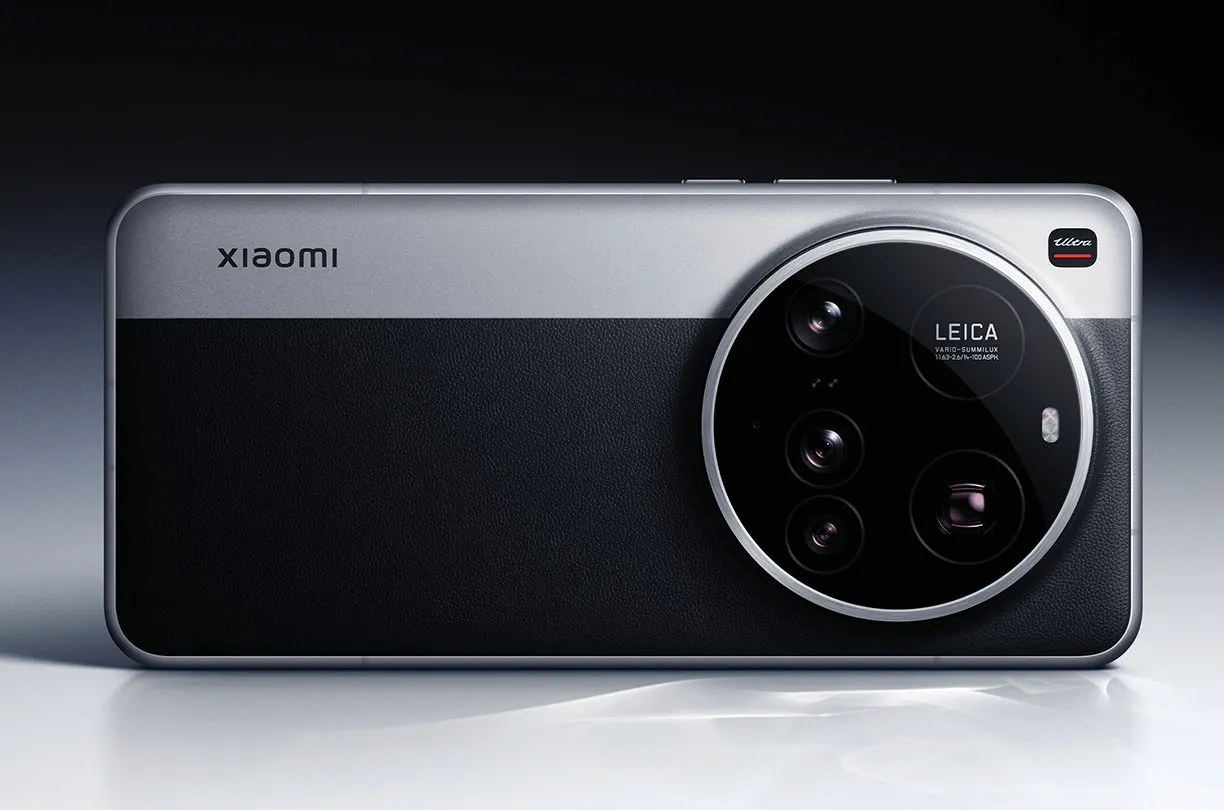
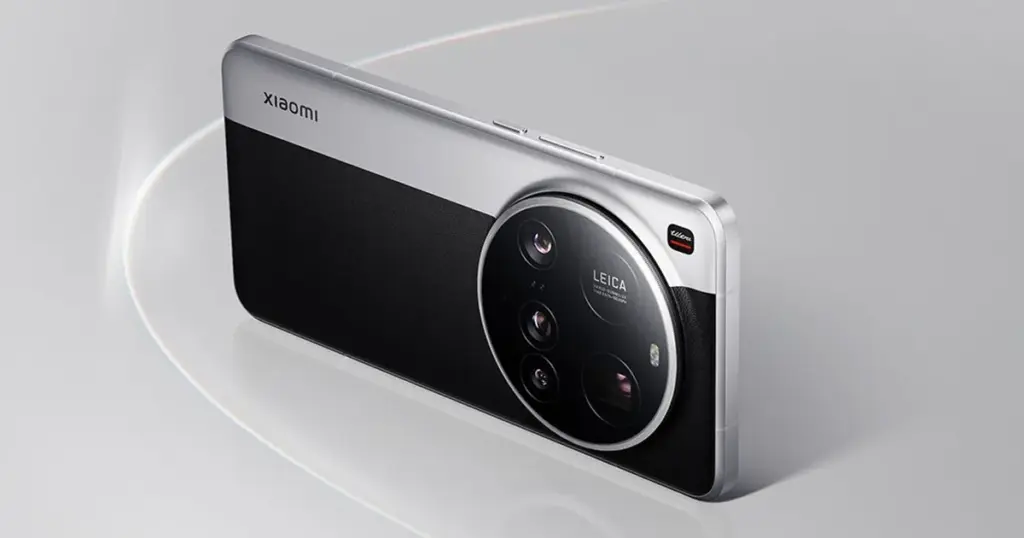
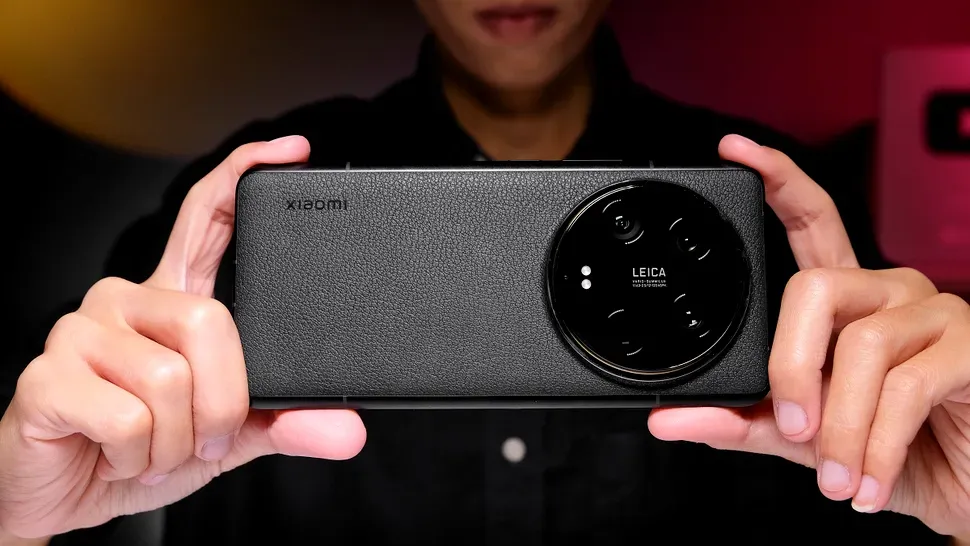
The 15 Ultra, Xiaomi’s most recent flagship, is currently offered for sale worldwide. At €1,500, it has a huge 200MP periscope telephoto lens and a 1-inch primary sensor, which are both really amazing pieces of kit.
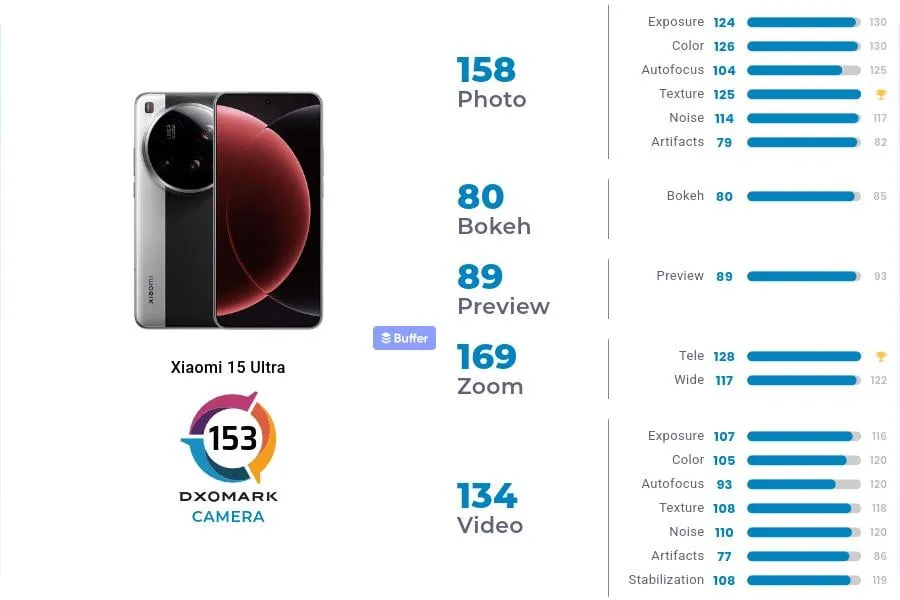
In DXOMark’s camera testing, the 15 Ultra received 153 points, ranking 13th in the world. With 149 points, Xiaomi’s 14 Ultra from the previous year is in 19th place, which is their highest performance to date.In DXOMark’s camera testing, the 15 Ultra received 153 points, ranking 13th in the world. With 149 points, Xiaomi’s 14 Ultra from the previous year is in 19th place, which is their highest performance to date.
However, both in China and the West, it continues to lag behind its most formidable competitors. The Honor Magic 6 Pro and Pixel 9 Pro XL are currently behind Huawei’s Pura 70 Ultra in the DXOMark rankings.
To be clear, this doesn’t mean the 15 Ultra has a lousy camera—far from it. At number 24, even Samsung’s Galaxy S25 Ultra is ranked lower. The 15 Ultra was commended by DXOMark for its outstanding color rendering, broad dynamic range, precise exposure, low noise, and great texture detail.
Why Xiaomi 15 Ultra missed the top?
DXOMark reports that the phone has trouble with visible abnormalities that affect image quality, contrast irregularities, and sporadic warm color casts in both images and videos. Additionally, there are problems with autofocus stepping and texture degradation under some circumstances, which can make focusing less fluid.
Its limited depth of field, which causes blurry background faces in group photos, is another significant flaw. Keep in mind that its primary camera is the source of this limitation.
These flaws could be disappointing for a phone that strives to be the finest of the best. Despite these figures, the 15 Ultra still has some of the best mobile camera hardware on the market.
Lei Jun, the CEO of Xiaomi, just lately commended the upcoming Xiaomi 15 Ultra’s photographic capabilities. He has now released the Xiaomi 15 Ultra’s first official camera sample, which shows a nighttime picture with intricate lighting. The sample supports Xiaomi’s boasts of significant breakthroughs in mobile photography with its remarkable clarity, noise management, highlight suppression, and color correctness.
However, the watermark data is the most interesting detail. Instead of using the primary sensor, the new 200MP periscope telephoto camera was used to take the picture. With its f/2.6 aperture, 100mm focal length, and corresponding 4.3x optical zoom, the ISOCELL HP9 sensor offers notable gains in low-light and telephoto capabilities.
The Xiaomi 15 Ultra faces fierce competition when compared to rivals. A 200MP HP9 sensor with an 85mm focal length and an f/2.67 aperture is also used by the Vivo X200 Pro. The 200MP ISOCELL HP3 sensor in the Honor Magic7 RSR, on the other hand, has a brighter f/1.88 aperture and a 70mm focal length.
Lei Jun expressed great confidence in the Xiaomi 15 Ultra’s abilities during a recent live stream, emphasizing that it has made notable advancements in night photography. We will soon find out how effectively it fulfills these promises as its official launch is scheduled for the end of this month.
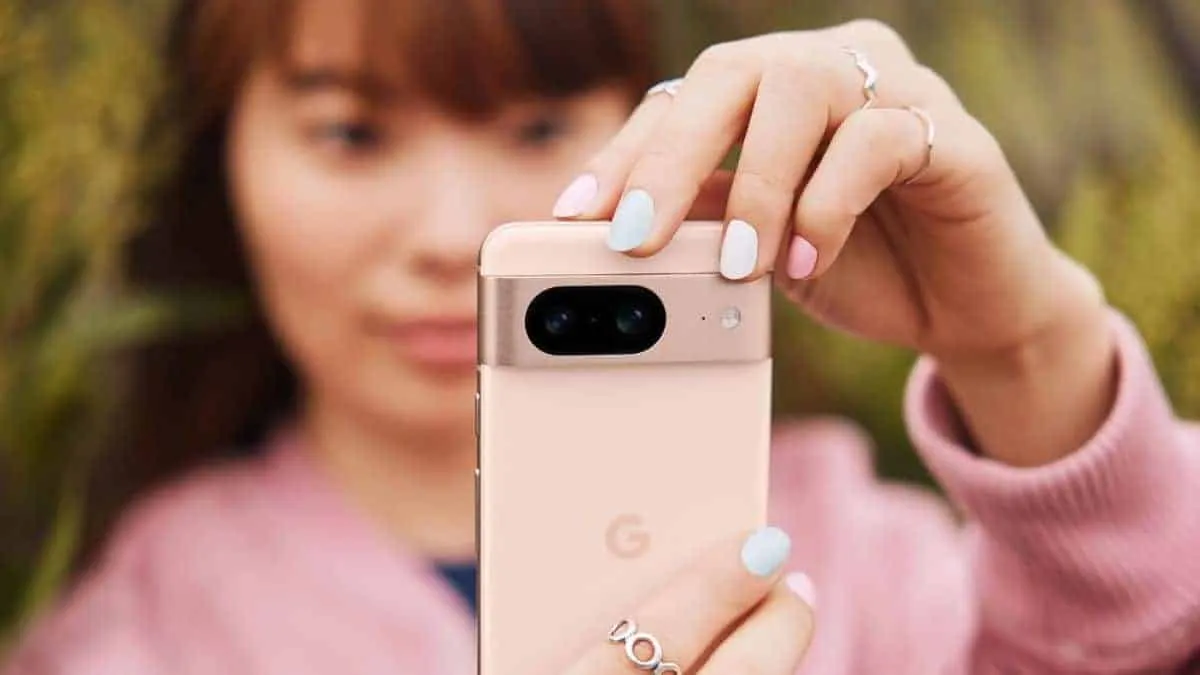
The camera on the Pixel phones is one factor contributing to its success. Most phone cameras are unable to match the depth, clarity, and vivid/accurate colors.
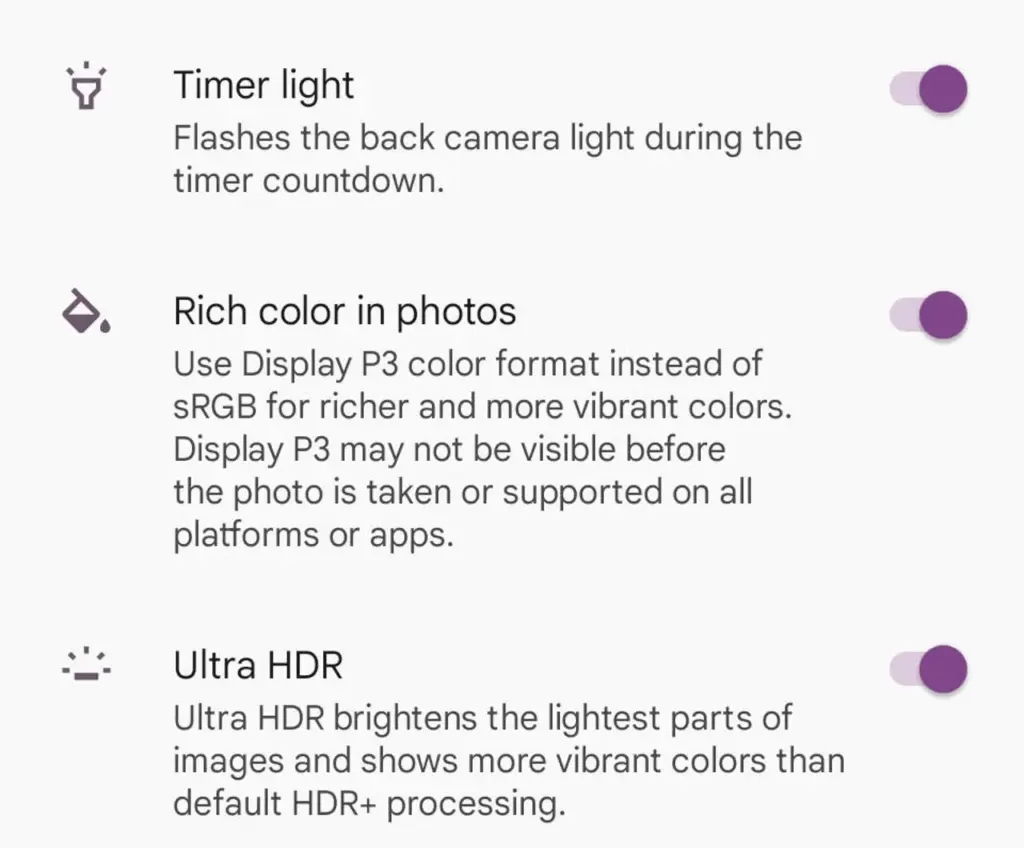
With each new edition of the Pixel camera, Google aims to surpass itself. Google first debuted the P3 wide gamut capture feature with the Pixel 8, which was accompanied by the Ultra HDR format of Android 14. Photos truly come to life with color thanks to the Display P3’s wide gamut capture.
Display P3: What is it?
Display P3 is a color space that combines the following:
DCI-P3 color gamut
D65 white point
sRGB gamma curve
Gamma is a nonlinear operation that is used to encode and decode brightness in images and videos, for those who were not present at the popular photography club table over lunch. Gamma is defined as the relationship between the luminance and the numerical value of a pixel, which is an even simpler description. Your photographs would not capture color as your eyes perceive it if gamma were not present.
A camera can prevent color and light tint by using white point, often known as white balance. Consider it in terms of the temperature of color. Are you recording in warm inside light or in the daylight? Your images may appear amber or blue if the white point is set incorrectly.
The range of colors in a color space that a device can replicate is known as the color gamut.
The Society of Motion Picture and Television Engineers and the Digital Cinema Initiatives developed Display P3, or DCI-P3, as a color space in an effort to standardize colors used in motion pictures. P3 focuses on what you see in movies. The coordinates of the red (x =.68, y =.332), green (x =.265, y =.69), blue (x =.15, y =.06), and white points (x =.134, y =.351) are even charted.
Anyone wishing to improve their smartphone photography skills should think about utilizing Display P3, as it gives a far wider variety of colors than sRGB. All of the phones in that range support P3, so if you own a Google Pixel 8 or 9, you are in luck.
How to enable P3 in the Pixel camera app
A Pixel 8 or 9 phone is all you will need for this. It may be XL, Pro, or ordinary.
Open the Camera app – to begin, unlock your phone and open the camera app.
Open Settings – Ttap the gear icon in the lower left corner of the window to open Settings.
Open More Settings – From the Settings pop-up, tap “More settings.”
Enable P3 – Move the On/Off slider for that entry until it’s in the On position. You can now back out of settings.
The color enhancement may appear mild on some devices and striking on others when you take pictures.
It should be noted that not all devices are compatible with P3. You may use the P3 gamut to snap a picture and then send it to someone whose device does not support it. The shot will not look nearly as good on their device as it does on yours.
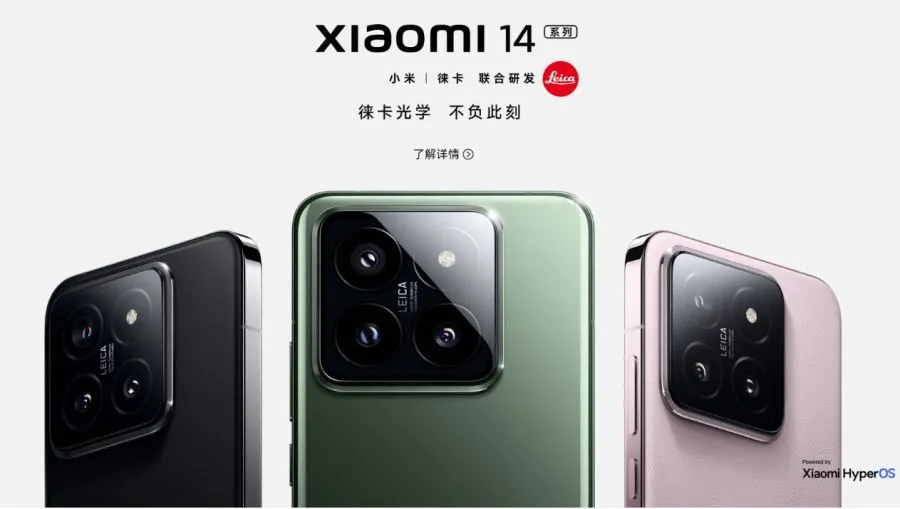
As a result of its recent notable achievements in mobile photography, Xiaomi is among the smartphone manufacturers that provide the first 1-inch camera sensor. Xiaomi phones now have far more capable camera hardware and software thanks to their relationship with Leica. The two businesses have now declared their intention to establish an optical institute in tandem.
Xiaomi & Leica’s together in optical institute in China
According to Xiaomi’s official website, this institute was founded by Xiaomi and Leica with the goals of creating ultra-precision optical lenses in a small form factor, attaining the best possible performance in computational photography, maintaining the highest optical standards for lenses, and conducting research and applying cutting-edge optoelectronic technology.
The founding of this institute involves significant contributions from Leica and Xiaomi. Among those included in this institute is Peter Karbe, a key role in the design of Leica’s high-end Noctilux and APO lenses, who will act as an optical expert. The Director will be Zeng Xuezong, Senior Vice President of the Xiaomi Group and Head of the Xiaomi Mobile Phone Division. Deputy Directors will be Wang Xuanran, General Manager of the Xiaomi Camera Department, and Yi Yan, Head of the Software Technical Team of Xiaomi Group.
The institute that Xiaomi and Leica’s relationship produced has not yet been founded. Three large-scale facilities specializing in camera hardware, imaging, and objective and subjective image quality evaluation are now being planned for Beijing.
It seems that Xiaomi aims to take mobile photography to a even more advanced level. While Xiaomi 13 Ultra has already a powerful camera setup, Xiaomi 14 Ultra is expected to bring even better hardware. You can check out recently shared images captured on Xiaomi 14 Ultra from our previous article.
The majority of serious photographers use DSLR cameras, which are currently the industry standard. You can purchase a variety of cameras and lenses, which can be costly but worthwhile. However, you can enhance your experience even more by using apps. Generally speaking, your camera comes equipped with all the controls you need, but some apps can add features like remote control support or quicker, easier update processes. There are not many excellent options, but the ones that are available are good enough. Here are the top DSLR apps for Android!
Adobe Lightroom
Price: Free / Up to $52.99 per month
A good photo editor app is one of a photographer’s most valuable tools, and Adobe Lightroom is one of the best; the mobile version offers many of the same features as the desktop version, such as support for RAW photos, easy reverting back to the original, and the ability to send the files to your desktop version if necessary.
The majority of the features in the app are free, but if you already have an Adobe Creative Cloud subscription, you can access additional features. Overall, it is a good app for serious photographers.
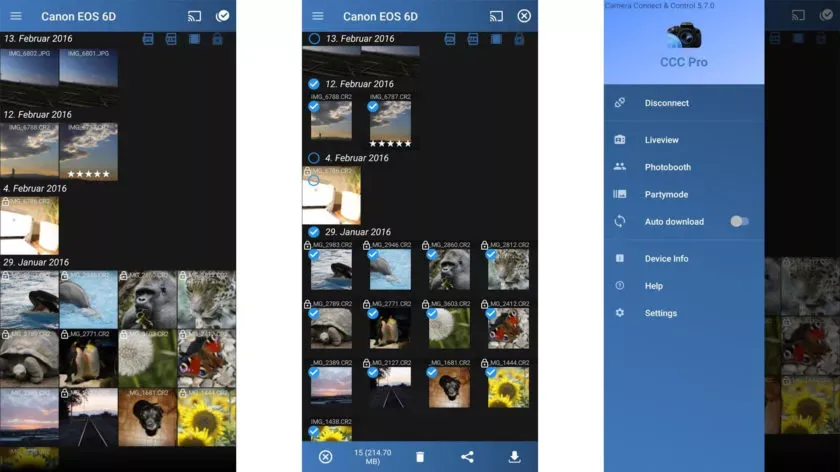
One DSLR app that lets you control your camera is called Camera Connect and Control. It works with a number of cameras, including Nikon, Canon, Sony, and GoPro. Depending on your camera, you can connect via WiFi or USB.
The app allows you to load your images to your phone and supports tethered shooting. Pro versions come with extra features like ad removal and access to EXIF data. The full pro version has even more features, but it has some bugs.
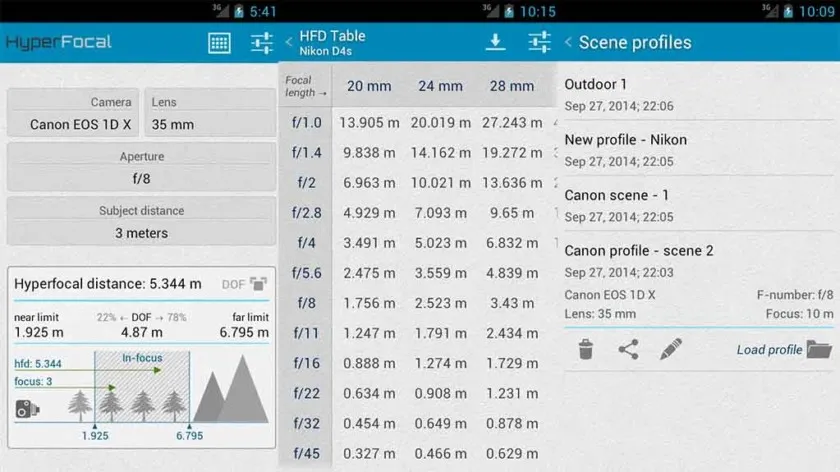
A reference guide for photographers, HyperFocal Pro displays calculations to get the best focus, ideal focus ranges based on subject, distance, camera, and glass; it works with most cameras; it displays statistics for depth of field, angle of view, and field of view; it is easy to read; it is free of cost, has no in-app purchases, and has no advertising.
For most beginning and intermediate photographers, it is a useful little tool.
The Magic Viewfinder app family is a collection of DSLR apps that do not control or connect to cameras; instead, they help you plan shots and see how your camera would perform by simulating your camera and lens setup. This allows you to accomplish tasks like framing without carrying your actual gear.
The apps are available for free download, with cheap in-app purchases to unlock all of the features. While they are not always the most useful, they can be useful in certain situations.
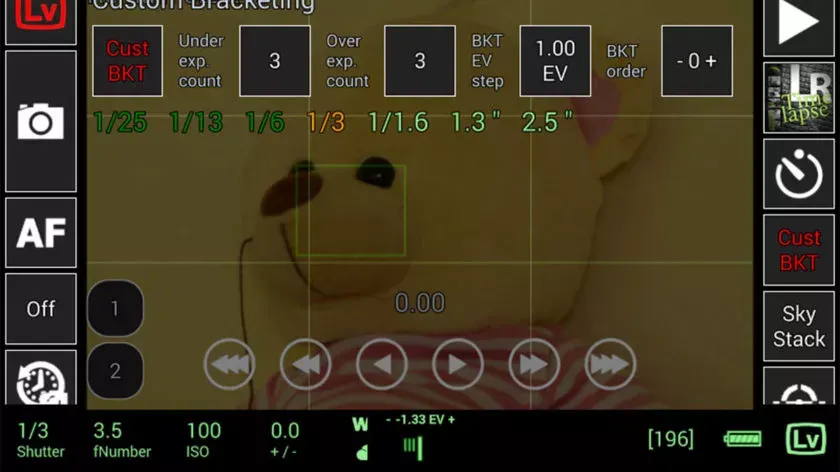
This DSLR app, called qDslrDashboard, works with mirrorless cameras from Canon, Nikon, and Sony. It has a long list of features, such as support for multiple cameras, the ability to view and pull photos from a camera, time-lapse controls, wireless controls, and more. If you prefer to work wired, it can also be used over USB-OTG. However, not all cameras are compatible with this app, and many users have reported connection problems and other various bugs.
Given its price tag, we imagine that’s why the rating is a bit lower than we’d normally see. In any case, if you try this, make sure to give it as thorough a testing as you can inside of the refund period, just in case.
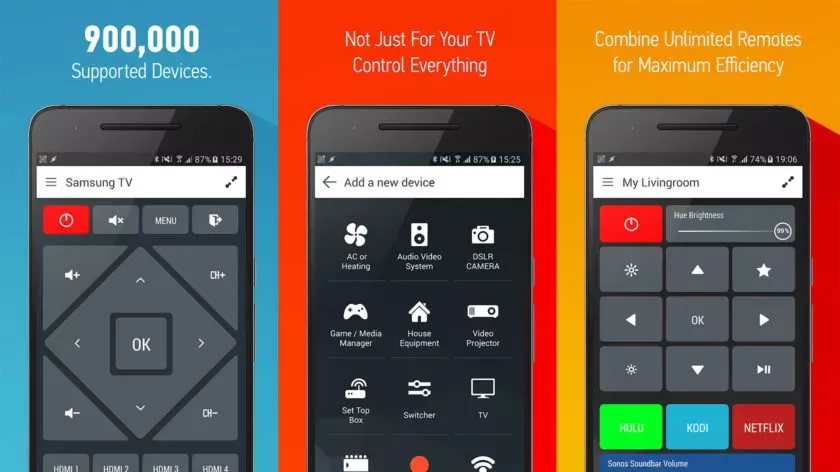
With that said, there is an immediate caveat with this one: your device needs an IR blaster on the phone in order for this remote app to function at all. Other than that, it should work with almost anything that has an IR receiver, which does include some DSLR cameras and camera remotes. However, there is not an easy list to refer to as to what cameras work with this one. Smart IR Remote is primarily for TVs and other home electronics.
The pro edition of the app is a bit pricey, but you definitely get what you pay for—it is arguably the greatest infrared remote software available on Google Play. Our recommendation is to download the free version and see if it functions with your camera.
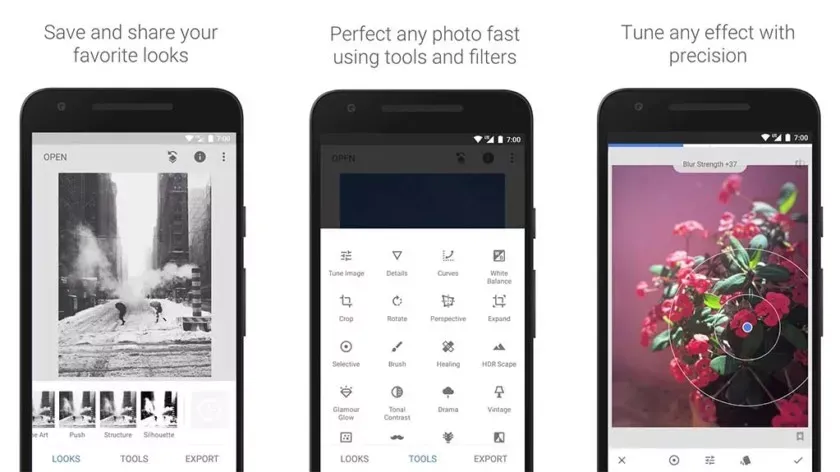
Google’s Snapseed is an extremely feature-rich free photo editor app that supports RAW files in addition to offering 29 additional editing tools with intensity sliders for finer control; it can also perform standard photo editing functions like cropping and white balance.
While it is not quite as powerful as desktop photo editors like Lightroom or Photoshop, Snapseed is probably the best option available for mobile devices.
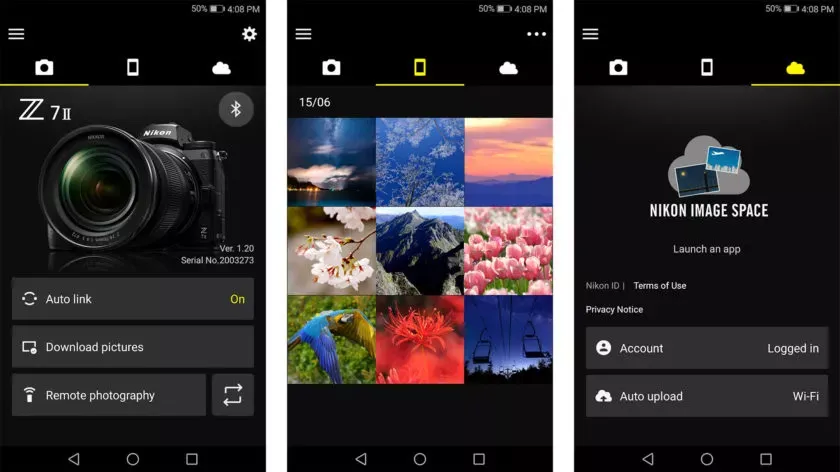
DSLR apps are available from most camera manufacturers. Canon, Sony, Nikon, Lumix, and other manufacturers have official apps designed to be used with their cameras. These apps are typically not the best—if they were, you would not be here and this list would not be necessary—but they can do basic functions like taking photos and transferring them to your phone.
While most of the apps are free, there are some that are more functional and allow you to do things like download via Bluetooth, take pictures remotely, and perform other advanced tasks. It is advisable to try the official app for your camera first (assuming it has one and is compatible) before downloading any other apps.
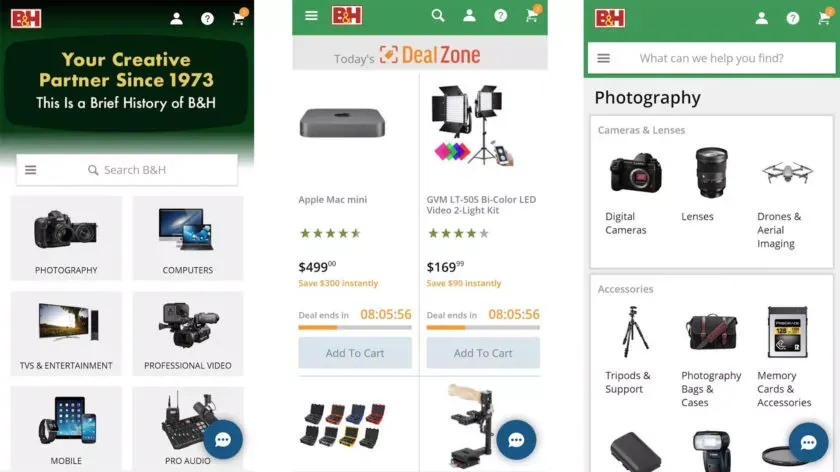
There are a lot of apps that sell various DSLR cameras and accessories. Some examples include B&H Photo Video (linked at the button), Amazon Shopping (Google Play link), and Newegg (Google Play link). However, you can also find some neat stuff on sites like eBay if you want a new piece of glass or some lightly used accessories.
Plus, those are excellent places to find lighting, filters, camera bags, cleaning supplies, and other things to make your photography life better. Hit all the links to check out the various apps.
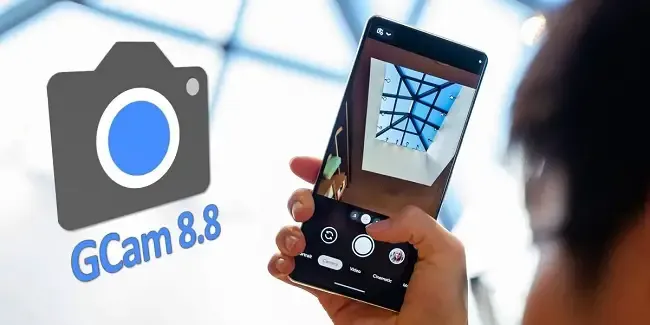
The best photography applications are found on Google Pixel smartphones, which begs the issue of whether they may also be used on other Android devices. The solution is found in GCam, a customized version of the Google camera that makes camera app capabilities available on mobile devices other than Pixel models. This includes the most recent 8.8 version of Shamim, a robust and extremely flexible program.
Modders that are committed to providing their own versions of the Pixel camera app in the form of GCam do likewise as Google keeps updating it. For the majority of devices, the most recent version, 8.8, offers a variety of fantastic possibilities. Iterations in the past, such as the one from BSG, were among the first to be made available but lacked the sophisticated tuning possibilities present in the app. Shamim’s 8.8 version, however, offers a lot more customization.
Gcam 8.8 unlocks the potential of your mobile
As soon as Google Camera 8.8 was released, the first modders started to release their own versions of the software, which is still under development. While one of the most well-known modders, Arnova8G2, has yet to release the current version beta, others are steadily updating their improvements. Shamim, whose GCam 8.8 is highly thorough, is one among them.
Shamim’s 8.8 update brings the app’s foundation up to date with the most recent Google camera version and includes a number of sophisticated settings. Interestingly, it also provides XML configuration options for every user. allowing anyone to quickly and easily customize the GCam to their device. Simply download the XML from the phone and apply it to the GCam settings to accomplish this.
On most phones, images taken using Shamim’s app have a tendency to be a little dark by default and occasionally have greenish tones. This was noticed after the app was installed on a Xiaomi handset. It is advised to go to Celso Azevedo’s website to find an XML file appropriate for a certain phone.
Once you download the file to the mobile device, move it to the “SGCAM/8.8.224/XML” folder. Shamim’s GCam will then automatically load the file upon starting and restart with the most appropriate settings for the phone. According to tests, this method works correctly, at least as far as a modified Google camera apk can function. If the XML does not work or requires more precise adjustments, users can delve into the advanced settings until they achieve their desired results.
Loaded with improvements
Shamim’s 8.8 stable version is available for download on Celso Azevedo’s webpage. As is often the case with GCam, the app may not function correctly on all Android devices. Users must try their luck and adjust the parameters as much as possible. It is also worthwhile to locate the configuration XML file for the mobile device installing the GCam, as this can save time and typically yields better results.
For its outstanding quality, the Google Pixel camera app is well-known. Some Android devices have been modified by modders. One such adaptation is GCam. For phones other than Pixels, Shamim’s 8.8 version offers powerful, highly customizable camera software. New and upgraded versions of this app constantly offer increased capabilities and customization choices.
For those interested in trying this camera app on their Android device, Shamim’s 8.8 stable version can be downloaded from Celso Azevedo’s webpage. Results may vary on different devices, but users can adjust parameters and find the right XML file for better results. GCam is constantly evolving, so Android users can expect even more powerful camera software in the future.
Overall, the GCam is a great option for anyone looking to improve the camera experience on their non Pixel Android device. And with the latest release, it’s easier than ever to configure the app to your specific phone. Why settle for a bad camera app? Google’s software is great – why not use it on your device? Give the GCam a try today.