Tag: music

  • Snag for free these must-have free Android & iOS apps before they’re gone!

    Snag for free these must-have free Android & iOS apps before they’re gone!

    Who does not enjoy getting free downloads of premium apps? Developers occasionally give away their premium iOS and Android apps for a brief period of time. These offers may cover anything from picture editors and productivity tools to instructive materials and captivating games.

    The catch? You will need to move quickly to seize these undiscovered treasures while they are still available because these deals do not stay long!

    We have compiled a list of the top temporarily free apps that are now accessible for download in this post. There is something for everyone here, regardless of your preference for iOS or Android. Every app has been chosen with attention due to its excellent reviews, practicality, and overall worth. Now is your opportunity to improve your smartphone experience without breaking the bank.

    Android apps and games that are free for a limited time

    Android apps for productivity and lifestyle

    • Iris Light Flat 3D Icon Pack ($0.49): An icon pack that changes the way your Android handset looks like.
    • 90s Music Radio Pro ($0.90): Stream hit music from the 1990s with this unique app that shares culture from the previous century with the current generation.
    • Math Up to 100 ($2.49): This app recognizes handwritten input that makes it a more natural method of learning math, especially for the younger ones.
    • Matrix Determinant Pro ($0.49): Need a quick calculating app to figure out matrices? This app is a math calculator, which can calculate the determinant of a matrix.
    • How Much Can I Spend? ($2.99): Not everyone is a billionaire, so this app comes in handy to help you track your spending.

    Free Android games

    • WindWings ($0.99): A frenetic shoot ’em up that will require your reflexes to be at their very best.
    • Live or Die Survival Pro ($0.49): This game places you in dire straits, where you need to keep your wits about you to remain alive in the midst of a zombie apocalypse.
    • Tower Defense Legend 5 Pro ($0.49): A tower defense game that keeps you on the edge of your seat as endless waves of enemies bear down upon you.
    • Dungeon Corp. S ($1.49): A really wacky game set in an office environment where you encounter various monsters and vanquish them to level up.
    • Words & Cards Pro ($1.49): Just how many words can you find in a jumbled mess of letters in this game?

    iOS apps that are free for a short time

    iOS apps for productivity and lifestyle

    • The Wonder Weeks ($5.99): Keep track of your newborn baby’s development over the first few weeks with this app, making sure you never miss a moment.
    • Weather+ ($0.99): The weather can be a very fickle thing, so making sure you keep tabs on what’s happening outside helps you prepare everything better.
    • Resume Designer 3 ($3.99): Want to cobble up a resume on the fly? This app will help you do so.
    • mySymptoms Food Diary ($7.99): If you want to keep track of what you eat to make sure you don’t take in anything allergic, this can be helpful.
    • Good Grade ($2.99): A photo editor and color grading app that you can bring with you wherever you go.

    Free games for the iPhone and iPad

    • Vigil RPG ($2.00): A single-player premium RPG that is featured in 8-bit graphics, with interesting battles that require some important decision-making which will impact the story.
    • Dragon Flight Simulator Games ($1.99): Flying a plane is one thing, but flying a dragon? It doesn’t seem to be as easy as it sounds.
    • My City: Hospital ($3.99): Running a hospital is no child’s play, but you can let your child play with this hospital simulation game!
    • Pirate Drops 2 ($4.99): A match-3 puzzle game that features a pirate theme with fire and water elemental obstacles to boot.
    • Kingdom Rush: Tower Defense HD ($5.99): Hordes of enemies are knocking at your castle’s door. How will you repel them?

    The deals were live as of the publishing date. If you found an expired deal, please share it in the comments below. 

    Before you download one of the apps mentioned, we recommend that you check the details of the app in the Play Store or App Store. This is important because some of these free apps may have their own special features or disadvantages.

    Be careful with both free and paid apps, as they can hide in-app purchases and advertising. This is particularly significant when downloading games for children. To avoid unexpected problems, please follow the advice below:

    A small number of companies use devious methods to profit from your personal information in the rapidly changing world of mobile apps. We have some essential tips to assist you better safeguard your valuable data, so do not fear, fellow IT enthusiasts. When choosing which apps to download, you must be careful about the rights you provide them. Think about it: why would a basic alarm clock require access to your contact list or camera? Or why would a flashlight app need to know your precise location? You may greatly protect your personal information from unauthorized access by exercising caution when granting permissions.
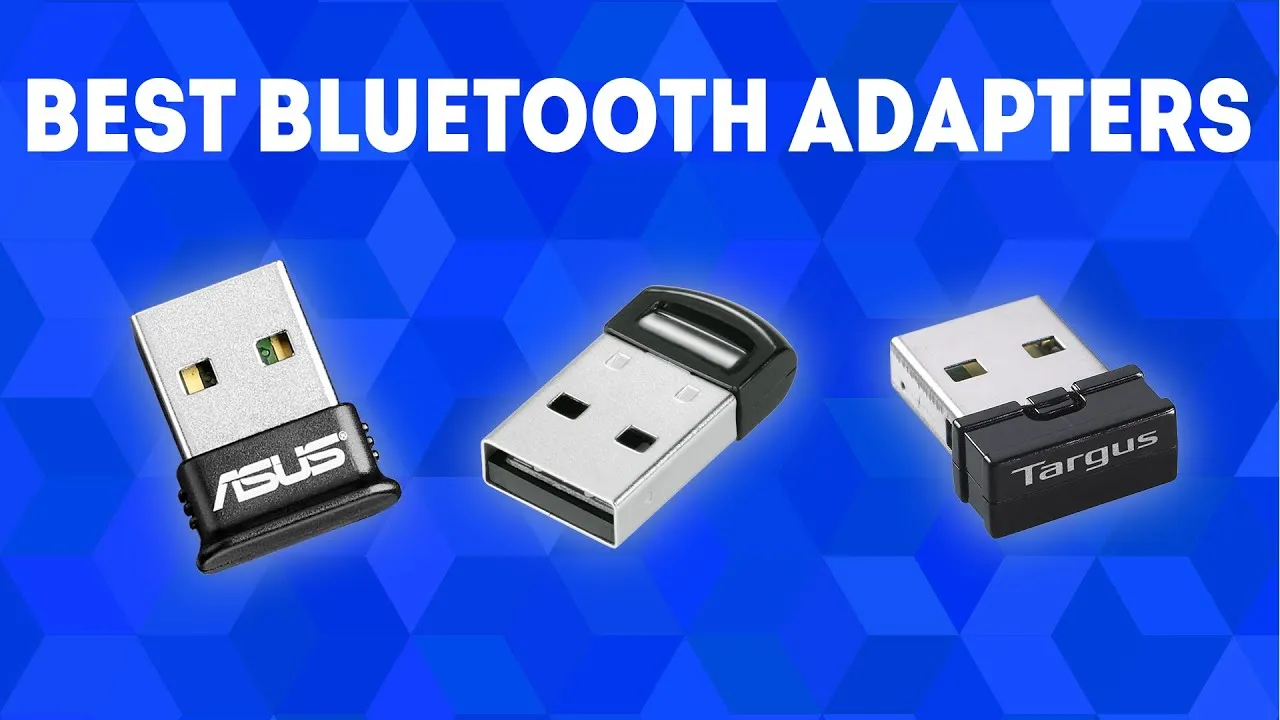
  • Need a Bluetooth Adapter? Discover the Best Bluetooth Adapters of 2025 Now!

    Need a Bluetooth Adapter? Discover the Best Bluetooth Adapters of 2025 Now!

    Bluetooth adapters are portable devices that enable non-Bluetooth devices to communicate wirelessly. They are also referred to as Bluetooth dongles or transceivers and are ideal for improving your technology setup.

    What to look for in a Bluetooth adapter

    Bluetooth adapters exist in a variety of shapes and sizes, each serving a different purpose. Whether you need one for your TV, PC, Bluetooth keyboard, automobile, or Nintendo Switch, knowing the purpose will help you select the appropriate size and kind, even though they are all quite portable.

    Bluetooth version is also significant. Our recommended adapters vary from Bluetooth 5.3 to the most recent Bluetooth 5.4 specification. A Bluetooth 5.4 adapter can function with older versions, such as Bluetooth 5.3 and lower, although it will be limited to the lower version’s features.

    Check for OS compatibility, as not all adapters work with every operating system or device. For example, the UGREEN Bluetooth 5.4 Adapter is compatible with Windows 7, 8.1, 10, and 11, but not Mac OS or Linux.

    UGREEN Bluetooth 5.4 Adapter

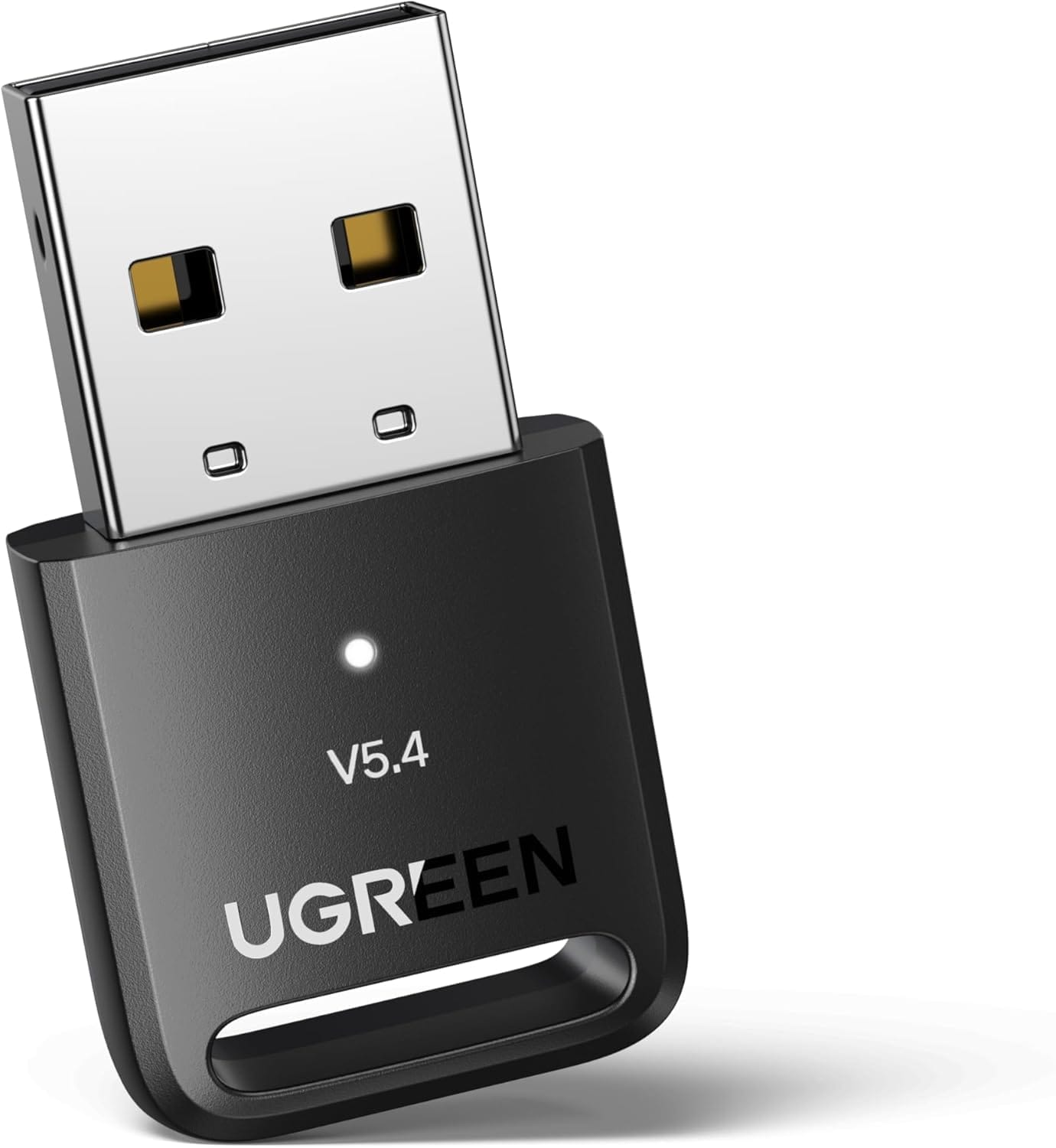
    The UGREEN Bluetooth 5.4 Adapter is the best Bluetooth adapter for most of people.

    $9.99$9.99
    UGREEN Bluetooth 5.4 Adapter
    ZEMTXE Bluetooth 5.4 Adapter
    JOYROOM Aux Bluetooth 5.4 Adapter
    Beeitzie 5.4 Bluetooth Adapter

    Should I get a 4.0 or 5.0 Bluetooth adapter?

    Your needs are what will ultimately determine whether you choose a Bluetooth 4.0 or 5.0 adapter. Although Bluetooth 5.0 is more sophisticated and performs better, older devices may still use both versions. A Bluetooth 4.0 device will function at the capability of the lower version if you use a Bluetooth 5.0 adapter with it.

    The 5.0 adaptor can be a wise choice if you intend to upgrade your technology soon. It will be compatible with your existing gadgets and prepared for any future technological advancements.

    Will a Bluetooth adapter reduce sound quality?

    The codecs a Bluetooth adapter uses and its data transmission speeds determine how it affects sound quality. Compared to Bluetooth 4.0 adapters, those using Bluetooth 5.0 or 5.3 technology often provide better sound, connectivity, range, and lower latency. Therefore, a higher version adapter can actually improve sound quality, while a lower version one may have an impact.

    Best Bluetooth adapter overall

    UGREEN Bluetooth 5.4 Adapter

    UGREEN Bluetooth 5.4 Adapter

    Using the UGREEN Bluetooth 5.4 is quite simple, plug it into a USB port on your computer, and you are ready.

    Best choice

    If you want the best Bluetooth adapter for most individuals, we recommend the UGREEN Bluetooth 5.4 Adapter. It is small, portable, and inexpensive. It also features Bluetooth 5.4 technology, which ensures fast and dependable connections as well as outstanding data transmission speeds.

    Using the UGREEN Bluetooth 5.4 is quite simple. Simply plug it into a USB port on your computer, and you are ready. It smoothly integrates with Windows 8.1, 10, and 11. If you have Windows 7, you will need to get the appropriate driver.

    This adapter is not just for computers; it also works with PS5/PS4 and Xbox controllers when connected to a PC. While it is not compatible with Windows 8, XP, Mac, Linux, or televisions, it is ideal for connecting Bluetooth devices such as printers, phones, keyboards, mouse, and headsets. In fact, you can connect up to five devices at one time.

    With a range of up to 66 feet (20 meters), you may stay connected when moving around your home or space, as long as there are no big obstructions in the way. This makes it ideal for usage in houses or offices where numerous individuals need to connect to Bluetooth devices at once.

    Best Budget Bluetooth Adapter

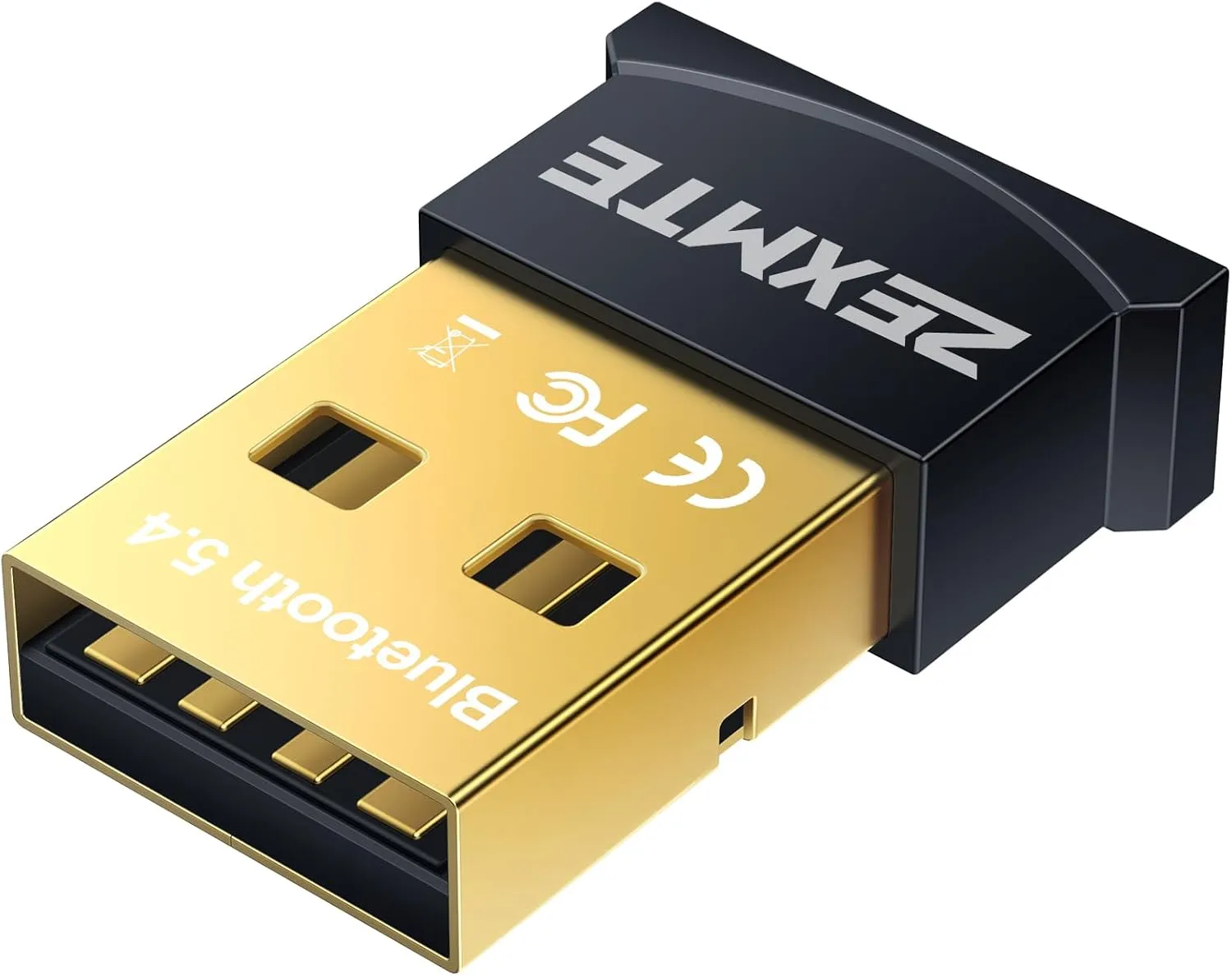
    ZEXMTE USB Bluetooth Adapter for PC

    ZEMTXE Bluetooth 5.4 Adapter

    It costs less than $10 but provides high-quality performance comparable to the UGREEN 5.4.

    Our recommendation for the best Bluetooth adaptor is already reasonably priced at less than $16. However, if you want to save money while still enjoying Bluetooth 5.4 connectivity, we offer the ZEXMTE Bluetooth 5.4 Adapter. It costs less than $10 but provides high-quality performance comparable to the UGREEN 5.4.

    The ZEXMTE’s plug-and-play architecture makes installation and setup a breeze; simply plug it into your PC and you are ready to go. It supports Windows 8, 8.1, 10, and 11. You will need to manually install the driver on Windows 7.

    We also admire its remarkable range. Unlike lower-version Bluetooth adapters, which keep you connected to your PC, the ZEXMTE provides up to 98 feet (30 meters) of coverage in open space. Simply disable any built-in Bluetooth on your PC for the optimum experience.

    While it is primarily intended for PCs, it also supports PS4 and Xbox controllers linked to a PC. Although it is incompatible with Mac, Linux, and TVs, it is compatible with a wide range of Bluetooth devices such as printers, phones, keyboards, mice, and headsets, and it can connect up to seven devices at once.

    Best Bluetooth Adapter for ports

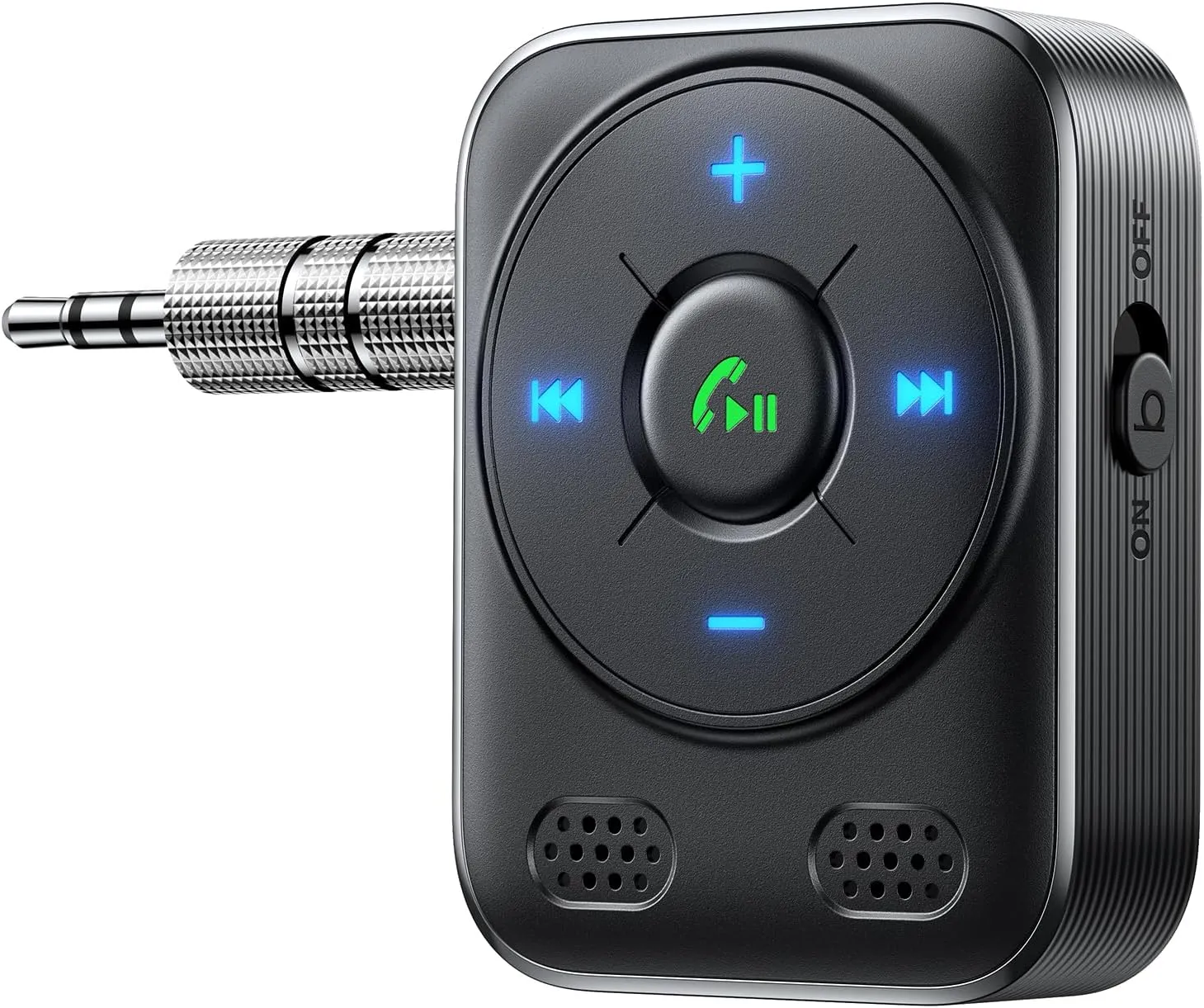
    JOYROOM Aux Bluetooth 5.4 Adapter

    JOYROOM Aux Bluetooth 5.4 Adapter

    We strongly suggest the JOYROOM Aux Bluetooth 5.4 Adapter as a good option

    Are you looking to upgrade your house or vehicle’s audio system to Bluetooth? We strongly suggest the JOYROOM Aux Bluetooth 5.4 Adapter as a good option. This compact, useful gadget contains a bass boost button that significantly enhances sound quality and allows wireless streaming of music, podcasts, or audio.

    The JOYROOM adapter’s Bluetooth 5.4 chip guarantees a strong, reliable connection with quick transmission and extensive coverage. Although it was designed for automobile audio systems, it also works well with wired headphones, speakers, and home stereos. It is easy to set up; just turn it on, connect it, couple your device, and begin listening to your favorite music.

    Mounting it to your car’s air vent allows you to view or interact with it at eye level without taking your eyes off the road. It was designed with safety in mind. Additionally, it includes a cigarette lighter charger with three USB charging connections, one of which is a PD 30W port for quick device charging. You can easily find the controls at night thanks to the LED lighting.

    We also appreciate that the JOYROOM adaptor supports hands-free calling. Your calls will sound clearer and be free of background noise from crowds, traffic, and wind thanks to advanced noise cancellation. In addition to supporting voice assistants like Siri and Google Assistant, it broadcasts navigation alerts so you can focus on the road rather than your device.

    It provides a smooth, hassle-free listening experience by instantly reconnecting with associated devices as soon as they are within range and starting playback where you left off. It is strong, long-lasting, and capable of withstanding years of continuous use.

    Best Bluetooth adapter for TV

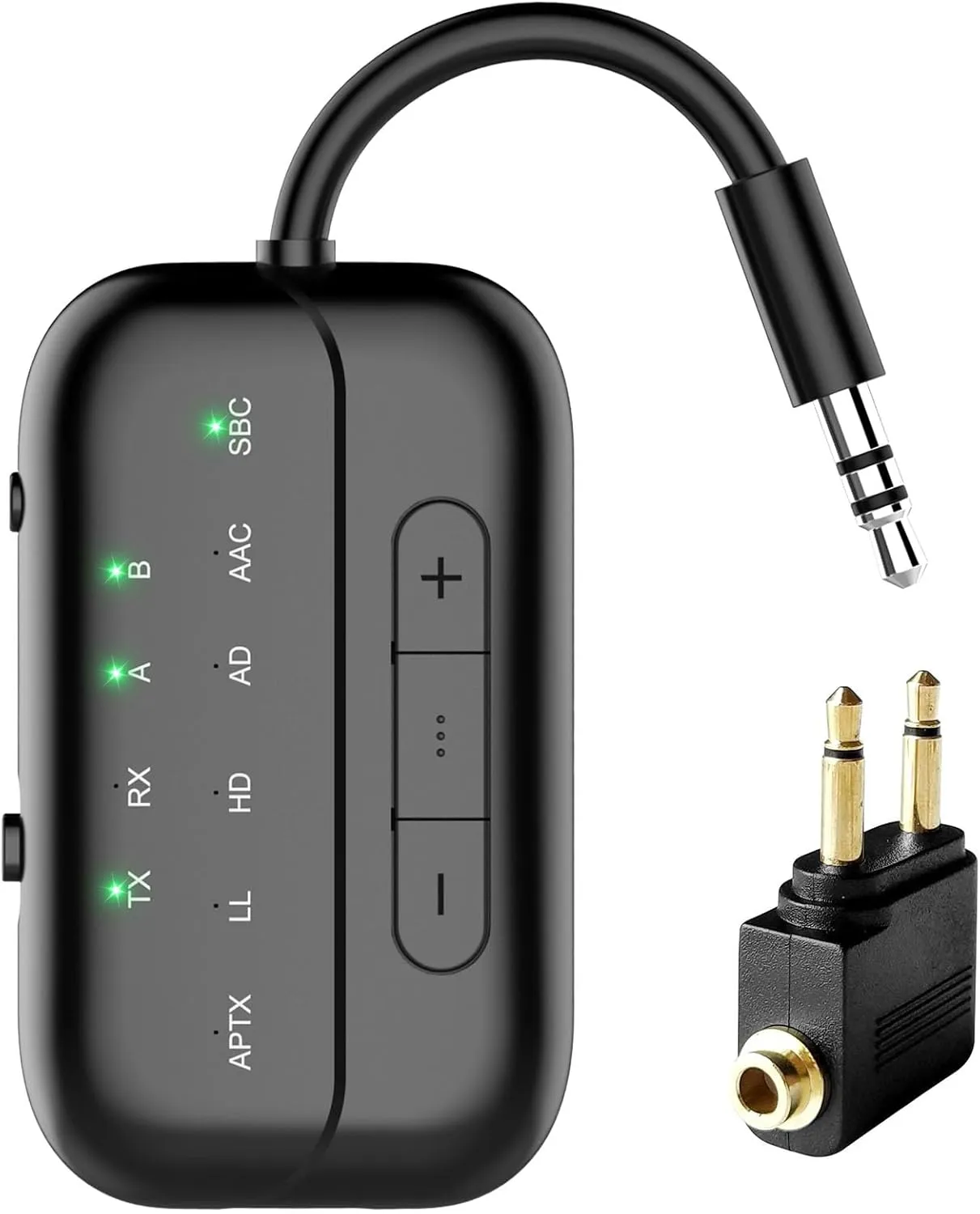
    Beeitzie 5.4 Bluetooth Adapter

    Beeitzie 5.4 Bluetooth Adapter

    For anyone using Bluetooth headphones to stream TV audio

    For anyone using Bluetooth headphones to stream TV audio, the Beeitzie Bluetooth Adapter is the ideal option. Whether at home or on a plane, you may use this adaptor to watch your favorite shows without bothering other people or straining to read or hear the speech on screen.

    This adapter functions as both a transmitter (TX Mode) and a receiver (RX Mode) and supports the most recent version of Bluetooth, 5.4. With TX Mode, you can transmit audio across a remarkable range from your PC, TV, or even airplane entertainment systems to your Bluetooth speakers or headphones. When in RX Mode, you can use Bluetooth to pair your smartphone with wired speakers or headphones within a reasonable range.

    The Beeitzie Bluetooth Adapter is easy to set up. Whether in TX or RX mode, it can connect to two devices at once and maintain a reliable, effective connection. Its robust battery can be fully charged in roughly two hours and provides up to 24 hours of continuous operation.

    Your audio latency will be reduced thanks to support for aptX Adaptive and aptX Low-Latency; nevertheless, this function necessitates suitable headphones and does not allow pairing two aptX Low-Latency devices at once. The Beeitzie Bluetooth Adapter works with all AirPods, including the AirPods 3 and Pro 2, however it is not the best for professional audio equipment.

    UGREEN Bluetooth 5.4 Adapter

    Best Bluetooth adapter overwall

    $9.99$9.99
    UGREEN Bluetooth 5.4 Adapter
    ZEMTXE Bluetooth 5.4 Adapter
    JOYROOM Aux Bluetooth 5.4 Adapter
    Beeitzie 5.4 Bluetooth Adapter
  • OnePlus Buds 3 49 – dB ANC with dual drivers

    OnePlus Buds 3 49 – dB ANC with dual drivers

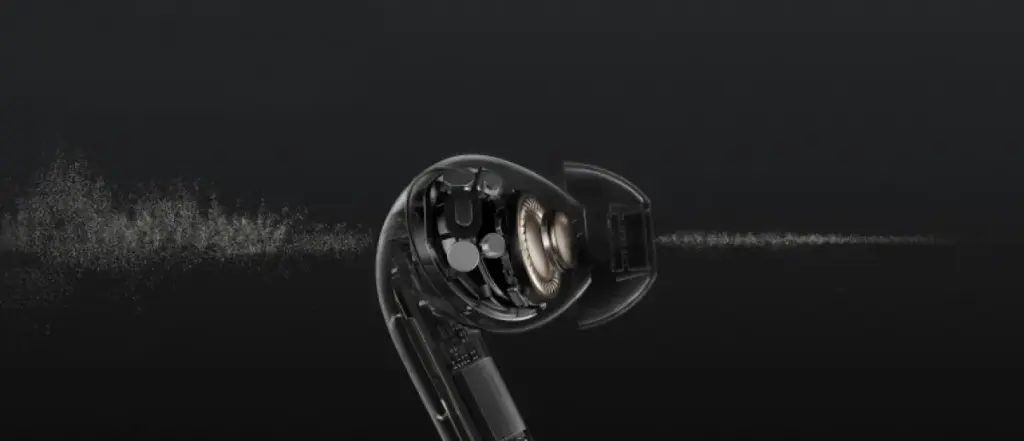
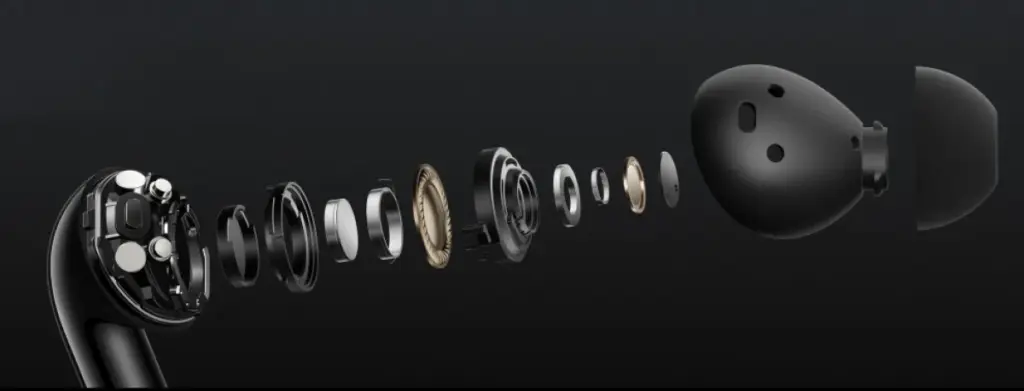
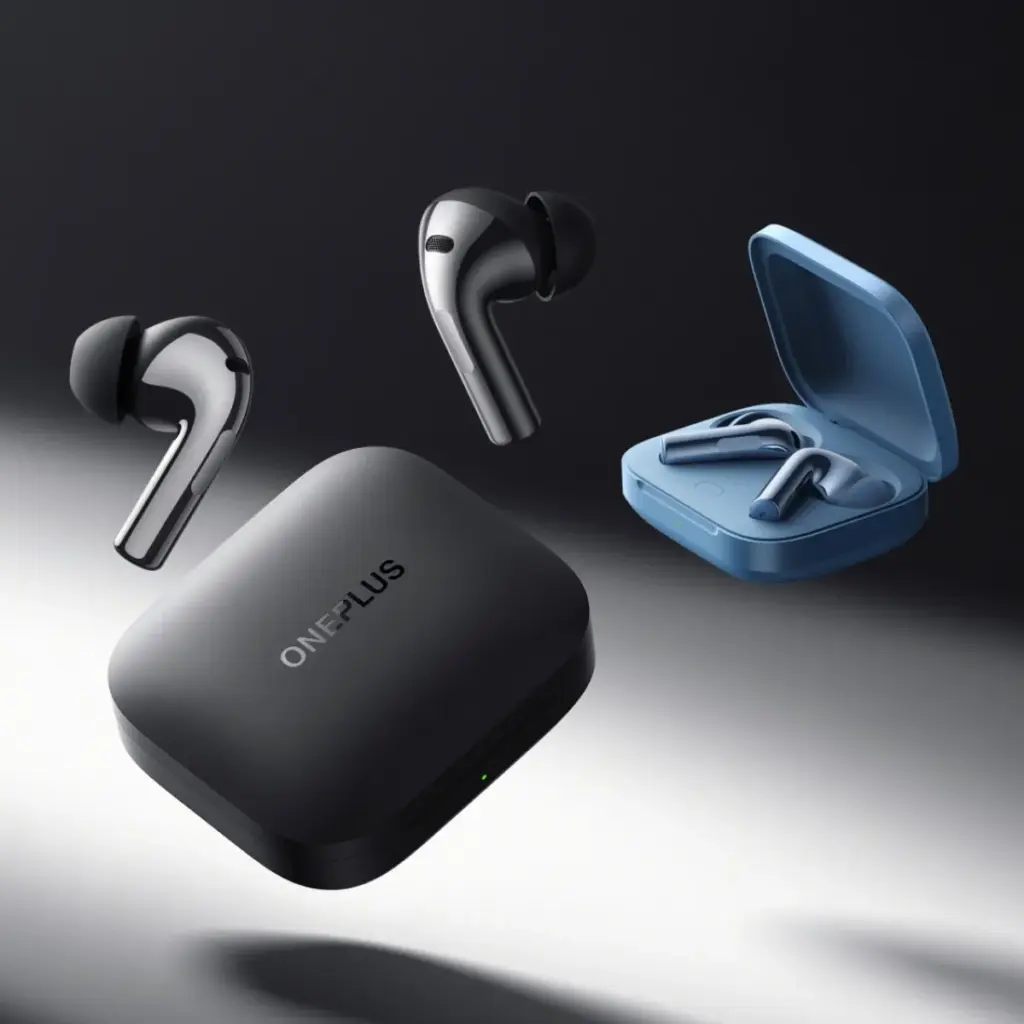
    Together with the release of the Ace 3, OnePlus also unveiled the Buds 3, a new TWS wearable that boasts an ultra-light body, two drivers, and active noise suppression that can reach up to 49 dB.

    The Buds 3 bear a striking resemblance to the Buds 2 Pro, without the shiny exterior. OnePlus employed the same dual-driver setup found in its Pro earphones, which should result in a richer audio output.

    OnePlus Buds 3

    Rubber tips on the earbuds aid in noise isolation. There are multiple modes for noise cancellation, with 10 dB and 20 dB serving as the intermediate settings before the dramatic rise to 49 dB. An intelligent mode is also available, which automatically detects the surroundings and adjusts the ANC levels.

    OnePlus Buds 3

    The OnePlus Buds 3 boast an IP55 certified design, three microphones, a touch-sensitive area on the outside of the stem, and OnePlus claims AI is assisting in reducing noise during calls. The buds themselves weigh just 4.8 grams each, and their combined batteries are 520 mAh and 58 mAh.

    OnePlus Buds 3 battery

    The Oppo store in China is currently accepting pre-orders for the OnePlus Buds 3, which will go on sale on January 8 and come in black or blue. The price is CNY 500, or $63/€57.

    Source

  • Which Bose Bluetooth Speaker Should You Buy?

    Which Bose Bluetooth Speaker Should You Buy?

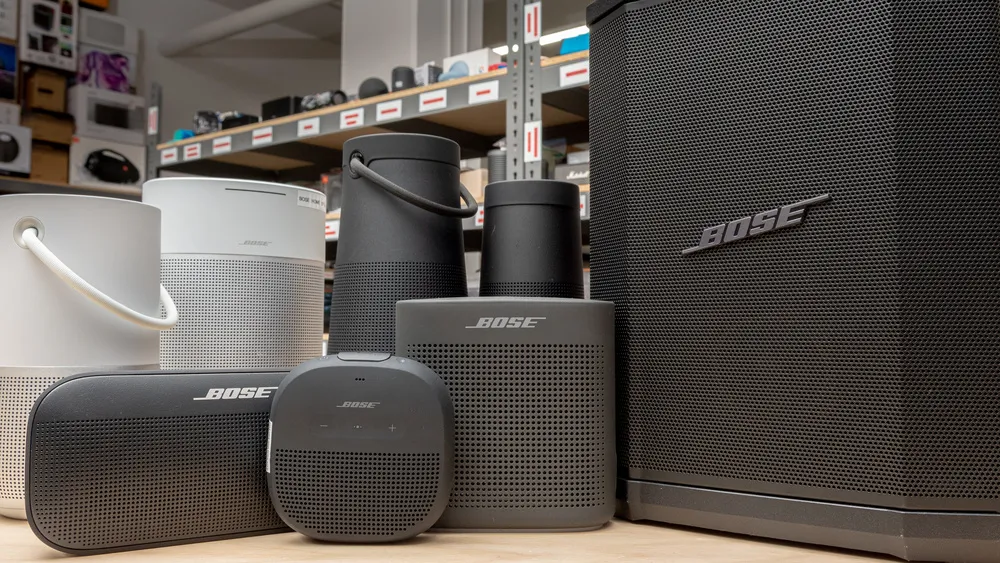
    When it comes to portable audio, Bose speakers have established themselves as reliable and high-performing options.

    With their impeccable build quality and impressive sound, Bose continues to be a go-to brand for audio enthusiasts.

    bose speakers

    In this guide, we’ll explore the considerations for choosing the best Bose Bluetooth speaker, recommend some top models, provide troubleshooting tips, and ultimately help you make an informed decision.

    Considerations for Choosing a Bose Speaker

    Here are some key factors to look out for when buying a Bose speaker.

    Sound Quality as a Key Factor

    Bose offers a range of speakers, each with its own sound signature and characteristics. Whether you prefer punchy bass, balanced audio, or crystal-clear vocals, understanding the variations in sound quality within the Bose speaker range is crucial.

    Take into account your personal preferences and the kind of music you enjoy. While the Bose bluetooth speakers price may be high, they are well complemented with the features.

    Size, Power, and Portability Considerations

    best bose speakers

    Deciding between a portable or domestic speaker depends on your usage requirements. If you need a speaker for outdoor adventures or traveling, a portable option is ideal. Consider factors like battery life, durability, and IP ratings for water and dust resistance.

    If the Bose Bluetooth speakers price is high, make sure you are getting what you are really looking for.

    Features to Consider

    Bose is known for incorporating useful features into its speakers. Determine which features are essential for you, such as voice assistant compatibility, Wi-Fi streaming capabilities, and multi-room audio, if you want the best bose bluetooth speaker.

    Strike a balance between the features you need and the Bose Bluetooth speakers price.

    Bose Bluetooth Speaker Recommendations

    Here are our top recommendations for the best Bose speaker you can buy

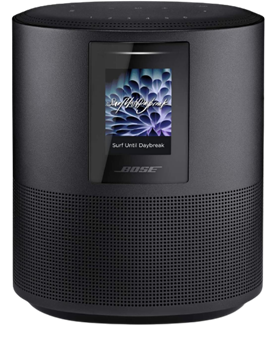
    Bose Home Speaker 500

    best bose

    With the Bose Home Speaker 500, you can fill any room with impressive wall-to-wall stereo sound from a single speaker. This smart speaker comes equipped with built-in Amazon Alexa and Google Assistant for convenient voice control. Its noise-rejection microphone system listens in every direction, ensuring your voice commands are always heard.

    Connectivity options with Bose Home Speaker 500 are abundant, allowing you to pair your device via Bluetooth, home Wi-Fi network, Apple AirPlay 2, or Spotify Connect. Managing your listening experience is a breeze with three different control options: voice commands, the Bose Music app, or the six one-touch presets on the speaker itself.

    Make or take calls hands-free with Alexa, connecting to other Bose smart products, Amazon Echo devices, and contacts in your list. The Bose Music app offers simple setup with detailed prompts, ensuring you can quickly get the most out of your Bose Home Speaker 500.

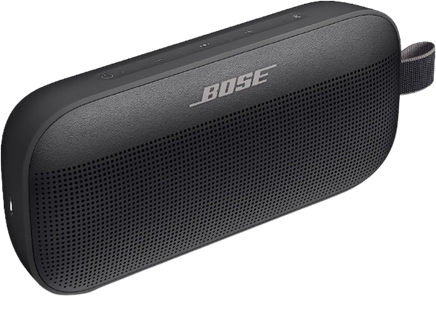
    Bose SoundLink Flex

    best speakers

    The Bose SoundLink Flex is a state-of-the-art outdoor speaker that delivers impressive audio whether you’re at home or on the go. Packed with exclusive technologies and a custom-engineered transducer, it ensures deep, clear, and immersive sound quality.

    One standout feature of Bose SoundLink Flex is the proprietary Position Qtechnology, which automatically detects the orientation of your portable Bluetooth speaker, optimizing sound quality for any environment. The SoundLink Flex has been rigorously tested to meet IP67 waterproof standards, making it resistant to water and capable of floating—perfect for your outdoor adventures.

    Designed to withstand drops, rust, and debris, this portable Bluetooth speaker is built to last. It’s also resistant to corrosion and UV light, ensuring it remains in top shape over time. The rechargeable battery of the Bose SoundLink Flex provides up to 12 hours of playtime and charges conveniently through the included USB-C cable.

    Equipped with a built-in microphone, the SoundLink Flex allows you to make and receive calls directly through the speaker. It also offers easy access to your phone’s voice assistants, such as Siri or Google Assistant, with just a single button press.

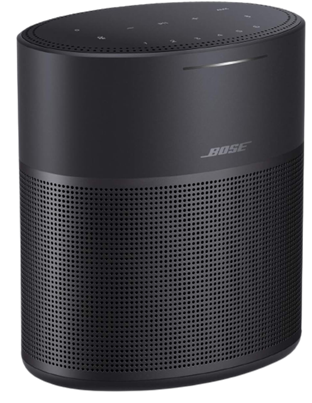
    Bose Home Speaker 300

    5

    Compact yet powerful, the Bose Home Speaker 300 delivers room-rocking bass and lifelike 360-degree sound. This speaker needs to be plugged into a wall outlet to function and comes with built-in Amazon Alexa and Google Assistant for hands-free voice control.

    Connectivity options with Bose Home Speaker 300 are abundant, allowing you to stream music and more via Bluetooth, your home Wi-Fi network, Apple AirPlay 2, or Spotify Connect. You have multiple ways to manage your listening experience, whether it’s through voice commands, the Bose Music app, or the convenient six one-touch presets located on the top of the speaker.

    If you’re looking to expand your audio setup, the Bose Home Speaker 300 is part of the Bose Smart Family, allowing it to work in conjunction with other Bose smart speakers and soundbars for a multi-room listening experience.

    You can also use Bose SimpleSync technology to pair the Bose Home Speaker 300 with a Bose Bluetooth or SoundTouch speaker, enabling synchronized music playback.

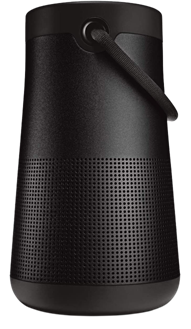
    Bose SoundLink Revolve+ (Series II)

    6

    The Bose SoundLink Revolve+ (Series II) takes sound to another level with its true 360-degree coverage, playing louder and deeper with extended battery life compared to its predecessor. Its rechargeable lithium-ion battery offers up to 17 hours of playtime, and charging is a breeze thanks to the Micro-B USB port.

    Designed to be a durable portable speaker, the SoundLink Revolve+ (Series II) is both dust and water-resistant with an IP55 rating. It can withstand splashes by the pool and features a flexible fabric handle for easy transport.

    Take calls directly from the speaker and access your device’s default voice assistant or connect it to an Amazon Alexa-enabled device for even more hands-free control.

    Just like other Bose products, the SoundLink Revolve+ (Series II) is compatible with Bose SimpleSync technology, allowing you to pair it with compatible Bose products for synchronized sound throughout your home.

    Whether you’re away from your phone or already enjoying music in a group, you can sync the sound by pressing and holding the Bluetooth button or linking them with the Action button.

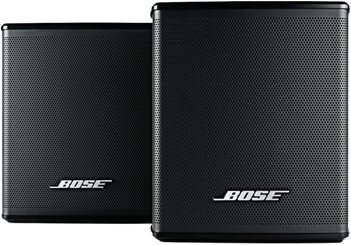
    Bose Surround Speakers

    7

    If you’re looking for immersive surround sound without sacrificing space, the Bose Surround Speakers are the perfect choice. Designed to be the smallest speakers by Bose, they allow you to focus on your home entertainment rather than the speakers themselves.

    These surround speakers bring your music, movies, and TV shows to life with full immersive sound. They effortlessly integrate with the Bose Soundbar 500, Bose Soundbar 700, and SoundTouch 300, creating a theater-like experience with just one connection.

    To enhance your home entertainment experience even further, consider adding the Bose Bass Module 500 or Bose Bass Module 700. These bass modules deliver deeper, more impactful bass that you can not only hear but also feel.

    With the Bose Surround Speakers, you can elevate your home audio setup and immerse yourself in a true cinematic experience.

    Troubleshooting Bose Bluetooth Speakers

    Whether you have a Bose Home Speaker 500 or the Bose SoundLink Flex, you are bound to experience problems:

    Common Issues and Solutions

    Despite the Bose Bluetooth speakers price, you might experience some problems, such as pairing difficulties, Bluetooth connectivity issues, and audio distortion. But there are easy solutions and often, restarting the speaker fixes them.

    Updating Firmware and Software

    Keeping your Bose speaker’s firmware and software up to date is crucial for optimal performance. So make sure to keep an eye out for any updates and keep your speakers at the nominal working.

    Contacting Bose Support

    With the Bose Bluetooth speakers price, you get your money’s worth. Customer service, or Bose support, is always there to fix any problems you might have.

    Conclusion

    In this guide, we’ve explored the considerations for choosing a Bose Bluetooth speaker, recommended some top models across various categories, and provided troubleshooting tips for common issues.

    Remember to assess your personal preferences, prioritize the features that matter most to you, and select a speaker that suits your needs. With Bose’s reputation for premium sound quality and build, you can’t go wrong with any of their offerings.

  • Best music-making apps for Android  in 2023

    Best music-making apps for Android in 2023

    Are you looking for a music-making app for your Android device? Then you have landed in the right place. Because in this blog, we will be covering the best ones of 2023. So, continue reading to learn about them.

    The concept of making music on smartphones might have felt surreal two or three decades ago, but now that we are living in the 21st century, you can easily create any kind of music on your Android device anywhere, anytime.

    While it is true that producing music on a laptop or desktop system lets you create better quality and more powerful music within a much shorter time with their robust processors and external USB device facilities, there are some excellent music-making apps for Android devices that seamlessly let you create music on the go.

    So, what are you waiting for? 

    Let’s dive into the world of the best music apps and take advantage of advanced technology.

    Best music-making apps for Android 2023

    There are countless types of music apps available on the market. For instance, there are the best soundboard apps that let you play audio clips, and then there are music-creating apps that we will be discussing in the coming part to make the everyday lives of artists easier and more interesting. The purpose of these apps is to create music you like and share it with your loved ones.

    So, let’s get to know them.

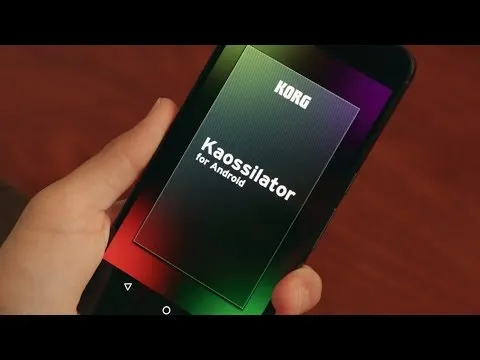
    KORG Kaossilator for Android

    hqdefault

    KORG Kaossilator for Android is another excellent music-synthesizing app that gives you a full-fledged experience by simply moving your fingers on a touchpad. You can seamlessly add layers to your performance and record them. With a wide range of options, from electronic to instrumental to acoustic, you can engage yourself in the world of music creation if you want to.

    Moreover, the app offers 150 diverse in-built music sounds through which you can create versatile dance music styles, be they techno, house, EDM, electro, or a lot more. Also, you can erase all your wrong notes using its scale/key feature so that your music stays in the right place.

    And if you want to level up your music performance with additional layering, you can also do that with the help of its in-built loop sequencer, which includes five different types of layering, including synth, bass, chords, drums, and sound effects.

    However, the only downside of this app is that it is a bit pricey and includes in-app purchase.

    FL Studio Mobile

    ltl7ewjwn0tcvue3pl hrg8r1vlideaz

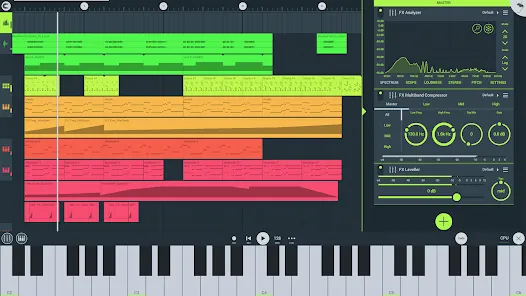
    Powered by Image-Line, FL Studio Mobile is an excellent music-making app for Android users that lets you produce ultra-high-quality music on the go. The interesting thing about this app is that you can plug it into your desktop when you reach home and continue working from the system, which is a great advantage for professional music composers.

    Furthermore, if you want to add step-by-step sequences, you can use this app and then further refine your music with reverbs, filters, and effect modules. Moreover, the app lets you save the files in multiple formats, including WAV, MP3, FLAC, and MIDI, and share them with your loved ones via WiFi or any cloud.

    However, the only downside of this app is that it is not free and includes an in-app purchase for the DirectWave Sample Player.

    Groovepad

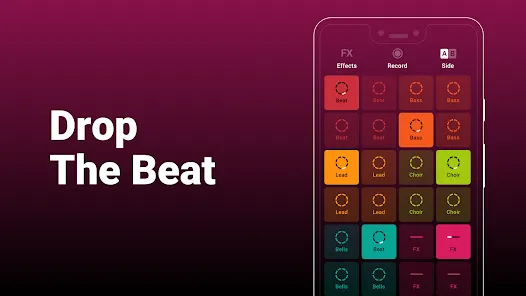
    As its name says, the Groovepad music-making app lets you create your own smooth-sounding music at ease with all its keyboards and extensive library of one-of-a-kind and unconventional soundtracks. It has an engaging interface and very color-coordinated buttons that make the whole spotting and navigation process easier.

    Just pick any song from its array of genres, including Hip-hop, EDM, House, Trap, electronic, and more, and create your own incredible melody. Talking about its other eccentric features, it includes mind-boggling FX effects like reverb, flanger, delay, or filter that bring back the party feels into your life. 

    An ideal choice for both beginners and professionals, the app lets you share your self-created music with your loved ones using your inner DJing talents.

    SunVox

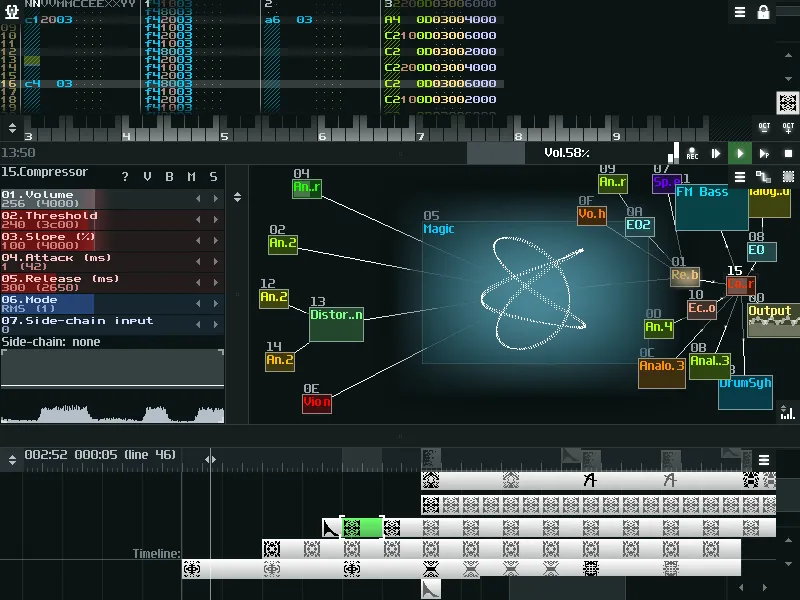
    SunVox is a distinctive music sequencer app for small and fast cross-platform devices with an in-built pattern-based sequencer (also called the tracker). It is a tool that most professional music composers would like, as it comes with extremely optimized synth algorithms, a malleable architecture, and multi-platform support systems.

    Furthermore, the app has a well-defined modular interface that makes it easy to understand and use. And if you’re ready to import music that consists of multiple tracks, you can even export it into WAV format. 

    Its other potential features include USB musical instrument digital interface IN/OUT for 6+ Android users, mic recording using a sampler, the ability for developers to deploy the SunVox engine into their own apps via its free library, and support for 16/24/32 bit WAV, AIFF, and XI music samples.

    BandLab – Music Making Studio

    screenshot

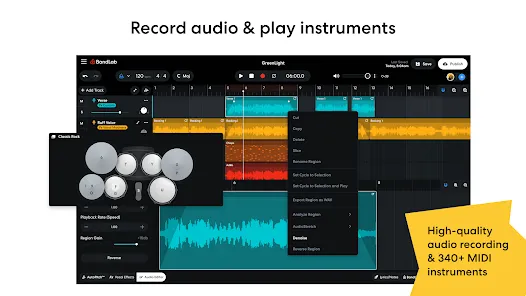
    BandLab: Music Making Studio is another potential music-making app for Android devices with a global user base of 60 million. It is the best free multi-track music maker app available on the market. Its digital audio workstation (DAW) lets you seamlessly record, edit, and add multiple layers of music to create your own grooving remix.

    The app gives you limitless music storage and accessibility from any device, so now you can create and access it from anywhere and at any time. Furthermore, there are over 15,000 royalty-free sounds and beats that you can use in your music. This app is more than just any music app; you can use it as a beat-maker or an audio recording app. 

    With 180+ distinct vocal, guitar, and bass effect presets, 330+ virtual MIDI instruments, and tools like AutoPitch, Looper, Metronome, or Tuner, you can create your own world of music and live in it for a lifetime.

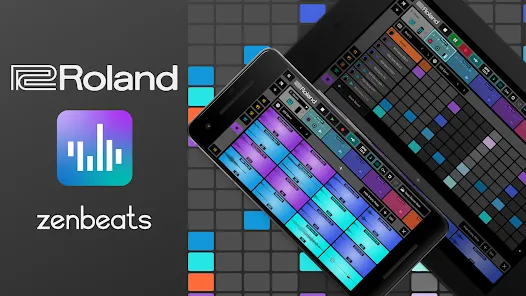
    Roland Zenbeats Music Creation

    screenshot 1

    With its classic collection of traditional and modern sounds, Roland Zenbeats Music Creation brings out the history of Roland into a very unique melody style. The app works well for the halfway-to-advanced level of music creators. So, in whichever part of the world you are living in, unleash your inner creative spirit with the app and create your own sense of beats, a multitrack song, or a melody.

    Talking about the features that the app offers, it comes with 14,000 plus presets that let you create something super exciting and fresh; you can tweak your music with its advanced edit functionality; sample your music with a touch of your finger on Zen’s drums; it offers you a set of drum tones from TR-808 to TR-909; and a lot more. 

    The number of presets or any kind of advanced functionality is fairly distributed between the free and pro versions.

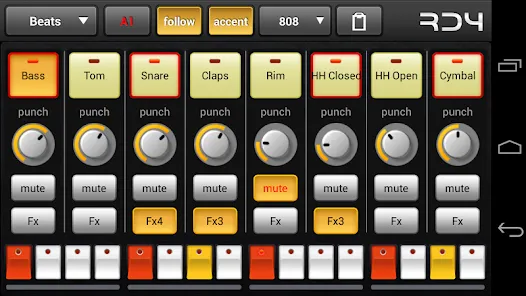
    RD4 Groovebox

    screenshot 2

    RD4 Groovebox is another premium music-making app that lets composers and artists create their styles of music in real-time with the in-built virtual analogue synthesisers, marvellous drum effects, and grooving tunes. One can simultaneously select instruments for the four channels and record and set the notes for each of these instruments.

    Also, the interface has been mindfully designed to match the shape of the fingertips and the frequency. The multi-touch sensor-enabled app makes it simple for the creators to invent multiple musical phrases. Furthermore, one can tweak the sound of music by modifying the oscillators, adding filters, or even adding audio envelopes. 

    To even refine the music, you can add reverb, phaser, distortion, delay, and even control the tempo. Overall, it is another great paid music-making app for Android devices.

    Add Music to Voice

    The app does exactly what its name says. Add Music to Voice is a great choice for those vocalists who don’t have a playback band or an instrument and have just started out in their career and are looking for that perfect track for their voice.

    So, the app simply lets you record a new voice or add an existing one from your device and add background music from its amazing music library. To refine the final output, you can take advantage of smart filters so that your voice and music blend smoothly. Consider it a useful app for all your Karaoke parties.

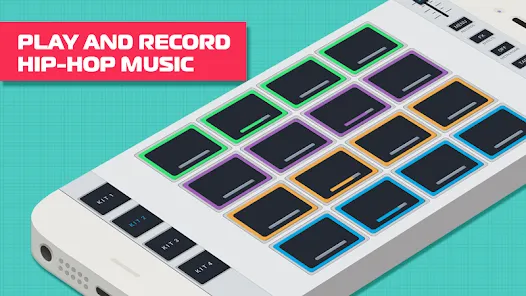
    Hip-Hop Producer Pads

    screenshot 3

    It is a fun music-making app for Android devices. As the name says, the app lets you create super-fresh, unique Hip-Hop music using the in-built virtual Sampler and drum equipment.

    Considering its key features, it lets you create melodies with an array of options like Loops, One-Shots, or samples; to keep the rhythm, there is a metronome, and create outstanding music and be the real hero of the party.

    Wrapping-Up

    That’s all for the best music-making apps for Android devices. Now that you know about these amazing apps, it’s time to take advantage of their power-packed functionalities. 

    Use their incredible soundtracks, beats, voiceovers, and sound effects, seamlessly cut and merge them, and create the music your heart agrees upon. And feel immense joy by sharing it with your family, friends, and that special someone. 

    We hope you find these music apps worthy. If so, don’t forget to share your favorite among them.

    We would love to hear that.

  • Updated setting tabs for Youtube Music

    Updated setting tabs for Youtube Music

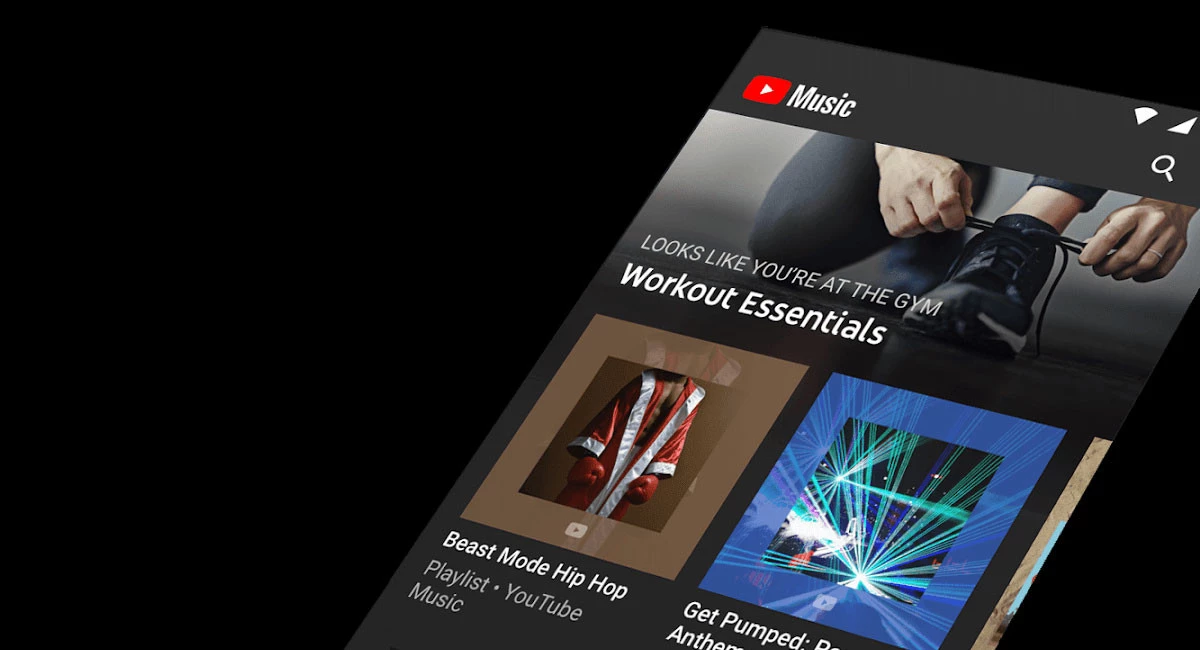
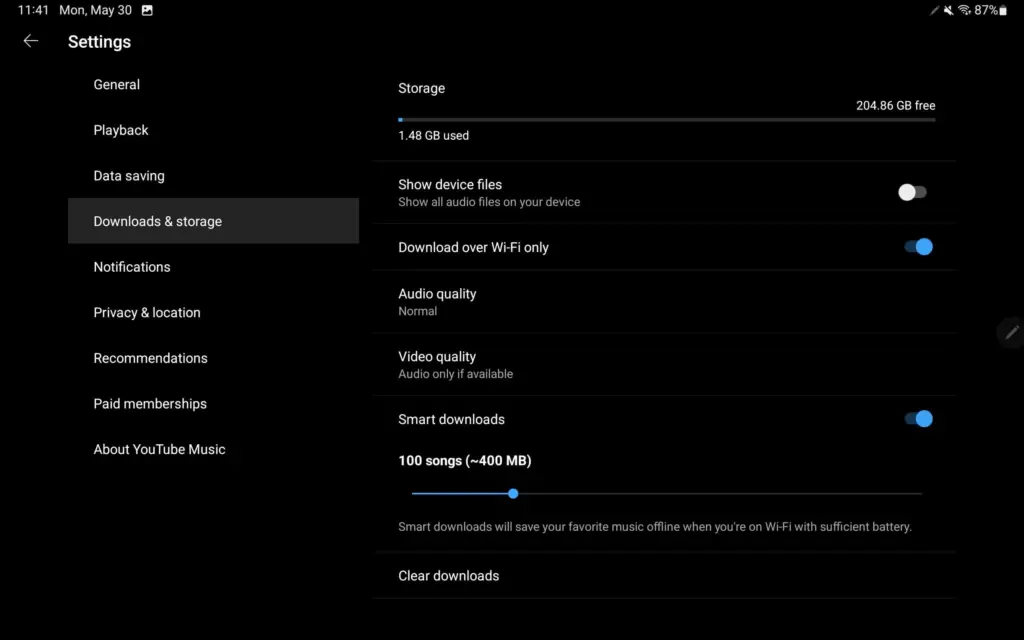
    YouTube Music upgraded its Home feed for tablets at the start of this year, promising additional UI improvements, particularly for playlists. On Android, YouTube Music now has a more user-friendly settings structure.

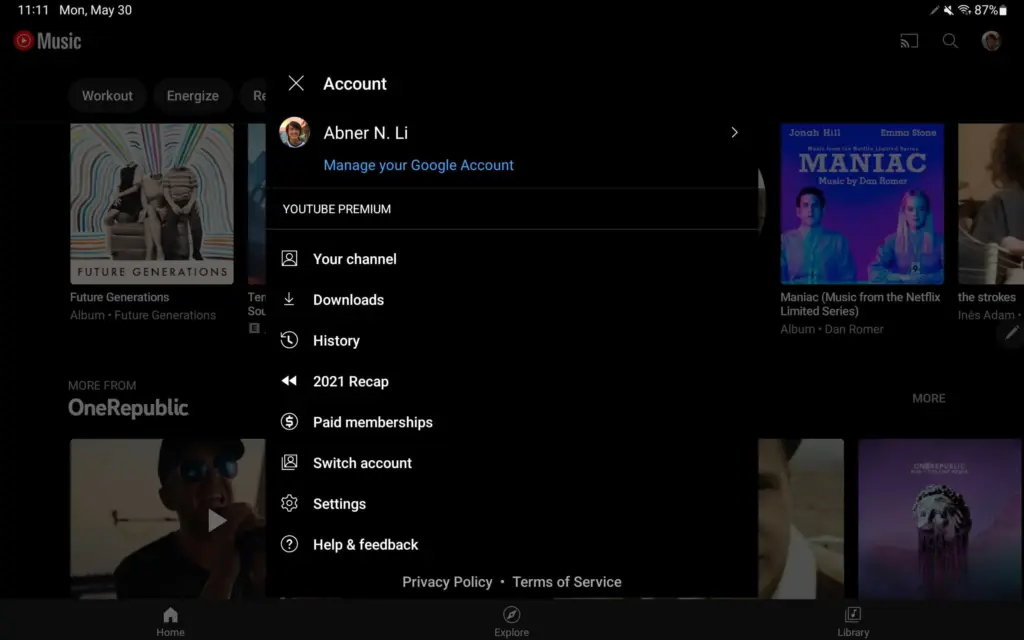
    Instead of the fullscreen page available on phones, visiting the Account menu on Android tablets (and Chromebooks) initiates a pop-up (keeping navigation context).

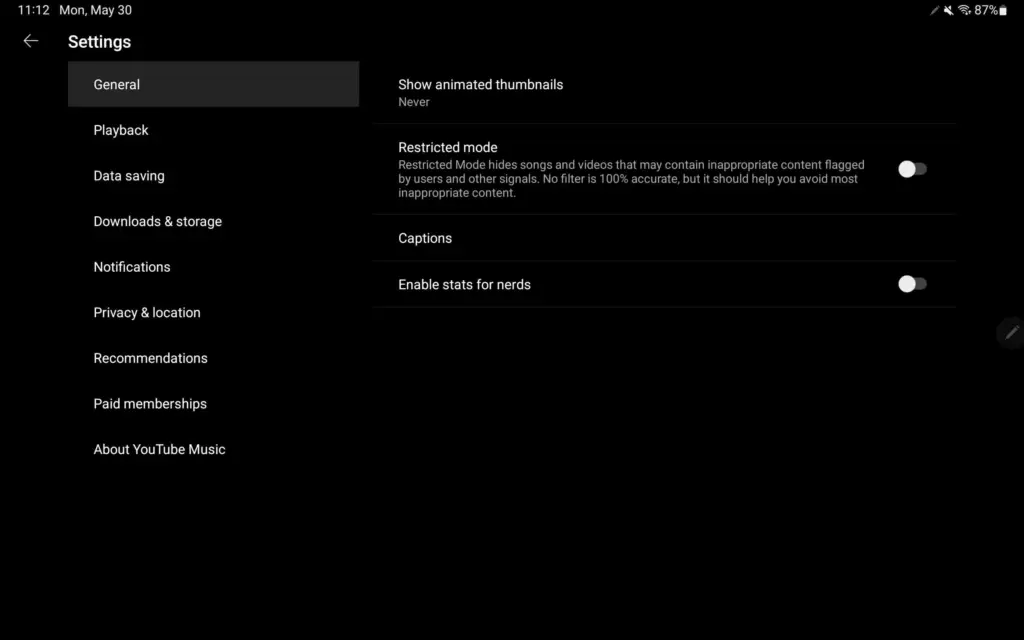
    Settings now has a two-column UI, which is common among first-party Android apps like Google Search, Gmail, YouTube, and others. The real controls are on the right, while the available options are listed on the left.

    This is a much better approach as settings for YouTube Music have been unwieldy for some time now as more things were added. We’re not encountering it on Android phones today, but YouTube Music offers a similar list approach on iPhone and iPad, though with different groupings. It could also be coming to smaller Android screens as a result.

    This is a much better method, as YouTube Music settings have been unmanageable for a long time as more features have been added. We haven’t seen it on Android phones yet, but YouTube Music on iPhone and iPad has a similar list structure, though with different groups. As a result, it’s possible that it’ll be available on smaller Android screens as well.