Tag: messeges

  • Samsung Messages Is Shutting Down — Here Are the Best Alternatives

    Samsung Messages Is Shutting Down — Here Are the Best Alternatives

    Samsung has officially confirmed what many Galaxy users feared: Samsung Messages is going away. The app will be fully discontinued in July 2026. It’s already been pulled from pre-installation on newer Galaxy devices, including the Galaxy S26 series. Once July hits, you won’t be able to download it from the Galaxy Store either. And shortly after that, sending messages through it will stop working — except to emergency numbers.

    If you’ve been using Samsung Messages as your daily driver for SMS and RCS conversations, this is the moment to start thinking about your next move. Not next month. Now.

    The good news? There are solid alternatives. The complicated news? None of them are perfect one-to-one replacements. Here’s an honest breakdown.

    Why Samsung Messages Shutting Down Is a Bigger Deal Than It Sounds

    Across Reddit threads, Galaxy owners have expressed real frustration with this decision. Some have said things like “we might as well get Google Pixels” – because part of what made Samsung phones feel distinct was the software layer on top of Android. Losing Samsung Messages removes one more point of differentiation.

    That’s a fair observation. Samsung Messages wasn’t just a texting app – it was a familiar interface for millions of users who had customized their notification sounds, set up message categories, and built habits around a specific UI. Switching costs are real, even for something as seemingly simple as a messaging app.

    The other dimension here is RCS. Rich Communication Services — think of it as the modern upgrade to traditional SMS — enables typing indicators, read receipts, high-quality media sharing, and improved group chats. No alternative texting app outside of Google Messages currently has access to RCS. That means if you go with a different app, you’re stepping back to a more basic messaging experience — no read receipts, no high-res photo sharing, and frustrating group conversations.

    That’s not a minor inconvenience. That’s a real trade-off.

    Google Messages: The Natural Heir (With Some Strings Attached)
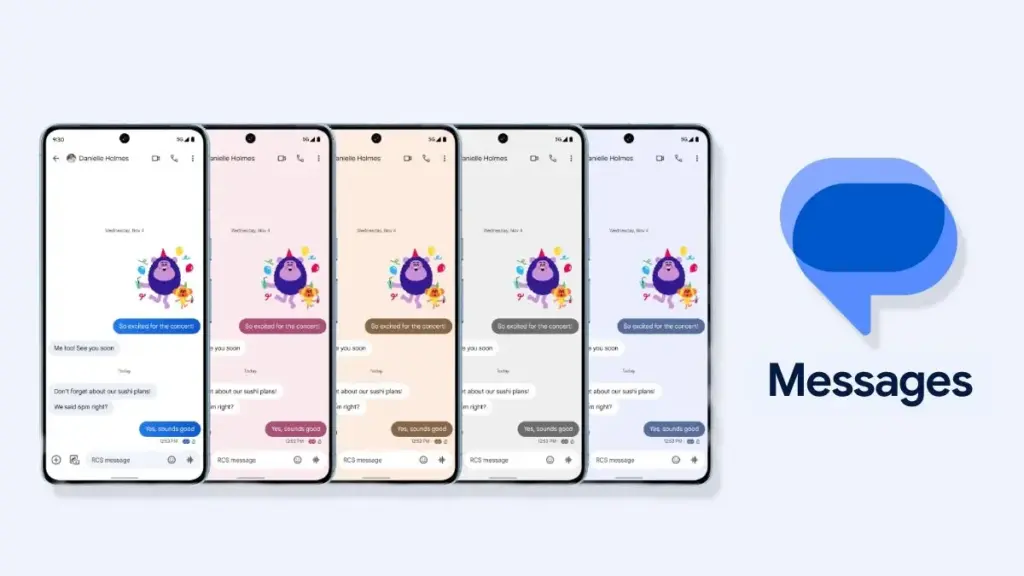
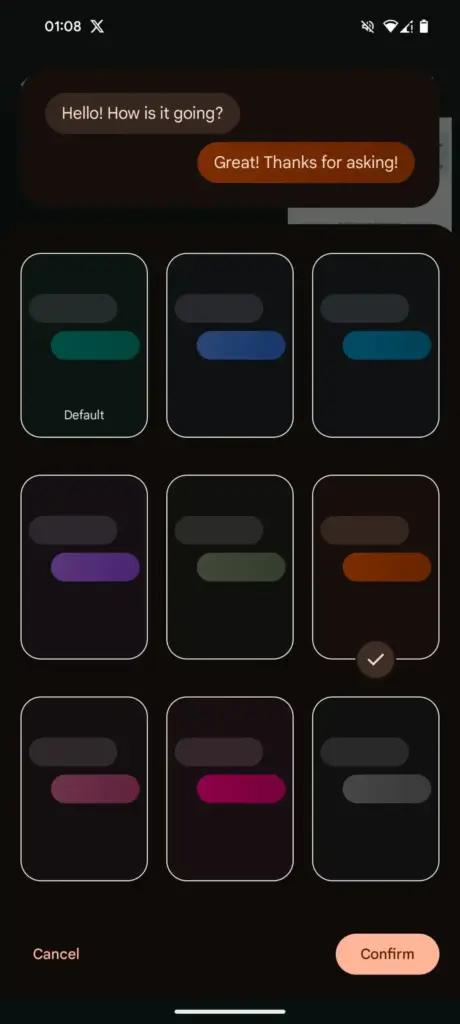
    Google Messages rolls out custom RCS conversation color themes more widely

    The most natural successor to Samsung Messages, especially if you want to keep RCS, is Google Messages. It’s already the default messaging app on most Android phones, and Google has been adding new features consistently to make it more capable.

    google messeges icon

    Google Messages

    Google Messages is the official Google app for messaging. Google Messages is revolutionizing how a billion users connect and is powered by Rich Communication Services (RCS), the industry standard for texting that replaces SMS and MMS.

    With RCS enabled on Google Messages, you get typing indicators, message reactions, high-quality media sharing, and built-in spam protection. And since iOS 18, iPhones also support RCS – so cross-platform conversations with iPhone users are now much cleaner than the old SMS-green-bubble situation.

    From a practical standpoint, the migration is straightforward. All messages and conversations will automatically transfer between Samsung Messages and Google Messages, though the process can take up to approximately 24 hours depending on how much data you have. That’s not a dealbreaker — just plan ahead.

    What you’ll miss? Samsung Messages had better message categorization and a more flexible UI for organizing conversations. Google Messages is improving steadily, but it still feels slightly more rigid. And the Gemini AI integration – while genuinely useful for some – might feel intrusive if you just want a clean, minimal texting interface.

    Still. If RCS matters to you, this is your best bet. It’s well-maintained, it’s free, and it works.

    WhatsApp and Telegram: The Cross-Platform Heavyweights
    whatsapp and telegram getting familiar with each 1

    If you’re open to moving away from traditional SMS entirely, WhatsApp is probably the easiest transition. Most people already have it installed. It works across Android, iPhone, and even desktop. You get voice and video calls, group chats, message reactions, and end-to-end encryption by default.
    WhatsApp Messenger
    Telegram

    There have been recent concerns around privacy with WhatsApp, with reports suggesting Meta employees could potentially access private messages – although the company has denied these claims. It’s something worth knowing, even if you decide it doesn’t change your decision.

    Telegram is a different beast. It’s faster, more feature-rich than WhatsApp in some ways (channels, bots, large group support, customizable themes), and has a devoted user base. The catch: default chats on Telegram are not end-to-end encrypted – only “Secret Chats” are. That surprises a lot of people who assume Telegram equals private.

    Both WhatsApp and Telegram require your contacts to also use the app. There’s a chance many people you know are already on these platforms — it might be worth a quick conversation with friends and family to see which one already has the most traction in your circle.

    Signal: For Users Who Actually Care About Privacy
    Signal

    Signal is the gold standard for private messaging. Everything is end-to-end encrypted by default, the organization behind it is a nonprofit, and the app collects almost no metadata. If you’ve ever looked at WhatsApp’s privacy policy and felt uneasy, Signal is the answer.

    signal icon

    Signal Private Messenger

    Signal is a messaging app with privacy at its core. It is free and easy to use, with strong end-to-end encryption that keeps your communication completely private.

    The downside is that it’s not as widely used, and the feature set is more minimal compared to WhatsApp or Telegram. You’d need to convince your close contacts to switch — which isn’t always easy.

    Signal also can’t replace SMS for people outside the app. So it works best as a secure messaging layer for a specific group — close friends, family, work contacts who are already privacy-conscious. Not a universal solution, but for what it does, nothing comes close.

    The Niche Options: Textra, Fossify, and Others
    samsung messages icon

    Here’s where it gets more interesting.

    On Reddit, Galaxy owners have been recommending apps like Textra SMS, Handcent Next SMS, Fossify Messages, Pulse SMS, and ZenSMS as alternatives. These apps are primarily SMS-focused, which means they feel a lot closer to the traditional Samsung Messages experience — customizable themes, cleaner UIs, message scheduling on some of them.

    The trade-off is clear: none of them support RCS. You lose typing indicators, read receipts, and high-quality media delivery. If your contact list is split between Android and iPhone users and you’ve been enjoying the improved cross-platform experience that RCS brought, you’ll notice the difference immediately.

    Textra, specifically, has been around for years and is genuinely well-designed. It’s a solid choice if you value aesthetic customization and don’t have strong feelings about RCS. Fossify Messages is open-source and lightweight — a good pick for users who want minimal data collection and a clean interface.

    How to Switch Without Losing Your Messages

    One thing people often overlook: the practical mechanics of switching.

    To switch to Google Messages manually: open or download Google Messages from the Play Store, tap “Set default SMS app” when prompted, select Google Messages, and confirm. The switch is fairly painless.

    A few things to be aware of:

    • If you’re on an older Samsung device released before 2022, switching apps may temporarily disrupt ongoing RCS conversations. They’ll resume once both sides are on Google Messages.
    • Older Tizen OS watches (Galaxy Watch3 and earlier) won’t be able to display full message conversation history after the switch — though they’ll still let you read and send texts.
    • Back up your messages before switching. Samsung Cloud or Google One can handle this — and WhatsApp has its own built-in backup system if you’re going that route.

    The transfer itself is largely automatic. Just give it time.

    So, Which App Should You Actually Choose?

    Honestly? It depends on who you text.

    If most of your contacts are on Android and you care about a seamless, modern texting experience — Google Messages. It’s not as customizable as Samsung Messages, but it’s the only real RCS option.

    If you text internationally a lot and your social circle is already on it — WhatsApp. The network effect alone makes it worth considering.

    If you want something that looks and feels closer to Samsung Messages, and you’re okay giving up RCS — Textra or Fossify Messages.

    If privacy is non-negotiable — Signal, used alongside one of the above for regular SMS.

    There’s no perfect answer here. Samsung Messages built a loyal user base over years, and its shutdown is a genuine inconvenience. But the replacement options are functional, and in some cases — particularly Google Messages with RCS — objectively more capable.

    Start testing your top choice now, before July. Don’t wait until the last moment when the app goes dark.


    Frequently Asked Questions

    When exactly is Samsung Messages shutting down? Samsung Messages will be discontinued in July 2026 in the US market. Users on Android 11 or lower are not affected by this end-of-service change.

    Will I lose my messages when Samsung Messages shuts down? No — your SMS and MMS history is stored on your device, not in the app itself. Switching to a new app won’t delete your messages. RCS chat history may transfer automatically when you move to Google Messages.

    Does any alternative support RCS like Samsung Messages did? Currently, Google Messages is the only third-party SMS app with access to RCS. Apps like Textra and other SMS alternatives do not support RCS.

    Can I still use Samsung Messages after July 2026? After Samsung Messages is discontinued, sending messages through the app will no longer be possible, except for emergency service numbers or emergency contacts defined on your device.
  • Google Messages Prepares a Feature Samsung Users Have Been Waiting For

    Google Messages Prepares a Feature Samsung Users Have Been Waiting For

    Samsung recently established a clear schedule for discontinuing Samsung Messages, establishing Google Messages as the default messaging software on Galaxy phones.

    While this is ultimately a welcome shift, the fact that Samsung Messages no longer supports RCS has left some longstanding users wanting the customisation tools they were accustomed to.

    It appears that Google has taken note and is working on adding some fun features that Samsung Messages users will recognize.

    Currently, the only way to modify RCS chats in Google Messages is to use the “Change colors” option from the three-dot menu. This option allows you to alter the backdrop and chat bubble colors simultaneously, but that’s all the personalization you can do in individual or group chats.

    In comparison, Samsung Messages supports more advanced customization, such as the option to color and decorate chat rooms using photographs from your phone’s gallery. Using Theme Park (via Samsung’s Good Lock module) provides even more customization options, such as altering bubble colors, modifying contrast, applying wallpaper-based themes, and more.

    Google Messages Prepares a Feature Samsung Users Have Been Waiting For

    As Samsung app is being phased out, customers who rely on custom theme packs have begun to express dissatisfaction with Google Messages‘ lack of customisation choices. Google appears to have been paying heed, since a new customisation option for its messaging app is now under development.

    More customization coming for Google Messages

    In the most recent beta release of Google (messages.android_20260410_02_RC00.phone.openbeta_dynamic), we discovered many additional lines pointing to extended theme controls within the app.

    <string name="custom_theme_add_photos">Upload photo</string>
    <string name="custom_theme_your_photos">Your photos</string>
    <string name="custom_theme_preview">Theme Preview</string>
    <string name="custom_theme_title">Theme UI</string>
    <string name="custom_theme_custom">Custom</string>
    <string name="custom_theme_backgrounds">Backgrounds</string>
    <string name="custom_theme_bubble_color">Bubble Color</string>
    <string name="custom_theme_apply">Apply</string>

    The new strings indicate that Google is planning a full “Custom” theme section, where users may be able to change backdrop patterns, bubble colors, and, most importantly, upload their own photographs to use as chat wallpapers. References to “Upload photo” and “Your photographs” definitely suggest a Google photographs integration, although options such as “Theme Preview” and “Apply” indicate a more involved customization experience.

    There are also talks of separate areas for backgrounds and bubble colors, implying that users could mix and match aspects rather than relying on pre-set themes.

    If this option becomes available, it would be a significant step toward allowing users greater choice over how their chats appear, which has been glaringly absent from the app thus far.

  • Editing RCS Messages sent to iPhones is now possible for some Android users

    Editing RCS Messages sent to iPhones is now possible for some Android users

    Text communications between iOS and Android users has historically proven more often than not problematic. However, new modifications are facilitating communication between the two platforms. After years of Google trying to convince Apple to adopt the new communications standard, RCS, the company is finally doing so.

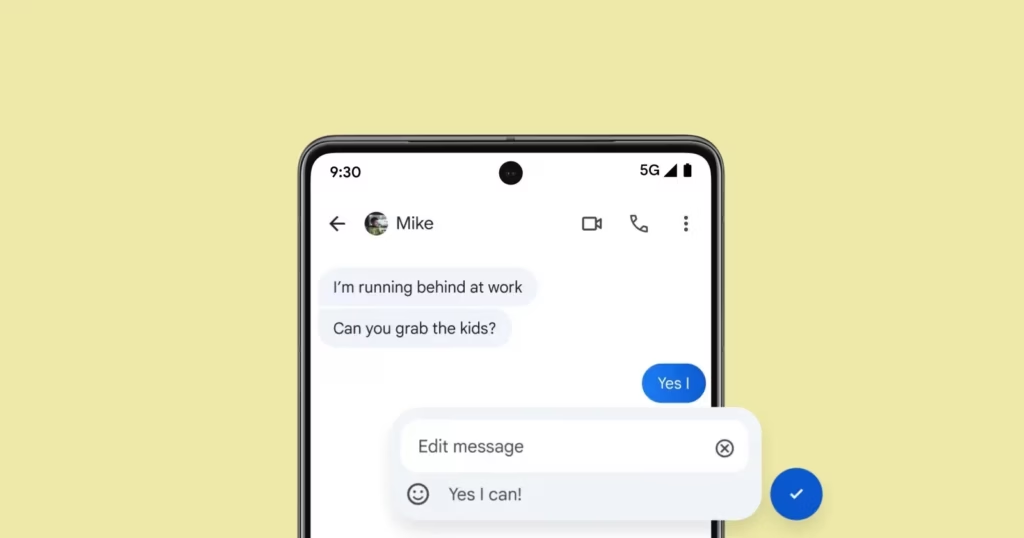
    Users on both systems can share high-quality media, be “seen” when messages are read, and detect typing activity thanks to RCS. However, up until now, there hasn’t been a way to alter messages sent from an Android device to an iPhone. According to Android Authority, some Android users are now starting to notice it.

    edit rcs message

    Apple recently added RCS support

    For over a year, editing messages has been possible for Android-to-Android chats using RCS and iPhone-to-iPhone chats using iMessage. Because message editing was not included in the official RCS standard, Universal Profile 2.4, this feature was not available between iOS and Android. The standard was embraced by Apple, but this resulted in cross-platform conversations lacking the edit option.

    The GSM Association published Universal Profile 3.0 earlier this year, which includes end-to-end encryption and message editing. As a result, if the iPhones are running iOS 18.5 or later, including the iOS 26 beta, some Android users can now edit messages sent to iPhone users.

    It operates by requiring modifications to be performed within a 15-minute interval. Since Apple’s Messages app does not yet fully support this feature, the updated message appears on iPhones as a new message with an asterisk.

    Stay connected with the latest from Droid Tools—follow us on X @droid_tools, like our page on Facebook, check out our updates on Instagram, and follow us on Google News for real-time news, device tips, and mobile tech insights.

  • If apps are secretly reading your messages or using your camera, One UI 8 will alert you.

    If apps are secretly reading your messages or using your camera, One UI 8 will alert you.

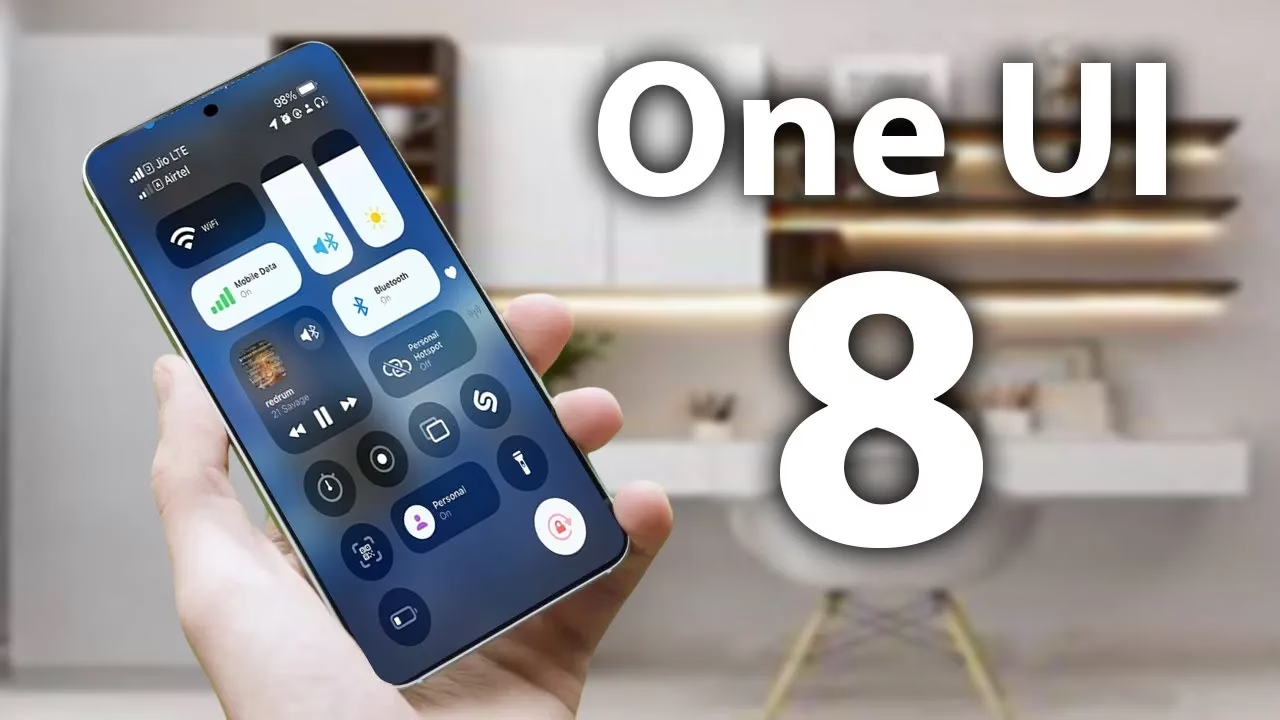
    According to a tip from Android Authority and an APK breakdown, Samsung is included a new security tool in the next One UI 8 update. The “Alert Center,” a new feature, is supposed to provide customers with a more comprehensive alerting system for security and privacy issues.

    When an app uses the camera or microphone on an Android device, users typically notice a green dot on the status bar’s edge. However, Alert Center will go one step farther and alert consumers to possible privacy and security threats.

    It is said to provide notifications for a variety of problems, such as when applications read messages or get unauthorized access to the user’s camera or microphone. Gemini, turn away. Additionally, it will alert users to malware, insecure accounts, out-of-date software, and biometric security setup reminders. These alerts, which are directly related to the fix, assist users in acting promptly.

    Additionally, Google revealed Android 16’s enhanced security features, which include a new protection mode to thwart attackers and keep gadgets safe.

    No specific date has been set for the Alert Center’s launch.

    Stay connected with the latest from Droid Tools—follow us on X @droid_tools, like our page on Facebook, check out our updates on Instagram, and follow us on Google News for real-time news, device tips, and mobile tech insights.

  • Google starts rolling out Material 3 Expressive to Messages app

    Google starts rolling out Material 3 Expressive to Messages app

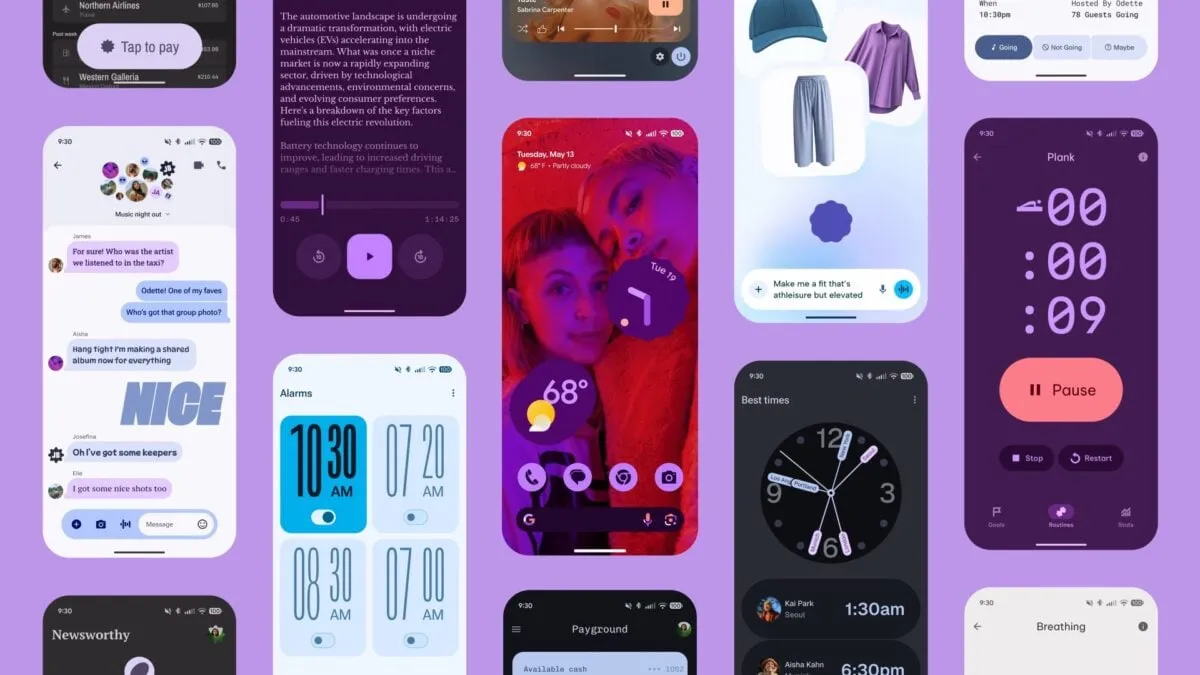
    Google Messages is starting to implement a Material 3 Expressive overhaul of just the conversation interface, following Gmail for certain users and Photos.

    Placing the message thread in a container with rounded corners at the top makes the app bar its own (darker) layer, which is the primary alteration to the conversation screen.

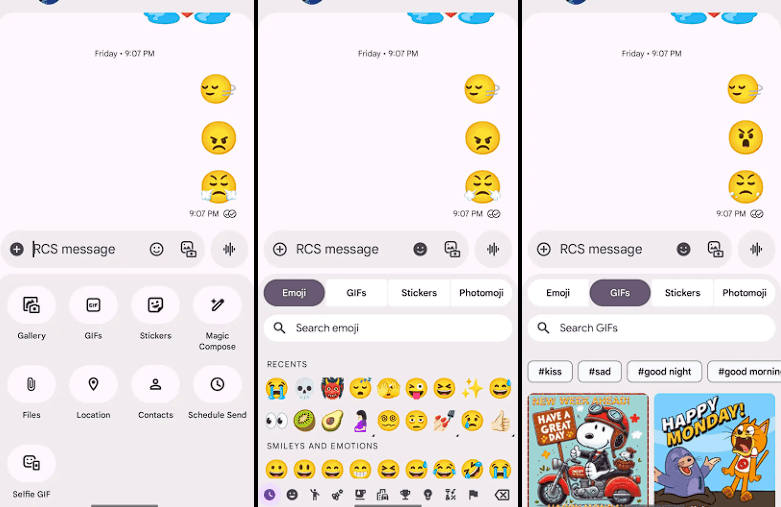
    The Gallery, GIFs, Stickers, and other items are arranged in pill-shaped containers rather than circles in the “plus” menu, which is a distinct container. The wallpaper it uses is identical to that of the app bar. Additionally, Google eliminated the vibrant symbols and reduced the grid’s density.

    The linked button group used to transition between Emoji, GIFs, Stickers, and Photomoji (which was the first item in the current design) is visible when you access the emoji menu. The current tab you are reading is a pill, and the entire thing is a circular container. Moving the search bar down one line eliminates back-to-back text fields, which is a welcome modification.

    Material 3 Expressive Messeges app

    As of right now, we have one report of this going live with Google Messages beta version 20250528_00_RC00, namely the Samsung version. We examined other devices today, and we don’t notice it.

    The home page, search, settings, and other areas of the app have not been changed today. It appears like Material 3 Expressive in Google Messages will be implemented gradually. In the meantime, the software usually takes a long time to go from beta or initial release to general release.

    Stay connected with the latest from Droid Tools—follow us on X @droid_tools, like our page on Facebook, check out our updates on Instagram, and follow us on Google News for real-time news, device tips, and mobile tech insights.

  • Google Messages receives the “Delete for everyone” feature

    Google Messages receives the “Delete for everyone” feature

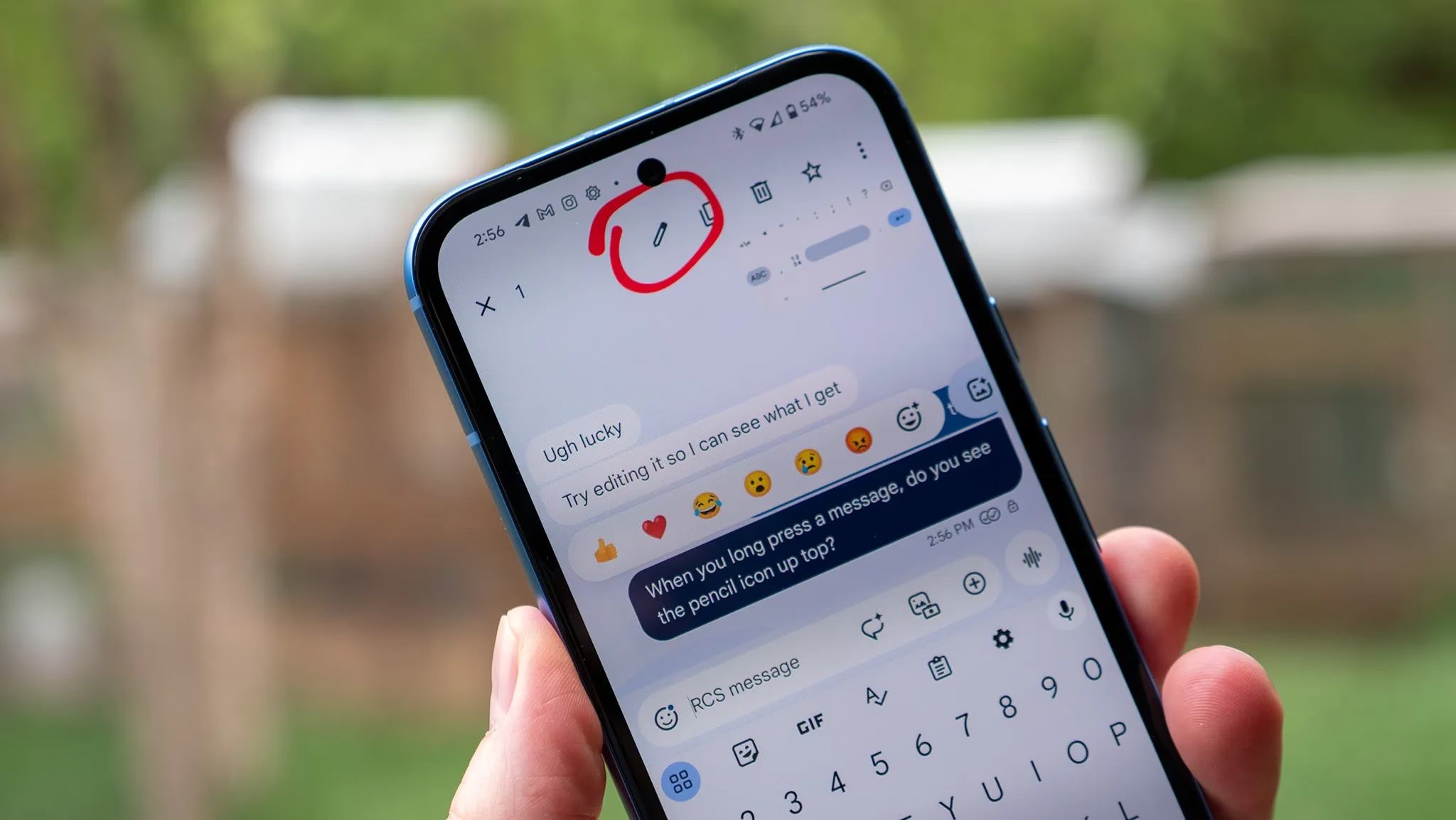
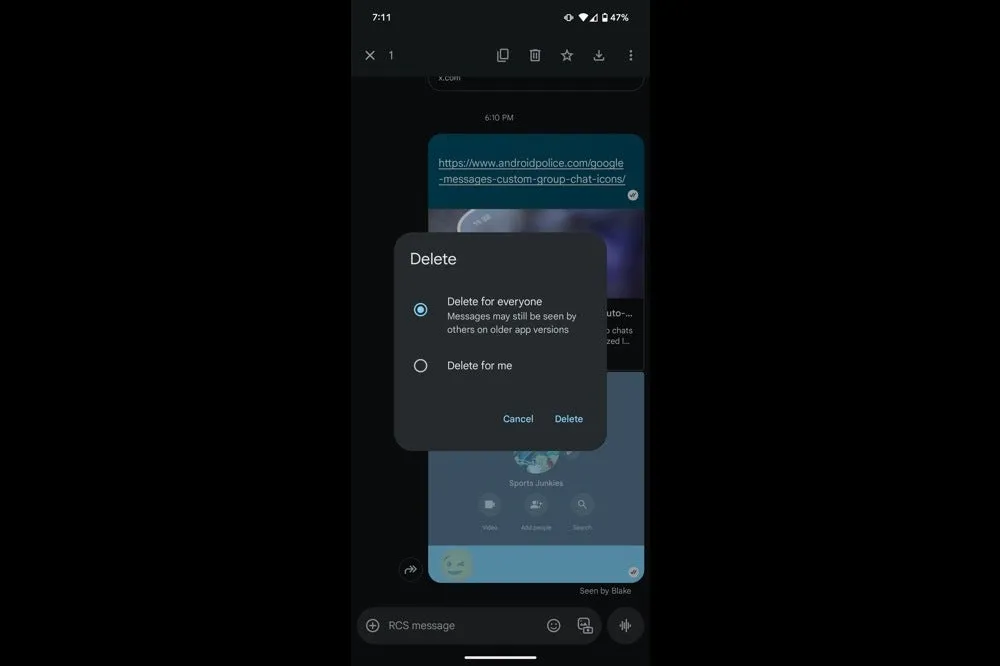
    In order to provide Android users a 15-minute opportunity to remove an RCS text that shouldn’t have ever left the phone in the first place, Google Messages is now testing a “Delete for everyone” option. The most recent beta version has led to early complaints that when you long press on a message, two options would appear: “Delete for everyone” and “Delete for me.” When the first option is selected, the chat replaces the text with a tiny label that reads “Message removed,” which is visible to all participants.

    The feature is currently limited to chats in large groups. While the option remained hidden in smaller groups and one-on-one talks, one tester was successful in a thread with twelve participants. Even though it’s in beta, it’s good to see this feature finally being released after it was first discovered in March.

    It should be mentioned that the recall is dependent on RCS Universal Profile 2.7, therefore all conversation participants must have the most recent version of Google Messages installed, else the delete request would silently fail. Furthermore, it appears that Google is already turning off its servers for a small group of beta users to ensure the system is stable before expanding.

    Google Messages logo

    Google Messages

    Safety starts with understanding how developers collect and share your data. Data privacy and security practices may vary based on your use, region, and age. The developer provided this information and may update it over time.

    It is not surprising that the rollout was so limited. This safety net has been provided by rival apps for years, and each one has its own boundaries. For a generous two days, WhatsApp allows you to retrieve a message. You have fifteen minutes to modify and two minutes to undo in iMessage. Telegram takes one step further by enabling users to delete texts whenever they want without leaving any evidence behind. Google’s 15-minute limit is tiny when compared to that lineup, but it still fills the largest hole in its flagship chat service.

    Google Messages delete

    Given that Apple intends to switch to the same RCS profile that supports these additional functions later this year, the timing is crucial. Google has also been working hard to improve Messages’ quality of life features, such as AI reply suggestions, reaction effects, and a long-overdue edit button that took four months to move from beta to stable last year. By the end of 2025, delete for everyone could reach the majority of phones if the firm keeps up its current pace.

    When you consider the time that comes with Apple’s release, I think this is a significant move. Android owners will have the same peace of mind that WhatsApp and iPhone users currently have while keeping their chats organized if Google expands support prior to the stable release.

  • 5 easy ways to use Google Gemini to boost your Android experience

    5 easy ways to use Google Gemini to boost your Android experience

    Since its debut in 2016, Google Assistant has been a feature of the Android operating system. It is accessible by uttering the “OK Google” hot word, as a sticky widget in the dock, or in the news stream on the left side of your home screen. However, the assistant needed a makeover because AI was a key component of almost every phone that was released in the previous year.

    Google Gemini’s shortcomings were noted by early adopters, who said it could not execute jobs that Google Assistant could. With Gemini’s increased capabilities, a lot has changed. Here are some useful applications for it on an Android phone.

    Use Gemini from Messages

    google gemini in messeges

    Following Hangouts’ sunsetting and an unsuccessful attempt with Allo, Google finally figured out how to make texting work on Android. Google Messages is a fantastic way to interact with loved ones because of its many capabilities, especially when it comes to chats that use RCS.

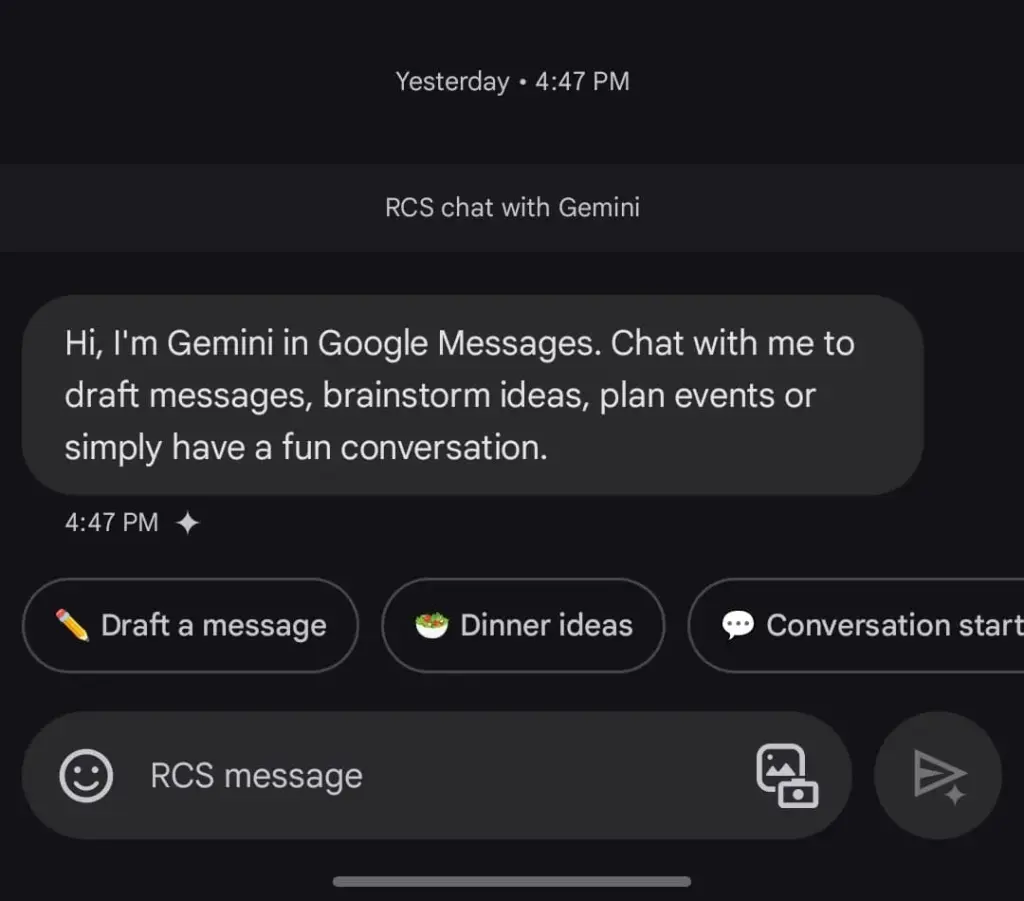
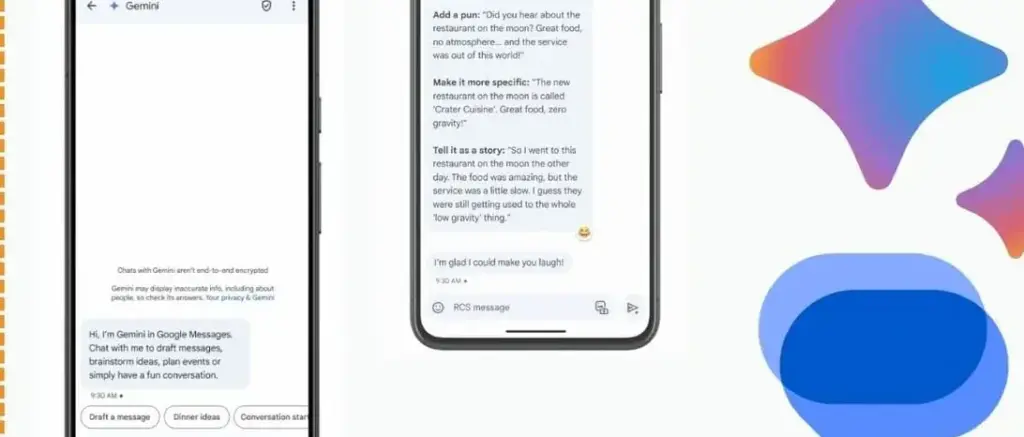
    The option to talk with Gemini will appear if you open Google Messages and tap the Start chat icon. This allows you to use Gemini’s conversational side in a chat window. You can ask it to create images, recite poems, or write a birthday message.

    Gemini in Google Messages is incompatible with other apps and is unable to manage device settings. It does, however, provide a more conventional method of communicating with the assistance. It does not answer questions using pictures of individuals, but you can send it pictures of food, clothing, and other objects.

    Also, Gemini cannot be asked to send a message through Google Messages. You can use the Gemini app specifically for that purpose. Furthermore, Gemini may be used to call contacts or look up the phone numbers of nearby businesses, just like Google Assistant. But you can not use your friendship with someone to make calls or send SMS. It is possible that saying, “Hey Google, call my mom,” will ring another contact with the name “mom.”

    Control device settings

    disable pull down quick settings

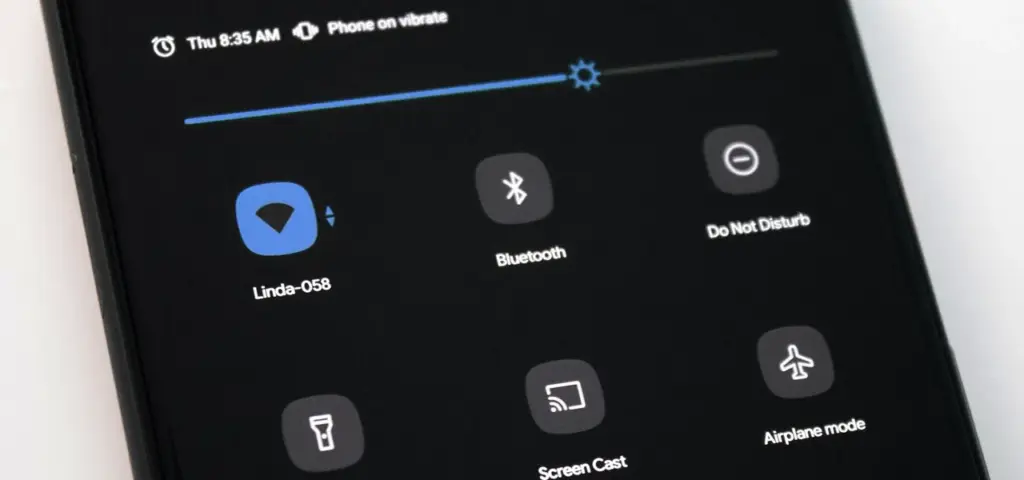
    Gemini has the ability to switch off your Wi-Fi, but in order to utilize the assistant again, you will need to manually activate it. Bluetooth, location, auto-brightness, and flashlight settings are among the more practical device controls.

    A series of instructions, such as “turn off auto-rotate and then turn on mobile data,” can be requested, but Gemini can be picky. Routine tasks, such as turning off alarms or setting a timer, function well.

    Controlling my phone’s music playback is one of my favorite applications of this feature. You may ask Gemini to rewind a song by 30 seconds, but it can still play, pause, and skip songs as normal.

    Also, you may use a custom timer to instruct Gemini to take a picture. On the other hand, when I ran the identical query on my iPhone using Apple Intelligence, it set a five-second timer labeled “picture.” Regards, Apple.

    A conversational tool

    Google Messages Gemini e1735622431861

    For years, we have been able to use voice commands to activate Google Assistant; however, typically, a specific action or question is required. By tapping the button next to the camera symbol in the Gemini Live app, you can initiate an unstructured chat.

    As long as the conversation does not violate the AI’s guidelines, you can talk about anything and get pertinent responses. It was a little unsettling to speak into my phone aloud and hear responses that seemed natural, but I eventually adapted. Gemini Live excels at having back-and-forth conversations, but you may also ask closed-ended questions.

    During a discussion, Gemini can be interrupted by tapping the screen or talking over it. When you use Live mode, you can choose from a small selection of voices. I use Gemini Live to practice talks, generate ideas, and learn new languages. This is an intriguing approach to employ an AI assistant on your phone because of its convincing and real-time responses.

    Use Gemini with Google Workspace

    Blog Header Light mode No text.w

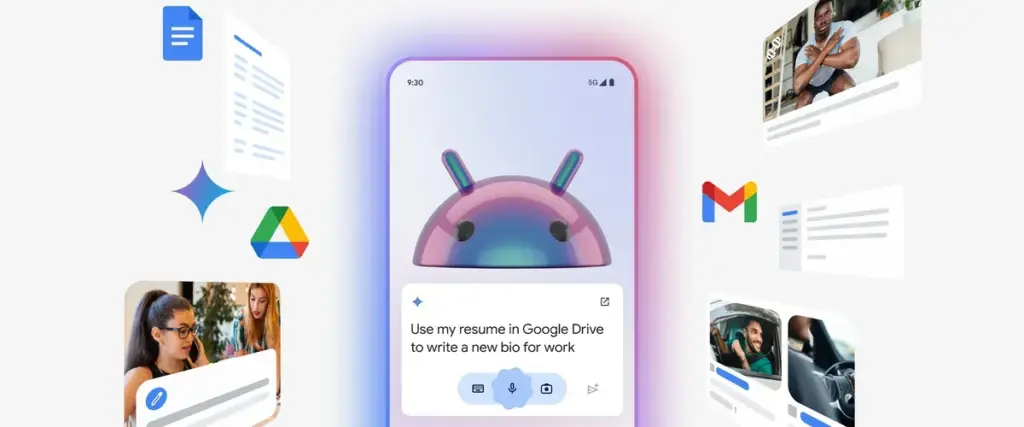
    With a subscription, Gemini may be used with Google Workspace applications such as Docs, Gmail, and Slides. You may retrieve and condense emails, tasks, and other items linked to your Google account on an Android phone by using the Google Workspace extension, which is available for free with Gemini.

    Gemini can filter emails by sender name or transmit a list of your most recent emails. It is unable to access attachments, though. Asking Gemini to summarize papers is a helpful tool, as I utilize Google Docs for the most of my class notes. In order to locate an event you have been searching for, it can also scan your calendar.

    Gemini can be asked to save notes or tasks. In the Google Keep app, entries filled in this manner display a Gemini tag. Additionally, it cleverly names notes according to their substance.

    Connect it with third-party apps

    Gemini extensions allow you to access and manage additional features on your device. It is cool to connect to Google Workspace, and more third-party apps should soon be compatible with Gemini. Without opening the app and looking for a playlist, you can play songs from your playlists by connecting to your Spotify account. Media playback control then assists you in selecting the ideal song for the situation.

    You may use voice commands on Google Gemini to send messages or make a call to a contact if you are one of the three billion WhatsApp users globally. You cannot, however, request that Gemini read your WhatsApp chats or attach anything to them.


    Compared to its first day, Gemini now does more. Because device controls are compatible with the AI assistant, you are no longer forced to pick between it and Google Assistant. Additionally, when Gemini is unable to complete a task, it will sometimes rely on the Google Assistant extension. Your time with a Gemini is not going to be a happy one. It still has hallucinations and is a huge language model.

    Even though it is capable of performing things like “turning on Bluetooth,” it occasionally refuses to do so. Starting a fresh chat is a good strategy to get good answers in these situations. You must unlock your phone’s screen in order to use the majority of its useful commands. Even with its limitations, Gemini keeps getting new features, such as the ability to operate smart home appliances with the Google Home extension.

  • RCS is now officially compatible with iPhones

    RCS is now officially compatible with iPhones

    Although we have known it was coming for almost a year, today is the day we have been waiting for: RCS compatibility is giving the texting experience between the stock messaging apps on Android and iPhone a significant boost. Rich conversations have long been supported by Android texting apps such as Google Messages, Samsung Messages, and many carrier apps, but iPhones may now use the protocol designed to replace SMS and MMS since Apple officially released iOS 18.

    With the formal release of iOS 18 to the public channel, iPhone users worldwide will begin to receive an upgrade starting today. After installing the updated firmware, users will be able to receive RCS messages sent to their phone number via iMessage’s parent app, Apple Messages.

    The official Android account on Twitter/X highlighted some of the features you may now take use of in a series of tweets to commemorate the milestone. Among the advantages you will probably notice are the ability to send high-quality images and videos, respond to messages with emoticons, and add and remove members in group chats at will.

    “Apple is starting to #GetTheMessage and upgrade to RCS,” the Android account jokes, making fun of the green bubble issue and Google’s push to force Apple to adopt RCS.

    Green bubbles are becoming more similar to blue bubbles.

    Through the iOS 18 beta program, we had the opportunity to test the new RCS capabilities. Although there were still some bugs at the time, the standard features of an instant messaging client, such as read receipts, message replies, and higher file sizes, were all present. On iPhones, however, messages from Android devices continue to appear as green bubbles; only discussions between iMessage and iMessage are blue.

    ios rcs support
    71jbE08QOLL. AC SL1500

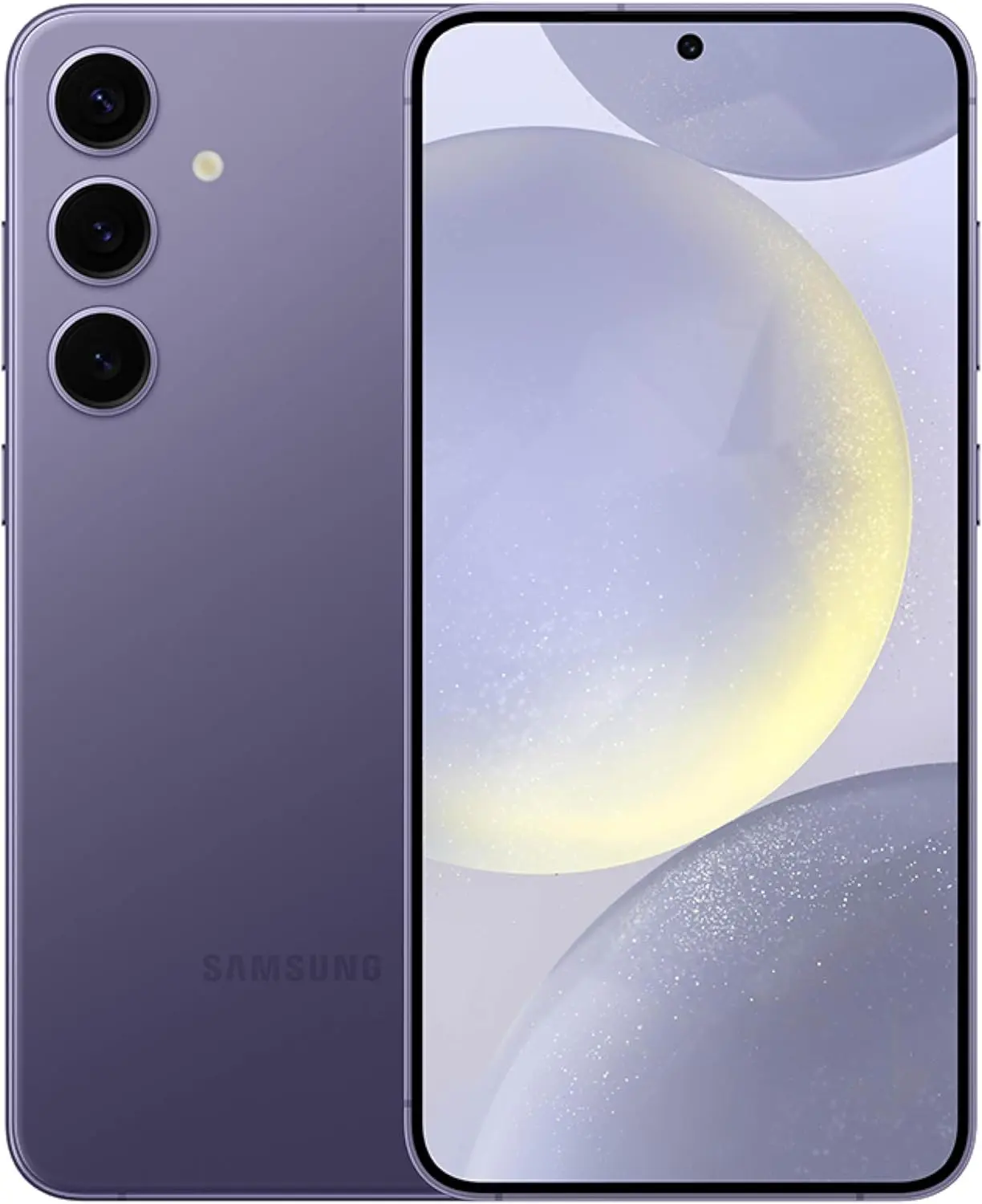
    SAMSUNG Galaxy S24+ Plus – DEAL

    SAMSUNG Galaxy S24+ Plus Cell Phone, 256GB AI Smartphone, Unlocked Android, 50MP Camera, Fastest Processor, Long Battery Life, US Version 2024 Cobalt Violet

    $798See It

    RCS messaging between Android and iPhone enable in-transit encryption to assist prevent message interception, as Apple states in its documentation for the capability, but end-to-end encryption is not yet available for these messages.

    It is confusing to note that Android-to-Android RCS chats do support E2EE because Google’s Jibe backend is used by both Samsung and Google’s Messages apps, which layered Signal’s encryption protocol over the RCS Universal Profile foundation. However, Apple’s RCS implementation only makes use of the Universal Profile standard’s functionalities. Although its incorporation into the Universal Profile is not assured, Google Messages was recently seen adding support for MLS, a new industry standard, to help with this.

    Carrier assistance is an additional challenge to consider. A Google Fi representative clarified in a statement to 9to5Google that the iPhone manufacturer has not yet turned on its Google Fi MVNO and that “only Apple has the power to activate RCS compatibility for iPhone consumers” with certain mobile service providers. Nevertheless, iPhone RCS is currently available on all of the main US carriers, including AT&T, T-Mobile, and Verizon. We have also observed the service activating on Canadian carriers.

    To start chatting over RCS with friends on iOS, you can set Google Messages as your default texting app, then make sure the other person has RCS enabled on their iPhone under Settings → Apps → Messages → RCS Messaging.

    unnamed

    Google Messages

    Safety starts with understanding how developers collect and share your data. Data privacy and security practices may vary based on your use, region, and age. The developer provided this information and may update it over time.

  • Google Messages removes nav drawer in the new redesign

    Google Messages removes nav drawer in the new redesign

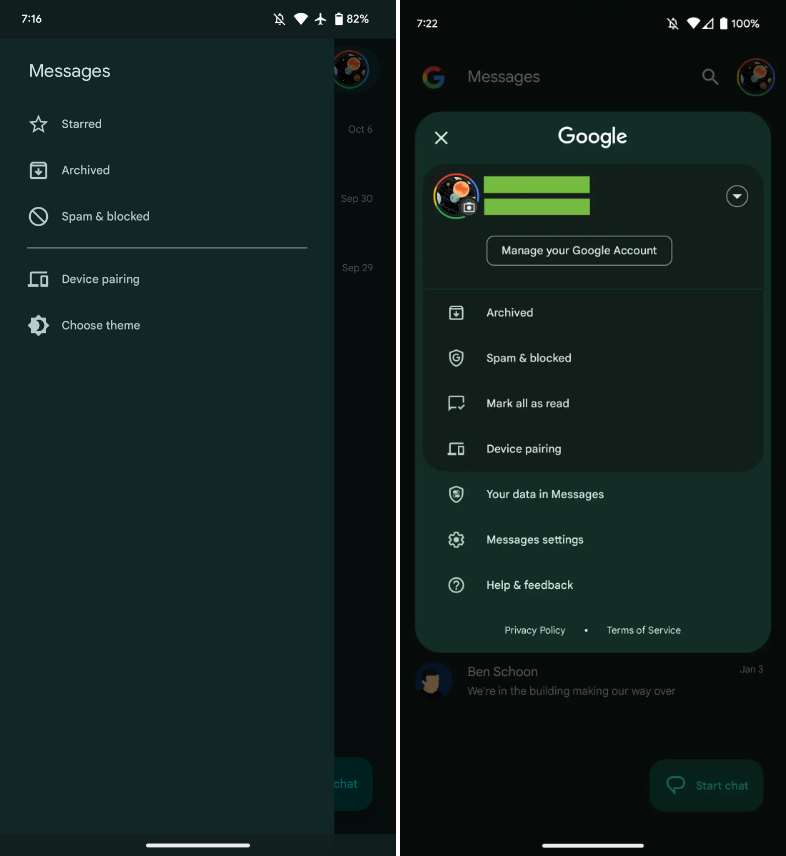
    Interesting changes are being made by Google to the Messages homescreen, including the removal of the navigation drawer and the addition of prominent branding to the Android app.

    The Google Messages homescreen has undergone another update with beta version 20230717 01 RC00.

    With this redesign, the message organization feature that had recently been enabled for beta users is not present. In the meantime, Google has slightly modified the search filters. This new appearance has not yet been implemented broadly.

    Messages

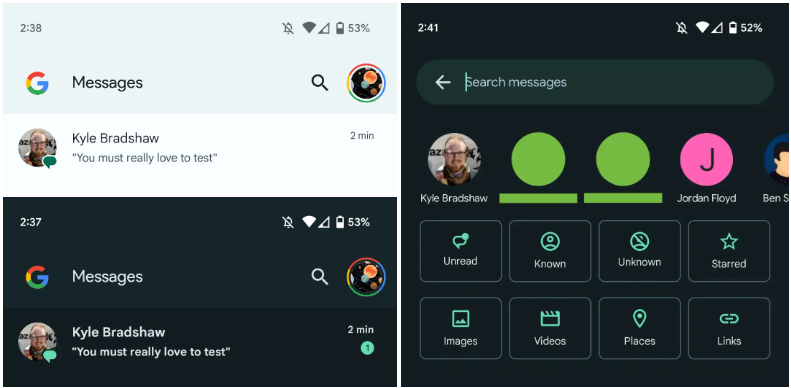
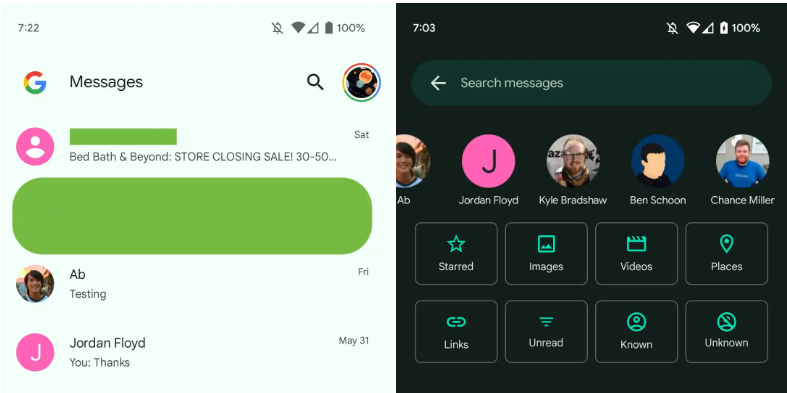
    You only get a magnifying glass icon in place of a full-width search bar. Google’s four-color “G” logo is in the top-left corner, followed by the word “Messages.

    With those settings now under the account menu, the navigation drawer and its hamburger icon have been deleted. Your data in Messages, Messages settings, Help & feedback, Spam & blocked, Mark all as read, and Device pairing are displayed in that order. Google has shifted “Select theme” inside the settings menu in the interim.

    Early in 2022, after previously solely using an overflow menu, Messages added a navigation drawer. This was considered to be defying current Google app design trends at the time.

    A small change in search sees Google drop the “Categories” carousel for a standard grid that requires less scrolling: Starred, Images, Videos, Places, Links, Unread, Known, and Unknown.

    In comparison to programs like Gmail, which has a huge list of categories and labels, and Calendar, Messages’ navigation menu was ineffective, included just a few items, and was unnecessary. This account menu strategy is more effective and is used by other first-party apps like the Google Play Store. The complete search box was likewise superfluous, despite being a Google app hallmark.

    Messages

    More interesting to me is the “G” logo in the top-left corner that serves as very explicit Google branding that denotes how this is how the company wants you to message. It can be seen as part of Google’s ongoing RCS campaign

    We’re seeing this homescreen redesign rolled out with version 20230608_01_RC00 of Google Messages that was released yesterday to the beta channel. This redesign is not yet widely available, but feels like a definite modernization. 

    Messages